fog light MERCEDES-BENZ METRIS 2020 MY20 Operator’s Manual
[x] Cancel search | Manufacturer: MERCEDES-BENZ, Model Year: 2020, Model line: METRIS, Model: MERCEDES-BENZ METRIS 2020Pages: 320, PDF Size: 26.38 MB
Page 111 of 320

Bulb holder
=
Turn signals/brake lamps/tail lamps/
standing lamps
? Backup lamp
A Rear fog lamp (driver's side only)
X Apply light pressure to the corresponding
bulb, turn it counter-clockwise and remove
it from the bulb holder.
X Press the new bulb into the socket and
screw it in clockwise.
X Insert bulb holder ; into the tail lamp and
tighten all three screws :.
X Install the tail lamp (Y page 108).Windshield wipers
Switching the windshield wiper
on/off
! Do not operate the windshield wipers
when the windshield is dry, as this could
damage the wiper blades. Moreover, dust
that has collected on the windshield can
scratch the glass if wiping takes place when
the windshield is dry.
If it is necessary to switch on the windshield
wipers in dry weather conditions, always use
washer fluid when operating the windshield
wipers.
! If the windshield wipers leave smears on
the windshield after the vehicle has been
washed in an automatic car wash, wax or
other residues may be the reason for this.
Clean the windshield using washer fluid
after washing the vehicle in an automatic
car wash.
! Intermittent wiping with rain sensor: due
to optical influences and the windshield becoming dirty in dry weather conditions,
the windshield wipers may be activated
inadvertently. This could then damage the
windshield wiper blades or scratch the wind-
shield.
For this reason, you should always switch
off the windshield wipers in dry weather. 1
$ Windshield wipers off
2 Ä Intermittent wipe, low (rain sensor
set to low sensitivity)
3 Å Intermittent wipe, high (rain sensor
set to high sensitivity)
4 ° Continuous wipe, slow
5 ¯ Continuous wipe, fast
B î 1st pressure point – single wipe; 2nd
pressure point – wipe with washer fluid
X Turn the key to position 1 or 2 in the igni-
tion lock.
X Turn the í wiper switch to the corre-
sponding position.
In the Ä or Å
positions, the appropriate
wiping frequency is set automatically accord-
ing to the intensity of the rain. In the Å
position, the rain sensor is more sensitive to
precipitation than in the Ä position, caus-
ing the windshield wipers to wipe more fre-
quently.
The windshield will no longer be wiped prop-
erly if the wiper blades are worn. This may pre-
vent you from observing the traffic conditions.
Information on replacing the wiper blades can
be found under "Replacing wiper blades"
( Y page 110). Windshield wipers
109
Lights and windshield wipers Z
Page 119 of 320
R
If you wish to use the driver's side settings
on the co-driver's side and, for vehicles with
rear-compartment air conditioning, for the
rear compartment as well, use the "Synchro-
nization" function. The indicator lamp in the
0 button comes on when the function is
switched on.
R After long journeys, you can use the residual
heat of the engine to heat the stationary
vehicle. The residual heat utilization can
only be switched on or off while the ignition
is switched off. The indicator lamp in the
Ì button comes on when the function is
switched on.
Approximately 60 minutes after parking the
vehicle, 3-zone automatic climate control can
switch on automatically, depending on the out-
side temperature. The vehicle is then ventila-
ted for about 30 minutes at low fan setting
and 3-zone automatic climate control is dried
out. Optimum use of the rear compart-
ment air conditioning
Vehicles with air-conditioning system
Switch the rear-compartment air-conditioning
system on and off using the air-conditioning
system control panel. When you switch on the
rear-compartment air conditioning, your set-
tings for temperature, airflow and air distribu-
tion are automatically adopted on the control
panel for the rear-compartment air condition-
ing.
The indicator lamp in the / button comes
on when the rear-compartment air-condition-
ing is switched on
(Y page 115).
Vehicles with dual-zone automatic climate
control
To operate the rear-compartment air condi-
tioning, use the control panel of the dual-zone
automatic climate control system. When you
switch on the rear-compartment air condition-
ing, you can set the temperature and airflow
separately on the control panel. The airflow
setting is automatically adopted for the rear-
compartment air conditioning. When dual-zone
automatic climate control is in à automatic
mode, the air distribution of the rear-compart-
ment air conditioning is also automatically
adjusted.
When you set the temperature and airflow of
the rear-compartment air conditioning, the indicator lamp of the / button
(Y page
116) flashes. When the rear-compart-
ment air conditioning is switched on, the indi-
cator lamp on the / button lights up.
For optimum climate control, set the tempera-
ture to 72 ‡ (22 †) and switch on à auto-
matic mode. Only change the temperature in
small increments. Operating the climate control sys-
tem
Switching the climate control on/off
Important safety notes When the climate control is switched off, air
intake and air circulation also stop. Only use
this setting for a brief period. Otherwise, the
windows could fog up.
Air-conditioning system X
Turn the key to position 2 in the ignition
lock.
X To switch on: turn airflow control A clock-
wise to at least level 1 – (Y page
115).
X To switch off: turn airflow control A coun-
ter-clockwise to position 0.
Dual-zone automatic climate control X
Turn the key to position 2 in the ignition
lock.
X To switch on: press the à button.
The indicator lamp in the à button and
the display are switched on. The climate
control is automatically adjusted depending
on the set temperature
(Y page 119).
or
X Press the K button and set blower set-
ting 1 or above.
The blower settings are shown in the display
as a bar graph.
X To switch off: press the I button and,
after reaching the lowest blower speed,
press it again.
The control panel display goes off.
Preferably switch on climate control using the
à button. Operating the climate control system
117
Climate control
Page 124 of 320
When you deactivate the windshield defrosting
function, the previous automatic climate con-
trol settings are reactivated with the exception
of air-recirculation mode. Air-recirculation
mode remains deactivated. Clearing condensation from the win-
dows
Windows fogged up on the inside Air-conditioning system
You should only select this setting until the
windows are clear again.
X Switch on the rear window defroster if nec-
essary
(Y page 122).
X Switch on climate control (Y page
117).
X Switch off air-recirculation mode
(Y page
123).
X Turn temperature control : clockwise to a
higher temperature and air flow control A
to a blower speed between 3 and 6
( Y page
115).
X If possible, only select the ¯ setting of
the air distribution
(Y page 120).
Only the indicator lamp in the ¯ button
lights up.
X Switch on the cooling with air dehumidifica-
tion function
(Y page 118).
X If the windows still fog up, set the climate
control functions as described for defrosting
of the windshield
(Y page 121).
Dual-zone automatic climate control You should only select this setting until the
windows are clear again.
X Switch on the rear window defroster if nec-
essary
(Y page 122).
X Switch on climate control (Y page
117).
X Switch off air-recirculation mode
(Y page
123).
X Switch on the cooling with air dehumidifica-
tion function
(Y page 118).
X Switch on automatic mode ( Y page
119).
X If the windows continue to fog up, switch on
the windshield defrosting function
( Y page
121). Windows fogged up on the outside You should only select this setting until the
windshield is clear again.
X Switch on the windshield wipers
(Y page
109).
X Switch on climate control (Y page
117).
X In warm and damp weather, do not allow
cold air to flow onto the windows. Close the
side air vents if required
(Y page 124). Switching the rear window defroster
on/off
General notes The rear window defroster consumes a lot of
power. You should therefore switch off the
rear window defroster as soon as the rear win-
dow is clear.
X Turn the key to position 2 in the ignition
lock.
X Press the ¤ button on the control panel.
If the indicator lamp in the ¤ button
lights up, the rear window defroster is
switched on.
The rear window defroster switches off auto-
matically after a few minutes.
Problems with the rear window
defroster The rear window defroster has switched off
prematurely or cannot be activated.
The vehicle starter battery is not sufficiently
charged.
X Switch off any consumers that are not
required, e.g. reading lamps, interior lighting
or seat heating.
When the battery is sufficiently charged, the
rear window defroster can be activated
again.122
Operating the climate control system
Climate control
Page 125 of 320
Switching air-recirculation mode
on/off
Important safety notes You can deactivate the intake of fresh air if
unpleasant odors enter the vehicle from out-
side. The air inside the vehicle is then circula-
ted.
When you switch on air-recirculation mode,
the side windows and windows could fog up
more quickly, in particular at low outside tem-
peratures. Only switch on air-recirculation
mode for a short time.
Air-conditioning system or dual-zone
automatic climate control X
Switch on climate control ( Y page 117).
X Press the h button.
If the indicator lamp in the h button
lights up, air-recirculation mode is activated.
Air-recirculation mode switches on automati-
cally: R at high outside temperatures
R while driving in a tunnel (only vehicles with a
navigation system)
The indicator lamp in the h button is then
not lit up. Outside air is added automatically
after about
30 minutes.
Air-recirculation mode is deactivated automati-
cally:
R after approximately five minutes at outside
temperatures below about 45 ‡ (7 †)
R after approximately five minutes when the
cooling with air-dehumidification function is
deactivated
R after approximately 30 minutes at outside
temperatures above about 45 ‡ (7 †) and
when the cooling with air-dehumidification
function is active Convenience opening/pre-entry cli-
mate control
G
WARNING
During convenience opening, body parts
could be drawn in or become trapped
between the side window and the door
frame. There is a risk of injury. Monitor the entire opening procedure when
using convenience opening. When opening,
make sure that nobody touches the side
window. Release the % switch immedi-
ately if somebody becomes trapped, to
interrupt the opening procedure.
X Pre-entry climate control and conveni-
ence opening with the key:
press and hold
the % button on the key.
The side windows open automatically and
the blower of the climate control system is
activated.
X Release the % button.
i At high interior temperatures, the blower is
also switched on when a door is opened.
This means that slightly cooled air enters
the vehicle interior after the engine is star-
ted, to cool the vehicle more rapidly. Switching the residual heat function
on/off
General notes Only vehicles with dual-zone automatic climate
control have the residual heat function.
Once the engine is switched off, it is possible
to make use of the residual heat of the engine
to continue heating or ventilating the front
compartment of the vehicle for approximately
30 minutes. The heating or ventilation time
depends on the set interior temperature.
Switching the function on/off X
Turn the key to position 0 in the ignition
lock or remove it.
X Press the Ì button.
If the residual heat function is activated, the
indicator lamp in the Ì button comes on.
The blower will run at a low speed regard-
less of the airflow setting.
If you activate the residual heat function at
high temperatures, only the auxiliary ventila-
tion will be activated. The blower then runs
at medium speed. Operating the climate control system
123
Climate control Z
Page 156 of 320
means of intermittent vibration through the
steering wheel for up to
1.5 seconds.
Important safety notes G
WARNING
Lane Keeping Assist cannot always clearly
detect lane markings.
In such cases, Lane Keeping Assist can:
R give an unnecessary warning
R not give a warning
There is a risk of an accident.
Always pay particular attention to the traffic
situation and keep within the lane, espe-
cially if Lane Keeping Assist alerts you. G
WARNING
The Lane Keeping Assist warning does not
return the vehicle to the original lane. There
is a risk of an accident.
You should always steer, brake or accelerate
yourself, in particular if warned by Lane
Keeping Assist.
If you fail to adapt your driving style, Lane
Keeping Assist can neither reduce the risk of
accident nor override the laws of physics.
Lane Keeping Assist cannot take into account
road, weather or traffic conditions. Lane Keep-
ing Assist is only an aid. You are responsible
for the distance to the vehicle in front, for
vehicle speed, braking in good time and for
staying in your lane.
Lane Keeping Assist does not keep your vehi-
cle in its lane.
The system may be impaired or may not func-
tion if:
R there is poor visibility, e.g. due to insuffi-
cient illumination of the road, or due to
snow, rain, fog or spray
R there is glare, e.g. from oncoming traffic,
the sun or reflection from other vehicles
(e.g. if the road surface is wet)
R the windshield is dirty, fogged up, damaged
or covered, for instance by a sticker, in the
vicinity of the camera
R there are no lane markings, or several
unclear lane markings for one lane, e.g.
around construction sites R
the lane markings are worn away, dark or
covered up, e.g. by dirt or snow
R the distance to the vehicle in front is too
short and thus the lane markings cannot be
detected
R the lane markings change quickly, e.g. lanes
branch off, cross one another or merge
R the road is narrow and winding
R there are highly variable shade conditions
on the road
Deactivating and activating Lane Keep-
ing Assist X
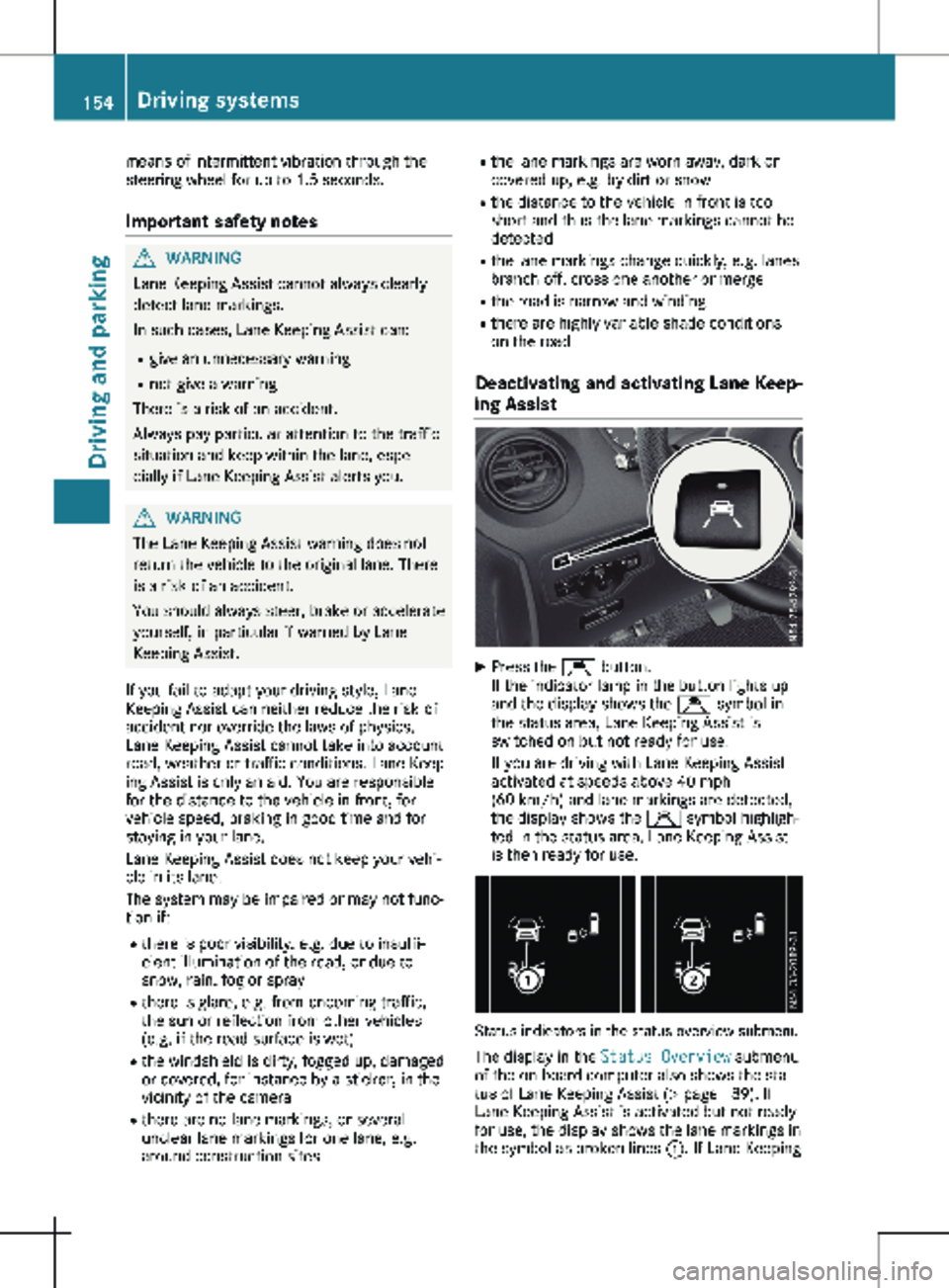
Press the Ç button.
If the indicator lamp in the button lights up
and the display shows the Ç symbol in
the status area, Lane Keeping Assist is
switched on but not ready for use.
If you are driving with Lane Keeping Assist
activated at speeds above
40 mph
(60 km/h) and lane markings are detected,
the display shows the Ç symbol highligh-
ted in the status area. Lane Keeping Assist
is then ready for use. Status indicators in the status overview submenu
The display in the Status Overview submenu
of the on-board computer also shows the sta-
tus of Lane Keeping Assist
(Y page 189). If
Lane Keeping Assist is activated but not ready
for use, the display shows the lane markings in
the symbol as broken lines :. If Lane Keeping154
Driving systems
Driving and parking
Page 166 of 320
The rear view camera is a visual parking aid. It
shows you the area behind the vehicle in the
audio display.
The area behind the vehicle is displayed in a
mirrored fashion, as in the rear-view mirror or
the exterior mirrors. The guide lines displayed
assist you in backing up.
The message displays depend on the language
setting of the audio system. The following rear
view camera displays are examples.
Important safety notes !
Objects that are not at ground level appear
further away than they actually are, for
example:
R the bumper of the vehicle parked behind
R the drawbar of a trailer
R the ball coupling of a trailer tow hitch
R the tail-end of a truck
R slanted posts
Only use the camera guide lines for orienta-
tion. Do not get any closer to objects than
the lowest horizontal guide line. You may
otherwise damage your vehicle and/or the
object.
The rear view camera is only an aid. It cannot
replace your own awareness of the immediate
surroundings. You are responsible for safe
maneuvering and parking. Make sure that
there are no persons, animals or objects in the
maneuvering area while maneuvering and
parking in parking spaces.
The rear view camera may show obstacles in
perspectival distortion, incorrectly or not at all.
The rear view camera cannot display all
objects located very near and/or under the
rear bumper. It does not warn you of a colli-
sion, persons or objects.
Under the following circumstances, the rear
view camera will not function, or will function
in a limited manner:
R if the tailgate or rear-end door is open.
R if it is raining very heavily or snowing, or it is
foggy.
R at night or in very dark places.
R if the camera is exposed to very bright light.
White lines may appear in the camera image
R if the area is lit by fluorescent light, e.g.
from fluorescent lamps or LED lighting.
The camera image may flicker. R
if the camera lens fogs up, e.g. when driving
into a heated garage in winter, causing a
rapid change in temperature.
R the camera lens is dirty or obstructed.
Observe the notes on cleaning.
(Y page
267)
R if the rear of the vehicle is damaged.
In this case, have the camera position and
setting checked at a qualified specialist
workshop.
R the display has pixel errors.
Have the display repaired or replaced if usa-
bility is significantly reduced due to pixel
errors.
Do not use the rear view camera in these sit-
uations. You could otherwise injure others or
damage objects and the vehicle while parking
and maneuvering.
The field of vision and other functions of the
rear view camera may be restricted due to
additional accessories on the rear of the vehi-
cle (e.g. license plate holder, rear-mounted
bicycle rack).
Guide lines are always shown at road level. In
trailer mode, the guide lines are shown at the
level of the trailer coupling.
If you change wheel size, make sure they cor-
respond to the correct wheel size category
( Y page 278). If the category is changed with-
out recoding the control units in the vehicle,
the rear view camera cannot be precisely cali-
brated. The guide lines at road level or at the
level of the trailer tow hitch will not be dis-
played correctly.
In vehicles with a tailgate, the rear view cam-
era is protected from raindrops and dust by
means of a flap. When the rear view camera is
activated, this flap opens.
The flap closes again when:
R you have finished the maneuvering process
R you switch off the engine
For technical reasons, the flap may remain
open briefly after the rear view camera has
been deactivated. 164
Driving systems
Driving and parking
Page 195 of 320

X
Press : or 9 to select the Date:
function.
The display shows the current date.
X To set the date: press a again.
X Press = or ; to switch between day,
month and year.
X Press : or 9 to set the day, month or
year.
X Then press a to confirm.
The display shows the updated date.
Lights submenu Activating/deactivating the surround
lighting and exterior lighting delayed
switch-off
If you activate the Locator Lighting func-
tion and the light switch is turned to the Ã
position, the following functions are activated
when it is dark:
R surround lighting: the exterior lighting
remains on for
40 seconds after the doors
are unlocked. When you start the engine,
the surround lighting is deactivated and the
automatic headlamp feature is activated
(Y page 100).
R exterior lighting delayed switch-off: the
exterior lighting remains lit for 60 seconds
after the engine is switched off. When you
close all the doors and the tailgate/rear
doors, the exterior lighting switches off after
15 seconds.
Using the steering wheel buttons
X Use the = or ; button to select the
Settings. menu.
X Use : or 9 to select Lights.
X Press a to confirm.
X Use : or 9 to select the Locator
Lighting function.
The current status appears.
X To switch on/off: press a again.
If you change the setting, conversion does
not take place until the next time the vehicle
is stationary. Deactivating exterior lighting delayed switch-
off temporarily:
X Before leaving the vehicle, turn the key to
position g in the ignition lock.
X Turn the key to position 2 in the ignition
lock.
The exterior lighting delayed switch-off is
deactivated until the next time the engine is
started.
With surround lighting and exterior lighting
delayed switch-off, the following light up
depending on the vehicle's equipment:
R Parking lamps
R Fog lamps
R Low-beam headlamps
R Daytime running lamps
Activating/deactivating interior lighting
delayed switch-off If you activate the Interior Lighting
Delay: function, the interior lighting remains
lit for a further 20 seconds.
Using the steering wheel buttons
X Use the = or ; button to select the
Settings. menu.
X Use : or 9 to select Lights.
X Press a to confirm.
X Use : or 9 to select the Interior
Lighting Delay function.
The current status appears.
X To switch on/off: press a again.
Vehicle submenu Setting the sensitivity of the rain sensor
Using the steering wheel buttons
X Press = or ; to select the Settings
menu.
X Press : or 9 to select Vehicle.
X Press a to confirm.
X Press : or 9 to select the Rain
Sensor Sensitivity function.
The display shows the current setting.
X Press a to change the setting.
X Press : or 9 to select the High,
Standard or Low setting. This setting con-
trols the rain sensor's sensitivity to precipi-
tation. The windshield wiper then wipes On-board computer (vehicles with steering wheel buttons)
193
On-board computer and displays Z
Page 205 of 320
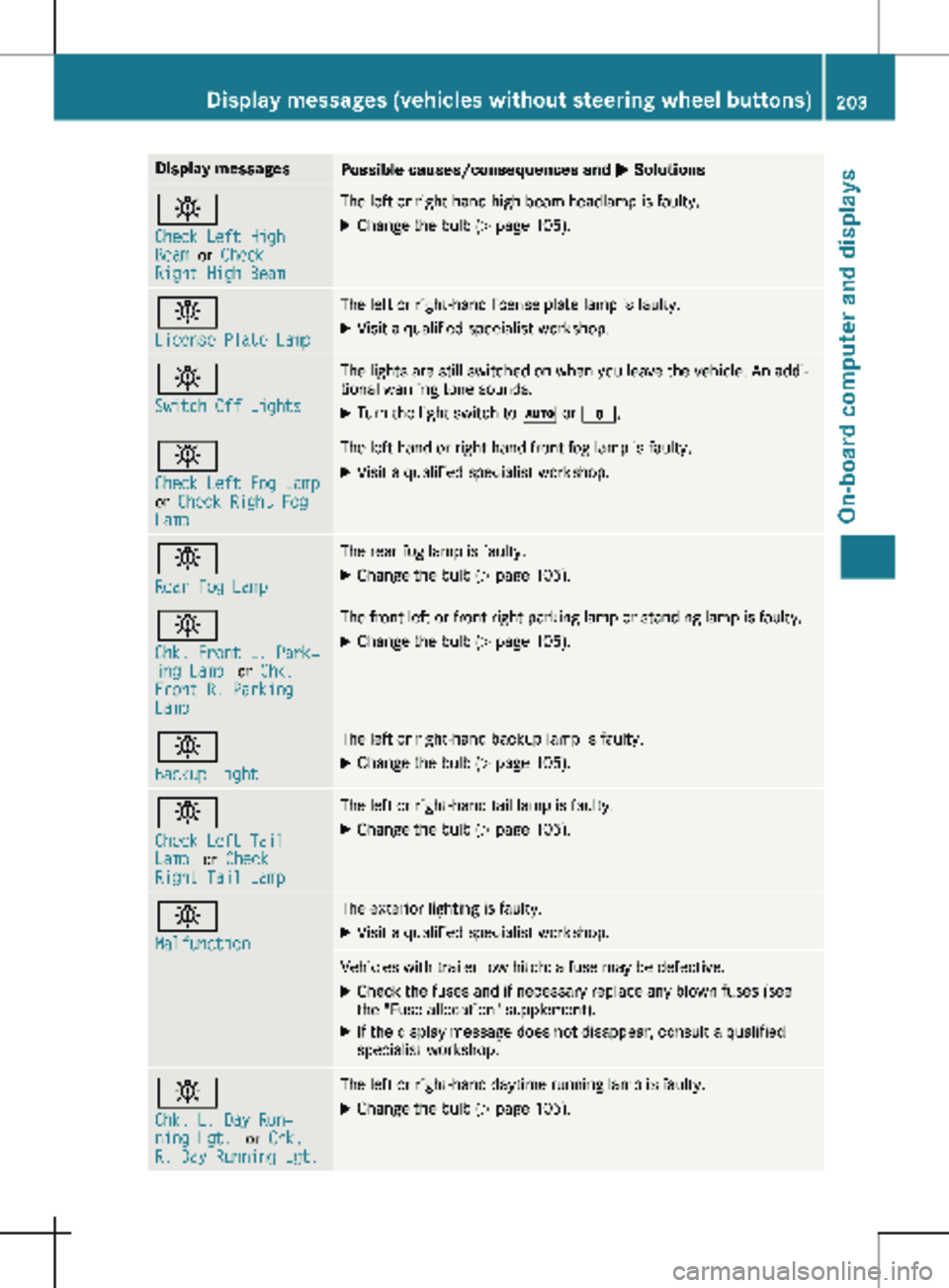
Display messages
Possible causes/consequences and
M Solutionsb
Check Left High
Beam
or Check
Right High Beam The left or right-hand high-beam headlamp is faulty.
X
Change the bulb ( Y page 105).b
License Plate Lamp The left or right-hand license plate lamp is faulty.
X Visit a qualified specialist workshop. b
Switch Off Lights The lights are still switched on when you leave the vehicle. An addi-
tional warning tone sounds.
X Turn the light switch to à or $.b
Check Left Fog Lamp
or
Check Right Fog
Lamp The left-hand or right-hand front fog lamp is faulty.
X Visit a qualified specialist workshop. b
Rear Fog Lamp The rear fog lamp is faulty.
X Change the bulb (Y page
105).b
Chk. Front L. Park‐
ing Lamp
or Chk.
Front R. Parking
Lamp The front left or front right parking lamp or standing lamp is faulty.
X Change the bulb ( Y page 105).b
Backup Light The left or right-hand backup lamp is faulty.
X Change the bulb (Y page
105).b
Check Left Tail
Lamp
or Check
Right Tail Lamp The left or right-hand tail lamp is faulty.
X Change the bulb (Y page 105).b
Malfunction The exterior lighting is faulty.
X Visit a qualified specialist workshop. Vehicles with trailer tow hitch: a fuse may be defective.
X Check the fuses and if necessary replace any blown fuses (see
the "Fuse allocation" supplement).
X If the display message does not disappear, consult a qualified
specialist workshop. b
Chk. L. Day Run‐
ning Lgt.
or Chk.
R. Day Running Lgt. The left or right-hand daytime running lamp is faulty.
X Change the bulb (Y page 105).Display messages (vehicles without steering wheel buttons)
203
On-board computer and displays Z
Page 219 of 320
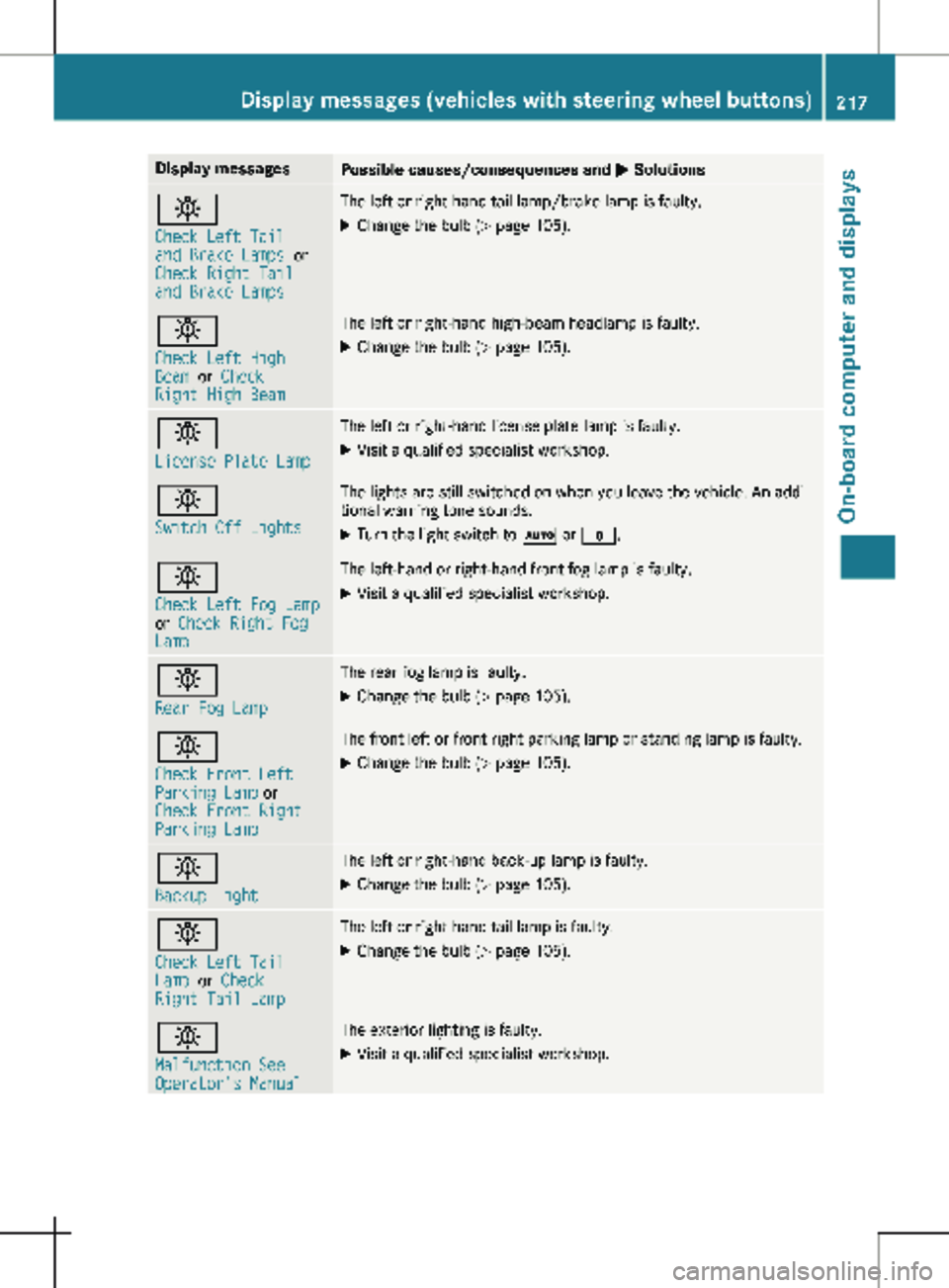
Display messages
Possible causes/consequences and
M Solutionsb
Check Left Tail
and Brake Lamps
or
Check Right Tail
and Brake Lamps The left or right-hand tail lamp/brake lamp is faulty.
X Change the bulb (Y page 105).b
Check Left High
Beam
or Check
Right High Beam The left or right-hand high-beam headlamp is faulty.
X
Change the bulb ( Y page 105).b
License Plate Lamp The left or right-hand license plate lamp is faulty.
X Visit a qualified specialist workshop. b
Switch Off Lights The lights are still switched on when you leave the vehicle. An addi-
tional warning tone sounds.
X Turn the light switch to à or $.b
Check Left Fog Lamp
or
Check Right Fog
Lamp The left-hand or right-hand front fog lamp is faulty.
X Visit a qualified specialist workshop. b
Rear Fog Lamp The rear fog lamp is faulty.
X Change the bulb (Y page
105).b
Check Front Left
Parking Lamp or
Check Front Right
Parking Lamp The front left or front right parking lamp or standing lamp is faulty.
X Change the bulb ( Y page
105).b
Backup Light The left or right-hand back-up lamp is faulty.
X Change the bulb (Y page
105).b
Check Left Tail
Lamp
or Check
Right Tail Lamp The left or right-hand tail lamp is faulty.
X Change the bulb (Y page 105).b
Malfunction See
Operator's Manual The exterior lighting is faulty.
X Visit a qualified specialist workshop. Display messages (vehicles with steering wheel buttons)
217
On-board computer and displays Z