radiator MERCEDES-BENZ METRIS 2020 MY20 Operator’s Manual
[x] Cancel search | Manufacturer: MERCEDES-BENZ, Model Year: 2020, Model line: METRIS, Model: MERCEDES-BENZ METRIS 2020Pages: 320, PDF Size: 26.38 MB
Page 15 of 320
Guide rail
Maximum tensile strength ............. 314
Problems ......................................... 89 H
Handbrake see Parking brake
Handling control system
see ESP ®
(Electronic Stability Program)
Hands-free system
see Mobile phone
Harmful substances
Information
................................ 29, 33
Hazard warning lamps ...................... 101
Head restraints
Adjusting (electrically) ..................... 94
Adjusting (manually) ........................ 93
Important safety notes .................... 93
Removing/installing ........................ 93
Headlamps
Changing bulbs (halogen head-
lamps) ............................................ 105
Fogging up ..................................... 102
see Automatic headlamp mode
Heating
see Climate control
High-beam headlamps
Display messages (vehicle with
steering wheel buttons) ................. 217
Display messages (vehicle with-
out steering wheel buttons) ........... 203
Replacing bulbs ............................. 107
Switching on/off ........................... 101
Hill start assist .................................. 129
Hood
Closing ........................................... 251
Display messages (vehicle with
steering wheel buttons) ................. 226
Display messages (vehicle with-
out steering wheel buttons) ........... 208
Important safety notes .................. 250
Opening ......................................... 251
Hydroplaning ..................................... 143 I
Ignition lock see SmartKey positions (ignition lock)
Immobilizer ..........................................
70
Indicator lamps
see Warning and indicator lamps
Insect protection on the radiator ...... 34
Installations and conversions
see Vehicle bodies
Instrument cluster
Buttons (vehicle without steering
wheel buttons) ............................... 176
Overview (vehicle with steering
wheel buttons) ................................. 40
Overview (vehicle without steer-
ing wheel buttons) ........................... 38
Warning and indicator lamps
(vehicle with steering wheel but-
tons) ................................................ 41
Warning and indicator lamps
(vehicle without steering wheel
buttons) ........................................... 39
Instrument cluster lighting .............. 174
Interior lighting
Automatic control .......................... 102
Delayed switch-off (on-board
computer) ...................................... 193
General notes ................................ 102
Manual control ............................... 103
Notes on changing bulbs ............... 103
Overview ........................................ 102
Reading lamp ................................. 102
Rear interior light in the grab
handle ............................................ 103
Replacing bulbs ............................. 103
Switching the cargo compart-
ment lighting on/off (cargo com-
partment) ....................................... 103
Switching the cargo compart-
ment lighting on/off (dashboard) .. 103
Switching the rear compartment
lighting on centrally ....................... 103 J
Jack Holder in the cargo compartment
.. 272 Index
13
Page 20 of 320
Hill start assist ............................... 129
Q
QR code Rescue card
..................................... 35
Qualified specialist workshop ........... 32R
Radiator cover .....................................
34
Radio
Selecting a station ......................... 187
see separate operating instructions
Radio-wave reception/transmis-
sion in the vehicle
Declaration of conformity ................ 31
Rail transport
see Transport by rail
Rain sensor
Setting the sensitivity .................... 109
Setting the sensitivity (vehicle
with steering wheel buttons) ......... 193
Setting the sensitivity (vehicle
without steering wheel buttons) .... 180
Reading lamp ..................................... 102
Rear bench seat
EASY-ENTRY/EXIT feature ............... 90
General notes .................................. 89
Installation options .......................... 90
Removing/installing (standard
rear bench seat) ............................... 91
Seat anchorage ................................ 89
Seat rails .......................................... 89
Seating variants ............................... 90
Rear compartment
Activating/deactivating climate
control ........................................... 117
Seating variants ............................... 90
Setting the air vents ...................... 125
Setting the temperature ................ 119
Switching the interior lighting
on/off ............................................ 103
Rear door
Display messages (vehicle with
steering wheel buttons) ................. 226
Display messages (vehicle with-
out steering wheel buttons) ........... 208 Important safety notes .................... 82
Indicator lamp ................................
237
Opening at an angle of 180° or
270° ................................................ 83
Opening dimensions ...................... 313
Opening/closing from inside ........... 83
Opening/closing from the out-
side .................................................. 82
Rear fog lamp
Display messages (vehicle with
steering wheel buttons) ................. 217
Display messages (vehicle with-
out steering wheel buttons) ........... 203
Replacing bulbs ............................. 108
Switching on/off ........................... 100
Rear view camera
Cleaning instructions ..................... 267
Coupling up a trailer function ........ 167
Function/notes ............................. 163
General notes ................................ 163
Important safety notes .................. 164
Messages in the display ................. 165
Reverse parking ............................. 166
Switching on/off ........................... 165
Rear window defroster
Problem (malfunction) ................... 122
Switching on/off ........................... 122
Rear window wiper
Replacing the wiper blade .............. 112
Switching on/off ........................... 110
Rear-compartment air-condition-
ing system
see Climate control
Rear-compartment heating
see Climate control
Rear-view mirror
Anti-glare (manual) .......................... 96
Recuperation display ........................ 178
Recycling
see Protection of the environment
Refrigerant (air-conditioning sys-
tem)
Important safety notes .................. 311
Refueling
Fuel filler flap ................................. 137
Fuel gauge (vehicle with steering
wheel buttons) ................................. 4018
Index
Page 28 of 320

Windshield washer fluid
Adding ........................................... 256
Windshield wiper
Setting the sensitivity of the rain
sensor (vehicle with steering
wheel buttons) ............................... 193
Setting the sensitivity of the rain
sensor (vehicle without steering
wheel buttons) ............................... 180
Windshield wipers
Problem (malfunction) ................... 113
Rear window wiper ........................ 110
Replacing the wiper blades ............ 110
Switching on/off ........................... 109
Winter driving
Slippery road surfaces ................... 144
Snow chains .................................. 281
Winter operation
General notes ................................ 280
Radiator cover ................................. 34
Summer tires ................................. 280
Winter tires
M+S tires ....................................... 280
Setting a limit speed ...................... 141
Wiper blades
Cleaning ......................................... 266
Important safety notes .................. 110
Replacing (rear window) ................ 112
Replacing (windshield) ................... 111
Service indicator ............................ 110
Workshop
see Qualified specialist workshop26
Index
Page 36 of 320
vehicle. This also includes labeling and docu-
mentation affected by their modifications.
It is their responsibility to certify that:
R the altered vehicle conforms to all applica-
ble standards and regulations affected by
the vehicle alteration
R the altered vehicle continues to comply with
the motor vehicle safety standards and
emissions regulations
R the changes or installation of accessories do
not impair the safety of the vehicle
We are not responsible for any final certifica-
tion or claims regarding product liability or
warranty claims that arise as a result of such
changes. This applies to:
R components, assemblies or systems which
have been altered
R non-compliance with emissions laws and
regulations or with vehicle safety standards
arising as a result of the alterations
R all consequences resulting form the
changed, less safe or even defective vehicle
We do not assume responsibility as the final
stage manufacturer or the consequential prod-
uct liability.
Notes on the engine radiator Even seemingly small changes to the vehicle,
such as attaching a radiator trim for winter
driving or as protection against insects, are
not permitted. Do not cover the radiator. Do
not use thermal mats, insect protection covers
or anything similar.
Doing so can cause the diagnostics system to
display inaccurate values. Some of these val-
ues are legally required and must always be
correct.
Notes for commercial vehicles without
partitions Vehicles, which are approved as commercial
vehicles (N1), do not comply with the
ISO 27956
standard in the respective current
valid version unless equipped with a partition.
The ISO 27956 Standard details the equip-
ment for correct load securing in delivery vehi-
cles. Retrofitting the partition is strongly rec-
ommended when using the vehicle for the
transport of goods, as correct load securing in
vehicles without the partition is difficult to
achieve. Genuine Mercedes-Benz parts
! Air bags and Emergency Tensioning Devi-
ces, as well as control units and sensors for
these restraint systems, may be installed in
the following areas of your vehicle:
R doors
R door pillars
R door sills
R seats
R cockpit
R instrument cluster
R center console
Do not install accessories such as audio sys-
tems in these areas. Do not carry out
repairs or welding. You could impair the
operating efficiency of the restraint sys-
tems.
Have aftermarket accessories installed at a
qualified specialist workshop. H
Environmental note
We supply reconditioned assemblies and
parts which are of the same quality as new
parts. The same New Vehicle Limited War-
ranty applies as for new parts.
The operating safety of the vehicle could be
jeopardized if you use parts, tires and wheels
as well as accessories relevant to safety which
have not been approved by Mercedes-Benz.
This could lead to malfunctions in safety-rele-
vant systems, e.g. the brake system. Only use
genuine Mercedes-Benz parts or parts of equal
quality. Only use tires, wheels and accessories
that have been specifically approved for your
vehicle.
Mercedes-Benz tests genuine Mercedes-Benz
parts, conversion parts and accessories that
have been specifically approved for the type of
vehicle for:
R Reliability
R Safety
R Suitability
Despite ongoing market research, Mercedes-
Benz is unable to assess other parts. Even if
an independent or official approval has been
provided in exceptional cases, Mercedes-Benz
accepts no responsibility for the use of such
parts in Mercedes-Benz vehicles. 34
Introduction
Page 206 of 320
Engine
Display messages
Possible causes/consequences and
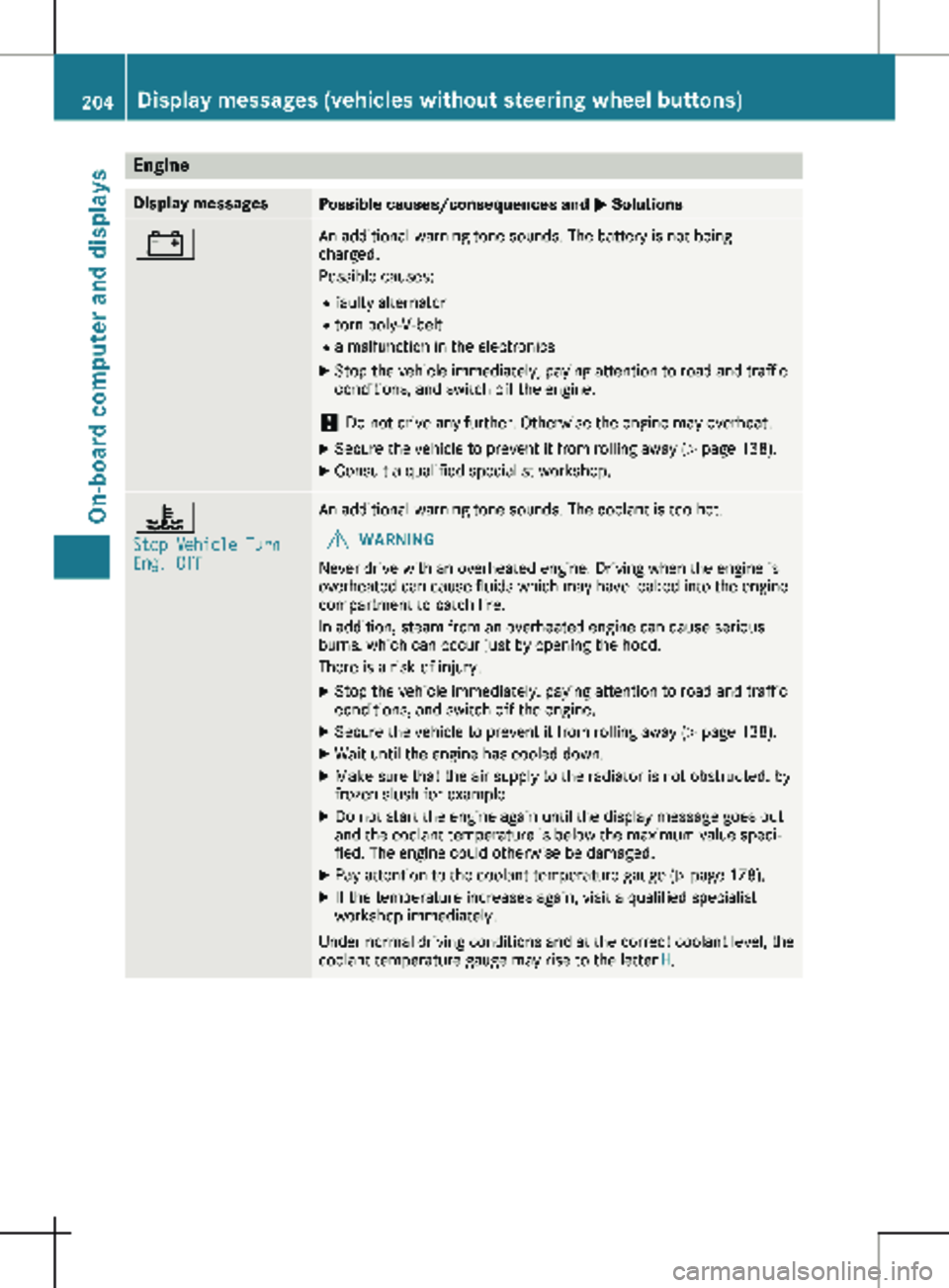
M Solutions# An additional warning tone sounds. The battery is not being
charged.
Possible causes:
R faulty alternator
R torn poly-V-belt
R a malfunction in the electronics
X Stop the vehicle immediately, paying attention to road and traffic
conditions, and switch off the engine.
! Do not drive any further. Otherwise the engine may overheat.
X Secure the vehicle to prevent it from rolling away ( Y page 138).
X Consult a qualified specialist workshop. ?
Stop Vehicle Turn
Eng. Off An additional warning tone sounds. The coolant is too hot.
G WARNING
Never drive with an overheated engine. Driving when the engine is
overheated can cause fluids which may have leaked into the engine
compartment to catch fire.
In addition, steam from an overheated engine can cause serious
burns, which can occur just by opening the hood.
There is a risk of injury.
X Stop the vehicle immediately, paying attention to road and traffic
conditions, and switch off the engine.
X Secure the vehicle to prevent it from rolling away ( Y page
138).
X Wait until the engine has cooled down.
X Make sure that the air supply to the radiator is not obstructed, by
frozen slush for example.
X Do not start the engine again until the display message goes out
and the coolant temperature is below the maximum value speci-
fied. The engine could otherwise be damaged.
X Pay attention to the coolant temperature gauge (Y page
178).
X If the temperature increases again, visit a qualified specialist
workshop immediately.
Under normal driving conditions and at the correct coolant level, the
coolant temperature gauge may rise to the letter H.204
Display messages (vehicles without steering wheel buttons)
On-board computer and displays
Page 221 of 320
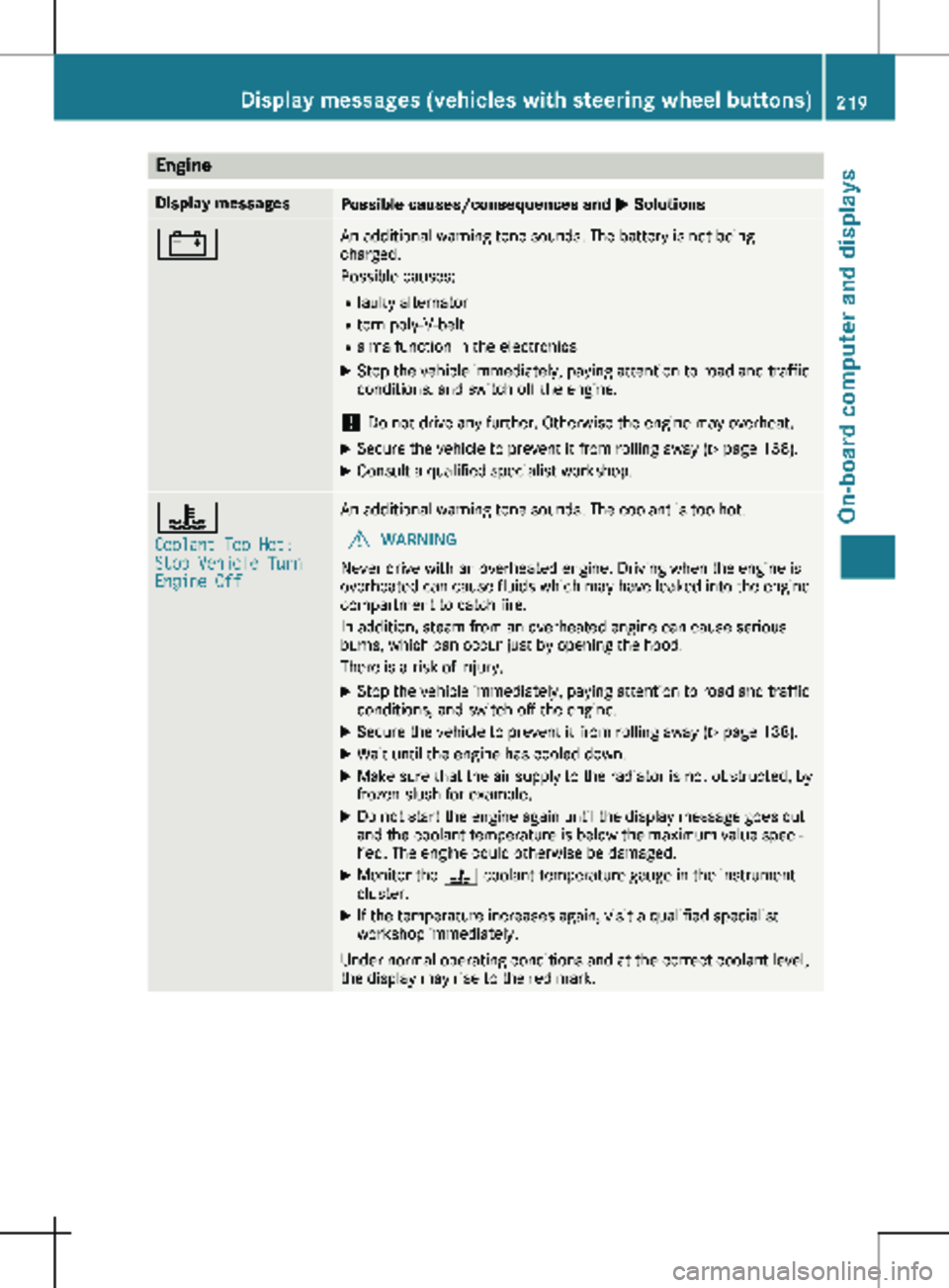
Engine
Display messages
Possible causes/consequences and
M Solutions# An additional warning tone sounds. The battery is not being
charged.
Possible causes:
R faulty alternator
R torn poly-V-belt
R a malfunction in the electronics
X Stop the vehicle immediately, paying attention to road and traffic
conditions, and switch off the engine.
! Do not drive any further. Otherwise the engine may overheat.
X Secure the vehicle to prevent it from rolling away ( Y page 138).
X Consult a qualified specialist workshop. ?
Coolant Too Hot:
Stop Vehicle Turn
Engine Off An additional warning tone sounds. The coolant is too hot.
G WARNING
Never drive with an overheated engine. Driving when the engine is
overheated can cause fluids which may have leaked into the engine
compartment to catch fire.
In addition, steam from an overheated engine can cause serious
burns, which can occur just by opening the hood.
There is a risk of injury.
X Stop the vehicle immediately, paying attention to road and traffic
conditions, and switch off the engine.
X Secure the vehicle to prevent it from rolling away ( Y page
138).
X Wait until the engine has cooled down.
X Make sure that the air supply to the radiator is not obstructed, by
frozen slush for example.
X Do not start the engine again until the display message goes out
and the coolant temperature is below the maximum value speci-
fied. The engine could otherwise be damaged.
X Monitor the ? coolant temperature gauge in the instrument
cluster.
X If the temperature increases again, visit a qualified specialist
workshop immediately.
Under normal operating conditions and at the correct coolant level,
the display may rise to the red mark. Display messages (vehicles with steering wheel buttons)
219
On-board computer and displays Z
Page 236 of 320
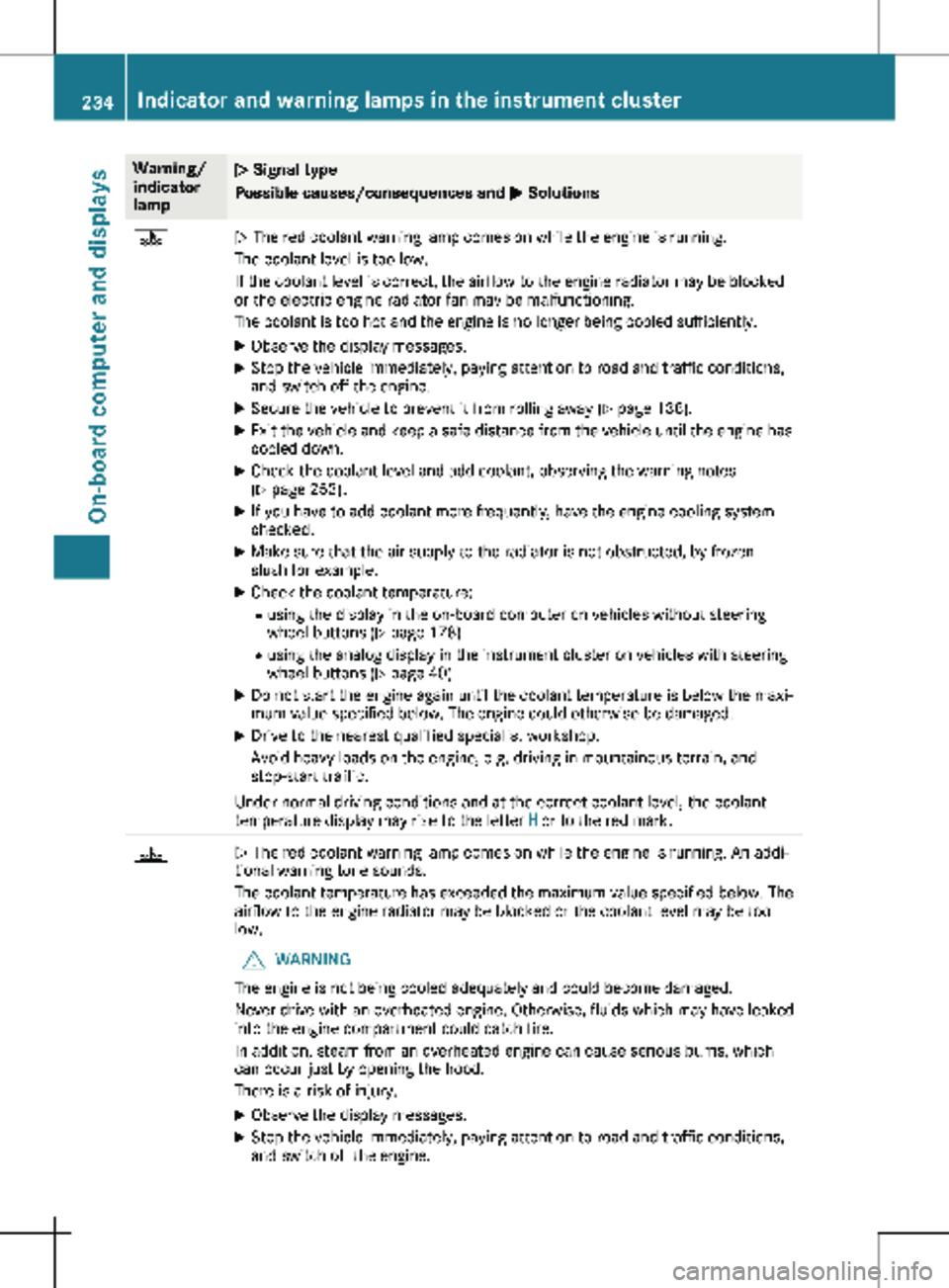
Warning/
indicator
lamp
N Signal type
Possible causes/consequences and
M Solutions?
N The red coolant warning lamp comes on while the engine is running.
The coolant level is too low.
If the coolant level is correct, the airflow to the engine radiator may be blocked
or the electric engine radiator fan may be malfunctioning.
The coolant is too hot and the engine is no longer being cooled sufficiently.
X Observe the display messages.
X Stop the vehicle immediately, paying attention to road and traffic conditions,
and switch off the engine.
X Secure the vehicle to prevent it from rolling away (Y page 138).
X Exit the vehicle and keep a safe distance from the vehicle until the engine has
cooled down.
X Check the coolant level and add coolant, observing the warning notes
(Y page
253).
X If you have to add coolant more frequently, have the engine cooling system
checked.
X Make sure that the air supply to the radiator is not obstructed, by frozen
slush for example.
X Check the coolant temperature:
R using the display in the on-board computer on vehicles without steering
wheel buttons ( Y page
178)
R using the analog display in the instrument cluster on vehicles with steering
wheel buttons ( Y page 40)
X Do not start the engine again until the coolant temperature is below the maxi-
mum value specified below. The engine could otherwise be damaged.
X Drive to the nearest qualified specialist workshop.
Avoid heavy loads on the engine, e.g. driving in mountainous terrain, and
stop-start traffic.
Under normal driving conditions and at the correct coolant level, the coolant
temperature display may rise to the letter H or to the red mark.?
N The red coolant warning lamp comes on while the engine is running. An addi-
tional warning tone sounds.
The coolant temperature has exceeded the maximum value specified below. The
airflow to the engine radiator may be blocked or the coolant level may be too
low.
G WARNING
The engine is not being cooled adequately and could become damaged.
Never drive with an overheated engine. Otherwise, fluids which may have leaked
into the engine compartment could catch fire.
In addition, steam from an overheated engine can cause serious burns, which
can occur just by opening the hood.
There is a risk of injury.
X Observe the display messages.
X Stop the vehicle immediately, paying attention to road and traffic conditions,
and switch off the engine. 234
Indicator and warning lamps in the instrument cluster
On-board computer and displays
Page 237 of 320
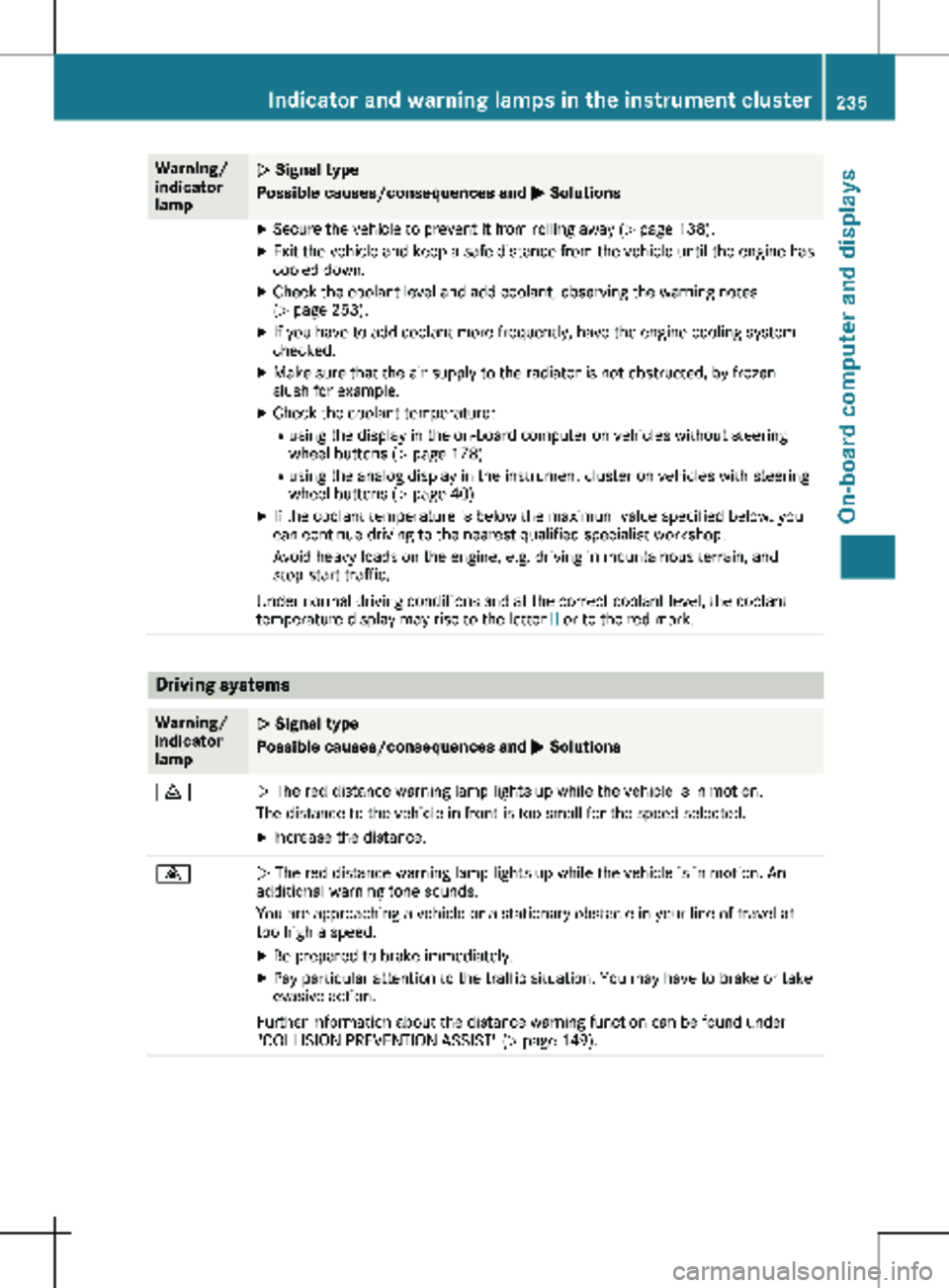
Warning/
indicator
lamp
N Signal type
Possible causes/consequences and
M SolutionsX
Secure the vehicle to prevent it from rolling away ( Y page 138).
X Exit the vehicle and keep a safe distance from the vehicle until the engine has
cooled down.
X Check the coolant level and add coolant, observing the warning notes
(Y page
253).
X If you have to add coolant more frequently, have the engine cooling system
checked.
X Make sure that the air supply to the radiator is not obstructed, by frozen
slush for example.
X Check the coolant temperature:
R using the display in the on-board computer on vehicles without steering
wheel buttons ( Y page
178)
R using the analog display in the instrument cluster on vehicles with steering
wheel buttons ( Y page 40)
X If the coolant temperature is below the maximum value specified below, you
can continue driving to the nearest qualified specialist workshop.
Avoid heavy loads on the engine, e.g. driving in mountainous terrain, and
stop-start traffic.
Under normal driving conditions and at the correct coolant level, the coolant
temperature display may rise to the letter H or to the red mark.Driving systems
Warning/
indicator
lamp
N Signal type
Possible causes/consequences and
M Solutions·
N The red distance warning lamp lights up while the vehicle is in motion.
The distance to the vehicle in front is too small for the speed selected.
X Increase the distance. ·
N The red distance warning lamp lights up while the vehicle is in motion. An
additional warning tone sounds.
You are approaching a vehicle or a stationary obstacle in your line of travel at
too high a speed.
X Be prepared to brake immediately.
X Pay particular attention to the traffic situation. You may have to brake or take
evasive action.
Further information about the distance warning function can be found under
"COLLISION PREVENTION ASSIST"
(Y page 149). Indicator and warning lamps in the instrument cluster
235
On-board computer and displays Z
Page 252 of 320
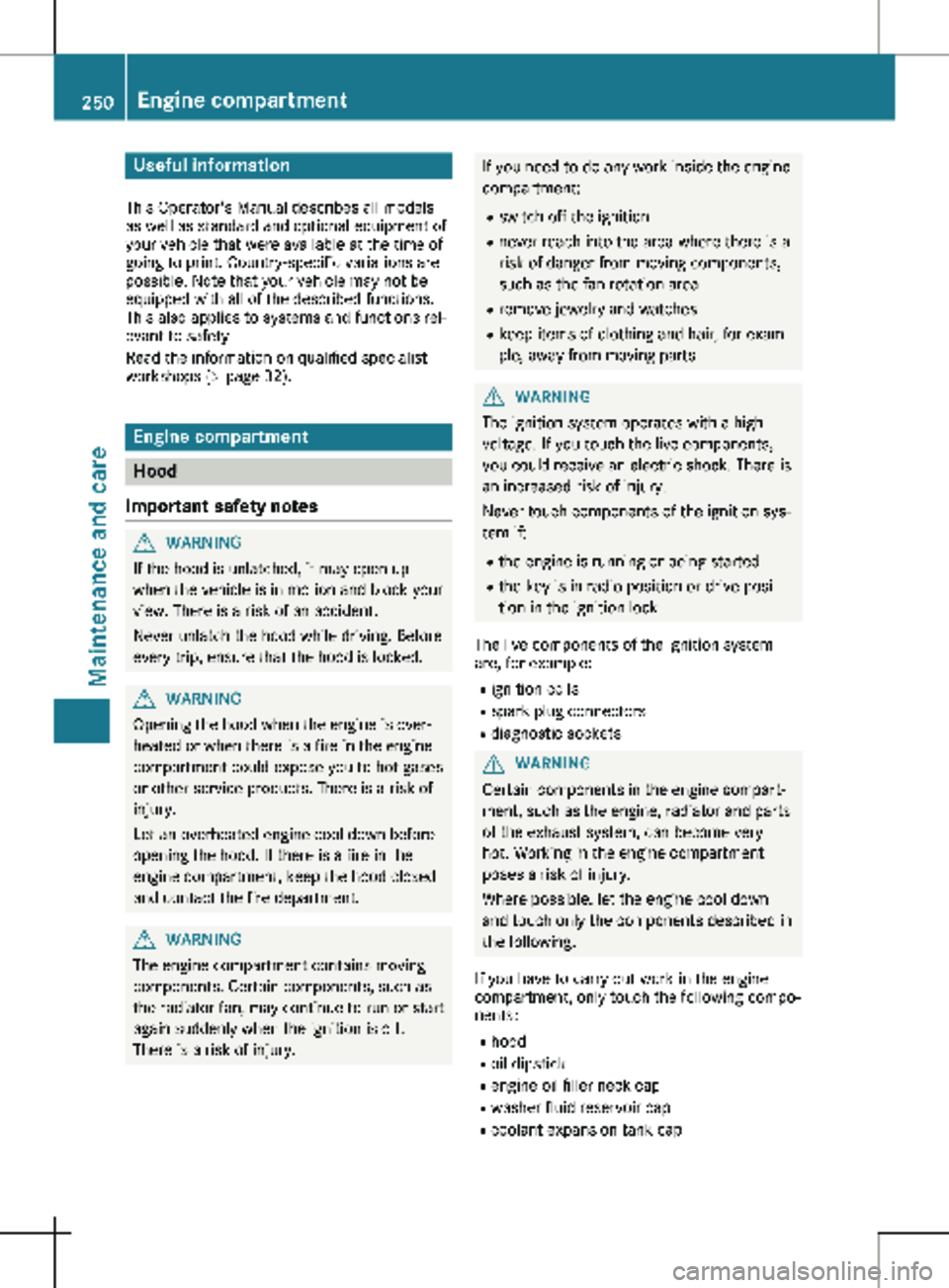
Useful information
This Operator's Manual describes all models
as well as standard and optional equipment of
your vehicle that were available at the time of
going to print. Country-specific variations are
possible. Note that your vehicle may not be
equipped with all of the described functions.
This also applies to systems and functions rel-
evant to safety.
Read the information on qualified specialist
workshops (Y page
32).Engine compartment
Hood
Important safety notes G
WARNING
If the hood is unlatched, it may open up
when the vehicle is in motion and block your
view. There is a risk of an accident.
Never unlatch the hood while driving. Before
every trip, ensure that the hood is locked. G
WARNING
Opening the hood when the engine is over-
heated or when there is a fire in the engine
compartment could expose you to hot gases
or other service products. There is a risk of
injury.
Let an overheated engine cool down before
opening the hood. If there is a fire in the
engine compartment, keep the hood closed
and contact the fire department. G
WARNING
The engine compartment contains moving
components. Certain components, such as
the radiator fan, may continue to run or start
again suddenly when the ignition is off.
There is a risk of injury. If you need to do any work inside the engine
compartment:
R switch off the ignition
R never reach into the area where there is a
risk of danger from moving components,
such as the fan rotation area
R remove jewelry and watches
R keep items of clothing and hair, for exam-
ple, away from moving parts G
WARNING
The ignition system operates with a high
voltage. If you touch the live components,
you could receive an electric shock. There is
an increased risk of injury.
Never touch components of the ignition sys-
tem if:
R the engine is running or being started
R the key is in radio position or drive posi-
tion in the ignition lock
The live components of the ignition system
are, for example:
R ignition coils
R spark plug connectors
R diagnostic sockets G
WARNING
Certain components in the engine compart-
ment, such as the engine, radiator and parts
of the exhaust system, can become very
hot. Working in the engine compartment
poses a risk of injury.
Where possible, let the engine cool down
and touch only the components described in
the following.
If you have to carry out work in the engine
compartment, only touch the following compo-
nents:
R hood
R oil dipstick
R engine oil filler neck cap
R washer fluid reservoir cap
R coolant expansion tank cap250
Engine compartment
Maintenance and care
Page 253 of 320
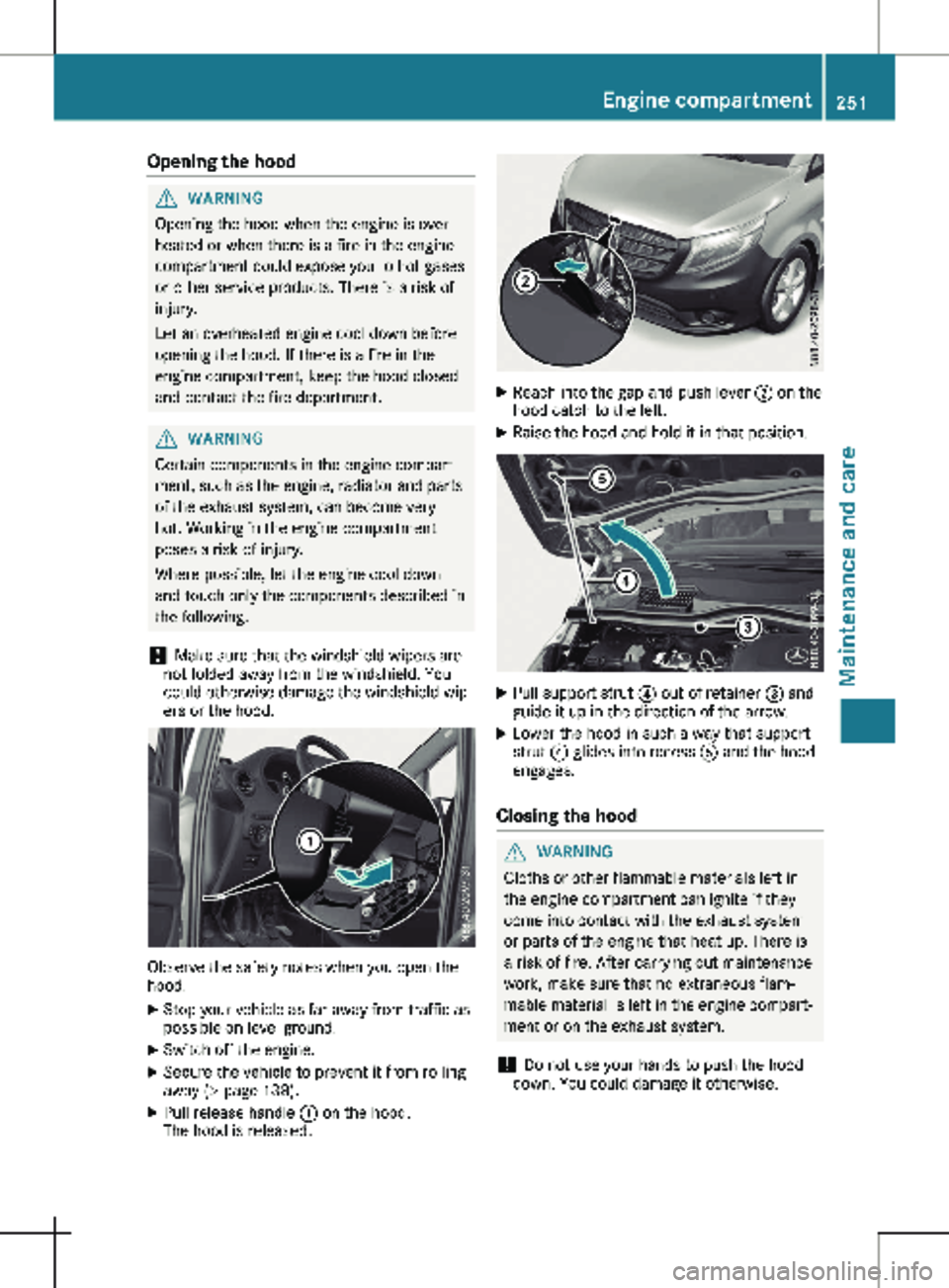
Opening the hood
G
WARNING
Opening the hood when the engine is over-
heated or when there is a fire in the engine
compartment could expose you to hot gases
or other service products. There is a risk of
injury.
Let an overheated engine cool down before
opening the hood. If there is a fire in the
engine compartment, keep the hood closed
and contact the fire department. G
WARNING
Certain components in the engine compart-
ment, such as the engine, radiator and parts
of the exhaust system, can become very
hot. Working in the engine compartment
poses a risk of injury.
Where possible, let the engine cool down
and touch only the components described in
the following.
! Make sure that the windshield wipers are
not folded away from the windshield. You
could otherwise damage the windshield wip-
ers or the hood. Observe the safety notes when you open the
hood.
X Stop your vehicle as far away from traffic as
possible on level ground.
X Switch off the engine.
X Secure the vehicle to prevent it from rolling
away
(Y page 138).
X Pull release handle : on the hood.
The hood is released. X
Reach into the gap and push lever ; on the
hood catch to the left.
X Raise the hood and hold it in that position. X
Pull support strut ? out of retainer = and
guide it up in the direction of the arrow.
X Lower the hood in such a way that support
strut ? glides into recess A and the hood
engages.
Closing the hood G
WARNING
Cloths or other flammable materials left in
the engine compartment can ignite if they
come into contact with the exhaust system
or parts of the engine that heat up. There is
a risk of fire. After carrying out maintenance
work, make sure that no extraneous flam-
mable material is left in the engine compart-
ment or on the exhaust system.
! Do not use your hands to push the hood
down. You could damage it otherwise. Engine compartment
251
Maintenance and care Z