display MERCEDES-BENZ S CLASS 2010 Manual Online
[x] Cancel search | Manufacturer: MERCEDES-BENZ, Model Year: 2010, Model line: S CLASS, Model: MERCEDES-BENZ S CLASS 2010Pages: 548, PDF Size: 11.45 MB
Page 228 of 548
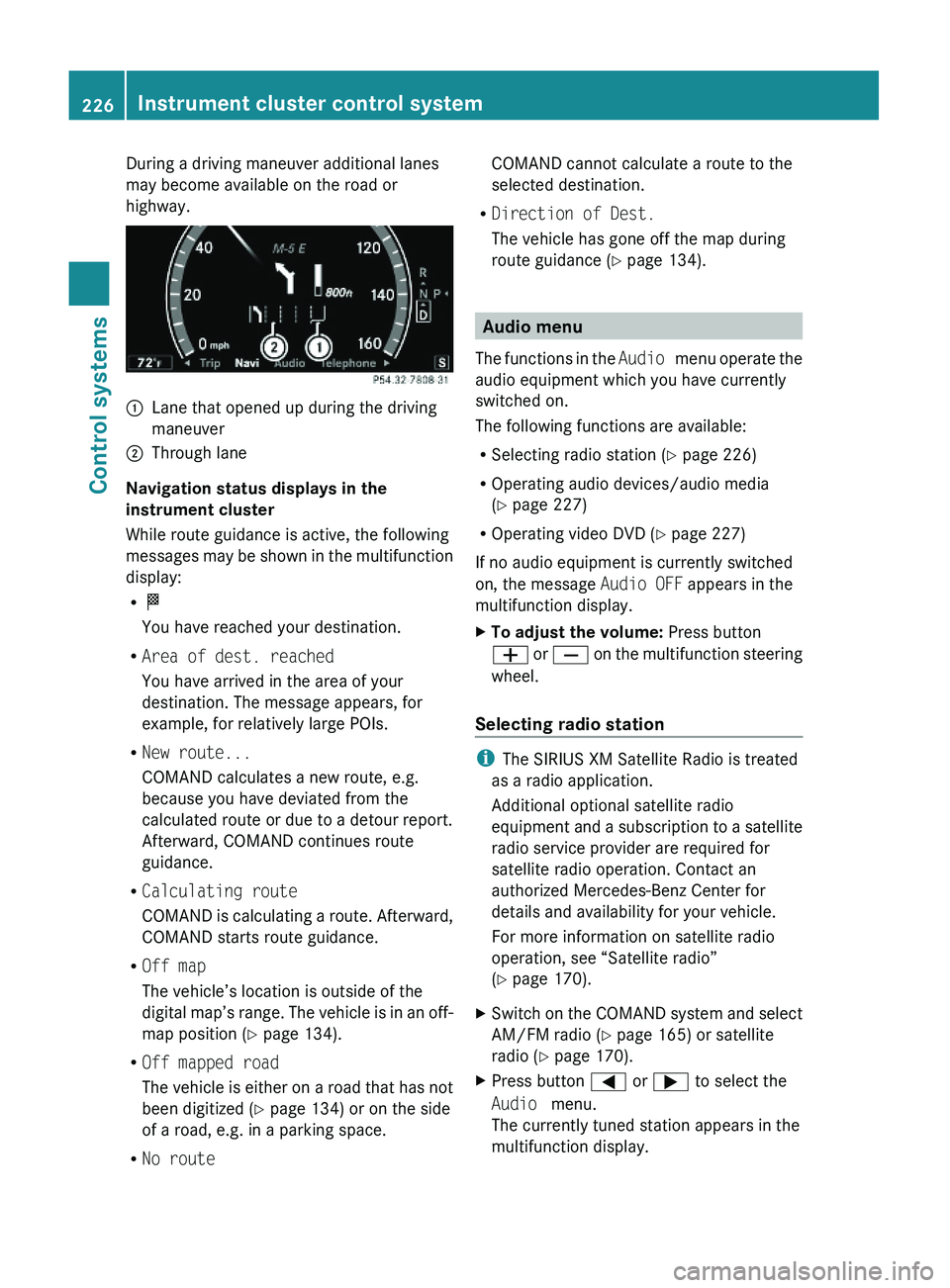
During a driving maneuver additional lanes
may become available on the road or
highway.
\000FLane that opened up during the driving
maneuver
\000GThrough lane
Navigation status displays in the
instrument cluster
While route guidance is active, the following
messages may be shown in the multifunction
display:
R\000T
You have reached your destination.
RArea of dest. reached
You have arrived in the area of your
destination. The message appears, for
example, for relatively large POIs.
RNew route...
COMAND calculates a new route, e.g.
because you have deviated from the
calculated route or due to a detour report.
Afterward, COMAND continues route
guidance.
RCalculating route
COMAND is calculating a route. Afterward,
COMAND starts route guidance.
ROff map
The vehicle’s location is outside of the
digital map’s range. The vehicle is in an off-
map position (Y page 134).
ROff mapped road
The vehicle is either on a road that has not
been digitized (Y page 134) or on the side
of a road, e.g. in a parking space.
RNo route
COMAND cannot calculate a route to the
selected destination.
RDirection of Dest.
The vehicle has gone off the map during
route guidance (Y page 134).
Audio menu
The functions in the Audio menu operate the
audio equipment which you have currently
switched on.
The following functions are available:
RSelecting radio station (Y page 226)
ROperating audio devices/audio media
(Y page 227)
ROperating video DVD (Y page 227)
If no audio equipment is currently switched
on, the message Audio OFF appears in the
multifunction display.
XTo adjust the volume: Press button
\000Z or \000[ on the multifunction steering
wheel.
Selecting radio station
iThe SIRIUS XM Satellite Radio is treated
as a radio application.
Additional optional satellite radio
equipment and a subscription to a satellite
radio service provider are required for
satellite radio operation. Contact an
authorized Mercedes-Benz Center for
details and availability for your vehicle.
For more information on satellite radio
operation, see “Satellite radio”
(Y page 170).
XSwitch on the COMAND system and select
AM/FM radio (Y page 165) or satellite
radio (Y page 170).
XPress button \000@ or \000> to select the
Audio menu.
The currently tuned station appears in the
multifunction display.
226Instrument cluster control systemControl systems
221_AKB; 6; 20, en-USd2ugruen,Version: 2.11.8.12009-09-24T13:28:17+02:00 - Seite 226
Page 229 of 548
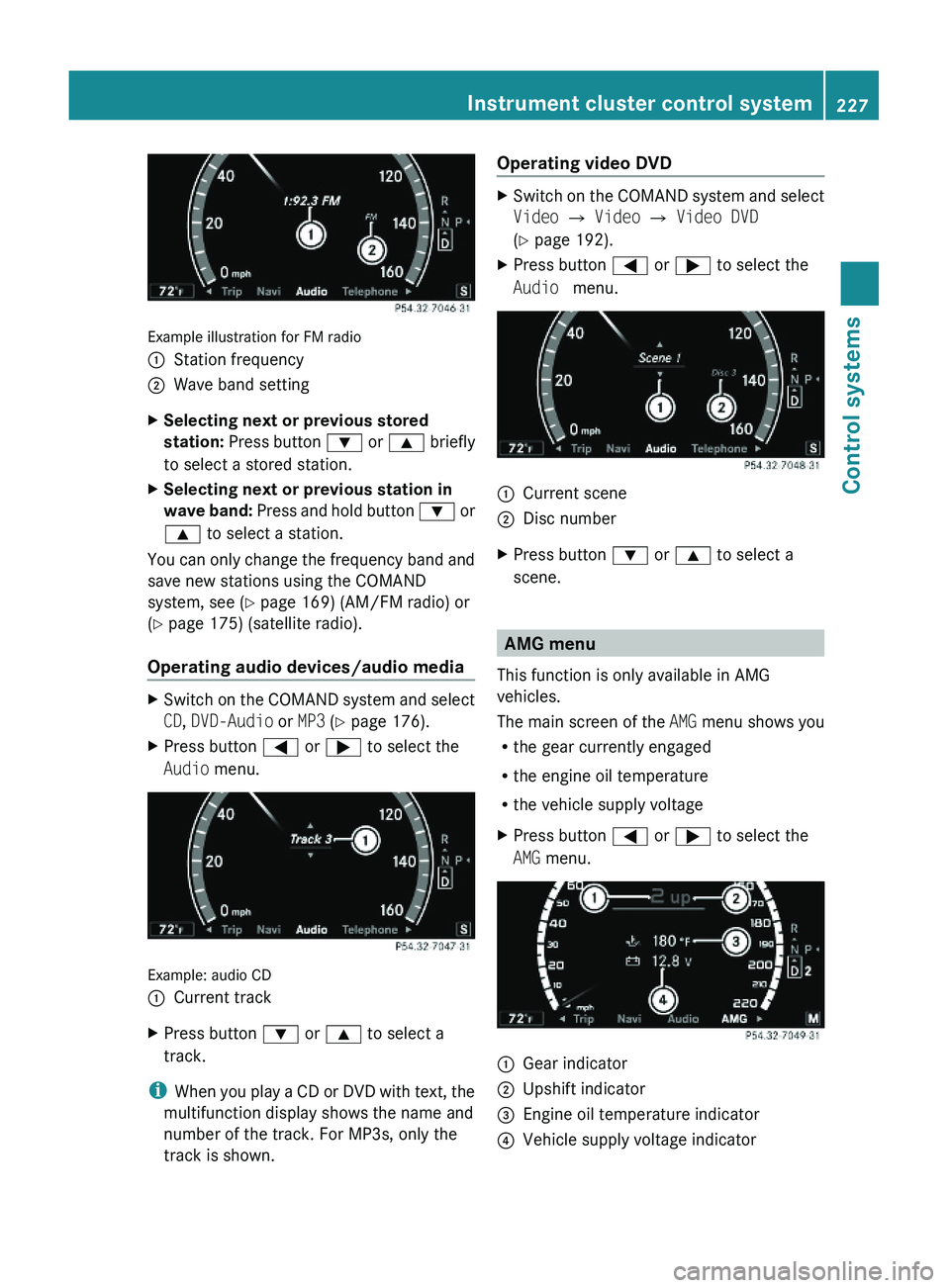
Example illustration for FM radio
\000FStation frequency\000GWave band settingXSelecting next or previous stored
station: Press button \000= or \000< briefly
to select a stored station.
XSelecting next or previous station in
wave band: Press and hold button \000= or
\000< to select a station.
You can only change the frequency band and
save new stations using the COMAND
system, see (Y page 169) (AM/FM radio) or
(Y page 175) (satellite radio).
Operating audio devices/audio media
XSwitch on the COMAND system and select
CD, DVD-Audio or MP3 (Y page 176).
XPress button \000@ or \000> to select the
Audio menu.
Example: audio CD
\000FCurrent trackXPress button \000= or \000< to select a
track.
iWhen you play a CD or DVD with text, the
multifunction display shows the name and
number of the track. For MP3s, only the
track is shown.
Operating video DVDXSwitch on the COMAND system and select
Video \000T Video \000T Video DVD
(Y page 192).
XPress button \000@ or \000> to select the
Audio menu.
\000FCurrent scene\000GDisc numberXPress button \000= or \000< to select a
scene.
AMG menu
This function is only available in AMG
vehicles.
The main screen of the AMG menu shows you
Rthe gear currently engaged
Rthe engine oil temperature
Rthe vehicle supply voltage
XPress button \000@ or \000> to select the
AMG menu.
\000FGear indicator\000GUpshift indicator\000
Page 233 of 548
Ending a call or rejecting an incoming
callXPress button 007F.
Dialing a number from the phone book
When your telephone is ready to receive calls,
you may select and dial a number from the
phone book at any time.
XPress button 0040 or 003E to select the
Telephone menu.XPress button 003D or 003C or 0064 to
switch to the phone book.
The stored names are displayed in
ascending alphabetical order.XPress button 003D or 003C to select the
desired entry.
If you press and hold button 003D or
003C the system scrolls rapidly through the
list of names (quick search). After holding
button 003D or 003C for a short while the
scrolling speed increases. Release the
button to stop the quick search. The search
stops automatically at the end of the list.XIf the Symbol 004C appears on the right-hand
side of the name several entries are
present for the same name: Press button
006A or 0064 and select the desired entry.XPress button 006A or 0064 .
The control system dials the selected
phone number.
If the connection is successful and this
feature is supported by your network
provider, the name of the party (if stored in
your phone book) you are calling will
appear in the multifunction display.
The control system stores the dialed
number in the redial memory.
or
XPress button 007F if you do not want to
make the call.Redialing
The control system stores the most recently
dialed phone numbers. This eliminates the
need to search through your entire phone
book.
XPress button 0040 or 003E to select the
Telephone menu.XPress button 006A.XPress button 003D or 003C to select the
desired number or name.XPress button 006A or 0064 .
The control system dials the selected
phone number.
Assistance menu
In the DriveAssist menu, you can change
the settings of your driving systems.
The following functions are available:
R Displaying distance graphic, DISTRONIC
PLUS ( Y page 334)
R Switching ESC on or off ( Y page 232)
R Activating/deactivating PRE-SAFE ®
Brake
(vehicles with DISTRONIC PLUS only)
( Y page 232)
R Switching ATTENTION ASSIST on or off
( Y page 232)
R Switching Blind Spot Assist on or off
( Y page 233)
R Switching Lane Keeping Assist on or off
( Y page 233)
Instrument cluster control system231Control systems221_AKB; 6; 20, en-USd2ugruen,Version: 2.11.8.12009-09-24T13:28:17+02:00 - Seite 231Z
Page 236 of 548
display and are based on conditions or
system status the vehicle’s system has
recorded.
The vehicle status message memory function
only appears if there are any messages
stored.
GWarning!
Malfunction and warning messages are only
indicated for certain systems and are
intentionally not very detailed. The
malfunction and warning messages are
simply a reminder with respect to the
operation of certain systems. They do not
replace the owner’s and/or driver’s
responsibility to maintain the vehicle’s
operating safety. Have all required
maintenance and safety checks performed on
the vehicle. Bring the vehicle to an authorized
Mercedes-Benz Center to address the
malfunction and warning messages.
XPress button \000@ or \000> to select the
Service menu.
If conditions have occurred causing status
messages to be recorded, the number of
messages appears in the multifunction
display: 2 Messages.
XPress button \000= or \000< to select the
Messages function.
XPress button \000d to confirm.
For malfunction and warning messages,
see “Vehicle status messages in the
multifunction display” (Y page 452).
XUse button \000= or \000< to scroll through
the messages.
If you turn the SmartKey in the starter switch
to position 0 and then back to position 2, all
messages will be deleted from the message
memory.
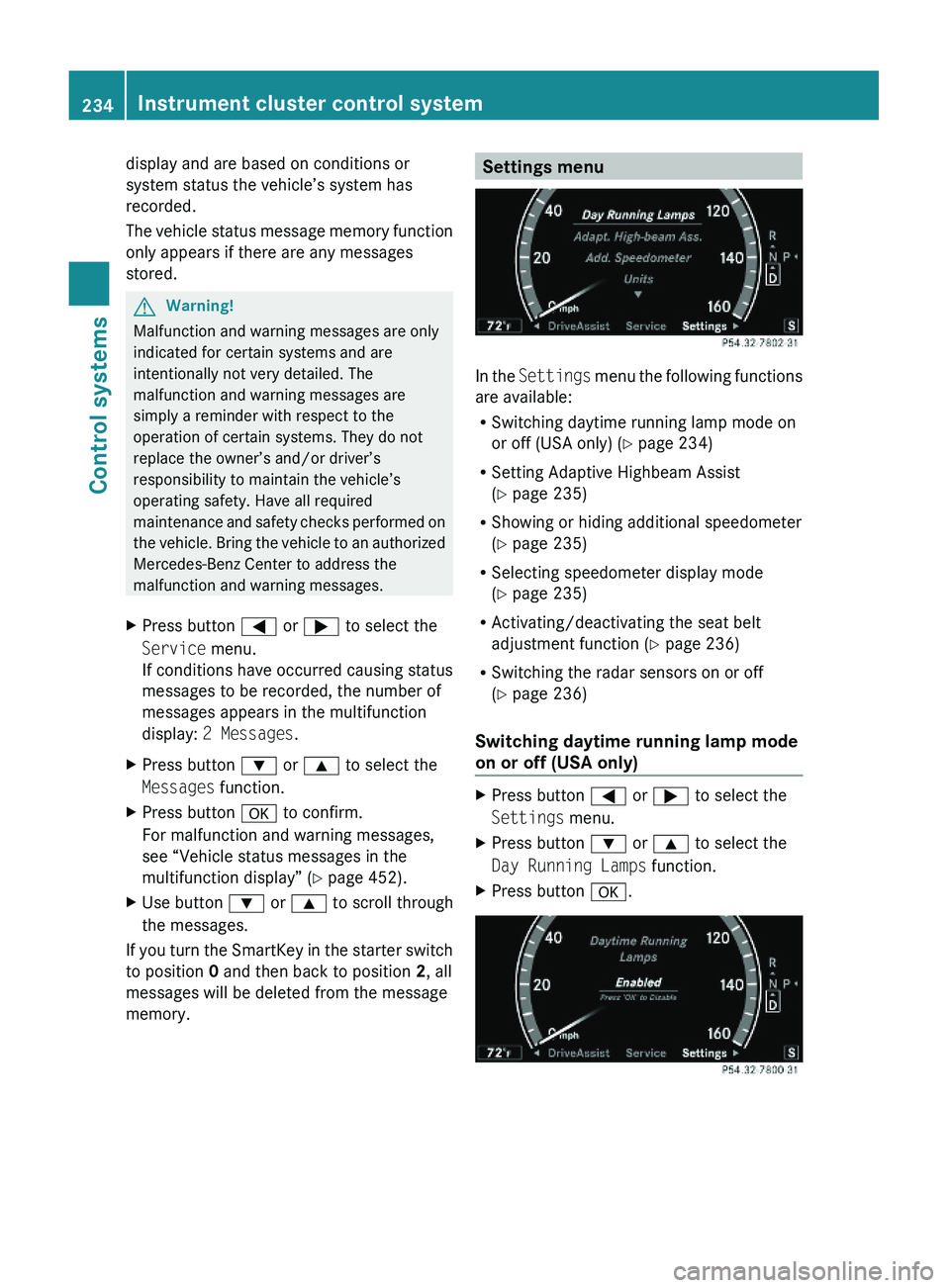
Settings menu
In the Settings menu the following functions
are available:
RSwitching daytime running lamp mode on
or off (USA only) (Y page 234)
RSetting Adaptive Highbeam Assist
(Y page 235)
RShowing or hiding additional speedometer
(Y page 235)
RSelecting speedometer display mode
(Y page 235)
RActivating/deactivating the seat belt
adjustment function (Y page 236)
RSwitching the radar sensors on or off
(Y page 236)
Switching daytime running lamp mode
on or off (USA only)
XPress button \000@ or \000> to select the
Settings menu.
XPress button \000= or \000< to select the
Day Running Lamps function.
XPress button \000d.234Instrument cluster control systemControl systems
221_AKB; 6; 20, en-USd2ugruen,Version: 2.11.8.12009-09-24T13:28:17+02:00 - Seite 234
Page 237 of 548
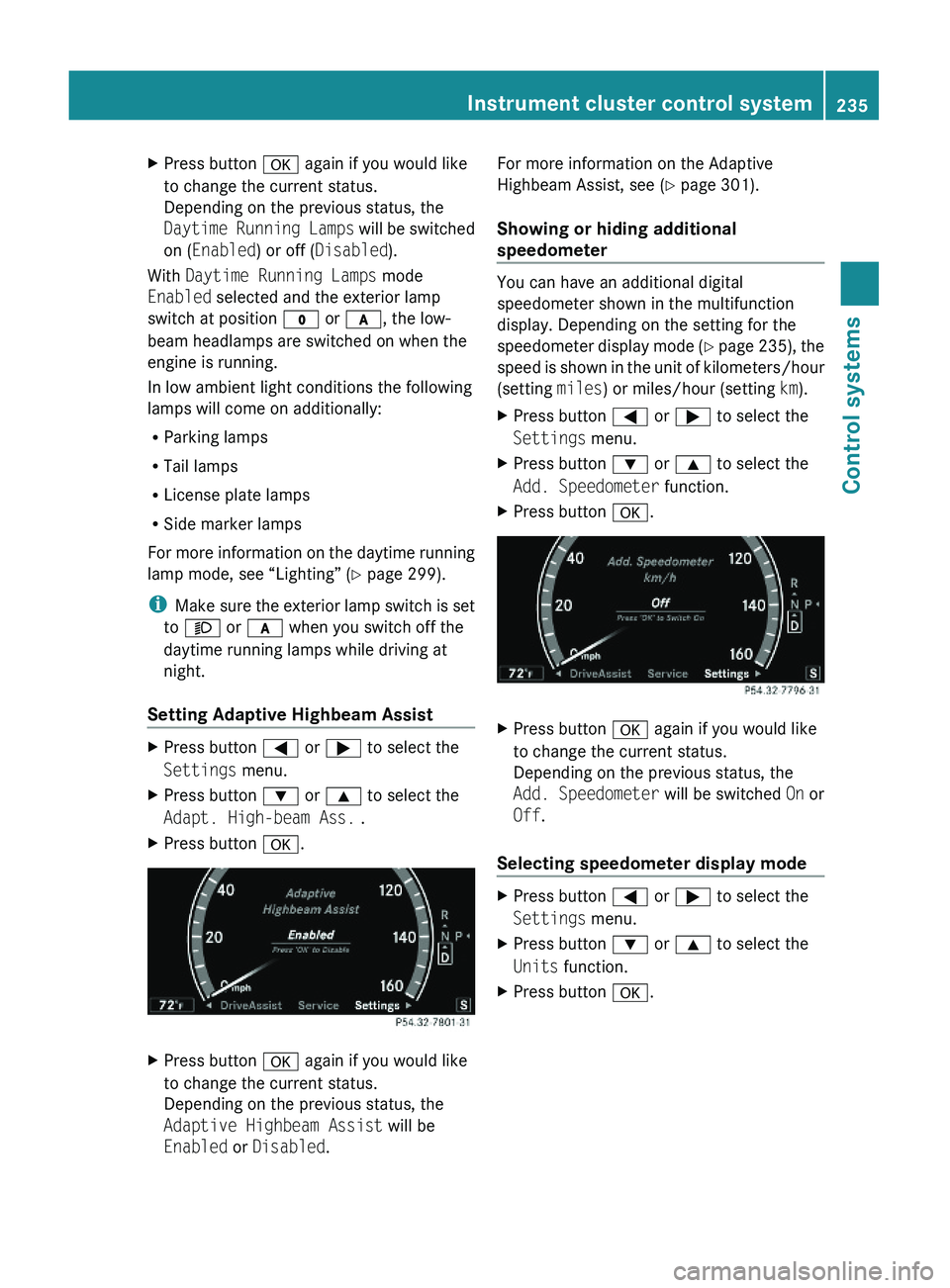
XPress button \000d again if you would like
to change the current status.
Depending on the previous status, the
Daytime Running Lamps will be switched
on (Enabled) or off (Disabled).
With Daytime Running Lamps mode
Enabled selected and the exterior lamp
switch at position \000' or \000f, the low-
beam headlamps are switched on when the
engine is running.
In low ambient light conditions the following
lamps will come on additionally:
RParking lamps
RTail lamps
RLicense plate lamps
RSide marker lamps
For more information on the daytime running
lamp mode, see “Lighting” (Y page 299).
iMake sure the exterior lamp switch is set
to \000e or \000f when you switch off the
daytime running lamps while driving at
night.
Setting Adaptive Highbeam Assist
XPress button \000@ or \000> to select the
Settings menu.
XPress button \000= or \000< to select the
Adapt. High-beam Ass. .
XPress button \000d.XPress button \000d again if you would like
to change the current status.
Depending on the previous status, the
Adaptive Highbeam Assist will be
Enabled or Disabled.
For more information on the Adaptive
Highbeam Assist, see (Y page 301).
Showing or hiding additional
speedometer
You can have an additional digital
speedometer shown in the multifunction
display. Depending on the setting for the
speedometer display mode (Y page 235), the
speed is shown in the unit of kilometers/hour
(setting miles) or miles/hour (setting km).
XPress button \000@ or \000> to select the
Settings menu.
XPress button \000= or \000< to select the
Add. Speedometer function.
XPress button \000d.XPress button \000d again if you would like
to change the current status.
Depending on the previous status, the
Add. Speedometer will be switched On or
Off.
Selecting speedometer display mode
XPress button \000@ or \000> to select the
Settings menu.
XPress button \000= or \000< to select the
Units function.
XPress button \000d.Instrument cluster control system235Control systems221_AKB; 6; 20, en-USd2ugruen,Version: 2.11.8.12009-09-24T13:28:17+02:00 - Seite 235Z
Page 238 of 548
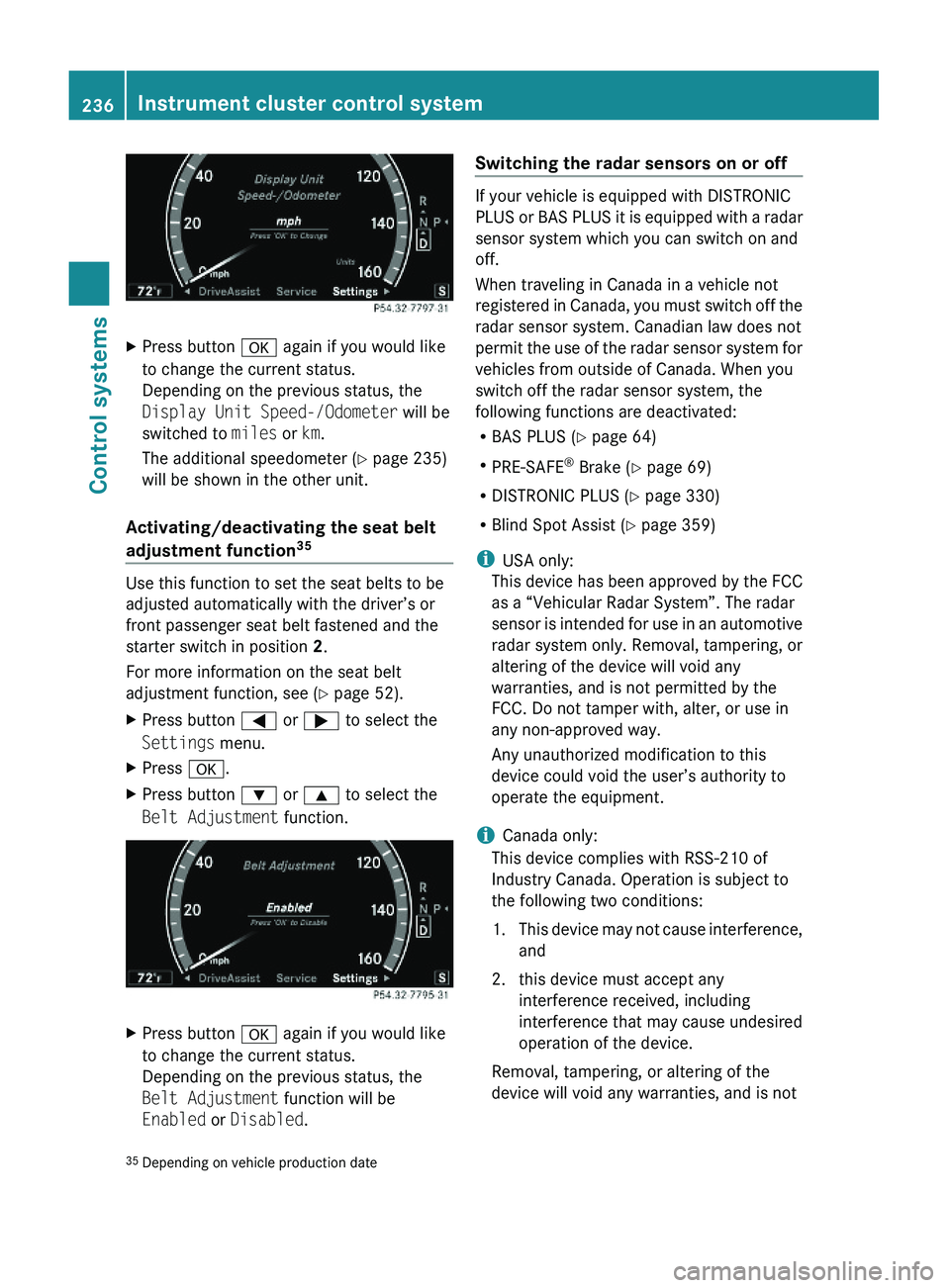
XPress button \000d again if you would like
to change the current status.
Depending on the previous status, the
Display Unit Speed-/Odometer will be
switched to miles or km.
The additional speedometer (Y page 235)
will be shown in the other unit.
Activating/deactivating the seat belt
adjustment function35
Use this function to set the seat belts to be
adjusted automatically with the driver’s or
front passenger seat belt fastened and the
starter switch in position 2.
For more information on the seat belt
adjustment function, see (Y page 52).
XPress button \000@ or \000> to select the
Settings menu.
XPress \000d.XPress button \000= or \000< to select the
Belt Adjustment function.
XPress button \000d again if you would like
to change the current status.
Depending on the previous status, the
Belt Adjustment function will be
Enabled or Disabled.
Switching the radar sensors on or off
If your vehicle is equipped with DISTRONIC
PLUS or BAS PLUS it is equipped with a radar
sensor system which you can switch on and
off.
When traveling in Canada in a vehicle not
registered in Canada, you must switch off the
radar sensor system. Canadian law does not
permit the use of the radar sensor system for
vehicles from outside of Canada. When you
switch off the radar sensor system, the
following functions are deactivated:
RBAS PLUS (Y page 64)
RPRE-SAFE® Brake (Y page 69)
RDISTRONIC PLUS (Y page 330)
RBlind Spot Assist (Y page 359)
iUSA only:
This device has been approved by the FCC
as a “Vehicular Radar System”. The radar
sensor is intended for use in an automotive
radar system only. Removal, tampering, or
altering of the device will void any
warranties, and is not permitted by the
FCC. Do not tamper with, alter, or use in
any non-approved way.
Any unauthorized modification to this
device could void the user’s authority to
operate the equipment.
iCanada only:
This device complies with RSS-210 of
Industry Canada. Operation is subject to
the following two conditions:
1.This device may not cause interference,
and
2. this device must accept any
interference received, including
interference that may cause undesired
operation of the device.
Removal, tampering, or altering of the
device will void any warranties, and is not
35Depending on vehicle production date236Instrument cluster control systemControl systems
221_AKB; 6; 20, en-USd2ugruen,Version: 2.11.8.12009-09-24T13:28:17+02:00 - Seite 236
Page 239 of 548
permitted. Do not tamper with, alter, or use
in any non-approved way.
Any unauthorized modification to this
device could void the user’s authority to
operate the equipment.
XPress button \000@ or \000> to select the
Settings menu.
XPress button \000= or \000< to select the
Radar Sensors function.
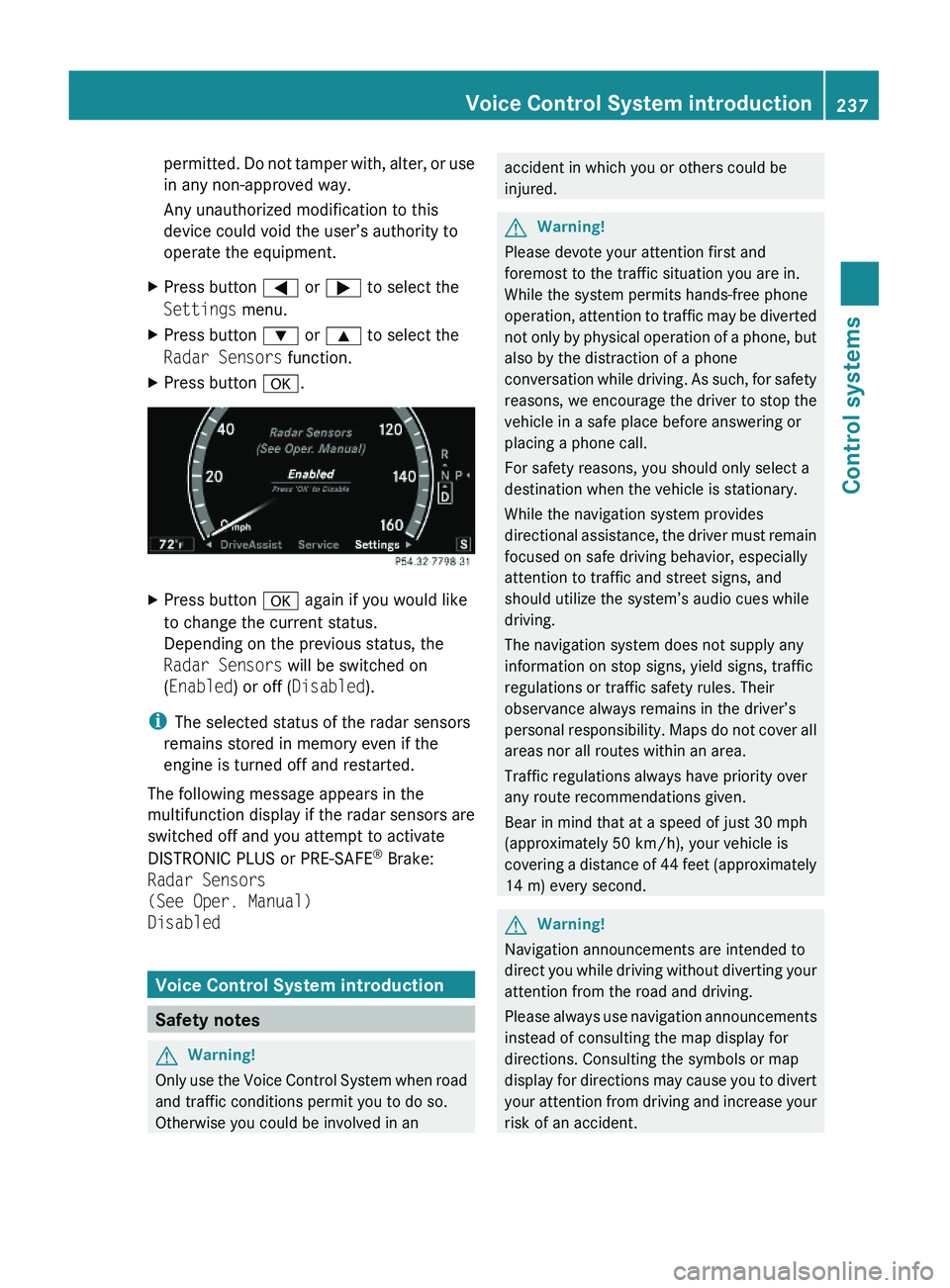
XPress button \000d.XPress button \000d again if you would like
to change the current status.
Depending on the previous status, the
Radar Sensors will be switched on
(Enabled) or off (Disabled).
iThe selected status of the radar sensors
remains stored in memory even if the
engine is turned off and restarted.
The following message appears in the
multifunction display if the radar sensors are
switched off and you attempt to activate
DISTRONIC PLUS or PRE-SAFE® Brake:
Radar Sensors
(See Oper. Manual)
Disabled
Voice Control System introduction
Safety notes
GWarning!
Only use the Voice Control System when road
and traffic conditions permit you to do so.
Otherwise you could be involved in an
accident in which you or others could be
injured.
GWarning!
Please devote your attention first and
foremost to the traffic situation you are in.
While the system permits hands-free phone
operation, attention to traffic may be diverted
not only by physical operation of a phone, but
also by the distraction of a phone
conversation while driving. As such, for safety
reasons, we encourage the driver to stop the
vehicle in a safe place before answering or
placing a phone call.
For safety reasons, you should only select a
destination when the vehicle is stationary.
While the navigation system provides
directional assistance, the driver must remain
focused on safe driving behavior, especially
attention to traffic and street signs, and
should utilize the system’s audio cues while
driving.
The navigation system does not supply any
information on stop signs, yield signs, traffic
regulations or traffic safety rules. Their
observance always remains in the driver’s
personal responsibility. Maps do not cover all
areas nor all routes within an area.
Traffic regulations always have priority over
any route recommendations given.
Bear in mind that at a speed of just 30 mph
(approximately 50 km/h), your vehicle is
covering a distance of 44 feet (approximately
14 m) every second.
GWarning!
Navigation announcements are intended to
direct you while driving without diverting your
attention from the road and driving.
Please always use navigation announcements
instead of consulting the map display for
directions. Consulting the symbols or map
display for directions may cause you to divert
your attention from driving and increase your
risk of an accident.
Voice Control System introduction237Control systems221_AKB; 6; 20, en-USd2ugruen,Version: 2.11.8.12009-09-24T13:28:17+02:00 - Seite 237Z
Page 241 of 548
Starting the dialog with the Voice
Control System
XSwitch on the ignition (Y page 284).XPress button \000b on the multifunction
steering wheel.
An acoustic signal sounds. The dialog is
started.
XSpeak a command.
Pausing and resuming a dialog
Pausing
You can pause the dialog when a selection list
is displayed in COMAND.
XSpeak the command “Pause”.
Continue With Push-to-talk appears
at the top of the selection list. You can
select an entry using the COMAND
controller.
Resuming
XPress button \000b on the multifunction
steering wheel.
The dialog is resumed.
Aborting dialog
XPress button \000A on the multifunction
steering wheel.
or
XSpeak one of the commands “Stop”, “Quit”,
“Abort”, “Terminate”, “Cancel” or “Exit”.
This does not apply when entering voice
names or during the individualization
process.
or
XPress any COMAND button.
Setting volume level
XActivate the Voice Control System.XSpeak a command, for example “Help”.XPress button \000Z or \000[. The volume is
increased or decreased during voice
output.
or
XSet volume for voice output using the
COMAND volume thumbwheel on the lower
part of the front center console
(Y page 88).
iYou can also set the text reader speed
(Y page 91).
Displays
COMAND Display
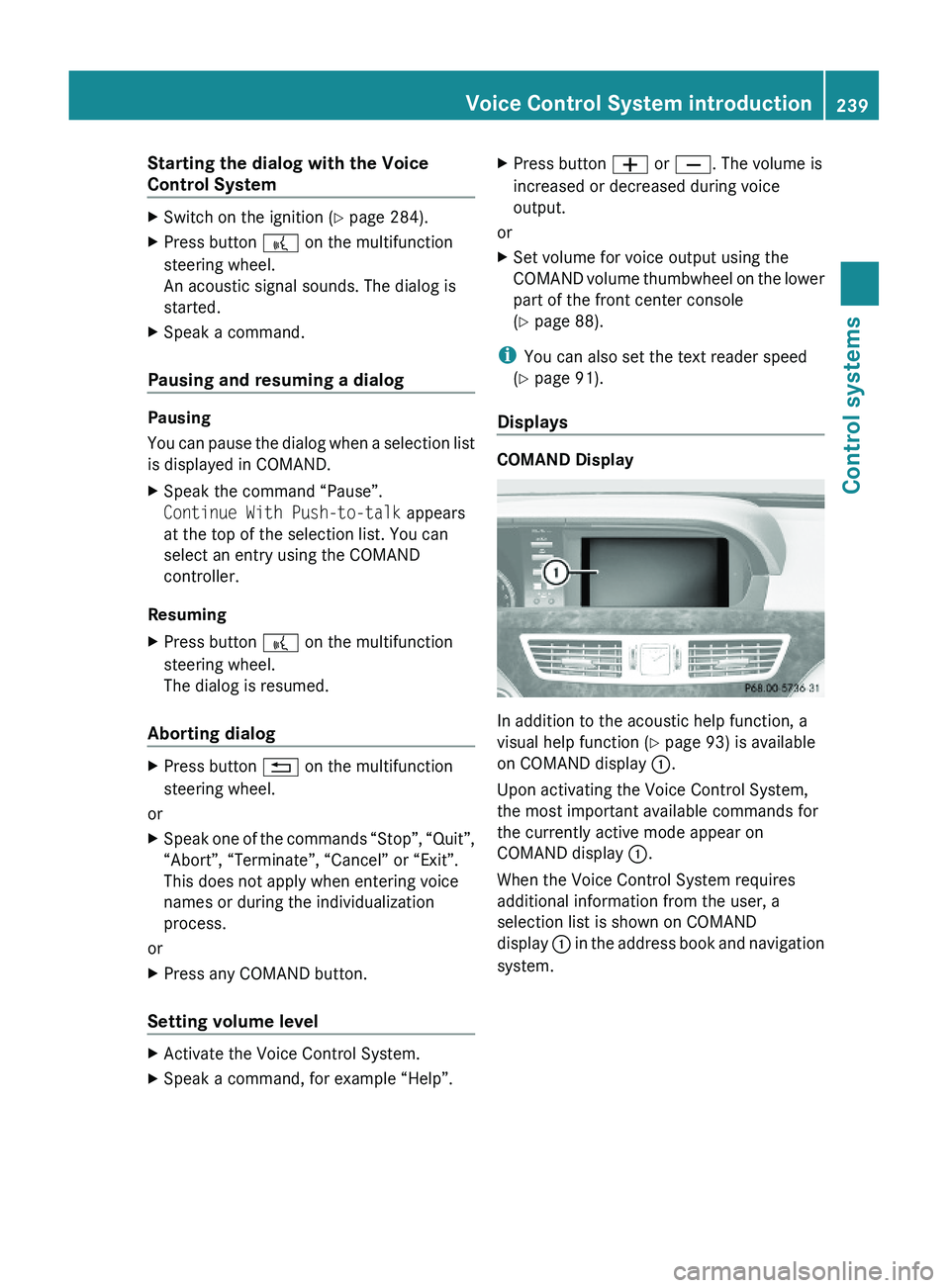
In addition to the acoustic help function, a
visual help function (Y page 93) is available
on COMAND display \000F.
Upon activating the Voice Control System,
the most important available commands for
the currently active mode appear on
COMAND display \000F.
When the Voice Control System requires
additional information from the user, a
selection list is shown on COMAND
display \000F in the address book and navigation
system.
Voice Control System introduction239Control systems221_AKB; 6; 20, en-USd2ugruen,Version: 2.11.8.12009-09-24T13:28:17+02:00 - Seite 239Z
Page 242 of 548
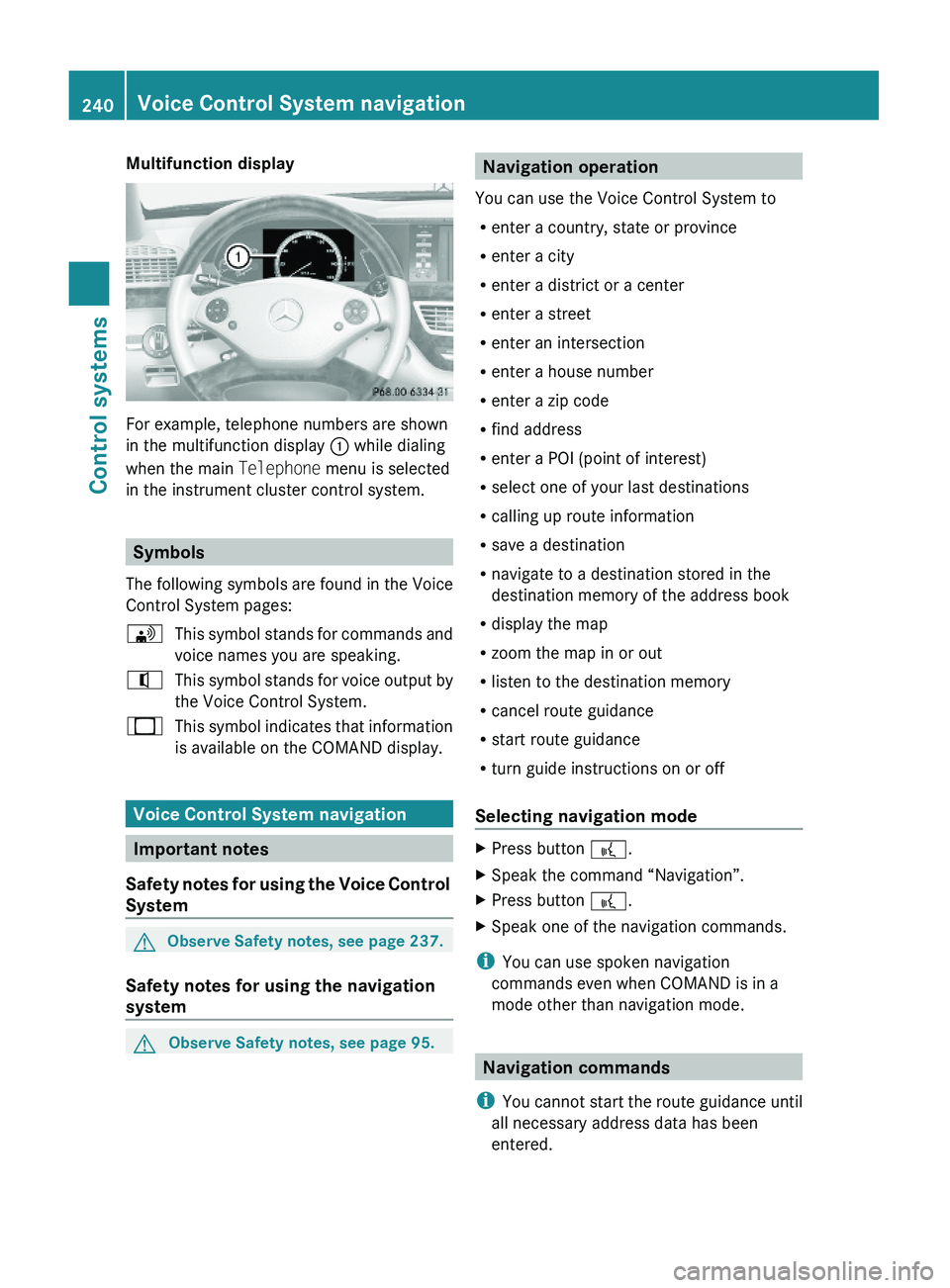
Multifunction display
For example, telephone numbers are shown
in the multifunction display \000F while dialing
when the main Telephone menu is selected
in the instrument cluster control system.
Symbols
The following symbols are found in the Voice
Control System pages:
\000
Page 243 of 548
For a list of commands, see (Y page 257).
“Help navigation”
Use the command “Help navigation” to read
out an option list of available functions and
commands that can be used in conjunction
with the navigation system.
Entering an address
Speak the commands and address data in
whole words.
The system guides you completely through
the dialog to route guidance. As soon as a
valid address is entered (at least the town),
you can use the “Start route guidance”
command to start the route guidance.
When multiple choices for an entry are
available, the system offers a numbered list
of possible entries in the COMAND display.
You will then have to select a line number.
This number is taken over by the system.
i You can use the commands “Continue” or
“Back” to scroll up or down in lists.
The command “Correction” lets you repeat
the entry.
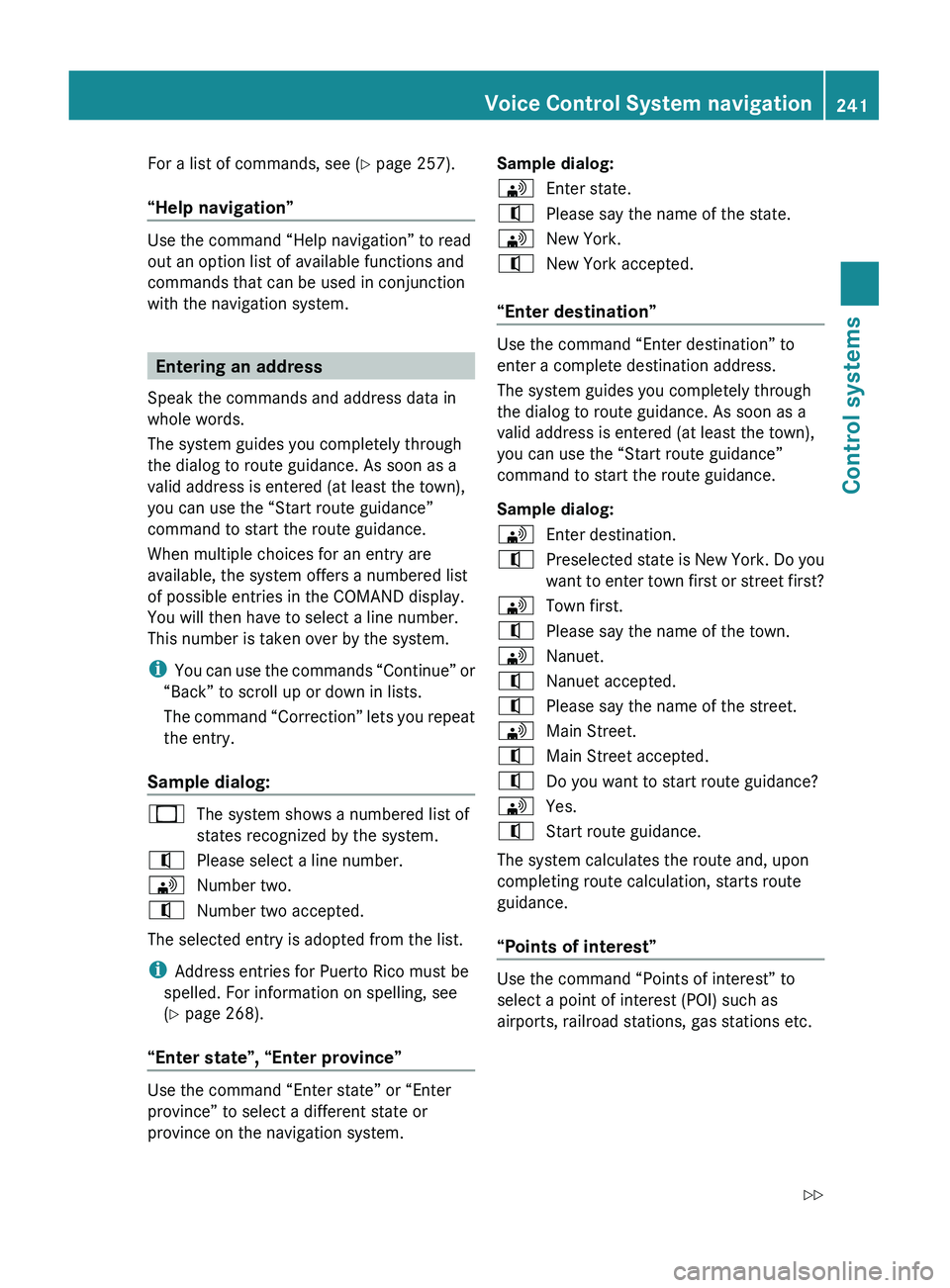
Sample dialog:
009BThe system shows a numbered list of
states recognized by the system.009CPlease select a line number.009DNumber two.009CNumber two accepted.
The selected entry is adopted from the list.
i Address entries for Puerto Rico must be
spelled. For information on spelling, see
( Y page 268).
“Enter state”, “Enter province”
Use the command “Enter state” or “Enter
province” to select a different state or
province on the navigation system.
Sample dialog:009DEnter state.009CPlease say the name of the state.009DNew York.009CNew York accepted.
“Enter destination”
Use the command “Enter destination” to
enter a complete destination address.
The system guides you completely through
the dialog to route guidance. As soon as a
valid address is entered (at least the town),
you can use the “Start route guidance”
command to start the route guidance.
Sample dialog:
009DEnter destination.009CPreselected state is New York. Do you
want to enter town first or street first?009DTown first.009CPlease say the name of the town.009DNanuet.009CNanuet accepted.009CPlease say the name of the street.009DMain Street.009CMain Street accepted.009CDo you want to start route guidance?009DYes.009CStart route guidance.
The system calculates the route and, upon
completing route calculation, starts route
guidance.
“Points of interest”
Use the command “Points of interest” to
select a point of interest (POI) such as
airports, railroad stations, gas stations etc.
Voice Control System navigation241Control systems221_AKB; 6; 20, en-USd2ugruen,Version: 2.11.8.12009-09-24T13:28:17+02:00 - Seite 241Z