phone MERCEDES-BENZ S-CLASS CABRIOLET 2017 Workshop Manual
[x] Cancel search | Manufacturer: MERCEDES-BENZ, Model Year: 2017, Model line: S-CLASS CABRIOLET, Model: MERCEDES-BENZ S-CLASS CABRIOLET 2017Pages: 521, PDF Size: 10.48 MB
Page 307 of 521
#
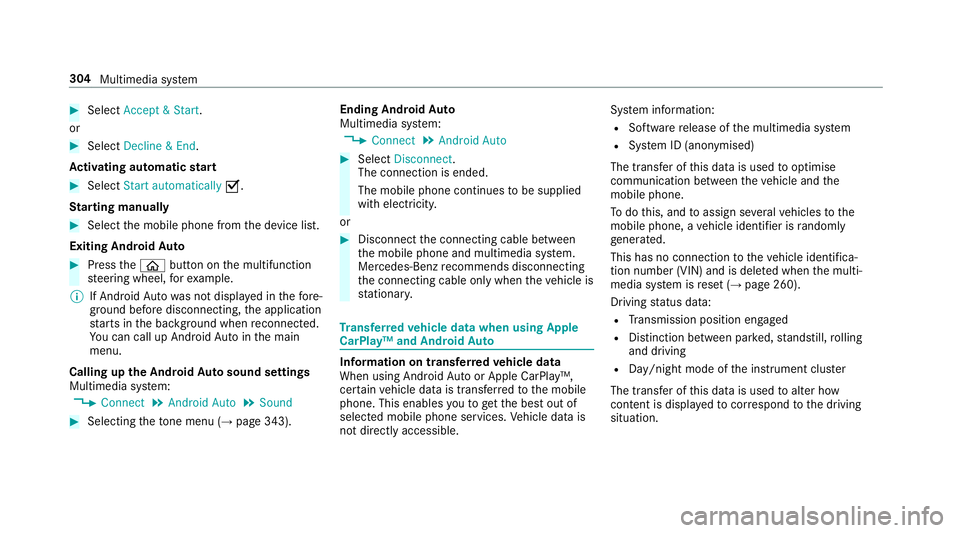
Select Accept &Start .
or #
Select Decline &End.
Ac tivatin gautomati cstart #
Select Startautomatically O.
St arting manually #
Select them obile phone from thed evice list.
Exiting Android Auto #
Press theò button on them ultifunction
st eering wheel, fore xamp le.
% If Android Autowa sn otdispla yedint hefore‐
ground befor edisconnecting, thea pplication
st arts in theb ackg round when reconnected.
Yo uc an call up Android Autointhem ain
menu.
Calling up theA ndroid Autosound settings
Multimedia sy stem:
, Connect .
Android Auto .
Sound #
Selecting thet one men u(→ page 343). Ending Android
Auto
Multimedia sy stem:
, Connect .
Android Auto #
Select Disconnect.
The connection is ended.
The mobile phone continues tobe supplied
wit he lect ricity.
or #
Disconnect thec onnecting cable between
th em obile phone and multimedia sy stem.
Mercedes-Benz recommends disconnecting
th ec onnecting cable onl ywhen thev ehicle is
st ationar y. Tr
ansfer redv ehicle dat awhenu sing Apple
CarPlay™ and Android Auto Information on trans
ferred vehicl edata
When using Android Autoor Apple CarPlay™,
cer tain vehicle dat aistransfer redtot he mobile
phone. This enables youtog ettheb esto ut of
selected mobile phone services. Vehicle dat ais
no td irectl yaccessible. Sy
stem information:
R Softwar erelease of them ultimedia sy stem
R System ID (anonymised)
The transfer of this dat aisusedtooptimise
communication between thev ehicle and the
mobil ephone.
To do this, and toassig nseve ralv ehicles tothe
mobil ephone, avehicle identifier is randomly
ge nerated.
Thi sh asno connectio ntothevehicle identifica‐
tion number (VIN) and is dele tedw hen them ulti‐
media sy stem is rese t(→pag e260).
Driving status data:
R Transmission position engaged
R Distinction between par ked, standstill, rolling
and driving
R Day/night mode of thei nstrument clus ter
The transfer of this dat aisusedtoalter how
con tent is displ ayed tocor respond tothed riving
situation. 304
Multimedia sy stem
Page 308 of 521
Po
sition data:
R Coordinates
R Speed
R Compass direction
R Acceleration di rection
Thi sd ataiso nlyt ransfer redw hile then avigation
sy stem is activ einorder toimpr oveit (e.g. so it
can continue functioning when in atunnel). Mercedes me connect
Information on Mercedes me connect
Mercedes me connec
tprovide sthe following
services:
R Breakdown management
R Appointmen trequests or similar
R Mercedes-Benz emer gency cal lsystem
R Accident mana gement
The Mercedes-Benz Cust omer Centreand the
Mercedes-Benze mergency cal lcentr eareavaila‐
ble fory ou around thec lock. The Inf
ocall button, theb reakdown assis tance
cal lbuttona nd thee mer gency cal lbuttonc an be
fo und on theo verhead control panel of thev ehi‐
cle (→ page307).
Yo uc an also call theM ercedes-Benz Cus tomer
Centr eusing them ultimedia sy stem
(→ pag e307).
Please no tethat Mercedes me connec tisa
Mercedes-Ben zservice. In emer gencies, al ways
cal lthe national emer gency service sfirst using
th es tandar dnational emer gency service phone
numbe rs.Ine mergencies, youc an also use the
Mercedes-Benze mergency cal lsyst em
(→ pag e310).
Fu rther information on Mercedes me connect,
th ep rovide dservice scope and operation:
http://manuals.daimler.com/baix/cars/
connectme/de_DE/index.html
Calling theM ercedes-Benz Cus tomer Centre
using the multimedi asystem
Requ irements:
R Youh ave access toaG SM networ k. R
The contra ct partner' sGSM networ kcove r‐
ag eisa vailable in ther espectiv eregion.
R The ignition is switched on so that vehicle
dat acan be transfer reda utomaticall y.
Multimedia sy stem:
, Telephone .
ª Contacts #
Call Mercedes me connect.
Af terc onfirmation, them ultimedia sy stem
sends ther equired vehicle data.
The dat atransfer is shown in thed ispla y.
Then, youc an select aservic eand be con‐
nected toas pecialis tatthe Mercedes-Benz
Cus tomer Centre.
Fu rther information on Mercedes me connect,
th ep rovide dservice scope and operation is
av ailable at :http://ma nuals.daimler.com/baix/
cars/connectme/de_DE/ind ex.html
Making acallv ia the overhead control panel
Re quirements:
R Youh avea ccess toaG SM networ k.
R The contra ct partner' sGSM networ kcove r‐
ag eisa vailable in ther espectiv eregion. Multimedia sy
stem 305
Page 311 of 521
Overvie
woftransfer redd ata Servic
ecallT ransfer redd ata
MB Inf ocall
Breakdown assis‐
ta nce call R
Current vehicle
location
R Vehicle identifica‐
tion number
R Service code
R Selected data
about thes tatus
of thev ehicle Mercedes-Benz emer
gency call sy stem Information on
theM ercedes-Benz emer‐
ge ncy call sy stem
The Mercedes-Benz emer gency cal lsyst em only
function sinareas wher emobile phone co verage
is available from ther ele vant contract pa rtner.
Insu fficien tnetwo rkcoverage from ther ele vant
contract pa rtner ma yresult in an emer gency call
no tb eing transmitted.
The ignition mu stbe switched on befor eanauto‐
matic emer gency cal lcan be made. Overvi
ewoftheM ercedes-Benz emer gency
call sy stem
The Mercedes-Benz emer gency cal lsyst em can
help todecisivel yreduce thet ime between an
acciden tand thea rrival of emer gency services
at thes iteoft he accident. It helps locat ean
acciden tsiteinp laces that ar edifficul tto
access.
The emer gency cal lcan be made au tomatical ly
( → pag e310)orm anually .Only ma keemer‐
ge ncy calls if youoro ther sa rein need of res‐
cue. Do no tmakeane mergency cal lintheeve nt
of ab reak down or asimilar situation.
Messages in the multimedi asystemd ispla y:
SOS READY :emergency cal lavailable
SO SN OT READY:t he ignition is no tonorthere
is am alfunction wit hthe emer gency cal lsyst em.
During an activ eemer gency call, Gappears
in thed ispla y.
Yo uc an find mor einformatio nontheregional
av ailabilit yofthe Mercedes-Benz emer gency call
sy stem at :http://www.mercedes-benz.com/
connect_ecall. %
If an emer gency cal lisunavailable, ames‐
sag etot his ef fect also appea rsinthem ulti‐
function displa yofthe instrument clus ter.
Au tomatic eme rgency call
Re quirements:
R thei gnition is switched on.
R thes tarter batter yissufficiently charge d.
If re stra int sy stems suc hasairbags or seat belt
te nsioner shave been activated af terana cci‐
dent, theM ercedes-Benz emer gency cal lsyst em
ma yautomaticall yinitiat eane mergency call.
The emergency cal lhas been made:
R Avoice connection is made totheM ercedes-
Benz emer gency cal lcentre.
R Am essa gewitha cciden tdataist ransmit ted
to theM ercedes-Benz emer gency cal lcentre.
The Mercedes-Benz emergency cal lcentre
can transmit thev ehicle position dat atoone
of thep ublic emer gency service scallc en‐
tres. 308
Multimedia sy stem
Page 312 of 521
R
In cer tain situations dat aisalso transmitted
in thes peec hchannel totheM ercedes-Benz
emer gency cal lcentre.
Thi sallows measu resf or rescue, reco very or
to wing toaM ercedes-Ben zServic eCentreto
be initiated quickl y.
If yo ur vehicle is equipped wit hanSOS button in
th eo verhead control panel, it flashes until the
emer gency cal lhas been compl eted.
It is no tpossible toimmediatel yend an auto‐
matic emer gency call.
If th eM ercedes-Benz emer gency cal lsyst em
cann otconnect totheM ercedes-Benz emer‐
ge ncy cal lcentre, thee mer gency cal lisautomat‐
ically sent tothep ublic emer gency service scall
centre.
If no connectio ncan be made tothep ublic
emer gency services, acorresponding message
appears inthed ispla y. #
Dialthe emer gency cal lnumbe r999 or 11 2
on your mobile phone. If an eme
rgency call has been initiated:
R Remain in thev ehicle if ther oad and traf fic
conditions permit youtodosou ntilavoice
connection is es tablished wit hthe emer‐
ge ncy cal lcentr eoperato r.
R Ontheb asis of thec all, theo perator decides
whe ther it is necessar ytocallr escue teams
and/or thep olice tothea cciden tsite.
R If no vehicle occupant answers, an ambu‐
lance is sent tothev ehicle immediately.
Tr iggering amanual emer gency call #
Ifth ev ehicle has an SOS button in theo ver‐
head control panel :press and hold theb ut‐
to nf or at leas tone second.
The emer gency cal lhas been made:
R avoice connection is made totheM ercedes-
Benz emer gency cal lcentre.
R remain in thev ehicle if ther oad and traf fic
conditions permit youtodosou ntilavoice
connection is es tablished wit hthe emer‐
ge ncy cal lcentr eoperato r. R
ontheb asis of thec all, theo perator decides
whe ther it is necessar ytocallr escue teams
and/or thep olice tothea cciden tsite.
R am essag ewitha cciden tdataist ransmit ted
to theM ercedes-Benz emer gency cal lcentre.
The Mercedes-Benz emergency cal lcentre
can transmit thev ehicle position dat atoone
of thep ublic emer gency service scallc en‐
tres.
R in cer tain situations dat aisalso transmitted
in thes peec hchannel totheM ercedes-Benz
emer gency cal lcentre.
Thi sallow sm easu resf or rescue, reco very or
to wing toaM ercedes-Ben zServic eCentreto
be initiated quickl y.
If th eM ercedes-Benz emer gency cal lsyst em
cann otconnect totheM ercedes-Benz emer‐
ge ncy cal lcentre, thee mer gency cal lisautomat‐
icall ysent tothep ublic emer gency service scall
centre.
If no connectio ncan be made tothep ublic
emer gency services, acorresponding message
appears inthed ispla y. Multimedia sy
stem 309
Page 313 of 521
#
Dialthe emer gency cal lnumbe r999 or 11 2
on your mobile phone.
Ending an unin tentional emer gency call #
Select ~onthem ultifunction steering
wheel.
Tr ansmitted data with th eMercedes-Benz
emer gency call sy stem
The following dat aistransmit tedtot he
Mercedes-Benze mergency cal lcentre:
R thev ehicle's GPS position data
R thel astG PS position dat aontheroute(af ew
hundred metres befor ethe incident)
R direction of tr avel
R vehicle identification number
R thev ehicle driv etype
R thee stimated number of people in thev ehi‐
cle
R whe ther Mercedes me connect is available or
not
R whe ther thee mer gency cal lwas initia ted
manually or automatically R
thet ime of thea ccident
R thel anguag esetting on them ultimedia sys‐
tem
Fo ra ccident clarificatio npurposes ,the following
measures can be take nu ptoa nhour af tert he
emer gency cal lhas been initia ted:
R thec urrent vehicle position can be called up
R avoice connection tothev ehicle occupants
can be es tablished
% ForR ussia: various functions, e.g. receiving
traf fici nformation, canno tbeu sedf or up to
tw oh ours afte rs ending an emergency call.
St arting/ending ERA-GLONASS test mode
(Russia)
Re quirements:
R The star terb atter yiss ufficiently charge d.
R The ignition is switched on.
R The vehicle has been stationar yfor at least
one minute. #
Tostar tt he test mode: pressand hol dthe
~ button on them ultifunction steering
wheel foratl east five seconds.
The test mode is star teda nd automatically
ends af tert he languag etesth as been per‐
fo rm ed. #
Toend thet estm ode manuall y:switc hoff
th ei gnition.
The test mode is ended. Online and Interne
tfunctions Interne
tconnection Information on connecting
totheI nternet &
WARNING Risk of di stra ction from infor‐
mation sy stems and communications
equipment
If yo uo perat einformation and communica‐
tio ne quipment integ ratedint hevehicle
when driving, youw ill be distracted from the
traf fics ituation. Thi scould also cause youto
lose control of thev ehicle. 310
Multimedia sy stem
Page 314 of 521
#
Onlyoperat ethis equipment when the
traf fics ituation permits. #
Ifyo uc anno tbes ureoft his,stop the
ve hicle whils tpaying attention toroad
and traf ficc onditions and ope rate the
equipment wit hthe vehicle stationar y. Yo
um usto bse rvet he legal requirements fort he
countr yinwhich youa recur rentl yd riving when
operating them ultimedia sy stem.
Depending on thev ehicle's equipment, youc an
es tablish an Interne tconnection in thef ollowing
wa ys:
R Vehicles with acom municatio nmodule:
Interne tuse including Mercedes me connect
services and dat aroaming (→ page313).
R Vehicles without acom municatio nmod‐
ule:
- via Blue tooth®
wit had ata-enabled
mobile phon e(→pag e314 )
- viaW i-Fiw ithad ata-enabled mobile
phon e(→pag e313 )
- via business telephon y(→ pag e313 ) Th
eI nterne tfunctions can only be use dtoalimi‐
te dd egree whils tdriving.
Interne tconnection via communication mod‐
ule
On vehicles wit habuilt-in communication mod‐
ule, theI nterne tconnection is es tablished via an
integrated SIM card.
If th ed atav olume limit is reached, thea vailabil‐
ity of Mercedes me connec tservices is limited.
The data volume mus tbepurch ased via
Mercedes me connect.
Setting up an Interne tconnection via Wi-Fi
Requ irements:
R theW i-Fifunctio nisa ctivatedont he multi‐
media sy stem (→ page252).
R theW i-Fifunctio nisa ctivatedont heextern al
devic e(see them anufacturer's operating
instructions).
R Interne taccess via Wi-Fi is acti vated( see the
manufacturer's operating instructions). The Interne
tconnection via Wi-Fi is restricted or
doe snotfunction if:
R them obile phone is switched off
R mobile dat ause is deactivated on them obile
phone
R theW i-Fifunctio nisd eacti vatedont he multi‐
media sy stem
R theW i-Fifunctio nisd eacti vatedont heexter‐
nal device
R Interne taccess via Wi-Fi is deacti vatedon
th ee xternal device
Multimedia sy stem:
, System .
ö Connectivity .
Inter-
net settings .
Search for Wi-Fi networks #
Select then etwo rk. #
Logging in totheW i-Finetwo rk
( → page 252).
Setting up an Interne tconnectio nusingb usi‐
nes stelephony
Re quirements:
R Foru se with amobil ephone: Multimedia sy
stem 311
Page 315 of 521
-
The mobile phone supports theB lue‐
tooth ®
SA Pp rofile (SIM Access Profile)
(see manufacturer's operatin ginstruc‐
tions).
R Using aSIM card:
- ASIM car disinserted in thec ards lotin
th eg love box(→ pag e291).
- The SIM car dPIN is entered in them ulti‐
media sy stem.
The Interne tconnection using business teleph‐
on yc an be restricted or no tfunction if:
R them obile phone is switched off
R them obile phone is onl yconnected in the
Hands-F reeP rofile and no tasanSAPtele‐
phone
Multimedia sy stem:
, System .
ö Connectivity .
Inter-
net settings #
Select mobile phone or SIM card. #
Toselect thep redefined access data of
th em obil ephone networ kprovider: select
Predefined settings.
Al istofc ountries appears. #
Selec tthe countr yofyour mobile phone net‐
wo rkprov ider.
The lis tofavailable pr ovider sappears. #
Selec tyour mobile phone networ kprovide r.
When an overviewoft he provider settings
appears, mak ethe necessar ysettings. #
Select Confirm settings. #
Tomanuall ysetthe access dat aofthe
mobil ephone networ kprovider: select
Manuals ettings.
An ove rviewoft he provider settings appears. #
Seta ccess data. #
Select Confirm settings.
% Setthe access dat ainaccordance wit hyour
dat apacka ge .O therwise, additiona lcosts
ma ybei ncurred. Youc an contact your
mobile phon enetwo rkprov ider toobtain the
precise access data. Setting up an Interne
tconnection via Blue‐
to oth ®
Re quirements:
R Am obile phon eisconnec tedtot he multime‐
dia sy stem via Blue tooth®
(→ pag e290).
To connect via Blu etoo th®
,t he mobile phone
supports one of thef ollowing Blue tooth®
pro‐
fi les:
R DUN (Dial- UpNet working)
R PAN( Personal AreaNet wo rk)
The Interne tconnection via Blue tooth®
is restric‐
te dord oes no tfunction if:
R them obile phone is switched off
R them obile phone networ kcoverag eisi nsuf‐
fi cient
R mobil edatau se is deactivated on them obile
phone
R theB luetooth ®
function on them ultimedia
sy stem is switched of fand them obile phone
is to be connec tedv ia Blue tooth® 312
Multimedia sy stem
Page 316 of 521
R
theB luetooth ®
function is switched of fon
th em obile phone and them obile phone is to
be connec tedv ia Blue tooth®
R neither them obile phone networ knorthe
mobil ephone allow simultaneous use of a
te lephon eand an Interne tconnection
R them obile phone has no tbeen enabled for
Interne taccess via Blue tooth®
If am obilep hone is connected tothem ultimedia
sy stem fort he firs tt im ev ia Blu etoo th®
,y ou will
be assi sted thro ugh thep rocess of setting up an
Interne tconnection.
The Interne tconnection can also be confi gured
manually.
Fu rther information can be obtained at http://
www.mercedes-benz.com/connect or from a
Mercedes-BenzS ervice Centre. Multimedia sy
stem:
, System .
ö Connectivity .
Inter-
net settings
Blue tooth ®
connection via PAN #
Select them obile phone.
The Interne tconnection is es tablished.
Blue tooth ®
connection via DUN #
Select them obile phone. #
Select thep redefined access dat aofthe
mobile phone networ kprovider
(→ pag e311).
or #
Manually se tthe access dat aofthe mobile
phone networ kprovide r(→pag e311).
% Setthe access dat ainaccordance wit hyour
dat apacka ge .O therwise, additiona lcosts
ma ybei ncurred. Youc an contact your
mobile phon enetwo rkprov ider toobtain the
precise access data. Switching
theB luet oo th®
pr ofile
Re quirements:
R The mobile phon esupports theD UN and
PA NB luetooth ®
profiles.
Multimedia sy stem:
, System .
ö Connectivity .
Inter-
net settings #
Toswitc hfromD UNtoPAN: select the
mobil ephone. #
Select ¥. #
Select Change configuration. #
Activate OAutomatic configuration.
The Interne tconnectio nisa utomatically con‐
fi gured using theP AN Blue tooth®
profile. #
Toswitc hfromP ANtoDUN: select the
mobil ephone. #
Select ¥. #
Select Change configuration. #
Deactivate ªAutomatic configuration. #
Select Configure settings using COMAND . Multimedi
asyst em 313
Page 317 of 521
#
Con figuring theI nterne tconnection using
prese torm anual access dat a(→pag e312).
% While usin gbusines stelephon y,it is no tpos‐
sible toswitc hBluetooth ®
profiles.
Editing access data
Requ irements:
R The mobile phon esupports theB luetooth ®
DUN profile.
Multimedia sy stem:
, System .
ö Connectivity .
Inter-
net settings #
Highlight them obile phone. #
Select ¥. #
Select Change configuration .#
Form obil ephone swithP AN an dDUN:
select Configur esettings using COMAND. #
Configur ethe Interne tconnection using pre‐
se torm anual access dat a(→pag e312). Cancelling Interne
tacces spermission fora
mobil ephone
Multimedia sy stem:
, System .
ö Connectivity .
Inter-
net settings #
Highlight them obile phone. #
Select ¥. #
Select Deleteconfiguration. #
Select Yes.
Displaying mobile phone details
Multimedia sy stem:
, System .
ö Connectivity .
Inter-
net settings #
Highlight them obile phone. #
Select ¥. #
Select Details.
Establishing an Interne tconnection
Multimedia sy stem:
, Connect #
Fore xamp le, select zBrowser . %
The multimedia sy stem usually es tablishes
th eI nterne tconnection automaticall y.Ifthe
multimedia sy stem is no tconnected tothe
Internet, theI nterne tconnection is es tab‐
lished when an Interne tapplication is used. Connection
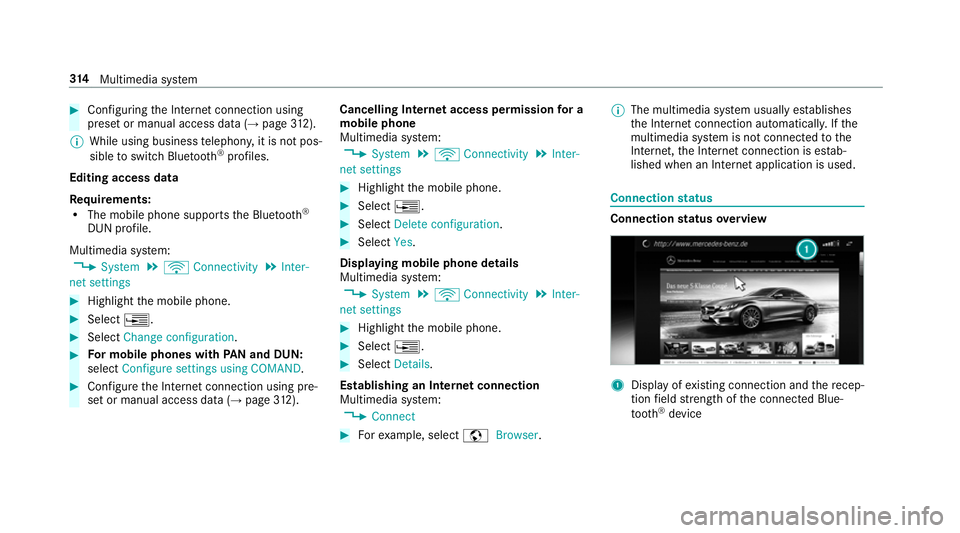
status Connectio
nstatus overview 1
Displa yofexisting connection an dthe recep‐
tion field stre ngt hoft he connected Blue‐
tooth ®
device 314
Multimedia sy stem
Page 318 of 521
Displaying
thec onnection status
Multimedi asystem:
, System .
ö Connectivity #
Select Internet status . #
If business telephon yisconnec tedasah ot‐
spo t:select Internet status.
% When connected via Wi-Fi or aBluet oo th®
device, thea ppr oximat edatav olume trans‐
mitted is displa yed. The exact values can be
re qu estedf romy our mobile phone network
pr ov ider. Mercedes-Benz Apps
Calling up Mercedes-Benz Apps
Re
quirements:
R The registration fort he use of Mercedes-
Benz Apps has been comple ted.
R The general term sa nd conditions ha vebeen
con firm ed. Multimedia sy
stem:
, Connect .
Ú Mercedes-Benz Apps #
Select an app.
Fu rther Mercedes-BenzA pps and information
can be obtained at :http://apps.mercedes-
benz.com/apps/
% The available features ar ecountr y-depend‐
ent.
Licence fees ma ybea pplicable.
Operating Mercedes-Benz Apps using voice
control
Re quirements:
R The registration fort he use of Mercedes-
Benz Apps has been comple ted.
R The general term sa nd conditions ha vebeen
con firm ed.
The ? symbol indicates that aM ercedes-
Ben zapp can be used via voice control. #
Selec taMercedes-Benz App (→ page315).
Th ea pp me nu is displ ayed. #
Touse voice control: select ?Lan-
guage. #
Saythe question or command.
% Voice control is no tavailable in all countries
and languages. We
bbrows er Calling up
aweb page
Multimedia sy stem:
, Con-
nect .
z Browser .
z Enter URL #
Ente raw eb address. #
Tofinish thee ntr yand call up thew eb‐
site: select ¬.
Showing/hiding thew eb br owser menu
If yo uc all up awebsit ebys electing alink ,for
ex ample, thew eb br owser menu is hidden. #
Toshow/hide: pressthe% button.
% The webb row ser supports video playbac k.
% Nowebsites or videos ar edispla yedw hile
th ev ehicle is in motion. Multimedia sy
stem 315