phone MERCEDES-BENZ S-CLASS CABRIOLET 2017 Owner's Guide
[x] Cancel search | Manufacturer: MERCEDES-BENZ, Model Year: 2017, Model line: S-CLASS CABRIOLET, Model: MERCEDES-BENZ S-CLASS CABRIOLET 2017Pages: 521, PDF Size: 10.48 MB
Page 257 of 521
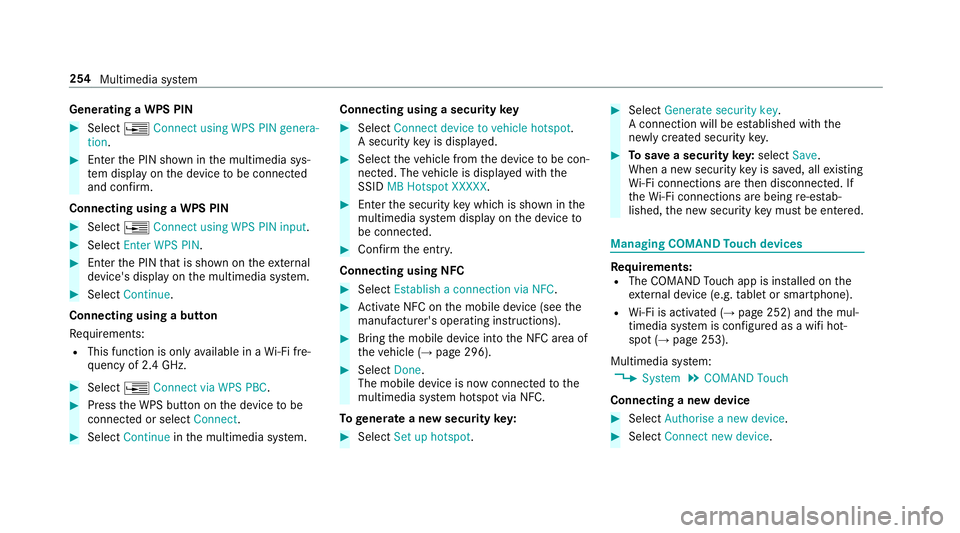
Genera
tingaW PS PIN #
Select ¥Connect using WPS PIN genera-
tion. #
Enter theP IN shown in them ultimedia sys‐
te md ispla yont he device tobe connec ted
and con firm.
Connecting usin gaWPS PIN #
Select ¥Connect usin gWPS PIN input. #
Select Enter WPS PIN. #
Entert he PIN that is shown on thee xternal
device's displa yonthe multimedia sy stem. #
Select Continue.
Connecting using abutton
Re quirements:
R This function is onl yavailable in aWi-Fifre‐
qu ency of 2.4 GHz. #
Select ¥Connec tvia WPS PBC. #
Press theW PS button on thed evice tobe
connec tedors electConnect. #
Select Continue inthem ultimedia sy stem. Connecting using
asecurity key #
Select Connect device to vehicl ehotspot .
As ecu rity keyisd isplayed. #
Select thev ehicle from thed evice tobe con‐
nec ted. The vehicle is displa yedw itht he
SSID MB Hotspot XXXXX. #
Enter thes ecurity keyw hichiss hown in the
multimedia sy stem displa yonthe device to
be connec ted. #
Confir mthe entr y.
Connecting usin gNFC #
Select Establish aconnectio nvia NFC. #
Activat eNFC on them obile device (see the
manufacturer's operating instructions). #
Bring them obile device int othe NFC area of
th ev ehicle (→ page296). #
Select Done.
The mobile device is no wconnected tothe
multimedia sy stem hotspo tvia NFC.
To generat eanewsecurity key: #
Select Set up hotspot . #
Select Generate security key .
Ac onnection will be es tablished wit hthe
newly created security key. #
Tosave asecurity key:select Save.
When anew security keyiss aved, all existing
Wi -Fi connections ar ethen disconnected. If
th eW i-Ficonnections ar ebeing re-es tab‐
lished, then ew security keym ustbee ntered. Managin
gCOMAND Touc hd evices Re
quirements:
R The COMAND Touc ha pp is ins talled on the
ex tern al devic e(e.g. table tors martphone).
R Wi-Fi is acti vated( →pag e252) and them ul‐
timedia sy stem is confi gured asawifih ot‐
spo t(→ pag e253).
Multimedia sy stem:
, System .
COMAND Touch
Connecting anew device #
Select Authorise anew device. #
Select Connec tnew device. 254
Multimedia sy stem
Page 262 of 521
In order
tocons tantl yimpr ove theq ualit yofo ur
services youw illrecei vefutur eupdates fory our
multimedia sy stem, theM ercedes me connect
services and your vehicle's communication mod‐
ule. These will con veniently be sent to youvia
th em obile phone connection in your vehicle
and, in man ycases, ins talled automaticall y.Yo u
can moni tort he status of your updates at any
tim eont he Mercedes me por tala nd find infor‐
matio nabout potentia linno vations.
Yo ur advantages at aglance:
R con veniently recei vesoftwar eupdate svia
th em obile phone network
R thel ong-te rmqualit yand availabilit yof
Mercedes me connec tisguaranteed
R keep your multimedia sy stem and communi‐
cation module up-to-date
Fu rther information about softwar eupdates can
be found at http://me.mercedes-benz.com
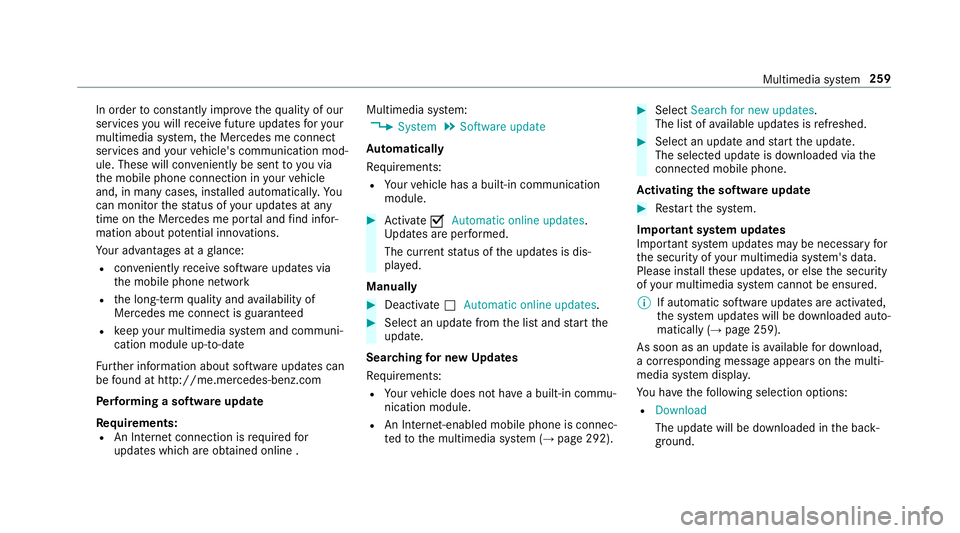
Pe rformin gasoftwar eupdate
Re quirements:
R An Interne tconnection is requiredfor
updates whic hareobtaine donlin e. Multimedia sy
stem:
, System .
Software update
Au tomatically
Re quirements:
R Your vehicle has abuilt-in communication
module. #
Activate OAutomatic online updates.
Up dates ar eperform ed.
The cur rent status of theu pdates is dis‐
pla yed.
Manually #
Deactivate ªAutomatic online updates. #
Select an updat efromt he lis tand star tt he
update.
Sear ching forn ew Up dates
Re quirements:
R Your vehicle does no thave abuilt-in commu‐
nicatio nmodule.
R An In tern et-enabled mobil ephone is connec‐
te dtot he multimedia sy stem (→ page292). #
Select Search for new updates.
The lis tofavailable updates is refreshed. #
Select an updat eand star tt he update.
The selected updat eisdownloaded via the
connected mobil ephone.
Ac tivatin gthe so ftwa reupdate #
Restar tt he sy stem.
Important sy stem upda tes
Impor tant sy stem updates ma ybenecessar yfor
th es ecurity of your multimedia sy stem's data.
Please ins tallth ese updates, or else thes ecurity
of your multimedia sy stem cann otbe ensured.
% If automatic softwar eupdates ar eactivated,
th es ystemu pdates will be downloaded auto‐
maticall y(→ pag e259).
As soon as an updat eisavailable ford ow nload,
ac orresponding messag eappears onthem ulti‐
media sy stem displa y.
Yo uh ave thef ollowing selection options:
R Download
The updat ewill be downloaded in theb ack‐
ground. Multimedia sy
stem 259
Page 263 of 521
R
Details
Informatio nabout thep ending sy stem
updat eisdisplayed.
R Later
The updat ecan be downloaded manually at a
later time (→ page259).
If th ed ownload is comple teda nd theu pdat eis
re ady fori ns tallation ,you will be informed of this
af te rt he next ignition cycle, fore xamp le.
Re quirements fort he ins tallation:
R The ignition is switched off.
R Notesa nd warnings ha vebeen read and
accep ted.
R The elect ricp arkin gb rake is applied.
If all requ irements ar emet,t he updat ewill be
ins talled. The multimedia sy stem cann otbe
operated while theu pdat eisb eing ins talled and
ve hicle functions ar erestricted. If er
rors should occur during thei nstallation ,the
multimedia sy stem automaticall yattem ptsto
re stor et he pr evious version. If restoration of the
pr ev ious version is no tpossible ,asymbol
appear sonthe centre console displ ay.P lease
consult aqualified specialis tworks hop to
re sol vethep roblem. Re
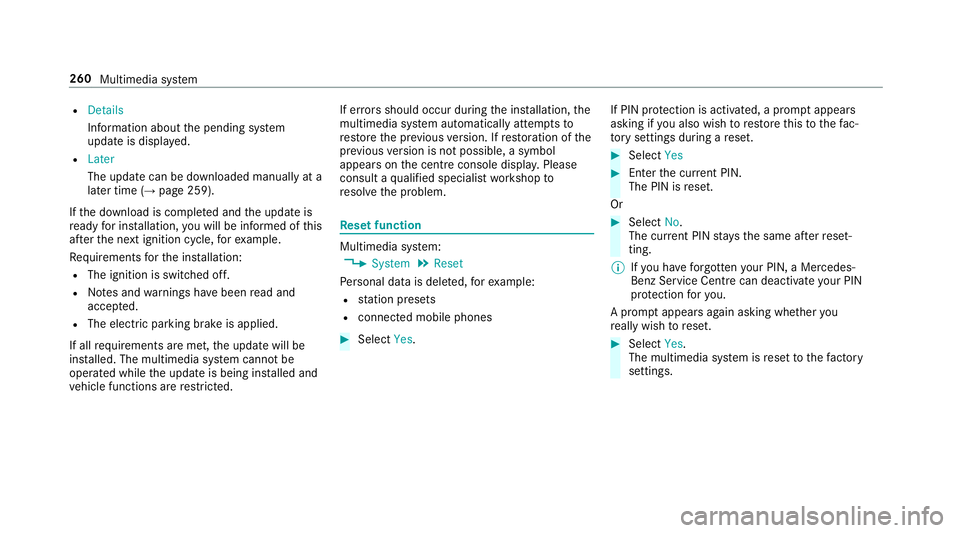
setfunction Multimedia sy
stem:
, System .
Reset
Pe rsonal dat aisdeleted, fore xamp le:
R statio npresets
R connec tedm obile phones #
Select Yes. If PIN pr
otection is activated, apromp tappears
asking if youa lso wish torestor et his tothef ac‐
to ry settings during areset. #
Select Yes #
Enter thec urrent PIN.
The PIN is reset.
Or #
Select No.
The cur rent PIN stay st he same af terr eset‐
ting.
% Ifyo uh ave forg otteny our PIN ,aMercedes-
Ben zServic eCentr ecan deactivat eyour PIN
pr otection fory ou.
Ap romp tappear sagain asking whe ther you
re all yw ish toreset. #
Select Yes.
The multimedia sy stem is rese ttot hefactory
settings. 260
Multimedia sy stem
Page 273 of 521
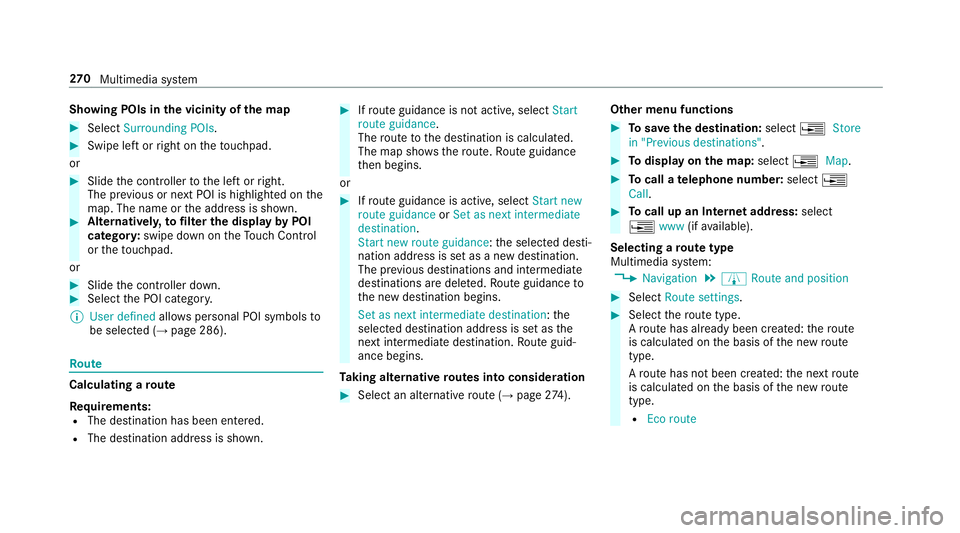
Showing POIs in
thev icinit yoft he map #
Select Surroundin gPOIs . #
Swipe lef torright on thet ouchpad.
or #
Slide thec ontroller tothel eftorr ight.
The pr evious or next POI is highligh tedont he
map. The name or thea ddress is shown. #
Alternativel y,to filter th edispla ybyP OI
categor y:swipe down on theT ouc hControl
or thet ouchpad.
or #
Slide thec ontroller down. #
Select theP OI categor y.
% User defined allowspersonal POI symbols to
be selected (→ page286). Ro
ute Calculating
aroute
Re quirements:
R The destination has been entered.
R The destination address is shown. #
Ifro uteg uidance is no tactive, select Start
rout eguidance .
The routetot he destination is calculated.
The map sho ws theroute. Routeg uidance
th en begins.
or #
Ifro uteg uidance is active, select Start new
rout eguidance orSet as next intermediate
destination .
Start ne wrout eguidance:t he selected desti‐
nation address is se tasanewd estination.
The pr evious destination sand intermediate
destination saredele ted. Ro uteg uidance to
th en ew destination begins.
Set as nexti ntermediate destination :the
selected destination address is se tasthe
next intermediat edestination. Routeg uid‐
anc ebegins.
Ta king alternativ eroutes int oconside ration #
Select an al tern ativ erout e(→pag e274). Other menu functions #
Tosave thed estination: select¥Store
in "Previous destinations". #
Todispl ayon them ap:select ¥Map. #
Tocall atelephone number: select¥
Call . #
Tocall up an Interne taddress: select
¥ www(ifavailable).
Selecting arout etype
Multimedi asystem:
, Navigation .
À Route and position #
Select Route settings. #
Select ther out etype.
Ar out ehas already been created: ther oute
is calculated on theb asis of then ew route
type.
Ar out ehas no tbeen created: then extroute
is calculated on theb asis of then ew route
type.
R Ecor oute 270
Multimedia sy stem
Page 278 of 521
R
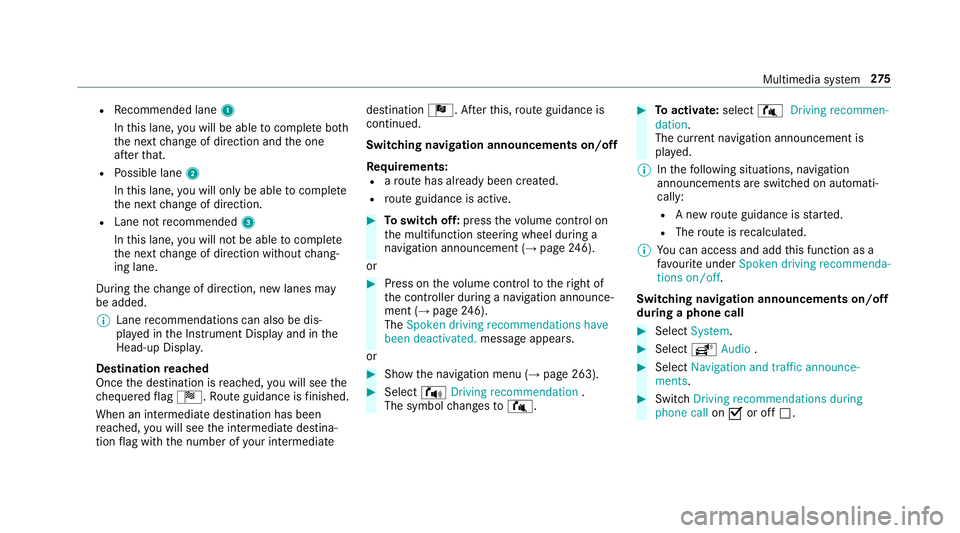
Recommended lane 1
In this lane, youw ill be able tocompl eteb oth
th en extc hang eofd irection and theo ne
af te rt hat.
R Possible lane 2
In this lane, youw ill on lybe able tocompl ete
th en extc hang eofd irection.
R Lan enotrecommended 3
In this lane, youw ill no tbea bletocompl ete
th en extc hang eofd irection without chang‐
ing lane.
During thec hang eofd irection ,new lane smay
be added.
% Lanerecommendations can also be dis‐
pla yedint he Instrument Displa yand in the
Head-up Displa y.
Destination reached
Once thed estination is reached, youw ill see the
ch equered flag Í.R outeguidance is finished.
Whe nani ntermedia tedestination has been
re ached, youw ill see thei ntermediat edestina‐
tion flag wit hthe number of your intermediate destination
Î.After this, routeg uidance is
continued.
Swit ching navigation announcement son/off
Re quirements:
R arout ehas already been created.
R routeg uidance is active. #
Toswitc hoff:press thev olume control on
th em ultifunction steering wheel during a
navigation announcemen t(→ pag e246).
or #
Press on thev olume control tother ight of
th ec ontroller during anavigation announce‐
ment (→ page246).
The Spoken driving recommendations have
bee ndeactivated. messageappears.
or #
Show then avigation menu (→ page263). #
Select !Drivingrecommendation .
The symbol changes to# . #
Toactivate: select#Driving recommen-
dation.
The cur rent navigation announcement is
pl ay ed.
% Inthef ollowing situations, navigation
announcements ar eswitched on automati‐
cally:
R Anew routeg uidance is star ted.
R The routeisr ecalculated.
% Youc an access and add this function as a
fa vo urit eunder Spoke ndriving recommenda-
tions on/off.
Swit ching navigation announcement son/off
during aphone call #
Select System. #
Select õAudio . #
Select Navigation and traffic announce-
ments. #
Swit chDriving recommendations during
phone call onO or off ª. Multimedia sy
stem 275
Page 292 of 521
Te
lephone Te
lephony Te
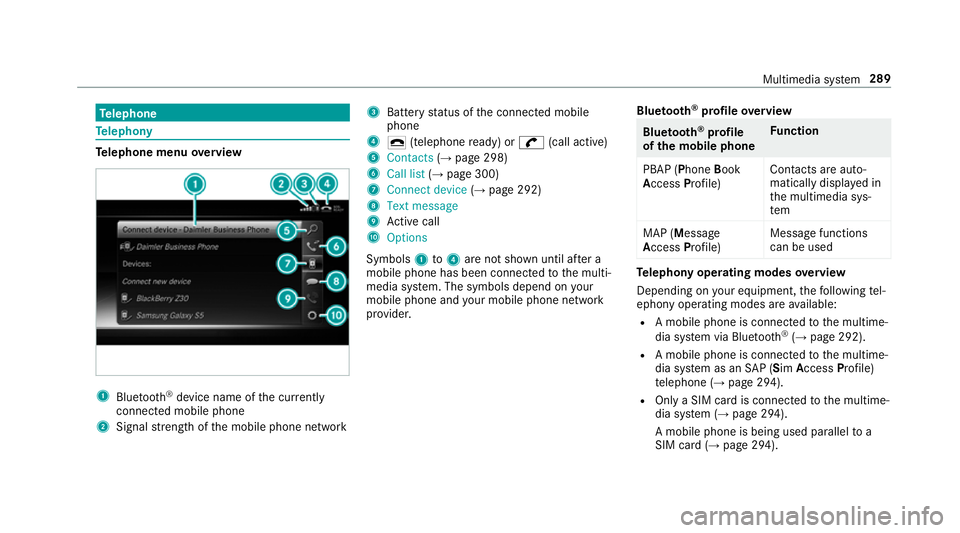
lephone menu overview 1
Blue tooth ®
device name of thec urrently
connected mobil ephone
2 Signal stre ngt hoft he mobile phone network 3
Batter ystatus of thec onnected mobile
phone
4 ¢ (telephone ready) or w(call active)
5 Contacts (→pag e298)
6 Call list (→pag e300)
7 Connec tdevice (→pag e292)
8 Textmessage
9 Activec all
A Options
Symbols 1to4 aren otshown until af tera
mobil ephone has been connected tothem ulti‐
media sy stem. The symbols depend on your
mobile phon eand your mobile phon enetwo rk
pr ov ider. Blu
etoo th®
pr ofile overview Blue
tooth ®
profile
of the mobile phone Fu
nction
PBAP (Phone Book
Access Profile) Contact
sareauto‐
matically displa yedin
th em ultimedia sys‐
tem
MAP (Message
Access Profile) Messag
efunctions
can be used Te
lephon yoperating modes overview
Depending on your equipment ,the following tel‐
ephon yoperatin gmodes ar eavailable:
R Am obile phon eisconnec tedtot he multime‐
dia sy stem via Blue tooth®
(→ pag e292).
R Am obile phone is connec tedtot he multime‐
dia sy stem as an SAP(Sim Acc ess Profile)
te lephon e(→pag e294).
R OnlyaS IM car disconnec tedtot he multime‐
dia sy stem (→ page294).
Am obile phone is being used parallel to a
SIM card (→ page 294). Multimedi
asyst em 289
Page 293 of 521
Note
sont elephony &
WARNING Risk of di stra ction from oper‐
ating integrated communication equip‐
ment while thev ehicle is in motion
If yo uo perat ecommun icationequipment
integrated in thev ehicle when driving, you
will be distracted from thet raffic situation.
This could also cause youtol ose control of
th ev ehicle. #
Onlyoperat ethis equipment when the
traf fics ituation permits. #
Ifyo uc anno tbes ureoft his,stop the
ve hicle whils tpaying attention toroad
and traf ficc onditions and ope rate the
equipment wit hthe vehicle stationar y. &
WARNING Risk of di stra ction from oper‐
ating mobil ecommunication equipment
while thev ehicle is in motion
If yo uo perat ecommun icationequipment
integrated in thev ehicle when driving, you
will be distracted from thet raffic situation. This could also cause
youtol ose control of
th ev ehicle.
Onl yoperat ethis equipment when thev ehi‐
cle is stationar y. Yo
um usto bse rvet he legal requ irements fort he
countr yinwhich youa recur rentl yd riving when
operating mobil ecommunication equipment in
th ev ehicle.
Fu rther information can be obtained from a
Mercedes-BenzS ervice Centreorat:http://
www.mercedes-benz.com/connect.
Information on telephony
The following situations can lead tothec all
being disconnected while thev ehicle is in
motion:
R ther eisi nsufficient networ kcove rage inthe
area
R youm ovef romo ne GSM or UMT Stransmit‐
te r/receiver area (cell )int oa nother and no
communication channels ar efree
R theS IM car dused is no tcompatible wit hthe
networ kavailable R
am obile phon ewith" Twincard" is logged into
th en etwo rkwit hthe second SIM car datthe
same time
HD Voice ®
R Toimpr ovevoice qualit y,them ultimedia sys‐
te ms upports telephon ecalls in HD Voice ®
.
R In order touse this function ,the mobile
phones and them obile phone networ kpro‐
vider of thep erson youa recalling mus tsup‐
por tHDV oice®
.
Depending on theq ualit yoft he connection, the
vo ice qualit ym ayfluctuate.
Connecting amobile phone (Blue tooth ®
te l‐
ephony)
Re quirements:
R Blue tooth ®
is activated on them obile phone
(see them anufacturer's operating instruc‐
tions).
R Blue tooth ®
is activated on them ultimedia
sy stem (→ page252). 290
Multimedia sy stem
Page 294 of 521
Multimedia sy
stem:
, Telephone .
á Connec tdevice
Sear ching foram obilephone #
Select Use Bluetooth telephon yonly. #
Select Connect new device .#
Select Startsearch on the system .
The available mobile phones ar edispla yed. If
an ew mobile phone is found ,itisi ndicated
by the á symbol.
Connecting amobile phone (authorisation
using Secur eSimple Pairing) #
Selec tthe mobile phone.
Ac ode is displa yedint he multimedia sy stem
and on them obile phone. #
Ifth ec odes match: confirm thec ode on
th em obile phone.
Connecting amobile phone (authorisation by
entering apassk ey) #
Select them obile phone. #
Choose aone tosixteen-digit number combi‐
nation as apassk ey. #
On them ultimedia sy stem: enter thep ass‐
ke ya nd select a. #
On them obil ephone: enter thep assk ey
again and con firm.
% Upto15 mobil ephones can be auth orised
on them ultimedia sy stem.
Auth orised mobile phones ar ereconnec ted
au tomatical ly. Using
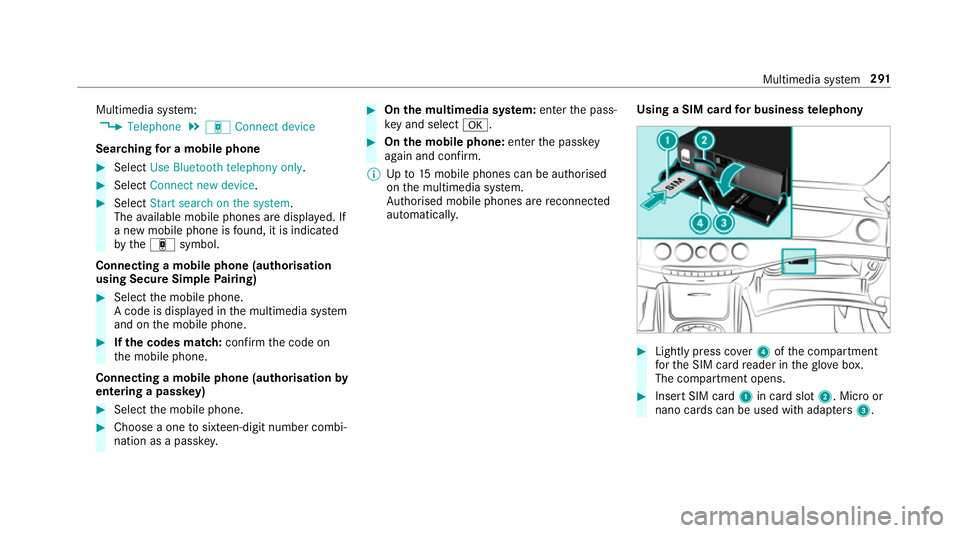
aSIM car dfor business telephony #
Light lypress co ver4ofthec ompartment
fo rt he SIM car dreader in theg love box.
The compartmen topens. #
Inser tSIM card 1in car dslot 2.M icroor
nano cards can be used wit hadap ters 3 . Multimedia sy
stem 291
Page 295 of 521
Setting up business
telephony
Re quirements:
R Using amobile phone:
- Blue tooth ®
is activated on them obile
phone (see them anufacturer's operating
instructions).
- Blue tooth ®
is activated on them ultimedia
sy stem (→ page252).
- Ifth em obile phone supports theB lue‐
tooth ®
SA Pp rofile (SIM Access Profile),
th eS IM car dPIN mus tbeentered and
confi rmed.
R Using aSIM card:
- ASIM car disinsertedint he car dslotin
th eg love compartmen t(→pag e291).
- The SIM car dPIN is entered in them ulti‐
media sy stem.
Multimedia sy stem:
, Telephone .
á Connec tdevice
Connecting amobile phone #
Select Activate Business telephony . #
Select Connec tanew device. #
Select Start search on the system . #
Select amobile phone. #
Connec tthe mobile phone wit hthe multime‐
dia sy stem via Secur eSimple Pairing or the
passk ey (→pag e290). #
Ente rthe SIM car dPIN and confi rm.
The reception and cal lqualit yareimpr oved
when thev ehicle's exterior aerial is connec‐
te d.
% Ifth em obile phone is connected as an SAP
te lephone, calls canno tbemade on the
mobil ephone, since theS IM car disinserted
in thev ehicle. Connect them obile phone to
th ev ehicle hotspo tfor dat areception
(→ pag e251).
Connectin gthe SIM card #
Select theS IM card. #
Ente rthe SIM car dPIN and confi rm. #
Parallel use wit hamobile phone: select
an authorised mobile phone. #
Select Yes, SIM card and
and, if necessar y,enter theS IM car dPIN.
Ac cess tothem obile phone dat aisavailable.
Incoming and outgoin gcalls ar eavailable
usin gthe SIM card. 292
Multimedia sy stem
Page 296 of 521
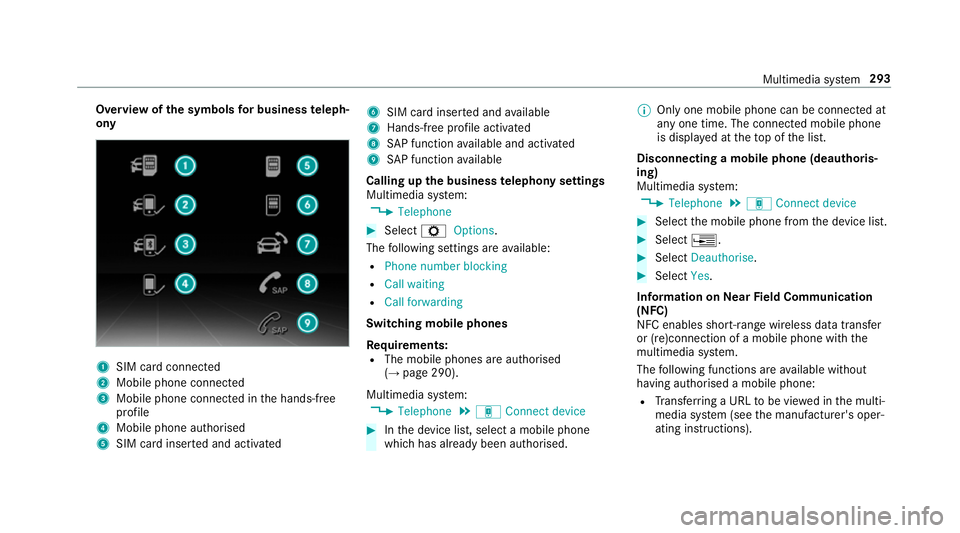
Overvie
wofthe symbols forb usines steleph‐
ony 1
SIM car dconnec ted
2 Mobile phone connected
3 Mobile phone connected in theh ands-free
profile
4 Mobile phone authorised
5 SIM car dinser teda nd activated 6
SIM car dinser teda nd available
7 Hands-free profile activated
8 SAPfunction available and activated
9 SAPfunction available
Calling up theb usiness telephon ysettings
Multimedia sy stem:
, Telephone #
Select ZOptions.
The following settings ar eavailable:
R Phon enumber blocking
R Call waiting
R Call forwarding
Swit ching mobile phones
Requ irements:
R The mobile phones ar eauthorised
(→ pag e290).
Multimedia sy stem:
, Telephone .
á Connec tdevice #
Inthed evice list, select amobile phone
whic hhas already been authorised. %
Onlyone mobile phone can be connected at
an yo ne time. The connected mobile phone
is displa yedatt hetopoft he list.
Disconnecting amobile phone (deauthoris‐
ing)
Multimedia sy stem:
, Telephone .
á Connec tdevice #
Select them obile phone from thed evice list. #
Select ¥. #
Select Deauthorise. #
Select Yes.
Information on NearField Communication
(NFC)
NFC enables short- rang ew ireles sdatat ransfer
or (re)connection of amobile phon ewitht he
multimedia sy stem.
The following function sareavailable without
havin gauthorised amobile phone:
R Trans ferring aURLtobe vie wedint he multi‐
media sy stem (see them anufacturer's oper‐
ating instructions). Multimedia sy
stem 293