navigation system MERCEDES-BENZ S-Class MAYBACH 2017 W222 Comand Manual
[x] Cancel search | Manufacturer: MERCEDES-BENZ, Model Year: 2017, Model line: S-Class MAYBACH, Model: MERCEDES-BENZ S-Class MAYBACH 2017 W222Pages: 230, PDF Size: 8.27 MB
Page 111 of 230
this, a suitable power supply to the vehicle must
be maintained.
Navigation functions
Calling up the navigation system
menu
XTo switch to navigation mode:press the
ß button.
XTo show the menu: slide5the controller.
Navi
is highlighted in the main function bar.
XPress the controller.
The navigation menu appears.
XTurn the controller to display the navigation
functions one after another.
XTo change to the map: turn the controller until
Navigationis shown and then press the con-
troller.
iEquipment with touchpad: alternatively, you
can carry out these steps on the touchpad
(
Ypage 28).
Calling up the online map display
Requirement (USA): mbrace must be activated
for Internet access (Ypage 142).
Requirement (Canada): a mobile phone is con-
nected to the multimedia system via Bluetooth
®
(Ypage 113) or USB (Ypage 183).
XCall up the navigation menu (Ypage 109).
XTurn the controller until Online Map Dis‐playis brought to the front.
XPress the controller.
The online connection is established. Once
the connection is established, the Google
Maps™ map appears around the current vehi-
cle position.
XMove the map (Ypage 68) and change the
map scale (Ypage 101).
XTo exit the online map display: press the %
button.
Calling up the compass display
XCall up the navigation menu (Ypage 109).
XTurn the controller until Compassis brought to
the front.
XPress the controller.
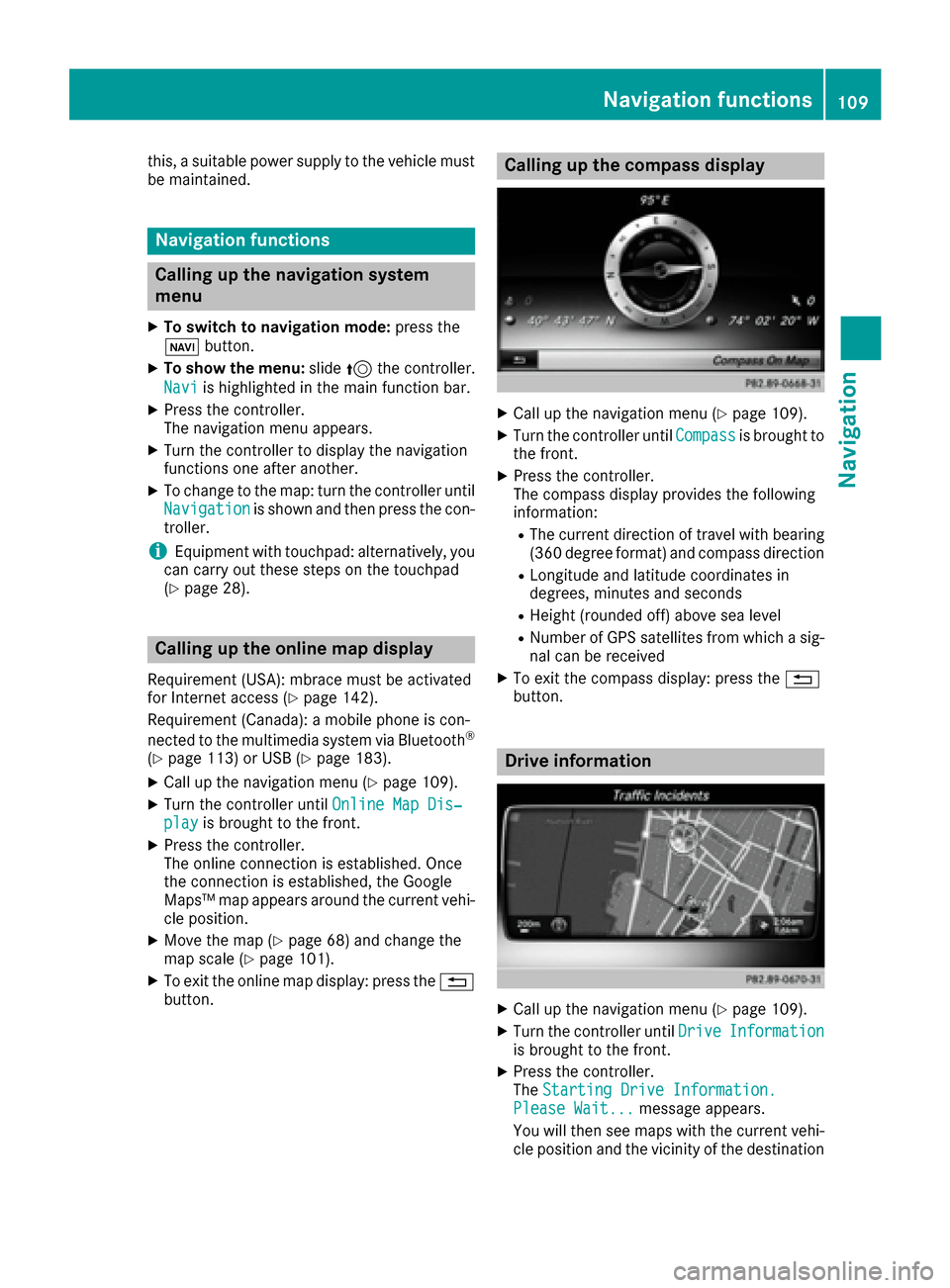
The compass display provides the following
information:
RThe current direction of travel with bearing
(360 degree format) and compass direction
RLongitude and latitude coordinates in
degrees, minutes and seconds
RHeight (rounded off) above sea level
RNumber of GPS satellites from which a sig- nal can be received
XTo exit the compass display: press the %
button.
Drive information
XCall up the navigation menu (Ypage 109).
XTurn the controller until DriveInformationis brought to the front.
XPress the controller.
TheStarting Drive Information.
Please Wait...message appears.
You will then see maps with the current vehi-
cle position and the vicinity of the destination
Navigation functions109
Navigation
Z
Page 112 of 230
in different scales, these are automatically
displayed one after another.
USA: if mbrace is activated for Internet
access, additional information can be dis-
played, e.g. weather at the destination
(
Ypage 142).
Canada: if a mobile phone is connected to the multimedia system via Bluetooth
®
(Ypage 113) or USB (Ypage 183), addi-
tional information, such as the weather at the
destination, can be displayed (
Ypage 142).
XTo exit Drive Information: press the controller.
XPress the %button.
Route flight
XCall up the navigation menu (Ypage 109).
XTurn the controller until Route Flightis
brought to the front.
XPress the controller.
XSelect Ì.
The route will then be flown along from a heli-
copter view.
XTo stop the route flight: selectË.
XTo exit the route flight: press the controller.
XPress the%button.
Info on navigation
XCall up the navigation menu (Ypage 109).
XTurn the controller until Info on Naviga‐tionis brought to the front.
XPress the controller.
The Digital Operator's Manual is opened at
the section on navigation.
Problems with the navigation system
ProblemPossible causes/consequences and MSolutions
The multimedia system
does not resume route
guidance after the jour-
ney has been interrup-
ted.Route guidance is canceled if you interrupt the journey for more than
two hours.
"Interrupting the journey" refers to stopping the vehicle.
"Continuing route guidance" refers to switching the multimedia sys-
tem back on and driving on.
XContinue route guidance manually (Ypage 92).
ProblemPossible causes/consequences andMSolutions
The multimedia system
is unable to determine
the vehicle's position.The multimedia system must identify the vehicle’s position again after
it has been transported.
Example:
RAfter transporting the vehicle by ferry
RAfter transporting the vehicle by motorail
XStart the vehicle and pull away.
The multimedia system calculates the vehicle's position. Depending
on the driving situation, this may take some time.
Route guidance may be restricted during the determination of the
vehicle's position.
When positioning is complete, route guidance is resumed with nav-
igation announcements and route guidance displays.
110Problems with the navigation system
Navigation
Page 113 of 230
ProblemPossible causes/consequences andMSolutions
TheNavigationUnavailable Pleaserefer to the Opera‐tor's Manual.mes-
sage appears.
The multimedia system has an integrated hard drive on which the
digital map is stored.
To protect the hard drive against damage, the multimedia system
deactivates it at very high and low temperatures. The navigation sys-
tem will then be temporarily unavailable.
XLet the vehicle and the multimedia system heat up or cool down to a normal temperature.
XTo hide the message: switch the multimedia system off and then onagain.
ProblemPossible causes/consequences and MSolutions
While the map is being
updated from an exter-
nal data medium, you
see a message informing
you that the data
medium containing the
digital map is incompati-
ble with the vehicle soft-
ware.The data medium containing the digital map cannot be used for the
update.
XTo confirm the message: press the controller.
XRemove the data medium.
XHave the system database checked at an authorized Mercedes-
Benz Center.
ProblemPossible causes/consequences andMSolutions
The map software
update has failed.The data medium is dirty.
XClean the data medium.
XRestart the update.
The data medium is scratched.
XConsult an authorized Mercedes-Benz Center.
There is overheating due to excessive temperatures in the vehicle
interior.
XWait until the vehicle interior has cooled down.
XRestart the update.
The multimedia system's integral hard disk has been physically dam-
aged.
XConsult an authorized Mercedes-Benz Center.
ProblemPossible causes/consequences andMSolutions
The multimedia system
asks for an activation
code during the map
update.The digital map is secured with an activation code.
XConsult an authorized Mercedes-Benz Center.
Problems with the navigation system111
Navigation
Z
Page 137 of 230
XEnter characters using the controller
(Ypage 34), the telephone keypad or the
touchpad (Ypage 31), depending on the vehi-
cle's equipment.
XTo finish the entry: select OK.
The new contact has been created.
Saving the sender of an e-mail
XTo call up the menu when an e-mail is dis-
played: press the controller.
XTo select SaveSender'sE-MailAddress:
turn and press the controller.
XTo select NewEntry: turn and press the con-
troller.
XSelect a category, e.g. Home.
XSelectContinue.
The input line for the name of the new contact
is displayed. The input line for the e-mail
address is filled in automatically.
XEnter characters using the controller
(Ypage 34), the telephone keypad or the
touchpad (Ypage 31), depending on the vehi-
cle's equipment.
XTo finish the entry: select OK.
The new contact has been created.
Adding the sender to an address book
entry
Storing the sender of a text message
XTo call up the menu when a text message is
displayed: press the controller.
XTo select Save Number: turn and press the
controller.
XTo select AddPhoneNumber: turn and press
the controller.
XTo select a category for the number, e.g.
Home: turn the controller and press to confirm.
XTo select a telephone category, e.g. MobilePhone: turn the controller and press to con-
firm.
XTo select Continue: turn and press the con-
troller.
The address book is displayed.
XSearch for the desired entry (Ypage 136).
XPress the controller when you have finished
searching.
The telephone number has been added. A maximum of five telephone numbers can be
saved for one contact.
Saving the sender of an e-mail
Up to two e-mail addresses can be saved for one
contact.
XTo call up the menu when an e-mail is dis-
played: press the controller.
XTo select
SaveSender'sE-MailAddress:
turn and press the controller.
XTo select Add: turn and press the controller.
The address book is displayed.
XSearch for the desired entry (Ypage 136).
XPress the controller when you have finished
searching.
The e-mail address has been added.
Deleting messages
XCall up the message folder (Ypage 131).
XTo select the message: turn the controller.
XTo select G: slide 9the controller.
XTo select Delete: turn and press the control-
ler.
XTo select Yes: turn and press the controller.
The message is deleted.
iThis delete function is not supported by all
mobile phones. The Delete failed.mes-
sage then appears.
Address book
Introduction
Always pay attention to traffic conditions.
Familiarize yourself with the address book func-
tions before beginning your journey.
You can use the multimedia system when the
road and traffic conditions permit. You could
otherwise become involved in an accident in
which you or others could be injured.
The address book displays all the contacts from
the various sources (mobile phone, memory
card, USB device, the phone book of the multi-
media system, navigation).
You can use the contacts to make telephone
calls, navigate and to write messages.
Address book135
Telephone
Z
Page 139 of 230
XTo complete the search and return to the
phone book: press the touchpad.
XTo select and call the contact: glide up or
down and press.
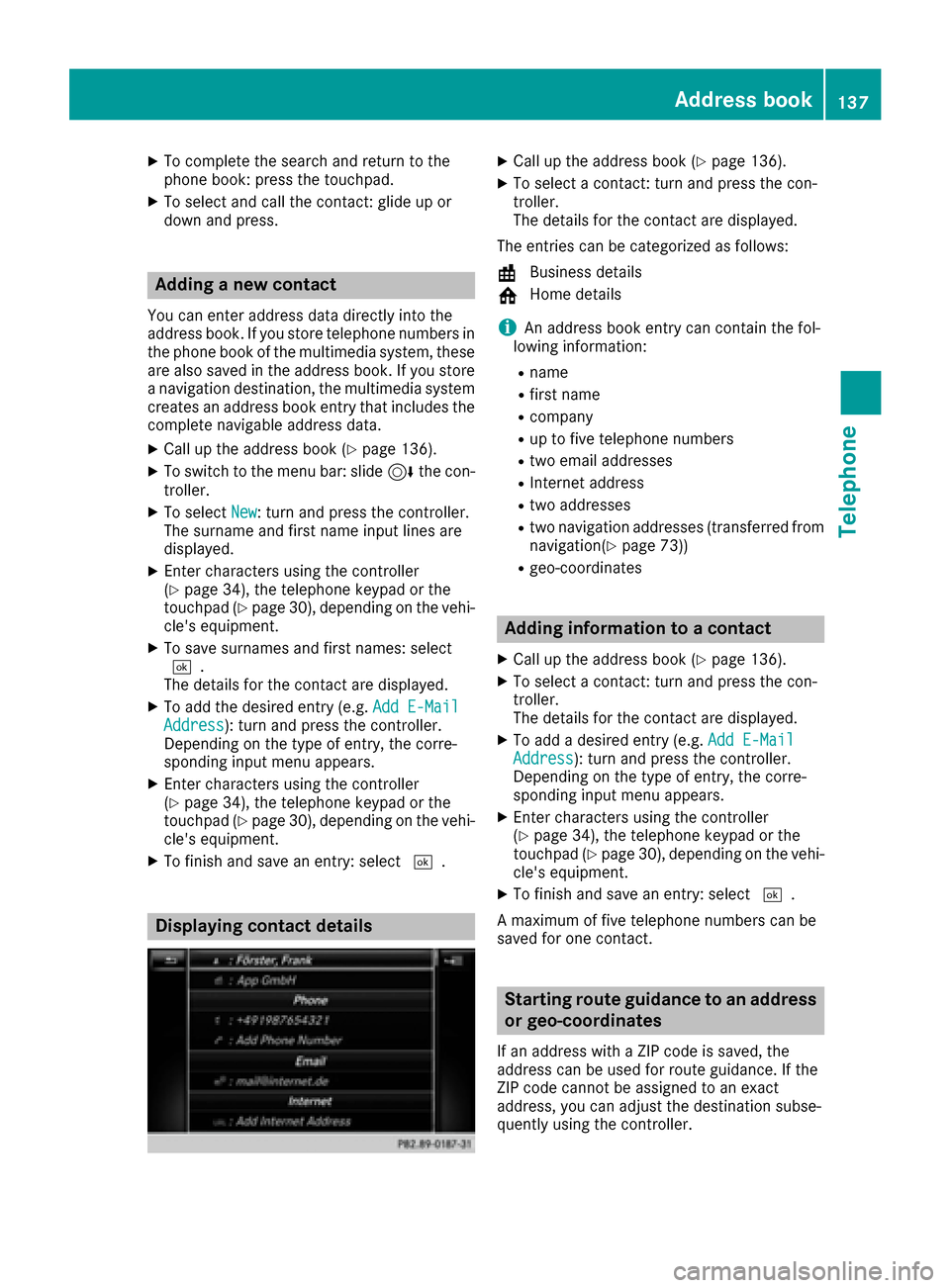
Adding a new contact
You can enter address data directly into the
address book. If you store telephone numbers inthe phone book of the multimedia system, these
are also saved in the address book. If you store
a navigation destination, the multimedia system
creates an address book entry that includes the
complete navigable address data.
XCall up the address book (Ypage 136).
XTo switch to the menu bar: slide 6the con-
troller.
XTo select New: turn and press the controller.
The surname and first name input lines are
displayed.
XEnter characters using the controller
(Ypage 34), the telephone keypad or the
touchpad (Ypage 30), depending on the vehi-
cle's equipment.
XTo save surnames and first names: select
¬.
The details for the contact are displayed.
XTo add the desired entry (e.g. Add E-MailAddress): turn and press the controller.
Depending on the type of entry, the corre-
sponding input menu appears.
XEnter characters using the controller
(Ypage 34), the telephone keypad or the
touchpad (Ypage 30), depending on the vehi-
cle's equipment.
XTo finish and save an entry: select ¬.
Displaying contact details
XCall up the address book (Ypage 136).
XTo select a contact: turn and press the con-
troller.
The details for the contact are displayed.
The entries can be categorized as follows:
\ Business details
6 Home details
iAn address book entry can contain the fol-
lowing information:
Rname
Rfirst name
Rcompany
Rup to five telephone numbers
Rtwo email addresses
RInternet address
Rtwo addresses
Rtwo navigation addresses (transferred from
navigation(Ypage 73))
Rgeo-coordinates
Adding information to a contact
XCall up the address book (Ypage 136).
XTo select a contact: turn and press the con-
troller.
The details for the contact are displayed.
XTo add a desired entry (e.g. Add E-MailAddress): turn and press the controller.
Depending on the type of entry, the corre-
sponding input menu appears.
XEnter characters using the controller
(Ypage 34), the telephone keypad or the
touchpad (Ypage 30), depending on the vehi-
cle's equipment.
XTo finish and save an entry: select ¬.
A maximum of five telephone numbers can be
saved for one contact.
Starting route guidance to an address
or geo-coordinates
If an address with a ZIP code is saved, the
address can be used for route guidance. If the
ZIP code cannot be assigned to an exact
address, you can adjust the destination subse-
quently using the controller.
Address book137
Telephone
Z
Page 143 of 230
allows for a targeted selection of the corre-
sponding directories.
RvCards must have the file extension "vcf".
iThe multimedia system supports vCards in
versions 2.1 and 3.0.
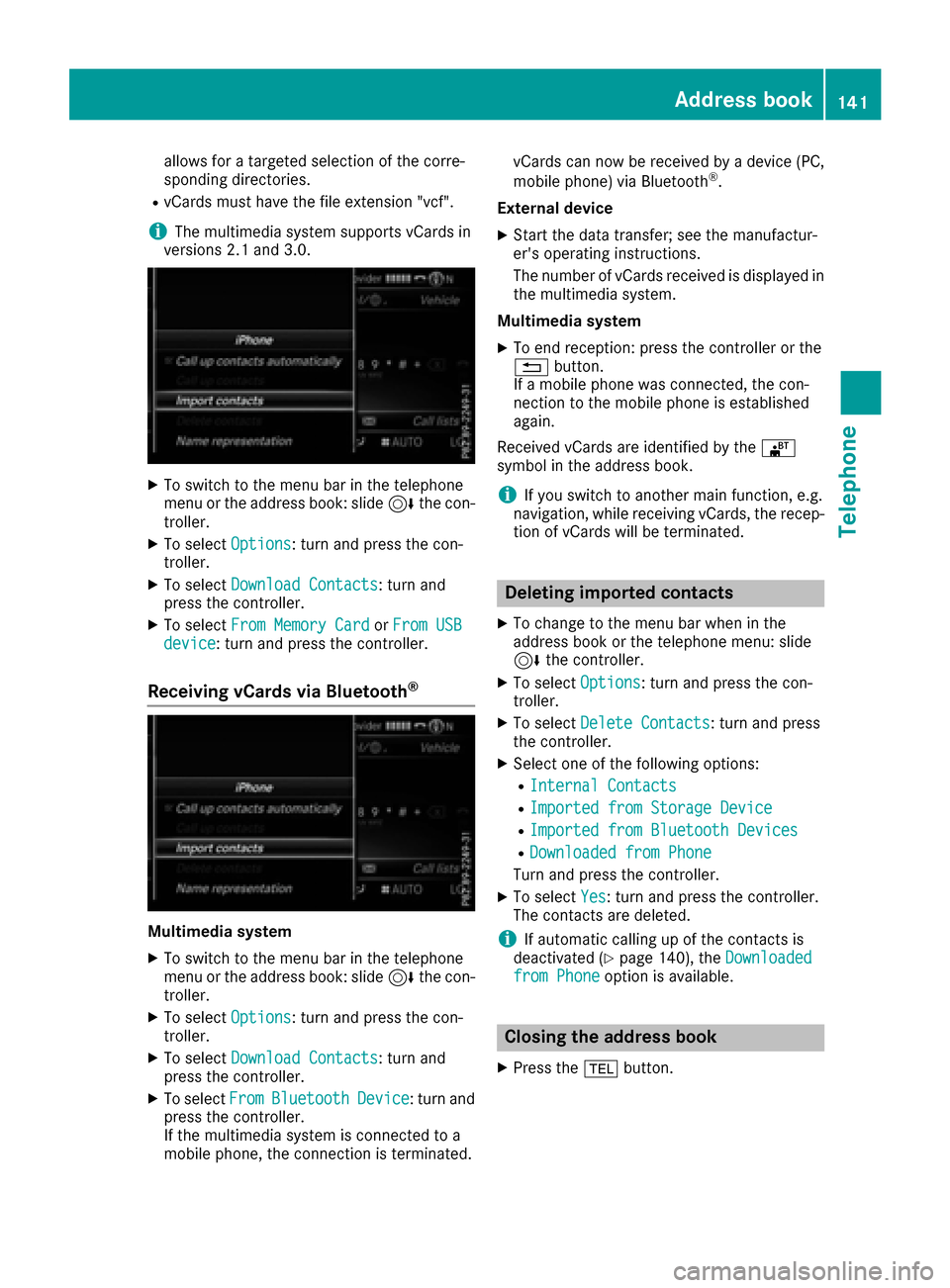
XTo switch to the menu bar in the telephone
menu or the address book: slide 6the con-
troller.
XTo select Options: turn and press the con-
troller.
XTo select Download Contacts: turn and
press the controller.
XTo select From Memory CardorFrom USBdevice: turn and press the controller.
Receiving vCards via Bluetooth®
Multimedia system
XTo switch to the menu bar in the telephone
menu or the address book: slide 6the con-
troller.
XTo select Options: turn and press the con-
troller.
XTo select Download Contacts: turn and
press the controller.
XTo select FromBluetoothDevice: turn and
press the controller.
If the multimedia system is connected to a
mobile phone, the connection is terminated. vCards can now be received by a device (PC,
mobile phone) via Bluetooth
®.
External device
XStart the data transfer; see the manufactur-
er's operating instructions.
The number of vCards received is displayed in the multimedia system.
Multimedia system
XTo end reception: press the controller or the
% button.
If a mobile phone was connected, the con-
nection to the mobile phone is established
again.
Received vCards are identified by the ®
symbol in the address book.
iIf you switch to another main function, e.g.
navigation, while receiving vCards, the recep-
tion of vCards will be terminated.
Deleting imported contacts
XTo change to the menu bar when in the
address book or the telephone menu: slide
6 the controller.
XTo select Options: turn and press the con-
troller.
XTo select Delete Contacts: turn and press
the controller.
XSelect one of the following options:
RInternal Contacts
RImported from Storage Device
RImported from Bluetooth Devices
RDownloaded from Phone
Turn and press the controller.
XTo select Yes: turn and press the controller.
The contacts are deleted.
iIf automatic calling up of the contacts is
deactivated (Ypage 140), the Downloadedfrom Phoneoption is available.
Closing the address book
XPress the%button.
Address book141
Telephone
Z
Page 149 of 230
Connection status
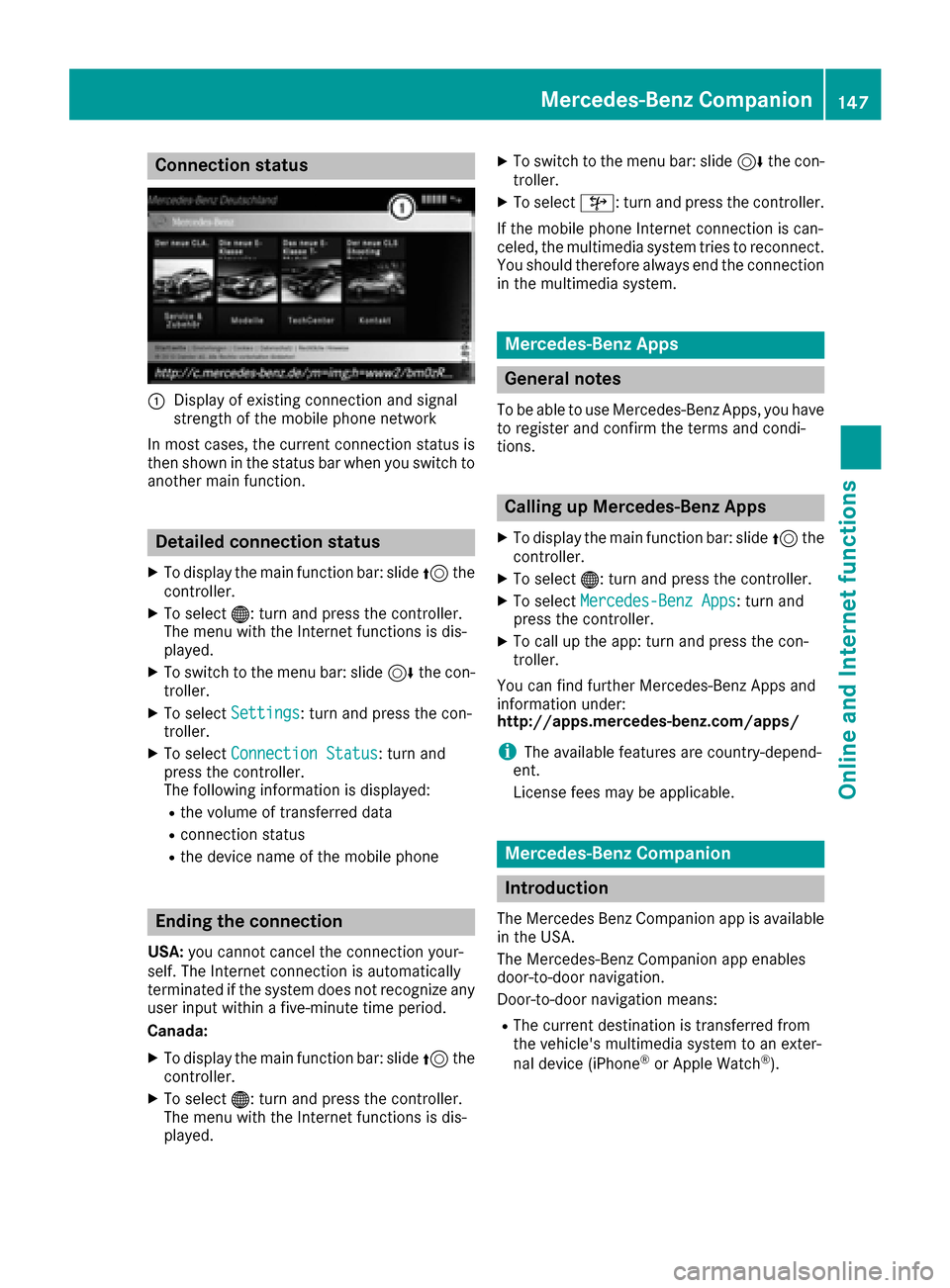
:Display of existing connection and signal
strength of the mobile phone network
In most cases, the current connection status is
then shown in the status bar when you switch to
another main function.
Detailed connection status
XTo display the main function bar: slide 5the
controller.
XTo select ®: turn and press the controller.
The menu with the Internet functions is dis-
played.
XTo switch to the menu bar: slide 6the con-
troller.
XTo select Settings: turn and press the con-
troller.
XTo select Connection Status: turn and
press the controller.
The following information is displayed:
Rthe volume of transferred data
Rconnection status
Rthe device name of the mobile phone
Ending the connection
USA: you cannot cancel the connection your-
self. The Internet connection is automatically
terminated if the system does not recognize any
user input within a five-minute time period.
Canada:
XTo display the main function bar: slide 5the
controller.
XTo select ®: turn and press the controller.
The menu with the Internet functions is dis-
played.
XTo switch to the menu bar: slide 6the con-
troller.
XTo select ©: turn and press the controller.
If the mobile phone Internet connection is can-
celed, the multimedia system tries to reconnect.
You should therefore always end the connection
in the multimedia system.
Mercedes-Benz Apps
General notes
To be able to use Mercedes-Benz Apps, you have
to register and confirm the terms and condi-
tions.
Calling up Mercedes-Benz Apps
XTo display the main function bar: slide 5the
controller.
XTo select ®: turn and press the controller.
XTo selectMercedes-Benz Apps: turn and
press the controller.
XTo call up the app: turn and press the con-
troller.
You can find further Mercedes-Benz Apps and
information under:
http://apps.mercedes-benz.com/apps/
iThe available features are country-depend-
ent.
License fees may be applicable.
Mercedes-Benz Companion
Introduction
The Mercedes Benz Companion app is available
in the USA.
The Mercedes-Benz Companion app enables
door-to-door navigation.
Door-to-door navigation means:
RThe current destination is transferred from
the vehicle's multimedia system to an exter-
nal device (iPhone
®or Apple Watch®).
Mercedes-Benz Companion147
Online and Internet functions
Z
Page 150 of 230
This enables you to continue navigating to a
destination which is in a pedestrian zone, for
example.
RConversely, a destination can be selected on
the external device and transferred to the
vehicle's multimedia system.
Requirements
Observe the following requirements for using
Mercedes-Benz Companion:
RThe iPhone®must be switched on and logged
into a mobile phone network.
RThe iPhone®must have an IOS version higher
than version 8.0.
RMercedes-Benz Companion must be installed
on the iPhone®and activated (see the manu-
facturer's operating instructions).
RThe iPhone®must be connected to the mul-
timedia system (Ypage 113).
RMercedes-Benz Companion must be author-
ized on the multimedia system (Ypage 148).
RTo use door-to-door navigation, location
access must be enabled on the iPhone®.
RThe Apple Watch®must be connected to the
iPhone®(see the manufacturer's operating
instructions).
Authorizing Mercedes-Benz Compan-
ion
If you wish to use Mercedes-Benz Companion
with the multimedia system, you must first
authorize it.
If you wish to use door-to-door navigation, you
must first enable location finding on your
iPhone
®.
On the multimedia system
XSwitch on the multimedia system.
A prompt appears asking for permission for
Mercedes-Benz Companion to connect with
the vehicle.
XGive authorization. On the iPhone
®
XCall up Mercedes-Benz Companion
A prompt appears asking permission for
Mercedes-Benz Companion to access loca-
tion details.
XAllow access.
Door-to-door navigation using Mercedes-
Benz Companion can now be used.
Door-to-door navigation (transferring
a destination from the vehicle to an
external device)
You can transfer the destination from the vehi-
cle to an iPhone®or Apple Watch®.
This way, you can navigate on foot to a destina- tion that cannot be reached by vehicle.
In the vehicle
XSwitch off the engine and remove the Smart-
Key.
The current destination and the vehicle's
location are transferred from the multimedia
system to the iPhone
®or Apple Watch®.
On the iPhone
®
XSelect the destination and select the pedes-
trian symbol.
XStart navigation.
If using the iPhone®to navigate, you will be
guided to your destination via navigation dis-
plays and spoken instructions.
If you use an Apple Watch
®, navigation is
done via the watch.
The Apple Watch
®assists you with route guid-
ance by vibrating, emitting acoustic signals
and giving spoken commands.
Door-to-door navigation (transferring
a destination from an external device
to the vehicle)
You can transfer the destination from an exter-
nal device to the vehicle's multimedia system:
Rvia the Apple Watch®
Rvia the iPhone®
148Mercedes-Benz Companion
Online and Internet functions
Page 151 of 230
On the iPhone®
XSelect Mercedes-Benz Companion.
XSelectSend a Destination.
XEnter the destination.
A list of possible destinations is displayed.
XSelect the destination.
XTransfer the destination to the vehicle.
On the Apple Watch
®
XSelect Mercedes-Benz Companion.
XSelect Send to Car.
XSelectFind destinations.
XSay the destination.
XConfirm the entered text with Done.
A list of possible destinations is displayed.
XSelect the destination.
XTransfer the destination to the vehicle.
In the vehicle and on the multimedia system
XSwitch on the multimedia system.
The destination in the Apple Watch®or
iPhone®is transferred to the multimedia sys-
tem.
XAccept the displayed destination.
Route guidance starts.
iYou also have the option of transferring des-
tinations or coordinates from other applica-
tions to Mercedes-Benz Companion.
Navigating to the vehicle
You can be guided to the vehicle's location:
Rvia the Apple Watch®
Rvia the iPhone®
On the iPhone®
XSelect Send a Destination.
XSelect the vehicle location and the pedestrian
symbol.
XStart navigation.
On the Apple Watch
®
XSelect Locate Car.
XSelect the car symbol.
XStart navigation.
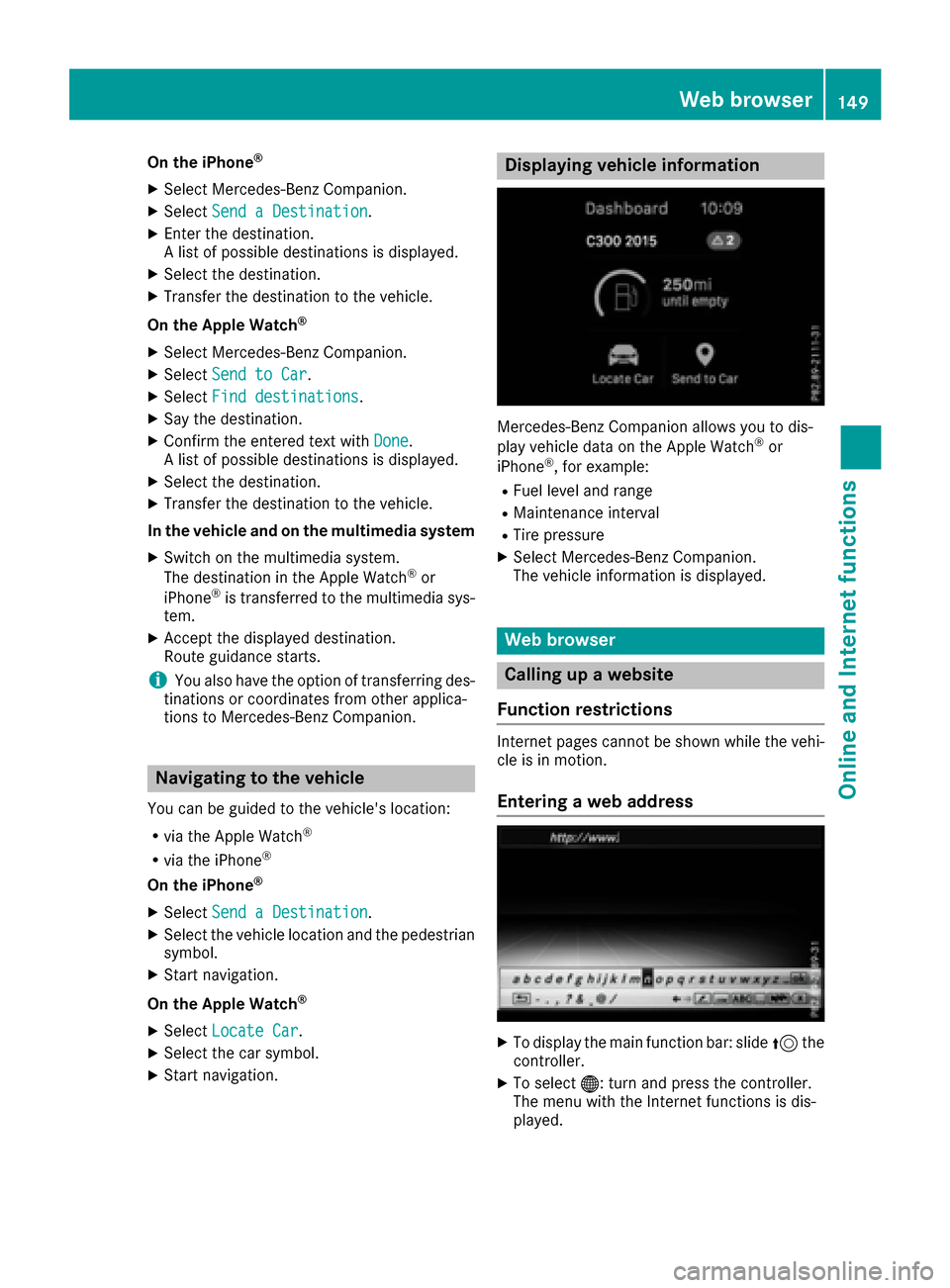
Displaying vehicle information
Mercedes-Benz Companion allows you to dis-
play vehicle data on the Apple Watch®or
iPhone®, for example:
RFuel level and range
RMaintenance interval
RTire pressure
XSelect Mercedes-Benz Companion.
The vehicle information is displayed.
Web browser
Calling up a website
Function restrictions
Internet pages cannot be shown while the vehi-
cle is in motion.
Entering a web address
XTo display the main function bar: slide 5the
controller.
XTo select ®: turn and press the controller.
The menu with the Internet functions is dis-
played.
Web browser149
Online and Internet functions
Z
Page 167 of 230
Activating media using themain func-
ti on bar
XTo display the main function bar: slide 5the
controller.
XTo select Media: turnand press th econtroller.
The last media source you have set is dis-
played.
XTo select Mediain media mode: slide 5and
press th econtroller.
The menu appears with the available media
sources.
XTo select the media source: turn thecontrol -
ler and press to confirm .
If th e media source contains music or video
files, these will be played. The corresponding
basic menu will be shown.
Activating media using the number
keypad
i
If you touch a key in the touch-sensitive
number keypad, the number field is displayed
in the additional display area.
XTouch any number key when in media mode.
The number field is shown. The active media
source is highlighted.
XTo select a media source: press thecorre-
sponding number key.
If th e media source contains music or video
files, these will be played. The corresponding
basic menu will be shown.
XTo select a track from th e active media
source: press theg key on the number
keypad.
An input field appears.
XTo ente ratrack number: use the number key-
pad to enter the desired numbers.
The track is played.
XTo sho w track information: press thes
ke y on the number keypad
An additional field appears with thetrack
information.
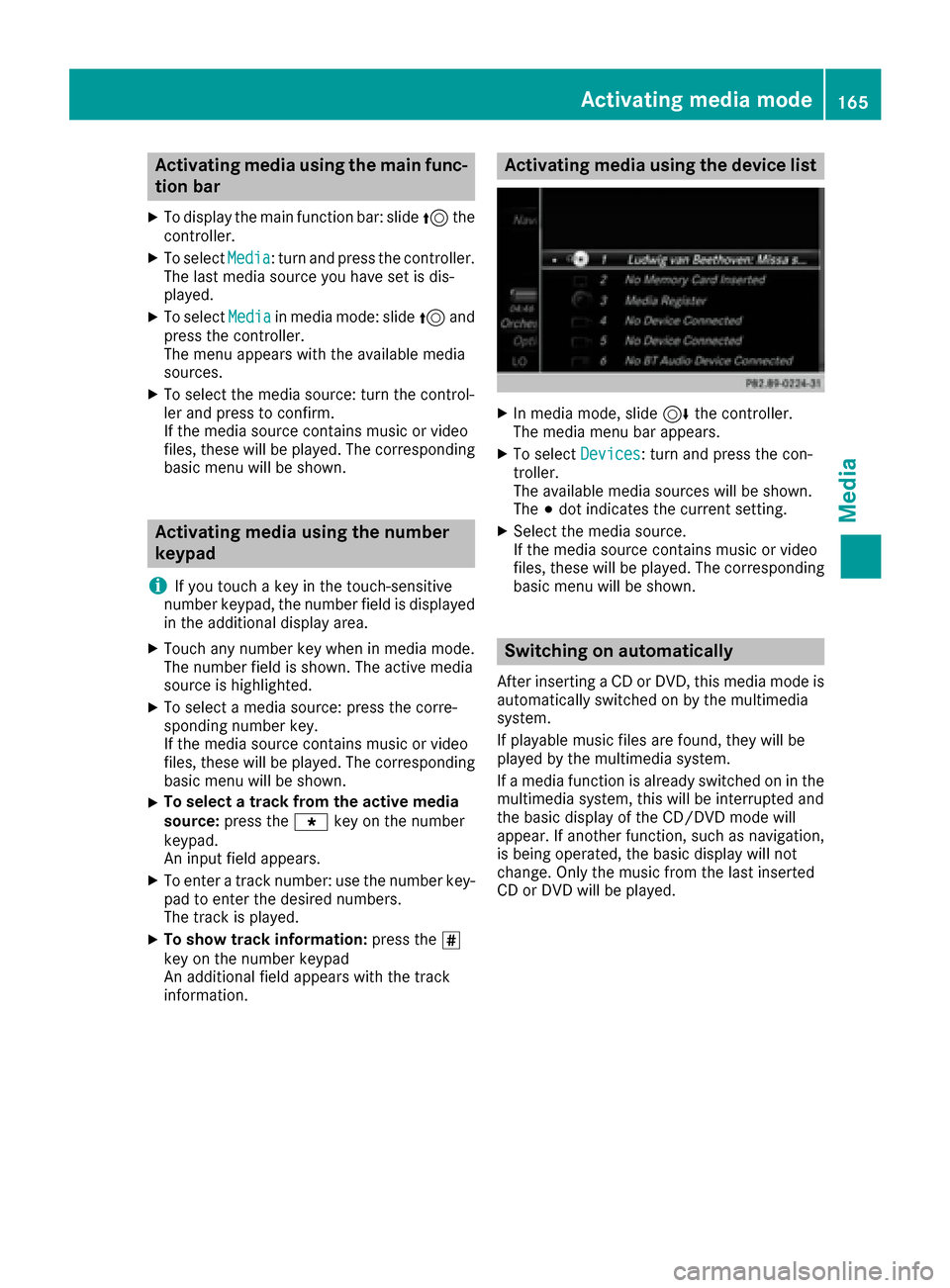
Activating media using the device list
XIn media mode, slide 6thecontroller.
The media menu bar appears.
XTo select Devices: turnand press th econ-
troller.
The available media sources will be shown.
The #dot indicates the current setting.
XSelect the media source.
If th e media source contains music or video
files, these will be played. The corresponding
basic menu will be shown.
Switching on automatically
After inserting a CD or DVD, this media mode is
automatically switched on by the multimedia
system.
If playable music files are found, they will be
played by the multimedia system.
If a media function is already switched on in the
multimedia system, this will be interrupted and
th e basic display of the CD/DVD mode will
appear. If another function, such as navigation,
is being operated, the basic display will not
change. Only the music from the last inserted
CD or DVD will be played.
Activating media mode16 5
Media