engine MERCEDES-BENZ S-CLASS SEDAN 2013 Manual Online
[x] Cancel search | Manufacturer: MERCEDES-BENZ, Model Year: 2013, Model line: S-CLASS SEDAN, Model: MERCEDES-BENZ S-CLASS SEDAN 2013Pages: 536, PDF Size: 24.14 MB
Page 342 of 536
Deactivating DISTRONIC PLUS
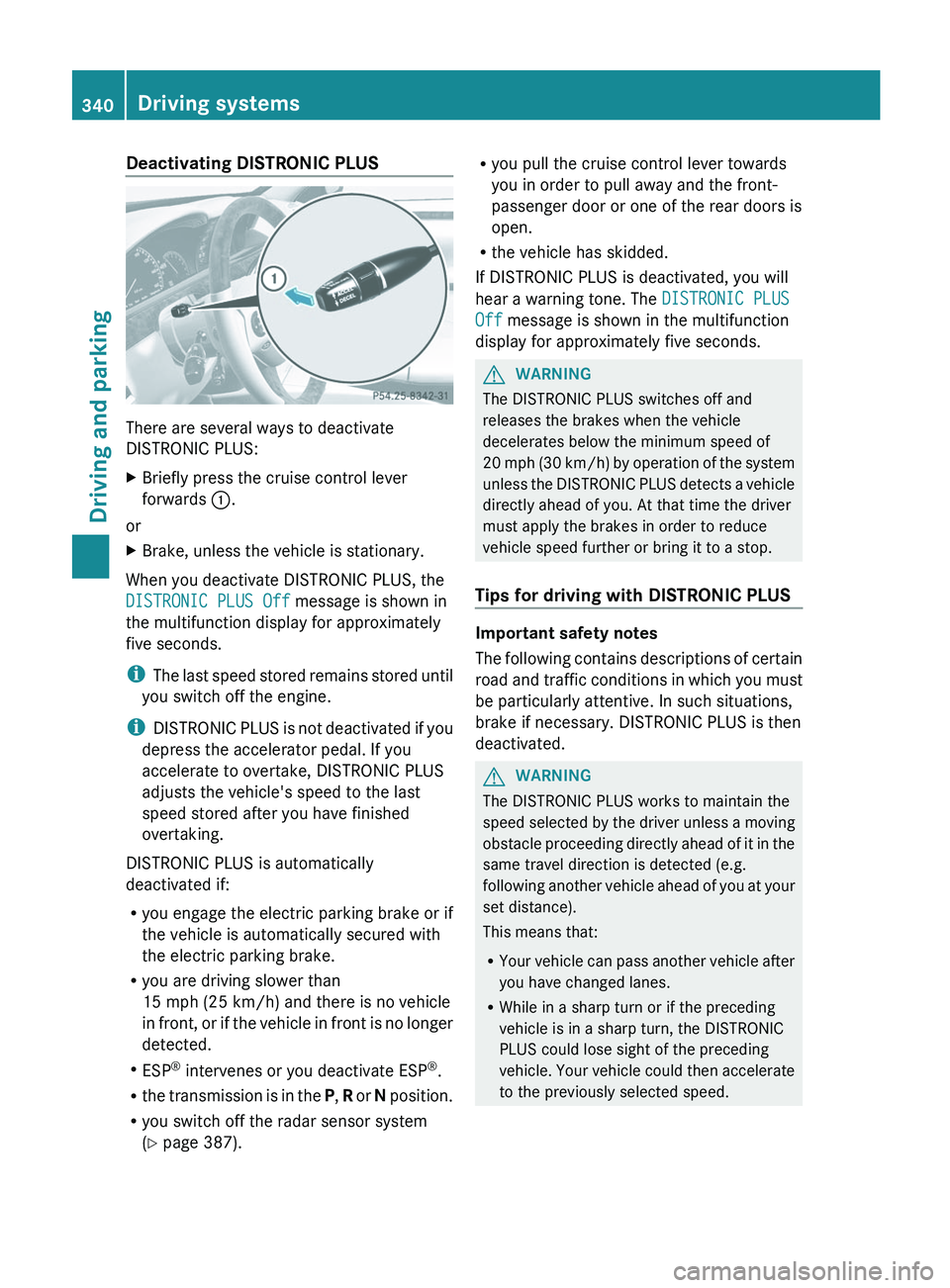
There are several ways to deactivate
DISTRONIC PLUS:
X
Briefly press the cruise control lever
forwards :.
or
X Brake, unless the vehicle is stationary.
When you deactivate DISTRONIC PLUS, the
DISTRONIC PLUS Off message is shown in
the multifunction display for approximately
five seconds.
i The
last speed stored remains stored until
you switch off the engine.
i DISTRONIC PLUS is not deactivated if you
depress the accelerator pedal. If you
accelerate to overtake, DISTRONIC PLUS
adjusts the vehicle's speed to the last
speed stored after you have finished
overtaking.
DISTRONIC PLUS is automatically
deactivated if:
R you engage the electric parking brake or if
the vehicle is automatically secured with
the electric parking brake.
R you are driving slower than
15 mph (25 km/h) and there is no vehicle
in front, or if the vehicle in front is no longer
detected.
R ESP ®
intervenes or you deactivate ESP ®
.
R the transmission is in the P, R or N position.
R you switch off the radar sensor system
(Y page 387). R
you pull the cruise control lever towards
you in order to pull away and the front-
passenger door or one of the rear doors is
open.
R the vehicle has skidded.
If DISTRONIC PLUS is deactivated, you will
hear a warning tone. The DISTRONIC PLUS
Off message is shown in the multifunction
display for approximately five seconds. G
WARNING
The DISTRONIC PLUS switches off and
releases the brakes when the vehicle
decelerates below the minimum speed of
20
mph (30 km/h) by operation of the system
unless the DISTRONIC PLUS detects a vehicle
directly ahead of you. At that time the driver
must apply the brakes in order to reduce
vehicle speed further or bring it to a stop.
Tips for driving with DISTRONIC PLUS Important safety notes
The
following contains descriptions of certain
road and traffic conditions in which you must
be particularly attentive. In such situations,
brake if necessary. DISTRONIC PLUS is then
deactivated. G
WARNING
The DISTRONIC PLUS works to maintain the
speed
selected by the driver unless a moving
obstacle proceeding directly ahead of it in the
same travel direction is detected (e.g.
following another vehicle ahead of you at your
set distance).
This means that:
R Your vehicle can pass another vehicle after
you have changed lanes.
R While in a sharp turn or if the preceding
vehicle is in a sharp turn, the DISTRONIC
PLUS could lose sight of the preceding
vehicle. Your vehicle could then accelerate
to the previously selected speed.340
Driving systems
Driving and parking
Page 345 of 536
i
If depressing the brake pedal the first
time does not activate the HOLD function,
wait briefly and then try again. G
WARNING
The vehicle's brakes are applied when the
HOLD function is activated. For this reason,
deactivate
the HOLD function if the vehicle is
to be set in motion by other means (e.g. in a
car wash or by towing).
Deactivating the HOLD function The HOLD function is deactivated
automatically if:
R
you accelerate and the transmission is in
position D or R.
R you shift the transmission to position P.
R you apply the brakes again with a certain
amount of pressure until HOLD disappears
from the instrument cluster.
R you secure the vehicle using the electric
parking brake.
R you activate DISTRONIC PLUS.
i After a time, the electric parking brake
secures
the vehicle and relieves the service
brake. G
WARNING
Never get out of the vehicle when the HOLD
function is activated.
The HOLD function must never be operated
or
deactivated by a passenger or from outside
the vehicle.
The HOLD function does not replace the
electric parking brake and must not be used
for parking.
The braking effect of the HOLD function is
canceled and the vehicle could roll away if:
R the HOLD function is deactivated by
depressing the accelerator pedal or the
brake pedal.
R there is a malfunction in the system or an
interruption in the power supply, e.g.
battery failure. R
the electrical system in the engine
compartment, the battery or the fuses are
tampered with.
R the battery is disconnected. AIRMATIC
Vehicle level Important safety notes
Your vehicle regulates its height
automatically.
All-round self-leveling ensures
the best possible suspension and constant
ground clearance, even with a laden vehicle.
When you drive fast, the vehicle is lowered
automatically to improve driving safety and to
reduce fuel consumption.
The following vehicle levels are possible on
vehicles without 4MATIC:
R normal
R raised: the vehicle is raised by about 1.00
in (25 mm) when compared with the normal
level
R lowered: the vehicle is lowered by about
0.60 in (15 mm) when compared with the
normal level
The following vehicle levels are possible on
vehicles with 4MATIC:
R normal: in Comfort mode, the vehicle is
raised by about 0.40 in (10 mm) when
compared with Sport mode
R raised: in Comfort mode, the vehicle is
raised by about 0.60 in (15 mm) and in
Sport mode by about 1.00 in (25 mm) when
compared with normal level
R lowered: the vehicle is lowered by about
0.40 in (10 mm) when compared with the
normal level
The "Normal" and "Raised" vehicle levels can
be set manually. Driving systems
343
Driving and parking Z
Page 346 of 536
The "Lowered” vehicle level is set
automatically:
R
in vehicles without 4MATIC at speeds
above 60 mph (100 km/h)
R in vehicles with 4MATIC at speeds above
50 mph (80 km/h)
Setting the vehicle level
Select the "Normal" setting for normal road
surfaces and "Raised" for driving with snow
chains or on particularly poor road surfaces.
Your selection remains stored even if you
remove the SmartKey from the ignition lock. G
WARNING
To help avoid personal injury, keep hands and
feet away from wheel housing area, and stay
away from under the vehicle when lowering
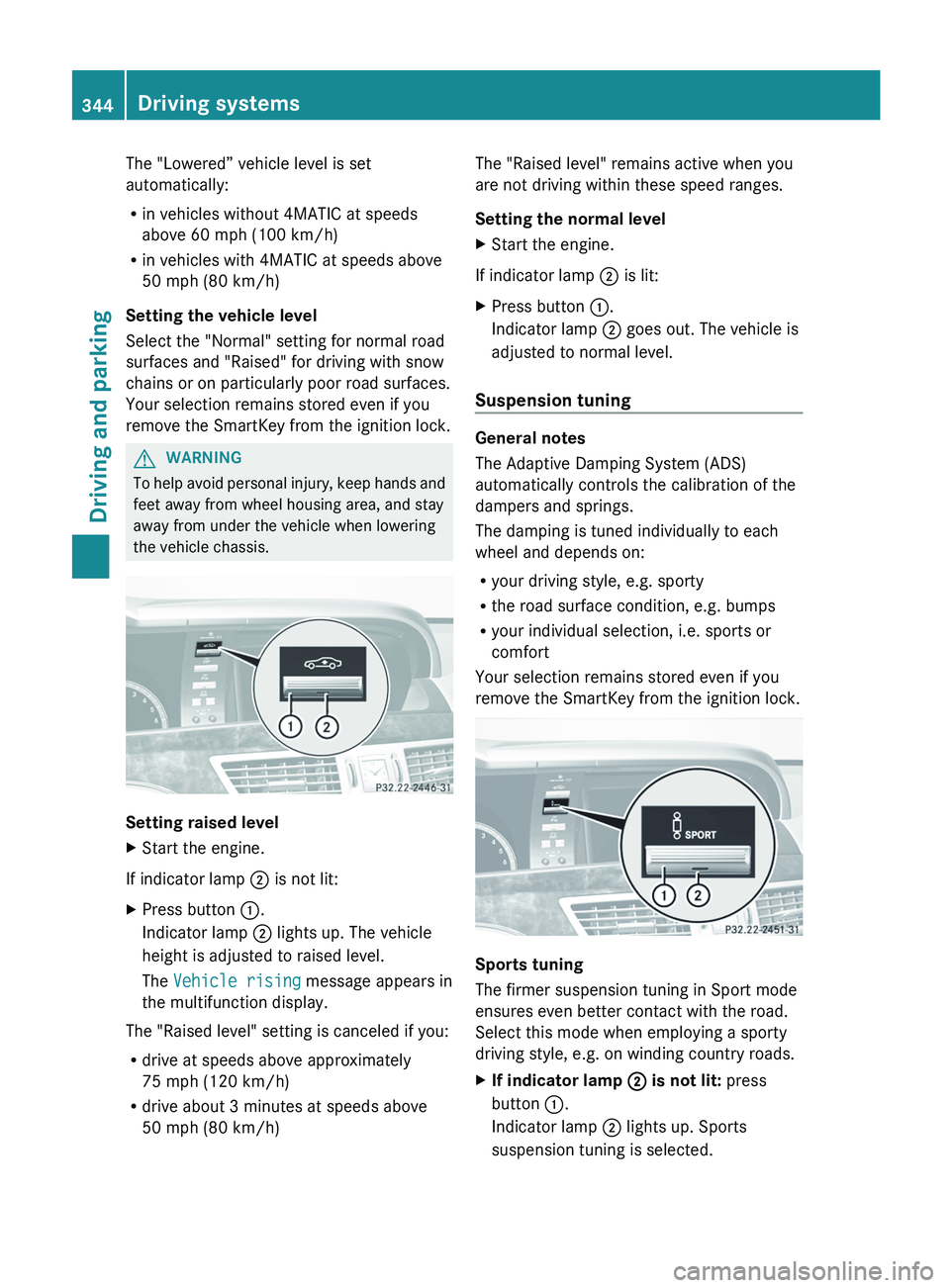
the vehicle chassis. Setting raised level
X
Start the engine.
If indicator lamp ; is not lit:
X Press button :.
Indicator lamp ; lights up. The vehicle
height is adjusted to raised level.
The Vehicle rising message appears in
the multifunction display.
The "Raised level" setting is canceled if you:
R drive at speeds above approximately
75 mph (120 km/h)
R drive about 3 minutes at speeds above
50 mph (80 km/h) The "Raised level" remains active when you
are not driving within these speed ranges.
Setting the normal level
X
Start the engine.
If indicator lamp ; is lit:
X Press button :.
Indicator lamp ; goes out. The vehicle is
adjusted to normal level.
Suspension tuning General notes
The Adaptive Damping System (ADS)
automatically controls the calibration of the
dampers and springs.
The damping is tuned individually to each
wheel and depends on:
R
your driving style, e.g. sporty
R the road surface condition, e.g. bumps
R your individual selection, i.e. sports or
comfort
Your selection remains stored even if you
remove the SmartKey from the ignition lock. Sports tuning
The firmer suspension tuning in Sport mode
ensures even better contact with the road.
Select this mode when employing a sporty
driving style, e.g. on winding country roads.
X
If indicator lamp ; is not lit: press
button :.
Indicator lamp ; lights up. Sports
suspension tuning is selected. 344
Driving systemsDriving and parking
Page 347 of 536
The AIRMATIC SPORT message appears in
the multifunction display.
Comfort tuning
In Comfort mode, the driving characteristics
of your vehicle are more comfortable. Select
this mode if you prefer a more comfortable
driving style, but also when driving fast on
straight roads, e.g. highways.
X If indicator lamp ; is lit: press
button :.
Indicator
lamp ; goes out. Comfort tuning
is selected.
The AIRMATIC COMFORT message appears
in the multifunction display. Active Body Control (ABC)
Vehicle level Your vehicle automatically adjusts its ride
height to improve driving safety and reduce
fuel consumption.
Depending on the vehicle height that has
been
set, the vehicle automatically adjusts its
height dependent on the current speed. As
speed increases, the vehicle is lowered by up
to 0.6 in (15 mm). As the speed is reduced,
the vehicle is raised up to the set vehicle
height. G
WARNING
The vehicle is lowered when the engine is
switched off. Therefore, make sure that
nobody
is in the vicinity of the wheel housing
or under the vehicle when you switch off the
engine. Otherwise, limbs could become
trapped.
! The vehicle is lowered when the engine is
switched off. Make sure when parking that
you position your vehicle so that it does not
make contact with the curb as the vehicle
is lowered. Your vehicle could otherwise be
damaged. i
For AMG vehicles: when the engine is
switched off, the vehicle is lowered by
approx. 0.4 in (10 mm).
Setting the vehicle level
Select the "Normal" setting for normal road
surfaces and "Raised" for driving with snow
chains or on particularly poor road surfaces. G
WARNING
To help avoid personal injury, keep hands and
feet away from wheel housing area, and stay
away from under the vehicle when lowering
the vehicle chassis.
Your selection remains stored even if you
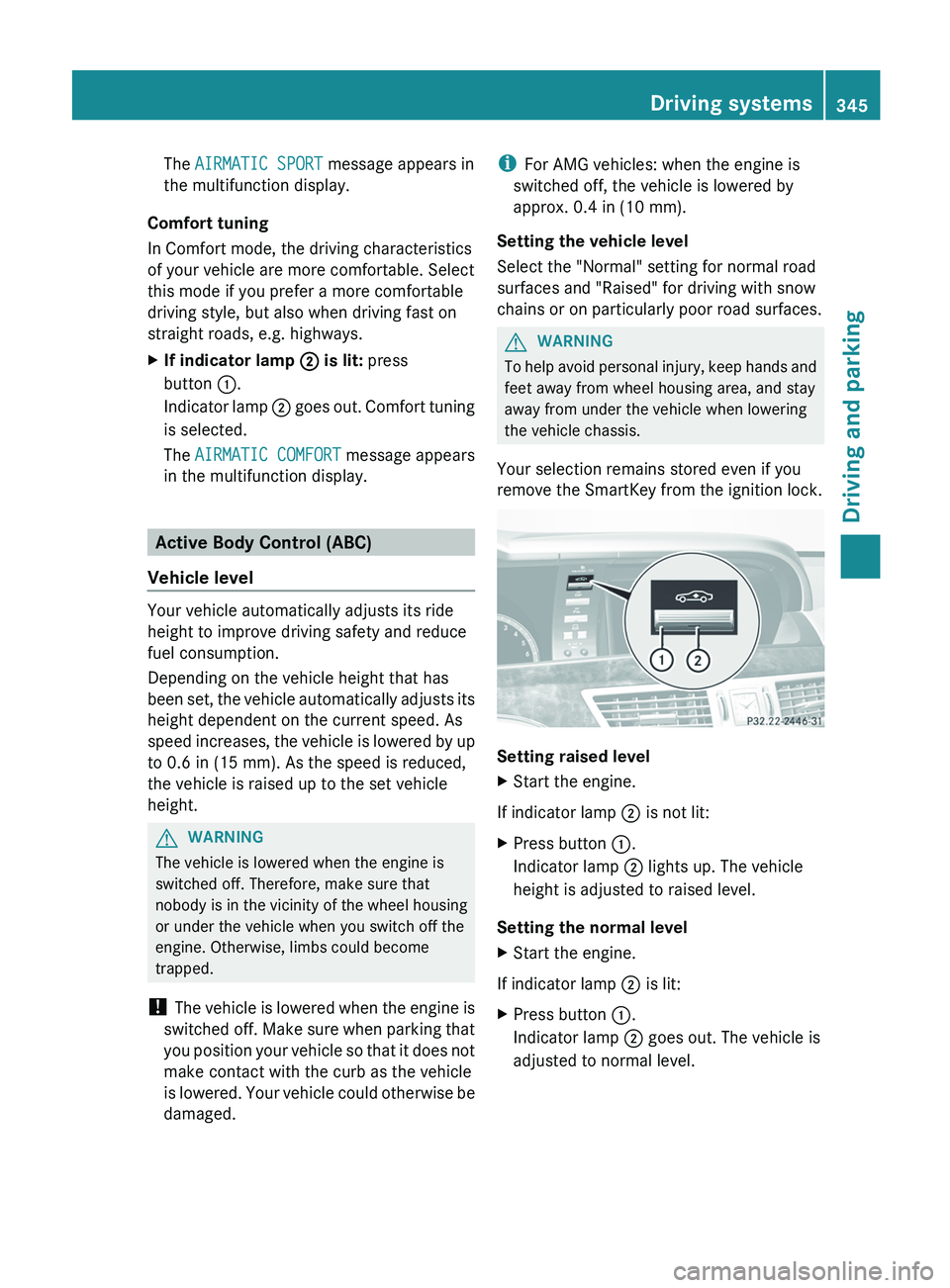
remove the SmartKey from the ignition lock. Setting raised level
X
Start the engine.
If indicator lamp ; is not lit:
X Press button :.
Indicator lamp ; lights up. The vehicle
height is adjusted to raised level.
Setting the normal level
X Start the engine.
If indicator lamp ; is lit:
X Press button :.
Indicator lamp ; goes out. The vehicle is
adjusted to normal level. Driving systems
345
Driving and parking Z
Page 350 of 536
!
When parking, pay particular attention to
objects above or below the sensors, such
as flower pots or trailer drawbars.
PARKTRONIC does not detect such objects
when they are in the immediate vicinity of
the vehicle. You could damage the vehicle
or the objects.
The sensors may not detect snow and other
objects that absorb ultrasonic waves.
Ultrasonic sources such as an automatic
car wash, the compressed-air brakes on a
truck or a pneumatic drill could cause
PARKTRONIC to malfunction.
PARKTRONIC may not function correctly on
uneven terrain.
Minimum distance Center Approximately 8 in
(approximately 20 cm)
Corners Approximately 8 in
(approximately 20 cm)
If there is an obstacle within this range, the
relevant warning displays light up and a
warning tone sounds. If the distance falls
below the minimum, the distance may no
longer be shown.
Warning displays
The warning displays show the distance
between the sensors and the obstacle. The
warning display for the front area is in the
instrument cluster. The warning display for
the
rear area is located on the headliner in the
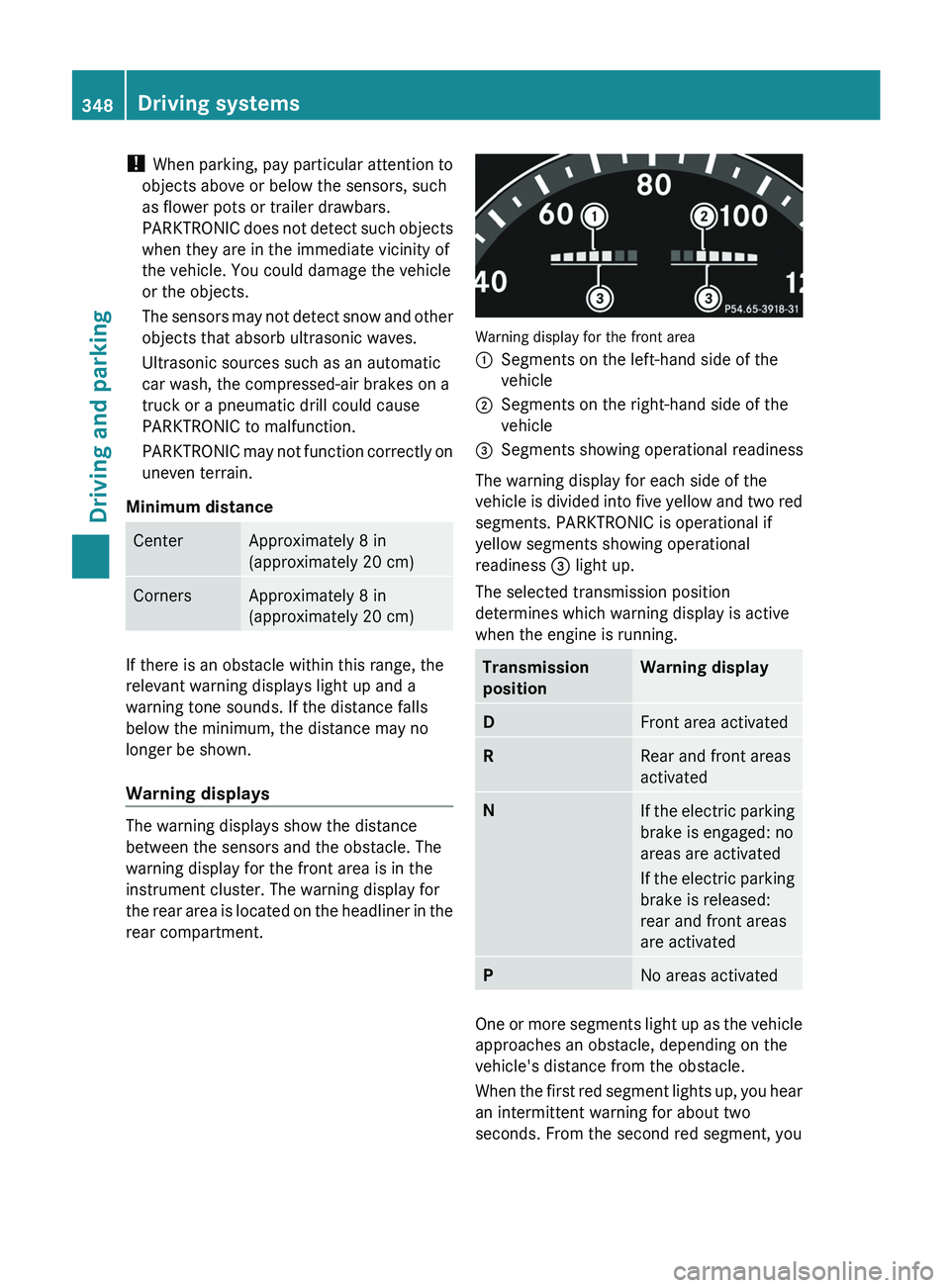
rear compartment. Warning display for the front area
:
Segments on the left-hand side of the
vehicle
; Segments on the right-hand side of the
vehicle
= Segments showing operational readiness
The warning display for each side of the
vehicle
is divided into five yellow and two red
segments. PARKTRONIC is operational if
yellow segments showing operational
readiness = light up.
The selected transmission position
determines which warning display is active
when the engine is running. Transmission
position Warning display
D
Front area activated
R
Rear and front areas
activated
N
If the electric parking
brake is engaged: no
areas are activated
If
the electric parking
brake is released:
rear and front areas
are activated P
No areas activated
One or more segments light up as the vehicle
approaches an obstacle, depending on the
vehicle's distance from the obstacle.
When
the first red segment lights up, you hear
an intermittent warning for about two
seconds. From the second red segment, you 348
Driving systems
Driving and parking
Page 358 of 536
ATTENTION ASSIST
Important safety notes ATTENTION ASSIST helps you during long,
monotonous journeys such as on freeways
and interstate highways. It is active in the
range between 50 mph (80 km/h) and
112 mph (180 km/h).
If ATTENTION ASSIST detects typical
indicators of fatigue or increasing lapses in
concentration on the part of the driver, it
suggests you take a break.
G
WARNING
ATTENTION ASSIST is only an aid and may
detect your tiredness or lapses in
concentration too late or not at all. It is not a
substitute for a well-rested and attentive
driver.
Fatigue may cause you to recognize
hazardous situations too late, misjudge a
situation or react more slowly. For this
reason,
make sure you feel rested before you
begin driving and during your journey. Make
sure that you take regular breaks in time,
particularly on long journeys. Otherwise, you
may fail to recognize dangers in time, cause
an accident and injure yourself and others.
ATTENTION ASSIST assesses your level of
fatigue or lapses in concentration by taking
the following criteria into account:
R your personal driving style, e.g. steering
characteristics
R driving conditions, e.g. time, driving time
The functionality of ATTENTION ASSIST is
restricted and warnings may be delayed or
not occur at all:
R if the road condition is poor, e.g. if the
surface is uneven or if there are potholes
R if there is a strong side wind
R if you have adopted a sporty driving style
with high cornering speeds or high rates of
acceleration R
if
you predominantly drive at speeds under
50 mph (80 km/h) or over 112 mph
(180 km/h)
R if you are currently using COMAND or
making a telephone call with it
R if the time has been set incorrectly
R in active driving situations, such as when
you change lanes or change your speed
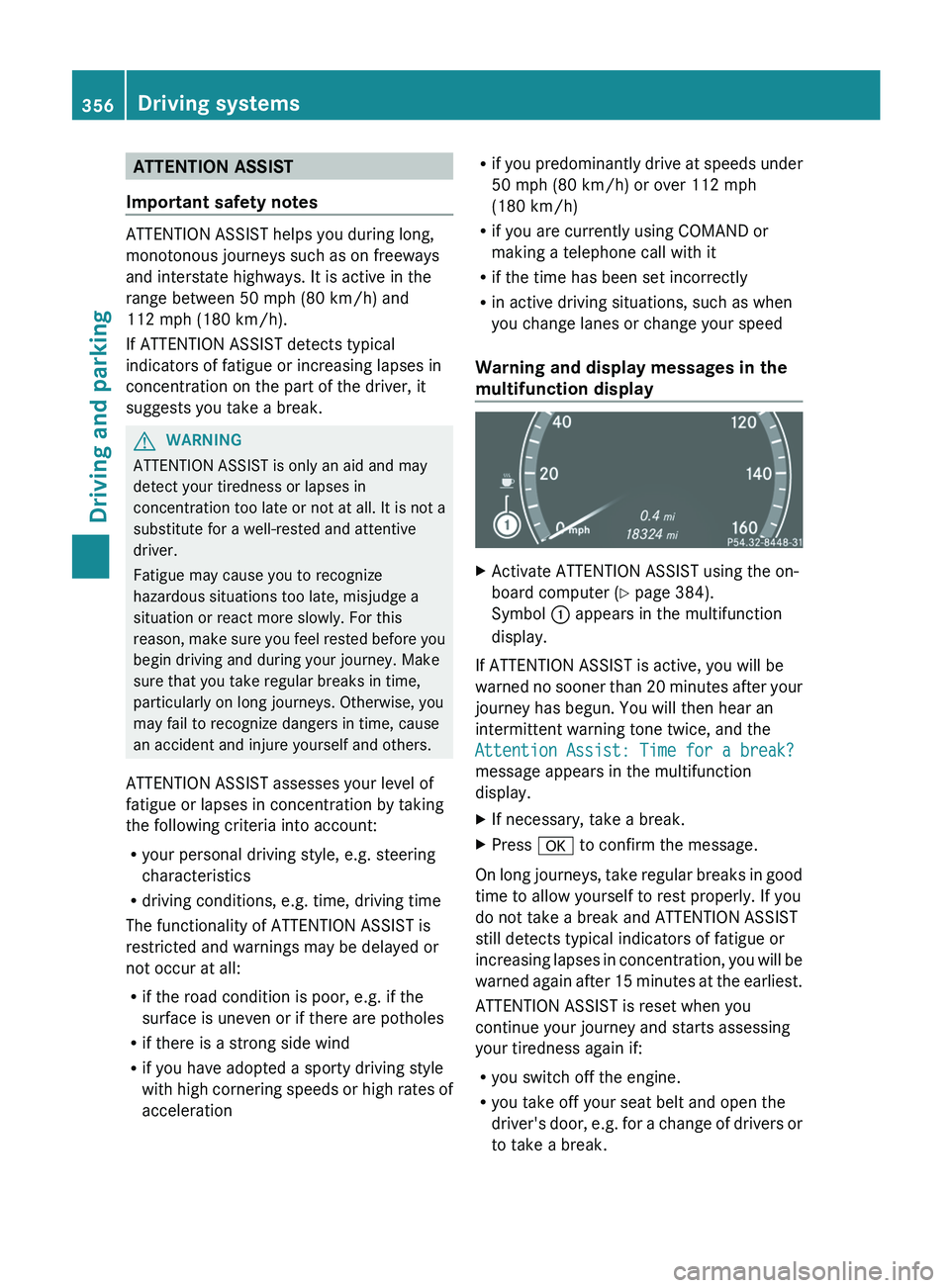
Warning and display messages in the
multifunction display X
Activate ATTENTION ASSIST using the on-
board computer ( Y page 384).
Symbol : appears in the multifunction
display.
If ATTENTION ASSIST is active, you will be
warned
no sooner than 20 minutes after your
journey has begun. You will then hear an
intermittent warning tone twice, and the
Attention Assist: Time for a break?
message appears in the multifunction
display.
X If necessary, take a break.
X Press a to confirm the message.
On long journeys, take regular breaks in good
time to allow yourself to rest properly. If you
do not take a break and ATTENTION ASSIST
still detects typical indicators of fatigue or
increasing
lapses in concentration, you will be
warned again after 15 minutes at the earliest.
ATTENTION ASSIST is reset when you
continue your journey and starts assessing
your tiredness again if:
R you switch off the engine.
R you take off your seat belt and open the
driver's door, e.g. for a change of drivers or
to take a break.356
Driving systems
Driving and parking
Page 374 of 536
Useful information
i This Operator's Manual describes all
models and all standard and optional
equipment of your vehicle available at the
time of publication of the Operator's
Manual. Country-specific differences are
possible.
Please note that your vehicle may
not be equipped with all features
described. This also applies to safety-
related systems and functions.
i Please read the information on qualified
specialist workshops (Y page 31). Important safety notes
You will find an illustration of the instrument
cluster in the "At a glance" section
(Y page 35). G
WARNING
A driver's attention to the road and traffic
conditions must always be his/her primary
focus when driving.
For your safety and the safety of others,
selecting features through the multifunction
steering wheel should only be done by the
driver
when traffic and road conditions permit
it to be done safely.
Bear in mind that at a speed of just 30 mph
(approximately 50 km/h ), your vehicle is
covering a distance of 44 feet (approximately
14 m) every second. G
WARNING
No messages will be displayed if either the
instrument cluster or the multifunction
display is inoperative.
As a result, you will not be able to see
information about your driving conditions,
such as
R speed
R outside temperature
R warning/indicator lamps R
malfunction/warning messages
R failure of any systems
Driving characteristics may be impaired.
If
you must continue to drive, do so with added
caution. Contact an authorized Mercedes-
Benz Center as soon as possible. G
WARNING
HYBRID vehicles: It is imperative that you read
the HYBRID Supplemental Operating
Instructions
included in your vehicle literature
portfolio. You may otherwise not receive all
necessary safety information and warning for
the operation of your vehicle. G
WARNING
Malfunction and warning messages are only
indicated for certain systems and are
intentionally not very detailed. The
malfunction and warning messages are
simply a reminder with respect to the
operation of certain systems. They do not
replace the owner's and/or driver's
responsibility to maintain the vehicle's
operating safety. Have all required
maintenance
and safety checks performed on
the vehicle. Bring the vehicle to an authorized
Mercedes-Benz Center to address the
malfunction and warning messages. Displays and operation
Coolant temperature display
G
WARNING
Driving when your engine is overheated can
cause
some fluids which may have leaked into
the engine compartment to catch fire. You
could be seriously burned.
Steam from an overheated engine can cause
serious burns which can occur just by opening
the engine hood. Stay away from the engine
if you see or hear steam coming from it.
Stop the vehicle in a safe location away from
other traffic. Turn off the engine, get out of the 372
Displays and operation
On-board computer and displays
Page 375 of 536
vehicle and do not stand near the vehicle until
the engine has cooled down.
The coolant temperature gauge is in the
instrument cluster on the left-hand side.
Under normal operating conditions and with
the specified coolant level, the coolant
temperature may rise to 248 ‡ (120 †).
! If the coolant temperature is too high a
display message is shown.
If the coolant temperature rises above
248
‡(120 †), do not drive any further as
this could damage the engine. Tachometer
The
red band in the tachometer indicates the
engine's overrevving range.
! Do not drive in the overrevving range, as
this could damage the engine.
The fuel supply is interrupted to protect the
engine when the red band is reached. Outside temperature display
The outside temperature display is in the
multifunction display
(Y page 374). G
WARNING
The outside temperature indicator is not
designed to serve as an ice-warning device
and is therefore unsuitable for that purpose.
Indicated temperatures just above the
freezing
point do not guarantee that the road
surface is free of ice. The road may still be icy,
especially in wooded areas or on bridges.
Changes in the outside temperature are
displayed after a short delay. Operating the on-board computer
The on-board computer is activated as soon
as
you turn the SmartKey to position 2 in the
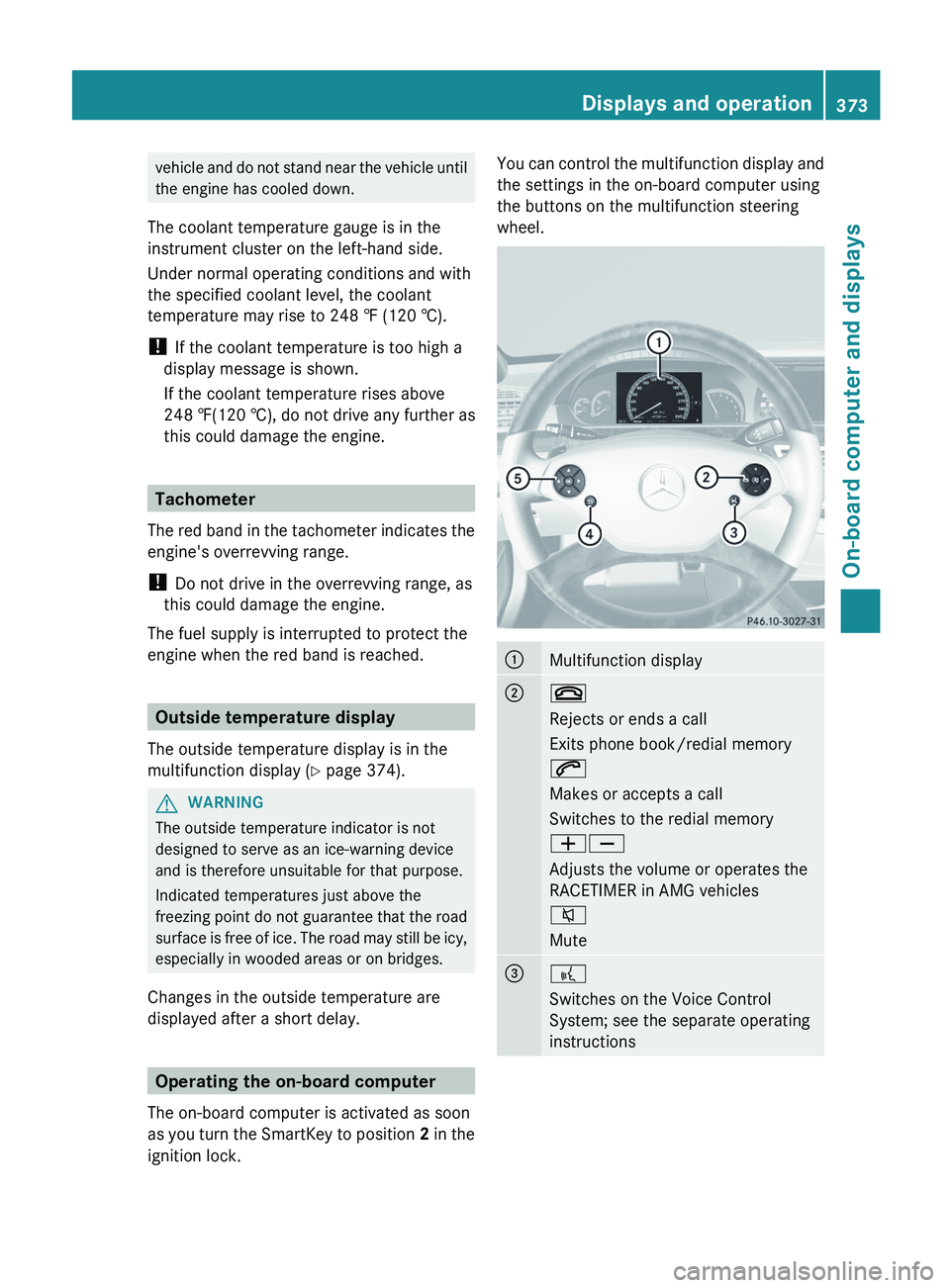
ignition lock. You can control the multifunction display and
the settings in the on-board computer using
the buttons on the multifunction steering
wheel.
:
Multifunction display
;
~
Rejects or ends a call
Exits phone book/redial memory
6
Makes or accepts a call
Switches to the redial memory
WX
Adjusts the volume or operates the
RACETIMER in AMG vehicles
8
Mute
=
?
Switches on the Voice Control
System; see the separate operating
instructions Displays and operation
373
On-board computer and displays Z
Page 382 of 536
:
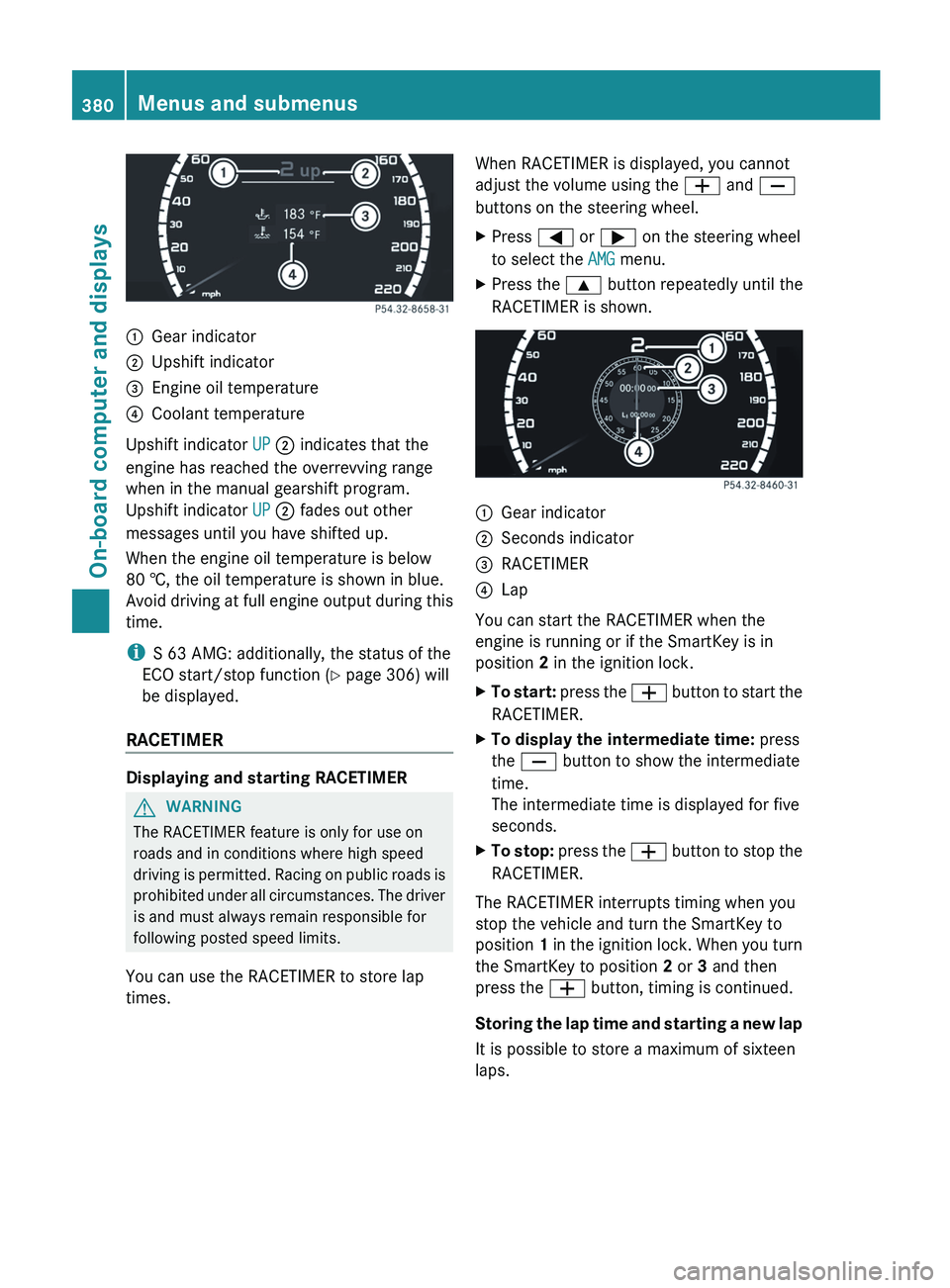
Gear indicator
; Upshift indicator
= Engine oil temperature
? Coolant temperature
Upshift indicator UP ; indicates that the
engine has reached the overrevving range
when in the manual gearshift program.
Upshift indicator UP ; fades out other
messages until you have shifted up.
When the engine oil temperature is below
80 †, the oil temperature is shown in blue.
Avoid
driving at full engine output during this
time.
i S 63 AMG: additionally, the status of the
ECO start/stop function (Y page 306) will
be displayed.
RACETIMER Displaying and starting RACETIMER
G
WARNING
The RACETIMER feature is only for use on
roads and in conditions where high speed
driving
is permitted. Racing on public roads is
prohibited under all circumstances. The driver
is and must always remain responsible for
following posted speed limits.
You can use the RACETIMER to store lap
times. When RACETIMER is displayed, you cannot
adjust the volume using the
W and X
buttons on the steering wheel.
X Press = or ; on the steering wheel
to select the AMG menu.
X Press the 9 button repeatedly until the
RACETIMER is shown. :
Gear indicator
; Seconds indicator
= RACETIMER
? Lap
You can start the RACETIMER when the
engine is running or if the SmartKey is in
position 2 in the ignition lock.
X To start:
press the W button to start the
RACETIMER.
X To display the intermediate time: press
the X button to show the intermediate
time.
The intermediate time is displayed for five
seconds.
X To stop:
press the W button to stop the
RACETIMER.
The RACETIMER interrupts timing when you
stop the vehicle and turn the SmartKey to
position 1
in the ignition lock. When you turn
the SmartKey to position 2 or 3 and then
press the W button, timing is continued.
Storing the lap time and starting a new lap
It is possible to store a maximum of sixteen
laps. 380
Menus and submenus
On-board computer and displays
Page 386 of 536
X
Press the = or ; button on the
steering wheel to select the DriveAssist
menu.
X Press the 9 or : button to select
Distance Display.
X Press a.
The DISTRONIC PLUS distance display
(Y page 339) appears in the multifunction
display.
Deactivating/activating ESP ®G
WARNING
Under no circumstances should you
deactivate ESP ®
when the ÷ ESP ®
warning lamp in the instrument cluster
flashes. Proceed as follows:
R when driving off, apply as little throttle as
possible.
R while driving, ease up on the accelerator
pedal.
R adapt
your speed to suit the prevailing road
and weather conditions.
Failure to observe these guidelines could
cause the vehicle to skid. ESP ®
cannot
prevent accidents resulting from excessive
speed.
For further information about ESP ®
, see
(Y page 71).
X Start the engine.
X Press = or ; on the steering wheel
to select the DriveAssist menu.
X Press the 9 or : button to select
ESP.
X Press the a button.
X To deactivate: press a again.
The å warning lamp in the instrument
cluster comes on. G
WARNING
When the å ESP®
OFF warning lamp is lit,
ESP ®
is deactivated. If the
÷ ESP ®
warning lamp and the
å ESP ®
OFF warning lamp remain lit,
ESP ®
is not available due to a malfunction.
When ESP ®
is deactivated or not operational,
vehicle stability in standard driving
maneuvers is reduced.
Adapt your speed and driving to the prevailing
road conditions and to the non-operating
status of the ESP ®
.
X To activate: press a again.
The å warning lamp in the instrument
cluster goes out.
Activating/deactivating PRE-SAFE ®
Brake PRE-SAFE
®
Brake is only available in vehicles
with DISTRONIC PLUS.
X Press the = or ; button on the
steering wheel to select the DriveAssist
menu.
X Press 9 or : to select PRE-SAFE
Brake.
X Press a.
The current selection is displayed.
X To activate/deactivate: press a
again.
When PRE-SAFE ®
Brake (Y page 73) is
activated, the multifunction display shows
the Ä symbol as long as the HOLD
function is not activated
(Y page 342).
Activating/deactivating ATTENTION
ASSIST This function is not available in HYBRID
vehicles.
X
Press the = or ; button on the
steering wheel to select the DriveAssist
menu.
X Press the 9 or : button to select
Attention Assist. 384
Menus and submenus
On-board computer and displays