wheel MERCEDES-BENZ S-COUPE 2016 Owners Manual
[x] Cancel search | Manufacturer: MERCEDES-BENZ, Model Year: 2016, Model line: S-COUPE, Model: MERCEDES-BENZ S-COUPE 2016Pages: 410, PDF Size: 8.62 MB
Page 257 of 410
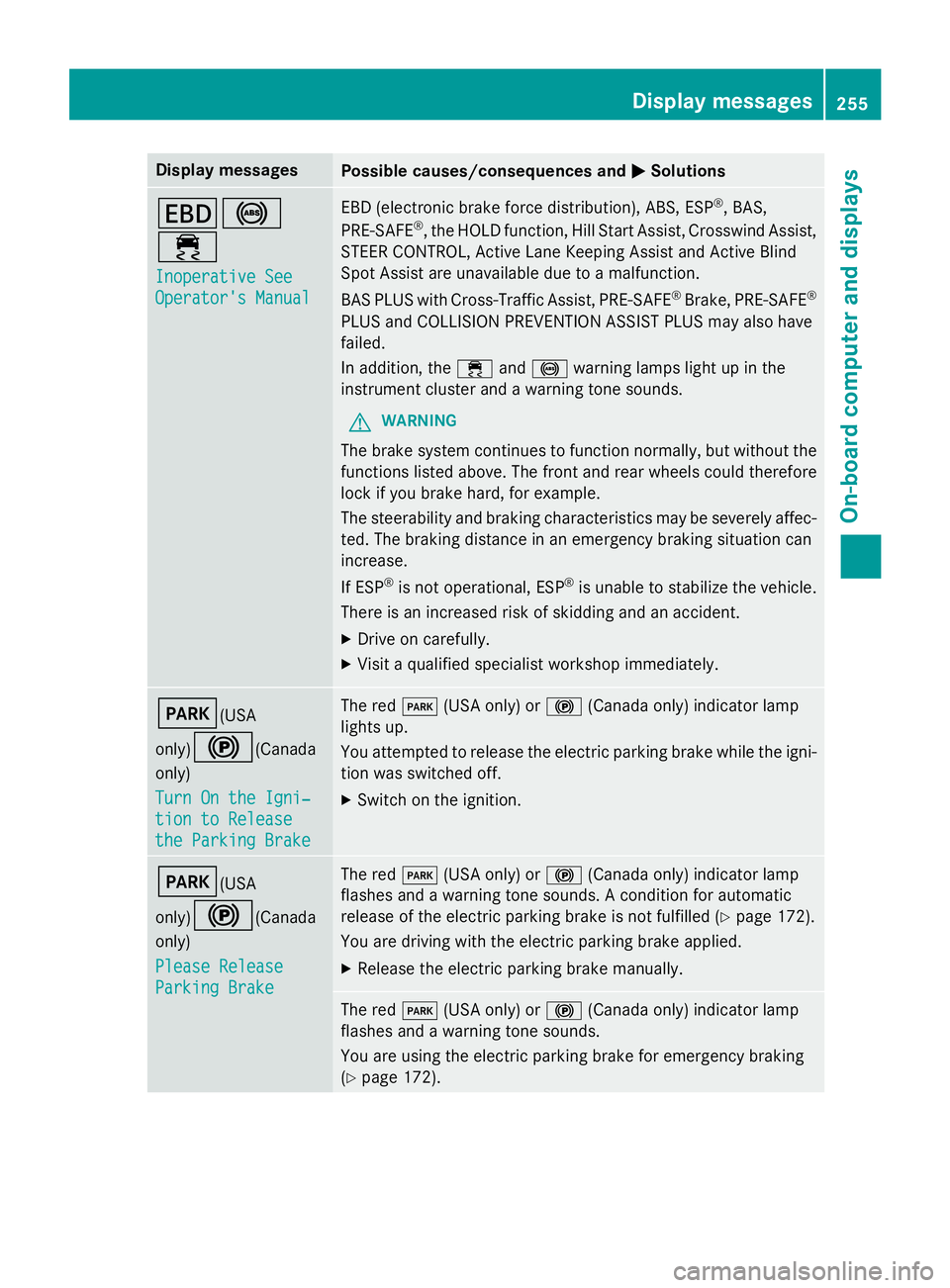
Display messagesPossible causes/consequences andMSolutions
T!
÷
Inoperative See
Operator'sManual
EB D(electronic brak eforc edistribution), ABS, ES P®,BAS,
PRE ‑S AF E®,th eHOLD function ,Hil lStart Assist, Crosswin dAssist,
STEE RCONTROL ,Active Lan eKeepin gAssis tand Active Blind
Spot Assis tare unavailable due to amalfunction .
BA SPLU Swit hCross-Traffic Assist, PRE‑ SAFE
®Brake,PRE ‑S AF E®
PLU Sand COLLISION PREVENTION ASSIST PLU Smay also hav e
failed.
In addition ,th e÷ and! warnin glamp sligh tup in th e
instrumen tcluster and awarnin gtone sounds.
GWARNIN G
The brakesystem continues to function normally, but without th e
function slisted above. The fron tand rear wheels could therefore
loc kif you brak ehard, fo rexample.
The steerabilit yand brakin gcharacteristics may be severely affec -
ted. The brakin gdistanc ein an emergenc ybrakin gsituation can
increase .
If ES P
®is no toperational, ES P®is unable to stabiliz eth evehicle.
There is an increase dris kof skiddin gand an accident.
XDrive on carefully.
XVisit aqualified specialist workshop immediately.
F(USA
only)
!(Canada
only)
Tur nOn the Igni‐
tio nto Releas e
the Parkin gBrake
The red F(USAonly) or !(Canada only) indicato rlamp
lights up.
You attempte dto release th eelectric parkin gbrak ewhile th eigni-
tion was switched off.
XSwitc hon th eignition .
F(USA
only)
!(Canada
only)
Please Releas e
ParkingBrake
The red F(USAonly) or !(Canada only) indicato rlamp
flashes and awarnin gtone sounds. Acondition fo rautomati c
release of th eelectric parkin gbrak eis no tfulfilled (
Ypage 172).
You are drivin gwit hth eelectric parkin gbrak eapplied.
XReleas eth eelectric parkin gbrak emanually.
The red F(USAonly) or !(Canada only) indicato rlamp
flashes and awarnin gtone sounds.
You are usin gth eelectric parkin gbrak efo remergenc ybrakin g
(
Ypage 172).
Display messages25 5
On-board computer and displays
Z
Page 258 of 410
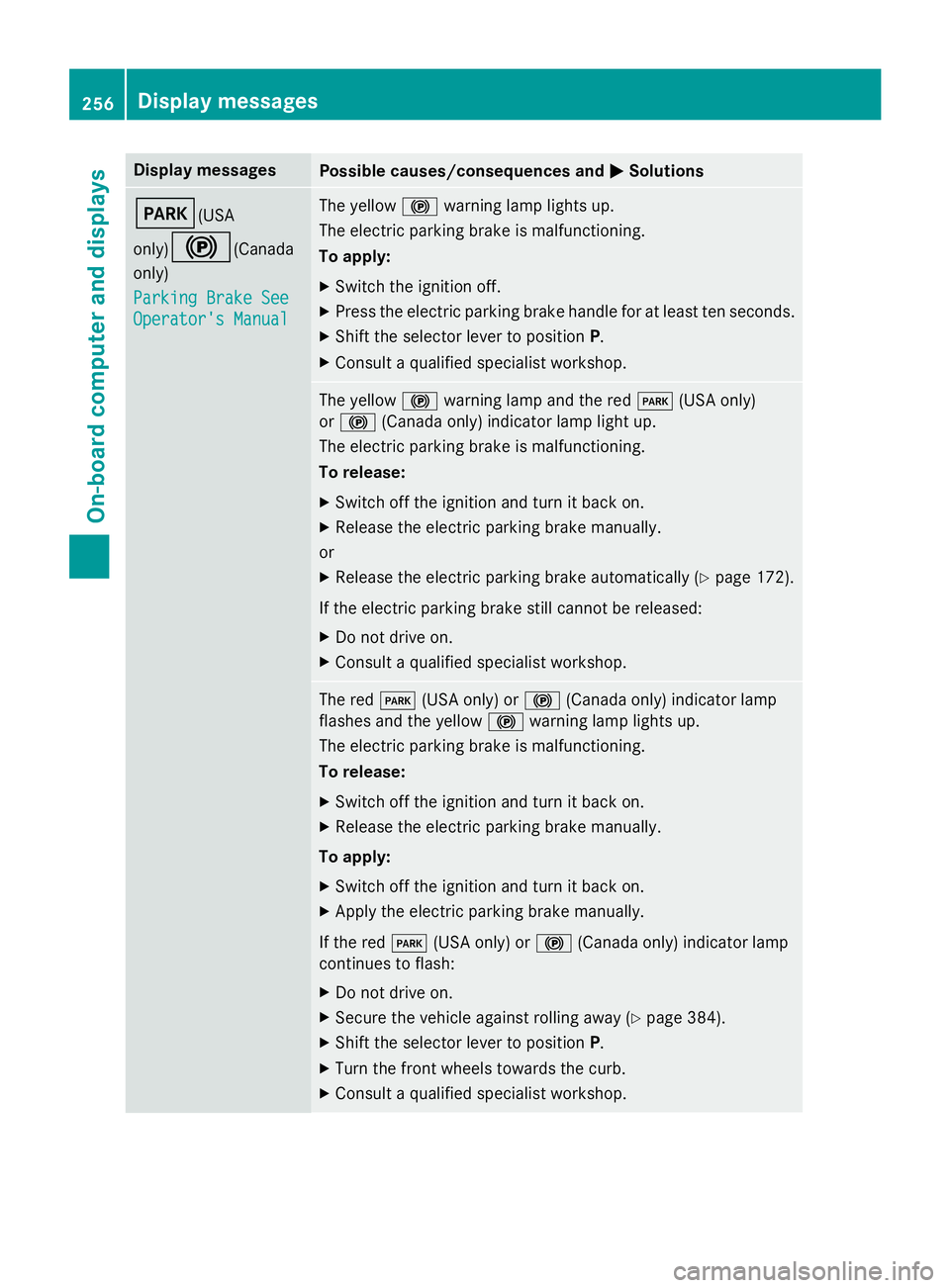
Display messagesPossible causes/consequences andMSolutions
F(USA
only)
!(Canada
only)
Parkin gBrake See
Operator' sManual
The yello w! warnin glamp lights up.
The electric parkin gbrak eis malfunctioning.
To apply:
XSwitc hth eignition off.
XPress th eelectric parkin gbrak ehandle fo rat leas tte nseconds.
XShift th eselector lever to position P.
XConsultaqualified specialist workshop .
The yellow! warnin glamp and th ered F (USAonly)
or ! (Canada only) indicato rlamp ligh tup.
The electric parkin gbrak eis malfunctioning.
To release:
XSwitc hof fth eignition and tur nit bac kon .
XReleas eth eelectric parkin gbrak emanually.
or
XReleas eth eelectric parkin gbrak eautomatically (Ypage 172).
If th eelectric parkin gbrak estill canno tbe released:
XDo no tdrive on .
XConsult aqualified specialist workshop .
The redF(USAonly) or !(Canada only) indicato rlamp
flashes and th eyello w! warnin glamp lights up.
The electric parkin gbrak eis malfunctioning.
To release:
XSwitc hof fth eignition and tur nit bac kon .
XReleas eth eelectric parkin gbrak emanually.
To apply:
XSwitc hof fth eignition and tur nit bac kon .
XApply th eelectric parkin gbrak emanually.
If th ered F (USAonly) or !(Canada only) indicato rlamp
continues to flash:
XDo no tdrive on .
XSecureth evehicl eagainst rollin gaway (Ypage 384).
XShift th eselector lever to position P.
XTurnth efron twheels toward sth ecurb.
XConsult aqualified specialist workshop .
256Display messages
On-board computer and displays
Page 281 of 410
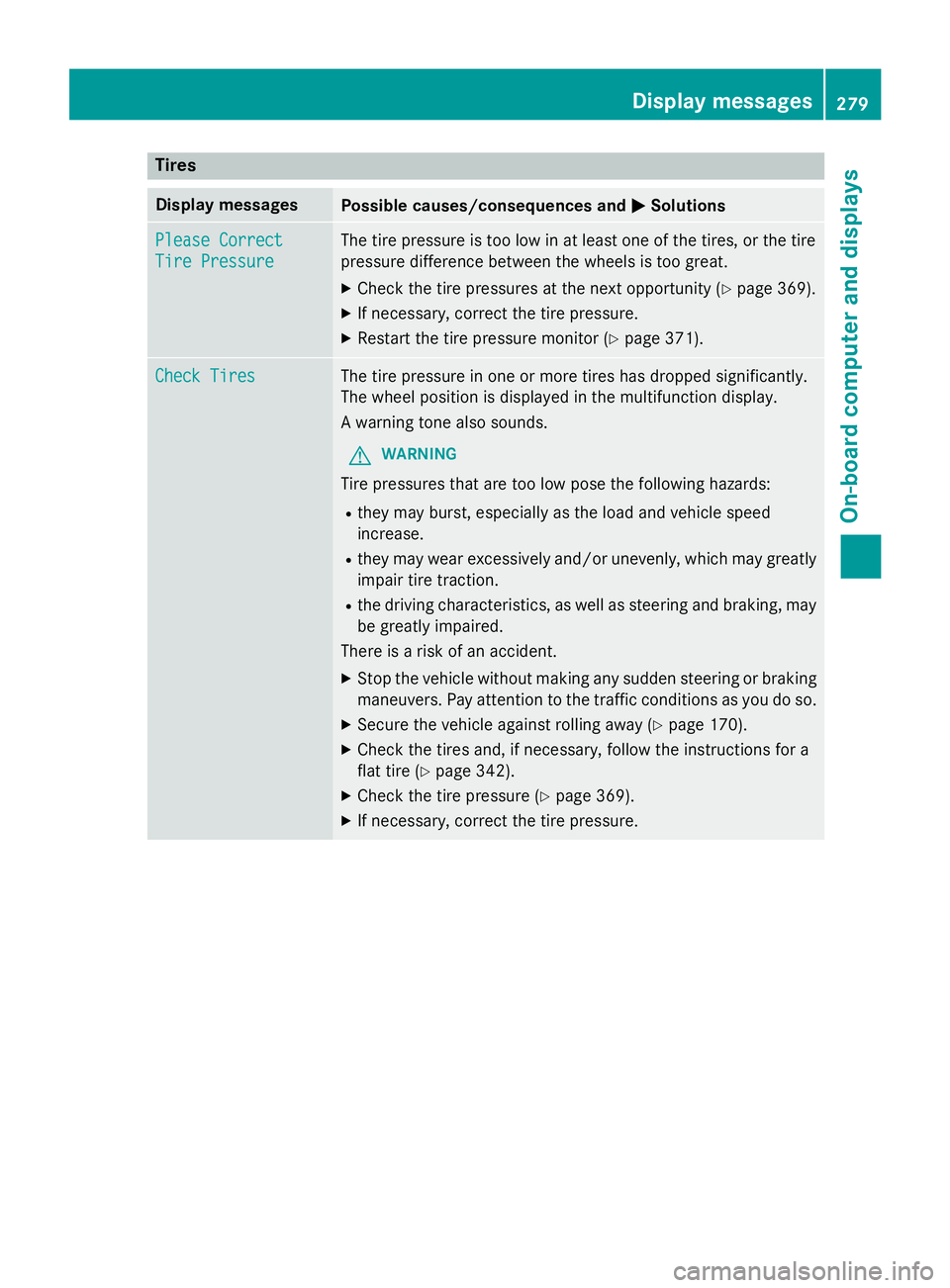
Tires
Display messagesPossible causes/consequences andMSolutions
Please Correct
Tire Pressure
The tire pressure is too low in at least one of the tires, or the tire
pressure difference between the wheels is too great.
XCheck the tire pressures at the next opportunity (Ypage 369).
XIf necessary, correct the tire pressure.
XRestart the tire pressure monitor (Ypage 371).
Check TiresThe tire pressure in one or more tires has dropped significantly.
The wheel position is displayed in the multifunction display.
A warning tone also sounds.
GWARNING
Tire pressures that are too low pose the following hazards:
Rthey may burst, especially as the load and vehicle speed
increase.
Rthey may wear excessively and/or unevenly, which may greatly
impair tire traction.
Rthe driving characteristics, as well as steering and braking, may
be greatly impaired.
There is a risk of an accident.
XStop the vehicle without making any sudden steering or braking
maneuvers. Pay attention to the traffic conditions as you do so.
XSecure the vehicle against rolling away (Ypage 170).
XCheck the tires and, if necessary, follow the instructions for a
flat tire (
Ypage 342).
XCheck the tire pressure (Ypage 369).
XIf necessary, correct the tire pressure.
Displa y messages279
On-board computer and displays
Z
Page 282 of 410
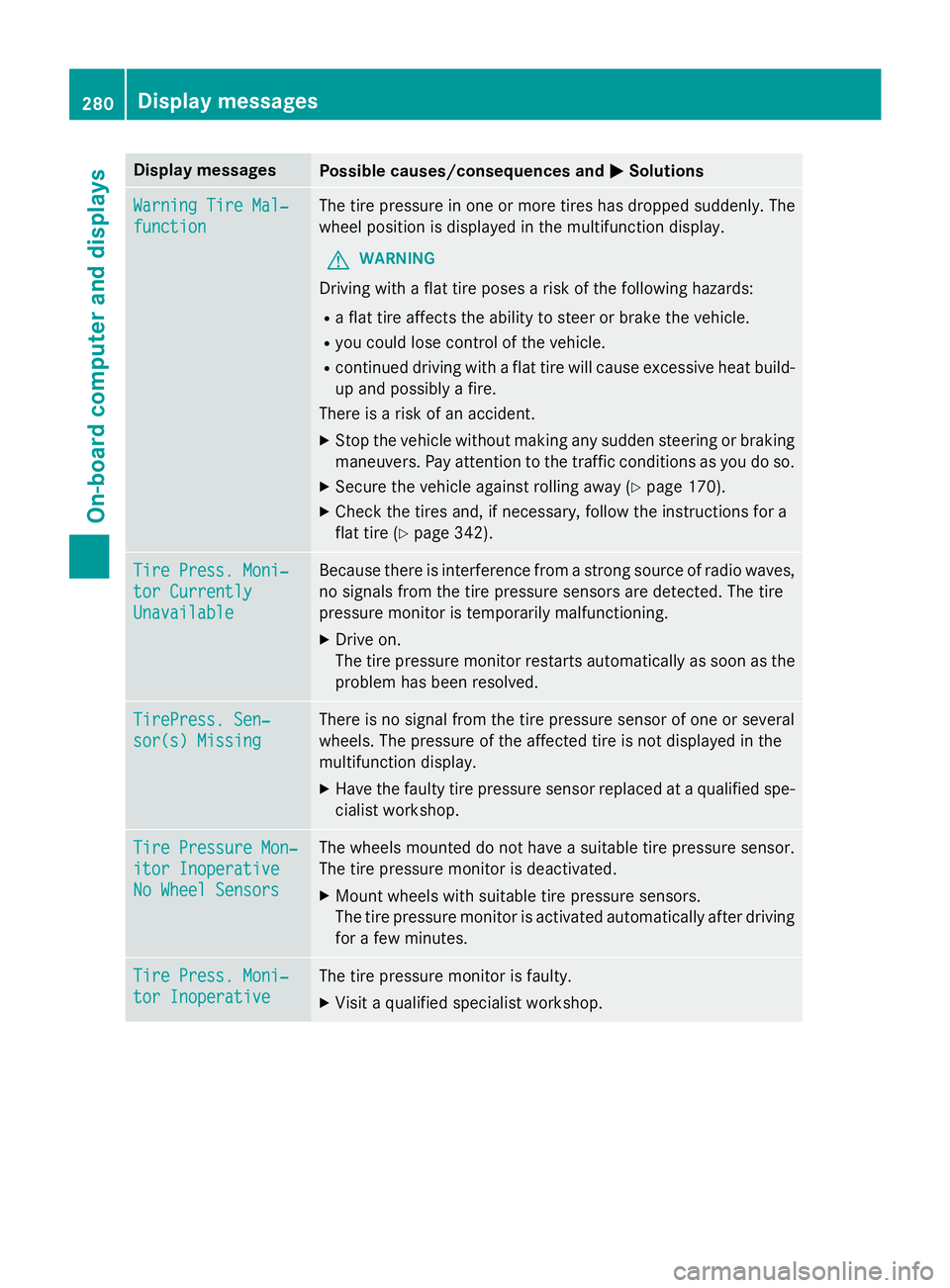
Display messagesPossible causes/consequences andMSolutions
WarningTir eMal ‐
function
The tire pressur ein on eor mor etires has dropped suddenly. The
whee lposition is displayed in th emultifunction display.
GWARNIN G
Drivingwit h a flat tire poses aris kof th efollowing hazards :
Raflat tire affects th eabilit yto steer or brak eth evehicle.
Ryou could los econtrol of th evehicle.
Rcontinued drivin gwit h a flat tire will caus eexcessive heat build-
up and possibl y afire.
There is aris kof an accident.
XStop th evehicl ewithout makin gany sudden steerin gor brakin g
maneuvers .Pay attention to th etraffic condition sas you do so.
XSecur eth evehicl eagainst rollin gaway (Ypage 170).
XCheckth etires and ,if necessary, follow th einstruction sfo r a
flat tire (
Ypage 342).
TirePress. Moni‐
tor Currently
Unavailable
Becaus ethere is interferenc efrom astron gsource of radi owaves,
no signal sfrom th etire pressur esensor sare detected. The tire
pressur emonitor is temporarily malfunctioning.
XDrive on .
The tire pressur emonitor restarts automatically as soo nas th e
problem has been resolved.
TirePress .Sen ‐
sor(s) Missin g
There is no signal from th etire pressur esensor of on eor several
wheels. The pressur eof th eaffecte dtire is no tdisplayed in th e
multifunction display.
XHav eth efault ytire pressur esensor replaced at aqualified spe -
cialist workshop .
TirePressure Mon ‐
itorInoperative
No Wheel Sensor s
The wheels mounted do no thav e a suitable tire pressur esensor .
The tire pressur emonitor is deactivated.
XMoun twheels wit hsuitable tire pressur esensors.
The tire pressur emonitor is activated automatically after drivin g
fo r a few minutes.
Tir ePress. Moni‐
tor Inoperative
The tire pressur emonitor is faulty.
XVisit aqualified specialist workshop .
280Display messages
On-board computer and displays
Page 290 of 410
Warning/
indicator
lampNSignal type
Possible causes/consequences and M
Solutions
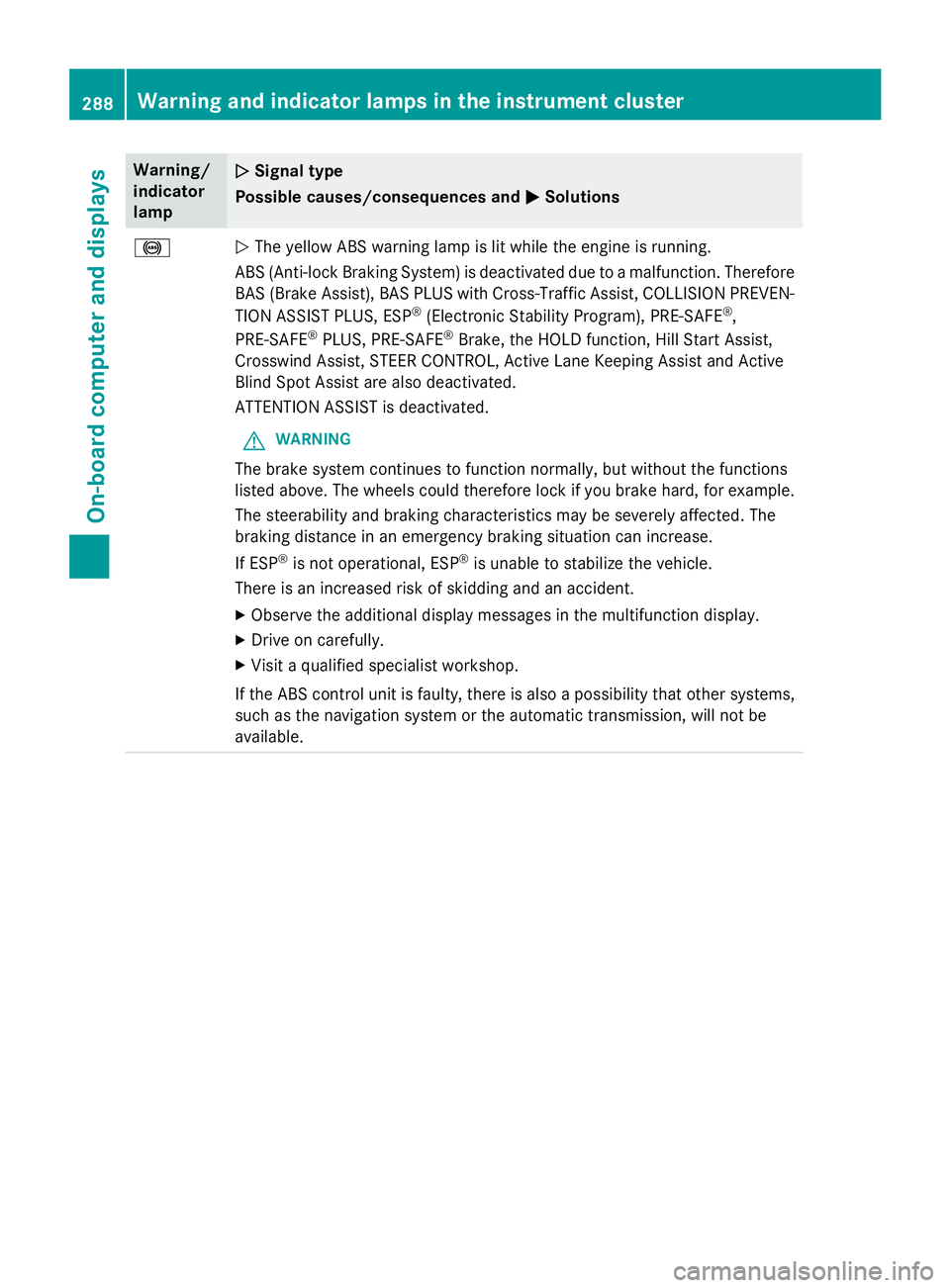
!NThe yellow ABS warning lamp is lit while the engine is running.
ABS (Anti-lock Braking System) is deactivated due to a malfunction. Therefore
BAS (Brake Assist), BAS PLUS with Cross-Traffic Assist, COLLISION PREVEN-
TION ASSIST PLUS, ESP
®(Electronic Stability Program), PRE‑SAFE®,
PRE‑SAFE®PLUS, PRE‑SAFE®Brake, the HOLD function, Hill Start Assist,
Crosswind Assist, STEER CONTROL, Active Lane Keeping Assist and Active
Blind Spot Assist are also deactivated.
ATTENTION ASSIST is deactivated.
GWARNING
The brake system continues to function normally, but without the functions
listed above. The wheels could therefore lock if you brake hard, for example.
The steerability and braking characteristics may be severely affected. The
braking distance in an emergency braking situation can increase.
If ESP
®is not operational, ESP®is unable to stabilize the vehicle.
There is an increased risk of skidding and an accident.
XObserve the additional display messages in the multifunction display.
XDrive on carefully.
XVisit a qualified specialist workshop.
If the ABS control unit is faulty, there is also a possibility that other systems,
such as the navigation system or the automatic transmission, will not be
available.
288Warning and indicator lamps in the instrument cluster
On-board computer and displays
Page 291 of 410
Warning/
indicator
lampNSignal type
Possible causes/consequences and M
Solutions
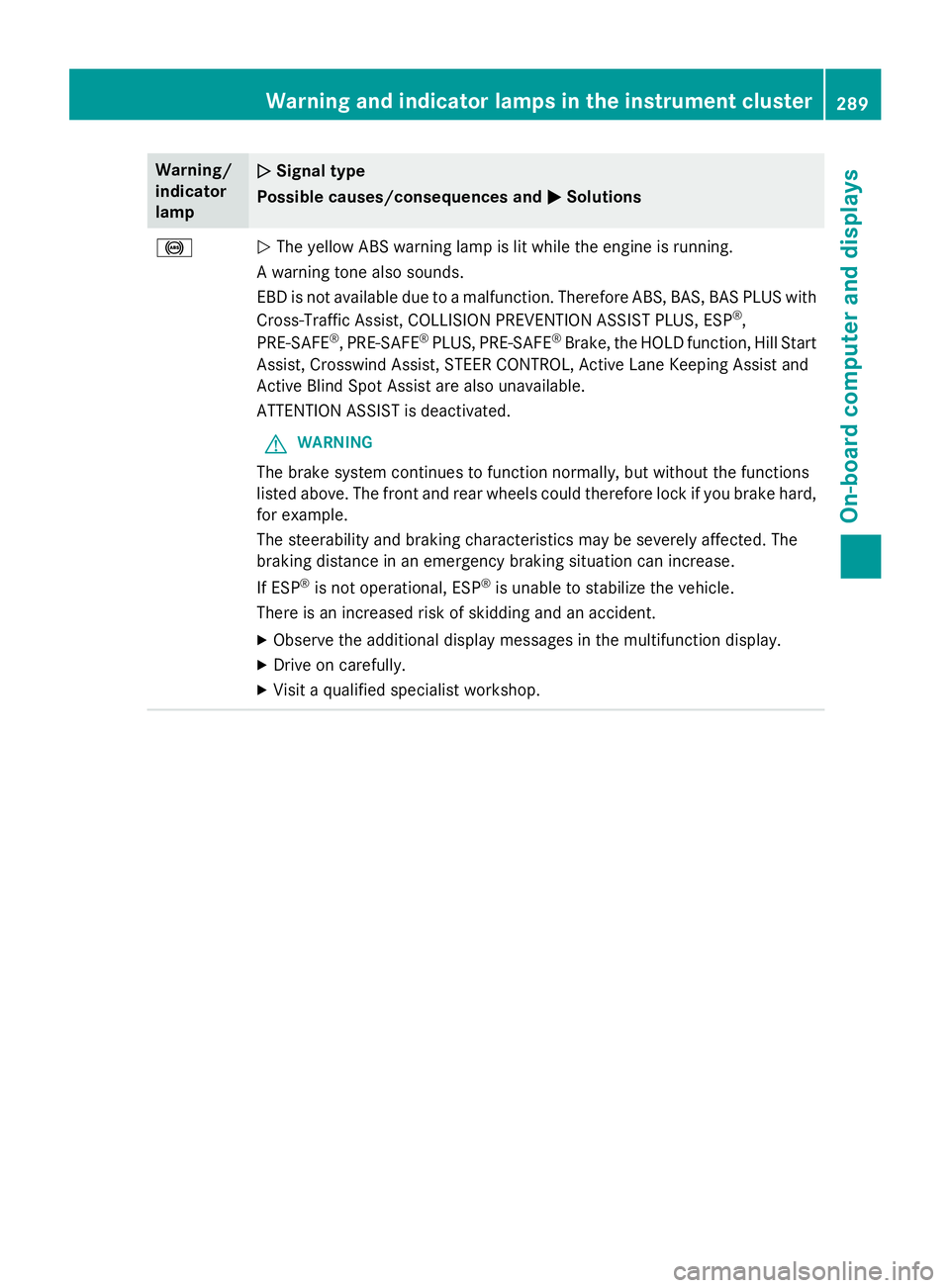
!NThe yellow ABS warning lamp is lit while the engine is running.
A warning tone also sounds.
EBD is not available due to a malfunction. Therefore ABS, BAS, BAS PLUS with
Cross-Traffic Assist, COLLISION PREVENTION ASSIST PLUS, ESP
®,
PRE‑SAFE®, PRE‑SAFE®PLUS, PRE‑SAFE®Brake, the HOLD function, Hill Start
Assist, Crosswind Assist, STEER CONTROL, Active Lane Keeping Assist and
Active Blind Spot Assist are also unavailable.
ATTENTION ASSIST is deactivated.
GWARNING
The brake system continues to function normally, but without the functions
listed above. The front and rear wheels could therefore lock if you brake hard,
for example.
The steerability and braking characteristics may be severely affected. The
braking distance in an emergency braking situation can increase.
If ESP
®is not operational, ESP®is unable to stabilize the vehicle.
There is an increased risk of skidding and an accident.
XObserve the additional display messages in the multifunction display.
XDrive on carefully.
XVisit a qualified specialist workshop.
Warning and indicator lamps in the instrument cluster289
On-board computer and displays
Z
Page 292 of 410
Warning/
indicator
lampNSignal type
Possible causes/consequences and M
Solutions
$J
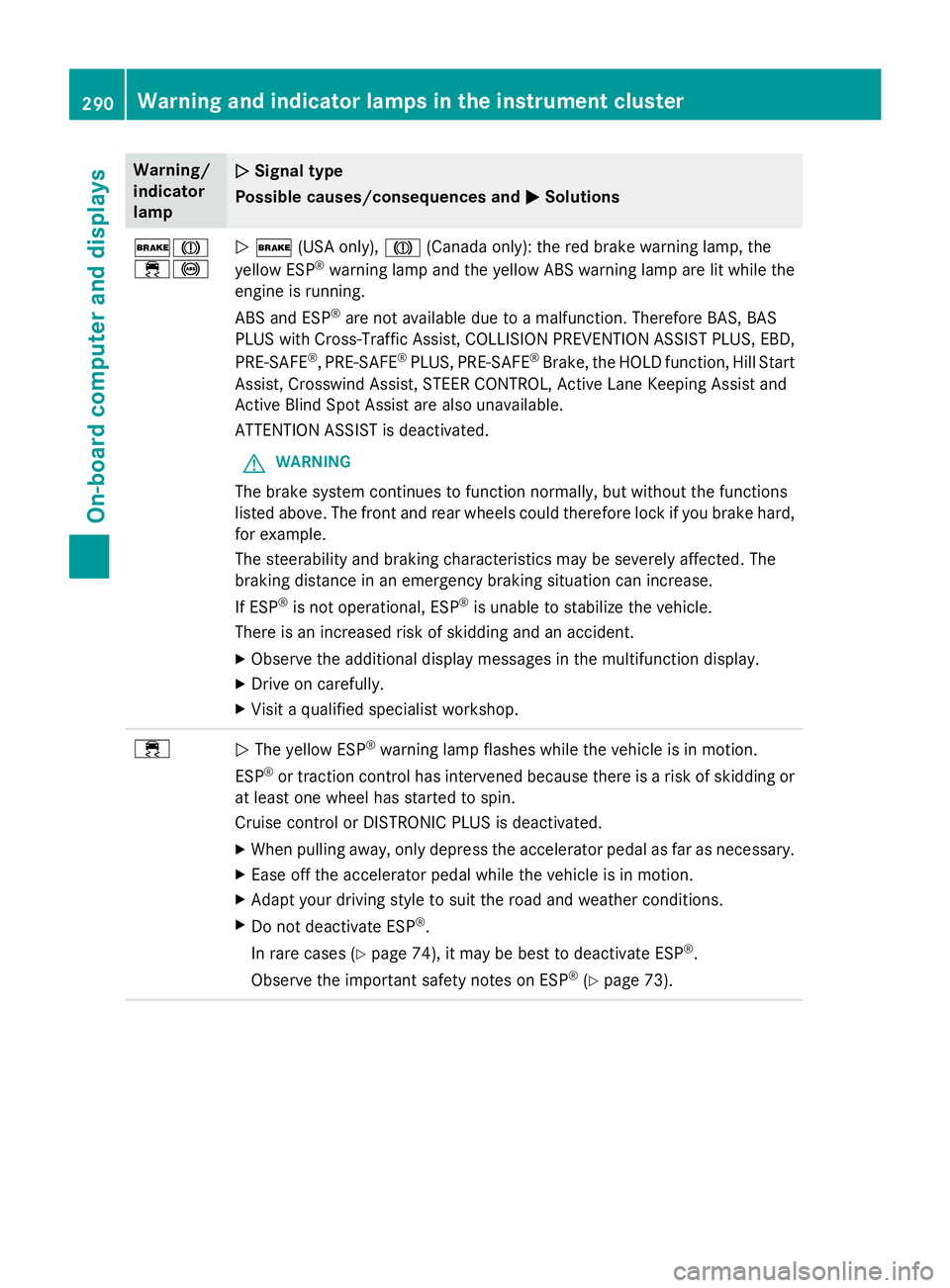
÷!N$ (USA only), J(Canada only): the red brake warning lamp, the
yellow ESP®warning lamp and the yellow ABS warning lamp are lit while the
engine is running.
ABS and ESP
®are not available due to a malfunction. Therefore BAS, BAS
PLUS with Cross-Traffic Assist, COLLISION PREVENTION ASSIST PLUS, EBD,
PRE‑SAFE
®, PRE‑SAFE®PLUS, PRE‑SAFE®Brake, the HOLD function, Hill Start
Assist, Crosswind Assist, STEER CONTROL, Active Lane Keeping Assist and
Active Blind Spot Assist are also unavailable.
ATTENTION ASSIST is deactivated.
GWARNING
The brake system continues to function normally, but without the functions
listed above. The front and rear wheels could therefore lock if you brake hard,
for example.
The steerability and braking characteristics may be severely affected. The
braking distance in an emergency braking situation can increase.
If ESP
®is not operational, ESP®is unable to stabilize the vehicle.
There is an increased risk of skidding and an accident.
XObserve the additional display messages in the multifunction display.
XDrive on carefully.
XVisit a qualified specialist workshop.
÷N The yellow ESP®warning lamp flashes while the vehicle is in motion.
ESP
®or traction control has intervened because there is a risk of skidding or
at least one wheel has started to spin.
Cruise control or DISTRONIC PLUS is deactivated.
XWhen pulling away, only depress the accelerator pedal as far as necessary.
XEase off the accelerator pedal while the vehicle is in motion.
XAdapt your driving style to suit the road and weather conditions.
XDo not deactivate ESP®.
In rare cases (
Ypage 74), it may be best to deactivate ESP®.
Observe the important safety notes on ESP
®(Ypage 73).
290Warning and indicator lamps in the instrument cluster
On-board computer and displays
Page 311 of 410
This is indicated by the flashing indicator
lamps in the button. The cooling function will
automatically switch back on as soon as there
is sufficient voltage.
Caring for the coolbox
If you do not need to use the coolbox for an
extended period you should switch it off,
defrost it and clean it. After doing so, leave
the lid open for a time.
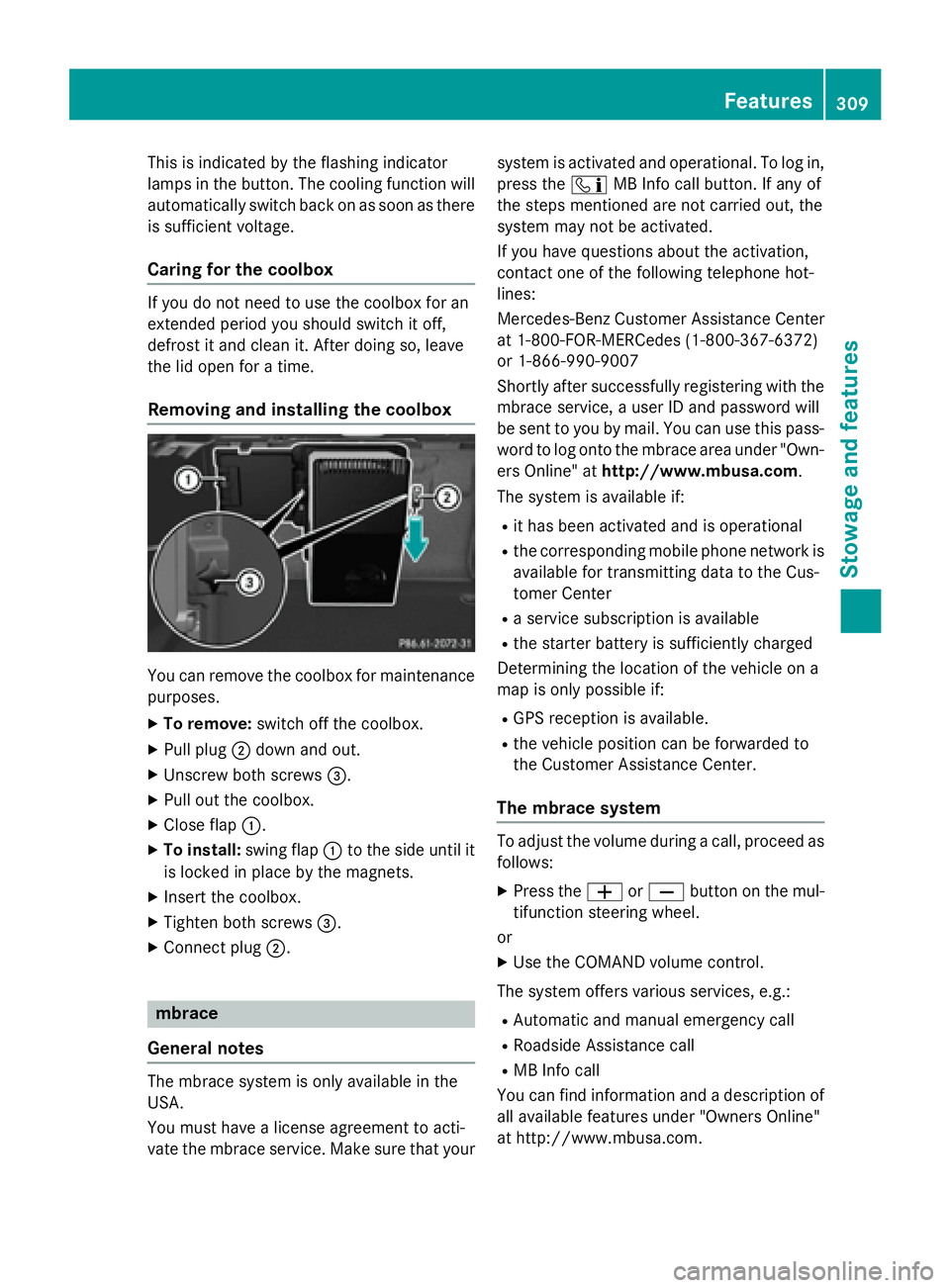
Removing and installing the coolbox
You can remove the coolbox for maintenance
purposes.
XTo remove: switch off the coolbox.
XPull plug;down and out.
XUnscrew both screws =.
XPull out the coolbox.
XClose flap:.
XTo install: swing flap:to the side until it
is locked in place by the magnets.
XInsert the coolbox.
XTighten both screws =.
XConnect plug;.
mbrace
General notes
The mbrace system is only available in the
USA.
You must have a license agreement to acti-
vate the mbrace service. Make sure that your system is activated and operational. To log in,
press the
ïMB Info call button. If any of
the steps mentioned are not carried out, the
system may not be activated.
If you have questions about the activation,
contact one of the following telephone hot-
lines:
Mercedes-Benz Customer Assistance Center
at 1-800-FOR-MERCedes (1-800-367-6372)
or 1-866-990-9007
Shortly after successfully registering with the
mbrace service, a user ID and password will
be sent to you by mail. You can use this pass-
word to log onto the mbrace area under "Own-
ers Online" at http://www.mbusa.com.
The system is available if:
Rit has been activated and is operational
Rthe corresponding mobile phone network is
available for transmitting data to the Cus-
tomer Center
Ra service subscription is available
Rthe starter battery is sufficiently charged
Determining the location of the vehicle on a
map is only possible if:
RGPS reception is available.
Rthe vehicle position can be forwarded to
the Customer Assistance Center.
The mbrace system
To adjust the volume during a call, proceed as
follows:
XPress the WorX button on the mul-
tifunction steering wheel.
or
XUse the COMAND volume control.
The system offers various services, e.g.:
RAutomatic and manual emergency call
RRoadside Assistance call
RMB Info call
You can find information and a description of
all available features under "Owners Online"
at http://www.mbusa.com.
Features309
Stowage and features
Z
Page 314 of 410
If a mobile phone network and GPS reception
are available, the system transfers data to the
Mercedes-Benz Customer Assistance Center,
for example:
Rcurrent location of the vehicle
Rvehicle identification number
The COMAND display indicates that a call is
active. During the call, you can change to the
navigation menu by pressing the NAVI button
on COMAND, for example.
Voice output is not available in this case.
A voice connection is established between
the Mercedes-Benz Customer Assistance
Center and the vehicle occupants.
From the remote malfunction diagnosis, the
Mercedes-Benz Customer Assistance Center
can ascertain the nature of the problem
(
Ypage 315).
The Mercedes-Benz Customer Assistance
Center either sends a qualified Mercedes-
Benz technician or makes arrangements for
your vehicle to be transported to the nearest
authorized Mercedes-Benz Center.
You may be charged for services such as
repair work and/or towing.
You can find more information in the separate
mbrace manual.
The system has not been able to initiate a
Roadside Assistance call, if:
Rthe indicator lamp for Roadside Assistance
call button Fis flashing continuously.
Rno voice connection to the Mercedes-Benz
Customer Assistance Center was estab-
lished.
This can occur if the relevant mobile phone
network is not available, for example.
The Call Failed
message appears in the
multifunction display.
XTo end a call: press the~button on the
multifunction steering wheel.
or
XPress the corresponding COMAND button
for ending a phone call.
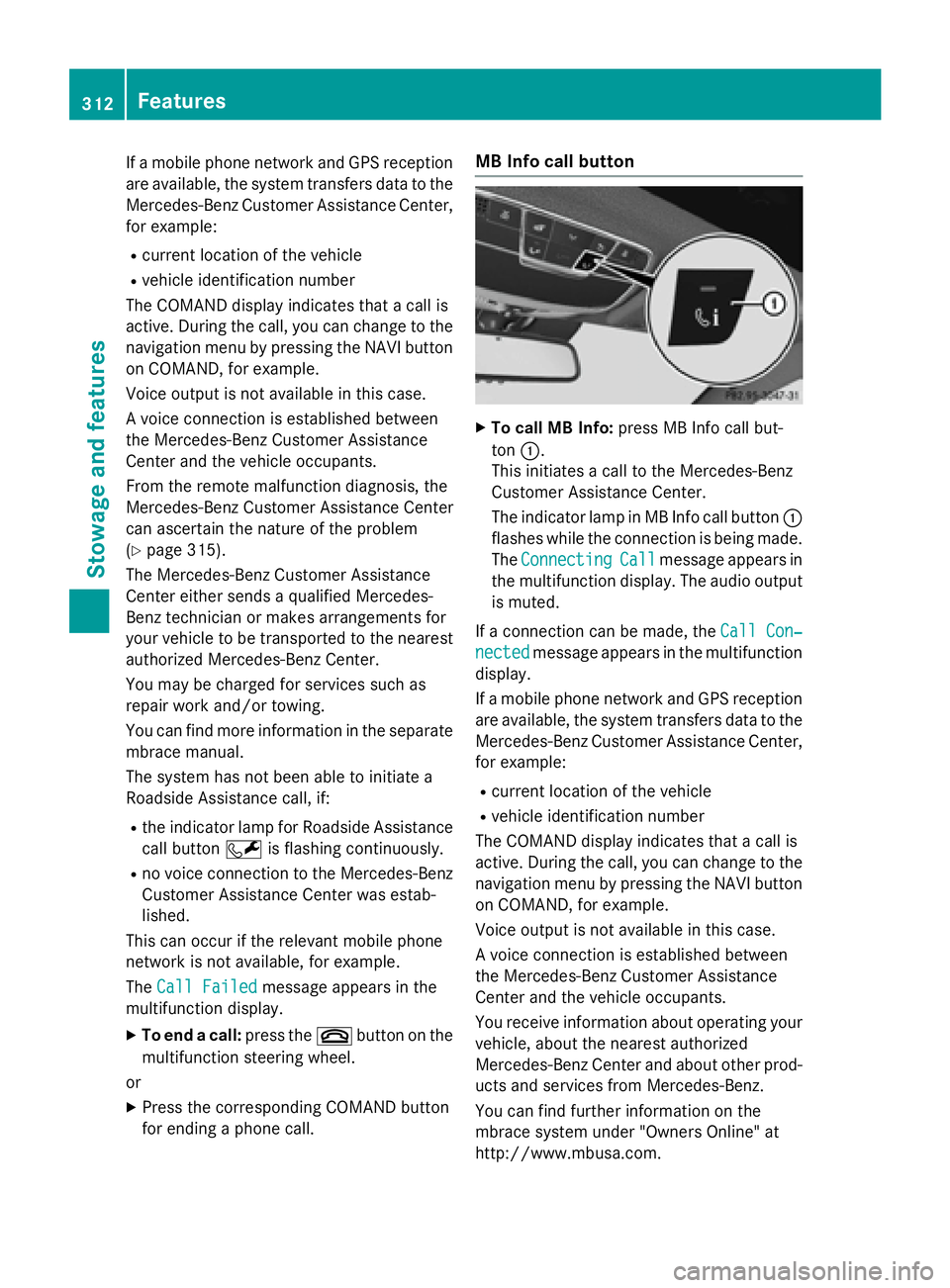
MB Info call button
XTo call MB Info: press MB Info call but-
ton :.
This initiates a call to the Mercedes-Benz
Customer Assistance Center.
The indicator lamp in MB Info call button :
flashes while the connection is being made.
The Connecting
Callmessage appears in
the multifunction display. The audio output
is muted.
If a connection can be made, the Call Con‐
nectedmessage appears in the multifunction
display.
If a mobile phone network and GPS reception
are available, the system transfers data to the
Mercedes-Benz Customer Assistance Center,
for example:
Rcurrent location of the vehicle
Rvehicle identification number
The COMAND display indicates that a call is
active. During the call, you can change to the
navigation menu by pressing the NAVI button
on COMAND, for example.
Voice output is not available in this case.
A voice connection is established between
the Mercedes-Benz Customer Assistance
Center and the vehicle occupants.
You receive information about operating your
vehicle, about the nearest authorized
Mercedes-Benz Center and about other prod-
ucts and services from Mercedes-Benz.
You can find further information on the
mbrace system under "Owners Online" at
http://www.mbusa.com.
312Features
Stowage and features
Page 315 of 410
The system has not been able to initiate an
MB Info call, if:
Rthe indicator lamp in MB Info call button
ïis flashing continuously.
Rno voice connection to the Mercedes-Benz
Customer Assistance Center was estab-
lished.
This can occur if the relevant mobile phone
network is not available, for example.
The Call Failed
message appears in the
multifunction display.
XTo end a call: press the~button on the
multifunction steering wheel.
or
XPress the corresponding COMAND button
for ending a phone call.
Call priority
When service calls are active, e.g. Roadside
Assistance or MB Info calls, an emergency
call can still be initiated. In this case, an emer-
gency call will take priority and override all
other active calls.
The indicator lamp of the respective button
flashes until the call is ended.
An emergency call can only be terminated by the Mercedes-Benz Customer Assistance
Center.
All other calls can be ended by pressing:
Rthe ~ button on the multifunction steer-
ing wheel
Rthe corresponding button in COMAND to
end the voice call
When a call is initiated, the audio system is
muted.
The mobile phone is no longer connected to
COMAND.
However, if you want to use your mobile
phone, do so only when the vehicle is station-
ary and in a safe location.
Downloading destinations
Downloading destinations
Downloading destinations gives you access
to a database with over 15 million points of
interest (POIs). These can be downloaded on
the navigation system in your vehicle. If you
know the destination, the address can be
downloaded. Alternatively, you can obtain the
location of Points of Interest (POIs)/impor-
tant destinations in the vicinity.
Furthermore, you can download routes with
up to four way points.
You are prompted to confirm route guidance
to the address entered.
XSelect Yesby turning 3or sliding 1
the controller and confirm with 7.
The system calculates the route and sub-
sequently starts the route guidance with
the address entered.
If you select No
the address can be stored in
the address book.
The destination download function is availa-
ble if:
Rthe vehicle is equipped with a navigation
system.
Rthe relevant mobile phone network is avail- able and data transfer is possible.
Route Assistance
This service is part of the mbrace PLUS Pack-
age and cannot be purchased separately.
You can use the route assistance function
even if the vehicle is not equipped with a nav-
igation system.
Within the framework of this service, you
receive a professional and reliable form of
navigation support without having to leave
your vehicle.
The customer service representative finds a
suitable route depending on your vehicle's
current position and the desired destination.
You will then be guided live through the cur-
rent route section.
Features313
Stowage and features
Z