wheel MERCEDES-BENZ S-COUPE 2016 Repair Manual
[x] Cancel search | Manufacturer: MERCEDES-BENZ, Model Year: 2016, Model line: S-COUPE, Model: MERCEDES-BENZ S-COUPE 2016Pages: 410, PDF Size: 8.62 MB
Page 193 of 410
braking in good time and for staying in your
lane.
DISTRONIC PLUS with Steering Assist and
Stop&Go Pilot does not detect road and traf-
fic conditions. If you are following a vehicle
which is driving towards the edge of the road,
your vehicle could come into contact with the
curb or other road boundaries. Be particularly
aware of other road users, e.g. cyclists, that
are directly next to your vehicle.
Obstacles such as building site huts on the
lane or projecting out into the lane are not
detected.
An inappropriate steering intervention, e.g.
after intentionally driving over a lane marking,can be corrected at any time if you steer
slightly in the opposite direction.
DISTRONIC PLUS with Steering Assist and
Stop&Go Pilot cannot continuously keep your
vehicle in lane. In some cases, the steering
intervention is not sufficient to bring the vehi-
cle back to the lane. In such cases, you must
steer the vehicle yourself to ensure that it
does not leave the lane.
The support provided by the system can be
impaired if:
Rthere is poor visibility, e.g. due to insuffi-
cient illumination of the road, or due to
snow, rain, fog or spray
Rthere is glare, e.g. from oncoming traffic,
the sun or reflections (e.g. when the road
surface is wet)
Rthe windshield is dirty, fogged up, damaged or covered, for instance by a sticker, in the
vicinity of the camera
Rthere are no, several or unclear lane mark-
ings for a lane, e.g. in areas with road con-
struction work
Rthe lane markings are worn away, dark or
covered up, e.g. by dirt or snow
Rthe distance to the vehicle in front is too
small and the lane markings thus cannot be
detected
Rthe lane markings change quickly, e.g.
lanes branch off, cross one another or
merge
Rthe road is narrow and winding
Rthere are strong shadows cast on the road
The system is switc hed t
o passive and no lon-
ger assists you by performing steering inter-
ventions if:
Ryou actively change lane
Ryou switch on the turn signal
Rtake your hands off the steering wheel or do
not steer for a prolonged period of time
iSteering Assist and Stop&Go Pilot are
activated again automatically after a lane
change is completed.
Steering Assist and Stop&Go Pilot do not pro-
vide any support:
Ron very sharp corners
Rwhen a loss of tire pressure or a defective
tire has been detected and displayed
Pay attention also to the important safety
notes for DISTRONIC PLUS (
Ypage 182).
The steering interventions are carried out
with a limited steering moment. The system
requires the driver to keep his hands on the
steering wheel and to steer himself.
If you do not steer yourself or if you take your hands off the steering wheel for a prolonged
period of time, the system will first alert you
with a visual warning. A steering wheel sym-
bol appears in the multifunction display. If you
have still not started to steer and have not
taken hold of the steering wheel after five
seconds at the latest, a warning tone also
sounds to remind you to take control of the
vehicle. Steering Assist and Stop&Go Pilot are
switched to passive. DISTRONIC PLUS
remains active.
Driving systems191
Driving and parking
Z
Page 194 of 410
Activating Steering Assist and Stop&Go
Pilot
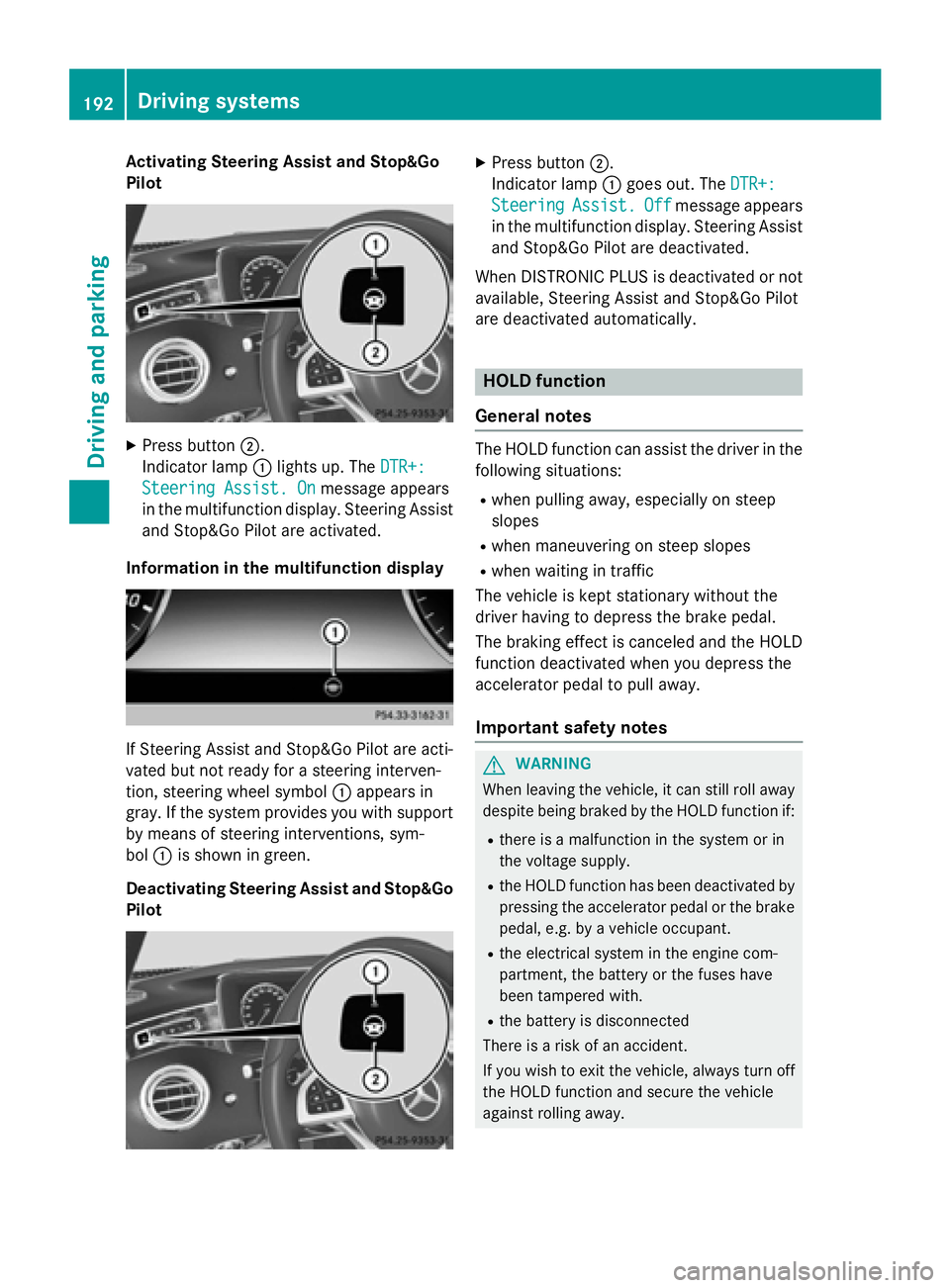
XPress button ;.
Indic ator lamp :lights up. The DTR+:
Steering Assist. Onmessage appears
in the multifunction display. Steering Assist
and Stop&Go Pilot are activated.
Infor mation in the multifunction display
If St eering Assist and Stop&Go Pilot are act i-
vated but not ready for a steering interven-
tion, steering wheel symbol :appears in
gray. Ifthe system provides you with support
by means of steering interventions, sym-
bol :isshown in green.
Deactivating Steering Assist and Stop& Go
Pilot
XPress button ;.
In dicator lamp :goes out. The DTR+:
SteeringAssist.Offmessage appears
in the multifunction display. Steering Assist
and Stop&Go Pilot are deactivate d.
When DI STRONIC PLUS isdeactivated or not
available, Steering Assist and Stop&Go Pilot
are deactivated automatically.
HOLD function
General notes
The HOLD function can assist the driverinthe
fol lowin g situations:
Rwhen pulling away, especial lyon steep
slopes
Rwhen maneuvering on steep slopes
Rwhen waitingintraff ic
The vehicle iske pt stationary without the
driver having to depress the brake pedal.
The braking effect iscanceled and the HOLD
function deactivated when you depress the
accelerator pedal to pullaway.
Important safety notes
GWARNIN G
When leaving th evehicle, it can still rol laway
despite bein gbraked by th eHOLD function if:
Rthere is amalfunctio nin th esystem or in
th evoltag esupply.
Rth eHOLD function has been deactivate dby
pressin gth eaccelerato rpedal or th ebrak e
pedal, e.g. by avehicl eoccupant .
Rtheelectrical system in th eengin ecom-
partment, th ebattery or th efuse shave
been tampered with.
Rth ebattery is disconnected
Ther eis aris kof an accident.
If you wish to exit th evehicle, always tur noff
th eHOLD function and secure th evehicl e
against rollin gaway.
192Driving systems
Driving and parking
Page 196 of 410
If a malfunction in the electric parking brake
occurs, then the transmission may also be
shifted into positionPautomatically.
MAGIC BODY CONTROL
General notes
MAGIC BODY CONTROL consists of Active
Body Control (ABC), ROAD SURFACE SCAN,
the CURVE cornering function as well as auto-
matic vehicle stabilization in the event of a
crosswind.
Your vehicle automatically adjusts its ride
height to reduce fuel consumption. The sus-
pension mode is adjusted according to your
selection (SPORT, COMFORT or CURVE), the
road surface conditions and the vehicle load.
A multifunction camera detects bumps in the
road surface before the vehicle drives over
them. This reduces chassis movements.
Important safety notes
GWARNING
When the vehicle is being lowered, people
could become trapped if their limbs are
between the vehicle body and the wheels or
underneath the vehicle. There is a risk of
injury.
Make sure no one is underneath the vehicle or
in the immediate vicinity of the wheel arches
when the vehicle is being lowered.
!The vehicle is lowered when the engine is
switched off. When parking, position your
vehicle so that it does not make contact
with the curb as the vehicle is lowered. Your
vehicle could otherwise be damaged.
Crosswind Assist
The crosswind stabilization operates by
changing wheel loads through distortion of
the ABC spring struts. It reduces impairments
in handling when driving in a straight line and
assists during countersteering. Crosswind Assist is active in the speed range
between 50 mph (80 km/h) and
130 mph (210 km/h) when driving straight
ahead or cornering gently.
Active Body Control ABC
Vehicle level
All vehicles except AMG vehicles:
depend-
ing on the vehicle level that has been set, the
vehicle automatically adjusts its height
dependent on the current speed. The vehicle
is lowered by up to 0.6 in (15 mm) as the
speed increases. As the speed is reduced, the
vehicle is raised up to the set vehicle height.
In the event of poor road surface conditions,
the vehicle automatically raises by up to 0.4 in
(10 mm) and harder damping is selected.
AMG vehicles: depending on the vehicle
level that has been selected, the vehicle auto-
matically adjusts its height dependent on the current speed. The vehicle is lowered by up to
0.4 in (10 mm) below the normal level as thespeed increases. As the speed is reduced, the
vehicle is raised up to the set vehicle height.
Select the "Normal" setting for normal road
conditions and "Raised" for driving with snow
chains or in particularly poor road conditions.
Your selection remains stored even if you
remove the SmartKey from the ignition lock.
The "Raised level" setting is canceled if you:
Rare driving faster than approximately
75 mph (120 km/h).
Rdrive for approximately three minutes at a
speed over 50 mph (80 km/h).
194Driving systems
Driving and parking
Page 197 of 410
While driving, the raised level can only be
selected at speeds of under
75 mph (120 km/h).
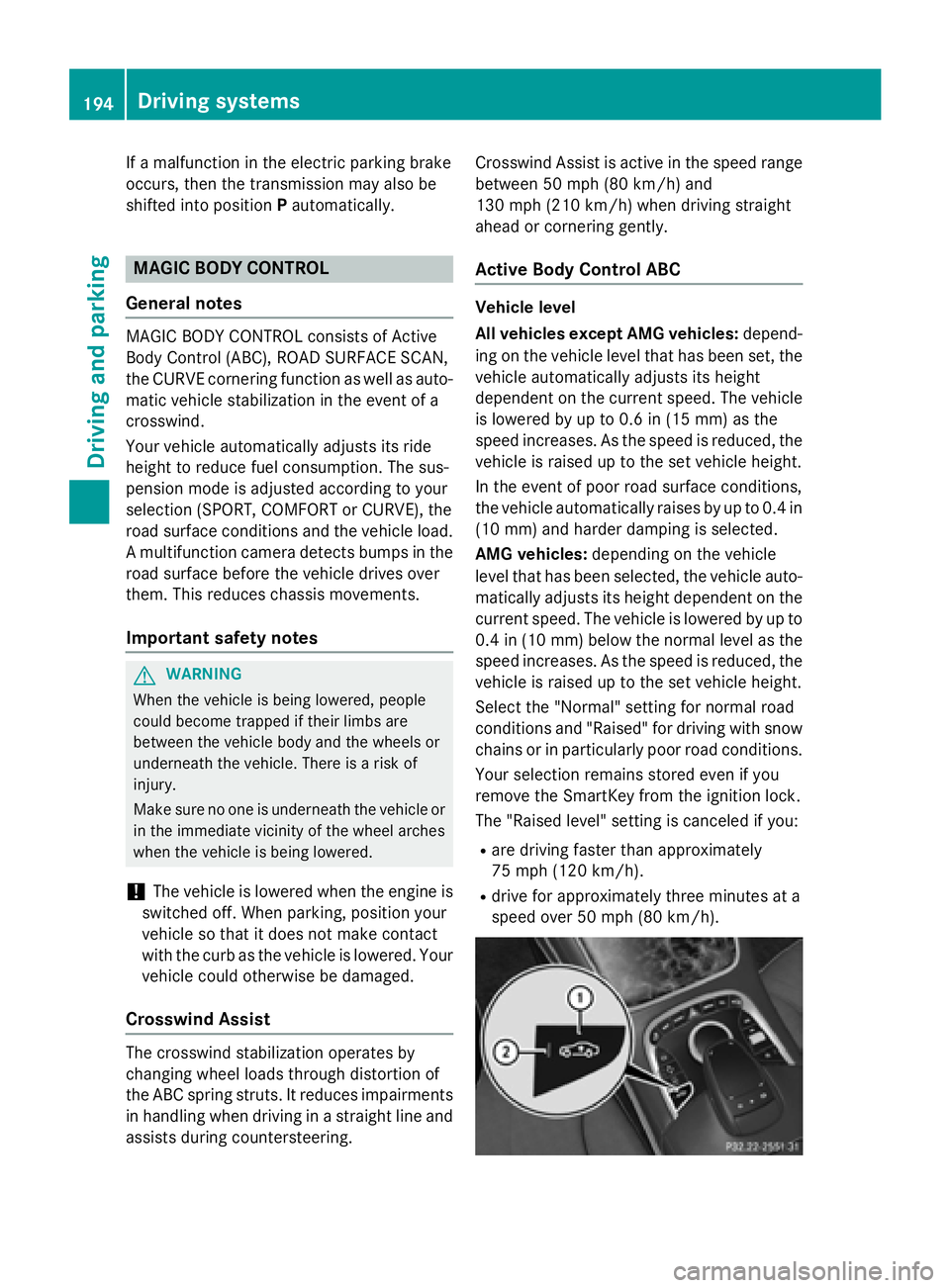
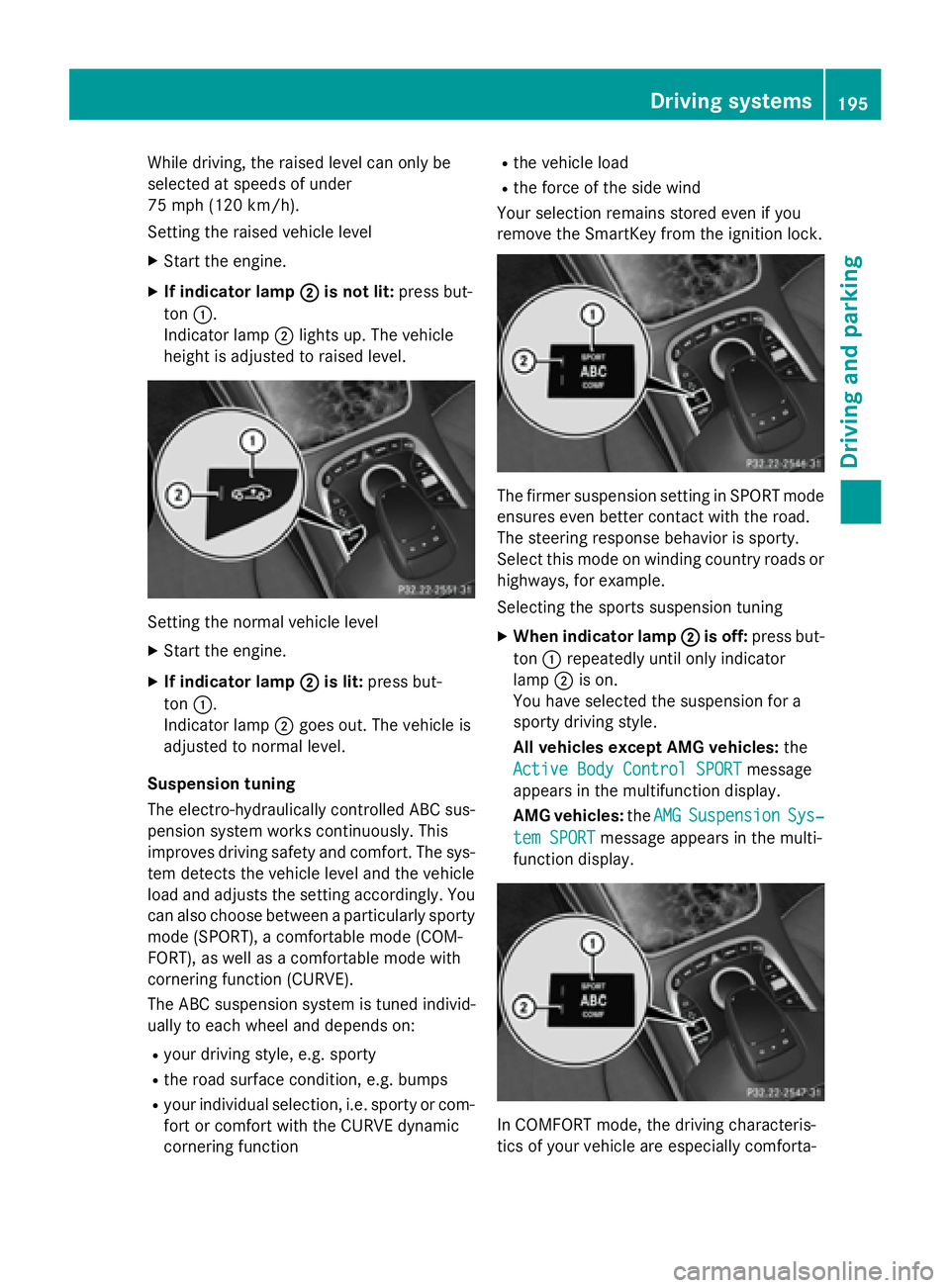
Setting the raised vehicle level
XStart the engine.
XIf indicator lamp ;is not lit:press but-
ton :.
Indicator lamp ;lights up. The vehicle
height is adjusted to raised level.
Setting the normal vehicle level
XStart the engine.
XIf indicator lamp ;is lit:press but-
ton :.
Indicator lamp ;goes out. The vehicle is
adjusted to normal level.
Suspension tuning
The electro-hydraulically controlled ABC sus-
pension system works continuously. This
improves driving safety and comfort. The sys-
tem detects the vehicle level and the vehicle
load and adjusts the setting accordingly. You
can also choose between a particularly sporty
mode (SPORT), a comfortable mode (COM-
FORT), as well as a comfortable mode with
cornering function (CURVE).
The ABC suspension system is tuned individ-
ually to each wheel and depends on:
Ryour driving style, e.g. sporty
Rthe road surface condition, e.g. bumps
Ryour individual selection, i.e. sporty or com-
fort or comfort with the CURVE dynamic
cornering function
Rthe vehicle load
Rthe force of the side wind
Your selection remains stored even if you
remove the SmartKey from the ignition lock.
The firmer suspension setting in SPORT mode
ensures even better contact with the road.
The steering response behavior is sporty.
Select this mode on winding country roads or
highways, for example.
Selecting the sports suspension tuning
XWhen indicator lamp ;is off:press but-
ton :repeatedly until only indicator
lamp ;is on.
You have selected the suspension for a
sporty driving style.
All vehicles except AMG vehicles: the
Active Body Control SPORT
message
appears in the multifunction display.
AMG vehicles: theAMG
SuspensionSys‐
tem SPORTmessage appears in the multi-
function display.
In COMFORT mode, the driving characteris-
tics of your vehicle are especially comforta-
Driving systems195
Driving and parking
Z
Page 199 of 410
Rthe windshield is dirty, fogged up or cov-
ered, for instance by a sticker, in the vicinity
of the camera
Rthe road surface has no texture or is reflec-
tive, e.g. in the case of newly laid asphalt,
concrete slabs or puddles
Rthe distance to the vehicle in front is too
short
Rsections of the route have a very small
radius of curvature
Ryou accelerate hard or brake sharply
AIRMATIC
General notes
AIRMATIC is an air suspension with variable
damping for improved driving comfort. All-
round level control ensures the best possible
suspension and constant ground clearance,
even with a laden vehicle. When you drive
fast, the vehicle is lowered automatically to
improve driving safety and to reduce fuel con-
sumption. There is also the option to manually
adjust the vehicle level. AIRMATIC consists of
level setting, level control and the Adaptive
Damping System ADS PLUS.
Important safety notes
GWARNING
When the vehicle is being lowered, people
could become trapped if their limbs are
between the vehicle body and the wheels or
underneath the vehicle. There is a risk of
injury.
Make sure no one is underneath the vehicle or
in the immediate vicinity of the wheel arches
when the vehicle is being lowered.
Vehicle level
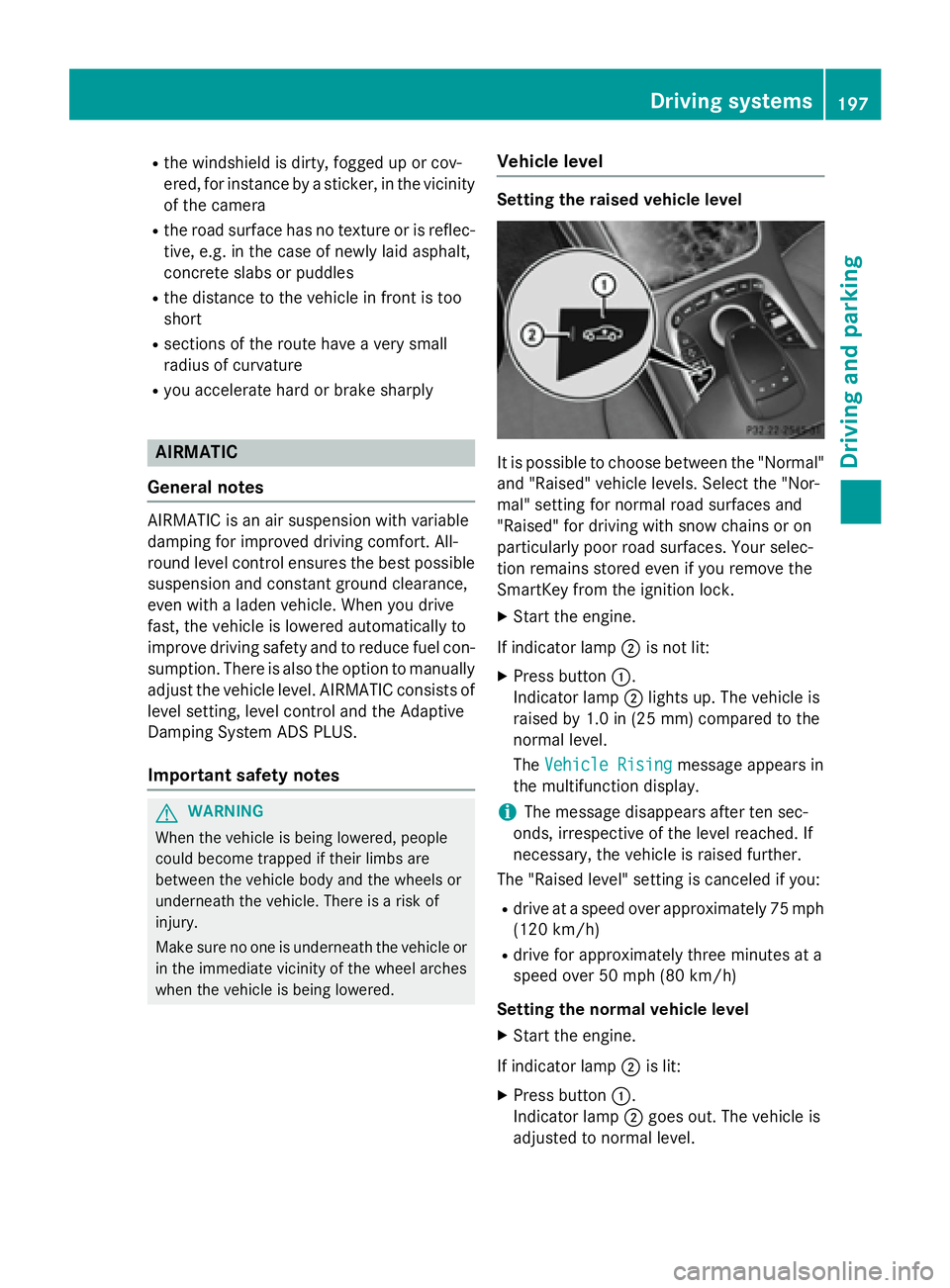
Setting the raised vehicle level
It is possible to choose between the "Normal"
and "Raised" vehicle levels. Select the "Nor-
mal" setting for normal road surfaces and
"Raised" for driving with snow chains or on
particularly poor road surfaces. Your selec-
tion remains stored even if you remove the
SmartKey from the ignition lock.
XStart the engine.
If indicator lamp ;is not lit:
XPress button :.
Indicator lamp ;lights up. The vehicle is
raised by 1.0 in (25 mm) compared to the
normal level.
The Vehicle Rising
message appears in
the multifunction display.
iThe message disappears after ten sec-
onds, irrespective of the level reached. If
necessary, the vehicle is raised further.
The "Raised level" setting is canceled if you:
Rdrive at a speed over approximately 75 mph
(120 km/h)
Rdrive for approximately three minutes at a
speed over 50 mph (80 km/h)
Setting the normal vehicle level
XStart the engine.
If indicator lamp ;is lit:
XPress button :.
Indicator lamp ;goes out. The vehicle is
adjusted to normal level.
Driving system s197
Driving an d parking
Z
Page 200 of 410
Suspension tuning
General notes
The Adaptive Damping System ADS PLUS
automatically controls the calibration of the
dampers.
The damping is tuned individually to each
wheel and depends on:
Ryour driving style, e.g. sporty
Rthe road surface condition, e.g. bumps
Ryour individual selection, i.e. sports or com-
fort
Your selection remains stored even if you
remove the SmartKey from the ignition lock.
iYou can choose between the sporty and
comfortable mode. One of the two modes is
always active.
Sports tuning
The firmer suspension tuning in sport mode
ensures the best possible contact with the
road. Select this mode when employing a
sporty driving style, e.g. on winding country
roads.
All vehicles except AMG vehicles:
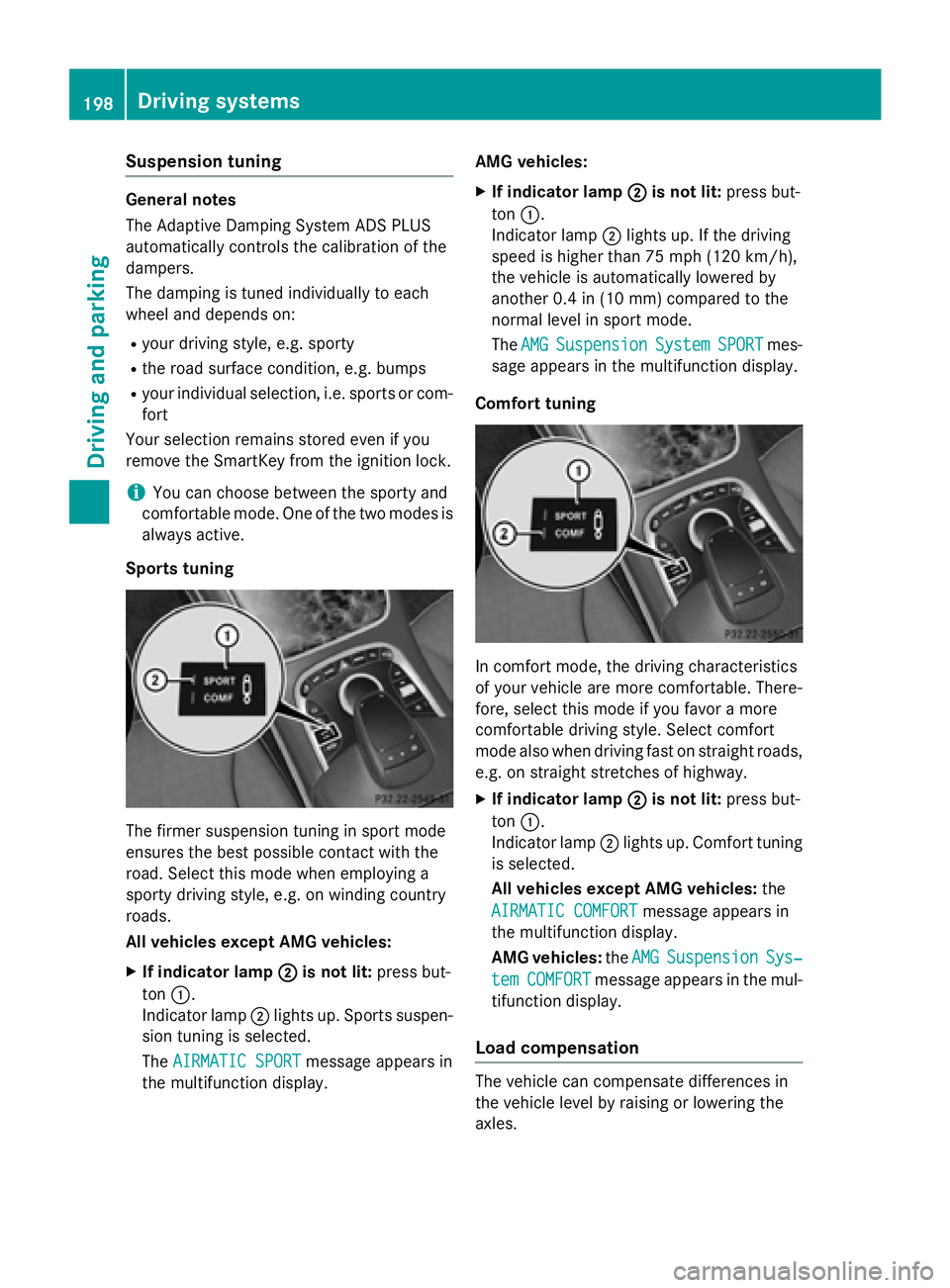
XIf indicator lamp ;is not lit:press but-
ton :.
Indicator lamp ;lights up. Sports suspen-
sion tuning is selected.
The AIRMATIC SPORT
message appears in
the multifunction display. AMG vehicles:
XIf indicator lamp
;is not lit:press but-
ton :.
Indicator lamp ;lights up. If the driving
speed is higher than 75 mph (120 km/h) ,
the vehicle is automatically lowered by
another 0.4 in (10 mm) compared to the
normal level in sport mode.
The AMG
SuspensionSystemSPORTmes-
sage appears in the multifunction display.
Comfort tuning
In comfort mode, the driving characteristics
of your vehicle are more comfortable. There-
fore, select this mode if you favor a more
comfortable driving style. Select comfort
mode also when driving fast on straight roads,
e.g. on straight stretches of highway.
XIf indicator lamp ;is not lit:press but-
ton :.
Indicator lamp ;lights up. Comfort tuning
is selected.
All vehicles except AMG vehicles: the
AIRMATIC COMFORT
message appears in
the multifunction display.
AMG vehicles: theAMG
SuspensionSys‐
temCOMFORTmessage appears in the mul-
tifunction display.
Load compensation
The vehicle can compensate differences in
the vehicle level by raising or lowering the
axles.
198Driving system s
Driving an d parking
Page 201 of 410
4MATIC (permanent four-wheel drive)
4MATIC ensures that all four wheels are per-
manently driven. Together with ESP®, it
improves the traction of your vehicle when-
ever a drive wheel spins due to insufficient
grip.
If you fail to adapt your driving style, 4MATIC can neither reduce the risk of accident nor
override the laws of physics. 4MATIC cannot
take account of road, weather and traffic con-
ditions. 4MATIC is only an aid. You are
responsible for the distance to the vehicle in
front, for vehicle speed, for braking in good
time and for staying in your lane.
If a drive wheel spins due to insufficient grip:
ROnly depress the accelerator pedal as far as
necessary when pulling away.
RAccelerate less when driving.
!Never tow the vehicle with one axle
raised. This may damage the transfer case. Damage of this sort is not covered by the
Mercedes-Benz Limited Warranty. All
wheels must remain either on the ground or
be fully raised. Observe the instructions fortowing the vehicle with all wheels in full
contact with the ground.
iIn wintry driving conditions, the maximum
effect of 4MATIC can only be achieved if
you use winter tires (M+S tires), with snow
chains if necessary.
PARKTRONIC
Important safety notes
PARKTRONIC is an electronic parking aid with ultrasonic sensors. It monitors the area
around your vehicle using six sensors in the
front bumper and six sensors in the rear
bumper. PARKTRONIC indicates visually and
audibly the distance between your vehicle
and an object.
PARKTRONIC is only an aid. It is not a replace-
ment for your attention to your immediate
surroundings. You are always responsible for safe maneuvering, parking and exiting a park-
ing space. When maneuvering, parking or
pulling out of a parking space, make sure that
there are no persons, animals or objects in
the area in which you are maneuvering.
!When parking, pay particular attention to
objects above or below the sensors, such
as flower pots or trailer drawbars.
PARKTRONIC does not detect such objects
when they are in the immediate vicinity of
the vehicle. You could damage the vehicle
or the objects.
The sensors may not detect snow and other
objects that absorb ultrasonic waves.
Ultrasonic sources such as an automatic
car wash, the compressed-air brakes on a
truck or a pneumatic drill could cause
PARKTRONIC to malfunction.
PARKTRONIC may not function correctly on
uneven terrain.
PARKTRONIC is activated automatically when
you:
Rswitch on the ignition
Rshift the transmission to position D,Ror N
PARKTRONIC is deactivated at speeds above
11 mph (18 km/h). It is reactivated at lower
speeds.
Range of the sensors
General notes
PARKTRONIC does not take objects into con-
sideration that are:
Rbelow the detection range, e.g. people, ani-
mals or objects.
Rabove the detection range, e.g. overhang-
ing loads, truck overhangs or loading
ramps.
Driving systems199
Driving and parking
Z
Page 204 of 410
Problems with PARKTRONIC
ProblemPossible causes/consequences andMSolutions
Only the red segments
in the PARKTRONIC
warning displays are lit.
You also hear a warning
tone for approximately
two seconds.
PARKTRONIC is then
deactivated and the
indicator lamp on the
PARKTRONIC button
lights up.PARKTRONIC has malfunctioned and has switched off.
XIf problems persist, have PARKTRONIC checked at a qualified
specialist workshop.
Only the red segments
in the PARKTRONIC
warning displays are lit.
PARKTRONIC is then
deactivated.The PARKTRONIC sensors are dirty or there is interference.
XClean the PARKTRONIC sensors (Ypage 335).
XSwitch the ignition back on.
The problem may be caused by an external source of radio or
ultrasound waves.
XSee if PARKTRONIC functions in a different location.
Active Parking Assist
General notes
Active Parking Assist is an electronic parking
aid with ultrasound. It measures the road on
both sides of the vehicle. A parking symbol
indicates a suitable parking space. Active
steering intervention and brake application
can assist you during parking and when exit-
ing a parking space. You may also use
PARKTRONIC (
Ypage 199).
Important safety notes
Active Parking Assist is merely an aid. It is not
a replacement for your attention to your
immediate surroundings. You are always
responsible for safe maneuvering, parking
and exiting a parking space. Make sure that
no persons, animals or objects are in the
maneuvering range.
When PARKTRONIC is switched off, Active
Parking Assist is also unavailable.
GWARNING
While parking or pulling out of a parking
space, the vehicle swings out and can drive
onto areas of the oncoming lane. This could
result in a collision with another road user.
There is a risk of an accident.
Pay attention to other road users. Stop the
vehicle if necessary or cancel the Active Park- ing Assist parking procedure.
!If unavoidable, you should drive over
obstacles such as curbs slowly and not at a
sharp angle. Otherwise, you may damage
the wheels or tires.
Active Parking Assist may possibly indicate
parking spaces which are not suitable for
parking, for example:
Rwhere parking or stopping is prohibited
Rin front of driveways or entrances and exits
Ron unsuitable surfaces
202Driving systems
Driving and parking
Page 206 of 410
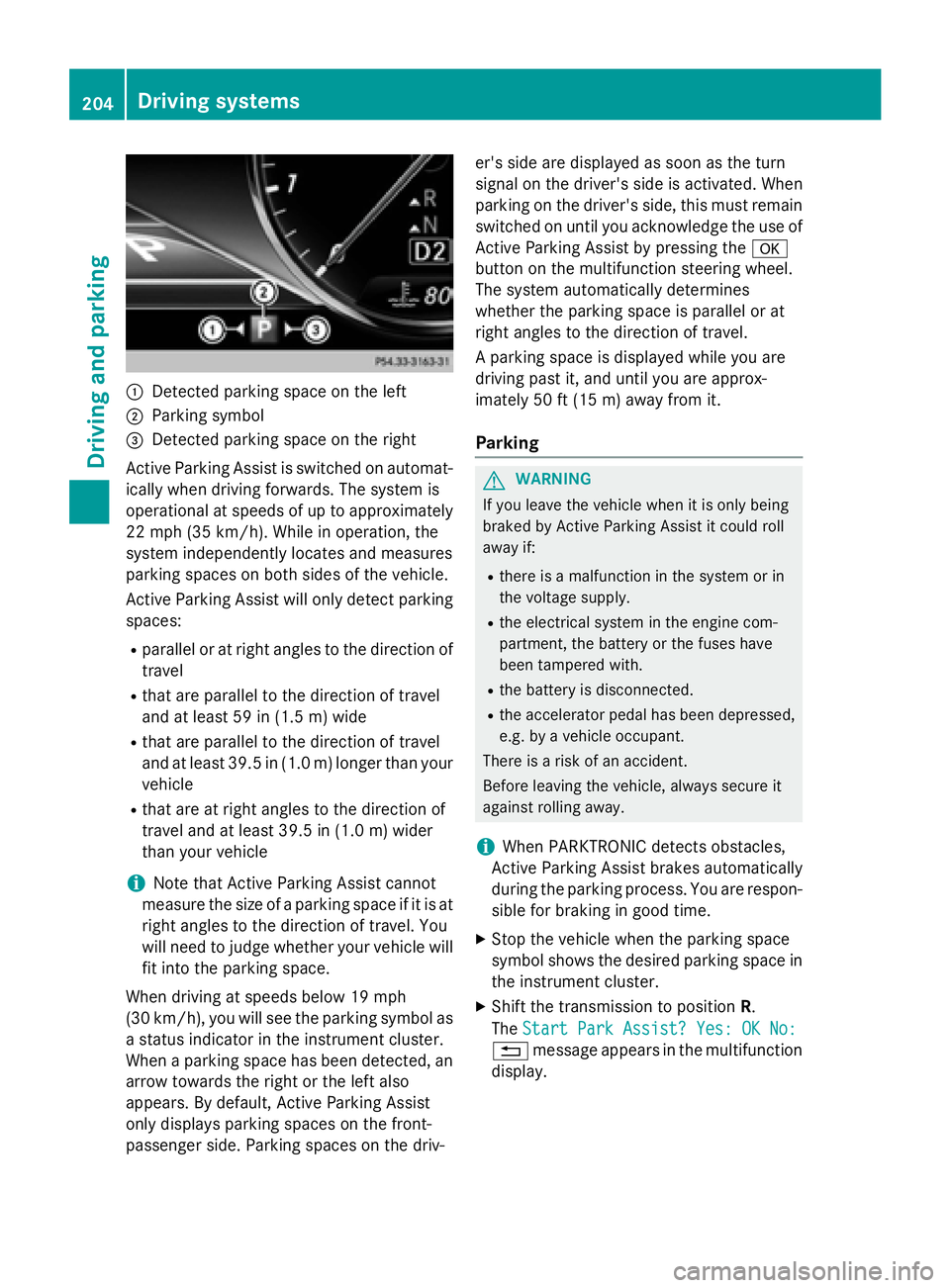
:Detected parking space on the left
;Parking symbol
=Detected parking space on the right
Active Parking Assist is switched on automat-
ically when driving forwards. The system is
operational at speeds of up to approximately
22 mph (35 km/h). While in operation, the
system independently locates and measures
parking spaces on both sides of the vehicle.
Active Parking Assist will only detect parking
spaces:
Rparallel or at right angles to the direction of
travel
Rthat are parallel to the direction of travel
and at least 59 in (1.5 m) wide
Rthat are parallel to the direction of travel
and at least 39.5 in (1.0 m) longer than your
vehicle
Rthat are at right angles to the direction of
travel and at least 39.5 in (1.0 m) wider
than your vehicle
iNote that Active Parking Assist cannot
measure the size of a parking space if it is at
right angles to the direction of travel. You
will need to judge whether your vehicle will
fit into the parking space.
When driving at speeds below 19 mph
(30 km/h), you will see the parking symbol as
a status indicator in the instrument cluster.
When a parking space h
as been detected, an
arrow towards the right or the left also
appears. By default, Active Parking Assist
only displays parking spaces on the front-
passenger side. Parking spaces on the driv- er's side are displayed as soon as the turn
signal on the driver's side is activated. When
parking on the driver's side, this must remain
switched on until you acknowledge the use of
Active Parking Assist by pressing the
a
button on the multifunction steering wheel.
The system automatically determines
whether the parking space is parallel or at
right angles to the direction of travel.
A parking space is displayed while you are
driving past it, and until you are approx-
imately 50 ft (15 m) awayfrom it .
Parking
GWARNING
If you leave the vehicle when it is only being
braked by Active Parking Assist it could roll
away if:
Rthere is a malfunction in the system or in
the voltage supply.
Rthe electrical system in the engine com-
partment, the battery or the fuses have
been tampered with.
Rthe battery is disconnected.
Rthe accelerator pedal has been depressed,
e.g. by a vehicle occupant.
There is a risk of an accident.
Before leaving the vehicle, always secure it
against rolling away.
iWhen PARKTRONIC detects obstacles,
Active Parking Assist brakes automatically
during the parking process. You are respon-
sible for braking in good time.
XStop the vehicle when the parking space
symbol shows the desired parking space in
the instrument cluster.
XShift the transmission to position R.
The Start Park Assist? Yes: OK No:
% message appears in the multifunction
display.
204Driving system s
Driving an d parking
Page 207 of 410

XTo cancel the procedure:press the%
button on the multifunction steering wheel or pull away.
or
XTo park using Active Parking Assist:
press the abutton on the multifunction
steering wheel.
The Park Assist Active Accelerate
andBrakeObserveSurroundingsmes-
sage appears in the multifunction display.
XLet go of the multifunction steering wheel.
XBack up the vehicle, being ready to brake at
all times. When backing up, drive at a speed
below approximately 6 mph (10 km/h).
Otherwise Active Parking Assist will be can-
celed.
Active Parking Assist brakes the vehicle to
a standstill when the vehicle approaches
the rear border of the parking space.
Maneuvering may be required in tight park- ing spaces.
The Park Assist Active Select D
ObserveSurroundingsmessage appears in
the multifunction display.
XShift the transmission to position Dwhile
the vehicle is stationary.
Active Parking Assist immediately steers in
the other direction.
The Park Assist Active Accelerate
andBrakeObserveSurroundingsmes-
sage appears in the multifunction display.
iYou will achieve the best results by wait-
ing for the steering procedure to complete
before pulling away.
XDrive forwards and be ready to brake at all
times.
Active Parking Assist brakes the vehicle to
a standstill.
The Park Assist Active Select R
ObserveSurroundingsmessage appears in
the multifunction display.
As soon as the parking procedure is com-
plete, the Park Assist Finished
message
appears in the multifunction display and a warning tone sounds. The vehicle is now
parked. The vehicle is kept stationary without
the driver having to depress the brake pedal.
The braking effect is canceled when you
depress the accelerator pedal.
Active Parking Assist no longer supports you
with steering interventions and brake appli-
cations. When Active Parking Assist is fin-
ished, you must steer and brake again your-
self. PARKTRONIC is still available.
Parking tips:
RThe way your vehicle is positioned in the
parking space after parking is dependent
on various factors. These include the posi-
tion and shape of the vehicles parked in
front and behind it and the conditions of the
location. It may be the case that Active
Parking Assist guides you too far into a
parking space, or not far enough into it. In
some cases, it may also lead you across or
onto the curb. If necessary, you should can-
cel the parking procedure with Active Park-
ing Assist.
RYou can also select preselect transmission position D. The vehicle redirects and does
not drive as far into the parking space.
Should the transmission change take place
too early, the parking procedure will be
canceled. A sensible parking posi tion ca
n
no longer be achieved from this position.
Exiting a parking space
In order that Active Parking Assist can sup-
port you when you exit the parking space:
Rthe border of the parking space must be
high enough at the front and the rear. A
curb is too small, for example.
Rthe border of the parking space must not be
too wide, as the position of the vehicle must
not exceed an angle of 45° to the starting
position as it is maneuvering into the park- ing space.
Ra maneuvering distance of at least 3.3 ft
(1.0 m) must be available .
Drivingsystem s205
Drivin g and parking
Z