ESP MERCEDES-BENZ SL-Class 2013 R131 Repair Manual
[x] Cancel search | Manufacturer: MERCEDES-BENZ, Model Year: 2013, Model line: SL-Class, Model: MERCEDES-BENZ SL-Class 2013 R131Pages: 590, PDF Size: 9.73 MB
Page 208 of 590
Problems with PARKTRONIC
Problem Possible causes/consequences and
0003 Solutions
Only the red segments
in the PARKTRONIC
warning displays are lit.
You also hear a warning
tone for approximately
two seconds.
PARKTRONIC is
deactivated after
approximately five
seconds, and the
indicator lamp in the
PARKTRONIC button
lights up. PARKTRONIC has malfunctioned and has switched off.
X
If problems persist, have PARKTRONIC checked at a qualified
specialist workshop. Only the red segments
in the PARKTRONIC
warning displays are lit.
PARKTRONIC is
deactivated after
approximately five
seconds. The PARKTRONIC sensors are dirty or there is interference.
X
Cleant he PARKTRONIC sensors (Y page 521).
X Switch the ignition back on. The problem may be caused by an external source of radio or
ultrasound waves.
X
See if PARKTRONIC functions in a different location. Active Parking Assist
Important safety notes Active Parking Assist is merely an aid. It is not
a replacement for your attention to your
immediate surroundings. You are always
responsible for safe maneuvering, parking
and exiting a parking space. When
maneuvering, parking or pulling out of a
parking space, make sure that there are no
persons, animals or objectsint
he area in
which you are maneuvering. G
WARNING
The vehicle swings out when parking and in
doing so could cross into the opposite lane.
This could result in a collision with another
road user. There is a risk of an accident.
Pay attention to other road users when
parking. Stop the vehicle if necessary or cancel the Active Parking Assist parking
procedure.
! If unavoidable, you should drive over
obstacles such as curbs slowly and not at
a sharp angle. Otherwise, you may damage
the wheels or tires.
Active Parking Assist may possibly indicate
parking spaces which are not suitable for
parking, for example:
R where parking or stopping is prohibited
R in front of driveways or entrances and exits
R on unsuitable surfaces
Parking tips:
R On narrow roads, drive as close to the
parking space as possible.
R Parking spaces that are littered, overgrown
or partially occupied by trailer drawbars
might be identified incorrectly or not at all. 206
Driving systemsDriving and parking
Page 212 of 590
X
Stop the movement of the multifunction
steering wheel or stee ryourself.
Active Parking Assist will be canceled at
once. The Park Assist canceled message appears in the multifunction
display.
or
X Press the PARKTRONIC button on the
center console (Y page 205).
PARKTRONIC is switched off and Active
Parking Assist is immediately canceled.
The Park Assist canceled message
appears in the multifunction display.
Active Parking Assist is canceled
automatically if:
R parking using Active Parking Assist is no
longer possible.
R you are driving faster than 6mph
(10 km/h).
R a wheel spins, ESP ®
intervenes or fails. The
000B ESP warning lamp lights up in the
instrument cluster.
Aw arning tone sounds. The parking space
symbol disappears and the multifunction
display shows the Park Assist canceledmessage.
When Active Parking Assist is canceled, you
must steer again yourself.
Rear view camera
Important safety notes The rear view camera is only an aid. It is not
a replacement for your attention to your
immediate surroundings. You are always
responsible for safe maneuvering and
parking
.When maneuvering or parking, make
sure that there are no persons, animals or
objects in the area in which you are
maneuvering. Under the following circumstances, the rear
view camera will not function, or will function
in a limited manner:
R the tailgate is open
R in heavy rain, snow or fog
R at night or in very dark places
R if the camera is exposed to very bright light
R if the area is lit by fluorescent light or LED
lighting (the display may flicker)
R if there is a sudden change in temperature,
e.g. when driving into a heated garage in
winter
R if the camera lens is dirty or obstructed
R if the rear of your vehicle is damaged. In
this event, have the camera position and
setting checked at a qualified specialist
workshop.
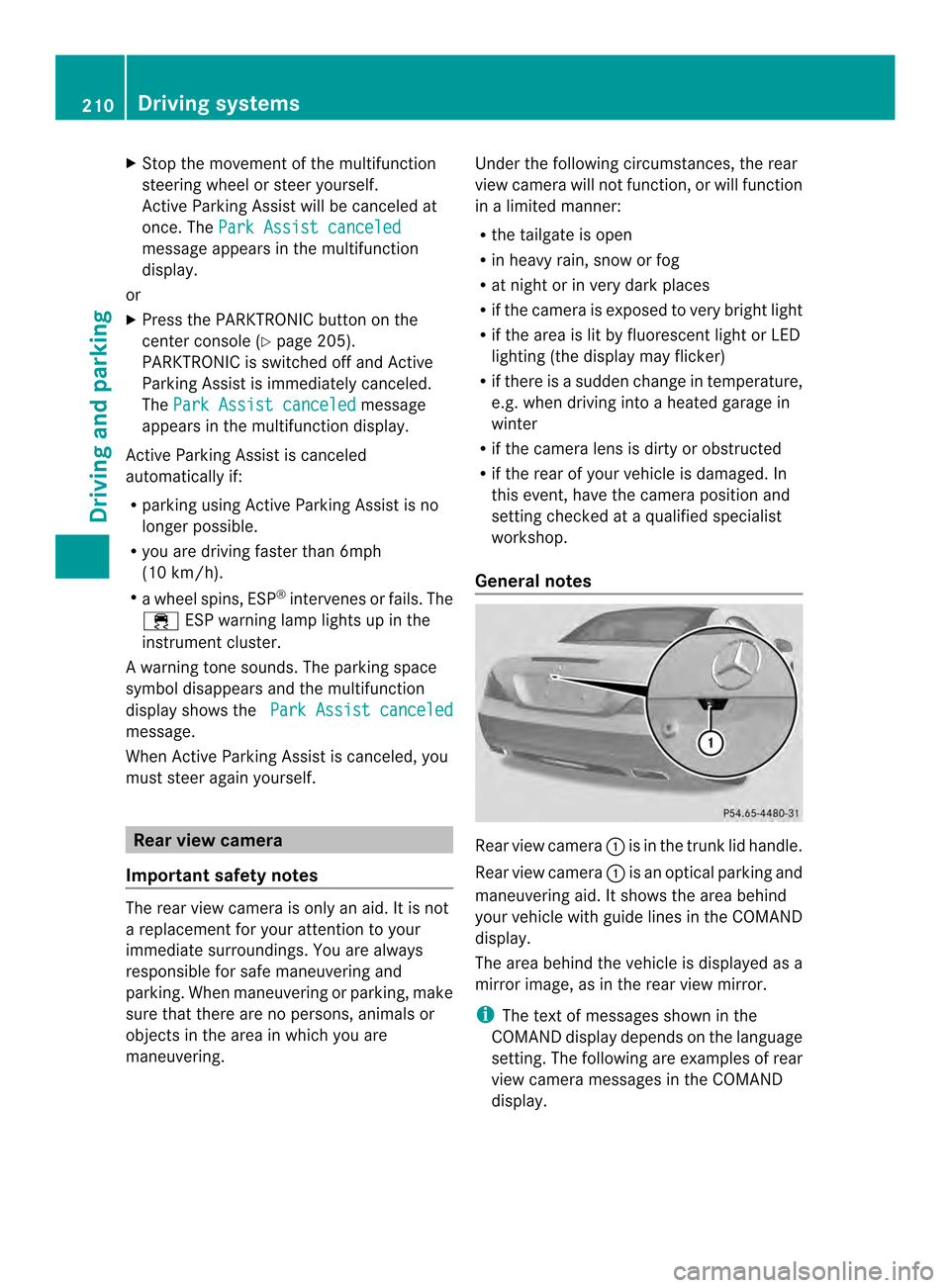
General notes Rear view camera
0002is in the trunk lid handle.
Rear view camera 0002is an optical parking and
maneuvering aid. It shows the area behind
your vehicle with guide lines in the COMAND
display.
The area behind the vehicle is displayed as a
mirror image, as in the rear view mirror.
i The text of messages shown in the
COMAND display depends on the language
setting. The following are examples of rear
view camera messages in the COMAND
display. 210
Driving systemsDriving and parking
Page 214 of 590
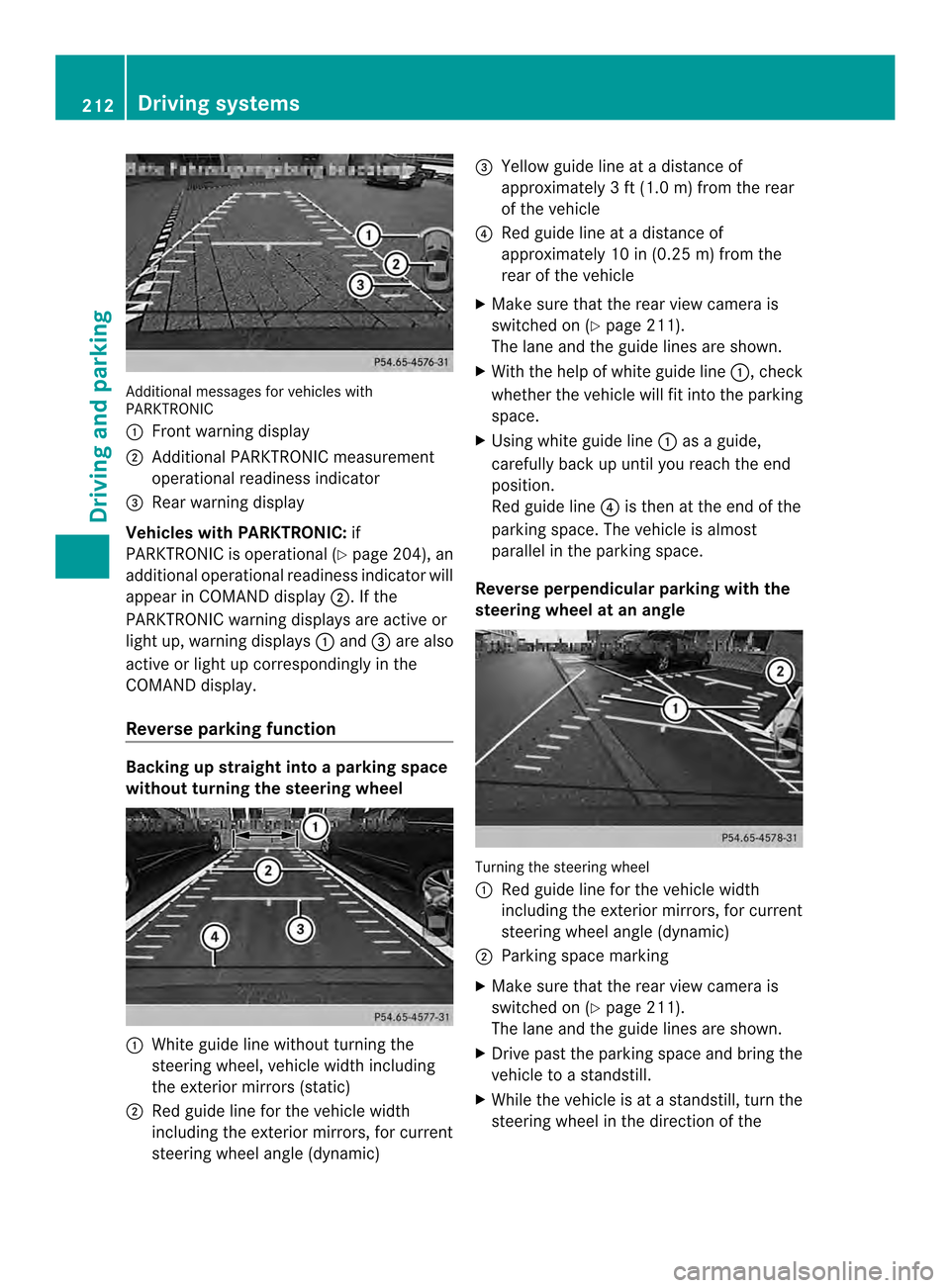
Additional messages for vehicles with
PARKTRONIC
0002
Front warning display
0003 Additional PARKTRONIC measurement
operational readiness indicator
0027 Rear warning display
Vehicles with PARKTRONIC: if
PARKTRONIC is operational (Y page 204), an
additional operational readiness indicator will
appear in COMAND display 0003. If the
PARKTRONIC warning displays are active or
light up, warning displays 0002and 0027are also
active or light up correspondingly in the
COMAND display.
Reverse parking function Backing up straight into a parking space
withou
tturning the steering wheel 0002
White guide line without turning the
steering wheel, vehicle width including
the exterior mirrors (static)
0003 Red guide line for the vehicle width
including the exterior mirrors, for current
steering wheel angle (dynamic) 0027
Yellow guide line at a distance of
approximately 3 ft (1.0 m) from the rear
of the vehicle
0026 Red guide line at a distance of
approximately 10 in (0.25 m) from the
rear of the vehicle
X Make sure that the rear view camera is
switched on (Y page 211).
The lane and the guide lines are shown.
X With the help of white guide line 0002, check
whether the vehicle will fit into the parking
space.
X Using white guide line 0002as a guide,
carefully back up until you reach the end
position.
Red guide line 0026is then at the end of the
parking space. The vehicle is almost
parallel in the parking space.
Reverse perpendicular parking with the
steering wheel at an angle Turning the steering wheel
0002
Red guide line for the vehicle width
including the exterior mirrors, for current
steering wheel angle (dynamic)
0003 Parking space marking
X Make sure that the rear view camera is
switched on (Y page 211).
The lane and the guide lines are shown.
X Drive pas tthe parking space and bring the
vehicle to a standstill.
X While the vehicle is at a standstill, turn the
steering wheel in the direction of the 212
Driving systemsDriving and parking
Page 217 of 590
Always observe the traffic conditions
carefully, and maintain a safe lateral distance.
i USA only: This device has been approved
by the FCC as a "Vehicular Rada rSystem".
The rada rsensor is intended for use in an
automotive radar system only. Removal,
tampering, or altering of the device will void
any warranties, and is not permitted by the
FCC. Do not tamper with, alter, or use in
any non-approved way.
Any unauthorized modification to this
device could void the user's authority to
operate the equipment.
i Canada only: This device complies with
RSS-210 of Industry Canada. Operation is
subject to the following two conditions:
1. This device may not cause harmful
interference, and
2. this device must accept any interference
received, including interference that may
cause undesired operation of the device.
Removal, tampering, or altering of the
device will void any warranties, and is not
permitted. Do not tamper with, alter, or use
in any non-approved way.
Any unauthorized modification to this
device could void the user's authority to
operate the equipment.
General notes
Active Blind Spot Assist uses a radar sensor
system to monitor the side areas of your
vehicle which are behind the driver. Awarning
display in the exterior mirrors draws your
attentio nto vehicles detected in the
monitored area. If you then switch on the
corresponding turn signal to change lanes,
you will also receive an optical and audible
collision warning. If a risk of lateral collision
is detected, corrective braking may help you
avoid a collision. To support the course-
correcting brake application, Active Blind
Spot Assist also uses the forward-facing radar
sensor system. Active Blind Spot Assist supports you from a
speed of approximately 20 mph (30 km/h).
For Active Blind Spot Assist to assist you
when driving, the radar sensor system must
be:
R
activated(Y page 235)
R operational
Monitoring area
In particular, the detection of obstacles can
be impaired if:
R there is dirt on the sensors or anything else
covering the sensors.
R there is poor visibility, e.g. due to fog, heavy
rain or snow.
R a narrow vehicle traveling in front, e.g. a
motorbike or bicycle.
R the road has very wide lanes.
R the road has narrow lanes.
R you are not driving in the middle of the lane.
R there are barriers or similar lane borders.
Vehicles in the monitoring range are then not
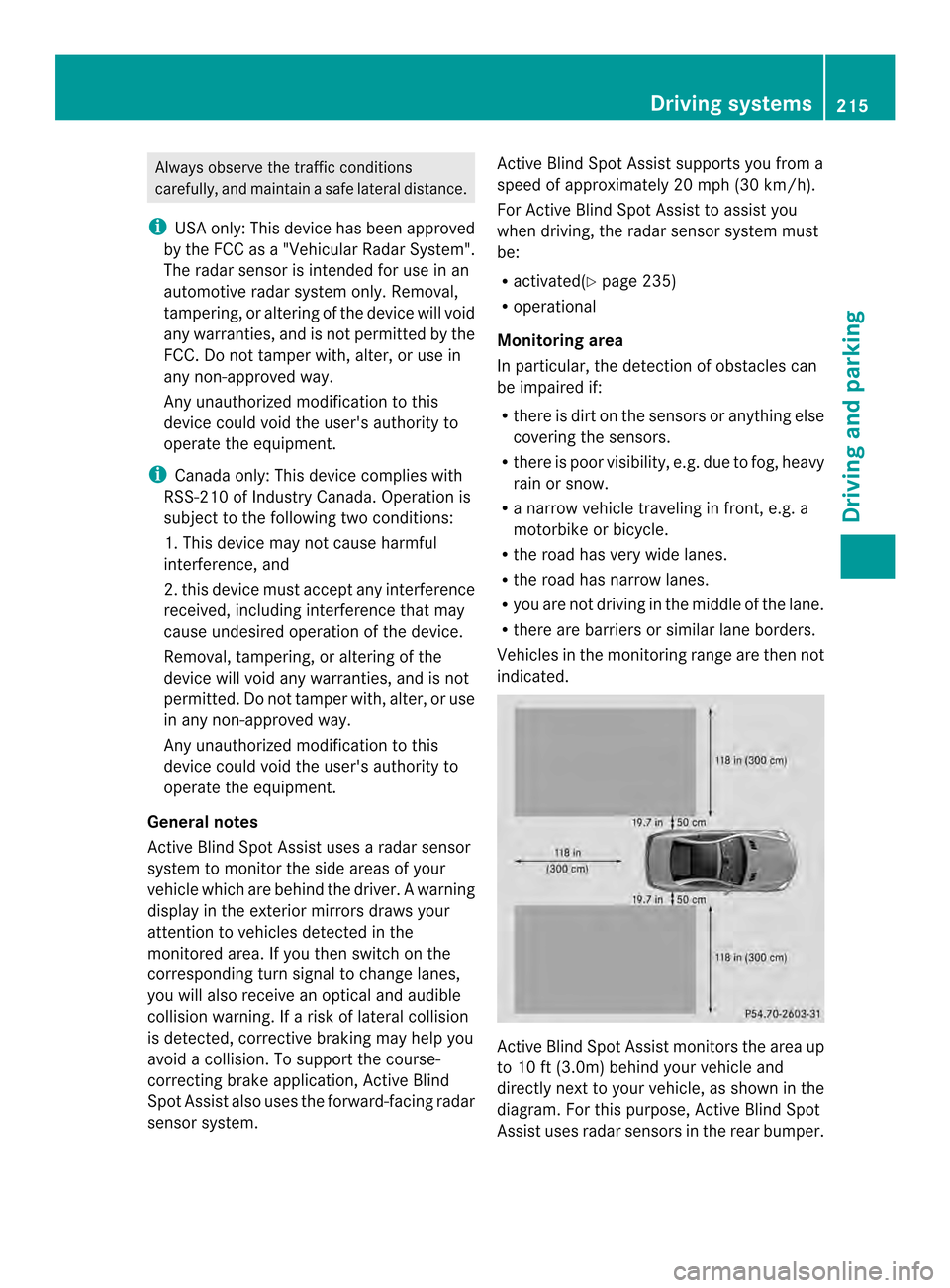
indicated. Active Blind Spot Assist monitors the area up
to 10 ft
(3.0m) behind your vehicle and
directly next to your vehicle, as shown in the
diagram .For this purpose, Active Blind Spot
Assist uses radar sensors in the rear bumper. Driving systems
215Driving and parking Z
Page 218 of 590
If the lanes are narrow, vehicles driving in the
lane beyond the lane next to yourv ehicle may
be indicated, especially if the vehicles are not
driving in the middle of their lane. This may
be the case if there are vehicles driving at the
inner edge of their lanes.
Due to the nature of the system:
R warnings may be issued in error when
driving close to crash barriers or similar
solid lane borders.
R warnings may be interrupted when driving
alongside particularly long vehicles, e.g.
trucks, for a prolonged time.
Two Active Blind Spot Assist radar sensors
are integrated into the fron tand rea rbumpers
respectively. An additional radar sensor is
located behind the cover in the radiator grill.
Make sure that the bumpers and the cover in
the radiator grill are free of dirt, ice or slush.
The rear sensors must no tbe covered, for
example by cycle racks or overhanging cargo.
Following a severe impact or in the event of
damage to the bumpers, have the function of
the radar sensors checked at a qualified
specialist workshop. Active Blind Spot Assist
may otherwise no longer work properly.
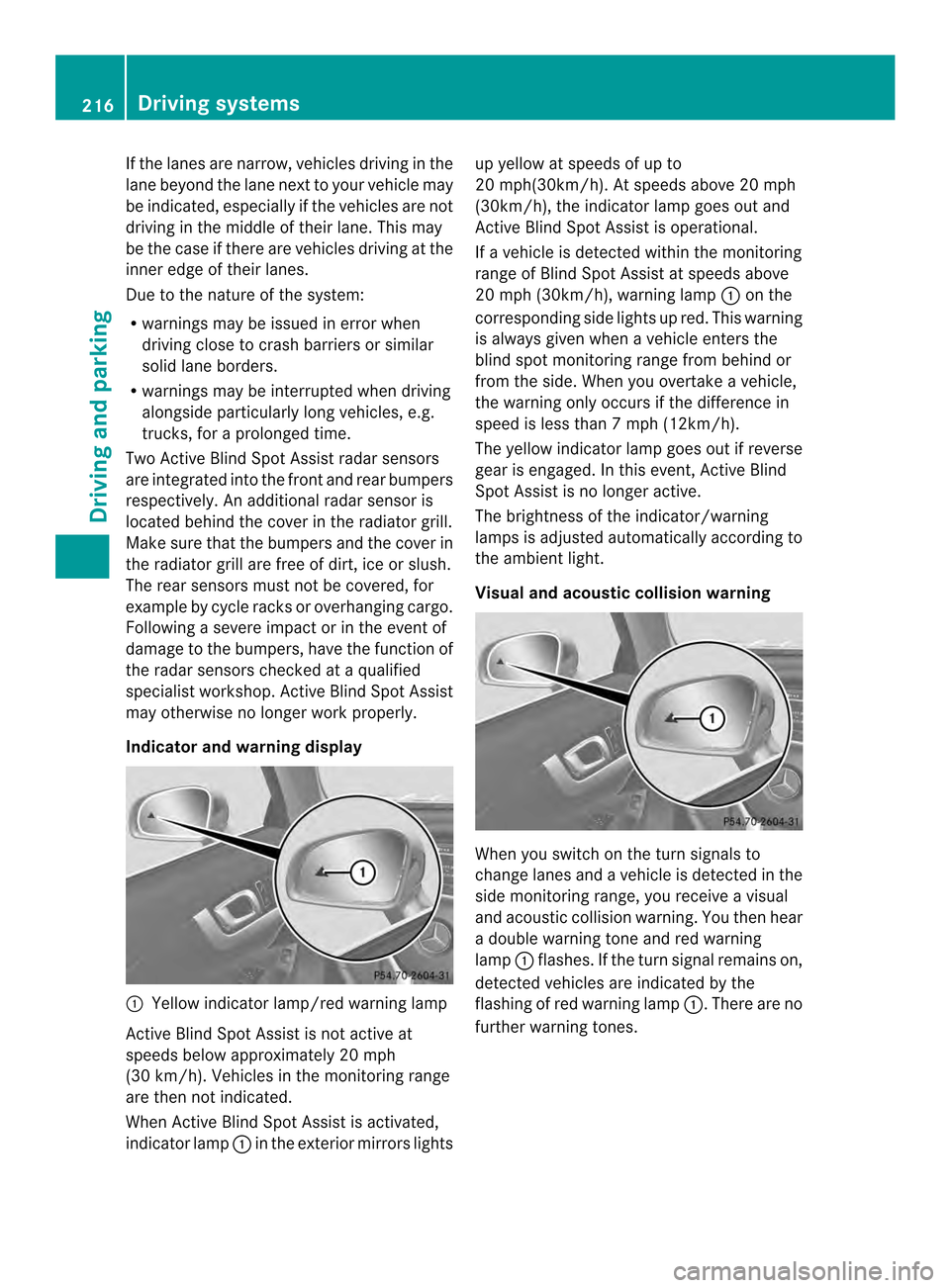
Indicator and warning display 0002
Yellow indicator lamp/red warning lamp
Active Blind Spot Assist is not active at
speeds below approximately 20 mph
(30 km/h). Vehicles in the monitoring range
are then not indicated.
When Active Blind Spot Assist is activated,
indicator lamp 0002in the exterior mirrors lights up yellow at speeds of up to
20 mph(30km/h). At speeds above 20 mph
(30km/h), the indicator lamp goes out and
Active Blind Spot Assist is operational.
If a vehicle is detected within the monitoring
range of Blind Spot Assist at speeds above
20 mph (30km/h), warning lamp
0002on the
corresponding side lights up red. This warning
is always given when a vehicle enters the
blind spot monitoring range from behind or
from the side. When you overtake a vehicle,
the warning only occurs if the difference in
speed is less than 7mph (12km/h).
The yellow indicator lamp goes out if reverse
gear is engaged. In this event, Active Blind
Spot Assist is no longer active.
The brightness of the indicator/warning
lamps is adjusted automatically according to
the ambient light.
Visual and acoustic collision warning When you switch on the turn signals to
change lanes and a vehicle is detected in the
side monitoring range, you receive a visual
and acoustic collision warning
.You then hear
a double warning tone and red warning
lamp 0002flashes. If the turn signal remains on,
detected vehicles are indicated by the
flashing of red warning lamp 0002.There are no
further warning tones. 216
Driving systemsDriving and parking
Page 219 of 590
Course-correcting brake application
G
WARNING
Ac ourse-correcting brake application cannot
always prevent a collision. There is a risk of
an accident.
Always steer, brake or accelerate yourself,
especially if Active Blind Spot Assist warns
you or makes a course-correcting brake
application. Always maintain a safe distance
at the sides. G
WARNING
Active Blind Spot Assist does not detect all
traffic situations and road users. In very rare
cases, the system may make an inappropriate
brake application. There is a risk of an
accident.
An inappropriate brake application may be
interrupted at any time if you steer slightly in
the opposite direction or accelerate. Always
make sure that there is sufficient distance on
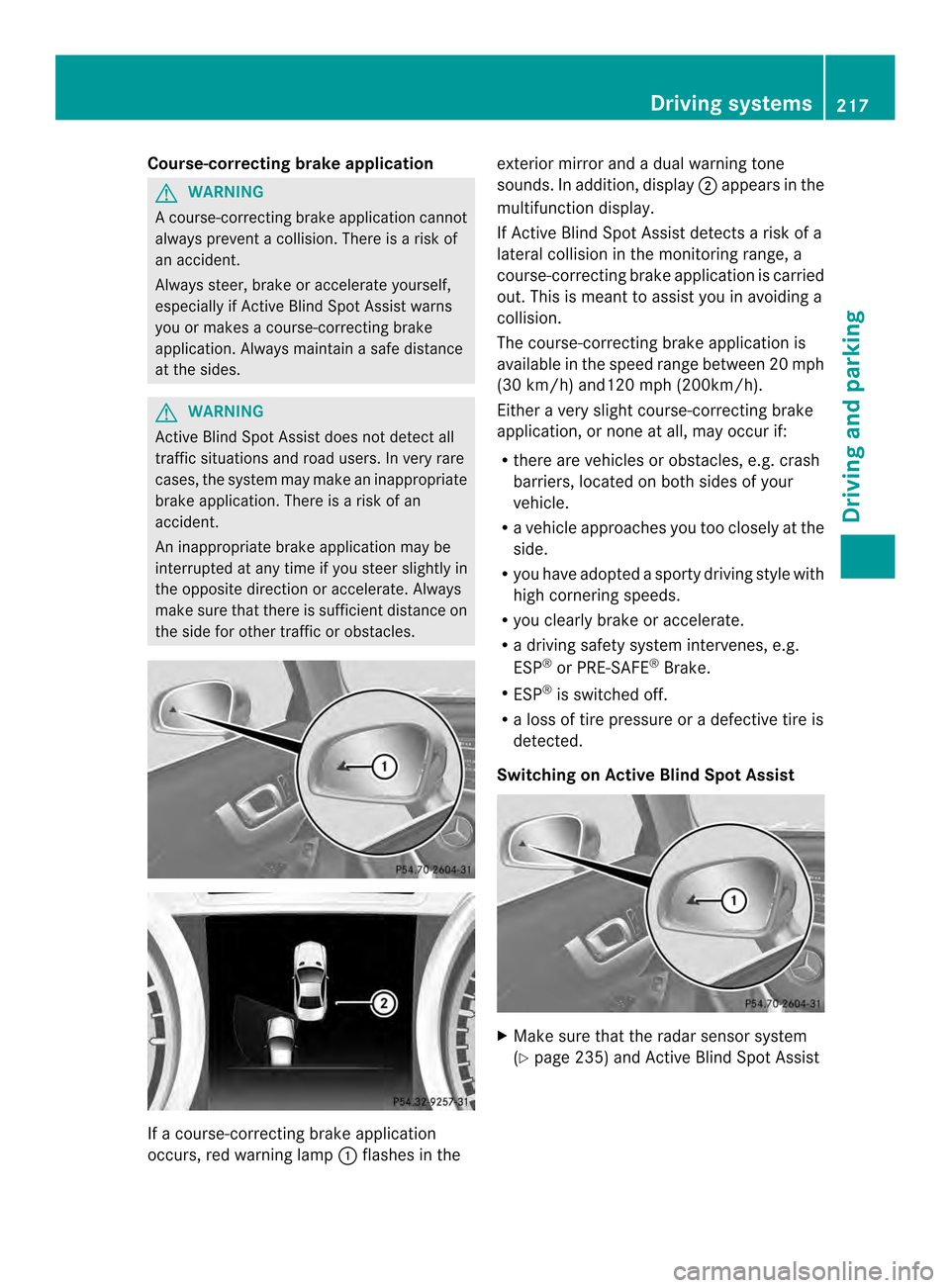
the side for other traffic or obstacles. If a course-correcting brake application
occurs, red warning lamp
0002flashes in the exterior mirror and a dual warning tone
sounds. In addition, display
0003appears in the
multifunction display.
If Active Blind Spot Assist detects a risk of a
lateral collision in the monitoring range, a
course-correcting brake application is carried
out. This is meant to assist you in avoiding a
collision.
The course-correcting brake application is
available in the speed range between 20 mph
(30 km/h) and120 mph (200km/h).
Either a very slight course-correcting brake
application, or none at all, may occur if:
R there are vehicles or obstacles, e.g. crash
barriers, located on both sides of your
vehicle.
R a vehicle approaches you too closely at the
side.
R you have adopted a sporty driving style with
high cornering speeds.
R you clearly brake or accelerate.
R a driving safety system intervenes, e.g.
ESP ®
or PRE-SAFE ®
Brake.
R ESP ®
is switched off.
R a loss of tire pressure or a defective tire is
detected.
Switching on Active Blind Spot Assist X
Make sure that the radar sensor system
(Y page 235) and Active Blind Spot Assist Driving systems
217Driving and parking Z
Page 220 of 590
(Y
page 231 )are activated in the on-board
computer.
X Turn the SmartKey to position 2in the
ignitio nlock.
Warning lamps 0002in the exterior mirrors
light up red for approximately
1.5 seconds and then turn yellow.
Active Lane Keeping Assist Important safety notes
If you fail to adapt your driving style, Active
Lane Keeping Assist can neither reduce the
risk of accident nor override the laws of
physics. Lane Keeping Assist cannot take into
account the road, traffic and weather
conditions. Lane Keeping Assist is merely an
aid. You are responsible for the distance to
the vehicle in front, for vehicle speed, for
braking in good time and for staying in lane.
Active Lane Keeping Assist cannot
continuously keep your vehicle in its lane. G
WARNING
Active Lane Keeping Assist cannot always
clearly detect lane markings.
In such cases, Active Lane Keeping Assist
can:
R give an unnecessary warning and then
make a course-correcting brake application
to the vehicle
R not give a warning or intervene
There is a risk of an accident.
Always pay particular attention to the traffic
situation and keep within the lane, especially
if Active Lane Keeping Assist alerts you.
Terminate the intervention in a non-critical
driving situation. The system may be impaired or may not
function if:
R
there is poor visibility, e.g. due to
insufficient illumination of the road, or due
to snow, rain, fog or spray
R there is glare, e.g. from oncoming traffic,
the sun or reflections (e.g. when the road
surface is wet)
R the windshield is dirty, fogged up, damaged
or covered, for instance by a sticker, in the
vicinity of the camera
R there are no, several or unclear lane
markings for a lane, e.g. in areas with road
construction work
R the lane markings are worn away, dark or
covered up, e.g. by dirt or snow
R the distance to the vehicle in front is too
small and the lane markings thus cannot be
detected
R the lane markings change quickly, e.g.
lanes branch off, cross one another or
merge
R the road is narrow and winding
R there are strong shadows cast on the lane
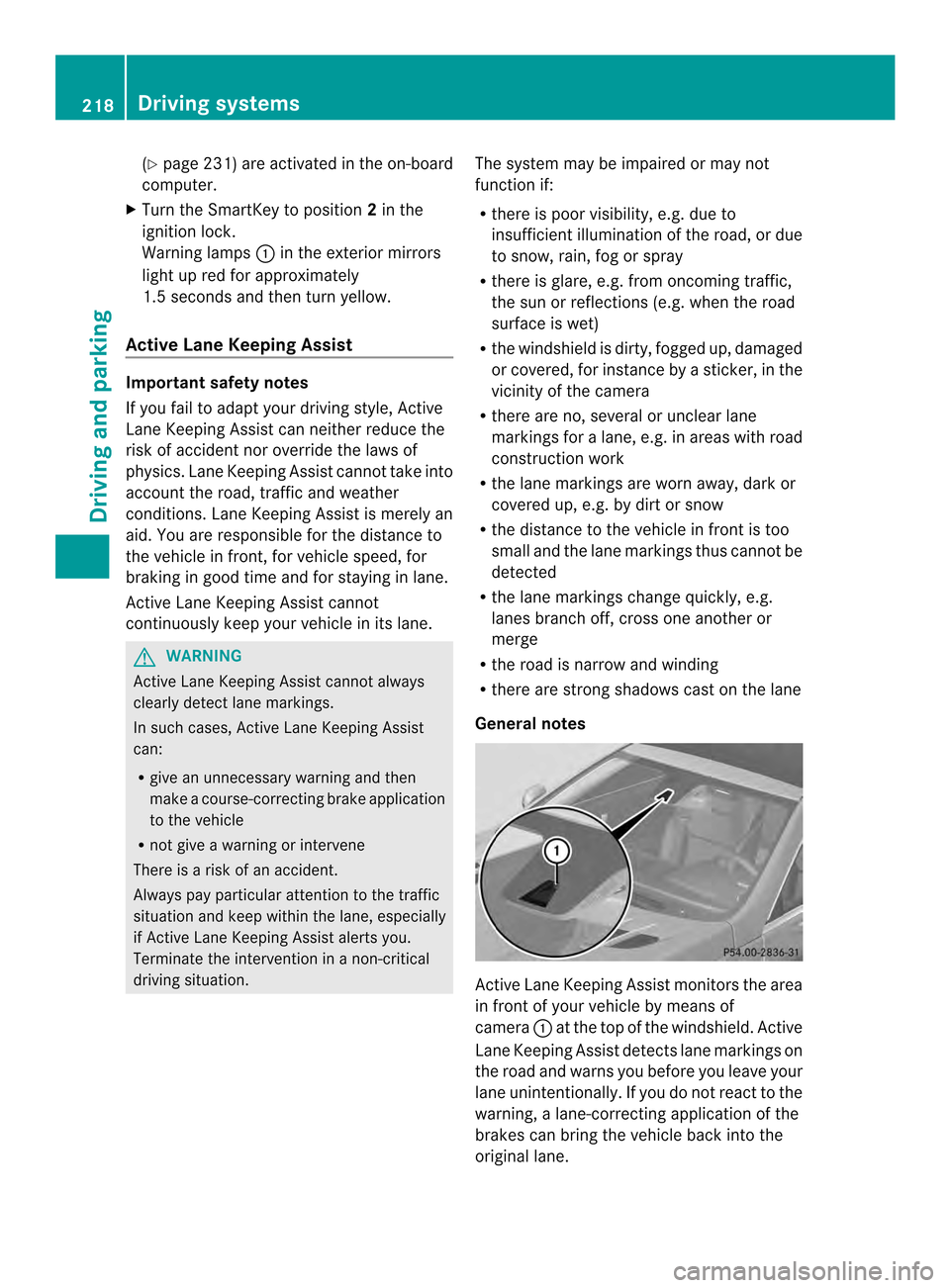
General notes Active Lane Keeping Assist monitors the area
in front of your vehicle by means of
camera 0002at the top of the windshield. Active
Lane Keeping Assist detect slane markings on
the road and warns you before you leave your
lane unintentionally. If you do no treact to the
warning, a lane-correcting application of the
brakes can bring the vehicle back into the
original lane. 218
Driving systemsDriving and parking
Page 221 of 590
If you select
km on the on-board computer in
the Display Unit Speed-/Odometer function (
Ypage 232), Active Lane Keeping
Assist is activated starting at a speed of
60 km/h. If the miles display unit is selected,
the assistance range begins at 40 mph.
Warning vibration in the steering wheel
A warning may be given if a front wheel
passes over a lane marking. It will warn you
by means of intermittent vibration in the
steering wheel for up to 1.5 seconds.
In order that you are warned only when
necessary and in good time if you cross the
lane marking, the system recognizes certain
conditions and warns you accordingly.
The warning vibration occurs earlier if:
R you approach the outer lane marking on a
bend.
R the road has very wide lanes, e.g. a
freeway.
R the system recognizes solidl ane markings.
The warning vibratio noccurs later if:
R the road has narrow lanes.
R you cut the corner on a bend.
Lane-correcting brake application G
WARNING
A lane-correcting brake application cannot
always bring the vehicle back into the original
lane. There is a risk of an accident.
Always steer, brake or accelerate yourself,
especially if Active Lane Keeping Assist warns
you or makes a lane-correcting brake
application. G
WARNING
Active Lane Keeping Assist does not detect
traffic conditions or road users. In very rare
cases, the system may make an inappropriate
brake application, e.g. afte rintentionally
driving ove rasolid lane marking. There is a
risk of an accident.
An inappropriate brake application may be
interrupted at any time if you steer slightly in the opposite direction. Always make sure that
there is sufficient distance on the side for
other traffic or obstacles.
In rare cases, Active Lane Keeping Assist can
recognize unclear markings or particular
structures on the roadway as solid lane
markings. An inappropriate brake application
may be interrupted at any time if you steer
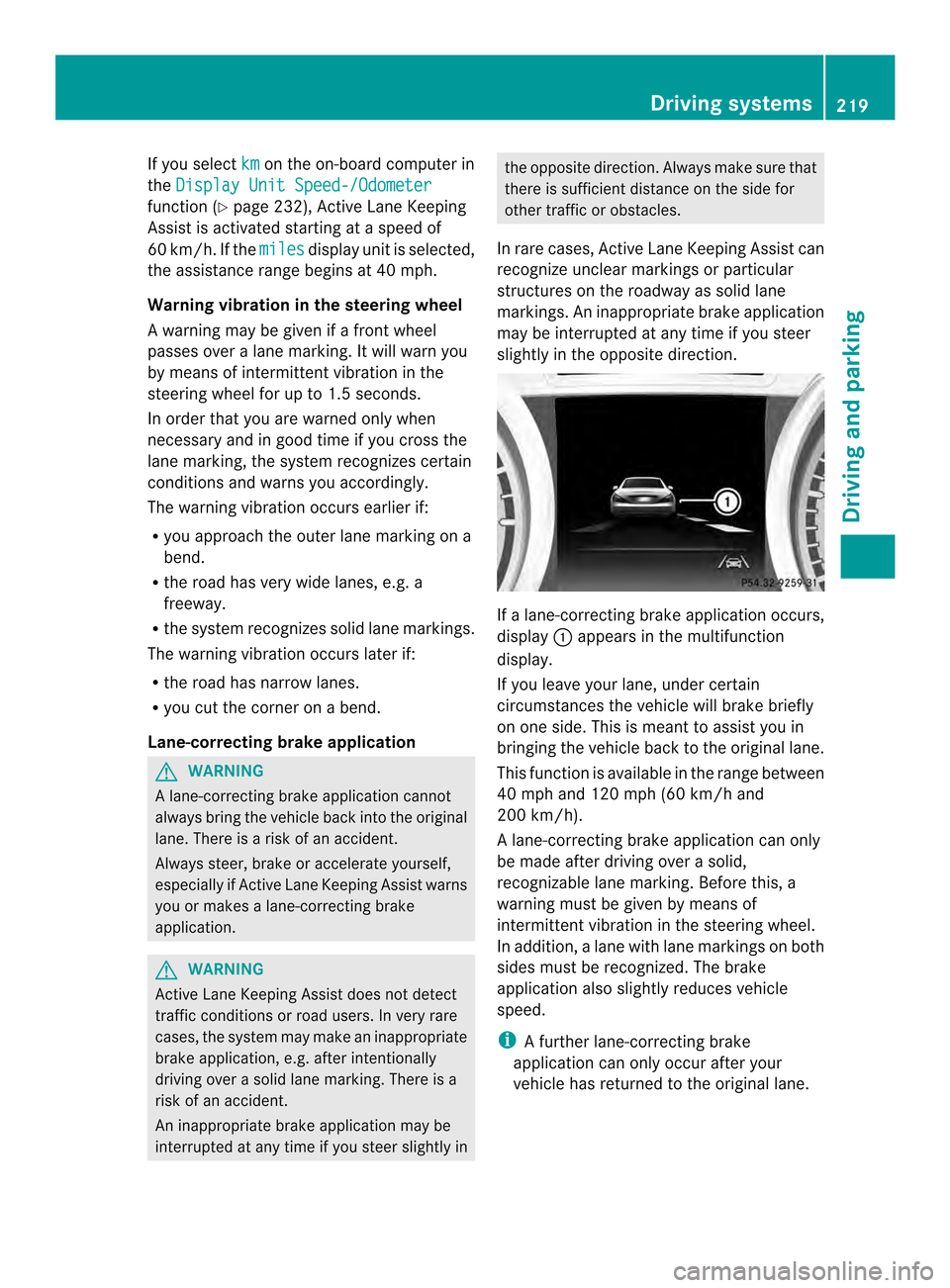
slightly in the opposite direction. If a lane-correcting brake application occurs,
display
0002appears in the multifunction
display.
If you leave your lane, under certain
circumstances the vehicle will brake briefly
on one side. This is meant to assist you in
bringing the vehicle back to the original lane.
This function is available in the range between
40 mph and 120 mph (60 km/h and
200 km/h).
A lane-correcting brake application can only
be made after driving over a solid,
recognizable lane marking. Before this, a
warning must be given by means of
intermittent vibration in the steering wheel.
In addition, a lane with lane markings on both
sides must be recognized. The brake
application also slightly reduces vehicle
speed.
i A further lane-correcting brake
application can only occur after your
vehicle has returned to the original lane. Driving systems
219Driving and parking Z
Page 222 of 590
No lane-correcting brake application occurs
if:
R
you clearly and actively steer, brake or
accelerate.
R you cut the corner on a sharp bend.
R you have switched on the turn signals.
R a driving safety system intervenes, e.g.
ESP ®
, PRE-SAFE ®
Brake or Active Blind
Spot Assist.
R you have adopted a sporty driving style with
high cornering speeds or high rates of
acceleration.
R ESP ®
is switched off.
R the transmission is not in position D.
R a loss of tire pressure or a defective tire has
been detected and displayed.
Active Lane Keeping Assist does not detect
traffic situations or road users. An
inappropriate brake application may be
interrupted at any time if you:
R steer slightly in the opposite direction
R switch on the turn signal
R clearly brake or accelerate
Al ane-correcting brake applicatio nis
interrupted automatically if:
R a driving safety system intervenes, e.g.
ESP ®
, PRE-SAFE ®
Brake or Active Blind
Spot Assist.
R lane markings can no longer be recognized.
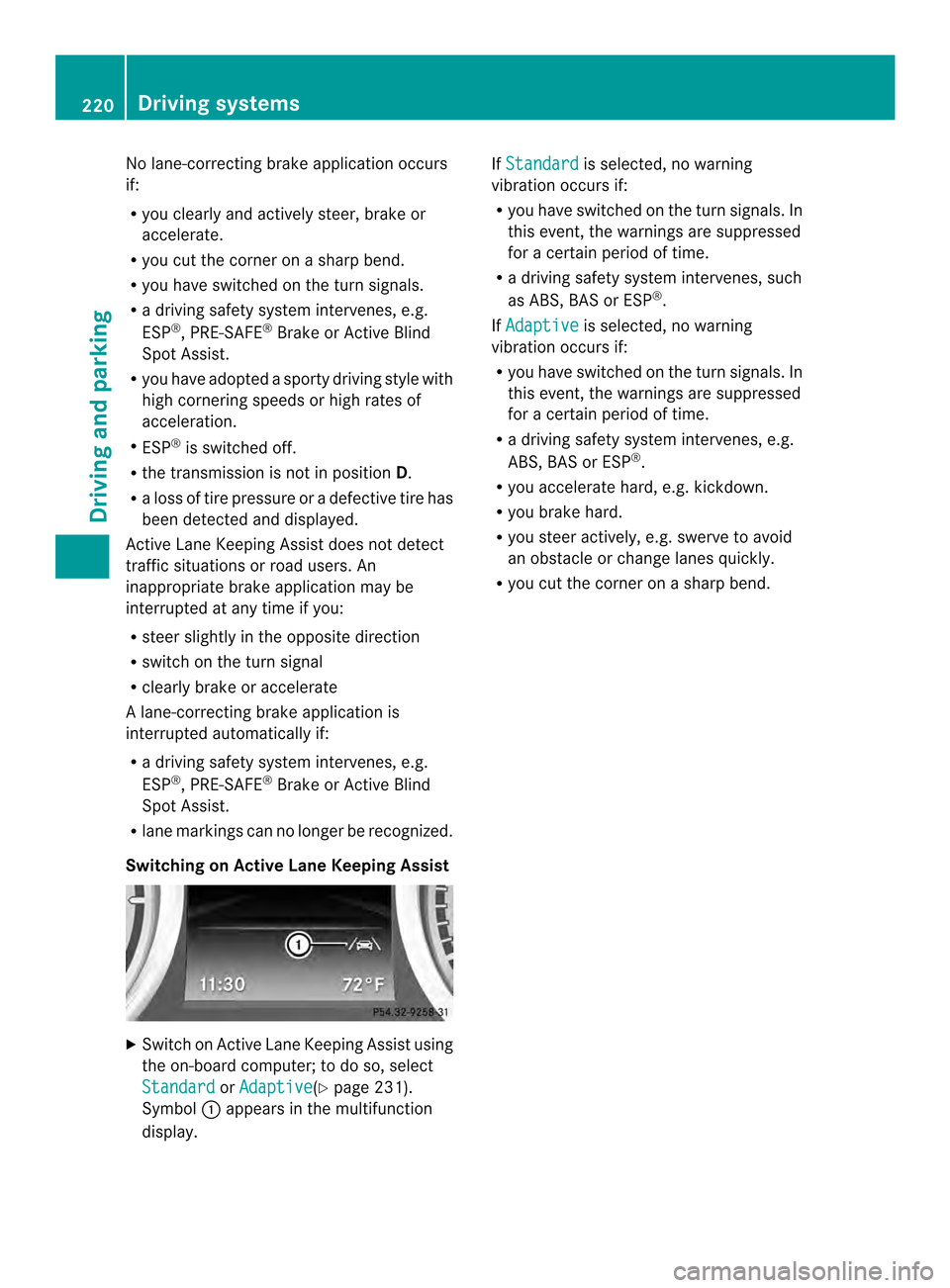
Switching on Active Lane Keeping Assist X
Switch on Active Lane Keeping Assist using
the on-board computer; to do so, select
Standard or
Adaptive (Y
page 231).
Symbol 0002appears in the multifunction
display. If
Standard is selected, no warning
vibration occurs if:
R you have switched on the tur nsignals .In
this event, the warnings are suppressed
for a certain period of time.
R a driving safety syste mintervenes, such
as ABS, BAS or ESP ®
.
If Adaptive is selected, no warning
vibration occurs if:
R you have switched on the tur nsignals .In
this event, the warnings are suppressed
for a certain period of time.
R a driving safety syste mintervenes, e.g.
ABS, BAS or ESP ®
.
R you accelerate hard, e.g .kickdown.
R you brake hard.
R you steer actively, e.g. swerve to avoid
an obstacle or change lanes quickly.
R you cut the corner on a sharp bend. 220
Driving systemsDriving and parking
Page 239 of 590
When the engine oil temperature is below
80 †, the oil temperature is shown in blue.
Avoid driving at full engine output during this
time.
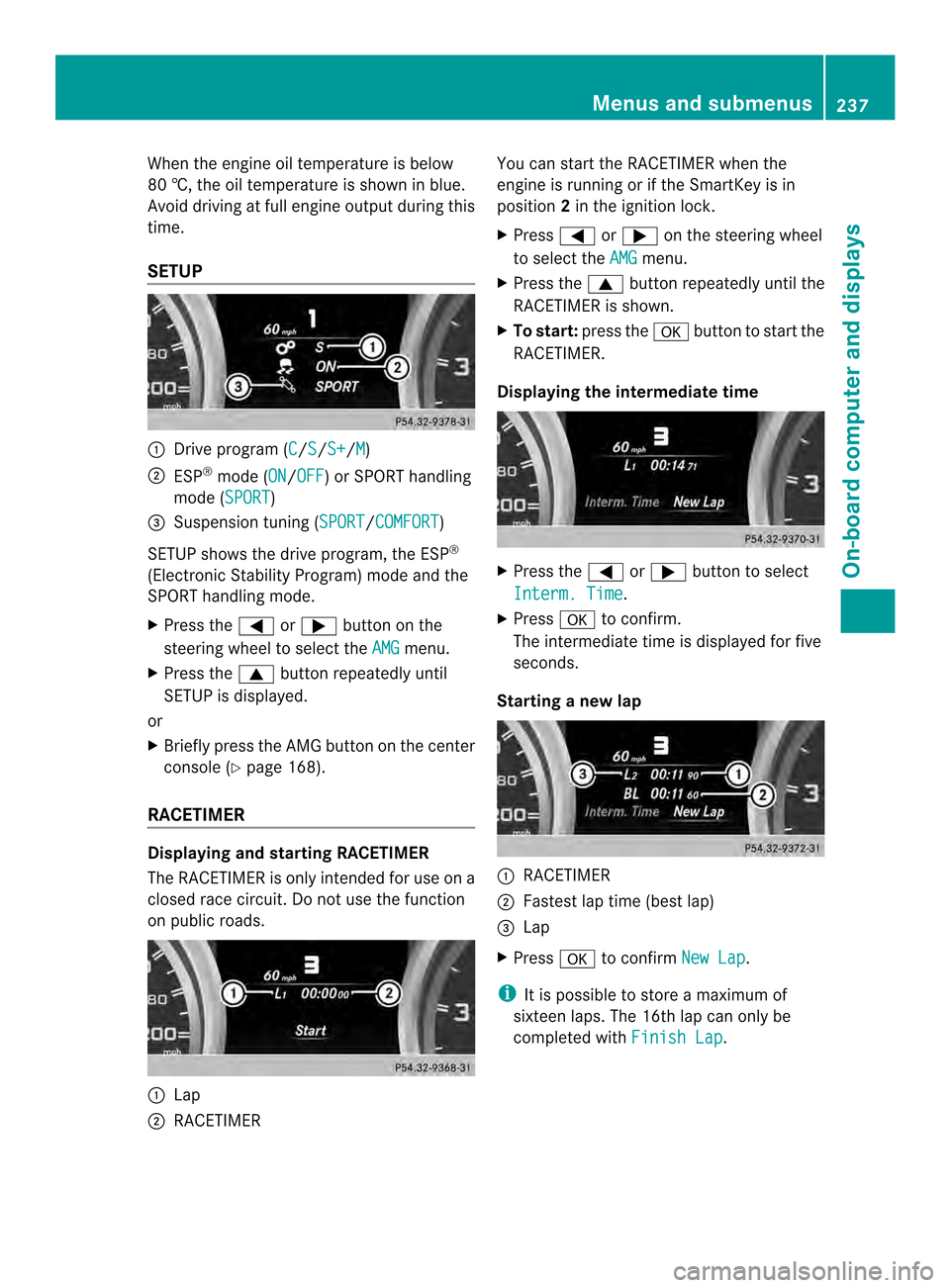
SETUP 0002
Drive program (C /S /S+ /M )
0003 ESP ®
mode (ON /OFF ) or SPORT handling
mode (SPORT )
0027 Suspension tuning (SPORT /COMFORT )
SETUP shows the drive program, the ESP ®
(Electronic Stability Program) mode and the
SPORT handling mode.
X Press the 0004or0008 button on the
steering wheel to select the AMG menu.
X Press the 0006button repeatedly until
SETUP is displayed.
or
X Briefly press the AMG button on the center
console (Y page 168).
RACETIMER Displaying and starting RACETIMER
The RACETIMER is only intended for use on a
closed race circuit. Do not use the function
on public roads. 0002
Lap
0003 RACETIMER You can start the RACETIMER when the
engine is running or if the SmartKey is in
position
2in the ignition lock.
X Press 0004or0008 on the steering wheel
to select the AMG menu.
X Press the 0006button repeatedly until the
RACETIMER is shown.
X To start: press the 000Fbutton to start the
RACETIMER.
Displaying the intermediate time X
Press the 0004or0008 button to select
Interm. Time .
X Press 000Fto confirm.
The intermediate time is displayed for five
seconds.
Starting a new lap 0002
RACETIMER
0003 Fastest lap time (best lap)
0027 Lap
X Press 000Fto confirm New Lap .
i It is possible to store a maximum of
sixteen laps. The 16th lap can only be
completed with Finish Lap .Menus and submenus
237On-board computer and displays Z