ECO mode MERCEDES-BENZ SL-Class 2015 R131 Service Manual
[x] Cancel search | Manufacturer: MERCEDES-BENZ, Model Year: 2015, Model line: SL-Class, Model: MERCEDES-BENZ SL-Class 2015 R131Pages: 610, PDF Size: 12.21 MB
Page 351 of 610
Canceling route guidance
Canceling or continuing route guidance
X To switch to navigation mode: press the
00BE button.
X To show the menu: press0098the COMAND
controller.
X Select Destination
Destination in the navigation sys-
tem menu bar by turning 00790052007Athe
COMAND controller and press 0098to con-
firm.
X To cancel route guidance: selectCancel
Cancel
Route Guidance
Route Guidance and press0098to confirm.
or X To continue route guidance: selectCon‐
Con‐
tinue Route Guidance
tinue Route Guidance and press0098to
confirm.
COMAND calculates the route.
Destination or area of destination
reached
When you reach your destination, COMAND
displays a checkered flag and route guidance is automatically ended.
If the destination is not in close proximity to a
digitized street, the Area
Area of ofdestination
destination
reached
reached message appears when the desti-
nation is reached.
Influencing route guidance Avoiding a section of the route blocked by
a traffic jam
This function blocks a section of the route
ahead of you. You can set the length of the
blocked route section. If possible, COMAND
calculates a detour around the blocked sec-
tion of the route.
X To switch to navigation mode: press the
00BE button.
X To show the menu: press0098the COMAND
controller. X
Select Route
Route in the navigation system
menu bar by turning 00790052007Athe COMAND
controller and press 0098to confirm.
X Select Detour
Detour and press 0098to confirm.
X To block a section of the route: select
Longer
Longer orShorter Shorter repeatedly and press
0098 to confirm until the desired section has
been selected.
i The total length of the section that can be
blocked is defined by the digital map. The
menu items are available accordingly.
X To start route calculation: selectStart Start
and press 0098to confirm.
X To delete the blocked section: select
Delete
Delete while the message is shown and
press 0098to confirm.
COMAND calculates the route without the
block.
Selecting an alternative route
With the "Alternative Route" function, routes
other than the original one can be calculated.
Routes 1 to 3 are calculated with the current settings for the route type and route options
and are shown with a dark blue line
(Y page 320).
Route 4 is the economic route (eco route) and
is shown with a green line.
On the right-hand side, you will see informa-
tion on the currently selected alternative
route, e.g. distance, estimated remaining
driving time and estimated time of arrival.
Route sections used (e.g. highways, tunnels)
are displayed as symbols.
Option 1
X To switch to navigation mode: press the
00BE button.
X To show the menu: press0098the COMAND
controller.
X Select Route
Route in the navigation system
menu bar by turning 00790052007Athe COMAND
controller and press 0098to confirm. Navigation
349COMAND Z
Page 352 of 610
X
Select Alternative Route
Alternative Route and press0098
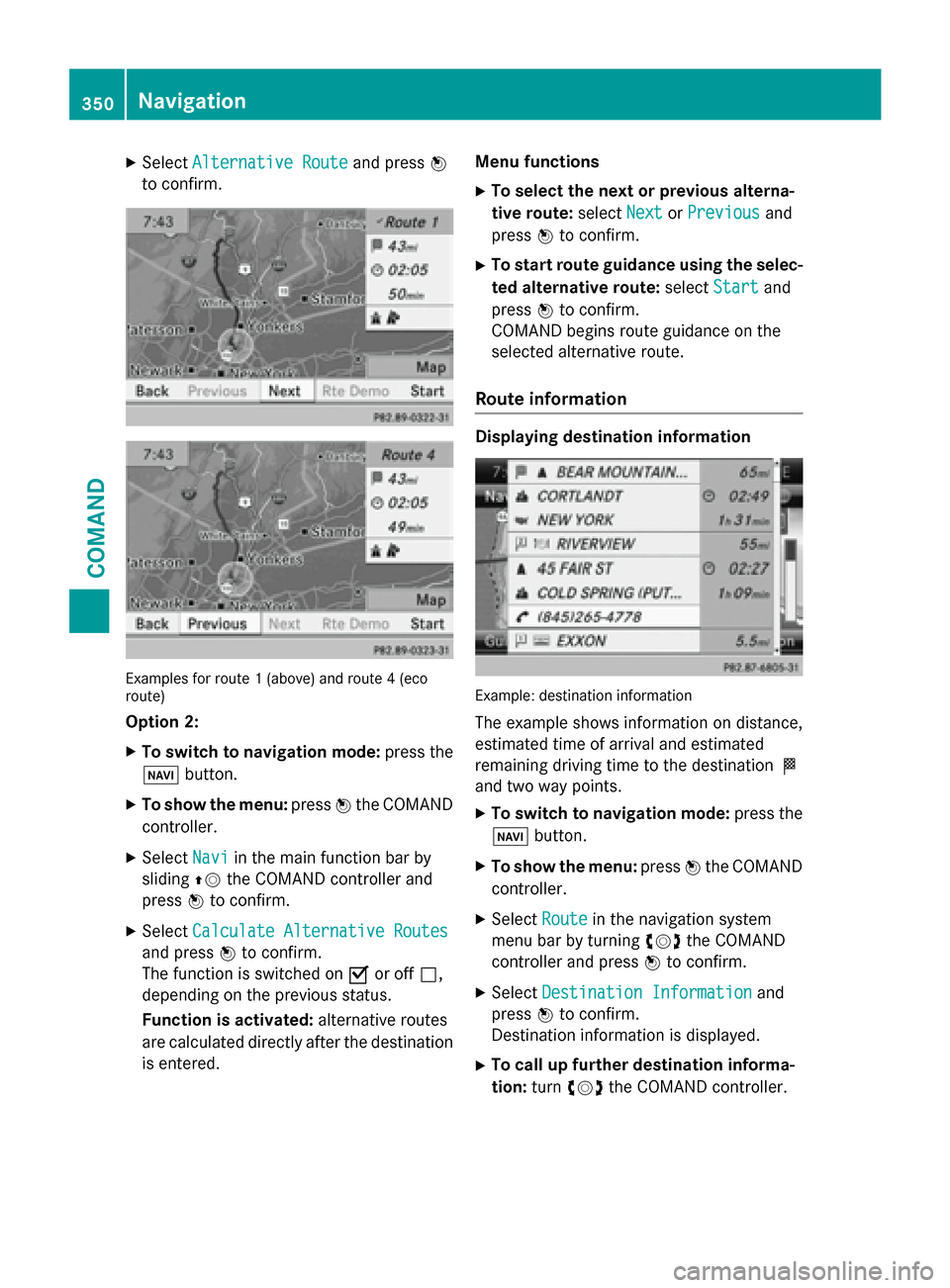
to confirm. Examples for route 1 (above) and route 4 (eco
route)
Option 2:
X To switch to navigation mode: press the
00BE button.
X To show the menu: press0098the COMAND
controller.
X Select Navi
Navi in the main function bar by
sliding 00970052the COMAND controller and
press 0098to confirm.
X Select Calculate Alternative Routes
Calculate Alternative Routes
and press 0098to confirm.
The function is switched on 0073or off 0053,
depending on the previous status.
Function is activated: alternative routes
are calculated directly after the destination
is entered. Menu functions
X To select the next or previous alterna-
tive route: selectNext
Next orPrevious Previous and
press 0098to confirm.
X To start route guidance using the selec-
ted alternative route: selectStart
Start and
press 0098to confirm.
COMAND begins route guidance on the
selected alternative route.
Route information Displaying destination information
Example: destination information
The example shows information on distance,
estimated time of arrival and estimated
remaining driving time to the destination 004B
and two way points.
X To switch to navigation mode: press the
00BE button.
X To show the menu: press0098the COMAND
controller.
X Select Route Routein the navigation system
menu bar by turning 00790052007Athe COMAND
controller and press 0098to confirm.
X Select Destination Information Destination Information and
press 0098to confirm.
Destination information is displayed.
X To call up further destination informa-
tion: turn00790052007A the COMAND controller. 350
NavigationCOMAND
Page 354 of 610
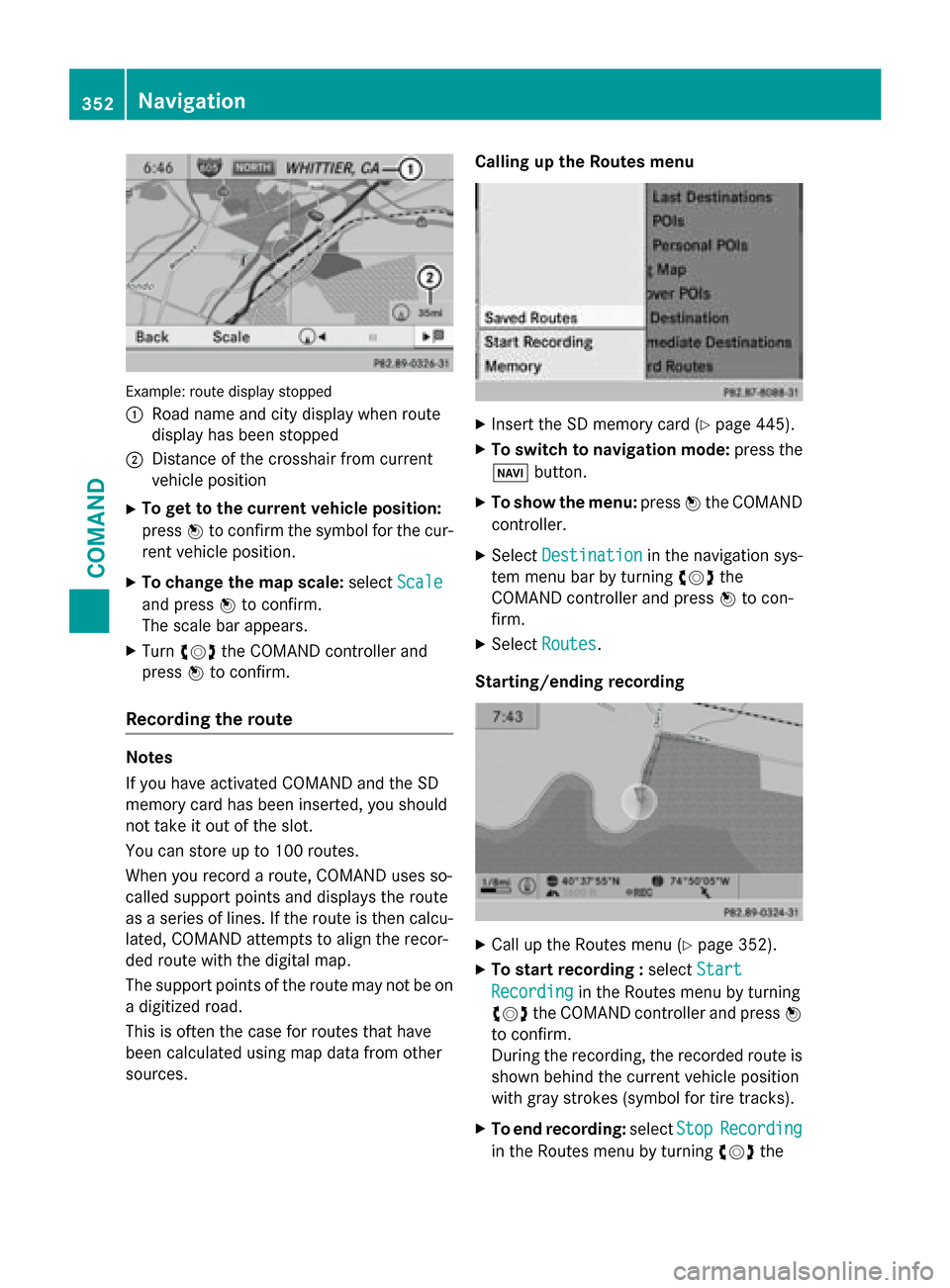
Example: route display stopped
0043
Road name and city display when route
display has been stopped
0044 Distance of the crosshair from current
vehicle position
X To get to the current vehicle position:
press 0098to confirm the symbol for the cur-
rent vehicle position.
X To change the map scale: selectScale Scale
and press 0098to confirm.
The scale bar appears.
X Turn 00790052007A the COMAND controller and
press 0098to confirm.
Recording the route Notes
If you have activated COMAND and the SD
memory card has been inserted, you should
not take it out of the slot.
You can store up to 100 routes.
When you record a route, COMAND uses so-
called support points and displays the route
as a series of lines. If the route is then calcu- lated, COMAND attempts to align the recor-
ded route with the digital map.
The support points of the route may not be on
a digitized road.
This is often the case for routes that have
been calculated using map data from other
sources. Calling up the Routes menu
X
Insert the SD memory card (Y page 445).
X To switch to navigation mode: press the
00BE button.
X To show the menu: press0098the COMAND
controller.
X Select Destination Destination in the navigation sys-
tem menu bar by turning 00790052007Athe
COMAND controller and press 0098to con-
firm.
X Select Routes
Routes .
Starting/ending recording X
Call up the Routes menu (Y page 352).
X To start recording : selectStart
Start
Recording
Recording in the Routes menu by turning
00790052007A the COMAND controller and press 0098
to confirm.
During the recording, the recorded route is shown behind the current vehicle position
with gray strokes (symbol for tire tracks).
X To end recording: selectStop StopRecording
Recording
in the Routes menu by turning 00790052007Athe 352
NavigationCOMAND
Page 377 of 610
Updating the digital map
Important safety notes
G
WARNING
Combustion engines emit poisonous exhaust
gases such as carbon monoxide. Inhaling
these exhaust gases leads to poisoning. There is a risk of fatal injury. Therefore never leave
the engine running in enclosed spaces with-
out sufficient ventilation.
Introduction
The digital maps generated by the map soft-
ware become outdated in the same way as
conventional road maps. Optimal route guid-
ance can only be provided by the navigation
system in conjunction with the most up-to-
date map software.
Information about new versions of the digital map can be obtained from an authorized
Mercedes-Benz Center. You can have the dig-
ital map updated there with a DVD, or you can
update it yourself.
Carrying out a manual update
i The update process can take a long time
(over an hour), depending on the size of the digital map. During this time, you will only
be able to switch on radio mode and to
accept incoming calls. The update will be
completed more quickly if the vehicle is
stationary.
If you start the update with the engine
switched off and the starter battery has
insufficient power, COMAND may automat-
ically switch off. This protects the battery. If this occurs, restart the update with the
engine running.
X Insert the DVD (Y page 445).
COMAND checks whether the digital map
on the DVD is compatible with the naviga-
tion system and system software.
A prompt then appears asking if you want
to install the database. Versions of the database currently installed and the data-
base that is to be installed are displayed.
X Select Yes
Yes orNo No and press 0098to confirm.
After selecting Yes
Yes, an activation code
must be entered when installing a database
for the first time. You will receive the acti-
vation code when you buy the navigation
DVD.
If you select No No, the process will be can-
celed.
X Enter the activation code.
After entering the activation code cor-
rectly, COMAND starts updating the digital
map. Once the update is finished, you will
see a message.
X To confirm the message: press0098the
COMAND controller.
X Take the DVD out of the slot.
While the update is running, you will see a
message to this effect and a progress bar.
The navigation system is not operational
until the update is complete.
i You cannot eject the DVD during the
update. If you switch off COMAND during
the update, the update is interrupted. It
then continues from where it was interrup-
ted when the system is restarted.
COMAND may prompt you to change the DVD during the update.
X Press the 0062load/eject button.
X Take the DVD out of the slot.
X Insert the requested DVD.
Once the update has been successfully
completed, you will see a message to this
effect.
X To confirm the message: press0098the
COMAND controller.
X Take the DVD out of the slot.
The update is complete.
If the update is not successfully completed, you will see a message that the map updateis not possible. Navigation
375COMAND Z
Page 381 of 610
Problem
Possible causes/consequences and
0050
0050Solutions COMAND asks for an
activation code during
the map update. The digital map is secured with an activation code.
X Consult an authorized Mercedes-Benz Center. Telephone
Your COMAND equipment
These operating instructions describe all the
standard and optional equipment for your
COMAND system, as available at the time of
going to print. Country-specific differences
are possible. Please note that your
COMAND system may not be equipped with
all the features described. General notes
Important safety notes G
WARNING
If you operate mobile communication equip-
ment while driving, you will be distracted from traffic conditions. You could also lose controlof the vehicle. There is a risk of an accident.
Only operate this equipment when the vehicleis stationary.
If you make a call on your mobile phone while
driving, always use hands-free mode. Only
use the mobile phone when road, weather
and traffic conditions permit. Some jurisdic-
tions prohibit the driver from using a mobile
phone while driving a vehicle.
Bear in mind that at a speed of only 30 mph
(approximately 50 km/h), the vehicle covers
a distance of 44 feet (approximately 14 m)
per second.
Excessive levels of electromagnetic radiation
may cause damage to your health and the
health of others.
There is scientific discussion surrounding the possible health risks posed by electromag- netic fields. You can reduce this risk by using
an exterior antenna.
Therefore, only use mobile communication
equipment if it is connected to the exterior
antenna of the vehicle.
Introduction COMAND provides telephony via the Blue-
tooth
®
interface.
When connecting Bluetooth ®
-capable mobile
phones with PBAP (Phone BookAccess
Profile), the contacts are automatically down- loaded to COMAND.
With a suitable mobile phone, you can use the
hands-free system and receive vCards via the
Bluetooth ®
interface.
You can use the text message function
(receiving and reading) if the mobile phone
supports the MAP (Message AccessProfile)
Bluetooth ®
profile.
You can obtain more detailed information
about suitable mobile phones and about con-
necting Bluetooth ®
-capable mobile phones to
COMAND on the Internet at
http://www.mbusa-mobile.com. Or call
the Mercedes-Benz Customer Assistance
center at
1-800-FOR-MERCedes(1-800-367-6372) for
the USA or at 1-800-387-0100 for Canada. Telephone
379COMAND Z
Page 396 of 610
X
Slide 00970052the COMAND controller repeat-
edly in the phone book until the selection
list appears.
X Select the list symbol on the right in the
selection list by sliding 00520096the COMAND
controller and press 0098to confirm.
X Select New
NewEntry
Entry and press 0098to confirm.
X Select a category for the number, e.g. Home Home,
and press 0098to confirm.
X Select a category for the phone, e.g.
Mobile Mobile , and press 0098to confirm.
X Select Continue
Continue and press0098to confirm.
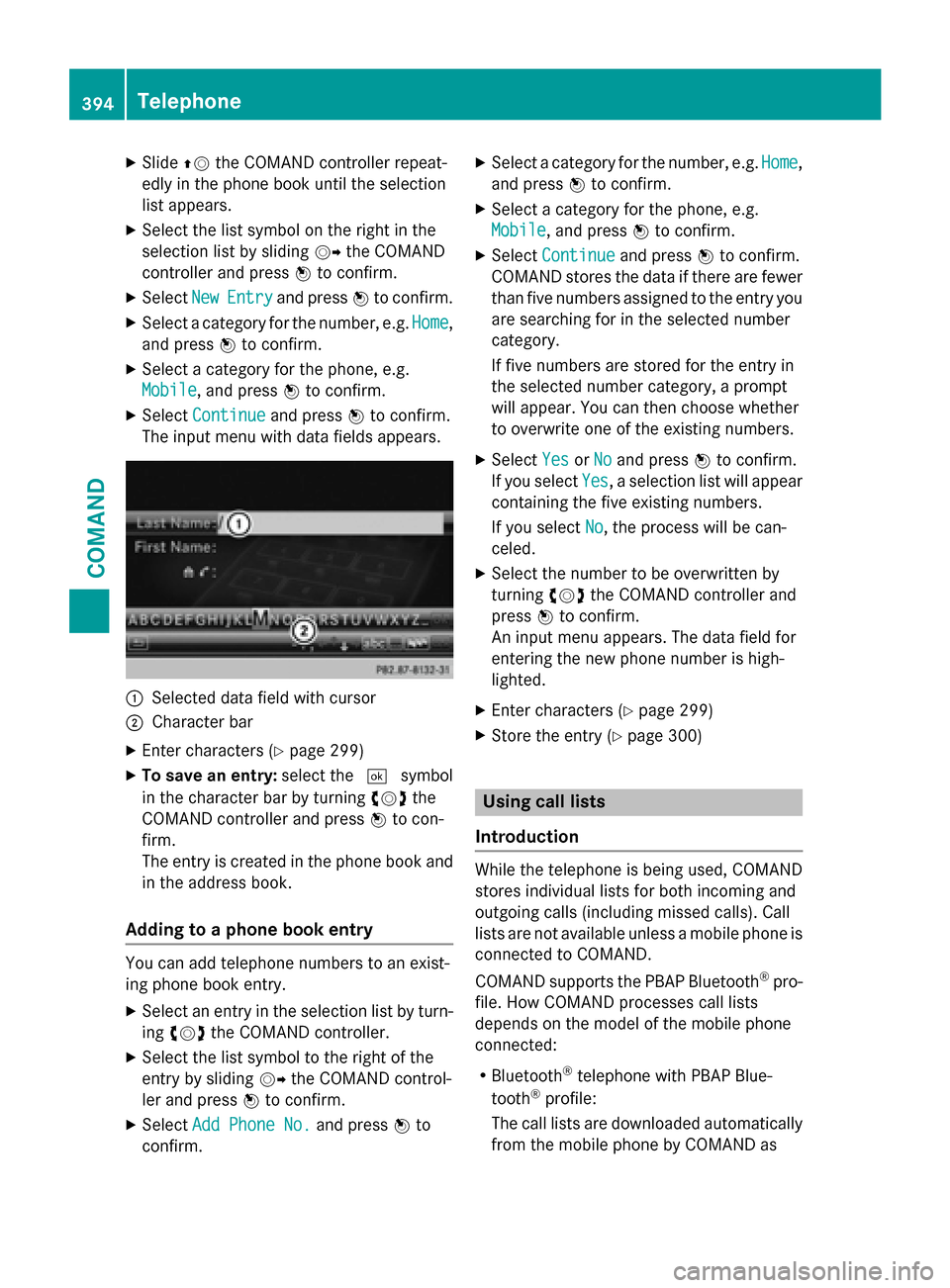
The input menu with data fields appears. 0043
Selected data field with cursor
0044 Character bar
X Enter characters (Y page 299)
X To save an entry: select the0054symbol
in the character bar by turning 00790052007Athe
COMAND controller and press 0098to con-
firm.
The entry is created in the phone book and
in the address book.
Adding to a phone book entry You can add telephone numbers to an exist-
ing phone book entry.
X Select an entry in the selection list by turn-
ing 00790052007A the COMAND controller.
X Select the list symbol to the right of the
entry by sliding 00520096the COMAND control-
ler and press 0098to confirm.
X Select Add Phone No.
Add Phone No. and press0098to
confirm. X
Select a category for the number, e.g. Home
Home,
and press 0098to confirm.
X Select a category for the phone, e.g.
Mobile Mobile , and press 0098to confirm.
X Select Continue
Continue and press0098to confirm.
COMAND stores the data if there are fewer
than five numbers assigned to the entry you are searching for in the selected number
category.
If five numbers are stored for the entry in
the selected number category, a prompt
will appear. You can then choose whether
to overwrite one of the existing numbers.
X Select Yes YesorNo
No and press 0098to confirm.
If you select Yes
Yes, a selection list will appear
containing the five existing numbers.
If you select No No, the process will be can-
celed.
X Select the number to be overwritten by
turning 00790052007Athe COMAND controller and
press 0098to confirm.
An input menu appears. The data field for
entering the new phone number is high-
lighted.
X Enter characters (Y page 299)
X Store the entry (Y page 300) Using call lists
Introduction While the telephone is being used, COMAND
stores individual lists for both incoming and
outgoing calls (including missed calls). Call
lists are not available unless a mobile phone is
connected to COMAND.
COMAND supports the PBAP Bluetooth ®
pro-
file. How COMAND processes call lists
depends on the model of the mobile phone
connected:
R Bluetooth ®
telephone with PBAP Blue-
tooth ®
profile:
The call lists are downloaded automatically from the mobile phone by COMAND as 394
TelephoneCOMAND
Page 406 of 610
Changing the category of a telephone
number data field
X Display details for an address book entry
(Y page 403).
X Select the telephone number data field.
X Select the list symbol to the right of the
entry by sliding 00520096the COMAND control-
ler and press 0098to confirm.
X Select Change Category Change Category and press0098to
confirm.
X Select a number category, e.g. Home
Home.
X Select a telephone category, e.g. Mobile
Mobile.
X If desired, select Preferred
Preferred and press0098
to confirm.
Depending on the previous status, switch
the option on 0073or off 0053. The phone num-
ber is displayed as the first number in the
phone book and can be dialed immediately.
X Select Save Saveand press 0098to confirm.
The new category is stored.
Calling a number stored in an entry Prerequisites
The mobile phone must be connected via the
Bluetooth ®
Interface (Y page 381).
Dialing a number
X Display details for an address book entry
(Y page 403).
X Select the phone number data field by turn-
ing 00790052007A the COMAND controller.
X Press 0098the COMAND controller to con-
firm.
or
X Select the list symbol to the right of the
data field by sliding 00520096the COMAND con-
troller.
X Press 0098the COMAND controller to con-
firm.
X Select Call
Call and press 0098to confirm.
The phone makes the call. The display
switches to telephone mode. Storing the phone number as a speed
dial number X
Display details for an address book entry
(Y page 403).
X Select the phone number data field by turn-
ing 00790052007A the COMAND controller.
X Select the list symbol to the right of the
data field by sliding 00520096the COMAND con-
troller and press 0098to confirm.
X Select Speed Dial Speed Dial and press0098to con-
firm.
You can now store the number in one of the ten speed dial presets (Y page 397).
Starting route guidance to an entry Address book entry with navigable data
This function is available as soon as you have stored a destination in the destination mem-
ory (Y page 361).
X Search for an address book entry with the
0048 symbol and select it from the list
(Y page 402).
X Display details for an address book entry
(Y page 403).
X Select the address data field by turning
00790052007A the COMAND controller and press 0098
to confirm.
Route guidance begins.
or X Select the list symbol to the right of the
entry by sliding 00520096the COMAND control-
ler and press 0098to confirm.
X Select Navigate
Navigate and press0098to confirm.
Route guidance begins.
Address book entry without navigable
data
Route guidance can also be started for an
address book entry without the 0048symbol. If
the address data or designations do not
match the digital map, COMAND prompts you to re-enter the address. 404
TelephoneCOMAND
Page 446 of 610
Displaying service information
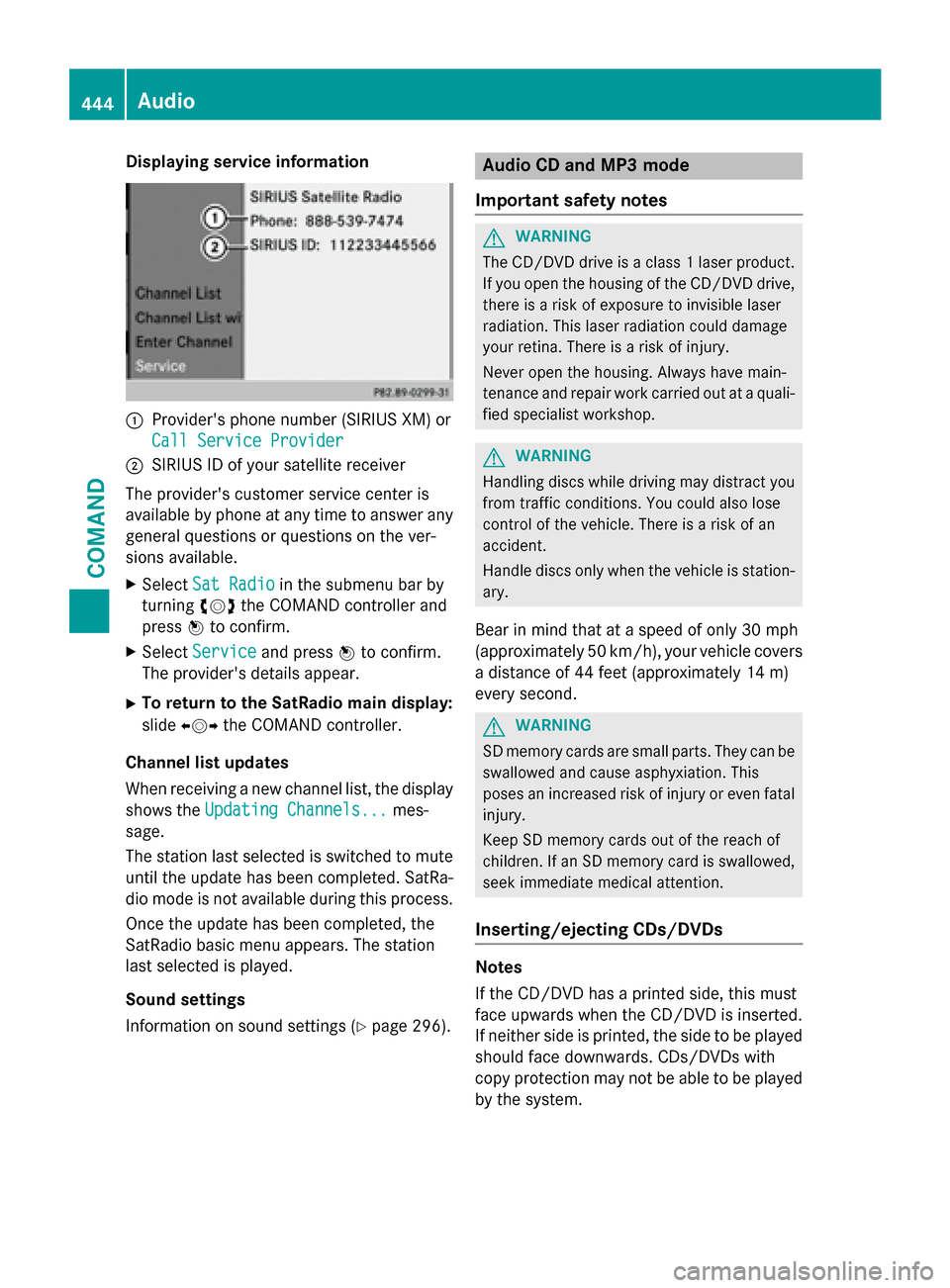
0043
Provider's phone number (SIRIUS XM) or
Call Service Provider
Call Service Provider
0044 SIRIUS ID of your satellite receiver
The provider's customer service center is
available by phone at any time to answer any
general questions or questions on the ver-
sions available.
X Select Sat Radio
Sat Radio in the submenu bar by
turning 00790052007Athe COMAND controller and
press 0098to confirm.
X Select Service
Service and press 0098to confirm.
The provider's details appear.
X To return to the SatRadio main display:
slide 009500520096 the COMAND controller.
Channel list updates
When receiving a new channel list, the display shows the Updating Channels... Updating Channels... mes-
sage.
The station last selected is switched to mute until the update has been completed. SatRa-
dio mode is not available during this process.
Once the update has been completed, the
SatRadio basic menu appears. The station
last selected is played.
Sound settings
Information on sound settings (Y page 296). Audio CD and MP3 mode
Important safety notes G
WARNING
The CD/DVD drive is a class 1 laser product. If you open the housing of the CD/DVD drive,
there is a risk of exposure to invisible laser
radiation. This laser radiation could damage
your retina. There is a risk of injury.
Never open the housing. Always have main-
tenance and repair work carried out at a quali- fied specialist workshop. G
WARNING
Handling discs while driving may distract you from traffic conditions. You could also lose
control of the vehicle. There is a risk of an
accident.
Handle discs only when the vehicle is station-
ary.
Bear in mind that at a speed of only 30 mph
(approximately 50 km/h), your vehicle covers
a distance of 44 feet (approximately 14 m)
every second. G
WARNING
SD memory cards are small parts. They can be swallowed and cause asphyxiation. This
poses an increased risk of injury or even fatal injury.
Keep SD memory cards out of the reach of
children. If an SD memory card is swallowed,
seek immediate medical attention.
Inserting/ejecting CDs/DVDs Notes
If the CD/DVD has a printed side, this must
face upwards when the CD/DVD is inserted.
If neither side is printed, the side to be played should face downwards. CDs/DVDs with
copy protection may not be able to be played
by the system. 444
AudioCOMAND
Page 449 of 610
0083
Medium type, position of medium in the
media list, current folder or current album
0084 Artist (if available)
006B MP3 mode menu
Pause function CD and MP3 mode
X To pause playback: briefly press the0063
button.
The 006B symbol appears at the top left in
the status bar.
X To continue playback: briefly press the
0063 button again.
The 006B symbol disappears.
Selecting a CD or MP3 disc Selecting via the media list
X In CD and MP3 mode: selectMedia Media using
the COMAND controller 00520064(slide) and
00790052007A (turn) and confirm with 0098.
The media list appears. The 003Bdot indicates
the current medium being played. Media list
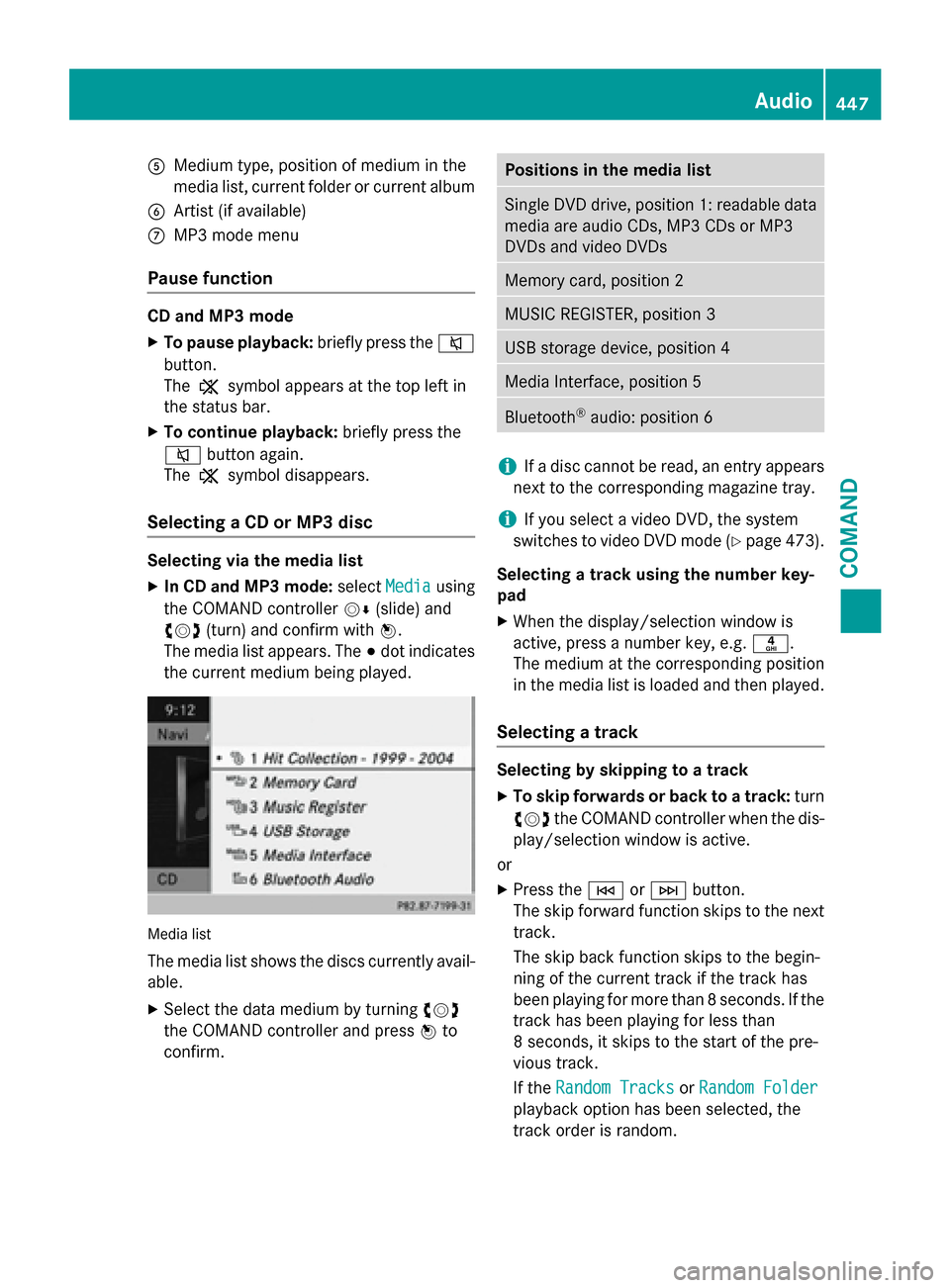
The media list shows the discs currently avail- able.
X Select the data medium by turning 00790052007A
the COMAND controller and press 0098to
confirm. Positions in the media list
Single DVD drive, position 1: readable data
media are audio CDs, MP3 CDs or MP3
DVDs and video DVDs Memory card, position 2
MUSIC REGISTER, position 3
USB storage device, position 4
Media Interface, position 5
Bluetooth
®
audio: position 6 i
If a disc cannot be read, an entry appears
next to the corresponding magazine tray.
i If you select a video DVD, the system
switches to video DVD mode (Y page 473).
Selecting a track using the number key-
pad X When the display/selection window is
active, press a number key, e.g. 0084.
The medium at the corresponding position
in the media list is loaded and then played.
Selecting a track Selecting by skipping to a track
X To skip forwards or back to a track: turn
00790052007A the COMAND controller when the dis-
play/selection window is active.
or
X Press the 0048or0049 button.
The skip forward function skips to the next track.
The skip back function skips to the begin-
ning of the current track if the track has
been playing for more than 8 seconds. If the
track has been playing for less than
8 seconds, it skips to the start of the pre-
vious track.
If the Random Tracks Random Tracks orRandom Folder
Random Folder
playback option has been selected, the
track order is random. Audio
447COMAND Z
Page 450 of 610
Selecting a track using the number key-
pad
X Press the 0056key on the number keypad.
A numerical entry field appears. The num-
ber of positions offered corresponds to the number of tracks on the CD. Only numbers that correspond to a track number on the
CD can be entered.
X Enter the desired track number using the
number keys.
The track plays after the last possible num- ber is entered.
i Pressing and holding a number key for
more than 2 seconds completes the entry,
and the corresponding track is played.
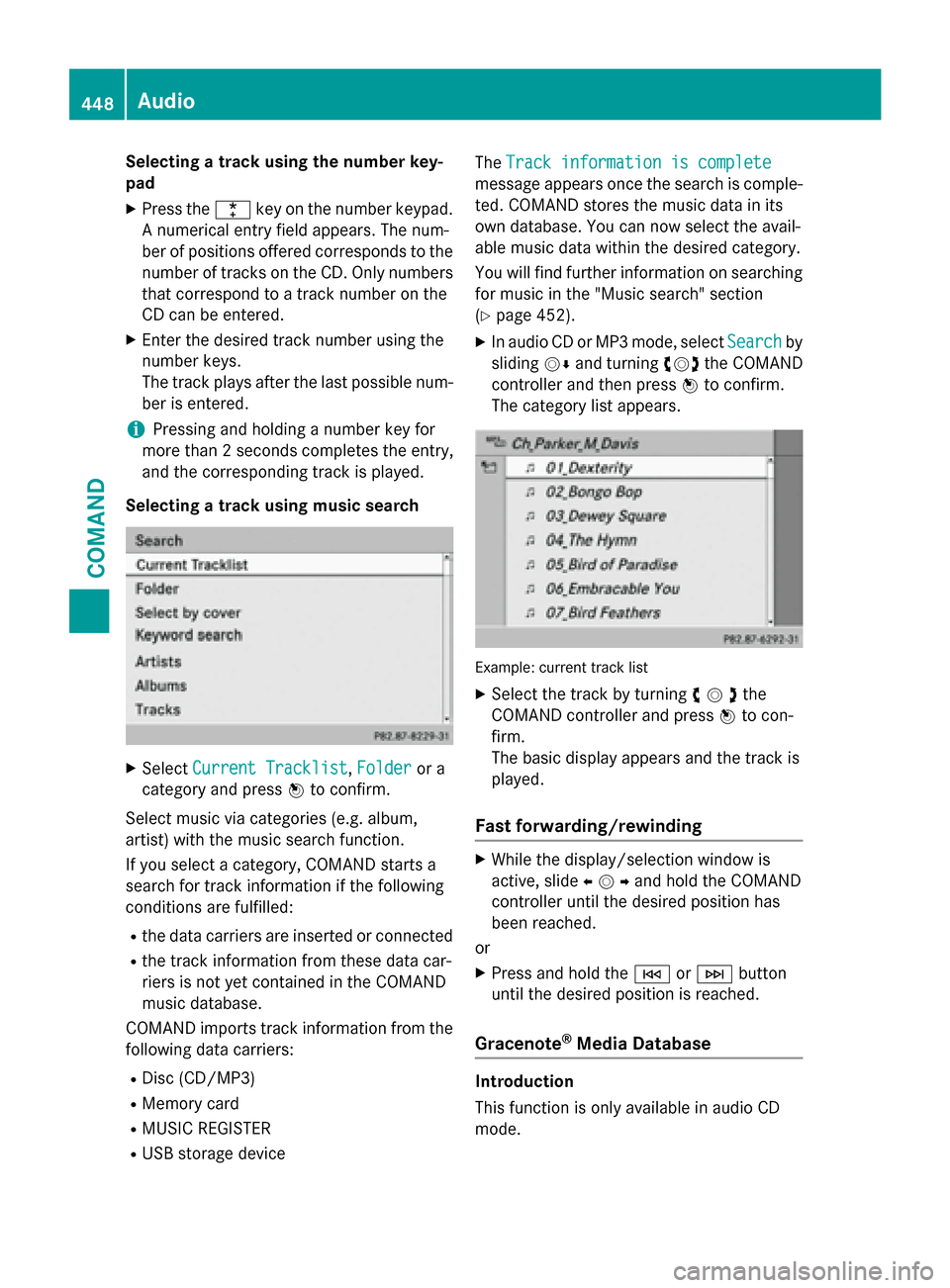
Selecting a track using music search X
Select Current Tracklist Current Tracklist, Folder
Folderor a
category and press 0098to confirm.
Select music via categories (e.g. album,
artist) with the music search function.
If you select a category, COMAND starts a
search for track information if the following
conditions are fulfilled:
R the data carriers are inserted or connected
R the track information from these data car-
riers is not yet contained in the COMAND
music database.
COMAND imports track information from the following data carriers:
R Disc (CD/MP3)
R Memory card
R MUSIC REGISTER
R USB storage device The
Track information is complete
Track information is complete
message appears once the search is comple-
ted. COMAND stores the music data in its
own database. You can now select the avail-
able music data within the desired category.
You will find further information on searching for music in the "Music search" section
(Y page 452).
X In audio CD or MP3 mode, select Search Searchby
sliding 00520064and turning 00790052007Athe COMAND
controller and then press 0098to confirm.
The category list appears. Example: current track list
X Select the track by turning 00790052007Athe
COMAND controller and press 0098to con-
firm.
The basic display appears and the track is
played.
Fast forwarding/rewinding X
While the display/selection window is
active, slide 009500520096and hold the COMAND
controller until the desired position has
been reached.
or X Press and hold the 0048or0049 button
until the desired position is reached.
Gracenote ®
Media Database Introduction
This function is only available in audio CD
mode. 448
AudioCOMAND