ABS MERCEDES-BENZ SL-Class 2015 R131 Owner's Manual
[x] Cancel search | Manufacturer: MERCEDES-BENZ, Model Year: 2015, Model line: SL-Class, Model: MERCEDES-BENZ SL-Class 2015 R131Pages: 610, PDF Size: 12.21 MB
Page 6 of 610
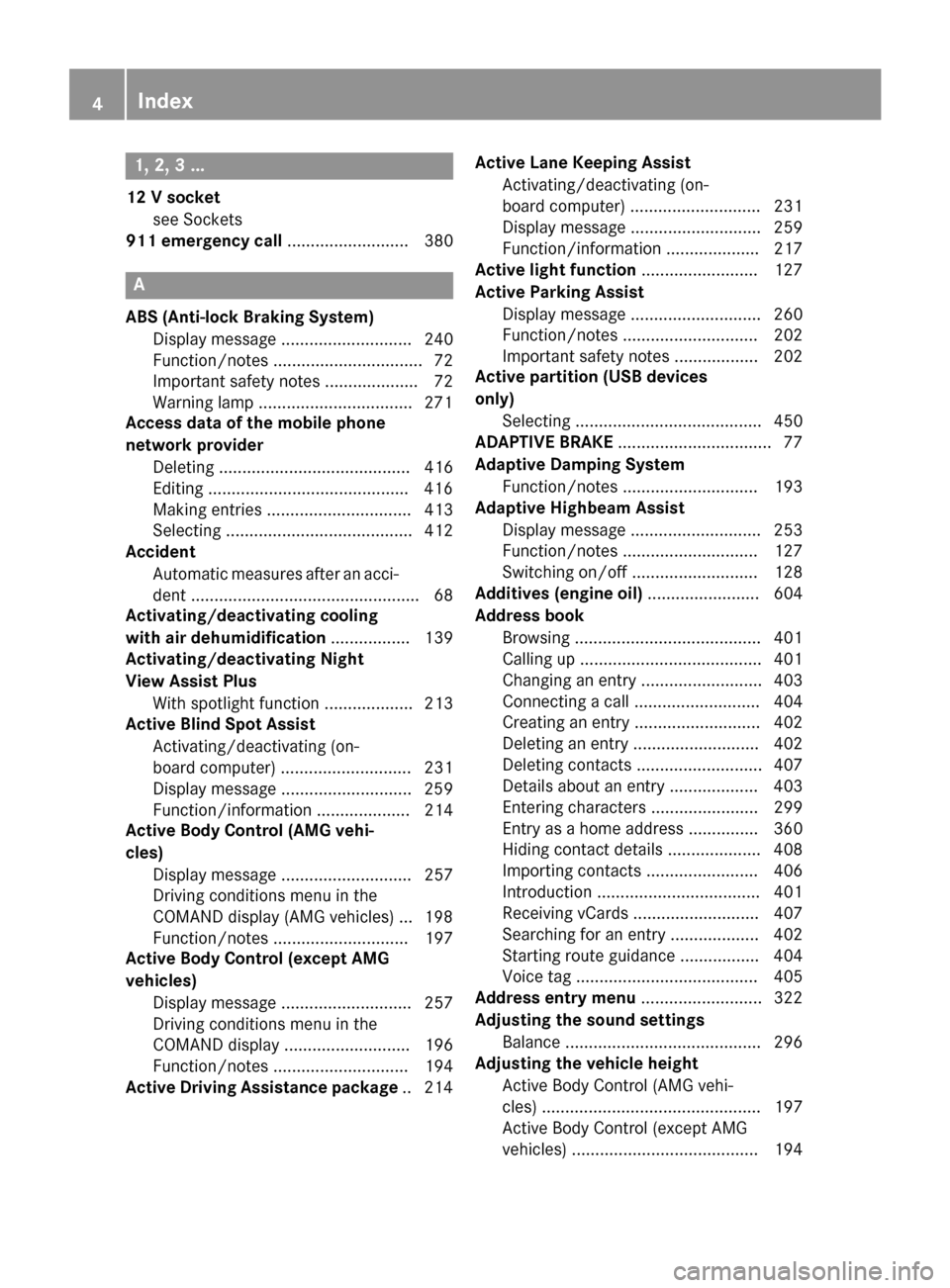
1, 2, 3 ...
12 V socket see Sockets
911 emergency call .......................... 380A
ABS (Anti-lock Braking System) Display message ............................ 240
Function/notes ................................ 72
Important safety notes .................... 72
Warning lamp .................................2 71
Access data of the mobile phone
network provider
Deleting ......................................... 416
Editing .......................................... .416
Making entries ............................... 413
Selecting ........................................ 412
Accident
Automatic measures after an acci-
dent ................................................. 68
Activating/deactivating cooling
with air dehumidification ................. 139
Activating/deactivating Night
View Assist Plus
With spotlight function ................... 213
Active Blind Spot Assist
Activating/deactivating (on-
board computer) ............................ 231
Display message ............................ 259
Function/informatio n.................... 214
Active Body Control (AMG vehi-
cles)
Display message ............................ 257
Driving conditions menu in the
COMAND display (AMG vehicles) ... 198
Function/note s............................. 197
Active Body Control (except AMG
vehicles)
Display message ............................ 257
Driving conditions menu in the
COMAND display ........................... 196
Function/note s............................. 194
Active Driving Assistance package .. 214Active Lane Keeping Assist
Activating/deactivating (on-
board computer) ............................ 231
Display message ............................ 259
Function/information .................... 217
Active light function ......................... 127
Active Parking Assist Display message ............................ 260
Function/note s............................. 202
Important safety notes .................. 202
Active partition (USB devices
only)
Selecting ........................................ 450
ADAPTIVE BRAKE ................................. 77
Adaptive Damping System Function/note s............................. 193
Adaptive Highbeam Assist
Display message ............................ 253
Function/note s............................. 127
Switching on/of f........................... 128
Additives (engine oil) ........................ 604
Address book Browsing ........................................ 401
Calling up ....................................... 401
Changing an entry .......................... 403
Connecting a call ........................... 404
Creating an entry ........................... 402
Deleting an entry ........................... 402
Deleting contacts ........................... 407
Details about an entry ................... 403
Entering characters ....................... 299
Entry as a home address ............... 360
Hiding contact details .................... 408
Importing contacts ........................ 406
Introduction ................................... 401
Receiving vCards ........................... 407
Searching for an entry ................... 402
Starting route guidance ................. 404
Voice tag ....................................... 405
Address entry menu .......................... 322
Adjusting the sound settings Balance .......................................... 296
Adjusting the vehicle height
Active Body Control (AMG vehi-
cles) ............................................... 197
Active Body Control (except AMG
vehicles) ........................................ 194 4
Index
Page 7 of 610
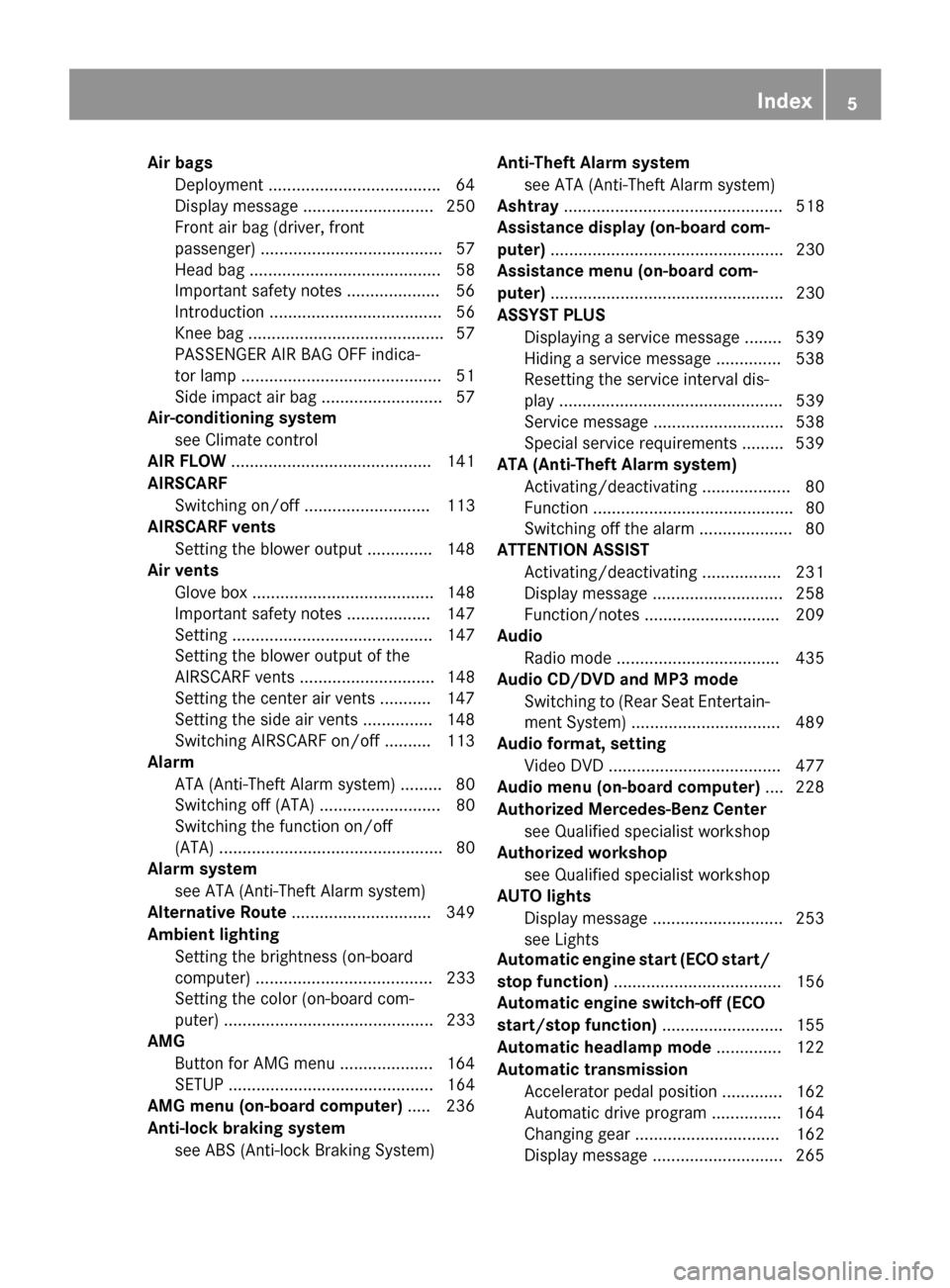
Air bags
Deployment .................................... .64
Display message ............................ 250
Front air bag (driver, front
passenger) ....................................... 57
Head bag ......................................... 58
Important safety note s.................... 56
Introduction ..................................... 56
Knee bag .......................................... 57
PASSENGER AIR BAG OFF indica-
tor lamp ........................................... 51
Side impact air ba g.......................... 57
Air-conditioning system
see Climate control
AIR FLOW ........................................... 141
AIRSCARF Switching on/of f........................... 113
AIRSCARF vents
Setting the blower output .............. 148
Air vents
Glove box ....................................... 148
Important safety notes .................. 147
Setting ........................................... 147
Setting the blower output of the
AIRSCARF vents ............................. 148
Setting the center air vents ........... 147
Setting the side air vents ............... 148
Switching AIRSCARF on/of f.......... 113
Alarm
ATA (Anti-Theft Alarm system) ......... 80
Switching off (ATA) .......................... 80
Switching the function on/off
(ATA) ................................................ 80
Alarm system
see ATA (Anti-Theft Alarm system)
Alternative Route .............................. 349
Ambient lighting Setting the brightness (on-board
computer) ...................................... 233
Setting the color (on-board com-
puter) ............................................. 233
AMG
Button for AMG menu .................... 164
SETUP ............................................ 164
AMG menu (on-board computer) ..... 236
Anti-lock braking system see ABS (Anti-lock Braking System) Anti-Theft Alarm system
see ATA (Anti-Theft Alarm system)
Ashtray ............................................... 518
Assistance display (on-board com-
puter) .................................................. 230
Assistance menu (on-board com-
puter) .................................................. 230
ASSYST PLUS Displaying a service message ........ 539
Hiding a service message .............. 538
Resetting the service interval dis-
play ................................................ 539
Service message ............................ 538
Special service requirements ......... 539
ATA (Anti-Theft Alarm system)
Activating/deactivating ................... 80
Function ........................................... 80
Switching off the alarm .................... 80
ATTENTION ASSIST
Activating/deactivating ................. 231
Display message ............................ 258
Function/note s............................. 209
Audio
Radio mod e................................... 435
Audio CD/DVD and MP3 mode
Switching to (Rear Seat Entertain-ment System) ................................ 489
Audio format, setting
Video DVD ..................................... 477
Audio menu (on-board computer) .... 228
Authorized Mercedes-Benz Center see Qualified specialist workshop
Authorized workshop
see Qualified specialist workshop
AUTO lights
Display message ............................ 253
see Lights
Automatic engine start (ECO start/
stop function) .................................... 156
Automatic engine switch-off (ECO
start/stop function) .......................... 155
Automatic headlamp mode .............. 122
Automatic transmission Accelerator pedal position ............. 162
Automatic drive program ............... 164
Changing gear ............................... 162
Display message ............................ 265 Index
5
Page 8 of 610
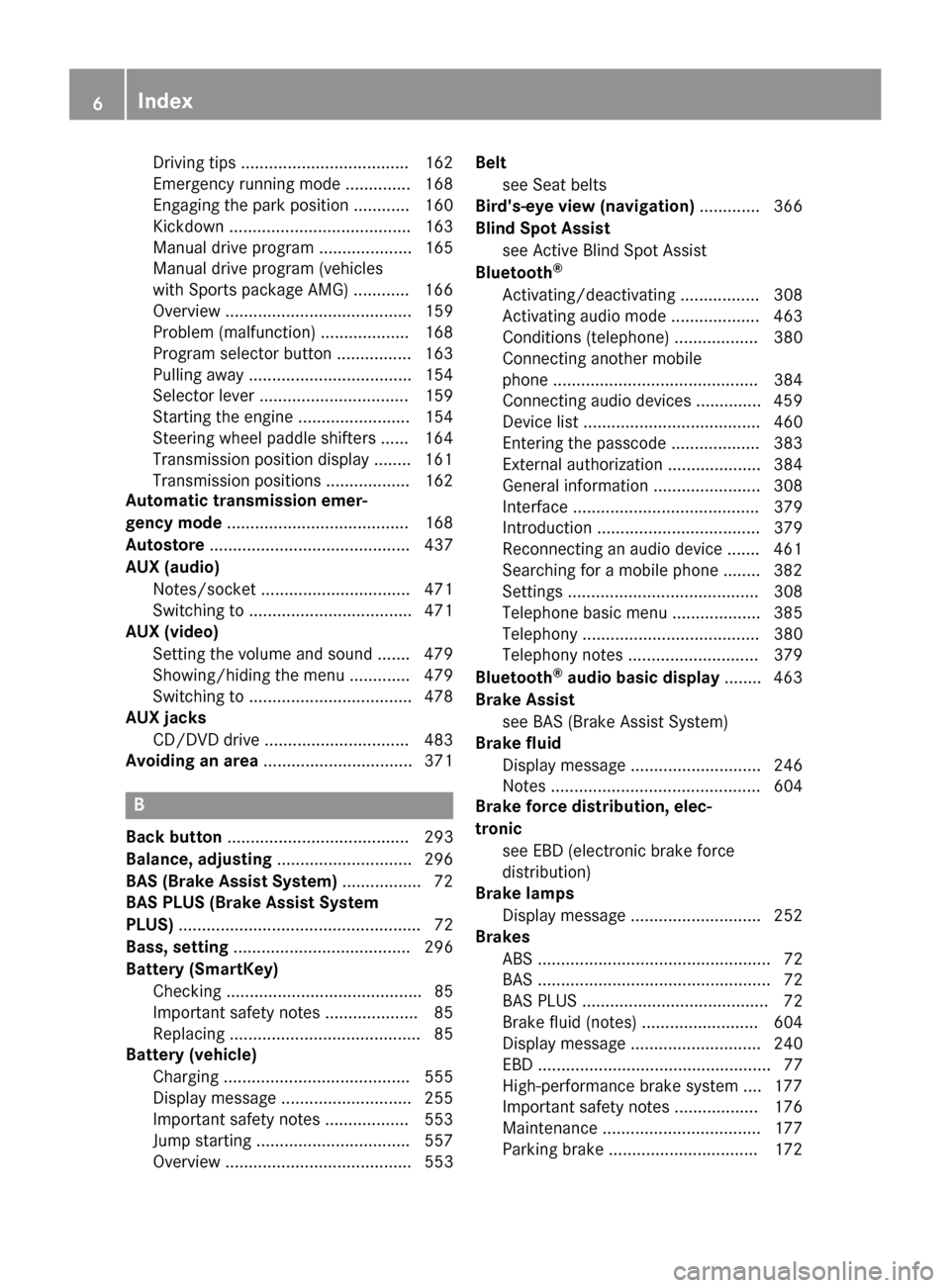
Driving tips .................................... 162
Emergency running mod
e.............. 168
Engaging the park position ............ 160
Kickdown ....................................... 163
Manual drive progra m.................... 165
Manual drive program (vehicles
with Sports package AMG) ............ 166
Overview ........................................ 159
Problem (malfunction) ................... 168
Program selector button ................ 163
Pulling away ................................... 154
Selector lever ................................ 159
Starting the engine ........................ 154
Steering wheel paddle shifters ...... 164
Transmission position display ........ 161
Transmission positions .................. 162
Automatic transmission emer-
gency mode ....................................... 168
Autostore ........................................... 437
AUX (audio) Notes/socket ................................ 471
Switching to ................................... 471
AUX (video)
Setting the volume and sound ....... 479
Showing/hiding the menu ............. 479
Switching to ................................... 478
AUX jacks
CD/DVD drive ............................... 483
Avoiding an area ................................ 371B
Back button ....................................... 293
Balance, adjusting ............................. 296
BAS (Brake Assist System) ................. 72
BAS PLUS (Brake Assist System
PLUS) .................................................... 72
Bass, setting ...................................... 296
Battery (SmartKey) Checking .......................................... 85
Important safety notes .................... 85
Replacing ......................................... 85
Battery (vehicle)
Charging ........................................ 555
Display message ............................ 255
Important safety notes .................. 553
Jump starting ................................. 557
Overview ........................................ 553 Belt
see Seat belts
Bird's-eye view (navigation) ............. 366
Blind Spot Assist see Active Blind Spot Assist
Bluetooth ®
Activating/deactivating ................. 308
Activating audio mode ................... 463
Conditions (telephone) .................. 380
Connecting another mobile
phone ............................................ 384
Connecting audio devices .............. 459
Device list ...................................... 460
Entering the passcode ................... 383
External authorization .................... 384
General information ....................... 308
Interface ........................................ 379
Introduction ................................... 379
Reconnecting an audio device ....... 461
Searching for a mobile phone ........ 382
Setting s......................................... 308
Telephone basic menu ................... 385
Telephony ...................................... 380
Telephony notes ............................ 379
Bluetooth ®
audio basic display ........ 463
Brake Assist see BAS (Brake Assist System)
Brake fluid
Display message ............................ 246
Notes ............................................. 604
Brake force distribution, elec-
tronic see EBD (electronic brake force
distribution)
Brake lamps
Display message ............................ 252
Brakes
ABS .................................................. 72
BAS .................................................. 72
BAS PLUS ........................................ 72
Brake fluid (notes) ......................... 604
Display message ............................ 240
EBD .................................................. 77
High-performance brake system .... 177
Important safety notes .................. 176
Maintenance .................................. 177
Parking brake ................................ 172 6
Index
Page 12 of 610
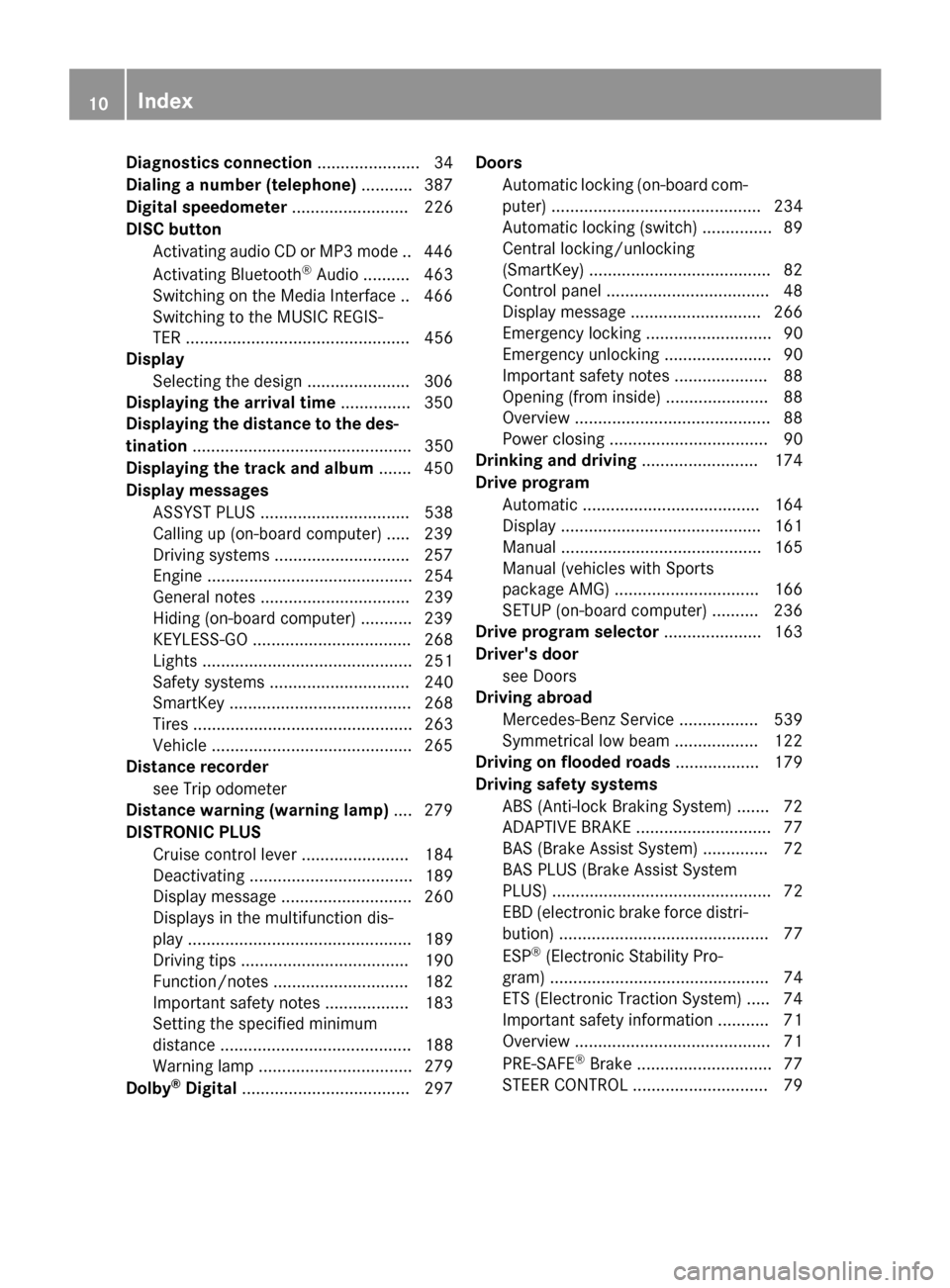
Diagnostics connection
...................... 34
Dialing a number (telephone) ...........387
Digital speedometer ......................... 226
DISC button Activating audio CD or MP3 mode .. 446
Activating Bluetooth ®
Audio .......... 463
Switching on the Media Interface .. 466
Switching to the MUSIC REGIS-
TER ................................................ 456
Display
Selecting the design ..................... .306
Displaying the arrival time ...............350
Displaying the distance to the des-
tination ............................................... 350
Displaying the track and album ....... 450
Display messages ASSYST PLUS ................................ 538
Calling up (on-board computer) ..... 239
Driving systems ............................ .257
Engine ............................................ 254
General notes ................................ 239
Hiding (on-board computer) ........... 239
KEYLESS-GO .................................. 268
Lights ............................................. 251
Safety systems .............................. 240
SmartKey ....................................... 268
Tires ............................................... 263
Vehicle .......................................... .265
Distance recorder
see Trip odometer
Distance warning (warning lamp) .... 279
DISTRONIC PLUS Cruise control lever ....................... 184
Deactivating ................................... 189
Display message ............................ 260
Displays in the multifunction dis-
pla y................................................ 189
Driving tips .................................... 190
Function/note s............................. 182
Important safety notes .................. 183
Setting the specified minimum
distance ......................................... 188
Warning lamp ................................. 279
Dolby ®
Digital .................................... 297 Doors
Automatic locking (on-board com-
puter) ............................................. 234
Automatic locking (switch) ............... 89
Central locking/unlocking
(SmartKey) ....................................... 82
Control panel ................................... 48
Display message ............................ 266
Emergency locking ........................... 90
Emergency unlocking ....................... 90
Important safety notes .................... 88
Opening (from inside) ...................... 88
Overview .......................................... 88
Power closing .................................. 90
Drinking and driving ......................... 174
Drive program Automatic ...................................... 164
Display ........................................... 161
Manual ........................................... 165
Manual (vehicles with Sports
package AMG) ............................... 166
SETUP (on-board computer) .......... 236
Drive program selector ..................... 163
Driver's door see Doors
Driving abroad
Mercedes-Benz Service ................. 539
Symmetrical low beam .................. 122
Driving on flooded roads .................. 179
Driving safety systems ABS (Anti-lock Braking System) ....... 72
ADAPTIVE BRAK E............................. 77
BAS (Brake Assist System) .............. 72
BAS PLUS (Brake Assist System
PLUS) ............................................... 72
EBD (electronic brake force distri- bution) ............................................. 77
ESP ®
(Electronic Stability Pro-
gram) ............................................... 74
ETS (Electronic Traction System) ..... 74
Important safety information ........... 71
Overview .......................................... 71
PRE-SAFE ®
Brake ............................. 77
STEER CONTROL ............................. 79 10
Index
Page 30 of 610
Setting the picture ......................... 473
Showing/hiding the control
menu ............................................. 474
Showing/hiding the menu ............. 475
Stop function ................................. 475
Subtitles ........................................ 478
Switching to ................................... 474
VIN ...................................................... 600
Voice Control System Setting s......................................... 308
Volume, adjusting
COMAND ....................................... 295
Navigation messages ..................... 295 W
Warning and indicator lamps ABS ................................................ 271
Brakes ........................................... 271
Check Engine ................................. 277
Coolant .......................................... 277
Distance warning ........................... 279
DISTRONIC PLUS ........................... 279
ESP ®
.............................................. 273
ESP ®
OFF ....................................... 274
Overview .......................................... 42
PASSENGER AIR BAG OFF ............... 51
Reserve fue l................................... 277
Restraint system ............................ 276
Seat belt ........................................ 269
SPORT handling mod e................... 274
Tire pressure monitor .................... 280
Warranty .............................................. 31
Washer fluid Display message ............................ 267
Waypoints
Accepting waypoints for the
route .............................................. 334
Creating ......................................... 331
Editing ........................................... 333
Entering ......................................... 331
Searching for a gas station when
the fuel level is lo w........................ 334
Weather Band
Searching for a channel ................. 438
Switching on .................................. 438 Weather map (SIRIUS)
Calling up ....................................... 503
Legend ........................................... 508
Moving ........................................... 504
Showing/hiding layers ................... 504
Showing/hiding the menu ............. 504
Time stamp .................................... 508
Weather memory (SIRIUS)
Selecting an area ........................... 503
Storing an area .............................. 503
Website
Add to favorites ............................. 431
Wheel and tire combination
see Tires
Wheel bolt tightening torque ........... 593
Wheel chock ...................................... 590
Wheels Changing a whee l.......................... 588
Checking ........................................ 569
Cleaning ......................................... 542
Cleaning (warning) ......................... 589
Important safety notes .................. 568
Interchanging/changing ................ 588
Mounting a new whee l................... 592
Mounting a whee l.......................... 589
Overview ........................................ 568
Removing a whee l.......................... 592
Storing ........................................... 589
Tightening torque ........................... 593
Wheel size/tire size ....................... 593
Windows
see Side windows
Wind screen
Electrical wind screen .................... 104
Windshield
Defrosting ...................................... 143
Windshield washer fluid
see Windshield washer system
Windshield washer system
Adding washer fluid ....................... 537
Notes ............................................. 606
Windshield wipers
Display message ............................ 267
Problem (malfunction) ................... 133
Replacing the wiper blades ............ 131
Switching on/of f........................... 130 28
Index
Page 44 of 610
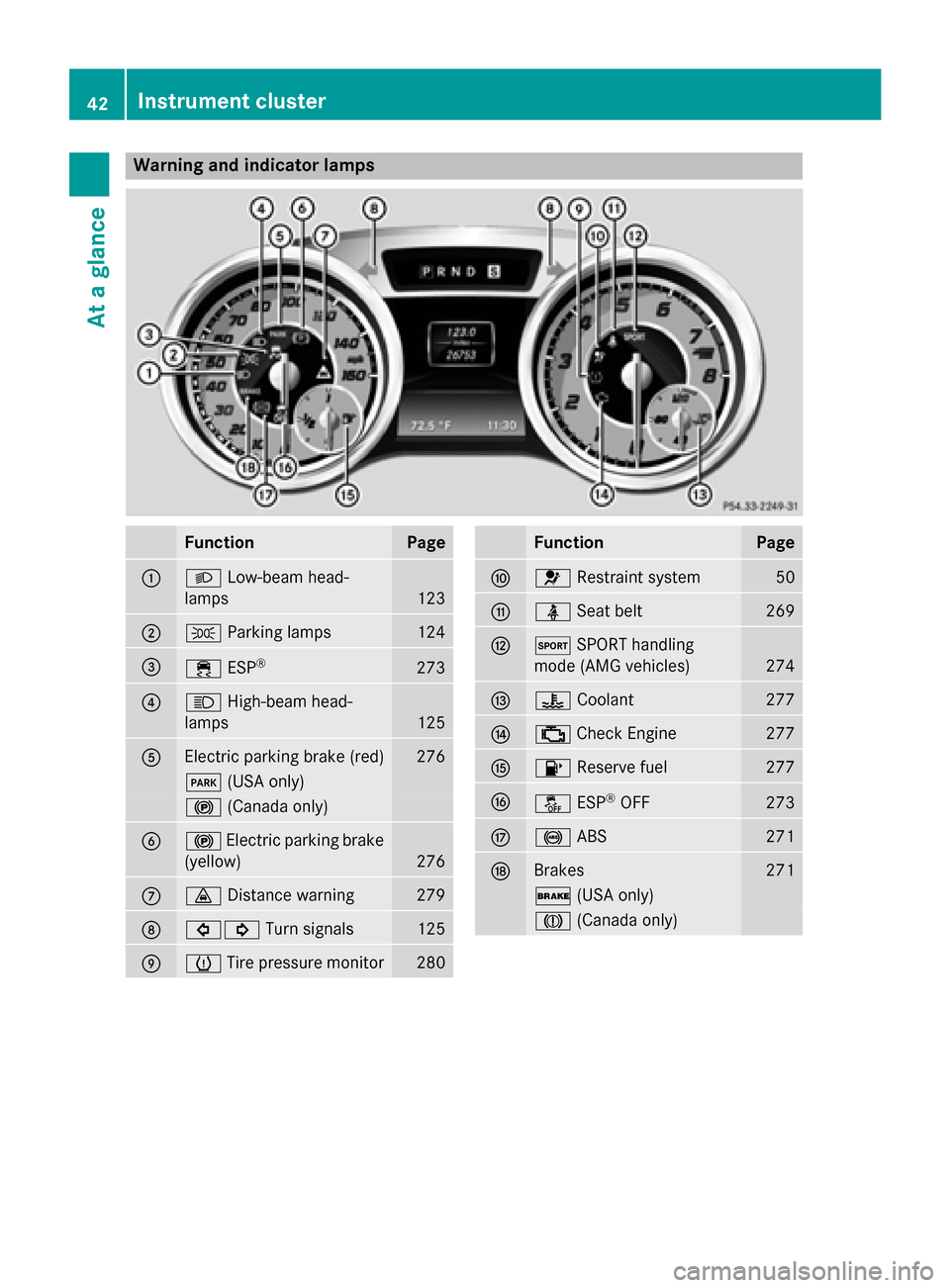
Warning and indicator lamps
Function Page
0043
0058
Low-beam head-
lamps 123
0044
0060
Parking lamps 124
0087
00E5
ESP® 273
0085
0057
High-beam head-
lamps 125
0083
Electric parking brake (red) 276
0049
(USA only) 0024
(Canada only) 0084
0024
Electric parking brake
(yellow) 276
006B
00BA
Distance warning 279
006C
003E003D
Turn signals 125
006D
0077
Tire pressure monitor 280 Function Page
006E
0075
Restraint system 50
006F
00E9
Seat belt 269
0070
0074
SPORT handling
mode (AMG vehicles) 274
0071
00AC
Coolant 277
0072
00B9
Check Engine 277
0073
00B6
Reserve fuel 277
0074
00BB
ESP®
OFF 273
0075
0025
ABS 271
0076
Brakes 271
0027
(USA only) 004D
(Canada only) 42
Instrument clusterAt a glance
Page 54 of 610
The PASSENGER AIR BAG ON indicator lamp
is inoperative. It lights up briefly when the
ignition is switched on and then goes out
again.
Depending on the person in the front-
passenger seat, the front-passenger front air
bag must either be disabled or enabled; see
the following points. You must make sure of
this both before and during a journey.
R Children in a child restraint system:
whether the front-passenger front air bag is enabled or deactivated depends on the
installed child restraint system, and the age
and size of the child. Therefore, be sure to
observe the notes on the "Occupant clas-
sification system (OCS)" (Y page 59) and
on "Children in the vehicle" (Y page 68).
There you will also find instructions on
backwards- and forwards-facing child
restraint systems on the front-passenger
seat.
R All other persons: depending on the clas-
sification of the person in the front-
passenger seat, the front-passenger front
air bag is enabled or deactivated
(Y page 59). Be sure to observe the notes
on "Seat belts“ (Y page 52) and "Air bags"
(Y page 56). There you can also find infor-
mation on the correct seat position. Seat belts
Introduction Seat belts are the most effective means of
restricting the movement of vehicle occu-
pants in the event of an accident or the vehi-
cle rolling over. This reduces the risk of vehi- cle occupants coming into contact with parts
of the vehicle interior or being ejected from
the vehicle. Furthermore, the seat belt helps
to keep the vehicle occupant in the best posi- tion in relation to the air bag. The seat belt system comprises:
R Seat belts
R Emergency Tensioning Devices and seat
belt force limiters
If the seat belt is pulled by the seat belt guide quickly or with a jerky movement, the belt
retractor locks. The belt strap cannot be
extracted any further.
The Emergency Tensioning Device tightens
the seat belt in an accident, pulling the belt
close against the body. However it does not
pull the vehicle occupant back in the direction
of the backrest.
The Emergency Tensioning Device does not
correct an incorrect seat position or the rout- ing of an incorrectly fastened seat belt.
When triggered, seat belt force limiters help
to reduce the force exerted by the seat belt on
the vehicle occupant.
The seat belt force limiters are synchronized
with the front air bags, which absorb part of
the deceleration force. This can reduce the
force exerted on the vehicle occupants during an accident.
! If the front-passenger seat is unoccupied,
do not insert the belt tongue into the buckle of the front-passenger seat. This may oth-
erwise lead to the triggering of the Emer-
gency Tensioning Device in the event of anaccident, which will then need to be
replaced.
Important safety notes The use of seat belts and child restraint sys-
tems is required by law in:
R all 50 states
R the U.S. territories
R the District of Columbia
R all Canadian provinces
Even where this is not required by law, all
vehicle occupants should correctly fasten
their seat belts before starting the journey. 52
Occupant safetySafety
Page 72 of 610
sudden change in direction. The child
restraint system could be thrown about, strik- ing vehicle occupants. There is an increased
risk of injury, possibly even fatal.
Always install child restraint systems prop-
erly, even if they are not being used. Make
sure that you observe the child restraint sys-
tem manufacturer's installation instructions.
Further information on stowing objects, lug-
gage and loads securely can be found under
“Stowing options/stowage compartments”
(Y page 512). G
WARNING
Child restraint systems or their securing sys-
tems which have been damaged or subjected to a load in an accident can no longer protect
as intended. The child cannot then be
restrained in the event of an accident, heavy
braking or sudden changes of direction. There is an increased risk of injury, possibly even
fatal.
Replace child restraint systems which have
been damaged or subjected to a load in an
accident as soon as possible. Have the secur-
ing systems on the child restraint system
checked at a qualified specialist workshop,
before you install a child restraint system
again.
If a child is carried on the front-passenger
seat, be sure to observe the information on
the "Occupant Classification System (OCS)"
(Y page 59). There you will also find informa-
tion on deactivating the front-passenger front
air bag.
All child restraint systems must meet the fol- lowing standards:
R U.S. Federal Motor Vehicle Safety Stand-
ards 213 and 225
R Canadian Motor Vehicle Safety Standards
213 and 210.2
Confirmation that the child restraint system
corresponds to the standards can be found
on an instruction label on the child restraint
system. This confirmation can also be found in the installation instructions that are inclu-
ded with the child restraint system.
Observe the warning labels in the vehicle inte-
rior and on the child restraint system. Child restraint system on the front-
passenger seat
General notes If you secure a child in a child restraint system
on the front-passenger seat, be sure to
observe the instructions and safety notes on
the "Occupant Classification System (OCS)"
(Y page 59).
You can thus avoid the risks that could arise
as a result of:
R an incorrectly categorized person in the
front-passenger seat
R the unintentional deactivation of the front-
passenger front air bag
R the unsuitable positioning of the child
restraint system, e.g. too close to the dash-
board
Rearward-facing child restraint system If it is absolutely necessary to install a rear-
ward-facing child restraint system on the
front-passenger seat, always make sure that
the front-passenger front air bag is deactiva-
ted. Only if the PASSENGER AIR BAG OFF
indicator lamp is permanently lit (Y page 51)
is the front-passenger front air bag deactiva-
ted.
Always observe the child restraint system
manufacturer's installation and operating
instructions.
Forward-facing child restraint system If you secure a child in a forward-facing child
restraint system on the front-passenger seat,
always move the front-passenger seat as far
back as possible. Fully retract the seat cush-
ion length. The entire base of the child
restraint system must always rest on the seat 70
Children in the vehicleSafety
Page 73 of 610
cushion of the front-passenger seat. The
backrest of the child restraint system must,
as far as possible, lie flat against the backrest
of the front-passenger seat. The child
restraint system must not touch the roof or be
put under strain by the head restraint. Adjust the angle of the seat backrest and the head
restraint position accordingly. Always make
sure that the shoulder belt strap is correctly
routed from the front-passenger seat belt
guide to the shoulder belt guide on the child
restraint system. The shoulder belt strap
must be routed forwards and downwards
from the front-passenger seat belt guide. If
necessary, adjust the front-passenger seat
accordingly.
Always observe the child restraint system
manufacturer's installation and operating
instructions. Pets in the vehicle
G
WARNING
If you leave animals unattended or unsecured in the vehicle, they could press buttons or
switches, for example.
As a result, they could:
R activate vehicle equipment and become
trapped, for example
R activate or deactivate systems, thereby
endangering other road users
Unsecured animals could also be flung around
the vehicle in the event of an accident or sud- den steering or braking, thereby injuring vehi-
cle occupants. There is a risk of an accident
and injury.
Never leave animals unattended in the vehi-
cle. Always secure animals properly during
the journey, e.g. use a suitable animal trans-
port box. Driving safety systems
Overview of driving safety systems
In this section, you will find information about the following driving safety systems:
R ABS ( Anti-lock BrakingSystem)
(Y page 72)
R BAS ( Brake Assist System) (Y page 72)
R BAS PLUS ( BrakeAssist System Plus)
(Y page 72)
R ESP ®
(E lectronic StabilityProgram)
(Y page 74)
R EBD ( Electronic Brake force Distribution)
(Y page 77)
R ADAPTIVE BRAKE (Y page 77)
R PRE-SAFE ®
Brake (Y page 77)
R STEER CONTROL (Y page 79) Important safety notes
If you fail to adapt your driving style or
become distracted, the driving safety sys-
tems can neither reduce the risk of accident
nor override the laws of physics. Driving
safety systems are merely aids designed to
assist driving. You are responsible for the dis-
tance to the vehicle in front, for vehicle speed and for braking in good time. Always adapt
your driving style to suit the prevailing road
and weather conditions and maintain a safe
distance from the vehicle in front. Drive care-
fully.
i The driving safety systems described only
work as effectively as possible when there
is adequate contact between the tires and
the road surface. Please pay special atten- tion to the notes on tires, recommended
minimum tire tread depths, etc.
(Y page 568).
In wintry driving conditions, always use
winter tires (M+S tires) and if necessary,
snow chains. Only in this way will the driv-
ing safety systems described in this section
work as effectively as possible. Driving safety systems
71Safety Z
Page 74 of 610
ABS (Anti-lock Braking System)
General information ABS regulates brake pressure in such a way
that the wheels do not lock when you brake.
This allows you to continue steering the vehi- cle when braking.
The yellow 0025ABS warning lamp in the
instrument cluster lights up when the ignition is switched on. It goes out when the engine is
running.
Important safety notes i
Observe the "Important safety notes" sec-
tion (Y page 71). G
WARNING
If ABS is faulty, the wheels could lock when
braking. The steerability and braking charac-
teristics may be severely impaired. Addition-
ally, further driving safety systems are deac-
tivated. There is an increased danger of skid- ding and accidents.
Drive on carefully. Have ABS checked imme-
diately at a qualified specialist workshop.
When ABS is malfunctioning, other systems,
including driving safety systems, will also
become inoperative. Observe the information on the ABS warning lamp (Y page 271) and
display messages which may be shown in the
instrument cluster (Y page 240).
ABS works from a speed of about 5 mph
(8 km/ h), regardless of road-surface condi-
tions. ABS works on slippery surfaces, even if
you only brake gently.
Braking X
If ABS intervenes: continue to depress the
brake pedal vigorously until the braking sit- uation is over.
X To make a full brake application:
depress the brake pedal with full force.
If ABS intervenes when braking, you will feel a pulsing in the brake pedal. The pulsating brake pedal can be an indica-
tion of hazardous road conditions, and func-
tions as a reminder to take extra care while
driving. BAS (Brake Assist System)
General information BAS operates in emergency braking situa-
tions. If you depress the brake pedal quickly,
BAS automatically boosts the braking force,
thus shortening the stopping distance.
Important safety notes i
Observe the "Important safety notes" sec-
tion (Y page 71). G
WARNING
If BAS is malfunctioning, the braking distance
in an emergency braking situation is
increased. There is a risk of an accident.
In an emergency braking situation, depress
the brake pedal with full force. ABS prevents
the wheels from locking.
Braking X
Keep the brake pedal firmly depressed until
the emergency braking situation is over.
ABS prevents the wheels from locking.
The brakes will function as usual once you
release the brake pedal. BAS is deactivated. BAS PLUS (Brake Assist System
PLUS)
General information i
Observe the "Important safety notes" sec-
tion (Y page 71).
BAS PLUS is only available in vehicles equip-
ped with DISTRONIC PLUS.
For BAS PLUS to assist you, the radar sensor system must be operational. 72
Driving safety systemsSafety