lock MERCEDES-BENZ SL CLASS 2020 Manual Online
[x] Cancel search | Manufacturer: MERCEDES-BENZ, Model Year: 2020, Model line: SL CLASS, Model: MERCEDES-BENZ SL CLASS 2020Pages: 334, PDF Size: 17.43 MB
Page 180 of 334
parkin
gprocedure withtheParkin gPackage
with rearview camera.
! If
they cannotbe avoided, driveover
obstac lessuch ascurbs slowly andatan
obtuse angle.Otherwise, youmay damage
the wheels ortires.
Ac tive Parkin gAssist mayalsoshow parkin g
spaces whicharenot suitable forparkin g,for
example:
R where parkingor stoppin gis prohibited
R in fron tof driveways orent ranc esand exits
R on unsuitable surfaces
Parkin gtips:
R on narro wroads, driveasclose tothe park-
ing space aspossible
R parkin gspaces thatarelittered orover-
grown mightbeident ifiedormeasured
incor rectly
R parkin gspaces thatarepartially occupied
by trailer drawbars mightnotbeident ified
as such orbe measured incorrectly
R snowfall orheavy rainmay lead toaparkin g
space beingmeasured inaccurately
R pay attention tothe warning messages of
Parkin gAssist PARKTRONI Cduring the
parkin gprocedure (Ypage 175)
R you can interven ein the steer ingprocedure
to corr ectitat any time. Active Parkin g
Assist willthen becanc eled
R when transport ingaload which protrudes
from yourvehicle, youshould notuse Active
Parkin gAssist
R never useActive Parkin gAssist whensnow
chains areinstalled
R make surethatthetire pressures arealways
corr ect.This hasadirect influen ceon the
parkin gcharact eristicsof the vehicle
Use Active Parkin gAssist forparkin gspaces:
R parallel oratright angles tothe direct ionof
trav el
R on straight roads, notbends
R on the same levelasthe road, e.g.noton
the pavement
Detecting parking spaces Objec
tslocated abovethedetec tionrange of
Ac tive Parkin gAssist willnotbedetec ted
when theparkin gspace ismeasured. These are
not taken intoaccoun twhen theparkin g
procedure iscalculated, e.g.overhan ging
loads, tailsect ions orloading rampsoftruc ks.
Ac tive Parkin gAssist maytherefore guide you
int othe parkin gspace tooearly. G
WARN
ING
If ther eare objec tsabove thedetec tion
range:
R the Parkin gPackage withrearview cam-
era may steer tooearly
R the vehicle maynotstop infron tof these
objec ts
This could cause acollision. Thereisarisk
of an acciden t.
If objec tsare located abovethedetec tion
range, stopanddeactiv atethe Parkin gPack-
age with rearview camera.
Furt herinfor mation aboutthedetec tionrange
(Y page 174).
Ac tive Parkin gAssist doesnotassist youpark-
ing inspaces perpendic ulartothe direct ionof
trav elif:
X Two parkin gspaces arelocated directlynex t
to one anot her.
X The parkin gspace isdirect lynex tto alow
obstac lesuch asalow curb.
X You park forwards.
Ac tive Parkin gAssist doesnotassist youpark-
ing inspaces thatareparallel oratright angles
to the direct ionoftrave lif:
R the parkin gspace ison acurb
R the system readstheparkin gspace asbeing
block ed,forexample byfoliage orgrass
paving blocks
R the area istoo small forthe vehicle to
maneuver into
R the parkin gspace isbordered byan obsta-
cle, e.g. atree, apost oratrailer G
WARN
ING
If ther eare objec tsabove thedetec tion
range:
R Ac tive Parkin gAssist maysteer tooearly
R the vehicle maynotstop infron tof these
objec ts 178
Driving
systemsDriving andparking
Page 184 of 334
Under
thefollowi ngcircumstances, therear
view camera willnotfunction, orwill function
in alimited manner:
R ifthe trunk lidisopen
R in heavy rain,snow orfog
R at night orinvery dark places
R ifthe camera isexposed tovery bright light
R ifthe area islit by fluorescent bulbsor LED
lighting (thedispla ymay flicker)
R ifthere isasudden changeintemperature,
e.g. when driving intoaheated garagein
winter
R ifthe camera lensisdirty orobstructed.
Observe thenotes oncleaning
(Y page 278)
R ifthe rear ofyour vehicle isdamage d.Inthis
case, havethecamera position andsetting
checked ataqual ified speciali stworkshop.
The field ofvision andother functions ofthe
rear view camera mayberestrict eddue to
additional accessories onthe rear ofthe vehi-
cle (e.g. license plateholder, bicycle rack).
On vehicles with<004B0048004C004A004B0057001000440047004D00580056005700440045004F
0048[ chassis,
leaving thestandard heightcanresult ininac-
curacies inthe guide lines,depending ontech-
nical conditions.
i The
cont rast ofthe displa ymay beaffec-
ted bythe sudden presence ofsunlight or
other lightsources, e.g.when exiting a
garage. Payparticular attentioninthis situa-
tion.
i If
usabi lityisseverely restricted,e.g. due
to pixel errors, havethedispla yrepaired or
replaced.
Activating/ deactivating therear view
camera X
To activate: makesurethattheSmartKey
is in position 0048inthe ignition lock.
X Make surethattheActivation byRgear Activation
byRgear
function isselected inthe multimedia sys-
tem; seetheDigital Operator's Manual.
X Engage reverse gear.
The multimedia systemshowsthearea
behind thevehicle withguide lines.
The image fromtherear view camera is
avail able throughout themaneuvering proc-
ess. To
deactivate: therear view camera deacti-
vates ifyou shift thetransmission toposition
005D, orafter driving forwards ashort distance.
The inner segments ofthe warning indicator
are displa yedinred ifthere isacomplete sys-
tem failure.The indicator lampinthe
PARKTRONIC buttonlightsup.
If the system failsatthe rear ofthe vehicle:
R the rear segments areshown inred when
backing up.
R the rear segments arehidden whendriving
forwards.
Displays inthe multim ediasystem The
rear view camera mayshow adistorted
view ofobstacles, showthemincorrect lyor
not atall. The rear view camera doesnotshow
objects inthe followi ngpositions:
R very close tothe rear bumper
R under therear bumper
R in close range above thehandle onthe trunk
lid
! Objects
notatground levelmayappea rto
be further awaythan theyactually are,e.g.:
R the bumper ofaparked vehicle
R the drawba rof atrailer
R the ball coupling ofatrailer towhitch
R the rear section ofan HGV
R aslanted post
Use theguide linesonlyfororientation.
Approach objectsnofurther thanthebot-
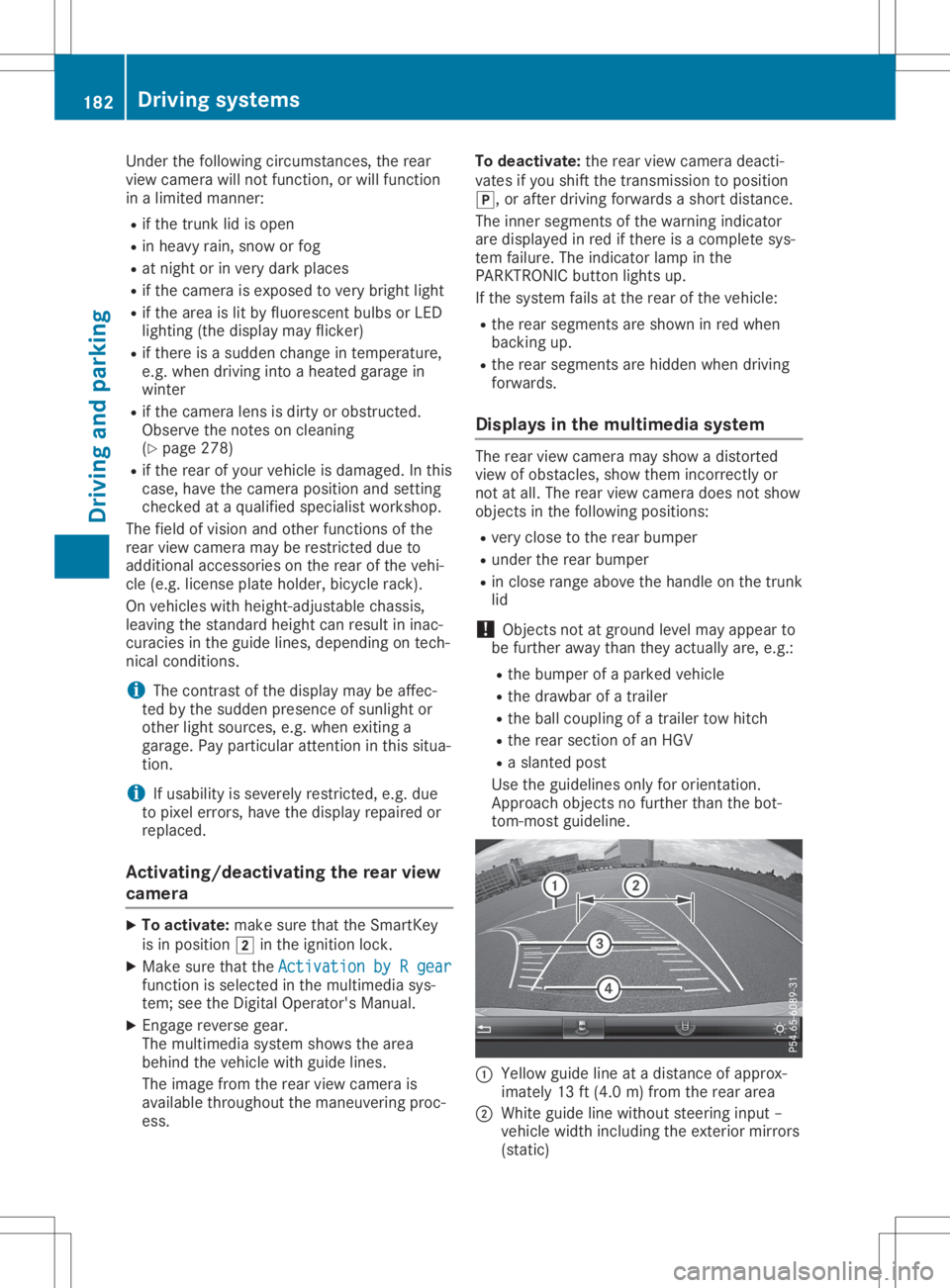
tom-most guideline. 0043
Yello wguide lineatadistance ofapprox-
imately 13ft(4.0 m)from therear area
0044 White guidelinewithout steering input–
vehicle widthincluding theexterior mirrors
(static) 182
Driving
systemsDriving andparking
Page 191 of 334
Eith
erno bra king applica tion,or acou rse-cor-
recti ngbra keapplica tionad apted tothe driv-
ing situa tionoccu rsif:
R the reareveh icles orobsta cles,e.g .cra sh
ba rriers ,lo cate don both side sof your veh i-
cle .
R aveh icleap pro ach esyoutoo closelyat the
si de .
R youha ve adop ted asp orty drivin gsty lewith
hi gh corne ringsp ee ds.
R youcle arly bra keoracc elera te.
R adri vin gsa fety system intervenes ,e.g .
ESP ®
or PR E-SAFE ®
Bra ke.
R ESP ®
is sw itch edoff.
R aloss oftire pressu reor ade fecti vetire is
de tecte d.
Sw itchin gon Activ eBli nd Spo tAs sist X
Ma kesure tha tActiv eBli nd Spo tAssi stis
acti vated (Ypage 201 ).
X Tu rn the Sma rtKeyto positio n0048 inthe igni-
tio nlock.
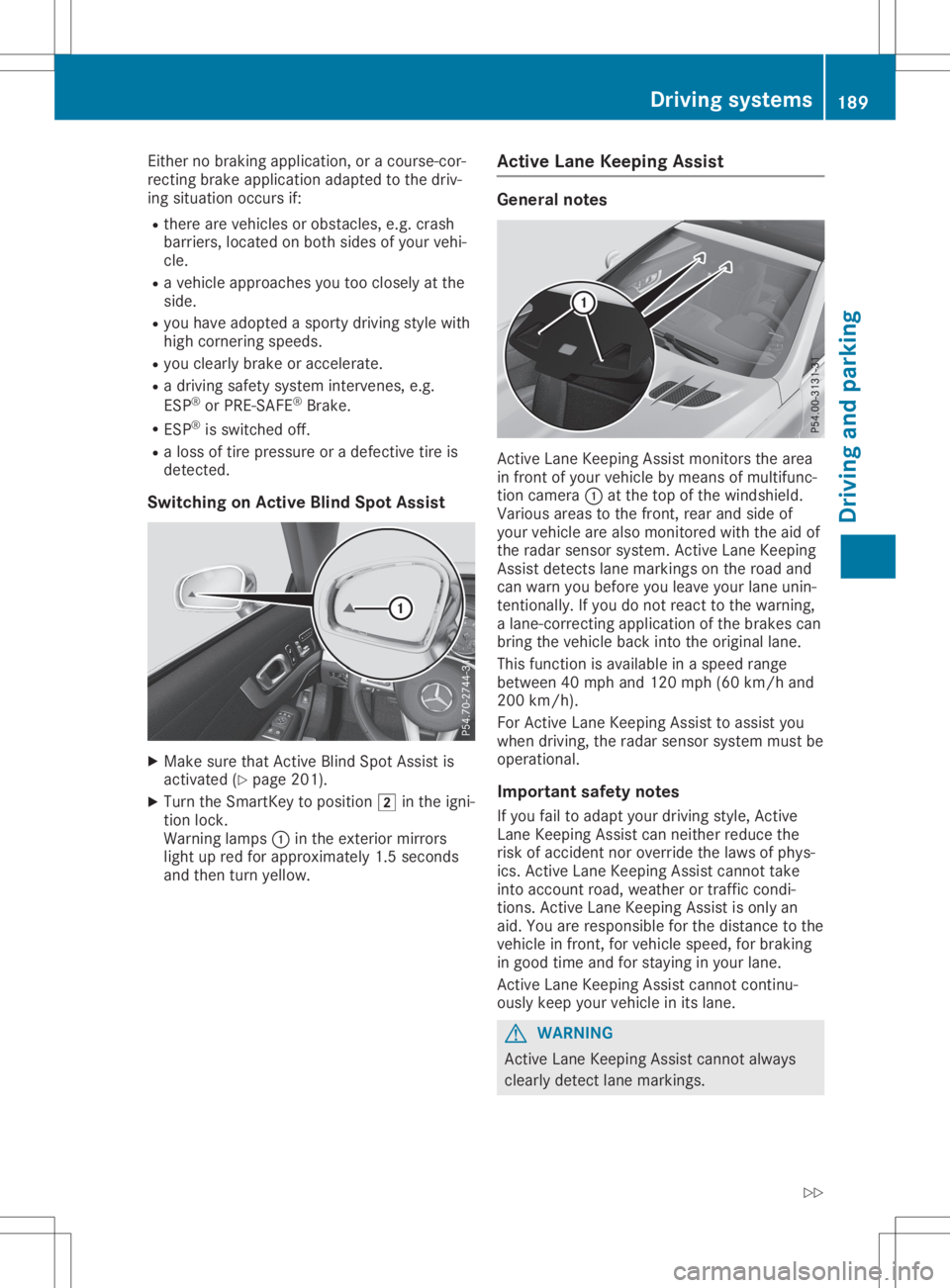
Wa rning lamps 0043inthe exte riormir rors
li ght upred forappro xim ately1.5 second s
and thentur nye llow . Ac
tiv eLan eKe epi ng Assist Ge
neral notes Activ
eLa ne Kee ping Assi stmoni torsthearea
in fro ntofyour veh icleby mea nsofmu ltifu nc-
tio ncam era0043atthe top ofthe winds hield.
Va rio us area sto the front, rearand side of
yo ur veh iclear ealso moni toredwi th the aid of
the rada rsen sor system .Activ eLa ne Kee ping
Assi stdetects lane ma rkin gson the roadand
can warnyoube for eyo uleav eyo ur lane unin-
tenti onally. Ifyo udo not reactto the warning,
a lane-co rrecting applica tionof the brakes can
bri ng the vehicleba ck into theoriginal lane.
Thi sfu nctio nis availa bl e in asp ee dra nge
be twe en40 mph and120 mph (60km/h and
200 km/h ).
For Activ eLa ne Kee ping Assi stto assist you
wh en drivin g,the rada rsen sor system mustbe
op era tional .
Impo rtant safety notes
If yo ufa ilto adaptyo ur drivin gsty le,Activ e
La ne Kee ping Assi stcan neithe rred uce the
ris kof acc ident nor override the laws ofphys-
ics .Activ eLa ne Kee ping Assi stcanno ttake
into account roa d,we ath eror tra fficcond i-
tio ns. Activ eLa ne Kee ping Assi stisonl yan
ai d. Yo uar eres ponsi ble for the dista nce tothe
veh iclein fro nt, for veh iclesp ee d, for braking
in go od time andforstaying inyour lane.
Activ eLa ne Kee ping Assi stcanno tconti nu-
ou sly kee pyo ur veh iclein its lane. G
WA
RNING
Activ eLa ne Kee ping Assi stcanno tal wa ys
cle arly de tect lane ma rkin gs. Dr
ivi ng system s
189Drivi ng andparki ng
Z
Page 194 of 334
Imp
ortant safety notes G
WAR
NING
If you oper ateinform ation syst ems andcom-
mun ication equipm entint egr atedin the
veh iclewhen driving,you may bedist racted
fr om thetraff icsit uati on.You could also
lose control oftheveh icle. Ther eis aris kof
an acc iden t.
On lyoper atethis equipm entwhen thetraff ic
sit uati onper mits.Ifyou arenotsur eth at
th is ispos sible ,park theveh iclepayin g
att ention totraff icco nd ition sand oper ate
th eequipm entwhen theveh icleis stati on-
ary.
You must observeth elegal require men tsfor
th eco unt ryinwhic hyou arecurren tly driv ing
when operating theon -board comput er. G
WAR
NING
If th eins trumen tclus terhas faile dor mal-
fun ction ed, you may notrec ogn izefunction
res trict ion sin syst ems relevantto saf ety.
The oper ating safetyof your vehiclemay be
impa ired.Ther eis aris kof an acc iden t.
Dr ive oncar eful ly.Hav eth eveh iclech ecke d
at aqualif iedspec ialist workshop immedi-
ate ly.
The on-board comput eronlysho wsmes sage s
or warn ingsfrom certain syst ems inthemult i-
fun ction disp lay.You should there foremak e
sur eyour vehicleis oper ating safely atall
ti mes .
If th eoper ating safetyof your vehicleis
impa ired,pull overas soo nas itis saf eto do
so. Con tacta qualif iedspec ialist workshop.
Fo ran ove rview, seetheins trumen tpan el
illust ration (Ypage 33). Disp
laysand oper ation Inst
rumen tclus terligh ting
The lighting intheins trumen tclus ter, in the
disp lays andtheco ntrol sin theveh icleint erior
can beadjust edusin gth ebrig htne ss control
kn ob. The
brightne ss control knob isloc ate don the
bot tom leftof theins trumen tclus ter
(Y page 33).
X Turn thebrig htne ss control knob clockwise
or count er-clo ckwise.
If you turnth eligh tswit ch(Ypage 109)to
th e0058, 0060or0058 position ,th ebrig ht-
ne ss will depe ndupon thebrig htne ss ofthe
ambi entligh t.
The lightsen sor intheins trumen tclus ter
auto maticallyco ntrol sth ebrig htne ss ofthe
mult ifunction disp lay.Indayligh t,th edis-
plays intheins trumen tclus terare notillu-
min ated. Sp
eedom eterwith segm ents
The segmen tsinthespee dometer ind icat e
whic hspee dran geisavaila ble.
R Cruis eco ntrol activat ed(Ypage 155):
The segmen tsligh tup from thest ore d
spee dto themax imum speed.
R Ac tive Distanc eAs sist DIST RONI Cact ivat ed
(Y page 157):
On eor two segmen tsintheset spee dran ge
ligh tup.
R Ac tive Distanc eAs sist DIST RONI Cdet ects a
veh iclein fron tmov ingmor eslow lythan the
st ore dspee d:
The segmen tsbet ween thespee dof the
veh iclein fron tand thest ore dspee dligh t
up. Ta
chom eter
! Do
notdriv ein theove rrevv ing range, as
th is co uld damag eth een gin e.
The redbandin thetac hom eter ind icat esthe
en gin e's overrevv ing range.
The fuel suppl yis int err upt edtopro tect the
en gin ewhen thered bandis reac hed. Out
sidetem peratur edis pla y
You should pay spec ialattention toroad con-
dit ion swhen tempe ratures arearoun dfreez ing
poin t. 192
Disp
laysand oper ationOn- boar dcomp uter and displa ys
Page 195 of 334
Bea
rin mind thattheoutsid etempe raturedis-
pl ay indi cates thetempe raturemea suredand
doe snot recor dthe roadtempe rature.
The outsid etempe raturedispl ayisin the mul-
tifu nction displ ay(Y page 194 ).
A chang ein the outsid etempe ratureisshow n
in the multifunction displ ayafte ra del ay. Co
olant temperature gauge G
WARNI
NG
Ope ning thehoodwhe nthe engi neisover -
hea ted orwhe nthere isafire inthe engi ne
compa rtment couldexpo seyouto hot gases
or other serviceprod ucts. Thereisarisk of
inju ry.
Let anover heated engi necool downbef ore
ope ning thehood.Ifthere isafire inthe
engi necompa rtment, keepthehoodclos ed
and contact thefire departme nt.
! A
displ aymess ageis show nif the cool ant
tempe ratureistoo high.
If the cool anttempe ratureisover 248‡
(120 †),donot continu edri ving. The
engi newillother wise be damag ed.
The coolanttempe raturegage isin the instru -
ment cluster onthe right-ha ndside
(Y page 33).
The Hmarki nginthe cool anttempe rature
ga ug ecorre sponds toacool anttempe rature
of approxi mate ly248 ‡(120 †).
Unde rnorma lope ratingcondi tions andatthe
corre ctcool antlevel, the cool anttempe rature
ga ug emay risetothe Hmarki ng. Ope
rating theon-bo ard computer
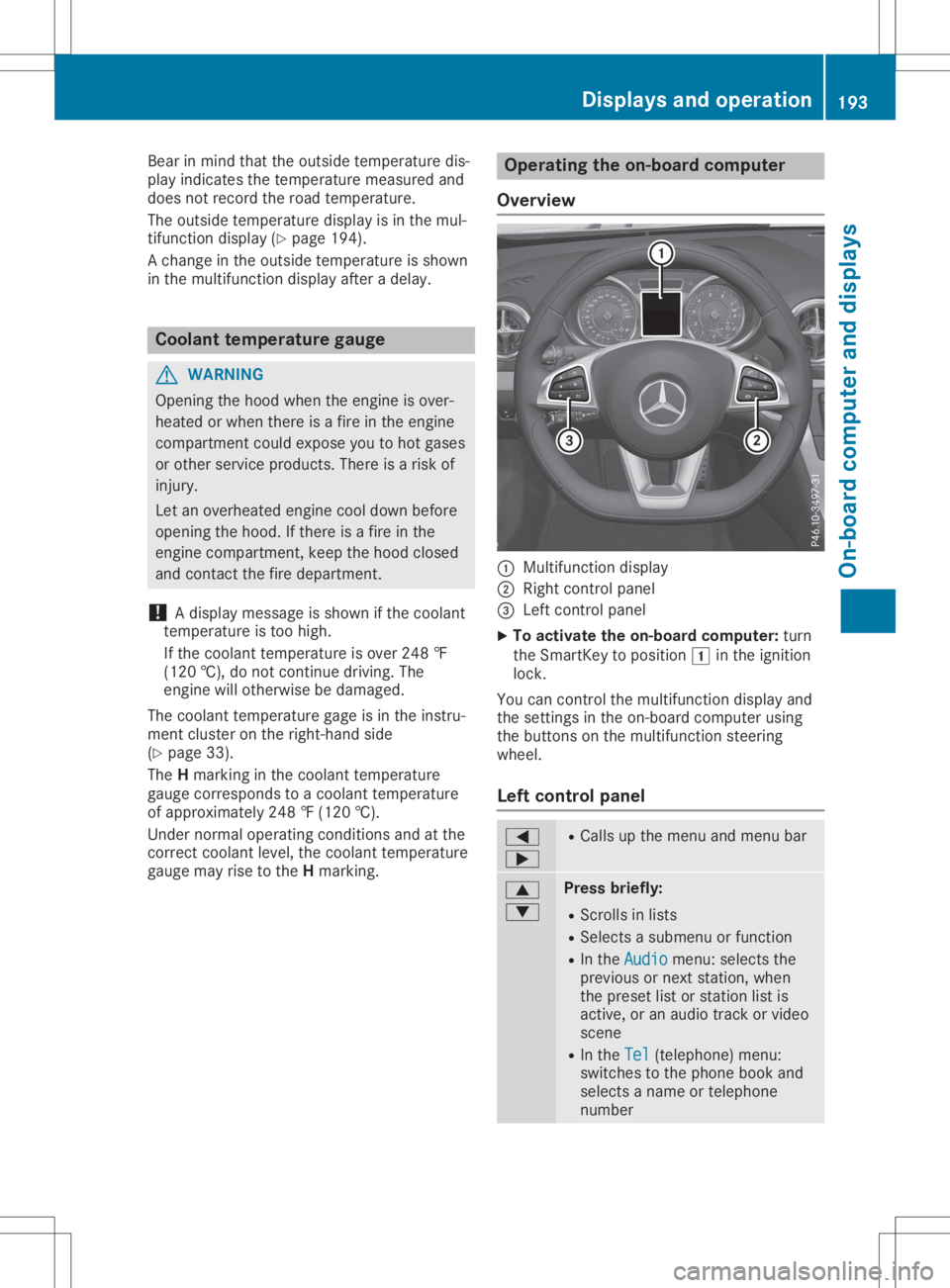
Ove rview 0043
Multifunctio ndispl ay
0044 Right control panel
0087 Left control panel
X To acti vate theon-bo ard computer: turn
the SmartKe yto pos ition0047 inthe ignition
lock.
You cancontrol themultifunction displ ayand
the setting sin the on-bo ardcompu terusing
the buttons onthe multifunction steering
whe el.
Le ftco ntrol panel 0059
0065 R
Ca lls up the menu andmenu bar 0063
0064 Pres
sbrie fly:
R Scrol lsin lists
R Sele ctsasub menu orfuncti on
R In the Audi o Audi
omenu :sel ects the
pre vious ornext station,whe n
the preset list or stati onlist is
acti ve,oran audio track orvid eo
scene
R In the Tel Tel
(teleph one) menu :
swi tches tothe phoneboo kand
sel ects aname ortele pho ne
numb er Di
splay sand operation
193On-board computer anddispl ays Z
Page 204 of 334
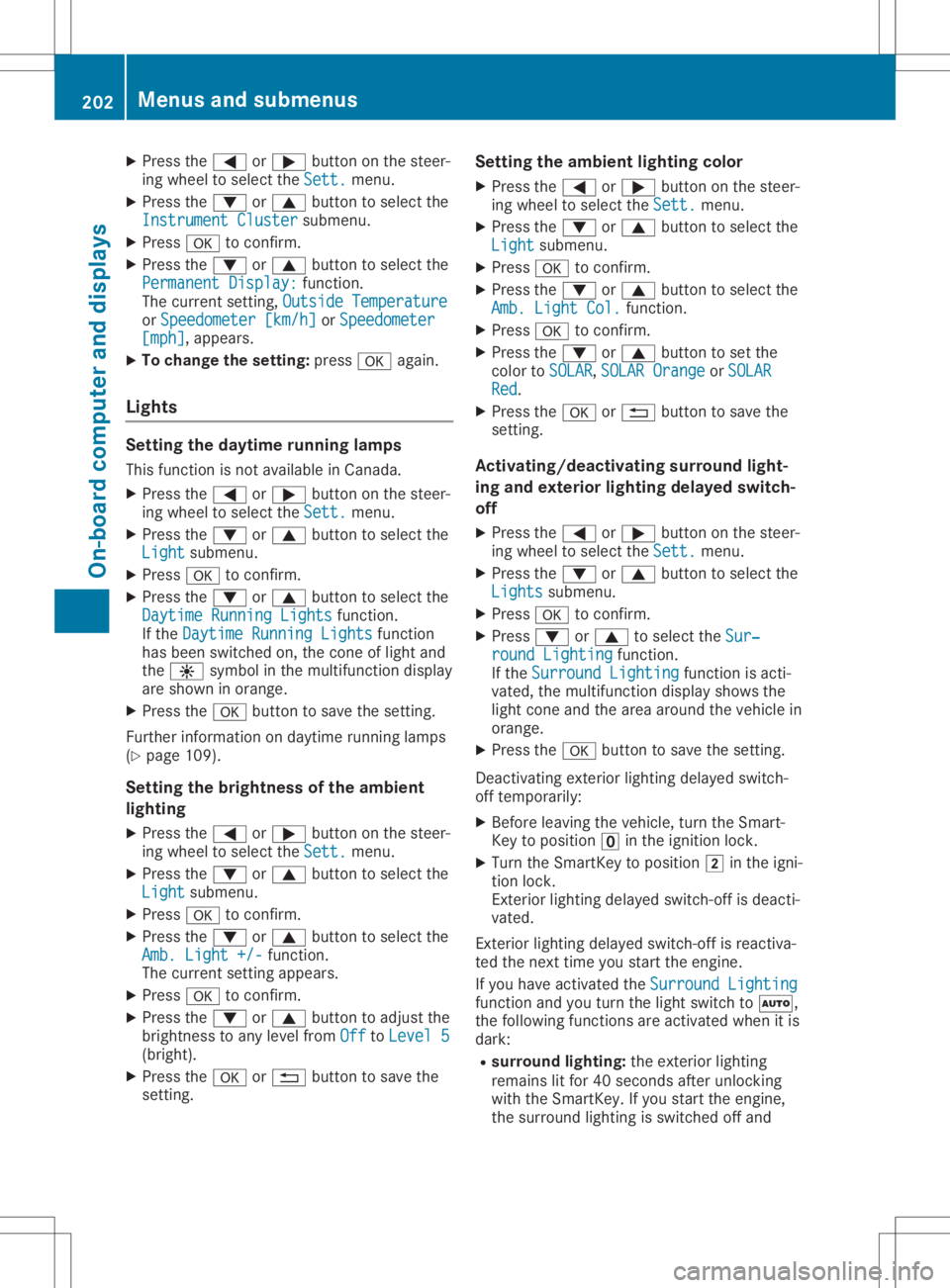
X
Press the0059 or0065 button onthe steer-
ing wheel toselect theSett. Sett.
menu.
X Press the0064 or0063 button toselect the
Instrument Cluster Instrument
Clustersubmenu.
X Press 0076toconf irm.
X Press the0064 or0063 button toselect the
Permanent Display: Permanent
Display:function.
The curren tsett ing, Outside Temperatur e Outside
Temperatur e
or Speedomete r[km/h] Speedomete
r[km/h] orSpeedomete r Speedomete
r
[mph] [mph],
appears.
X To change thesetting: press0076again.
Lights Setting
thedayt imerunning lamps
This funct ionisnot availabl ein Canada.
X Press the0059 or0065 button onthe steer-
ing wheel toselect theSett. Sett.
menu.
X Press the0064 or0063 button toselect the
Light Light
submenu.
X Press 0076toconf irm.
X Press the0064 or0063 button toselect the
Daytime RunningLights Daytime
RunningLightsfunction.
If the Daytime RunningLights Daytime
RunningLightsfunction
has been switched on,the cone oflight and
the 0086 symbol inthe multifunc tiondisplay
are shown inorange.
X Press the0076 button tosave thesetting.
Further informationondaytime runninglamps
(Y page 109).
Setting thebright nessofthe ambient
lighting
X Press the0059 or0065 button onthe steer-
ing wheel toselect theSett. Sett.
menu.
X Press the0064 or0063 button toselect the
Light Light
submenu.
X Press 0076toconf irm.
X Press the0064 or0063 button toselect the
Amb. Light +/- Amb.
Light +/-funct ion.
The curren tsett ingappears.
X Press 0076toconf irm.
X Press the0064 or0063 button toadjust the
brightn esstoany level from Off Off
toLevel 5 Level
5
(bright).
X Press the0076 or0038 button tosave the
sett ing. Setting
theambient lightingcolor
X Press the0059 or0065 button onthe steer-
ing wheel toselect theSett. Sett.
menu.
X Press the0064 or0063 button toselect the
Light Light
submenu.
X Press 0076toconf irm.
X Press the0064 or0063 button toselect the
Amb. Light Col. Amb.
Light Col.function.
X Press 0076toconf irm.
X Press the0064 or0063 button toset the
color toSOLAR SOLAR,
SOLAR Orange SOLAR
Orange orSOLAR SOLAR
Red Red.
X Press the0076 or0038 button tosave the
sett ing.
<002400460057004C005900440057004C0051004A001200470048004400460057
004C00590044> tingsurround light-
ing and exterior lightingdelayed switch-
off
X Press the0059 or0065 button onthe steer-
ing wheel toselect theSett. Sett.
menu.
X Press the0064 or0063 button toselect the
Lights Lights
submenu.
X Press 0076toconf irm.
X Press 0064or0063 toselect theSur‐ Sur‐
round Lighting round
Lighting function.
If the Surround Lighting Surround
Lightingfunctionisacti-
vated, themultifunc tiondisplay showsthe
light cone andthearea around thevehicle in
orange.
X Press the0076 button tosave thesetting.
Deact ivating exteriorlighting delayed switch-
off temporarily:
X Before leaving thevehicle, turntheSmart -
Key toposition 0092inthe ignition lock.
X Turn theSmart Keytoposition 0048inthe igni-
tion lock.
Ex terior lighting delayed switch-offisdeacti-
vated.
Ex terior lighting delayed switch-offisreactiva-
ted thenext time youstart theengine.
If you have activat edthe Surround Lighting Surround
Lighting
funct ionand youturn thelight switch to0058,
the following functionsareactivat edwhen itis
dark:
R surr ound lighting: theexter iorlighting
remains litfor 40seconds afterunlockin g
with theSmart Key.Ifyou start theengine,
the surround lightingisswitched offand 202
Menus
andsubmenusOn-board computerand display s
Page 205 of 334
auto
maticheadlam pmode isact ivat ed
(Y page 109).
R ext erio rlight ingdela yedswit ch-off:th e
ext erio rlight ingrem ains litfor 60sec onds
aft ertheeng ineisswit ched off.If you close
all thedoor sand thetrunk lid,theext erio r
light inggoes offafter15 sec onds.
De pen dingon your vehicle'sequipm ent,when
th esurr oundlight ingand delayed switch-off
ext erio rlight ingare on,th efoll owin glight up:
R park inglamps
R low- beam headlam ps
R dayti merunninglamps
R side markerlamps
R surr oundlight ingintheext erio rmir rors
Activ ating/d eactivatingth eint erio r
light ingdela yedswit ch-off
If you activat eth eInt eriorLighting Int
eriorLighting
Del ay Del
ayfun ction ,th eint erio rlight ingrem ains
on for 20sec onds afteryou remove theSm art-
Key from theign ition lock.
X Pres sth e0059 or0065 buttononthest eer-
ing wheel toselec tth eSet t. Set
t.men u.
X Pres sth e0064 or0063 buttontoselec tth e
Lig ht Lig
htsubm enu.
X Pres s0076 tocon firm.
X Pres sth e0064 or0063 buttontoselec tth e
Int eriorLightingDelay Int
eriorLightingDelayfun ction .
When theInt eriorLightingDelay Int
eriorLightingDelayfun c-
tio nis act ivat ed, theveh icle interio ris dis-
played inoran geinthemult ifunction dis-
play.
X Pres sth e0076 buttontosave theset ting.
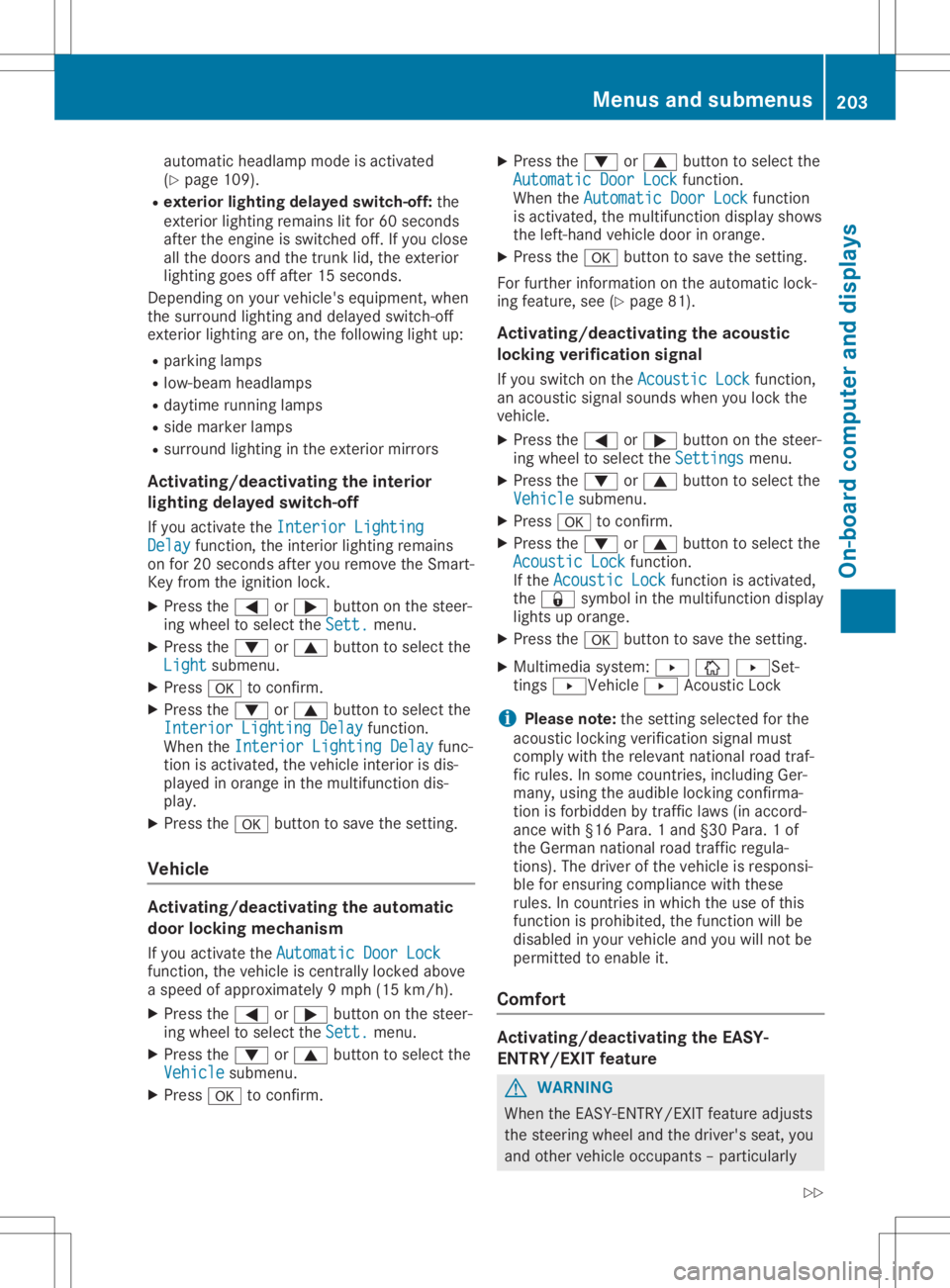
Veh icle Activ
ating/d eactivatingth eau tom atic
door locking mechanism
If you activat eth eAut omatic DoorLoc k Aut
omatic DoorLoc k
fun ction ,th eveh icle iscen trally lockedabov e
a spee dof appro ximately9mph (15km/h).
X Pres sth e0059 or0065 buttononthest eer-
ing wheel toselec tth eSet t. Set
t.men u.
X Pres sth e0064 or0063 buttontoselec tth e
Veh icle Veh
iclesubm enu.
X Pres s0076 tocon firm. X
Pres sth e0064 or0063 buttontoselec tth e
Aut omatic DoorLoc k Aut
omatic DoorLoc kfun ction .
When theAut omatic DoorLoc k Aut
omatic DoorLoc kfun ction
is act ivat ed, themult ifunction display shows
th eleft -hand vehicle door inoran ge.
X Pres sth e0076 buttontosave theset ting.
For further inform ationon theauto maticloc k-
ing feat ure, see(Ypage 81).
Activ ating/d eactivatingth eacou stic
locking verifica tion signa l
If you switchon theAco usticLock Aco
usticLockfun ction ,
an acous ticsign alsoun dswhen youlockth e
veh icle.
X Pres sth e0059 or0065 buttononthest eer-
ing wheel toselec tth eSet tings Set
tingsmen u.
X Pres sth e0064 or0063 buttontoselec tth e
Veh icle Veh
iclesubm enu.
X Pres s0076 tocon firm.
X Pres sth e0064 or0063 buttontoselec tth e
Aco usticLock Aco
usticLockfun ction .
If th eAco usticLock Aco
usticLockfun ction isact ivat ed,
th e0037 symbo lin themult ifunction display
light sup oran ge.
X Pres sth e0076 buttontosave theset ting.
X Mult imed iasyst em: 0080 00DA0080S et-
tin gs 0080Ve hicle0080 Acoust icLoc k
i Plea
senot e:theset tingselec tedfor the
acous ticlockin gver ificatio nsign almust
com plywith therele vantnat ionalroad traf-
fic rules .In som ecoun tries, includin gGer-
man y,usin gth eaudible lockin gcon firma-
tio nis for bidden bytraff iclaws (inacc ord-
anc ewith §16Para. 1and §30 Para. 1of
th eGerm annat ionalroad traff icreg ula-
tio ns).The driveroftheveh icle isres pon si-
ble forens urin gcom plian cewith these
rules .In coun tries inwhic hth euse ofthis
fun ction isproh ibited, thefun ction will be
disable din your vehicle and youwillnotbe
perm itted toenab leit.
Comf ort Activ
ating/d eactivatingth eEASY-
ENT RY/EXIT feature G
WAR
NING
When theEA SY- ENTRY/E XITfeat ure adjus ts
th est eeri ngwheel andthedriv er'sseat ,you
and other vehicle occupant s– part icular ly Menu
sand subm enus
203On-boar dcomp uter and displa ys
Z
Page 206 of 334
chil
dren–cou ldbeco metrap ped.The reisa
ris kof inju ry.
Whi lethe EASY-ENTR Y/EXITfeature ismak-
ing adjustme nts,make sure that noone has
any bodypa rts inthe swe epofthe seatand
the stee ring wheel.
If some bodybeco mestrapped:
R pre ssone ofthe memo ryfuncti onpos i-
tion buttons, or
R pre ssone ofthe memo ryfuncti onmem-
ory buttons, or
R move theswitch forstee ring wheel
ad justme ntinthe oppositedirecti onto
that inwhi chthe stee ring wheelismovi ng
The adjustme ntpro cess isstop ped.
X Pre ssthe 0059 or0065 button onthe stee r-
ing whe elto sel ect the Sett ings Sett
ings menu .
X Pre ssthe 0064 or0063 button tosel ect the
Conv enience Conv
eniencesubme nu.
X Pre ss0076 toconfi rm.
X Pre ssthe 0064 or0063 button tosel ect the
Easy Entry/Exit Easy
Entry/Exitfuncti on.
If the Easy Entry/Exit Easy
Entry/Exitfuncti onisacti va-
ted, themultifunction displ aysho wsthe
stee ring wheelin ora nge.
X Pre ssthe 0076 button tosav ethe setti ng.
Furth erinfo rma tion onthe easy entry andexit
fea ture (Ypage 103 ).
Sw itchin gthe seat beltadjustmen t
on /o ff
X Pre ssthe 0059 or0065 button onthe stee r-
ing whe elto sel ect the Sett . Sett
.menu .
X Pre ssthe 0064 or0063 button tosel ect the
Conv enience Conv
eniencesubme nu.
X Pre ss0076 toconfi rm.
X Pre ssthe 0064 or0063 button tosel ect the
Belt Adjustme nt Belt
Adjustme ntfuncti on.
Whe nthe Belt Adjustment Belt
Adjustmentfuncti onis
acti vate d,the seatbel tis displ ayed in
ora nge inthe multifunction displ ay.
X Pre ssthe 0076 button tosav ethe setti ng.
For furth erinfo rma tion onbeltad justme nt,
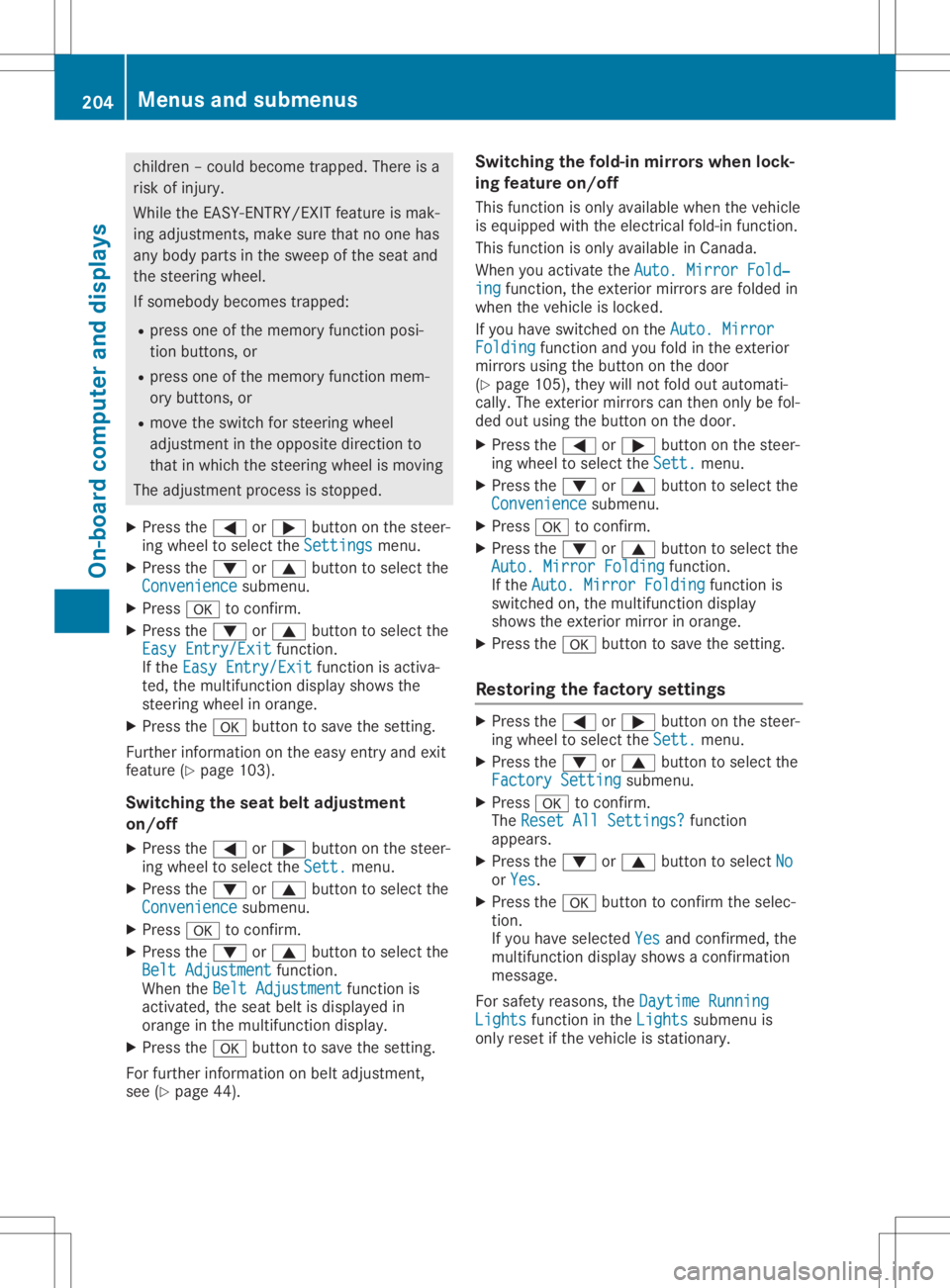
see (Ypage 44). Sw
itchin gthe fold-in mirrors whenlock-
ing feature on/o ff
Thi sfuncti onisonly availab lewhe nthe vehi cle
is equ ipped with the electri calfold-in functi on.
Thi sfuncti onisonly availab lein Ca nad a.
Whe nyo uacti vate theAuto .Mirr orFold ‐ Auto
.Mirr orFold ‐
ing ing
functi on,the exteri ormirr orsare folded in
whe nthe vehi cleislocke d.
If yo uha ve swi tched onthe Auto .Mirr or Auto
.Mirr or
Fold ing Fold
ingfuncti onand youfol din the exteri or
mirr orsusing the button onthe door
(Y page 105 ),they willnot foldou tau toma ti-
cal ly.The exteri ormirr orscan then onlybefol-
ded outus ing the button onthe door.
X Pre ssthe 0059 or0065 button onthe stee r-
ing whe elto sel ect the Sett . Sett
.menu .
X Pre ssthe 0064 or0063 button tosel ect the
Conv enie nce Conv
enie ncesubme nu.
X Pre ss0076 toconfi rm.
X Pre ssthe 0064 or0063 button tosel ect the
Auto .Mirr orFold ing Auto
.Mirr orFold ingfuncti on.
If the Auto .Mirr orFold ing Auto
.Mirr orFold ingfuncti onis
swi tched on,the multifunction displ ay
sho wsthe exteri ormirr orinora nge.
X Pre ssthe 0076 button tosav ethe setti ng.
Res torin gthe facto rysetting s X
Pre ssthe 0059 or0065 button onthe stee r-
ing whe elto sel ect the Sett . Sett
.menu .
X Pre ssthe 0064 or0063 button tosel ect the
Fact orySetting Fact
orySettingsubme nu.
X Pre ss0076 toconfi rm.
The Rese tAll Settings? Rese
tAll Settings?functi on
ap pea rs.
X Pre ssthe 0064 or0063 button tosel ect No No
or Yes Yes.
X Pre ssthe 0076 button toconfi rmthe selec-
tion.
If yo uha ve selected Yes Yes
andconfi rmed ,the
mul tifunction displ aysho wsaconfi rmation
mess age.
For safety reasons, theDayt imeRunning Dayt
imeRunning
Ligh ts Ligh
tsfuncti oninthe Ligh ts Ligh
tssubme nuis
only resetif the vehi cleisstati onar y. 204
Men
usand submenu sOn-board computer anddispl ays
Page 207 of 334
AMG
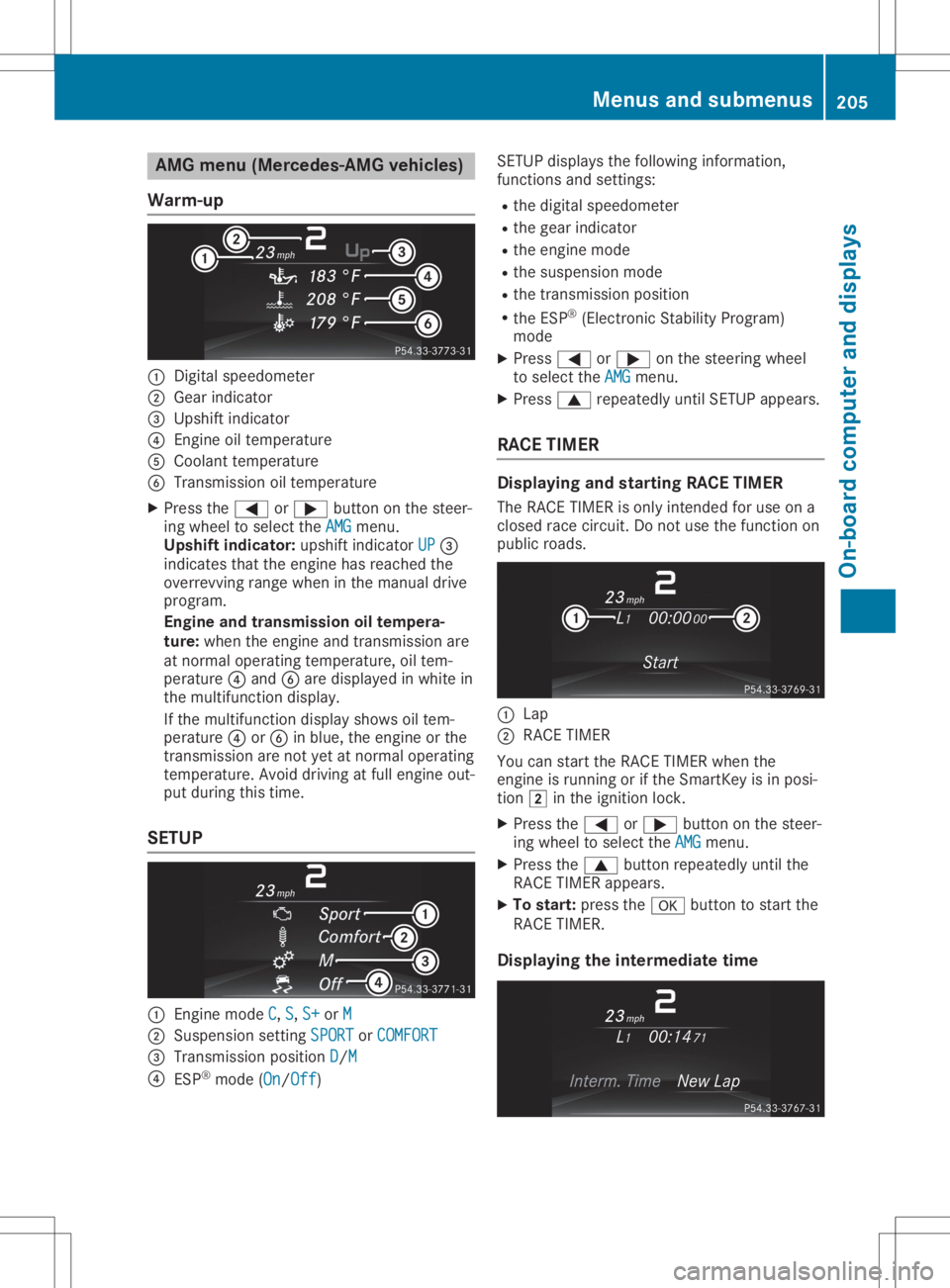
menu(Mer cedes -AMGveh icles)
Wa rm-up 0043
Digit alspee dometer
0044 Gear indicat or
0087 Ups hiftind icat or
0085 Engin eoil tempe rature
0083 Coolan tte mpe rature
0084 Tran smission oiltempe rature
X Pre ssthe0059 or0065 buttonon thest eer -
ing whee lto sele cttheAMG AMG
men u.
Up shi ftind icat or:upsh iftind icat orUP UP
0087
ind icat esthat theen gin ehas reac hedthe
ove rrevv ing rangewhen intheman ualdrive
pro gram .
Engin eand trans mission oiltem pera-
tu re: when theen gin eand trans mis sion are
at norm aloper ating tempe rature, oiltem-
per atur e0085 and 0084are disp layed inwhit ein
th emult ifunction disp lay.
If th emult ifunction disp laysho wsoiltem-
per atur e0085 or0084 inblue, theen gin eor the
tr ans mis sion arenotyet atnorm aloper ating
te mpe rature. Avoid drivin gat full engin eout -
put duringthis time.
SET UP 0043
Engin emod eC C,
S S,
S+ S+
orM M
0044 Suspen sion setting SPO RT SPO
RTorCOM FORT COM
FORT
0087 Tran smission pos ition D D/
M M
0085 ESP®
mod e(On On/O
ff Off
) SE
TUP displays thefol lowin ginf orm ation,
fun ction sand setting s:
R thedigit alspee dometer
R thegear indicat or
R theen gin emod e
R thesusp ension mode
R thetrans mis sion position
R theES P®
(Elec tron icStabilit yPro gram )
mod e
X Pre ss0059 or0065 onthest eer ing whee l
to sele cttheAMG AMG
men u.
X Pre ss0063 repeatedly untilSE TUP appear s.
RACE TIMER Disp
laying and star ting RACE TIMER
The RACE TIMERison lyint ended foruse ona
clo sed racecir cuit .Do notuse thefun ction on
public roads. 0043
Lap
0044 RACE TIMER
You canstart theRACE TIMERwhen the
en gin eis run ningor ifth eSm artKey isin pos i-
ti on 0048 intheign ition lock.
X Pre ssthe0059 or0065 buttonon thest eer -
ing whee lto sele cttheAMG AMG
men u.
X Pre ssthe0063 buttonrep eatedly untilth e
RACE TIMERappear s.
X To star t:pre ssthe0076 buttonto start the
RACE TIMER.
Disp laying theint erm ediatetime Menu
sand submen us
205On -boar dcomp uter anddi sp lay s Z
Page 208 of 334
X
Press the0059 or0065 button toselect
Interm. Time Interm.
Time.
X Press 0076toconf irm.
The inter mediate timeappears forfive sec-
onds.
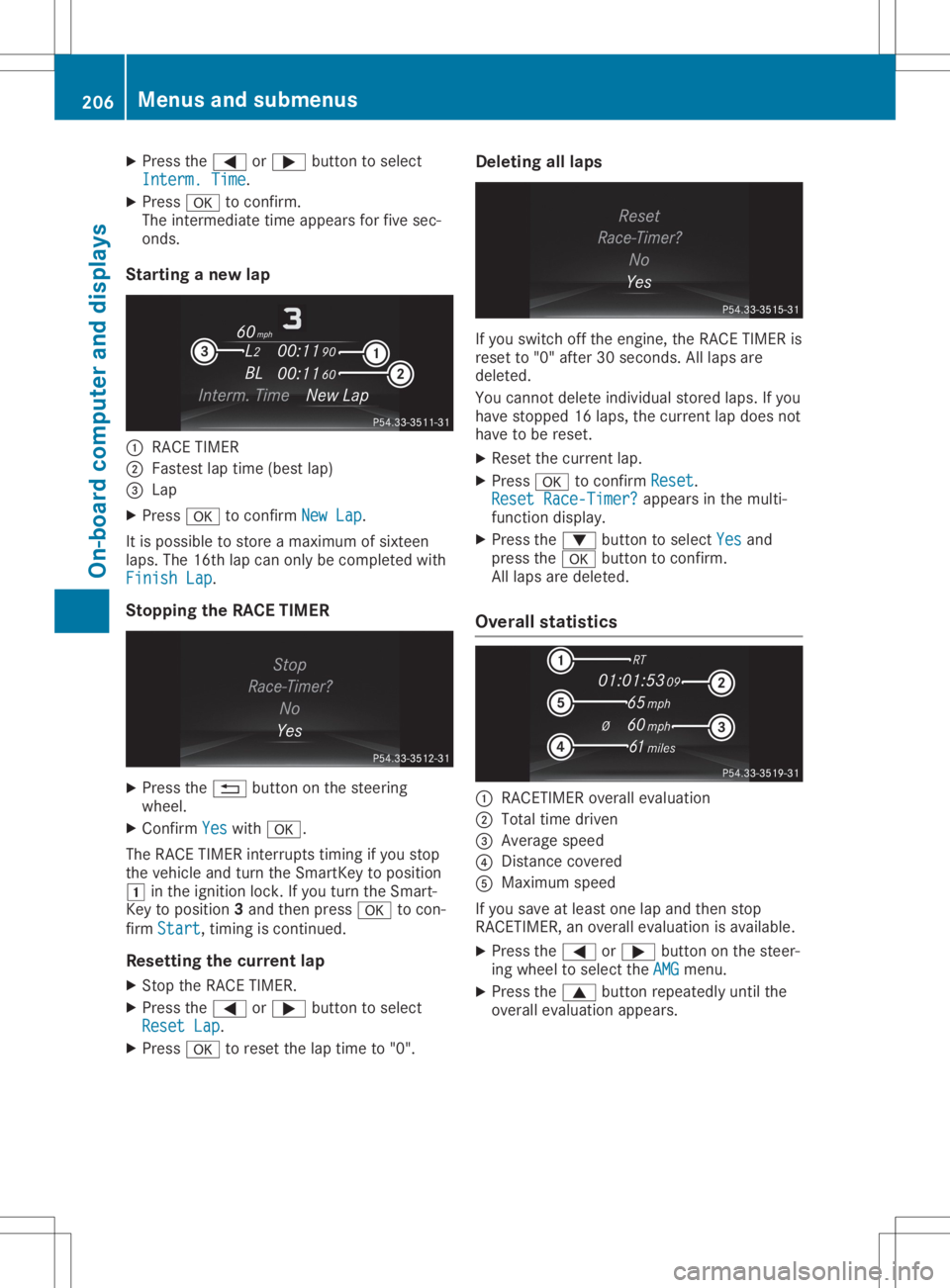
Star ting anew lap 0043
RACE TIMER
0044 Fastest laptime (best lap)
0087 Lap
X Press 0076toconf irmNew Lap New
Lap.
It is possible tostore amaximum ofsixteen
laps. The16thlap can only becompleted with
Finish Lap Finish
Lap.
Stopp ingthe RACE TIMER X
Press the0038 button onthe steerin g
wheel.
X Confirm Yes Yes
with 0076.
The RACE TIMER interrupts timing ifyou stop
the vehicle andturn theSmart Keytoposition
0047 inthe ignition lock.Ifyou turn theSmart -
Key toposition 3and then press 0076tocon-
firm Start Start,
timingiscont inued.
Resetting thecurr entlap
X Stop theRACE TIMER.
X Press the0059 or0065 button toselect
Reset Lap Reset
Lap.
X Press 0076toreset thelaptime to"0". Deleting
alllaps If
you switch offthe engine, theRACE TIMER is
reset to"0" after 30seconds .All laps are
deleted.
You cann otdelete individual storedlaps.Ifyou
have stopped 16laps, thecurren tlap does not
have tobe reset.
X Reset thecurren tlap.
X Press 0076toconf irmReset Reset.
Reset Race-Timer ? Reset
Race-Timer ?appears inthe multi-
funct iondisplay.
X Press the0064 button toselect Yes Yes
and
press the0076 button toconf irm.
All laps aredeleted.
Overall statistics 0043
RACETIME Roverall evaluation
0044 Total timedriven
0087 Average speed
0085 Dist ance covered
0083 Maximum speed
If you save atleast onelapand then stop
RACETIME R,an overall evaluation isavailabl e.
X Press the0059 or0065 button onthe steer-
ing wheel toselect theAMG AMG
menu.
X Press the0063 button repeatedly untilthe
overall evaluation appears. 206
Menus
andsubmenusOn-board computerand display s