key MERCEDES-BENZ SLC 2017 Manual PDF
[x] Cancel search | Manufacturer: MERCEDES-BENZ, Model Year: 2017, Model line: SLC, Model: MERCEDES-BENZ SLC 2017Pages: 294, PDF Size: 9.12 MB
Page 264 of 294
same time cannot be detected by the tire pres-
sure loss warning system.
The tire pressure monitor is not able to warn you
of as udden loss of pressure, e.g. if the tire is
penetrated by af oreign object. In the event of a
sudden loss of pressure, bring the vehicle to a
halt by braking carefully .A void abrupt steering
movements.
The function of the tire pressure loss warning
system is limited or delayed if: R
snow chains are mounted on your vehicle's
tires. R
road conditions are wintry. R
you are driving on sand or gravel. R
you adopt av ery sporty driving style (corner-
ing at high speeds or driving with high rates of
acceleration). R
you drive with ah eavy load.
Restarting the tire pressure loss warn-
ing system Restart the tire pressure loss warning system if
you have: R
changed the tire pressure R
changed the wheels or tires R
mounted new wheels or tires X
Before restarting, make sure that the tire
pressures are set properly on all four tires for
the respective operating conditions.
The recommended tire pressure can be found
on the Tire and Loading Information placard
on the B-pillar. Additionally, at ire pressure
table is attached to the fuel filler flap. The tire
pressure loss warning system can only give
reliable warnings if you have set the correct
tire pressure. If an incorrect tire pressure is
set, these incorrect values will be monitored. X
Also observe the notes in the section on tire
pressures ( Y
page 258).X
Make sure that the SmartKey is in position 2
in the ignition lock ( Y
page 115).X
Press the Y or e button on the steering
wheel to select the Serv. menu.X
Press the c or d button to select
Tire Pressure .X
Press the v button.
The Run Flat Indicator Active Press
'OK' to Restart message appears in the
multifunction display. If you wish to confirm the restart: X
Press the v button.
The Tire Pressure Now OK? message
appears in the multifunction display. X
Press the c or d button to select Yes .X
Press the v button.
The Run Flat Indicator Restarted mes-
sage appears in the multifunction display.
After at each-in period, the tire pressure loss
warning system will monitor the set tire pres-
sures of all four tires.
If you wish to cancel the restart: X
Press the 8 button.
or X
If the Tire Pressure Now OK? message
appears, use the c or d button to
select Cancel . X
Press the v button.
The tire pressure values stored at the last
restart will continue to be monitored.
Tire pressure monitor
General notes If at ire pressure monitor is installed, the vehi-
cle's wheels have sensors that monitor the tire
pressures in all four tires. The tire pressure mon-
itor warns you if the pressure drops in one or
more of the tires. The tire pressure monitor only
functions if the corresponding sensors are
installed in all wheels.
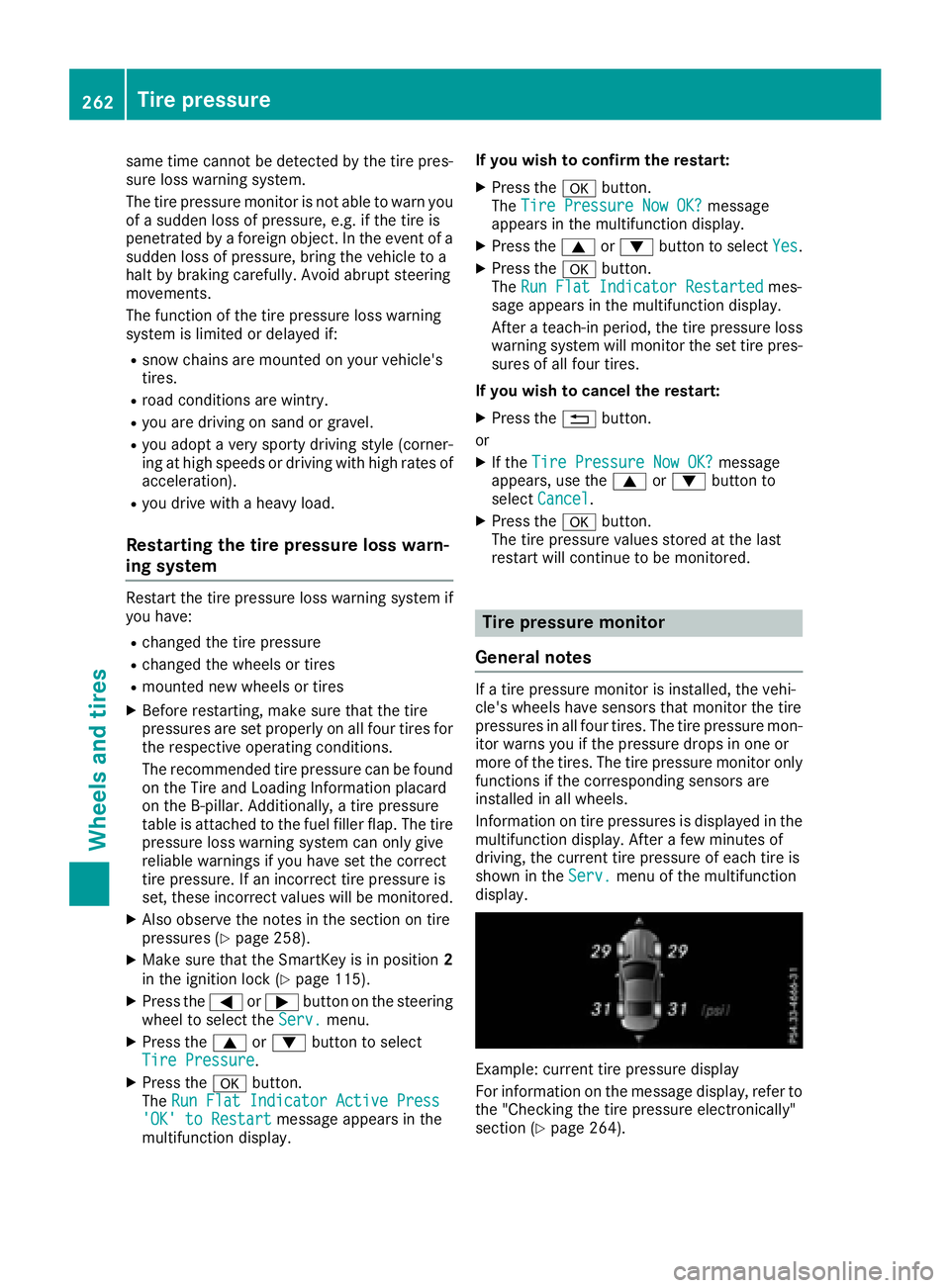
Information on tire pressures is displayed in the
multifunction display. After af ew minutes of
driving, the current tire pressure of each tire is
shown in the Serv. menu of the multifunction
display.
Example: current tire pressure display
For information on the message display, refer to
the "Checking the tire pressure electronically"
section ( Y
page 264).262
Tire pressure
Wheels and tires
Page 266 of 294
In addition to the warning lamp ,am essage
appears in the multifunction display. Observe
the information on display messages
( Y
page 196).
It may take up to ten minutes for am alfunction
of the tire pressure monitor to be indicated .A
malfunction wil lbei ndicated by the tire pres-
sure warning lamp flashing for approximately
one minute and then remaining lit. When the
malfunction has been rectified, the tire pressure
warning lamp goes out after af ew minutes of
driving.
The tire pressure values indicated by the on-
board computer may differ from those meas-
ured at ag as station with ap ressure gauge. The
tire pressures shown by the on-board computer
refer to those measured at sea level .Ath igh
altitudes, the tire pressure values indicated by a
pressure gauge are higher than those shown by
the on-board computer. In this case, do not
reduce the tire pressures.
The operation of the tire pressure monitor can
be affected by interference from radi ot ransmit-
ting equipment (e.g. radi oh eadphones, two-way
radios) that may be being operated in or near the
vehicle.
Checking the tire pressure electroni-
cally X
Make sure that the SmartKey is in position 2
in the ignition lock ( Y
page 115).X
Press the Y or e button on the steering
wheel to select the Serv. menu.X
Press the c or d button to select
Tire Pressure .X
Press the v button.
The current tire pressure of each tire is shown
in the multifunction display.
If the vehicle has been parked for over
20 minutes, the Tire pressure will be
displayed after driving af ew minutes
messag ea ppears.
After at each-in process, the tire pressure mon-
itor automatically detects new wheel sorn ew
sensors. As long as ac lear allocation of the tire
pressure valu etot he individual wheel sisn ot
possible, the Tire Pressure Monitor Active
display messag eiss hown instead of the tire
pressure display. The tire pressures are already
being monitored.
If an emergency spare wheel is mounted, the
system may continue to show the tire pressure of the wheel that has been removed for af ew
minutes. If this occurs, note that the valu ed is-
played for the positio nw here the spare wheel is
mounted is not the same as the current tire
pressure of the emergency spare wheel.
Tire pressure monitor warning mes-
sages If the tire pressure monitor detects ap ressure
loss in one or more tires, aw arning messag ei s
shown in the multifunction display. The yellow
tire pressure warning lamp then lights up. R
If the Please Correct Tire Pressure
messag ea ppears in the multifunction display,
the tire pressure in at least one tire is too low.
The tire pressure must be corrected when the
opportunity arises. R
If the Check Tires messag ea ppears in the
multifunction display, the tire pressure in at
least one tire has droppe ds ignificantly. The
tires must be checked. R
If the Warning Tire Malfunction message
appears in the multifunction display, the tire
pressure in at least one tire has droppe ds ud-
denly .T he tires must be checked.
Observe the instructions and safety notes in the
display messages in the "Tires" section
( Y
page 196).
If the wheel positions on the vehicle are rotated,
the tire pressures may be displaye df or the
wrong positions for as hort time. This is rectified
after af ew minutes of driving, and the tire pres-
sures are displaye df or the correct positions.
Restarting the tire pressure monitor When you restart the tire pressure monitor, all
existing warning messages are deleted and the
warning lamp sgoo ut. The monitor uses the cur-
rently set tire pressures as the reference values
for monitoring. In most cases, the tire pressure
monitor wil la utomatically detect the new refer-
ence values after you have changed the tire
pressure. However, you can also define refer-
ence values manually as describe dh ere. The tire
pressure monitor then monitors the new tire
pressure values. X
Set the tire pressure to the valu er ecommen-
ded for the corresponding driving situation on
the Tire and Loading Information placard on
the driver's side B-pilla r( Y
page 258).264
Tire pressure
Wheel sa nd tires
Page 277 of 294
An arrow on the sidewall of the tire indicates its
correct direction of rotation.
Storin gw heelsStore wheels tha ta re not being used in ac ool,
dry and preferably dark place .P rotect the tires
from oil, grease, gasoline and diesel.
Mounting aw heel
Preparin gt he vehicleX
Stop the vehicl eons olid ,n on-slippery and
level ground. X
Apply the electri cp ar king brake manually.X
Bring the front wheels into the straight-ahead
position. X
Shift the transmission to position P .X
Switch off the engine. X
Vehicles withou tK EYLESS -GO: remove the
SmartKe yf rom the ignition lock.X
Vehicles with KEYLESS-GO: open the driv-
er' sd oo r.
The vehicl ee le ctronics now have status 0 .
Thi sist he same as the SmartKe yh av ing been
removed. X
Vehicles with KEYLESS-GO: remove the
Start/Stop button from the ignition lock
( Y
page 115). X
If included in the vehicl ee quipment ,r emove
the tire-change tool kit from the vehicle. X
Safeguar dt he vehicl ea gain st rolling away.
i Due to difference sinv ehicl ee quipment ,n ot
al lv ehicles ar ee quippe dw it hat ire-change
tool kit. For informatio nonw hi ch tool sa re
required to perfor maw heel change on your
vehicle, consult an authorize dM ercedes-
Benz Center.
Necessary tire-changing tool sc an include, for
example: R
Jack R
Wheel chock R
Lu gw rench Securin gt he vehicle to preven titf rom
rolling away
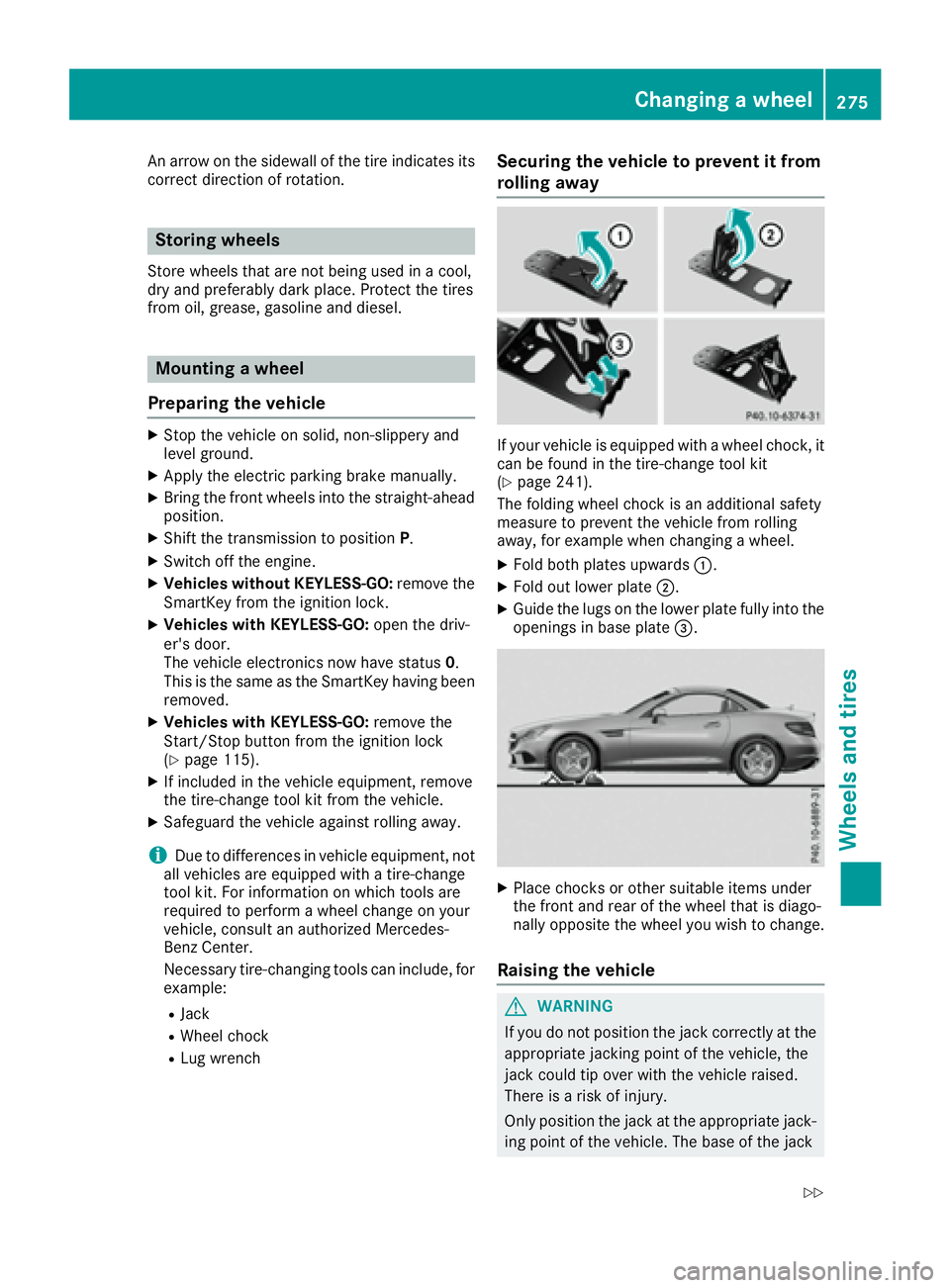
If your vehicl eise quippe dw it haw heel chock, it
can be found in the tire-change tool kit
( Y
page 241).
The folding whee lc hoc ki sana ddit ional safety
measure to prevent the vehicl ef rom rolling
away ,f or exampl ew he nc hanging aw heel .X
Fol db ot hp la te su pwar ds C .X
Fol do ut lowe rp la te D .X
Guid et he lugs on the lowe rp la te full yi nto the
openings in base plate