auxiliary battery MERCEDES-BENZ SPRINTER 2013 MY13 Operator’s Manual
[x] Cancel search | Manufacturer: MERCEDES-BENZ, Model Year: 2013, Model line: SPRINTER, Model: MERCEDES-BENZ SPRINTER 2013Pages: 334, PDF Size: 3.88 MB
Page 255 of 334
X
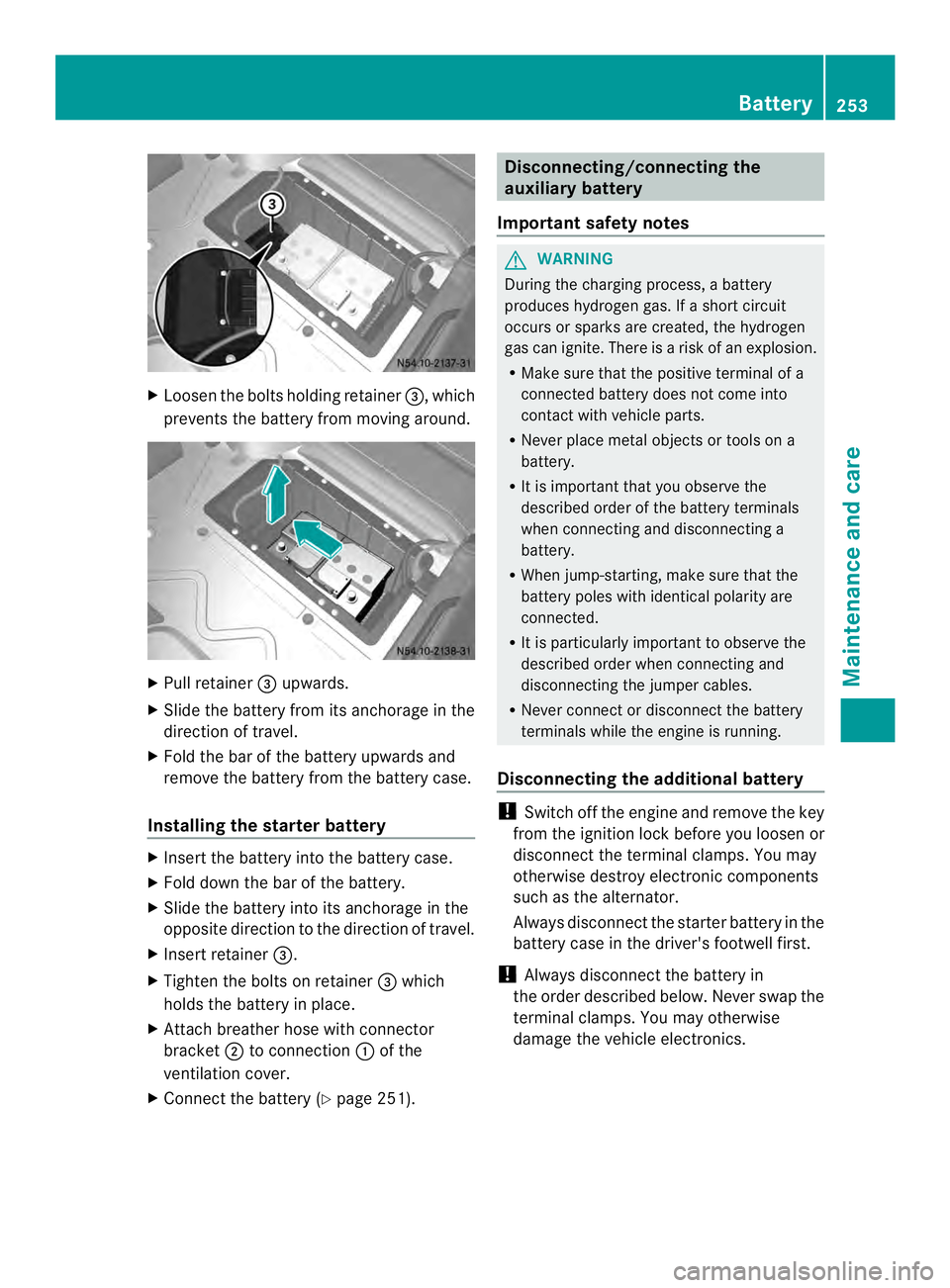
Loosen the bolts holding retainer 0026, which
prevents the battery from moving around. X
Pull retainer 0026upwards.
X Slide the battery from its anchorage in the
direction of travel.
X Fold the bar of the battery upwards and
remove the battery from the battery case.
Installing the starter battery X
Insert the battery into the battery case.
X Fold down the bar of the battery.
X Slide the battery into its anchorage in the
opposite direction to the direction of travel.
X Insert retainer 0026.
X Tighten the bolts on retainer 0026which
holds the battery in place.
X Attach breather hose with connector
bracket 0006to connection 0005of the
ventilation cover.
X Connect the battery (Y page 251). Disconnecting/connecting the
auxiliary battery
Important safety notes G
WARNING
During the charging process, a battery
produces hydrogen gas. If a short circuit
occurs or sparks are created, the hydrogen
gas can ignite. There is a risk of an explosion.
R Make sure that the positive terminal of a
connected battery does not come into
contact with vehicle parts.
R Never place metal objects or tools on a
battery.
R It is important that you observe the
described order of the battery terminals
when connecting and disconnecting a
battery.
R When jump-starting, make sure that the
battery poles with identical polarity are
connected.
R It is particularly important to observe the
described order when connecting and
disconnecting the jumper cables.
R Never connect or disconnect the battery
terminals while the engine is running.
Disconnecting the additional battery !
Switch off the engine and remove the key
from the ignition lock before you loosenor
disconnec tthe terminal clamps. You may
otherwise destroy electronic components
such as the alternator.
Always disconnectt he starter battery in the
battery case in the driver's footwell first.
! Always disconnectt he battery in
the order described below. Never swap the
terminal clamps. You may otherwise
damage the vehicle electronics. Battery
253Maintenance and care Z
Page 256 of 334
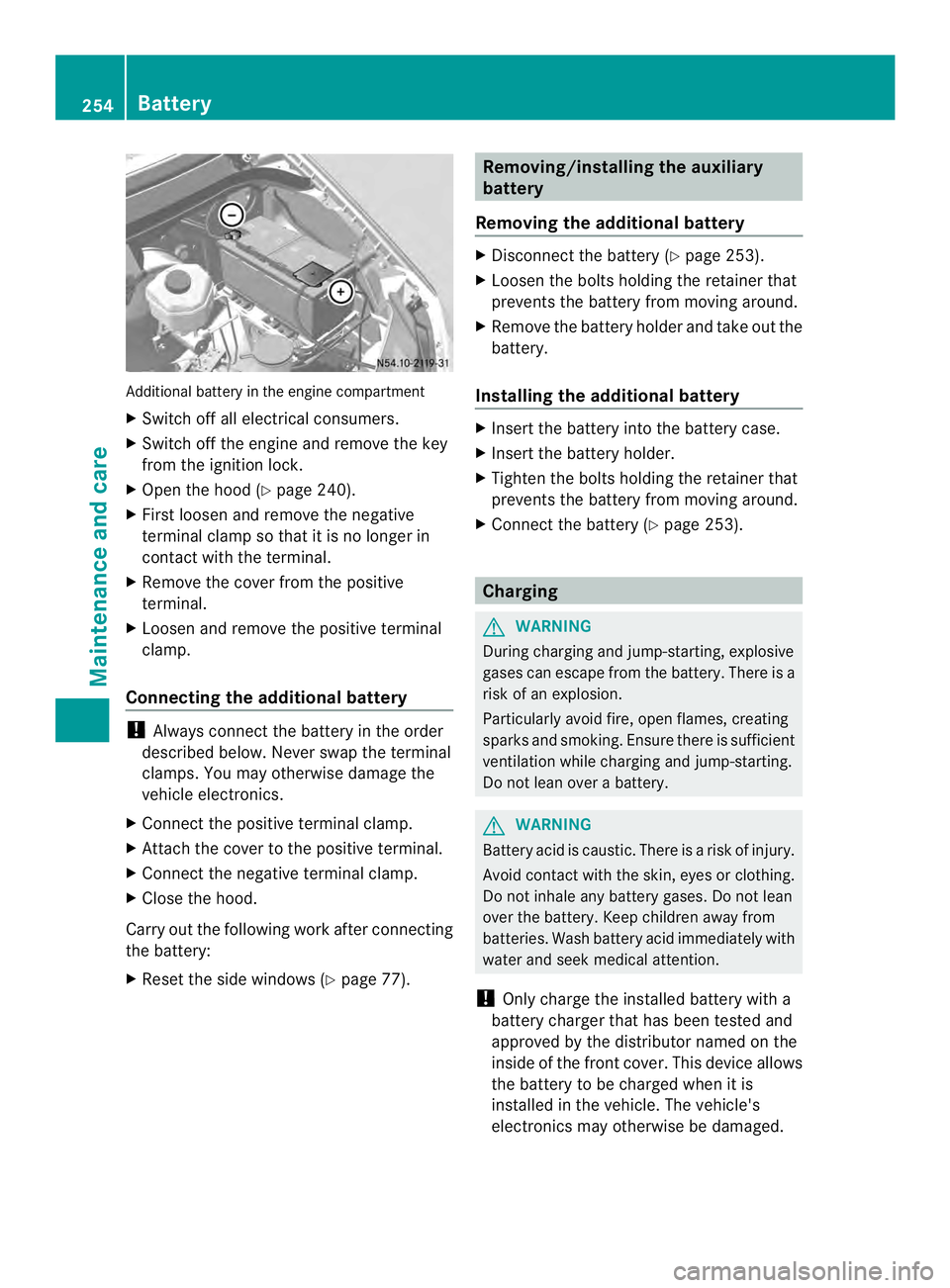
Additional battery in the engine compartment
X
Switch off all electrical consumers.
X Switch off the engine and remove the key
from the ignition lock.
X Ope nthe hood (Y page 240).
X First loosen and remove the negative
terminal clamp so that it is no longer in
contact with the terminal.
X Remove the cover from the positive
terminal.
X Loosen and remove the positive terminal
clamp.
Connecting the additional battery !
Always connect the battery in the order
described below. Never swap the terminal
clamps. You may otherwise damage the
vehicle electronics.
X Connect the positive terminal clamp.
X Attach the cover to the positive terminal.
X Connect the negative terminal clamp.
X Close the hood.
Carry out the following work after connecting
the battery:
X Reset the side windows (Y page 77). Removing/installing the auxiliary
battery
Removing the additional battery X
Disconnect the battery (Y page 253).
X Loosen the bolts holding the retainer that
prevents the battery from moving around.
X Remove the battery holder and take out the
battery.
Installing the additional battery X
Insert the battery into the battery case.
X Insert the battery holder.
X Tighten the bolts holding the retainer that
prevents the battery from moving around.
X Connect the battery (Y page 253). Charging
G
WARNING
During charging and jump-starting, explosive
gases can escape from the battery. There is a
risk of an explosion.
Particularly avoid fire, open flames, creating
sparks and smoking. Ensure there is sufficient
ventilation while charging and jump-starting.
Do not lean over a battery. G
WARNING
Battery acid is caustic. There is a risk of injury.
Avoid contact with the skin, eyes or clothing.
Do not inhale any battery gases. Do not lean
over the battery. Keep children away from
batteries. Wash battery acid immediately with
water and seek medical attention.
! Only charge the installed battery with a
battery charger that has been tested and
approved by the distributor named on the
inside of the front cover. This device allows
the battery to be charged when it is
installed in the vehicle. The vehicle's
electronics may otherwise be damaged. 254
BatteryMaintenance and care