radio MERCEDES-BENZ SPRINTER 2013 MY13 Operator’s Manual
[x] Cancel search | Manufacturer: MERCEDES-BENZ, Model Year: 2013, Model line: SPRINTER, Model: MERCEDES-BENZ SPRINTER 2013Pages: 334, PDF Size: 3.88 MB
Page 190 of 334
Using the steering wheel buttons
X
Press the 0010or0007 button repeatedly
until the Settings menu appears in the
display.
X Press the 0001button to switch to the
submenu selection.
X Press the 0011or0012 button to select the
Lighting submenu.
X Press the 0001button to select the Loc.lighting function.
The selection marker is on the current
setting.
X Press the 0011or0012 button to switch
the surround lighting (locator lighting) On or
Off .
If you switch the surround lighting to On , the
following lamps light up in the dark after you
have unlocked the vehicle using the key:
R the parking lamps
R the tail lamps
R the license plate lamps
R the fog lamps
The surround lighting automatically switches
off after 40 seconds or when you:
R open the driver's door
R insert the key into the ignition lock
R lock the vehicle using the key
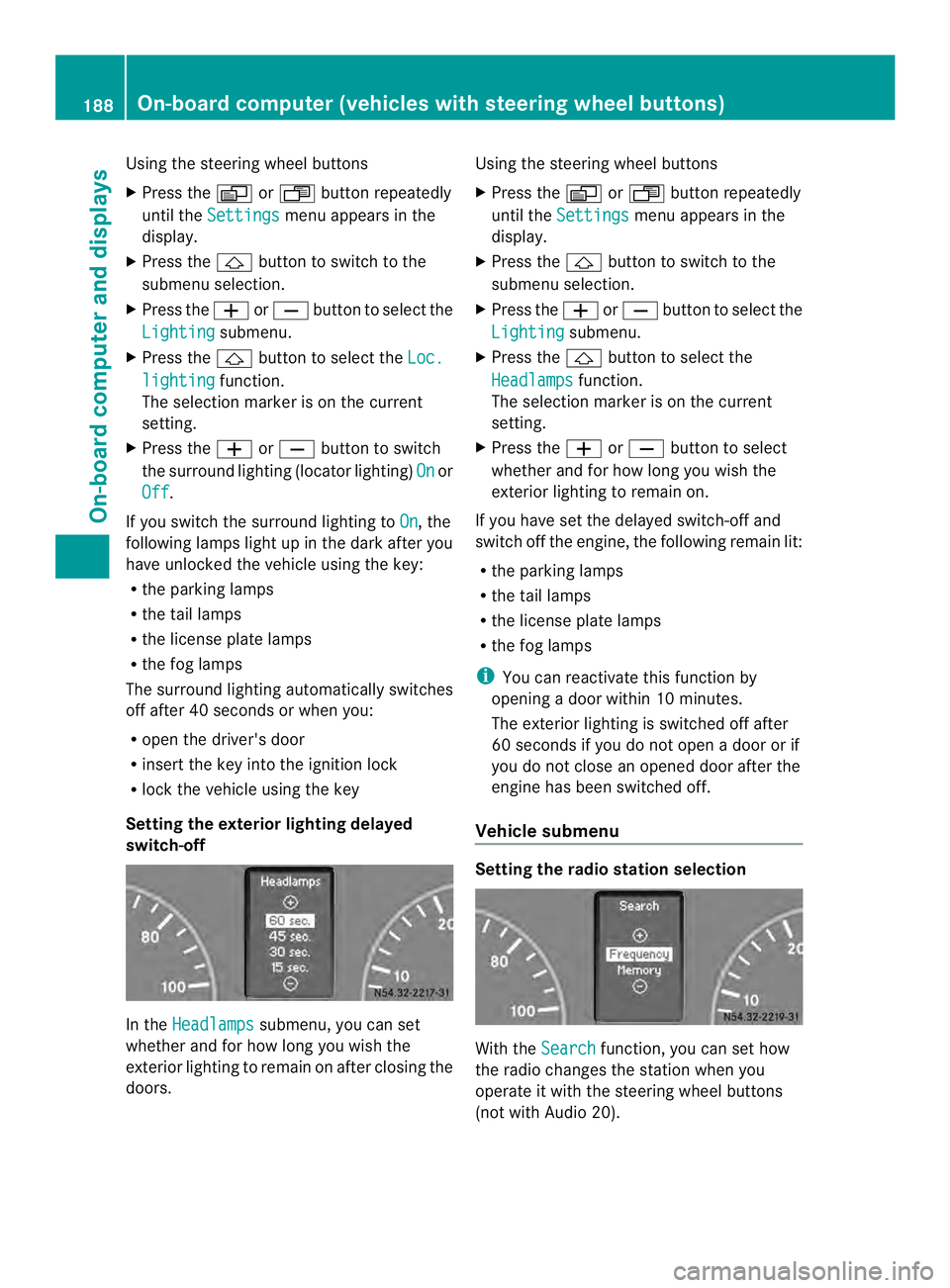
Setting the exterior lighting delayed
switch-off In the
Headlamps submenu, you can set
whether and for how long you wish the
exterior lighting to remain on after closing the
doors. Using the steering wheel buttons
X
Press the 0010or0007 button repeatedly
until the Settings menu appears in the
display.
X Press the 0001button to switch to the
submenu selection.
X Press the 0011or0012 button to select the
Lighting submenu.
X Press the 0001button to select the
Headlamps function.
The selection marker is on the current
setting.
X Press the 0011or0012 button to select
whether and for how long you wish the
exterior lighting to remain on.
If you have set the delayed switch-off and
switch off the engine, the following remain lit:
R the parking lamps
R the tail lamps
R the license plate lamps
R the fog lamps
i You can reactivate this function by
opening a door within 10 minutes.
The exterior lighting is switched off after
60 seconds if you do not open a door or if
you do not close an opened door after the
engine has been switched off.
Vehicle submenu Setting the radio station selection
With the
Search function, you can set how
the radio changes the station when you
operate it with the steering wheel buttons
(not with Audio 20). 188
On-board computer (vehicles with steering wheel buttons)On-board computer and displays
Page 209 of 334
Driving systems
Display messages Possible causes/consequences and
0004 Solutions
Limit
... km/h The speed display flashes.
The vehicle has exceeded the speed set fo
rvariable
SPEEDTRONIC, e.g .onasteep downhill gradient (overrun mode).
X Apply the brakes yourselfa s required.Cruise control
Visit workshop Cruise control has been deactivated due to a malfunction.
X Have cruise control checked at a qualified specialist workshop. Tires
Display messages Possible causes/consequences and
0004 Solutions
Tire pres. Adjust
pres.
0001 The pressure is insufficient in one or more tires, or the pressures
of the individual tires differ significantly.
X
Check the tire pressure at the next opportunity and correct it if
necessary (Y page 281). Tire pres.
monitor
inoperative The tire pressure monitor has malfunctioned.
X
Have the tire pressure monitor and the wheels checked at a
qualified specialist workshop. Tire pres.
monitor currently
unavailable The tire pressure monitor function is temporarily unavailable due
to radio interference or undervoltage.
X
Once the causes have been remedied, the tire pressure monitor
is automatically activated. Tire pres.-
monitor
inoperative No
wheel sensors The tire pressure monitor is not receiving signals from one or more
wheels because:
R a wheel has been replaced with the spare wheel without wheel
electronics.
R the maximum temperature on one of the wheel electronics units
has been exceeded.
R the wheel electronics are malfunctioning.
X Have the tire pressure monitor and the wheels checked at a
qualified specialist workshop. Display messages
207On-board computer and displays Z
Page 231 of 334
as discussed in scientific circles, is taken into
account. Only have the exterior antenna
installed by a qualified specialist workshop.
We recommend the use of an approved
exterior antenna for operating the mobile
phone. Only in this way can optimal mobile
phone reception quality in the vehicle be
ensured and mutual interference between the
vehicle electronics and mobile phones
minimized.
Observe the legal requirements for each
individual country. Mobile phone pre-installation
The mobile phone pre-installatio nincludes a
hands-free system integrated into the
vehicle. The microphone for the hands-free
system is installed in the overhead control
panel or in the overhead stowage
compartment together with the front interior
light.
In order to use the hands-free system, you will
need a special bracket. The Sprinter
accessories include brackets for various
mobile phone models.
i Mobile phone brackets which are
available from various manufacturers on
the open market are not compatible with
the Sprinter telephone system .You can
recognize suitable holders for your mobile
phone by the imprinted star and the B6
spare part number on the back of the
bracket.
Detailed instructions for use can be found in
the operating instructions for the mobile
phone bracket and in the separate operating
instructions for the mobile phone pre-
installation.
i The mobile phone battery is charged
depending on the condition of charge and
the position of the key in the ignition lock.
The mobile phone display indicates the
charging process. Additional communications
equipment
G
WARNING
Always pay attention to road and traffic
conditions.
Only operate electronic equipment when road
and traffic conditions permit. Bear in mind
that at a speed of only 30 mph (approximately
50 km/h), your vehicle covers about 44 ft
(approximately 14 m) every second.
An avigation system does no tsupply
informatio nonthe load-bearing capacity of
bridges or the overhead clearance of
underpasses.
The driver remains responsible for the safety
of the vehicle at all times.
Observe legal requirements.
Telephones, two-way radios and fax machines
without an exterior antenna could interfere
with the vehicle electronicsa nd thus
compromise the operational safety of the
vehicle. There is an increased ris kofaccident.
Do not use this equipment while the vehicle
is in motion. G
WARNING
You and others may damage your health due
to excessive electromagnetic radiation. By
using an external antenna, the possible health
risks of electromagnetic fields, which are
under discussion among the scientific
community, should be largel yprevented.
Therefore, only have the exterior antenna
installed at a qualified specialist workshop.
You will find information on retrofitting
electrical or electronic equipment in the
“Vehicle electronics” section (Y page 314). Additional communications equipment
229Stowing and features Z
Page 284 of 334
The tire pressure monitor does not warn you
if a tire pressure is incorrect. Observe the
notes on the recommended tire pressure
(Y page 278).
The tire pressure monitor is not able to warn
you of a sudden loss of pressure, e.g.
following penetration by a foreign object .In
this event, brake the vehicle until it comes to
a standstill. Do not carry ou tany sudden
steering maneuvers.
The tire pressure monitor has a yellow 000A
warning lamp in the instrument cluster for
indicating pressure loss/malfunctions (USA)
or pressure loss (Canada). Depending on how
the warning lamp flashes or lights up, an
underinflated tire or a malfunction in the tire
pressure monitor is displayed:
R if the 000A warning lamp is li tcontinuously,
the tire pressure on one or more tires is
significantly too low. The tire pressure
monitor is not malfunctioning.
R USA only: if the 000Awarning lamp flashes
for 60 seconds and then remains lit
constantly, the tire pressure monitor is
malfunctioning.
Only vehicles with steerin gwheel buttons: the
on-board computer displays information on
tire pressure. After a few minutes of driving,
the current tire pressure of each tire is shown
in the on-board computer.
USA only: if the tire pressure monitor is
malfunctioning, it may be more than
10 minutes before the malfunction is shown.
The 000A tire pressure warning lamp flashes
for 60 seconds and then remains lit. When the
malfunction has been rectified, the 000Atire
pressure warning lamp goes out after a few
minutes of driving.
The tire pressure values indicated by the on-
board computer may differ from those
measured at a gas station with a pressure
gauge. The tire pressures shown by the on-
board computer refer to those measured at
sea level. At high altitudes, the tire pressure
value indicated by a pressure gauge are
higher than those shown by the on-board computer. In this case, do not reduce the tire
pressures.
If radio transmitting equipment (e.g. wireless
headphones, two-way radios) is operated
inside the vehicle or in the vicinity of the
vehicle, this can interfere with the operation
of the tire pressure monitor.
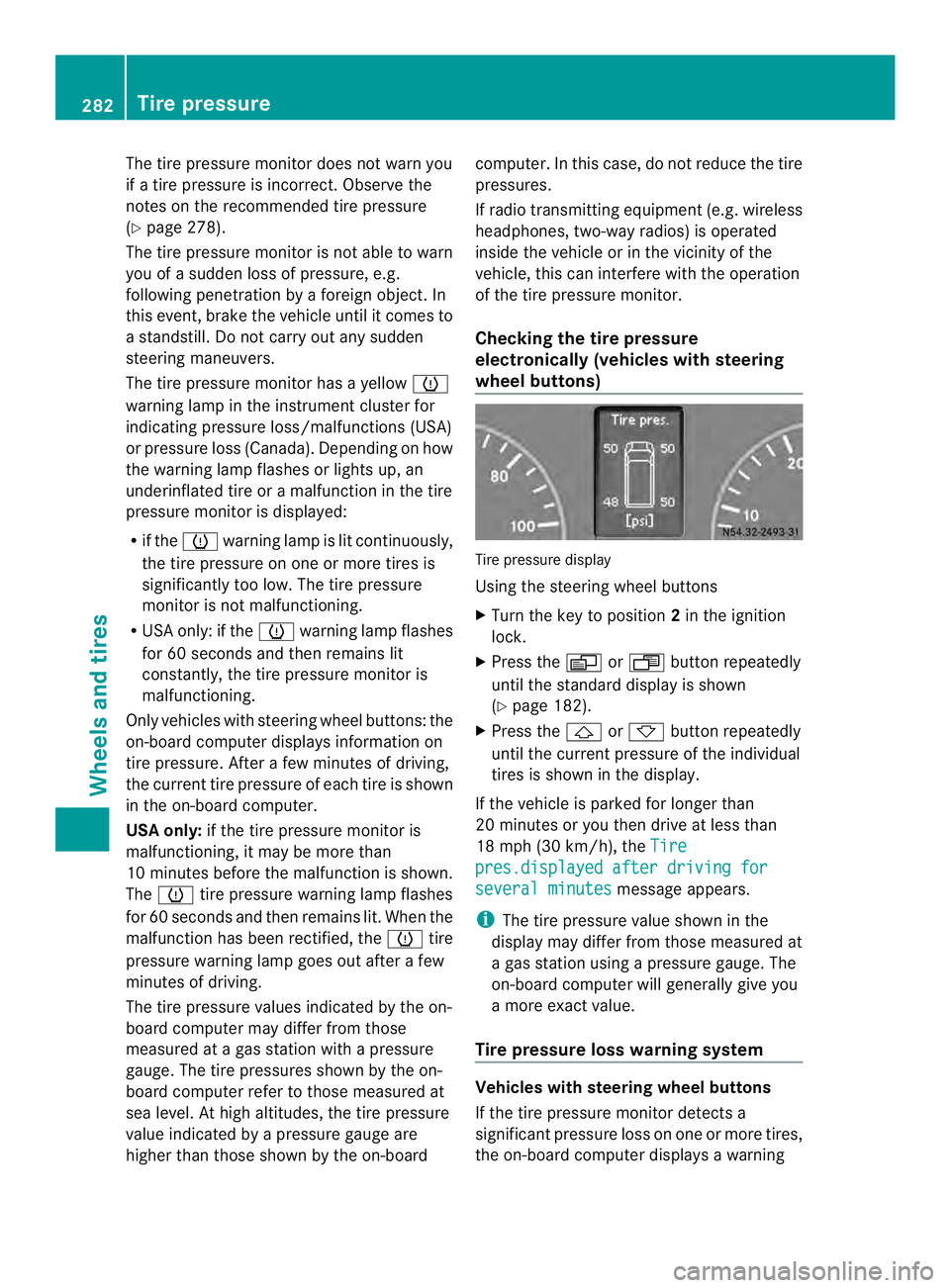
Checking the tire pressure
electronically (vehicles with steering
wheel buttons)
Tire pressure display
Using the steering wheel buttons
X
Turn the key to position 2in the ignition
lock.
X Press the 0010or0007 button repeatedly
until the standard display is shown
(Y page 182).
X Press the 0001or0009 button repeatedly
until the current pressure of the individual
tires is shown in the display.
If the vehicle is parked for longer than
20 minutes or you then drive at less than
18 mph (30 km/h), the Tire pres.displayed after driving for
several minutes message appears.
i The tire pressure value shown in the
display may differ from those measured at
a gas station using a pressure gauge. The
on-board computer will generally give you
a more exact value.
Tire pressure loss warning system Vehicles with steering wheel buttons
If the tire pressure monitor detects a
significant pressure loss on one or more tires,
the on-board computer displays a warning282
Tire pressureWheels and tires
Page 317 of 334
equipment of this kind is retrofitted, its
electromagnetic compatibility must be
checked and verified.
If these devices are linked to functions
associated with resistance to interference,
they must have type approval. This applies to
the device or its interfaces to the vehicle
electronics, e.g. charging brackets.
At elephone or two-way radio to be installed
in the vehicle must be approved. Further
information can be obtained from any
Sprinter Dealer.
For operation of mobile phones and two-way
radios, we recommend connection to an
approved exterior antenna. This is the only
way to ensure optimum reception quality
inside the vehicle and to minimize mutual
interference between the vehicle electronics,
mobile phones and two-way radios.
The transmission output of the mobile phone
or two-way radio may not exceed the
following maximum transmission output
(PEAK): Frequency range Maximum
transmission
output (PEAK)
Short wave
(f < 50 MHz) 100 W
4 m waveband 30 W
2 m waveband 50 W
Trunked radio/Tetra 35 W
70 cm waveband 35 W
GSM 900/AMPS 10 W
GSM 1800 10 W
UMTS 10 W Identification plates
Vehicle identification plate with
vehicle identification number (VIN)
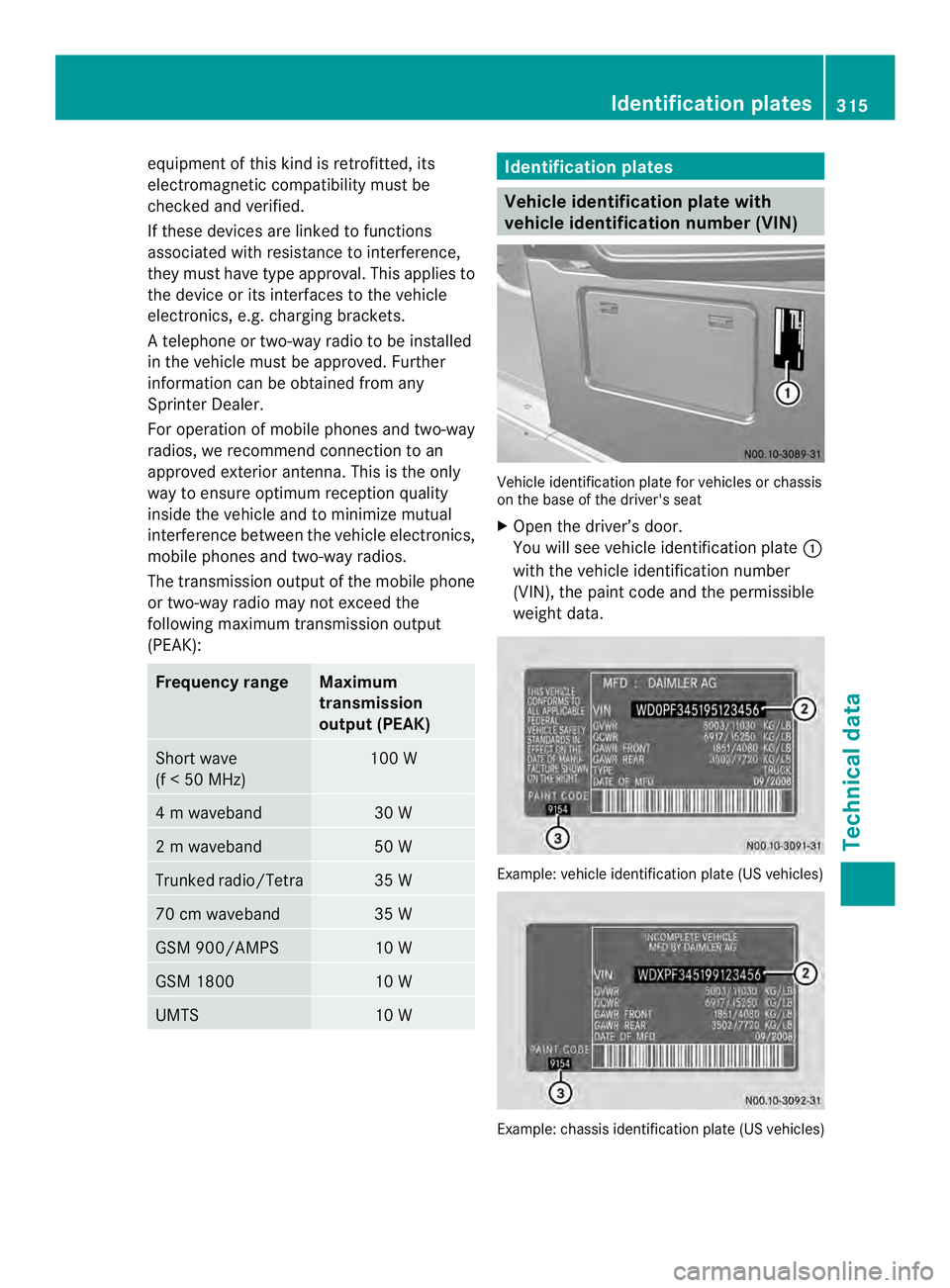
Vehicle identification plate for vehicles or chassis
on the base of the driver's seat
X
Open the driver’s door.
You will see vehicle identification plate 0005
with the vehicle identification number
(VIN), the paint code and the permissible
weight data. Example: vehicle identification plate (US vehicles)
Example: chassis identification plate (US vehicles) Identification plates
315Technical data Z