buttons MERCEDES-BENZ SPRINTER 2013 MY13 Operator’s Manual
[x] Cancel search | Manufacturer: MERCEDES-BENZ, Model Year: 2013, Model line: SPRINTER, Model: MERCEDES-BENZ SPRINTER 2013Pages: 334, PDF Size: 3.88 MB
Page 251 of 334
i
Maintenance services must be carried out
in accordance with the provisions and
recommendations in the Maintenance
Booklet.
Not doing so could void the warranty claim
and lead to refusal of goodwill gestures
after the manufacturer has submitted a
damage report.
i Observe the information on Sprinter
original parts in the "Technical data"
section (Y page 314). Service interval display
General notes As
ervice that is due is displayed in the service
interval display about 1monthi nadvance. A
message is then displayed while the vehicle
is in motion or when the ignition is switched
on.
i The service interval display does not
provide information about the oil level. The
service interval display should therefore
not be confused with the 001Cengine oil
level display.
The service due date is displayed in days or
miles (kilometers), depending on the total
distance driven.
The symbols or letters on the service display
show the type of service that is due.
0002 orA for a minor service
0003 orB for a major service
Service due date display Vehicles with steering wheel buttons:
the
following messages may be displayed.
R 0002 Service A due in ... days R
0002 Service A due in ... mi (km )
R 0002 Service A Carry out now Vehicles without steering wheel buttons:
the following messages may be displayed.
R
0002 for service A
R 0003 for Service B
Additionally, you will see the remaining
distance in miles ( mi ) or kilometers (km ) or the
remaining time in days ( d ).
Service due date has been exceeded Vehicles with steering wheel buttons:
if
you have missed the service due date, one of
the following messages appears in the display
and warning tone also sounds.
R 0002 Service A overdue by ... days R
0002 Service A overdue by ... mi (km )
Vehicles without steering wheel buttons:
if you have missed the service due date, the
0002 or0003 symbol for the service flashes
for 10 seconds after the ignition is switched
on. A minus sign also appears in front of the
service due date.
Calling up the service due date X
Turn the key to position 2in the ignition
lock.
The display is activated.
Vehicles without steering wheel buttons
X Press the 0004menu button on the
instrument cluster repeatedly until the
0002 or0003 symbol for the service
appears in the display.
Additionally, you will see the remaining
distance in miles ( mi ) or kilometers (
km ) or
the remaining time in days (d ).
Vehicles with steering wheel buttons
X Press the 0010or0007 button on the
steering wheel until the standard display
(Y page 182) appears in the display.
X Press the 0001or0009 button on the
steering wheel repeatedly until the service Maintenance
249Maintenance and care Z
Page 284 of 334
The tire pressure monitor does not warn you
if a tire pressure is incorrect. Observe the
notes on the recommended tire pressure
(Y page 278).
The tire pressure monitor is not able to warn
you of a sudden loss of pressure, e.g.
following penetration by a foreign object .In
this event, brake the vehicle until it comes to
a standstill. Do not carry ou tany sudden
steering maneuvers.
The tire pressure monitor has a yellow 000A
warning lamp in the instrument cluster for
indicating pressure loss/malfunctions (USA)
or pressure loss (Canada). Depending on how
the warning lamp flashes or lights up, an
underinflated tire or a malfunction in the tire
pressure monitor is displayed:
R if the 000A warning lamp is li tcontinuously,
the tire pressure on one or more tires is
significantly too low. The tire pressure
monitor is not malfunctioning.
R USA only: if the 000Awarning lamp flashes
for 60 seconds and then remains lit
constantly, the tire pressure monitor is
malfunctioning.
Only vehicles with steerin gwheel buttons: the
on-board computer displays information on
tire pressure. After a few minutes of driving,
the current tire pressure of each tire is shown
in the on-board computer.
USA only: if the tire pressure monitor is
malfunctioning, it may be more than
10 minutes before the malfunction is shown.
The 000A tire pressure warning lamp flashes
for 60 seconds and then remains lit. When the
malfunction has been rectified, the 000Atire
pressure warning lamp goes out after a few
minutes of driving.
The tire pressure values indicated by the on-
board computer may differ from those
measured at a gas station with a pressure
gauge. The tire pressures shown by the on-
board computer refer to those measured at
sea level. At high altitudes, the tire pressure
value indicated by a pressure gauge are
higher than those shown by the on-board computer. In this case, do not reduce the tire
pressures.
If radio transmitting equipment (e.g. wireless
headphones, two-way radios) is operated
inside the vehicle or in the vicinity of the
vehicle, this can interfere with the operation
of the tire pressure monitor.
Checking the tire pressure
electronically (vehicles with steering
wheel buttons)
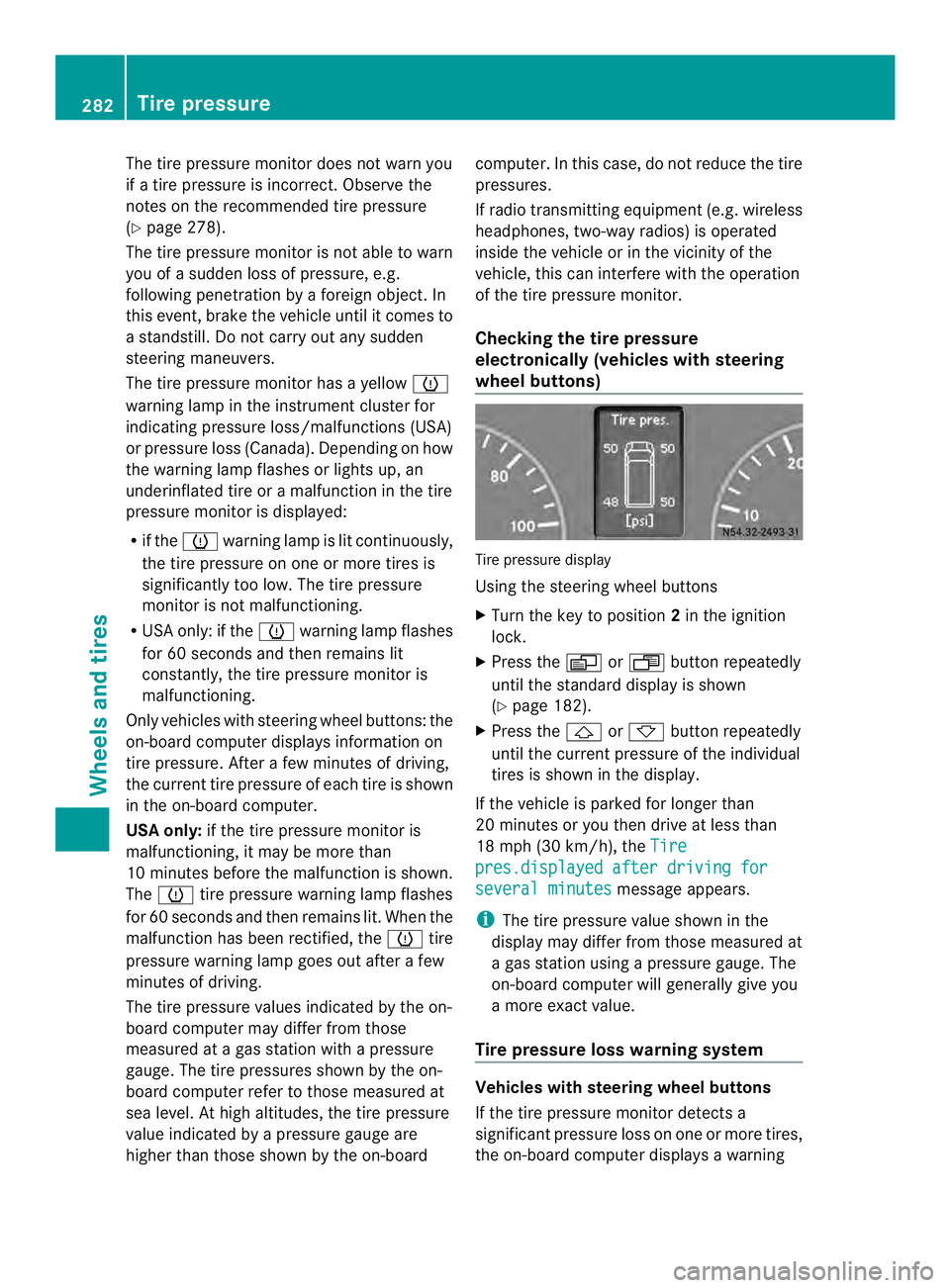
Tire pressure display
Using the steering wheel buttons
X
Turn the key to position 2in the ignition
lock.
X Press the 0010or0007 button repeatedly
until the standard display is shown
(Y page 182).
X Press the 0001or0009 button repeatedly
until the current pressure of the individual
tires is shown in the display.
If the vehicle is parked for longer than
20 minutes or you then drive at less than
18 mph (30 km/h), the Tire pres.displayed after driving for
several minutes message appears.
i The tire pressure value shown in the
display may differ from those measured at
a gas station using a pressure gauge. The
on-board computer will generally give you
a more exact value.
Tire pressure loss warning system Vehicles with steering wheel buttons
If the tire pressure monitor detects a
significant pressure loss on one or more tires,
the on-board computer displays a warning282
Tire pressureWheels and tires
Page 285 of 334
message. The
000Atire pressure loss warning
lamp in the instrument cluster (Y page 218)
lights up.
The tire pressure is show nin2red rectangles.
The pressure of the tire concerned is shown
in one of the two rectangles (Y page 192).
Additionally, a warning tone sounds.
Each tire that is affected by a significant loss
of pressure is highlighted in the pressure
display.
Restarting the tire pressure monitor When you restart the tire pressure monitor,
the currently set tire pressure are taken as
reference values for monitoring.
In most cases, the tire pressure monitor
detects the new reference values
automatically, e.g. after you have:
R changed the tire pressure
R changed wheels or tires
R installed new wheels or tires
However, you can also define reference
values manually as described here.
Before restarting the tire pressure
monitor:
X Set the tire pressure to the value
recommended on the Tire and Loading
Information placard or the tire pressure
table on the B-pillar on the driver's side
(Y page 278).
Observe the notes on tire pressure when
doing so (Y page 278).
X Make sure that the tire pressure is correct
on all four wheels. Restarting the tire pressure monitor
(vehicles without steering wheel
buttons):
X
Turn the key to position 2in the ignition
lock.
X Press the 0004menu button on the
instrument cluster repeatedly until the
display shows the following message:
+CAL- TPMS X
Press the 000Ebutton on the instrument
cluster.
The display shows:
OK TPMS The tire pressure monitor activation
process has begun. The tire pressures
measured for the individual wheels are
stored as the new reference values,
provided that the tire pressure monitor
considers them to be plausible.
If you wish to cancel the restart:
X Press the 000Fbutton or the 0004menu button
on the instrument cluster.
The activation process is canceled
automatically if 30 seconds elapse with no
input.
Restarting the tire pressure monitor
(vehicles with steering wheel buttons):
X Turn the key to position 2in the ignition
lock.
X Press the 0010or0007 button on the
steering wheel repeatedly until the
standard display is shown (Y page 182).
X Press the 0001or0009 button on the
steering wheel repeatedly until the current
pressure of the individual tires is displayed
or the display shows the following
message:
Tire pres. displayed after driving
for several minutes
X
Press the 0007reset button on the
instrument cluster.
The display shows the following message: Tire pressure
283Wheels and tires Z
Page 321 of 334
This can result in damage to the fuel
injection system, for example.
Flow improvers are fuel additives used to
improve the flow characteristics of diesel
fuels.
The effectiveness of flow improvers cannot be
guaranteed with all fuels. Observe the
manufacturer's recommendations.
Information about approved flow improvers is
available from any authorized Sprinter Dealer.
At outside temperatures below 14 ‡(002710 †),
and if using diesel with less resistance to low
temperatures, add flow improver, basing the
mixing ratio on the outside temperature.
Mix this fuel additive with the diesel in good
time before the flow properties of the diesel
are affected by paraffi nseparation.
Malfunctions resulting from paraffin
separation can only be rectified by heating
the entire fuel system. Park the vehicle in a
heated garage, for example.
Information on fuel consumption H
Environmental note
CO 2(carbon dioxide) is the gas which
scientists believe to be principally responsible
for global warming (the greenhouse effect).
Your vehicle's CO 2emissions are directly
related to fuel consumption and therefore
depend on:
R efficien tuse of the fuel by the engine
R driving style
R other non-technical factors, such as
environmental influences or road
conditions
You can minimize your vehicle's CO 2
emissions by driving carefully and having it
serviced regularly.
i Only for certain countries: the respective
current consumption and emission values
of your vehicle can be found in the COC
papers (EC CERTIFICATE OF
CONFORMITY). These documents are
supplied when the vehicle is delivered. Consumption figures were found in the
currently valid respective version:
R
for vehicles up to and including the
Euro 4 standard according to EU
Directive 80/1268/EEC
R for vehicles from the Euro 5 standard
according to regulation (EC) no.
715/2007
Fuel consumption depends on:
R the vehicle version
R the style of driving
R the operating conditions
R the type or quality of the fuel used
The vehicle will use more fuel than usual in
the following situations:
R at very low outside temperatures
R in city traffic
R during short journeys
R in mountainous terrain
R when towing a trailer
To keep fuel consumption low, observe the
advice in the "Protection of the environment"
section (Y page 22).
The following components of the different
vehicle versions influence fuel consumption:
R tire sizes, tire tread, tire pressure, tire
condition
R body
R transmission ratios for the drive
assemblies
R additional equipment (e.g. air-conditioning
system, auxiliary heating system).
For these reasons, the actual consumption
figures for your vehicle may deviate from the
consumption figures determined according
to EU Directive 80/1268/EEC.
Data concerning fuel consumption are
recorded in the on-board computer; use the
steering wheel buttons to call up the Trip
computer menu (Ypage 190). Service products and capacities
319Technical data Z