turn signal MERCEDES-BENZ SPRINTER 2015 MY15 Operator’s Manual
[x] Cancel search | Manufacturer: MERCEDES-BENZ, Model Year: 2015, Model line: SPRINTER, Model: MERCEDES-BENZ SPRINTER 2015Pages: 334, PDF Size: 5.94 MB
Page 180 of 334
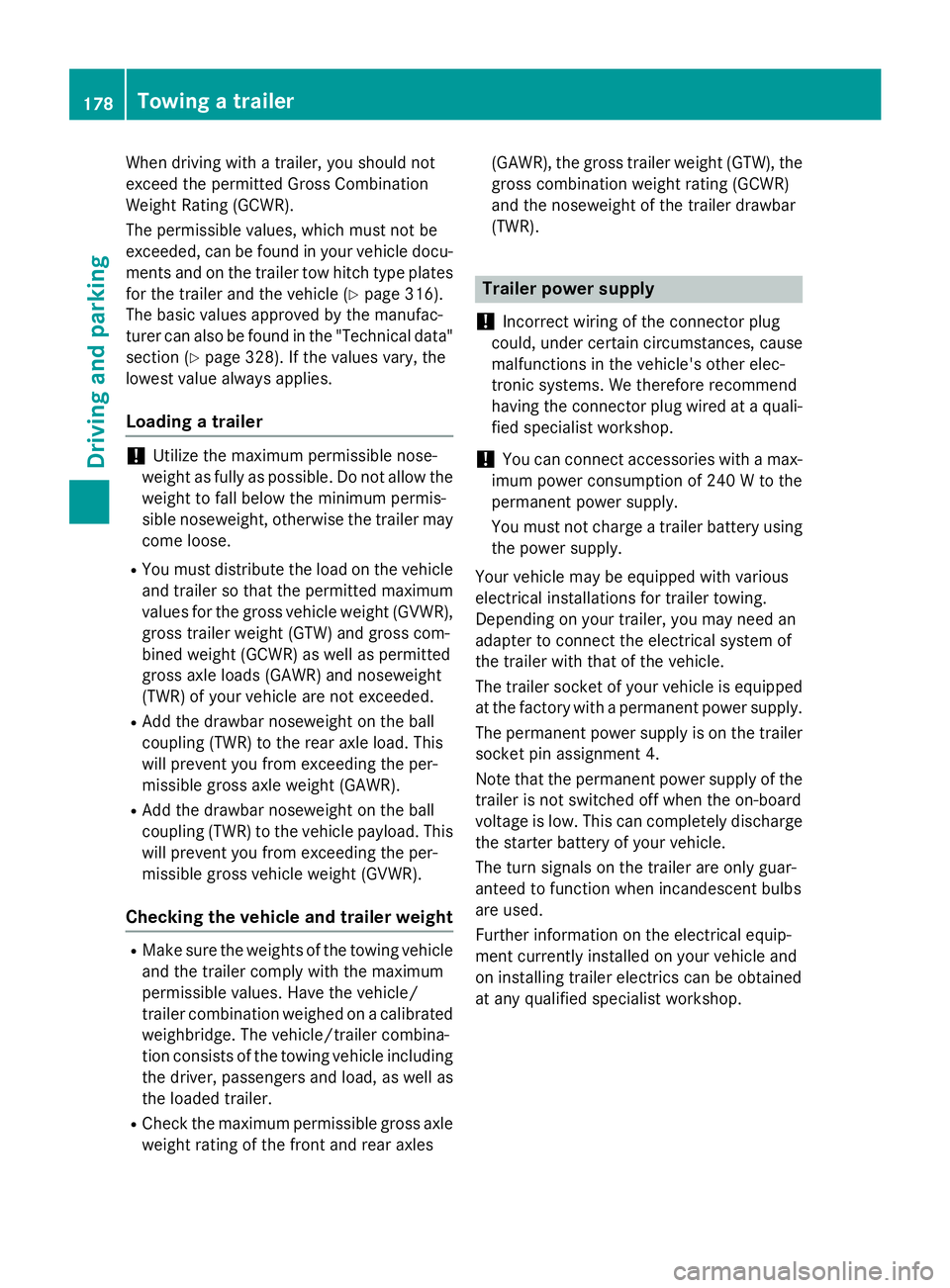
When driving with a trailer, you should not
exceed the permitted Gross Combination
Weight Rating (GCWR).
The permissible values, which must not be
exceeded, can be found in your vehicle docu-
ments and on the trailer tow hitch type plates
for the trailer and the vehicle (Y page 316).
The basic values approved by the manufac-
turer can also be found in the "Technical data" section (Y page 328). If the values vary, the
lowest value always applies.
Loading a trailer !
Utilize the maximum permissible nose-
weight as fully as possible. Do not allow the
weight to fall below the minimum permis-
sible noseweight, otherwise the trailer may
come loose.
R You must distribute the load on the vehicle
and trailer so that the permitted maximum
values for the gross vehicle weight (GVWR), gross trailer weight (GTW) and gross com-
bined weight (GCWR) as well as permitted
gross axle loads (GAWR) and noseweight
(TWR) of your vehicle are not exceeded.
R Add the drawbar noseweight on the ball
coupling (TWR) to the rear axle load. This
will prevent you from exceeding the per-
missible gross axle weight (GAWR).
R Add the drawbar noseweight on the ball
coupling (TWR) to the vehicle payload. This
will prevent you from exceeding the per-
missible gross vehicle weight (GVWR).
Checking the vehicle and trailer weight R
Make sure the weights of the towing vehicle
and the trailer comply with the maximum
permissible values. Have the vehicle/
trailer combination weighed on a calibrated weighbridge. The vehicle/trailer combina-
tion consists of the towing vehicle including
the driver, passengers and load, as well as
the loaded trailer.
R Check the maximum permissible gross axle
weight rating of the front and rear axles (GAWR), the gross trailer weight (GTW), the
gross combination weight rating (GCWR)
and the noseweight of the trailer drawbar
(TWR). Trailer power supply
! Incorrect wiring of the connector plug
could, under certain circumstances, cause
malfunctions in the vehicle's other elec-
tronic systems. We therefore recommend
having the connector plug wired at a quali-
fied specialist workshop.
! You can connect accessories with a max-
imum power consumption of 240 W to the
permanent power supply.
You must not charge a trailer battery using
the power supply.
Your vehicle may be equipped with various
electrical installations for trailer towing.
Depending on your trailer, you may need an
adapter to connect the electrical system of
the trailer with that of the vehicle.
The trailer socket of your vehicle is equipped at the factory with a permanent power supply.
The permanent power supply is on the trailer
socket pin assignment 4.
Note that the permanent power supply of the
trailer is not switched off when the on-board
voltage is low. This can completely discharge the starter battery of your vehicle.
The turn signals on the trailer are only guar-
anteed to function when incandescent bulbs
are used.
Further information on the electrical equip-
ment currently installed on your vehicle and
on installing trailer electrics can be obtained
at any qualified specialist workshop. 178
Towing a trailerDriving and parking
Page 200 of 334
able to protect you or others as they are
designed to do.
Always have service work carried out at a
qualified specialist workshop.
i If you turn the key to position
2in the
ignition, a display check is performed. All
warning/indicator lamps (except the turn
signal indicator lamps) and the display are
activated. Before starting the journey,
check that the warning and indicator lamps
are operating correctly.
Vehicles without steering wheel but-
tons Warnings, malfunctions or additional infor-
mation may also be shown in the display. The following tables show all the display mes-
sages. A warning tone sounds with certain
display messages.
Vehicles with steering wheel buttons The on-board computer shows warnings, mal-
functions or additional information in the dis-
play. A warning tone sounds with certain dis- play messages. Display messages of a high
priority are shown in red.
Please respond in accordance with the dis-
play messages and follow the additional
notes in this Operator's Manual.
You can hide low-priority display messages by pressing the 0080,007F,0063or0064 but-
ton on the steering wheel or the 0045reset but-
ton.
You cannot hide display messages of the
highest priority. These messages will con-
tinue to be shown in the display until their
cause has been eliminated.
The on-board computer stores certain display messages in the message memory
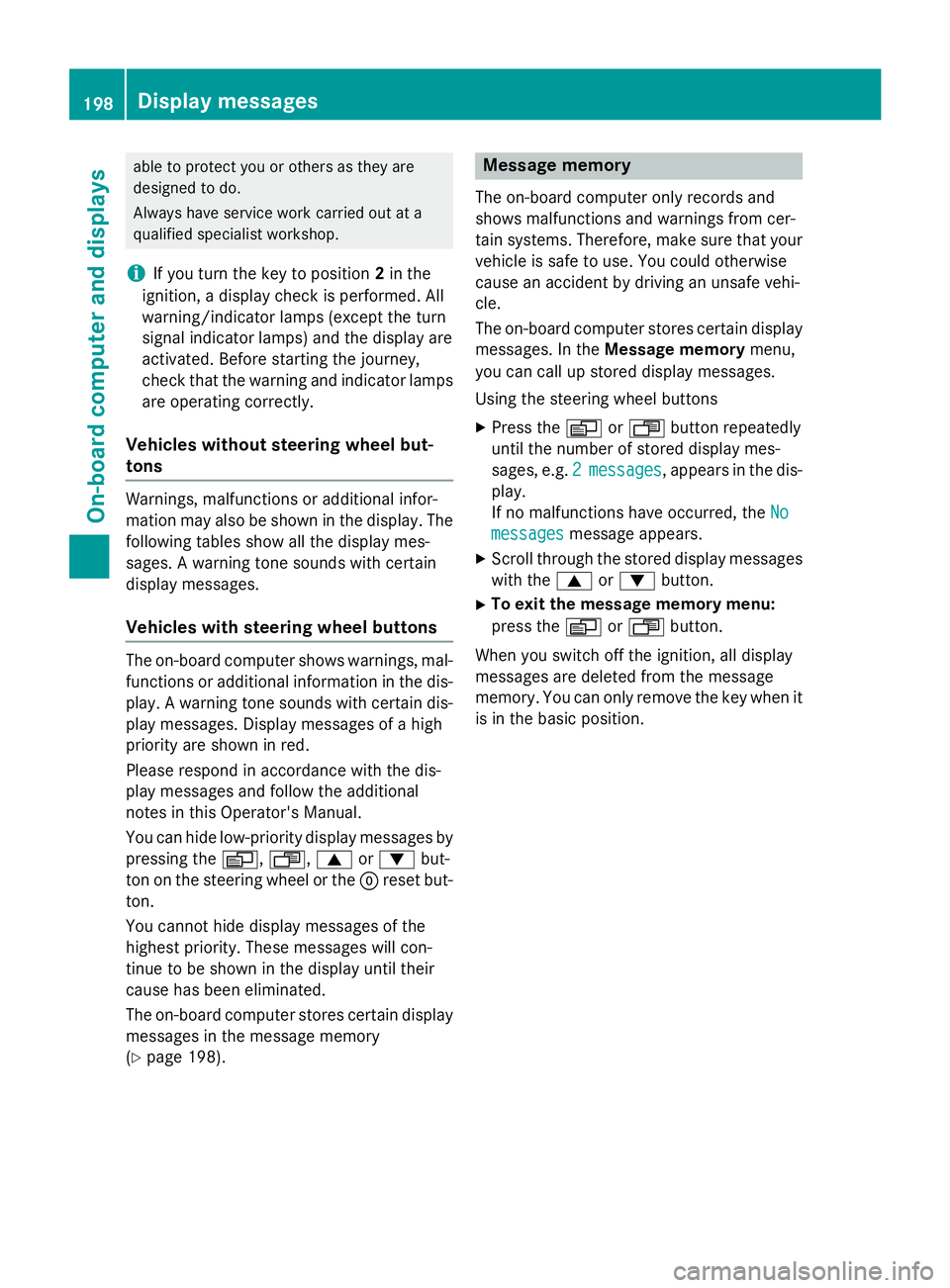
(Y page 198). Message memory
The on-board computer only records and
shows malfunctions and warnings from cer-
tain systems. Therefore, make sure that your
vehicle is safe to use. You could otherwise
cause an accident by driving an unsafe vehi-
cle.
The on-board computer stores certain display messages. In the Message memory menu,
you can call up stored display messages.
Using the steering wheel buttons
X Press the 0080or007F button repeatedly
until the number of stored display mes-
sages, e.g. 2 2messages
messages, appears in the dis-
play.
If no malfunctions have occurred, the No No
messages
messages message appears.
X Scroll through the stored display messages
with the 0063or0064 button.
X To exit the message memory menu:
press the 0080or007F button.
When you switch off the ignition, all display
messages are deleted from the message
memory. You can only remove the key when it
is in the basic position. 198
Display messagesOn-board computer and displays
Page 210 of 334
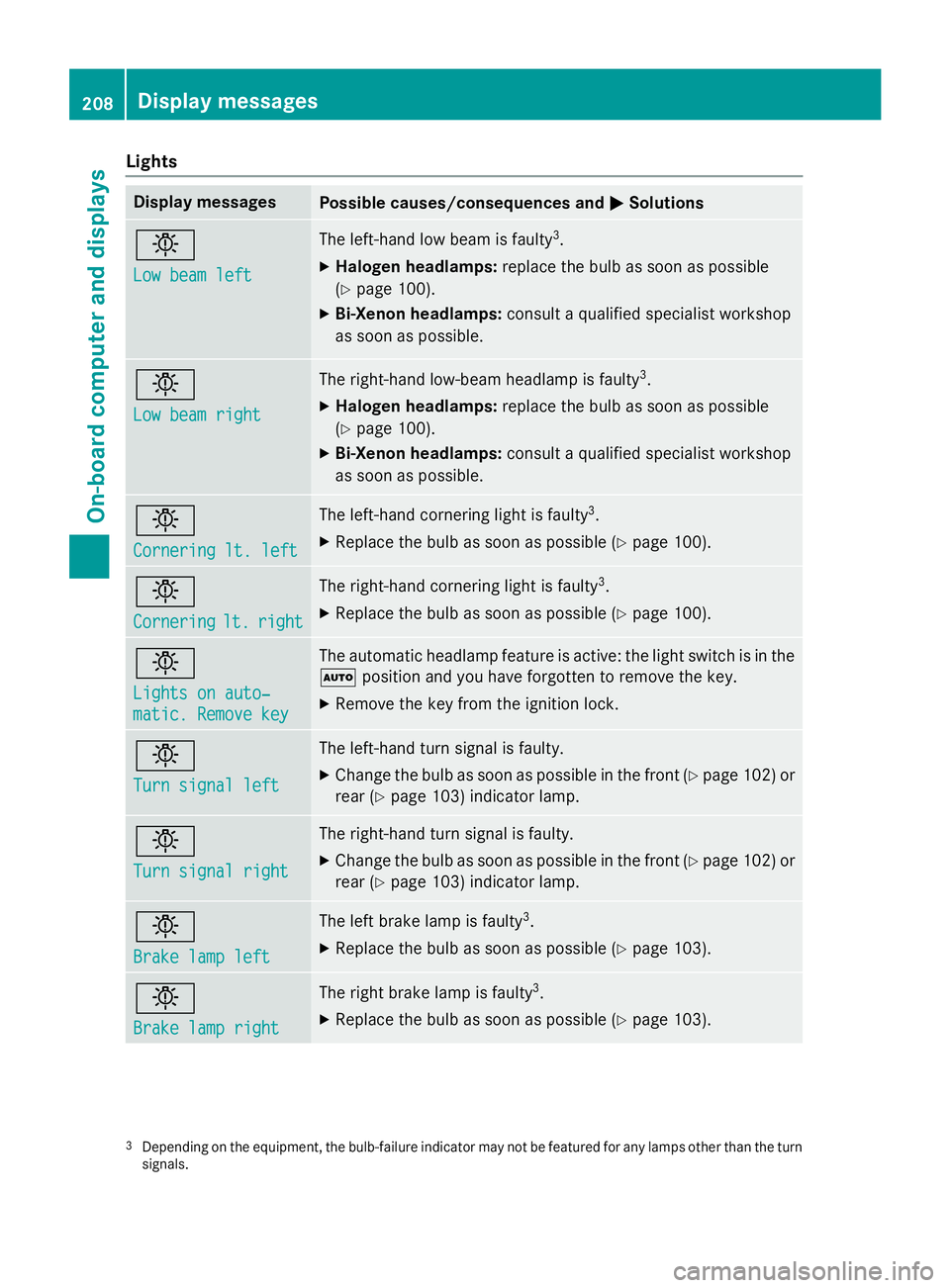
Lights
Display messages
Possible causes/consequences and
0050
0050Solutions 0049
Low beam left Low beam left The left-hand low beam is faulty
3
.
X Halogen headlamps: replace the bulb as soon as possible
(Y page 100).
X Bi-Xenon headlamps: consult a qualified specialist workshop
as soon as possible. 0049
Low beam right Low beam right The right-hand low-beam headlamp is faulty
3
.
X Halogen headlamps: replace the bulb as soon as possible
(Y page 100).
X Bi-Xenon headlamps: consult a qualified specialist workshop
as soon as possible. 0049
Cornering lt. left Cornering lt. left The left-hand cornering light is faulty
3
.
X Replace the bulb as soon as possible (Y page 100).0049
Cornering Cornering
lt.
lt.right
right The right-hand cornering light is faulty
3
.
X Replace the bulb as soon as possible (Y page 100).0049
Lights on auto‐ Lights on auto‐
matic. Remove key matic. Remove key The automatic headlamp feature is active: the light switch is in the
0058 position and you have forgotten to remove the key.
X Remove the key from the ignition lock. 0049
Turn signal left Turn signal left The left-hand turn signal is faulty.
X Change the bulb as soon as possible in the front (Y page 102) or
rear (Y page 103) indicator lamp. 0049
Turn signal right Turn signal right The right-hand turn signal is faulty.
X Change the bulb as soon as possible in the front (Y page 102) or
rear (Y page 103) indicator lamp. 0049
Brake lamp left Brake lamp left The left brake lamp is faulty
3
.
X Replace the bulb as soon as possible (Y page 103).0049
Brake lamp right Brake lamp right The right brake lamp is faulty
3
.
X Replace the bulb as soon as possible (Y page 103).3
Depending on the equipment, the bulb-failure indicator may not be featured for any lamps other than the turn
signals. 208
Display messagesOn-board computer and displays
Page 211 of 334
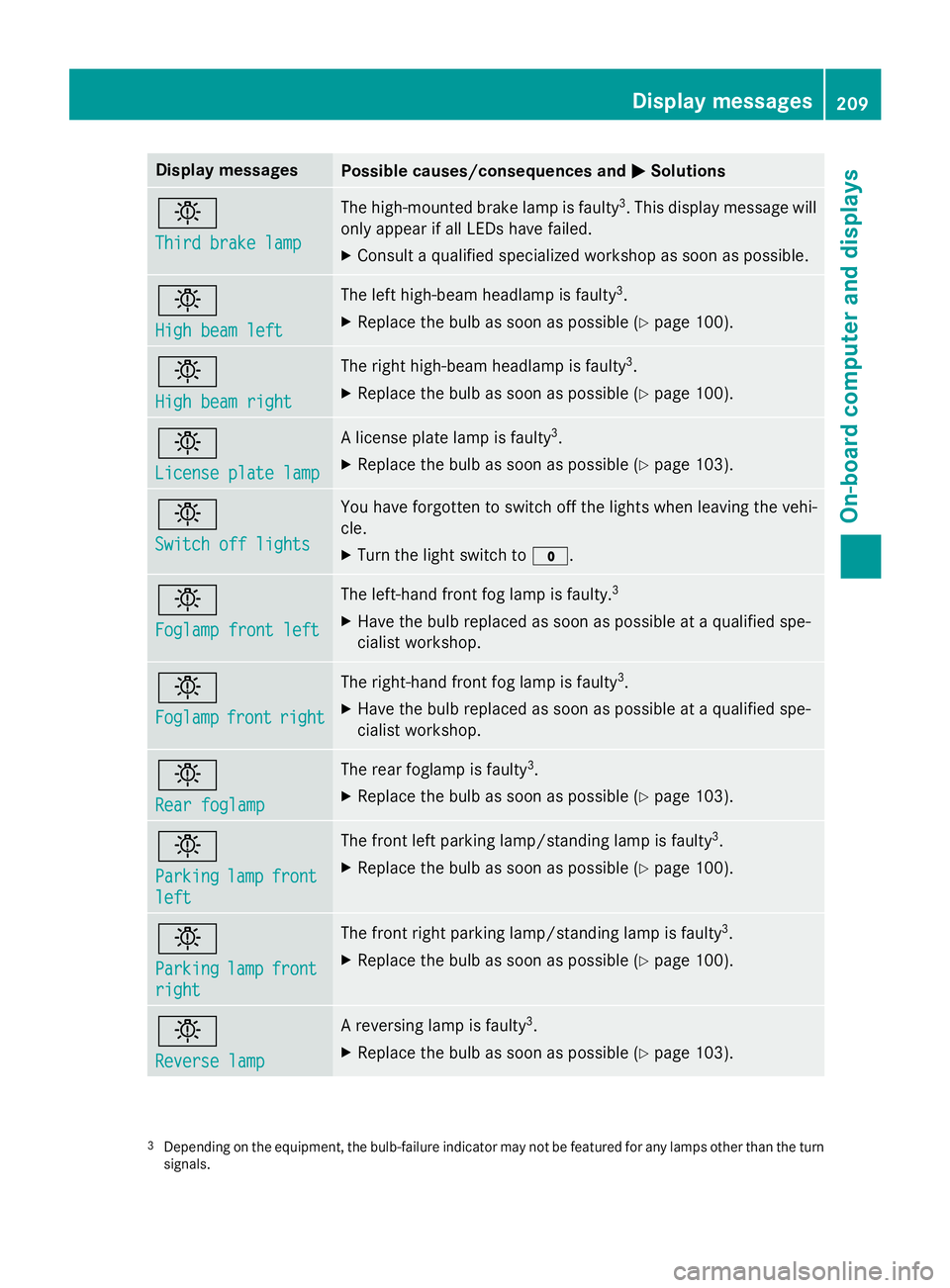
Display messages
Possible causes/consequences and
0050
0050Solutions 0049
Third brake lamp Third brake lamp The high-mounted brake lamp is faulty
3
. This display message will
only appear if all LEDs have failed.
X Consult a qualified specialized workshop as soon as possible. 0049
High beam left High beam left The left high-beam headlamp is faulty
3
.
X Replace the bulb as soon as possible (Y page 100).0049
High beam right High beam right The right high-beam headlamp is faulty
3
.
X Replace the bulb as soon as possible (Y page 100).0049
License plate lamp License plate lamp A license plate lamp is faulty
3
.
X Replace the bulb as soon as possible (Y page 103).0049
Switch off lights Switch off lights You have forgotten to switch off the lights when leaving the vehi-
cle.
X Turn the light switch to 003F.0049
Foglamp front left Foglamp front left The left-hand front fog lamp is faulty.
3
X Have the bulb replaced as soon as possible at a qualified spe-
cialist workshop. 0049
Foglamp Foglamp
front
frontright
right The right-hand front fog lamp is faulty
3
.
X Have the bulb replaced as soon as possible at a qualified spe-
cialist workshop. 0049
Rear foglamp Rear foglamp The rear foglamp is faulty
3
.
X Replace the bulb as soon as possible (Y page 103).0049
Parking Parking
lamp
lampfront
front
left
left The front left parking lamp/standing lamp is faulty
3
.
X Replace the bulb as soon as possible (Y page 100).0049
Parking Parking
lamp
lampfront
front
right
right The front right parking lamp/standing lamp is faulty
3
.
X Replace the bulb as soon as possible (Y page 100).0049
Reverse lamp Reverse lamp A reversing lamp is faulty
3
.
X Replace the bulb as soon as possible (Y page 103).3
Depending on the equipment, the bulb-failure indicator may not be featured for any lamps other than the turn
signals. Display
messages
209On-board computer and displays Z
Page 212 of 334
Display messages
Possible causes/consequences and
0050
0050Solutions 0049
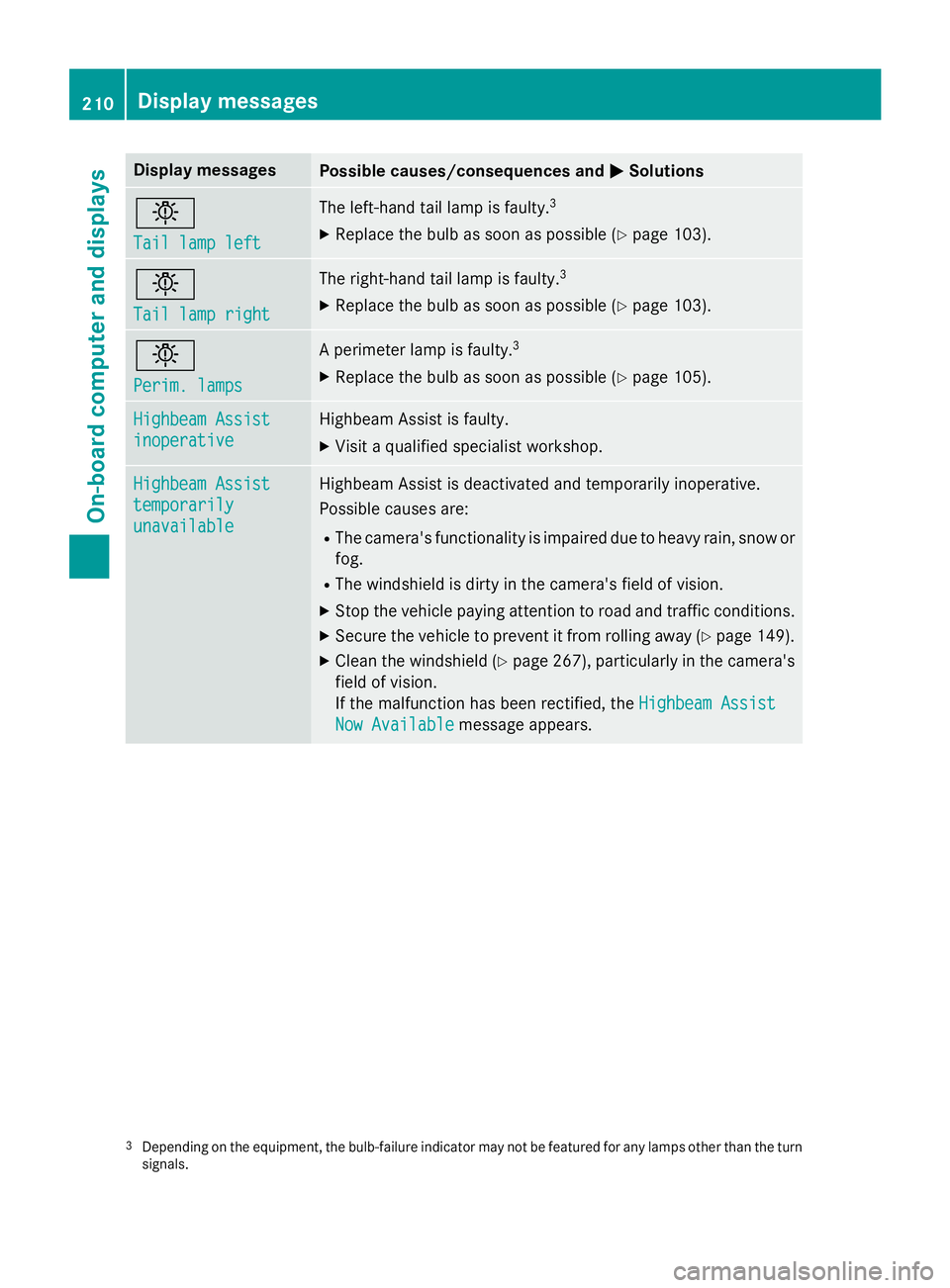
Tail lamp left Tail lamp left The left-hand tail lamp is faulty.
3
X Replace the bulb as soon as possible (Y page 103).0049
Tail lamp right Tail lamp right The right-hand tail lamp is faulty.
3
X Replace the bulb as soon as possible (Y page 103).0049
Perim. lamps Perim. lamps A perimeter lamp is faulty.
3
X Replace the bulb as soon as possible (Y page 105).Highbeam Assist
Highbeam Assist
inoperative inoperative Highbeam Assist is faulty.
X Visit a qualified specialist workshop. Highbeam Assist
Highbeam Assist
temporarily temporarily
unavailable unavailable Highbeam Assist is deactivated and temporarily inoperative.
Possible causes are:
R The camera's functionality is impaired due to heavy rain, snow or
fog.
R The windshield is dirty in the camera's field of vision.
X Stop the vehicle paying attention to road and traffic conditions.
X Secure the vehicle to prevent it from rolling away (Y page 149).
X Clean the windshield (Y page 267), particularly in the camera's
field of vision.
If the malfunction has been rectified, the Highbeam Assist Highbeam Assist
Now Available
Now Available message appears. 3
Depending on the equipment, the bulb-failure indicator may not be featured for any lamps other than the turn
signals. 210
Display
messagesOn-board computer and displays
Page 229 of 334
Problem
Possible causes/consequences and
0050
0050Solutions 0076
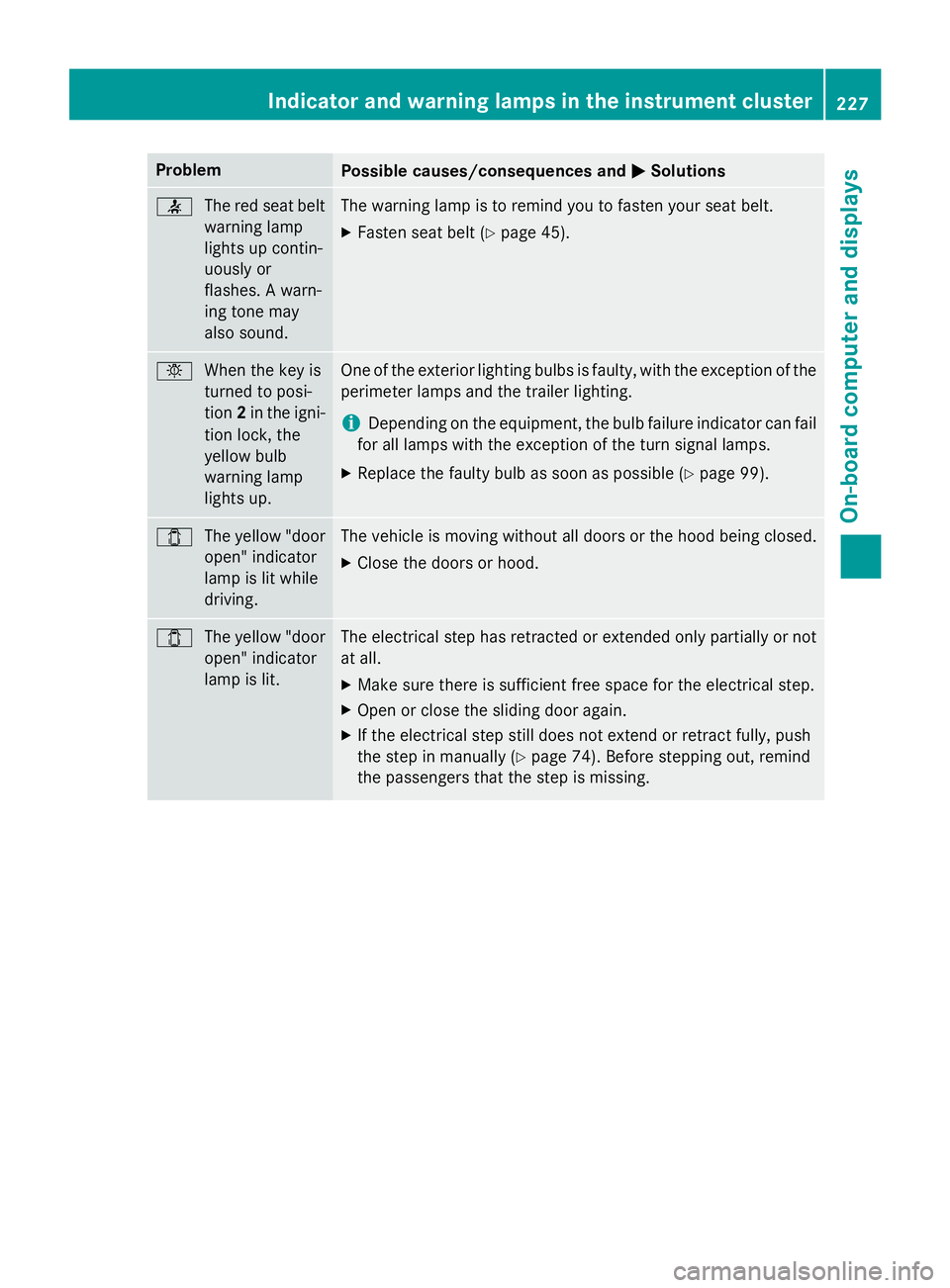
The red seat belt
warning lamp
lights up contin-
uously or
flashes. A warn-
ing tone may
also sound. The warning lamp is to remind you to fasten your seat belt.
X Fasten seat belt (Y page 45). 0049
When the key is
turned to posi-
tion2in the igni-
tion lock, the
yellow bulb
warning lamp
lights up. One of the exterior lighting bulbs is faulty, with the exception of the
perimeter lamps and the trailer lighting.
i Depending on the equipment, the bulb failure indicator can fail
for all lamps with the exception of the turn signal lamps.
X Replace the faulty bulb as soon as possible (Y page 99).003E
The yellow "door
open" indicator
lamp is lit while
driving. The vehicle is moving without all doors or the hood being closed.
X Close the doors or hood. 003E
The yellow "door
open" indicator
lamp is lit. The electrical step has retracted or extended only partially or not
at all.
X Make sure there is sufficient free space for the electrical step.
X Open or close the sliding door again.
X If the electrical step still does not extend or retract fully, push
the step in manually (Y page 74). Before stepping out, remind
the passengers that the step is missing. Indicator and warning lamps in the instrument cluster
227On-board computer and displays Z
Page 270 of 334
brake pads/linings. For this reason, you
should drive for a few minutes after clean-
ing. Braking heats the brake discs and the
brake pads/linings, thus drying them. The
vehicle can then be parked.
If you clean the wheels with a power washer,
observe the safety notes for the power
washer (Y page 266). You could otherwise
damage the tires.
Cleaning the wiper blades G
WARNING
You could become trapped by the windshield wipers if they start moving while cleaning the
windshield or wiper blades. There is a risk of
injury.
Always switch off the windshield wipers and
the ignition before cleaning the windshield or
wiper blades.
! Do not fold the windshield wipers away
from the windshield unless the hood is
closed. Otherwise, you could damage the
hood.
! Do not pull the wiper blade. Otherwise,
the wiper blade could be damaged.
! Do not clean wiper blades too often and
do not rub them too hard. Otherwise, the
graphite coating could be damaged. This
could cause wiper noise.
! Hold the wiper arm securely when folding
back. The windshield could be damaged if
the wiper arm smacks against it suddenly.
X Turn the key to position 0in the ignition
lock or remove it.
X Fold the windshield wiper arms away from
the windshield until you feel them engage.
X Carefully clean the wiper blades with a
damp cloth.
X Fold back the wiper arms before switching
on the ignition. Cleaning the exterior lighting !
Only use cleaning agents or cleaning
cloths which are suitable for plastic light
lenses. Unsuitable cleaning agents or
cleaning cloths could scratch or damage
the plastic light lenses.
X Clean the plastic covers of the exterior
lighting with a damp sponge and a mild
cleaning agent, e.g. car shampoo for
Sprinter vehicles, or with cleaning cloths.
Cleaning the mirror turn signal !
Only use cleaning agents or cleaning
cloths that are suitable for plastic lenses.
Unsuitable cleaning agents or cleaning
cloths could scratch or damage the plastic lenses of the mirror turn signals.
X Clean the plastic lenses of the mirror turn
signals in the exterior mirror housing using
a wet sponge and mild cleaning agent, e.g.
car shampoo or cleaning cloths.
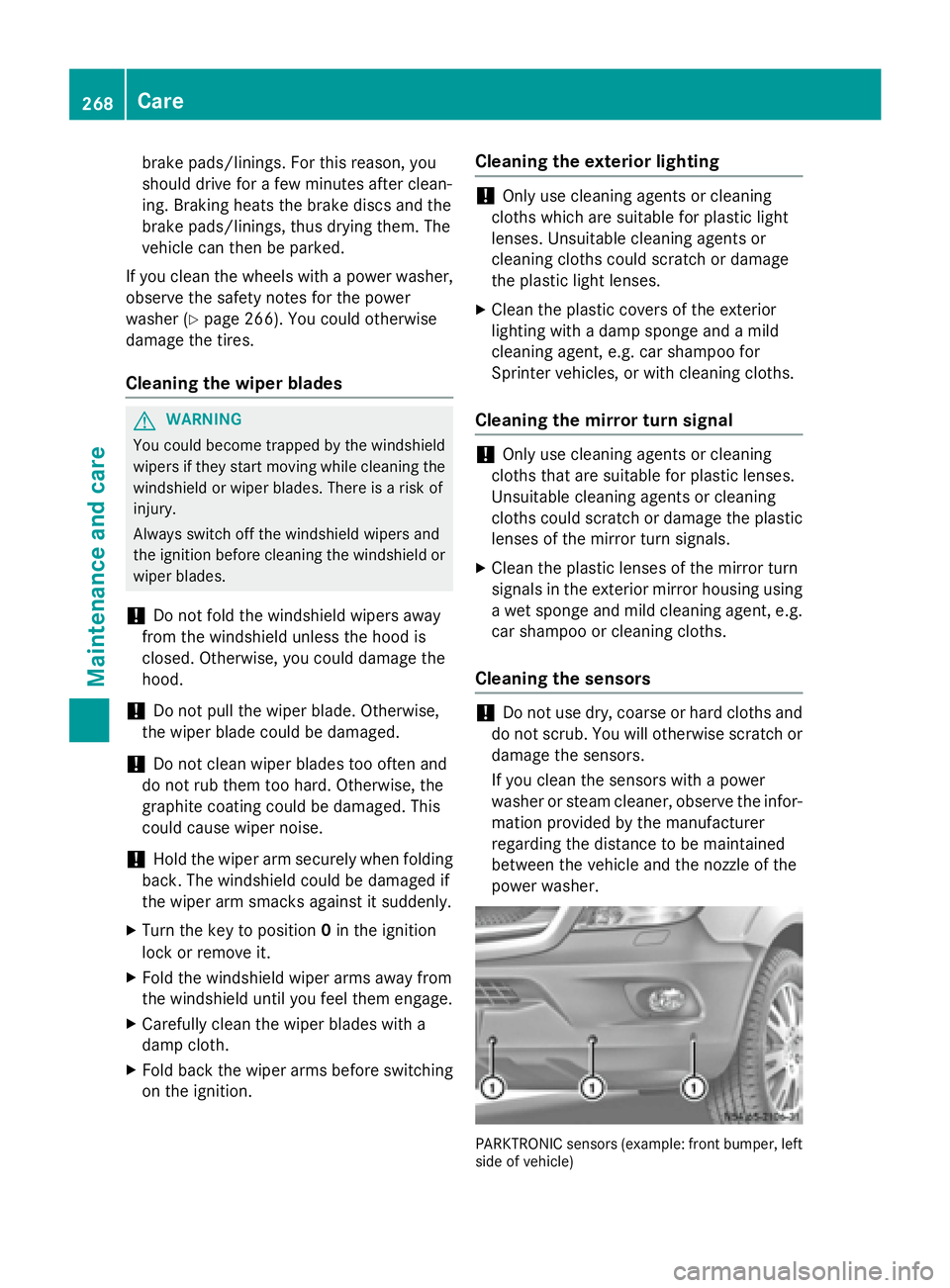
Cleaning the sensors !
Do not use dry, coarse or hard cloths and
do not scrub. You will otherwise scratch or
damage the sensors.
If you clean the sensors with a power
washer or steam cleaner, observe the infor- mation provided by the manufacturer
regarding the distance to be maintained
between the vehicle and the nozzle of the
power washer. PARKTRONIC sensors (example: front bumper, left
side of vehicle) 268
CareMaintenance and care