heating MERCEDES-BENZ SPRINTER 2015 MY15 Operator’s Manual
[x] Cancel search | Manufacturer: MERCEDES-BENZ, Model Year: 2015, Model line: SPRINTER, Model: MERCEDES-BENZ SPRINTER 2015Pages: 334, PDF Size: 5.94 MB
Page 134 of 334
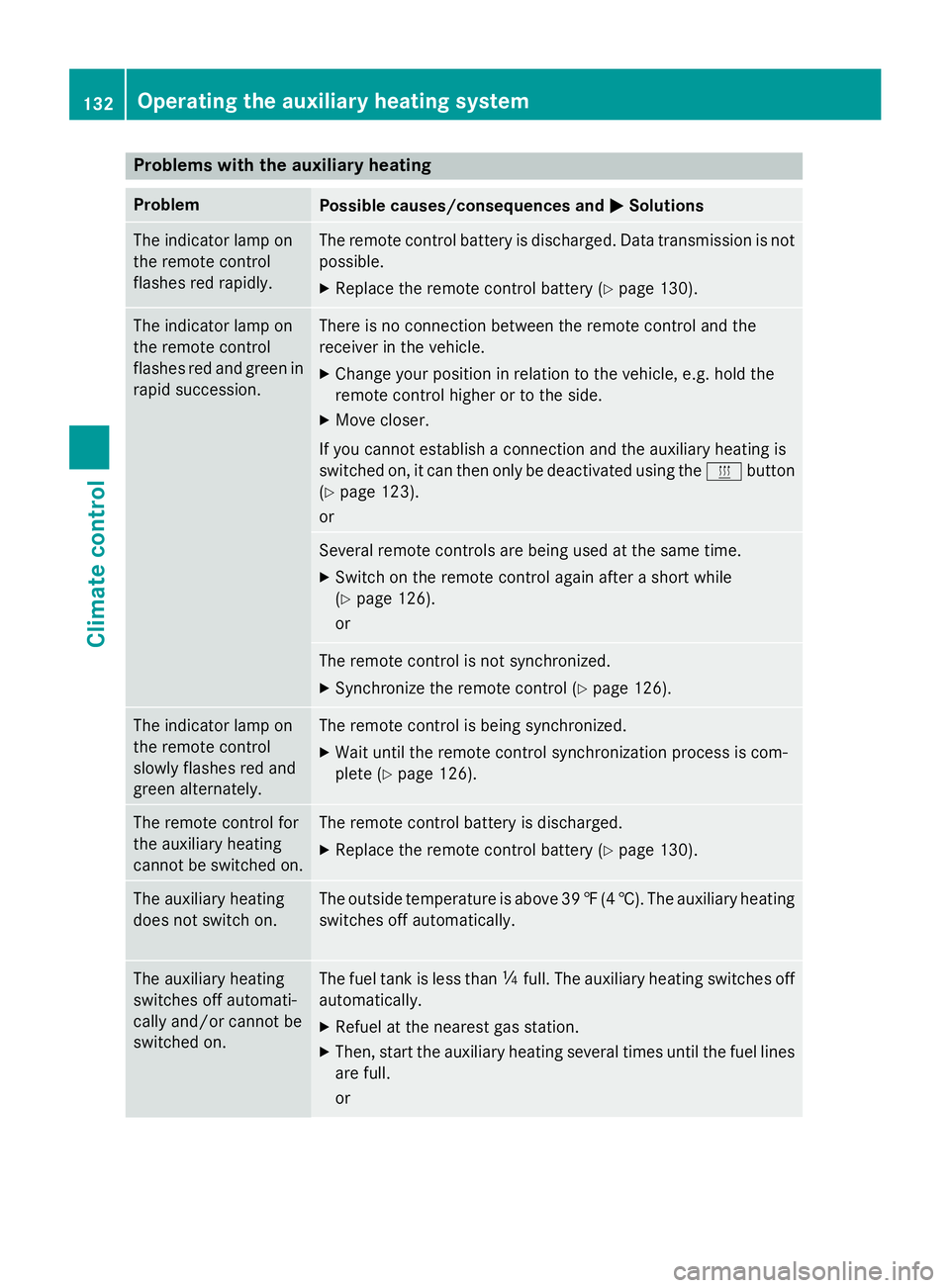
Problems with the auxiliary heating
Problem
Possible causes/consequences and
0050
0050Solutions The indicator lamp on
the remote control
flashes red rapidly. The remote control battery is discharged. Data transmission is not
possible.
X Replace the remote control battery (Y page 130).The indicator lamp on
the remote control
flashes red and green in
rapid succession. There is no connection between the remote control and the
receiver in the vehicle.
X Change your position in relation to the vehicle, e.g. hold the
remote control higher or to the side.
X Move closer.
If you cannot establish a connection and the auxiliary heating is
switched on, it can then only be deactivated using the 0084button
(Y page 123).
or Several remote controls are being used at the same time.
X Switch on the remote control again after a short while
(Y page 126).
or The remote control is not synchronized.
X Synchronize the remote control (Y page 126).The indicator lamp on
the remote control
slowly flashes red and
green alternately. The remote control is being synchronized.
X Wait until the remote control synchronization process is com-
plete (Y page 126). The remote control for
the auxiliary heating
cannot be switched on. The remote control battery is discharged.
X Replace the remote control battery (Y page 130).The auxiliary heating
does not switch on. The outside temperature is above 39
‡(4 †). The auxiliary heating
switches off automatically. The auxiliary heating
switches off automati-
cally and/or cannot be
switched on. The fuel tank is less than
00C4full. The auxiliary heating switches off
automatically.
X Refuel at the nearest gas station.
X Then, start the auxiliary heating several times until the fuel lines
are full.
or 132
Operating the auxiliary heating systemClimate control
Page 135 of 334
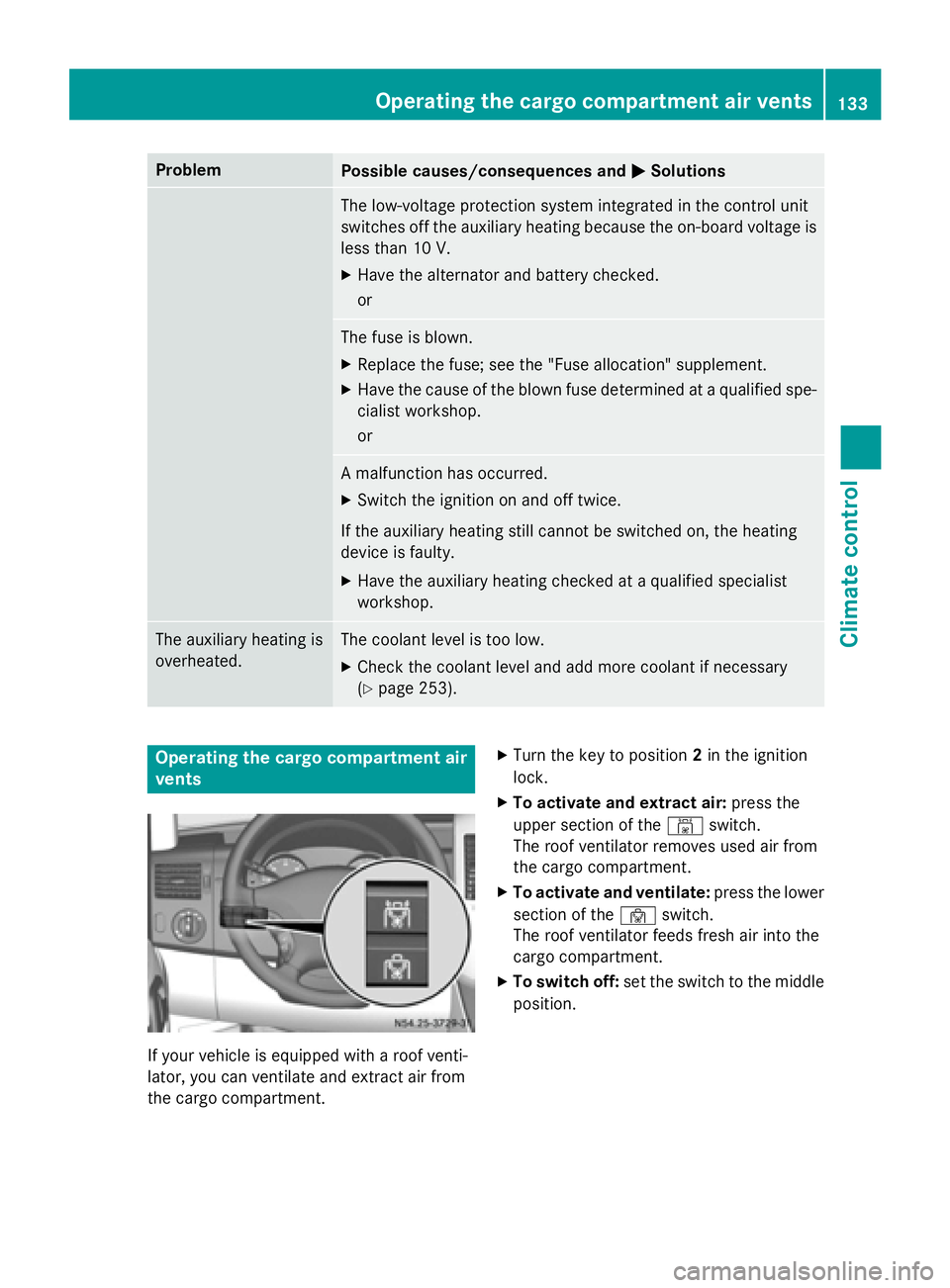
Problem
Possible causes/consequences and
0050
0050Solutions The low-voltage protection system integrated in the control unit
switches off the auxiliary heating because the on-board voltage is
less than 10 V.
X Have the alternator and battery checked.
or The fuse is blown.
X Replace the fuse; see the "Fuse allocation" supplement.
X Have the cause of the blown fuse determined at a qualified spe-
cialist workshop.
or A malfunction has occurred.
X Switch the ignition on and off twice.
If the auxiliary heating still cannot be switched on, the heating
device is faulty.
X Have the auxiliary heating checked at a qualified specialist
workshop. The auxiliary heating is
overheated. The coolant level is too low.
X Check the coolant level and add more coolant if necessary
(Y page 253). Operating the cargo compartment air
vents If your vehicle is equipped with a roof venti-
lator, you can ventilate and extract air from
the cargo compartment. X
Turn the key to position 2in the ignition
lock.
X To activate and extract air: press the
upper section of the 00A8switch.
The roof ventilator removes used air from
the cargo compartment.
X To activate and ventilate: press the lower
section of the 00A7switch.
The roof ventilator feeds fresh air into the
cargo compartment.
X To switch off: set the switch to the middle
position. Operating the cargo compartment air vents
133Climate control Z
Page 148 of 334
engine and, if applicable, the auxiliary heating
before refueling. G
WARNING
Fuel is poisonous and hazardous to health.
There is a risk of injury.
You must make sure that fuel does not come into contact with your skin, eyes or clothing
and that it is not swallowed. Do not inhale fuel
vapors. Keep fuel away from children.
If you or others come into contact with fuel,
observe the following:
R Wash away fuel from skin immediately
using soap and water.
R If fuel comes into contact with your eyes,
immediately rinse them thoroughly with
clean water. Seek medical assistance with-
out delay.
R If fuel is swallowed, seek medical assis-
tance without delay. Do not induce vomit-
ing.
R Immediately change out of clothing which
has come into contact with fuel. G
WARNING
If you mix diesel fuel with gasoline, the flash
point is lower than that of pure diesel fuel.
When the engine is running, exhaust system
components could overheat without being
noticed. There is a risk of fire.
Never refuel with gasoline. Never mix gasoline with diesel fuel. H
Environmental note
If fuels are handled improperly, they pose a
danger to persons and the environment. Do
not allow fuels to run into the sewage system, the surface waters, the ground water or into
the ground.
! Do not use gasoline to refuel vehicles with
a diesel engine. Even small amounts of gas-
oline will cause damage to the fuel system and engine. !
Do not switch on the ignition if you acci-
dentally refuel with the wrong fuel. Other-
wise, the fuel will enter the fuel lines. Notify a qualified specialist workshop and have
the fuel tank and fuel lines drained com-
pletely.
! Overfilling the fuel tank could damage the
fuel system.
! Take care not to spill any fuel on painted
surfaces. You could otherwise damage the paintwork.
! Filter the fuel before transferring it to the
vehicle if you are refueling the vehicle from
barrels or containers.
This will prevent malfunctions in the fuel
system due to contaminated fuel.
Further information on fuel and on fuel grades can be found in the "Technical data" section
(Y page 318). Refueling procedure
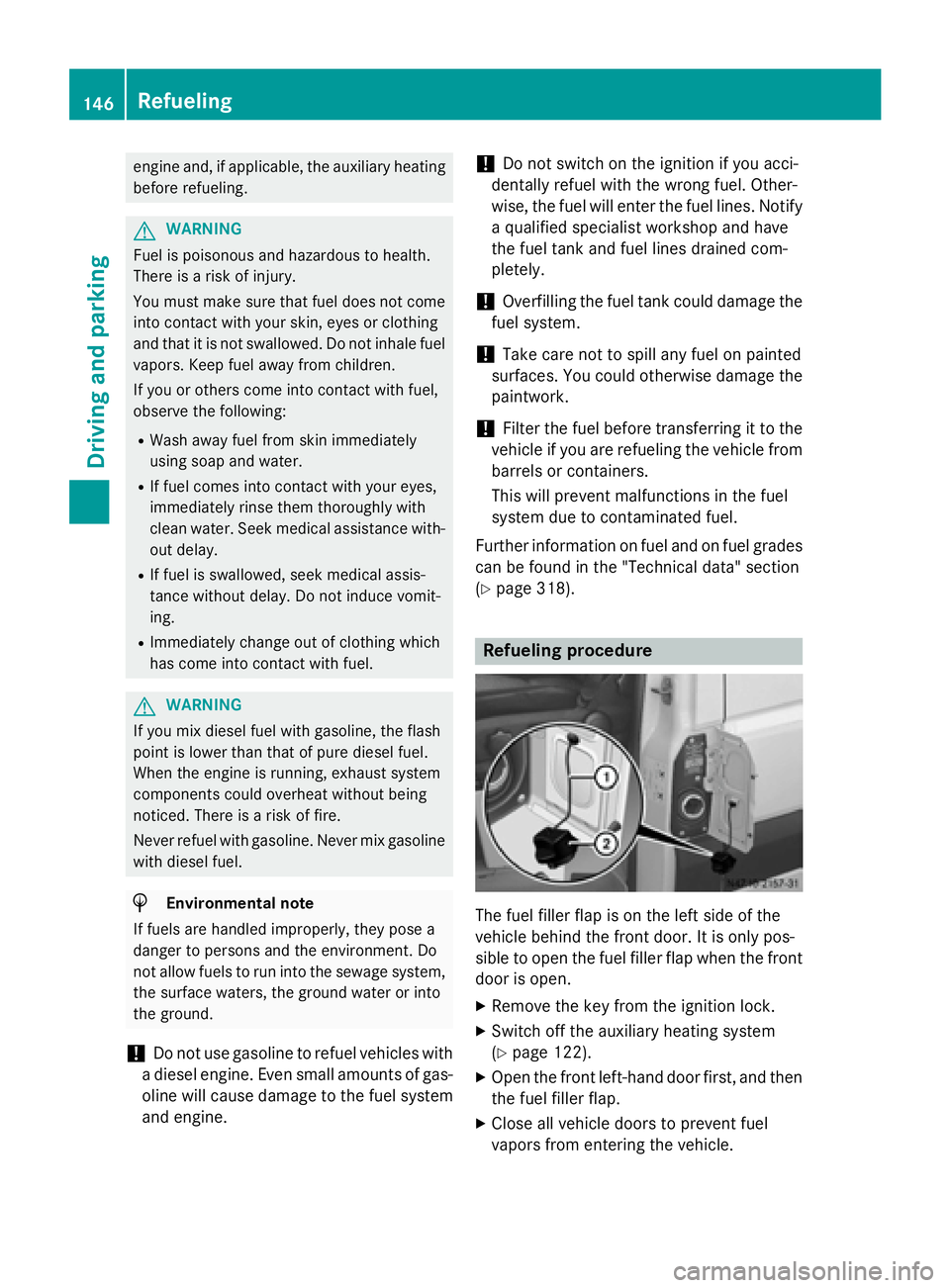
The fuel filler flap is on the left side of the
vehicle behind the front door. It is only pos-
sible to open the fuel filler flap when the front door is open.
X Remove the key from the ignition lock.
X Switch off the auxiliary heating system
(Y page 122).
X Open the front left-hand door first, and then
the fuel filler flap.
X Close all vehicle doors to prevent fuel
vapors from entering the vehicle. 146
RefuelingDriving and parking
Page 156 of 334
When you return from your journey, and as
close to the border as possible, you will need
to:
R remove the adhesive surfaces from your
halogen headlamps and clean the glass of
the headlamps if necessary
R have the Bi-Xenon headlamps reset to
asymmetrical low beam at a qualified spe-
cialist workshop Transport by rail
Transporting your vehicle by rail may be sub-
ject to certain restrictions or require special
measures to be taken in some countries due
to varying tunnel heights and loading stand-
ards.
You can obtain further information from any
authorized Sprinter dealer. Braking
Important safety notes G
WARNING
If you shift down on a slippery road surface in an attempt to increase the engine's braking
effect, the drive wheels could lose their grip.
There is an increased danger of skidding and
accidents.
Do not shift down for additional engine brak-
ing on a slippery road surface. G
WARNING
If you rest your foot on the brake pedal while
driving, the braking system can overheat. This increases the stopping distance and can even
cause the braking system to fail. There is a
risk of an accident.
Never use the brake pedal as a footrest. Never
depress the brake pedal and the accelerator
pedal at the same time.
! Depressing the brake pedal constantly
results in excessive and premature wear to
the brake pads. Downhill gradients !
Depressing the brake pedal constantly
results in excessive and premature wear to
the brake pads.
On long and steep downhill gradients, you
should change down to shift range 0048or0047
in good time. This should be observed in par- ticular when driving with a laden vehicle and
when towing a trailer.
i You must also change the shift range in
good time when cruise control is switched
on.
You thereby make use of the braking effect of the engine and do not have to brake as oftento maintain the speed. This relieves the load
on the service brake and prevents the brakes
from overheating and wearing too quickly.
Heavy and light loads G
WARNING
If you rest your foot on the brake pedal while
driving, the braking system can overheat. This increases the stopping distance and can even
cause the braking system to fail. There is a
risk of an accident.
Never use the brake pedal as a footrest. Never
depress the brake pedal and the accelerator
pedal at the same time.
! Depressing the brake pedal constantly
results in excessive and premature wear to
the brake pads.
If the brakes have been subjected to a heavy load, do not stop the vehicle immediately.
Drive on for a short while. The brakes are
cooled down more quickly in the airflow.
Wet road surfaces If you have been driving for a long time in
heavy rain without braking, there may be a
delayed response when you first apply the
brakes. This may also occur after driving
through a car wash or deep water. 154
Driving tipsDriving and parking
Page 158 of 334
Driving in winter
General notes G
WARNING
If you shift down on a slippery road surface in an attempt to increase the engine's braking
effect, the drive wheels could lose their grip.
There is an increased danger of skidding and
accidents.
Do not shift down for additional engine brak-
ing on a slippery road surface. G
DANGER
If the exhaust pipe is blocked or adequate
ventilation is not possible, poisonous gases
such as carbon monoxide (CO) may enter the vehicle. This is the case, e.g. if the vehicle
becomes trapped in snow. There is a risk of
fatal injury.
If you leave the engine or the auxiliary heating
running, make sure the exhaust pipe and area
around the vehicle are clear of snow. To
ensure an adequate supply of fresh air, open a window on the side of the vehicle that is not
facing into the wind.
Have your vehicle winterproofed at a qualified specialist workshop in good time at the onset of winter.
i Do not cover the radiator, e.g. with a win-
ter cover. The measurements of the on-
board diagnostic system may otherwise
return inaccurate values. Some of these
values are legally prescribed and must
therefore always be exact.
Observe the notes in the "Winter operation"
section (Y page 286).
Slippery road surfaces G
WARNING
If you shift down on a slippery road surface in an attempt to increase the engine's braking
effect, the drive wheels could lose their grip.
There is an increased danger of skidding and
accidents. Do not shift down for additional engine brak-
ing on a slippery road surface. G
WARNING
The outside temperature indicator is not
designed to serve as an ice-warning device
and is therefore unsuitable for that purpose.
Indicated temperatures just above the freez-
ing point do not guarantee that the road sur-
face is free of ice. The road may still be icy,
especially in wooded areas or on bridges.
! Vehicles with automatic transmission
may roll only briefly in the neutral position
N. Prolonged rolling of the wheels, e.g.
when being towed, will result in transmis-
sion damage.
If the vehicle threatens to skid or cannot be
stopped when moving at low speed:
X Shift the transmission to neutral position
N.
X Try to maintain control of the vehicle using
corrective steering.
Drive particularly carefully on slippery roads.
Avoid sudden acceleration, steering and
braking maneuvers. Do not use cruise con-
trol.
You can find further information on winter
tires and snow chains in the "Winter opera-
tion" section (Y page 286). Driving off-road
Important safety notes G
WARNING
If you drive on a steep incline at an angle or
turn when driving on an incline, the vehicle
could slip sideways, tip and rollover. There is a risk of an accident.
Always drive on a steep incline in the line of
fall (straight up or down) and do not turn the
vehicle. 156
Driving tipsDriving and pa
rking
Page 177 of 334
is case, use a trailer with a height-adjusta-
ble trailer drawbar.
Driving tips The maximum permissible speed for vehicle/
trailer combination depends on the type of
trailer. Before setting off, check the vehicle
documents of the your trailer to find out the
permissible maximum speed. Observe the
legally prescribed maximum speed for vehi-
cle/trailer combinations in the relevant coun-
try, state or Canadian province.
When towing a trailer, your vehicle's handling
characteristics will be different in comparison to when driving without a trailer and it will
consume more fuel.
On long, steep downhill slopes you must
select shift range 3,2or 1in good time.
i This also applies if cruise control is acti-
vated.
This enables you to utilize the engine's brak-
ing effect and you do not need to brake so
heavily to keep the correct speed, which pro-
tects the brake system and prevents the
brakes from overheating and wearing too
quickly. If you need to brake additionally, to
not depress the brake pedal constantly, but
periodically.
Driving tips If the trailer begins to swing from side to side:
X Do not accelerate.
X Do not counter-steer.
X Brake if necessary.
i You can reduce the risk of the trailer
swinging and rocking by retrofitting anti-
roll bars or trailer stability programs. More information is available from your author-
ized Sprinter Dealer.
R Maintain a greater distance than you would
when driving without towing a trailer.
R Avoid sudden braking. Apply the brakes
gently at first to allow the trailer brake to overrun. Then, increase the brake force
quickly.
R The figures for the gradient climbing capa-
bilities from a standstill refer to sea level.
When driving in mountainous areas, note
that the power output of the engine, and
with it its gradient climbing capability,
decrease with increasing altitude. Coupling up a trailer
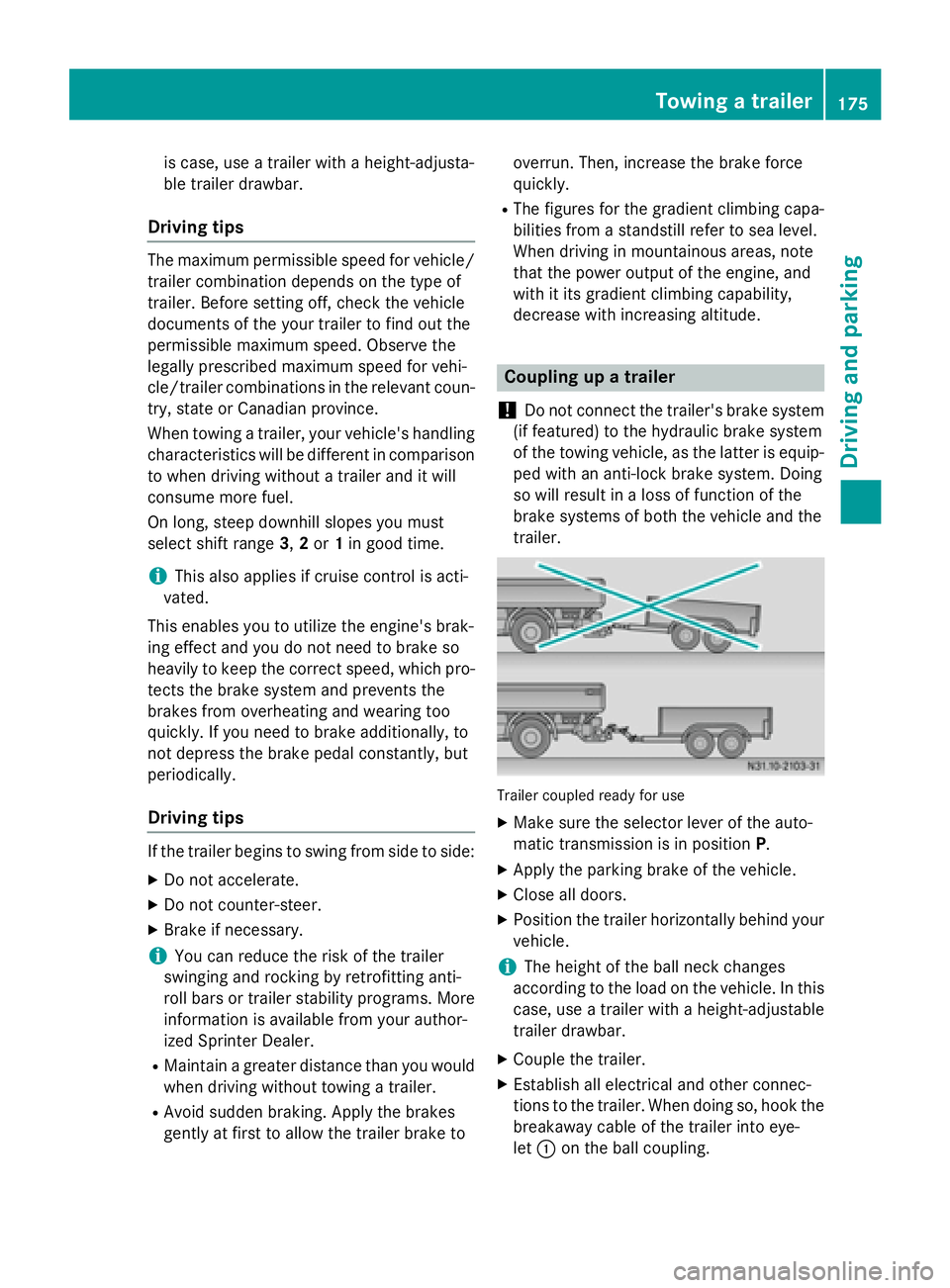
! Do not connect the trailer's brake system
(if featured) to the hydraulic brake system
of the towing vehicle, as the latter is equip- ped with an anti-lock brake system. Doing
so will result in a loss of function of the
brake systems of both the vehicle and the
trailer. Trailer coupled ready for use
X Make sure the selector lever of the auto-
matic transmission is in position P.
X Apply the parking brake of the vehicle.
X Close all doors.
X Position the trailer horizontally behind your
vehicle.
i The height of the ball neck changes
according to the load on the vehicle. In this
case, use a trailer with a height-adjustable
trailer drawbar.
X Couple the trailer.
X Establish all electrical and other connec-
tions to the trailer. When doing so, hook the
breakaway cable of the trailer into eye-
let 0043 on the ball coupling. Towing a trailer
175Driving and parking Z
Page 185 of 334
Menus in the on-board computer
Overview If you wish to exit a menu and go to the stand-
ard display:
X Press the 0079menu button for longer than
1 second.
or
X Do not press any button for 10 seconds.
The display accepts the changed settings.
Using the 0074,0075,0079or0045 adjustment but-
tons, you can select the following functions:
R Calling up the service due date
(Y page 258)
R Checking the oil level (Y page 250)
R Checking the DEF supply (Y page 182)
R Preselecting/setting the auxiliary heating
switch-on time (Y page 124)
R Tire pressure monitor (Y page 291)
R Setting the time (Y page 183)
R Activating/deactivating Highbeam Assist
(Y page 192)
R Setting the daytime running lamps
(Y page 92)
Setting the time X
Turn the key to position 2in the ignition
lock.
X Press the 0079menu button repeatedly until
the hours figure flashes.
X Press the 0074or0075 button to set the hour.
X Press the 0045reset button.
The minute display flashes.
X Press the 0074or0075 button to set the minute.
i If you keep the
0074or0075 button pressed,
the value will change continuously. Activating/deactivating Highbeam
Assist X
Turn the key to position 2in the ignition
lock.
X Press the 0079menu button repeatedly until
the 00CE indicator lamp flashes and the on on
or OFF
OFF message appears in the display.
X Use the 0074or0075 button to switch High-
beam Assist on/off.
Switching the daytime running lamps
on/off If you switch the daytime running lamps
on on,
the daytime running lamps will automatically
light up when the engine is running.
For safety reasons, it is only possible to
change this setting when the vehicle is sta-
tionary. The factory setting is on onin countries
in which daytime running lamp mode or day-
time running lamps are mandatory.
X Turn the key to position 2in the ignition
lock.
X Press the 0079menu button repeatedly until
the 0058 indicator lamp flashes and the on on
or OFF
OFF message appears in the display.
X Press the 0074or0075 button to activate or
deactivate the daytime running lamps.
i USA only:
If you turn the light switch to 0060or0058,
the corresponding light switches on. If you
turn the light switch to 0058, the daytime
running lamps remain switched on.
Canada only:
If you turn the light switch to 0058, the low-
beam headlamps switch on. If you turn the light switch to 0060or0058, the daytime
running lamps remain switched on. On-board computer (vehicles without steering wheel buttons)
183On-board computer and displays Z
Page 190 of 334
Using the steering wheel buttons
X Switch on the audio equipment (see the
separate operating instructions).
X Press the 0080or007F button repeatedly
until the station selected appears in the
display.
X Press the 0063or0064 button to select the
desired station.
i You can only store new stations on the
audio system itself. See the separate oper- ating instructions.
You can also operate the audio equipment
in the same way as usual.
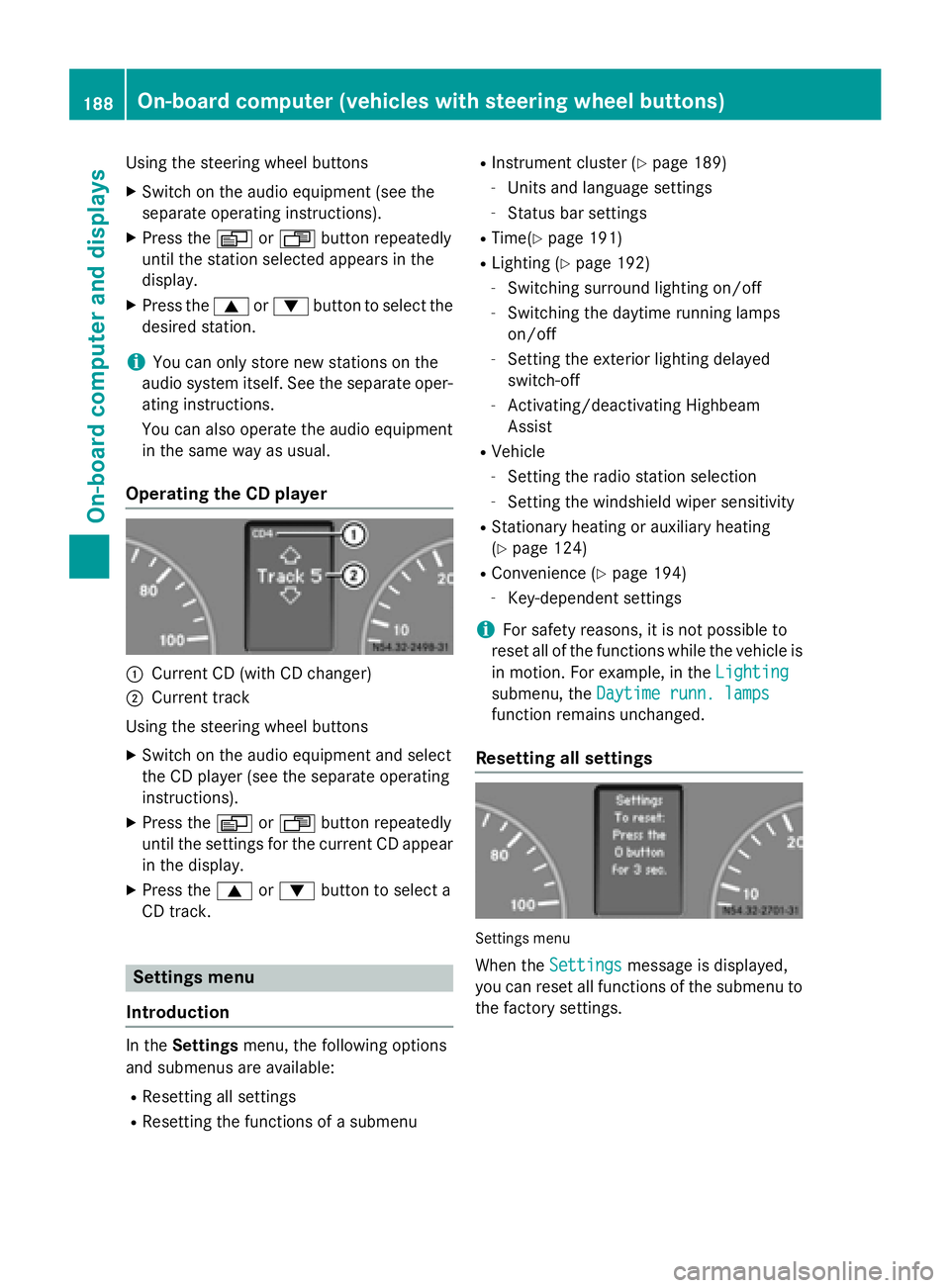
Operating the CD player 0043
Current CD (with CD changer)
0044 Current track
Using the steering wheel buttons X Switch on the audio equipment and select
the CD player (see the separate operating
instructions).
X Press the 0080or007F button repeatedly
until the settings for the current CD appear
in the display.
X Press the 0063or0064 button to select a
CD track. Settings menu
Introduction In the
Settings menu, the following options
and submenus are available:
R Resetting all settings
R Resetting the functions of a submenu R
Instrument cluster (Y page 189)
- Units and language settings
- Status bar settings
R Time(Y page 191)
R Lighting (Y page 192)
- Switching surround lighting on/off
- Switching the daytime running lamps
on/off
- Setting the exterior lighting delayed
switch-off
- Activating/deactivating Highbeam
Assist
R Vehicle
- Setting the radio station selection
- Setting the windshield wiper sensitivity
R Stationary heating or auxiliary heating
(Y page 124)
R Convenience (Y page 194)
- Key-dependent settings
i For safety reasons, it is not possible to
reset all of the functions while the vehicle is
in motion. For example, in the Lighting
Lighting
submenu, the Daytime runn. lamps Daytime runn. lamps
function remains unchanged.
Resetting all settings Settings menu
When the Settings
Settings message is displayed,
you can reset all functions of the submenu to the factory settings. 188
On-board computer (vehicles with steering wheel buttons)On-board computer and displays
Page 196 of 334
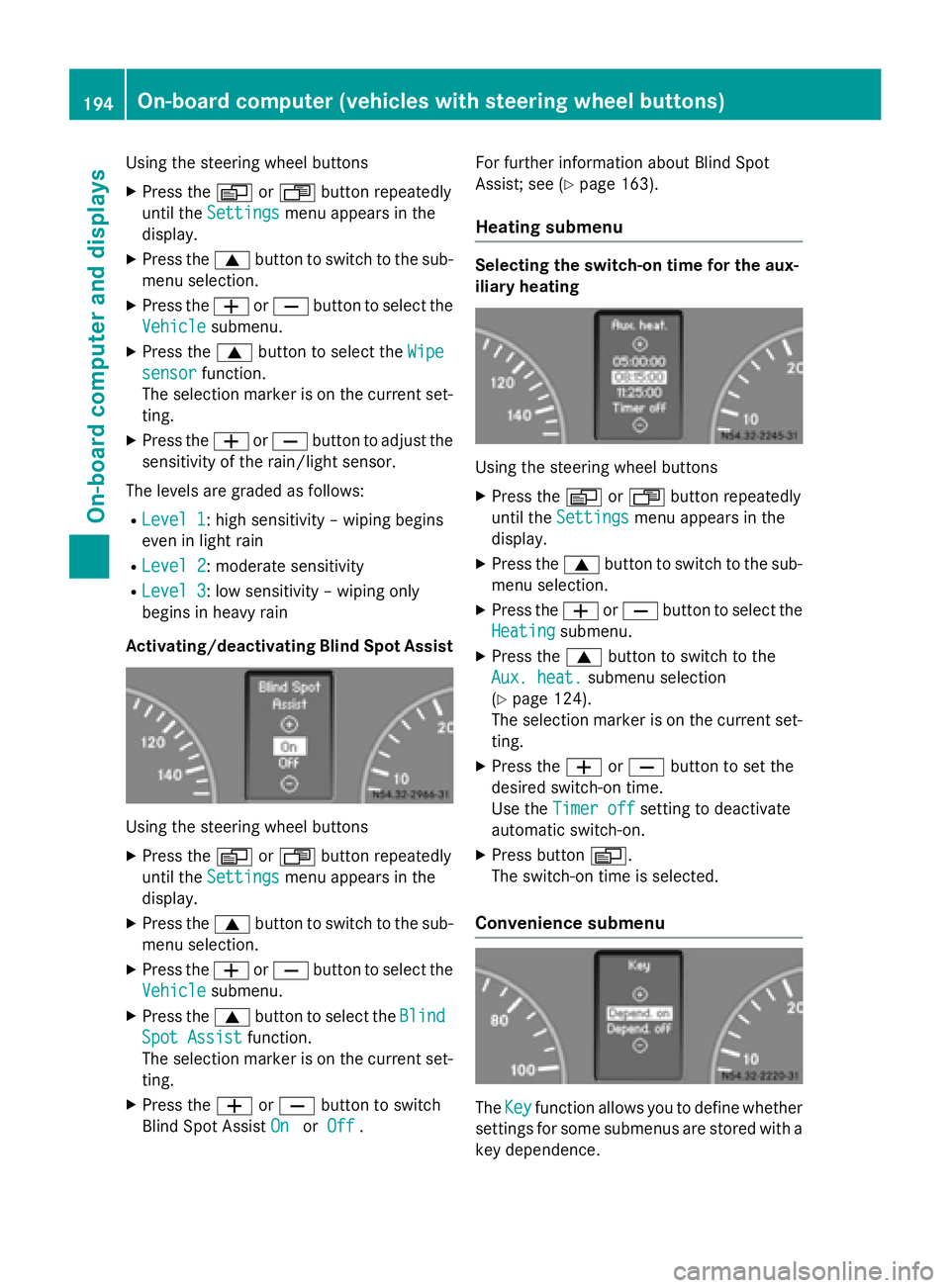
Using the steering wheel buttons
X Press the 0080or007F button repeatedly
until the Settings
Settings menu appears in the
display.
X Press the 0063button to switch to the sub-
menu selection.
X Press the 0081or0082 button to select the
Vehicle
Vehicle submenu.
X Press the 0063button to select the Wipe
Wipe
sensor
sensor function.
The selection marker is on the current set-
ting.
X Press the 0081or0082 button to adjust the
sensitivity of the rain/light sensor.
The levels are graded as follows:
R Level 1
Level 1: high sensitivity – wiping begins
even in light rain
R Level 2
Level 2: moderate sensitivity
R Level 3 Level 3: low sensitivity – wiping only
begins in heavy rain
Activating/deactivating Blind Spot Assist Using the steering wheel buttons
X Press the 0080or007F button repeatedly
until the Settings Settings menu appears in the
display.
X Press the 0063button to switch to the sub-
menu selection.
X Press the 0081or0082 button to select the
Vehicle
Vehicle submenu.
X Press the 0063button to select the Blind Blind
Spot Assist Spot Assist function.
The selection marker is on the current set-
ting.
X Press the 0081or0082 button to switch
Blind Spot Assist On
On orOff
Off . For further information about Blind Spot
Assist; see (Y
page 163).
Heating submenu Selecting the switch-on time for the aux-
iliary heating
Using the steering wheel buttons
X Press the 0080or007F button repeatedly
until the Settings Settings menu appears in the
display.
X Press the 0063button to switch to the sub-
menu selection.
X Press the 0081or0082 button to select the
Heating
Heating submenu.
X Press the 0063button to switch to the
Aux. heat.
Aux. heat. submenu selection
(Y page 124).
The selection marker is on the current set-
ting.
X Press the 0081or0082 button to set the
desired switch-on time.
Use the Timer off Timer off setting to deactivate
automatic switch-on.
X Press button 0080.
The switch-on time is selected.
Convenience submenu The
Key Key function allows you to define whether
settings for some submenus are stored with a
key dependence. 194
On-board computer (vehicles with steering wheel buttons)On-board computer and displays
Page 237 of 334
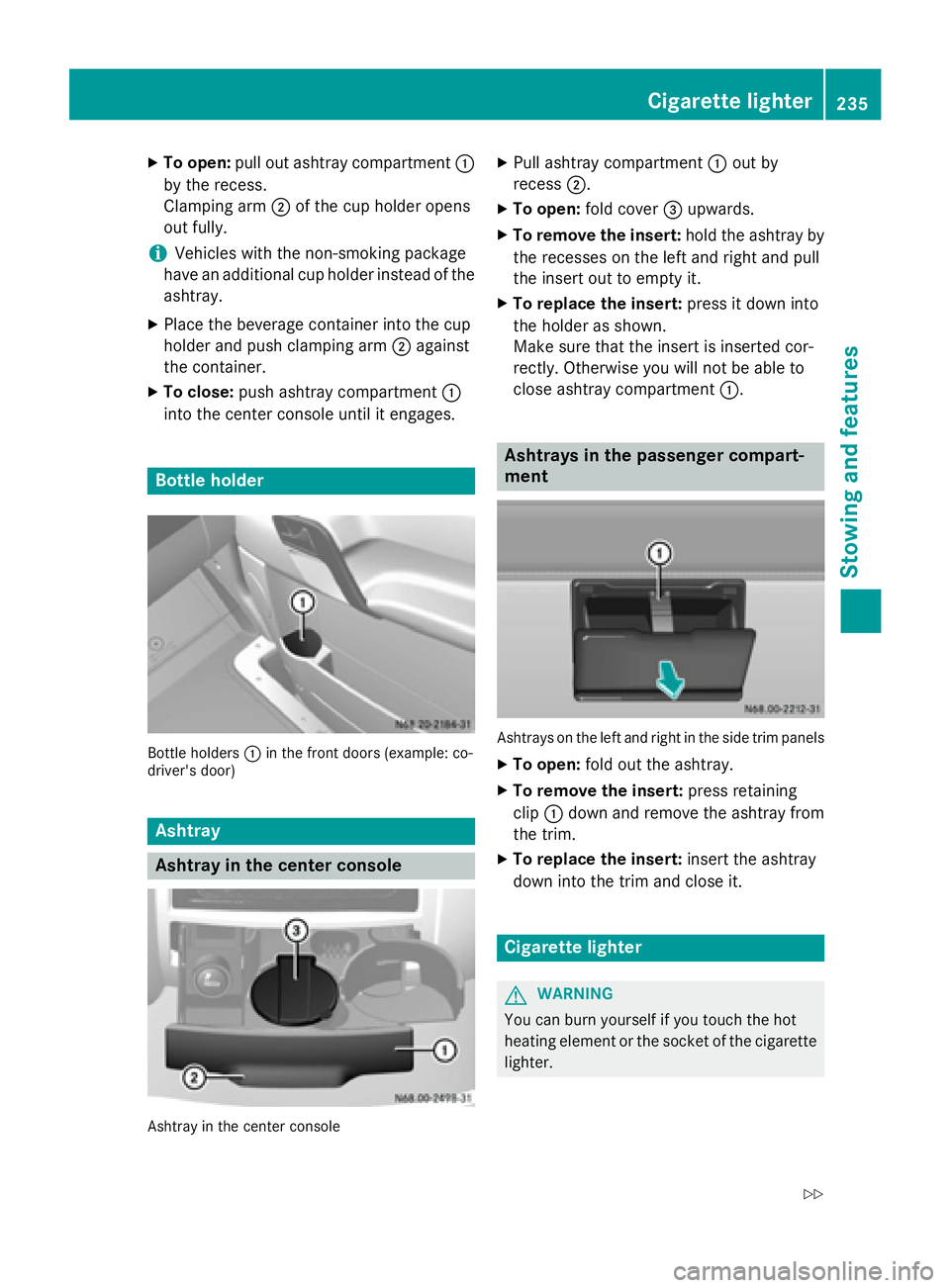
X
To open: pull out ashtray compartment 0043
by the recess.
Clamping arm 0044of the cup holder opens
out fully.
i Vehicles with the non-smoking package
have an additional cup holder instead of the ashtray.
X Place the beverage container into the cup
holder and push clamping arm 0044against
the container.
X To close: push ashtray compartment 0043
into the center console until it engages. Bottle holder
Bottle holders
0043in the front doors (example: co-
driver's door) Ashtray
Ashtray in the center console
Ashtray in the center console X
Pull ashtray compartment 0043out by
recess 0044.
X To open: fold cover 0087upwards.
X To remove the insert: hold the ashtray by
the recesses on the left and right and pull
the insert out to empty it.
X To replace the insert: press it down into
the holder as shown.
Make sure that the insert is inserted cor-
rectly. Otherwise you will not be able to
close ashtray compartment 0043. Ashtrays in the passenger compart-
ment
Ashtrays on the left and right in the side trim panels
X To open: fold out the ashtray.
X To remove the insert: press retaining
clip 0043down and remove the ashtray from
the trim.
X To replace the insert: insert the ashtray
down into the trim and close it. Cigarette lighter
G
WARNING
You can burn yourself if you touch the hot
heating element or the socket of the cigarette lighter. Cigarette lighter
235Stowing an d features
Z