heater MERCEDES-BENZ SPRINTER 2018 MY18 Operator’s Manual
[x] Cancel search | Manufacturer: MERCEDES-BENZ, Model Year: 2018, Model line: SPRINTER, Model: MERCEDES-BENZ SPRINTER 2018Pages: 294, PDF Size: 4.36 MB
Page 114 of 294
When remote control indicator lamp:emits
two long green flashes, the remote control is
synchronized. The indicator lamp in the y
auxiliary heating button goes out.
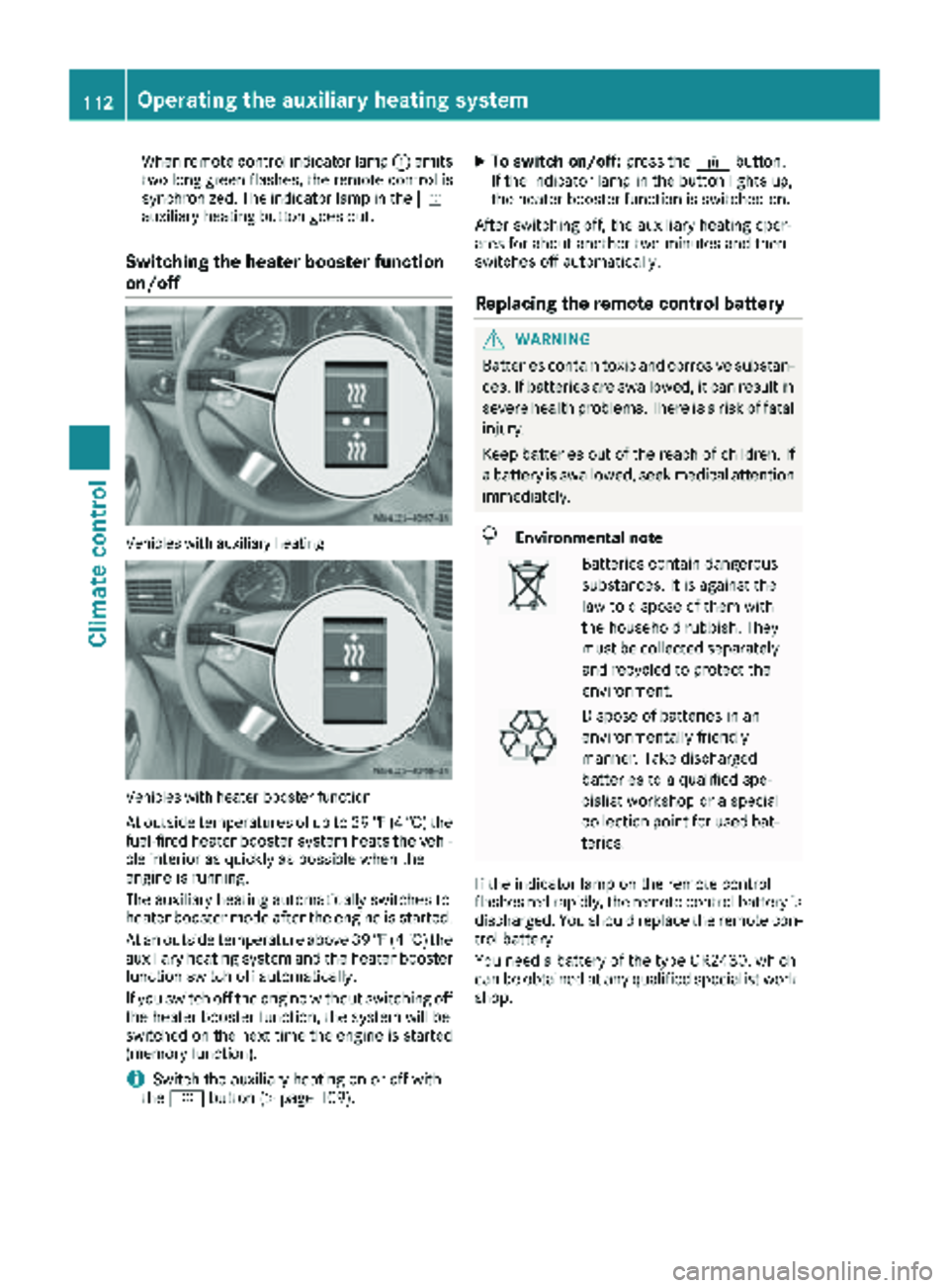
Switching the heater booster function
on/off
Vehicles with auxiliary heating
Vehicles with heater booster function
At outside temperatures of up to 39 ‡(4 †) the
fuel-fired heater booster system heats the vehi-
cle interior as quickly as possible when the
engine is running.
The auxiliary heating automatically switches to
heater booster mode after the engine is started.
At an outside temperature above 39 ‡(4 †) the
auxiliary heating system and the heater booster
function switch off automatically.
If you switch off the engine without switching off
the heater booster function, the system will be
switched on the next time the engine is started (memory function).
iSwitch the auxiliary heating on or off with
the y button (Ypage 109).
XTo switch on/off: press the¢button.
If the indicator lamp in the button lights up,
the heater booster function is switched on.
After switching off, the auxiliary heating oper-
ates for about another two minutes and then
switches off automatically.
Replacing the remote control battery
GWARNING
Batteries contain toxic and corrosive substan- ces. If batteries are swallowed, it can result in
severe health problems. There is a risk of fatalinjury.
Keep batteries out of the reach of children. If
a battery is swallowed, seek medical attention
immediately.
HEnvironmental note
Batteries contain dangerous
substances. It is against the
law to dispose of them with
the household rubbish. They
must be collected separately and recycled to protect the
environment.
Dispose of batteries in an
environmentally friendly
manner. Take discharged
batteries to a qualified spe-
cialist workshop or a special
collection point for used bat-
teries.
If the indicator lamp on the remote control
flashes red rapidly, the remote control battery is
discharged. You should replace the remote con-
trol battery.
You need a battery of the type CR2430, which
can be obtained at any qualified specialist work-
shop.
112Operating the auxiliary heating system
Climate control
Page 116 of 294
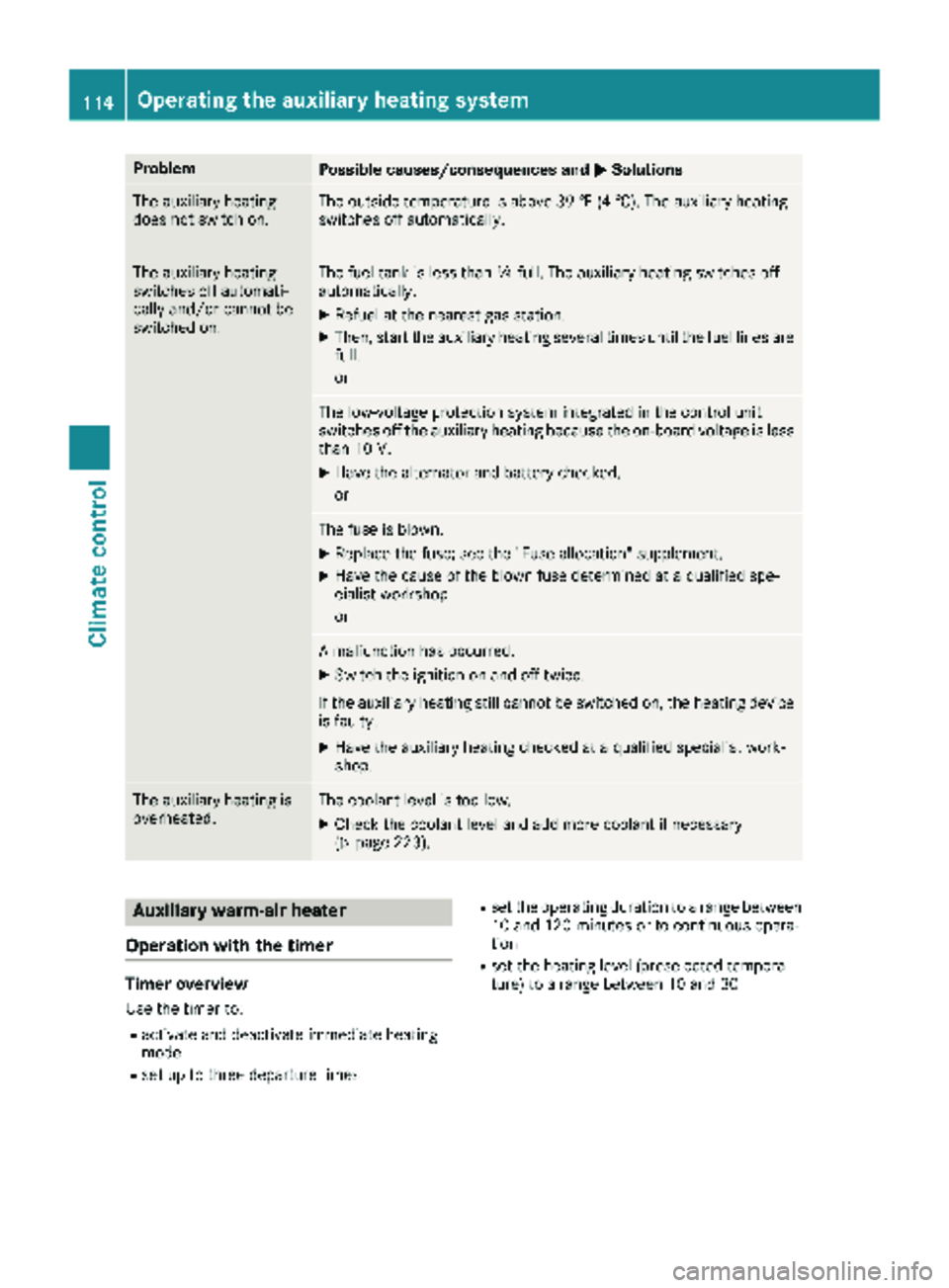
ProblemPossible causes/consequences andMSolutions
The auxiliary heating
does not switch on.The outside temperature is above 39 ‡ (4 †). The auxiliary heating
switches off automatically.
The auxiliary heating
switches off automati-
cally and/or cannot be
switched on.The fuel tank is less thanÕfull. The auxiliary heating switches off
automatically.
XRefuel at the nearest gas station.
XThen, start the auxiliary heating several times until the fuel lines are
full.
or
The low-voltage protection system integrated in the control unit
switches off the auxiliary heating because the on-board voltage is less
than 10 V.
XHave the alternator and battery checked.
or
The fuse is blown.
XReplace the fuse; see the "Fuse allocation" supplement.
XHave the cause of the blown fuse determined at a qualified spe-
cialist workshop.
or
A malfunction has occurred.
XSwitch the ignition on and off twice.
If the auxiliary heating still cannot be switched on, the heating device
is faulty.
XHave the auxiliary heating checked at a qualified specialist work-
shop.
The auxiliary heating is
overheated.The coolant level is too low.
XCheck the coolant level and add more coolant if necessary
(Ypage 223).
Auxiliary warm-air heater
Operation with the timer
Timer overview
Use the timer to:
Ractivate and deactivate immediate heating
mode
Rset up to three departure times
Rset the operating duration to a range between
10 and 120 minutes or to continuous opera-
tion
Rset the heating level (preselected tempera-
ture) to a range between 10 and 30
114Operating the auxiliary heating system
Climate control
Page 117 of 294
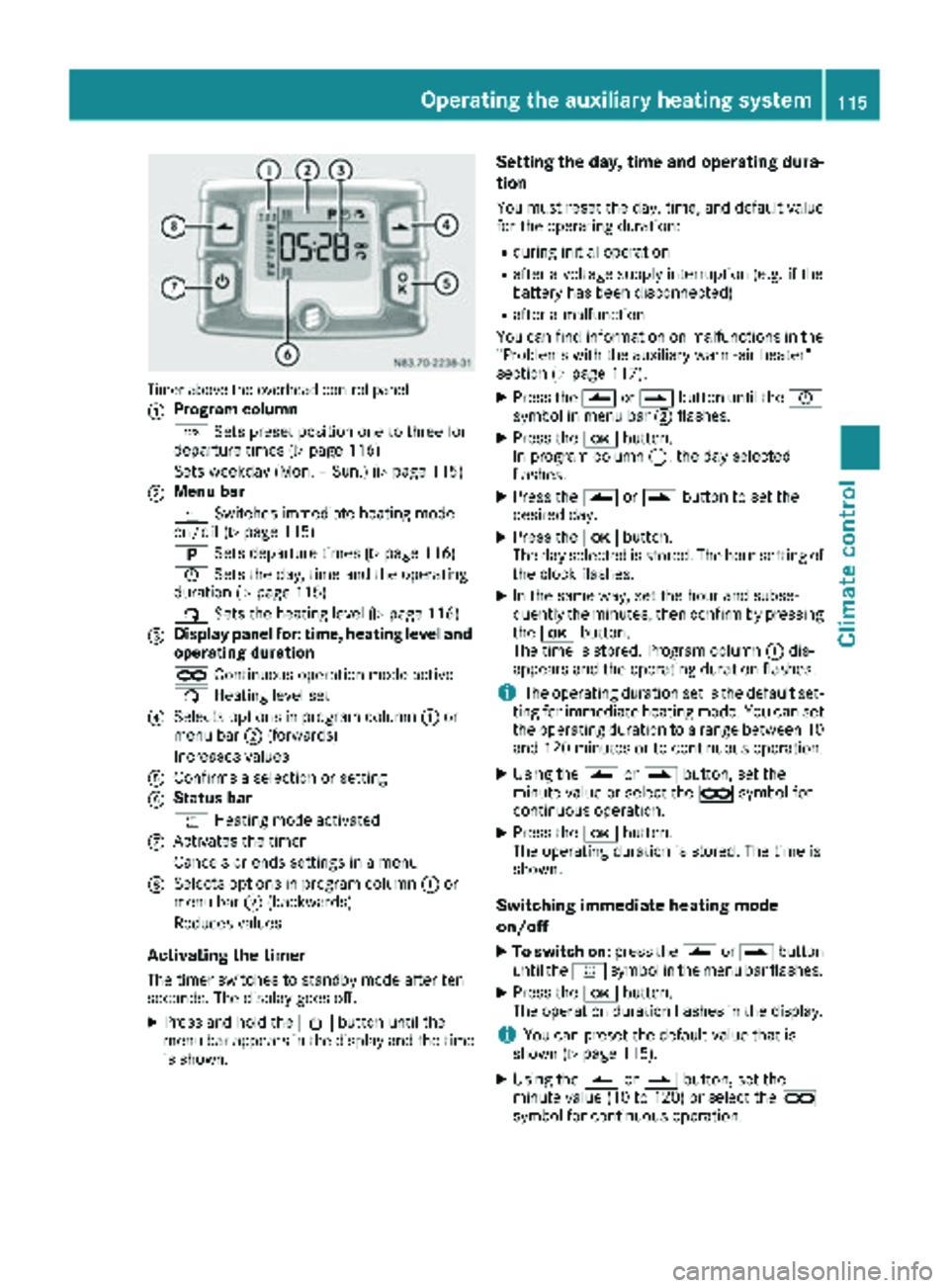
Timer above the overhead control panel
:
Program column
GSets preset position one to three for
departure times (
Ypage 116)
Sets weekday (Mon. – Sun.) (
Ypage 115)
;Menu bar
y Switches immediate heating mode
on/off (
Ypage 115)
B Sets departure times (
Ypage 116)
Ñ Sets the day, time and the operating
duration (
Ypage 115)
ß Sets the heating level (
Ypage 116)
=Display panel for: time, heating level and
operating duration
àContinuous operation mode active
ß Heating level set
?Selects options in program column :or
menu bar ;(forwards)
Increases values
AConfirms a selection or setting
BStatus bar
y Heating mode activated
CActivates the timer
Cancels or ends settings in a menu
DSelects options in program column :or
menu bar ;(backwards)
Reduces values
Activating the timer
The timer switches to standby mode after ten
seconds. The display goes off.
XPress and hold the Übutton until the
menu bar appears in the display and the time
is shown.
Setting the day, time and operating dura-
tion
You must reset the day, time, and default value
for the operating duration:
Rduring initial operation
Rafter a voltage supply interruption (e.g. if the
battery has been disconnected)
Rafter a malfunction
You can find information on malfunctions in the
"Problems with the auxiliary warm-air heater"
section (
Ypage 117).
XPress the Ûorâ button until the Ñ
symbol in menu bar ;flashes.
XPress the bbutton.
In program column :, the day selected
flashes.
XPress the Ûorâ button to set the
desired day.
XPress the bbutton.
The day selected is stored. The hour setting of
the clock flashes.
XIn the same way, set the hour and subse-
quently the minutes, then confirm by pressing
the b button.
The time is stored. Program column :dis-
appears and the operating duration flashes.
iThe operating duration set is the default set-
ting for immediate heating mode. You can set
the operating duration to a range between 10
and 120 minutes or to continuous operation.
XUsing the Ûorâ button, set the
minute value or select the àsymbol for
continuous operation.
XPress the bbutton.
The operating duration is stored. The time is
shown.
Switching immediate heating mode
on/off
XTo switch on: press theÛorâ button
until the ysymbol in the menu bar flashes.
XPress the bbutton.
The operation duration flashes in the display.
iYou can preset the default value that is
shown (Ypage 115).
XUsing the Ûorâ button, set the
minute value (10 to 120) or select the à
symbol for continuous operation.
Operating the auxiliary heating system115
Climate control
Z
Page 118 of 294
XPress thebbutton.
Immediate heating mode is activated. The
time and the ysymbol appear.
XTo switch off: press theÛorâ button
until the ysymbol flashes in the menu bar,
and then press the bbutton.
Immediate heating mode is deactivated. The
y symbol disappears.
The auxiliary heating operates for another two
minutes and then switches off automatically.
iIf you switch off the ignition during immedi-
ate heating (operating duration 10 – 120
minutes), you also switch off the immediate
heating mode. The auxiliary heating operates
for another two minutes and then switches off
automatically.
If you have set continuous operation as the
operating duration and you switch off the igni-
tion, the auxiliary heating switches off auto-
matically after about 15 minutes. If, in the
remaining time, the ignition is switched on
again, continuous operation of the auxiliary
heating continues.
Setting a departure time
You can set three departure times with the
timer.
After a malfunction or if the battery has been
disconnected, you must set the departure times
again. You can find information on malfunctions
in the "Problems with the auxiliary warm-air
heater" section (
Ypage 117).
XPress the Ûorâ button until the B
symbol in the menu bar flashes.
XPress the bbutton.
In the program column, the Gnumbers of
the presets appear. The selected preset
flashes.
XPress Ûorâ to select the desired pre-
set.
XPress the bbutton.
The preset is selected. The days are shown.
XSet the day and time as described in the "Set-
ting the day, time and operating duration"
section (
Ypage 115).
The departure time is stored. The program
column disappears. In the display panel, the
on
message and the ysymbol appear.
XPress the bbutton.
The operating duration flashes.
XPress the Ûorâ button to set the
minute value (10 to 120).
XPress the bbutton.
The operating duration for the departure time
is stored. The time and number of the selec-
ted preset are shown.
iThe preset that will be activated next in the
time sequence is underlined. Additionally, the
day that is set appears.
Deactivating departure times
XCarry out the steps as described in the "Set-
ting the departure times" section.
If the y symbol in the status bar is shown:
XPress the Ûorâ button until the offmessage in the display panel is shown.
XPress thebbutton.
The departure time is deactivated. The time is
shown.
Setting the heating level
You can set the heating level to a range between
10 and 30.
The heating level corresponds to a preselection temperature for the vehicle interior. This is a
guide value and may, depending on the outside
temperature, differ from the interior tempera-
ture.
XPress the Ûorâ button until the ß
symbol in the menu bar flashes.
XPress the bbutton.
The heating level display flashes.
XUsing the Ûandâ buttons, set the
desired heating level to a range between 10
and 30.
XPress the bbutton.
The heating level is set and the ysymbol
appears.
116Operating the auxiliary heating system
Climate control
Page 119 of 294
Problems with the auxiliary warm-air heater
ProblemPossible causes/consequences andMSolutions
The auxiliary heating
does not switch on.The outside temperature is above 39 ‡ (4 †). The auxiliary heating
switches off automatically.
The auxiliary heating
switches off automati-
cally and/or cannot be
switched on.The fuel tank is less thanÕfull. The auxiliary heating switches off
automatically.
XRefuel at the nearest gas station.
XThen, start the auxiliary heating several times until the fuel lines are
full.
or
The low-voltage protection system integrated in the control unit
switches off the auxiliary heating because the on-board voltage is less
than 10 V.
XHave the alternator and battery checked.
or
The fuse is blown.
XReplace the fuse; see the "Fuse allocation" supplement.
XHave the cause of the blown fuse determined at a qualified spe-
cialist workshop.
Operating the cargo compartment air
vents
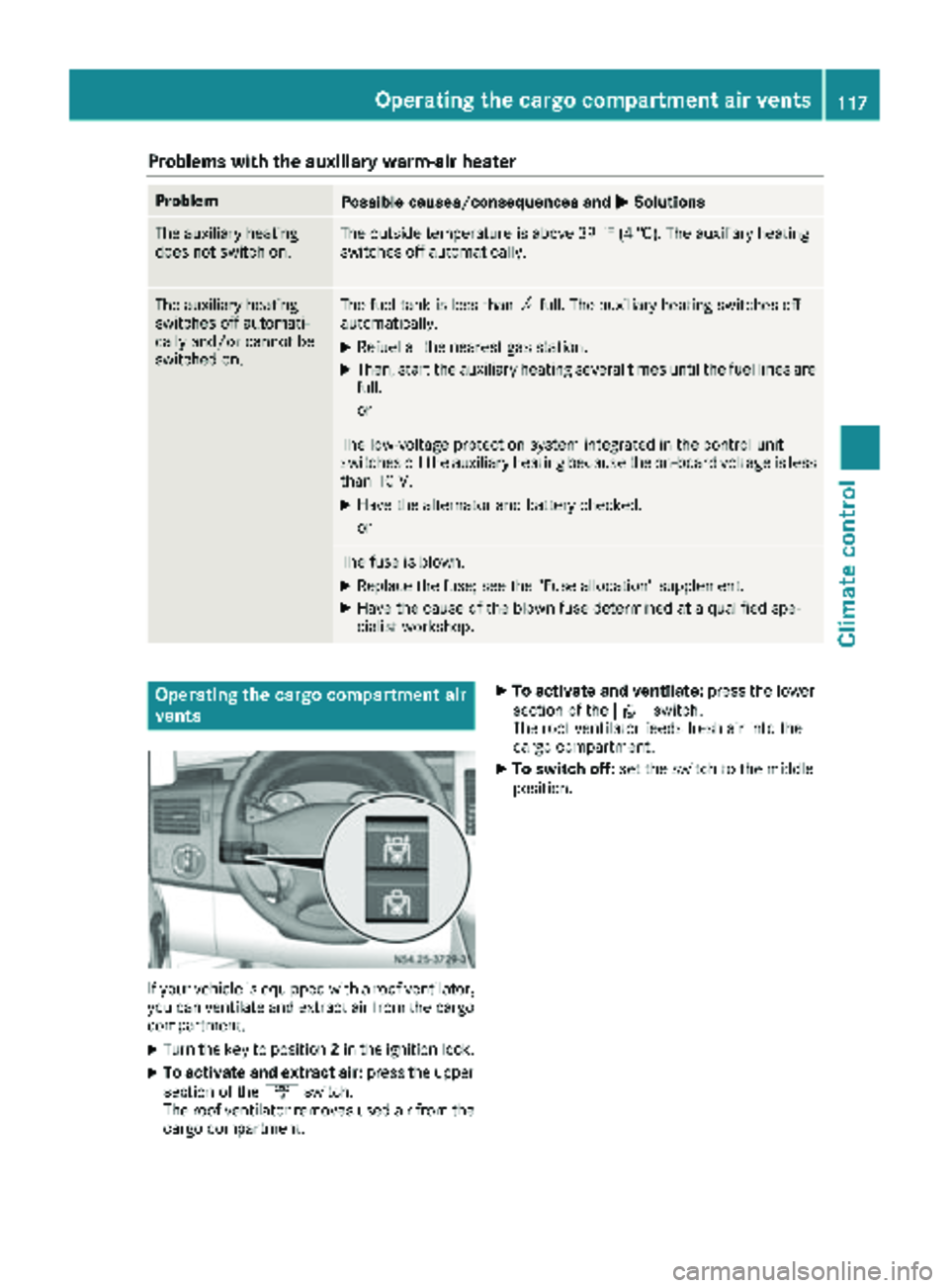
If your vehicle is equipped with a roof ventilator,
you can ventilate and extract air from the cargo
compartment.
XTurn the key to position 2in the ignition lock.
XTo activate and extract air: press the upper
section of the ´switch.
The roof ventilator removes used air from the
cargo compartment.
XTo activate and ventilate: press the lower
section of the ·switch.
The roof ventilator feeds fresh air into the
cargo compartment.
XTo switch off: set the switch to the middle
position.
Operating the cargo compartment air vents117
Climate control
Z
Page 159 of 294
ing to. Information is available from the police
and local authorities.
Observe the following when towing a trailer:
RPractice driving around bends, stopping and
backing up at a place where there is no traffic.This enables you to gain experience and get
used to the new handling characteristics.
RBefore driving, check:
-that the trailer tow hitch and ball coupling
are secure
-that the safety switch for a braked trailer is
functioning properly
-that the safety chains are secure and not
damaged
-that the electrical connections are secure
-that the lights are working
-that the wheels are in good order and the
tire pressure is correct
RAdjust the exterior mirrors to provide an
unobstructed view of the rear section of the
trailer.
RIf the trailer is equipped with an individual
braking system, check before each journey
whether the brakes are functioning correctly.
RIf the trailer has electronically controlled
brakes, pull the vehicle/trailer combination
away carefully. Brake manually using the
brake controller and check that the brakes
are working.
RSecure the load on the trailer according to the
applicable specifications and current stand-
ards on securing loads (
Ypage 215).
RWhen driving with a trailer, check at regular
intervals that the load is secured and that the
brakes and lights are working.
RBear in mind that the handling will be less
stable when towing a trailer than when driving
without one. Avoid sudden steering move-
ments.
RThe vehicle/trailer combination is heavier,
accelerates more slowly and has a decreased
gradient climbing capability and a long er
brak
ing distance.
It is more susceptible to crosswinds and
requires cautious steering.
RIf possible, do not brake suddenly, but rather
moderately at first so that the trailer can acti-
vate its brakes. Then increase the force on the
brake pedal.
RIf the automatic transmission repeatedly
shifts between gears when driving on inclines, restrict the shift range. Select shift range
4,3,
2 or 1.
Driving in a low gear and at a low speed
reduces the risk of damaging the engine.
RWhen driving on a downhill gradient, shift to a
low gear and take advantage of the engine's
braking effect.
Avoid continuous brake application as this
may overheat the vehicle brakes and, if instal-
led, the trailer brakes.
RIf the coolant temperature increases dramat-
ically while the air-conditioning system is
switched on, switch off the air-conditioning
system.
Coolant heat can also be dissipated by
switching the airflow and the temperature of
the heater/air conditioning to the maximum
level. Open the windows if necessary.
RWhen overtaking, pay particular attention to
the extended length of your vehicle/trailer
combination.
Due to the length of your vehicle/trailer com-
bination you need an additional distance
before you can return to your original lane.
Uncoupling a trailer
GWARNING
If you uncouple a trailer with the overrun
brake engaged, you could trap your hand
between the vehicle and the trailer drawbar.
There is a risk of injury.
Do not uncouple a trailer if the overrun brake
is engaged.
!Do not disconnect a trailer with an engaged
overrun brake. Otherwise, your vehicle could
be damaged by the rebounding of the overrun
brake.
XMake sure the selector lever of the automatic
transmission is in position P.
XApply the parking brake of the vehicle.
XClose all doors.
XApply the parking brake of the trailer.
XIn addition, secure the trailer against rolling
away with a wheel chock or similar object.
XRemove the trailer cable and safety chains
and decouple the trailer.
Towing a trailer157
Driving and parking
Z