phone MERCEDES-BENZ SPRINTER 2020 MY20 with 7” screen
[x] Cancel search | Manufacturer: MERCEDES-BENZ, Model Year: 2020, Model line: SPRINTER, Model: MERCEDES-BENZ SPRINTER 2020Pages: 348, PDF Size: 5.84 MB
Page 199 of 348
The pr
evious call is on hold. #
Select kReject.
% This function and behavior depends on
your
mobile phon enetwo rkprov ider and the
mobil ephone (see them anufacturer's oper‐
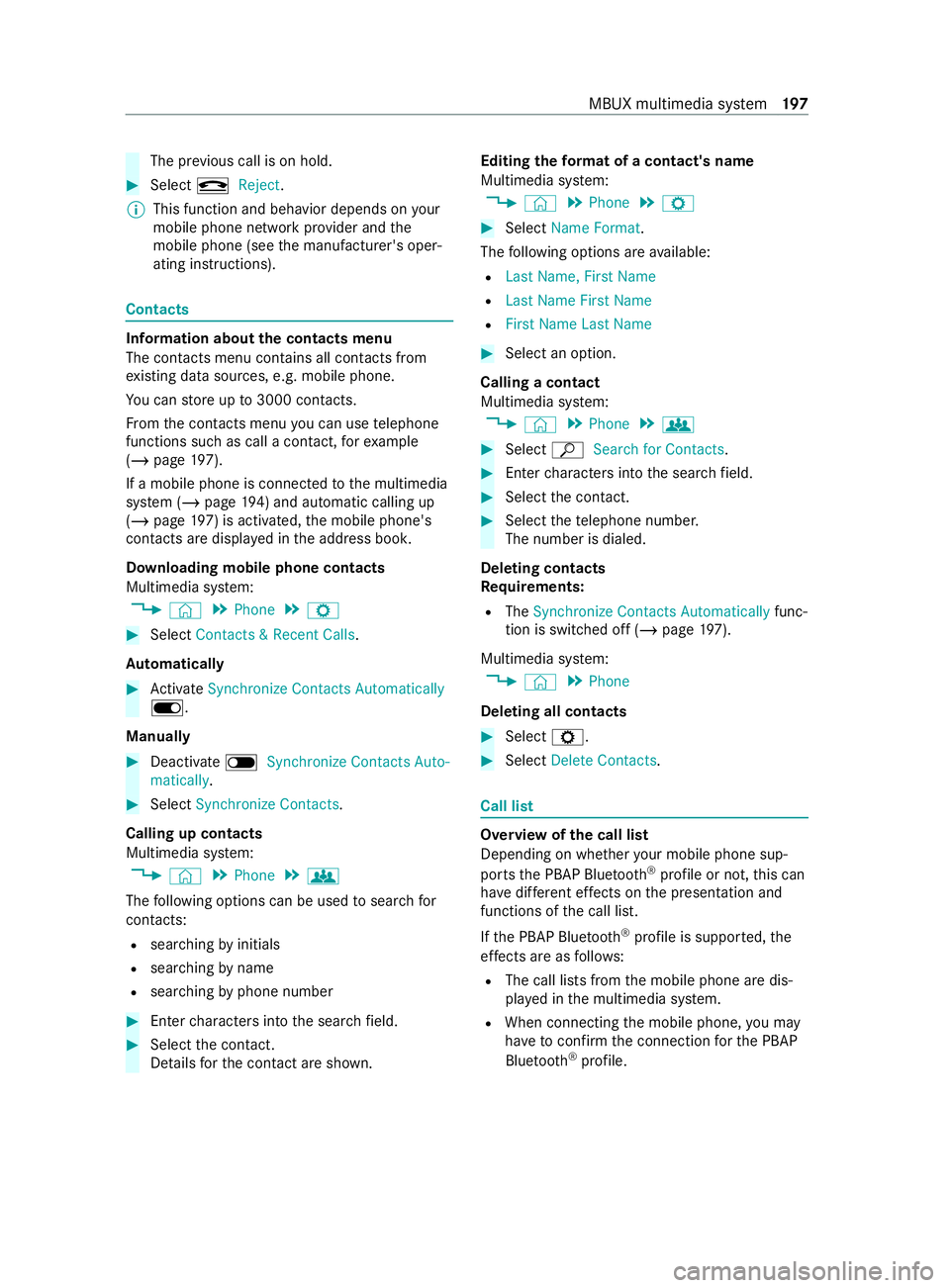
ating instructions). Contacts
Information about
thec ontacts menu
The con tacts menu contains al lcontacts from
ex istin gdatas ources, e.g. mobile phone.
Yo uc an stor eupto3 000 contacts.
Fr om thec ontacts menu youc an use telephone
function ssuchasc allac ontact, fore xamp le
(/ page197).
If am obilep hone is connected tothem ultimedia
sy stem (/ page194)and automatic calli ng up
(/ page 197) is ac tivated,the mobile phone's
contacts ar edispla yedint he address book.
Downloading mobile phone contacts
Multimedia sy stem:
4 © 5
Phone 5
Z #
Select Contacts &Recent Calls.
Au tomatically #
Activate Synchronize Contacts Automatically
D.
Manual ly #
Deactivate ESynchronize Contacts Auto-
matically. #
Select Synchronize Contacts .
Calling up contacts
Multimedia sy stem:
4 © 5
Phone 5
g
The following option scan be used tosear chfor
contacts:
R searching byinitials
R sear ching byname
R searching byphone number #
Ente rcharacter sintot he sear chfield. #
Select thec ontact.
De tails fort he contact ar eshown. Editing
thef orma tofac ontact's name
Multimedi asystem:
4 © 5
Phone 5
Z #
Select Name Format .
The following option sareavailable:
R Last Name ,First Name
R Last Name First Name
R First Name Last Name #
Select an option.
Callin gacontact
Multimedi asystem:
4 © 5
Phone 5
g #
Select ªSearch for Contacts. #
Ente rcharacter sintot he sear chfield. #
Select thec ontact. #
Select thet elephone number.
The number is dialed.
Deleting contacts
Re quirements:
R The Synchronize Contacts Automatically func‐
tion is switched of f(/pag e197).
Multimedi asystem:
4 © 5
Phone
Deleting all contacts #
Select Z. #
Select Delete Contacts. Call list
Overvie
wofthe cal llist
Dependin gonwhether your mobile phon esup‐
ports theP BAPB luetooth ®
profile or not, this can
ha ve differe nt ef fects on thep resentation and
functions of thec all list.
If th eP BAPB luetooth ®
profile is suppor ted, the
ef fects are as follo ws:
R The call lists from them obile phone ar edis‐
pla yedint he multimedia sy stem.
R When connectin gthe mobile phone, youm ay
ha ve toconfir mthe connection fort he PBAP
Blue tooth ®
profile. MBUX multimedia sy
stem 197
Page 200 of 348
If
th eP BAPB luetooth ®
profile is no tsuppor ted,
th ee ffects ar easfollows:
R The multimedia sy stem generates acalllist
independentl yassoon as calls ar emade in
th ev ehicle.
R The call lis tisnotsynchronized wit hthe call
lists in them obile phone.
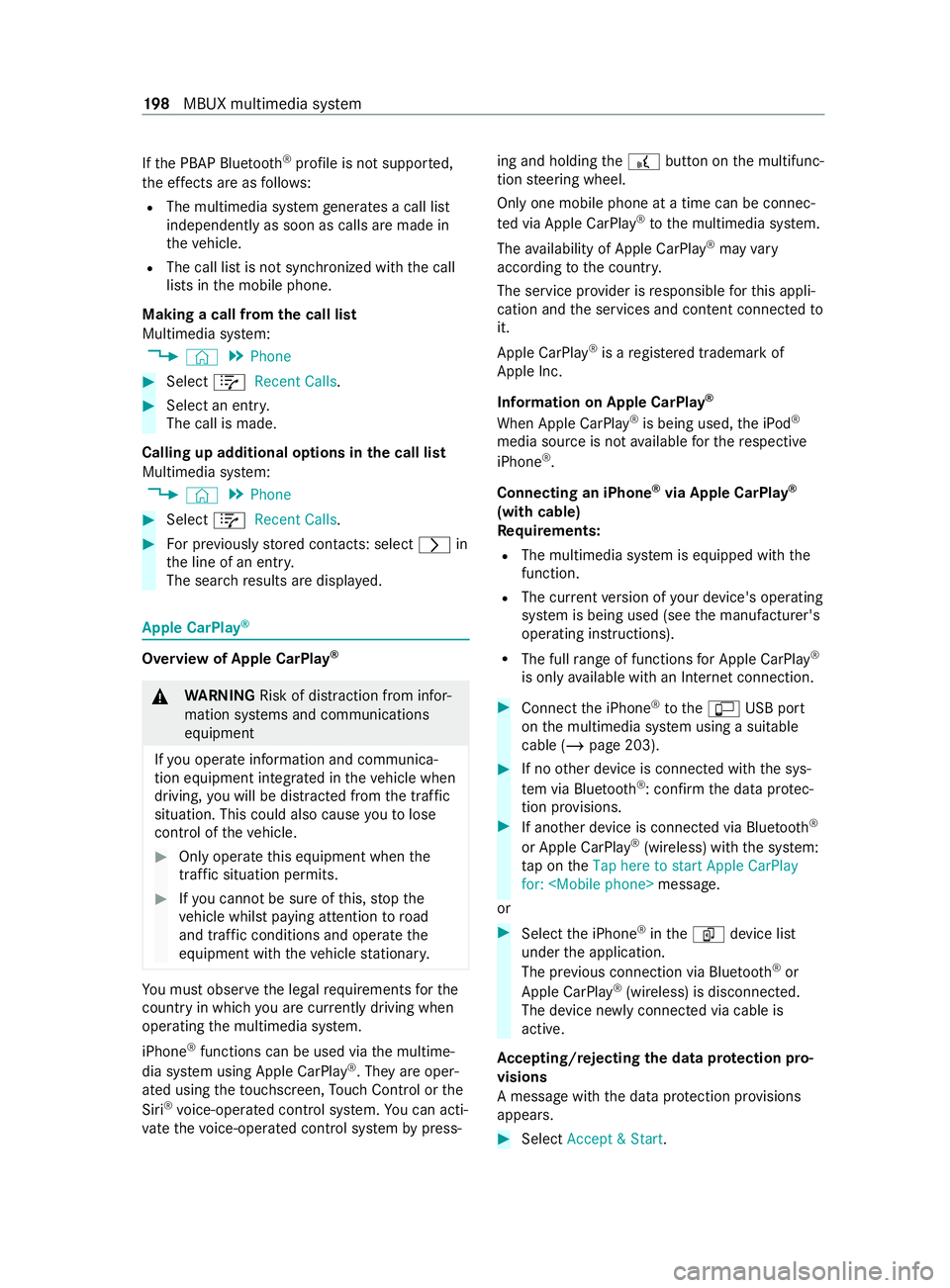
Making acall from thec all list
Multimedia sy stem:
4 © 5
Phone #
Select +Recent Calls. #
Select an entry.
The call is made.
Calling up additional options in thec all list
Multimedia sy stem:
4 © 5
Phone #
Select +Recent Calls. #
Forp reviousl ystore dc ontacts: select 0048in
th el ine of an entry.
The sear chresults ar edispla yed. Apple CarPlay
® Overvie
wofApple CarPlay ® &
WARNING Risk of distraction from infor‐
mation sy stems and communications
equipment
If yo uo perat einformation and communica‐
tio ne quipment integ ratedint hevehicle when
driving, youw ill be distracted from thet raffic
situation. This could also cause youtol ose
control of thev ehicle. #
Onlyoperat ethis equipment when the
traf fics ituation permits. #
Ifyo uc anno tbes ureoft his,stop the
ve hicle whils tpaying attention toroad
and traf ficc onditions and ope rate the
equipment wit hthe vehicle stationar y. Yo
um usto bse rvet he legal requirements fort he
countr yinwhich youa recur rentl yd riving when
ope rating them ultimedia sy stem.
iPhone ®
functions can be used via them ultime‐
dia sy stem using Apple CarPlay ®
.T he ya reoper‐
ated using thet ouchscreen, Touc hC ontrol or the
Siri ®
vo ice-operated control sy stem. Youc an acti‐
va te thev oice-operated control sy stem bypress‐ ing and holding
the£ button on them ultifunc‐
tion steering wheel.
Onl yone mobile phone at atime can be connec‐
te dv ia Apple CarPlay ®
to them ultimedia sy stem.
The availabilit yofApple CarPlay ®
ma yvary
according tothec ount ry.
The service pr ovider is responsible fort his appli‐
cation and thes ervices and content connected to
it.
Apple CarPlay ®
is ar egis tere dt rademar kof
Apple Inc.
Information on Apple CarPlay ®
When Apple CarPlay ®
is being used, thei Pod ®
media source is no tavailable fort he respective
iPhone ®
.
Connecting an iPhone ®
via Apple CarPlay ®
(with cable)
Requ irements:
R The multimedia sy stem is equipped wit hthe
function.
R The cur rent version of your device's operating
sy stem is being used (see them anufacturer's
operating instructions).
R The full rang eoff unctions forA pple CarPlay ®
is only available wit hanInterne tconnection. #
Connect thei Phone ®
to the ç USB port
on them ultimedia sy stem using asuitable
cable (/ page203). #
If no other device is connected wit hthe sys‐
te mv ia Blue tooth®
:c onfir mthe dat aprotec‐
tion pr ovisions. #
If ano ther device is connected via Blue tooth®
or Apple CarPlay ®
(wireless) wit hthe sy stem:
ta pont heTap here to start Apple CarPlay
for:
or #
Select thei Phone ®
in the í device list
under thea pplication.
The pr evious connection via Blue tooth®
or
Apple CarPlay ®
(wireless) is disconnected.
The device newl yconnected via cable is
active.
Ac cepting/rejecting thed atap rotection pro‐
visions
Am essag ewitht he dat aprotection pr ovisions
appears. #
Select Accept &Start. 19 8
MBUX multimedia sy stem
Page 201 of 348
Exiting Apple CarPlay
®#
Press the00E2 button.
% If Apple CarPlay ®
wa sn otdispla yedf ull-
screen befor edisconnecting, thea pplication
st arts in theb ackg round when reconnected.
Yo uc an call up Apple CarPlay ®
in them ain
menu.
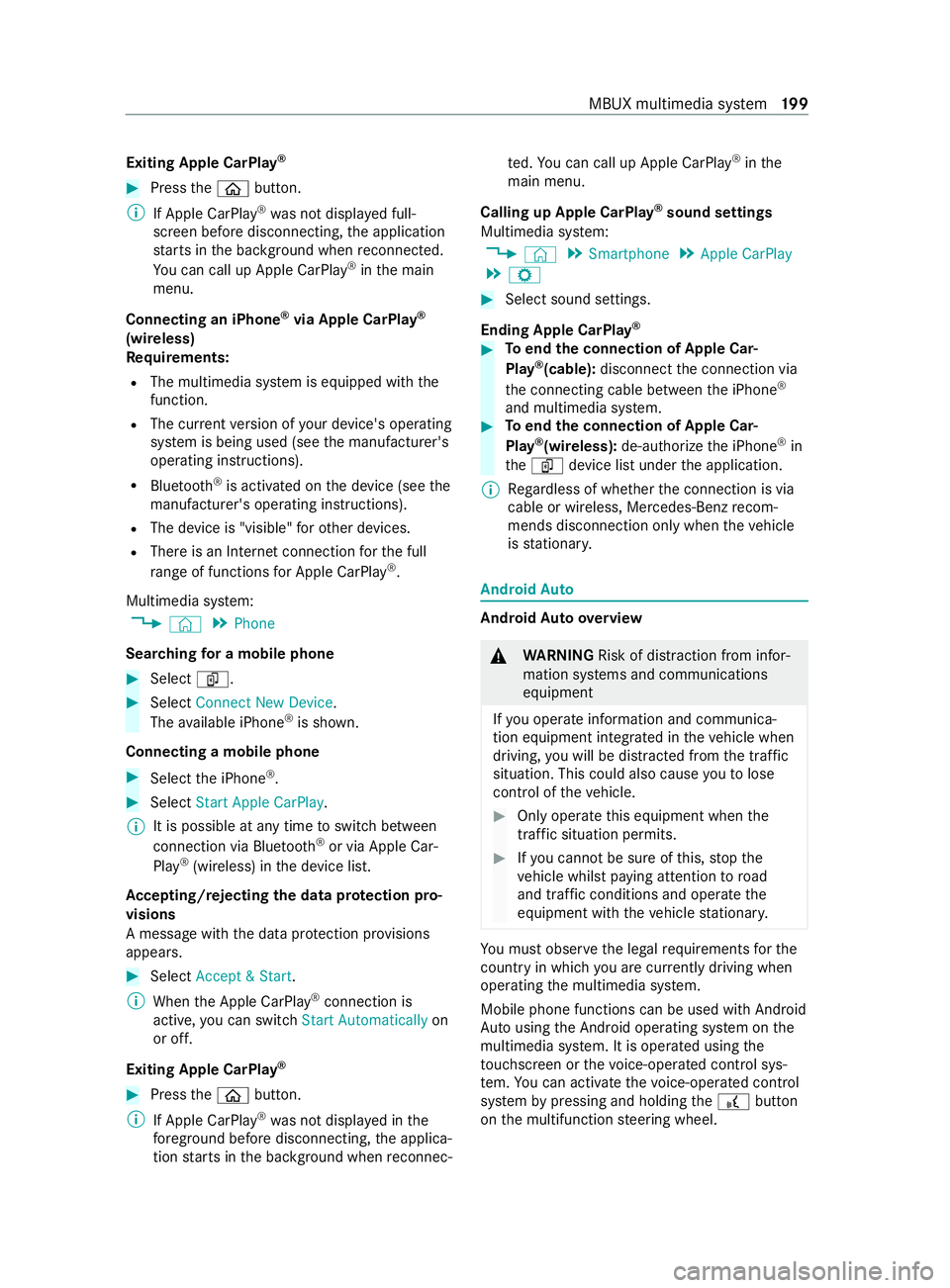
Connecting an iPhone ®
via Apple CarPlay ®
(wireless)
Requ irements:
R The multimedia sy stem is equipped wit hthe
function.
R The cur rent version of your device's operating
sy stem is being used (see them anufacturer's
operating instructions).
R Blue tooth ®
is activated on thed evice (see the
manufacturer's operating instructions).
R The device is "visible" foro ther devices.
R Ther eisanI nternetconnection fort he full
ra ng eoff unctions forA pple CarPlay ®
.
Multimedi asyst em:
4 © 5
Phone
Sear ching foram obilephone #
Select í. #
Select Connect New Device.
The available iPhone ®
is shown.
Connecting amobile phone #
Select thei Phone ®
. #
Select StartApple CarPlay.
% It is possible at an
ytime toswitc hbetwe en
connection via Blue tooth®
or via Apple Car‐
Play ®
(wireless) in thed evice list.
Ac cepting/rejecting thed atap rote ction pro‐
visions
Am essag ewitht he dat aprotection pr ovisions
appears. #
Select Accept &Start.
% When theA pple CarPlay ®
connection is
active, youc an swit chStart Automatically on
or off.
Exiting Appl eCarPlay ® #
Press the00E2 button.
% If Apple CarPlay ®
wa sn otdispla yedint he
fo re ground be fore disconnecting, thea pplica‐
tion starts in theb ackg round when reconnec‐ te
d. Youc an call up Apple CarPlay ®
in the
main menu.
Calling up Apple CarPlay ®
sound settings
Multimedia sy stem:
4 © 5
Smartphone 5
Apple CarPlay
5 Z #
Select sound settings.
Ending Apple CarPlay ® #
Toend thec onnection of Apple Car‐
Play ®
(cable): disconnect thec onnection via
th ec onnectin gcable between thei Phone ®
and multimedia sy stem. #
Toend thec onnection of Apple Car‐
Play ®
(wireless): de-authorize thei Phone ®
in
the í device lis tunder thea pplication.
% Re
gardless of whe ther thec onnection is via
cable or wireless, Mercedes-Benz recom‐
mends disconnection only whe nthe vehicle
is stationar y. Android
Auto Android
Autoove rview &
WARNING Risk of distraction from infor‐
mation sy stems and communications
equipment
If yo uo perat einformation and communica‐
tio ne quipment integ ratedint hevehicle when
driving, youw ill be distracted from thet raffic
situation. This could also cause youtol ose
control of thev ehicle. #
Onlyoperat ethis equipment when the
traf fics ituation permits. #
Ifyo uc anno tbes ureoft his,stop the
ve hicle whils tpaying attention toroad
and traf ficc onditions and ope rate the
equipment wit hthe vehicle stationar y. Yo
um usto bse rvet he legal requirements fort he
countr yinwhich youa recur rentl yd riving when
ope rating them ultimedia sy stem.
Mobile phone functions can be used wit hAndroid
Au tousin gthe Android operating sy stem on the
multimedia sy stem. It is operated using the
to uchsc reen or thev oice-operated control sys‐
te m. Youc an activat ethe voice-opera tedc ontrol
sy stem bypressing and holding the£ button
on them ultifunction steering wheel. MBUX multimedia sy
stem 19 9
Page 202 of 348
Only one mobile phone at
atime can be connec‐
te dv ia Android Auto to them ultimedia sy stem.
The availabilit yofAndroid Au toand Android Auto
apps ma yvarya ccordin gtothe countr y.
The service pr ovider is responsible fort his appli‐
cation and thes ervices and content connected to
it.
Information on Android Auto
While using Android Auto,v arious func tions of
th em ultimedia sy stem, fore xamp lethem edia
source Blue tooth®
audio, ar enotavailable.
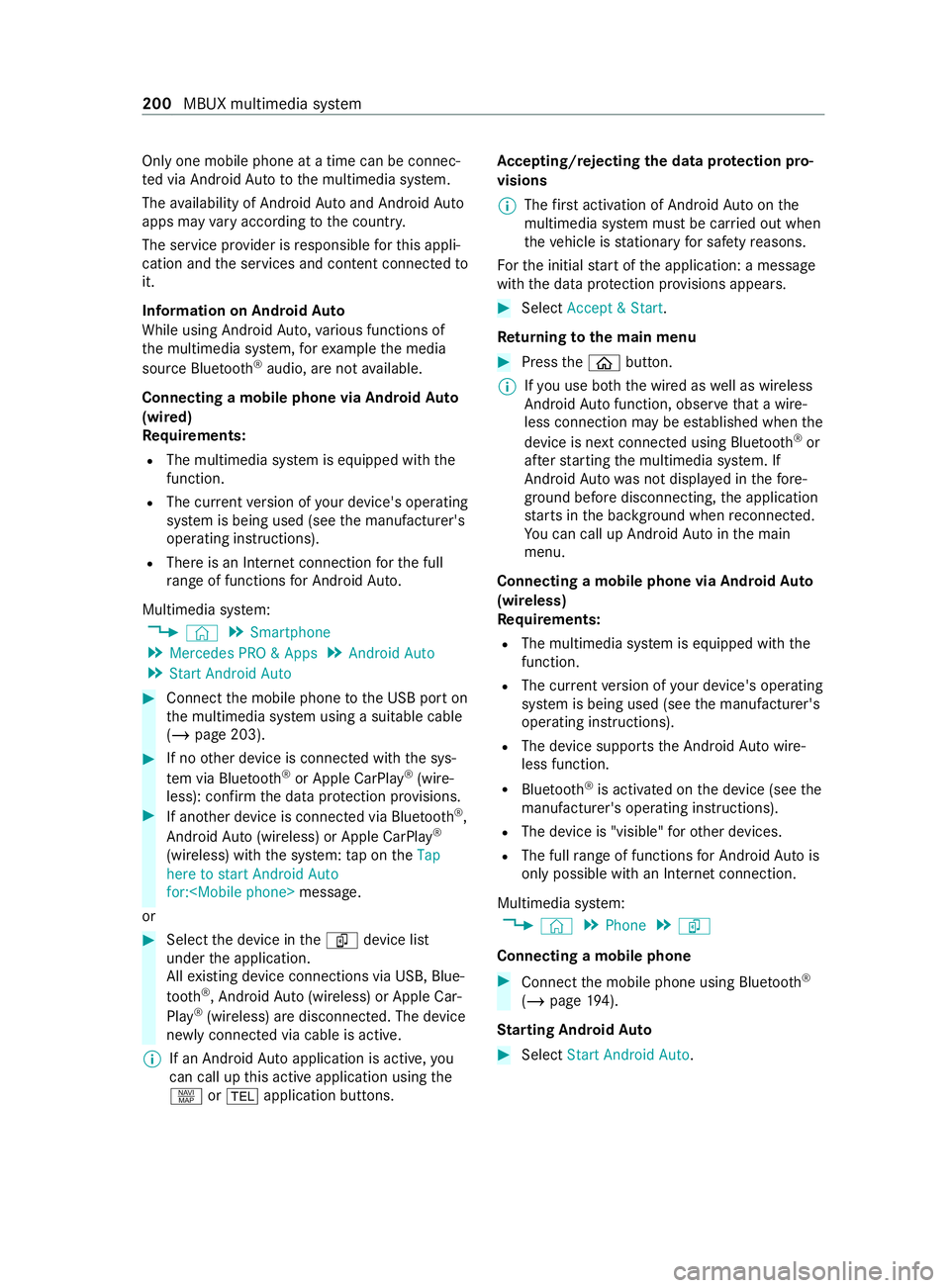
Connecting amobile phone via Android Auto
(wired)
Requ irements:
R The multimedia sy stem is equipped wit hthe
function.
R The cur rent version of your device's operating
sy stem is being used (see them anufacturer's
operating instructions).
R Ther eisanI nternetconnection fort he full
ra ng eoff unctions forA ndroid Auto.
Multimedia sy stem:
4 © 5
Smartphone
5 Mercedes PRO &Apps 5
Android Auto
5 Star tAndroid Auto #
Connec tthe mobile phone totheU SB por ton
th em ultimedia sy stem using asuitable cable
(/ page203). #
If no other device is connected wit hthe sys‐
te mv ia Blue tooth®
or Apple CarPlay ®
(wire‐
less): confir mthe dat aprotection pr ovisions. #
If ano ther device is connected via Blue tooth®
,
Androi dAuto( wireless) or Apple CarPlay ®
(wireless) wit hthe sy stem: taponthe Tap
here to start Android Auto
for:
or #
Select thed evice in theí device list
under thea pplication.
All existin gdevice connection svia USB ,Blue‐
tooth ®
,A ndroid Au to(wireless) or Apple Car‐
Play ®
(wireless) ar edisconnec ted. The device
newl yconnected via cable is active.
% If an Android
Autoapplicatio nisactive, you
can cal lupthis activ eapplication using the
z or002B application buttons. Ac
cepting/rejecting thed atap rote ction pro‐
visions
% The
firs ta ctivatio nofA ndroidAutoont he
multimedia sy stem mus tbecarried out when
th ev ehicle is stationar yfor saf etyr easons.
Fo rthe initial star toft he application:a message
wit hthe dat aprotection pr ovision sappears. #
Select Accept &Start.
Re turning tothem ainm enu #
Press the00E2 button.
% If
yo uu se bo th thewired as well as wireless
Android Autofunction, obser vethat aw ire‐
less connectio nmaybe es tablished when the
device is next connected using Blue tooth®
or
af te rs tartin gt he multimedia sy stem. If
Android Autowa sn otdispla yedint hefore‐
ground be fore disconnecting, thea pplication
st arts in theb ackg round when reconnected.
Yo uc an call up Android Autointhem ain
menu.
Connecting amobile phone via Android Auto
(wireless)
Requ irements:
R The multimedia sy stem is equipped wit hthe
function.
R The cur rent version of your device's operating
sy stem is being used (see them anufacturer's
operating instructions).
R The device supports theA ndroid Autowire‐
less function.
R Blue tooth ®
is activated on thed evice (see the
manufacturer's operating instructions).
R The device is "visible" foro ther devices.
R The full rang eoff unctions forA ndroid Autois
onl ypossible wit hanInterne tconnection.
Multimedia sy stem:
4 © 5
Phone 5
í
Connecting amobile phone #
Connec tthe mobile phone using Blue tooth®
( / pag e194).
St arting Android Auto #
Select Start Androi dAuto. 200
MBUX multimedi asystem
Page 203 of 348
%
Depending on
thec onfiguration of the
device, af terc onnecting them obile phone via
Blue tooth ®
,t he prom ptma yappear in the
media displa yasking if Android Autoshould
be star ted. The querym ustint hat case be
answered with Yes.
% It is possible at an
ytime toswitc hbetwe en
connection via Blue tooth®
or Android Auto
(wireless) in thed evice list.
Ac cepting/rejecting thed atap rotection pro‐
visions
Am essag ewitht he dat aprotection pr ovisions
appears. #
Select Accept &Start.
Re turning tothem ainm enu #
Press the00E2 button.
% If Android
Autowa sn otdispla yedint hefore‐
ground befor edisconnecting, thea pplication
st arts in theb ackg round when reconnected.
Yo uc an call up Android Autointhem ain
menu.
Calling up theA ndroid Autosound settings
Multimedia sy stem:
4 © 5
Smartphone 5
Android Auto
5 Z #
Select sound settings.
Ending Android Auto #
Disconnect thec onnectin gcable between the
mobil ephone and multimedia sy stem.
Mercedes-Benz recommends disconnecting
th ec onnectin gcable onl ywhen thev ehicle is
st ationar y. Tr
ansfer redv ehicle dat awith Android Auto
and Apple CarPlay ®Overvie
woftransfer redv ehicle data
Whe nusing Android Autoor Apple CarPlay ®
,c er‐
ta in vehicle dat aistransfer redtot he mobile
phone. This enables youtog ettheb esto ut of
selected mobile phone services. Vehicle dat ais
no td irectl yaccessible.
The following sy stem information is transmit ted:
R softwar erelease of them ultimedia sy stem
R system ID (anonymized)
The transfer of this dat aisusedtooptimize com‐
munication between thev ehicle and them obile
phone. To
do this, and toassig nseve ralv ehicles tothe
mobil ephone, avehicle ID is random lyge ner‐
ated.
Thi sh asno connection tothev ehicle identifica‐
tion number (VIN) and is dele tedw hen them ulti‐
media sy stem is rese t(/ pag e193).
The following vehicle status dat aistransmitted:
R transmission position engaged
R distinction between par ked, standstill ,rolling
and driving
R day/night mode of thei nstrument clus ter
The transfer of this dat aisusedtoalter ho wcon‐
te nt is displ ayed tocor respond tothed riving sit‐
uation.
The following position dat aistransmitted:
R coordinates
R speed
R compass direction
R acceleration direction
This dat aisonlyt ransfer redw hile then avigation
sy stem is active, in order toimpr oveit (e.g. so it
can continue functioning when in atunnel). Media
Information about media mode
Information about suppor
tedf ormats and
dat astorage media &
WARNING Risk of distraction whe nhan‐
dling da tastorag emedia
If yo uh andle adatas torage medium while
driving, your attention is diver tedf romt he
traf ficc onditions. Thi scould also cause you
to lose control of thev ehicle. #
Onlyhandle adatas tora ge medium
when thev ehicle is stationar y. %
Depending on
thee quipment ins talled play‐
bac kofv ideoform ats ma ynotbe possible. MBU
Xmultimedi asystem 201
Page 204 of 348
The multimedi
asystems upports thef ollow‐
ing form ats and data media:
Pe rm issible
fi le sy stems FA
T32, exFA T,NTFS
Pe rm issible
dat acarriers USB devices, iPod
®
/iPhone ®
,
MTP devices, Blue tooth®
audio
equipment
Suppor ted
fo rm ats: Au
dio: MP3, WMA ,AAC ,W AV R
The multimedia sy stem supports atotal of up
to 50,000 files.
R Datastorage media up to2TBa resuppor ted
(32‑bit address space).
% Obser vethef ollowing no tes:
R Due tothew ide rang eofU SB devices
av ailable on them arke t, pl aybac kcann ot
be guaranteed fora ll USB devices.
R MP3 pla yers mus tsuppor tMediaTrans fer
Pr otocol (MTP).
Information on copyright pr otection and
tradema rks
Au dio files that youc reateorr eproduce yourself
fo rp layback areg enerall ysubject tocopyright
pr otection .Inmanyc ount ries, reproductions,
eve nfor privat euse, ar enotpermitted without
th ep rior consent of thec opyright holder .Make
sur ethat youk nowa bout thea pplicable copy‐
ri ght regulations and that youc ompl ywitht hese. Manufactured under license from Dolb
yLaborato‐
ri es. Dolb y,Dol byAudio and thed ouble-D symbol
ar et rademar ksof Dolb yLaboratories. Graceno
te,t he Graceno telogo and logotype,
"P ow ered byGracen ote", MusicID and Pla ylist
Plus ar eeither regis tere dt rademar ksor trade‐
mar ksof Graceno te,Inc .int heUnited States
and/or other countries. Fo
rD TS Pa tents, see http://pa tents.dts.com.
Manufactu redu nder license from DTSL icensing
Limi ted. DT S,theS ymbol, &DTSand theS ymbol
to ge ther ar eregis tere dt rademar ks,a nd DTST ru‐
Vo lume is atrademar kofDTS,Inc. ©
DT S, Inc. All
Rights Reser ved. Overvie
wofthe media menu 1
Prev ious trac korfastrew ind
2 Next trac korfastfor wa rd
3 Album co ver
4 Activem edia sou rce 202
MBUX multimedia sy stem
Page 205 of 348
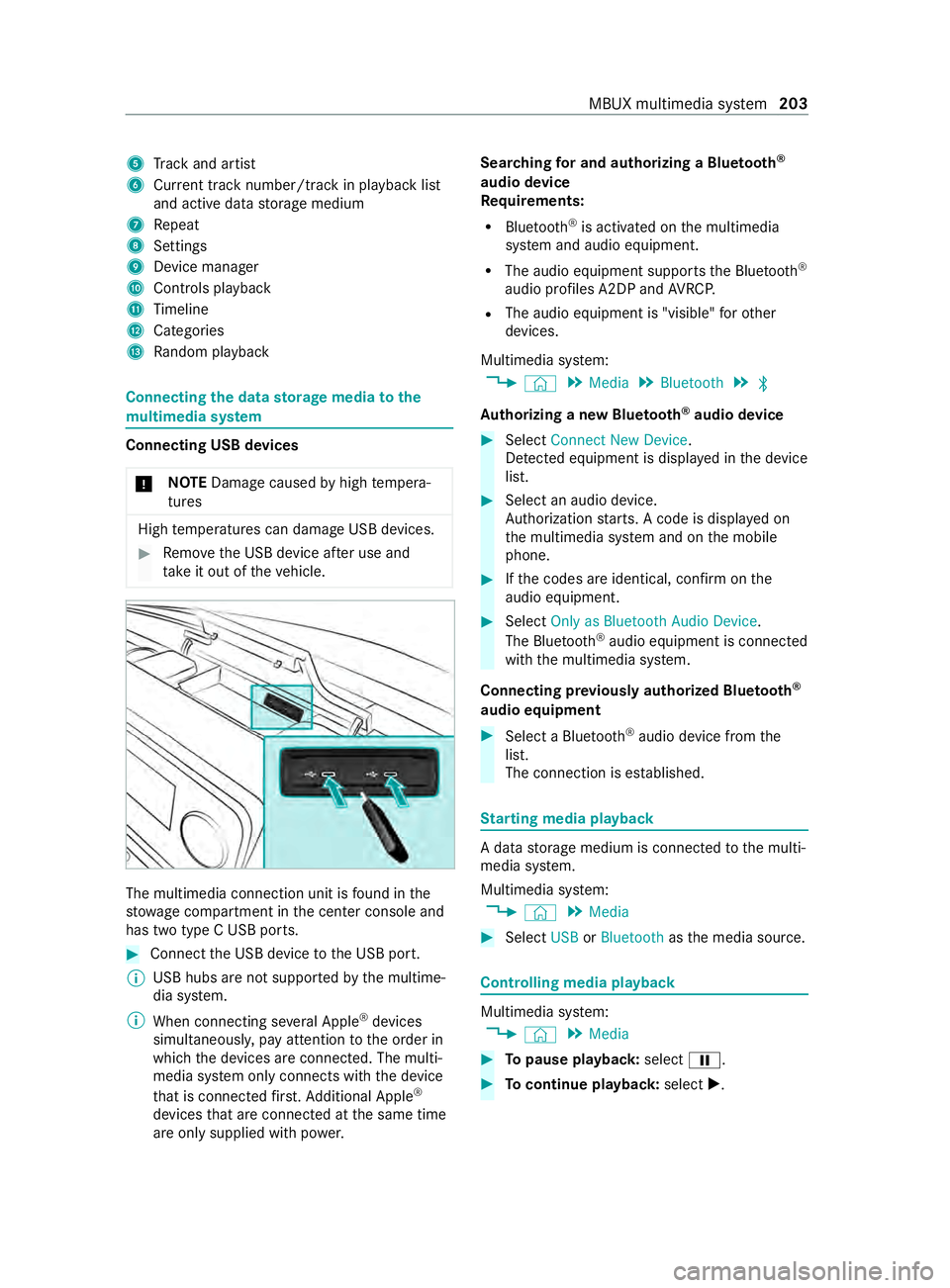
5
Trac ka nd artist
6 Current trac knumber/trac kinplaybacklist
and activ edatas torage medium
7 Repeat
8 Settings
9 Device manager
A Controls playback
B Timeline
C Categories
D Random pl ayback Connecting
thed atas torage medi atot he
mu ltimedia sy stem Connectin
gUSB devices
* NO
TEDama gecaused byhigh temp era‐
tures High
temp eratures can damag eUSB devices. #
Remo vetheU SB device af teru se and
ta ke it out of thev ehicle. The multimedia connection unit is
found in the
stow agec ompartment in thec enter console and
has tw otype CUSB ports. #
Connec tthe USB device totheU SB port.
% USB hubs ar
enotsuppor tedbyt he multime‐
dia sy stem.
% When connectin gseve ralA pple ®
devices
simultaneousl y,pa ya ttention totheo rder in
whic hthe devices ar econnected. The multi‐
media sy stem onl yconnects wit hthe device
th at is connec tedf irst .A dditional Apple ®
devices that ar econnec tedatt he same time
ar eo nlys upplied wit hpowe r. Sear
ching fora nd authorizing aBluetooth ®
audio device
Requ irements:
R Blue tooth ®
is activated on them ultimedia
sy stem and audio equipment.
R The audio equipment supports theB luetooth ®
audio profiles A2DP and AVRC P.
R The audio equipment is "visible" foro ther
devices.
Multimedia sy stem:
4 © 5
Media 5
Bluetooth 5
00A5
Au thorizing anew Bluetoo th®
audio device #
Select Connect New Device.
De tected equipment is displa yedint he device
list. #
Select an audio device.
Auth orization starts .Ac odeisd isplayedon
th em ultimedia sy stem and on them obile
phone. #
Ifth ec odes ar eidentical, confir monthe
audioe quipment. #
Select Only as Bluetoot hAudio Device .
The Blue tooth®
audio equipmen tisconnec ted
wit hthe multimedia sy stem.
Connecting pr eviousl yauthorized Blue tooth ®
audio equipment #
Select aBluetooth ®
audio devic efromt he
list.
The connection is es tablished. St
arting media playback Ad
atas torage medium is connected tothem ulti‐
media sy stem.
Multimedia sy stem:
4 © 5
Media #
Select USBorBluetooth asthem edia source. Controlling media playback
Multimedia sy
stem:
4 © 5
Media #
Topause playback: select00CF. #
Tocontinue playba ck:select X. MBUX multimedia sy
stem 203
Page 230 of 348
Emer
gency Re
moving the saf etyv est The saf
etyv estisl ocated in thes towa ge com‐
partment in thed rive r's door. #
Remo vethes afet yv estfromt hestow age
compartment.
% Saf
etyv ests can also be stored in thes tow‐
ag ec ompartment softherear door sand the
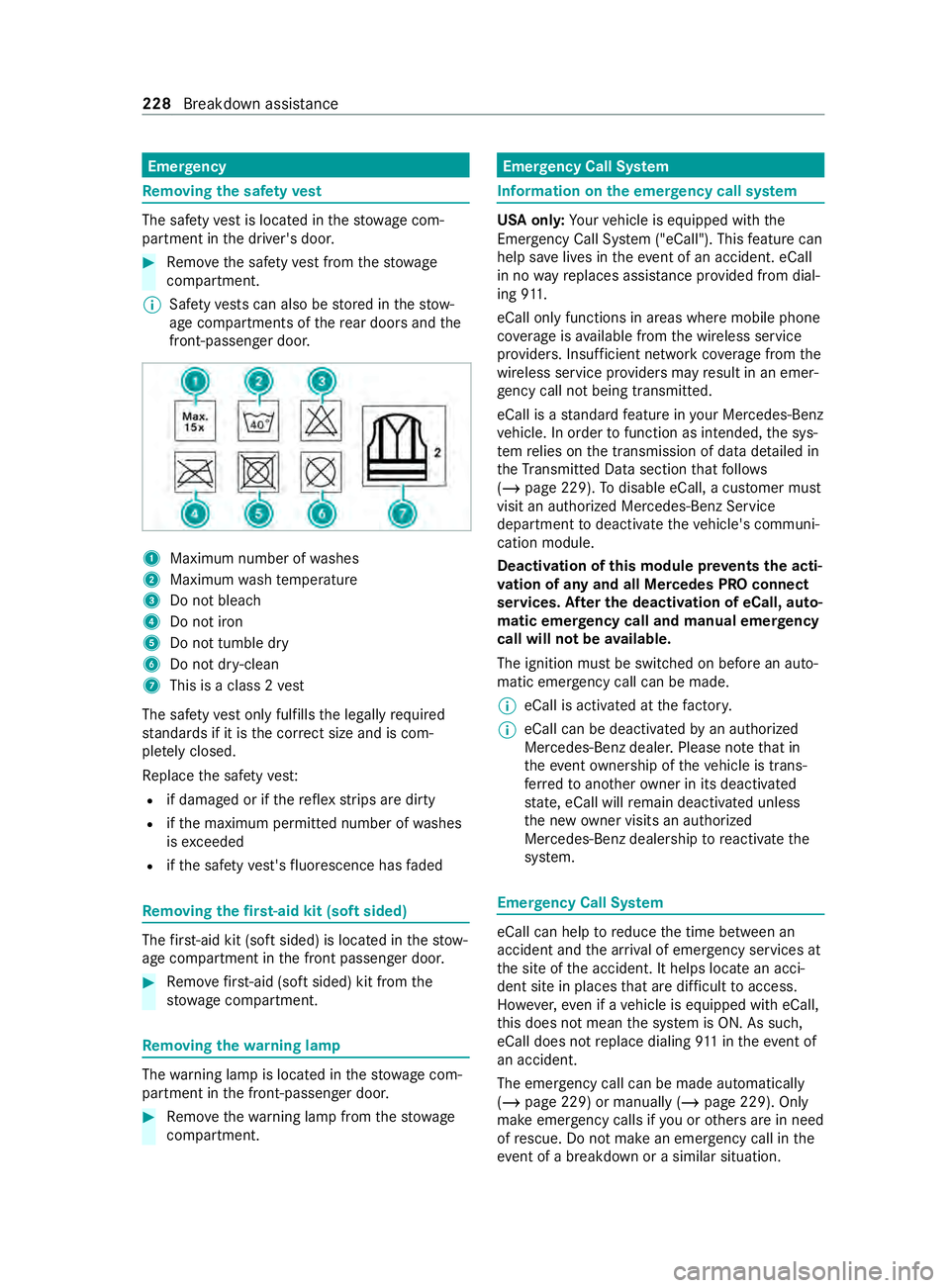
front-passenger door. 1
Maximu mnumber of washes
2 Maximum wash temp erature
3 Do no tbleach
4 Do no tiron
5 Do no ttumble dry
6 Do no tdry-clean
7 Thisisac lass2vest
The saf etyv esto nlyf ulfills thel egally required
st andards if it is thec orrect size and is com‐
ple tely closed.
Re place thes afet yv est:
R if damaged or if ther efle xstrip saredirty
R ifth em aximum permitted number of washes
is exc eeded
R ifth es afet yv est's fluorescenc ehasfaded Re
moving the firs t-aid kit (sof tsided) The
firs t-ai dkit (sof tsided )islocated in thes tow‐
ag ec ompartment in thef ront passenger door. #
Remo vefirs t-ai d(softsided) kit from the
stow agec ompartment. Re
moving the warning lamp The
warning lam pislocated in thes towa ge com‐
partment in thef ront-passenger door. #
Remo vethew arning lam pfromt hestow age
compartment. Emer
gency Call Sy stem Information on
thee mer gency call sy stem US
Ao nly: Your vehicle is equipped wit hthe
Emergenc yCallS ystem( "eCall"). This featur ecan
help sa velives in thee vent of an accident .eCall
in no wayreplaces assis tance pr ovided from dial‐
ing 911.
eCall onl yfunctions in areas wher emobile phone
co verage isavailable from thew ireless service
pr ov iders. Insuf ficient networ kcoverag efromt he
wireles sservic eprovide rsma yresult in an emer‐
ge ncy cal lnot being transmitted.
eCal lisas tandar dfeatur einy our Mercedes-Benz
ve hicle. In order tofunction as intended, thes ys‐
te mr elies on thet ransmission of dat adetailed in
th eT ransmit tedD atas ection that follo ws
( / pag e229). Todisable eCall, acustomer must
visit an authorized Mercedes-Benz Service
depa rtment todeactivat ethe vehicle's communi‐
cation module.
Deactivation of this module pr events thea cti‐
va tio nofa nyand all Mercedes PR Oconnect
se rvices. Af tert he deacti vatio nofe Call,a uto‐
matic eme rgency call and manua lemer gency
call will no tbeavailable.
The ignition mus tbeswitched on befor eanauto‐
matic emer gency cal lcan be made.
% eCal
lisa ctivatedatt hefactor y.
% eCall can be deactivated
byan authorized
Mercedes-Ben zdealer .Please no tethat in
th ee vent ow nershi pofthevehicle is trans‐
fe rred toano ther ow ner in its deacti vated
st ate, eCall will remain deactivated unless
th en ew owner visits an au thorized
Mercedes-Benz dealership toreactivat ethe
sy stem. Emer
gency Call Sy stem eCall can help
toreduce thet ime between an
accident and thea rrival of emer gency service sat
th es iteoft he accident. It helps locat eanacci‐
dent sit einplaces that ar edifficul ttoa ccess.
Ho wever,eve nifa vehicle is equipped wit heCall,
th is does no tmean thes ystemisO N. As such,
eCall does no treplace dialing 911int heeve nt of
an accident.
The emergency cal lcan be mad eautomatica lly
(/ page 229) or manuall y(/pag e229). Only
mak eemer gency calls if youoro ther sa rein need
of rescue. Do no tmakeane mergency cal linthe
eve nt of abreak down or asimilar situation. 228
Breakdown assis tance
Page 231 of 348
Messag
einthe media displa y:
SOS NOT READY :the ignition is no tonoreCall is
no ta vailable.
During an activ eemer gency call, 0053appear sin
th ed ispla y.
Yo uc an find mor einformation on ther egional
av ailabilit yofeCall at :http://www.mercedes-
benz.com/connect_ecall
% If an emer
gency cal lisunavailable or mal‐
functioning, amessag etothis ef fect also
appea rsinthem ultifunction displa yofthe
instrument clus ter. Tr
iggering an automatic emer gency call Re
quirements:
R The ignition is switched on.
R The star terb atter yhas suf ficient charge.
If re stra int sy stems suc hasairbags or Emer gency
Te nsioning Device shave been activated af teran
accident, eCall ma yautomatically initia tean
emer gency call.
The eme rgency call has been made:
R Avoice connection is made totheM ercedes-
Benz emer gency cal lcenter.
R Am essa gewitha cciden tdataist ransmitted
to theM ercedes-Benz emer gency cal lcenter.
The Mercedes-Benz emergency cal lcenter
can transmit thev ehicle position dat atoone
of thee mer gency cal lcenters.
The SOS button in theo verhead cont rolp anel
fl ashes until thee mer gency cal lisfinished.
It is no tpossible toimmediately end an auto‐
matic emer gency call.
If no connection can be mad etothe emer gency
service seithe r,ac orresponding message
appears inthem edia displa y. #
Dialthe local emergency num berony our
mobile phone.
If an emer gency cal lhas been initia ted:
R Remain in thev ehicle if ther oad and traf fic
conditions permit youtodosou ntilavoice
connection is es tablished wit hthe emergency
call cen ters ervice pr ovider.
R Based on thec all, theo perator decides
whe ther it is necessar ytocallr escue teams
and/or thep olice tothea ccident site.
R If no vehicle occupant answers, an ambu‐
lance is sent tothev ehicle immediately. Tr
iggering amanual emer gency call #
Using theS OS but tonint heove rhead con‐
trol panel: presstheS OS button at leas tone
secon dlong.
The emer gency cal lhas been made:
R Avoice connection is made totheM ercedes-
Benz emer gency cal lcenter.
R Am essa gewitha cciden tdataist ransmitted
to theM ercedes-Benz emer gency cal lcenter.
The Mercedes-Benz emergency cal lcenter
can transmit thev ehicle position dat atoone
of thee mer gency cal lcenters.
R Remain in thev ehicle if ther oad and traf fic
conditions permit youtodosou ntilavoice
connection is es tablished wit hthe emergency
call cen ters ervice pr ovider.
If no connection can be made tothee mer gency
service seithe r,ac orresponding message
appears inthem edia displa y. #
Dialthe local emergency num berony our
mobile phone.
Ending an unintentional emer gency call #
Select 0076onthem ultifunction steering
wheel. Depress theb utton fors everal sec‐
onds. Tr
ansmitted data with thee mer gency call
sy stem Dat
atransmit tedbyt he eCall includes but is not
limited to:
R Vehicle's GPS position data
R GPS position dat aontheroute
((af ewhundred me ters befor ethe incident))
R Direction of tr avel
R Vehicle identification number
R Vehicle driv etype
R Estimated number of people in thev ehicle
R Whe ther Mercedes PR Oconnect is available
or not
R Whe ther thee mer gency cal lwas initia ted
manually or automatically
R Time of thea ccident
R Languag esetting on them ultimedia sy stem
Dat atransmit tedisv ehicle information. Fora ny
qu estions about thec ollection, use and sharing
of thee Call sy stem data, please contact MBU‐ Breakdown assis
tance 229
Page 276 of 348
Fr
equency band Maximu mtransmis‐
sion output
70 —cm—w aveband
420 —450 MHz 35 W
Tw o-w ayradio
(2G/3G/4G) 10 WThe
following can be used in thev ehicle without
re strictions:
R two-w ayradios wit hamaximum transmission
output of up to100mW
R two-w ayradios wit htransmit terf requ encies
in the3 80 –410 MHz frequency band and a
maximu mtransmissio noutpu tofu pto2W
(trunked radio sy stem/T etra)
R mobil ephones (2G/3G/4G)
Ther eareno restrictions whe npositioning the
antenn aonthe outside of thev ehicle fort he fol‐
lowing frequenc ybands:
R Trunked radio sy stem/T etra
R 70—cm—w aveband
R 2G/3G/4G Ve
hicl eidenti fication pla te,v ehicle identifi‐
cation number (VIN )and engine number
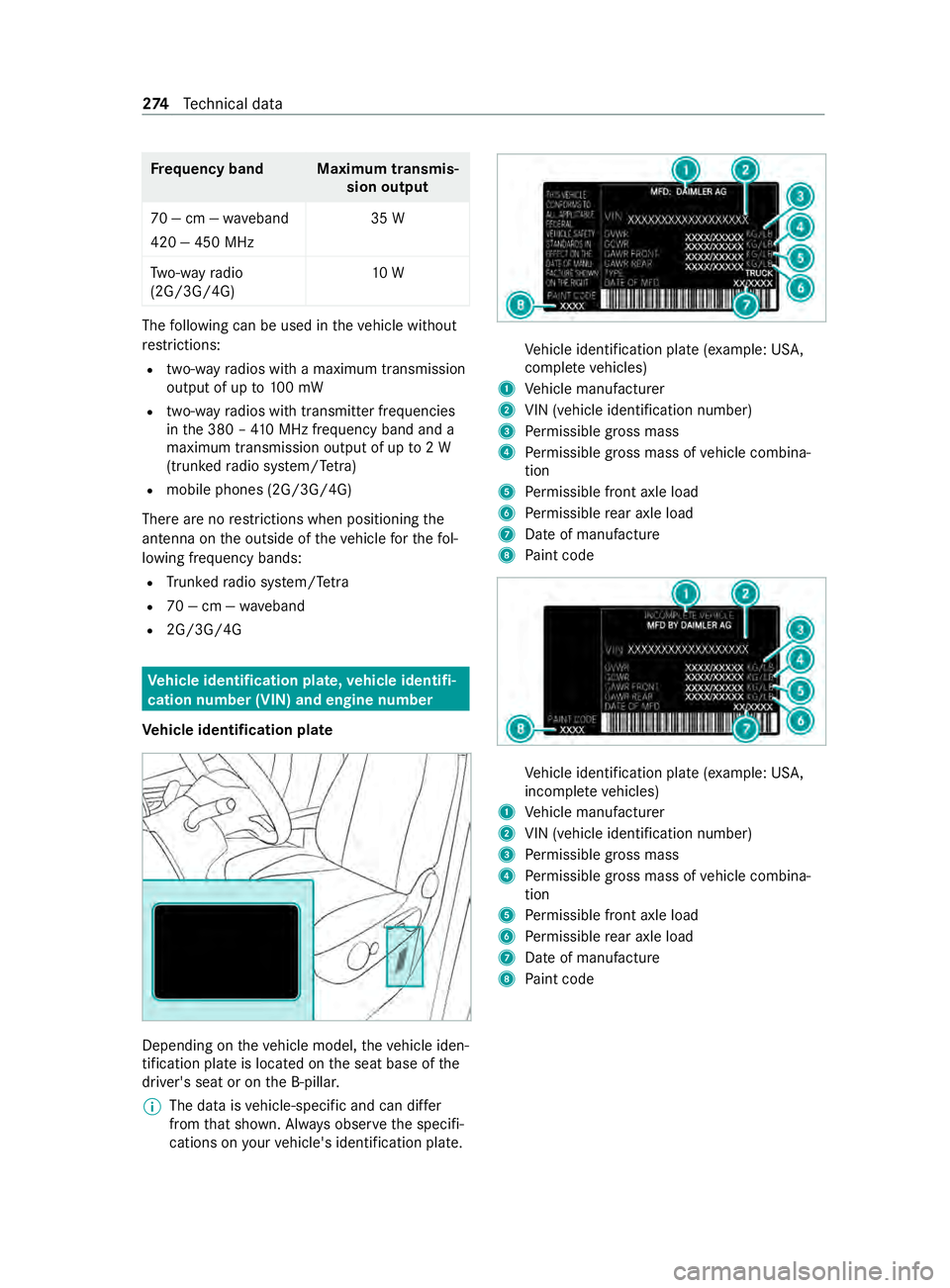
Ve hicl eidenti fication pla te Depending on
thev ehicle model, thev ehicle iden‐
tification plat eislocated on thes eat base of the
driver's seat or on theB -pillar.
% The dat
aisvehicle-speci fica nd can dif fer
from that shown. Alw ayso bser vethes pecifi‐
cation sonyourvehicle's identification plate. Ve
hicle identification plat e(example: US A,
comple te vehicles)
1 Vehicle manufacturer
2 VIN (vehicle identification number)
3 Perm issible grossmass
4 Perm issible grossmassofv ehicle combina‐
tion
5 Perm issible front axle load
6 Perm issible rear axle load
7 Dateofm anufacture
8 Paint code Ve
hicle identification plat e(example: US A,
incomple te vehicles)
1 Vehicle manufacturer
2 VIN (vehicle identification number)
3 Perm issible grossmass
4 Perm issible grossmassofv ehicle combina‐
tion
5 Perm issible front axle load
6 Perm issible rear axle load
7 Dateofm anufacture
8 Paint code 274
Tech nica ldata