sport mode MINI COOPER 2014 Owners Manual
[x] Cancel search | Manufacturer: MINI, Model Year: 2014, Model line: COOPER, Model: MINI COOPER 2014Pages: 230, PDF Size: 11.58 MB
Page 55 of 230
Transporting children safelyVehicle equipment
All standard, country-specific and optional
equipment that is offered in the model series is
described in this chapter. Therefore, equipmentis also described that is not available in a vehi‐
cle, e. g., because of the selected optional
equipment or country variant. This also applies
for safety-related functions and systems.
The right place for children
Note
Children in the vehicle
Do not leave children unattended in the
vehicle; otherwise, they could endanger them‐
selves and other persons, e.g., by opening the
doors. ◀
Children should always be in the rear Accident research shows that the safest place
for children is in the back seat.
Transporting children in the rear
Only transport children younger than
13 years of age or shorter than 5 ft/150 cm in
the rear in child restraint fixing systems pro‐
vided in accordance with the age, weight and
size of the child; otherwise, there is an in‐
creased risk of injury in an accident.
Children 13 years of age or older must wear a
safety belt as soon as a suitable child restraint fixing system can no longer be used, due to
their age, weight and size. ◀
Children on the front passenger seat Should it ever be necessary to use a child re‐
straint fixing system in the front passenger
seat, make sure that the front, knee and side
airbags on the front passenger side are deacti‐
vated. Automatic deactivation of front passen‐
ger airbags, refer to page 93.Note
Deactivated front passenger airbags
If a child restraint fixing system is used in
the front passenger seat, the front passenger
airbags must be deactivated; otherwise, there
is an increased risk of injury to the child when
the airbags are triggered, even with a child re‐ straint fixing system. ◀
Installing child re‐
straint fixing systems
Hints Manufacturer's information for child re‐straint fixing systems
To select, mount and use child restraint fixing
systems, observe the information provided by
the system manufacturer; otherwise, the pro‐
tective effect can be impaired. ◀
Ensuring the stability of the child seat
When installing child restraint fixing sys‐
tems, make sure that the child seat is securely
fastened to the backrest of the seat. The angle
of the backrest may need to be adjusted and,
where necessary, the headrest height may also
need to be adjusted, or if possible removed.
Make sure that all backrests are securely
locked. Otherwise, the stability of the child seat
is limited, and there is an increased risk of in‐Seite 55Transporting children safelyCONTROLS55
Online Edition for Part no. 01 40 2 927 905 - II/14
Page 68 of 230
P Park
Select only when the vehicle is stationary. The
drive wheels are blocked.
Before exiting the vehicle, make sure that se‐
lector lever position P of the automatic trans‐
mission is engaged. Otherwise, the vehicle may
begin to roll.
Kickdown Kickdown is used to achieve maximum driving
performance. Press on the accelerator pedal
beyond the resistance point at the full throttle
position.
Engaging a selector lever position Press on the brake pedal until you start
driving
To prevent the vehicle from creeping after you select a gear, maintain pressure on the brake
pedal until you are ready to start. ◀
The selector lever can only be taken out of se‐
lector lever position P if the ignition is on or the
engine is running.
With the vehicle stationary, press on the brake
pedal before shifting out of selector lever posi‐
tion P or N; otherwise, the selector lever is
blocked: shift lock.
A lock prevents inadvertent shifting into selec‐
tor lever position P or R.
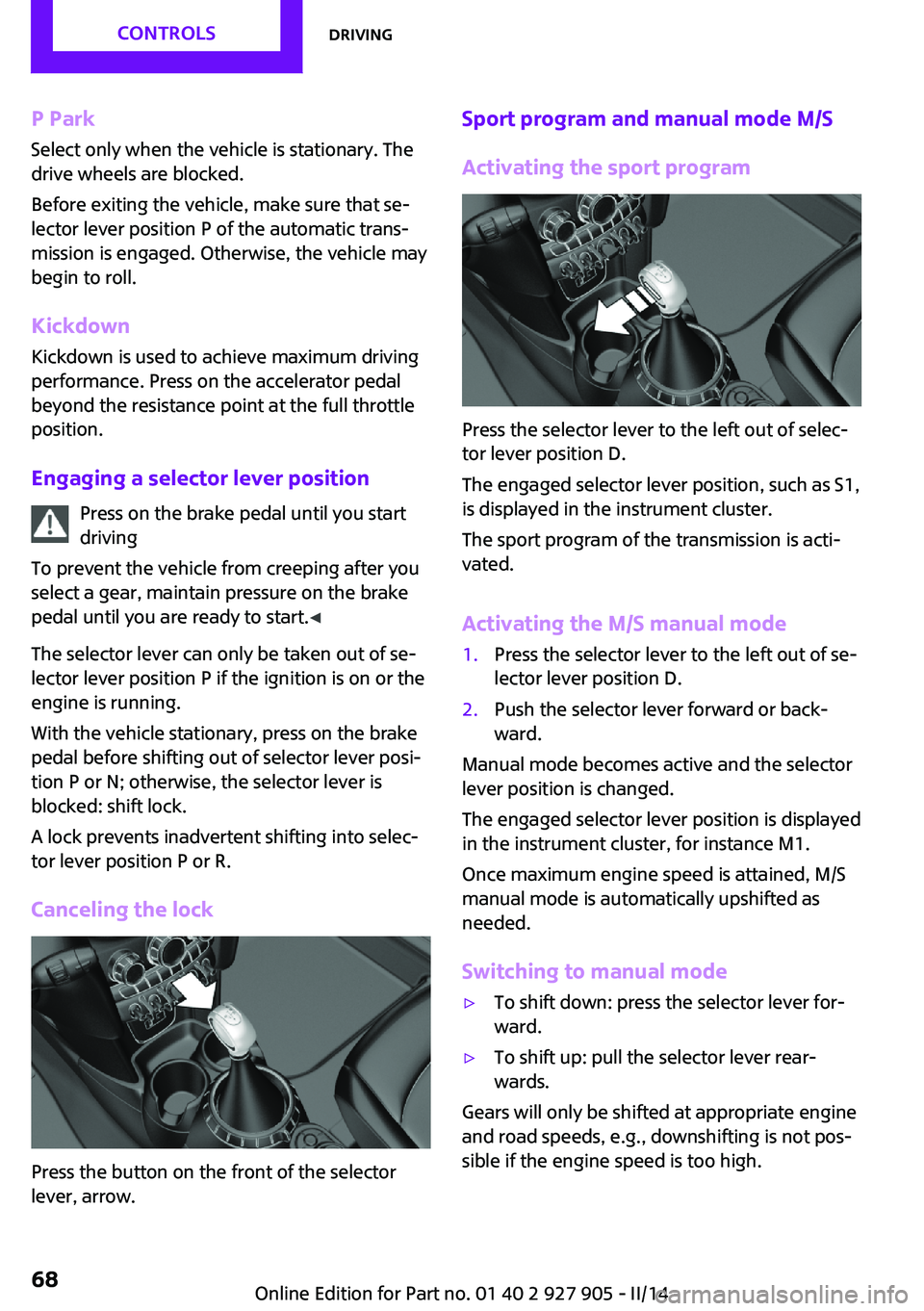
Canceling the lock
Press the button on the front of the selector
lever, arrow.
Sport program and manual mode M/S
Activating the sport program
Press the selector lever to the left out of selec‐
tor lever position D.
The engaged selector lever position, such as S1,
is displayed in the instrument cluster.
The sport program of the transmission is acti‐
vated.
Activating the M/S manual mode
1.Press the selector lever to the left out of se‐
lector lever position D.2.Push the selector lever forward or back‐
ward.
Manual mode becomes active and the selector
lever position is changed.
The engaged selector lever position is displayed
in the instrument cluster, for instance M1.
Once maximum engine speed is attained, M/S
manual mode is automatically upshifted as
needed.
Switching to manual mode
▷To shift down: press the selector lever for‐
ward.▷To shift up: pull the selector lever rear‐
wards.
Gears will only be shifted at appropriate engine
and road speeds, e.g., downshifting is not pos‐
sible if the engine speed is too high.
Seite 68CONTROLSDriving68
Online Edition for Part no. 01 40 2 927 905 - II/14
Page 69 of 230
The selected selector lever position is briefly
displayed in the instrument cluster, followed by
the current one.
Manual mode M/S: prevent automatic
upshifting
Once maximum engine speed is attained, M/S
manual mode is automatically upshifted as
needed.
For vehicles with Sport automatic transmission,
automatic shift operations are not performed if
one of the following conditions is met:▷DSC is deactivated.▷TRACTION is activated.
In addition, the kickdown is deactivated.
Ending the sport program/manual
mode
Push the selector lever to the right.
D is displayed in the instrument cluster.
Shift paddles for Sport automatic
transmission
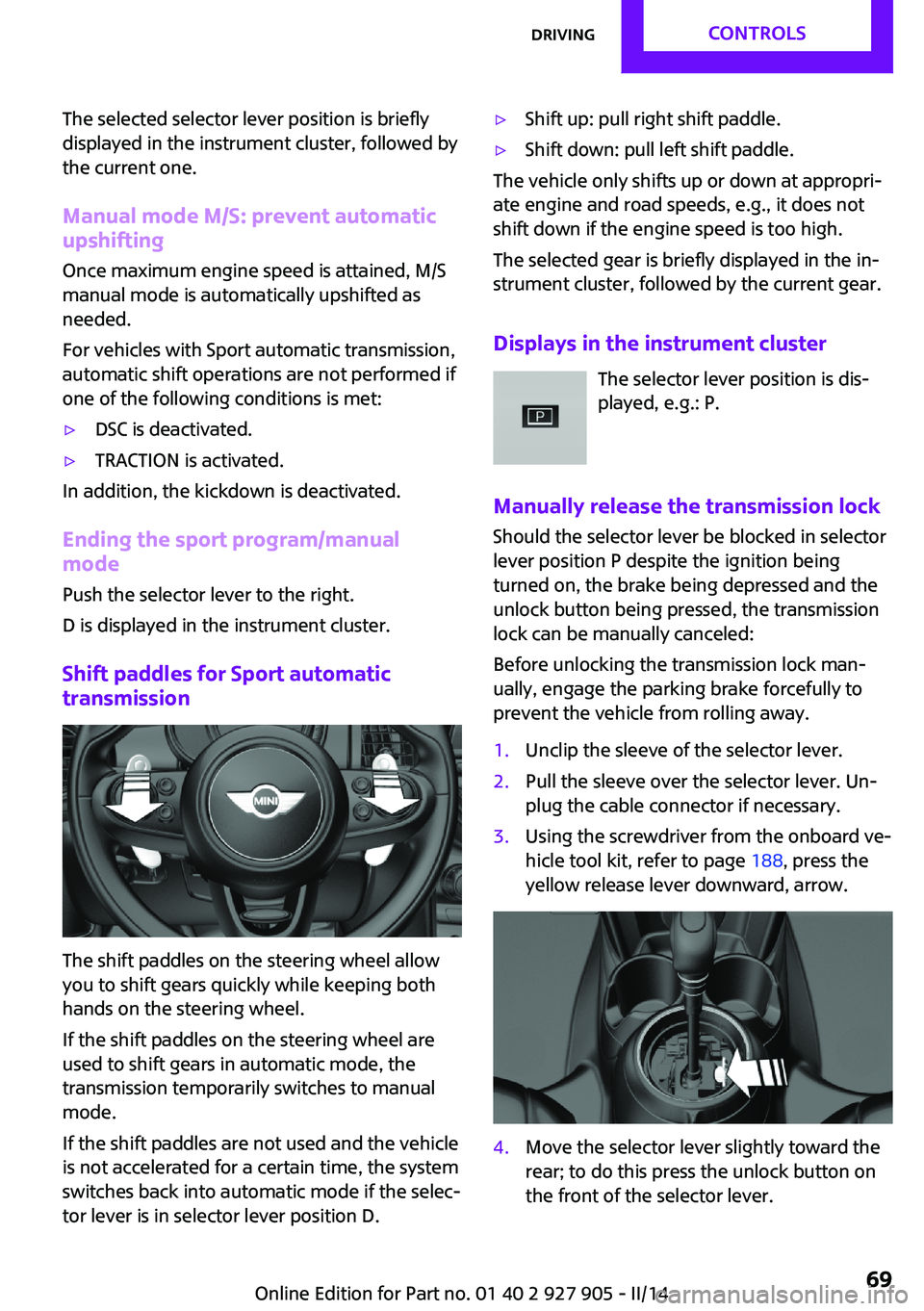
The shift paddles on the steering wheel allow
you to shift gears quickly while keeping both
hands on the steering wheel.
If the shift paddles on the steering wheel are
used to shift gears in automatic mode, the
transmission temporarily switches to manual
mode.
If the shift paddles are not used and the vehicle
is not accelerated for a certain time, the system
switches back into automatic mode if the selec‐
tor lever is in selector lever position D.
▷Shift up: pull right shift paddle.▷Shift down: pull left shift paddle.
The vehicle only shifts up or down at appropri‐
ate engine and road speeds, e.g., it does not
shift down if the engine speed is too high.
The selected gear is briefly displayed in the in‐
strument cluster, followed by the current gear.
Displays in the instrument cluster The selector lever position is dis‐
played, e.g.: P.
Manually release the transmission lock
Should the selector lever be blocked in selector
lever position P despite the ignition being
turned on, the brake being depressed and the
unlock button being pressed, the transmission
lock can be manually canceled:
Before unlocking the transmission lock man‐
ually, engage the parking brake forcefully to
prevent the vehicle from rolling away.
1.Unclip the sleeve of the selector lever.2.Pull the sleeve over the selector lever. Un‐
plug the cable connector if necessary.3.Using the screwdriver from the onboard ve‐
hicle tool kit, refer to page 188, press the
yellow release lever downward, arrow.4.Move the selector lever slightly toward the
rear; to do this press the unlock button on
the front of the selector lever.Seite 69DrivingCONTROLS69
Online Edition for Part no. 01 40 2 927 905 - II/14
Page 70 of 230
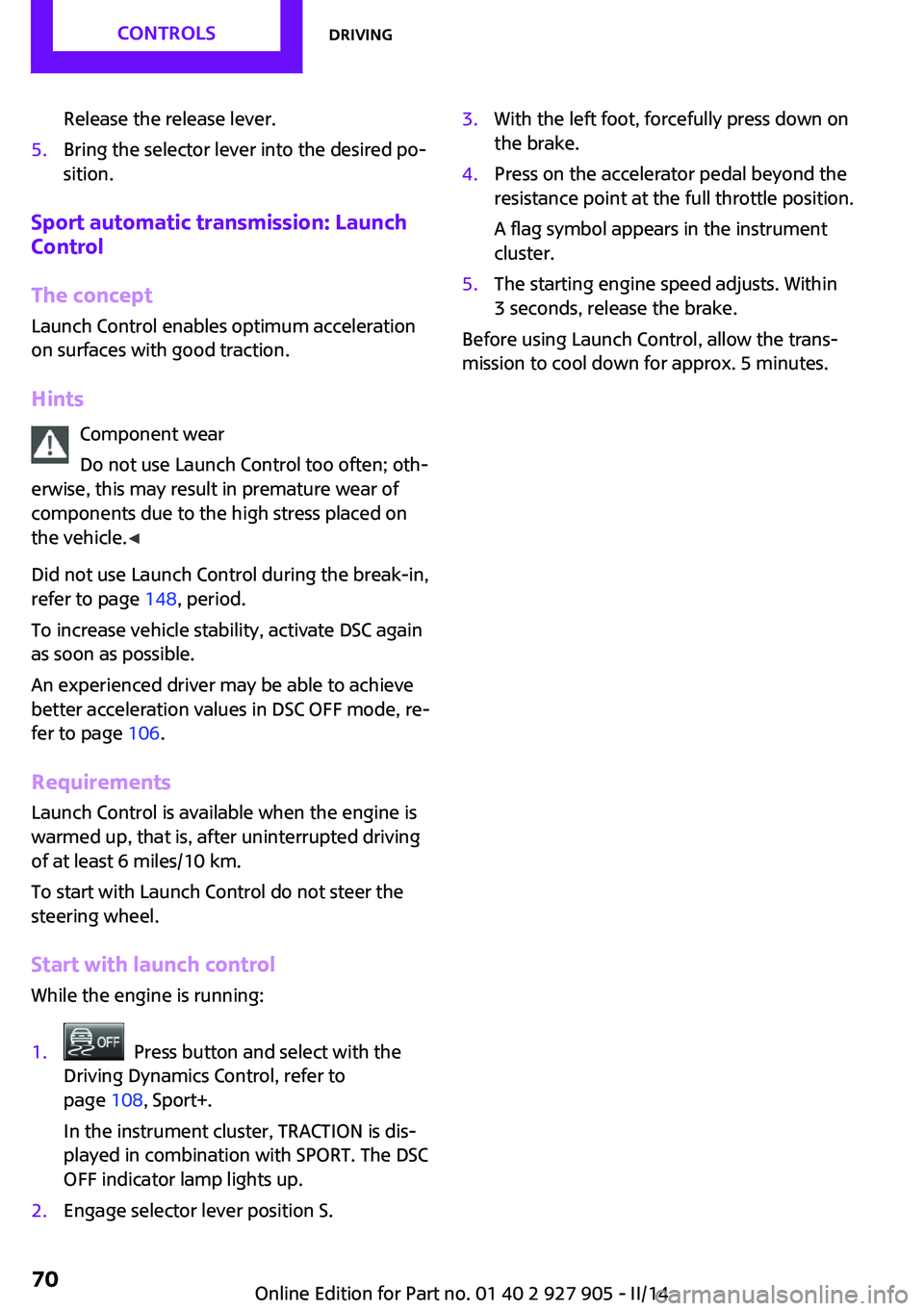
Release the release lever.5.Bring the selector lever into the desired po‐
sition.
Sport automatic transmission: Launch
Control
The concept
Launch Control enables optimum acceleration
on surfaces with good traction.
Hints Component wear
Do not use Launch Control too often; oth‐
erwise, this may result in premature wear of
components due to the high stress placed on
the vehicle. ◀
Did not use Launch Control during the break-in,
refer to page 148, period.
To increase vehicle stability, activate DSC again
as soon as possible.
An experienced driver may be able to achieve
better acceleration values in DSC OFF mode, re‐
fer to page 106.
Requirements Launch Control is available when the engine is
warmed up, that is, after uninterrupted driving
of at least 6 miles/10 km.
To start with Launch Control do not steer the
steering wheel.
Start with launch control
While the engine is running:
1. Press button and select with the
Driving Dynamics Control, refer to
page 108, Sport+.
In the instrument cluster, TRACTION is dis‐
played in combination with SPORT. The DSC
OFF indicator lamp lights up.2.Engage selector lever position S.3.With the left foot, forcefully press down on
the brake.4.Press on the accelerator pedal beyond the
resistance point at the full throttle position.
A flag symbol appears in the instrument
cluster.5.The starting engine speed adjusts. Within
3 seconds, release the brake.
Before using Launch Control, allow the trans‐
mission to cool down for approx. 5 minutes.
Seite 70CONTROLSDriving70
Online Edition for Part no. 01 40 2 927 905 - II/14
Page 107 of 230
DSC OFF and the DSC OFF indicator lamp go
out.
Indicator/warning lamps When DSC is deactivated, DSC OFF is displayed
in the instrument cluster.
The indicator lamp lights up: DSC is de‐
activated.
Automatic activation When DSC is deactivated, automatic activation
occurs in the following situations:▷Failure of Dynamic Damping Control.▷The vehicle has a flat tire.▷When activating cruise control in TRACTION
or DSC OFF mode.
DTC Dynamic Traction
Control
The concept
The DTC system is a version of the DSC in which
forward momentum is optimized.
The system ensures maximum forward mo‐
mentum on special road conditions, e.g., unp‐
lowed snowy roads, but driving stability is lim‐
ited.
It is therefore necessary to drive with appropri‐
ate caution.
You may find it useful to briefly activate DTC
under the following special circumstances:
▷When driving in slush or on uncleared,
snow-covered roads.▷When rocking the vehicle or driving off in
deep snow or on loose surfaces.▷When driving with snow chains.Deactivating/activating DTC Dynamic
Traction Control
Activating the Dynamic Traction Control DTC
provides maximum traction on loose ground. TRACTION is activated. Driving stability is lim‐
ited during acceleration and when driving in
bends.
Activating DTC Press the button.
TRACTION is displayed in the instru‐
ment cluster and the indicator lamp for DSC
OFF lights up.
Deactivating DTC Press the button again.
TRACTION and the DSC OFF indicator
lamp go out.
Performance Control
Performance Control enhances the agility of
your vehicle.
To enhance performance during sporty driving,
the front wheel on the inside of the curve is
braked while the resulting braking effect is
largely compensated by engine intervention.
Dynamic Damping Con‐
trol
The concept
This system reduces undesirable vehicle motion
when using a dynamic driving style or traveling
on uneven road surfaces.
The system enhances driving dynamics and
comfort as required for the road surface and
driving style.Seite 107Driving stability control systemsCONTROLS107
Online Edition for Part no. 01 40 2 927 905 - II/14
Page 108 of 230
Programs
The system offers several different programs.
The programs can be selected via the Driving
Dynamics Control, refer to page 108.
MID/GREEN Balanced control of the vehicle.
SPORT Consistently sporty control of the shock absorb‐
ers for greater driving agility.
Driving Dynamics Con‐
trol
The concept
The Driving Dynamics Control can be used to
adjust the certain characteristics of the vehicle. Three different programs can be selected for
this purpose. By turning the Driving Dynamics
Control, a particular program can be activated.
Operating the programsDriving Dynamics ControlProgramMID
GREEN
SPORT
MID For balanced tuning.
With each starting operation, MID is activated
using the Start/Stop button.
GREEN GREEN, refer to page 156, provides consistent
tuning to maximize range.
Activating GREEN
Turn Driving Dynamics Control to the right until
GREEN is displayed in the instrument cluster.
Configuring GREEN Via the Driving Dynamics Control1.Activate GREEN.2."Configure GREEN"3.Configure the program.
This configuration is retrieved when GREEN is
activated.
Via onboard monitor:
1. "Settings"2."GREEN Mode"
Or
1. "Settings"2."Driving mode"3."Configure GREEN"
Configure the program.
This configuration is retrieved when GREEN is
activated.
SPORT
Consistently sporty tuning of the body and en‐
gine control for greater driving agility.
Depending on the equipment version, SPORT
can be individually configured.
Activating SPORT
Turn Driving Dynamics Control to the left until
SPORT is displayed in the instrument cluster.
Configuring SPORT Depending on the equipment version, when
the display is activated on the Control Display,
the SPORT driving mode can be configured for
individual specifications.
Activating SPORT.
Select "Configure SPORT".
Seite 108CONTROLSDriving stability control systems108
Online Edition for Part no. 01 40 2 927 905 - II/14
Page 109 of 230
Configure the program.
SPORT can also be configured before it is acti‐
vated:1. "Settings"2."Driving mode"3."Configure SPORT"
This configuration is retrieved when SPORT is
activated.
Configuring drive program
Settings can be made for the following driving
programs in Driving mode:
▷GREEN, refer to page 108.▷SPORT, refer to page 108.
Displays
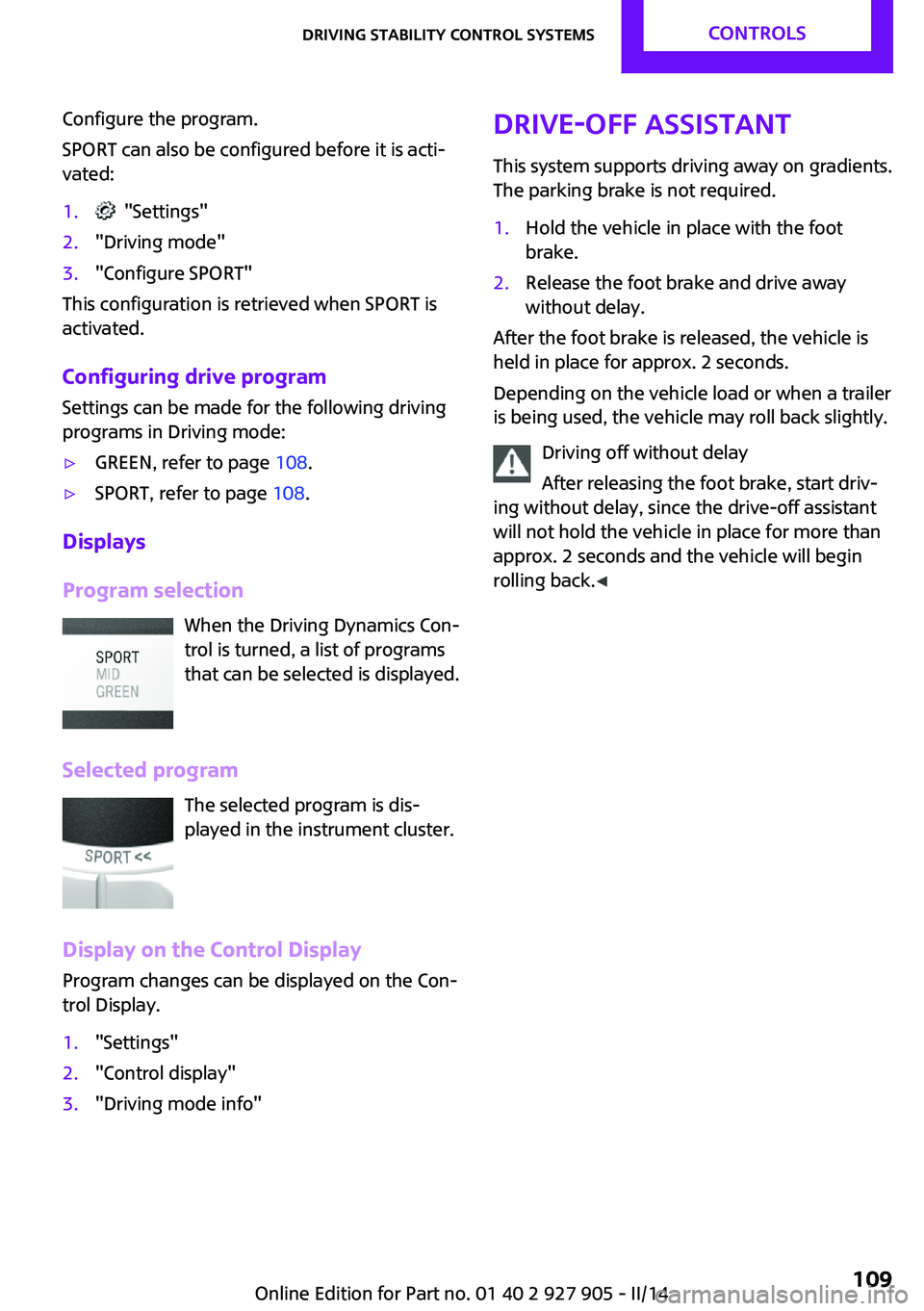
Program selection When the Driving Dynamics Con‐
trol is turned, a list of programs
that can be selected is displayed.
Selected program The selected program is dis‐
played in the instrument cluster.
Display on the Control Display
Program changes can be displayed on the Con‐ trol Display.
1."Settings"2."Control display"3."Driving mode info"Drive-off assistant
This system supports driving away on gradients.
The parking brake is not required.1.Hold the vehicle in place with the foot
brake.2.Release the foot brake and drive away
without delay.
After the foot brake is released, the vehicle is
held in place for approx. 2 seconds.
Depending on the vehicle load or when a trailer
is being used, the vehicle may roll back slightly.
Driving off without delay
After releasing the foot brake, start driv‐
ing without delay, since the drive-off assistant
will not hold the vehicle in place for more than
approx. 2 seconds and the vehicle will begin
rolling back. ◀
Seite 109Driving stability control systemsCONTROLS109
Online Edition for Part no. 01 40 2 927 905 - II/14
Page 182 of 230
Engine oilVehicle equipment
All standard, country-specific and optional
equipment that is offered in the model series is
described in this chapter. Therefore, equipment
is also described that is not available in a vehi‐
cle, e. g., because of the selected optional
equipment or country variant. This also applies
for safety-related functions and systems.
General information
Engine oil consumption depends on driving
style and driving conditions, e.g., if your driving
style is very sporty engine oil consumption will
be considerably greater.
Therefore, regularly check the engine oil level
after refueling.
The vehicle is equipped with electronic oil
measurement.
The electronic oil measurement has two meas‐
uring principles.▷Status display▷Detailed measurement
Checking the oil level
electronically
Status display
The concept
The oil level is monitored electronically during
driving and shown on the Control Display.
If the oil level reaches the minimum level, a
check control message is displayed.
Requirements
A current measured value is available after ap‐
prox. 30 minutes of driving. During a shorter
trip, the status of the last, sufficiently long trip is
displayed.
With frequent short-distance trips, perform a
detailed measurement.
Displaying the oil level1."Vehicle Info"2."Vehicle status"3. "Engine oil level"
Oil level display messages Different messages appear on the display de‐
pending on the oil level. Pay attention to these
messages.
If the engine oil level is too low, within the next
125 miles/200 km add oil, refer to page 183.
Engine oil level too low
Add oil immediately; otherwise, an insuf‐
ficient amount of engine oil could result in en‐
gine damage. ◀
Take care not to add too much engine oil. Too much engine oil
Have the vehicle checked immediately;
otherwise, surplus oil can lead to engine dam‐
age. ◀
Detailed measurement
The concept
In the detailed measurement the oil level is
checked and displayed via a scale.
If the oil level reaches the minimum level or an
overfilling is detected, a check control message
is displayed.
Seite 182MOBILITYEngine oil182
Online Edition for Part no. 01 40 2 927 905 - II/14
Page 207 of 230

CareVehicle equipmentAll standard, country-specific and optional
equipment that is offered in the model series is
described in this chapter. Therefore, equipment
is also described that is not available in a vehi‐
cle, e. g., because of the selected optional
equipment or country variant. This also applies
for safety-related functions and systems.
Car washes
Hints Steam jets or high-pressure washers
When using steam jets or high-pressure
washers, hold them a sufficient distance away
and use a maximum temperature of
140 ℉/60 ℃.
If the vehicle has a glass sunroof, ensure that a
distance of at least 31.5 inches/80 cm is main‐
tained. Holding them too close or using exces‐
sively high pressures or temperatures can
cause damage or preliminary damage that may
then lead to long-term damage.
Follow the user's manual for the high-pressure
washer. ◀
Cleaning sensors/cameras with high-pres‐
sure washers
When using high-pressure washers, do not
spray the exterior sensors and cameras, e.g.,
Park Distance Control, for extended periods of
time and only from a distance of at least
12 in/30 cm. ◀▷Regularly remove foreign items such as
leaves in the area below the windshield
when the hood is raised.▷Wash your vehicle frequently, particularly in
winter.Intense soiling and road salt can damage
the vehicle.
Automatic car washes
Hints
▷Give preference to cloth car washes or
those that use soft brushes in order to
avoid paint damage.▷Make sure that the wheels and tires are not
damaged by the transport mechanisms.▷Fold in the exterior mirrors; otherwise, they
may be damaged, depending on the width
of the vehicle.▷Unscrew the rod antenna.▷Deactivate the rain sensor, refer to
page 65, to avoid unintentional wiper acti‐
vation.▷In some cases, an unintentional alarm can
be triggered by the interior motion sensor
of the alarm system. Follow the instructions
on avoiding an unintentional alarm, refer to
page 43.
Guide rails in car washes
Avoid car washes with guide rails higher
than 4 in/10 cm; otherwise, the vehicle body
could be damaged. ◀
Before driving into a car wash In order to ensure that the vehicle can roll in a
car wash, take the following steps:
Manual transmission:
1.Drive into the car wash.2.Shift to neutral.3.Switch the engine off.4.Switch on the ignition.Seite 207CareMOBILITY207
Online Edition for Part no. 01 40 2 927 905 - II/14
Page 222 of 230

Direction indicator, refer toTurn signals 64
Display, electronic, instrument cluster 72
Display lighting, refer to In‐ strument lighting 89
Displays 71
Displays, cleaning 210
Disposal, coolant 185
Disposal, vehicle battery 199
Distance control, refer to PDC 118
Distance to destination 80
Divided screen view, split screen 23
Door lock, refer to Remote control 34
Drive mode, GREEN mode 156
Drive-off assistant 109
Drive-off assistant, refer to DSC 106
Driving Dynamics Control 108
Driving Excitement, SPORT 80
Driving instruction, GREEN mode 158
Driving instructions, breaking in 148
Driving mode 108
Driving notes, general 148
Driving stability control sys‐ tems 106
Driving style analysis 160
Driving tips 148
DSC Dynamic Stability Con‐ trol 106
DTC Dynamic Traction Con‐ trol 107
Dynamic Damping Con‐ trol 107
Dynamic Stability Control DSC 106
Dynamic Traction Control DTC 107 E
Electronic displays, instrument cluster 72
Electronic Stability Program ESP, refer to DSC 106
Emergency detection, remote control 35
Emergency release, fuel filler flap 164
Emergency Request 201
Emergency service, refer to Roadside Assistance 202
Emergency start function, en‐ gine start 35
Emergency unlocking, door lock 39
Energy Control 75
Engine, automatic Start/Stop function 61
Engine, automatic switch- off 61
Engine compartment 180
Engine compartment, working in 180
Engine coolant 185
Engine idling when driving, coasting 159
Engine oil 182
Engine oil, adding 183
Engine oil additives 183
Engine oil change 184
Engine oil filler neck 183
Engine oil temperature 74
Engine oil types, alterna‐ tive 184
Engine oil types, ap‐ proved 184
Engine start during malfunc‐ tion 35
Engine start, jump-start‐ ing 202
Engine start, refer to Starting the engine 60
Engine stop 60
Engine temperature 74 Entering a car wash 207
Equipment, interior 133
ESP Electronic Stability Pro‐ gram, refer to DSC 106
Exchanging wheels/tires 173
Exhaust system 149
Exterior mirror, automatic dimming feature 53
Exterior mirrors 52
External start 202
External temperature dis‐ play 75
External temperature warn‐ ing 75
Eyes for securing cargo 152
F
Failure message, refer to Check Control 72
False alarm, refer to Uninten‐ tional alarm 43
Fan, refer to Air flow 128, 130
Fault displays, refer to Check Control 72
Favorites buttons, onboard monitor 24
Filler neck for engine oil 183
Fine wood, care 209
First aid kit 202
Fitting for towing, refer to Tow fitting 205
Flat tire, changing wheels 196
Flat Tire Monitor FTM 97
Flat tire, repairing 175
Flat tire, Tire Pressure Monitor TPM 94
Flat tire, warning lamp 95, 98
Flooding 149
Floor carpet, care 210
Floor mats, care 210
Fogged up windows 128
Fold-out position, windshield wipers 66
Foot brake 149
Front airbags 91 Seite 222REFERENCEEverything from A to Z222
Online Edition for Part no. 01 40 2 927 905 - II/14