lock MINI Paceman 2013 User Guide
[x] Cancel search | Manufacturer: MINI, Model Year: 2013, Model line: Paceman, Model: MINI Paceman 2013Pages: 275, PDF Size: 4.23 MB
Page 34 of 275
Opening and closingCONTROLS
33
Tilt alarm sensor
The vehicle's inclination is monitored. The alarm
is triggered, for instance, if an attempt is made
to steal the vehicle's wheels or tow it away.
Interior movement detector
Before the interior movement detector can
operate correctly, the windows and glass roof
must be closed.
Avoiding false alarms
The tilt alarm sensor an d the interior movement
detector can be swit ched off together.
This prevents false alarms, e.g. in the following
situations:
> In duplex garages
> When being transported on car-carrying
trains, ferries or trailers
> If pets are to remain inside the car
Switching off the tilt alarm sensor and
interior movement detector
Press the button on the remote control
twice in succession.
LEDs flash in short succession for approx.
2 seconds.
The tilt alarm sensor an d the interior movement
detector are switched of f until the car is next
unlocked and locked.
Comfort Access
The concept
Access to the vehicle is po ssible without the use
of the remote control. All you need to do is wear
the remote control close to your body, e.g. in
your jacket pocket. Th e vehicle automatically
detects the remote control within the immedi-
ate vicinity or in the passenger compartment.
Comfort Access supports the following func-
tions: >
Unlocking/locking the vehicle
> Convenient closing
> Unlocking the tailgate separately
> Starting the engine
Functional requirements
>There are no external malfunction sources in
the vicinity.
> For locking, the remote control must be out-
side of the vehicle.
> The vehicle cannot be locked or unlocked
again until after approx. 2 seconds.
> The engine can only be started if the remote
control is in the vehicle.
> The doors and tailgate mu st be closed to be
able to operate the windows and glass roof.
Comparison to standard remote controls
The indicated function can be operated by
pressing the buttons or via Comfort Access.
Instructions on openin g and closing are found
starting on page 26.
If you notice a brief delay while opening or
closing the windows or glass roof, the sys-
tem is checking whether a remote control is
inside the vehicle. Repeat the opening or closing
procedure, if necessary. <
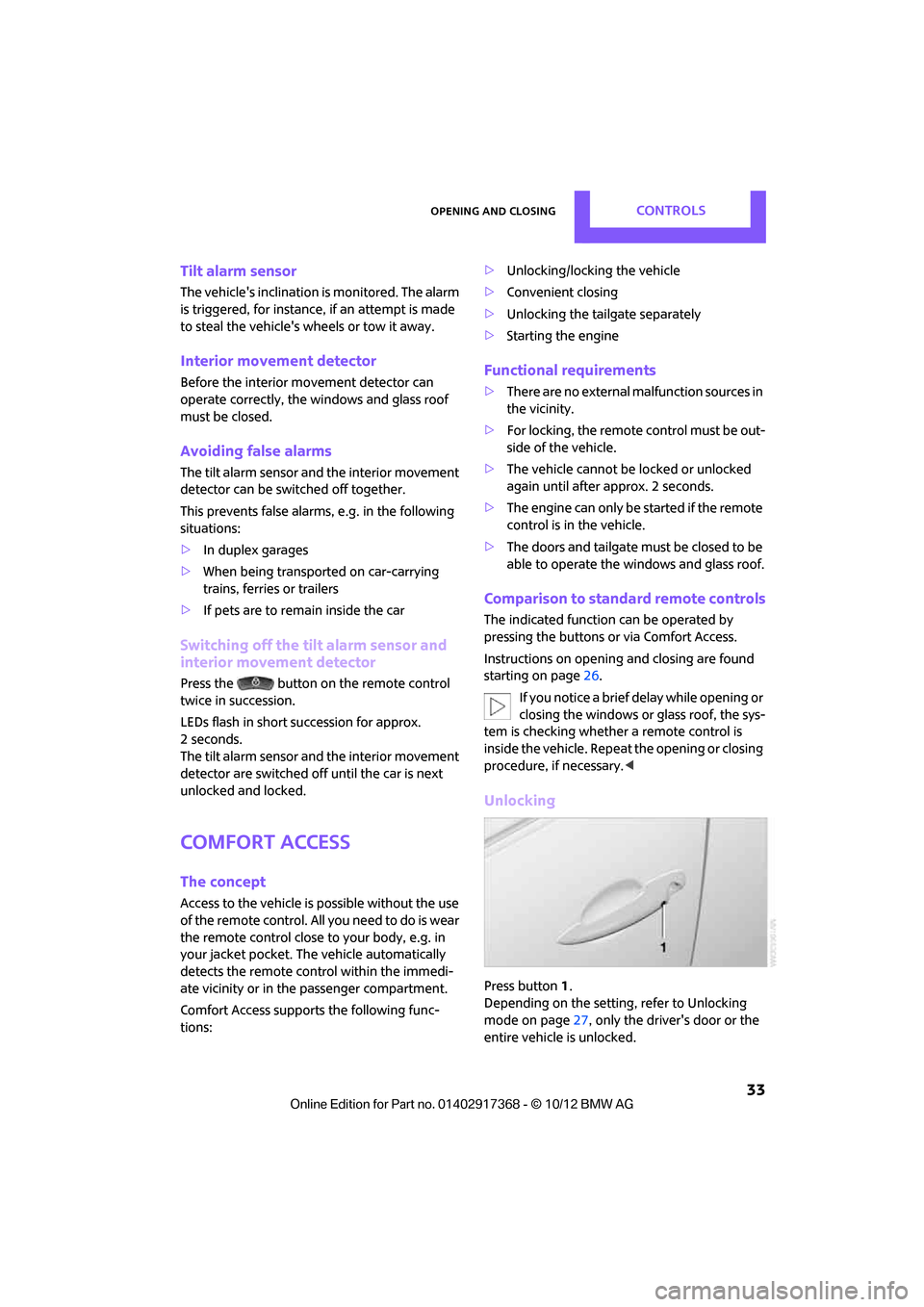
Unlocking
Press button 1.
Depending on the setting, refer to Unlocking
mode on page 27, only the driver's door or the
entire vehicle is unlocked.
00320051004F004C00510048000300280047004C0057004C005200510003
Page 35 of 275
CONTROLSOpening and closing
34
Press the button again to lock the vehicle
again.<
Convenient opening with the remote control,
refer to page 28.
Locking
Press button 1.
For Convenient closing, press and hold button1.
In addition, the windows and the glass sunroof
are closed.
Unlocking the tailgate separately
Press the top side of the MINI emblem.
If the vehicle detects that a remote control
has been accidentally left inside the
locked vehicle's cargo area after the tailgate is
closed, the tailgate will reopen slightly. The haz-
ard warning flashers flash and an acoustic signal
sounds. <
Windows and glass roof, electric
If the engine is switched off, you can still operate
the windows and glass sunr oof so long as a door
or the tailgate has not been opened.
If the doors and tailgate are closed again and the
remote control is located inside the vehicle, the
windows and the glass sunroof can be operated
again.
Insert the remote control into the ignition lock to
be able to operate the windows or glass roof
when the engine is switched off and the doors
are open.
Switching on radio readiness
Switch on radio readiness by pressing the Start/
Stop button, page 50.
Do not depress the brake or the clutch;
otherwise, the engine will start. <
Starting the engine
The engine can be started or the ignition can be
switched on when a remote control is inside the
vehicle. It is not necessary to insert a remote
control into the ignition lock, page 50.
Switching off the engine in cars with
automatic transmission
The engine can only be switched off when the
selector lever is in position P, page 52.
To switch the engine off when the selector lever
is in position N, the remote control must be in
the ignition lock.
Before driving a vehicle with automatic
transmission into a car wash
1. Insert remote control into ignition lock.
2. Depress the brake.
3. Move the selector le ver to position N.
4. Switch off the engine.
The vehicle can roll.
Malfunction
Comfort Access may malf unction due to local
radio waves.
If this happens, open or close the vehicle via the
buttons on the remote control or using the inte-
grated key.
Insert the remote control into the ignition lock
and start the engine.
Warning lamps
The warning lamp lights up when an
attempt is made to start the engine: the
engine cannot be started. The remote
control is not inside the vehicle or is malfunc-
tioning. Take the remote control with you inside
the vehicle or have it checked. If necessary,
insert another remote co ntrol into the ignition
lock.
00320051004F004C00510048000300280047004C0057004C005200510003
Page 36 of 275
Opening and closingCONTROLS
35
The warning lamp lights up when the
engine is running: the remote control is
no longer inside the vehicle. After the
engine is switched off, the engine can only be
restarted within approx. 10 seconds.
The indicator lamp lights up and a mes-
sage appears on the Control Display:
replace the battery in the remote con-
trol.
Replacing the battery
The remote control for Comfort Access contains
a battery that will need to be replaced from time
to time.
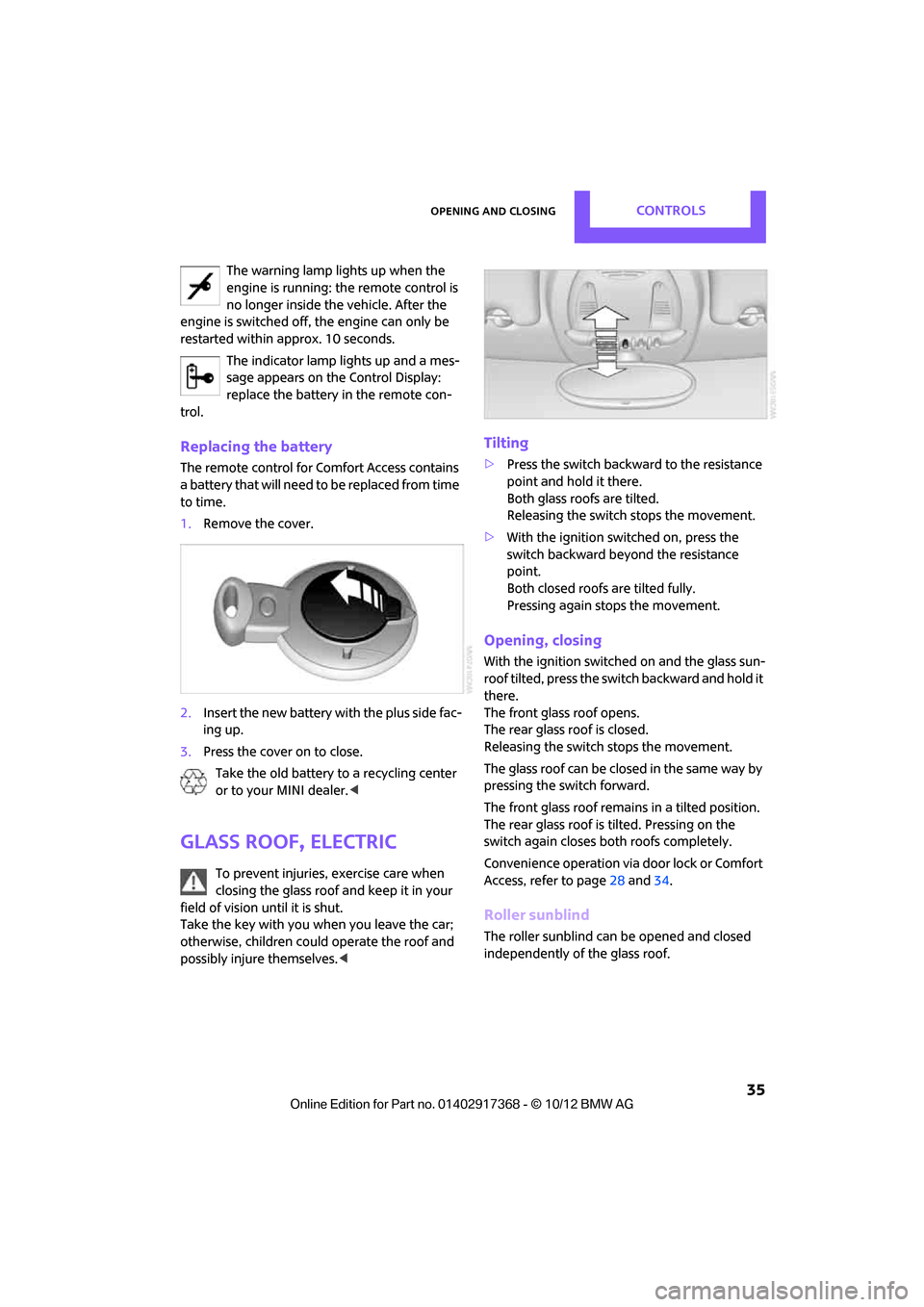
1. Remove the cover.
2. Insert the new battery with the plus side fac-
ing up.
3. Press the cover on to close.
Take the old battery to a recycling center
or to your MINI dealer. <
Glass roof, electric
To prevent injuries, exercise care when
closing the glass roof and keep it in your
field of vision until it is shut.
Take the key with you when you leave the car;
otherwise, children could operate the roof and
possibly injure themselves. <
Tilting
>Press the switch backwa rd to the resistance
point and hold it there.
Both glass roofs are tilted.
Releasing the switch stops the movement.
> With the ignition switched on, press the
switch backward beyo nd the resistance
point.
Both closed roofs are tilted fully.
Pressing again st ops the movement.
Opening, closing
With the ignition switched on and the glass sun-
roof tilted, press the swit ch backward and hold it
there.
The front glass roof opens.
The rear glass roof is closed.
Releasing the switch stops the movement.
The glass roof can be closed in the same way by
pressing the switch forward.
The front glass roof remains in a tilted position.
The rear glass roof is tilted. Pressing on the
switch again closes bo th roofs completely.
Convenience operation via door lock or Comfort
Access, refer to page 28 and34.
Roller sunblind
The roller sunblind can be opened and closed
independently of the glass roof.
00320051004F004C00510048000300280047004C0057004C005200510003
Page 39 of 275
CONTROLSAdjustments
38
Adjustments
Vehicle equipment
In this chapter, all production, country, and
optional equipment that is offered in the model
range is described. Equipment is also described
that is not available because of, for example,
selected options or coun try version. This also
applies to safety relate d functions and systems.
Sitting safely
The ideal sitting position can make a vital contri-
bution to relaxed, fatigu e-free driving. In con-
junction with the safety belts, the head restraints
and the airbags, the seated position has a major
influence on your safety in the event of an acci-
dent. To ensure that th e safety systems operate
with optimal efficiency, we strongly urge you to
observe the instructions contained in the follow-
ing section.
For additional informatio n on transporting chil-
dren safely, refer to page 46.
Airbags
Always maintain an adequate distance
between yourself and the airbags. Always
grip the steering wheel on the rim, with your
hands in the 3 o'clock and 9 o'clock positions, to
minimize the risk of inju ry to the hands or arms
in the event of the airbag being deployed.
No one and nothing should come between the
airbags and the seat occupant.
Do not use the cover of the front airbag on the
front passenger side as a storage area. Ensure
that the front passenger is correctly seated, e.g.
that no feet or legs are propped against the
dashboard. Otherwise, leg injury could result if
the front airbag suddenly deployed.
Make sure that passeng ers keep their heads
away from the side ai rbag and do not lean
against the cover of the head airbag; otherwise
injuries can occur when the airbags are
deployed. < Even if you follow all the instructions, injuries
resulting from contact with airbags cannot be
fully excluded, depending on the circumstances.
The ignition and inflation noise may provoke a
mild hearing loss in extremely sensitive individ-
uals. This effect is usually only temporary.
For airbag locations and
additional information
on airbags, refer to page 81.
Head restraint
A correctly adjusted head restraint reduces the
risk of neck injury in the event of an accident.
Adjust the head restraint in such a way
that its center is at approx. ear level. Oth-
erwise, there is an increased risk of injury in the
event of an accident. <
Head restraints, refer to page 41.
Safety belt
Before every drive, make sure that all occupants
wear their safety belts. Airbags complement the
safety belt as an additional safety device, but
they do not represent a substitute.
Number of safety belts
Never allow more than one person to
wear a single safety belt. Never allow
infants or small children to ride in a passenger's
lap.
Make sure that the belt in the lap area sits low
across the hips and does not press against the
abdomen. The safety belt must not rest against
the throat, run across sh arp edges, pass over
hard or fragile objects or be pinched. Fasten the
safety belt so that it is pulled taut across the lap
and shoulder, fitting the body snugly without
any twists. Otherwise, the belt could slide over
the hips in the event of a frontal collision and
injure the abdomen. Avoid wearing bulky cloth-
ing and regularly pull the belt in the upper-body
area taut; otherwise, its restraining effect could
be impaired. <
00320051004F004C00510048000300280047004C0057004C005200510003
Page 41 of 275
CONTROLSAdjustments
40
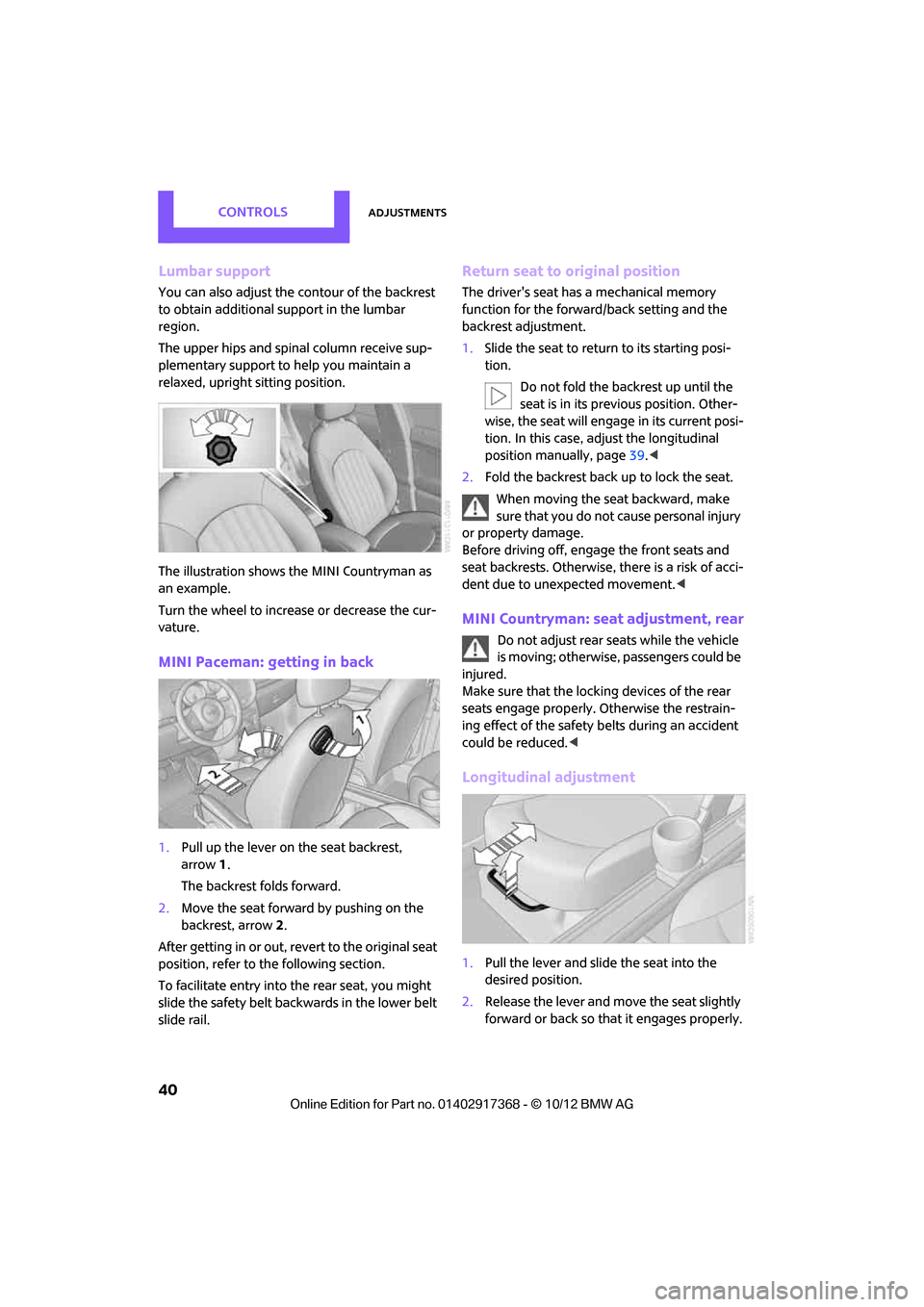
Lumbar support
You can also adjust the contour of the backrest
to obtain additional support in the lumbar
region.
The upper hips and spinal column receive sup-
plementary support to help you maintain a
relaxed, upright sitting position.
The illustration shows the MINI Countryman as
an example.
Turn the wheel to increase or decrease the cur-
vature.
MINI Paceman: getting in back
1. Pull up the lever on the seat backrest,
arrow 1.
The backrest folds forward.
2. Move the seat forward by pushing on the
backrest, arrow 2.
After getting in or out, revert to the original seat
position, refer to the following section.
To facilitate entry into the rear seat, you might
slide the safety belt backwards in the lower belt
slide rail.
Return seat to original position
The driver's seat has a mechanical memory
function for the forward/back setting and the
backrest adjustment.
1. Slide the seat to return to its starting posi-
tion.
Do not fold the backrest up until the
seat is in its previous position. Other-
wise, the seat will engage in its current posi-
tion. In this case, ad just the longitudinal
position manually, page 39.<
2. Fold the backrest back up to lock the seat.
When moving the seat backward, make
sure that you do not cause personal injury
or property damage.
Before driving off, enga ge the front seats and
seat backrests. Otherwise, there is a risk of acci-
dent due to unexpected movement. <
MINI Countryman: seat adjustment, rear
Do not adjust rear seats while the vehicle
is moving; otherwise, passengers could be
injured.
Make sure that the locking devices of the rear
seats engage properly. Otherwise the restrain-
ing effect of the safety belts during an accident
could be reduced. <
Longitudinal adjustment
1.Pull the lever and slide the seat into the
desired position.
2. Release the lever and mo ve the seat slightly
forward or back so that it engages properly.
00320051004F004C00510048000300280047004C0057004C005200510003
Page 43 of 275

CONTROLSAdjustments
42
Seat heating
Switching on
Press once for each temperature level.
Three LEDs indicate the highest temperature.
If you continue driving within the next
15 minutes, the seat heating is automatically
activated at the previously set temperature.
The temperature is lowe red or the heating is
switched off entirely to reduce the drain on the
battery.
The LEDs stay lit.
Switching off
Press button longer.
Safety belts
Observe the instructions on page 39 to
ensure the best possible personal protec-
tion. <
Before every drive, make sure that all occupants
wear their safety belts. Airbags complement the
safety belt as an additional safety device, but
they do not represent a substitute.
Front and rear seats
MINI Countryman:
MINI Paceman:
Closing
Make sure you hear the lock engage in the belt
buckle.
The upper belt anchor is suitable for adults of
any stature as long as th e seat is adjusted prop-
erly, page 39.
Opening
1.Grasp the belt firmly.
2. Press the red button in the buckle.
3. Guide the belt into its reel.
MINI Countryman: height adjustment for
rear safety belt tongues
When the outer rear seats are unoccupied, the
safety belt tongues can be slid back to the cargo
area trim panel with a clasp to prevent noise.
00320051004F004C00510048000300280047004C0057004C005200510003
Page 44 of 275

AdjustmentsCONTROLS
43
MINI Countryman: rear seat center belt
The belt buckle marked with the word CENTER is
designed exclusively for the middle passenger.
If the center safety belt is used in the back, the
backrests must be locked, see page107; other-
wise the safety belt will not have a restraining
effect.
Belt take-up on headliner
The take-up for the safety belt is on the head-
liner.
1 Opening for safety belt
2 Receptacle for small belt latch
Remove small belt latch from the take-up. Guide
both belt latches downwards.
Fastening
Insert safety belt with small belt latch 2 into the
small belt buckle 3.
Opening
Press red button on small belt buckle 3 with belt
latch 1.
If the center belt is locked:
Press red button 3 with the belt latch of the left
outside belt.
Buckle belt
1 Large belt latch
2 Small belt latch
3 Small belt buckle
4 Large belt buckle
The belt latch 1 must be inserted into the belt
buckle 4. Make sure you hear the lock engage in
the belt buckle.
Insert the belt latch into the belt buckle so
that the safety belt is properly attached
when a person is buckled in, and is not
twisted. <
00320051004F004C00510048000300280047004C0057004C005200510003
Page 48 of 275

Transporting children safelyCONTROLS
47
Child seat security
The illustration shows the MINI Countryman as
an example.
All rear safety belts and the safety belt for the
front passenger can be prevented from being
pulled out in order to secure child restraint sys-
tems.
Locking the safety belt
1. Secure the child restraint system with the
belt.
2. Pull the belt strap all the way out.
3. Allow the belt strap to retract and pull it taut
against the child restraint system.
The safety belt is locked.
Unlocking the safety belt
1. Open the belt buckle.
2. Remove the child restraint system.
3. Allow the safety belt strap to retract all the
way.
Center belt: unlocking additional belt
buckle 3, see page 43.
Guide safety belt to the take-up on the
headliner.
LATCH child restraint
fixing system
LATCH: Lower Anchors an d Tethers for Children.
To install and use the LATCH child restraint
system, follow the op erating and safety
instructions provided by the manufacturer of the system; otherwise, the protective function of the
seat may be compromised.
<
Anchor points for LATCH anchors
When the child is restrained by the internal har-
nesses, the lower anchors may be used to attach
the CRS to the vehicle seat up to a combined
child and CRS weight of 65 lb/30 kg.
Before installing the child seat, pull the belt out
of the area for the child restraint fixing system.
MINI Countryman:
MINI Paceman:
The mounts for the lower LATCH anchors are
located at the points indicated by the arrows.
Make sure that both lower LATCH anchors
are properly engaged and that the child
restraint system rests fi rmly against the seat
backrest; otherwise, the protective function of
the seat may be compromised. <
Child restraint system with tether strap
Use the tether strap anchors to secure
child restraint systems only; otherwise, the
anchors could be damaged. <
00320051004F004C00510048000300280047004C0057004C005200510003
Page 50 of 275

Transporting children safelyCONTROLS
49
Attaching upper tether strap to the
attachment point
1.Slide the head restraint upward.
2. Center seat: fold the load area floor back-
wards
3. Guide the tether strap between the head
restraint holders.
4. Attach the tether strap to the anchor using
the hook.
5. Push the head restraint into its lowermost
position.
6. Pull the tether strap tight.
MINI Countryman:
Securing doors and
windows
Rear doors
Slide down the safety lever on the rear doors.
The door can now be opened from the outside
only.
Safety switch for power windows
The rear power windows are blocked and can-
not be operated from the rear. Press safety
switch, refe r to page37.
00320051004F004C00510048000300280047004C0057004C005200510003
Page 51 of 275
CONTROLSDriving
50
Driving
Vehicle equipment
In this chapter, all production, country, and
optional equipment that is offered in the model
range is described. Equipment is also described
that is not available because of, for example,
selected options or coun try version. This also
applies to safety relate d functions and systems.
Ignition lock
Inserting the key into the ignition lock
Insert the key all the way into the ignition lock.
Radio readiness
Individual electrical consumers can operate.
Removing the key from the ignition lock
Press in the key briefly. It is ejected slightly.
At the same time:
>The ignition is switched off if it was on
beforehand.
Automatic transmission
The key can only be removed if the selector lever
is in position P: interlock.
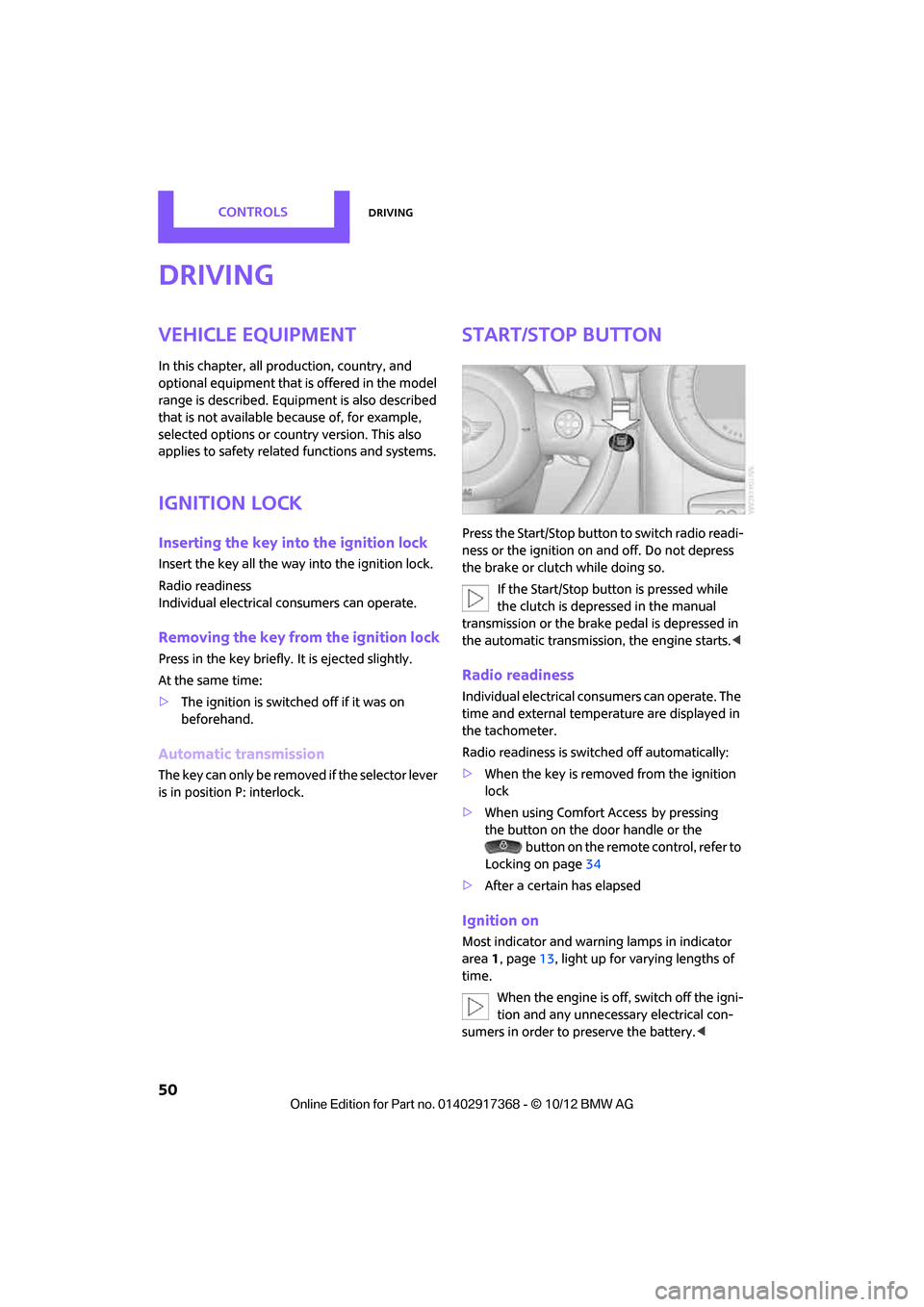
Start/Stop button
Press the Start/Stop button to switch radio readi-
ness or the ignition on and off. Do not depress
the brake or clutch while doing so.
If the Start/Stop button is pressed while
the clutch is depressed in the manual
transmission or the brake pedal is depressed in
the automatic transmission, the engine starts. <
Radio readiness
Individual electrical consumers can operate. The
time and external temperature are displayed in
the tachometer.
Radio readiness is switched off automatically:
>When the key is removed from the ignition
lock
> When using Comfort Access
by pressing
the button on the door handle or the
button on the remote control, refer to
Locking on page 34
> After a certain has elapsed
Ignition on
Most indicator and warn ing lamps in indicator
area 1, page 13, light up for varying lengths of
time.
When the engine is off, switch off the igni-
tion and any unnecessary electrical con-
sumers in order to preserve the battery. <
00320051004F004C00510048000300280047004C0057004C005200510003