telephone MINI Paceman 2014 User Guide
[x] Cancel search | Manufacturer: MINI, Model Year: 2014, Model line: Paceman, Model: MINI Paceman 2014Pages: 218, PDF Size: 5.5 MB
Page 141 of 218
▷"A-Z"
Entries of the phone book of the SIM card
or of the mobile phone, which consist of a
name and phone number, are sorted in al‐
phabetical order.▷"TOP8"
The Top 8 list contains the eight phone
numbers that were dialed most frequently.▷"LAST8"
The last eight phone numbers that were di‐
aled are stored. The phone number dialed
last is at the top of the list.▷"CALLS"
The phone numbers of the last eight ac‐
cepted calls are stored. For this to be possi‐
ble, it must be possible to transmit the
phone number of the caller.▷"MISSED"
The phone numbers of the last eight calls
that were not accepted are stored. For this
to be possible, it must be possible to trans‐
mit the phone number of the caller.
Dialing a phone number from the phone
book
The list A-Z is available for phone book entries.
If entries with different names but the same
phone number are transferred to the vehicle
from the mobile phone, only one entry is dis‐
played.
The display of the phone book entries on the
radio may differ from the display on the mobile
phone, such as the order of the first and last
names.
1.Switch on the radio ready state or the igni‐
tion.2. Press the button.3."PHONE"4."A-Z"5. The arrows indicate that additional
letters can be displayed.Turn the right knob to display additional
letters if necessary.6.Turn the right knob to select the first letter
of the entry.7.Select the entry with the function button.
The phone number is dialed.
To display all entries:
1.Turn the right knob to select the first letter
of the entry and press the knob.2.Turn the right knob to select the desired
entry and press the knob.
or
Press the button on the steering
wheel or radio to dial the number.
The phone number is dialed.
Editing and dialing a phone number
from the phone book
You can edit the phone number of an entry be‐
fore making a call. This change is not stored in
the phone book.
1.Selecting an entry.2."EDIT"3.To delete a digit: "DEL"4.Enter additional digits on the buttons 0–9.5.Press the right knob to dial the phone num‐
ber.
Dialing a phone number from the phone
book using the buttons on the steering
wheel
1. Press and hold the button to dis‐
play the Telephone menu.2.Press the arrow buttons on the steering
wheel to leaf through the phone book.3. Press the button to dial the phone
number.
Seite 141TelephoneCommunication141
Online Edition for Part no. 01 40 2 911 521 - VI/13
Page 142 of 218
Dialing a phone number stored in a list
To select an entry and establish a connection:1.Switch on the radio ready state or the igni‐
tion.2. Press the button.3."PHONE"4.Select a list, for instance "TOP8"5.Turn the right knob to select an entry and
press the knob to dial the phone number.
Deleting an individual entry
1.Select an entry from the list.2."DEL"
DTMF suffix dialing
DTMF suffix dialing can be used for gaining ac‐
cess to network services or for controlling devi‐
ces, e.g., to make a remote inquiry of an an‐
swering machine. The DTMF code is needed for
this purpose.
This function is only available if a connection
exists and if the hands-free system is being
used.
1."KEYPAD"2.Enter the DTMF code on the buttons 0–9.3.If necessary, press and hold the function
button on the right or left to enter special
characters.
Displaying the call duration
During a call:
"DURAT"
Hands-free system
General information
Calls that are being made on the hands-free
system can be continued on the mobile phone
and vice versa.
From the mobile phone to the hands-
free system
Calls that were begun outside of the Bluetoothrange of the vehicle can be continued on the
hands-free system with the ignition switched
on.
Depending on the mobile phone, the system
automatically switches to the hands-free sys‐
tem.
If the system does not switch over automati‐
cally, follow the instructions on the mobile
phone display; refer also to the mobile phone
operating instructions.
From the hands-free system to the
mobile phone
Calls that are made on the hands-free system
can in some cases be continued on the mobile
phone; this depends on the mobile phone.
Follow the instructions on the mobile phone
display; refer also to the mobile phone operat‐
ing instructions.
MINI phone numbers When the ignition is switched on, various serv‐ice phone numbers can be displayed.▷"Road Assist": Roadside Assistance, if help
is required in the event of a breakdown.▷"Serv. Appt.": MINI service center, if a serv‐
ice appointment needs to be arranged.▷"Cust Relat": Customer Relations, for infor‐
mation on all aspects of your vehicle.
Displaying the phone numbers
1.Switch on the radio ready state or the igni‐
tion.2. Press the button.3."MINI"4.Turn the right knob until the desired phone
number is displayed.Seite 142CommunicationTelephone142
Online Edition for Part no. 01 40 2 911 521 - VI/13
Page 143 of 218
Snap-in adapter
General information More information on compatible snap-in
adapters that support the functions of the mo‐
bile phone is available at the service center.
Notes At high temperatures, the charging function of
the mobile phone may be limited and functions
may not be executed.
When using the mobile phone via the vehicle,
note the operating instructions of the mobile
phone.
Installation position In the center armrest.
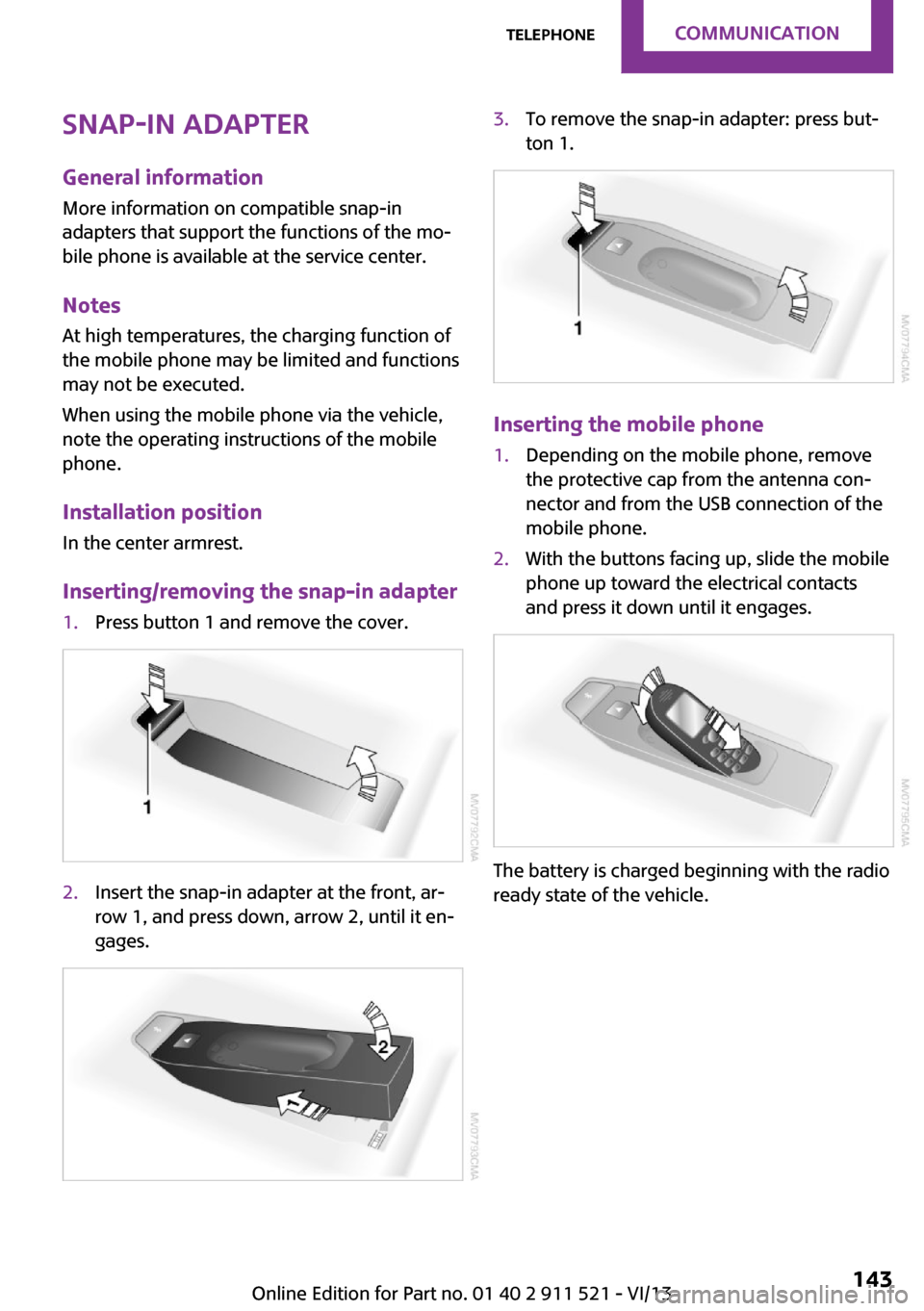
Inserting/removing the snap-in adapter1.Press button 1 and remove the cover.2.Insert the snap-in adapter at the front, ar‐
row 1, and press down, arrow 2, until it en‐
gages.3.To remove the snap-in adapter: press but‐
ton 1.
Inserting the mobile phone
1.Depending on the mobile phone, remove
the protective cap from the antenna con‐
nector and from the USB connection of the
mobile phone.2.With the buttons facing up, slide the mobile
phone up toward the electrical contacts
and press it down until it engages.
The battery is charged beginning with the radio
ready state of the vehicle.
Seite 143TelephoneCommunication143
Online Edition for Part no. 01 40 2 911 521 - VI/13
Page 144 of 218

Removing the mobile phone
Press the button and remove the mobile
phone.
Seite 144CommunicationTelephone144
Online Edition for Part no. 01 40 2 911 521 - VI/13
Page 145 of 218

Seite 145TelephoneCommunication145
Online Edition for Part no. 01 40 2 911 521 - VI/13
Page 187 of 218
▷Remove additional attachments, for in‐
stance a spoiler or telephone antenna, if
there is a risk that these may be damaged.▷Insert the remote control into the ignition
lock.
Automatic transmission
Before driving into the car wash, note the fol‐
lowing to ensure that the vehicle can roll:
1.Insert the remote control into the ignition
lock, even with Comfort Access.2.Move the selector lever to position N.3.Release the handbrake.4.Switch the engine off.5.Leave the remote control in the ignition
lock so that the vehicle can roll.
Hand car wash
If washing the vehicle by hand, use copious
quantities of water and car shampoo if neces‐
sary. Clean the vehicle with a sponge or a
washing brush by applying gentle pressure.
Before cleaning the windshield, deactivate the
rain sensor to avoid unintentional wiper activa‐
tion or switch off the ignition.
Adhere to the local regulations regarding
washing cars by hand.
Headlamps
Do not rub dry and do not use abrasive or caus‐
tic cleansers. Soak areas that have been soiled,
e.g., due to insects, with shampoo and rinse off
with copious quantities of water.
Thaw ice with a window deicer; do not use an
ice scraper.
Windows Clean the outside and inside surfaces of the
windows and the mirror glasses with window
cleaner.
Do not clean mirror glass with cleaners contain‐
ing quartz.
Wiper blades
Clean with soapy water and replace regularly to
avoid streaking.
Wax and preservative residue and soiling on
the windows cause streaking during window
wiping and lead to premature wear on the
wiper blades and malfunctions of the rain sen‐
sor.
Vehicle care Car care products
Regular cleaning and care contributes signifi‐
cantly to vehicle value retention.
The manufacturer recommends using cleaning
and care products from MINI, since these have
been tested and approved.
Original MINI CareProducts have been tested
on materials, in the laboratory, and in the field,
and offer optimum care and protection for MINI
vehicles.
Do not use cleansers that contain alcohol
or solvents
Do not use cleansers that contain alcohol or
solvents, such as lacquer thinners, heavy-duty
grease removers, fuel, or such; this could lead
to surface damage. ◀
Car care and cleaning products
Follow the instructions on the container.
When cleaning the interior, open the doors or
windows.
Only use products intended for cleaning vehi‐
cles.
Cleansers can contain substances that are dan‐
gerous and harmful to your health. ◀Seite 187CareMobility187
Online Edition for Part no. 01 40 2 911 521 - VI/13
Page 209 of 218
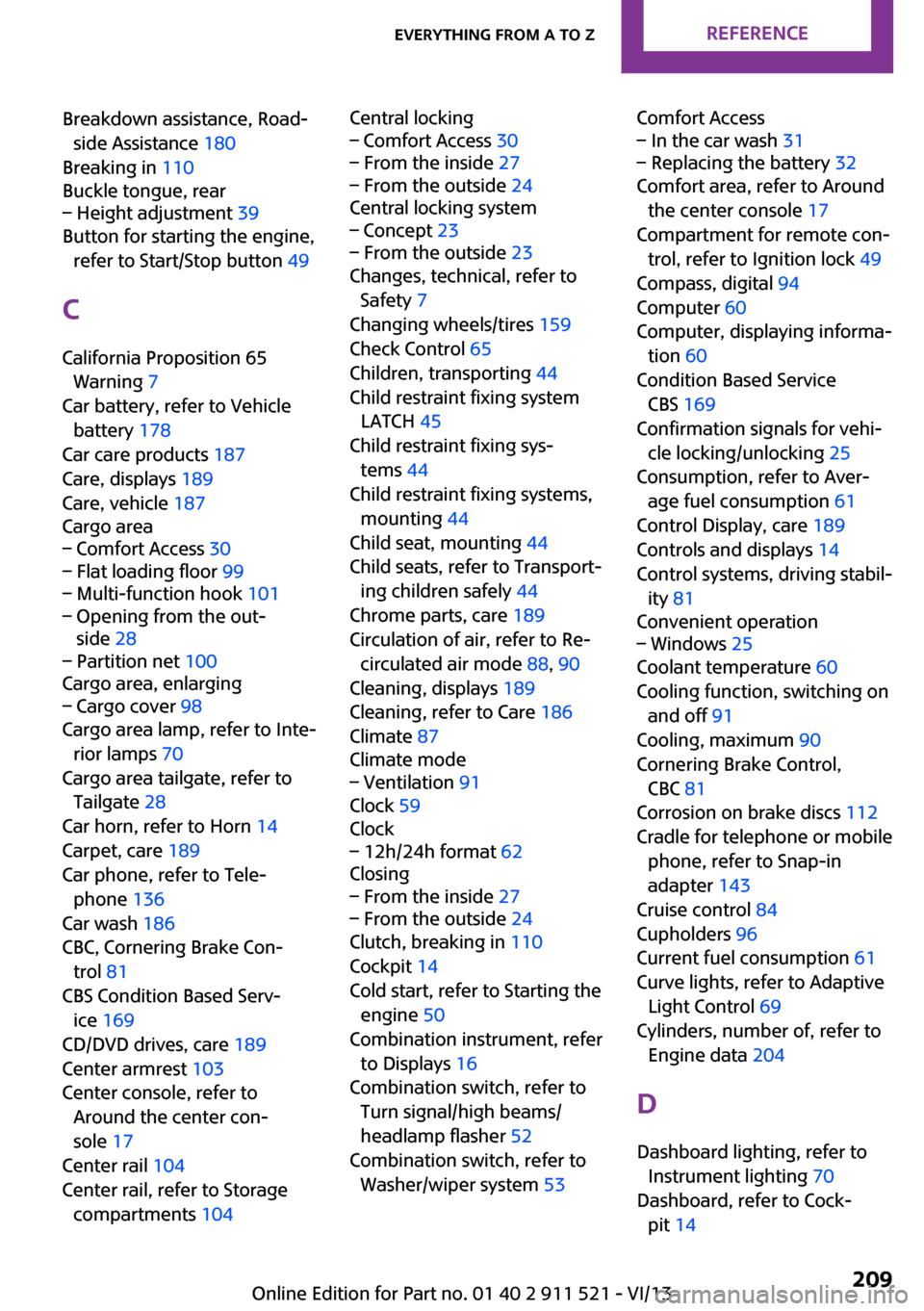
Breakdown assistance, Road‐side Assistance 180
Breaking in 110
Buckle tongue, rear– Height adjustment 39
Button for starting the engine,
refer to Start/Stop button 49
C
California Proposition 65 Warning 7
Car battery, refer to Vehicle battery 178
Car care products 187
Care, displays 189
Care, vehicle 187
Cargo area
– Comfort Access 30– Flat loading floor 99– Multi-function hook 101– Opening from the out‐
side 28– Partition net 100
Cargo area, enlarging
– Cargo cover 98
Cargo area lamp, refer to Inte‐
rior lamps 70
Cargo area tailgate, refer to Tailgate 28
Car horn, refer to Horn 14
Carpet, care 189
Car phone, refer to Tele‐ phone 136
Car wash 186
CBC, Cornering Brake Con‐ trol 81
CBS Condition Based Serv‐ ice 169
CD/DVD drives, care 189
Center armrest 103
Center console, refer to Around the center con‐
sole 17
Center rail 104
Center rail, refer to Storage compartments 104
Central locking– Comfort Access 30– From the inside 27– From the outside 24
Central locking system
– Concept 23– From the outside 23
Changes, technical, refer to
Safety 7
Changing wheels/tires 159
Check Control 65
Children, transporting 44
Child restraint fixing system
LATCH 45
Child restraint fixing sys‐ tems 44
Child restraint fixing systems, mounting 44
Child seat, mounting 44
Child seats, refer to Transport‐ ing children safely 44
Chrome parts, care 189
Circulation of air, refer to Re‐ circulated air mode 88, 90
Cleaning, displays 189
Cleaning, refer to Care 186
Climate 87
Climate mode
– Ventilation 91
Clock 59
Clock
– 12h/24h format 62
Closing
– From the inside 27– From the outside 24
Clutch, breaking in 110
Cockpit 14
Cold start, refer to Starting the engine 50
Combination instrument, refer to Displays 16
Combination switch, refer to Turn signal/high beams/
headlamp flasher 52
Combination switch, refer to Washer/wiper system 53
Comfort Access– In the car wash 31– Replacing the battery 32
Comfort area, refer to Around
the center console 17
Compartment for remote con‐ trol, refer to Ignition lock 49
Compass, digital 94
Computer 60
Computer, displaying informa‐ tion 60
Condition Based Service CBS 169
Confirmation signals for vehi‐ cle locking/unlocking 25
Consumption, refer to Aver‐ age fuel consumption 61
Control Display, care 189
Controls and displays 14
Control systems, driving stabil‐ ity 81
Convenient operation
– Windows 25
Coolant temperature 60
Cooling function, switching on and off 91
Cooling, maximum 90
Cornering Brake Control, CBC 81
Corrosion on brake discs 112
Cradle for telephone or mobile phone, refer to Snap-in
adapter 143
Cruise control 84
Cupholders 96
Current fuel consumption 61
Curve lights, refer to Adaptive Light Control 69
Cylinders, number of, refer to Engine data 204
D
Dashboard lighting, refer to Instrument lighting 70
Dashboard, refer to Cock‐ pit 14
Seite 209Everything from A to ZReference209
Online Edition for Part no. 01 40 2 911 521 - VI/13
Page 215 of 218
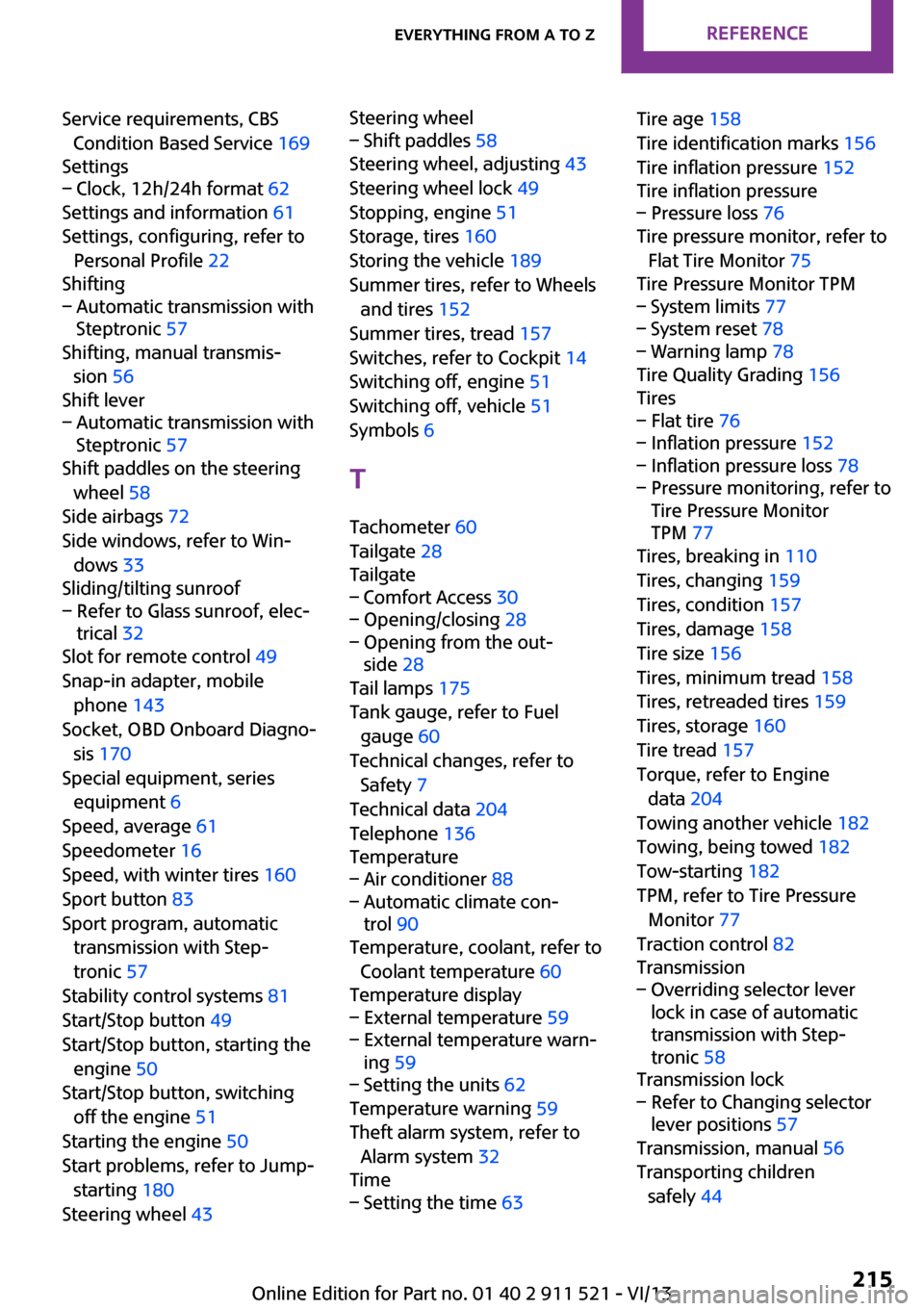
Service requirements, CBSCondition Based Service 169
Settings– Clock, 12h/24h format 62
Settings and information 61
Settings, configuring, refer to Personal Profile 22
Shifting
– Automatic transmission with
Steptronic 57
Shifting, manual transmis‐
sion 56
Shift lever
– Automatic transmission with
Steptronic 57
Shift paddles on the steering
wheel 58
Side airbags 72
Side windows, refer to Win‐ dows 33
Sliding/tilting sunroof
– Refer to Glass sunroof, elec‐
trical 32
Slot for remote control 49
Snap-in adapter, mobile phone 143
Socket, OBD Onboard Diagno‐ sis 170
Special equipment, series equipment 6
Speed, average 61
Speedometer 16
Speed, with winter tires 160
Sport button 83
Sport program, automatic transmission with Step‐
tronic 57
Stability control systems 81
Start/Stop button 49
Start/Stop button, starting the engine 50
Start/Stop button, switching off the engine 51
Starting the engine 50
Start problems, refer to Jump- starting 180
Steering wheel 43
Steering wheel– Shift paddles 58
Steering wheel, adjusting 43
Steering wheel lock 49
Stopping, engine 51
Storage, tires 160
Storing the vehicle 189
Summer tires, refer to Wheels and tires 152
Summer tires, tread 157
Switches, refer to Cockpit 14
Switching off, engine 51
Switching off, vehicle 51
Symbols 6
T Tachometer 60
Tailgate 28
Tailgate
– Comfort Access 30– Opening/closing 28– Opening from the out‐
side 28
Tail lamps 175
Tank gauge, refer to Fuel gauge 60
Technical changes, refer to Safety 7
Technical data 204
Telephone 136
Temperature
– Air conditioner 88– Automatic climate con‐
trol 90
Temperature, coolant, refer to
Coolant temperature 60
Temperature display
– External temperature 59– External temperature warn‐
ing 59– Setting the units 62
Temperature warning 59
Theft alarm system, refer to Alarm system 32
Time
– Setting the time 63Tire age 158
Tire identification marks 156
Tire inflation pressure 152
Tire inflation pressure– Pressure loss 76
Tire pressure monitor, refer to
Flat Tire Monitor 75
Tire Pressure Monitor TPM
– System limits 77– System reset 78– Warning lamp 78
Tire Quality Grading 156
Tires
– Flat tire 76– Inflation pressure 152– Inflation pressure loss 78– Pressure monitoring, refer to
Tire Pressure Monitor
TPM 77
Tires, breaking in 110
Tires, changing 159
Tires, condition 157
Tires, damage 158
Tire size 156
Tires, minimum tread 158
Tires, retreaded tires 159
Tires, storage 160
Tire tread 157
Torque, refer to Engine data 204
Towing another vehicle 182
Towing, being towed 182
Tow-starting 182
TPM, refer to Tire Pressure Monitor 77
Traction control 82
Transmission
– Overriding selector lever
lock in case of automatic
transmission with Step‐
tronic 58
Transmission lock
– Refer to Changing selector
lever positions 57
Transmission, manual 56
Transporting children safely 44
Seite 215Everything from A to ZReference215
Online Edition for Part no. 01 40 2 911 521 - VI/13