lock MITSUBISHI 380 2005 User Guide
[x] Cancel search | Manufacturer: MITSUBISHI, Model Year: 2005, Model line: 380, Model: MITSUBISHI 380 2005Pages: 1500, PDF Size: 47.87 MB
Page 15 of 1500
SWS DIAGNOSIS
SIMPLIFIED WIRING SYSTEM (SWS)54B-15
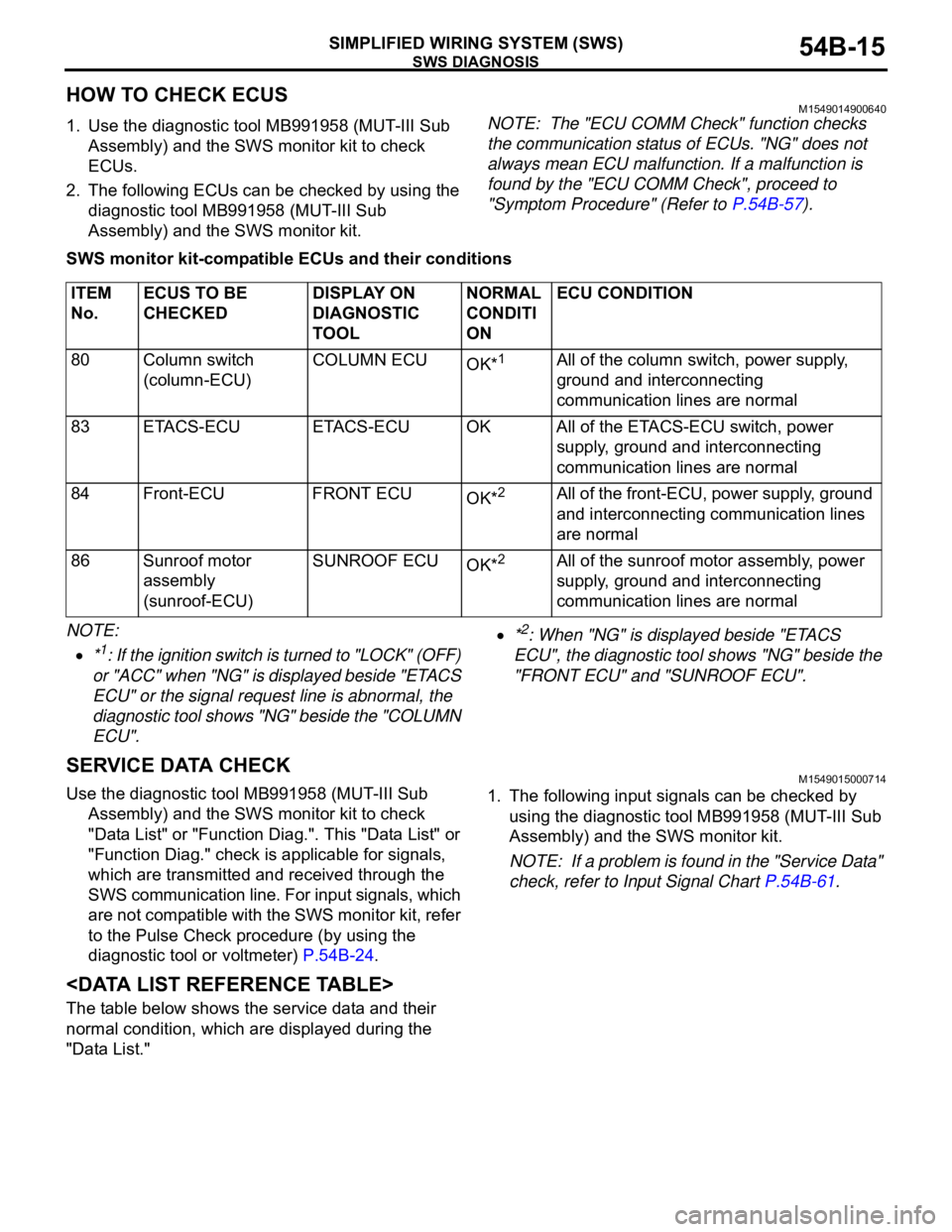
HOW TO CHECK ECUSM1549014900640
1. Use the diagnostic tool MB991958 (MUT-III Sub
Assembly) and the SWS monitor kit to check
ECUs.
2. The following ECUs can be checked by using the
diagnostic tool MB991958 (MUT-III Sub
Assembly) and the SWS monitor kit.NOTE: The "ECU COMM Check" function checks
the communication status of ECUs. "NG" does not
always mean ECU malfunction. If a malfunction is
found by the "ECU COMM Check", proceed to
"Symptom Procedure" (Refer to P.54B-57).
SWS monitor kit-compatible ECUs and their conditions
NOTE: .
*1: If the ignition switch is turned to "LOCK" (OFF)
or "ACC" when "NG" is displayed beside "ETACS
ECU" or the signal request line is abnormal, the
diagnostic tool shows "NG" beside the "COLUMN
ECU".
*2: When "NG" is displayed beside "ETACS
ECU", the diagnostic tool shows "NG" beside the
"FRONT ECU" and "SUNROOF ECU".
SERVICE DATA CHECKM1549015000714
Use the diagnostic tool MB991958 (MUT-III Sub
Assembly) and the SWS monitor kit to check
"Data List" or "Function Diag.". This "Data List" or
"Function Diag." check is applicable for signals,
which are transmitted and received through the
SWS communication line. For input signals, which
are not compatible with the SWS monitor kit, refer
to the Pulse Check procedure (by using the
diagnostic tool or voltmeter) P.54B-24.1. The following input signals can be checked by
using the diagnostic tool MB991958 (MUT-III Sub
Assembly) and the SWS monitor kit.
NOTE: If a problem is found in the "Service Data"
check, refer to Input Signal Chart P.54B-61.
The table below shows the service data and their
normal condition, which are displayed during the
"Data List."
.
ITEM
No.ECUS TO BE
CHECKEDDISPLAY ON
DIAGNOSTIC
TOOLNORMAL
CONDITI
ONECU CONDITION
80 Column switch
(column-ECU)COLUMN ECU
OK*
1All of the column switch, power supply,
ground and interconnecting
communication lines are normal
83 ETACS-ECU ETACS-ECU OK All of the ETACS-ECU switch, power
supply, ground and interconnecting
communication lines are normal
84 Front-ECU FRONT ECU
OK*
2All of the front-ECU, power supply, ground
and interconnecting communication lines
are normal
86 Sunroof motor
assembly
(sunroof-ECU)SUNROOF ECU
OK*
2All of the sunroof motor assembly, power
supply, ground and interconnecting
communication lines are normal
Page 17 of 1500

SWS DIAGNOSIS
SIMPLIFIED WIRING SYSTEM (SWS)54B-17
ETACS
NOTE: For item No.43, the diagnostic tool
MB991958 (MUT-III Sub Assembly) also displays
"ON" when the lamp reminder tone alarm or the seat
belt tone alarm function is triggered.
.
CHECK
ITEMITEM NO. DISPLAY ON
DIAGNOSTIC
TOOLCHECK CONDITION NORMAL
CONDITION
Tone alarm 43 BUZZER When requirements for sounding each
warning tone alarm are not satisfiedOFF
Front fog
lamps36 F.FOG LAMP
1. Lighting switch: HEAD
2. Fog lamp switch: ONON
Other than the condition above OFF
Driver’s door
switch32 FRONT DOOR
SWDriver’s door switch and Front passenger’s
door switch is on ON
Driver’s door switch and Front passenger’s
door switch is offOFF
Headlamp
automatic
shutoff
function35 H/L AUTO-CUT
1. Lighting switch: Other than OFF
2. Ignition switch: from ON or START to
LOCK (OFF) or ACC
3. Front door switch: ON (front door open) OFF to ON (after
approximately one
second)
When requirements for the headlamp
automatic shutoff are not satisfiedOFF
Ignition
switch (ACC)31 IG SW (ACC) Ignition switch: ACC or ON ON
Ignition switch: LOCK (OFF) or START OFF
Ignition
switch (IG1)30 IG SW (IG1) Ignition switch: ON or START ON
Ignition switch: LOCK (OFF) or ACC OFF
Windshield
intermittent
wiper interval37 INT WIPE
TIME1. Ignition switch: ACC or ON
2. Operate the intermittent wiper control,
and change the wiper intervalThe diagnostic tool
MB991958
(MUT-III Sub
Assembly)
displays
intermittent wiper
interval in
response to the
intermittent wiper
control positions.
Page 24 of 1500

SWS DIAGNOSIS
SIMPLIFIED WIRING SYSTEM (SWS)54B-24
SUNROOF
PULSE CHECK
M1549015100562
1. The input signals (signals other than SWS
communication line signals), which are
compatible with the SWS monitor by using the
diagnostic tool MB991958 (MUT-III Sub
Assembly) or voltmeter, can be confirmed by the
Pulse Check.2. Use the diagnostic tool MB991958 (MUT-III Sub
Assembly) or voltmeter to check the following
input signals.
NOTE: If a problem is found in the Pulse Check,
refer to Input Signal Chart P.54B-61.
Switches and their conditions, which are applicable
for Pulse CheckITEM ITEM NO. INPUT SIGNAL DISPLAY ON
DIAGNOSTIC TOOLNORMAL CONDITION
SUNROOF
OPE.30 Ignition switch
(IG1)IG SW (IG1) (ETACS ECU) ON
72 Response by the
sunroof-ECUS/R ECU ACK (SUNROOF
ECU)INPUT CHECK (only
momentarily when switch is
operated)
INPUT SIGNAL REQUIREMENTS FOR SOUNDING TONE
ALARM
Key reminder switch When the ignition key is pulled out
Hazard warning lamp switch When the switch is turned from off to on
Door switches A door is opened when all the doors are
closed
Door lock key cylinder switch When a door is locked or unlocked by a key
cylinder
Door lock actuators Move the door lock knob from lock position
to unlock position or vice versa
Door lock switch (incorporated in the power window main
switch and front power window sub switch)When a door is locked or unlocked by a door
lock switch
Keyless entry transmitter When the switch is turned from off to on
Interior lamp loaded signal Illuminates the interior lamps
Page 26 of 1500
DIAGNOSTIC TROUBLE CODE PROCEDURES
SIMPLIFIED WIRING SYSTEM (SWS)54B-26
DIAGNOSIS
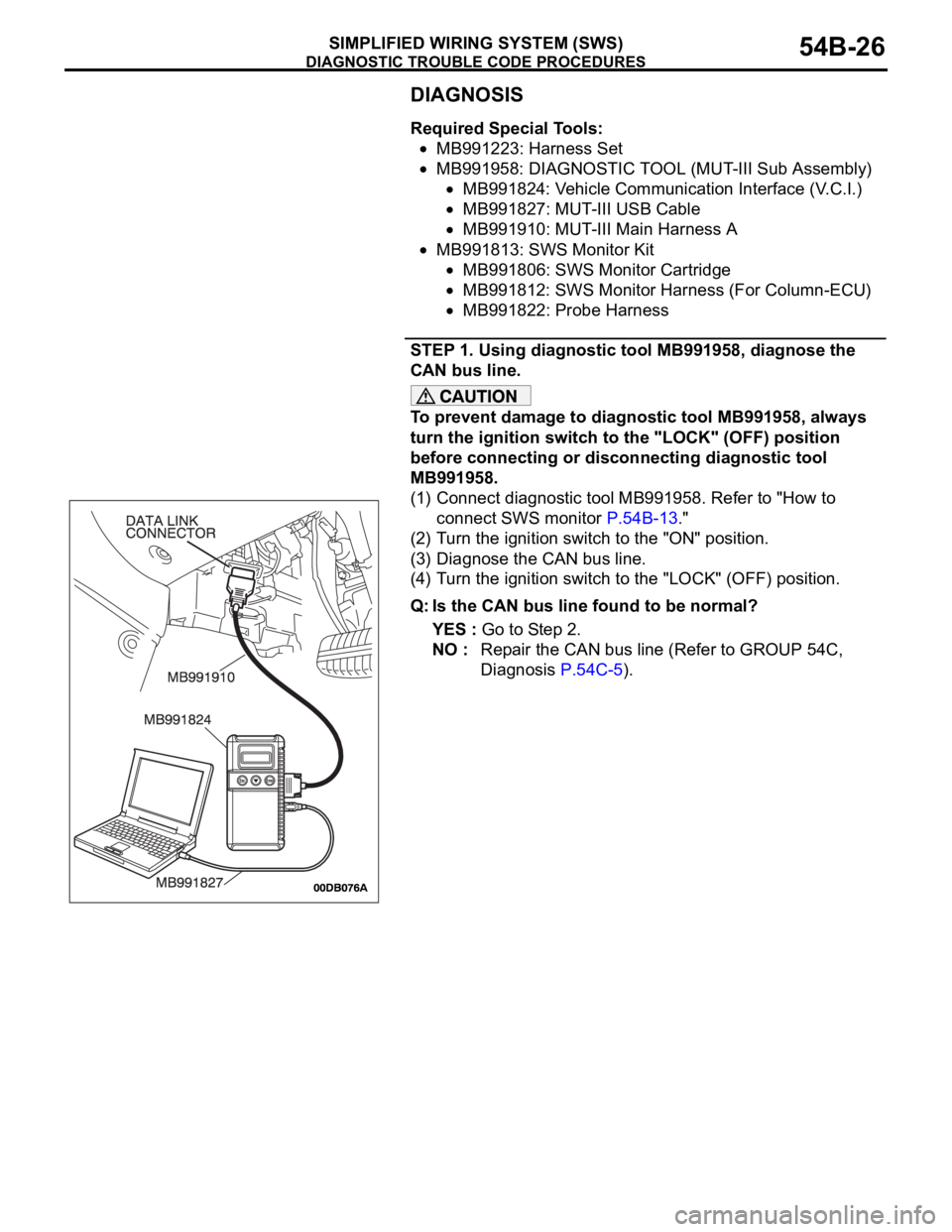
Required Special Tools:
MB991223: Harness Set
MB991958: DIAGNOSTIC TOOL (MUT-III Sub Assembly)
MB991824: Vehicle Communication Interface (V.C.I.)
MB991827: MUT-III USB Cable
MB991910: MUT-III Main Harness A
MB991813: SWS Monitor Kit
MB991806: SWS Monitor Cartridge
MB991812: SWS Monitor Harness (For Column-ECU)
MB991822: Probe Harness
STEP 1. Using diagnostic tool MB991958, diagnose the
CAN bus line.
To prevent damage to diagnostic tool MB991958, always
turn the ignition switch to the "LOCK" (OFF) position
before connecting or disconnecting diagnostic tool
MB991958.
(1) Connect diagnostic tool MB991958. Refer to "How to
connect SWS monitor P.54B-13."
(2) Turn the ignition switch to the "ON" position.
(3) Diagnose the CAN bus line.
(4) Turn the ignition switch to the "LOCK" (OFF) position.
Q: Is the CAN bus line found to be normal?
YES : Go to Step 2.
NO : Repair the CAN bus line (Refer to GROUP 54C,
Diagnosis P.54C-5).
Page 27 of 1500
DIAGNOSTIC TROUBLE CODE PROCEDURES
SIMPLIFIED WIRING SYSTEM (SWS)54B-27
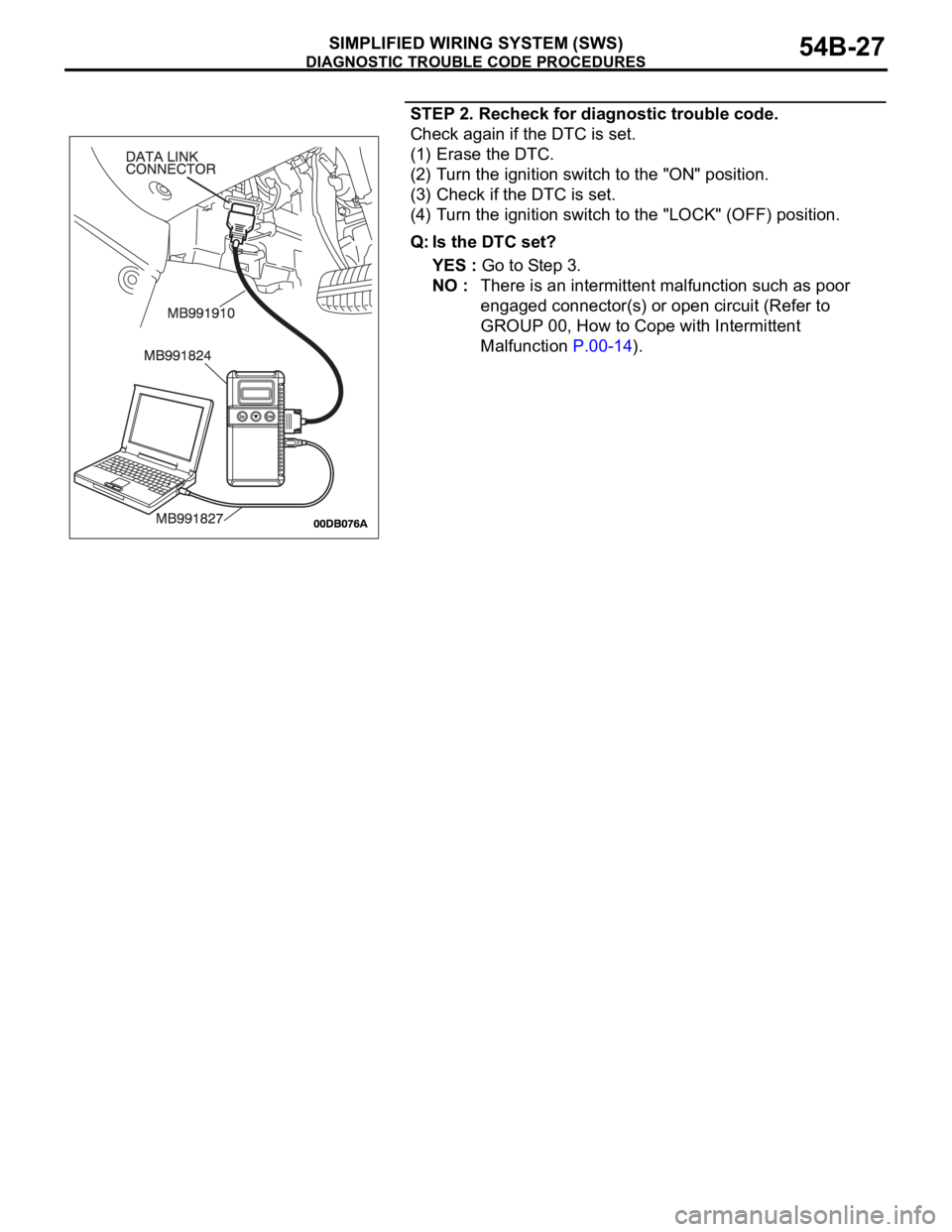
STEP 2. Recheck for diagnostic trouble code.
Check again if the DTC is set.
(1) Erase the DTC.
(2) Turn the ignition switch to the "ON" position.
(3) Check if the DTC is set.
(4) Turn the ignition switch to the "LOCK" (OFF) position.
Q: Is the DTC set?
YES : Go to Step 3.
NO : There is an intermittent malfunction such as poor
engaged connector(s) or open circuit (Refer to
GROUP 00, How to Cope with Intermittent
Malfunction P.00-14).
Page 28 of 1500
DIAGNOSTIC TROUBLE CODE PROCEDURES
SIMPLIFIED WIRING SYSTEM (SWS)54B-28
STEP 3. Use diagnostic tool MB991958 to select "ECU
COMM Check" on the SWS monitor display.
Check the following ECUs:
ETACS-ECU
Column switch (column-ECU)
Front-ECU
Sunroof-ECU
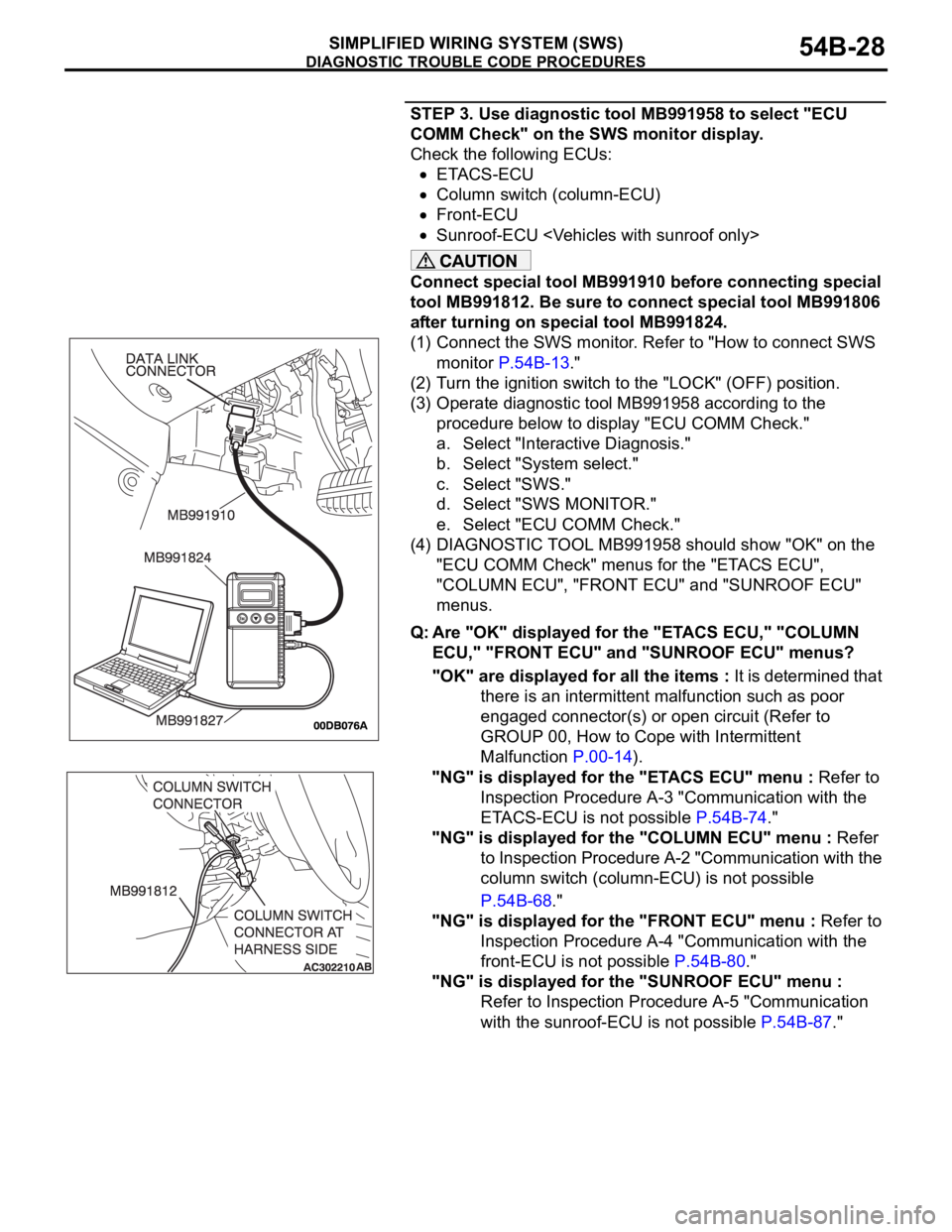
Connect special tool MB991910 before connecting special
tool MB991812. Be sure to connect special tool MB991806
after turning on special tool MB991824.
(1) Connect the SWS monitor. Refer to "How to connect SWS
monitor P.54B-13."
(2) Turn the ignition switch to the "LOCK" (OFF) position.
(3) Operate diagnostic tool MB991958 according to the
procedure below to display "ECU COMM Check."
a. Select "Interactive Diagnosis."
b. Select "System select."
c. Select "SWS."
d. Select "SWS MONITOR."
e. Select "ECU COMM Check."
(4) DIAGNOSTIC TOOL MB991958 should show "OK" on the
"ECU COMM Check" menus for the "ETACS ECU",
"COLUMN ECU", "FRONT ECU" and "SUNROOF ECU"
menus.
Q: Are "OK" displayed for the "ETACS ECU," "COLUMN
ECU," "FRONT ECU" and "SUNROOF ECU" menus?
"OK" are displayed for all the items : It is determined that
there is an intermittent malfunction such as poor
engaged connector(s) or open circuit (Refer to
GROUP 00, How to Cope with Intermittent
Malfunction P.00-14).
"NG" is displayed for the "ETACS ECU" menu : Refer to
Inspection Procedure A-3 "Communication with the
ETACS-ECU is not possible P.54B-74."
"NG" is displayed for the "COLUMN ECU" menu : Refer
to Inspection Procedure A-2 "Communication with the
column switch (column-ECU) is not possible
P.54B-68."
"NG" is displayed for the "FRONT ECU" menu : Refer to
Inspection Procedure A-4 "Communication with the
front-ECU is not possible P.54B-80."
"NG" is displayed for the "SUNROOF ECU" menu :
Refer to Inspection Procedure A-5 "Communication
with the sunroof-ECU is not possible P.54B-87."
Page 30 of 1500
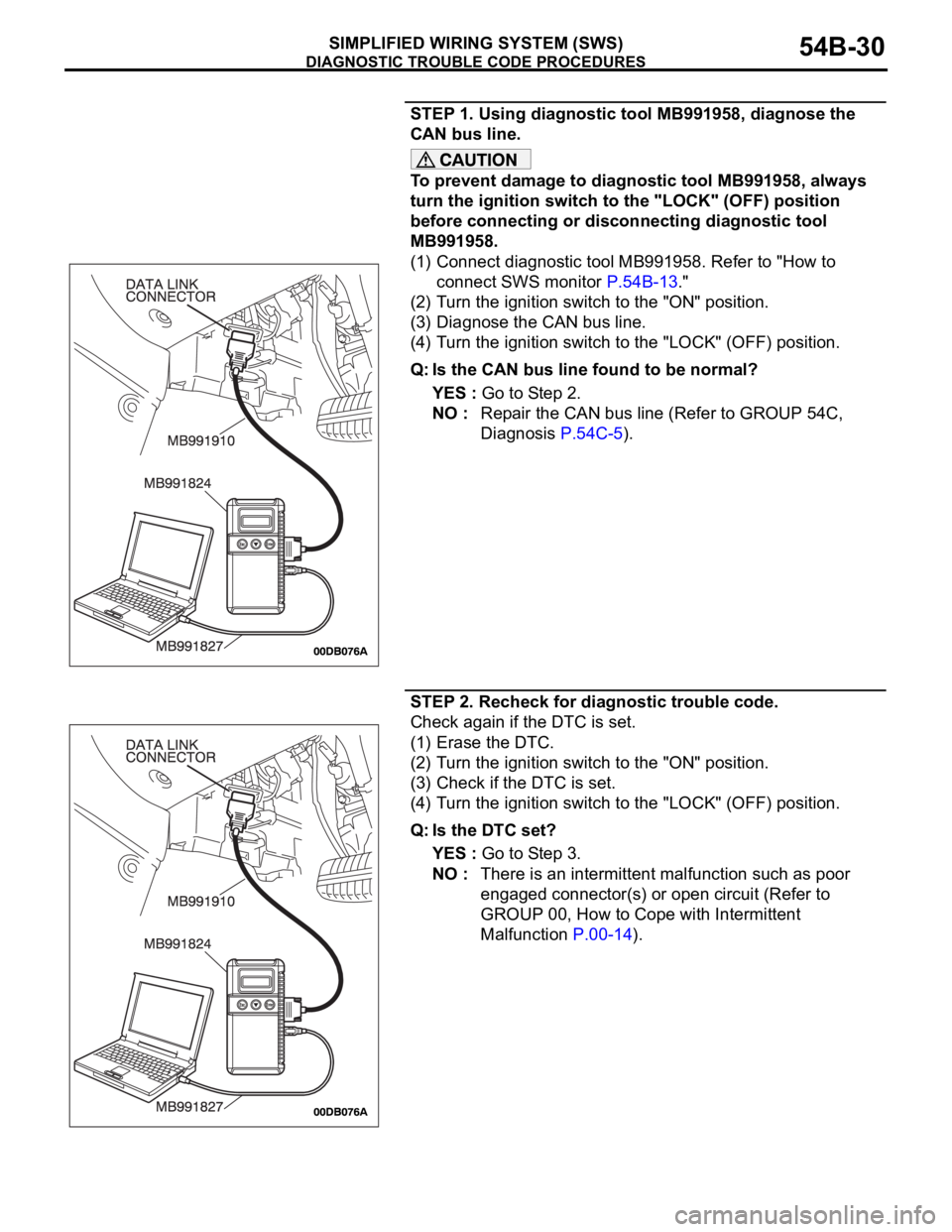
DIAGNOSTIC TROUBLE CODE PROCEDURES
SIMPLIFIED WIRING SYSTEM (SWS)54B-30
STEP 1. Using diagnostic tool MB991958, diagnose the
CAN bus line.
To prevent damage to diagnostic tool MB991958, always
turn the ignition switch to the "LOCK" (OFF) position
before connecting or disconnecting diagnostic tool
MB991958.
(1) Connect diagnostic tool MB991958. Refer to "How to
connect SWS monitor P.54B-13."
(2) Turn the ignition switch to the "ON" position.
(3) Diagnose the CAN bus line.
(4) Turn the ignition switch to the "LOCK" (OFF) position.
Q: Is the CAN bus line found to be normal?
YES : Go to Step 2.
NO : Repair the CAN bus line (Refer to GROUP 54C,
Diagnosis P.54C-5).
STEP 2. Recheck for diagnostic trouble code.
Check again if the DTC is set.
(1) Erase the DTC.
(2) Turn the ignition switch to the "ON" position.
(3) Check if the DTC is set.
(4) Turn the ignition switch to the "LOCK" (OFF) position.
Q: Is the DTC set?
YES : Go to Step 3.
NO : There is an intermittent malfunction such as poor
engaged connector(s) or open circuit (Refer to
GROUP 00, How to Cope with Intermittent
Malfunction P.00-14).
Page 31 of 1500
DIAGNOSTIC TROUBLE CODE PROCEDURES
SIMPLIFIED WIRING SYSTEM (SWS)54B-31
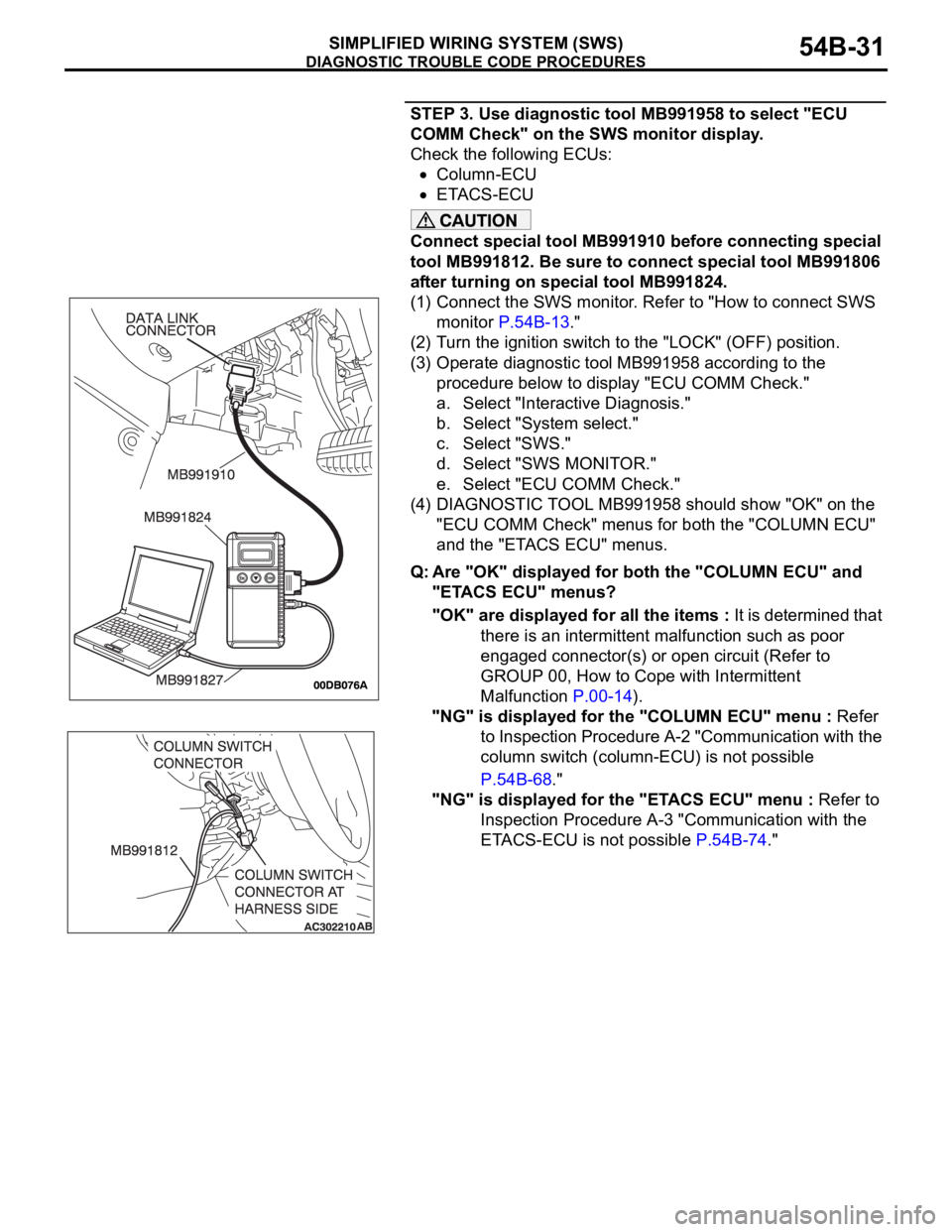
STEP 3. Use diagnostic tool MB991958 to select "ECU
COMM Check" on the SWS monitor display.
Check the following ECUs:
Column-ECU
ETACS-ECU
Connect special tool MB991910 before connecting special
tool MB991812. Be sure to connect special tool MB991806
after turning on special tool MB991824.
(1) Connect the SWS monitor. Refer to "How to connect SWS
monitor P.54B-13."
(2) Turn the ignition switch to the "LOCK" (OFF) position.
(3) Operate diagnostic tool MB991958 according to the
procedure below to display "ECU COMM Check."
a. Select "Interactive Diagnosis."
b. Select "System select."
c. Select "SWS."
d. Select "SWS MONITOR."
e. Select "ECU COMM Check."
(4) DIAGNOSTIC TOOL MB991958 should show "OK" on the
"ECU COMM Check" menus for both the "COLUMN ECU"
and the "ETACS ECU" menus.
Q: Are "OK" displayed for both the "COLUMN ECU" and
"ETACS ECU" menus?
"OK" are displayed for all the items : It is determined that
there is an intermittent malfunction such as poor
engaged connector(s) or open circuit (Refer to
GROUP 00, How to Cope with Intermittent
Malfunction P.00-14).
"NG" is displayed for the "COLUMN ECU" menu : Refer
to Inspection Procedure A-2 "Communication with the
column switch (column-ECU) is not possible
P.54B-68."
"NG" is displayed for the "ETACS ECU" menu : Refer to
Inspection Procedure A-3 "Communication with the
ETACS-ECU is not possible P.54B-74."
Page 33 of 1500
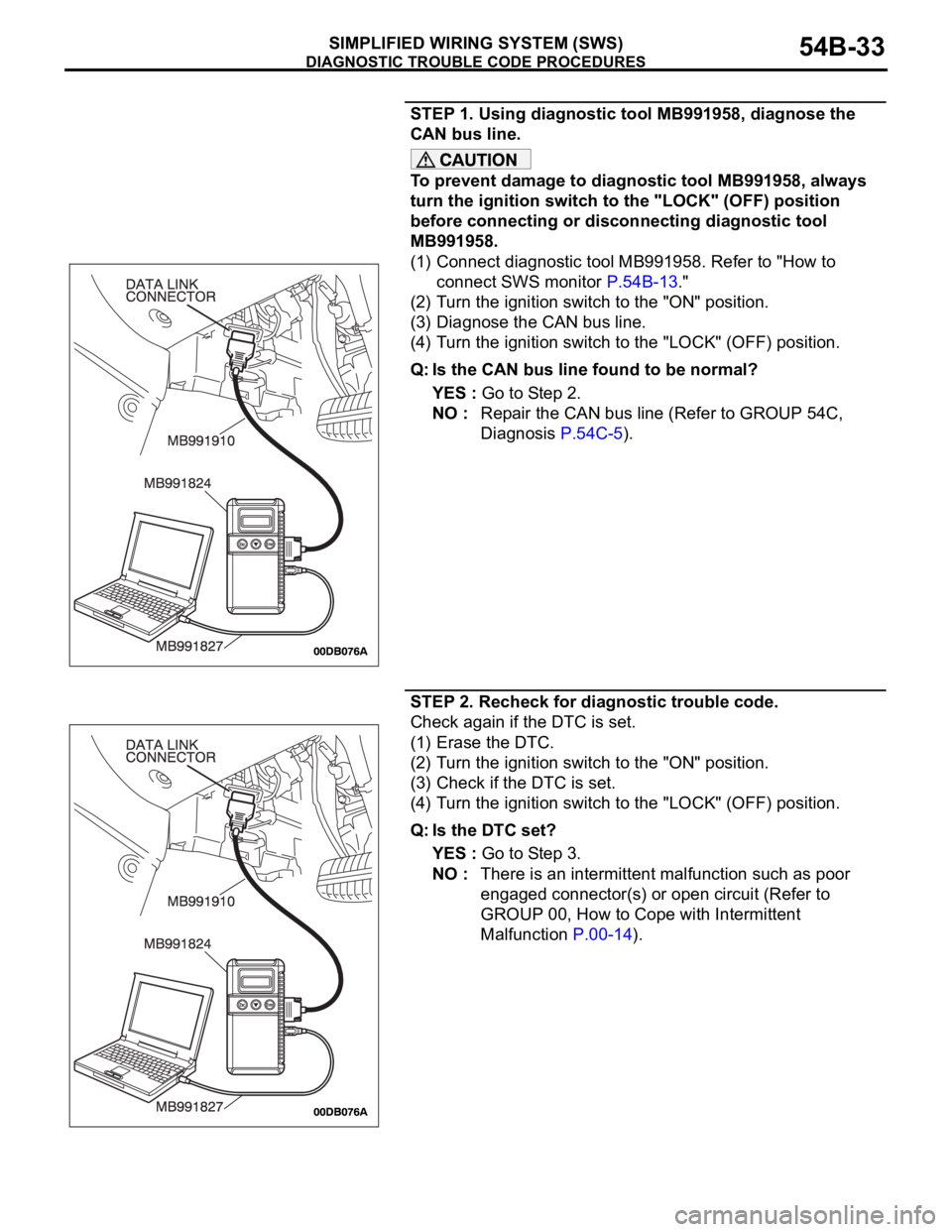
DIAGNOSTIC TROUBLE CODE PROCEDURES
SIMPLIFIED WIRING SYSTEM (SWS)54B-33
STEP 1. Using diagnostic tool MB991958, diagnose the
CAN bus line.
To prevent damage to diagnostic tool MB991958, always
turn the ignition switch to the "LOCK" (OFF) position
before connecting or disconnecting diagnostic tool
MB991958.
(1) Connect diagnostic tool MB991958. Refer to "How to
connect SWS monitor P.54B-13."
(2) Turn the ignition switch to the "ON" position.
(3) Diagnose the CAN bus line.
(4) Turn the ignition switch to the "LOCK" (OFF) position.
Q: Is the CAN bus line found to be normal?
YES : Go to Step 2.
NO : Repair the CAN bus line (Refer to GROUP 54C,
Diagnosis P.54C-5).
STEP 2. Recheck for diagnostic trouble code.
Check again if the DTC is set.
(1) Erase the DTC.
(2) Turn the ignition switch to the "ON" position.
(3) Check if the DTC is set.
(4) Turn the ignition switch to the "LOCK" (OFF) position.
Q: Is the DTC set?
YES : Go to Step 3.
NO : There is an intermittent malfunction such as poor
engaged connector(s) or open circuit (Refer to
GROUP 00, How to Cope with Intermittent
Malfunction P.00-14).
Page 34 of 1500
DIAGNOSTIC TROUBLE CODE PROCEDURES
SIMPLIFIED WIRING SYSTEM (SWS)54B-34
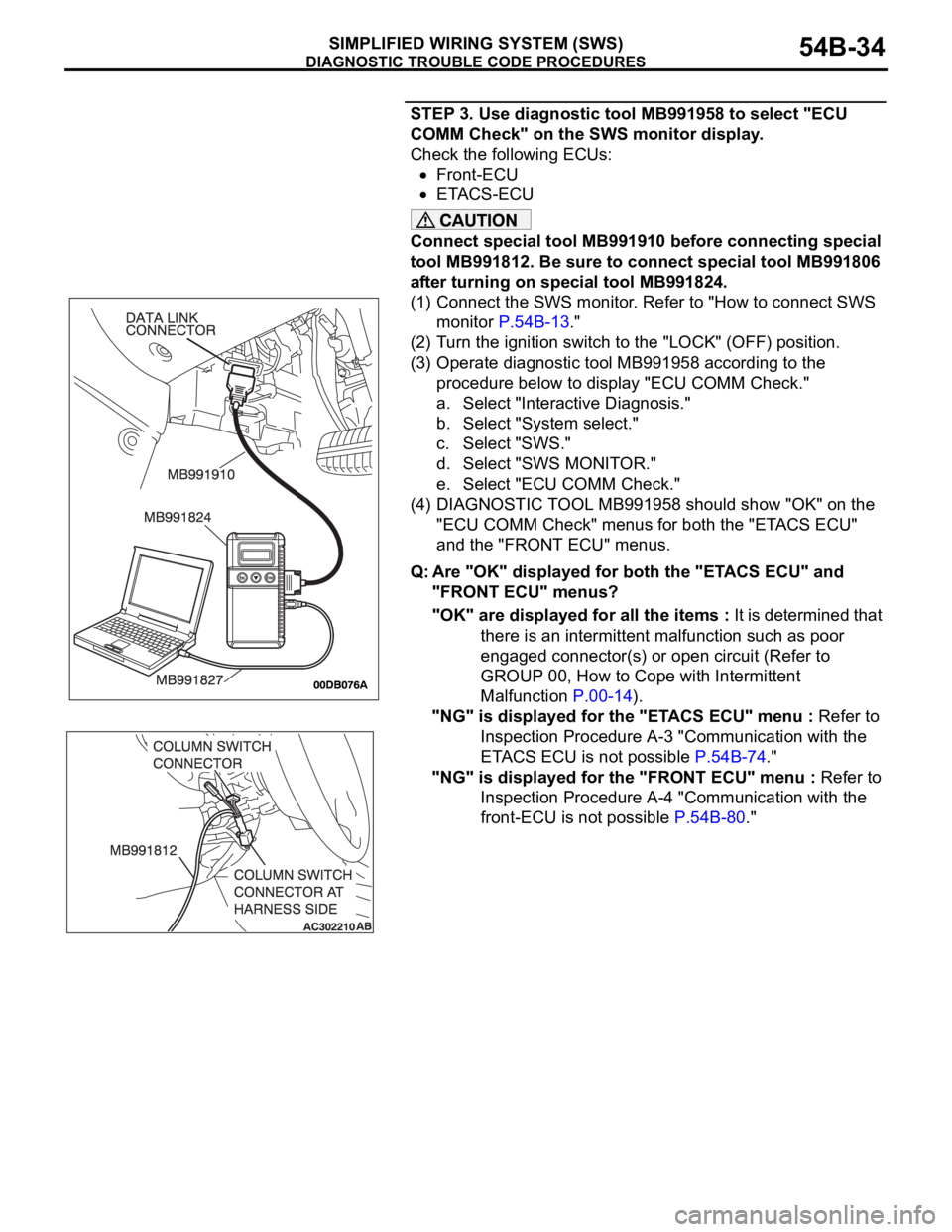
STEP 3. Use diagnostic tool MB991958 to select "ECU
COMM Check" on the SWS monitor display.
Check the following ECUs:
Front-ECU
ETACS-ECU
Connect special tool MB991910 before connecting special
tool MB991812. Be sure to connect special tool MB991806
after turning on special tool MB991824.
(1) Connect the SWS monitor. Refer to "How to connect SWS
monitor P.54B-13."
(2) Turn the ignition switch to the "LOCK" (OFF) position.
(3) Operate diagnostic tool MB991958 according to the
procedure below to display "ECU COMM Check."
a. Select "Interactive Diagnosis."
b. Select "System select."
c. Select "SWS."
d. Select "SWS MONITOR."
e. Select "ECU COMM Check."
(4) DIAGNOSTIC TOOL MB991958 should show "OK" on the
"ECU COMM Check" menus for both the "ETACS ECU"
and the "FRONT ECU" menus.
Q: Are "OK" displayed for both the "ETACS ECU" and
"FRONT ECU" menus?
"OK" are displayed for all the items : It is determined that
there is an intermittent malfunction such as poor
engaged connector(s) or open circuit (Refer to
GROUP 00, How to Cope with Intermittent
Malfunction P.00-14).
"NG" is displayed for the "ETACS ECU" menu : Refer to
Inspection Procedure A-3 "Communication with the
ETACS ECU is not possible P.54B-74."
"NG" is displayed for the "FRONT ECU" menu : Refer to
Inspection Procedure A-4 "Communication with the
front-ECU is not possible P.54B-80."