Sound MITSUBISHI ECLIPSE CROSS 2019 (in English) User Guide
[x] Cancel search | Manufacturer: MITSUBISHI, Model Year: 2019, Model line: ECLIPSE CROSS, Model: MITSUBISHI ECLIPSE CROSS 2019Pages: 423, PDF Size: 75.41 MB
Page 99 of 423
Free-hand Advanced Security Transmitter (F.A.S.T.-key) (if so equipped) 5-16 Features and controls
5
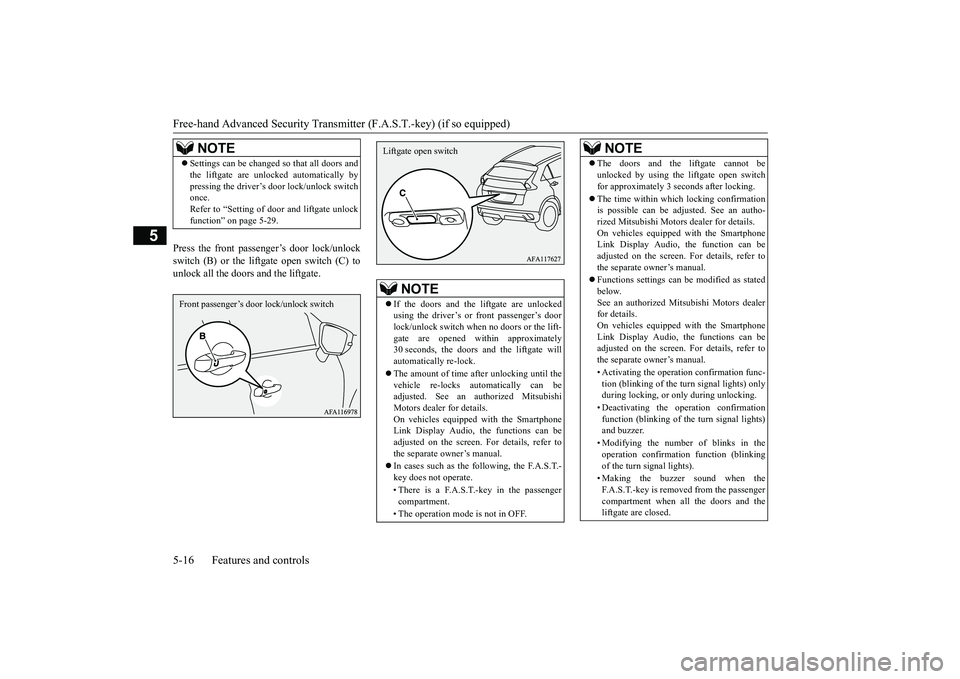
Press the front passenger’s door lock/unlock switch (B) or the liftgate open switch (C) tounlock all the doors and the liftgate.
NOTE
Settings can be changed so that all doors and the liftgate are unlocked automatically by pressing the driver’s door lock/unlock switch once. Refer to “Setting of door and liftgate unlockfunction” on page 5-29.Front passenger’s door
lock/unlock switch
NOTE
If the doors and the liftgate are unlocked using the driver’s or front passenger’s door lock/unlock switch when no doors or the lift- gate are opened within approximately30 seconds, the doors and the liftgate will automatically re-lock. The amount of time after unlocking until the vehicle re-locks automatically can be adjusted. See an au
thorized Mitsubishi
Motors dealer for details. On vehicles equipped with the Smartphone Link Display Audio, the functions can beadjusted on the screen. For details, refer to the separate owner’s manual. In cases such as the following, the F.A.S.T.- key does not operate. • There is a F.A.S.T.-key in the passenger compartment. • The operation mode is not in OFF.Liftgate open switch
The doors and the liftgate cannot be unlocked by using the liftgate open switch for approximately 3 seconds after locking. The time within which locking confirmation is possible can be adjusted. See an autho- rized Mitsubishi Motors dealer for details. On vehicles equipped with the SmartphoneLink Display Audio, the function can be adjusted on the screen. For details, refer to the separate owner’s manual. Functions settings can be modified as stated below.See an authorized Mitsubishi Motors dealer for details. On vehicles equipped with the SmartphoneLink Display Audio, the functions can be adjusted on the screen. For details, refer to the separate owner’s manual. • Activating the operation confirmation func- tion (blinking of the turn signal lights) onlyduring locking, or only during unlocking. • Deactivating the operation confirmation function (blinking of the turn signal lights) and buzzer. • Modifying the number of blinks in the operation confirmation function (blinking of the turn signal lights). • Making the buzzer sound when the F.A.S.T.-key is removed from the passenger compartment when all the doors and the liftgate are closed.NOTE
BK0266800US.bo
ok 16 ページ 2018年6月27日 水曜日 午後5時6分
Page 102 of 423
Free-hand Advanced Security Transmit
ter (F.A.S.T.-key) (if so equipped)
Features and controls 5-19
5
N00568101078
After approximately 30 minutes has elapsed with the operation mode in ACC, the function automatically cuts out the power for the audio
system and other electri
c devices that can be
operated with that mode. When the engine switch is pressed while the operation mode is in ACC, the power is sup-plied again to those devices.
N00503501301
With the F.A.S.T.-key, warnings are given through buzzers and disp
lays on the information screen
in the multi-information displ
ay in order to pre-
vent mistaken operations or vehicle theft.When a warning operates, be sure to check the vehicle and the F.
A.S.T.-key. A warning is also displayed if there is a problem i
n the F.A.S.T.-key.
When the battery is disconnected, the current operation mode is memorized. After recon- necting the battery, the memorized mode is selected automatically. Before disconnect- ing the battery for repair or replacement,make sure to put the operation mode in OFF. Be careful if you are not sure which opera- tion mode the vehicle is in when the batteryis run down. The operation mode cannot be changed from OFF to ACC or ON if the F.A.S.T.-key is not detected to be in the vehicle. Refer to “Oper- ating range for starting the engine andchanging the operation mode” on page 5-14. When there is the F.A.S.T.-key in the vehicle and the operation mode is not changed, the battery in the F.A.S.T.-key may have worn out.Refer to “Warning activation” on page 5-19.CAUTION
NOTE
If the operation mode cannot be changed to OFF, perform the following procedure. 1. Move the selector lever to the “P” (PARK) position, and then change theoperation mode to OFF. 2. One of the other causes could be low bat- tery voltage. If this occurs, the keyless entry system and the F.A.S.T.-key opera- tion will also not operate. Contact anauthorized Mitsubishi Motors dealer or a repair facility of your choice.
ACC power auto-cutout function
NOTE
It is possible to modify functions as follows: • The time until the power cuts out can be changed to approximately 60 minutes. • The ACC power auto-cutout function can be deactivated. For details, we recommend you to consult an authorized Mitsubishi Motors dealer. On vehicles equipped with the Smartphone Link Display Audio, screen operations canbe used to make the adjustment. Refer to the separate owner’s manual for details.
Warning activation
Item
Display
Buzzer
Solution
Note
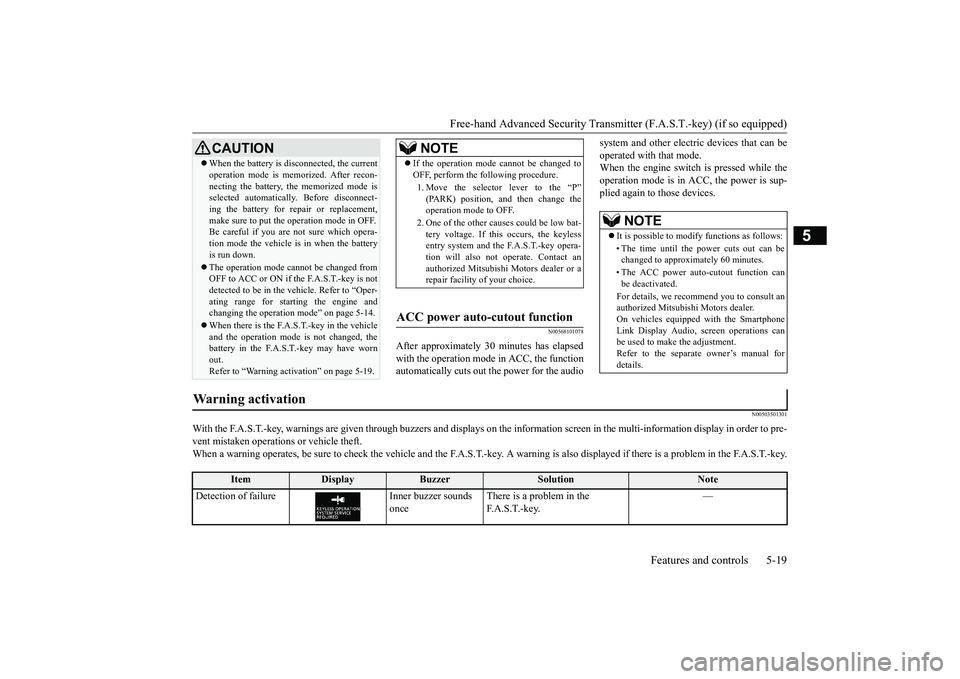
Detection of failure Inner buzzer sounds
once
There is a problem in the F. A . S . T. - k e y.
—
BK0266800US.bo
ok 19 ページ 2018年6月27日 水曜日 午後5時6分
Page 103 of 423
Free-hand Advanced Security Transmitter (F.A.S.T.-key) (if so equipped) 5-20 Features and controls
5
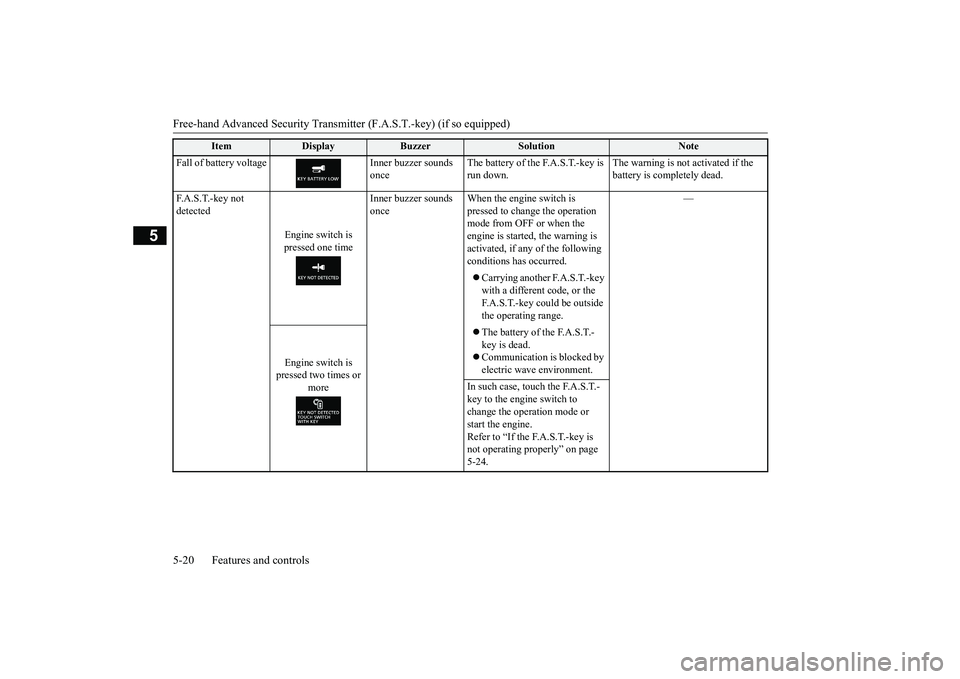
Fall of battery voltage Inner buzzer sounds
once
The battery of the F.A.S.T.-key is run down.
The warning is not activated if the battery is completely dead.
F.A.S.T.-key not detected
Engine switch is pressed one time
Inner buzzer sounds once
When the engine switch is pressed to change the operation mode from OFF or when the engine is started, the warning is activated, if any of the following conditions has occurred.
—
Carrying another F.A.S.T.-key with a different code, or the F.A.S.T.-key could be outside the operating range.
Engine switch is pressed two times or
more
The battery of the F.A.S.T.- key is dead. Communication is blocked by electric wave environment.
In such case, touch the F.A.S.T.- key to the engine switch to change the operation mode or start the engine.Refer to “If the F.A.S.T.-key is not operating properly” on page 5-24.
Item
Display
Buzzer
Solution
Note
BK0266800US.bo
ok 20 ページ 2018年6月27日 水曜日 午後5時6分
Page 104 of 423
Free-hand Advanced Security Transmit
ter (F.A.S.T.-key) (if so equipped)
Features and controls 5-21
5
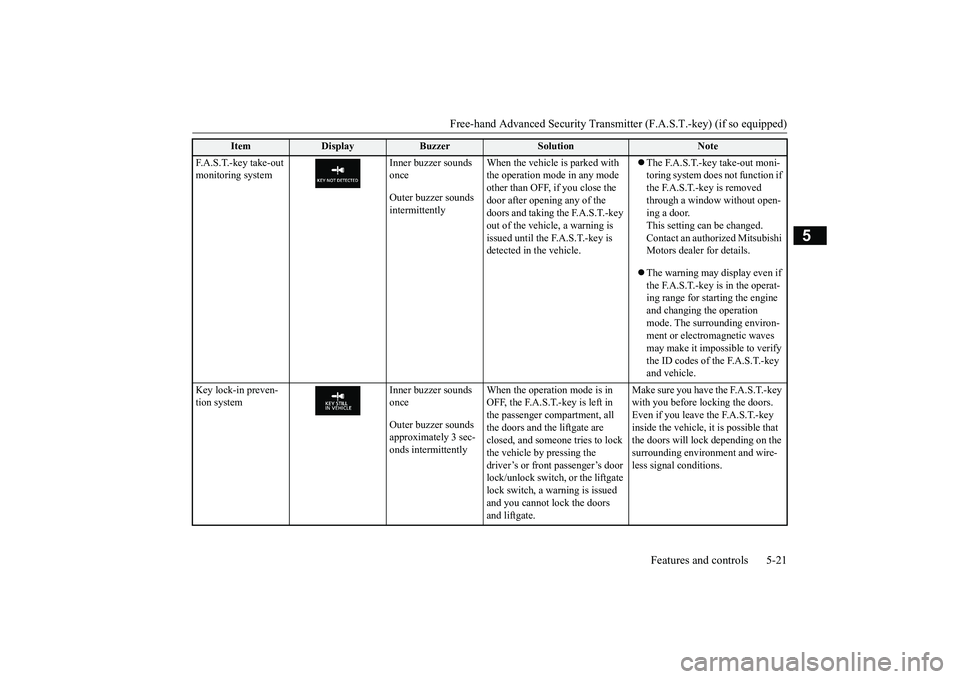
F.A.S.T.-key take-out monitoring system
Inner buzzer sounds once Outer buzzer sounds intermittently
When the vehicle is parked with the operation mode in any mode other than OFF, if you close the door after opening any of the doors and taking the F.A.S.T.-key out of the vehicle, a warning is issued until the F.A.S.T.-key is detected in the vehicle.
The F.A.S.T.-key take-out moni- toring system does not function if the F.A.S.T.-key is removed through a window without open- ing a door. This setting can be changed.Contact an authorized Mitsubishi Motors dealer for details. The warning may display even if the F.A.S.T.-key is in the operat-ing range for starting the engine and changing the operation mode. The surrounding environ-ment or electromagnetic waves may make it impossible to verify the ID codes of the F.A.S.T.-key and vehicle.
Key lock-in preven- tion system
Inner buzzer sounds once Outer buzzer sounds approximately 3 sec-onds intermittently
When the operation mode is in OFF, the F.A.S.T.-key is left in the passenger compartment, all the doors and the liftgate are closed, and someone tries to lock the vehicle by pressing the driver’s or front passenger’s door lock/unlock switch, or the liftgate lock switch, a warning is issued and you cannot lock the doors and liftgate.
Make sure you have the F.A.S.T.-key with you before locking the doors. Even if you leave the F.A.S.T.-key inside the vehicle, it is possible that the doors will lock depending on the surrounding environment and wire-less signal conditions.
Item
Display
Buzzer
Solution
Note
BK0266800US.bo
ok 21 ページ 2018年6月27日 水曜日 午後5時6分
Page 105 of 423
Free-hand Advanced Security Transmitter (F.A.S.T.-key) (if so equipped) 5-22 Features and controls
5
N00514601416
The operation mode can be in any mode to start the engine.
The starter motor will be turning for up to approximately 15 seconds if the engineswitch is released at once. Pressing the engine switch again while the starter motor is still turning will stop the startermotor. The starter motor will be turning for up to approximately 30 seconds while theengine switch is pressed.
If the engine does not start, wait for a while and then attempt to start the engineagain. Trying repeatedly with the engine or starter motor still turning will damage the starter mechanism. If the engine will not start because the bat- tery is weak or discharged, refer to “Jump-starting the engine” on page 8-2for instructions. A longer warm up period will only con- sume extra fuel.
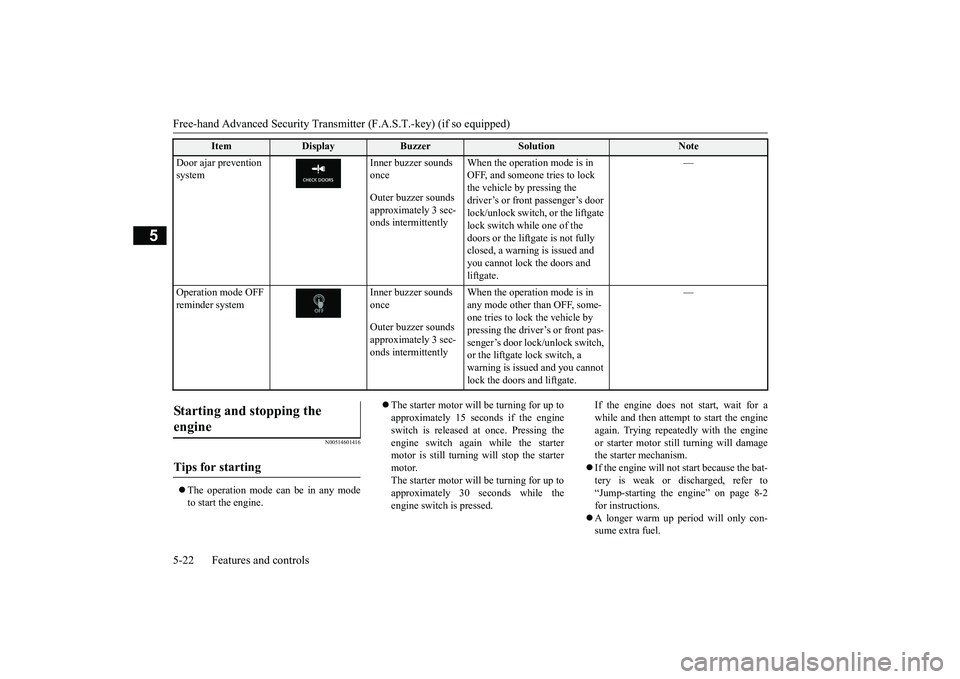
Door ajar prevention system
Inner buzzer sounds once Outer buzzer sounds approximately 3 sec-onds intermittently
When the operation mode is in OFF, and someone tries to lock the vehicle by pressing the driver’s or front passenger’s door lock/unlock switch, or the liftgate lock switch while one of the doors or the liftgate is not fully closed, a warning is issued and you cannot lock the doors and liftgate.
—
Operation mode OFF reminder system
Inner buzzer sounds once Outer buzzer sounds approximately 3 sec-onds intermittently
When the operation mode is in any mode other than OFF, some- one tries to lock the vehicle by pressing the driver’s or front pas- senger’s door lock/unlock switch, or the liftgate lock switch, a warning is issued and you cannot lock the doors and liftgate.
—
Item
Display
Buzzer
Solution
Note
Starting and stopping the engine
Tips for starting
BK0266800US.bo
ok 22 ページ 2018年6月27日 水曜日 午後5時6分
Page 110 of 423
Free-hand Advanced Security Transmit
ter (F.A.S.T.-key) (if so equipped)
Features and controls 5-27
5
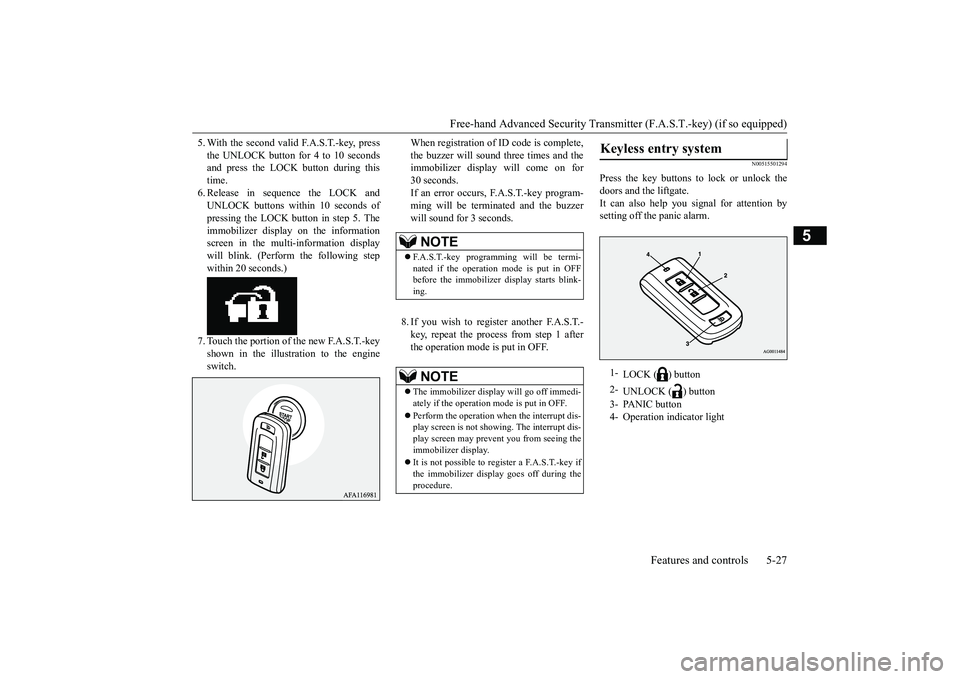
5. With the second valid F.A.S.T.-key, press the UNLOCK button for 4 to 10 seconds and press the LOCK button during this time.6. Release in sequence the LOCK and UNLOCK buttons within 10 seconds of pressing the LOCK button in step 5. Theimmobilizer display on the information screen in the multi-information display will blink. (Perform the following stepwithin 20 seconds.) 7. Touch the portion of the new F.A.S.T.-key shown in the illustration to the engineswitch.
When registration of ID code is complete, the buzzer will sound three times and the immobilizer display will come on for 30 seconds.If an error occurs, F.A.S.T.-key program- ming will be terminated and the buzzer will sound for 3 seconds. 8. If you wish to register another F.A.S.T.- key, repeat the process from step 1 after the operation mode is put in OFF.
N00515501294
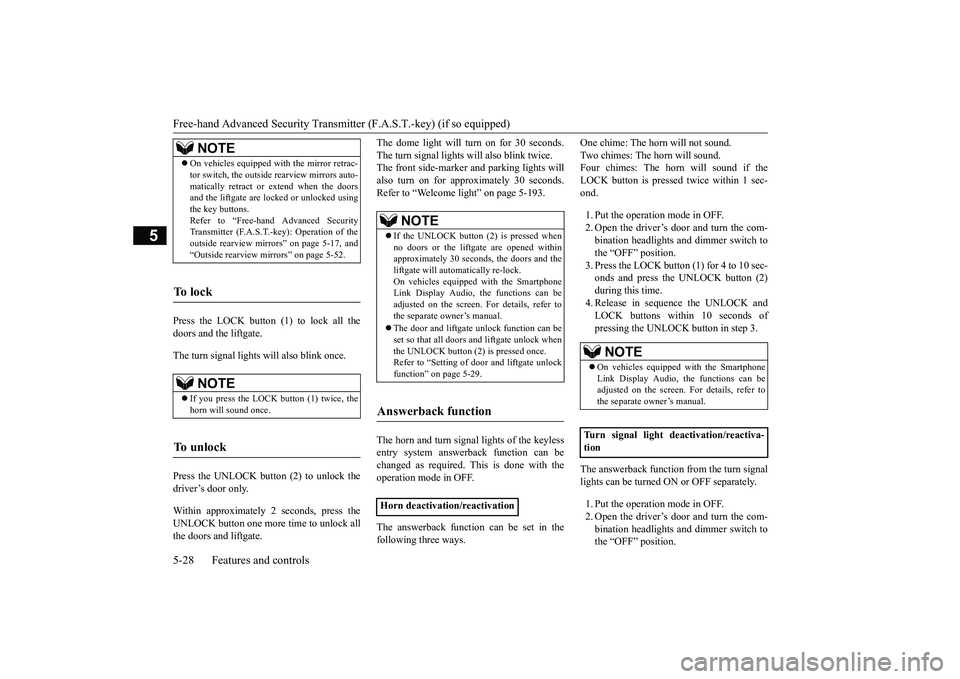
Press the key buttons to lock or unlock thedoors and the liftgate.It can also help you signal for attention by setting off the panic alarm.
NOTE
F.A.S.T.-key programming will be termi- nated if the operation mode is put in OFF before the immobilizer display starts blink- ing.NOTE
The immobilizer display will go off immedi- ately if the operation mode is put in OFF. Perform the operation when the interrupt dis- play screen is not showing. The interrupt dis- play screen may prevent you from seeing the immobilizer display. It is not possible to register a F.A.S.T.-key if the immobilizer display goes off during the procedure.
Keyless entry system
1-
LOCK ( ) button
2-
UNLOCK ( ) button
3- PANIC button 4- Operation indicator light
BK0266800US.bo
ok 27 ページ 2018年6月27日 水曜日 午後5時6分
Page 111 of 423
Free-hand Advanced Security Transmitter (F.A.S.T.-key) (if so equipped) 5-28 Features and controls
5
Press the LOCK button (1) to lock all the doors and the liftgate. The turn signal lights will also blink once. Press the UNLOCK button (2) to unlock the driver’s door only. Within approximately 2 seconds, press the UNLOCK button one more time to unlock allthe doors and liftgate.
The dome light will turn on for 30 seconds. The turn signal lights will also blink twice. The front side-marker and parking lights will also turn on for appr
oximately 30 seconds.
Refer to “Welcome light” on page 5-193. The horn and turn signal lights of the keyless entry system answerback function can be changed as required. This is done with theoperation mode in OFF. The answerback function can be set in the following three ways.
One chime: The horn will not sound. Two chimes: The horn will sound. Four chimes: The horn will sound if the LOCK button is presse
d twice within 1 sec-
ond. 1. Put the operation mode in OFF. 2. Open the driver’s door and turn the com- bination headlights and dimmer switch tothe “OFF” position. 3. Press the LOCK button (1) for 4 to 10 sec- onds and press the UNLOCK button (2)during this time.4. Release in sequence the UNLOCK and LOCK buttons within 10 seconds of pressing the UNLOCK button in step 3.
The answerback function from the turn signal lights can be turned ON or OFF separately. 1. Put the operation mode in OFF. 2. Open the driver’s door and turn the com-bination headlights and dimmer switch to the “OFF” position.
NOTE
On vehicles equipped with the mirror retrac- tor switch, the outside rearview mirrors auto- matically retract or extend when the doors and the liftgate are lock
ed or unlocked using
the key buttons.Refer to “Free-hand Advanced Security Transmitter (F.A.S.T.-key): Operation of the outside rearview mirrors” on page 5-17, and“Outside rearview mirrors” on page 5-52.
To l o c k
NOTE
If you press the LOCK button (1) twice, the horn will sound once.
To u n l o c k
NOTE
If the UNLOCK button (2) is pressed when no doors or the liftgate are opened within approximately 30 seconds, the doors and theliftgate will automatically re-lock. On vehicles equipped with the Smartphone Link Display Audio, the functions can beadjusted on the screen. For details, refer to the separate owner’s manual. The door and liftgate unlock function can be set so that all doors and liftgate unlock when the UNLOCK button (2) is pressed once.Refer to “Setting of door and liftgate unlock function” on page 5-29.
Answerback function
Horn deactivation/reactivation
NOTE
On vehicles equipped with the Smartphone Link Display Audio, the functions can beadjusted on the screen. For details, refer to the separate owner’s manual.
Turn signal light deactivation/reactiva- tion
BK0266800US.bo
ok 28 ページ 2018年6月27日 水曜日 午後5時6分
Page 112 of 423
Free-hand Advanced Security Transmit
ter (F.A.S.T.-key) (if so equipped)
Features and controls 5-29
5
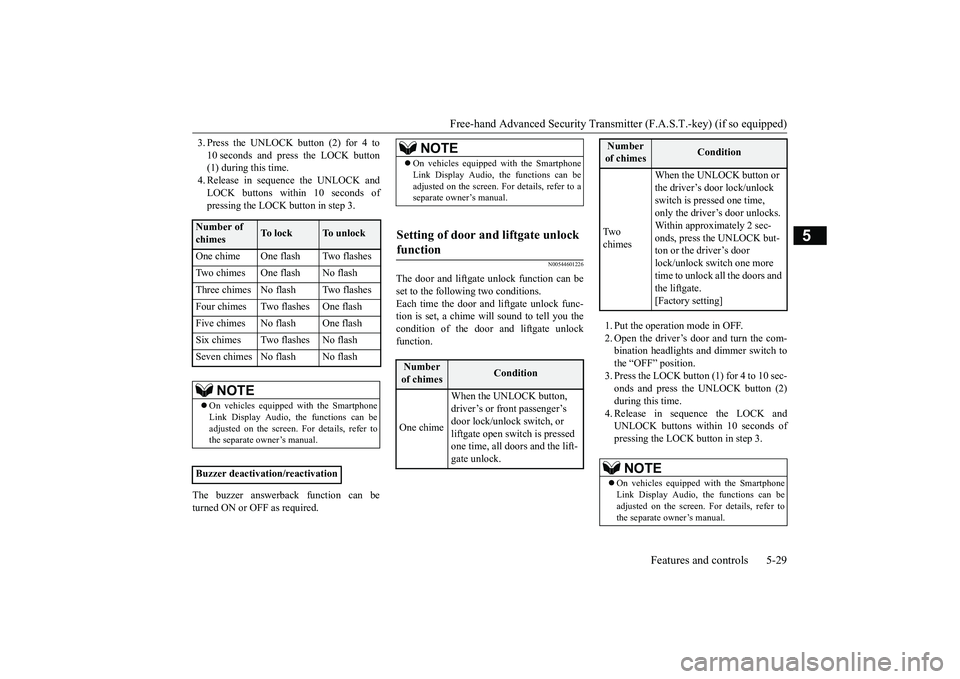
3. Press the UNLOCK button (2) for 4 to 10 seconds and press the LOCK button (1) during this time. 4. Release in sequence the UNLOCK andLOCK buttons within 10 seconds of pressing the LOCK button in step 3.
The buzzer answerback function can be turned ON or OFF as required.
N00544601226
The door and liftgate unlock function can be set to the following two conditions. Each time the door and liftgate unlock func- tion is set, a chime will sound to tell you thecondition of the door and liftgate unlock function.
1. Put the operation mode in OFF. 2. Open the driver’s door and turn the com- bination headlights and dimmer switch to the “OFF” position.3. Press the LOCK button (1) for 4 to 10 sec- onds and press the UNLOCK button (2) during this time.4. Release in sequence the LOCK and UNLOCK buttons within 10 seconds of pressing the LOCK button in step 3.
Number of chimes
To l o c k
To unlock
One chime One flash Two flashes Two chimes One flash No flashThree chimes No flash Two flashesFour chimes Two flashes One flashFive chimes No flash One flashSix chimes Two flashes No flashSeven chimes No flash No flash
NOTE
On vehicles equipped with the Smartphone Link Display Audio, the functions can be adjusted on the screen. For details, refer tothe separate owner’s manual.
Buzzer deactivation/reactivation
NOTE
On vehicles equipped with the Smartphone Link Display Audio, the functions can be adjusted on the screen. For details, refer to a separate owner’s manual.
Setting of door and liftgate unlock function
Number of chimes
Condition
One chime
When the UNLOCK button, driver’s or front passenger’s door lock/unlock switch, or liftgate open switch is pressed one time, all doors and the lift-gate unlock.
Tw o chimes
When the UNLOCK button or the driver’s door lock/unlock switch is pressed one time, only the driver’s door unlocks. Within approximately 2 sec-onds, press the UNLOCK but- ton or the driver’s door lock/unlock switch one more time to unlock all the doors and the liftgate. [Factory setting]
NOTE
On vehicles equipped with the Smartphone Link Display Audio, the functions can be adjusted on the screen. For details, refer to the separate owner’s manual.Number of chimes
Condition
BK0266800US.bo
ok 29 ページ 2018年6月27日 水曜日 午後5時6分
Page 113 of 423
Free-hand Advanced Security Transmitter (F.A.S.T.-key) (if so equipped) 5-30 Features and controls
5
N00544701126
If you are near your vehicle and feel threat- ened, you can activate the alarm to call atten-tion as follows: 1. Press the PANIC button (3) for more than 1 second. 2. The headlights will blink on and off andthe horn will sound intermittently for approximately 3 minutes. 3. To turn off the alarm, press any button onthe key.
N00562001091
Your F.A.S.T.-key operates on a radio fre- quency subject to Federal Communications Commission (FCC) Rules (For vehicles soldin U.S.A.) and Industry Canada Rules (For vehicles sold in Canada). This device com- plies with Part 15 of FCC Rules and IndustryCanada’s applicable licence-exempt RSS standard(s). Operation is subject to the fol- lowing two conditions. This device may not cause harmful inter- ference, and This device must accept any interference received, including interference that maycause undesired operation of this device.
N00562101106
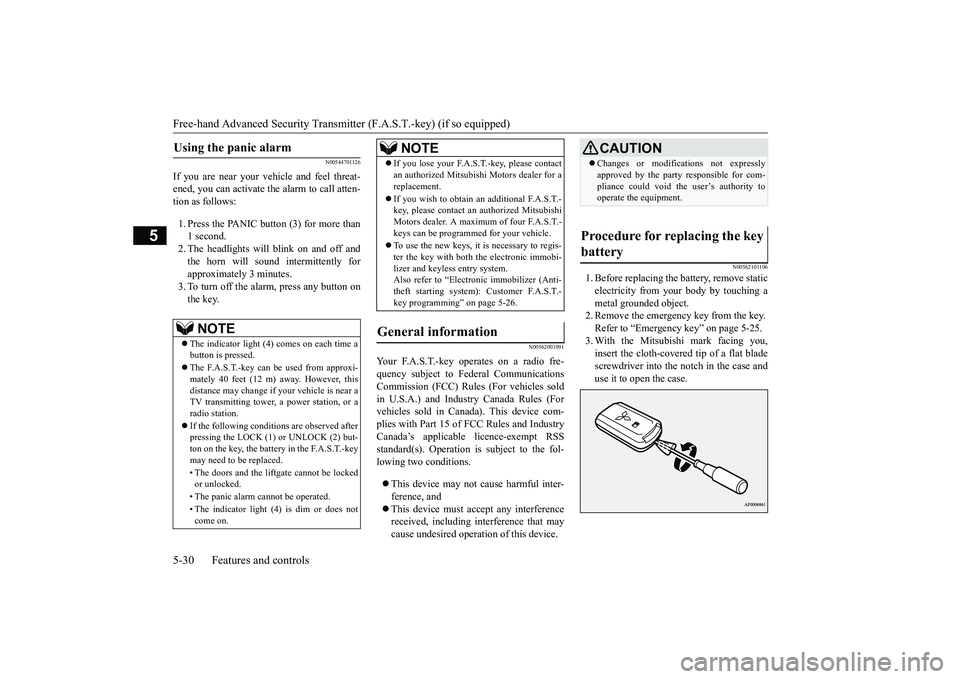
1. Before replacing the battery, remove staticelectricity from your body by touching ametal grounded object. 2. Remove the emergency key from the key. Refer to “Emergency key” on page 5-25.3. With the Mitsubishi mark facing you, insert the cloth-covered tip of a flat blade screwdriver into the notch in the case anduse it to open the case.
Using the panic alarm
NOTE
The indicator light (4) comes on each time a button is pressed. The F.A.S.T.-key can be used from approxi- mately 40 feet (12 m) away. However, this distance may change if your vehicle is near aTV transmitting tower, a power station, or a radio station. If the following conditions are observed after pressing the LOCK (1) or UNLOCK (2) but- ton on the key, the battery in the F.A.S.T.-key may need to be replaced. • The doors and the liftgate cannot be locked or unlocked. • The panic alarm cannot be operated. • The indicator light (4) is dim or does not come on.
If you lose your F.A.S.T.-key, please contact an authorized Mitsubish
i Motors dealer for a
replacement. If you wish to obtain an
additional F.A.S.T.-
key, please contact an authorized Mitsubishi Motors dealer. A maximum of four F.A.S.T.- keys can be programmed for your vehicle. To use the new keys, it is necessary to regis- ter the key with both the electronic immobi-lizer and keyless entry system. Also refer to “Electr
onic immobilizer (Anti-
theft starting system): Customer F.A.S.T.-key programming” on page 5-26.
General information
NOTE
CAUTION Changes or modifications not expressly approved by the party responsible for com- pliance could void the user’s authority to operate the equipment.
Procedure for replacing the key battery
BK0266800US.bo
ok 30 ページ 2018年6月27日 水曜日 午後5時6分
Page 115 of 423
Door locks 5-32 Features and controls
5
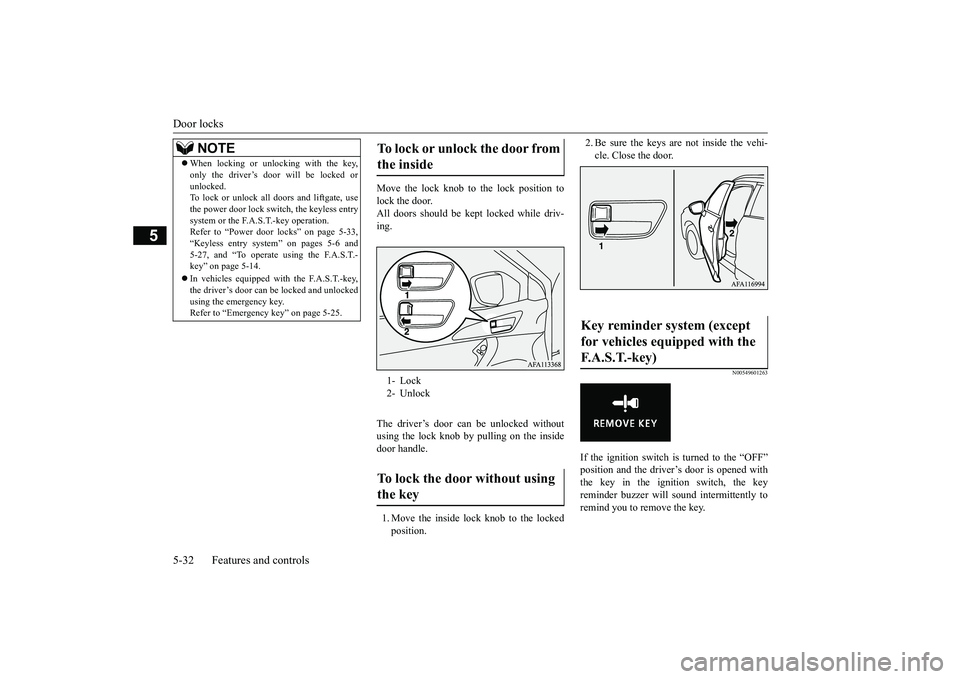
Move the lock knob to the lock position to lock the door.All doors should be kept locked while driv- ing. The driver’s door can be unlocked without using the lock knob by pulling on the inside door handle. 1. Move the inside lock knob to the locked position.
2. Be sure the keys are not inside the vehi- cle. Close the door.
N00549601263
If the ignition switch is
turned to the “OFF”
position and the driver’s door is opened with the key in the ignition switch, the keyreminder buzzer will sound intermittently to remind you to remove the key.
NOTE
When locking or unlocking with the key, only the driver’s door will be locked or unlocked. To lock or unlock all doors and liftgate, use the power door lock switch, the keyless entrysystem or the F.A.S.T.-key operation. Refer to “Power door locks” on page 5-33, “Keyless entry system” on pages 5-6 and5-27, and “To operate using the F.A.S.T.- key” on page 5-14. In vehicles equipped with the F.A.S.T.-key, the driver’s door can be locked and unlocked using the emergency key.Refer to “Emergency key” on page 5-25.
To lock or unlock the door from the inside 1- Lock 2- UnlockTo lock the door without using the key
Key reminder system (except for vehicles equipped with the F. A . S . T. - k e y )
BK0266800US.bo
ok 32 ページ 2018年6月27日 水曜日 午後5時6分