Sound MITSUBISHI ECLIPSE CROSS 2019 (in English) Service Manual
[x] Cancel search | Manufacturer: MITSUBISHI, Model Year: 2019, Model line: ECLIPSE CROSS, Model: MITSUBISHI ECLIPSE CROSS 2019Pages: 423, PDF Size: 75.41 MB
Page 183 of 423
Forward Collision Mitigation sy
stem (FCM) (if so equipped)
5-100 Features and controls
5
N00577400054
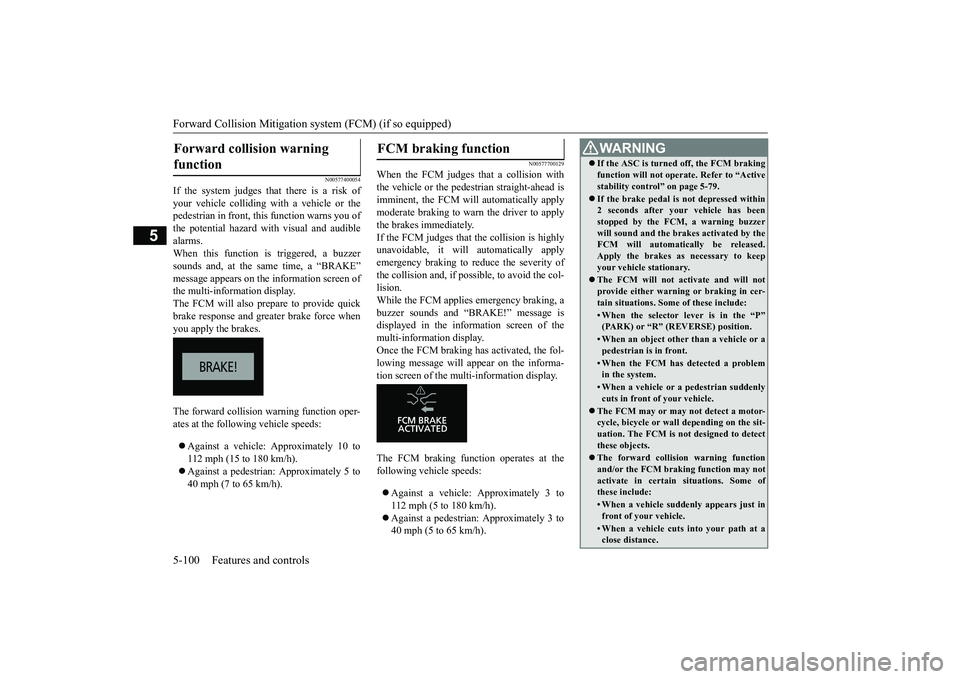
If the system judges th
at there is a risk of
your vehicle colliding with a vehicle or the pedestrian in front, this function warns you of the potential hazard with visual and audiblealarms. When this function is triggered, a buzzer sounds and, at the same time, a “BRAKE”message appears on the information screen ofthe multi-information display. The FCM will also prepare to provide quick brake response and greater brake force whenyou apply the brakes. The forward collision warning function oper- ates at the following vehicle speeds: Against a vehicle: Approximately 10 to 112 mph (15 to 180 km/h). Against a pedestrian: Approximately 5 to 40 mph (7 to 65 km/h).
N00577700129
When the FCM judges that a collision withthe vehicle or the pedestrian straight-ahead isimminent, the FCM will automatically apply moderate braking to warn the driver to apply the brakes immediately.If the FCM judges that the collision is highly unavoidable, it will automatically apply emergency braking to reduce the severity ofthe collision and, if possible, to avoid the col-lision. While the FCM applies emergency braking, a buzzer sounds and “BRAKE!” message isdisplayed in the information screen of the multi-information display. Once the FCM braking has activated, the fol-lowing message will appear on the informa- tion screen of the multi-information display. The FCM braking function operates at the following vehicle speeds: Against a vehicle: Approximately 3 to 112 mph (5 to 180 km/h). Against a pedestrian: Approximately 3 to 40 mph (5 to 65 km/h).
Forward collision warning function
FCM braking function
WA R N I N G If the ASC is turned off, the FCM braking function will not operate. Refer to “Active stability control” on page 5-79. If the brake pedal is not depressed within 2 seconds after your vehicle has been stopped by the FCM, a warning buzzer will sound and the brakes activated by theFCM will automatically be released. Apply the brakes as necessary to keep your vehicle stationary. The FCM will not activate and will not provide either warning or braking in cer-tain situations. Some of these include:• When the selector lever is in the “P”(PARK) or “R” (REVERSE) position.• When an object other than a vehicle or apedestrian is in front.• When the FCM has detected a problemin the system.• When a vehicle or a pedestrian suddenlycuts in front of your vehicle.
The FCM may or may not detect a motor- cycle, bicycle or wall depending on the sit- uation. The FCM is not designed to detect these objects. The forward collision warning function and/or the FCM braking function may not activate in certain situations. Some of these include:• When a vehicle suddenly appears just infront of your vehicle.• When a vehicle cuts into your path at aclose distance.
BK0266800US.book
100 ページ 2018年6月27日 水曜日 午後5時6分
Page 185 of 423
Forward Collision Mitigation sy
stem (FCM) (if so equipped)
5-102 Features and controls
5
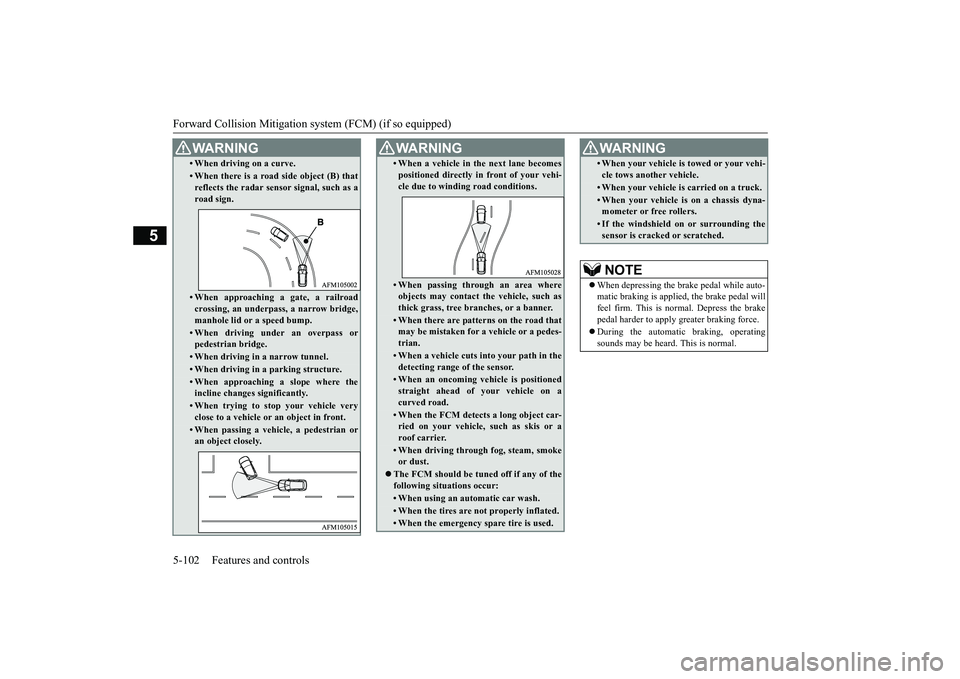
• When driving on a curve.• When there is a road side object (B) that reflects the radar sensor signal, such as a road sign.• When approaching a gate, a railroad crossing, an underpass, a narrow bridge, manhole lid or a speed bump.• When driving under an overpass orpedestrian bridge.• When driving in a narrow tunnel.• When driving in a parking structure.• When approaching a slope where theincline changes significantly.• When trying to stop your vehicle veryclose to a vehicle or an object in front.• When passing a vehicle, a pedestrian oran object closely.WA R N I N G
• When a vehicle in the next lane becomes positioned directly in front of your vehi- cle due to winding road conditions.• When passing through an area whereobjects may contact the vehicle, such asthick grass, tree branches, or a banner.• When there are patterns on the road thatmay be mistaken for a vehicle or a pedes- trian.• When a vehicle cuts into your path in thedetecting range of the sensor.• When an oncoming vehicle is positionedstraight ahead of your vehicle on a curved road.• When the FCM detects a long object car-ried on your vehicle, such as skis or aroof carrier.• When driving through fog, steam, smokeor dust.
The FCM should be tuned off if any of the following situations occur:• When using an automatic car wash.• When the tires are not properly inflated. • When the emergency spare tire is used.WA R N I N G
• When your vehicle is towed or your vehi- cle tows another vehicle.• When your vehicle is carried on a truck.• When your vehicle is on a chassis dyna-mometer or free rollers.• If the windshield on or surrounding thesensor is cracked or scratched.NOTE
When depressing the brake pedal while auto- matic braking is applied, the brake pedal willfeel firm. This is normal. Depress the brake pedal harder to apply greater braking force. During the automatic braking, operating sounds may be heard. This is normal. WA R N I N G
BK0266800US.book
102 ページ 2018年6月27日 水曜日 午後5時6分
Page 196 of 423
Rear Cross Traffic Alert (RCTA) (if so equipped)
Features and controls 5-113
5
For vehicles sold in Canada Applicable law: Canada 310 This device complies with Industry Canada licence-exempt RSS standard(s). Operation is subject to the following two conditions: (1)This device may not cause interference, and (2) This device must accept any interference, including interference that may cause unde-sired operation of the device. Frequency bands: 24.05 - 24.25 GHz Output power: less than 20 milliwatts
N00593000104
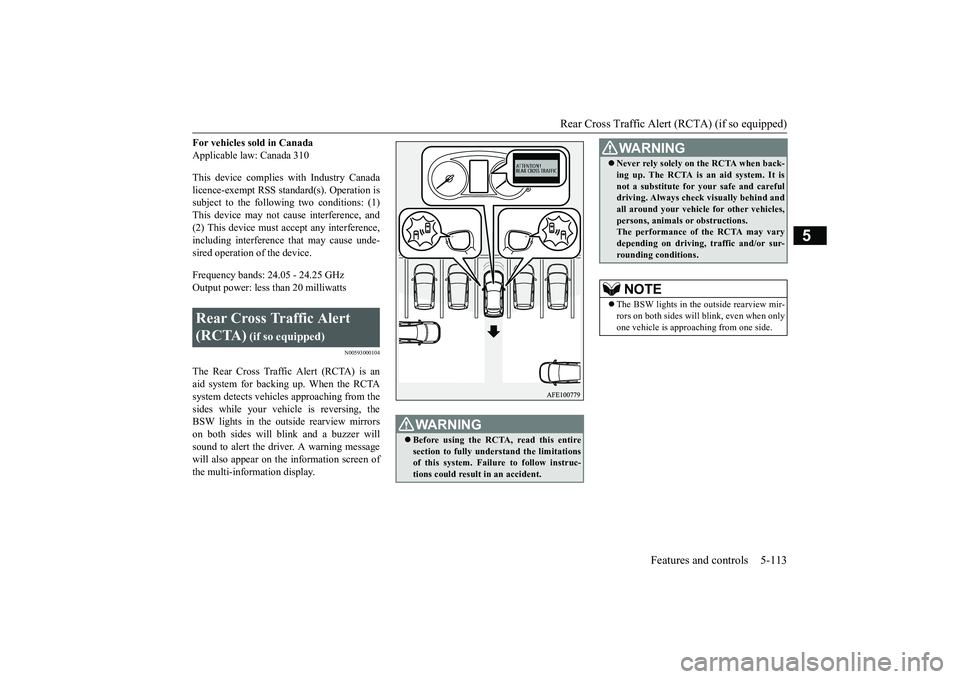
The Rear Cross Traffic Alert (RCTA) is an aid system for backing up. When the RCTA system detects vehicles approaching from thesides while your vehicle is reversing, the BSW lights in the outs
ide rearview mirrors
on both sides will blink and a buzzer willsound to alert the driver. A warning message will also appear on the information screen of the multi-information display.Rear Cross Traffic Alert (RCTA)
(if so equipped)
WA R N I N G Before using the RCTA, read this entire section to fully understand the limitationsof this system. Failur
e to follow instruc-
tions could result in an accident.
Never rely solely on the RCTA when back- ing up. The RCTA is an aid system. It is not a substitute for your safe and careful driving. Always check visually behind and all around your vehicle for other vehicles,persons, animals or obstructions. The performance of the RCTA may vary depending on driving, traffic and/or sur-rounding conditions.NOTE
The BSW lights in the outside rearview mir- rors on both sides will blink, even when only one vehicle is approaching from one side.WA R N I N G
BK0266800US.book
113 ページ 2018年6月27日 水曜日 午後5時6分
Page 201 of 423
Lane Departure Warning (LDW) (if so equipped) 5-118 Features and controls
5
N00581100049
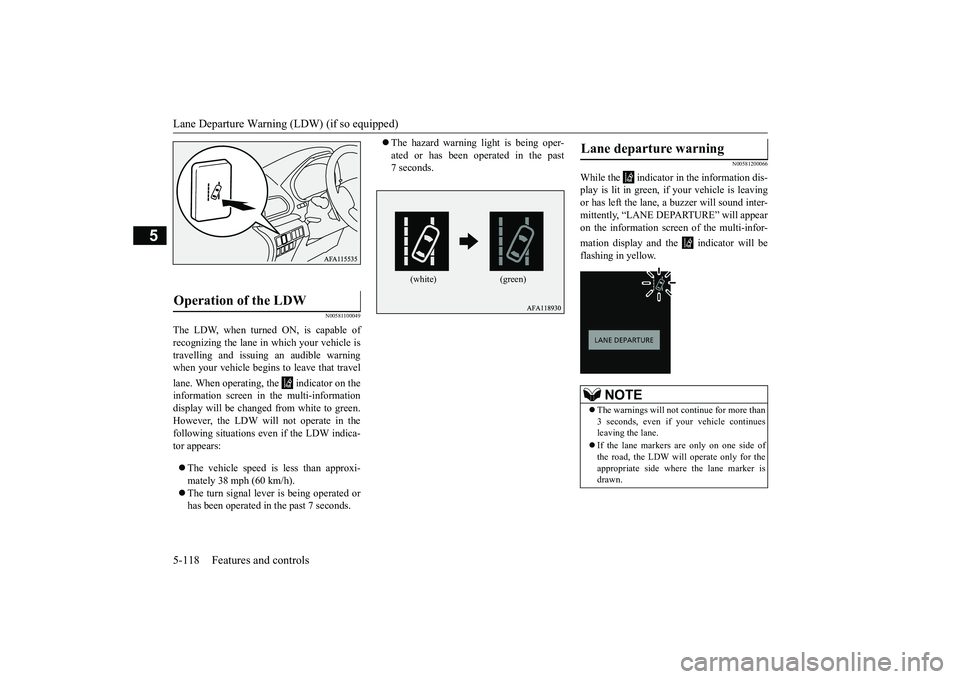
The LDW, when turned ON, is capable of recognizing the lane in which your vehicle is travelling and issuing an audible warning when your vehicle begins to leave that travel lane. When operating, the indicator on the information screen in the multi-information display will be changed from white to green. However, the LDW will not operate in thefollowing situations ev
en if the LDW indica-
tor appears: The vehicle speed is less than approxi- mately 38 mph (60 km/h). The turn signal lever is being operated or has been operated in the past 7 seconds.
The hazard warning light is being oper- ated or has been operated in the past 7 seconds.
N00581200066
While the indicator in the information dis- play is lit in green, if your vehicle is leavingor has left the lane, a buzzer will sound inter- mittently, “LANE DEPARTURE” will appear on the information screen of the multi-infor- mation display and the indicator will be flashing in yellow.
Operation of the LDW
(white) (green)
Lane departure warning
NOTE
The warnings will not continue for more than 3 seconds, even if your vehicle continuesleaving the lane. If the lane markers are only on one side of the road, the LDW will operate only for the appropriate side where the lane marker isdrawn.
BK0266800US.book
118 ページ 2018年6月27日 水曜日 午後5時6分
Page 221 of 423
Multi-information display 5-138 Features and controls
5
N00519201303
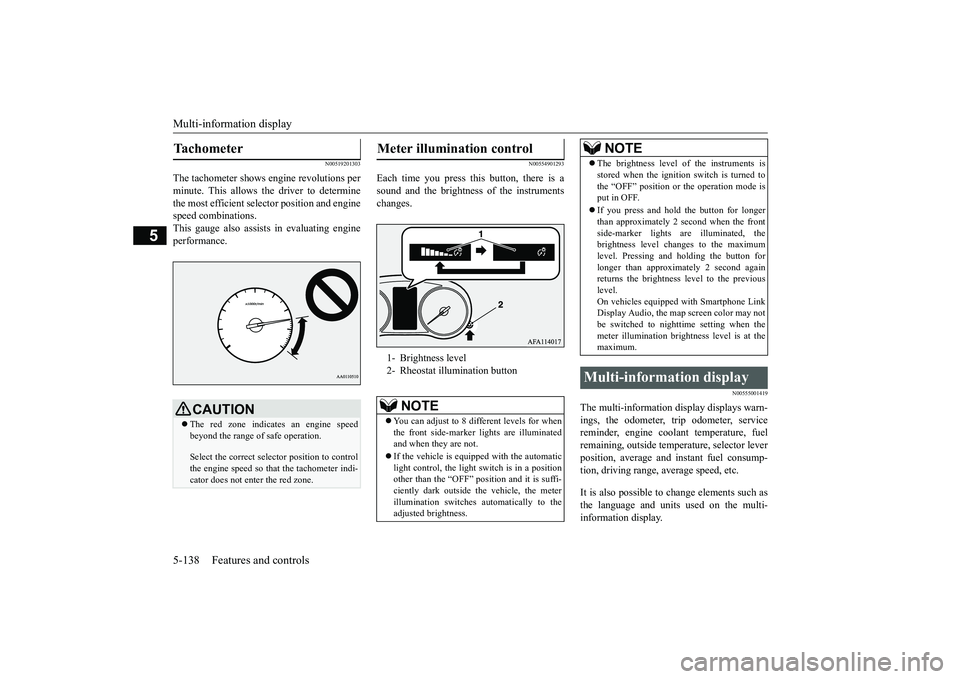
The tachometer shows engine revolutions per minute. This allows the driver to determinethe most efficient selector position and engine speed combinations. This gauge also assist
s in evaluating engine
performance.
N00554901293
Each time you press this button, there is asound and the brightness of the instrumentschanges.
N00555001419
The multi-information display displays warn- ings, the odometer, trip odometer, service reminder, engine coolant temperature, fuelremaining, outside temperature, selector lever position, average and instant fuel consump- tion, driving range, average speed, etc. It is also possible to change elements such as the language and units used on the multi- information display.
Tachometer
CAUTION The red zone indicates an engine speed beyond the range of safe operation. Select the correct selector position to control the engine speed so that the tachometer indi- cator does not enter the red zone.
Meter illumination control 1- Brightness level 2- Rheostat illumination button
NOTE
You can adjust to 8 different levels for when the front side-marker lights are illuminatedand when they are not. If the vehicle is equipped with the automatic light control, the light switch is in a position other than the “OFF” position and it is suffi- ciently dark outside the vehicle, the meterillumination switches automatically to the adjusted brightness.
The brightness level of the instruments is stored when the ignition switch is turned to the “OFF” position or the operation mode is put in OFF. If you press and hold the button for longer than approximately 2 second when the front side-marker lights are illuminated, thebrightness level changes to the maximum level. Pressing and holding the button for longer than approximately 2 second againreturns the brightness level to the previous level. On vehicles equipped with Smartphone LinkDisplay Audio, the map screen color may not be switched to nighttime setting when the meter illumination brightness level is at themaximum.
Multi-information display
NOTE
BK0266800US.book
138 ページ 2018年6月27日 水曜日 午後5時6分
Page 223 of 423
![MITSUBISHI ECLIPSE CROSS 2019 (in English) Service Manual Multi-information display 5-140 Features and controls
5
[With ignition switch or operation mode in ON]
N00555101234
Each time the multi-information display switches are operated, the buzzer sounds and](/img/19/34870/w960_34870-222.png "MITSUBISHI ECLIPSE CROSS 2019 (in English) Service Manual Multi-information display 5-140 Features and controls
5
[With ignition switch or operation mode in ON]
N00555101234
Each time the multi-information display switches are operated, the buzzer sounds and")
Multi-information display 5-140 Features and controls
5
[With ignition switch or operation mode in ON]
N00555101234
Each time the multi-information display switches are operated, the buzzer sounds andthe multi-information display changes
1- S-AWC drive mode display screen (if
so equipped)
P.5-67
2-
Warning display screen
P.5-144
3- Lane Departure Warning (LDW) dis-
play screen (if so equipped)
P.5-117
4- ECO mode indicator display screen
P.5-196
5- Information screen
P.5-141
6- Selector lever position display
P.5-61
7- Engine coolant temperature display
P.5-145
8- Odometer
P.5-146
9- Cruise control display screen
P.5-82
10- Adaptive Cruise Control System (ACC)
display screen (if so equipped) P.5-87
11- ECO indicator
P.5-149
12-
“ ” mark indicator
P.5-144
13- Fuel remaining display screen
P.5-145
14- Outside temperature display screen
P.5-146
NOTE
The fuel units, outside temperature units, display language, and other settings can be changed. Refer to “Changing the function settings” on page 5-150.
Multi-information display switches
BK0266800US.book
140 ページ 2018年6月27日 水曜日 午後5時6分
Page 227 of 423
Multi-information display 5-144 Features and controls
5
N00556301246
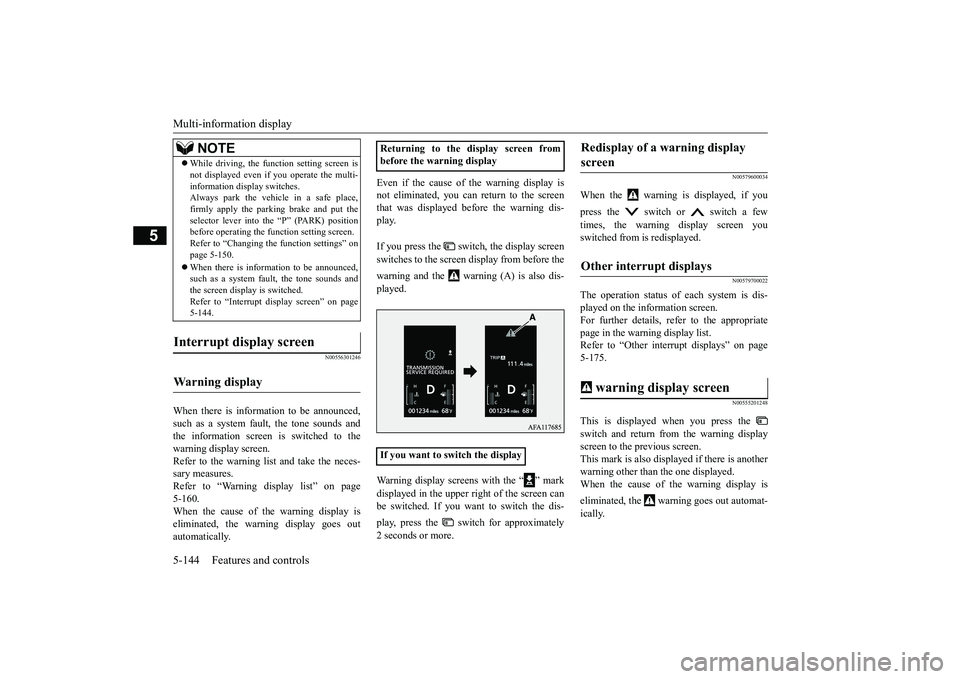
When there is information to be announced, such as a system fault, the tone sounds and the information screen is switched to thewarning display screen. Refer to the warning list and take the neces- sary measures. Refer to “Warning display list” on page 5-160. When the cause of the warning display iseliminated, the warning display goes out automatically.
Even if the cause of the warning display is not eliminated, you can return to the screen that was displayed before the warning dis-play. If you press the switch, the display screen switches to the screen display from before the warning and the warning (A) is also dis- played. Warning display screens with the “ ” mark displayed in the upper right of the screen can be switched. If you want to switch the dis- play, press the switch for approximately 2 seconds or more.
N00579600034
When the warning is displayed, if you press the switch or switch a few times, the warning display screen you switched from is redisplayed.
N00579700022
The operation status of each system is dis- played on the information screen. For further details, refer to the appropriatepage in the warning display list. Refer to “Other interrupt displays” on page 5-175.
N00555201248
This is displayed when you press the switch and return from the warning display screen to the previous screen.This mark is also displayed if there is another warning other than the one displayed. When the cause of the warning display is eliminated, the warning goes out automat- ically.
While driving, the function setting screen is not displayed even if you operate the multi- information display switches. Always park the vehicle in a safe place, firmly apply the parking brake and put theselector lever into the “P” (PARK) position before operating the function setting screen. Refer to “Changing the function settings” onpage 5-150. When there is information to be announced, such as a system fault, the tone sounds and the screen display is switched. Refer to “Interrupt display screen” on page5-144.
Interrupt display screen Warning display
NOTE
Returning to the display screen from before the warning display If you want to switch the display
Redisplay of a warning display screen Other interrupt displays warning display screen
BK0266800US.book
144 ページ 2018年6月27日 水曜日 午後5時6分
Page 228 of 423
Multi-information display
Features and controls 5-145
5
N00529700043
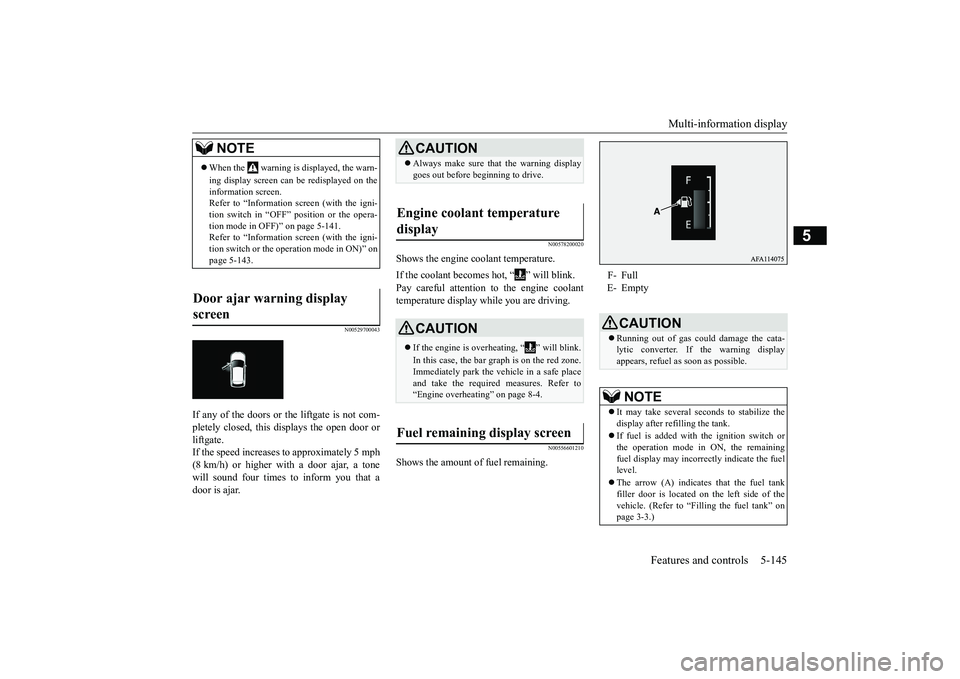
If any of the doors or the liftgate is not com- pletely closed, this displays the open door orliftgate. If the speed increases to approximately 5 mph (8 km/h) or higher with a door ajar, a tonewill sound four times to inform you that a door is ajar.
N00578200020
Shows the engine coolant temperature. If the coolant becomes hot, “ ” will blink. Pay careful attention to the engine coolant temperature display while you are driving.
N00556601210
Shows the amount of fuel remaining.
NOTE
When the warning is displayed, the warn- ing display screen can be redisplayed on the information screen. Refer to “Information screen (with the igni-tion switch in “OFF” position or the opera- tion mode in OFF)” on page 5-141. Refer to “Information screen (with the igni-tion switch or the operation mode in ON)” on page 5-143.
Door ajar warning display screen
CAUTION Always make sure that the warning display goes out before beginning to drive.
Engine coolant temperature display
CAUTION If the engine is overheating, “ ” will blink. In this case, the bar graph is on the red zone. Immediately park the vehicle in a safe placeand take the required measures. Refer to “Engine overheating” on page 8-4.
Fuel remaining display screen
F- Full E- Empty
CAUTION Running out of gas could damage the cata- lytic converter. If the warning display appears, refuel as soon as possible.NOTE
It may take several seconds to stabilize the display after refilling the tank. If fuel is added with the ignition switch or the operation mode in ON, the remaining fuel display may incorrectly indicate the fuel level. The arrow (A) indicates that the fuel tank filler door is located
on the left side of the
vehicle. (Refer to “Filling the fuel tank” on page 3-3.)
BK0266800US.book
145 ページ 2018年6月27日 水曜日 午後5時6分
Page 234 of 423
Multi-information display
Features and controls 5-151
5
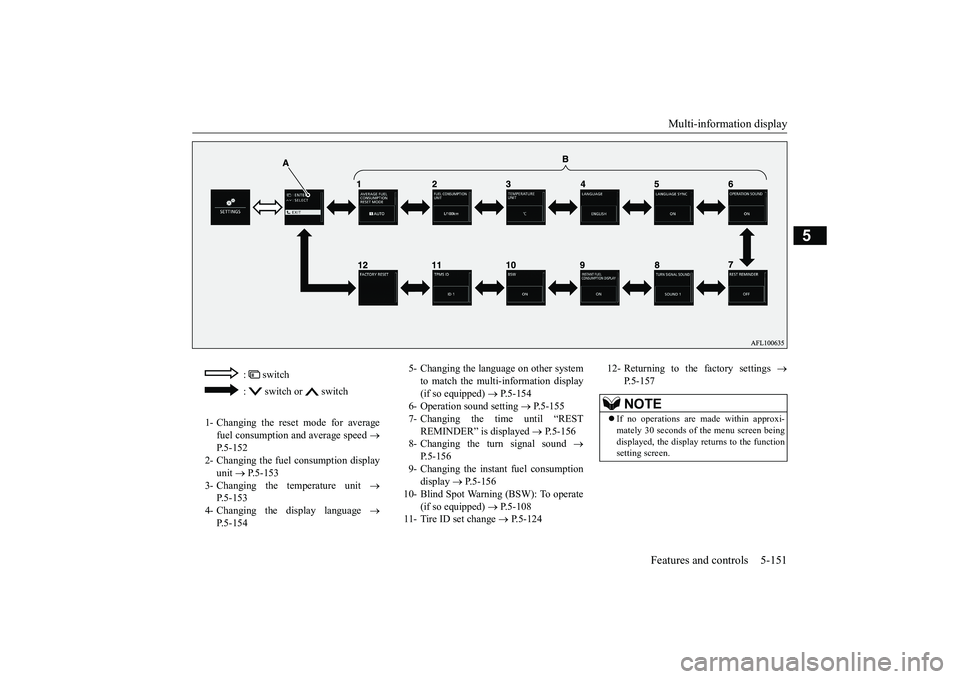
: switch : switch or switch
1- Changing the reset mode for average
fuel consumption and average speed
P.5-152
2- Changing the fuel consumption display
unit
P.5-153
3- Changing the temperature unit
P.5-153
4- Changing the display language
P.5-154
5- Changing the language on other system
to match the multi-information display (if so equipped)
P.5-154
6- Operation sound setting
P.5-155
7- Changing the time until “REST
REMINDER” is displayed
P.5-156
8- Changing the turn signal sound
P.5-156
9- Changing the instant fuel consumption
display
P.5-156
10- Blind Spot Warning (BSW): To operate
(if so equipped)
P.5-108
11- Tire ID set change
P.5-124
12- Returning to the factory settings
P.5-157NOTE
If no operations are made within approxi- mately 30 seconds of the menu screen beingdisplayed, the display returns to the function setting screen.
BK0266800US.book
151 ページ 2018年6月27日 水曜日 午後5時6分
Page 238 of 423
Multi-information display
Features and controls 5-155
5
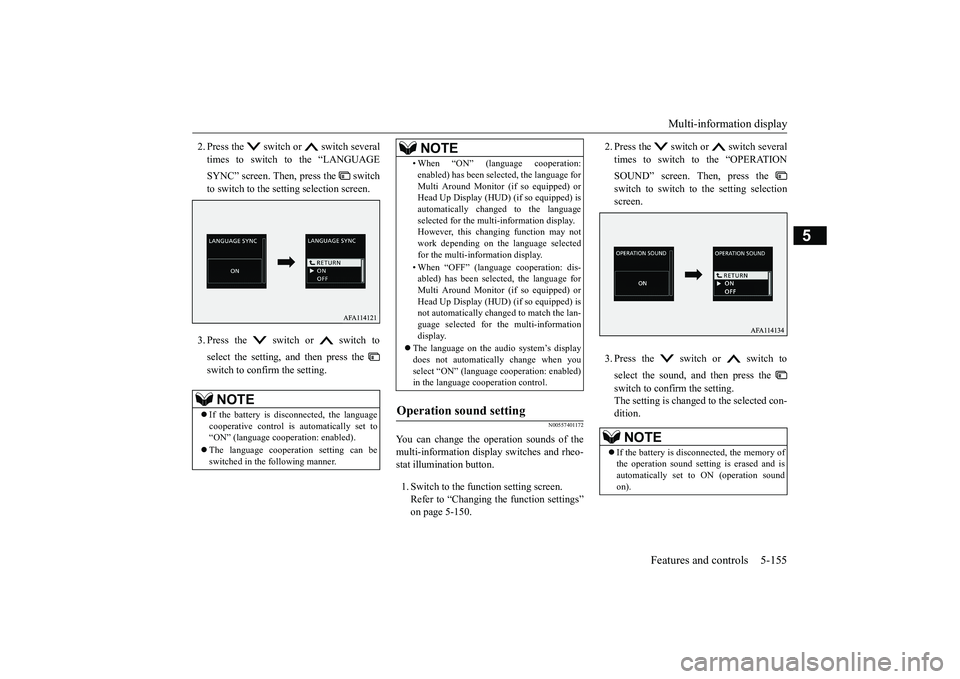
2. Press the switch or switch several times to switch to the “LANGUAGE SYNC” screen. Then, press the switch to switch to the setting selection screen. 3. Press the switch or switch to select the setting, and then press the switch to confirm the setting.
N00557401172
You can change the operation sounds of the multi-information display switches and rheo- stat illumination button. 1. Switch to the function setting screen. Refer to “Changing the function settings”on page 5-150.
2. Press the switch or switch several times to switch to the “OPERATION SOUND” screen. Then, press the switch to switch to the setting selection screen. 3. Press the switch or switch to select the sound, and then press the switch to confirm the setting. The setting is changed to the selected con- dition.
NOTE
If the battery is disconnected, the language cooperative control is automatically set to “ON” (language cooperation: enabled). The language cooperation setting can be switched in the following manner.
• When “ON” (language cooperation:enabled) has been selected, the language for Multi Around Monitor (if so equipped) or Head Up Display (HUD) (if so equipped) is automatically changed to the languageselected for the multi-information display. However, this changing function may not work depending on the language selectedfor the multi-information display. • When “OFF” (language cooperation: dis- abled) has been selected, the language for Multi Around Monitor (if so equipped) or Head Up Display (HUD) (if so equipped) isnot automatically changed to match the lan- guage selected for the multi-information display.
The language on the audio system’s display does not automatically change when youselect “ON” (language cooperation: enabled) in the language cooperation control.
Operation sound setting
NOTE
NOTE
If the battery is disconnected, the memory of the operation sound setting is erased and is automatically set to ON (operation sound on).
BK0266800US.book
155 ページ 2018年6月27日 水曜日 午後5時6分