window MITSUBISHI LANCER 2014 8.G Service Manual
[x] Cancel search | Manufacturer: MITSUBISHI, Model Year: 2014, Model line: LANCER, Model: MITSUBISHI LANCER 2014 8.GPages: 434, PDF Size: 57.5 MB
Page 298 of 434
Automatic air conditioning with
Celsius scale (if so equipped)
Comfort controls 7-23
7
N00731500239
The air conditioning can only be used while the engine is running.
N00711801594
N00736900111
When the ignition switch is in the “ON” posi- tion, select the blower speed by turning the blower speed selection dial.Turning the dial clockwise will increase the blower speed; turning the dial counterclock- wise will decrease it. When the dial is set tothe “OFF” position, all fan-driven airflow will stop.
N00737000281
Use this dial to adjust the temperature in the passenger compartment. Turn the temperaturecontrol dial clockwise to make the air warmer. Turn it counterclockwise to make the air cooler.
When defrosting, do not set the temperature control dial to the maximum cool position. This will blow cool air on the window glass and fog it up.
Automatic air conditioning with Celsius scale
(if so
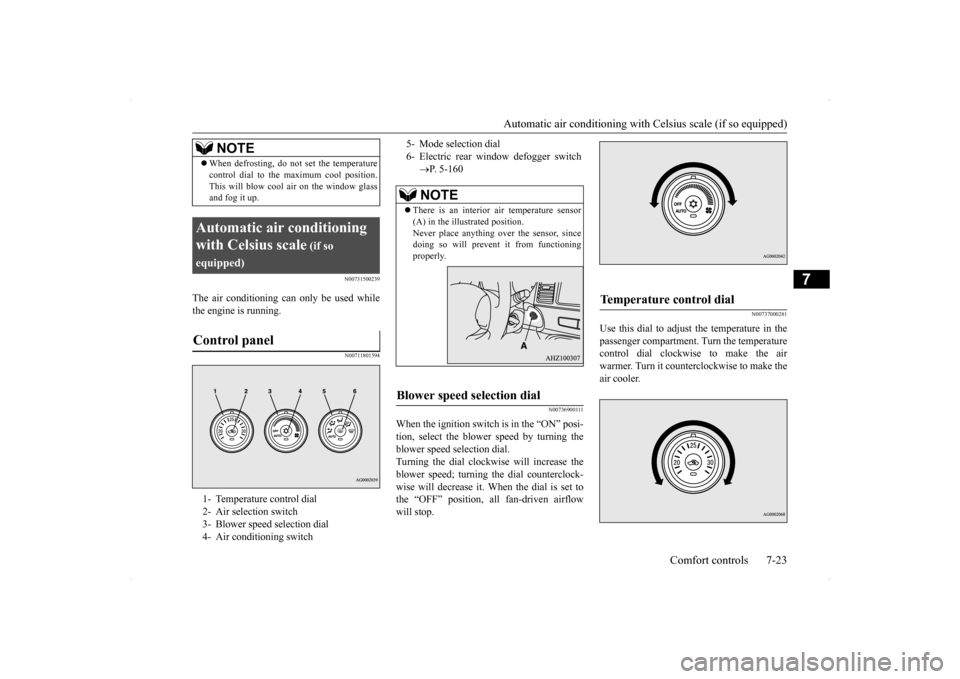
equipped)Control panel
1- Temperature control dial 2- Air selection switch 3- Blower speed selection dial 4- Air conditioning switch
NOTE
5- Mode selection dial6- Electric rear window defogger switch
P. 5-160NOTE
There is an interior
air temperature sensor
(A) in the illustrated position. Never place anything over the sensor, sincedoing so will prevent it from functioning properly.
Blower speed selection dial
Temperature control dial
Page 299 of 434
Automatic air conditioning with
Celsius scale (if so equipped)
7-24 Comfort controls
7
The above indicates the factory settings. You can personalize the air selection switch and air conditioning switch to match your per-sonal preferences. Contact your Mitsubishi Motors dealer or a repair facility of your choice for assistance.Refer to “Personalizing the air conditioning switch (Changing the function setting)” on page 7-26.Refer to “Personalizing the air selection (Changing the function setting)” on page
7-25.
N00737100136
To change the amount of
air flowing from the
vents, turn the mode selection dial. Refer to“Changing the mode selection” on page 7-2.
N00737200241
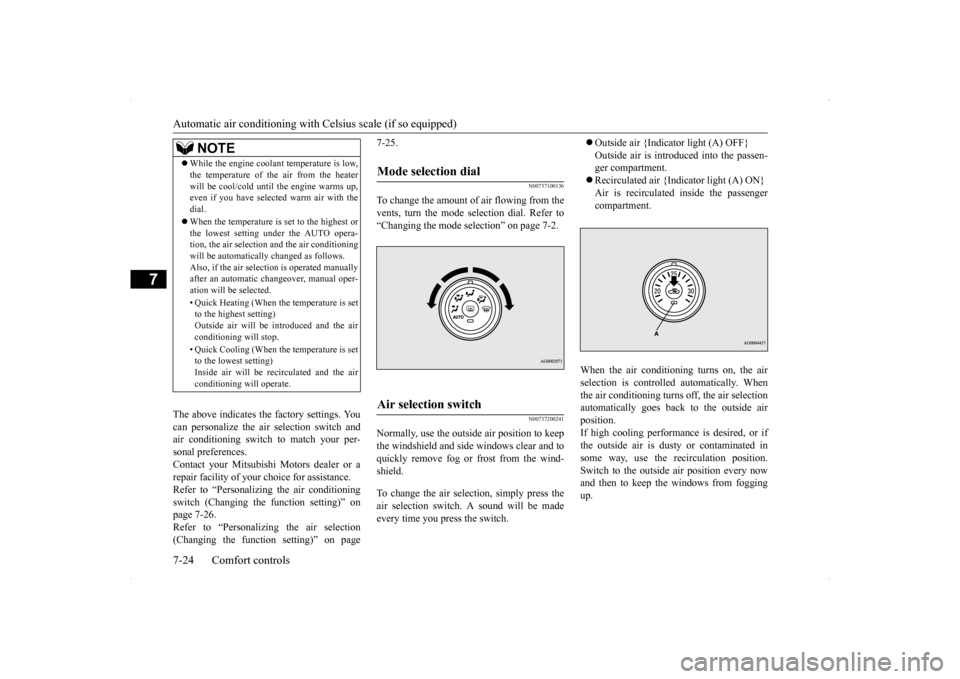
Normally, use the outside air position to keepthe windshield and side windows clear and toquickly remove fog or frost from the wind- shield. To change the air selection, simply press the air selection switch. A sound will be madeevery time you press the switch.
Outside air {Indicator light (A) OFF} Outside air is introduced into the passen- ger compartment. Recirculated air {Indicator light (A) ON} Air is recirculated inside the passenger compartment.
When the air conditioning turns on, the air selection is controll
ed automatically. When
the air conditioning turns off, the air selection automatically goes back to the outside air position.If high cooling performance is desired, or if the outside air is dusty or contaminated in some way, use the recirculation position.Switch to the outside air position every now and then to keep the windows from fogging up.
NOTE
While the engine coolant temperature is low, the temperature of the air from the heater will be cool/cold until the engine warms up, even if you have selected warm air with the dial. When the temperature is set to the highest or the lowest setting under the AUTO opera-tion, the air selection and the air conditioning will be automatically changed as follows. Also, if the air selection is operated manuallyafter an automatic changeover, manual oper- ation will be selected. • Quick Heating (When the temperature is set to the highest setting) Outside air will be introduced and the airconditioning will stop. • Quick Cooling (When the temperature is set to the lowest setting) Inside air will be recirculated and the air conditioning will operate.
Mode selection dial
Air selection switch
Page 300 of 434
Automatic air conditioning with
Celsius scale (if so equipped)
Comfort controls 7-25
7
N00760000050
You can change the following functions to match your preference. Enable automatic air control: When the mode selection dial or the blower speed selection dial is set to the “AUTO” position, the air selection switchwill also be automatically controlled. Disable automatic air control: Even when the mode selection dial or the blower speed selection dial is set to the“AUTO” position, the air selection switch will not be automatically controlled. Changing the settings Press the air selection switch for about 10seconds or longer. When the setting has changed, the system will beep and the indicator light will flash.• When the setting has changed from enabled to disabled, the system will beep three times and theindicator will flash three times.
• When the setting has changed from dis- abled to enabled, the system will beep two times and the indicator light will flash three times.
N00737300301
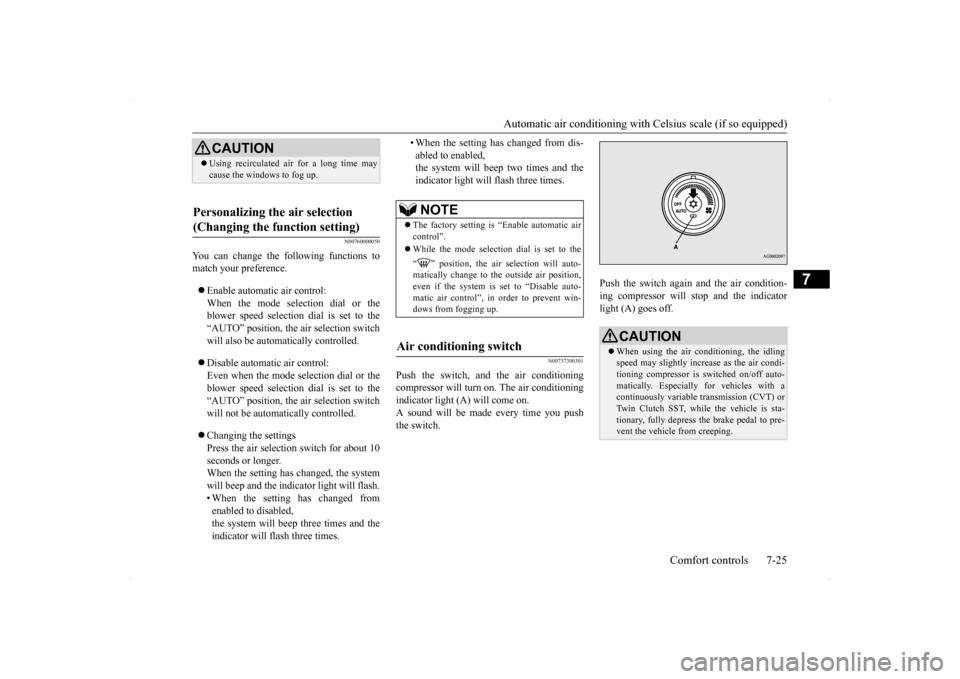
Push the switch, and the air conditioningcompressor will turn
on. The air conditioning
indicator light (A) will come on. A sound will be made every time you pushthe switch.
Push the switch again and the air condition- ing compressor will stop and the indicator light (A) goes off.
CAUTION Using recirculated air for a long time may cause the windows to fog up.
Personalizing the air selection (Changing the function setting)
NOTE
The factory setting is “Enable automatic air control”. While the mode selection dial is set to the “ ” position, the air selection will auto- matically change to the outside air position,even if the system is set to “Disable auto- matic air control”, in order to prevent win- dows from fogging up.
Air conditioning switch
CAUTION When using the air conditioning, the idling speed may slightly increase as the air condi-tioning compressor is switched on/off auto- matically. Especially for vehicles with a continuously variable transmission (CVT) orTwin Clutch SST, while the vehicle is sta- tionary, fully depress the brake pedal to pre- vent the vehicle from creeping.
Page 301 of 434
Automatic air conditioning with
Celsius scale (if so equipped)
7-26 Comfort controls
7
N00759800029
You can change the following functions to match your preference.
Enable automatic air conditioning control: When the mode selection dial or blower speed selection dial has been set to the “AUTO” position or when the tempera-ture control dial has been set to the mini- mum temperature, the air conditioning switch is automatically controlled. Disable automatic air conditioning con- trol: The air conditioning switch is not auto- matically controlled, unless the air condi-tioning switch is used. Changing the settings Press the air conditioning switch for about 10 seconds or longer. When the setting has changed, the systemwill beep and the indicator light will flash. • When the setting has changed from enabled to disabled,the system will beep three times and the indicator will flash three times. • When the setting has changed from dis-abled to enabled, the system will beep two times and the indicator light will flash three times.
N00731700286
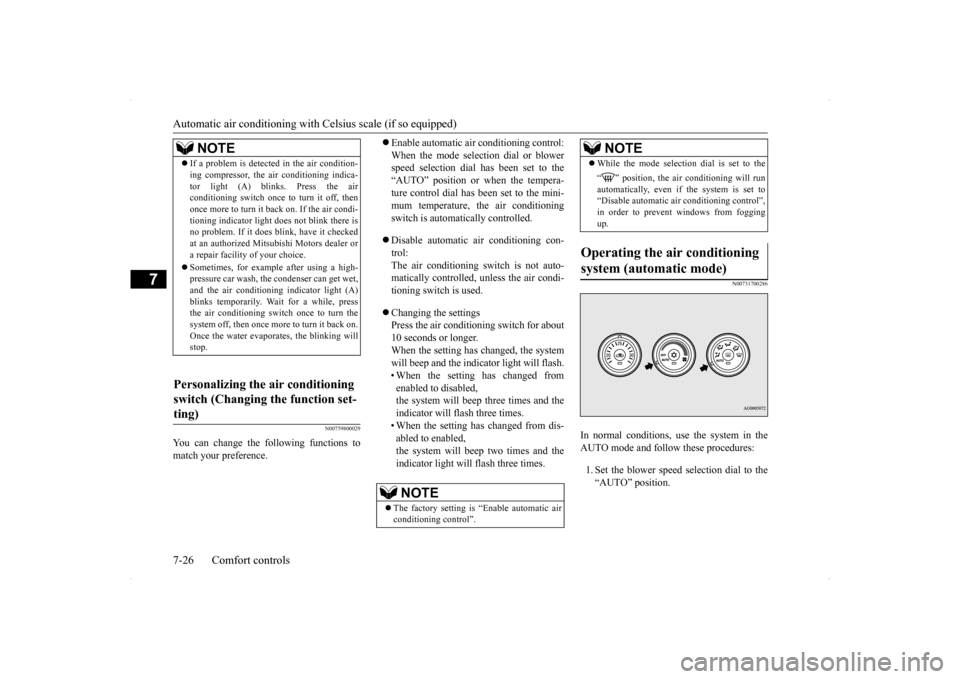
In normal conditions, use the system in the AUTO mode and follow these procedures: 1. Set the blower speed selection dial to the “AUTO” position.
NOTE
If a problem is detected in the air condition- ing compressor, the air conditioning indica- tor light (A) blinks. Press the air conditioning switch once to turn it off, then once more to turn it back on. If the air condi-tioning indicator light does not blink there is no problem. If it does blink, have it checked at an authorized Mitsubishi Motors dealer ora repair facility of your choice. Sometimes, for example after using a high- pressure car wash, the condenser can get wet, and the air conditioning indicator light (A) blinks temporarily. Wait for a while, pressthe air conditioning switch once to turn the system off, then once more to turn it back on. Once the water evaporates, the blinking willstop.
Personalizing the air conditioning switch (Changing the function set- ting)
NOTE
The factory setting is “Enable automatic air conditioning control”.
While the mode selection dial is set to the “ ” position, the air conditioning will run automatically, even if the system is set to “Disable automatic air conditioning control”,in order to prevent windows from fogging up.
Operating the air conditioning system (automatic mode)
NOTE
Page 302 of 434
Automatic air conditioning with
Celsius scale (if so equipped)
Comfort controls 7-27
7
2. Select the temperature control dial to the desired temperature. The temperature can be set within a range of around 18 to 32. The temperature will increase as the dialis turned to the right. 3. Set the mode selection dial to the “AUTO” position.
The vents (except “ ”), recirculation/out- side air, blower speed, and ON/OFF of airconditioning will be controlled automatically.
N00731800098
Blower speed and vent mode may be con-trolled manually by setting the blower speed selection dial and the mode selection dial to the desired positions. To return to automatic
operation, set the dials to the “AUTO” posi- tion.
N00732400440
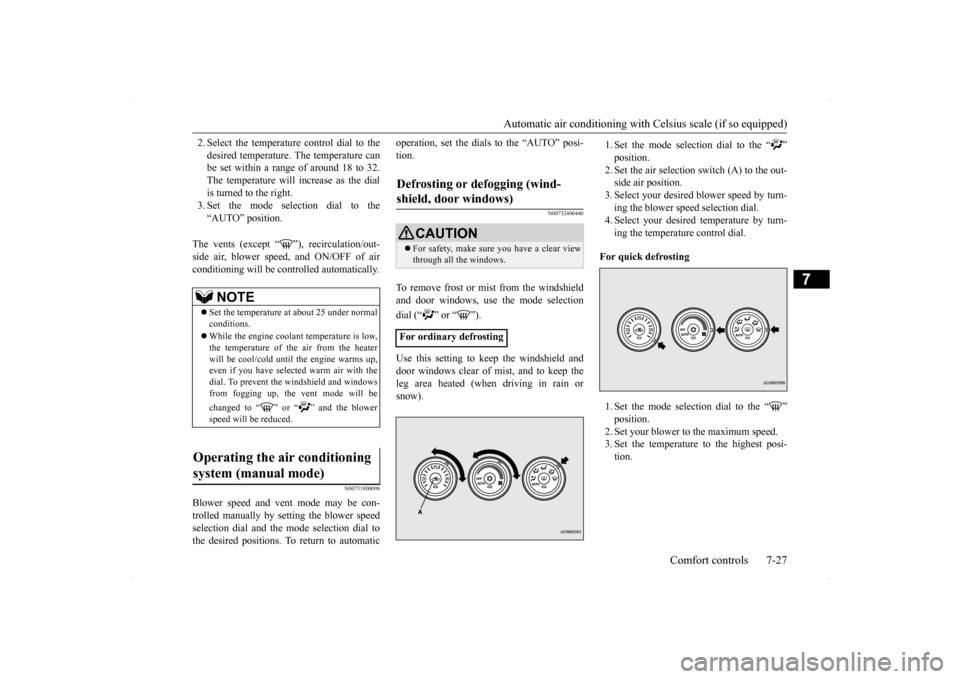
To remove frost or mist from the windshield and door windows, use the mode selection dial (“ ” or “ ”). Use this setting to keep the windshield and door windows clear of mist, and to keep the leg area heated (when driving in rain or snow).
1. Set the mode selection dial to the “ ” position.2. Set the air selection switch (A) to the out- side air position. 3. Select your desired blower speed by turn-ing the blower speed selection dial. 4. Select your desired temperature by turn- ing the temperature control dial.
For quick defrosting 1. Set the mode selection dial to the “ ” position.2. Set your blower to the maximum speed. 3. Set the temperature to the highest posi- tion.
NOTE
Set the temperature at about 25 under normal conditions. While the engine coolant temperature is low, the temperature of the air from the heater will be cool/cold until the engine warms up,even if you have selected warm air with the dial. To prevent the windshield and windows from fogging up, the vent mode will be changed to “ ” or “ ” and the blower speed will be reduced.
Operating the air conditioning system (manual mode)
Defrosting or defogging (wind- shield, door windows)
CAUTION For safety, make sure you have a clear view through all the windows.
For ordinary defrosting
Page 303 of 434
Important air conditioning operating tips 7-28 Comfort controls
7
N00733700280
1. Park the vehicle in the shade whenever possible. Parking in the hot sun makes thevehicle interior extremely hot which thenrequires more time to cool. If it is neces- sary to park in the sun, open the windows for the first few minutes of air condition-ing to expel the hot air. 2. Afterwards, keep the windows closed when the air conditioning is in use. Theentry of outside air through open windows will reduce cooling efficiency.
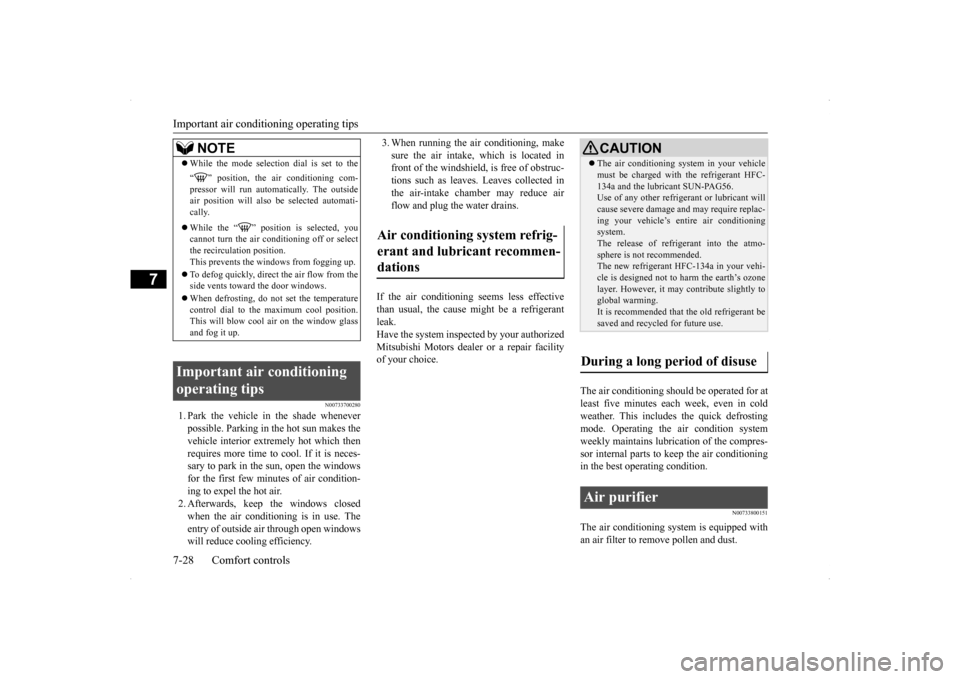
3. When running the air conditioning, make sure the air intake, which is located in front of the windshield, is free of obstruc- tions such as leaves. Leaves collected inthe air-intake chamber may reduce air flow and plug the water drains.
If the air conditioning seems less effective than usual, the cause might be a refrigerantleak. Have the system inspected by your authorized Mitsubishi Motors dealer or a repair facilityof your choice.
The air conditioning should be operated for at least five minutes each week, even in coldweather. This includes the quick defrosting mode. Operating the air condition system weekly maintains lubrication of the compres-sor internal parts to keep the air conditioning in the best operating condition.
N00733800151
The air conditioning system is equipped withan air filter to remove pollen and dust.
NOTE
While the mode selection dial is set to the “ ” position, the air conditioning com- pressor will run automatically. The outside air position will also be selected automati-cally. While the “ ” position is selected, you cannot turn the air conditioning off or selectthe recirculation position. This prevents the windows from fogging up. To defog quickly, direct
the air flow from the
side vents toward the door windows. When defrosting, do not set the temperature control dial to the maximum cool position. This will blow cool air on the window glass and fog it up.
Important air conditioning operating tips
Air conditioning system refrig- erant and lubricant recommen-dations
CAUTION The air conditioning system in your vehicle must be charged with the refrigerant HFC- 134a and the lubricant SUN-PAG56. Use of any other refrigerant or lubricant will cause severe damage and may require replac-ing your vehicle’s entire air conditioning system. The release of refrigerant into the atmo-sphere is not recommended. The new refrigerant HFC-134a in your vehi- cle is designed not to harm the earth’s ozonelayer. However, it may contribute slightly to global warming. It is recommended that the old refrigerant besaved and recycled for future use.
During a long period of disuse Air purifier
Page 304 of 434
AM/FM radio/CD player (if so equipped)
Comfort controls 7-29
7
The air filter’s ability to collect pollen and dirt is reduced as it becomes dirty, so replace it periodically. For the maintenance interval, refer to the “WARRANTY AND MAINTE-NANCE MANUAL”.
N00734302098
The audio system can only be used when the ignition switch is in the “ON” or “ACC” position.
N00715000021
This product supports audio playback from iPod/iPhone devices, however dif- fering versions mean that playback cannot be guaranteed. Please be aware that depending on the iPod/iPhone model or version, operation may differ.
N00715200023
If the product becomes dirty, wipe with a soft cloth. If very dirty, use a soft cloth dipped in neutral detergent diluted in water, and then wrung out. Do not use benzene, thin-ners, or other chemical wipes. This may harm the surface.
NOTE
Operation in certain conditions such as driv- ing on a dusty road and frequent use of the air conditioning can lead to reduction of ser-vice life of the filter.
When you feel that the
air flow is lower than
normal or when the
windshield or windows start to fog up easily,replace the air filter. Contact your Mitsubishi Motors dealer or a repair facility of your choice for assistance.
AM/FM radio/CD player
(if
so equipped)
NOTE
To listen to the audio system while the engine is not running, turn the ignition switch to the “ACC” position. If the ignition switch is left in the “ACC” position, the accessory power will automati-cally turn off after a certain period of time and you will no longer be able to use the audio system. The accessory power comeson again if the ignition switch is turned from the “ACC” position. Refer to “ACC power auto-cutout function” on page 5-55. If a cellular phone is used inside the vehicle, it may create noise in the audio equipment.This does not mean that anything is wrong with your audio equipment. In such a case, use the cellular phone at a place as far awayas possible from the audio equipment. If foreign objects or water get into the audio equipment, or if smoke or a strange odor comes from it, immediately turn off the audio system and have it checked at anauthorized Mitsubishi Motors dealer or a repair facility of your choice. Never try to repair it yourself. Avoid using the audio sys-tem until it is inspected by a qualified per- son. If the audio system is damaged by foreign objects, water, or fire, have the system checked by a qualified Mitsubishi Motors technician.
The audio amplifier (if so equipped) is located under the front left seat. Do not subject the amplifier to a strong impact. It could damage the amplifier or malfunc-tioning could result.
Important Points on Usage
iPod/iPhone Playback Function
(if
so equipped)How to Clean
NOTE
Page 312 of 434
Audio Files (MP3/WMA/AAC)
Comfort controls 7-37
7
N00716000028
WMA is an abbreviation of Windows Media Audio, and this is an audio compression for-mat from Microsoft. This is a compression format that has a higher compression ratio than MP3. Specifications for WMA files that can be played are as below.
N00716100029
AAC is an abbreviation of Advanced AudioCoding, and this is an audio compression standard used in “MPEG-2” and “MPEG-4”. This features 1.4x the compression of MP3,with comparable audio quality.
Specifications for AAC files that can be played are as below.
What Is WMA?
NOTE
Microsoft, Windows Media, and Windows are registered trademarks of Microsoft Cor-poration (USA) and in other countries.CAUTION WMA supports digital rights management (DRM). This product cannot play backWMA files protected using this system. WMA files different to the standards at right may not play back correctly, or file/folder names may not be displayed correctly. “Pro”, “Lossless”, and “Voice” are not sup- ported.
Standards for WMA Files That Can Be Played Back
Item
Details
Specification Windows Media Audio
Version7.0/8.0/9.0
Sampling fre- quency [kHz]
32/44.1/48
Bit rate [kbps] 48 to 320
VBR
(variable bit rate)
Support
Channel mode Stereo/Monaural File extension wmaSupported tag information
WMA tags Title name, Artist name, Album name
Maximum num- ber of characters that can be indi- cated on the dis-
play
64 characters
What Is AAC?
CAUTION AAC supports digital rights management (DRM). This product cannot play back AAC files protected using this system. AAC files different to the standards at right may not play back correctly, or file/folder names may not be displayed correctly.
Standards for AAC Files That Can Be Played Back
Item
Details
Specification Advanced Audio
Coding MPEG4/AAC-LC MPEG2/AAC-LC
Sampling
fre- quency [kHz]
MPEG4 8/11.025/12/16/22.05/
24/32/44.1/48
MPEG2 8/11.025/12/16/22.05/
24/32/44.1/48
Bit rate [kbps]
MPEG4 8 to 320 MPEG2 8 to 320
VBR
(variable bit rate)
Support
Channel mode Stereo/Monaural
Page 375 of 434
Battery 9-16 Vehicle care and maintenance
9
N00901600015
The battery is weaker in cold temperatures. This has to do with its chemical and physical properties and is why a very cold battery,especially one with a low charge, will have a hard time starting your vehicle. It is recommended that you have your batteryand charging system checked by an autho- rized Mitsubishi Motors
dealer or a repair
facility of your choice before the start of coldweather. If necessary, have it charged. This will guarantee more reliable starting, and lon- ger battery life.
N00901701084
To disconnect the battery cable, stop theengine. Disconnect the negative (-) terminalfirst, then the positive (+) terminal. To recon- nect the battery, first connect the positive (+) terminal and then the negative (-) terminal,before starting the vehicle.
NOTE
For vehicles equipped with a turbocharger, the battery upper cover does not need to be removed to check the battery electrolyte level.
During cold weather Disconnection and connection
NOTE
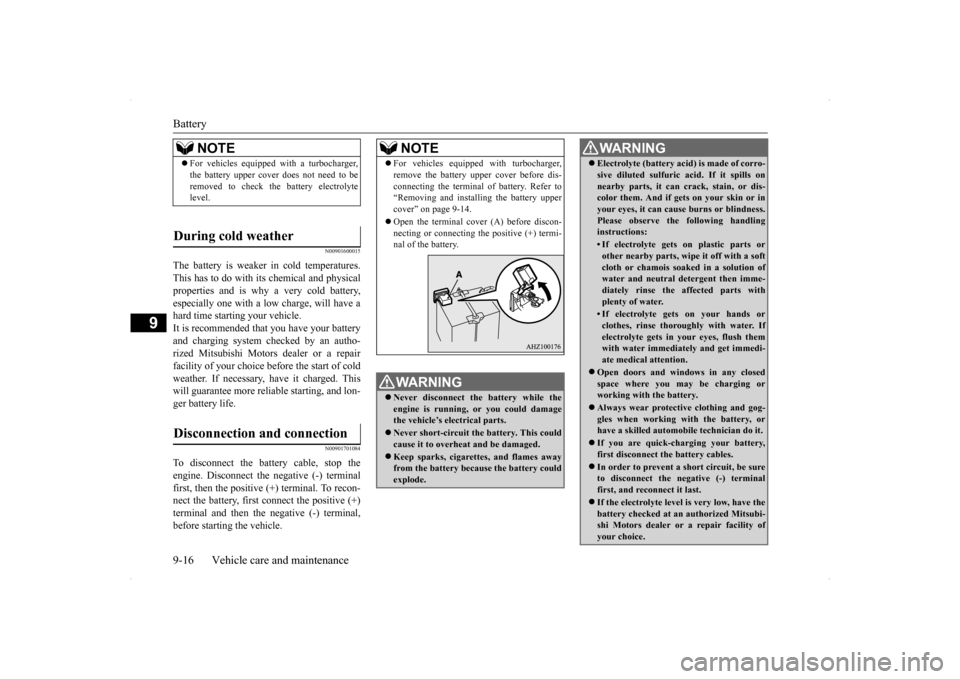
For vehicles equipped with turbocharger, remove the battery upper cover before dis- connecting the terminal of battery. Refer to “Removing and installing the battery upper cover” on page 9-14. Open the terminal cover (A) before discon- necting or connecting the positive (+) termi-nal of the battery.WA R N I N G Never disconnect the battery while the engine is running, or you could damagethe vehicle’s electrical parts. Never short-circuit the battery. This could cause it to overheat and be damaged. Keep sparks, cigarettes, and flames away from the battery because the battery could explode.
Electrolyte (battery acid) is made of corro- sive diluted sulfuric acid. If it spills on nearby parts, it can crack, stain, or dis- color them. And if gets on your skin or in your eyes, it can cause burns or blindness.Please observe the following handling instructions:• If electrolyte gets on plastic parts orother nearby parts, wipe it off with a soft cloth or chamois soaked in a solution ofwater and neutral detergent then imme- diately rinse the affected parts with plenty of water.• If electrolyte gets on your hands orclothes, rinse thoroughly with water. Ifelectrolyte gets in your eyes, flush them with water immediately and get immedi- ate medical attention.
Open doors and windows in any closed space where you may be charging orworking with the battery. Always wear protective clothing and gog- gles when working with the battery, or have a skilled automobile technician do it. If you are quick-charging your battery, first disconnect the
battery cables.
In order to prevent a short circuit, be sure to disconnect the negative (-) terminal first, and reconnect it last. If the electrolyte level is very low, have the battery checked at an authorized Mitsubi- shi Motors dealer or a repair facility of your choice.WA R N I N G
Page 384 of 434
Parking brake break-in
Vehicle care and maintenance 9-25
9
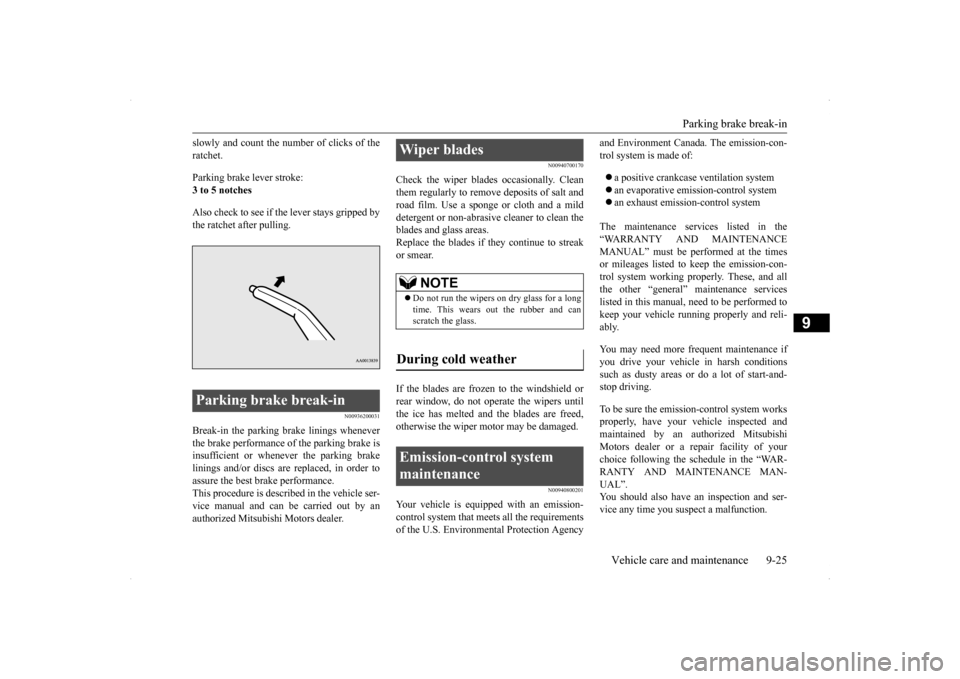
slowly and count the number of clicks of the ratchet. Parking brake lever stroke: 3 to 5 notches Also check to see if the lever stays gripped by the ratchet after pulling.
N00936200031
Break-in the parking brake linings wheneverthe brake performance of the parking brake is insufficient or whenever the parking brake linings and/or discs are replaced, in order toassure the best brake performance. This procedure is described in the vehicle ser- vice manual and can be carried out by anauthorized Mitsubishi Motors dealer.
N00940700170
Check the wiper blades occasionally. Cleanthem regularly to remove deposits of salt androad film. Use a sponge or cloth and a mild detergent or non-abrasive cleaner to clean the blades and glass areas.Replace the blades if they continue to streak or smear. If the blades are frozen to the windshield or rear window, do not operate the wipers until the ice has melted and the blades are freed,otherwise the wiper motor may be damaged.
N00940800201
Your vehicle is equipped with an emission-control system that meets all the requirements of the U.S. Environmental Protection Agency
and Environment Canada. The emission-con- trol system is made of: a positive crankcase ventilation system an evaporative emission-control system an exhaust emission-control system
The maintenance services listed in the “WARRANTY AND MAINTENANCE MANUAL” must be performed at the times or mileages listed to keep the emission-con-trol system working properly. These, and allthe other “general” maintenance services listed in this manual, need to be performed to keep your vehicle running properly and reli-ably. You may need more frequent maintenance if you drive your vehicle in harsh conditions such as dusty areas or
do a lot of start-and-
stop driving. To be sure the emission-control system works properly, have your vehicle inspected and maintained by an authorized MitsubishiMotors dealer or a repair facility of your choice following the schedule in the “WAR- RANTY AND MAINTENANCE MAN-UAL”. You should also have an inspection and ser- vice any time you suspect a malfunction.
Parking brake break-in
Wiper blades
NOTE
Do not run the wipers on dry glass for a long time. This wears out the rubber and can scratch the glass.
During cold weather Emission-control system maintenance