TRANSMISSION MITSUBISHI LANCER 2017 8.G Owner's Manual
[x] Cancel search | Manufacturer: MITSUBISHI, Model Year: 2017, Model line: LANCER, Model: MITSUBISHI LANCER 2017 8.GPages: 385, PDF Size: 14.34 MB
Page 131 of 385
Continuously variable transm
ission (CVT) (if so equipped)
5-66 Features and controls
5
N00538800154
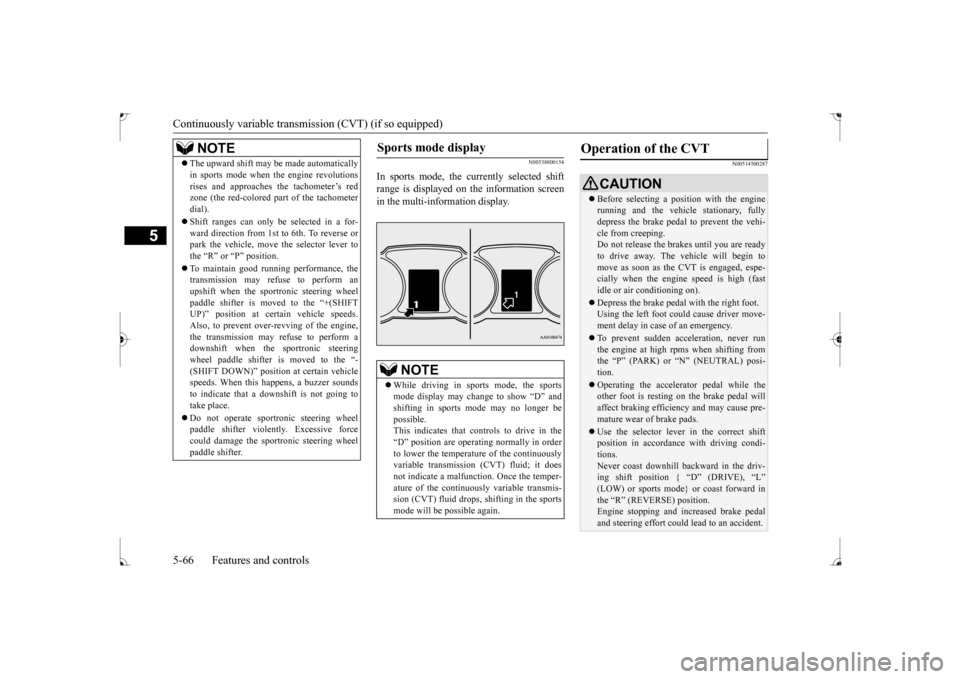
In sports mode, the currently selected shift range is displayed on the information screenin the multi-information display.
N00514500287
NOTE
The upward shift may be made automatically in sports mode when the engine revolutions rises and approaches the tachometer’s red zone (the red-colored part of the tachometer dial). Shift ranges can only be selected in a for- ward direction from 1st to 6th. To reverse orpark the vehicle, move the selector lever to the “R” or “P” position. To maintain good running performance, the transmission may refuse to perform an upshift when the sportronic steering wheelpaddle shifter is moved to the “+(SHIFT UP)” position at certain vehicle speeds. Also, to prevent over-revving of the engine,the transmission may refuse to perform a downshift when the sportronic steering wheel paddle shifter is moved to the “-(SHIFT DOWN)” position at certain vehicle speeds. When this happens, a buzzer sounds to indicate that a downshift is not going totake place. Do not operate sportronic steering wheel paddle shifter violently. Excessive force could damage the sportronic steering wheel paddle shifter.
Sports mode display
NOTE
While driving in sports mode, the sports mode display may change to show “D” and shifting in sports mode may no longer be possible.This indicates that controls to drive in the “D” position are operating normally in order to lower the temperature of the continuouslyvariable transmission (CVT) fluid; it does not indicate a malfunction. Once the temper- ature of the continuously variable transmis-sion (CVT) fluid drops, shifting in the sports mode will be possible again.
Operation of the CVT
CAUTION Before selecting a position with the engine running and the vehicle stationary, fully depress the brake pedal to prevent the vehi- cle from creeping.Do not release the brakes until you are ready to drive away. The vehicle will begin to move as soon as the CVT is engaged, espe-cially when the engine speed is high (fast idle or air conditioning on). Depress the brake pedal with the right foot. Using the left foot could cause driver move- ment delay in case of an emergency. To prevent sudden acceleration, never run the engine at high rpms when shifting fromthe “P” (PARK) or “N” (NEUTRAL) posi- tion. Operating the accelerator pedal while the other foot is resting on the brake pedal will affect braking efficiency and may cause pre-mature wear of brake pads. Use the selector lever in the correct shift position in accordance with driving condi- tions. Never coast downhill backward in the driv- ing shift position { “D” (DRIVE), “L” (LOW) or sports mode} or coast forward inthe “R” (REVERSE) position. Engine stopping and increased brake pedal and steering effort could lead to an accident.
BK0237700US.bo
ok 66 ページ 2016年4月15日 金曜日 午前11時28分
Page 132 of 385
Continuously variable transmission (CVT) (if so equipped)
Features and controls 5-67
5
N00514900063
To gain extra acceleration in “D” (DRIVE) position (when passing another vehicle) push the accelerator to the floor
if it is safe to do so
in traffic conditions. The CVT will automati-cally downshift.
N00515000074
For short waiting periods, such as at traffic lights, the vehicle can be left in selector lever position and held stationary with the servicebrake.
For longer waiting periods with the engine running, the selector lever should be placed in the “N” (NEUTRAL) position.
N00515100062
To park the vehicle, first bring it to a com- plete stop, fully engage the parking brake,and then move the selector lever to the “P” (PARK) position. If you are going to leave the vehicle unat-tended, always switch off the engine and carry the key.
N00515300194
If the CVT does not shift while driving, or your vehicle does not pick up enough speed when starting on an uphill slope, there may be something unusual happening in the transmis-sion, causing a safety device to activate. Have your vehicle checked at an authorized Mit- subishi Motors dealer or a repair facility ofyour choice as soon as possible. 1. If your vehicle has difficulty moving uphill, shift the selector lever into “L” (LOW) position (except for vehicles withsport mode) or 2nd shift range of the sports mode. This method might not work dependingon the type of transmission malfunction.
Do not rev the engine with the brake pedal pressed when the vehicle is stationary. This can damage the CVT. Also, when you depress the accelerator pedal while holding down the brake pedal with theselector lever in the “D” (DRIVE) position, the engine revolutions may not rise as high as when performing the same operation withthe selector lever in the “N” (NEUTRAL) position.
Passing acceleration
NOTE
In sports mode, downshifts do not take place when the accelerator is depressed all the way to the floor.
Waiting
CAUTION
CAUTION To avoid transmission overheating, never try to keep your vehicle stationary on a hill by using the accelerator pedal. Always apply the parking brake and/or service brake. Unexpected acceleration may occur if the selector lever is in a position other than “P”(PARK) or “N” (NEUTRAL). Before driving off from a stop, make sure that the selector lever is in “D” (DRIVE)position or “Sports mode” position.
Parking
NOTE
On a slope, be sure to apply the parking brake before moving the selector lever to the “P” (PARK) position. If you move the selec- tor lever to the “P” (PARK) position before applying the parking brake, it may be diffi-cult to disengage the selector lever from the “P” (PARK) position when next you drive the vehicle, requiring application of a strongforce to the selector lever to move from the “P” (PARK) position.
When the CVT makes no speed change
BK0237700US.bo
ok 67 ページ 2016年4月15日 金曜日 午前11時28分
Page 133 of 385
Electronically controlled 4WD system (if so equipped) 5-68 Features and controls
5
2. Once the vehicle is moving on a level road, move the selector lever back to “D” (DRIVE) position.
N00548300019
The electronically controlled 4WD system isan all-wheel drive system that allows one of three drive modes to be selected with aswitch, in accordance with the driving condi- tions. The following drive modes are available.
4-wheel drive operation requires special driv- ing skills. Carefully read the “All-wheel driving opera- tion” section on page 5-70 and take care todrive safely.
N00548401033
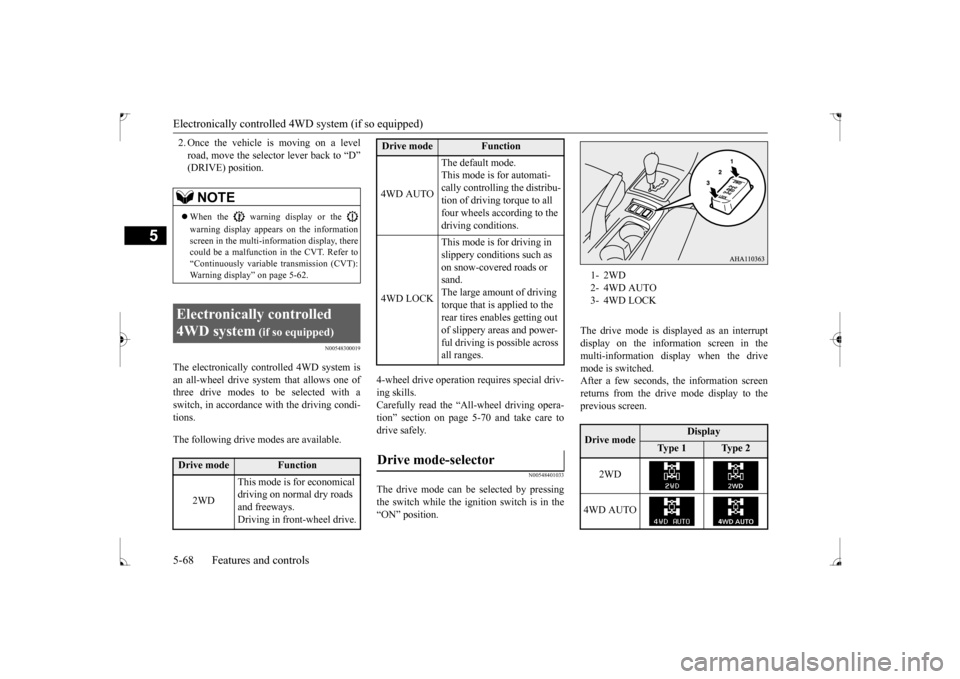
The drive mode can be selected by pressingthe switch while the ignition switch is in the “ON” position.
The drive mode is displayed as an interrupt display on the information screen in the multi-information display when the drive mode is switched.After a few seconds, the information screenreturns from the drive mode display to the previous screen.
NOTE
When the warning display or the warning display appears on the information screen in the multi-information display, therecould be a malfunction in the CVT. Refer to “Continuously variable transmission (CVT): Warning display” on page 5-62.
Electronically controlled 4WD system
(if so equipped)
Drive mode
Function
2WD
This mode is for economical driving on normal dry roads and freeways. Driving in front-wheel drive.
4WD AUTO
The default mode. This mode is for automati- cally controlling the distribu-tion of driving torque to all four wheels according to the driving conditions.
4WD LOCK
This mode is for driving in slippery conditions such as on snow-covered roads or sand.The large amount of driving torque that is applied to the rear tires enables getting out of slippery areas and power- ful driving is possible across all ranges.
Drive mode-selector
Drive mode
Function
1- 2WD2- 4WD AUTO3- 4WD LOCKDrive mode
Display
Ty p e 1
Ty p e 2
2WD
4WD AUTO
BK0237700US.bo
ok 68 ページ 2016年4月15日 金曜日 午前11時28分
Page 144 of 385
Power steering system
Features and controls 5-79
5
N00546300015
N00518000310
The power steering system operates while the engine is running. It helps reduce the effortneeded to turn the steering wheel. The power steering system has mechanical steering capability in case the power assist islost. If the power assist is lost for some rea- son, you will still be able to steer your vehi- cle, but you will notice it takes much moreeffort to steer. If this happens, have your vehi-cle inspected at an authorized Mitsubishi Motors dealer or a repair facility of your choice.
N00547101062
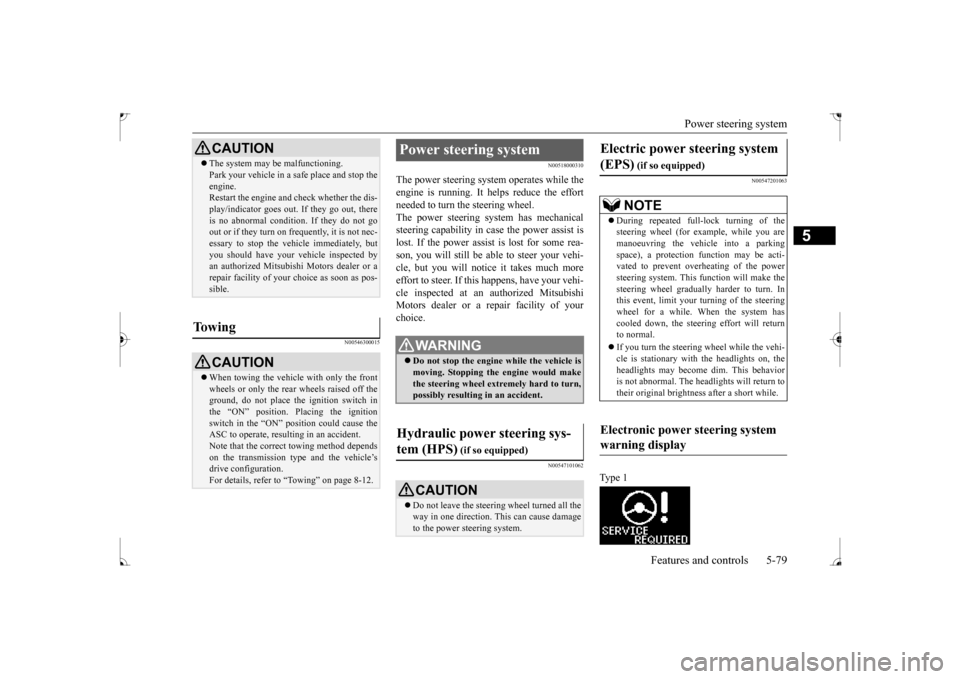
N00547201063
Type 1
CAUTION The system may be malfunctioning. Park your vehicle in a safe place and stop the engine. Restart the engine and check whether the dis- play/indicator goes out. If they go out, thereis no abnormal condition. If they do not go out or if they turn on frequently, it is not nec- essary to stop the vehicle immediately, butyou should have your vehicle inspected by an authorized Mitsubishi Motors dealer or a repair facility of your choice as soon as pos-sible.
To w i n g
CAUTION When towing the vehicle with only the front wheels or only the rear wheels raised off theground, do not place the ignition switch in the “ON” position. Placing the ignition switch in the “ON” position could cause theASC to operate, resulting in an accident. Note that the correct towing method depends on the transmission type and the vehicle’s drive configuration. For details, refer to “Towing” on page 8-12.
Power steering system
WA R N I N G Do not stop the engine while the vehicle is moving. Stopping the engine would make the steering wheel extremely hard to turn,possibly resulting in an accident.
Hydraulic power steering sys- tem (HPS)
(if so equipped)
CAUTION Do not leave the steering wheel turned all the way in one direction. This can cause damage to the power steering system.
Electric power steering system (EPS)
(if so equipped)NOTE
During repeated full-lock turning of the steering wheel (for example, while you are manoeuvring the vehicle into a parkingspace), a protection function may be acti- vated to prevent overheating of the power steering system. This function will make thesteering wheel gradually harder to turn. In this event, limit your turning of the steering wheel for a while. When the system hascooled down, the steering effort will return to normal. If you turn the steering wheel while the vehi- cle is stationary with the headlights on, the headlights may become dim. This behavioris not abnormal. The headlights will return to their original brightness after a short while.
Electronic power steering system warning display
BK0237700US.bo
ok 79 ページ 2016年4月15日 金曜日 午前11時28分
Page 148 of 385
Cruise control (if so equipped) Features and controls 5-83
5
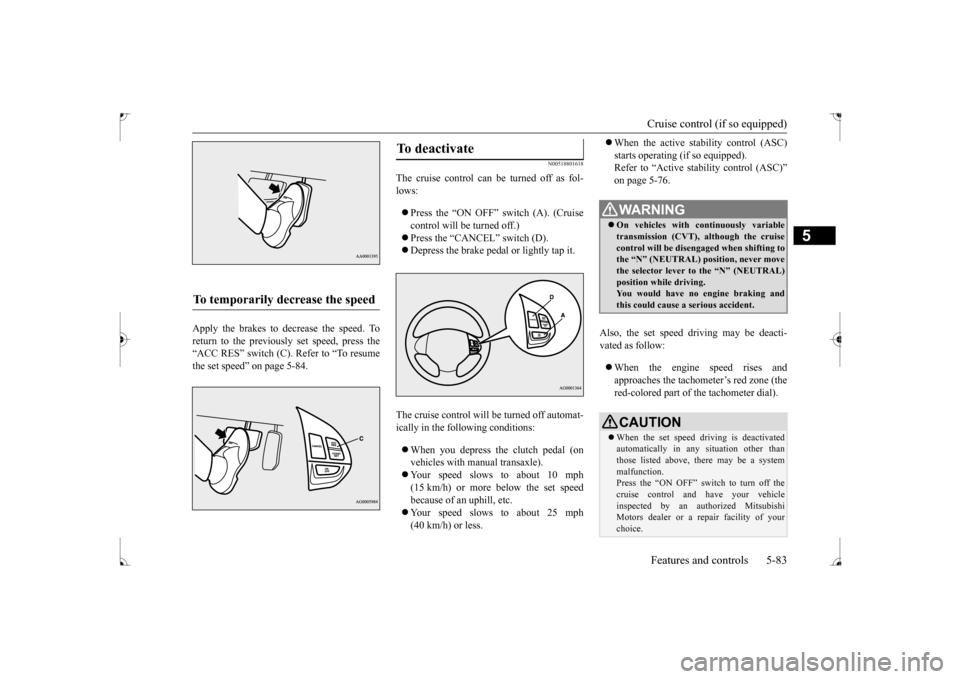
Apply the brakes to decrease the speed. To return to the previously set speed, press the“ACC RES” switch (C). Refer to “To resume the set speed” on page 5-84.
N00518801618
The cruise control can be turned off as fol- lows: Press the “ON OFF” switch (A). (Cruise control will be turned off.) Press the “CANCEL” switch (D). Depress the brake pedal or lightly tap it.
The cruise control will be turned off automat- ically in the following conditions: When you depress the clutch pedal (on vehicles with manual transaxle). Your speed slows to about 10 mph (15 km/h) or more below the set speed because of an uphill, etc. Your speed slows to about 25 mph (40 km/h) or less.
When the active stability control (ASC) starts operating (if so equipped). Refer to “Active stability control (ASC)” on page 5-76.
Also, the set speed driving may be deacti- vated as follow: When the engine speed rises and approaches the tachometer’s red zone (the red-colored part of the tachometer dial).
To temporarily decrease the speed
To deactivate
WA R N I N G On vehicles with continuously variable transmission (CVT), although the cruisecontrol will be disengaged when shifting to the “N” (NEUTRAL) position, never move the selector lever to the “N” (NEUTRAL)position while driving. You would have no engine braking and this could cause a serious accident.CAUTION When the set speed driving is deactivated automatically in any situation other than those listed above, there may be a system malfunction.Press the “ON OFF” switch to turn off the cruise control and have your vehicle inspected by an authorized MitsubishiMotors dealer or a repair facility of your choice.
BK0237700US.bo
ok 83 ページ 2016年4月15日 金曜日 午前11時28分
Page 155 of 385
Instrument cluster 5-90 Features and controls
5
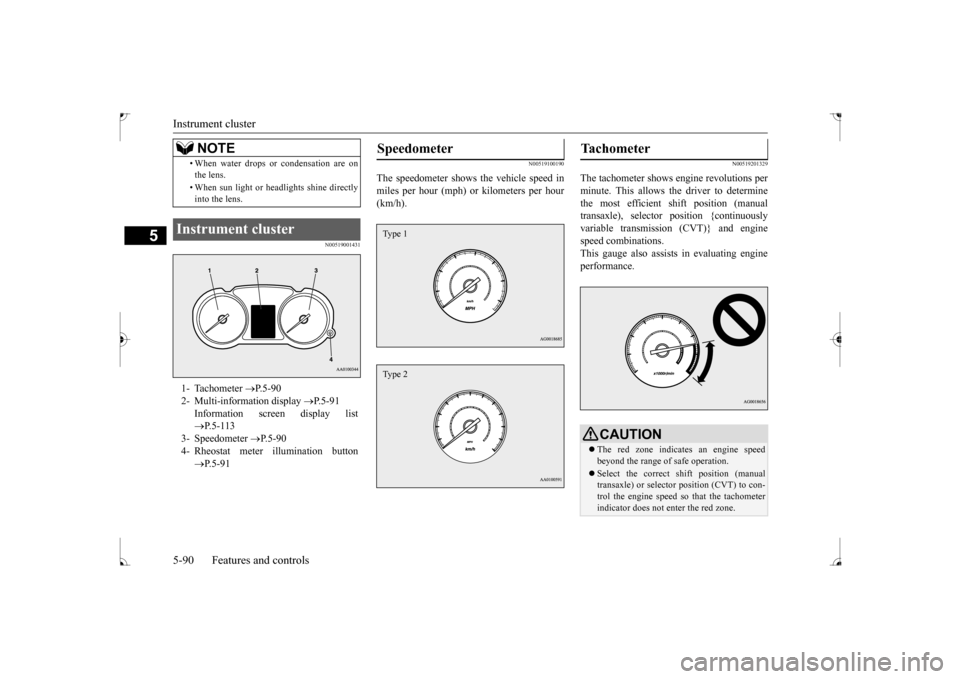
N00519001431
N00519100190
The speedometer shows the vehicle speed in miles per hour (mph) or kilometers per hour(km/h).
N00519201329
The tachometer shows engine revolutions perminute. This allows the driver to determinethe most efficient shift position (manual transaxle), selector position {continuously variable transmission (CVT)} and enginespeed combinations. This gauge also assists in evaluating engine performance.
• When water drops or condensation are on the lens. • When sun light or headlights shine directly into the lens.
Instrument cluster 1- Tachometer
P.5-90
2- Multi-information display
P.5-91
Information screen display list P.5-113
3- Speedometer
P.5-90
4- Rheostat meter illumination button
P.5-91NOTE
Speedometer Type 1Type 2
Tachometer
CAUTIONThe red zone indicates an engine speed beyond the range of safe operation. Select the correct shift position (manual transaxle) or selector position (CVT) to con- trol the engine speed so that the tachometerindicator does not enter the red zone.
BK0237700US.bo
ok 90 ページ 2016年4月15日 金曜日 午前11時28分
Page 167 of 385
Multi-information display 5-102 Features and controls
5
switch a few times, the warning display screen you switched from is redisplayed. The operation status of each system is dis- played on the information screen. For further details, refer to the appropriate page in the warning display list.Refer to “Other interrupt displays (With igni-tion switch in the “ON” position)” on page 5-121.
N00556400048
Shows the position of the selector lever. Refer to “Selector lever operation” on page 5-59.
N00556500094
Shows the temperature outside the vehicle.
N00568700019
This indicator will be displayed when fuel-efficient driving is achieved.
N00556600125
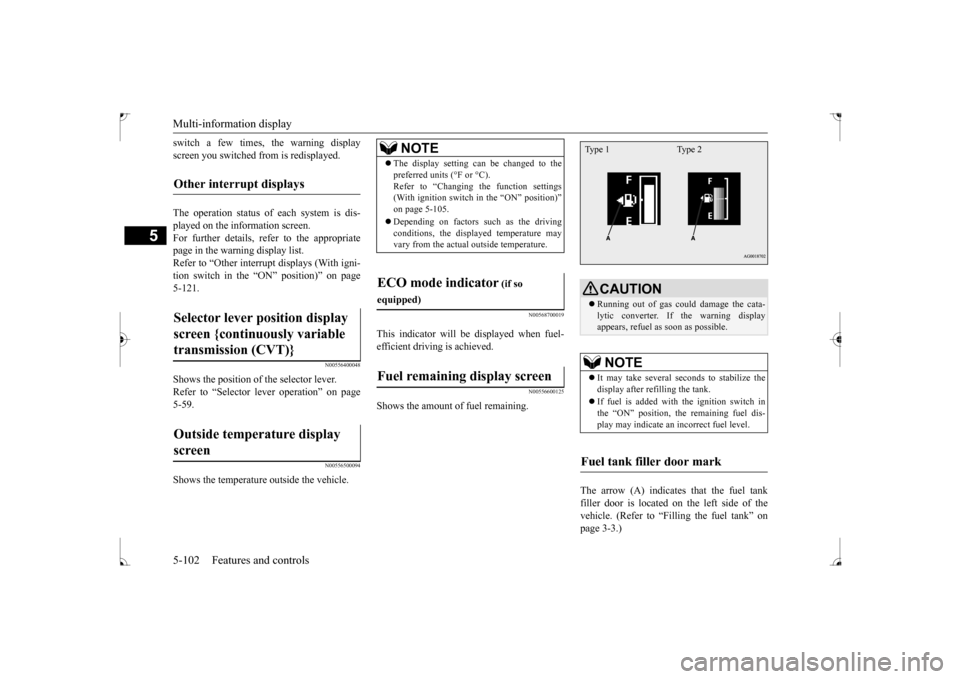
Shows the amount of fuel remaining.
The arrow (A) indicates that the fuel tank filler door is located on the left side of the vehicle. (Refer to “Filling the fuel tank” on page 3-3.)
Other interrupt displays Selector lever position display screen {continuously variable transmission (CVT)} Outside temperature display screen
NOTE
The display setting can be changed to the preferred units (°F or °C). Refer to “Changing the function settings (With ignition switch in the “ON” position)” on page 5-105. Depending on factors such as the driving conditions, the displayed temperature mayvary from the actual outside temperature.
ECO mode indicator
(if so
equipped)Fuel remaining display screen
CAUTION Running out of gas could damage the cata- lytic converter. If the warning display appears, refuel as soon as possible.NOTE
It may take several seconds to stabilize the display after refilling the tank. If fuel is added with the ignition switch in the “ON” position, the remaining fuel dis- play may indicate an incorrect fuel level.
Fuel tank filler door mark Type 1 Type 2
BK0237700US.book
102 ページ 2016年4月15日 金曜日 午前11時28分
Page 170 of 385
Multi-information display
Features and controls 5-105
5
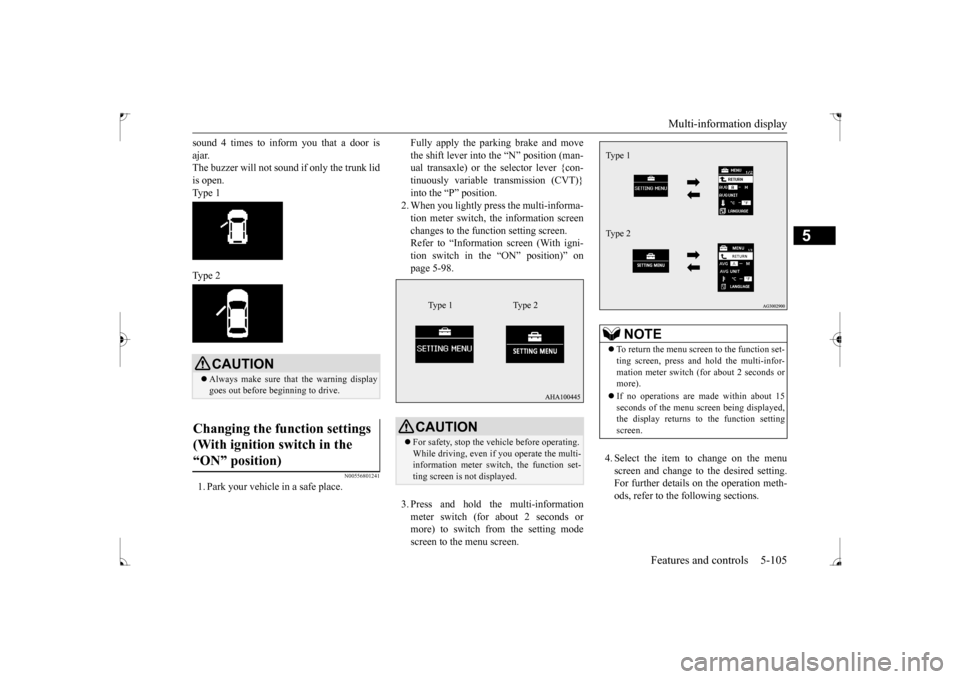
sound 4 times to inform you that a door is ajar. The buzzer will not sound if only the trunk lid is open. Type 1 Type 2
N00556801241
1. Park your vehicle in a safe place.
Fully apply the parking brake and move the shift lever into the “N” position (man- ual transaxle) or the selector lever {con- tinuously variable transmission (CVT)}into the “P” position. 2. When you lightly press the multi-informa- tion meter switch, the information screenchanges to the function setting screen. Refer to “Information screen (With igni- tion switch in the “ON” position)” onpage 5-98. 3. Press and hold the multi-information meter switch (for about 2 seconds or more) to switch from the setting mode screen to the menu screen.
4. Select the item to change on the menu screen and change to the desired setting. For further details on the operation meth- ods, refer to the following sections.
CAUTION Always make sure that the warning display goes out before beginning to drive.
Changing the function settings (With ignition switch in the “ON” position)
CAUTION For safety, stop the vehicle before operating. While driving, even if you operate the multi-information meter switch, the function set- ting screen is not displayed.
Type 1 Type 2
NOTE
To return the menu screen to the function set- ting screen, press and hold the multi-infor- mation meter switch (for about 2 seconds or more). If no operations are made within about 15 seconds of the menu screen being displayed,the display returns to the function setting screen.Type 1 Type 2
BK0237700US.book
105 ページ 2016年4月15日 金曜日 午前11時28分
Page 184 of 385
Indicator light, warning light, an
d information screen display list Features and controls 5-119
5
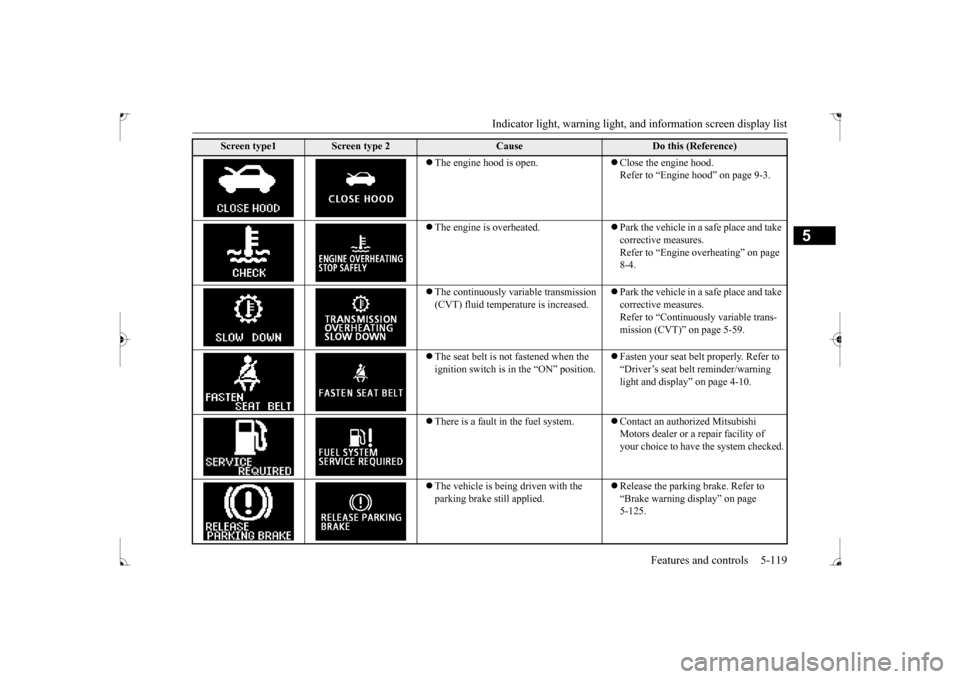
The engine hood is open.
Close the engine hood. Refer to “Engine hood” on page 9-3.
The engine is overheated.
Park the vehicle in a safe place and take corrective measures.Refer to “Engine overheating” on page 8-4.
The continuously variable transmission (CVT) fluid temperature is increased.
Park the vehicle in a safe place and take corrective measures.Refer to “Continuously variable trans- mission (CVT)” on page 5-59.
The seat belt is not fastened when the ignition switch is in the “ON” position.
Fasten your seat belt properly. Refer to “Driver’s seat belt reminder/warning light and display” on page 4-10.
There is a fault in the fuel system.
Contact an authorized Mitsubishi Motors dealer or a repair facility of your choice to have the system checked.
The vehicle is being driven with the parking brake still applied.
Release the parking brake. Refer to “Brake warning display” on page 5-125.
Screen type1
Screen type 2
Cause
Do this (Reference)
BK0237700US.book
119 ページ 2016年4月15日 金曜日 午前11時28分
Page 189 of 385
Warning lights 5-124 Features and controls
5
N00520300147 N00520400467
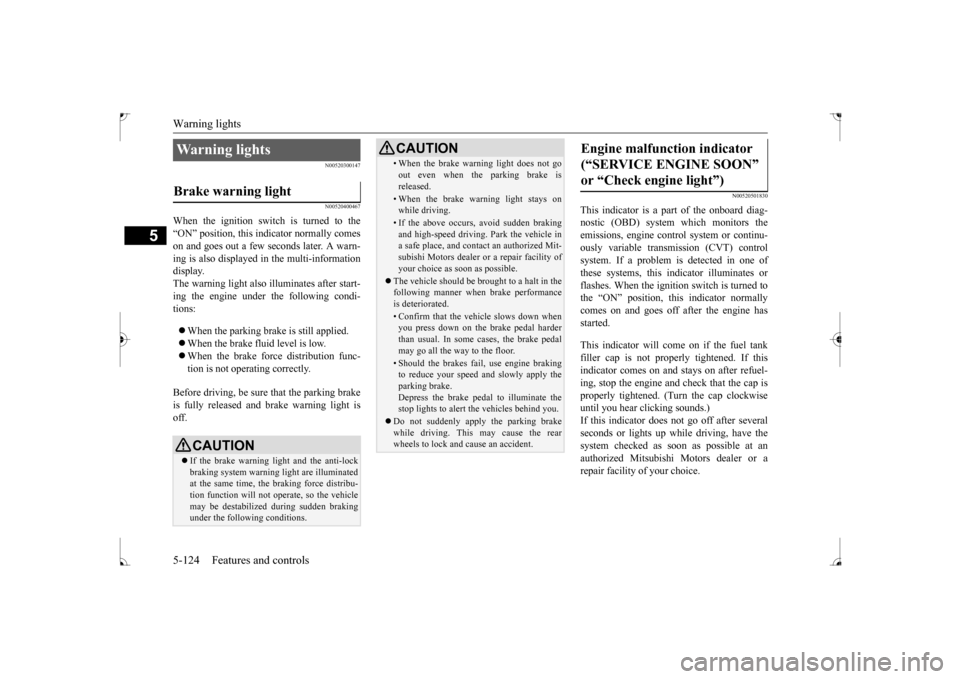
When the ignition switch is turned to the “ON” position, this indicator normally comeson and goes out a few seconds later. A warn- ing is also displayed in the multi-information display.The warning light also illuminates after start-ing the engine under the following condi- tions: When the parking brake is still applied. When the brake fluid level is low. When the brake force distribution func- tion is not operating correctly.
Before driving, be sure that the parking brake is fully released and brake warning light isoff.
N00520501830
This indicator is a part of the onboard diag- nostic (OBD) system which monitors the emissions, engine contro
l system or continu-
ously variable transmission (CVT) control system. If a problem is detected in one of these systems, this indicator illuminates orflashes. When the ignition switch is turned tothe “ON” position, this indicator normally comes on and goes off after the engine has started. This indicator will come on if the fuel tank filler cap is not properly tightened. If this indicator comes on and stays on after refuel- ing, stop the engine and check that the cap isproperly tightened. (Turn the cap clockwise until you hear clicking sounds.) If this indicator does not go off after severalseconds or lights up while driving, have the system checked as soon as possible at an authorized Mitsubishi Motors dealer or arepair facility of your choice.
Warning lights Brake warning light
CAUTION If the brake warning light and the anti-lock braking system warning light are illuminated at the same time, the braking force distribu-tion function will not operate, so the vehicle may be destabilized during sudden braking under the following conditions.
• When the brake warning light does not go out even when the parking brake is released.• When the brake warning light stays onwhile driving.• If the above occurs, avoid sudden brakingand high-speed driving. Park the vehicle in a safe place, and contact an authorized Mit- subishi Motors dealer or a repair facility ofyour choice as soon as possible.
The vehicle should be brought to a halt in the following manner when brake performance is deteriorated.• Confirm that the vehicle slows down whenyou press down on the brake pedal harder than usual. In some cases, the brake pedalmay go all the way to the floor.• Should the brakes fail, use engine brakingto reduce your speed and slowly apply the parking brake. Depress the brake pedal to illuminate thestop lights to alert the vehicles behind you.
Do not suddenly apply the parking brake while driving. This may cause the rear wheels to lock and cause an accident.CAUTION
Engine malfunction indicator (“SERVICE ENGINE SOON” or “Check engine light”)
BK0237700US.book
124 ページ 2016年4月15日 金曜日 午前11時28分