tow MITSUBISHI LANCER EVOLUTION 2014 10.G User Guide
[x] Cancel search | Manufacturer: MITSUBISHI, Model Year: 2014, Model line: LANCER EVOLUTION, Model: MITSUBISHI LANCER EVOLUTION 2014 10.GPages: 338, PDF Size: 40.99 MB
Page 95 of 338
Door locks 5-34 Features and controls
5
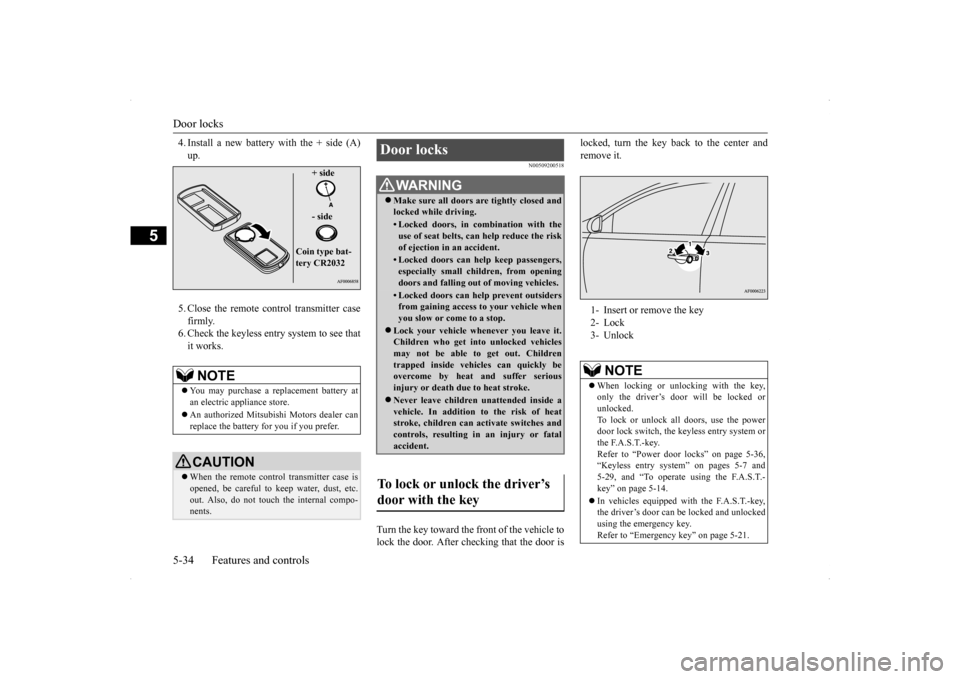
4. Install a new battery with the + side (A) up. 5. Close the remote control transmitter case firmly. 6. Check the keyless entry system to see thatit works.
N00509200518
Turn the key toward the front of the vehicle tolock the door. After checking that the door is
locked, turn the key back to the center and remove it.
NOTE
You may purchase a replacement battery at an electric appliance store. An authorized Mitsubishi Motors dealer can replace the battery for you if you prefer.CAUTION When the remote control transmitter case is opened, be careful to keep water, dust, etc. out. Also, do not touch the internal compo- nents.
+ side - side
Coin type bat- tery CR2032
Door locks
WA R N I N G Make sure all doors are tightly closed and locked while driving.• Locked doors, in combination with theuse of seat belts, can help reduce the risk of ejection in an accident.• Locked doors can help keep passengers,especially small children, from opening doors and falling out of moving vehicles.• Locked doors can help prevent outsidersfrom gaining access to your vehicle whenyou slow or come to a stop.
Lock your vehicle whenever you leave it. Children who get into unlocked vehicles may not be able to get out. Children trapped inside vehicles can quickly beovercome by heat and suffer serious injury or death due to heat stroke. Never leave children unattended inside a vehicle. In addition to the risk of heat stroke, children can activate switches andcontrols, resulting in an injury or fatal accident.
To lock or unlock the driver’s door with the key
1- Insert or remove the key 2- Lock 3- Unlock
NOTE
When locking or unlocking with the key, only the driver’s door will be locked or unlocked.To lock or unlock all doors, use the power door lock switch, the keyless entry system or the F.A.S.T.-key.Refer to “Power door locks” on page 5-36, “Keyless entry system” on pages 5-7 and 5-29, and “To operate using the F.A.S.T.-key” on page 5-14. In vehicles equipped with the F.A.S.T.-key, the driver’s door can be locked and unlocked using the emergency key. Refer to “Emergency key” on page 5-21.
BK0200800US.bo
ok 34 ページ 2013年2月14日 木曜日 午後2時28分
Page 108 of 338
Parking brake
Features and controls 5-47
5
N00511400360
To park the vehicle, first bring it to a com- plete stop, fully engage the parking brake,and then move the gearshift lever to 1st (on a uphill) or “R” (Reverse) (on a downhill) posi- tion, for vehicles with a manual transaxle orset the gearshift lever to “P” (PARK) position on Twin Clutch SST vehicles.
When parking on a hill, apply the parking brake and turn the front wheels toward thecurb on a downhill grade, away from the curb on an uphill grade.
N00511500198
To adjust the steering wheel height, releasethe tilt lock lever while holding the steering wheel by hand, and raise or lower the steeringwheel to the desired height. After adjustment, securely lock the lever by pulling it upward.
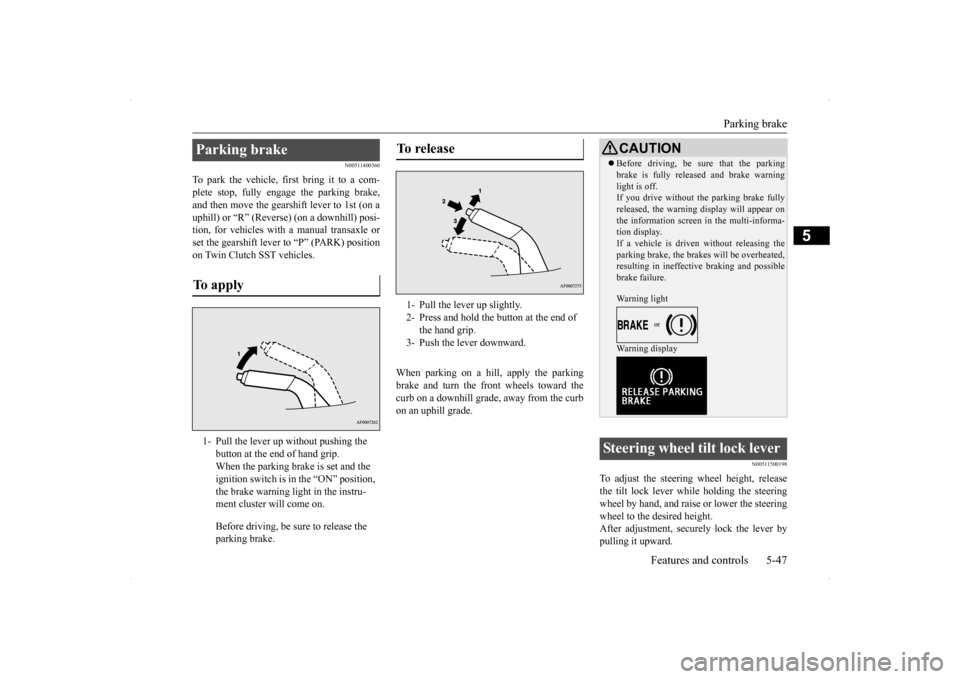
Parking brake To apply 1- Pull the lever up without pushing the
button at the end of hand grip. When the parking brake is set and the ignition switch is in the “ON” position, the brake warning light in the instru-ment cluster will come on. Before driving, be sure to release the parking brake.
To release 1- Pull the lever up slightly. 2- Press and hold the button at the end of
the hand grip.
3- Push the lever downward.
CAUTION Before driving, be sure that the parking brake is fully released and brake warning light is off. If you drive without the parking brake fully released, the warning display will appear onthe information screen in the multi-informa- tion display. If a vehicle is driven without releasing theparking brake, the brakes will be overheated, resulting in ineffective braking and possible brake failure. Warning light Warning display
Steering wheel tilt lock lever
BK0200800US.bo
ok 47 ページ 2013年2月14日 木曜日 午後2時28分
Page 111 of 338
Ignition switch 5-50 Features and controls
5
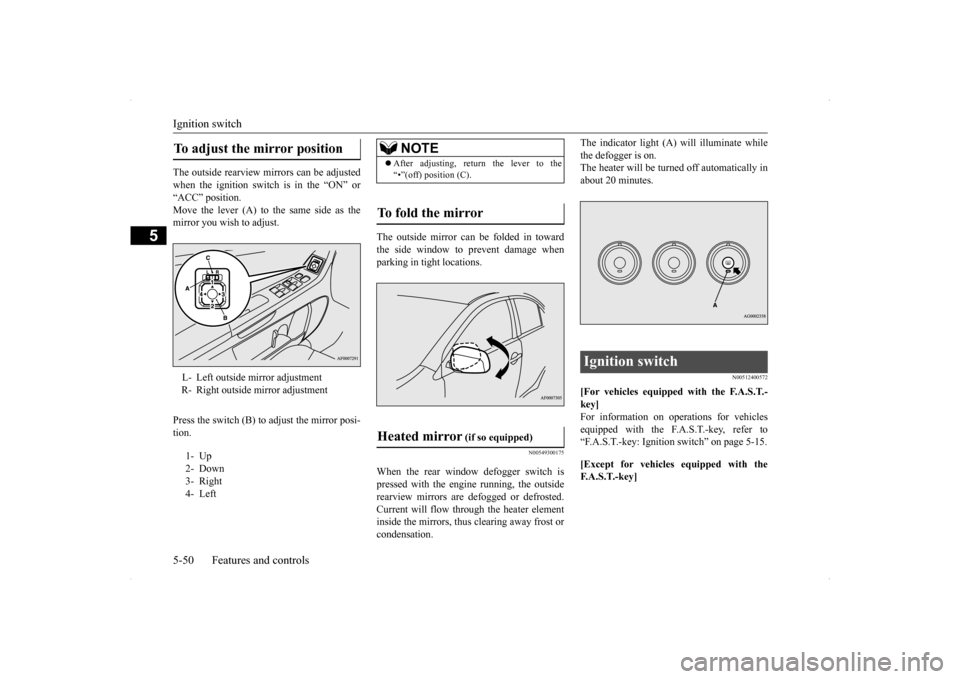
The outside rearview mirrors can be adjusted when the ignition switch is in the “ON” or “ACC” position.Move the lever (A) to the same side as the mirror you wish to adjust. Press the switch (B) to adjust the mirror posi- tion.
The outside mirror can be folded in toward the side window to prevent damage whenparking in tight locations.
N00549300175
When the rear window defogger switch is pressed with the engine running, the outside rearview mirrors are defogged or defrosted.Current will flow through the heater element inside the mirrors, thus clearing away frost or condensation.
The indicator light (A) will illuminate while the defogger is on. The heater will be turned off automatically in about 20 minutes.
N00512400572
[For vehicles equipped with the F.A.S.T.- key] For information on operations for vehiclesequipped with the F.A.S.T.-key, refer to “F.A.S.T.-key: Ignition switch” on page 5-15. [Except for vehicles equipped with the F. A . S . T. - k e y ]
To adjust the mirror position L- Left outside mirror adjustment R- Right outside mirror adjustment 1- Up 2- Down 3- Right4- Left
NOTE
After adjusting, return the lever to the “•”(off) position (C).
To fold the mirror Heated mirror
(if so equipped)
Ignition switch
BK0200800US.bo
ok 50 ページ 2013年2月14日 木曜日 午後2時28分
Page 126 of 338
Twin Clutch SST (Sportronic Shif
t Transmission) (if so equipped) Features and controls 5-65
5
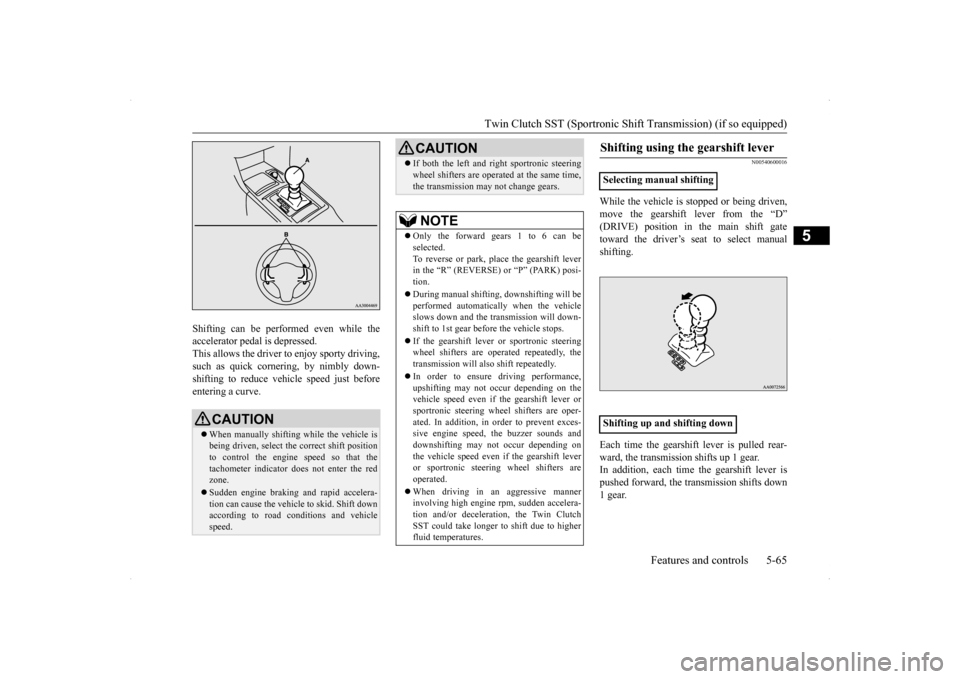
Shifting can be performed even while the accelerator pedal is depressed. This allows the driver to enjoy sporty driving,such as quick cornering, by nimbly down- shifting to reduce vehicle speed just before entering a curve.
N00540600016
While the vehicle is stopped or being driven, move the gearshift lever from the “D” (DRIVE) position in the main shift gatetoward the driver’s seat to select manual shifting. Each time the gearshift lever is pulled rear- ward, the transmission shifts up 1 gear.In addition, each time the gearshift lever is pushed forward, the transmission shifts down 1 gear.
CAUTION When manually shifting while the vehicle is being driven, select the correct shift positionto control the engine speed so that the tachometer indicator does not enter the red zone. Sudden engine braking and rapid accelera- tion can cause the vehicle to skid. Shift downaccording to road conditions and vehicle speed.
If both the left and right sportronic steering wheel shifters are operated at the same time, the transmission may not change gears.NOTE
Only the forward gears 1 to 6 can be selected. To reverse or park, place the gearshift leverin the “R” (REVERSE) or “P” (PARK) posi- tion. During manual shifting, downshifting will be performed automatically when the vehicle slows down and the transmission will down-shift to 1st gear before the vehicle stops. If the gearshift lever or sportronic steering wheel shifters are operated repeatedly, the transmission will also shift repeatedly. In order to ensure driving performance, upshifting may not occur depending on the vehicle speed even if the gearshift lever orsportronic steering wheel shifters are oper- ated. In addition, in order to prevent exces- sive engine speed, the buzzer sounds anddownshifting may not occur depending on the vehicle speed even if the gearshift lever or sportronic steering wheel shifters are operated. When driving in an aggressive manner involving high engine rpm, sudden accelera- tion and/or deceleration, the Twin ClutchSST could take longer to shift due to higher fluid temperatures.CAUTION
Shifting using the gearshift lever
Selecting manual shifting Shifting up and shifting downç
BK0200800US.bo
ok 65 ページ 2013年2月14日 木曜日 午後2時28分
Page 127 of 338
Twin Clutch SST (Sportronic Shif
t Transmission) (if so equipped)
5-66 Features and controls
5
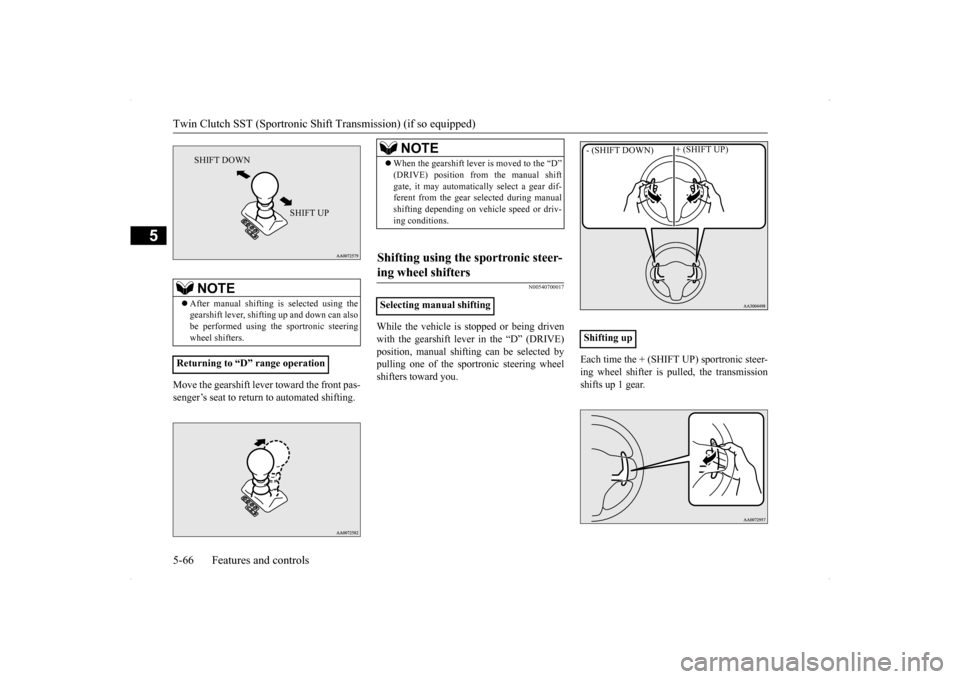
Move the gearshift lever toward the front pas- senger’s seat to return to automated shifting.
N00540700017
While the vehicle is stopped or being drivenwith the gearshift lever in the “D” (DRIVE) position, manual shifting can be selected by pulling one of the sportronic steering wheelshifters toward you.
Each time the + (SHIFT UP) sportronic steer- ing wheel shifter is pulled, the transmission shifts up 1 gear.
NOTE
After manual shifting is selected using the gearshift lever, shifting up and down can also be performed using the sportronic steeringwheel shifters.
Returning to “D” range operationç
SHIFT DOWN
SHIFT UP
ç
NOTE
When the gearshift lever is moved to the “D” (DRIVE) position from the manual shift gate, it may automatically select a gear dif- ferent from the gear selected during manual shifting depending on vehicle speed or driv-ing conditions.
Shifting using the sportronic steer- ing wheel shifters
Selecting manual shifting
Shifting up- (SHIFT DOWN)
+ (SHIFT UP)
ç
BK0200800US.bo
ok 66 ページ 2013年2月14日 木曜日 午後2時28分
Page 128 of 338
Twin Clutch SST (Sportronic Shif
t Transmission) (if so equipped) Features and controls 5-67
5
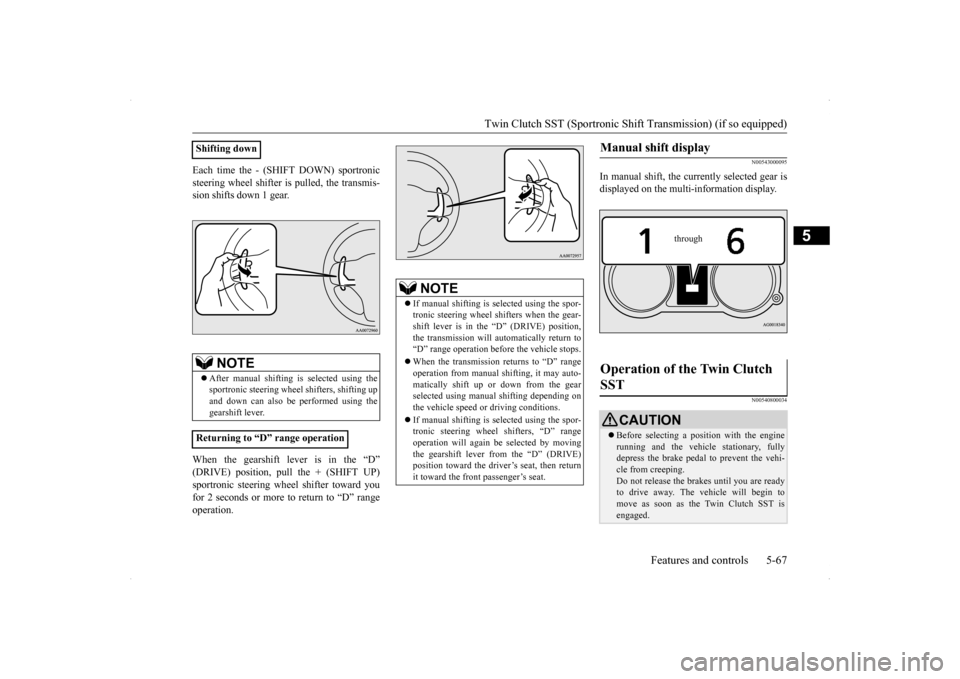
Each time the - (SHIFT DOWN) sportronic steering wheel shifter is pulled, the transmis- sion shifts down 1 gear. When the gearshift lever is in the “D” (DRIVE) position, pull the + (SHIFT UP) sportronic steering wheel shifter toward youfor 2 seconds or more to return to “D” range operation.
N00543000095
In manual shift, the currently selected gear is displayed on the multi-information display.
N00540800034
Shifting down
NOTE
After manual shifting is selected using the sportronic steering wheel
shifters, shifting up
and down can also be
performed using the
gearshift lever.
Returning to “D” range operationç
NOTE
If manual shifting is selected using the spor- tronic steering wheel shifters when the gear- shift lever is in the “D” (DRIVE) position,the transmission will automatically return to “D” range operation before the vehicle stops. When the transmission returns to “D” range operation from manual shifting, it may auto- matically shift up or down from the gearselected using manual shifting depending on the vehicle speed or driving conditions. If manual shifting is selected using the spor- tronic steering wheel shifters, “D” range operation will again be selected by movingthe gearshift lever from the “D” (DRIVE) position toward the driver’s seat, then return it toward the front passenger’s seat.
ç
Manual shift display
Operation of the Twin Clutch SST
CAUTION Before selecting a position with the engine running and the vehicle stationary, fullydepress the brake pedal to prevent the vehi- cle from creeping. Do not release the brakes until you are readyto drive away. The vehicle will begin to move as soon as the Twin Clutch SST is engaged.
through
BK0200800US.bo
ok 67 ページ 2013年2月14日 木曜日 午後2時28分
Page 132 of 338
S-AWC (Super-All Wheel Control)
Features and controls 5-71
5
N00541300036
S-AWC is an integrated vehicle dynamics control system that helps enhance drivingperformance, cornering performance, and vehicle stability over a wide range of driving conditions through integrated management ofthe ACD, the AYC, the anti-lock braking sys- tem, and the active stability control (ASC).
Please read this section in conjunction with the following sections. ACD (Active center differential system)
P.5-71AYC (Active yaw control system)
P.5-72
Anti-lock braking system
P.5-74
Active stability control (ASC)
P.5-76
N00541400011
The ACD is a system
that improves accelera-
tion performance and straight-ahead stabilityby regulating the differential limiting action
CAUTION Always use tires of the same size, same type, and same brand, and which have no wear dif- ferences. Using tires that differ in size, type, brands or the degree of wear, will increase the differential oil temperature, resulting inpossible damage to the driving system. Fur- ther, the drive train will be subjected to excessive loading, possibly leading to oilleakage, component seizure, or other serious problems.
To w i n g
CAUTION Do not tow all-wheel dr
ive vehicles with the
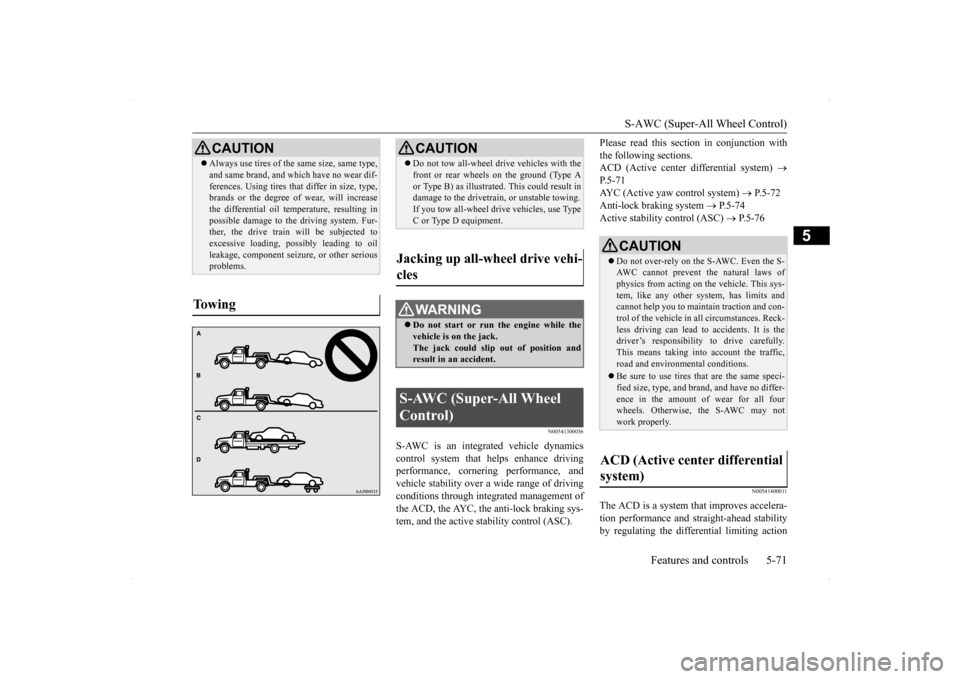
front or rear wheels on the ground (Type A or Type B) as illustrated. This could result in damage to the drivetrain, or unstable towing. If you tow all-wheel drive vehicles, use TypeC or Type D equipment.
Jacking up all-wheel drive vehi- cles
WA R N I N G Do not start or run the engine while the vehicle is on the jack. The jack could slip out of position andresult in an accident.
S-AWC (Super-All Wheel Control)
CAUTION Do not over-rely on the S-AWC. Even the S- AWC cannot prevent the natural laws ofphysics from acting on the vehicle. This sys- tem, like any other system, has limits and cannot help you to maintain traction and con-trol of the vehicle in all circumstances. Reck- less driving can lead to accidents. It is the driver’s responsibility to drive carefully.This means taking into account the traffic, road and environmental conditions. Be sure to use tires that are the same speci- fied size, type, and brand, and have no differ- ence in the amount of wear for all fourwheels. Otherwise,
the S-AWC may not
work properly.
ACD (Active center differential system)
BK0200800US.bo
ok 71 ページ 2013年2月14日 木曜日 午後2時28分
Page 190 of 338
Combination headlights and dimmer switch
Features and controls 5-129
5
N00550000185
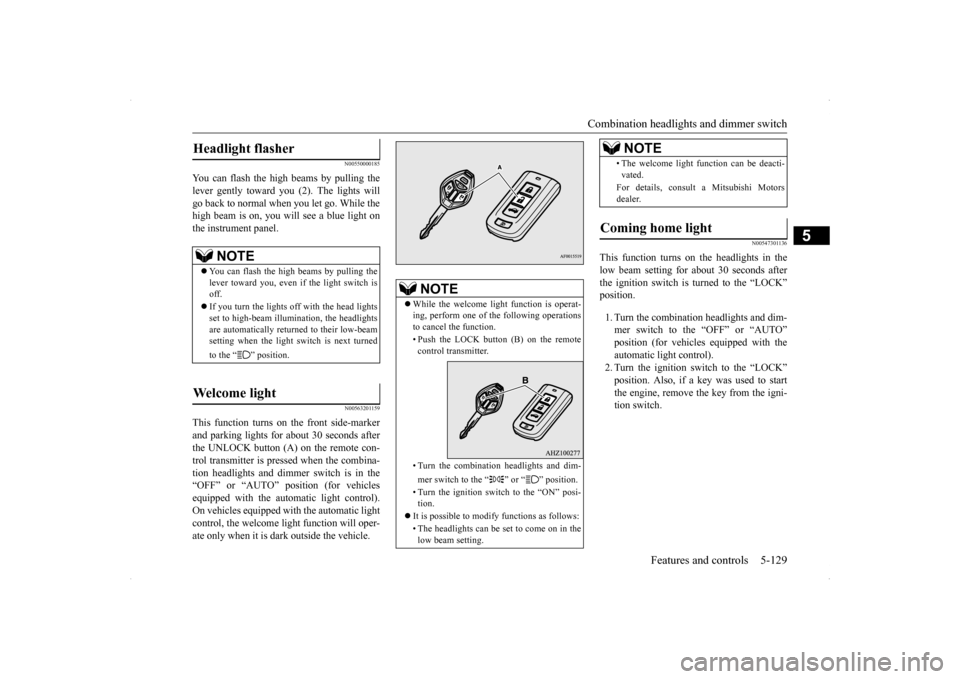
You can flash the high beams by pulling the lever gently toward you (2). The lights willgo back to normal when you let go. While the high beam is on, you will see a blue light on the instrument panel.
N00563201159
This function turns on the front side-marker and parking lights for about 30 seconds after the UNLOCK button (A) on the remote con-trol transmitter is pressed when the combina-tion headlights and dimmer switch is in the “OFF” or “AUTO” position (for vehicles equipped with the automatic light control).On vehicles equipped with the automatic light control, the welcome light function will oper- ate only when it is dark outside the vehicle.
N00547301136
This function turns on the headlights in thelow beam setting for about 30 seconds afterthe ignition switch is turned to the “LOCK” position. 1. Turn the combination headlights and dim- mer switch to the “OFF” or “AUTO”position (for vehicles equipped with the automatic light control). 2. Turn the ignition switch to the “LOCK”position. Also, if a key was used to start the engine, remove the key from the igni- tion switch.
Headlight flasher
NOTE
You can flash the high beams by pulling the lever toward you, even if the light switch isoff. If you turn the lights off with the head lights set to high-beam illumination, the headlights are automatically returned to their low-beam setting when the light switch is next turned to the “ ” position.
Welcome light
NOTE
While the welcome light function is operat- ing, perform one of the following operations to cancel the function. • Push the LOCK button (B) on the remote control transmitter. • Turn the combination headlights and dim- mer switch to the “ ” or “ ” position. • Turn the ignition switch to the “ON” posi- tion.
It is possible to modify functions as follows: • The headlights can be set to come on in the low beam setting.
• The welcome light function can be deacti- vated. For details, consult a Mitsubishi Motors dealer.
Coming home light
NOTE
BK0200800US.book
129 ページ 2013年2月14日 木曜日 午後2時28分
Page 191 of 338
Combination headlights and dimmer switch 5-130 Features and controls
5
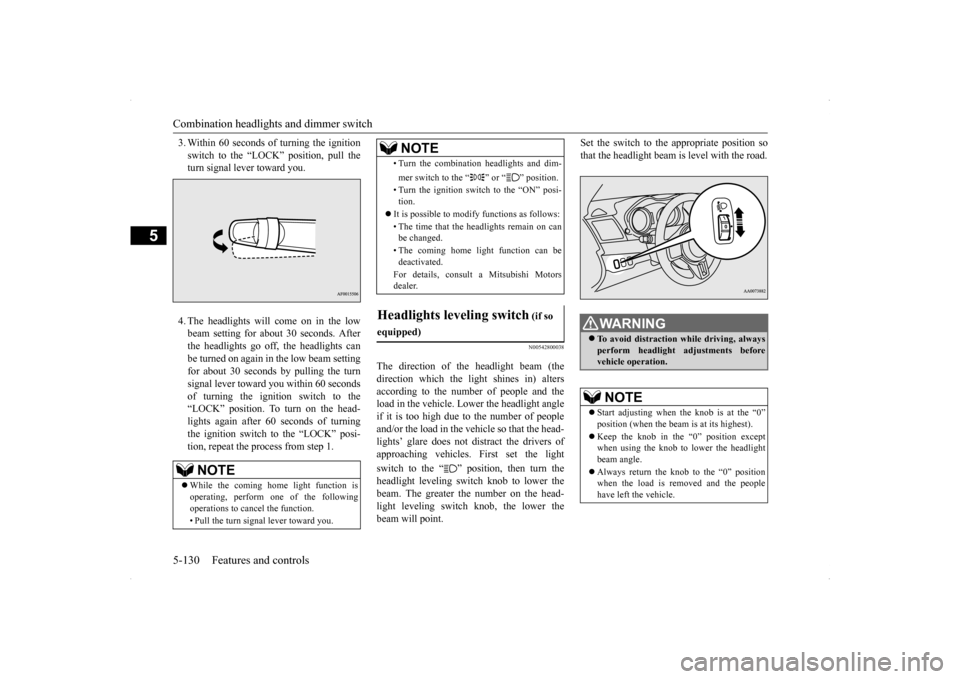
3. Within 60 seconds of turning the ignition switch to the “LOCK” position, pull the turn signal lever toward you. 4. The headlights will come on in the low beam setting for about 30 seconds. Afterthe headlights go off, the headlights can be turned on again in the low beam setting for about 30 seconds by pulling the turnsignal lever toward you within 60 secondsof turning the ignition switch to the “LOCK” position. To turn on the head- lights again after 60 seconds of turningthe ignition switch to the “LOCK” posi- tion, repeat the process from step 1.
N00542800038
The direction of the headlight beam (thedirection which the light shines in) alters according to the number of people and theload in the vehicle. Lower the headlight angle if it is too high due to the number of people and/or the load in the vehicle so that the head-lights’ glare does not distract the drivers ofapproaching vehicles. First set the light switch to the “ ” position, then turn the headlight leveling switch knob to lower thebeam. The greater the number on the head- light leveling switch knob, the lower the beam will point.
Set the switch to the appropriate position so that the headlight beam is level with the road.
NOTE
While the coming home light function is operating, perform one of the following operations to cancel the function. • Pull the turn signal lever toward you.
• Turn the combination headlights and dim- mer switch to the “ ” or “ ” position. • Turn the ignition switch to the “ON” posi- tion.
It is possible to modify functions as follows: • The time that the headlights remain on can be changed. • The coming home light function can be deactivated. For details, consult a Mitsubishi Motors dealer.
Headlights leveling switch
(if so
equipped)
NOTE
WA R N I N G To avoid distraction while driving, always perform headlight adjustments before vehicle operation.NOTE
Start adjusting when the knob is at the “0” position (when the beam is at its highest). Keep the knob in the “0” position except when using the knob to lower the headlight beam angle. Always return the knob to the “0” position when the load is removed and the people have left the vehicle.
BK0200800US.book
130 ページ 2013年2月14日 木曜日 午後2時28分
Page 196 of 338
Wiper and washer switch
Features and controls 5-135
5
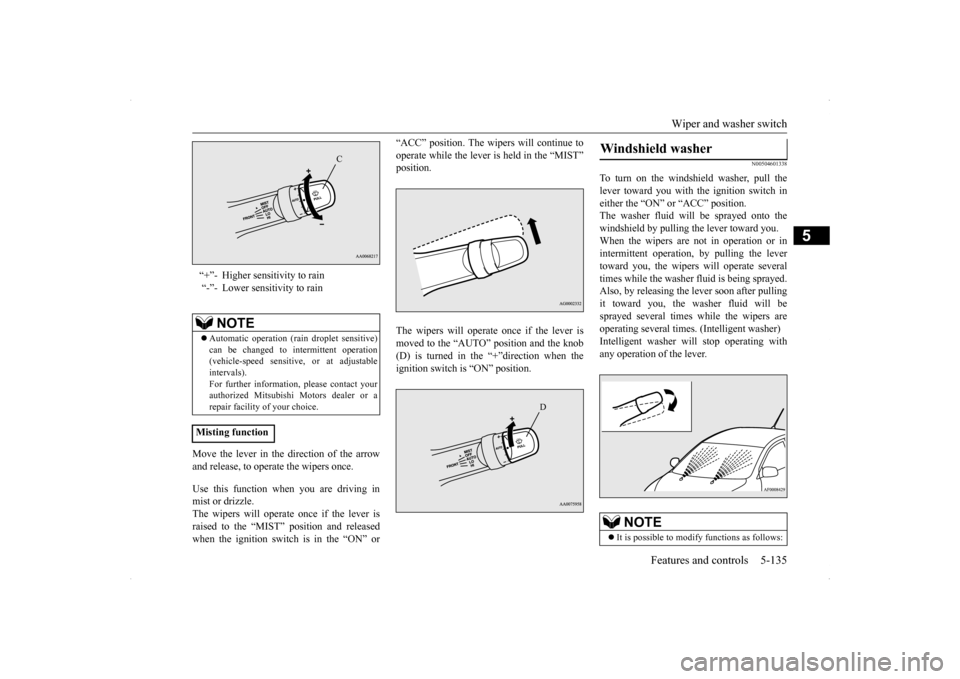
Move the lever in the direction of the arrow and release, to operate the wipers once. Use this function when you are driving in mist or drizzle. The wipers will operate once if the lever is raised to the “MIST” position and releasedwhen the ignition switch is in the “ON” or
“ACC” position. The wipers will continue to operate while the lever is held in the “MIST” position. The wipers will operate once if the lever is moved to the “AUTO” position and the knob (D) is turned in the “+”direction when the ignition switch is “ON” position.
N00504601338
To turn on the windshield washer, pull thelever toward you with the ignition switch ineither the “ON” or “ACC” position. The washer fluid will be sprayed onto the windshield by pulling the lever toward you.When the wipers are not in operation or in intermittent operation, by pulling the lever toward you, the wipers will operate severaltimes while the washer fluid is being sprayed.Also, by releasing the lever soon after pulling it toward you, the washer fluid will be sprayed several times while the wipers areoperating several times. (Intelligent washer) Intelligent washer will stop operating with any operation of the lever.
“+”- Higher sensitivity to rain “-”- Lower sensitivity to rain
NOTE
Automatic operation (rain droplet sensitive) can be changed to intermittent operation (vehicle-speed sensitive, or at adjustableintervals). For further information, please contact your authorized Mitsubishi Motors dealer or arepair facility of your choice.
Misting function
C
D
Windshield washer
NOTE
It is possible to modify functions as follows:
BK0200800US.book
135 ページ 2013年2月14日 木曜日 午後2時28分