ignition MITSUBISHI LANCER EVOLUTION 2014 10.G Workshop Manual
[x] Cancel search | Manufacturer: MITSUBISHI, Model Year: 2014, Model line: LANCER EVOLUTION, Model: MITSUBISHI LANCER EVOLUTION 2014 10.GPages: 338, PDF Size: 40.99 MB
Page 116 of 338
Turbocharger operation
Features and controls 5-55
5
2. Fully engage the parking brake while depressing the brake pedal. 3. For vehicles with a manual transaxle, turn the ignition switch to the “LOCK” posi-tion to stop the engine, and then move the gearshift lever to the 1st (on a uphill) or “R” (Reverse) (on a downhill) position.For vehicles with Twin Clutch SST, place the gearshift lever in the “P” (PARK) position, and then turn the ignition switchto the “LOCK” position to stop theengine.
N00537300077
NOTE
For vehicles with Twin Clutch SST, the engine will stop and the vehicle power will turn off approximately 1 second after the ignition switch is turned to the “LOCK” position. The reason for this is that, in the time from when the ignition switch is turned to the“LOCK” position until the engine stops, the gears inside the Twin Clutch SST disengage so that the engine will start smoothly thenext time it is started. Two clutches installed in the Twin Clutch SST alternately engage and disengage toachieve smooth shifting. In addition, the gear on the side with the free clutch is engaged, therefore, quick shifting isperformed. If the engine was stopped with the gear engaged like this, it would provide resistancethe next time the engine is started. Therefore, the gear disengages in the approximately 1- second period until the engine stops. For vehicles with Twin Clutch SST, do not operate the gearshift lever or the acceleratorpedal for approximately 1 second until the engine stops.
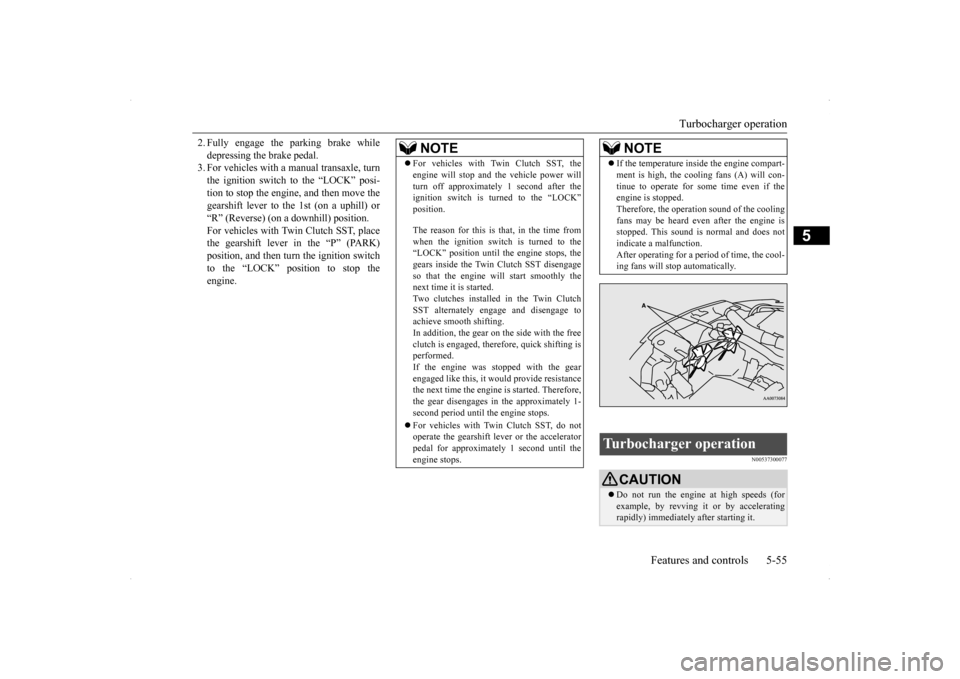
If the temperature inside the engine compart- ment is high, the cooling fans (A) will con- tinue to operate for some time even if the engine is stopped. Therefore, the operation sound of the coolingfans may be heard even after the engine is stopped. This sound is normal and does not indicate a malfunction.After operating for a period of time, the cool- ing fans will stop automatically.
Turbocharger operation
CAUTION Do not run the engine at high speeds (for example, by revving it or by accelerating rapidly) immediately after starting it.NOTE
BK0200800US.bo
ok 55 ページ 2013年2月14日 木曜日 午後2時28分
Page 120 of 338
Twin Clutch SST (Sportronic Shif
t Transmission) (if so equipped) Features and controls 5-59
5
N00539900077
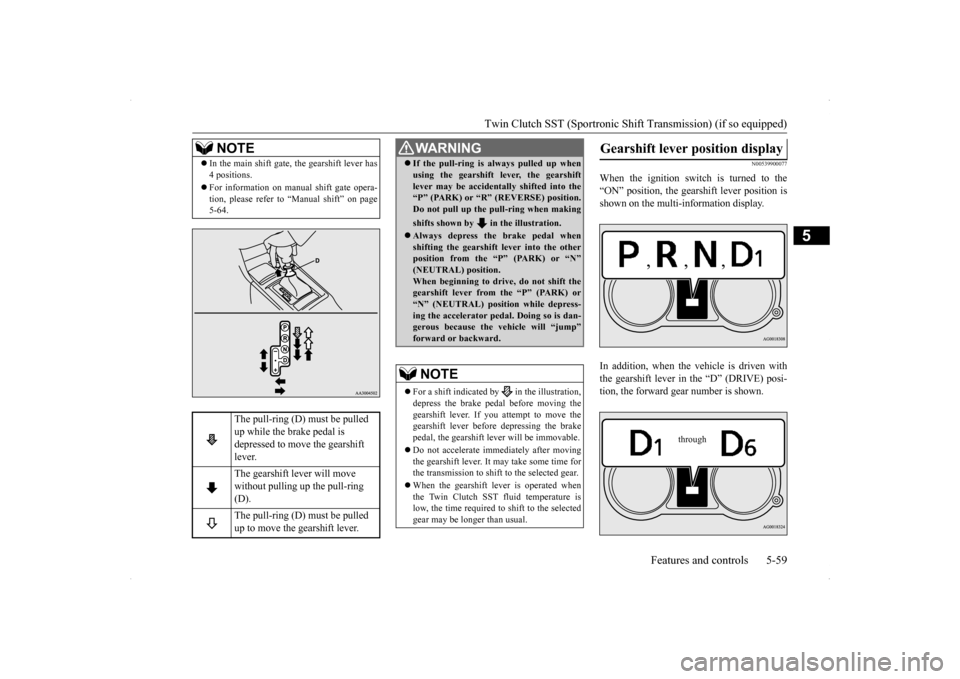
When the ignition switch is turned to the “ON” position, the gearshift lever position isshown on the multi-information display. In addition, when the vehicle is driven with the gearshift lever in the “D” (DRIVE) posi-tion, the forward gear number is shown.
NOTE
In the main shift gate, the gearshift lever has 4 positions. For information on manual shift gate opera- tion, please refer to “Manual shift” on page5-64.
The pull-ring (D) must be pulled up while the brake pedal is depressed to move the gearshift lever. The gearshift lever will move without pulling up the pull-ring (D). The pull-ring (D) must be pulled up to move the gearshift lever.
WA R N I N G If the pull-ring is always pulled up when using the gearshift lever, the gearshift lever may be accidentally shifted into the “P” (PARK) or “R” (REVERSE) position. Do not pull up the pull-ring when making shifts shown by in the illustration. Always depress the brake pedal when shifting the gearshift lever into the other position from the “P” (PARK) or “N”(NEUTRAL) position. When beginning to drive, do not shift the gearshift lever from the “P” (PARK) or“N” (NEUTRAL) position while depress- ing the accelerator pedal. Doing so is dan- gerous because the vehicle will “jump”forward or backward.NOTE
For a shift indicated by in the illustration, depress the brake pedal before moving the gearshift lever. If you attempt to move thegearshift lever before depressing the brake pedal, the gearshift lever will be immovable. Do not accelerate immediately after moving the gearshift lever. It may take some time for the transmission to shift to the selected gear. When the gearshift lever is operated when the Twin Clutch SST fluid temperature islow, the time required to shift to the selected gear may be longer than usual.
Gearshift lever position display
through
BK0200800US.bo
ok 59 ページ 2013年2月14日 木曜日 午後2時28分
Page 125 of 338
Twin Clutch SST (Sportronic Shif
t Transmission) (if so equipped)
5-64 Features and controls
5
N00540300013
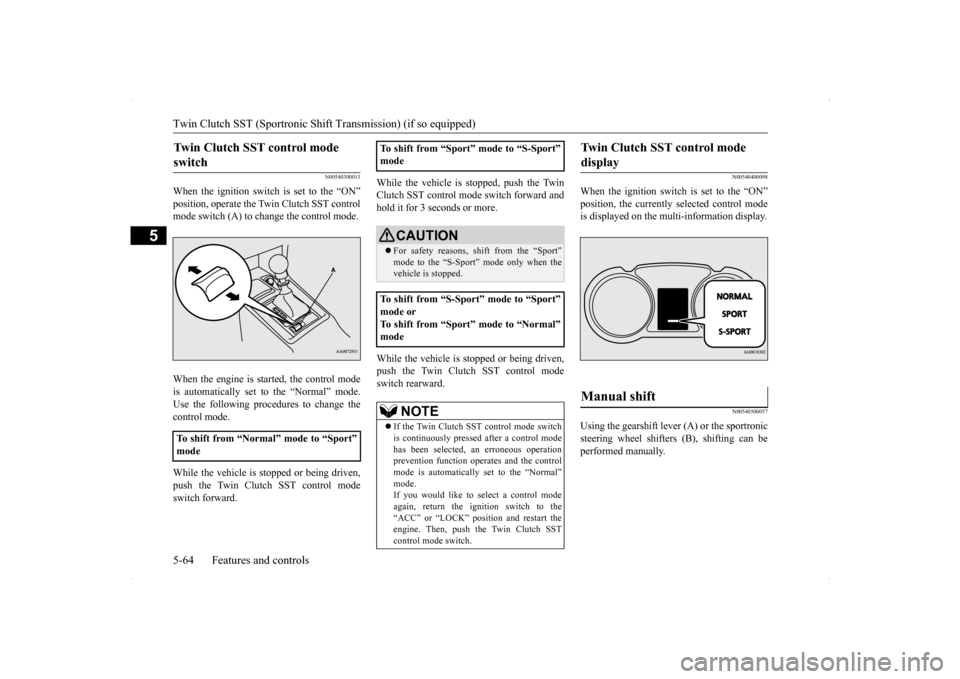
When the ignition switch is set to the “ON” position, operate the Twin Clutch SST control mode switch (A) to change the control mode. When the engine is started, the control mode is automatically set to the “Normal” mode. Use the following procedures to change the control mode. While the vehicle is stopped or being driven, push the Twin Clutch SST control modeswitch forward.
While the vehicle is stopped, push the Twin Clutch SST control mode switch forward and hold it for 3 seconds or more. While the vehicle is stopped or being driven, push the Twin Clutch SST control modeswitch rearward.
N00540400098
When the ignition switch is set to the “ON” position, the currently selected control mode is displayed on the multi-information display.
N00540500057
Using the gearshift lever (A) or the sportronic steering wheel shifters (B), shifting can be performed manually.
Twin Clutch SST control mode switch
To shift from “Normal” mode to “Sport” mode
To shift from “Sport” mode to “S-Sport” mode
CAUTION For safety reasons, shift from the “Sport” mode to the “S-Sport”
mode only when the
vehicle is stopped.
To shift from “S-Sport” mode to “Sport” mode or To shift from “Sport” mode to “Normal” mode
NOTE
If the Twin Clutch SST control mode switch is continuously pressed after a control mode has been selected, an erroneous operation prevention function operates and the control mode is automatically set to the “Normal” mode.If you would like to select a control mode again, return the ignition switch to the “ACC” or “LOCK” position and restart theengine. Then, push the Twin Clutch SST control mode switch.
Twin Clutch SST control mode display
Manual shift
BK0200800US.bo
ok 64 ページ 2013年2月14日 木曜日 午後2時28分
Page 133 of 338
S-AWC (Super-All Wheel Control) 5-72 Features and controls
5
and power drive distribution of the center dif- ferential.
N00541500012
The AYC is a system, with a left-right differ-ential limiting function and yaw control func-tion, that enhances cornering performance and stability during
cornering by controlling
the left-right drive power difference of therear wheels, the braking force of all four wheels, and the vehicle yaw moment.
The left-right differential limiting function is a function that enhances driving performance and vehicle stability by preventing idle spin-ning of a wheel when driving on slippery road surfaces or when the road surfaces of the left and right wheels are different. The yaw control function is a function that enhances vehicle cornering performance by controlling the drive power difference of theleft and right wheels
and the braking force
when the vehicle does not turn in response to steering input, such as when the steeringwheel is turned quickly or when driving on slippery road surfaces.
N00542401057
Select the control mode from the followingthree types to suit the driving conditions.
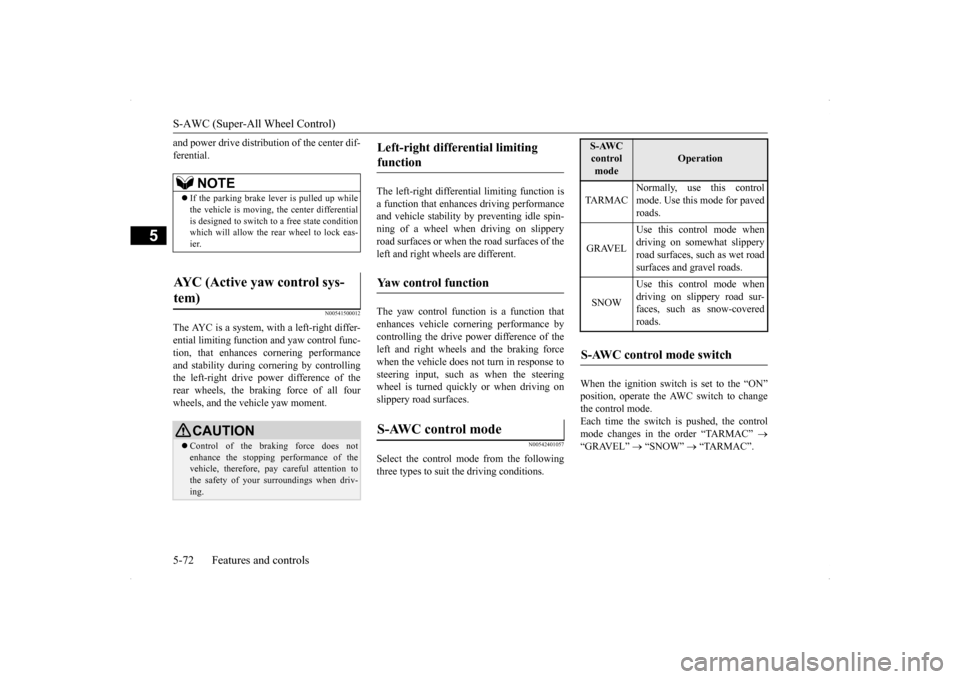
When the ignition switch is set to the “ON” position, operate the AWC switch to change the control mode.Each time the switch is pushed, the control mode changes in the order “TARMAC”
“GRAVEL”
“SNOW”
“TARMAC”.
NOTE
If the parking brake lever is pulled up while the vehicle is moving, the center differential is designed to switch to a free state conditionwhich will allow the rear wheel to lock eas- ier.
AYC (Active yaw control sys- tem)
CAUTION Control of the braking force does not enhance the stopping performance of the vehicle, therefore, pay careful attention to the safety of your surroundings when driv-ing.
Left-right differential limiting function Yaw control function S-AWC control mode
S-AWC control mode
Operation
TA R M A C
Normally, use this control mode. Use this mode for paved roads.
GRAVEL
Use this control mode when driving on somewhat slipperyroad surfaces, such as wet road surfaces and gravel roads.
SNOW
Use this control mode when driving on slippery road sur-faces, such as snow-covered roads.
S-AWC control mode switch
BK0200800US.bo
ok 72 ページ 2013年2月14日 木曜日 午後2時28分
Page 136 of 338
Anti-lock braking system
Features and controls 5-75
5
When the anti-lock braking system is in use, you may feel the brake pedal pulsa- tion and the vibrations of the vehicle body and steering wheel. It may also feel as ifthe pedal resists being pressed. In this situation, simply hold the brake pedal down firmly. Do not pump thebrake, which will result in reduced braking performance. An operation noise is emitted from the engine compartment or feel a shock fromthe brake pedal when start driving imme- diately after starting the engine. These are normal sound or operation that the anti-lock braking system makes when per- forming a self-check. It does not indicate a malfunction. The anti-lock braking system can be used after the vehicle has reached a speed over approximately 6 mph (10 km/h). It stopsworking when the vehicle slows below approximately 3 mph (5 km/h).
N00531600632
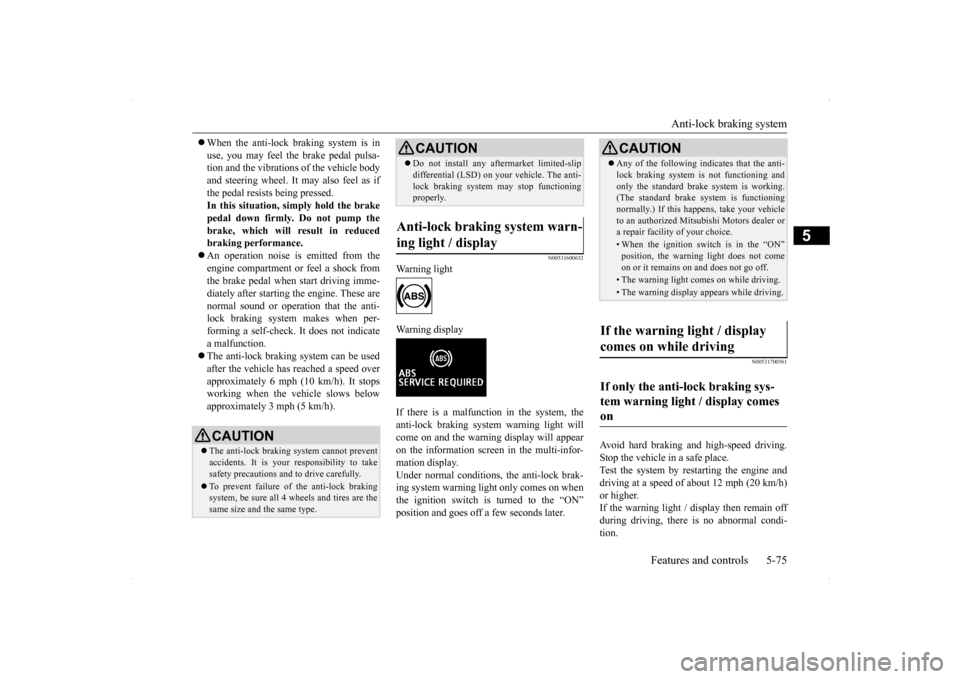
Warning light Warning display If there is a malfunction in the system, the anti-lock braking system warning light willcome on and the warning display will appear on the information screen in the multi-infor- mation display.Under normal conditions,
the anti-lock brak-
ing system warning light only comes on when the ignition switch is turned to the “ON”position and goes off a few seconds later.
N00531700561
Avoid hard braking and high-speed driving. Stop the vehicle in a safe place. Test the system by restarting the engine anddriving at a speed of about 12 mph (20 km/h) or higher. If the warning light / display then remain offduring driving, there is no abnormal condi- tion.
CAUTION The anti-lock braking system cannot prevent accidents. It is your responsibility to take safety precautions and to drive carefully. To prevent failure of the anti-lock braking system, be sure all 4 wheels and tires are the same size and the same type.
Do not install any aftermarket limited-slip differential (LSD) on yo
ur vehicle. The anti-
lock braking system may stop functioning properly.
Anti-lock braking system warn- ing light / display
CAUTION
CAUTION Any of the following indicates that the anti- lock braking system is not functioning and only the standard brak
e system is working.
(The standard brake system is functioning normally.) If this happens, take your vehicleto an authorized Mitsubishi Motors dealer or a repair facility of your choice.• When the ignition switch is in the “ON”position, the warning light does not come on or it remains on and does not go off.• The warning light comes on while driving.• The warning display appears while driving.
If the warning light / display comes on while driving If only the anti-lock braking sys- tem warning light / display comes on
BK0200800US.bo
ok 75 ページ 2013年2月14日 木曜日 午後2時28分
Page 138 of 338
Active stability control (ASC) Features and controls 5-77
5
N00559200021
On slippery surfaces, the traction control function prevents the drive wheels from spin-ning excessive, thus helping the vehicle to start moving from a stopped condition. It also provides sufficient driving force and steeringperformance as the vehicle turns while press- ing the acceleration pedal.
N00546800010
The skid control function is designed to help the driver maintain control of the vehicle onslippery roads or during rapid steering
maneuvers. It works by controlling the engine output and the brake on each wheel.
N00559400209
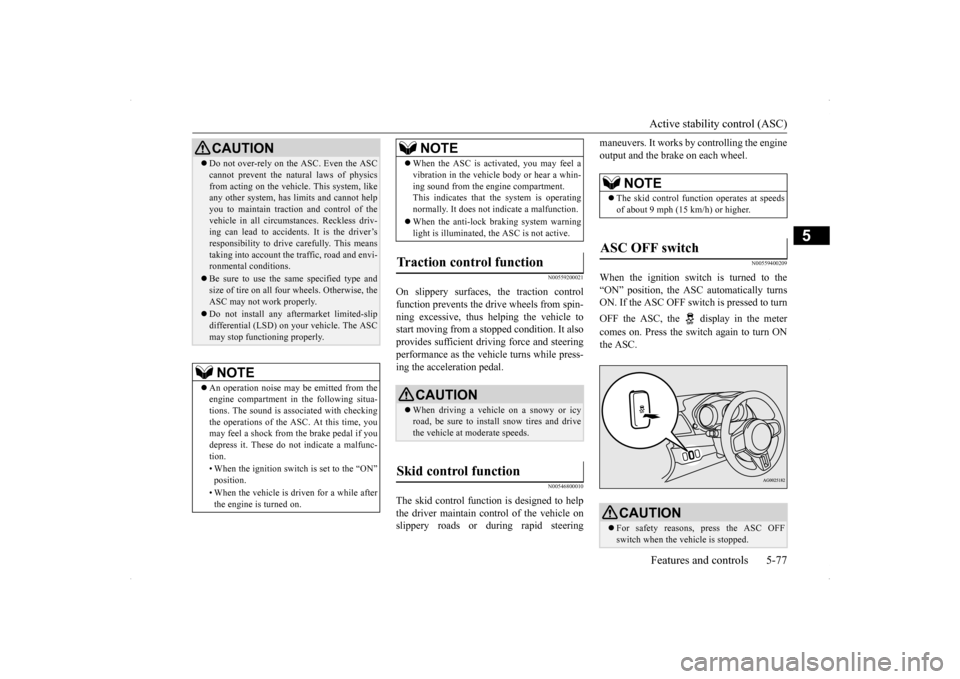
When the ignition switch is turned to the “ON” position, the ASC automatically turns ON. If the ASC OFF switch is pressed to turn OFF the ASC, the display in the meter comes on. Press the switch again to turn ON the ASC.
CAUTION Do not over-rely on the ASC. Even the ASC cannot prevent the natural laws of physics from acting on the vehicl
e. This system, like
any other system, has limits and cannot help you to maintain traction and control of thevehicle in all circumstances. Reckless driv- ing can lead to accidents. It is the driver’s responsibility to drive carefully. This meanstaking into account the traffic, road and envi- ronmental conditions. Be sure to use the same specified type and size of tire on all four wheels. Otherwise, the ASC may not work properly. Do not install any aftermarket limited-slip differential (LSD) on your vehicle. The ASCmay stop functioning properly.NOTE
An operation noise may be emitted from the engine compartment in the following situa-tions. The sound is associated with checking the operations of the ASC. At this time, you may feel a shock from the brake pedal if youdepress it. These do not indicate a malfunc- tion. • When the ignition switch is set to the “ON” position. • When the vehicle is driven for a while after the engine is turned on.
When the ASC is activated, you may feel a vibration in the vehicle body or hear a whin- ing sound from the engine compartment. This indicates that the system is operating normally. It does not indicate a malfunction. When the anti-lock braking system warning light is illuminated, the ASC is not active.
Traction control function
CAUTION When driving a vehicle on a snowy or icy road, be sure to install snow tires and drivethe vehicle at moderate speeds.
Skid control function
NOTE
NOTE
The skid control function operates at speeds of about 9 mph (15 km/h) or higher.
ASC OFF switch
CAUTION For safety reasons, press the ASC OFF switch when the vehicle is stopped.
BK0200800US.bo
ok 77 ページ 2013年2月14日 木曜日 午後2時28分
Page 143 of 338
Cruise control 5-82 Features and controls
5
N00518400327
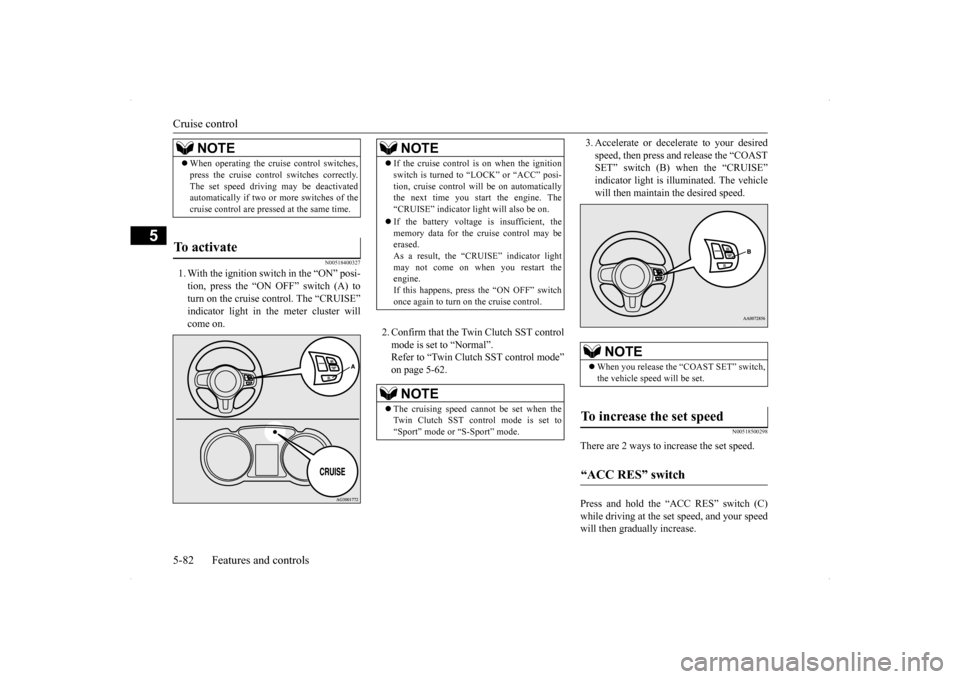
1. With the ignition switch in the “ON” posi- tion, press the “ON OFF” switch (A) to turn on the cruise control. The “CRUISE” indicator light in the meter cluster willcome on.
2. Confirm that the Twin Clutch SST control mode is set to “Normal”. Refer to “Twin Clutch SST control mode”on page 5-62.
3. Accelerate or decelerate to your desired speed, then press and release the “COAST SET” switch (B) when the “CRUISE” indicator light is illuminated. The vehiclewill then maintain the desired speed.
N00518500298
There are 2 ways to increase the set speed. Press and hold the “ACC RES” switch (C) while driving at the set speed, and your speedwill then gradually increase.
NOTE
When operating the cruise control switches, press the cruise control switches correctly. The set speed driving may be deactivated automatically if two or more switches of the cruise control are pressed at the same time.
To activate
NOTE
If the cruise control is on when the ignition switch is turned to “LOCK” or “ACC” posi- tion, cruise control will be on automatically the next time you start the engine. The “CRUISE” indicator light will also be on. If the battery voltage is insufficient, the memory data for the cruise control may beerased. As a result, the “CRUISE” indicator light may not come on when you restart theengine. If this happens, press the “ON OFF” switch once again to turn on the cruise control.NOTE
The cruising speed cannot be set when the Twin Clutch SST control mode is set to “Sport” mode or “S-Sport” mode.
NOTE
When you release the “COAST SET” switch, the vehicle speed will be set.
To increase the set speed “ACC RES” switch
BK0200800US.bo
ok 82 ページ 2013年2月14日 木曜日 午後2時28分
Page 146 of 338
Tire pressure monitoring system
Features and controls 5-85
5
When the Twin Clutch SST control mode is set to “Sport” mode. Refer to “Twin Clutch SST control mode” on page 5-62. When the active stability control (ASC) starts operating. Refer to “Active stability control (ASC)”on page 5-76.
Also, the set speed driving may be deacti- vated as follow: When the engine speed rises and approaches the tachometer’s red zone (the red-colored part of the tachometer dial).
N00518900234
If the set speed driving is deactivated by thecondition described in “To deactivate” onpage 5-84, you can resume the previously set speed by pressing the “ACC RES” switch (C) while driving at a speed of about 25 mph (40km/h) or higher.
Under either of the
following conditions,
however, using the switch does not allow you to resume the previously set speed. In these situations, repeat the speed setting procedure: The “ON OFF” switch is pressed. The ignition switch is turned OFF. “CRUISE” indicator light is turned OFF.
N00530201511
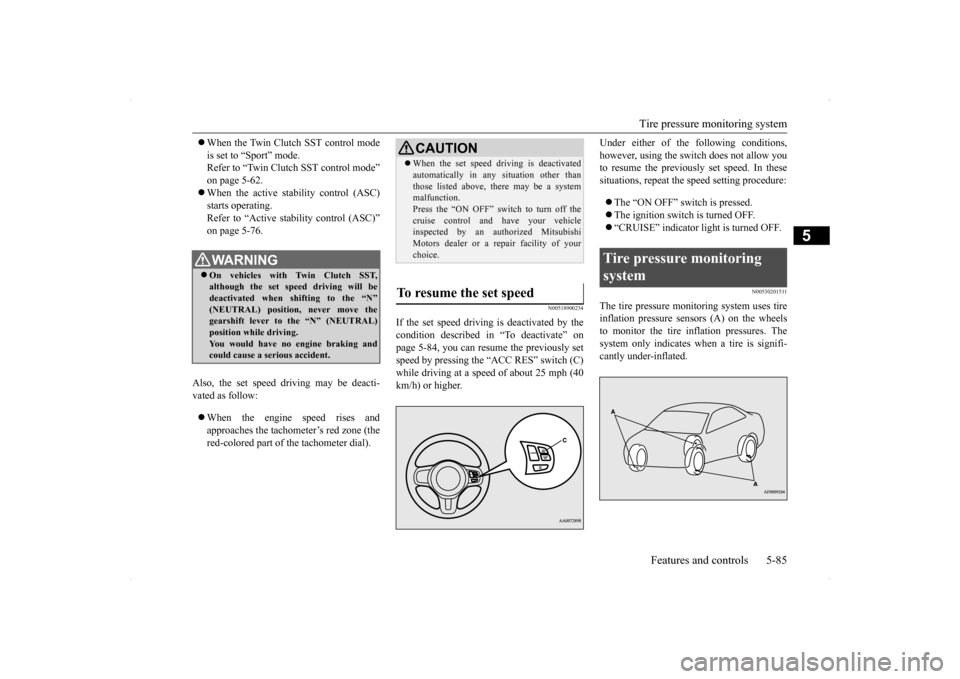
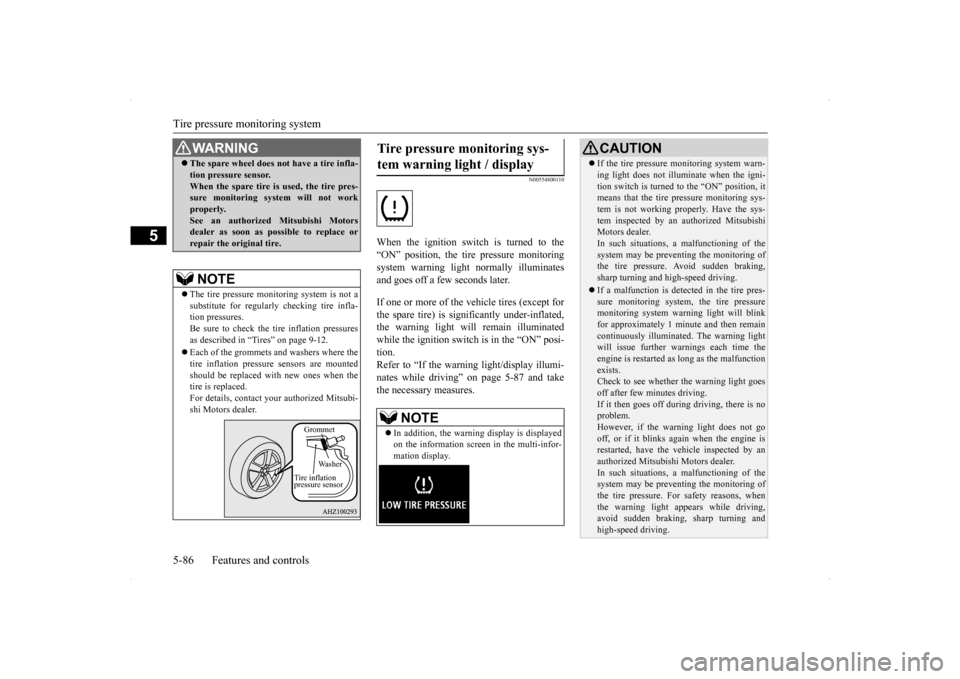
The tire pressure monitoring system uses tire inflation pressure sensors (A) on the wheels to monitor the tire inflation pressures. The system only indicates when a tire is signifi-cantly under-inflated.
WA R N I N G On vehicles with Twin Clutch SST, although the set speed driving will be deactivated when shifting to the “N”(NEUTRAL) position, never move the gearshift lever to the “N” (NEUTRAL) position while driving.You would have no engine braking and could cause a serious accident.
CAUTION When the set speed driving is deactivated automatically in any situation other than those listed above, there may be a system malfunction. Press the “ON OFF” switch to turn off thecruise control and have your vehicle inspected by an authorized Mitsubishi Motors dealer or a repair facility of yourchoice.
To resume the set speed
Tire pressure monitoring system
BK0200800US.bo
ok 85 ページ 2013年2月14日 木曜日 午後2時28分
Page 147 of 338
Tire pressure monitoring system 5-86 Features and controls
5
N00554800110
When the ignition switch is turned to the “ON” position, the tire pressure monitoringsystem warning light normally illuminatesand goes off a few seconds later. If one or more of the vehicle tires (except for the spare tire) is significantly under-inflated, the warning light will remain illuminatedwhile the ignition switch is in the “ON” posi- tion. Refer to “If the warning light/display illumi-nates while driving” on page 5-87 and take the necessary measures.
WA R N I N G The spare wheel does not have a tire infla- tion pressure sensor. When the spare tire is used, the tire pres- sure monitoring system will not work properly.See an authorized Mitsubishi Motors dealer as soon as possible to replace or repair the original tire.NOTE
The tire pressure monitoring system is not a substitute for regularly checking tire infla- tion pressures. Be sure to check the tire inflation pressures as described in “Tires” on page 9-12. Each of the grommets and washers where the tire inflation pressure sensors are mounted should be replaced with new ones when thetire is replaced. For details, contact your authorized Mitsubi- shi Motors dealer.
Grommet
Wa s h e r
Tire inflation pressure sensor
Tire pressure monitoring sys- tem warning light / display
NOTE
In addition, the warning display is displayed on the information screen in the multi-infor- mation display.
CAUTION If the tire pressure monitoring system warn- ing light does not illuminate when the igni- tion switch is turned to the “ON” position, it means that the tire pressure monitoring sys- tem is not working properly. Have the sys-tem inspected by an authorized Mitsubishi Motors dealer. In such situations,
a malfunctioning of the
system may be preventing the monitoring of the tire pressure. Avoid sudden braking, sharp turning and high-speed driving. If a malfunction is detected in the tire pres- sure monitoring system, the tire pressuremonitoring system warning light will blink for approximately 1 minute and then remain continuously illuminated. The warning lightwill issue further warnings each time the engine is restarted as long as the malfunction exists.Check to see whether the warning light goes off after few minutes driving. If it then goes off during driving, there is noproblem. However, if the warning light does not go off, or if it blinks again when the engine isrestarted, have the vehicle inspected by an authorized Mitsubishi Motors dealer. In such situations,
a malfunctioning of the
system may be preventing the monitoring of the tire pressure. For safety reasons, whenthe warning light appears while driving, avoid sudden braking, sharp turning and high-speed driving.
BK0200800US.bo
ok 86 ページ 2013年2月14日 木曜日 午後2時28分
Page 151 of 338
Instrument cluster 5-90 Features and controls
5
This gauge also assist
s in evaluating engine
performance.
N00554900166
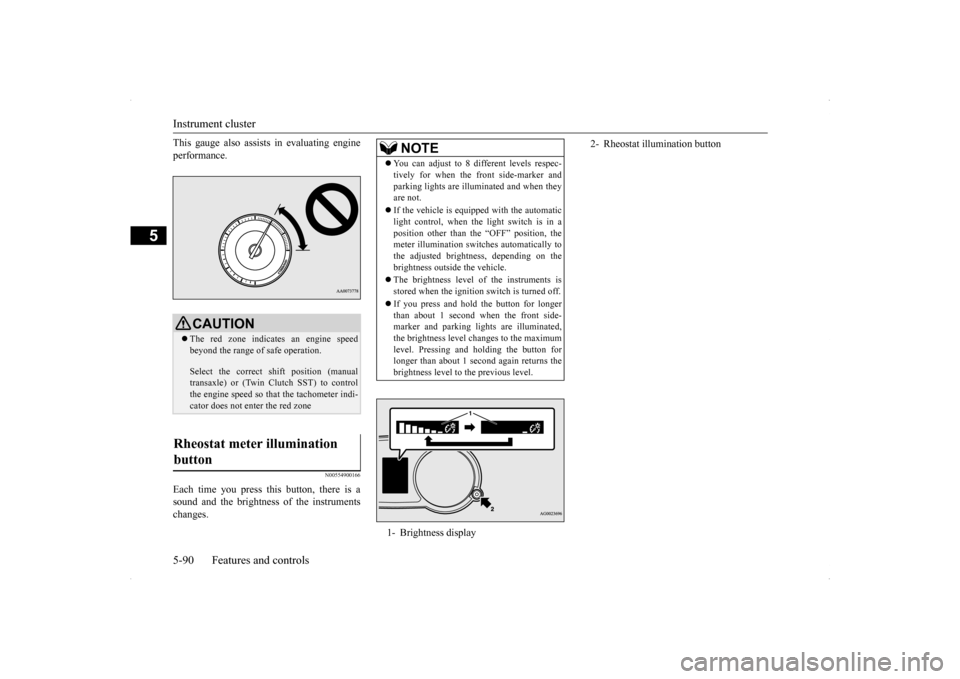
Each time you press this button, there is a sound and the brightness of the instruments changes.
CAUTION The red zone indicates an engine speed beyond the range of safe operation. Select the correct shift position (manual transaxle) or (Twin Clutch SST) to control the engine speed so that the tachometer indi- cator does not enter the red zone
Rheostat meter illumination button
NOTE
You can adjust to 8 different levels respec- tively for when the front side-marker and parking lights are illuminated and when they are not. If the vehicle is equipped with the automatic light control, when the light switch is in a position other than the “OFF” position, themeter illumination switches automatically to the adjusted brightness, depending on the brightness outside the vehicle. The brightness level of the instruments is stored when the ignition switch is turned off. If you press and hold the button for longer than about 1 second when the front side-marker and parking lights are illuminated, the brightness level changes to the maximum level. Pressing and holding the button forlonger than about 1 second again returns the brightness level to the previous level.1- Brightness display
2- Rheostat illumination button
BK0200800US.bo
ok 90 ページ 2013年2月14日 木曜日 午後2時28分