change time MITSUBISHI MIRAGE 2015 6.G User Guide
[x] Cancel search | Manufacturer: MITSUBISHI, Model Year: 2015, Model line: MIRAGE, Model: MITSUBISHI MIRAGE 2015 6.GPages: 300, PDF Size: 43.44 MB
Page 105 of 300
Service brake 5-44 Features and controls
5
Prior to moving off after having stopped the vehicle, make sure that
the selector lever is in
“D” (DRIVE) position. To park the vehicle, first bring it to a com- plete stop, fully engage the parking brake,and then move the selector lever to the “P” (PARK) position. If the CVT does not shift while driving, or your vehicle does not pick up enough speed when starting on an uphill slope, it may be that there is something unusual happening inthe transmission, causi
ng a safety device to
activate. Have your ve
hicle checked at an
authorized Mitsubishi Motors dealer or a repair facility of your c
hoice as soon as possi-
ble.
N00517500318
Overuse of the brake can cause weakening, resulting in poor brake response and prema- ture wear of the brake pads.When driving down a long or steep hill, use engine braking by movi
ng the selector lever
to “B” (BRAKE) position.
N00517600436
Your vehicle is equipped with power brakes for more braking force with less brake pedal effort.Your brakes are designed to operate at full capacity, even if the power assist is not being used.If the power assist is not being used, the effort needed to press the brake pedal is greater. If you should lose the power assist for somereason, the brakes will still work. If the power brake unit or either of the two brake hydraulic systems stops working prop-erly, the rest of the brake system will still work, but the vehicle will not slow down as quickly.You will know this has happened if you find you need to press the brake down farther, or harder when slowing down or stopping, or ifthe brake warning light and the warning dis- play in the multi-information display come on. Have the brake system repaired at an
CAUTION To avoid transmission
overheating, never try
to keep your vehicle
stationary on a hill by
using the accelerator
pedal. Always apply
the parking brake and/or service brake. Do not rev the engine unnecessarily while the vehicle is stationary. Unexpected acceler- ation may occur if the selector lever is in aposition other than “P” (PARK) or “N” (NEUTRAL).
Parking
When the CVT makes no speed change
Service brake Brake pedal
WA R N I N G Do not leave any objects near the brake pedal or let a floor mat slide under it; doing so could prevent the full pedalstroke that would be necessary in an emergency. Make sure that the pedal can be operated freely at all times. Make surethe floor mat is securely held in place.
CAUTION It is important not to drive the vehicle with your foot resting on the brake pedal whenbraking is not required.
This practice can
result in very high brake temperatures, pre- mature lining wear, a
nd possible damage to
the brakes.
Power brakes
BK0212400US.book 44 ページ 2014年4月1日 火曜日 午後2時21分
Page 126 of 300
Multi-information display
Features and controls 5-65
5
To return the display to 0, hold down the multi-information display switch for about 1 second or more. Only the currently displayed value will be reset. Example If trip odometer is displayed, only tripodometer will be reset.
N00575100015
Each time you press
the multi-information
display switch (2), there is a sound and thebrightness of the in
strument panel lights
changes.
N00575200016
This displays the approximate driving range (how many more miles or
kilometers you can
drive). When the driving range falls below approximately 30 miles (
50 km), “---” is dis-
played.
It is possible to measure two currently trav- eled distances, from home using trip odom- eter and from a particular point on theway using trip odometer .
To reset the trip odometer
NOTE
Both trip odometers and can count up to 9999.9 miles/kilometers. When a trip odometer goes past 9999.9 miles/kilometers, it returns to 0.0 miles/kilo-meters. When disconnecting the battery terminal, the memories of trip odom
eter displays and
are cleared, and thei
r displays return to
“0.0 miles/kilometers”.
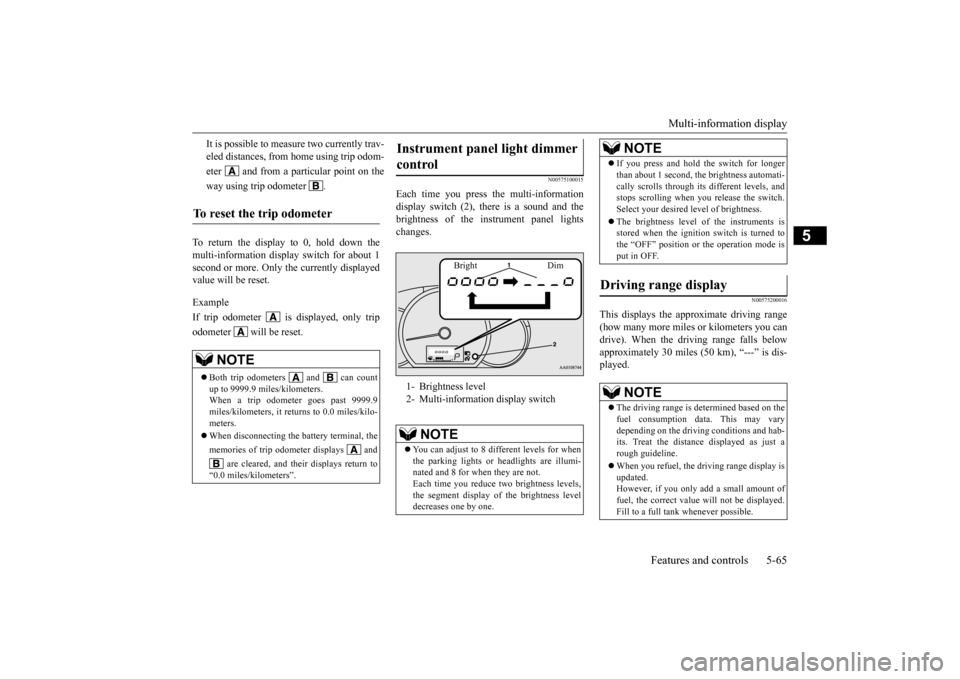
Instrument panel light dimmer control 1- Brightness level 2- Multi-informati
on display switch
NOTE
You can adjust to 8 different levels for when the parking lights or
headlights are illumi-
nated and 8 for when they are not. Each time you reduce tw
o brightness levels,
the segment display of the brightness leveldecreases one by one.
Bright Dim
If you press and hold the switch for longer than about 1 second, th
e brightness automati-
cally scrolls through its different levels, andstops scrolling when
you release the switch.
Select your desired
level of brightness.
The brightness level of the instruments is stored when the ignition switch is turned to the “OFF” position or the operation mode isput in OFF.
Driving range display
NOTE
The driving range is determined based on the fuel consumption data. This may vary depending on the drivi
ng conditions and hab-
its. Treat the distance displayed as just arough guideline. When you refuel, the driving range display is updated. However, if you only add a small amount of fuel, the correct value
will not be displayed.
Fill to a full tank whenever possible.NOTE
BK0212400US.book 65 ページ 2014年4月1日 火曜日 午後2時21分
Page 128 of 300
Multi-information display
Features and controls 5-67
5
turned to the “ON” position or the operation mode is changed to ON.When the remaining fuel level very runs low (no segments displayed), “ ” and the bar graph flash. If the warning display appears, refuel as soonas possible.
N00556701266
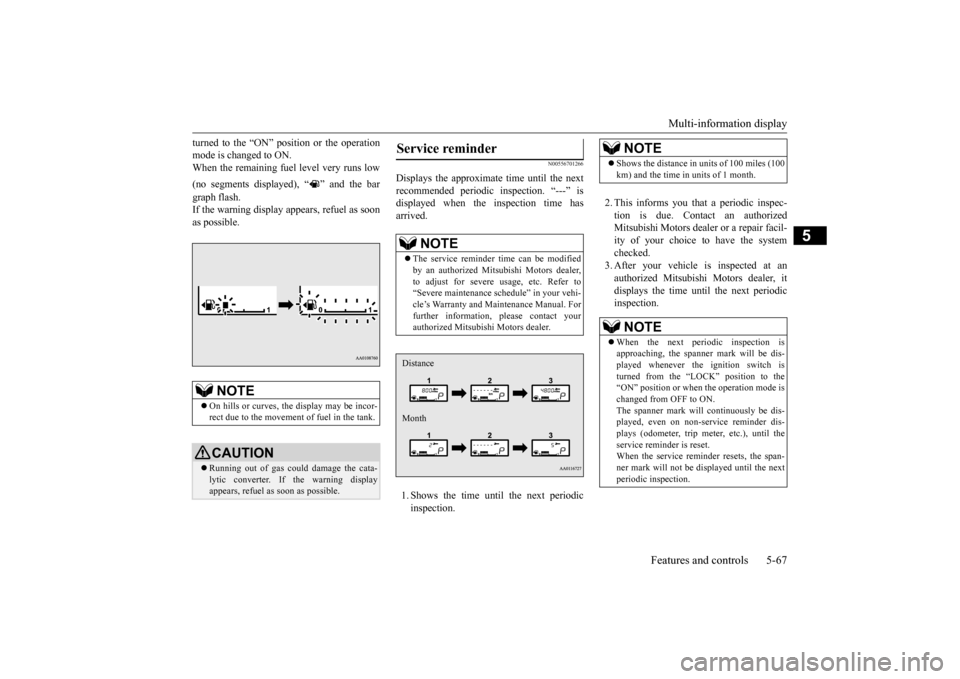
Displays the approximate time until the next recommended periodic
inspection. “---” is
displayed when the inspection time hasarrived. 1. Shows the time until
the next periodic
inspection.
2. This informs you that a periodic inspec- tion is due. Contact an authorized Mitsubishi Motors dealer
or a repair facil-
ity of your choice to have the system checked. 3. After your vehicle
is inspected at an
authorized Mitsubishi Motors dealer, it displays the time unt
il the next periodic
inspection.
NOTE
On hills or curves, the display may be incor- rect due to the movement of fuel in the tank.CAUTION Running out of gas could damage the cata- lytic converter. If the warning display appears, refuel as soon as possible.
Service reminder
NOTE
The service reminder time can be modified by an authorized Mitsubishi Motors dealer,to adjust for severe usage, etc. Refer to “Severe maintenance sc
hedule” in your vehi-
cle’s Warranty and Ma
intenance Manual. For
further information,
please contact your
authorized Mitsubishi Motors dealer.Distance Month
NOTE
Shows the distance in units of 100 miles (100 km) and the time in units of 1 month.NOTE
When the next periodic inspection is approaching, the spanne
r mark will be dis-
played whenever the ignition switch is turned from the “LOCK” position to the “ON” position or when
the operation mode is
changed from OFF to ON. The spanner mark will
continuously be dis-
played, even on non-service reminder dis-plays (odometer, trip meter, etc.), until the service reminder is reset. When the service reminder resets, the span-ner mark will not be
displayed until the next
periodic inspection.
BK0212400US.book 67 ページ 2014年4月1日 火曜日 午後2時21分
Page 129 of 300
Multi-information display 5-68 Features and controls
5
The “---” display can be reset while the igni- tion switch or the opera
tion mode is in OFF.
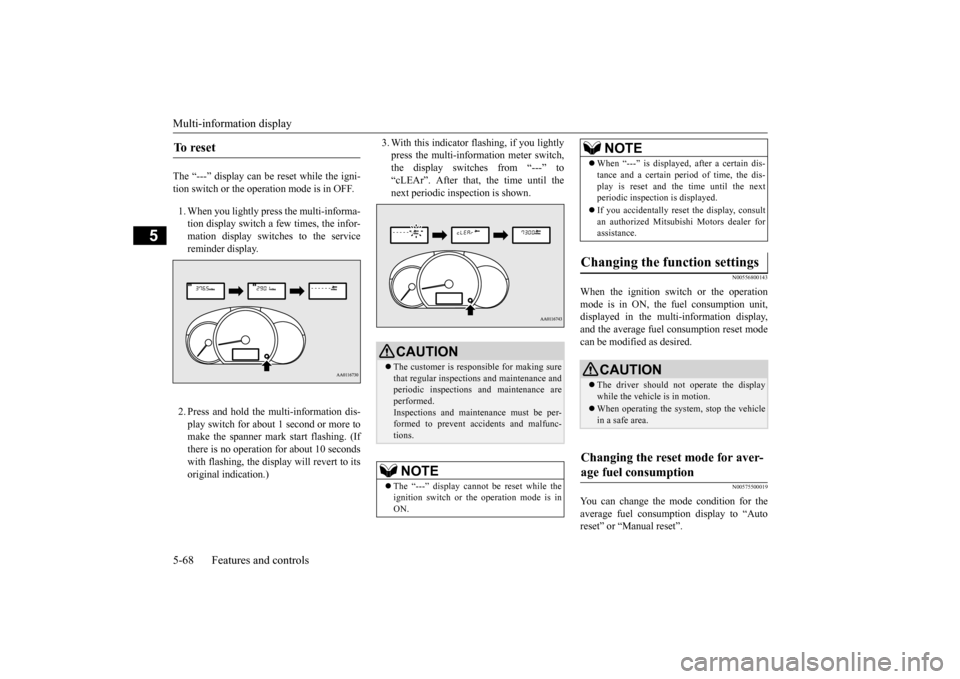
1. When you lightly press the multi-informa- tion display switch a few times, the infor-mation display switches to the service reminder display. 2. Press and hold the multi-information dis- play switch for about 1 second or more tomake the spanner mark start flashing. (If there is no operation for about 10 seconds with flashing, the displa
y will revert to its
original indication.)
3. With this indicator
flashing, if you lightly
press the multi-information meter switch,the display switches from “---” to “cLEAr”. After that, the time until the next periodic inspection is shown.
N00556800143
When the ignition switch or the operation mode is in ON, the
fuel consumption unit,
displayed in the multi-information display,and the average fuel
consumption reset mode
can be modified as desired.
N00575500019
You can change the mode condition for theaverage fuel consumpt
ion display to “Auto
reset” or “Manual reset”.
To r e s e t
CAUTION The customer is responsible for making sure that regular inspections and maintenance and periodic inspections
and maintenance are
performed.Inspections and mainte
nance must be per-
formed to prevent accidents and malfunc- tions.NOTE
The “---” display cannot
be reset while the
ignition switch or the operation mode is inON.
When “---” is displayed, after a certain dis- tance and a certain pe
riod of time, the dis-
play is reset and th
e time until the next
periodic inspection is displayed. If you accidentally reset
the display, consult
an authorized Mitsubishi Motors dealer for assistance.
Changing the function settings
CAUTION The driver should not operate the display while the vehicle is in motion. When operating the system, stop the vehicle in a safe area.
Changing the reset mode for aver- age fuel consumption
NOTE
BK0212400US.book 68 ページ 2014年4月1日 火曜日 午後2時21分
Page 130 of 300
Multi-information display
Features and controls 5-69
5
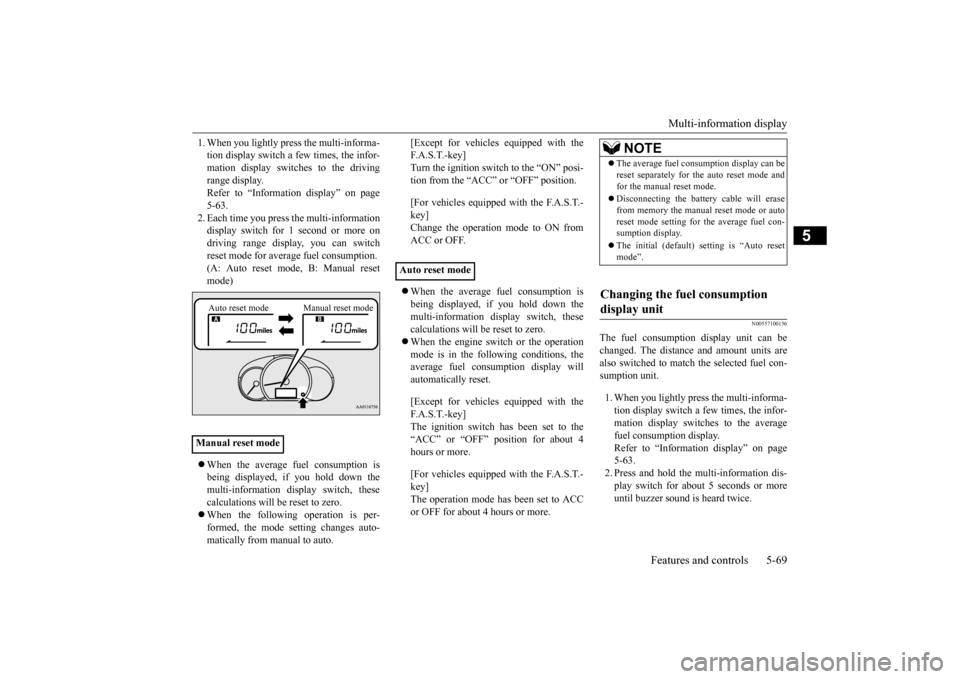
1. When you lightly press the multi-informa- tion display switch a few times, the infor-mation display switches to the driving range display. Refer to “Information display” on page5-63. 2. Each time you press the multi-information display switch for 1 second or more ondriving range disp
lay, you can switch
reset mode for average fuel consumption. (A: Auto reset mode, B: Manual reset mode) When the average fuel consumption is being displayed, if you hold down themulti-information display switch, these calculations will be reset to zero. When the following operation is per- formed, the mode setting changes auto- matically from manual to auto.
[Except for vehicles
equipped with the
F. A . S . T. - k e y ]Turn the ignition switch to the “ON” posi- tion from the “ACC” or “OFF” position. [For vehicles equipped with the F.A.S.T.- key]Change the operation mode to ON from ACC or OFF. When the average fuel consumption is being displayed, if you hold down the multi-information display switch, these calculations will
be reset to zero.
When the engine switch or the operation mode is in the following conditions, the average fuel consumption display willautomatically reset. [Except for vehicles
equipped with the
F. A . S . T. - k e y ] The ignition switch has been set to the“ACC” or “OFF” position for about 4 hours or more. [For vehicles equipped with the F.A.S.T.- key]The operation mode has been set to ACC or OFF for about 4 hours or more.
N00557100156
The fuel consumpti
on display unit can be
changed. The distance and amount units are also switched to match the selected fuel con-sumption unit. 1. When you lightly press the multi-informa- tion display switch a few times, the infor- mation display switches to the averagefuel consumption display. Refer to “Information display” on page 5-63.2. Press and hold the mu
lti-information dis-
play switch for about 5 seconds or more until buzzer sound is heard twice.
Manual reset mode
Auto reset mode Manual reset mode
Auto reset mode
NOTE
The average fuel cons
umption display can be
reset separately for the auto reset mode andfor the manual reset mode. Disconnecting the batter
y cable wi
ll erase
from memory the manual reset mode or autoreset mode setting for the average fuel con- sumption display. The initial (default) setting is “Auto reset mode”.
Changing the fuel consumption display unit
BK0212400US.book 69 ページ 2014年4月1日 火曜日 午後2時21分
Page 136 of 300
![MITSUBISHI MIRAGE 2015 6.G User Guide Combination headlights and dimmer switch
Features and controls 5-75
5
[When the engine is not
running, or when the
engine is running but the parking brake is not released] The engine starts when t](/img/19/7511/w960_7511-135.png "MITSUBISHI MIRAGE 2015 6.G User Guide Combination headlights and dimmer switch
Features and controls 5-75
5
[When the engine is not
running, or when the
engine is running but the parking brake is not released] The engine starts when t")
Combination headlights and dimmer switch
Features and controls 5-75
5
[When the engine is not
running, or when the
engine is running but the parking brake is not released] The engine starts when the lights are off.
N00532600570
If the following operation is performed with the combination headlights and dim- mer switch in the “ ” or “ ” position, the lights automatically turn off. [Except for vehicles
equipped with the
F. A . S . T. - k e y ]The ignition switch is turned to the “OFF” or “ACC” position or the key is removed from the ignition switch and the driver’sdoor is opened. [For vehicles equipped with the F.A.S.T.- key] The operation mode is changed to OFF orACC and the driver’s door is opened.
If the following operation is performed with the combination headlights and dim- mer switch in the “ ” or “ ” position, the lights automatically turn off after about 3 minutes. [Except for vehicles equipped with the F. A . S . T. - k e y ]The ignition switch is turned to the “OFF” or “ACC” position or
the key is removed
from the ignition switch and the driver’s door is not opened. [For vehicles equipped with the F.A.S.T.- key]The operation mode is changed to OFF or ACC and the driver’s door is not opened.
If the combination
headlights and dimmer
switch is turned to the “ ” or “ ” posi- tion again after the engine is turned off, theabout 3-minute auto-cutout function
NOTE
Once the daytime running light come on, they do not go out until the ignition switch isturned to the “OFF” or “ACC” position orthe operation mode is changed to OFF or ACC.
OFF All lights off
Parking, tail, front
and rear side-
marker lights, lic
ense plate and
instrument panel lights on Headlights and other lights onNOTE
Do not leave the head
lights and ot
her lights
on for a long period of time when the engine is not running. The battery will run down.
When it rains, or wh
en the vehicle has been
washed, the inside of the lens sometimesbecomes foggy. This is the same as whenwindow glass mists up on a humid day, and does not indicate a pr
oblem. When the light
is switched on, the heat will dry out the fog.However, if water collects inside the light, have it checked by an authorized Mitsubishi Motors dealer or a repair facility of yourchoice.
Light auto-cutout function (headlights and other lights)
NOTE
NOTE
The light auto-cutout f
unction can be deacti-
vated.See your authorized Mitsubishi Motors dealer for details.
When you want to keep the lights on:
BK0212400US.book 75 ページ 2014年4月1日 火曜日 午後2時21分
Page 137 of 300
Turn signal lever 5-76 Features and controls
5
described above will not
work. The lights (the
parking lights, tail li
ghts and license plate
lights) will stay on and will not turn off auto- matically.
N00549800226
[When using a key to start the engine]If the driver’s door is opened with the key in the “OFF” or “ACC” position or removed from the ignition switch while the lights are on, the tone will sound to remind you to turnoff the lights. [When using the F.A.S.T.-key to start the engine] If the driver’s door is opened with the opera-tion mode is put in OFF or ACC, or if the operation mode is changed to OFF while the lights are on, the tone
will sound to remind
you to turn off the lights. In either case, the lights will turn off automat- ically and so will the tone. Or you can turn the light switch to the “OFF” position to stop the tone.
N00549900142
To change the headlights from high beam tolow beam and vice vers
a, pull the turn signal
lever to (1). Switch the headlights to low beam as a courtesy whenever there are oncoming vehicles, or when there is trafficmoving ahead of you. An illuminated blue light in the instrument
cluster indicates when
the headlights are on high beam.
N00550000185
You can flash the high beams by pulling the lever gently toward you (2). The lights will go back to normal when you let go. While thehigh beam is on, you will see a blue light on the instrument panel.
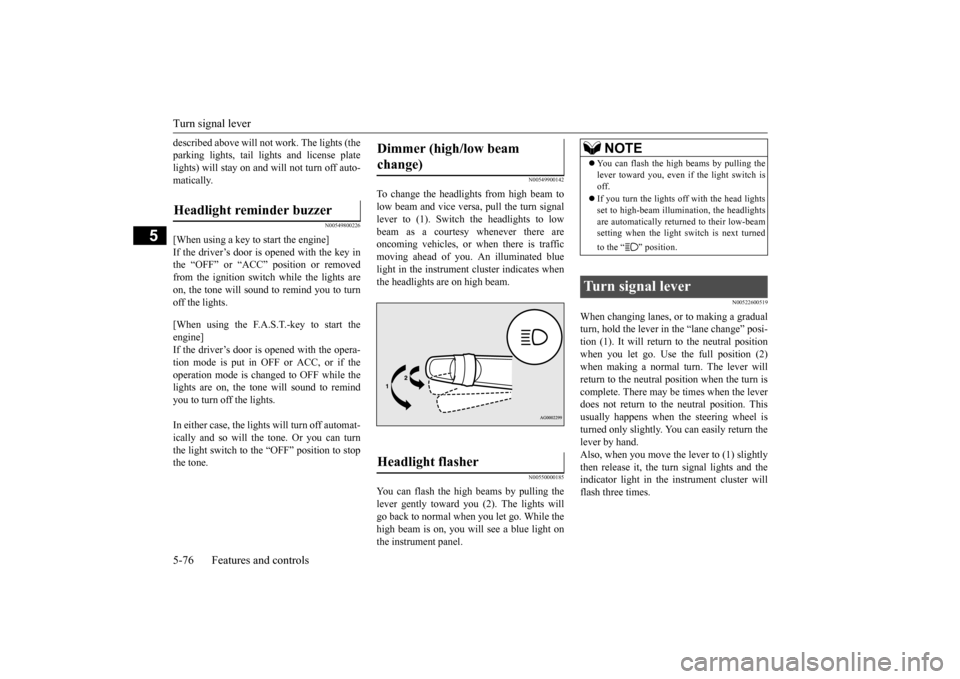
N00522600519
When changing lanes, or to making a gradual turn, hold the lever in the “lane change” posi-tion (1). It will return
to the neutral position
when you let go. Use the full position (2) when making a normal turn. The lever willreturn to the neutral position when the turn is complete. There may be times when the lever does not return to the neutral position. Thisusually happens when the steering wheel is turned only slightly. You can easily return the lever by hand.Also, when you move the lever to (1) slightly then release it, the turn signal lights and the indicator light in the instrument cluster willflash three times.
Headlight reminder buzzer
Dimmer (high/low beam change) Headlight flasher
NOTE
You can flash the high beams by pulling the lever toward you, even if the light switch isoff. If you turn the lights off with the head lights set to high-beam illumin
ation, the headlights
are automatically returned to their low-beam setting when the light
switch is next turned
to the “ ” position.
Turn signal lever
BK0212400US.book 76 ページ 2014年4月1日 火曜日 午後2時21分
Page 138 of 300
Hazard warning flasher switch Features and controls 5-77
5
See your authorized Mitsubishi Motors dealer for details.
N00522700318
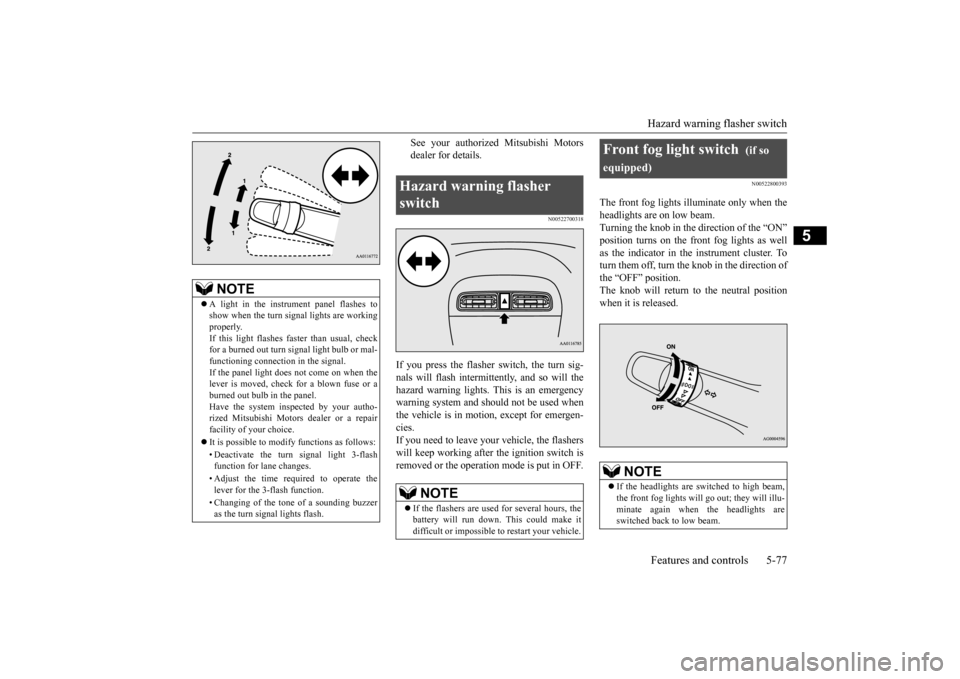
If you press the flasher switch, the turn sig- nals will flash intermittently, and so will the hazard warning lights.
This is an emergency
warning system and should not be used when the vehicle is in motion, except for emergen- cies.If you need to leave your vehicle, the flashers will keep working afte
r the ignition switch is
removed or the operation mode is put in OFF.
N00522800393
The front fog lights illuminate only when theheadlights are on low beam.Turning the knob in the direction of the “ON” position turns on the front fog lights as well as the indicator in the instrument cluster. Toturn them off, turn the knob in the direction of the “OFF” position. The knob will return to the neutral position when it is released.
NOTE
A light in the instrument panel flashes to show when the turn signal lights are workingproperly. If this light flashes fa
ster than usual, check
for a burned out turn signal light bulb or mal-functioning connect
ion in the signal.
If the panel light does not come on when the lever is moved, check for a blown fuse or aburned out bulb in the panel. Have the system inspected by your autho- rized Mitsubishi Motors dealer or a repairfacility of your choice. It is possible to modify functions as follows: • Deactivate the turn signal light 3-flash function for lane changes. • Adjust the time required to operate the lever for the 3-flash function. • Changing of the tone of a sounding buzzer as the turn signal lights flash.
Hazard warning flasher switch
NOTE
If the flashers are used for several hours, the battery will run down.
This could make it
difficult or impossible
to restart your vehicle.
Front fog light switch
(if so
equipped)
NOTE
If the headlights are sw
itched to high beam,
the front fog lights will go out; they will illu- minate again when the headlights are switched back to low beam.
BK0212400US.book 77 ページ 2014年4月1日 火曜日 午後2時21分
Page 143 of 300
Bluetooth® 2.0 interface (if so equipped) 5-82 Features and controls
5
command operations us
ing a defined voice
tree. The Bluetooth
® 2.0 interface can be used
when the ignition switch or the operation mode is in ON or ACC. Before you can use the Bluetooth
® 2.0 inter-
face, you must pa
ir the Bluetooth
® device
and Bluetooth
® 2.0 interface. Refer to “Con-
necting the Bluetooth
® 2.0 interface and
Bluetooth
® device” on page 5-87.
Bluetooth
® is a registered trademark of
BLUETOOTH SIG, INC.
Steering control sw
itch and microphone
P.5-83Voice recognition function
P.5-84
Useful voice commands
P.5-85
Speaker enrollment function
P. 5 - 8 6
Connecting the Bluetooth
® 2.0 interface and
the Bluetooth
® device
P.5-87
Operating a music player connected via Blue- tooth
® P.5-91
How to make or r
eceive hands-free calls
P.5-91Phonebook function
P.5-94
WA R N I N GAlthough the Bluetooth
® 2.0 interface
allows you to make ha
nds-free calls, if you
choose to use the cellular phone while driving, you must not allow yourself to bedistracted from the sa
fe operation of your
vehicle. Anything, including cellular phone usage, that distracts you from thesafe operation of your vehicle increases your risk of
an accident.
Refer to and comply with all state and local laws in your area regarding cellular phone usage wh
ile driving.
NOTE
For vehicles equipped with the F.A.S.T.-key, if the operation mode is left in ACC, theaccessory power will automatically turn offafter a certain period
of time and you will no
longer be able to use the Bluetooth
® 2.0
interface. The accessory power comes on again if the engine
switch is operated.
Refer to “ACC power
auto-cutout function”
on page 5-14. The Bluetooth
® 2.0 interface
cannot be used
if the Bluetooth
® device has a dead battery
or the device power is turned off. Hands-free calls will
not be possible if your
phone does not have
service available.
If you place the Bluetooth
® device in the
cargo area, you may not be able to use the Bluetooth
® 2.0 interface.
Some Bluetooth
® devices are not compatible
with the Bluetooth
® 2.0 interface.
You can confirm the Link System software version by pressing the HANG-UP button 3 times (press and hold 2 times and then pressbriefly) within 10 seconds.
For detail of the Bluetooth
® 2.0 interface,
refer to the following website: [For vehicles sold in U.S.A.] You can access the Mits
ubishi Motors North
America website. [For vehicles so
ld in Canada]
You can access the Mitsubishi Motors web-site. Please read and agree to the “Warning about Links to the Web Sites of Other Companies”,the websites mentione
d above may connect
you to websites other than the Mitsubishi Motors website.http://www.mitsubishi
-motors.com/en/prod-
ucts/index.html Software updates by cellular phone/digital audio device manufacturers may change/alter devi
ce connectivity.
NOTE
BK0212400US.book 82 ページ 2014年4月1日 火曜日 午後2時21分
Page 145 of 300

Bluetooth® 2.0 interface (if so equipped) 5-84 Features and controls
5
Your voice will be re
cognized by a micro-
phone in the overhead console, allowing you to make hands-free ca
lls with voice com-
mands.
N00564100086
The Bluetooth
® 2.0 interface is equipped
with a voice recognition function. Simply say voice commands and you can per- form various operations
and make or receive
hands-free calls. With the Bluetooth
® 2.0 interface, voice rec-
ognition is possible for
US English, North
American Spanish, Canadian French and Jap- anese. The factory se
tting is “English.”
1. Press the SPEECH button. 2. Say “Setup.” 3. Say “Language.”
4. The voice guide wi
ll say “Select a lan-
guage: English, Spanish, French or Japa-nese.” Say the desired language. (Example: “English”) 5. The voice guide wi
ll say “English (Span-
ish, French or Japanese) selected. Is this correct?” Say “Yes.” If you say “No,” the system will return toStep 4. 6. When the voice guide says “English (Spanish, French or Japanese) selected,” the language change process will be com-pleted and the system will return to the main menu.
Call waiting and three-
way calls can be used
by the Bluetooth
® 2.0 interface, only if it is
possible to use those services with your cel- lular phone.
Microphone
NOTE
If a cellular phone is
within close proximity
of the microphone, it may distort the sound quality. In this case,
place the cellular phone
as far as possible from the microphone.
Voice recognition function
NOTE
NOTE
If the voice command
that you say differs
from the predefined command or cannot be recognised due to ambient noise or some other reason, the Bluetooth
® 2.0 interface
will ask you for the voice command again upto 3 times. For best performance and further reduction of ambient noise, the vehicle windows should be closed, lower the blower speed and refrain from conversation with your passen-gers while engaging
the voice recognition
function. Some voice commands have alternative commands. Depending on the sele
cted language, some
functions may not
be available.
Language can be change
d by using the audio
control panel besides
the following proce-
dure. For details, refer to “To change the language (vehicles with Bluetooth
® 2.0 interface)” on
page 7-25.
Selecting the language
NOTE
The voice guide will repeat the same mes- sage twice. The first message is in the cur- rent language, and th
e second message is in
the selected
language.
If many entries are regist
ered in the vehicle
phonebook, changing the language will takea longer time. Changing the language
deletes the mobile
phonebook imported to the Bluetooth
® 2.0
interface. If you wish to use it, you will haveto import it again.
BK0212400US.book 84 ページ 2014年4月1日 火曜日 午後2時21分