Start MITSUBISHI MIRAGE 2015 6.G Workshop Manual
[x] Cancel search | Manufacturer: MITSUBISHI, Model Year: 2015, Model line: MIRAGE, Model: MITSUBISHI MIRAGE 2015 6.GPages: 300, PDF Size: 43.44 MB
Page 134 of 300
Warning lights
Features and controls 5-73
5
N00520600313
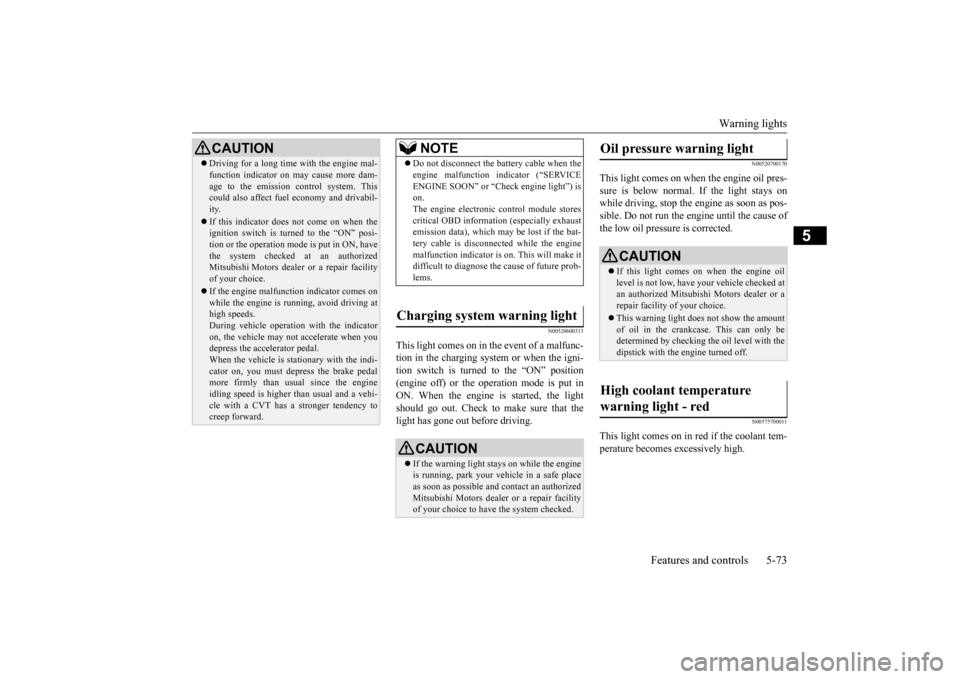
This light comes on in the event of a malfunc- tion in the charging system or when the igni-tion switch is turned to the “ON” position (engine off) or the operation mode is put in ON. When the engine is started, the lightshould go out. Check to make sure that the light has gone out before driving.
N00520700170
This light comes on when the engine oil pres-sure is below normal. If the light stays on while driving, stop the engine as soon as pos-sible. Do not run the engine until the cause of the low oil pressure is corrected.
N00575700011
This light comes on in red if the coolant tem- perature becomes excessively high.
CAUTION Driving for a long time
with the engine mal-
function indicator on may cause more dam-age to the emission control system. Thiscould also affect fuel
economy and drivabil-
ity. If this indicator does not come on when the ignition switch is turned to the “ON” posi- tion or the operation mode is put in ON, havethe system checked at an authorized Mitsubishi Motors dealer or a repair facility of your choice. If the engine malfunction indicator comes on while the engine is running, avoid driving athigh speeds. During vehicle
operation with the indicator
on, the vehicle may not
accelerate when you
depress the accelerator pedal. When the vehicle is stat
ionary with the indi-
cator on, you must depr
ess the brake pedal
more firmly than usual since the engine idling speed is higher th
an usual and a vehi-
cle with a CVT has a stronger tendency tocreep forward.
NOTE
Do not disconnect the ba
ttery cable when the
engine malfunction i
ndicator (“SERVICE
ENGINE SOON” or “Check engine light”) ison. The engine electronic
control module stores
critical OBD informati
on (especially exhaust
emission data), which ma
y be lost if the bat-
tery cable is disconne
cted while the engine
malfunction indicator is
on. This will make it
difficult to diagnose th
e cause of future prob-
lems.
Charging system warning light
CAUTION If the warning light stays on while the engine is running, park your ve
hicle in a safe place
as soon as possible and
contact an authorized
Mitsubishi Motors dealer
or a repair facility
of your choice to have the system checked.
Oil pressure warning light
CAUTION If this light comes on when the engine oil level is not low, have
your vehicle checked at
an authorized Mitsubish
i Motors dealer or a
repair facility of your choice. This warning light does not show the amount of oil in the crankcase. This can only be determined by checking the oil level with the dipstick with the engine turned off.
High coolant temperature warning light - red
BK0212400US.book 73 ページ 2014年4月1日 火曜日 午後2時21分
Page 136 of 300
![MITSUBISHI MIRAGE 2015 6.G Workshop Manual Combination headlights and dimmer switch
Features and controls 5-75
5
[When the engine is not
running, or when the
engine is running but the parking brake is not released] The engine starts when t](/img/19/7511/w960_7511-135.png "MITSUBISHI MIRAGE 2015 6.G Workshop Manual Combination headlights and dimmer switch
Features and controls 5-75
5
[When the engine is not
running, or when the
engine is running but the parking brake is not released] The engine starts when t")
Combination headlights and dimmer switch
Features and controls 5-75
5
[When the engine is not
running, or when the
engine is running but the parking brake is not released] The engine starts when the lights are off.
N00532600570
If the following operation is performed with the combination headlights and dim- mer switch in the “ ” or “ ” position, the lights automatically turn off. [Except for vehicles
equipped with the
F. A . S . T. - k e y ]The ignition switch is turned to the “OFF” or “ACC” position or the key is removed from the ignition switch and the driver’sdoor is opened. [For vehicles equipped with the F.A.S.T.- key] The operation mode is changed to OFF orACC and the driver’s door is opened.
If the following operation is performed with the combination headlights and dim- mer switch in the “ ” or “ ” position, the lights automatically turn off after about 3 minutes. [Except for vehicles equipped with the F. A . S . T. - k e y ]The ignition switch is turned to the “OFF” or “ACC” position or
the key is removed
from the ignition switch and the driver’s door is not opened. [For vehicles equipped with the F.A.S.T.- key]The operation mode is changed to OFF or ACC and the driver’s door is not opened.
If the combination
headlights and dimmer
switch is turned to the “ ” or “ ” posi- tion again after the engine is turned off, theabout 3-minute auto-cutout function
NOTE
Once the daytime running light come on, they do not go out until the ignition switch isturned to the “OFF” or “ACC” position orthe operation mode is changed to OFF or ACC.
OFF All lights off
Parking, tail, front
and rear side-
marker lights, lic
ense plate and
instrument panel lights on Headlights and other lights onNOTE
Do not leave the head
lights and ot
her lights
on for a long period of time when the engine is not running. The battery will run down.
When it rains, or wh
en the vehicle has been
washed, the inside of the lens sometimesbecomes foggy. This is the same as whenwindow glass mists up on a humid day, and does not indicate a pr
oblem. When the light
is switched on, the heat will dry out the fog.However, if water collects inside the light, have it checked by an authorized Mitsubishi Motors dealer or a repair facility of yourchoice.
Light auto-cutout function (headlights and other lights)
NOTE
NOTE
The light auto-cutout f
unction can be deacti-
vated.See your authorized Mitsubishi Motors dealer for details.
When you want to keep the lights on:
BK0212400US.book 75 ページ 2014年4月1日 火曜日 午後2時21分
Page 137 of 300
Turn signal lever 5-76 Features and controls
5
described above will not
work. The lights (the
parking lights, tail li
ghts and license plate
lights) will stay on and will not turn off auto- matically.
N00549800226
[When using a key to start the engine]If the driver’s door is opened with the key in the “OFF” or “ACC” position or removed from the ignition switch while the lights are on, the tone will sound to remind you to turnoff the lights. [When using the F.A.S.T.-key to start the engine] If the driver’s door is opened with the opera-tion mode is put in OFF or ACC, or if the operation mode is changed to OFF while the lights are on, the tone
will sound to remind
you to turn off the lights. In either case, the lights will turn off automat- ically and so will the tone. Or you can turn the light switch to the “OFF” position to stop the tone.
N00549900142
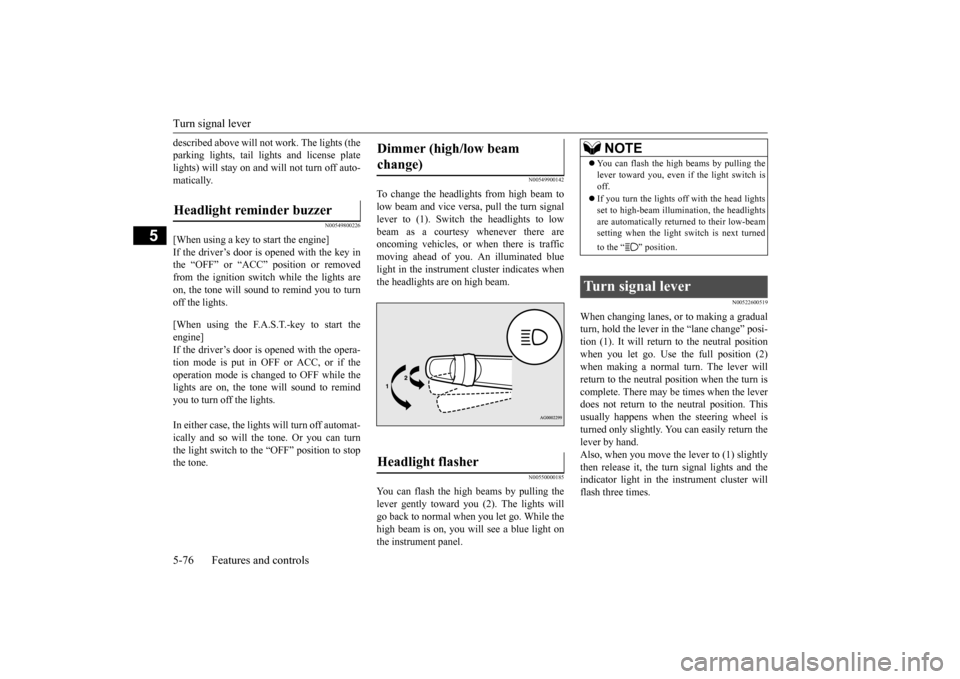
To change the headlights from high beam tolow beam and vice vers
a, pull the turn signal
lever to (1). Switch the headlights to low beam as a courtesy whenever there are oncoming vehicles, or when there is trafficmoving ahead of you. An illuminated blue light in the instrument
cluster indicates when
the headlights are on high beam.
N00550000185
You can flash the high beams by pulling the lever gently toward you (2). The lights will go back to normal when you let go. While thehigh beam is on, you will see a blue light on the instrument panel.
N00522600519
When changing lanes, or to making a gradual turn, hold the lever in the “lane change” posi-tion (1). It will return
to the neutral position
when you let go. Use the full position (2) when making a normal turn. The lever willreturn to the neutral position when the turn is complete. There may be times when the lever does not return to the neutral position. Thisusually happens when the steering wheel is turned only slightly. You can easily return the lever by hand.Also, when you move the lever to (1) slightly then release it, the turn signal lights and the indicator light in the instrument cluster willflash three times.
Headlight reminder buzzer
Dimmer (high/low beam change) Headlight flasher
NOTE
You can flash the high beams by pulling the lever toward you, even if the light switch isoff. If you turn the lights off with the head lights set to high-beam illumin
ation, the headlights
are automatically returned to their low-beam setting when the light
switch is next turned
to the “ ” position.
Turn signal lever
BK0212400US.book 76 ページ 2014年4月1日 火曜日 午後2時21分
Page 138 of 300
Hazard warning flasher switch Features and controls 5-77
5
See your authorized Mitsubishi Motors dealer for details.
N00522700318
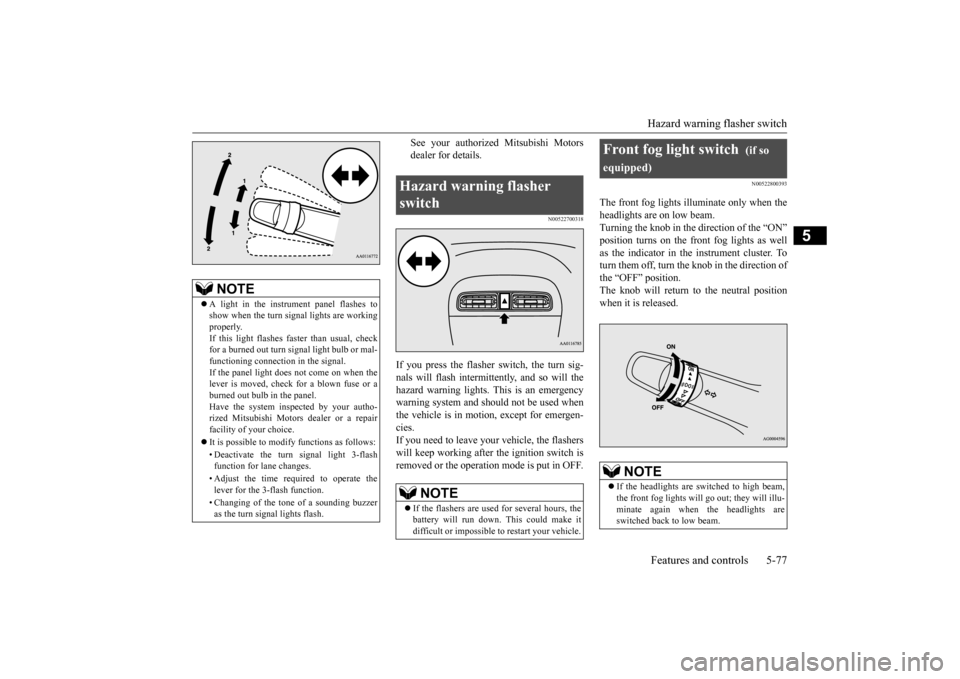
If you press the flasher switch, the turn sig- nals will flash intermittently, and so will the hazard warning lights.
This is an emergency
warning system and should not be used when the vehicle is in motion, except for emergen- cies.If you need to leave your vehicle, the flashers will keep working afte
r the ignition switch is
removed or the operation mode is put in OFF.
N00522800393
The front fog lights illuminate only when theheadlights are on low beam.Turning the knob in the direction of the “ON” position turns on the front fog lights as well as the indicator in the instrument cluster. Toturn them off, turn the knob in the direction of the “OFF” position. The knob will return to the neutral position when it is released.
NOTE
A light in the instrument panel flashes to show when the turn signal lights are workingproperly. If this light flashes fa
ster than usual, check
for a burned out turn signal light bulb or mal-functioning connect
ion in the signal.
If the panel light does not come on when the lever is moved, check for a blown fuse or aburned out bulb in the panel. Have the system inspected by your autho- rized Mitsubishi Motors dealer or a repairfacility of your choice. It is possible to modify functions as follows: • Deactivate the turn signal light 3-flash function for lane changes. • Adjust the time required to operate the lever for the 3-flash function. • Changing of the tone of a sounding buzzer as the turn signal lights flash.
Hazard warning flasher switch
NOTE
If the flashers are used for several hours, the battery will run down.
This could make it
difficult or impossible
to restart your vehicle.
Front fog light switch
(if so
equipped)
NOTE
If the headlights are sw
itched to high beam,
the front fog lights will go out; they will illu- minate again when the headlights are switched back to low beam.
BK0212400US.book 77 ページ 2014年4月1日 火曜日 午後2時21分
Page 141 of 300
Electric rear window defogger switch 5-80 Features and controls
5
N00523700403
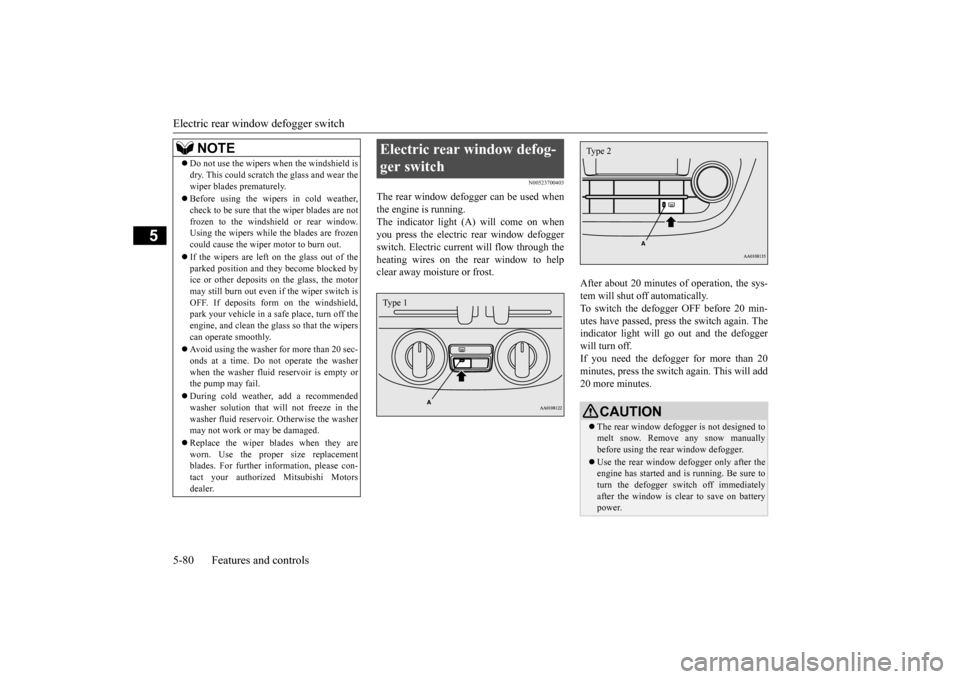
The rear window defogger can be used when the engine is running. The indicator light (A) will come on whenyou press the electric rear window defogger switch. Electric current will flow through the heating wires on the rear window to helpclear away moisture or frost.
After about 20 minutes of operation, the sys- tem will shut off automatically.To switch the defogger OFF before 20 min- utes have passed, press the switch again. The indicator light will go
out and the defogger
will turn off. If you need the defogger for more than 20 minutes, press th
e switch again. This will add
20 more minutes.
NOTE
Do not use the wipers when the windshield is dry. This could scratch the glass and wear thewiper blades prematurely. Before using the wipers in cold weather, check to be sure that the wiper blades are notfrozen to the windshield or rear window. Using the wipers while the blades are frozen could cause the wiper motor to burn out. If the wipers are left on the glass out of the parked position and th
ey become blocked by
ice or other deposits on the glass, the motor may still burn out even
if the wiper switch is
OFF. If deposits form on the windshield,park your vehicle in a safe place, turn off the engine, and clean the glass so that the wipers can operate smoothly. Avoid using the washer for more than 20 sec- onds at a time. Do not
operate the washer
when the washer fluid reservoir is empty or the pump may fail. During cold weather, add a recommended washer solution that will not freeze in the washer fluid reservoir. Otherwise the washermay not work or may be damaged. Replace the wiper blades when they are worn. Use the proper size replacement blades. For further info
rmation, please con-
tact your authorized
Mitsubishi Motors
dealer.
Electric rear window defog- ger switch Type 1
CAUTION The rear window defogge
r is not designed to
melt snow. Remove any snow manually before using the rear window defogger. Use the rear window defogger only after the engine has started and
is running. Be sure to
turn the defogger switch off immediatelyafter the window is clea
r to save on battery
power.Type 2
BK0212400US.book 80 ページ 2014年4月1日 火曜日 午後2時21分
Page 147 of 300

Bluetooth® 2.0 interface (if so equipped) 5-86 Features and controls
5
If a passcode has been set and the security function is enabled, the voice guide will say“Hands-free system is lo
cked. State the pass-
code to continue” when the SPEECH button is pressed to enter voice recognition mode.Say the 4-digit passcode number to enter the passcode. If the entered passcode
is wrong, the voice
guide will say “<4-digi
t passcode>, Incorrect
passcode. Please try again.” Enter the correct passcode.
Use the following procedure to turn off the security function by di
sabling the passcode.
1. Press the SPEECH button. 2. Say “Setup.” 3. Say “Passcode.”4. The voice guide w
ill say “Passcode is
enabled. Would you like to disable it?” Answer “Yes.”Answer “No” to cancel the disabling of the passcode and return to the main menu. 5. When the disabling of the passcode iscompleted, the voice
guide will say “Pass-
code is disabled” and the system will return to the main menu.
N00564700011
The Bluetooth
® 2.0 interface can use the
speaker enrollment function to create a voicemodel for one person per language. This makes it easier for the Bluetooth
® 2.0
interface to recognise
voice commands said
by you.
You can turn a voice model registered with the speaker enrollment function on and offwhenever you want.
N00564800038
It takes about 2 to 3 minutes to complete thespeaker enrollment process. To ensure the best results, run through the process while in the driver’s seat, in an envi- ronment that is as qu
iet as possible (when
there is no rain or strong winds and the vehi-cle windows are closed). Please turn off your phone while in speaker enrollment to prevent interruption of the process.Use the following procedure for speaker enrollment. 1. Stop your vehicle in a safe area, put the gearshift lever in the “N” (Neutral) posi-tion (manual transaxle), or the selector lever in the “P” (PARK) position (contin- uously variable transmission (CVT)), andpull the parking brake lever. 2. Press the SPEECH button.
It is required for a little time after engine stop that the entered passcode is actuallyrecorded in the system.If the ignition switch
or the operation mode
is made to ACC or ON or the engine is started immediately afte
r engine stop, there
is a case when the entered passcode is not recorded in the system. At this time, please try to enter the passcode again.
Entering the passcode
NOTE
You can reenter the passcode as many times as you want. If you have forgotten your passcode, say “Cancel” to quit the voice input mode and then check with an authorized Mitsubishi Motors dealer.NOTE
Disabling the passcode
NOTE
System must be unlocke
d to disable the pass-
code.
Speaker enrollment function
Speaker enrollment
NOTE
Speaker enrollment is not possible unless the vehicle is parked. Make sure you park the vehicle in a safe area before attemptingspeaker enrollment.
BK0212400US.book 86 ページ 2014年4月1日 火曜日 午後2時21分
Page 148 of 300

Bluetooth® 2.0 interface (if so equipped)
Features and controls 5-87
5
3. Say “Voice training.” 4. The voice guide will say “This operationmust be performed in a quiet environment while the vehicle is
stopped. See the
owner’s manual for the list of requiredtraining phrases. Press and release the SPEECH button when you are ready to begin. Press the HANG-UP button to can-cel at any time.” Press the SPEECH but
ton to start the
speaker enrollment process. 5. The voice guide will prompt for phrase 1. Repeat the correspondi
ng phrase listed in
table “Enrollment commands” on page 5-101.The system will register your voice and then move on to the registration of the next command. Continue the process untilall phrases have been registered.
6. When all enrollme
nt commands have
been read out, the vo
ice guide will say
“Speaker enrollment is complete.” The system will then end the speaker enroll-ment process and return to the main menu.
N00564900055
You can turn a voice model registered with the speaker enrollment function on and off whenever you want. You can also retrain the system.Use the following procedure to perform these actions. 1. Press the SPEECH button.
2. Say “Voice training.” 3. If you have completed a speaker enroll-ment process once already, the voice guide will say eith
er “Enrollment is
enabled. Would you like to disable orretrain?” or “Enrollment is disabled. Would you like to enable or retrain?” 4. When enrollment is “enabled,” the voicemodel is on; when enrollment is “dis- abled,” the voice model is off. Say the command that fits your needs. Say “Retrain” to start the speaker enroll- ment process and re
create a new voice
model. (Refer to “Speaker enrollment” on page 5-86.)
N00565000170
Before you can make
or receive hands-free
calls or play music using the Bluetooth
® 2.0
interface function, you must pair the Blue- tooth
® device and Bluetooth
® 2.0 interface.
NOTE
If you do not start the speaker enrollment process within 3 minut
es after pressing the
SPEECH button, the speaker enrollmentfunction will time out. The voice guide will say “Speaker enroll- ment has timed out.”
The system will then
beep and the voice reco
gnition mode will be
deactivated.
NOTE
To repeat the most re
cent voice training com-
mand, press and rele
ase the SPEECH button.
If you press the HANG-UP button anytime during the process, the
system will beep and
stop the speaker en
rollment process.
NOTE
Completing the speaker enrollment process will turn on the voice model automatically. The commands “Help” a
nd “Cancel” will not
work in this mode.
Enabling and disabling the voice model and retraining
Connecting the Bluetooth
® 2.0
interface and Bluetooth
® device
BK0212400US.book 87 ページ 2014年4月1日 火曜日 午後2時21分
Page 149 of 300

Bluetooth® 2.0 interface (if so equipped) 5-88 Features and controls
5
Up to 7 Bluetooth
® devices can be paired
with the Bluetooth
® 2.0 interface.
If multiple paired Bluetooth
® devices are
available in the vehicle,
the cellular phone or
music player most recently connected is auto- matically connected to the Bluetooth
® 2.0
interface. You can also change a Bluetooth
® device to
be connected. To pair a Bluetooth
® device with the Blue-
tooth
® 2.0 interface, foll
ow the steps below.
1. Stop your vehicle in a safe area, put the gearshift lever in the “N” (Neutral) posi-tion (manual transaxle), or the selector lever in the “P” (PARK) position (contin- uously variable transmission (CVT)), andpull the parking brake lever. 2. Press the SPEECH button. 3. Say “Setup.” 4. Say “Pairing Options.”5. The voice guide will
say “Select one of
the following: pair, ed
it, delete, or list.”
Say “Pair.”
6. The voice guide will say “Please say a 4- digit pairing code.”
Say a 4-digit number.
When the confirmation function is on, the system will confirm whether the number said is acceptable. Answer “Yes.”Answer “No” to return to pairing code selection. 7. The voice guide will say “Start pairing procedure on the device. See the devicemanual for instructions.” Enter in the Bluetooth
® device the 4-digit number you
have registered in Step 6.
NOTE
Pairing is required only when the device is used for the first time. Once the device has been paired with the Bluetooth
® 2.0 inter-
face, all you need is to
bring the device into
the vehicle next time
and the device will
connect to the Bluetooth
® 2.0 interface auto-
matically (if supported
by the device). The
device must have Bluetooth
® turned ON to
connect.
To p a i r
NOTE
You cannot pair any Bluetooth
® device with
the Bluetooth
® 2.0 interface unless the vehi-
cle is parked. Before pairing a Bluetooth
®
device with the Bluetooth
® 2.0 interface,
confirm that the vehicle is parked in a safe location.NOTE
If 7 devices have alre
ady been paired, the
voice guide will sa
y “Maximum devices
paired” and then the system will end the pairing process. To re
gister a ne
w device,
delete one device and th
en repeat the pairing
process. (Refer to “Selecting a device: Deleting a device” on page 5-89.)
NOTE
Some Bluetooth
® devices requi
re a specific
pairing code. Please re
fer to the device man-
ual for pairing code requirements. The pairing code ente
red here is only used
for the Bluetooth
® connection ce
rtification.
It is any 4-digit numbe
r the user would like
to select.Remember the pairing c
ode as it needs to be
keyed into the Bluetooth
® device later in the
pairing process. Depending on the connecti
on settings of the
Bluetooth
® device, this code may have to be
entered each time you connect the Blue- tooth
® device to the Bluetooth
® 2.0 inter-
face. For the default
connection settings,
refer to the instructions for the device.
BK0212400US.book 88 ページ 2014年4月1日 火曜日 午後2時21分
Page 150 of 300

Bluetooth® 2.0 interface (if so equipped)
Features and controls 5-89
5
8. The voice guide will
say “Please say the
name of the device after the beep.” You can assign a desired name for the Blue- tooth
® device and register it as a device
tag. Say the name you want to register after the beep.
9. The voice guide will say “Pairing com- plete,” after which a
beep will be played
and the pairing process will end.
N00565100025
If multiple paired Bluetooth
® devices are
available in the vehicle,
the cellular phone or
music player most recently connected is auto- matically connected
to the Bluetooth
® 2.0
interface. You can connect to the
other paired cellular
phone or music player by following setting change procedures. 1. Press the SPEECH button. 2. Say “Setup.”3. Say “Select phone.” 4. After the voice guide says “Please say,” the numbers of the cellular phones anddevice tags of corresponding cellular phones will be read out in order, starting with the cellular phone that has been mostrecently connected. Say the number of the cellular phone that you want to connect to.
When the confirmation function is on, the system will ask you again whether thephone that you want to connect to is cor- rect. Answer “Yes” to continue and con- nect to the cellular phone.Answer “No,” and the voice guide will say “Please say.” Say the number of the phone that you want to connect to. 5. The selected phone will be connected to the Bluetooth
® 2.0 interface. The voice
guide will say “
and then the system will return to the main menu. 1. Press the SPEECH button. 2. Say “Setup.”3. Say “Select music player.”
NOTE
Depending on the Bluetooth
® device, it may
take a few minutes to pair it with the Blue- tooth
® 2.0 interface.
If the Bluetooth
® 2.0 interface cannot recog-
nize the Bluetooth
® device, the voice guide
will say “Pairing has tim
ed out” and the pair-
ing process will be cancelled. Confirm that the devi
ce you are pairing sup-
ports Bluetooth
®, and try pairing it again.
If you enter the wrong number, the voice guide will say “Pairing
failed” and the pair-
ing process will be cancelled.Confirm the number is right, and try pairing it again.NOTE
When the confirmation function is on, after repeating the device
tag you have said, the
voice guide will ask “Is this correct?” Answer “Yes.” To change the device
tag, answer “No” and
then say the device tag again.
Selecting a device
To select a cellular phone
NOTE
You can connect to a
phone at any time by
pressing the SPEECH button and saying the number, even before all of the paired num-bers and device tags
of corresponding cellu-
lar phones are read out by the system.
To s e l e c t a
music player
BK0212400US.book 89 ページ 2014年4月1日 火曜日 午後2時21分
Page 151 of 300

Bluetooth® 2.0 interface (if so equipped) 5-90 Features and controls
5
4. After the voice guide says “Please say,” the numbers of the music players anddevice tags of corresponding music play- ers will be read out in order, starting with the music player that has been mostrecently connected. Say the number of the music player that you want to connect to.When the confirmation function is on, the system will ask you again whether the music player that you want to connect to is correct. Answer “Yes” to continue and connect to the music player.Answer “No,” and the voice guide will say “Please say.” Say the number of the music player that you want to connect to. 5. The selected music player will be con- nected to the Bluetooth
® 2.0 interface.
The voice guide will
say “
selected” and then the system will return to the main menu.
Use the following procedure to delete a paired Bluetooth
® device from the Blue-
tooth
® 2.0 interface.
1. Press the SPEECH button. 2. Say “Setup.” 3. Say “Pairing Options.”4. The voice guide will
say “Select one of
the following: pair, ed
it, delete, or list.”
Say “Delete.” 5. After the voice guide
says “Please say,”
the numbers of the devices and devicetags of corresponding
devices will be read
out in order, starting with the device that has been most recently connected. After itcompletes reading all pairs, the voice guide will say “or all.” Say the number of the device that youwant to delete from the system. If you want to delete all paired phones from the system, say “All.” 6. For confirmation purposes, the voice guide will say “Deleting
7. The voice guide will say “Deleted,” and then the system will
end the device dele-
tion process.
N00565200013
You can check a paired Bluetooth
® device by
following the steps below. 1. Press the SPEECH button. 2. Say “Setup.” 3. Say “Pairing Options.”4. The voice guide will say “Select one of the following: pair, edit, delete, or list.” Say “List.”5. The voice guide will
read out device tags
of corresponding devices in order, starting with the Bluetooth
® device that has been
most recently connected. 6. After the device tags
of all paired Blue-
tooth
® devices have been read, the system
will say “End of li
st, would you like to
start from the beginning?”
NOTE
You can connect to a music player at any time by pressing the SPEECH button andsaying the number, even before all of the paired numbers and de
vice tags of corre-
sponding music players are read out by thesystem.
Deleting a device
NOTE
If the device deletion process fails for some reason, the voice guide
will say “Delete
failed” and then the system will cancel delet- ing the device.
To check a paired Bluetooth
®
device
BK0212400US.book 90 ページ 2014年4月1日 火曜日 午後2時21分