ECO mode MITSUBISHI MIRAGE 2017 6.G Service Manual
[x] Cancel search | Manufacturer: MITSUBISHI, Model Year: 2017, Model line: MIRAGE, Model: MITSUBISHI MIRAGE 2017 6.GPages: 307, PDF Size: 9.02 MB
Page 151 of 307
Bluetooth® 2.0 interface (if so equipped) 5-90 Features and controls
5
If a passcode has been set and the security function is enabled, the voice guide will say“Hands-free system is lo
cked. State the pass-
code to continue” when the SPEECH button is pressed to enter voice recognition mode.Say the 4-digit passcode number to enter the passcode. If the entered passcode
is wrong, the voice
guide will say “<4-digi
t passcode>, Incorrect
passcode. Please try again.” Enter the correct passcode.
Use the following procedure to turn off the security function by di
sabling the passcode.
1. Press the SPEECH button. 2. Say “Setup.” 3. Say “Passcode.”4. The voice guide w
ill say “Passcode is
enabled. Would you like to disable it?” Answer “Yes.” the passcode and return to the main menu. 5. When the disabling of the passcode iscompleted, the voice
guide will say “Pass-
code is disabled” and the system will return to the main menu.
N00564700011
The Bluetooth
® 2.0 interface can use the
speaker enrollment function to create a voicemodel for one person per language. This makes it easier for the Bluetooth
® 2.0
interface to recognise
voice commands said
by you.
You can turn a voice model registered with the speaker enrollment function on and offwhenever you want.
N00564800038
It takes about 2 to 3 minutes to complete thespeaker enrollment process. To ensure the best results, run through the process while in the driver’s seat, in an envi- ronment that is as qu
iet as possible (when
there is no rain or strong winds and the vehi-cle windows are closed). Please turn off your phone while in speaker enrollment to prevent interruption of the process.Use the following procedure for speaker enrollment. 1. Stop your vehicle in a safe area, put the gearshift lever in the “N” (Neutral) posi-tion (manual transaxle), or the selector lever in the “P” (PARK) position (contin- uously variable transmission (CVT)), andpull the parking brake lever. 2. Press the SPEECH button.
It is required for a little time after engine stop that the entered passcode is actuallyrecorded in the system.If the ignition switch
or the operation mode
is made to ACC or ON or the engine is started immediately afte
r engine stop, there
is a case when the entered passcode is not recorded in the system. At this time, please try to enter the passcode again.
Entering the passcode
NOTE
You can reenter the passcode as many times as you want. If you have forgotten your passcode, say “Cancel” to quit the voice input mode and then check with an authorized Mitsubishi Motors dealer.NOTE
Disabling the passcode
NOTE
System must be unlocke
d to disable the pass-
code.
Speaker enrollment function
Speaker enrollment
NOTE
Speaker enrollment is not possible unless the vehicle is parked. Make sure you park the vehicle in a safe area before attemptingspeaker enrollment.
BK0236100US.book 90 ページ 2016年2月1日 月曜日 午前10時15分
Page 152 of 307
Bluetooth® 2.0 interface (if so equipped)
Features and controls 5-91
5
3. Say “Voice training.” 4. The voice guide will say “This operationmust be performed in a quiet environment while the vehicle is
stopped. See the
owner’s manual for the list of requiredtraining phrases. Press and release the SPEECH button when you are ready to begin. Press the HANG-UP button to can-cel at any time.”
ton to start the
speaker enrollment process. 5. The voice guide will prompt for phrase 1. Repeat the correspondi
ng phrase listed in
table “Enrollment commands” on page 5-105.The system will register your voice and then move on to the registration of the next command. Continue the process untilall phrases have been registered.
6. When all enrollme
nt commands have
been read out, the vo
ice guide will say
“Speaker enrollment is complete.” The system will then end the speaker enroll-ment process and return to the main menu.
N00564900055
You can turn a voice model registered with the speaker enrollment function on and off whenever you want. You can also retrain the system.Use the following procedure to perform these actions. 1. Press the SPEECH button.
2. Say “Voice training.” 3. If you have completed a speaker enroll-ment process once already, the voice guide will say eith
er “Enrollment is
enabled. Would you like to disable orretrain?” or “Enrollment is disabled. Would you like to enable or retrain?” 4. When enrollment is “enabled,” the voicemodel is on; when enrollment is “dis- abled,” the voice model is off. Say the command that fits your needs. Say “Retrain” to start the speaker enroll- ment process and re
create a new voice
model. (Refer to “Speaker enrollment” on page 5-90.)
N00565001366
Before you can make
or receive hands-free
calls or play music using the Bluetooth
® 2.0
interface function, you must pair the Blue- tooth
® device and Bluetooth
® 2.0 interface.
NOTE
If you do not start the speaker enrollment process within 3 minut
es after pressing the
SPEECH button, the speaker enrollmentfunction will time out. The voice guide will say “Speaker enroll- ment has timed out.”
The system will then
beep and the voice reco
gnition mode will be
deactivated.
NOTE
To repeat the most re
cent voice training com-
mand, press and rele
ase the SPEECH button.
If you press the HANG-UP button anytime during the process, the
system will beep and
stop the speaker en
rollment process.
NOTE
Completing the speaker enrollment process will turn on the voice model automatically. The commands “Help” a
nd “Cancel” will not
work in this mode.
Enabling and disabling the voice model and retraining
Connecting the Bluetooth
® 2.0
interface and Bluetooth
® device
BK0236100US.book 91 ページ 2016年2月1日 月曜日 午前10時15分
Page 157 of 307
Bluetooth® 2.0 interface (if so equipped) 5-96 Features and controls
5
6. The voice guide will say “New name, please.” Say the name
you want to regis-
ter as a new device tag. When the confirmation function is on, the voice guide will say
“
Is this correct?” Answer “Yes.” tag you want to register again.7. The device tag is changed. When the change is complete, the voice guide will say “New
name saved” and
then the system will return to the main menu.
N00565400015
For the operation of a mu
sic player connected
via Bluetooth
®, refer to “To play tracks from
a Bluetooth
® device” on page 7-37.
N00565500087
You can make or receive hands-free calls using a Bluetooth
® compatible cellular phone
connected to the Bluetooth
® 2.0 interface.
You can also use the phonebooks in the Blue- tooth
® 2.0 interface to make calls without
dialing telephone numbers. To make a call P.5-96 Send function P.5-98 Receiving calls P.5-98Mute function P.5-98 Switching between ha
nds-free mode and pri-
vate mode P.5-98
N00565600020
You can make a call in the following 3 ways using the Bluetooth
® 2.0 interface:
- By saying a telephone number - By using the Bluetooth
® 2.0 interface’s
phonebook - By redialing a telephone number You can make a call by saying the telephone number.
1. Press the SPEECH button. 2. Say “Dial.” please,” say th
e telephone number.
4. The voice guide will
say “Dialing
® 2.0 interface will then
make the call. When the confirmation function is on, the system will confirm the telephone number again. To continue with that number, answer “Yes.” To change the telephone number, answer“No.” The system
will say “Number
please” then say th
e telephone number
again.
Operating a music player con- nected via Bluetooth
®
How to make or receive hands-free calls
NOTE
Hands-free calls may not operate correctly when you place or rece
ive the call directly
from your cellular phone, instead of using the Bluetooth
® 2.0 interface.
To m a k e a c a l l
Making a call by using the telephone number
NOTE
In the case of English, the system will recog- nise both “zero” and “oh”
(Letter “o”) for the
number “0.”
® 2.0 interface supports num-
bers (0 to 9) and characters (+, # and
*).
The maximum supporte
d telephone number
length is as follows: • International telephone
number: + and tele-
phone numbers (to 18 digits). • Except for international telephone number: telephone numbers (to 19 digits).
BK0236100US.book 96 ページ 2016年2月1日 月曜日 午前10時15分
Page 159 of 307
Bluetooth® 2.0 interface (if so equipped) 5-98 Features and controls
5
You can redial the last
number called, based
on the history of dialed calls in the paired cel-lular phone. Use the following procedure to redial. 1. Press the SPEECH button. 2. Say “Redial.”
N00565700018
During a call, press
the SPEECH button to
enter voice recognition mode, then say“
N00565800035
If an incoming phone call is received whilethe ignition switch or
the operation mode is in
ON or ACC, the audio sy
stem will be auto-
matically turned on and switched to the incoming call, even when the audio system was originally off.The voice guide announcement for the incoming call will be output from the front passenger’s seat speaker. If the CD player or radio was playing when the incoming call was received, the audio sys-tem will mute the sound from the CD player or radio and output only the incoming call. To receive the call, press the PICK-UP buttonon the steering wheel control switch. When the call is over, the audio system will return to its previous state.
N00565900010
At any time during a
call, you can mute the
vehicle microphone. Pressing the SPEECH but
ton and then saying
“Mute” during a call will turn ON the mute function and mute the microphone.Saying “Mute off” in the same way will turn off the mute function and cancel the mute on the microphone.
N00566600014
The Bluetooth
® 2.0 interface
can switch
between hands-free mode
(hands-free calls)
and private mode (calls
using cellular phone).
If you press the SPEECH button and say“Transfer call” during a hands-free call, you can stop the hands-free mode and talk in pri- vate mode. To return to hands-free mode, press the SPEECH button again and say “Transfercall.”The Bluetooth
® 2.0 interface
has 2 types of
unique phonebooks that are different from the phonebook stored in the cellular phone. They are the vehicle phonebook and the mobilephonebook. These phonebooks are used to register tele- phone numbers and make
calls to desired
numbers via voice re
cognition function.
NOTE
When the confirmation function is on, the system will check if
the name and location of
the receiver are correct. If the name is cor-rect, answer “Yes.” answer “No.” The system will return to Step3.
RedialingSend function
Receiving calls
Mute function
Switching between hands-free mode and private mode
Phonebook function
NOTE
Disconnecting the ba
ttery cable will not
delete information registered in the phone- book.
BK0236100US.book 98 ページ 2016年2月1日 月曜日 午前10時15分
Page 165 of 307
Bluetooth® 2.0 interface (if so equipped) 5-104 Features and controls
5
Follow the steps below to transfer to the mobile phonebook the phonebook stored in the cellular phone.
1. Press the SPEECH button. 2. Say “Phonebook.” 3. The voice guide will
say “Select one of
the following: new entry, edit number,edit name, list names, delete, erase all, or import contact.
” Say “Import contact.”
to import a single entr
y or all contacts?”
Say “All contacts.” 5. The voice guide will say “Importing thecontact list from the mobile phonebook. This may take several minutes to com- plete. Would you like to continue?” phonebook the phonebook stored in the cellular phone will start.Answer “No,” the system will return to the main menu.
6. When the transfer is complete, the voice guide will say “Import complete” and then the system will return to the main menu.
N00566301119
Model name: MMC or MDGMY10FCC ID: CB2MDGMY10 orNT8MDGMY10 IC: 279B-MDGMY10 or 3043A-MDGMY10 Your Bluetooth
® 2.0 interface operates on a
radio frequency subject
to Federal Communi-
You cannot change the names and telephone numbers in the phonebook entries registeredin the mobile phonebook. You cannot selectand delete specific
phonebook entries, either.
To change or delete any of the above, change the applicable information in the sourcephonebook of the cellular phone and then transfer the phonebook again.
To import a devices phonebook
NOTE
Transfer should be completed while the vehi- cle is parked. Before transferring, make surethat the vehicle is parked in a safe location. The already stored phonebook in the mobile phonebook is overwritten by the stored phonebook in the cellular phone. All or part of data
may not be transferred,
even when the cellular phone supports Blue- tooth
®, depending on the compatibility of
the device. Only a home, a work, and a mobile number can be imported. The maximum supported telephone number length is 19 digits.
Any telephone number of
20 digits or more will be truncated to the first19 digits.NOTE
If telephone numbers
contain characters
other than 0 to 9,
*, # or +, these characters
are deleted before the transfer. For the connection set
tings on the cellular
phone side, refer to the
instructions for the
cellular phone.NOTE
The transfer may take some time to complete depending on the numb
er of contacts.
NOTE
If the Bluetooth
® 2.0 interface could not be
connected to the Bluetooth
® compatible cel-
lular phone, the voice gui
de will sa
y “Unable
to transfer contact list from phone” and then the system will return to the main menu. If you press the HANG-UP button or press and hold the SPEECH button during the data transfer, the transfer will be cancelled andthe system will return to the main menu. If an error occurs during the data transfer, all transfer will be canc
elled and the voice guide
will say “Unable to complete the phonebook import” and then the system will return tothe main menu. If there are no contacts in the phonebook, the voice guide will say
“There are no contacts
on the connected phone.”
General information
NOTE
BK0236100US.book 104 ページ 2016年2月1日 月曜日 午前10時15分
Page 169 of 307
USB input terminal (if so equipped) 5-108 Features and controls
5
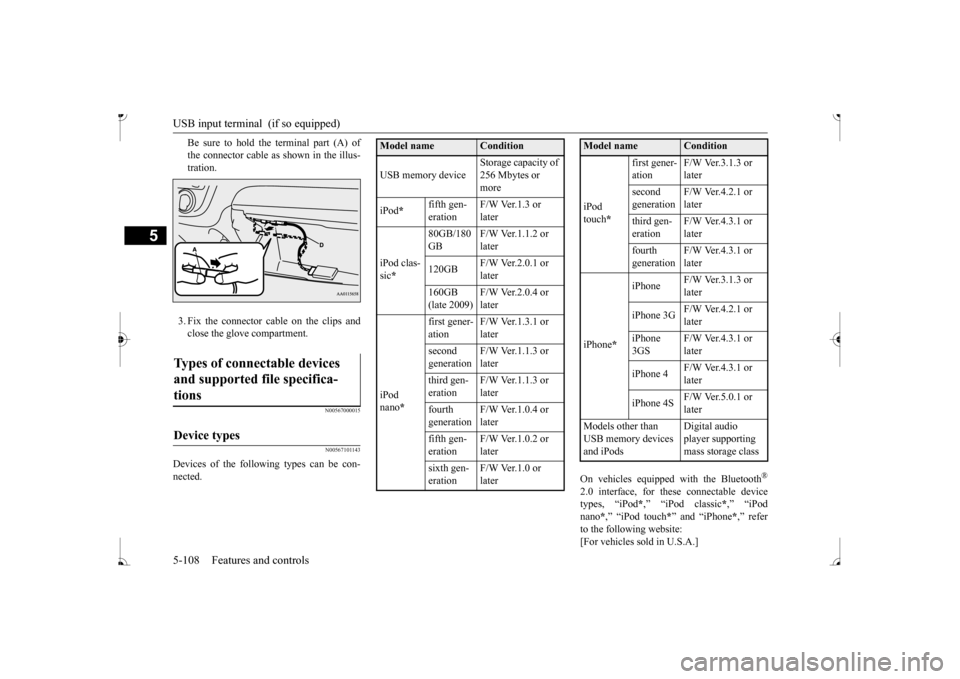
Be sure to hold the terminal part (A) of the connector cable as
shown in the illus-
tration. 3. Fix the connector cable on the clips and close the glove compartment.
N00567000015 N00567101143
Devices of the follow
ing types can be con-
nected.
On vehicles equipped
with the Bluetooth
®
2.0 interface, for th
ese connectable device
types, “iPod
*,” “iPod classic
*,” “iPod
nano
*,” “iPod touch
*” and “iPhone
*,” refer
to the following website:[For vehicles sold in U.S.A.]
Types of connectable devices and supported file specifica- tions
Device types
Model name
Condition
USB memory device
Storage capacity of 256 Mbytes or more
iPod
*
fifth gen- eration
F/W Ver.1.3 or later
iPod clas- sic *
80GB/180 GB
F/W Ver.1.1.2 or later
120GB
F/W Ver.2.0.1 or later
160GB (late 2009)
F/W Ver.2.0.4 or later
iPod nano
*
first gener- ation
F/W Ver.1.3.1 or later
second generation
F/W Ver.1.1.3 or later
third gen- eration
F/W Ver.1.1.3 or later
fourth generation
F/W Ver.1.0.4 or later
fifth gen- eration
F/W Ver.1.0.2 or later
sixth gen- eration
F/W Ver.1.0 or later
iPod touch
*
first gener- ation
F/W Ver.3.1.3 or later
second generation
F/W Ver.4.2.1 or later
third gen- eration
F/W Ver.4.3.1 or later
fourth generation
F/W Ver.4.3.1 or later
iPhone
*
iPhone
F/W Ver.3.1.3 or later
iPhone 3G
F/W Ver.4.2.1 or later
iPhone 3GS
F/W Ver.4.3.1 or later
iPhone 4
F/W Ver.4.3.1 or later
iPhone 4S
F/W Ver.5.0.1 or later
Models other than USB memory devices and iPods
Digital audio player supporting mass storage class
Model name
Condition
BK0236100US.book 108 ページ 2016年2月1日 月曜日 午前10時15分
Page 170 of 307
![MITSUBISHI MIRAGE 2017 6.G Service Manual Sun visors
Features and controls 5-109
5
You can access the Mitsubishi Motors North America website.[For vehicles sold in Canada] You can access the Mitsubishi Motors web- site. Please read and agree](/img/19/7512/w960_7512-169.png "MITSUBISHI MIRAGE 2017 6.G Service Manual Sun visors
Features and controls 5-109
5
You can access the Mitsubishi Motors North America website.[For vehicles sold in Canada] You can access the Mitsubishi Motors web- site. Please read and agree")
Sun visors
Features and controls 5-109
5
You can access the Mitsubishi Motors North America website.[For vehicles sold in Canada] You can access the Mitsubishi Motors web- site. Please read and agree to the “Warningabout Links to the Web Sites of Other Com- panies”. The websites
mentioned above may
connect you to websites
other than the Mit-
subishi Motors website. http://www.mitsubishi-
motors.com/en/prod-
ucts/index.html * : “iPod,” “iPod classic,” “iPod nano,” “iPod touch” and “iPhone” ar
e registered trade-
marks of Apple Inc. in the United States andother countries.
N00567200020
You can play music files of the followingspecifications that are saved in a USB mem- ory device or other device supporting mass storage class. When you connect your iPod,playable file specifications depend on the connected iPod.
N00524600353
Pull the sun visor downward (1) to reducefront glare while driving. To reduce side glare, turn the visor to the side (2). A vanity mirror is fitted to the back of the sun visor.
NOTE
Depending on the type of the USB memory device or other devi
ce connected, the con-
nected device may not
function properly or
the available functi
ons may be limited.
It is recommended to use an iPod with firm- ware updated to th
e latest version.
You can charge your iP
od by connecting it to
the USB input terminal
when the ignition
switch or the operation mode is in ON or ACC. Do not keep your USB memory device or iPod in your vehicle. It is recommended that you back up the files in case of data damage.
Do not connect to th
e USB input terminal
any device (hard disk, card reader, memoryreader, etc.) other than the connectabledevices specified in the previous section. The device and/or data
may be damaged. If
any of these devices
was connected by mis-
take, remove it afte
r turning the ignition
switch to the “OFF” position or putting the operation mode in OFF.
File specifications
Item
Condition
File format MP3, WMA, AAC Maximum number of levels (including the root)
Level 8
Number of folders 700 Number of files 65,535
NOTE
Sun visors Vanity mirror
BK0236100US.book 109 ページ 2016年2月1日 月曜日 午前10時15分
Page 171 of 307
12 V power outlets 5-110 Features and controls
5
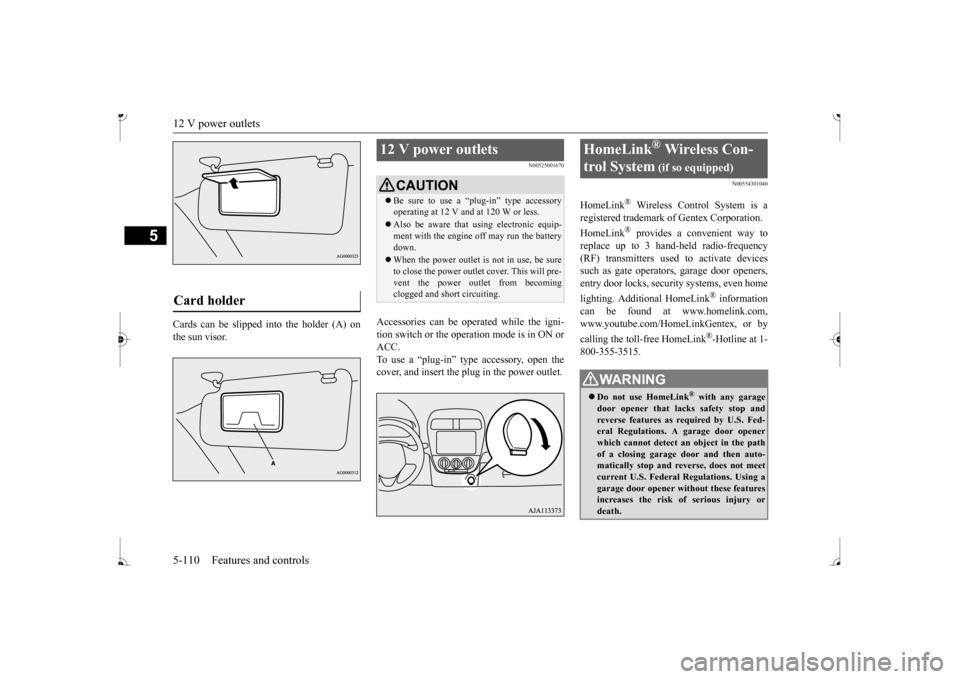
Cards can be slipped
into the holder (A) on
the sun visor.
N00525001670
Accessories can be operated while the igni-tion switch or the operation mode is in ON or ACC. To use a “plug-in” type accessory, open thecover, and insert the plug in the power outlet.
N00554301040
HomeLink
® Wireless Contro
l System is a
registered trademark of Gentex Corporation. HomeLink
® provides a convenient way to
replace up to 3 hand-held radio-frequency (RF) transmitters used to activate devicessuch as gate operators
, garage door openers,
entry door locks, security systems, even home lighting. Additional HomeLink
® information
can be found at www.homelink.com, www.youtube.com/HomeLinkGentex, or by calling the toll-free HomeLink
®-Hotline at 1-
800-355-3515.
Card holder
12 V power outlets
CAUTION Be sure to use a “plug-in” type accessory operating at 12 V and at 120 W or less. Also be aware that using electronic equip- ment with the engine
off may run the battery
down. When the power outlet is not in use, be sure to close the power outlet cover. This will pre- vent the power outlet from becoming clogged and short circuiting.
HomeLink
® Wireless Con-
trol System
(if so equipped)
WA R N I N G Do not use HomeLink
® with any garage
door opener that lacks safety stop and reverse features as required by U.S. Fed- eral Regulations.
A garage door opener
which cannot detect an object in the path of a closing garage d
oor and then auto-
matically stop and reverse, does not meetcurrent U.S. Federal Regulations. Using a garage door opener wi
thout these features
increases the risk of serious injury ordeath.
BK0236100US.book 110 ページ 2016年2月1日 月曜日 午前10時15分
Page 176 of 307
Interior lights
Features and controls 5-115
5
1. Press and hold the 2 outer HomeLink
®
buttons for at least
10 seconds. The indi-
cator will change from continuous yellow to rapidly flashing green. 2. Release both buttons. 3. HomeLink
® is now in the train (or learn-
ing) mode and can be programmed at anytime beginning with
“Programming a new
HomeLink
®” step 1.
N00585400024
To reprogram a HomeLink
® button, complete
the following. 1. Press and hold the desired HomeLink
®
button. Do not release the button. 2. The indicator light
will begin to slowly
flash orange after 20 seconds. The Home- Link
® button can be released at this point.
Proceed with “Programming a new HomeLink
®” step 2.
N00585600026
Your HomeLink
® system operates on a radio
frequency subject to
Federal Communica-
tions Commission (FCC)
Rules (For vehicles
sold in U.S.A.) and Industry Canada Rules (For vehicles sold in
Canada). This device
complies with Part 15 of the FCC Rules and RSS- 210 of the Industry Canada Rules. Operation is subject to
the following two con-
ditions. This device may not
cause harmful inter-
ference. This device must ac
cept any interference
that may be received, including interfer- ence that may caus
e undesired operation.
This equipment complies with FCC radiation exposure limits set fo
rth for an uncontrolled
environment. End Users must follow the spe- cific operating instruct
ions for satisfying RF
exposure compliance. This transmitter must be at least 12 inches (20 cm) from the user and must not be co-loc
ated or operating in
conjunction with any other antenna or trans- mitter. The term “IC:” before
the certification/regis-
tration number only si
gnifies that Industry
Canada technical specifications were met.
N00525301644
NOTE
Do not hold for longer than 20 seconds.
Reprogramming a single HomeLink
® button
NOTE
If you do not complete the programming of a new device to the button, it will revert to thepreviously stored programming.For questions or comments, visit www.homelink.com, www.youtube.com/HomeLinkGentex, or by calling the HomeLink
® Hotline.
General information
CAUTION The transmitter has been tested and complies with FCC and IC rules.Changes or modifica
tions not expressly
approved by the party responsible for com- pliance could void the user’s authority to operate the device.
Interior lights
NOTE
Be aware that leaving the light illuminated with the engine off may run the batterydown. Never leave the vehi
cle without checking
that the light is off.
BK0236100US.book 115 ページ 2016年2月1日 月曜日 午前10時15分
Page 177 of 307
Storage spaces 5-116 Features and controls
5
N00525801317
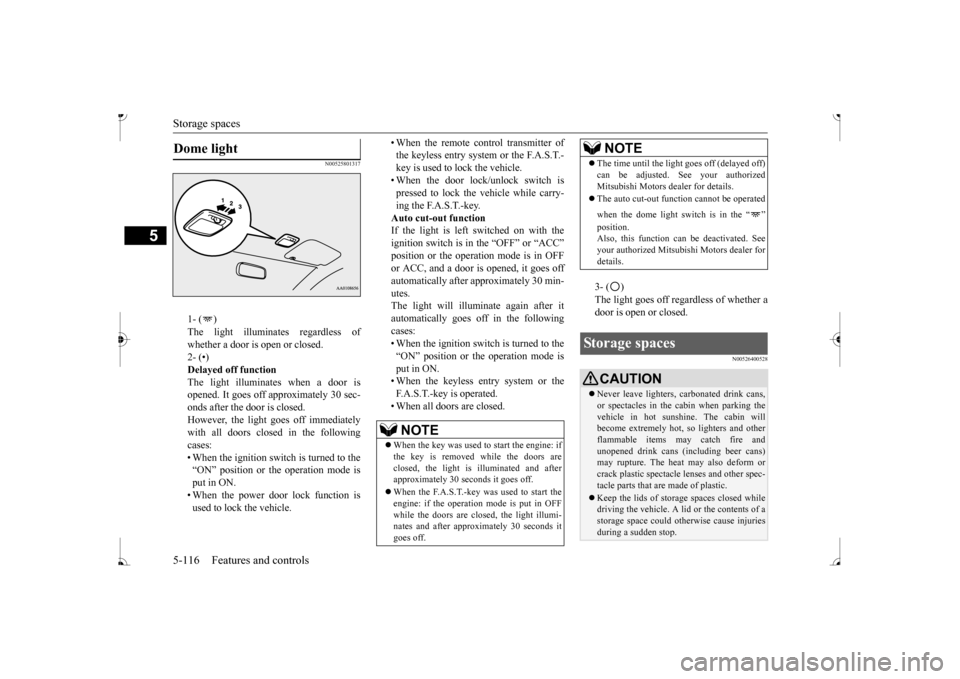
1- ( ) whether a door is open or closed. 2- (•)Delayed off function The light illuminates when a door is opened. It goes off a
pproximately 30 sec-
onds after the door is closed. However, the light goes off immediately with all doors closed in the followingcases: • When the ignition switch is turned to the “ON” position or the operation mode isput in ON. • When the power door lock function is used to lock the vehicle.
• When the remote control transmitter of the keyless entry system or the F.A.S.T.-key is used to lock the vehicle. • When the door lock/unlock switch is pressed to lock the vehicle while carry-ing the F.A.S.T.-key. Auto cut-out function If the light is left switched on with theignition switch is in the “OFF” or “ACC” or ACC, and a door is opened, it goes off automatically after approximately 30 min- utes.The light will illuminate again after it automatically goes off in the following cases:• When the ignition switch is turned to the “ON” position or the operation mode is put in ON.• When the keyless entry system or the F.A.S.T.-key is operated. • When all doors are closed.
3- ( ) door is open or closed.
N00526400528
Dome light
NOTE
When the key was used to start the engine: if the key is removed while the doors areclosed, the light is illuminated and after approximately 30 seconds it goes off. When the F.A.S.T.-key was used to start the engine: if the operation mode is put in OFF while the doors are closed, the light illumi-nates and after approxi
mately 30 seconds it
goes off.
The time until the light
goes off (delayed off)
Mitsubishi Motors dealer for details. The auto cut-out func
tion cannot be
operated
when the dome light switch is in the “ ” Also, this function can
be deactivated. See
your authorized Mitsubish
i Motors dealer for
details.
Storage spaces
CAUTION Never leave lighters,
carbonated drink cans,
or spectacles in the cabin when parking the vehicle in hot sunshine. The cabin will become extremely hot,
so lighters and other
flammable items ma
y catch fire and
unopened drink cans (i
ncluding beer cans)
may rupture. The heat may also deform orcrack plastic spectacle
lenses and other spec-
tacle parts that ar
e made of plastic.
Keep the lids of storage spaces closed while driving the vehicle. A lid or the contents of a storage space could ot
herwise cause injuries
during a sudden stop.NOTE
BK0236100US.book 116 ページ 2016年2月1日 月曜日 午前10時15分