change time MITSUBISHI OUTLANDER 2014 3.G User Guide
[x] Cancel search | Manufacturer: MITSUBISHI, Model Year: 2014, Model line: OUTLANDER, Model: MITSUBISHI OUTLANDER 2014 3.GPages: 451, PDF Size: 49.08 MB
Page 142 of 451
Automatic transaxle (if so equipped) 5-64 Features and controls
5
N00514201395
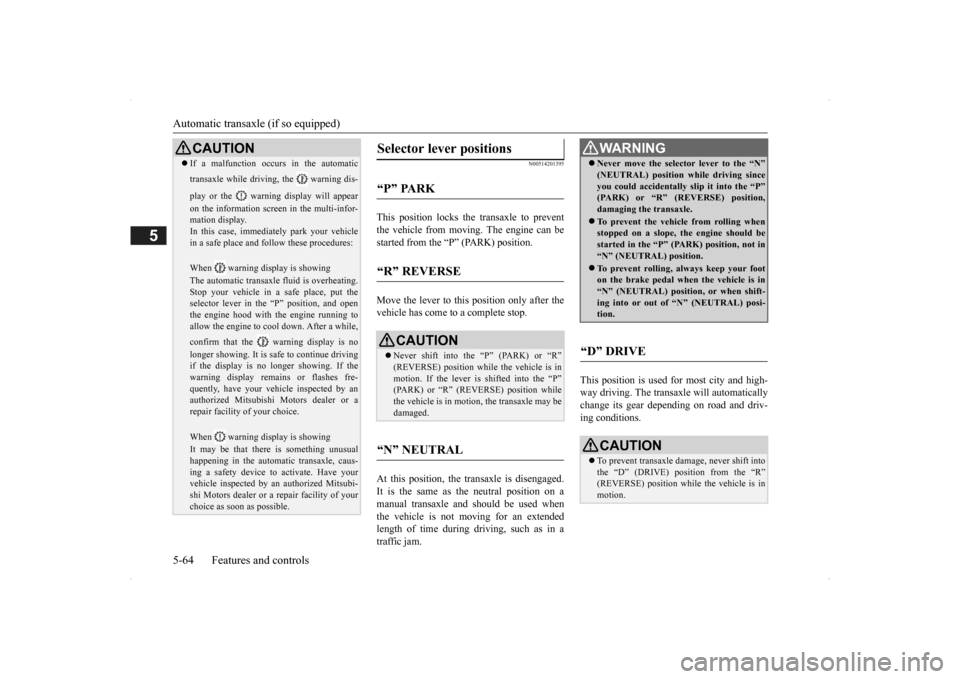
This position locks the transaxle to prevent the vehicle from moving.
The engine can be
started from the “P” (PARK) position. Move the lever to this position only after the vehicle has come to a complete stop. At this position, the tr
ansaxle is disengaged.
It is the same as th
e neutral position on a
manual transaxle and should be used when the vehicle is not moving for an extended length of time during driving, such as in atraffic jam.
This position is used for most city and high- way driving. The transaxle will automatically change its gear depe
nding on road and driv-
ing conditions.
CAUTION If a malfunction occurs in the automatic transaxle while driving, the warning dis- play or the warni
ng display will appear
on the information screen in the multi-infor- mation display. In this case, immediat
ely park your vehicle
in a safe place and fo
llow these procedures:
When warning display is showing The automatic transaxle
fluid is overheating.
Stop your vehicle in a
safe place, put the
selector lever in the
“P” position, and open
the engine hood with the engine running to allow the engine to c
ool down. After a while,
confirm that the warning display is no longer showing. It is sa
fe to continue driving
if the display is no longer showing. If thewarning display remains or flashes fre- quently, have your vehicle inspected by an authorized Mitsubishi Motors dealer or arepair facility of your choice. When warning display is showing It may be that there is something unusual happening in the automa
tic transaxle, caus-
ing a safety device to
activate. Have your
vehicle inspected by an
authorized Mitsubi-
shi Motors dealer or a repair facility of yourchoice as soon as possible.
Selector lever positions
“P” PARK
“R” REVERSE
CAUTION Never shift into the “P” (PARK) or “R” (REVERSE) position while the vehicle is in motion. If the lever is shifted into the “P” (PARK) or “R” (REVERSE) position whilethe vehicle is in moti
on, the transaxle may be
damaged.
“N” NEUTRAL
WA R N I N G Never move the selector lever to the “N” (NEUTRAL) position while driving sinceyou could accidentally
slip it into the “P”
(PARK) or “R” (REVERSE) position, damaging the transaxle. To prevent the vehicle from rolling when stopped on a slope,
the engine should be
started in the “P” (P
ARK) position, not in
“N” (NEUTRAL) position. To prevent rolling, always keep your foot on the brake pedal when the vehicle is in “N” (NEUTRAL) positi
on, or when shift-
ing into or out of
“N” (NEUTRAL) posi-
tion.
“D” DRIVE
CAUTION To prevent transaxle damage, never shift into the “D” (DRIVE) position from the “R” (REVERSE) position while the vehicle is in motion.
BK0200500US.book 64 ページ 2013年2月12日 火曜日 午前9時46分
Page 144 of 451
Automatic transaxle (if so equipped) 5-66 Features and controls
5
N00538801180
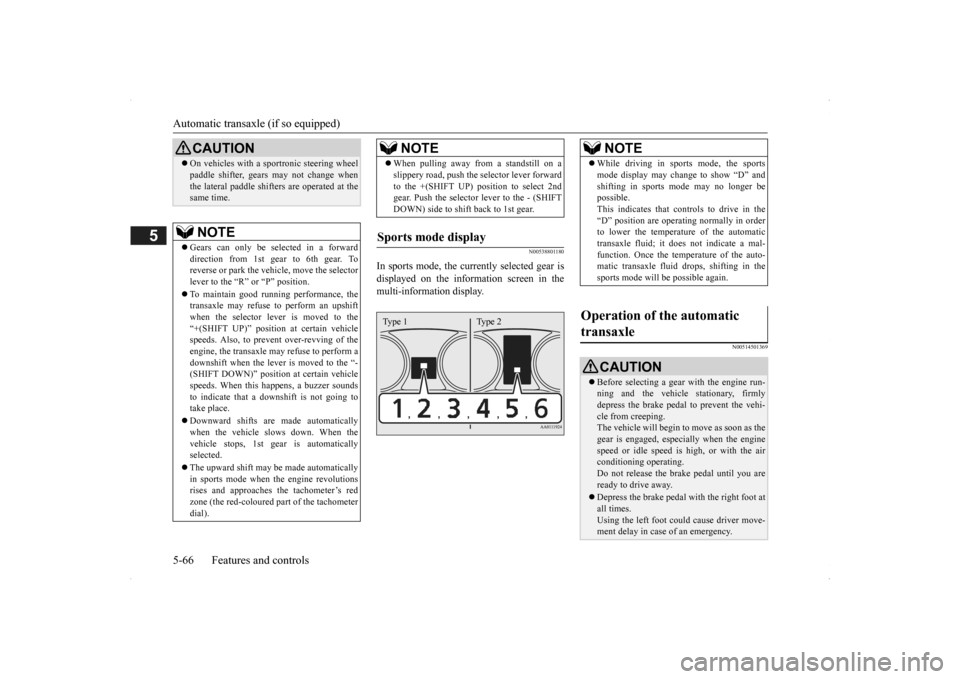
In sports mode, the curre
ntly selected gear is
displayed on the information screen in the multi-information display.
N00514501369
On vehicles with a s
portronic steering wheel
paddle shifter, gears
may not change when
the lateral paddle shifters are operated at thesame time. NOTE
Gears can only be selected in a forward direction from 1st gear to 6th gear. To reverse or park the vehi
cle, move the selector
lever to the “R” or “P” position. To maintain good running performance, the transaxle may refuse to perform an upshiftwhen the selector lever is moved to the “+(SHIFT UP)” positi
on at certain vehicle
speeds. Also, to prevent over-revving of theengine, the transaxle may refuse to perform a downshift when the lever is moved to the “- (SHIFT DOWN)” position
at certain vehicle
speeds. When this happens, a buzzer sounds to indicate that a dow
nshift is not going to
take place. Downward shifts are made automatically when the vehicle slows down. When thevehicle stops, 1st ge
ar is automatically
selected. The upward shift may be
made automatically
in sports mode when the engine revolutions rises and approaches
the tachometer’s red
zone (the red-coloured
part of the tachometer
dial).CAUTION
When pulling away from a standstill on a slippery road, push the
selector lever forward
to the +(SHIFT UP) pos
ition to select 2nd
gear. Push the selector lever to the - (SHIFT DOWN) side to shift back to 1st gear.
Sports mode display
NOTE
Type 1 Type 2
NOTE
While driving in sports mode, the sports mode display may change to show “D” andshifting in sports
mode may no longer be
possible. This indicates that controls to drive in the “D” position are operati
ng normally in order
to lower the temperature of the automatic transaxle fluid; it doe
s not indicate a mal-
function. Once the temperature of the auto-matic transaxle fluid drops, shifting in the sports mode will be possible again.
Operation of the automatic transaxle
CAUTION Before selecting a gear
with the engine run-
ning and the vehicle
stationary, firmly
depress the brake pedal to prevent the vehi-cle from creeping. The vehicle will begin to
move as soon as the
gear is engaged, espe
cially when the engine
speed or idle speed is
high, or with the air
conditioning operating. Do not release the br
ake pedal until you are
ready to drive away. Depress the brake pedal with the right foot at all times.Using the left foot c
ould cause driver move-
ment delay in case of an emergency.
BK0200500US.book 66 ページ 2013年2月12日 火曜日 午前9時46分
Page 151 of 451
Continuously variable transmission (CVT) (if so equipped)
Features and controls 5-73
5
+ (SHIFT UP) Transmission shifts up once by each opera-tion. - (SHIFT DOWN) Transmission shifts down once by each oper- ation.
N00560901067
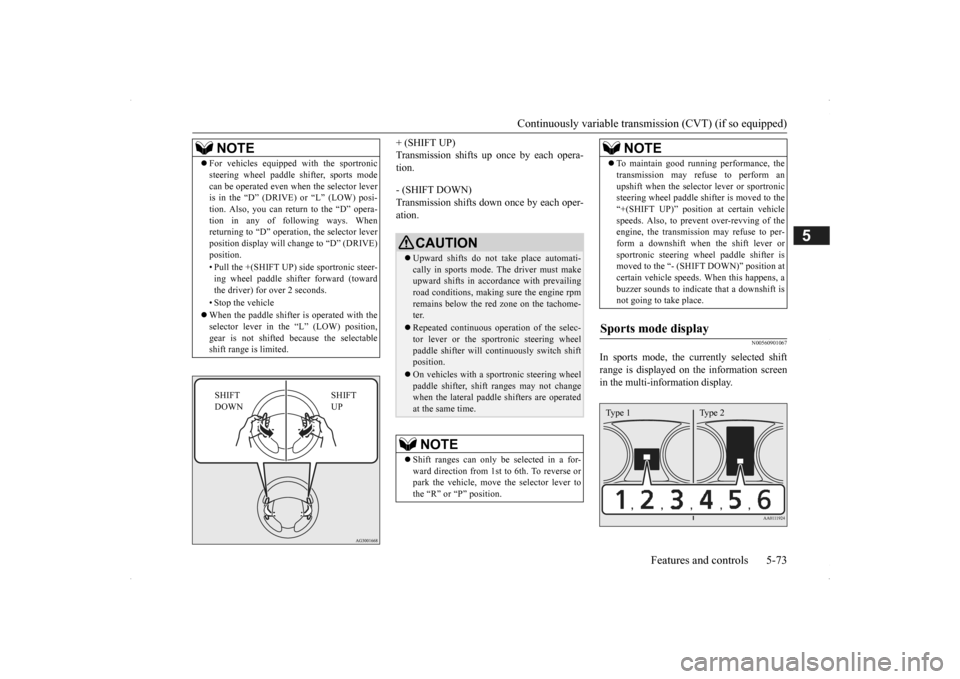
In sports mode, the currently selected shiftrange is displayed on
the information screen
in the multi-information display.
NOTE
For vehicles equipped
with the sportronic
steering wheel paddle sh
ifter, sports mode
can be operated even wh
en the selector lever
is in the “D” (DRIVE) or “L” (LOW) posi- tion. Also, you can return to the “D” opera- tion in any of following ways. Whenreturning to “D” operati
on, the selector lever
position display will ch
ange to “D” (DRIVE)
position. • Pull the +(SHIFT UP) side sportronic steer- ing wheel paddle shifter forward (towardthe driver) for over 2 seconds. • Stop the vehicle When the paddle shifter is operated with the selector lever in th
e “L” (LOW) position,
gear is not shifted
because the selectable
shift range is limited.
SHIFT UP
SHIFT DOWN
CAUTION Upward shifts do not take place automati- cally in sports mode. The driver must make upward shifts in accordance with prevailing road conditions, making
sure the engine rpm
remains below the red zone on the tachome- ter. Repeated continuous op
eration of the selec-
tor lever or the spor
tronic steering wheel
paddle shifter will cont
inuously switch shift
position. On vehicles with a s
portronic steering wheel
paddle shifter, shift ranges may not change when the lateral paddle shifters are operated at the same time.NOTE
Shift ranges can only be
selected in a for-
ward direction from 1st to 6th. To reverse orpark the vehicle, move
the selector lever to
the “R” or “P” position.
To maintain good running performance, the transmission may refuse to perform anupshift when the select
or lever or sportronic
steering wheel pa
ddle shifter is moved to the
“+(SHIFT UP)” positi
on at certain vehicle
speeds. Also, to prevent over-revving of theengine, the transmission
may refuse to per-
form a downshift when the shift lever or sportronic steering wh
eel paddle shifter is
moved to the “- (SHIFT DOWN)” position at certain vehicle speeds.
When this happens, a
buzzer sounds to
indicate that a downshift is
not going to take place.
Sports mode display
NOTE
Type 1 Type 2
BK0200500US.book 73 ページ 2013年2月12日 火曜日 午前9時46分
Page 155 of 451
Electronically controlled 4WD system (if so equipped)
Features and controls 5-77
5
Warning display (color
liquid crystal display)
Warning display (color liquid crystal display)
N00576600020
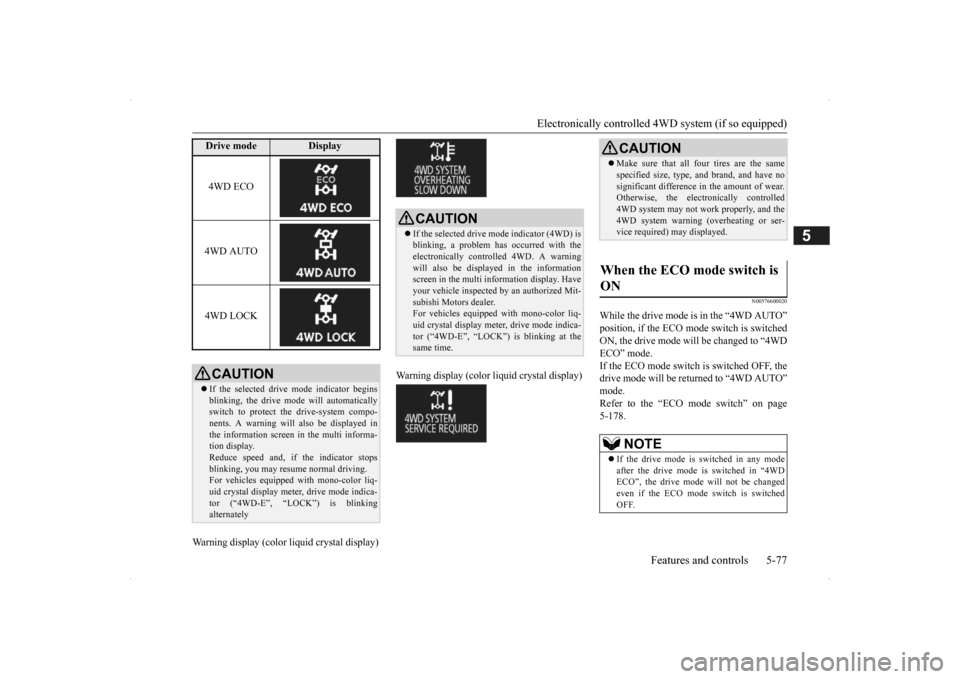
While the drive mode is in the “4WD AUTO” position, if the ECO mode switch is switched ON, the drive mode will be changed to “4WDECO” mode. If the ECO mode switch is switched OFF, the drive mode will be returned to “4WD AUTO”mode. Refer to the “ECO
mode switch” on page
5-178.
Drive mode
Display
4WD ECO 4WD AUTO 4WD LOCKCAUTION If the selected drive
mode indicator begins
blinking, the drive m
ode will automatically
switch to protect the drive-system compo- nents. A warning will
also be displayed in
the information screen in the multi informa-tion display. Reduce speed and, if
the indicator stops
blinking, you may resume normal driving.For vehicles equipped with mono-color liq- uid crystal display mete
r, drive mode indica-
tor (“4WD-E”, “LOCK”) is blinkingalternately
CAUTION If the selected drive mode indicator (4WD) is blinking, a problem has occurred with the electronically
controlled 4WD. A warning
will also be displayed in the information screen in the multi information display. Have your vehicle inspected
by an authorized Mit-
subishi Motors dealer. For vehicles equipped
with mono-color liq-
uid crystal display mete
r, drive mode indica-
tor (“4WD-E”, “LOCK”) is blinking at the same time.
CAUTION Make sure that all four tires are the same specified size, type, a
nd brand, and have no
significant difference
in the amount of wear.
Otherwise, the elec
tronically controlled
4WD system may not work properly, and the 4WD system warning (overheating or ser-vice required) may displayed.
When the ECO mode switch is ON
NOTE
If the drive mode is switched in any mode after the drive mode is switched in “4WD ECO”, the drive mode will not be changed even if the ECO mode switch is switchedOFF.
BK0200500US.book 77 ページ 2013年2月12日 火曜日 午前9時46分
Page 177 of 451
Adaptive Cruise Control System (ACC) (if so equipped)
Features and controls 5-99
5
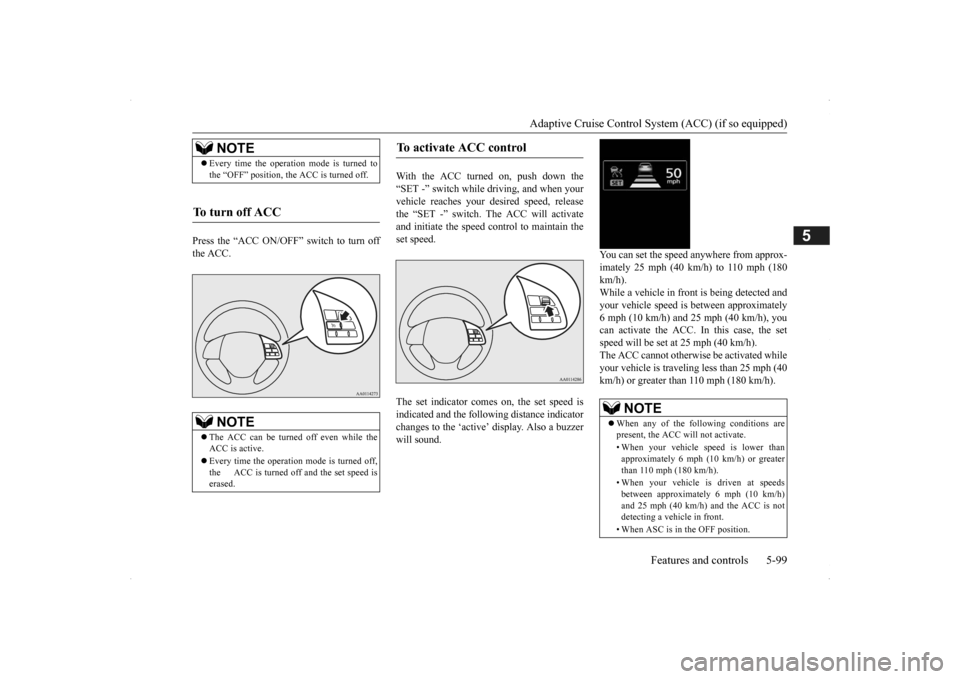
Press the “ACC ON/OFF” switch to turn off the ACC.
With the ACC turned on, push down the “SET -” switch while
driving, and when your
vehicle reaches your de
sired speed, release
the “SET -” switch. The ACC will activate and initiate the speed control to maintain the set speed. The set indicator comes on, the set speed is indicated and the follow
ing distance indicator
changes to the ‘active’
display. Also a buzzer
will sound.
You can set the speed anywhere from approx- imately 25 mph (40 km/h) to 110 mph (180 km/h). While a vehicle in front
is being detected and
your vehicle speed is
between a
pproximately
6 mph (10 km/h) and 25 mph (40 km/h), youcan activate the ACC. In this case, the set speed will be set at 25 mph (40 km/h). The ACC cannot otherwis
e be activated while
your vehicle is traveling less than 25 mph (40 km/h) or greater than 110 mph (180 km/h).
NOTE
Every time the operation mode is turned to the “OFF” position, the ACC is turned off.
To turn off ACC
NOTE
The ACC can be turned off even while the ACC is active. Every time the operation mode is turned off, the ACC is turned off and the set speed is erased.
To activate ACC control
NOTE
When any of the following conditions are present, the ACC will not activate. • When your vehicle speed is lower than approximately 6 mph (10 km/h) or greaterthan 110 mph (180 km/h). • When your vehicle is driven at speeds between approximately 6 mph (10 km/h) and 25 mph (40 km/h) and the ACC is not detecting a vehi
cle in front.
• When ASC is in the OFF position.
BK0200500US.book 99 ページ 2013年2月12日 火曜日 午前9時46分
Page 180 of 451
Adaptive Cruise Control System (ACC) (if so equipped) 5-102 Features and controls
5
N00581500027
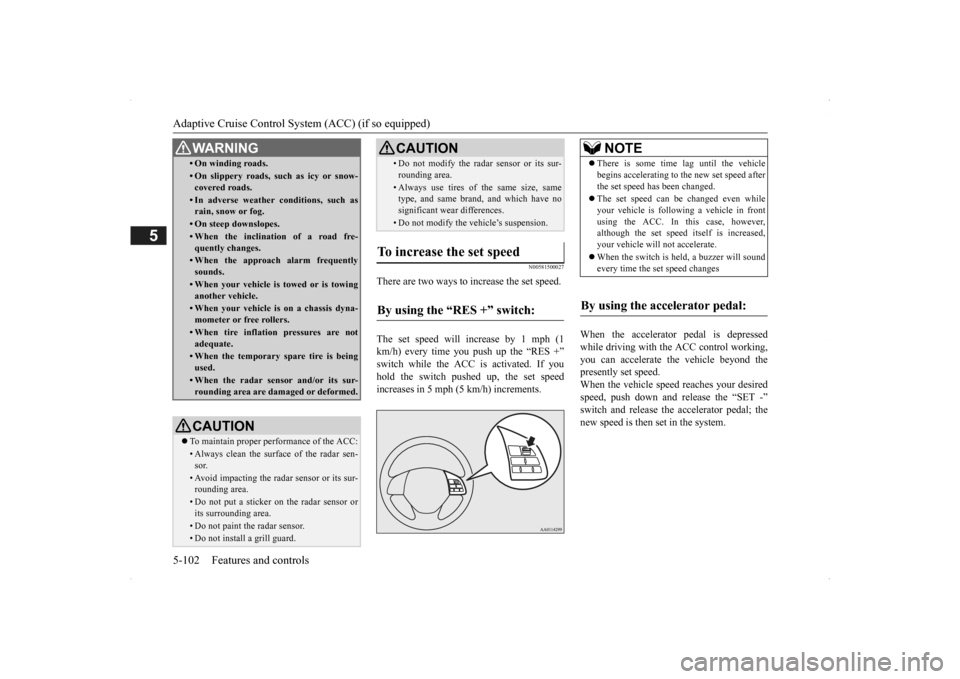
There are two ways to increase the set speed. The set speed will increase by 1 mph (1 km/h) every time you push up the “RES +” switch while the ACC is activated. If you hold the switch pushed up, the set speedincreases in 5 mph (5 km/h) increments.
When the accelerator
pedal is depressed
while driving with the ACC control working, you can accelerate th
e vehicle beyond the
presently set speed. When the vehicle spee
d reaches your desired
speed, push down and
release the “SET -”
switch and release the accelerator pedal; the new speed is then set in the system.
• On winding roads.• On slippery roads, su
ch as icy or snow-
covered roads.• In adverse weather
conditions, such as
rain, snow or fog.• On steep downslopes.• When the inclination of a road fre-quently changes.• When the approach alarm frequentlysounds.• When your vehicle is towed or is towinganother vehicle.• When your vehicle is on a chassis dyna-mometer or free rollers.• When tire inflation pressures are notadequate.• When the temporary spare tire is beingused.• When the radar sensor and/or its sur-rounding area are damaged or deformed.CAUTION To maintain proper performance of the ACC:• Always clean the surface of the radar sen- sor.• Avoid impacting the radar sensor or its sur-rounding area.• Do not put a sticker on the radar sensor orits surrounding area.• Do not paint the radar sensor.• Do not install a grill guard.WA R N I N G
• Do not modify the radar sensor or its sur-rounding area.• Always use tires of the same size, same type, and same brand,
and which have no
significant wear differences.• Do not modify the vehicle’s suspension.
To increase the set speed
By using the “RES +” switch:
CAUTION
NOTE
There is some time lag until the vehicle begins accelera
ting to the new set speed after
the set speed has been changed. The set speed can be changed even while your vehicle is follow
ing a vehicle in front
using the ACC. In this case, however, although the set speed it
self is increased,
your vehicle will
not accelerate.
When the switch is held, a buzzer will sound every time the set speed changes
By using the accelerator pedal:
BK0200500US.book 102 ページ 2013年2月12日 火曜日 午前9時46分
Page 181 of 451
Adaptive Cruise Control System (ACC) (if so equipped)
Features and controls 5-103
5
N00581600028
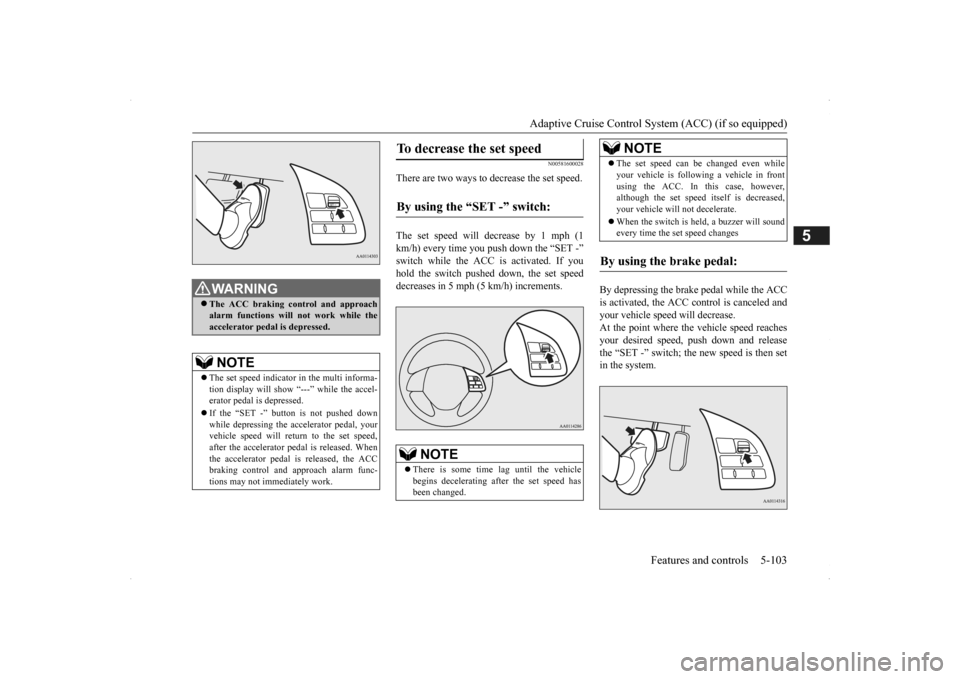
There are two ways to decrease the set speed. The set speed will decrease by 1 mph (1 km/h) every time you push down the “SET -” switch while the ACC is activated. If you hold the switch pushed down, the set speed decreases in 5 mph (5 km/h) increments.
By depressing the brake pedal while the ACC is activated, the ACC control is canceled and your vehicle speed will decrease.At the point where the vehicle speed reaches your desired speed, push down and release the “SET -” switch; the new speed is then setin the system.
WA R N I N G The ACC braking control and approach alarm functions will not work while theaccelerator pedal is depressed.NOTE
The set speed indicator in the multi informa- tion display will show “---” while the accel- erator pedal
is depressed.
If the “SET -” button is not pushed down while depressing the ac
celerator pedal, your
vehicle speed will return to the set speed,after the accelerator pedal is released. When the accelerator pedal is released, the ACC braking control and approach alarm func-tions may not immediately work.
To decrease the set speed
By using the “SET -” switch:
NOTE
There is some time lag until the vehicle begins decelerating af
ter the set speed has
been changed.
The set speed can be changed even while your vehicle is followi
ng a vehicle in front
using the ACC. In this case, however,although the set speed itself is decreased, your vehicle will not decelerate. When the switch is held, a buzzer will sound every time the set speed changes
By using the brake pedal:
NOTE
BK0200500US.book 103 ページ 2013年2月12日 火曜日 午前9時46分
Page 184 of 451
Adaptive Cruise Control System (ACC) (if so equipped) 5-106 Features and controls
5
N00581900021
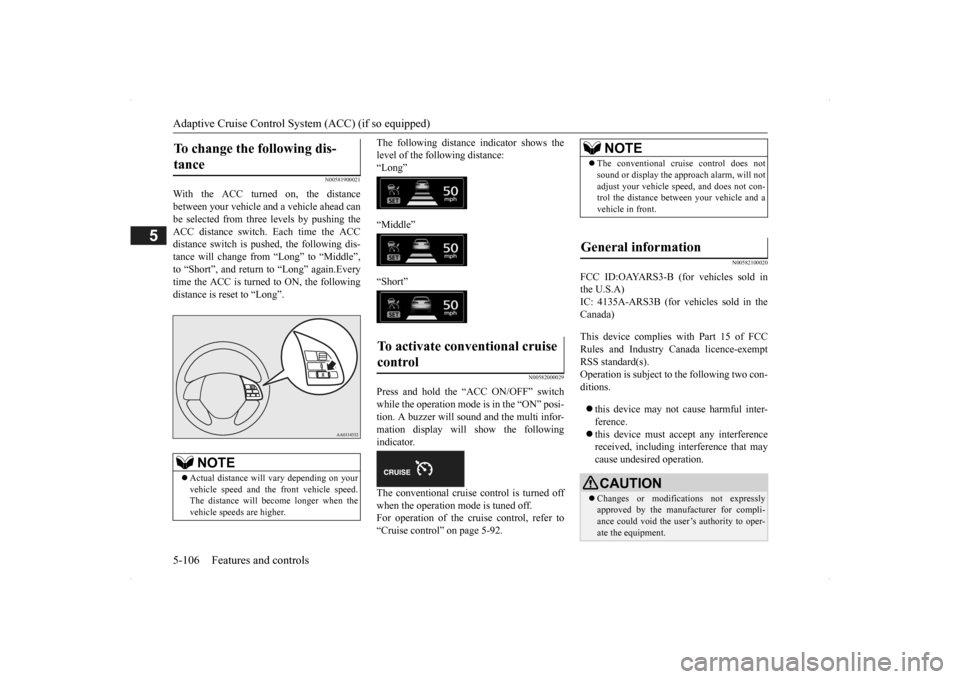
With the ACC turned on, the distance between your vehicle and a vehicle ahead canbe selected from thre
e levels by pushing the
ACC distance switch. Each time the ACC distance switch is pus
hed, the following dis-
tance will change fro
m “Long” to “Middle”,
to “Short”, and return to “Long” again.Every time the ACC is turned to ON, the following distance is re
set to “Long”.
The following distance
indicator shows the
level of the following distance:“Long” “Middle” “Short”
N00582000029
Press and hold the “ACC ON/OFF” switch while the operation mode is in the “ON” posi-tion. A buzzer will sound and the multi infor- mation display will show the following indicator. The conventional cruise control is turned off when the operation mode is tuned off.For operation of the cruise control, refer to “Cruise control” on page 5-92.
N00582100020
FCC ID:OAYARS3-B (for vehicles sold in the U.S.A)IC: 4135A-ARS3B (for vehicles sold in the Canada) This device complies
with Part 15 of FCC
Rules and Industry Canada licence-exemptRSS standard(s). Operation is subject to
the following two con-
ditions. this device may not
cause harmful inter-
ference. this device must ac
cept any interference
received, including interference that maycause undesired operation.
To change the following dis- tance
NOTE
Actual distance will vary depending on your vehicle speed and the front vehicle speed. The distance will become longer when the vehicle speeds are higher.
To activate conventional cruise control
NOTE
The conventional cruise control does not sound or display the appr
oach alarm, will not
adjust your vehicle sp
eed, and does not con-
trol the distance betw
een your vehicle and a
vehicle in front.
General information
CAUTION Changes or modifica
tions not expressly
approved by the manufacturer for compli- ance could void the user’s authority to oper- ate the equipment.
BK0200500US.book 106 ページ 2013年2月12日 火曜日 午前9時46分
Page 188 of 451
Forward Collision Mitigation System (FCM) (if so equipped) 5-110 Features and controls
5
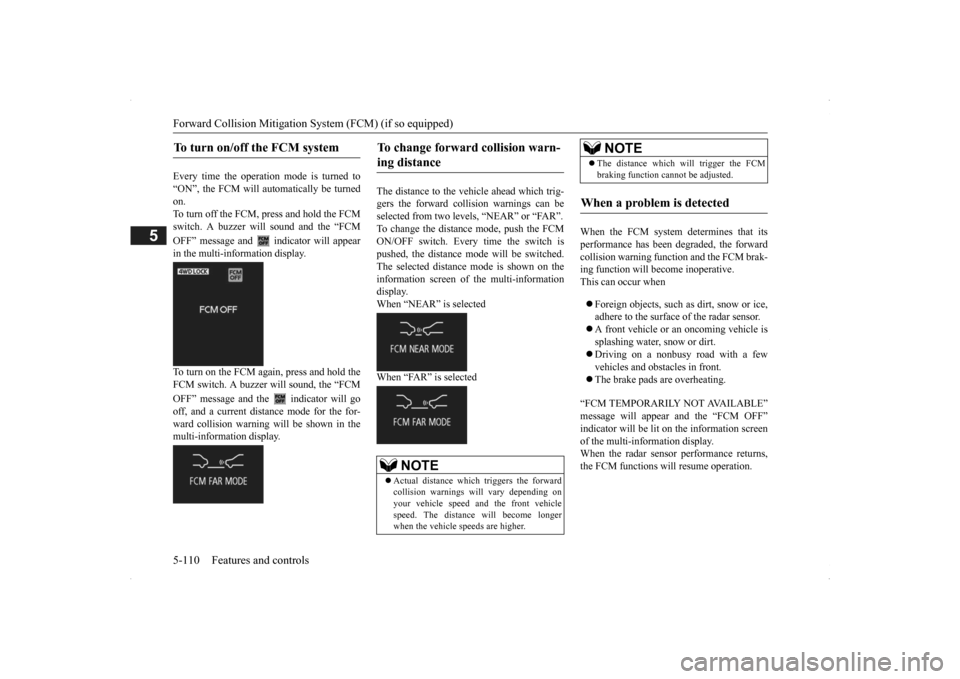
Every time the operation mode is turned to “ON”, the FCM will automatically be turned on.To turn off the FCM, press and hold the FCM switch. A buzzer will sound and the “FCM OFF” message and
indicator will appear
in the multi-information display. To turn on the FCM again, press and hold the FCM switch. A buzzer w
ill sound, the “FCM
OFF” message and the indicator will go off, and a current distance mode for the for- ward collision warning will be shown in themulti-information display.
The distance to the vehicle ahead which trig- gers the forward collision warnings can be selected from two levels, “NEAR” or “FAR”. To change the distan
ce mode, push the FCM
ON/OFF switch. Every time the switch is pushed, the distance
mode will be switched.
The selected distance
mode is shown on the
information screen of
the multi-information
display. When “NEAR” is selected When “FAR” is selected
When the FCM system determines that its performance has been degraded, the forward collision warning function and the FCM brak-ing function will become inoperative. This can occur when Foreign objects, such as
dirt, snow or ice,
adhere to the surface of the radar sensor. A front vehicle or an oncoming vehicle is splashing water, snow or dirt. Driving on a nonbusy road with a few vehicles and obstacles in front. The brake pads are overheating.
“FCM TEMPORARILY NOT AVAILABLE” message will appear and the “FCM OFF”indicator will be lit on the information screen of the multi-information display. When the radar sensor performance returns,the FCM functions will resume operation.
To turn on/off the FCM system
To change forward collision warn- ing distance
NOTE
Actual distance which triggers the forward collision warnings w
ill vary depending on
your vehicle speed a
nd the front vehicle
speed. The distance will become longerwhen the vehicle speeds are higher.
The distance which will trigger the FCM braking function cannot be adjusted.
When a problem is detected
NOTE
BK0200500US.book 110 ページ 2013年2月12日 火曜日 午前9時46分
Page 190 of 451
Lane Departure Warning System (LDW) (if so equipped) 5-112 Features and controls
5
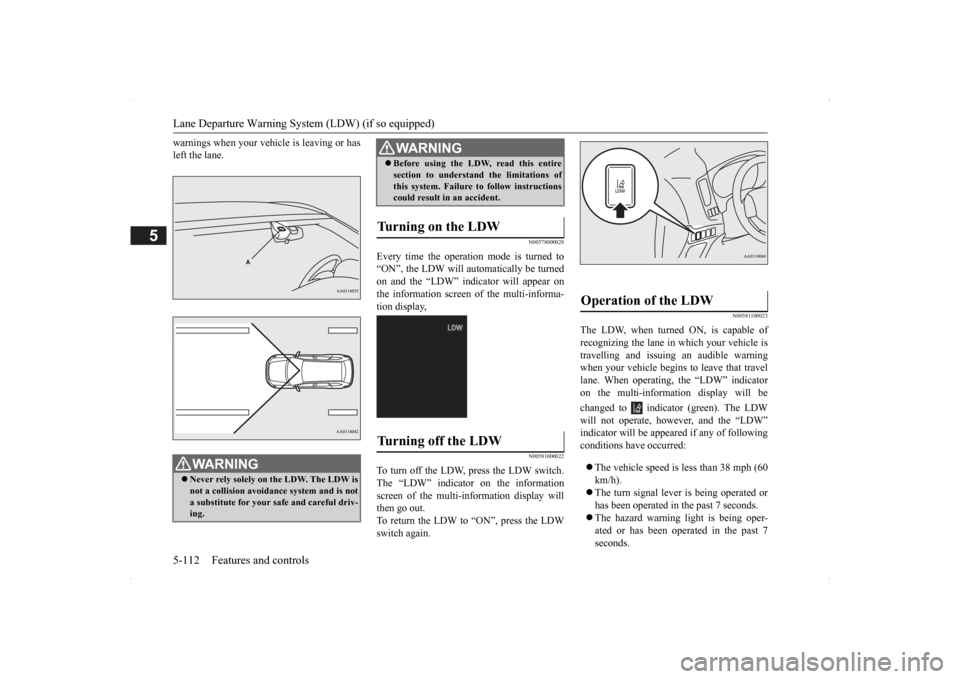
warnings when your vehi
cle is leaving or has
left the lane.
N00578000028
Every time the operation mode is turned to“ON”, the LDW will automatically be turnedon and the “LDW” indicator will appear on the information screen of the multi-informa- tion display,
N00581000022
To turn off the LDW, press the LDW switch.The “LDW” indicator on the information screen of the multi-in
formation display will
then go out.To return the LDW to “ON”, press the LDW switch again.
N00581100023
The LDW, when turned ON, is capable of recognizing the lane in which your vehicle is travelling and issuing an audible warning when your vehicle begins to leave that travellane. When operating, the “LDW” indicator on the multi-information display will be changed to indicator (green). The LDW will not operate, how
ever, and the “LDW”
indicator will be appear
ed if any of following
conditions have occurred: The vehicle speed is less than 38 mph (60 km/h). The turn signal lever
is being operated or
has been operated in
the past 7 seconds.
The hazard warning light is being oper- ated or has been operated in the past 7 seconds.
WA R N I N G Never rely solely on the LDW. The LDW is not a collision avoidance system and is not a substitute for your safe and careful driv-ing.
Before using the LDW, read this entire section to understand the limitations ofthis system. Failure to follow instructionscould result in an accident.
Turning on the LDW
Turning off the LDW
WA R N I N G
Operation of the LDW
BK0200500US.book 112 ページ 2013年2月12日 火曜日 午前9時46分