warning MITSUBISHI OUTLANDER 2014 3.G Workshop Manual
[x] Cancel search | Manufacturer: MITSUBISHI, Model Year: 2014, Model line: OUTLANDER, Model: MITSUBISHI OUTLANDER 2014 3.GPages: 451, PDF Size: 49.08 MB
Page 170 of 451
Cruise control 5-92 Features and controls
5
N00546601129
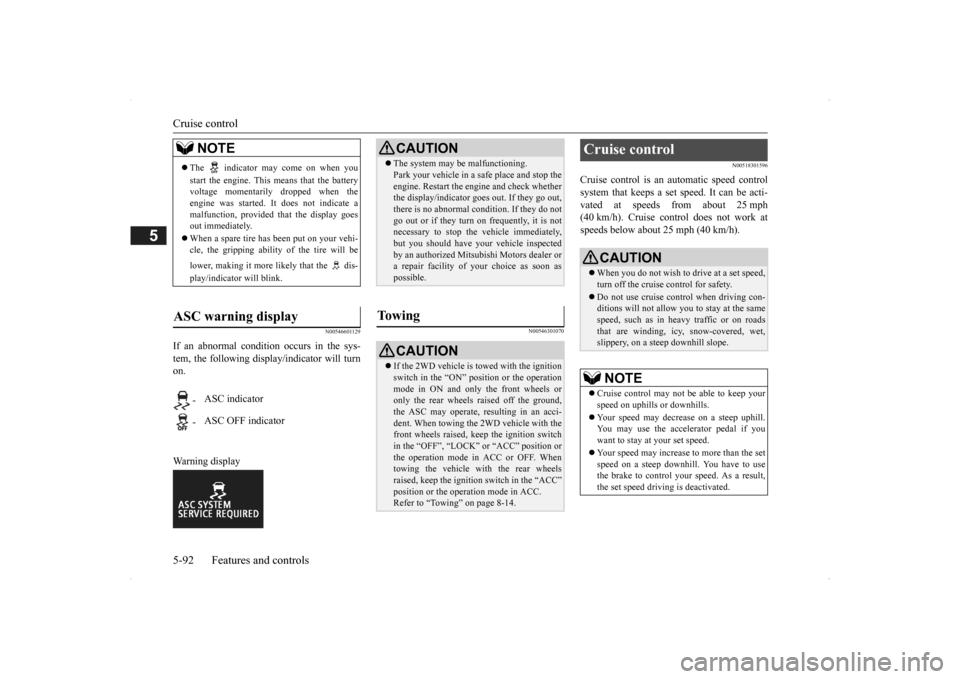
If an abnormal condition occurs in the sys- tem, the following display/indicator will turn on. Warning display
N00546301070
N00518301596
Cruise control is an automatic speed control system that keeps a set speed. It can be acti- vated at speeds from about 25 mph(40 km/h). Cruise cont
rol does not work at
speeds below about 25 mph (40 km/h).
NOTE
The indicator may come on when you start the engine. This means that the battery voltage momentarily dropped when theengine was started. It
does not indicate a
malfunction, provided th
at the display goes
out immediately. When a spare tire has been put on your vehi- cle, the gripping ability of the tire will be lower, making it more
likely that the dis-
play/indicator will blink.
ASC warning display
-
ASC indicator
-
ASC OFF indicator
CAUTION The system may be malfunctioning. Park your vehicle in a
safe place and stop the
engine. Restart the engi
ne and check whether
the display/indicator goes out. If they go out, there is no abnormal condition. If they do not go out or if they turn on frequently, it is notnecessary to stop the
vehicle immediately,
but you should have your
vehicle inspected
by an authorized Mitsubishi Motors dealer ora repair facility of
your choice as soon as
possible.
To w i n g
CAUTION If the 2WD vehicle is
towed with the ignition
switch in the “ON” pos
ition or the operation
mode in ON and only the front wheels or only the rear wheels raised off the ground, the ASC may operate, resulting in an acci-dent. When towing the 2WD vehicle with the front wheels raised, ke
ep the ignition switch
in the “OFF”, “LOCK”
or “ACC” position or
the operation mode in ACC or OFF. Whentowing the vehicle with the rear wheels raised, keep the ignition switch in the “ACC” position or the operation mode in ACC.Refer to “Towing” on page 8-14.
Cruise control
CAUTION When you do not wish to drive at a set speed, turn off the cruise control for safety. Do not use cruise control when driving con- ditions will not allow
you to stay at the same
speed, such as in heavy traffic or on roadsthat are winding, icy, snow-covered, wet, slippery, on a steep downhill slope.NOTE
Cruise control may not
be able to keep your
speed on uphills or downhills. Your speed may decr
ease on a steep uphill.
You may use the accelerator pedal if youwant to stay at your set speed. Your speed may increase to more than the set speed on a steep downhill. You have to usethe brake to control your speed. As a result, the set speed driving is deactivated.
BK0200500US.book 92 ページ 2013年2月12日 火曜日 午前9時46分
Page 178 of 451
Adaptive Cruise Control System (ACC) (if so equipped) 5-100 Features and controls
5
N00581300025
The speed of your vehicle will be maintained at the speed you have set. The speed can be set between approximately 25 mph (40 km/h) and 110 mph (180 km/h).
N00581400026
The ACC will maintain the distance to thefront vehicle and will apply the brakes auto-matically when the system judges braking is necessary. The distance
can be selected from
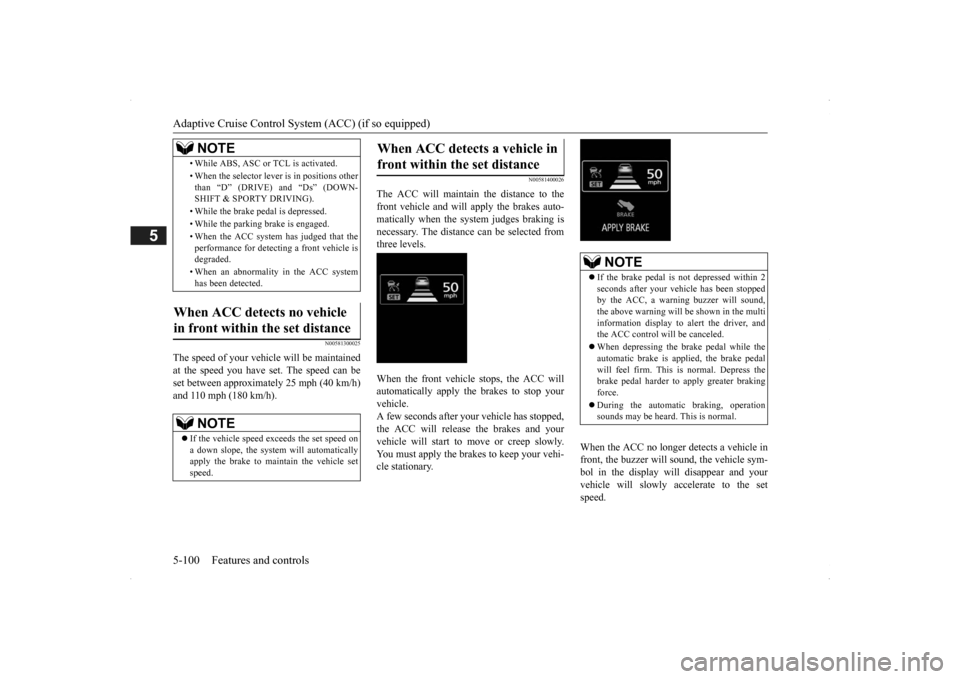
three levels. When the front vehicle stops, the ACC will automatically apply the brakes to stop yourvehicle. A few seconds after your vehicle has stopped, the ACC will release the brakes and yourvehicle will start to move or creep slowly. You must apply the brakes to keep your vehi- cle stationary.
When the ACC no longer detects a vehicle in front, the buzzer will sound, the vehicle sym-bol in the display will disappear and your vehicle will slowly accelerate to the set speed.
• While ABS, ASC or TCL is activated. • When the selector leve
r is in positions other
than “D” (DRIVE) and “Ds” (DOWN- SHIFT & SPORTY DRIVING). • While the brake pedal is depressed. • While the parking brake is engaged.• When the ACC system has judged that the performance for detect
ing a front vehicle is
degraded. • When an abnormality
in the ACC system
has been detected.
When ACC detects no vehicle in front within the set distance
NOTE
If the vehicle speed exceeds the set speed on a down slope, the system will automatically apply the brake to main
tain the vehicle set
speed.NOTE
When ACC detects a vehicle in front within the set distance
NOTE
If the brake pedal is not depressed within 2 seconds after your vehi
cle has been stopped
by the ACC, a warni
ng buzzer will sound,
the above warning will be shown in the multi information display to alert the driver, and the ACC control will be canceled. When depressing the brake pedal while the automatic brake is applied, the brake pedalwill feel firm. This is normal. Depress the brake pedal harder to apply greater braking force. During the automatic
braking, operation
sounds may be heard. This is normal.
BK0200500US.book 100 ページ 2013年2月12日 火曜日 午前9時46分
Page 179 of 451
Adaptive Cruise Control System (ACC) (if so equipped)
Features and controls 5-101
5
N00576900023
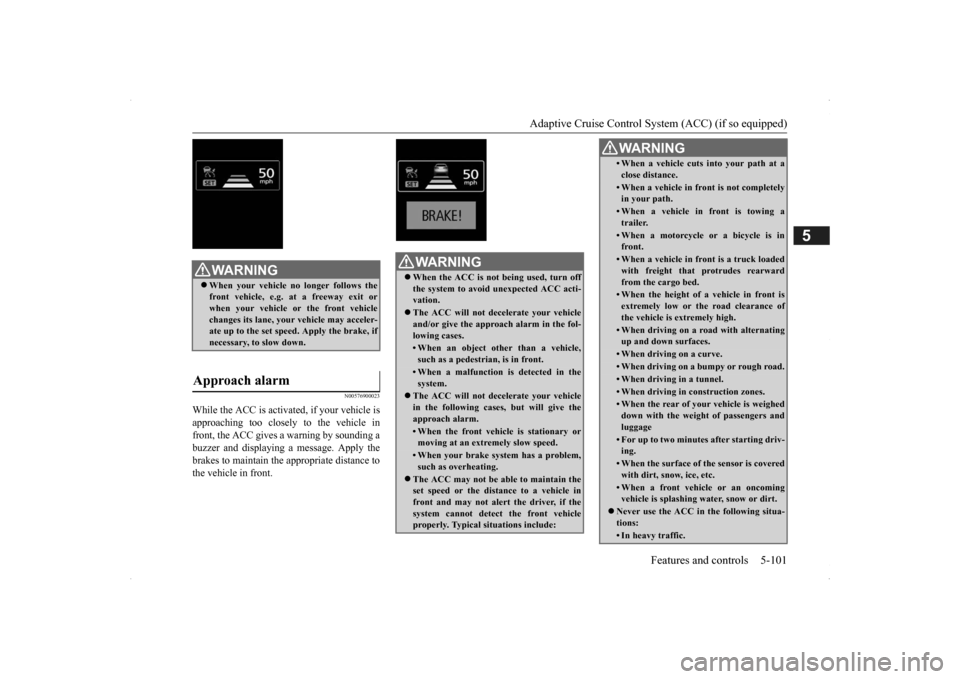
While the ACC is activa
ted, if your vehicle is
approaching too closely to the vehicle in front, the ACC gives a warning by sounding abuzzer and displaying a message. Apply the brakes to maintain the appropriate distance to the vehicle in front.
WA R N I N G When your vehicle no longer follows the front vehicle, e.g.
at a freeway exit or
when your vehicle or the front vehiclechanges its lane, your
vehicle may acceler-
ate up to the set speed. Apply the brake, if necessary, to slow down.
Approach alarm
WA R N I N G When the ACC is not being used, turn off the system to avoid
unexpected
ACC acti-
vation. The ACC will not decelerate your vehicle and/or give the appr
oach alarm in the fol-
lowing cases.• When an object other than a vehicle,such as a pedestri
an, is in front.
• When a malfunction is detected in the system.
The ACC will not decelerate your vehicle in the following cases,
but will give the
approach alarm.• When the front vehicle is stationary ormoving at an extremely slow speed.• When your brake system has a problem,such as overheating.
The ACC may not be ab
le to maintain the
set speed or the dist
ance to a vehicle in
front and may not alert the driver, if thesystem cannot detect the front vehicle properly. Typical situations include:
• When a vehicle cuts
into your path at a
close distance.• When a vehicle in front is not completely in your path.• When a vehicle in front is towing atrailer.• When a motorcycle or a bicycle is infront.• When a vehicle in fr
ont is a truck loaded
with freight that protrudes rearward from the cargo bed.• When the height of a vehicle in front isextremely low or the road clearance ofthe vehicle is extremely high.• When driving on a r
oad with alternating
up and down surfaces.• When driving on a curve.• When driving on a bumpy or rough road.• When driving in a tunnel.• When driving in construction zones.• When the rear of your vehicle is weigheddown with the weight of passengers andluggage• For up to two minute
s after starting driv-
ing.• When the surface of th
e sensor is covered
with dirt, snow, ice, etc.• When a front vehicl
e or an oncoming
vehicle is splashing wa
ter, snow or dirt.
Never use the ACC in the following situa- tions:• In heavy traffic.WA R N I N G
SC00000500-3.fm 101 ページ 2013年2月13日 水曜日 午前9時48分
Page 185 of 451
Forward Collision Mitigation System (FCM) (if so equipped)
Features and controls 5-107
5
N00577300024
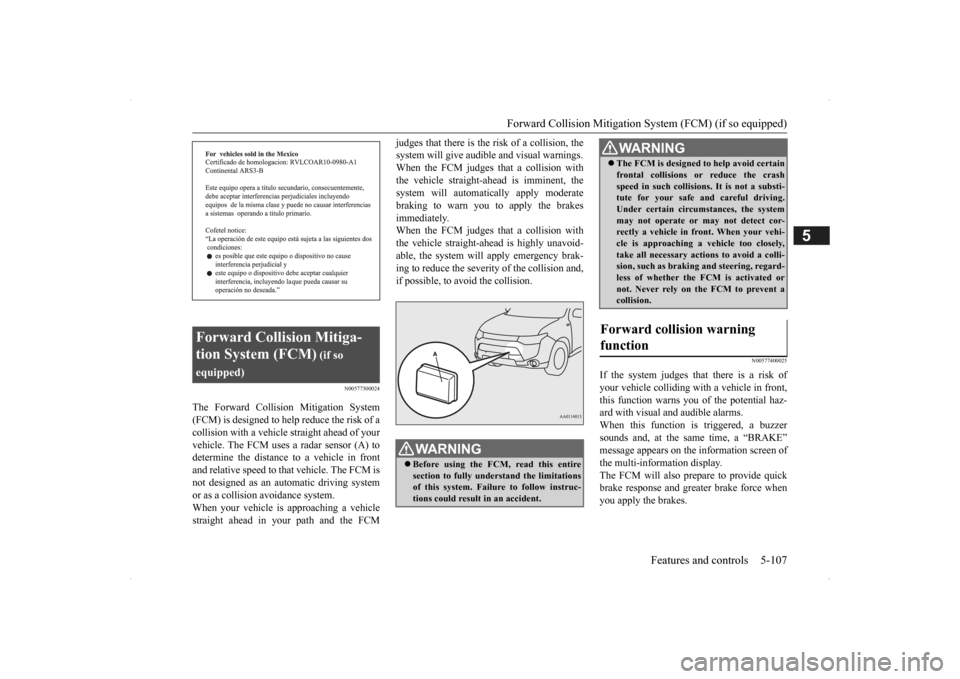
The Forward Collision Mitigation System (FCM) is designed to help reduce the risk of a collision with a vehicl
e straight ahead of your
vehicle. The FCM uses a radar sensor (A) todetermine the distance to a vehicle in front and relative speed to th
at vehicle. The FCM is
not designed as an automatic driving systemor as a collision
avoidance system.
When your vehicle is approaching a vehicle straight ahead in your path and the FCM
judges that there is the ri
sk of a collision, the
system will give audibl
e and visual warnings.
When the FCM judges th
at a collision with
the vehicle straight-ahead is imminent, the system will automatically apply moderatebraking to warn you to apply the brakes immediately. When the FCM judges th
at a collision with
the vehicle straight-a
head is highly unavoid-
able, the system will apply emergency brak- ing to reduce the severity of the collision and, if possible, to avoid the collision.
N00577400025
If the system judges that there is a risk of your vehicle colliding wi
th a vehicle in front,
this function warns you of the potential haz- ard with visual and audible alarms.When this function is triggered, a buzzer sounds and, at the same time, a “BRAKE” message appears on the information screen ofthe multi-information display. The FCM will also prepare to provide quick brake response and greater brake force whenyou apply the brakes.
Forward Collision Mitiga- tion System (FCM)
(if so
equipped)
WA R N I N G Before using the FCM, read this entire section to fully understand the limitations of this system. Failure to follow instruc- tions could result in an accident.
The FCM is desi
gned to help avoid certain
frontal collisions or
reduce the crash
speed in such collisions. It is not a substi-tute for your safe and careful driving. Under certain circumstances, the system may not operate or may not detect cor-rectly a vehicle in fr
ont. When
your vehi-
cle is approaching a vehicle too closely, take all necessary actions to avoid a colli-sion, such as brakin
g and steering, regard-
less of whether the FCM is activated or not. Never rely on the FCM to prevent acollision.
Forward collision warning function
WA R N I N G
BK0200500US.book 107 ページ 2013年2月12日 火曜日 午前9時46分
Page 186 of 451
Forward Collision Mitigation System (FCM) (if so equipped) 5-108 Features and controls
5
N00577700028
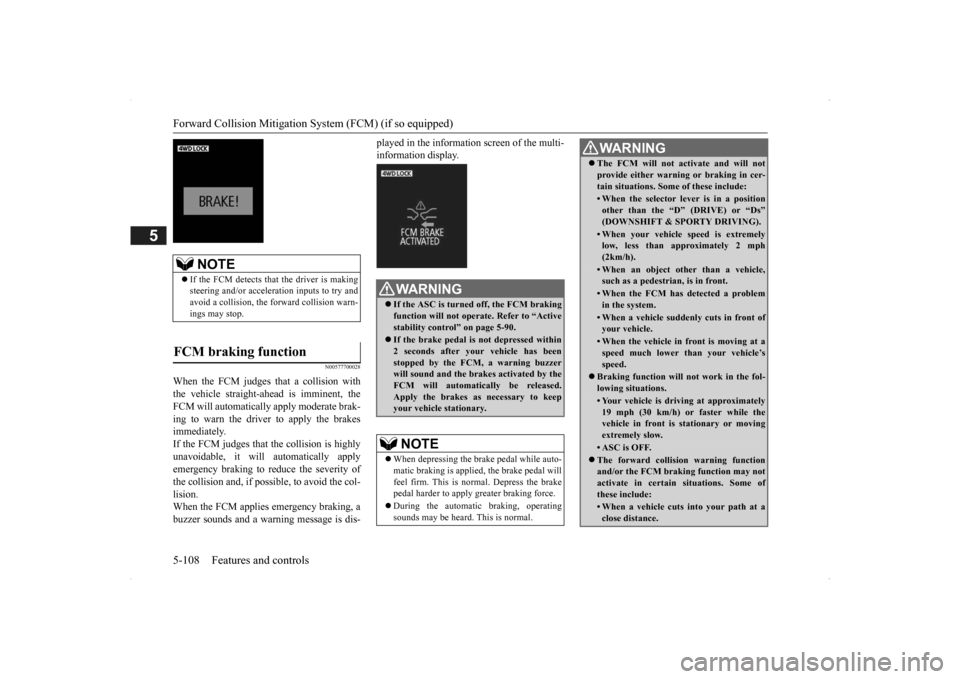
When the FCM judges that a collision with the vehicle straight-ahead is imminent, the FCM will automatically apply moderate brak- ing to warn the driver to apply the brakesimmediately. If the FCM judges that the collision is highly unavoidable, it will automatically applyemergency braking to reduce the severity of the collision and, if possible, to avoid the col- lision.When the FCM applies
emergency braking, a
buzzer sounds and a warn
ing message is dis-
played in the information screen of the multi- information display.
NOTE
If the FCM detects that the driver is making steering and/or accelera
tion inputs to try and
avoid a collision, the forward collision warn-ings may stop.
FCM braking function
WA R N I N G If the ASC is turned off, the FCM braking function will not operat
e. Refer to “Active
stability control” on page 5-90. If the brake pedal is not depressed within 2 seconds after your vehicle has been stopped by the FCM, a warning buzzer will sound and the brak
es activated by the
FCM will automatically be released. Apply the brakes as
necessary to keep
your vehicle stationary.NOTE
When depressing the brake pedal while auto- matic braking is applie
d, the brake pedal will
feel firm. This is normal. Depress the brake pedal harder to apply
greater braking force.
During the automatic
braking, operating
sounds may be heard.
This is normal.
WA R N I N GThe FCM will not activate and will not provide either warnin
g or braking in cer-
tain situations. Some of these include:• When the selector lever is in a positionother than the “D” (DRIVE) or “Ds”(DOWNSHIFT & SPORTY DRIVING).• When your vehicle speed is extremelylow, less than ap
proximately 2 mph
(2km/h).• When an object other than a vehicle,such as a pedestri
an, is in front.
• When the FCM has detected a problem in the system.• When a vehicle suddenly cuts in front ofyour vehicle.• When the vehicle in fr
ont is moving at a
speed much lower than your vehicle’s speed.
Braking function will
not work in the fol-
lowing situations.• Your vehicle is driving at approximately19 mph (30 km/h) or faster while thevehicle in front is
stationary or moving
extremely slow.•ASC is OFF. The forward collision warning function and/or the FCM brakin
g function may not
activate in certain situations. Some of these include:• When a vehicle cuts
into your path at a
close distance.
BK0200500US.book 108 ページ 2013年2月12日 火曜日 午前9時46分
Page 187 of 451
Forward Collision Mitigation System (FCM) (if so equipped)
Features and controls 5-109
5
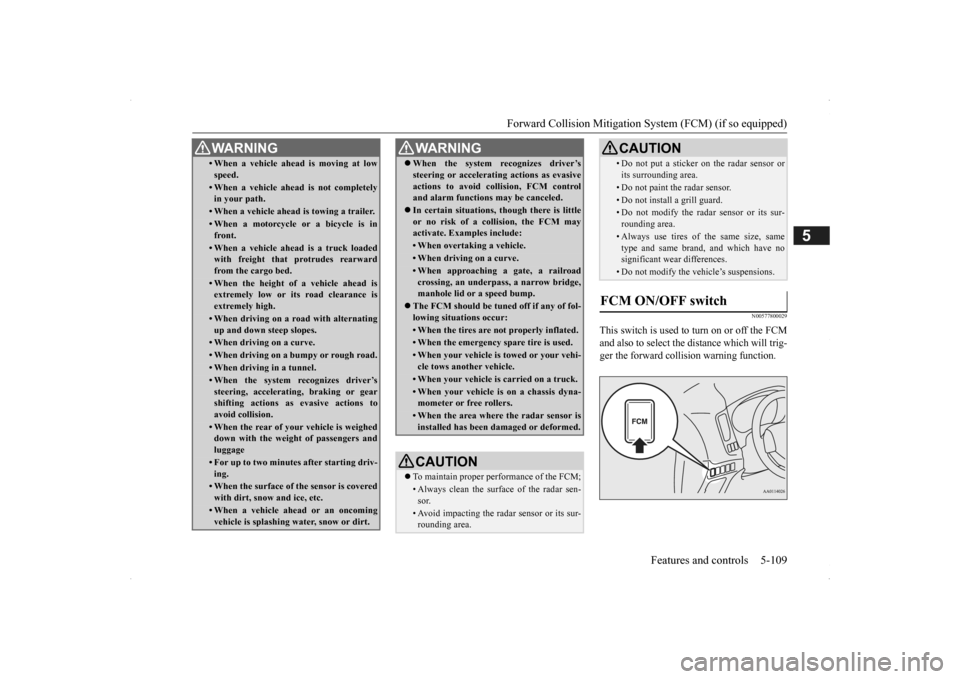
N00577800029
This switch is used to turn on or off the FCM and also to select the distance which will trig- ger the forward collision warning function.
• When a vehicle ahead is moving at low speed.• When a vehicle ahead is not completely in your path.• When a vehicle ahead
is towing a trailer.
• When a motorcycle or a bicycle is in front.• When a vehicle ahea
d is a truck loaded
with freight that protrudes rearward from the cargo bed.• When the height of a vehicle ahead isextremely low or its road clearance is extremely high.• When driving on a r
oad with alternating
up and down steep slopes.• When driving on a curve.• When driving on a bumpy or rough road.• When driving in a tunnel.• When the system recognizes driver’ssteering, accelerati
ng, braking or gear
shifting actions as
evasive actions to
avoid collision.• When the rear of your vehicle is weigheddown with the weight of passengers and luggage• For up to two minute
s after starting driv-
ing.• When the surface of the sensor is coveredwith dirt, snow and ice, etc.• When a vehicle ahea
d or an oncoming
vehicle is splashing wa
ter, snow or dirt.
WA R N I N G
When the system recognizes driver’s steering or accelerati
ng actions as evasive
actions to avoid colli
sion, FCM control
and alarm functions
may be canceled.
In certain situations, though there is little or no risk of a collision, the FCM may activate. Examples include: • When overtaking a vehicle.• When driving on a curve.• When approaching
a gate, a railroad
crossing, an underpass, a narrow bridge,manhole lid or
a speed bump.
The FCM should be tuned off if any of fol- lowing situations occur:• When the tires are not properly inflated. • When the emergency spare tire is used.• When your vehicle is
towed or your vehi-
cle tows another vehicle.• When your vehicle is carried on a truck.• When your vehicle is on a chassis dyna- mometer or free rollers.• When the area where the radar sensor isinstalled has been damaged or deformed.CAUTION To maintain proper performance of the FCM;• Always clean the surface of the radar sen- sor.• Avoid impacting the radar sensor or its sur-rounding area.WA R N I N G
• Do not put a sticker on the radar sensor or its surrounding area.• Do not paint the radar sensor.• Do not install a grill guard.• Do not modify the radar sensor or its sur-rounding area.• Always use tires of the same size, sametype and same brand,
and which have no
significant wear differences.• Do not modify the vehicle’s suspensions.
FCM ON/OFF switch
CAUTION
BK0200500US.book 109 ページ 2013年2月12日 火曜日 午前9時46分
Page 188 of 451
Forward Collision Mitigation System (FCM) (if so equipped) 5-110 Features and controls
5
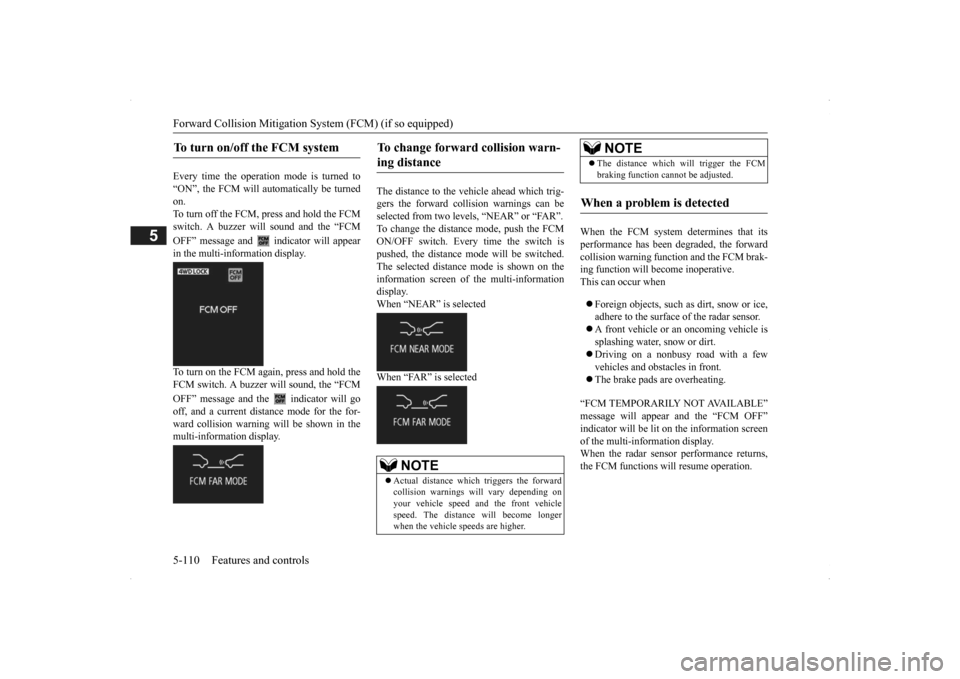
Every time the operation mode is turned to “ON”, the FCM will automatically be turned on.To turn off the FCM, press and hold the FCM switch. A buzzer will sound and the “FCM OFF” message and
indicator will appear
in the multi-information display. To turn on the FCM again, press and hold the FCM switch. A buzzer w
ill sound, the “FCM
OFF” message and the indicator will go off, and a current distance mode for the for- ward collision warning will be shown in themulti-information display.
The distance to the vehicle ahead which trig- gers the forward collision warnings can be selected from two levels, “NEAR” or “FAR”. To change the distan
ce mode, push the FCM
ON/OFF switch. Every time the switch is pushed, the distance
mode will be switched.
The selected distance
mode is shown on the
information screen of
the multi-information
display. When “NEAR” is selected When “FAR” is selected
When the FCM system determines that its performance has been degraded, the forward collision warning function and the FCM brak-ing function will become inoperative. This can occur when Foreign objects, such as
dirt, snow or ice,
adhere to the surface of the radar sensor. A front vehicle or an oncoming vehicle is splashing water, snow or dirt. Driving on a nonbusy road with a few vehicles and obstacles in front. The brake pads are overheating.
“FCM TEMPORARILY NOT AVAILABLE” message will appear and the “FCM OFF”indicator will be lit on the information screen of the multi-information display. When the radar sensor performance returns,the FCM functions will resume operation.
To turn on/off the FCM system
To change forward collision warn- ing distance
NOTE
Actual distance which triggers the forward collision warnings w
ill vary depending on
your vehicle speed a
nd the front vehicle
speed. The distance will become longerwhen the vehicle speeds are higher.
The distance which will trigger the FCM braking function cannot be adjusted.
When a problem is detected
NOTE
BK0200500US.book 110 ページ 2013年2月12日 火曜日 午前9時46分
Page 189 of 451
Lane Departure Warning System (LDW) (if so equipped)
Features and controls 5-111
5
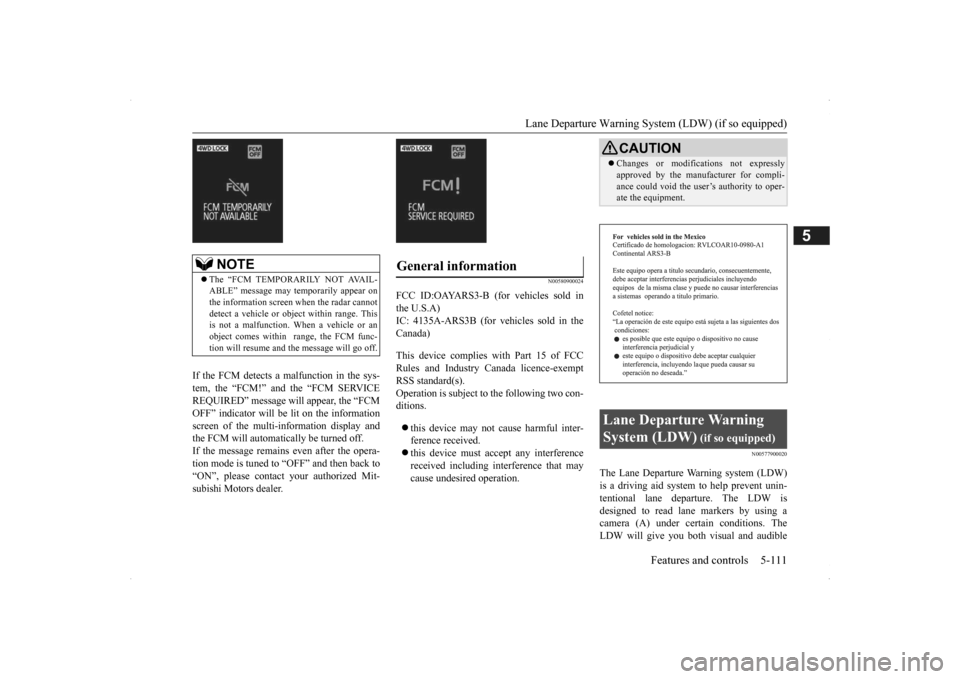
If the FCM detects a malfunction in the sys- tem, the “FCM!” and the “FCM SERVICEREQUIRED” message wi
ll appear, the “FCM
OFF” indicator will be lit on the information screen of the multi-in
formation display and
the FCM will automatically be turned off. If the message remains even after the opera- tion mode is tuned to “OFF” and then back to“ON”, please contact your authorized Mit- subishi Motors dealer.
N00580900024
FCC ID:OAYARS3-B (for vehicles sold in the U.S.A)IC: 4135A-ARS3B (for vehicles sold in the Canada) This device complies
with Part 15 of FCC
Rules and Industry Canada licence-exemptRSS standard(s). Operation is subject to
the following two con-
ditions. this device may not
cause harmful inter-
ference received. this device must ac
cept any interference
received including in
terference that may
cause undesired operation.
N00577900020
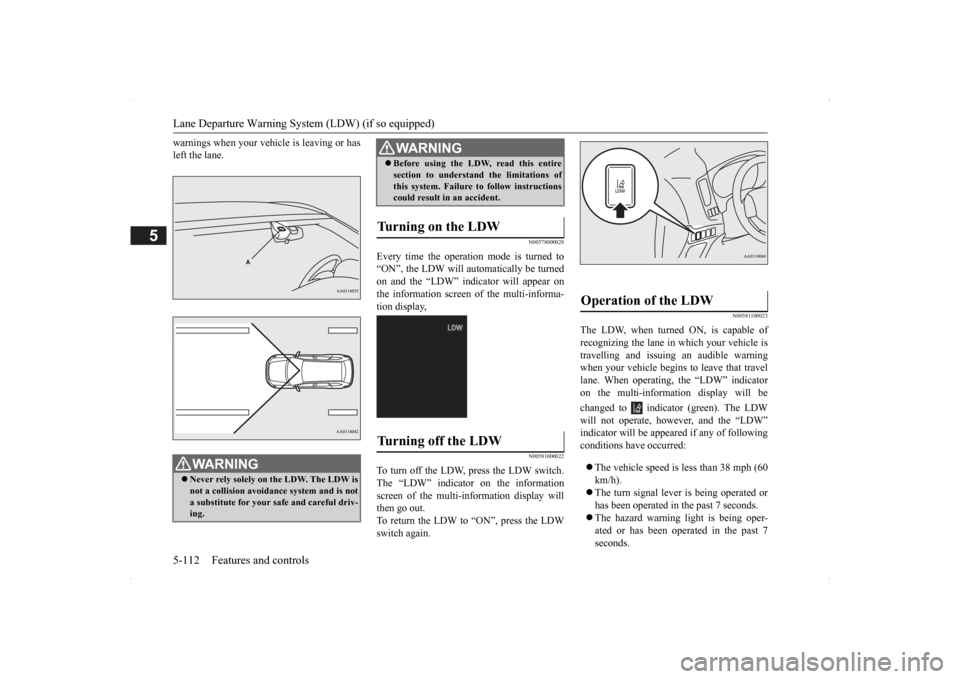
The Lane Departure Wa
rning system (LDW)
is a driving aid system to help prevent unin- tentional lane departure. The LDW is designed to read lane markers by using acamera (A) under certain conditions. The LDW will give you both
visual and audible
NOTE
The “FCM TEMPORARILY NOT AVAIL- ABLE” message may temporarily appear on the information screen when the radar cannotdetect a vehicle or object within range. This is not a malfunction.
When a vehicle or an
object comes within
range, the FCM func-
tion will resume and
the message will go off.
General information
CAUTIONChanges or modifica
tions not expressly
approved by the manufacturer for compli-ance could void the user
’s authority to oper-
ate the equipment.
Lane Departure Warning System (LDW)
(if so equipped)
BK0200500US.book 111 ページ 2013年2月12日 火曜日 午前9時46分
Page 190 of 451
Lane Departure Warning System (LDW) (if so equipped) 5-112 Features and controls
5
warnings when your vehi
cle is leaving or has
left the lane.
N00578000028
Every time the operation mode is turned to“ON”, the LDW will automatically be turnedon and the “LDW” indicator will appear on the information screen of the multi-informa- tion display,
N00581000022
To turn off the LDW, press the LDW switch.The “LDW” indicator on the information screen of the multi-in
formation display will
then go out.To return the LDW to “ON”, press the LDW switch again.
N00581100023
The LDW, when turned ON, is capable of recognizing the lane in which your vehicle is travelling and issuing an audible warning when your vehicle begins to leave that travellane. When operating, the “LDW” indicator on the multi-information display will be changed to indicator (green). The LDW will not operate, how
ever, and the “LDW”
indicator will be appear
ed if any of following
conditions have occurred: The vehicle speed is less than 38 mph (60 km/h). The turn signal lever
is being operated or
has been operated in
the past 7 seconds.
The hazard warning light is being oper- ated or has been operated in the past 7 seconds.
WA R N I N G Never rely solely on the LDW. The LDW is not a collision avoidance system and is not a substitute for your safe and careful driv-ing.
Before using the LDW, read this entire section to understand the limitations ofthis system. Failure to follow instructionscould result in an accident.
Turning on the LDW
Turning off the LDW
WA R N I N G
Operation of the LDW
BK0200500US.book 112 ページ 2013年2月12日 火曜日 午前9時46分
Page 191 of 451
Lane Departure Warning System (LDW) (if so equipped)
Features and controls 5-113
5
The brake pedal is being depressed.
N00581200024
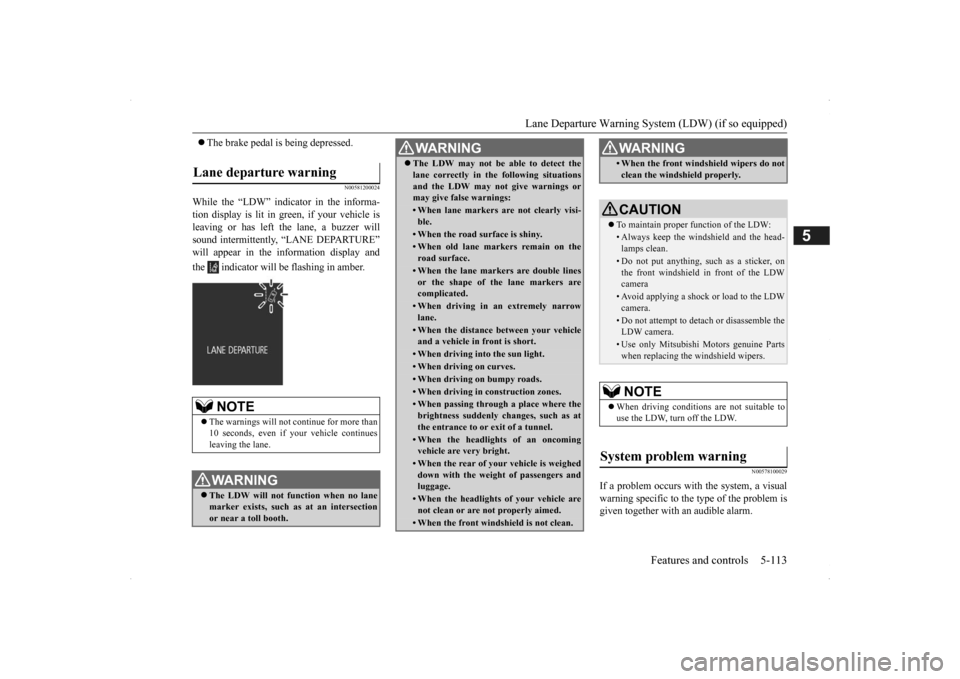
While the “LDW” indicator in the informa- tion display is lit in gr
een, if your vehicle is
leaving or has left the lane, a buzzer willsound intermittently, “LANE DEPARTURE” will appear in the information display and the indicator will be flashing in amber.
N00578100029
If a problem occurs with the system, a visual warning specific to the type of the problem isgiven together with an audible alarm.
Lane departure warning
NOTE
The warnings will not continue for more than 10 seconds, even if your
vehicle continues
leaving the lane.WA R N I N G The LDW will not function when no lane marker exists, such as at an intersectionor near a toll booth.
The LDW may not be able to detect the lane correctly in th
e following situations
and the LDW may not
give warnings or
may give false warnings:• When lane markers are not clearly visi-ble.• When the road surface is shiny.• When old lane markers remain on theroad surface.• When the lane markers are double linesor the shape of the lane markers arecomplicated.• When driving in an extremely narrowlane.• When the distance between your vehicleand a vehicle in
front is short.
• When driving into the sun light.• When driving on curves.• When driving on bumpy roads.• When driving in construction zones.• When passing through a place where the brightness suddenly
changes, such as at
the entrance to or
exit of a tunnel.
• When the headlights
of an oncoming
vehicle are very bright. • When the rear of you
r vehicle is weighed
down with the weight of passengers and luggage.• When the headlights
of your vehicle are
not clean or are not properly aimed.• When the front windshield is not clean.WA R N I N G
• When the front windshield wipers do not clean the windshield properly.CAUTION To maintain proper function of the LDW:• Always keep the windshield and the head- lamps clean.• Do not put anything, such as a sticker, onthe front windshield in front of the LDW camera • Avoid applying a shock or load to the LDWcamera. • Do not attempt to deta
ch or disassemble the
LDW camera.• Use only Mitsubishi Mo
tors genuine Parts
when replacing the
windshield wipers.
NOTE
When driving conditions are not suitable to use the LDW, turn off the LDW.
System problem warning
WA R N I N G
BK0200500US.book 113 ページ 2013年2月12日 火曜日 午前9時46分