ECO mode MITSUBISHI OUTLANDER 2014 3.G Manual Online
[x] Cancel search | Manufacturer: MITSUBISHI, Model Year: 2014, Model line: OUTLANDER, Model: MITSUBISHI OUTLANDER 2014 3.GPages: 451, PDF Size: 49.08 MB
Page 263 of 451
Link System (if so equipped) Features and controls 5-185
5
N00563701066
The Link System takes control of the devices connected via the USB i
nput terminal or the
Bluetooth
® 2.0 interface; the system allows
the connected device to be operated by using the switches in the vehicle or voice com- mands.See the following section for details on how to operate. Refer to “Bluetooth
® 2.0 interface” on page
5-185.Refer to “USB input terminal” on page 5-207. Bluetooth
® is a registered trademark of
BLUETOOTH SIG, INC.
N00563801025
You have acquired a device
that includes soft-
ware licensed to Mitsubishi Motors Corpora-tion from JOHNSON CONTROLS Inc (the automotive experience business unit), and their subsequent 3rd party suppliers. For acomplete list of these
3rd party products and
their end user license agreements, please go to the following website. http://www.jciblueconn
ect.com/faq/fulldis-
closure.pdf
N00563901198
The Bluetooth
® 2.0 interface allows for mak-
ing/receiving hands-free
calls in the vehicle
using a Bluetooth
® compatible cellular
phone. It also allows the user to play music, saved in a Bluetooth
® music player, from the
vehicle’s speakers. The system is equipped
with a voice recogni-
tion function, which allows you to make hands-free calls by simple switch operations and voice command operations using adefined voice tree.
The Bluetooth
® 2.0 interface can be used
when the ignition switch or the operationmode is in ON or ACC. Before you can use the Bluetooth
® 2.0 inter-
face, you must pair the Bluetooth
® device
and Bluetooth
® 2.0 interface. Refer to “Con-
necting the Bluetooth
® 2.0 interface and
Bluetooth
® device” on page 5-192.
Bluetooth
® is a registered trademark of
BLUETOOTH SIG, INC.
Link System
(if so equipped)
Link System End User License Agreement
Bluetooth
® 2.0 interface
(if so
equipped)
WA R N I N G Although the Bluetooth
® 2.0 interface
allows you to make hands-free calls, if youchoose to use the cellular phone while driving, you must not allow yourself to be distracted from the sa
fe operation of your
vehicle. Anything, including cellularphone usage, that distracts you from the safe operation of you
r vehicle increases
your risk of an accident. Refer to and comply
with all state and
local laws in your area regarding cellularphone usage while driving.
BK0200500US.book 185 ページ 2013年2月12日 火曜日 午前9時46分
Page 264 of 451
Bluetooth® 2.0 interface (if so equipped) 5-186 Features and controls
5
Steering control switch and microphone
P.5-186Voice recognition function
P.5-188
Useful voice commands
P.5-189
Speaker enrollment function
P.5-190
Connecting the Bluetooth
® 2.0 interface and
the Bluetooth
® device
P.5-192
Operating a music player connected via Blue- tooth
® P.5-196
How to make or receive hands-free calls
P.5-196Phonebook function
P.5-199
N00564001109
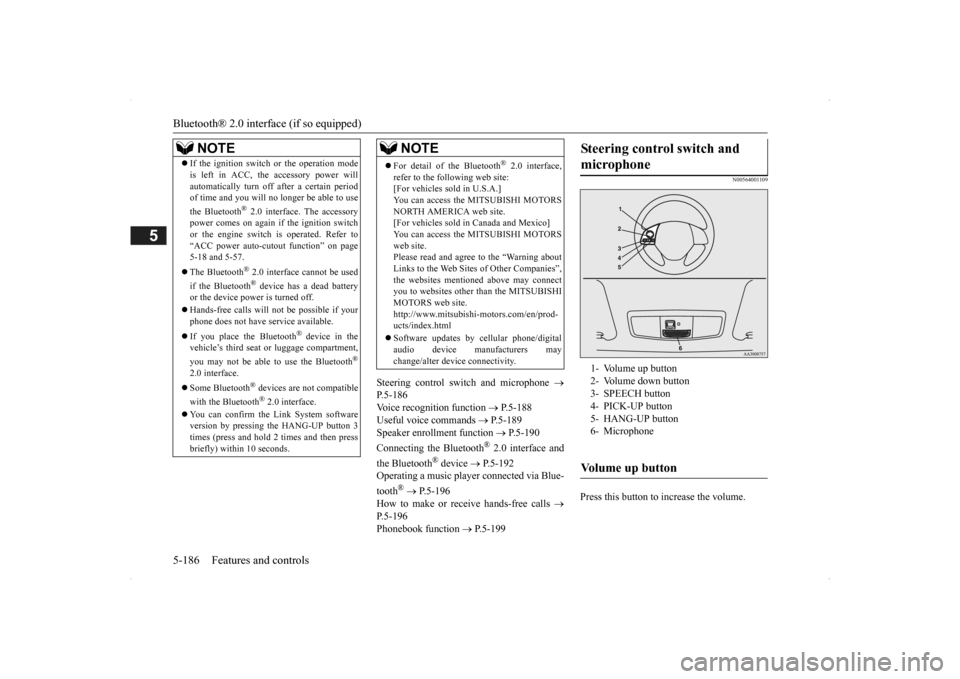
Press this button to increase the volume.
NOTE
If the ignition switch
or the operation mode
is left in ACC, the accessory power willautomatically turn off after a certain periodof time and you will no longer be able to use the Bluetooth
® 2.0 interface. The accessory
power comes on again if
the ignition switch
or the engine switch is operated. Refer to“ACC power auto-cut
out function” on page
5-18 and 5-57. The Bluetooth
® 2.0 interface cannot be used
if the Bluetooth
® device has a dead battery
or the device power is turned off. Hands-free calls
will not be possible if your
phone does not have
service available.
If you place the Bluetooth
® device in the
vehicle’s third seat or
luggage compartment,
you may not be able to
use the Bluetooth
®
2.0 interface. Some Bluetooth
® devices are not compatible
with the Bluetooth
® 2.0 interface.
You can confirm the Link System software version by pressing the HANG-UP button 3times (press and hold 2 times and then press briefly) within 10 seconds.
For detail of the Bluetooth
® 2.0 interface,
refer to the following web site: [For vehicles sold in U.S.A.] You can access the MITSUBISHI MOTORSNORTH AMERICA web site. [For vehicles sold in Canada and Mexico] You can access the MITSUBISHI MOTORSweb site. Please read and agree to the “Warning about Links to the Web Sites of Other Companies”,the websites mentioned above may connect you to websites other
than the MITSUBISHI
MOTORS web site.http://www.mitsubishi-motors.com/en/prod- ucts/index.html Software updates by ce
llular phone/digital
audio device manufacturers may change/alter devi
ce connectivity.
NOTE
Steering control switch and microphone
1- Volume up button 2- Volume down button 3- SPEECH button4- PICK-UP button 5- HANG-UP button 6- MicrophoneVolume up button
BK0200500US.book 186 ページ 2013年2月12日 火曜日 午前9時46分
Page 265 of 451

Bluetooth® 2.0 interface (if so equipped)
Features and controls 5-187
5
Press this button to decrease the volume. Press this button to ch
ange to voice recog-
nition mode.While the system is in voice recognition mode, “Listening” wi
ll appear on the
audio display. If you press the button briefly while in voice recognition mode, it will interrupt prompting and allow voice commandinput. Pressing the button l
onger will deactivate
the voice recognition mode. Pressing this button briefly during a call will enable voice recognition and allow voice command input.
Press this button when an incoming call is received to answer the telephone. When another call is received during a call, press this button to put the first caller on hold and talk to the new caller. • In such circumstance
s, you can press the
button briefly to sw
itch between callers.
You will switch to the first caller and theother caller will be put on hold. • To establish a three-way call in such situ- ations, press the SPEECH button to entervoice recognition mode and then say “Join calls.”
Press this button when an incoming call is received to refuse the call. Press this button during a call to end the current call.When another call is on hold, you will switch to that call.
If this button is pressed in the voice recog- nition mode, the voice recognition modewill be de
activated.
Your voice will be
recognized by a micro-
phone in the overhead console, allowing youto make hands-free ca
lls with voice com-
mands.
Volume down button
SPEECH button
NOTE
On vehicles equipped
with the Mitsubishi
Multi-Communication System, pressing the SPEECH button will acti
vate the voice rec-
ognition mode (a beep will sound when suc- cessfully activated). To use the voice recognition of the Bluetooth
® 2.0 interface,
press the PICK-UP button.
PICK-UP button
NOTE
When not receiving incoming calls, pressing the PICK-UP button on
vehicles equipped
with the Mitsubishi Multi-Communication System, will activate
the voice recognition of
the Bluetooth
® 2.0 interface.
HANG-UP button
NOTE
When you press the SPEECH button (except for vehicles with Mi
tsubishi Multi-Commu-
nication System) or
PICK-UP button (for
vehicles with Mitsubishi Multi-Communica- tion System) to enter
voice recognition mode
with a cellular phone paired to the system, current information on
the cellular phone,
such as “remaining battery life,” “signalstrength” or “roaming,”
will be displayed on
the audio display.
*
* : Some cellular phones
will not send this
information to the Bluetooth
® 2.0 interface.
Call waiting and three-
way calls can be used
by the Bluetooth
® 2.0 interface, only if it is
possible to use those services with your cel- lular phone.
Microphone
BK0200500US.book 187 ページ 2013年2月12日 火曜日 午前9時46分
Page 268 of 451

Bluetooth® 2.0 interface (if so equipped) 5-190 Features and controls
5
If a passcode has been set and the security function is enabled, the voice guide will say “Hands-free system is lo
cked. State the pass-
code to continue” when the SPEECH button (except for vehicles with Mitsubishi Multi- Communication System) or PICK-UP button(for vehicles with Mi
tsubishi Multi-Commu-
nication System) is pre
ssed to enter voice rec-
ognition mode. Say th
e 4-digit passcode
number to enter the passcode. If the entered passcode
is wrong, the voice
guide will say “<4-digi
t passcode>, Incorrect
passcode. Please try again.” Enter the correctpasscode.
Use the following procedure to turn off the security function by di
sabling the passcode.
1. Press the SPEECH button (except for vehicles with Mitsubishi Multi-Commu-nication System) or PICK-UP button (for vehicles with Mitsubishi Multi-Commu- nication System).2. Say “Setup.” 3. Say “Passcode.” 4. The voice guide w
ill say “Passcode is
enabled. Would you like to disable it?” Answer “Yes.” Answer “No” to cancel the disabling ofthe passcode and return to the main menu.
5. When the disabling of the passcode is completed, the voice
guide will say “Pass-
code is disabled” and the system will return to the main menu.
N00564700011
The Bluetooth
® 2.0 interface can use the
speaker enrollment func
tion to create a voice
model for one person per language. This makes it easier for the Bluetooth
® 2.0
interface to recognise
voice commands said
by you. You can turn a voice model registered with the speaker enrollment function on and offwhenever you want.
N00564801110
It takes about 2 to 3 minutes to complete thespeaker enrollment process. To ensure the best results, run through the process while in the driver’s seat, in an envi-ronment that is as qu
iet as possible (when
there is no rain or strong winds and the vehi- cle windows are closed). Please turn off yourphone while in speaker enrollment to prevent interruption of the process. Use the following procedure for speakerenrollment.
NOTE
Passcode will be require
d to access the sys-
tem after the next
ignition cycle.
It is required for a little time after engine stop that the entered passcode is actually recorded in the system.If the ignition switch
or the operation mode
is made to ACC or ON or the engine is started immediately afte
r engine stop, there
is a case when the entered passcode is not recorded in the system. At this time, please try to enter the passcode again.
Entering the passcode
NOTE
You can reenter the pa
sscode as many times
as you want. If you have forgot
ten your passcode, say
“Cancel” to quit the voice input mode and then check with an authorized MitsubishiMotors dealer.
Disabling the passcode
NOTE
System must be unlocke
d to disable the pass-
code.
Speaker enrollment function
Speaker enrollment
BK0200500US.book 190 ページ 2013年2月12日 火曜日 午前9時46分
Page 269 of 451

Bluetooth® 2.0 interface (if so equipped)
Features and controls 5-191
5
1. Stop your vehicle in a safe area, put the selector lever in the “P” (PARK) positionand pull the parking brake lever. 2. Press the SPEECH button (except for vehicles with Mitsubishi Multi-Commu-nication System) or PICK-UP button (for vehicles with Mitsubishi Multi-Commu- nication System).3. Say “Voice training.”
4. The voice guide will
say “This operation
must be performed in a quiet environmentwhile the vehicle is stopped. See the owner’s manual for th
e list of required
training phrases. Pr
ess and release the
SPEECH button when you are ready to begin. Press the HANG-UP button to can- cel at any time.”Press the SPEECH button to start the speaker enrollment process.
5. The voice guide will prompt for phrase 1. Repeat the correspondi
ng phrase listed in
table “Enrollment commands” on page 5-206. The system will register your voice andthen move on to the registration of the next command. Continue the process until all phrases have been registered. 6. When all enrollment commands have been read out, the voice guide will say “Speaker enrollment is complete.” The system will then end the speaker enroll-ment process and return to the main menu.
NOTE
Speaker enrollment is
not possible unless the
vehicle is parked. Ma
ke sure you park the
vehicle in a safe ar
ea before attempting
speaker enrollment.
NOTE
If you do not start the speaker enrollment process within 3 minut
es after pressing the
SPEECH button, the speaker enrollment function will time out. The voice guide will
say “Speaker enroll-
ment has timed out.” The system will then beep and the voice recognition mode will be deactivated.
NOTE
To repeat the most recent voice training com- mand, press and release the SPEECH button. If you press the HANG-UP button anytime during the process, the system will beep and stop the speaker enrollment process.NOTE
Completing the speaker enrollment process will turn on the voice
model automatically.
The commands “Help” a
nd “Cancel” will not
work in this mode.
BK0200500US.book 191 ページ 2013年2月12日 火曜日 午前9時46分
Page 275 of 451

Bluetooth® 2.0 interface (if so equipped)
Features and controls 5-197
5
To make a call P.5-197 Send function P.5-198Receiving calls P.5-199 Mute function P.5-199 Switching between ha
nds-free mode and pri-
vate mode P.5-199
N00565601098
You can make a call in the following 3 ways using the Bluetooth
® 2.0 interface:
By saying a telephone number By using the Bluetooth
® 2.0 interface’s
phonebook By redialing a telephone number
You can make a call by saying the telephone number.
1. Press the SPEECH button (except for vehicles with Mitsubishi Multi-Commu-nication System) or
PICK-UP button (for
vehicles with Mitsubishi Multi-Commu- nication System).2. Say “Dial.” 3. After the voice guide says “Number please,” say th
e telephone number.
4. The voice guide will say “Dialing
® 2.0 interface will then
make the call. When the confirmation function is on, thesystem will confirm the telephone number again. To continue with that number, answer “Yes.” To change the telephone number, answer “No.” The system
will say “Number
please” then say
the telephone number
again.
You can make calls us
ing the vehicle phone-
book or mobile phonebook of the Bluetooth
®
2.0 interface. For details on the phonebooks, refer to “Phonebook function” on page 5-199. 1. Press the SPEECH button (except for vehicles with Mitsubishi Multi-Commu- nication System) or PICK-UP button (for vehicles with Mitsubishi Multi-Commu-nication System). 2. Say “Call.”
NOTE
Hands-free calls may
not operate correctly
when you place or rece
ive the call directly
from your cellular phone, instead of using the Bluetooth
® 2.0 interface.
To m a k e a c a l l
Making a call by using the telephone number
NOTE
In the case of English, the system will recog- nise both “zero” and “oh”
(Letter “o”) for the
number “0.” The Bluetooth
® 2.0 interface supports num-
bers (0 to 9) and characters (+, # and
*).
The maximum supporte
d telephone number
length is as follows: • International telephone
number: + and tele-
phone numbers (to 18 digits).
• Except for international telephone number:telephone numbers (to 19 digits).
Making a call using a phonebook
NOTE
If you say “Call” wh
en the vehicle phone-
book and the mobile phonebook are empty, the voice guide
will say “The vehicle phone-
book is empty. Would you like to add a newentry now?”Answer “Yes,” and the voice guide will say “Entering the phonebook - new entry menu.” You can now create da
ta in the vehicle
phonebook. Answer “No,” the system will return to the main menu.NOTE
BK0200500US.book 197 ページ 2013年2月12日 火曜日 午前9時46分
Page 276 of 451

Bluetooth® 2.0 interface (if so equipped) 5-198 Features and controls
5
3. After the voice guide
says “Name please,”
say the name you want
to call, from those
registered in the phonebook. 4. If there is only 1 match, the system will proceed to Step 5.If there are 2 or more matches, the voice guide will say “More than one match was found, would you like to call
5. If only 1 telephone number is registered under the name you just said, the voiceguide will proceed to Step 6. If 2 or more telephone
numbers are regis-
tered that match the name you just said,the voice guide will say “Would you like to call
6. The voice guide will say “Calling
the system will dial
the telephone number.
You can redial the last
number called, based
on the history of dialed calls in the paired cel- lular phone. Use the following procedure to redial. 1. Press the SPEECH button (except for vehicles with Mitsubishi Multi-Commu-nication System) or
PICK-UP button (for
vehicles with Mitsubishi Multi-Commu- nication System).2. Say “Redial.”
N00565700018
During a call, press
the SPEECH button to
enter voice recognition mode, then say
NOTE
If you say “No” to all names read by the sys- tem, the voice guide will say “Name notfound, returning to main menu” and the sys- tem will return to the main menu.
NOTE
If the name you sele
cted has matching data
in the vehicle phonebook but no telephone number is registered unde
r the select
ed loca-
tion, the voice guide will say“{home/work/mobile/other} not found for
nd you can register an
additional telephone number under the selected location. If the name you sele
cted has matching data
in the mobile phonebook but no telephone number is registered unde
r the select
ed loca-
tion, the voice guide will say “{home/work/mobile/other} not found for
NOTE
When the confirmation function is on, the system will check if
the name and location of
the receiver are correct. If the name is cor- rect, answer “Yes.”To change the name or location to call, answer “No.” The system will return to Step 3.
RedialingSend function
BK0200500US.book 198 ページ 2013年2月12日 火曜日 午前9時46分
Page 277 of 451

Bluetooth® 2.0 interface (if so equipped)
Features and controls 5-199
5
“
a call you need to sim-
ulate the pressing of a phone button as a response to an automated system, press theSPEECH button and speak “1 2 3 4 pound send” and the 1234# will be sent via your cel- lular phone.
N00565801045
If an incoming phone call is received whilethe ignition switch or
the operation mode is in
ON or ACC, the audio sy
stem will be auto-
matically turned on and switched to theincoming call, even when the audio system was originally off. The voice guide announcement for theincoming call will be output from the front passenger’s seat speaker. If the CD player or radio was playing whenthe incoming call was received, the audio sys- tem will mute the sound from the CD player or radio and output only the incoming call. To receive the call, press the PICK-UP button on the steering wheel control switch. When the call is over, the audio system willreturn to its previous state.
N00565900010
At any time during a ca
ll, you can mute the
vehicle microphone. Pressing the SPEECH button and then saying“Mute” during a call will turn ON the mute function and mute the microphone. Saying “Mute off” in the same way will turnoff the mute function and cancel the mute on the microphone.
N00566600014
The Bluetooth
® 2.0 interface
can switch
between hands-free mode
(hands-free calls)
and private mode (calls
using cellular phone).
If you press the SPEECH button and say “Transfer call” during a hands-free call, you can stop the hands-free mode and talk in pri-vate mode. To return to hands-free mode, press the SPEECH button again and say “Transfercall.”
N00566000018
The Bluetooth
® 2.0 interface
has 2 types of
unique phonebooks that are different from the phonebook stored in the cellular phone. They
are the vehicle phonebook and the mobile phonebook.These phonebooks are used to register tele- phone numbers and make
calls to desired
numbers via voice recognition function.
N00566101120
This phonebook is used when making callswith the voice re
cognition function.
Up to 32 names can be registered in the vehi- cle phonebook per language. Also, each entry has 4 locations associatedwith: home, work, mobile
and other. You can
register one telephone number for each loca- tion. You can register a desire
d name as a name for
any phonebook entry register
ed in the vehicle
phonebook. Names and telephone numbers can bechanged later on. The vehicle phonebook ca
n be used with all
paired cellular phones.
Receiving calls
Mute function
Switching between hands-free mode and private mode
Phonebook function
NOTE
Disconnecting the batt
ery cable will not
delete information regi
stered in the phone-
book.
Vehicle phonebook
BK0200500US.book 199 ページ 2013年2月12日 火曜日 午前9時46分
Page 287 of 451
USB input terminal (if so equipped)
Features and controls 5-209
5
* : “iPod,” “iPod classic,” “iPod nano,” “iPod touch,” and “iPhone”
are registered trade-
marks of Apple Inc. in the United States and other countries.
N00567201030
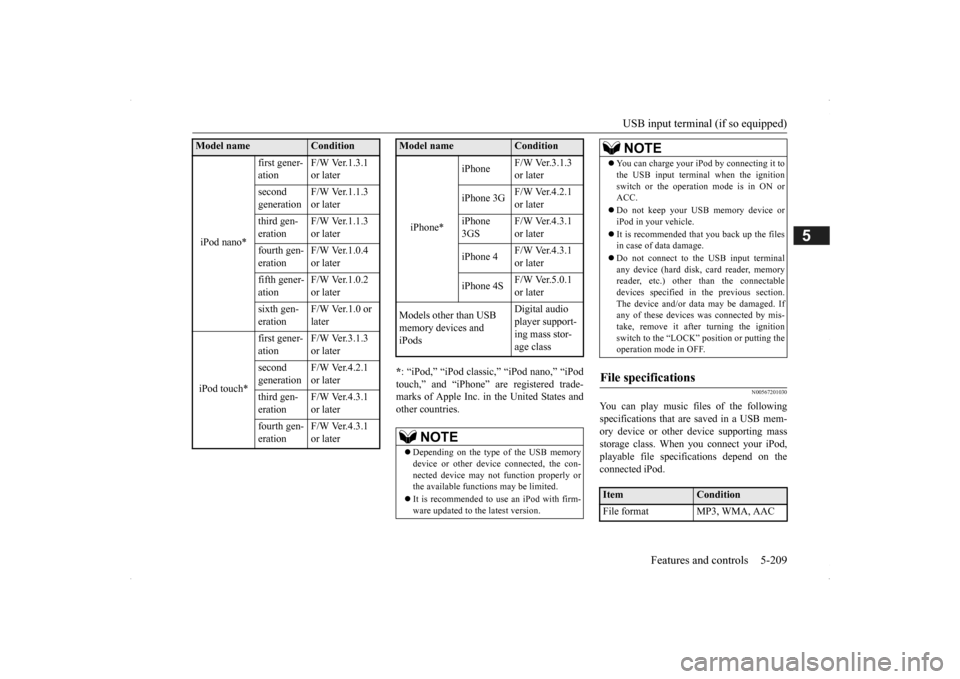
You can play music files of the followingspecifications that are saved in a USB mem- ory device or other
device supporting mass
storage class. When
you connect your iPod,
playable file specif
ications depend on the
connected iPod.
iPod nano*
first gener- ation
F/W Ver.1.3.1 or later
second generation
F/W Ver.1.1.3 or later
third gen- eration
F/W Ver.1.1.3 or later
fourth gen- eration
F/W Ver.1.0.4 or later
fifth gener- ation
F/W Ver.1.0.2 or later
sixth gen- eration
F/W Ver.1.0 or later
iPod touch*
first gener- ation
F/W Ver.3.1.3 or later
second generation
F/W Ver.4.2.1 or later
third gen- eration
F/W Ver.4.3.1 or later
fourth gen- eration
F/W Ver.4.3.1 or later
Model name
Condition
iPhone*
iPhone
F/W Ver.3.1.3 or later
iPhone 3G
F/W Ver.4.2.1 or later
iPhone 3GS
F/W Ver.4.3.1 or later
iPhone 4
F/W Ver.4.3.1 or later
iPhone 4S
F/W Ver.5.0.1 or later
Models other than USB memory devices and iPods
Digital audio player support-ing mass stor- age class
NOTE
Depending on the type of the USB memory device or other devi
ce connected, the con-
nected device may not
function properly or
the available functi
ons may be limited.
It is recommended to use an iPod with firm- ware updated to th
e latest version.
Model name
Condition
You can charge your iP
od by connecting it to
the USB input terminal
when the ignition
switch or the operation mode is in ON orACC. Do not keep your USB memory device or iPod in your vehicle. It is recommended that you back up the files in case of data damage. Do not connect to the USB input terminal any device (hard disk
, card reader, memory
reader, etc.) other
than the connectable
devices specified in the previous section.The device and/or data
may be damaged. If
any of these devices
was connected by mis-
take, remove it after turning the ignitionswitch to the “LOCK” position or putting the operation mode in OFF.
File specifications
Item
Condition
File format MP3, WMA, AAC
NOTE
BK0200500US.book 209 ページ 2013年2月12日 火曜日 午前9時46分
Page 289 of 451
12 V power outlets
Features and controls 5-211
5
Cards can be slipped into the holder (B) on the sun visor.
N00525001625
To use a “plug-in” type accessory, open thecover or remove the cap, and insert the plugin the power outlet.
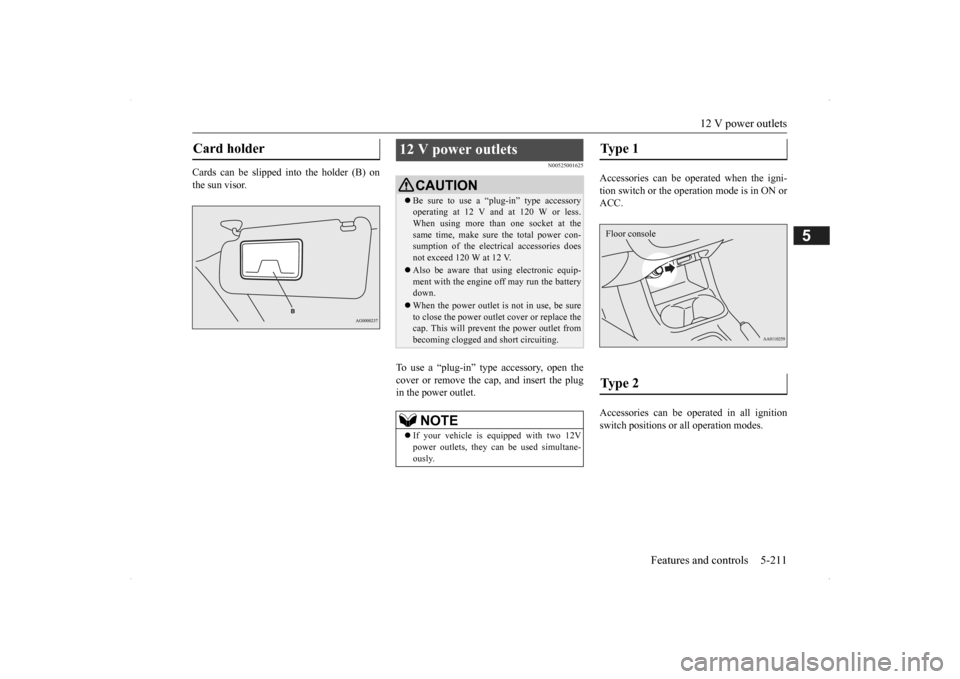
Accessories can be operated when the igni- tion switch or the operation mode is in ON or ACC. Accessories can be ope
rated in all ignition
switch positions or
all operation modes.
Card holder
12 V power outlets
CAUTIONBe sure to use a “plug-in” type accessory operating at 12 V and at 120 W or less.When using more than one socket at the same time, make sure
the total power con-
sumption of the electrical accessories doesnot exceed 120 W at 12 V. Also be aware that
using electronic equip-
ment with the engine
off may run the battery
down. When the power outlet is not in use, be sure to close the power outle
t cover or replace the
cap. This will prevent the power outlet frombecoming clogged and short circuiting.NOTE
If your vehicle is e
quipped with two 12V
power outlets, they ca
n be used simultane-
ously.
Type 1 Type 2 Floor console
BK0200500US.book 211 ページ 2013年2月12日 火曜日 午前9時46分