ad blue MITSUBISHI OUTLANDER 2014 3.G Owners Manual
[x] Cancel search | Manufacturer: MITSUBISHI, Model Year: 2014, Model line: OUTLANDER, Model: MITSUBISHI OUTLANDER 2014 3.GPages: 451, PDF Size: 49.08 MB
Page 3 of 451
Instruments and controls 1-1
1
Overview
N00100202557
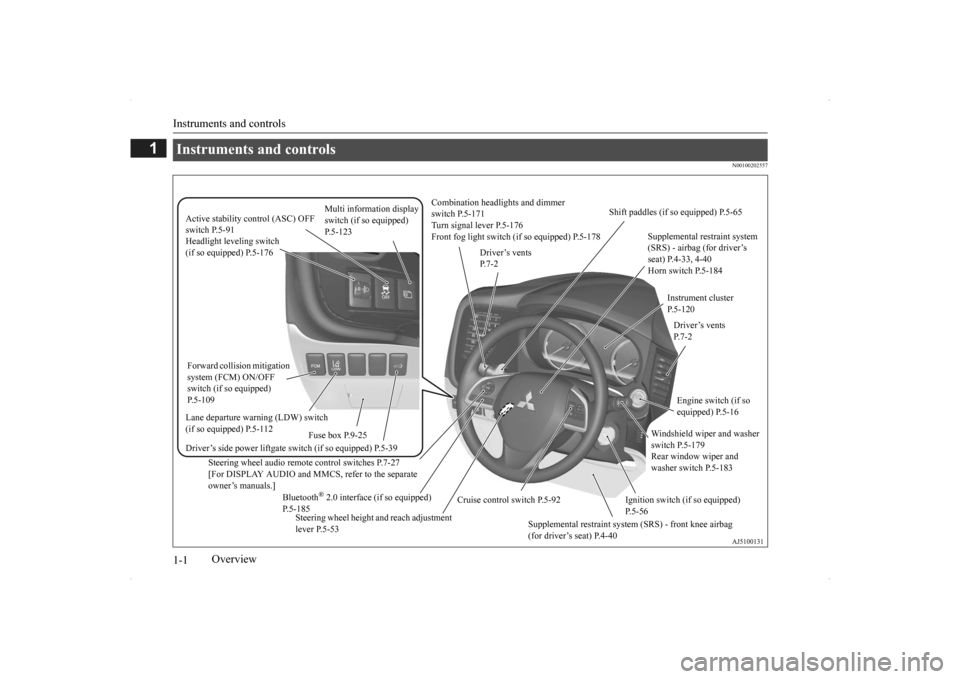
Instruments and controls
Combination headlights and dimmer switch P.5-171 Turn signal lever P.5-176 Front fog light switch (if so equipped) P.5-178
Steering wheel audio remote control switches P.7-27 [For DISPLAY AUDIO and MMCS, refer to the separateowner’s manuals.]
Active stability control (ASC) OFF switch P.5-91
Supplemental restraint system (SRS) - airbag (for driver’s seat) P.4-33, 4-40 Horn switch P.5-184
Instrument cluster P.5-120
Windshield wiper and washer switch P.5-179 Rear window wiper and washer switch P.5-183
Cruise control switch P.5-92
Steering wheel height and reach adjustment lever P.5-53
Engine switch (if so equipped) P.5-16
Bluetooth
® 2.0 interface (if so equipped)
P.5-185
Driver’s vents P. 7 - 2
Shift paddles (if so equipped) P.5-65
Driver’s vents P. 7 - 2
Multi information display switch (if so equipped) P.5-123
Headlight leveling switch (if so equipped) P.5-176 Driver’s side power liftgate switch (if so equipped) P.5-39
Fuse box P.9-25
Lane departure warning (LDW) switch (if so equipped) P.5-112 Forward collision mitigation system (FCM) ON/OFF switch (if so equipped) P.5-109
Supplemental restraint system (SRS) - front knee airbag (for driver’s seat) P.4-40
Ignition switch (if so equipped) P.5-56
BK0200500US.book 1 ページ 2013年2月12日 火曜日 午前9時46分
Page 80 of 451
5
Features and controlsECO mode switch......................................................................... 5-178 Front fog light switch (if so equipped) ......................................... 5-178 Wiper and washer switch ............................................................ 5-179Electric rear window def
ogger switch.........
...........
.........
............. 5-184
Horn switch .................................................................................. 5-184 Link System (if so equipped) ....................................................... 5-185 Bluetooth
® 2.0 interface (if so equipped) .................................... 5-185
USB input terminal (if so equipped) ............................................ 5-207 Sun visors ..................................................................................... 5-21012 V power outlets ....................................................................... 5-211 Interior lights ................................................................................ 5-212 Storage spaces .............................................................................. 5-215Cup holders .................................................................................. 5-218 Bottle holders ............................................................................... 5-219 Cargo area cover (if so equipped) ................................................ 5-219Assist grips ................................................................................... 5-221 Coat hooks .................................................................................... 5-222 Luggage hooks ............................................................................. 5-222BK0200500US.book 2 ページ 2013年2月12日 火曜日 午前9時46分
Page 212 of 451
Multi Information display - Type 1 5-134 Features and controls
5
when the operation mode is set to “ON” to the time when it is set to “OFF”.
N00556801195
1. Park your vehicle in a safe place.Fully apply the parking brake and movethe selector lever into the “P” (PARK) position.
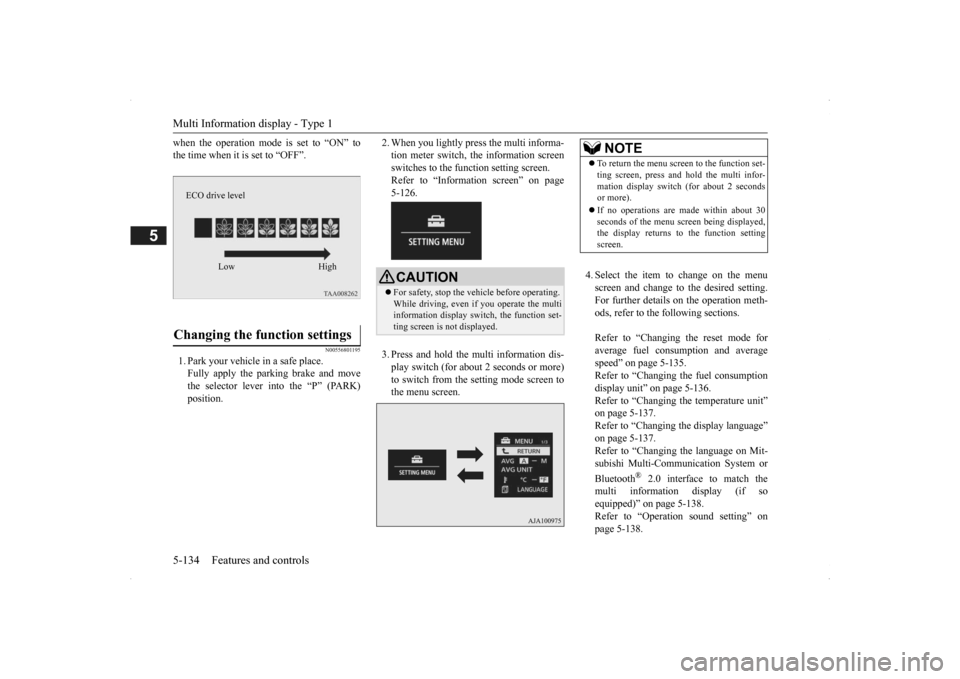
2. When you lightly press the multi informa- tion meter switch, the information screenswitches to the function setting screen. Refer to “Information screen” on page 5-126. 3. Press and hold the mu
lti information dis-
play switch (for about 2 seconds or more) to switch from the setting mode screen to the menu screen.
4. Select the item to change on the menu screen and change to the desired setting.For further details on the operation meth- ods, refer to the fo
llowing sections.
Refer to “Changing the reset mode for average fuel consumption and average speed” on page 5-135.Refer to “Changing the fuel consumption display unit” on page 5-136. Refer to “Changing th
e temperature unit”
on page 5-137. Refer to “Changing the display language” on page 5-137.Refer to “Changing the language on Mit- subishi Multi-Comm
unication System or
Bluetooth
® 2.0 interface to match the
multi informati
on display (if so
equipped)” on page 5-138. Refer to “Operati
on sound setting” on
page 5-138.
Changing the function settings
ECO drive level
Low High
CAUTION For safety, stop the ve
hicle before operating.
While driving, even if you operate the multi information display sw
itch, the function set-
ting screen is not displayed.
NOTE
To return the menu scre
en to the function set-
ting screen, press and hold the multi infor-mation display switch
(for about 2 seconds
or more). If no operations are made within about 30 seconds of the menu sc
reen being displayed,
the display returns to the function setting screen.
BK0200500US.book 134 ページ 2013年2月12日 火曜日 午前9時46分
Page 216 of 451
Multi Information display - Type 1 5-138 Features and controls
5
N00529801298
The language used in Mitsubishi Multi-Com- munication System
(if so equipped) or Blue-
tooth
® 2.0 interface (if so equipped) can be
changed automatically
to the same language
as that shown in the multi information dis-play. 1. Press and hold the multi information dis- play switch (for about 2 seconds or more) to switch from the setting mode screen tothe menu screen. Refer to “Changing the function settings” on page 5-134.
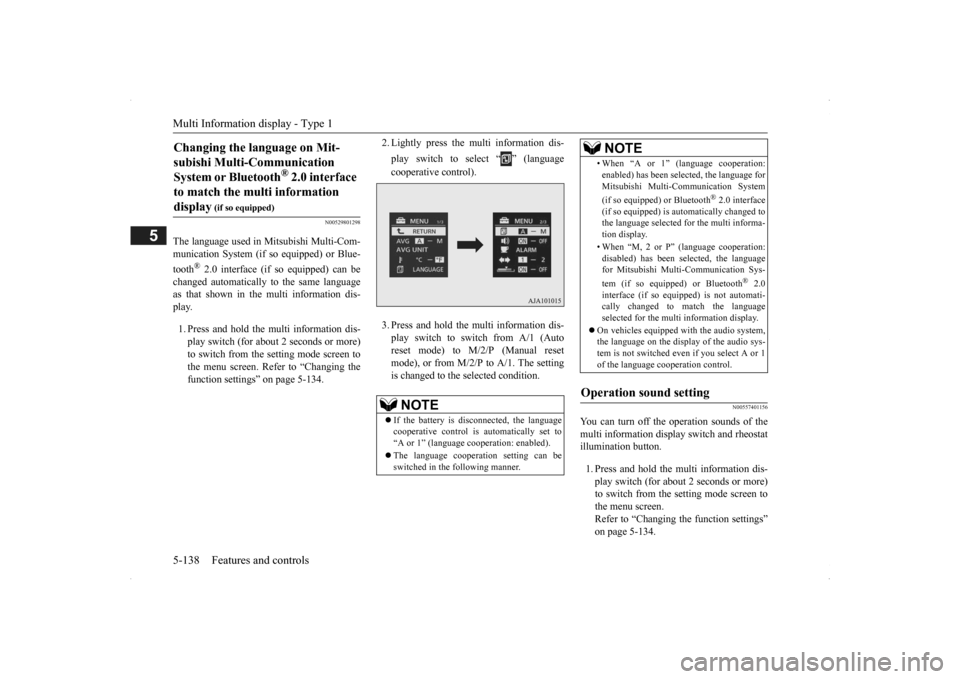
2. Lightly press the multi information dis- play switch to select “ ” (language cooperative control). 3. Press and hold the mu
lti information dis-
play switch to switch from A/1 (Auto reset mode) to M/2/P (Manual resetmode), or from M/2/
P to A/1. The setting
is changed to the selected condition.
N00557401156
You can turn off the operation sounds of the multi information display switch and rheostatillumination button. 1. Press and hold the multi information dis- play switch (for about 2 seconds or more) to switch from the setting mode screen tothe menu screen. Refer to “Changing the function settings” on page 5-134.
Changing the language on Mit- subishi Multi-Communication System or Bluetooth
® 2.0 interface
to match the multi information display
(if so equipped)
NOTE
If the battery is disconnected, the language cooperative control is
automatically set to
“A or 1” (language
cooperation: enabled).
The language coopera
tion setting can be
switched in the following manner.
• When “A or 1” (l
anguage cooperation:
enabled) has been selected, the language forMitsubishi Multi-Communication System (if so equipped) or Bluetooth
® 2.0 interface
(if so equipped) is au
tomatically changed to
the language selected for the multi informa- tion display. • When “M, 2 or P”
(language cooperation:
disabled) has been selected, the languagefor Mitsubishi Multi-Communication Sys- tem (if so equipped) or Bluetooth
® 2.0
interface (if so equi
pped) is not automati-
cally changed to
match the language
selected for the multi information display.
On vehicles equipped with the audio system, the language on the display of the audio sys-tem is not switched even
if you select A or 1
of the language cooperation control.
Operation sound setting
NOTE
BK0200500US.book 138 ページ 2013年2月12日 火曜日 午前9時46分
Page 243 of 451
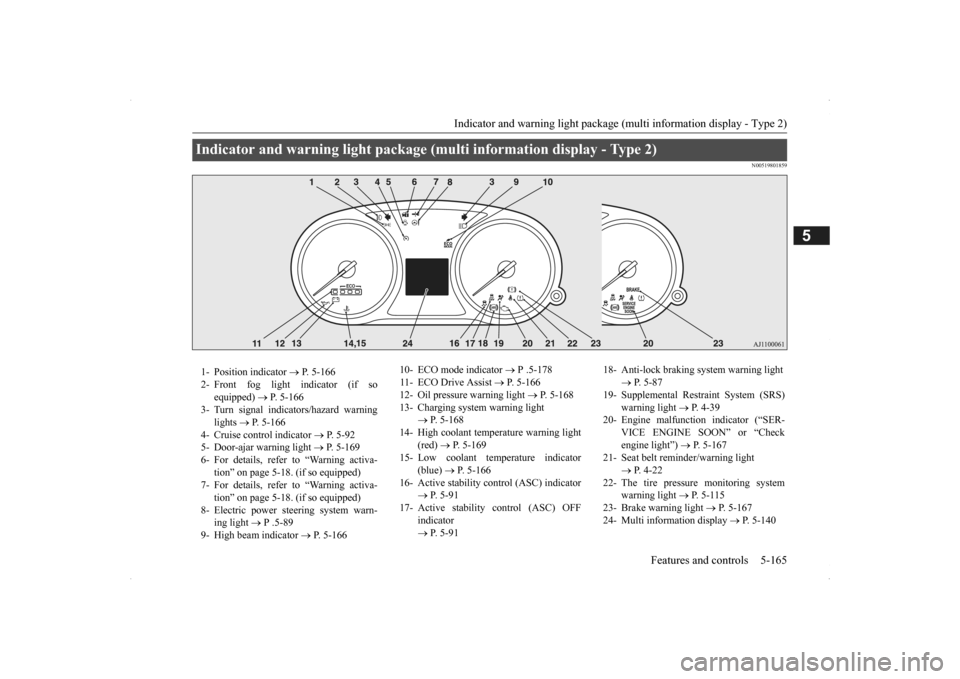
Indicator and warning light package (multi information display - Type 2)
Features and controls 5-165
5
N00519801859
Indicator and warning light package (mu
lti information display - Type 2)
1- Position indicator
P. 5-166
2- Front fog light indicator (if so
equipped)
P. 5-166
3- Turn signal indicators/hazard warning
lights
P. 5-166
4- Cruise control indicator
P. 5-92
5- Door-ajar warning light
P. 5-169
6- For details, refer to “Warning activa-
tion” on page 5-18. (if so equipped)
7- For details, refer to “Warning activa-
tion” on page 5-18. (if so equipped)
8- Electric power steering system warn-
ing light
P .5-89
9- High beam indicator
P. 5-166
10- ECO mode indicator
P .5-178
11- ECO Drive Assist
P. 5-166
12- Oil pressure warning light
P. 5-168
13- Charging system warning light
P. 5-168
14- High coolant temperature warning light
(red)
P. 5-169
15- Low coolant temperature indicator
(blue)
P. 5-166
16- Active stability control (ASC) indicator
P. 5 - 9 1
17- Active stability
control (ASC) OFF
indicator P. 5 - 9 1
18- Anti-lock braking system warning light
P. 5-87
19- Supplemental Restra
int System (SRS)
warning light
P. 4 - 3 9
20- Engine malfuncti
on indicator (“SER-
VICE ENGINE SOON” or “Check engine light”)
P. 5-167
21- Seat belt remi
nder/warning light
P. 4-22
22- The tire pressure monitoring system
warning light
P. 5 - 1 1 5
23- Brake warning light
P. 5-167
24- Multi information display
P. 5-140
BK0200500US.book 165 ページ 2013年2月12日 火曜日 午前9時46分
Page 244 of 451
Indicators 5-166 Features and controls
5
N00519900127 N00520000216
The arrows will flash in time with the corre- sponding exterior turn signals when the turnsignal lever is used. Both arrows will flash
when the hazard warn-
ing flasher swit
ch is pressed.
N00520100086
A blue light comes on when the headlights are on high beam.
N00520200175
This indicator comes on while the front foglights are on.
N00551300026
This indicator light illuminates while the position lights are on.
N00575601020
This indicator comes on in blue while thecoolant temperature is low.
N00579200027
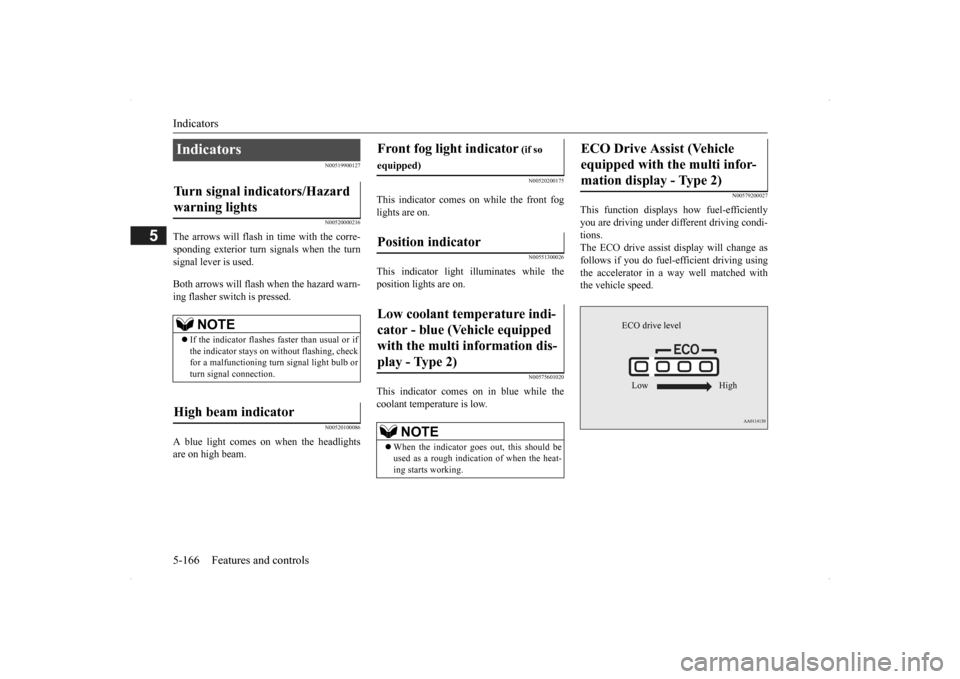
This function displays
how fuel-efficiently
you are driving under different driving condi- tions. The ECO drive assist di
splay will change as
follows if you do fuel-efficient driving using the accelerator in a way well matched with the vehicle speed.
Indicators Turn signal indicators/Hazard warning lights
NOTE
If the indicator flashes faster than usual or if the indicator stays on wi
thout flashing, check
for a malfunctioning turn signal light bulb orturn signal connection.
High beam indicator
Front fog light indicator
(if so
equipped)Position indicator Low coolant temperature indi- cator - blue (Vehicle equipped with the multi information dis- play - Type 2)
NOTE
When the indicator goes out, this should be used as a rough indication of when the heat-ing starts working.
ECO Drive Assist (Vehicle equipped with the multi infor-mation display - Type 2)
ECO drive level Low High
BK0200500US.book 166 ページ 2013年2月12日 火曜日 午前9時46分
Page 252 of 451
Combination headlights and dimmer switch 5-174 Features and controls
5
If the following operation is performed with the combination headlights and dim- mer switch in the “ ” or “ ” position, the lights automatically turn off afterabout 3 minutes. [Except for vehicles
equipped with the
F. A . S . T. - k e y ] The ignition switch is turned to the “OFF”or “ACC” position or the key is removed from the ignition switch and the driver’s door is not opened. [For vehicles equipped
with the F.A.S.T.-
key] The operation mode is changed to OFF or ACC and the driver’s door is not opened.
If the combination
headlights and dimmer
switch is turned to the “ ” or “ ” posi- tion again after the engine is turned off, theabout 3-minute auto
-cutout function
described above will not
work. The lights (the
parking lights, tail lig
hts and license plate
lights) will stay on and will not turn off auto- matically.
N00549801236
[When using a key to start the engine]If the driver’s door is opened with the key in the “OFF” or “LOCK” or “ACC” position orremoved from the ignition switch while the lights are on, the tone will sound to remind you to turn off the lights. [When using the F.A.S.T.-key to start the engine] If the driver’s door is opened with the opera- tion mode is put in OFF or ACC, or if theoperation mode is changed to OFF while the lights are on, the tone will sound to remind you to turn off the lights. In either case, the lights will turn off automat- ically and so will the tone. Or you can turn
the light switch to the “OFF” position to stop the tone.
N00549901178
To change the headlights from high beam tolow beam and vice vers
a, pull the turn signal
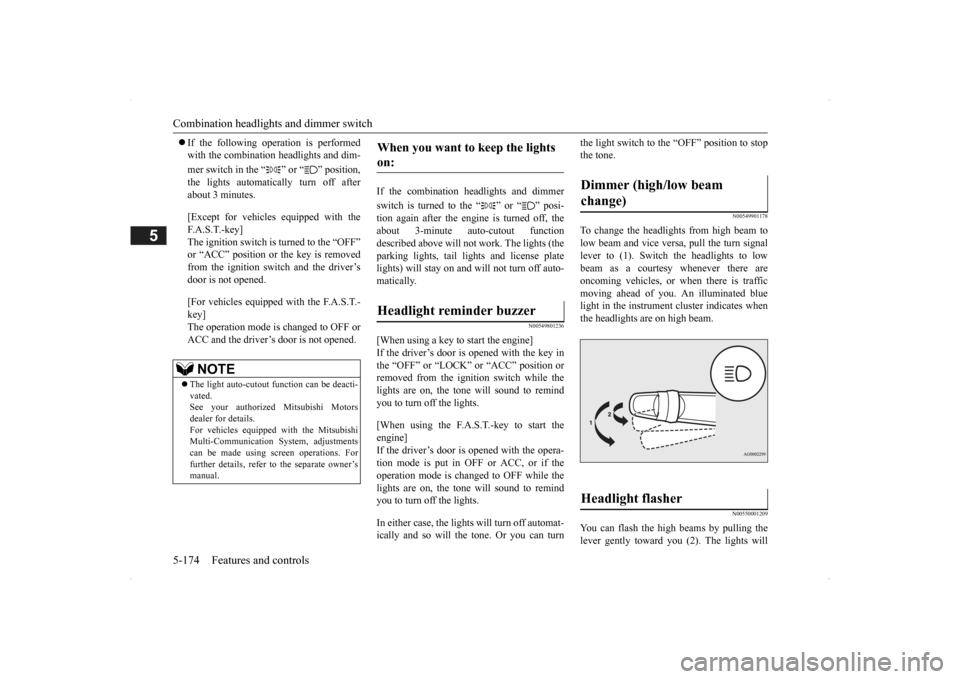
lever to (1). Switch the headlights to low beam as a courtesy whenever there are oncoming vehicles, or when there is traffic moving ahead of you. An illuminated bluelight in the instrument
cluster indicates when
the headlights are on high beam.
N00550001209
You can flash the high beams by pulling the lever gently toward you (2). The lights will
NOTE
The light auto-cutout
function can be deacti-
vated. See your authorized Mitsubishi Motorsdealer for details. For vehicles equipped
with the Mitsubishi
Multi-Communication System, adjustmentscan be made using sc
reen operations. For
further details, refer to the separate owner’s manual.
When you want to keep the lights on: Headlight reminder buzzer
Dimmer (high/low beam change) Headlight flasher
BK0200500US.book 174 ページ 2013年2月12日 火曜日 午前9時46分
Page 253 of 451
Combination headlights and dimmer switch
Features and controls 5-175
5
go back to normal when you let go. While the high beam is on, you will see a blue light onthe instrument panel.
N00563201117
This function turns on
the front side-marker
and parking lights for
about 30 seconds after
the UNLOCK button on the remote controltransmitter is pressed when the combination headlights and dimmer switch is in the “OFF” or “AUTO” position (f
or vehicles equipped
with the automatic light control). On vehicles equipped with the automatic light control (except for vehicles e
quipped with LDW), the
welcome light functi
on will operate only
when it is dark outside the vehicle.
N00547301110
This function turns on the headlights in thelow beam setting for a
bout 30 seconds after
the ignition switch is turned to the “OFF” or“LOCK” position or the operation mode is put in OFF.
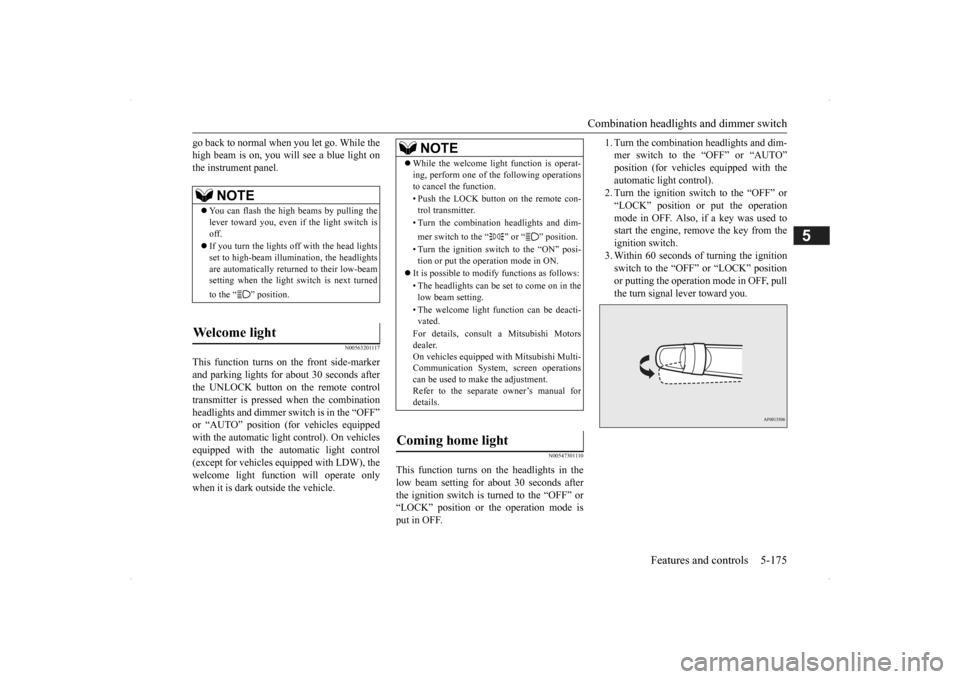
1. Turn the combination headlights and dim- mer switch to the “OFF” or “AUTO”position (for vehicles
equipped with the
automatic light control). 2. Turn the ignition switch to the “OFF” or“LOCK” position or put the operation mode in OFF. Also, if a key was used to start the engine, rem
ove the key from the
ignition switch. 3. Within 60 seconds of turning the ignition switch to the “OFF” or “LOCK” position or putting the operation mode in OFF, pull the turn signal lever toward you.
NOTE
You can flash the high beams by pulling the lever toward you, even if the light switch isoff. If you turn the lights off with the head lights set to high-beam illumi
nation, the headlights
are automatically returned to their low-beam setting when the light
switch is next turned
to the “ ” position.
Welcome light
NOTE
While the welcome light function is operat- ing, perform one of
the following operations
to cancel the function. • Push the LOCK button on the remote con- trol transmitter. • Turn the combination headlights and dim- mer switch to the “ ” or “ ” position. • Turn the ignition switch to the “ON” posi- tion or put the operation mode in ON.
It is possible to modify functions as follows: • The headlights can be set to come on in the low beam setting. • The welcome light f
unction can be deacti-
vated. For details, consult a Mitsubishi Motors dealer. On vehicles equipped
with Mitsubishi Multi-
Communication System, screen operationscan be used to ma
ke the adjustment.
Refer to the separate
owner’s manual for
details.
Coming home light
BK0200500US.book 175 ページ 2013年2月12日 火曜日 午前9時46分
Page 263 of 451
Link System (if so equipped) Features and controls 5-185
5
N00563701066
The Link System takes control of the devices connected via the USB i
nput terminal or the
Bluetooth
® 2.0 interface; the system allows
the connected device to be operated by using the switches in the vehicle or voice com- mands.See the following section for details on how to operate. Refer to “Bluetooth
® 2.0 interface” on page
5-185.Refer to “USB input terminal” on page 5-207. Bluetooth
® is a registered trademark of
BLUETOOTH SIG, INC.
N00563801025
You have acquired a device
that includes soft-
ware licensed to Mitsubishi Motors Corpora-tion from JOHNSON CONTROLS Inc (the automotive experience business unit), and their subsequent 3rd party suppliers. For acomplete list of these
3rd party products and
their end user license agreements, please go to the following website. http://www.jciblueconn
ect.com/faq/fulldis-
closure.pdf
N00563901198
The Bluetooth
® 2.0 interface allows for mak-
ing/receiving hands-free
calls in the vehicle
using a Bluetooth
® compatible cellular
phone. It also allows the user to play music, saved in a Bluetooth
® music player, from the
vehicle’s speakers. The system is equipped
with a voice recogni-
tion function, which allows you to make hands-free calls by simple switch operations and voice command operations using adefined voice tree.
The Bluetooth
® 2.0 interface can be used
when the ignition switch or the operationmode is in ON or ACC. Before you can use the Bluetooth
® 2.0 inter-
face, you must pair the Bluetooth
® device
and Bluetooth
® 2.0 interface. Refer to “Con-
necting the Bluetooth
® 2.0 interface and
Bluetooth
® device” on page 5-192.
Bluetooth
® is a registered trademark of
BLUETOOTH SIG, INC.
Link System
(if so equipped)
Link System End User License Agreement
Bluetooth
® 2.0 interface
(if so
equipped)
WA R N I N G Although the Bluetooth
® 2.0 interface
allows you to make hands-free calls, if youchoose to use the cellular phone while driving, you must not allow yourself to be distracted from the sa
fe operation of your
vehicle. Anything, including cellularphone usage, that distracts you from the safe operation of you
r vehicle increases
your risk of an accident. Refer to and comply
with all state and
local laws in your area regarding cellularphone usage while driving.
BK0200500US.book 185 ページ 2013年2月12日 火曜日 午前9時46分
Page 264 of 451
Bluetooth® 2.0 interface (if so equipped) 5-186 Features and controls
5
Steering control switch and microphone
P.5-186Voice recognition function
P.5-188
Useful voice commands
P.5-189
Speaker enrollment function
P.5-190
Connecting the Bluetooth
® 2.0 interface and
the Bluetooth
® device
P.5-192
Operating a music player connected via Blue- tooth
® P.5-196
How to make or receive hands-free calls
P.5-196Phonebook function
P.5-199
N00564001109
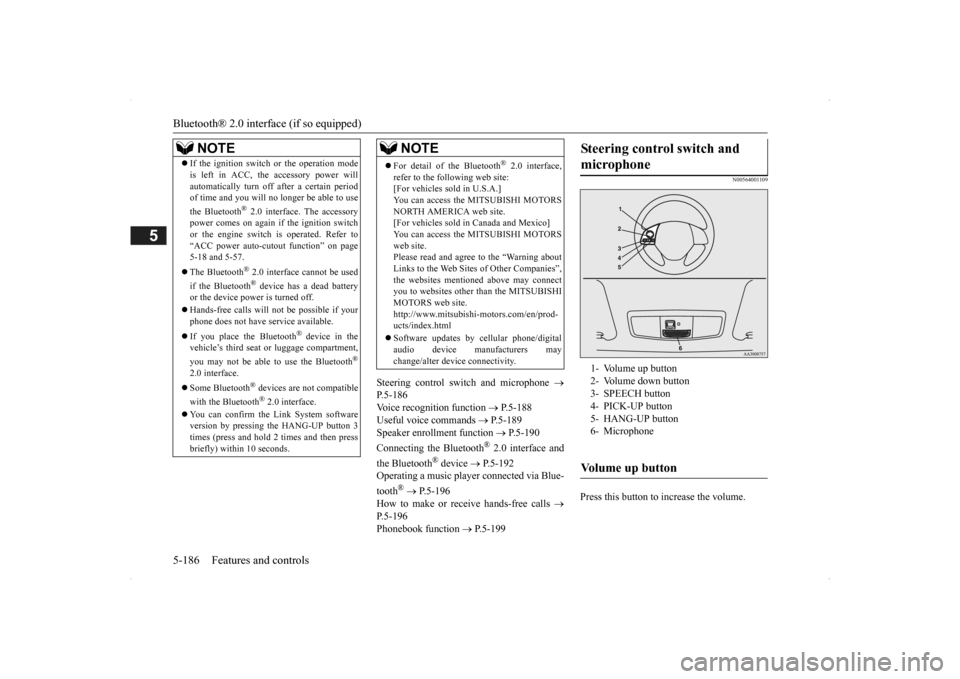
Press this button to increase the volume.
NOTE
If the ignition switch
or the operation mode
is left in ACC, the accessory power willautomatically turn off after a certain periodof time and you will no longer be able to use the Bluetooth
® 2.0 interface. The accessory
power comes on again if
the ignition switch
or the engine switch is operated. Refer to“ACC power auto-cut
out function” on page
5-18 and 5-57. The Bluetooth
® 2.0 interface cannot be used
if the Bluetooth
® device has a dead battery
or the device power is turned off. Hands-free calls
will not be possible if your
phone does not have
service available.
If you place the Bluetooth
® device in the
vehicle’s third seat or
luggage compartment,
you may not be able to
use the Bluetooth
®
2.0 interface. Some Bluetooth
® devices are not compatible
with the Bluetooth
® 2.0 interface.
You can confirm the Link System software version by pressing the HANG-UP button 3times (press and hold 2 times and then press briefly) within 10 seconds.
For detail of the Bluetooth
® 2.0 interface,
refer to the following web site: [For vehicles sold in U.S.A.] You can access the MITSUBISHI MOTORSNORTH AMERICA web site. [For vehicles sold in Canada and Mexico] You can access the MITSUBISHI MOTORSweb site. Please read and agree to the “Warning about Links to the Web Sites of Other Companies”,the websites mentioned above may connect you to websites other
than the MITSUBISHI
MOTORS web site.http://www.mitsubishi-motors.com/en/prod- ucts/index.html Software updates by ce
llular phone/digital
audio device manufacturers may change/alter devi
ce connectivity.
NOTE
Steering control switch and microphone
1- Volume up button 2- Volume down button 3- SPEECH button4- PICK-UP button 5- HANG-UP button 6- MicrophoneVolume up button
BK0200500US.book 186 ページ 2013年2月12日 火曜日 午前9時46分