safe driving MITSUBISHI OUTLANDER 2017 3.G Owner's Guide
[x] Cancel search | Manufacturer: MITSUBISHI, Model Year: 2017, Model line: OUTLANDER, Model: MITSUBISHI OUTLANDER 2017 3.GPages: 521, PDF Size: 14.91 MB
Page 199 of 521
Forward Collision Mitigation System (FCM) (if so equipped) 5-118 Features and controls
5
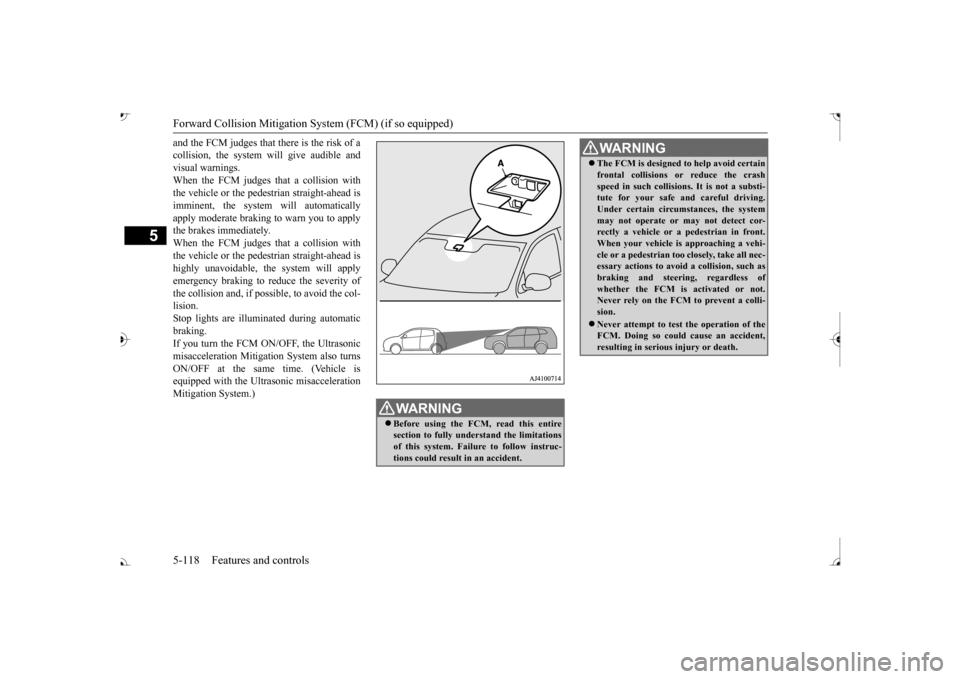
and the FCM judges that there is the risk of a collision, the system
will give audible and
visual warnings. When the FCM judges that a collision with the vehicle or the pedest
rian straight-ahead is
imminent, the system will automatically apply moderate braking to warn you to apply the brakes immediately. When the FCM judges that a collision with the vehicle or the pedest
rian straight-ahead is
highly unavoidable, th
e system will apply
emergency braking to reduce the severity of the collision and, if possible, to avoid the col-lision. Stop lights are illuminated during automatic braking.If you turn the FCM ON/OFF, the Ultrasonic misacceleration Mitigation System also turns ON/OFF at the same time. (Vehicle isequipped with the Ultr
asonic misacceleration
Mitigation System.)
WA R N I N G Before using the FCM, read this entire section to fully understand the limitationsof this system. Failure to follow instruc- tions could result
in an accident.
The FCM is designed
to help avoid certain
frontal collisions or reduce the crashspeed in such collisions. It is not a substi-tute for your safe and careful driving. Under certain circumstances, the system may not operate or may not detect cor-rectly a vehicle or a
pedestrian in front.
When your vehicle is
approaching a vehi-
cle or a pedestri
an too closely, take all nec-
essary actions to avoid
a collision, such as
braking and
steering, regardless of
whether the FCM is
activated or not.
Never rely on the FCM to prevent a colli- sion. Never attempt to test the operation of the FCM. Doing so could cause an accident, resulting in seriou
s injury or death.
WA R N I N G
BK0239700US.book 118 ページ 2016年6月16日 木曜日 午前10時58分
Page 209 of 521
Ultrasonic misacceleration Miti
gation System (if so equipped)
5
On vehicles equipped with the Fo
rward Collision Mitigation System (FCM), when th
e FCM system is turned on/off, the Ultrasonic m
isaccelera-
tion Mitigation System is also turned on/off simultaneously.
Situation
Operation display
Buzzer
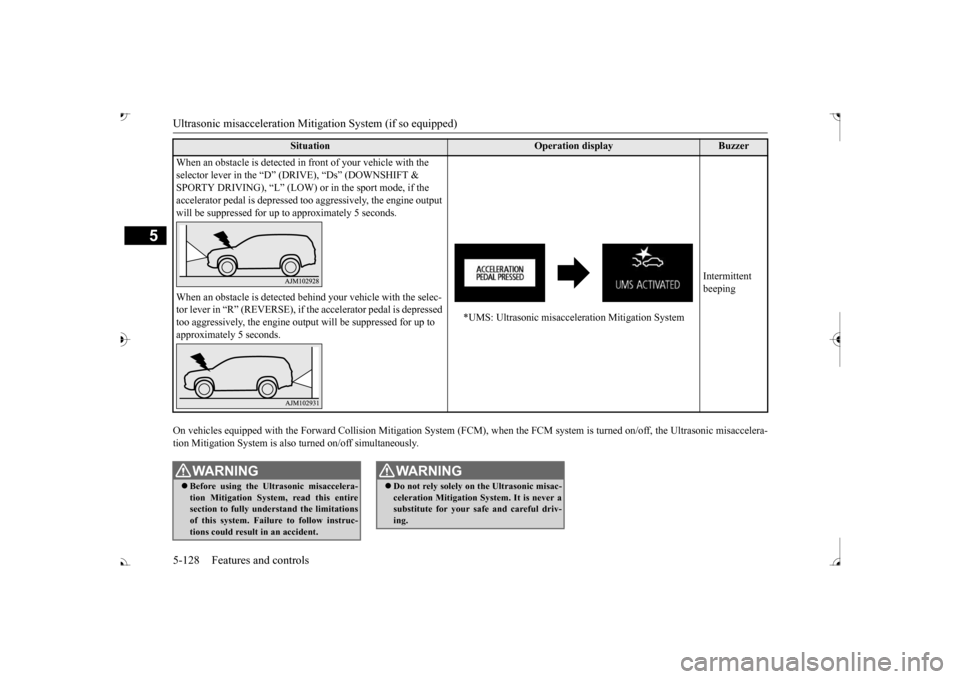
When an obstacle is detected in
front of your vehicle with the
selector lever in the “D” (D
RIVE), “Ds” (DOWNSHIFT &
SPORTY DRIVING), “L” (LOW) or
in the sport mode, if the
accelerator pedal is depressed t
oo aggressively, the engine output
will be suppressed for up to
approximately 5 seconds.
*UMS: Ultrasonic misacceleration Mitigation System
Intermittent beeping
When an obstacle is de
tected behind your vehicle with the selec-
tor lever in “R” (REVERSE), if the accelerator pedal is depressed too aggressively, the engine out
put will be suppressed for up to
approximately 5 seconds.
WA R N I N G Before using the Ultrasonic misaccelera- tion Mitigation System, read this entire section to fully understand the limitations of this system. Failure to follow instruc-tions could result in an accident.
Do not rely solely on the Ultrasonic misac- celeration Mitigation Sy
stem. It is never a
substitute for your safe and careful driv- ing.WA R N I N G
BK0239700US.book 128 ページ 2016年6月16日 木曜日 午前10時58分
Page 213 of 521
Blind Spot Warning (BSW) (with Lane Change Assist) (if so equipped)
5
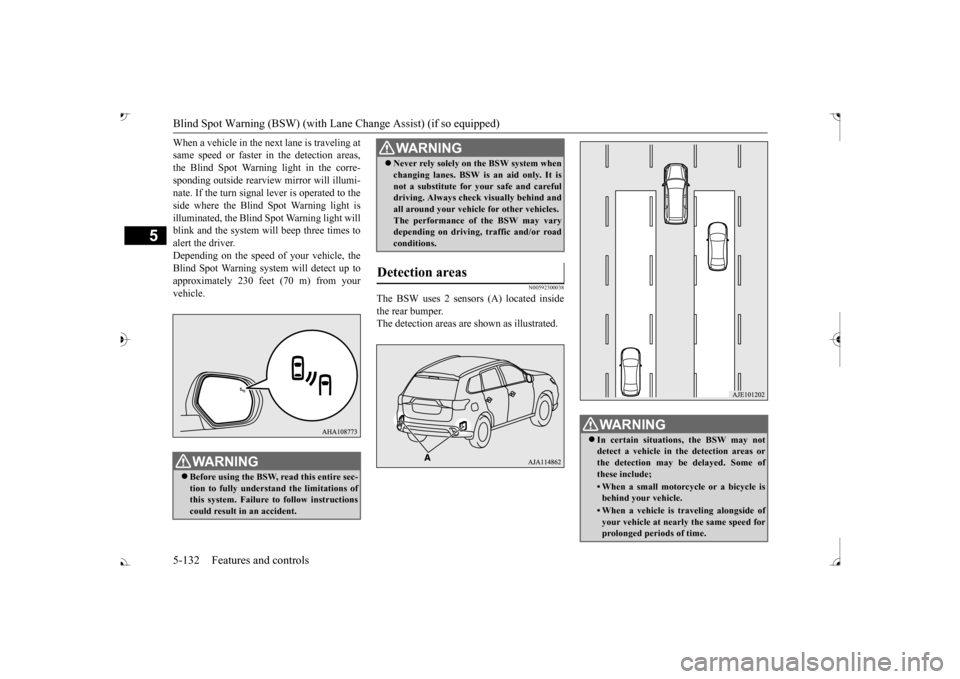
When a vehicle in the next lane is traveling at same speed or faster in the detection areas,the Blind Spot Warning light in the corre- sponding outside rearview
mirror will illumi-
nate. If the turn signal lever is operated to theside where the Blind Spot Warning light is illuminated, the Blind
Spot Warning light will
blink and the system will beep three times toalert the driver. Depending on the speed of your vehicle, the Blind Spot Warning system will detect up to approximately 230 feet (70 m) from your vehicle.
N00592300038
The BSW uses 2 sensors (A) located inside the rear bumper. The detection areas are
shown as illustrated.
WA R N I N GBefore using the BSW, read this entire sec- tion to fully understand the limitations ofthis system. Failure to follow instructions could result in an accident.
Never rely solely on the BSW system when changing lanes. BSW is an aid only. It isnot a substitute for your safe and carefuldriving. Always check
visually behind and
all around your vehicl
e for other vehicles.
The performance of the BSW may varydepending on driving, traffic and/or road conditions.
Detection areas
WA R N I N G
WA R N I N G In certain situations, the BSW may not detect a vehicle in the detection areas or the detection may be delayed. Some ofthese include;• When a small motorcycle or a bicycle isbehind your vehicle.• When a vehicle is
traveling alongside of
your vehicle at nearly
the same speed for
prolonged periods of time.
BK0239700US.book 132 ページ 2016年6月16日 木曜日 午前10時58分
Page 218 of 521
Rear Cross Traffic Alert
(RCTA) (if so equipped)
Features and controls 5-137
5
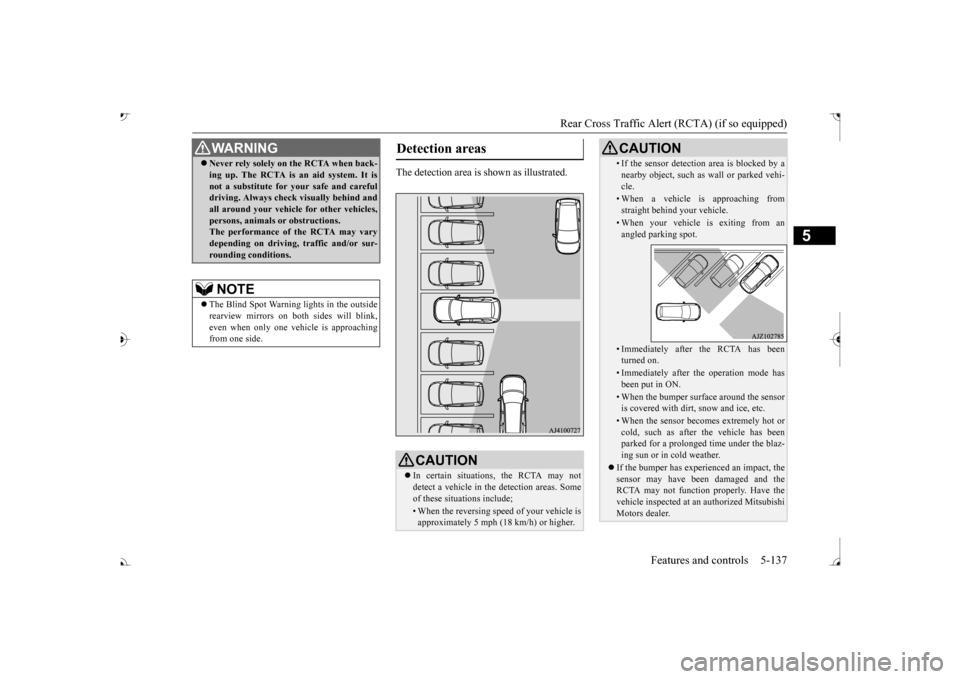
The detection area is shown as illustrated.
Never rely solely on the RCTA when back- ing up. The RCTA is an aid system. It isnot a substitute for your safe and carefuldriving. Always check
visually behind and
all around your vehicl
e for other vehicles,
persons, animals
or obstructions.
The performance of the RCTA may vary depending on driving,
traffic and/or sur-
rounding conditions.NOTE
The Blind Spot Warning lights in the outside rearview mirrors on bot
h sides will blink,
even when only one vehicle is approaching from one side.WA R N I N G
Detection areas
CAUTION In certain situations, the RCTA may not detect a vehicle in the detection areas. Some of these situations include;• When the reversing sp
eed of your vehicle is
approximately 5 mph (18 km/h) or higher.
• If the sensor detection area is blocked by a nearby object, such as
wall or parked vehi-
cle.• When a vehicle is approaching fromstraight behind your vehicle.• When your vehicle is exiting from anangled parking spot.• Immediately after the RCTA has been turned on.• Immediately after the operation mode hasbeen put in ON.• When the bumper surface around the sensoris covered with dirt
, snow and ice, etc.
• When the sensor becomes extremely hot or cold, such as after the vehicle has been parked for a prolonged time under the blaz-ing sun or in cold weather.
If the bumper has experienced an impact, the sensor may have be
en damaged and the
RCTA may not function properly. Have the vehicle inspected at an
authorized Mitsubishi
Motors dealer.CAUTION
BK0239700US.book 137 ページ 2016年6月16日 木曜日 午前10時58分
Page 220 of 521
Lane Departure Warning System (LDW) (if so equipped)
Features and controls 5-139
5
N00577900059
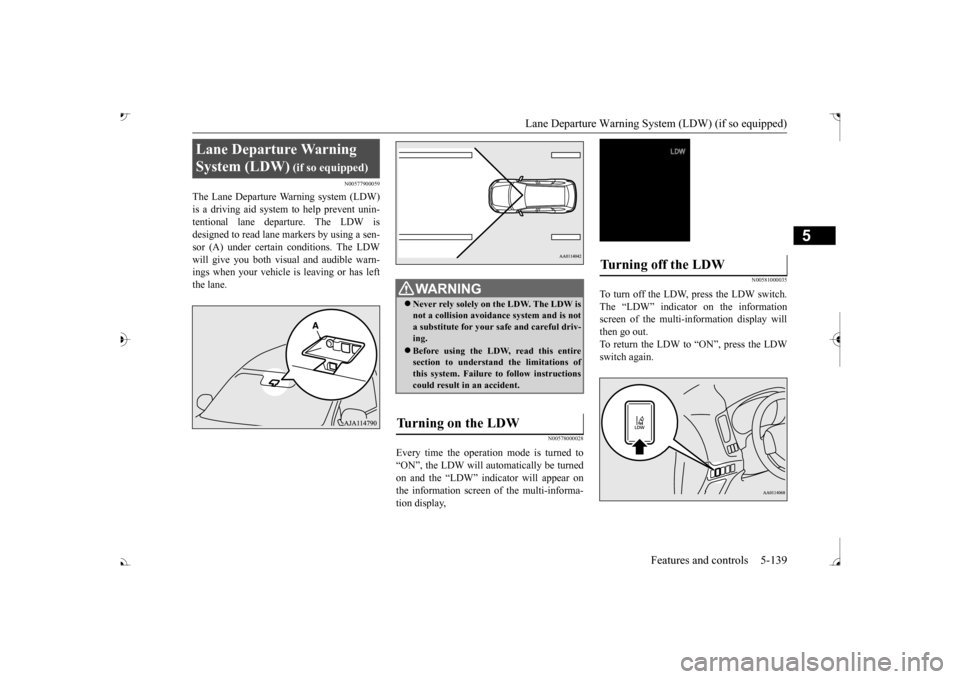
The Lane Departure Warning system (LDW) is a driving aid system to help prevent unin- tentional lane departure. The LDW isdesigned to read lane markers by using a sen- sor (A) under certain conditions. The LDW will give you both visual
and audible warn-
ings when your vehicle
is leaving or has left
the lane.
N00578000028
Every time the operation mode is turned to“ON”, the LDW will automatically be turned on and the “LDW” indica
tor will appear on
the information screen of the multi-informa- tion display,
N00581000035
To turn off the LDW, press the LDW switch. The “LDW” indicator on the informationscreen of the multi-in
formation display will
then go out. To return the LDW to “ON”, press the LDWswitch again.
Lane Departure Warning System (LDW)
WA R N I N G Never rely solely on the LDW. The LDW is not a collision avoidance system and is nota substitute for your safe and careful driv- ing. Before using the LDW, read this entire section to understand the limitations of this system. Failure to follow instructionscould result in an accident.
Turning on the LDW
Turning off the LDW
BK0239700US.book 139 ページ 2016年6月16日 木曜日 午前10時58分
Page 224 of 521
Tire pressure monitoring system
Features and controls 5-143
5
N00532701334
When the ignition switch is turned to the “ON” position or the operation mode is put inON, the tire pressure monitoring system
warning light normally
illuminates and goes
off a few seconds later. If one or more of the vehicle tires (except for the spare tire) is signi
ficantly under-inflated,
the warning light will remain illuminated while the ignition switch is in the “ON” posi-tion or the operation mode is put in ON. Refer to “If the warning light / display illumi- nates while driving” on page 5-144 and takethe necessary measures.
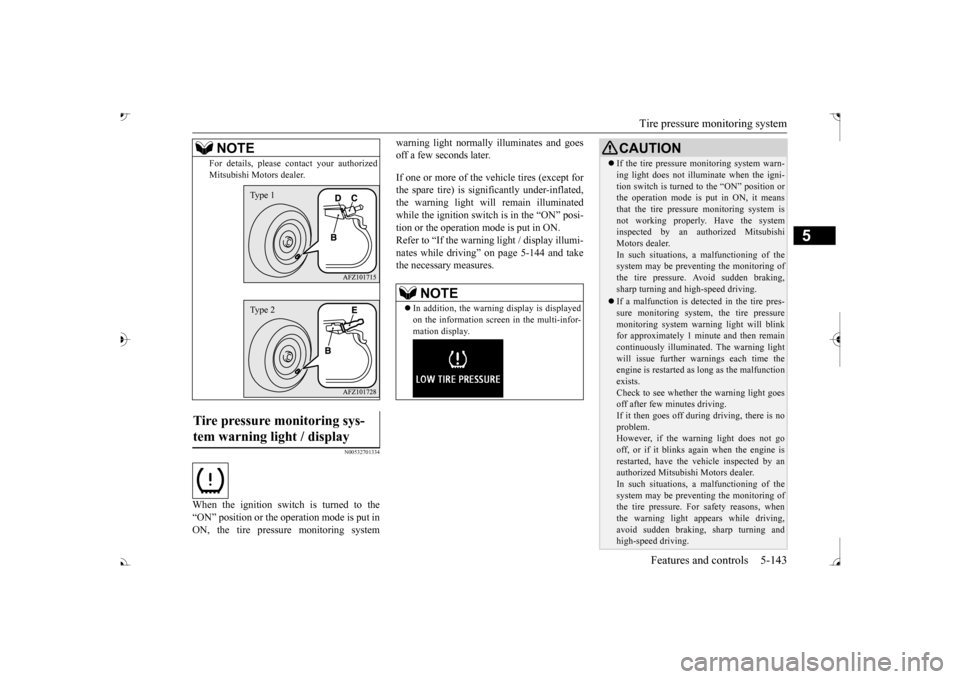
For details, please
contact your authorized
Mitsubishi Motors dealer.
Tire pressure monitoring sys- tem warning light / display
NOTE
Type 1Type 2
NOTE
In addition, the warni
ng display is displayed
on the information screen in the multi-infor-mation display.
CAUTION If the tire pressure monitoring system warn- ing light does not illumi
nate when the igni-
tion switch is turned to the “ON” position orthe operation mode is put in ON, it means that the tire pressure monitoring system is not working properly. Have the systeminspected by an authorized Mitsubishi Motors dealer. In such situations, a malfunctioning of thesystem may be preventing the monitoring of the tire pressure. Avoid sudden braking, sharp turning and high-speed driving. If a malfunction is detected in the tire pres- sure monitoring system, the tire pressuremonitoring system warning light will blink for approximately 1 mi
nute and then remain
continuously illuminate
d. The warning light
will issue further warnings each time the engine is restarted as
long as the malfunction
exists.Check to see whether the warning light goes off after few minutes driving. If it then goes off during driving, there is noproblem. However, if the warning light does not go off, or if it blinks again when the engine isrestarted, have the
vehicle inspected by an
authorized Mitsubish
i Motors dealer.
In such situations, a malfunctioning of thesystem may be preventing the monitoring of the tire pressure. For safety reasons, when the warning light appears while driving,avoid sudden braking, sharp turning and high-speed driving.
BK0239700US.book 143 ページ 2016年6月16日 木曜日 午前10時58分
Page 225 of 521
Tire pressure monitoring system 5-144 Features and controls
5
Each tire, including the spare (if provided), should be checked monthly when cold and inflated to the inflation pressure recom-mended by the vehicle manufacturer on the vehicle placard or tire
inflation pressure label.
(If your vehicle has tires of a different sizethan the size indicated on the vehicle placard or tire inflation pressure label, you should determine the proper ti
re inflation pressure
for those tires.) As an added safety feature, your vehicle has been equipped with a tire pressure monitoringsystem (TPMS) that illuminates a low tire pressure telltale when
one or more of your
tires is significant
ly under-inflated.
Accordingly, when the low tire pressure tell- tale illuminates, you should stop and check your tires as soon as possible, and inflatethem to the proper pressure. Driving on a sig- nificantly under-inflated
tire causes the tire to
overheat and can lead
to tire failure.
Under-inflation also reduces fuel efficiency and tire tread life, and may affect the vehi-cle’s handling and stoppi
ng ability. Please
note that the TPMS is
not a substitute for
proper tire maintenance,
and it is the driver’s
responsibility to
maintain corre
ct tire pres-
sure, even if under-inflation has not reached the level to trigger illumination of the TPMSlow tire pressure telltale. Your vehicle has also
been equipped with a
TPMS malfunction indica
tor to indicate when
the system is not operating properly. The TPMS malfunction indicator is combined with the low tire pressure telltale.When the system detects a malfunction, the telltale will flash for approximately one min- ute and then remain c
ontinuously illuminated.
This sequence will c
ontinue upon subsequent
vehicle start-ups as long as the malfunction exists.When the malfunction indicator is illumi- nated, the system may not
be able to detect or
signal low tire pr
essure as intended.
TPMS malfunctions may
occur for a variety
of reasons, including the installation of replacement or alternate tires or wheels on thevehicle that prevent the TPMS from function- ing properly. Always
check the TPMS mal-
function telltale after replacing one or moretires or wheels on your vehicle to ensure that the replacement or alternate tires and wheels
allow the TPMS to continue to function prop- erly.
N00532801511
1. If the tire pressure monitoring systemwarning light illuminates, avoiding hard braking, sharp steering maneuvers and high speeds. You should stop and adjust the tires to the proper inflation pressure as soon as possible. Adjust the spare tire atthe same time. Refer to “Tires” on page 9-15.
NOTE
In addition, the warni
ng display is displayed
on the information screen in the multi-infor-mation display.
If the warning light / display illuminates while driving
NOTE
In addition, the warni
ng display is displayed
on the information screen in the multi-infor- mation display. When inspecting or adjusting the tire pres- sure, do not apply excessive force to the valve stem to
avoid breakage.
After inspecting or adjusting the tire pres- sure, always reinstall the valve cap on thevalve stem. Without the valve cap, di
rt or moisture could
get into the valve, resulting in damage to thetire inflation pressure sensor. Do not use metal valve caps, which may cause a metal reaction,
resulting in corrosion
and damage of the tire
inflation pressure sen-
sors.
BK0239700US.book 144 ページ 2016年6月16日 木曜日 午前10時58分
Page 236 of 521
Multi Around Monitor (if so equipped)
Features and controls 5-155
5
N00587300027
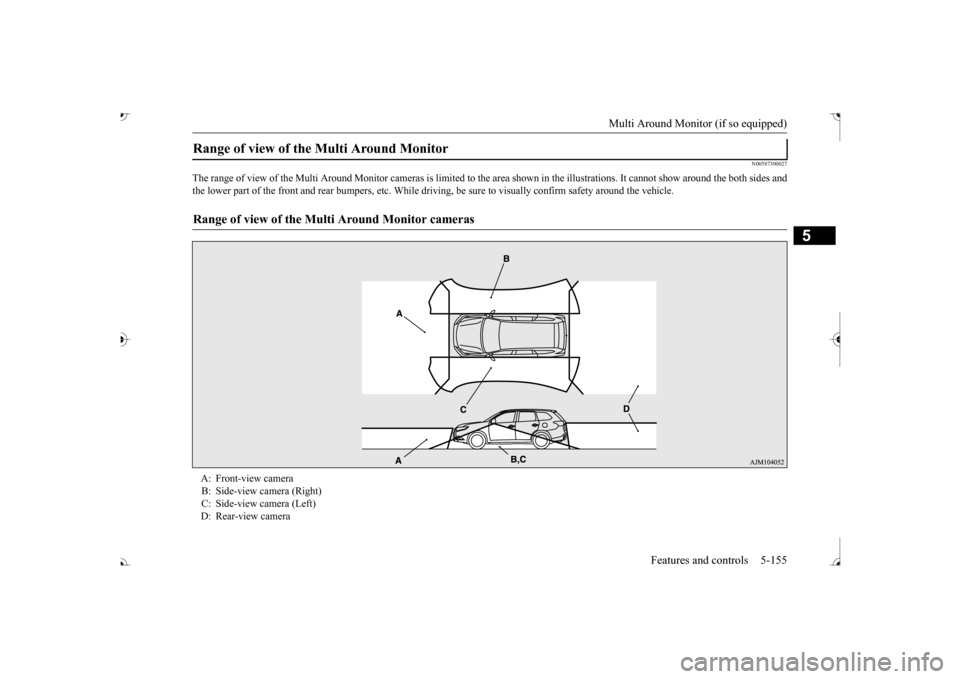
The range of view of the Multi Around Moni
tor cameras is limited to the area shown
in the illustrations. It cannot show around
the both sides and
the lower part of the front and rear bum
pers, etc. While
driving, be sure to visually
confirm safety around the vehicle.
Range of view of the Multi Around Monitor
Range of view of the Multi Around Monitor cameras
A: Front-view camera B: Side-view camera (Right) C: Side-view camera (Left)
BK0239700US.book 155 ページ 2016年6月16日 木曜日 午前10時58分
Page 245 of 521
Multi Information display - Type 1 5-164 Features and controls
5
N00554901248
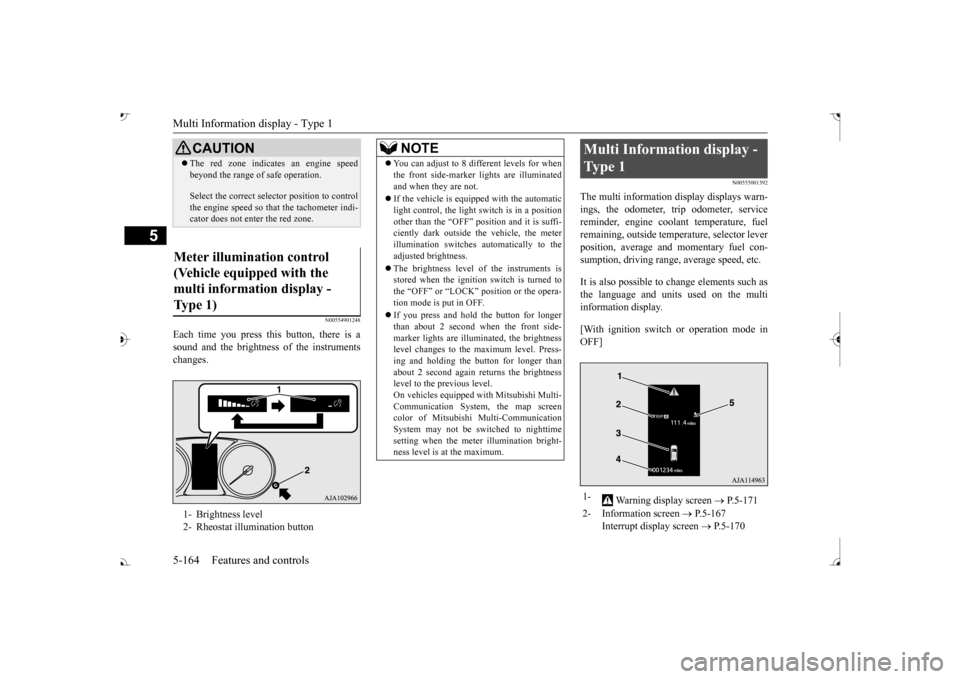
Each time you press this button, there is a sound and the brightness of the instruments changes.
N00555001392
The multi information display displays warn- ings, the odometer, trip odometer, service reminder, engine cool
ant temperature, fuel
remaining, outside temper
ature, selector lever
position, average and momentary fuel con- sumption, driving range, average speed, etc. It is also possible to change elements such as the language and units used on the multi information display. [With ignition switch or operation mode in OFF]
CAUTION The red zone indicate
s an engine speed
beyond the range of
safe operation.
Select the correct selector position to control the engine speed so that
the tachometer indi-
cator does not ente
r the red zone.
Meter illumination control (Vehicle equipped with the multi information display - Type 1) 1- Brightness level 2- Rheostat illumination button
NOTE
You can adjust to 8 different levels for when the front side-marker
lights are illuminated
and when they are not. If the vehicle is equi
pped with the automatic
light control, the light switch is in a positionother than the “OFF” position and it is suffi- ciently dark outside th
e vehicle, the meter
illumination switches automatically to theadjusted brightness. The brightness level of the instruments is stored when the ignition switch is turned to the “OFF” or “LOCK”
position or the opera-
tion mode is put in OFF. If you press and hold the button for longer than about 2 second when the front side-marker lights are illumi
nated, the brightness
level changes to the maximum level. Press- ing and holding the button for longer thanabout 2 second again returns the brightness level to the previous level. On vehicles equipped
with Mitsubishi Multi-
Communication System
, the map screen
color of Mitsubishi Multi-Communication System may not be sw
itched to nighttime
setting when the meter illumination bright- ness level is at the maximum.
Multi Information display - Type 1 1-
Warning display screen
P.5-171
2- Information screen
P.5-167
Interrupt display screen
P.5-170
BK0239700US.book 164 ページ 2016年6月16日 木曜日 午前10時58分
Page 251 of 521
Multi Information display - Type 1 5-170 Features and controls
5
N00556301233
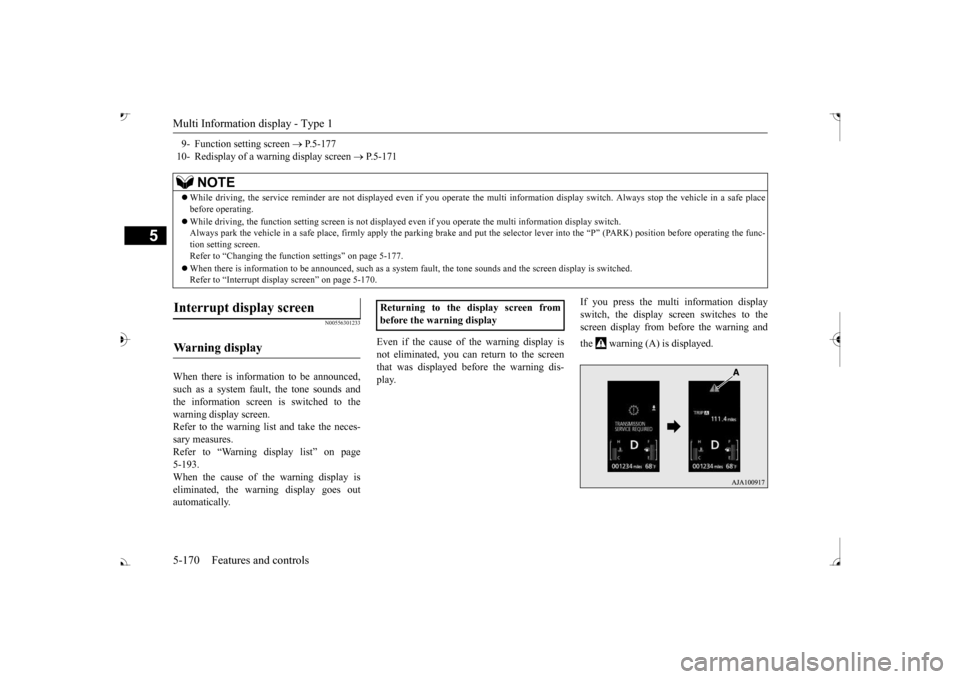
When there is information to be announced, such as a system fault, the tone sounds and the information screen is switched to the warning display screen.Refer to the warning li
st and take the neces-
sary measures. Refer to “Warning di
splay list” on page
5-193. When the cause of the warning display is eliminated, the warn
ing display goes out
automatically.
Even if the cause of the warning display is not eliminated, you can return to the screenthat was displayed be
fore the warning dis-
play.
If you press the multi information display switch, the display screen switches to the screen display from before the warning and the warning (A) is displayed.
9- Function setting screen
P.5-177
10- Redisplay of a warning display screen
P.5-171
NOTE
While driving, the service reminder are not
displayed even if you operate the multi in
formation display switch. Always stop the
vehicle in a safe place
before operating. While driving, the function se
tting screen is not displayed even if you ope
rate the multi inform
ation display switch.
Always park the vehicle in a sa
fe place, firmly apply the park
ing brake and put the selector le
ver into the