ECO mode MITSUBISHI OUTLANDER III 2018 Owners Manual
[x] Cancel search | Manufacturer: MITSUBISHI, Model Year: 2018, Model line: OUTLANDER III, Model: MITSUBISHI OUTLANDER III 2018Pages: 441, PDF Size: 13.71 MB
Page 295 of 441
Combination headlights and dimmer switch5-214 Features and controls
5
N00593800027
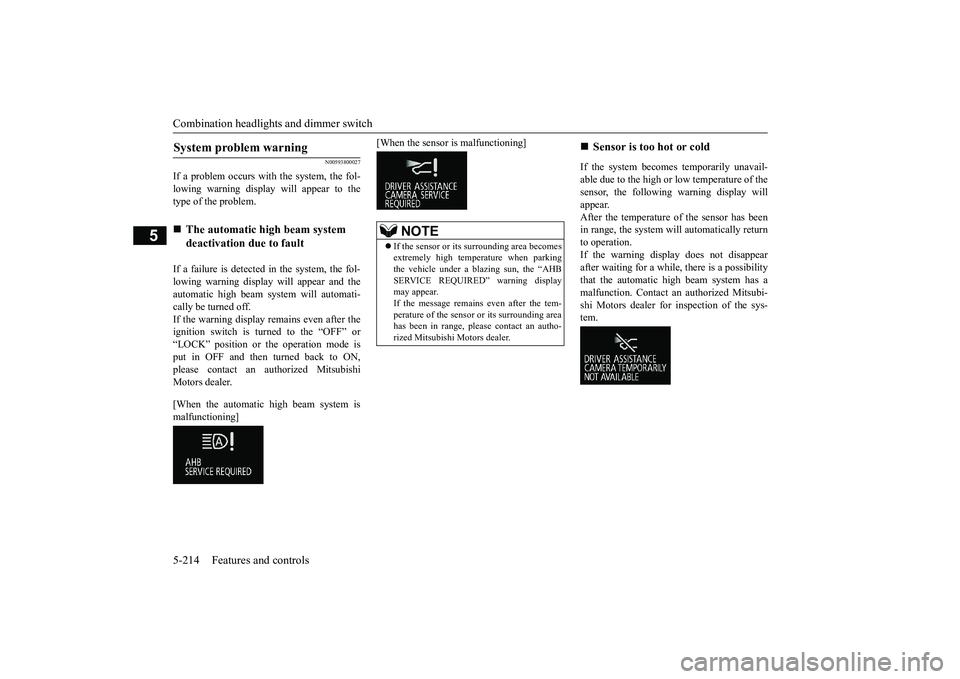
If a problem occurs with the system, the fol-lowing warning display will appear to thetype of the problem.If a failure is detected in the system, the fol-lowing warning display
will appear and the
automatic high beam system will automati-cally be turned off.If the warning display remains even after theignition switch is turned to the “OFF” or“LOCK” position or the operation mode isput in OFF and then turned back to ON,please contact an au
thorized Mitsubishi
Motors dealer.[When the automatic high beam system ismalfunctioning]
[When the sensor is malfunctioning]
If the system becomes temporarily unavail-able due to the high or low temperature of thesensor, the following warning display willappear.After the temperature of
the sensor has been
in range, the system will automatically returnto operation.If the warning display does not disappearafter waiting for a while, there is a possibilitythat the automatic high beam system has amalfunction. Contact an
authorized Mitsubi-
shi Motors dealer for inspection of the sys-tem.
System problem warning
The automatic high beam system deactivation due to fault
NOTE
If the sensor or its surrounding area becomesextremely high temperature when parkingthe vehicle under a blazing sun, the “AHBSERVICE REQUIRED” warning displaymay appear.If the message remains even after the tem-perature of the sensor or its surrounding areahas been in range, plea
se contact an autho-
rized Mitsubishi Motors dealer.
Sensor is too hot or cold
BK0249100US.book 214 ページ 2017年5月10日 水曜日 午前8時49分
Page 296 of 441
Combination headlights and dimmer switch
Features and controls 5-215
5
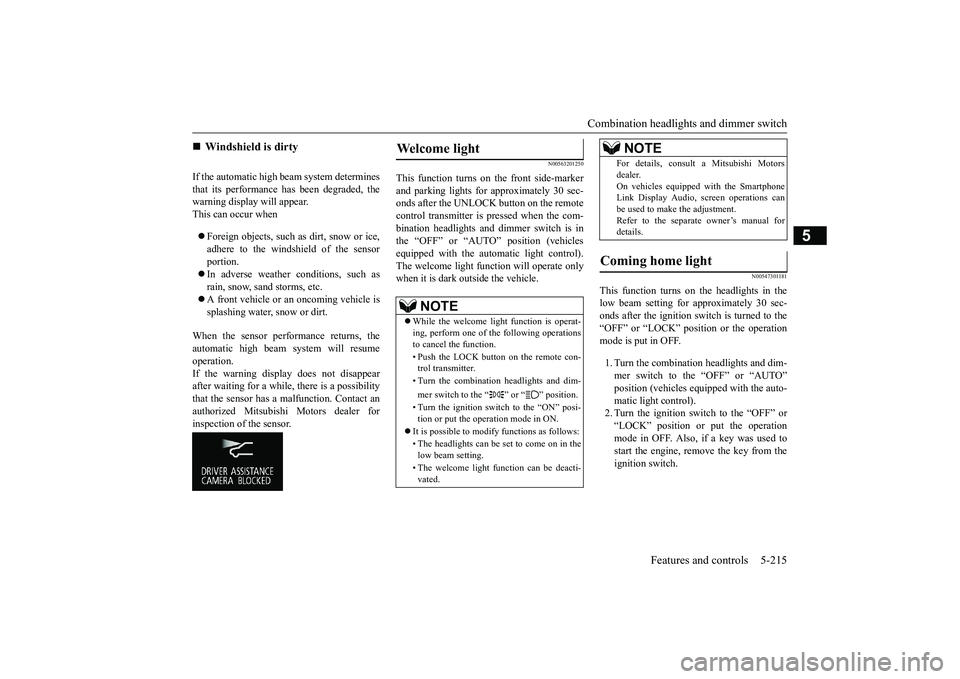
If the automatic high beam system determinesthat its performance has been degraded, thewarning display will appear.This can occur whenForeign objects, such as dirt, snow or ice,adhere to the windshield of the sensorportion.In adverse weather conditions, such asrain, snow, sand storms, etc.A front vehicle or an oncoming vehicle issplashing water, snow or dirt.
When the sensor performance returns, theautomatic high beam system will resumeoperation.If the warning display does not disappearafter waiting for a while, there is a possibilitythat the sensor has a
malfunction. Contact an
authorized Mitsubishi Motors dealer forinspection of the sensor.
N00563201250
This function turns on the front side-markerand parking lights for approximately 30 sec-onds after the UNLOCK button on the remotecontrol transmitter is pressed when the com-bination headlights and dimmer switch is inthe “OFF” or “AUTO” position (vehiclesequipped with the automatic light control).The welcome light func
tion will operate only
when it is dark outside the vehicle.
N00547301181
This function turns on the headlights in thelow beam setting for approximately 30 sec-onds after the ignition switch is turned to the“OFF” or “LOCK” position or the operationmode is put in OFF.1. Turn the combination headlights and dim-mer switch to the “OFF” or “AUTO”
pped with the auto-
matic light control).2. Turn the ignition switch to the “OFF” or“LOCK” position or put the operationmode in OFF. Also, if a key was used tostart the engine, rem
ove the key from the
ignition switch.
Windshield is dirty
Welcome light
NOTE
While the welcome light function is operat-ing, perform one of
the following operations
to cancel the function.• Push the LOCK button on the remote con-trol transmitter.• Turn the combination headlights and dim-mer switch to the “ ” or “ ” position.• Turn the ignition switch to the “ON” posi-tion or put the operation mode in ON.
It is possible to modify functions as follows:• The headlights can be set to come on in thelow beam setting.• The welcome light f
unction can be deacti-
vated.
For details, consult a Mitsubishi Motorsdealer.On vehicles equipped with the SmartphoneLink Display Audio, sc
reen operations can
be used to make the adjustment.Refer to the separate owner’s manual fordetails.
Coming home light
NOTE
BK0249100US.book 215 ページ 2017年5月10日 水曜日 午前8時49分
Page 297 of 441
Headlight leveling swit
ch (if so equipped)
5-216 Features and controls
5
3. Within 60 seconds of turning the ignitionswitch to the “OFF” or “LOCK” positionor putting the operation mode in OFF, pullthe turn signal lever toward you.4. The headlights will come on in the lowbeam setting for approximately 30 sec-onds. After the headlights go off, theheadlights can be turned on again in thelow beam setting for approximately 30seconds by pulling the turn signal levertoward you within 60 seconds of turningthe ignition switch to the “OFF” or“LOCK” position or putting the operationmode in OFF. To turn on the headlightsagain after 60 seconds of turning the igni-tion switch to the “OFF” or “LOCK”position or putting th
e operation mode in
OFF, repeat the process from step 1.
N00537101115
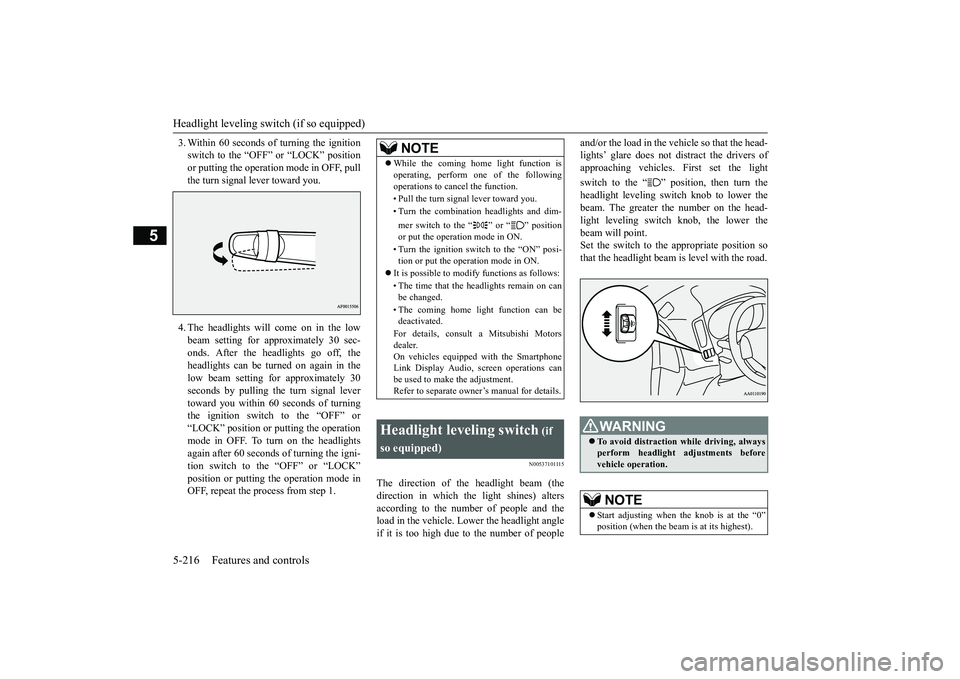
The direction of the headlight beam (thedirection in which th
e light shines) alters
according to the number of people and theload in the vehicle. Lo
wer the headlight angle
if it is too high due to the number of people
and/or the load in the vehicle so that the head-lights’ glare does not distract the drivers ofapproaching vehicles. First set the lightswitch to the “ ” position, then turn theheadlight leveling switch knob to lower thebeam. The greater the number on the head-light leveling switch knob, the lower thebeam will point.Set the switch to the appropriate position sothat the headlight beam is level with the road.
NOTE
While the coming home light function isoperating, perform one of the followingoperations to canc
el the function.
• Pull the turn signal lever toward you.• Turn the combination headlights and dim-mer switch to the “ ” or “ ” positionor put the operation mode in ON.• Turn the ignition switch to the “ON” posi-tion or put the opera
tion mode in ON.
It is possible to modify functions as follows:• The time that the headlights remain on canbe changed.• The coming home light function can bedeactivated.For details, consult a Mitsubishi Motorsdealer.On vehicles equipped with the SmartphoneLink Display Audio, sc
reen operations can
be used to make the adjustment.Refer to separate owne
r’s manual for details.
Headlight leveling switch
(if
so equipped)
WA R N I N GTo avoid distraction wh
ile driving, always
perform headlight adjustments beforevehicle operation.NOTE
Start adjusting when the knob is at the “0”
is at its highest).
BK0249100US.book 216 ページ 2017年5月10日 水曜日 午前8時49分
Page 299 of 441
Hazard warning flasher switch5-218 Features and controls
5
N00522701328
If you press the flasher switch, the front andrear turn signals will flash intermittently, andso will the hazard warn
ing lights. This is an
emergency warning syst
em and should not be
used when the vehicle is in motion, except foremergencies.If you need to leave your vehicle, the flasherswill keep working afte
r the ignition switch is
removed or the operation mode is put in OFF.
N00579300044
ECO mode is an eco-driving support systemwhich automatically cont
rols the engine, air
conditioning system,
4WD system (if so
equipped) and S-AWC (if so equipped) toimprove fuel efficiency.Refer to Electronically
controlled 4WD sys-
tem” on page 5-82.Refer to “S-AWC (Super-All Wheel Con-trol)” on page 5-85.Refer to “Dual-zone automatic climate con-trol air conditioner” on page 7-5.The ECO mode starts
working by pressing
the ECO mode switch when the ignitionswitch or operation mode is in ON.Push the switch again and the ECO mode willcancel.While the ECO mode is working, an ECOmode indicator will be turned on.
N00522801420
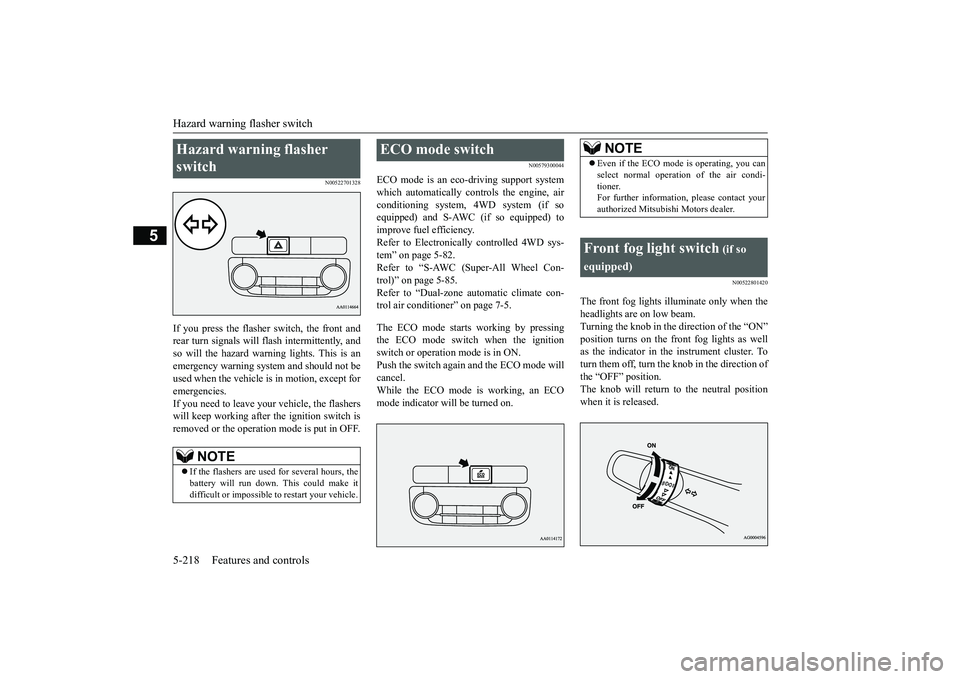
The front fog lights illuminate only when theheadlights are on low beam.Turning the knob in the direction of the “ON”position turns on the front fog lights as wellas the indicator in the instrument cluster. Toturn them off, turn the knob in the direction ofthe “OFF” position.The knob will return to the neutral positionwhen it is released.
Hazard warning flasher switch
NOTE
If the flashers are used for several hours, thebattery will run down.
This could make it
difficult or impossible
to restart your vehicle.
ECO mode switch
NOTE
Even if the ECO mode is operating, you canselect normal operati
on of the air condi-
tioner.For further information, please contact yourauthorized Mitsubishi Motors dealer.
Front fog light switch
(if so
equipped)
BK0249100US.book 218 ページ 2017年5月10日 水曜日 午前8時49分
Page 304 of 441
Wiper and washer switch
Features and controls 5-223
5
N00504601400
The windshield washer can be operated withthe ignition switch or the operation mode inON or ACC.The washer fluid will be sprayed onto thewindshield by pulling th
e lever toward you.
When the wipers are not in operation or inintermittent operation,
by pulling the lever
toward you, the wipers will operate severaltimes while the washer fluid is being sprayed.
By releasing the lever soon after pulling ittoward you, the washer
fluid will be sprayed
several times while the wipers are operatingseveral times.Intelligent washer will stop operating withany operation of the lever.
N00523201463
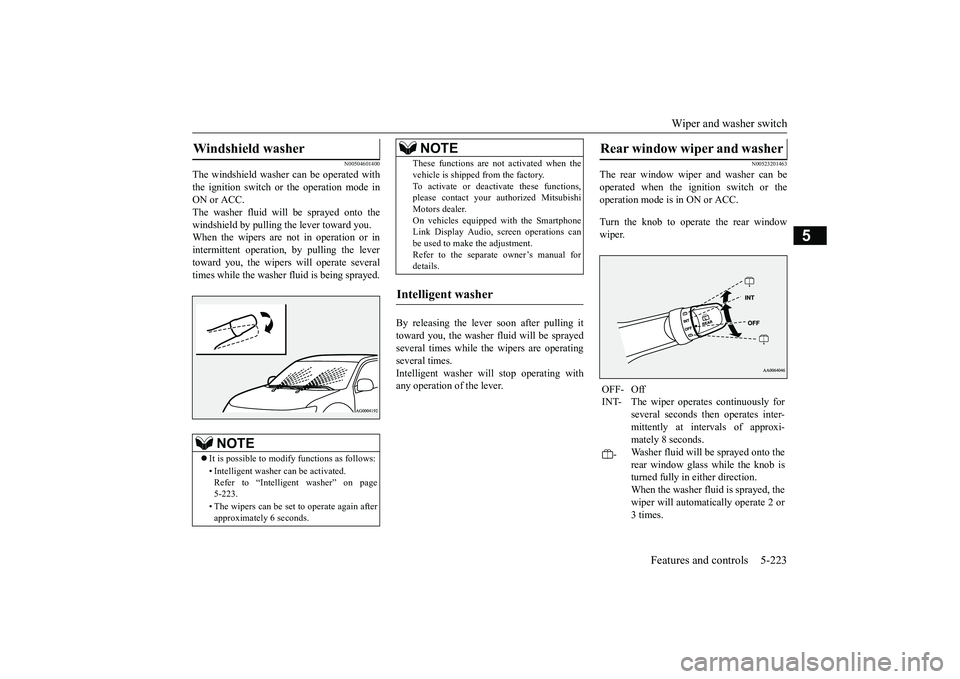
The rear window wiper and washer can beoperated when the ignition switch or theoperation mode is in ON or ACC.Turn the knob to operate the rear windowwiper.
Windshield washer
NOTE
It is possible to modify functions as follows:• Intelligent washer
can be activated.
Refer to “Intelligent washer” on page5-223.• The wipers can be set
to operate again after
approximately 6 seconds.
These functions are not activated when thevehicle is shipped from the factory.To activate or deacti
vate these functions,
please contact your authorized MitsubishiMotors dealer.On vehicles equippe
d with the Smartphone
Link Display Audio, sc
reen operations can
be used to make the adjustment.Refer to the separate
owner’s manual for
details.
Intelligent washer
NOTE
Rear window wiper and washer OFF- OffINT- The wiper operates continuously for
several seconds then operates inter-mittently at intervals of approxi-mately 8 seconds.
-
Washer fluid will be sprayed onto therear window glass while the knob isturned fully in either direction.When the washer fluid is sprayed, thewiper will automatically operate 2 or3 times.
BK0249100US.book 223 ページ 2017年5月10日 水曜日 午前8時49分
Page 305 of 441
Wiper deicer switch (if so equipped)5-224 Features and controls
5
N00523501277
N00584400027
The electric rear window defogger switch canbe operated when the engine is running.
NOTE
The rear window wipe
r will automatically
perform several conti
nuous operations if the
selector lever is put in the “R” position whilethe windshield wipers
or the rear window
wiper is operating.(a
utomatic operation
mode)After the automatic operation, the rear win-dow wiper will stop operating if the knob isin the “OFF” position. If the knob is in the“INT” position, the re
ar window wiper will
return to the intermittent operation.It is possible to set the rear window wiper toperform the automatic operation only if theselector lever is put in the “R” position whilethe rear window wiper
is operating with the
knob in the “INT” position.See your authorized Mitsubishi Motorsdealer for details.If the knob is in the “OFF” position, turn theknob to the “INT” position twice quickly tooperate the rear window
wiper continuously.
(continuous ope
ration mode)
Turn the knob to the “OFF” position to stopthe rear window wipe
r continuous operation.
The wiper intermittent
operation time can be
adjusted.See your authorized Mitsubishi Motorsdealer for details.For vehicles equipped with the SmartphoneLink Display Audio, adjustments can bemade using screen ope
rations. For further
details, refer to the se
parate owner’s manual.
The washer fluid reservoir is located in theengine compartment.Check the fluid level re
gularly and refill if
necessary. (Refer to
“Washer fluid” on page
9-12.)
Precautions to observe when using wipers and washers
CAUTIONIf the washer is used
in cold weather, the
washer fluid sprayed onto the glass mightfreeze, blocking your vi
ew. Heat the glass
with the defroster befo
re using the washer.
NOTE
Do not use the wipers when the windshield isdry. This could scratch the glass and wear thewiper blades prematurely.Before using the wipe
rs in cold weather,
check to be sure that the wiper blades are notfrozen to the windshield or rear window.Using the wipers while the blades are frozencould cause the wiper motor to burn out.NOTE
If the moving wipers be
come blocked part-
way through a sweep by ic
e or other deposits
on the glass, the wipers may temporarily stopoperating to prevent the motor from over-heating. In this case, park the vehicle in asafe place, turn the ignition switch to the“OFF” position or put the operation mode inOFF, and then remove
the ice or other depos-
its.Because the wipers will start operating againafter the wiper motor cools down, check thatthe wipers operate
before using them.
Avoid using the washer for more than 20 sec-onds at a time. Do not operate the washerwhen the washer fluid reservoir is empty orthe pump may fail.During cold weather, add a recommendedwasher solution that will not freeze in thewasher fluid reservoir. Otherwise the washermay not work or may be damaged.Replace the wiper blades when they areworn. Use the proper size replacementblades. For further info
rmation, please con-
tact your authorized
Mitsubishi Motors
dealer.
Wiper deicer switch
(if so
equipped)
BK0249100US.book 224 ページ 2017年5月10日 水曜日 午前8時49分
Page 307 of 441
Heated steering wheel sw
itch (if so equipped)
5-226 Features and controls
5
N00589100032
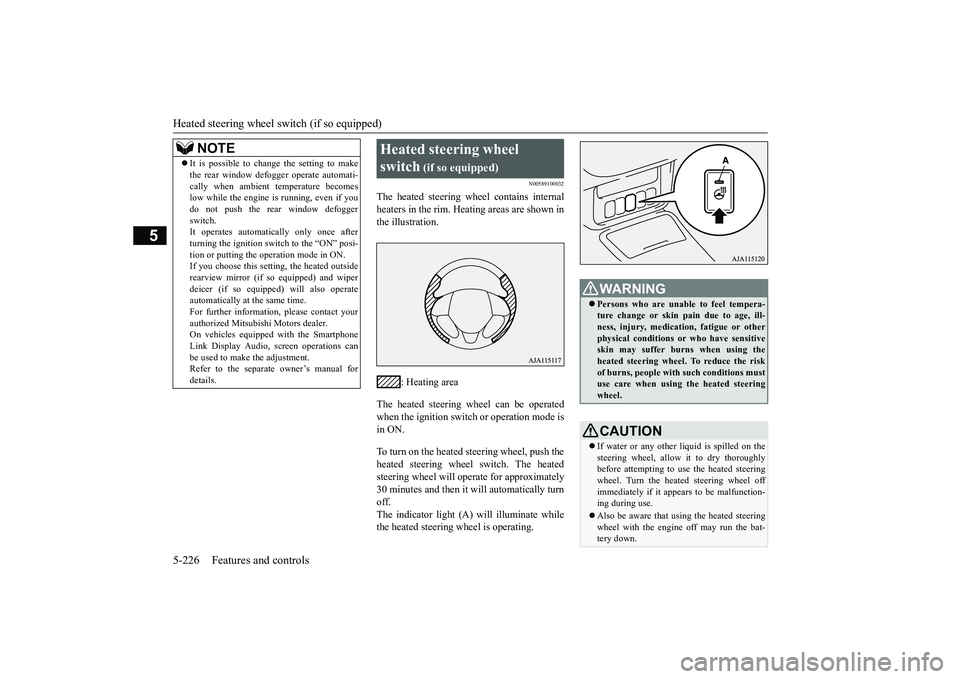
The heated steering wheel contains internalheaters in the rim. Heating areas are shown inthe illustration.
: Heating area
The heated steering wheel can be operatedwhen the ignition switch or operation mode isin ON.To turn on the heated steering wheel, push theheated steering wheel switch. The heatedsteering wheel will ope
rate for approximately
30 minutes and then it
will automatically turn
off.The indicator light (A) will illuminate whilethe heated steering wheel is operating.
It is possible to change the setting to makethe rear window def
ogger operate automati-
cally when ambient temperature becomeslow while the engine is running, even if youdo not push the rear window defoggerswitch.It operates automatica
lly only once after
turning the ignition switch to the “ON” posi-tion or putting the ope
ration mode in ON.
If you choose this setti
ng, the heated outside
rearview mirror (if so
equipped) and wiper
deicer (if so equippe
d) will also operate
automatically at the same time.For further information, please contact yourauthorized Mitsubishi Motors dealer.On vehicles equippe
d with the Smartphone
Link Display Audio, sc
reen operations can
be used to make the adjustment.Refer to the separate
owner’s manual for
details.NOTE
Heated steering wheel switch
(if so equipped)
Persons who are unable
to feel tempera-
ture change or skin
pain due to age, ill-
ness, injury, medicati
on, fatigue or other
physical conditions or
who have sensitive
skin may suffer burns when using theheated steering wheel. To reduce the riskof burns, people with such conditions mustuse care when using the heated steeringwheel.CAUTIONIf water or any other li
quid is spilled on the
steering wheel, allow it to dry thoroughlybefore attempting to use the heated steeringwheel. Turn the heated steering wheel offimmediately if it appe
ars to be malfunction-
ing during use.Also be aware that us
ing the heated steering
wheel with the engine off may run the bat-tery down.
BK0249100US.book 226 ページ 2017年5月10日 水曜日 午前8時49分
Page 311 of 441
12 V power outlets5-230 Features and controls
5
N00525001683
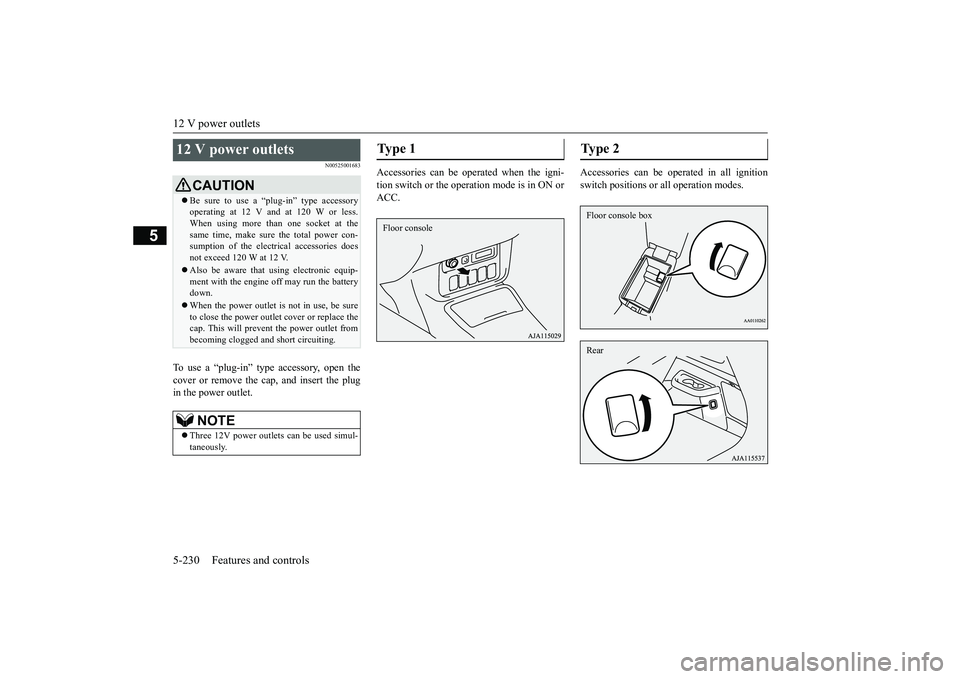
To use a “plug-in” type
accessory, open the
cover or remove the ca
p, and insert the plug
in the power outlet.
Accessories can be operated when the igni-tion switch or the operation mode is in ON orACC.
Accessories can be oper
ated in all ignition
switch positions or all operation modes.
12 V power outlets
CAUTIONBe sure to use a “plug-in” type accessoryoperating at 12 V and at 120 W or less.When using more than one socket at thesame time, make sure the total power con-sumption of the electrical accessories doesnot exceed 120 W at 12 V.Also be aware that
using electronic equip-
ment with the engine
off may run the battery
down.When the power outlet is not in use, be sureto close the power outle
t cover or replace the
cap. This will prevent the power outlet frombecoming clogged and short circuiting.NOTE
Three 12V power
outlets can be used simul-
taneously.
Type 1 Floor console
Ty p e 2 Floor console boxRear
BK0249100US.book 230 ページ 2017年5月10日 水曜日 午前8時49分
Page 316 of 441
HomeLink® Wireless Control System (if so equipped)
Features and controls 5-235
5
The HomeLink
® has the capability of listen-
ing to these messages at a range up to 820.2feet (250 m) (open line
of sight), but range
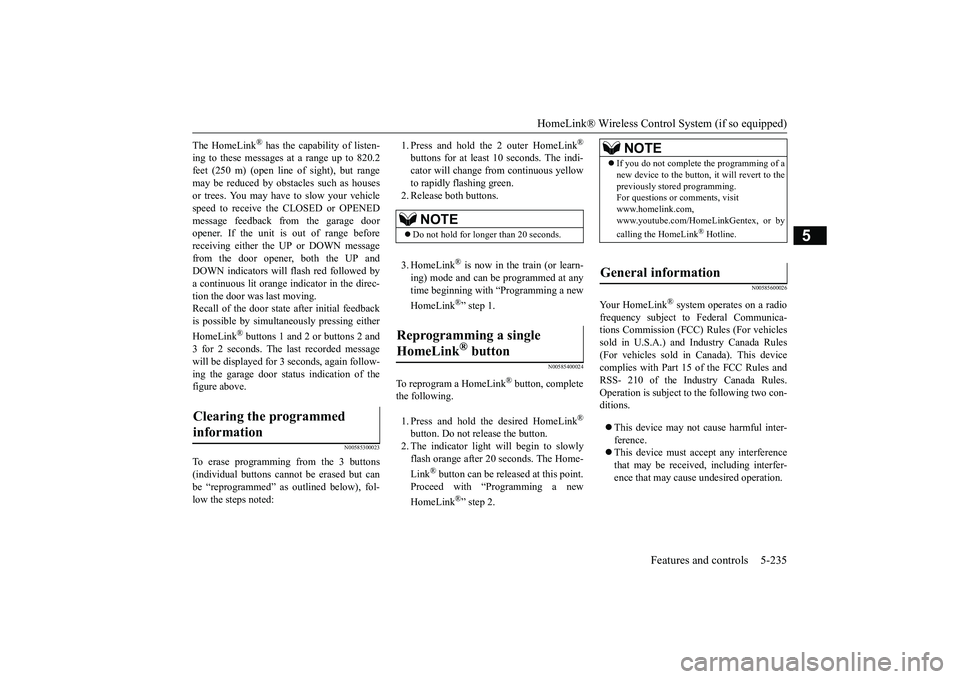
may be reduced by obstacles such as housesor trees. You may have to slow your vehiclespeed to receive the CLOSED or OPENEDmessage feedback from the garage dooropener. If the unit is out of range beforereceiving either the UP or DOWN messagefrom the door opener, both the UP andDOWN indicators will fl
ash red followed by
a continuous lit orange
indicator in the direc-
tion the door was last moving.Recall of the door stat
e after initial feedback
is possible by simultane
ously pressing either
HomeLink
® buttons 1 and 2 or buttons 2 and
3 for 2 seconds. The la
st recorded message
will be displayed for 3
seconds, again follow-
ing the garage door st
atus indication of the
figure above.
N00585300023
To erase programming from the 3 buttons(individual buttons cannot
be erased but can
be “reprogrammed” as
outlined below), fol-
low the steps noted:
1. Press and hold the 2 outer HomeLink
®
buttons for at least
10 seconds. The indi-
cator will change
from continuous yellow
to rapidly flashing green.2. Release both buttons.3. HomeLink
® is now in the train (or learn-
ing) mode and can be programmed at anytime beginning with “Programming a newHomeLink
®” step 1.
N00585400024
To reprogram a HomeLink
® button, complete
the following.1. Press and hold the desired HomeLink
®
button. Do not release the button.2. The indicator light will begin to slowlyflash orange after 20
seconds. The Home-
Link
® button can be released at this point.
Proceed with “P
rogramming a new
HomeLink
®” step 2.
N00585600026
Your HomeLink
® system operates on a radio
frequency subject to
Federal Communica-
tions Commission (FCC)
Rules (For vehicles
sold in U.S.A.) and Industry Canada Rules(For vehicles sold in Canada). This devicecomplies with Part 15 of the FCC Rules andRSS- 210 of the Industry Canada Rules.Operation is subject to the following two con-ditions.This device may not
cause harmful inter-
ference.This device must ac
cept any interference
that may be received, including interfer-ence that may cause undesired operation.
Clearing the programmed information
NOTE
Do not hold for longer than 20 seconds.
Reprogramming a single HomeLink
® button
NOTE
If you do not complete the programming of anew device to the button,
it will revert to the
previously stored programming.For questions or
comments, visit
www.homelink.com,www.youtube.com/HomeLinkGentex, or bycalling the HomeLink
® Hotline.
General information
BK0249100US.book 235 ページ 2017年5月10日 水曜日 午前8時49分
Page 317 of 441
Interior lights5-236 Features and controls
5
This equipment complies with FCC radiationexposure limits set forth for an uncontrolledenvironment. End Users must follow the spe-cific operating instruc
tions for satisfying RF
exposure compliance. This transmitter mustbe at least 12 inches (20 cm) from the userand must not be co-located or operating inconjunction with any other antenna or trans-mitter.The term “IC:” before the certification/regis-tration number only signi
fies that Industry
Canada technical spec
ifications were met.
N00525301660
N00525401531
CAUTIONThe transmitter has been tested and complieswith FCC and IC rules.Changes or modifica
tions not expressly
approved by the party responsible for com-pliance could void the
user’s authority to
operate the device.
Interior lights
NOTE
Be aware that leaving the light illuminatedwith the engine off may run the batterydown.Never leave the vehi
cle without checking
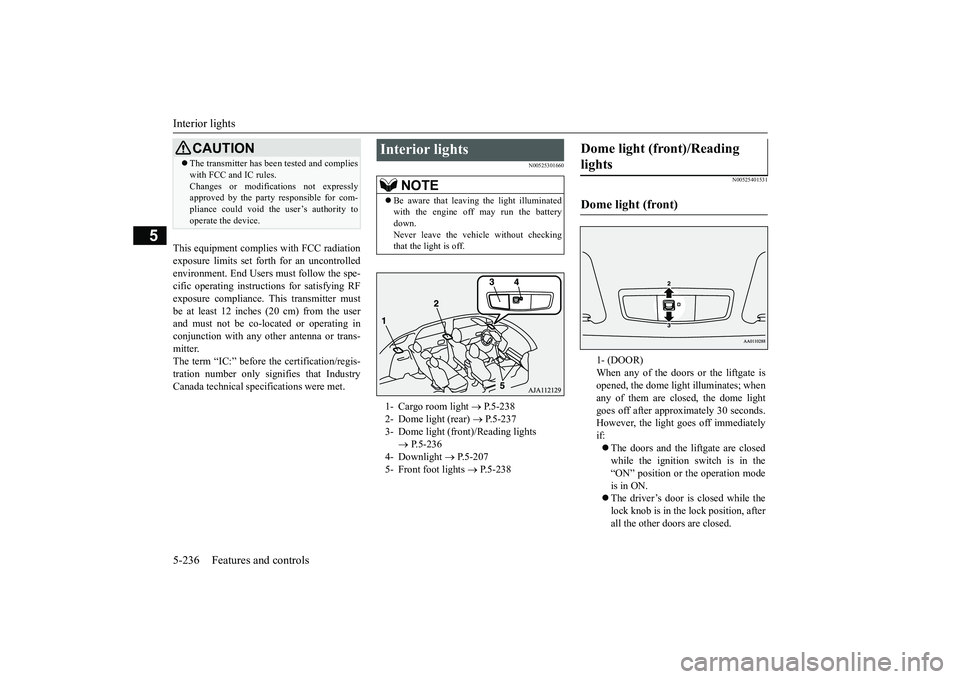
that the light is off.1- Cargo room light
P.5-238
2- Dome light (rear)
P.5-237
3- Dome light (front)/Reading lights
P.5-236
4- Downlight
P.5-207
5- Front foot lights
P.5-238
Dome light (front)/Reading lights Dome light (front)
1- (DOOR)When any of the doors or the liftgate isopened, the dome light illuminates; whenany of them are closed, the dome lightgoes off after approx
imately 30 seconds.
However, the light
goes off immediately
if:The doors and the liftgate are closedwhile the ignition switch is in the“ON” position or the operation modeis in ON.The driver’s door is closed while thelock knob is in the lock position, afterall the other doors are closed.
BK0249100US.book 236 ページ 2017年5月10日 水曜日 午前8時49分