ECO mode MITSUBISHI OUTLANDER III 2018 Manual Online
[x] Cancel search | Manufacturer: MITSUBISHI, Model Year: 2018, Model line: OUTLANDER III, Model: MITSUBISHI OUTLANDER III 2018Pages: 441, PDF Size: 13.71 MB
Page 260 of 441
Multi Information display - Type 2
Features and controls 5-179
5
N00556801209
The “Average fuel consumption reset mode”,
it” and “Temperature
unit” setting can be
modified as desired,
when the ignition switch is in the “ON” posi-tion.
N00575501029
You can change the mode condition for theaverage fuel consumption display to “Autoreset” or “Manual reset”.
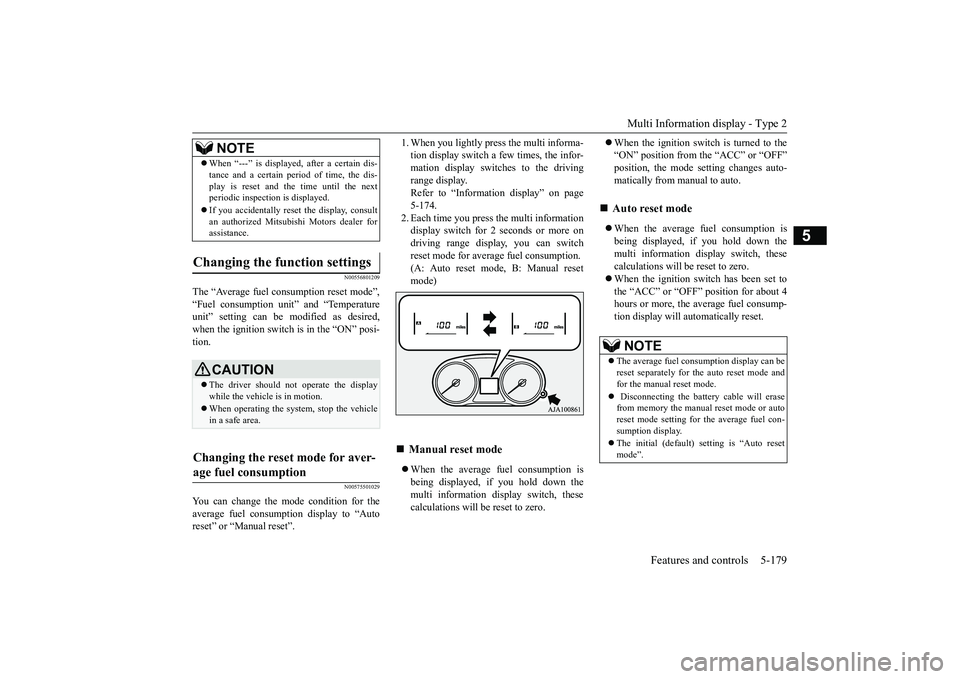
tion display switch a few times, the infor-mation display switches to the drivingrange display.Refer to “Information display” on page5-174.2. Each time you press the multi informationdisplay switch for 2 seconds or more ondriving range display, you can switchreset mode for average fuel consumption.(A: Auto reset mode, B: Manual resetmode)When the average fuel consumption isbeing displayed, if you hold down themulti information display switch, thesecalculations will
be reset to zero.
When the ignition switch is turned to the“ON” position from the “ACC” or “OFF”position, the mode se
tting changes auto-
matically from manual to auto.When the average fuel consumption isbeing displayed, if you hold down themulti information display switch, thesecalculations will be reset to zero.When the ignition switch has been set tothe “ACC” or “OFF” position for about 4hours or more, the average fuel consump-tion display will automatically reset.
When “---” is displaye
d, after a certain dis-
tance and a certain pe
riod of time, the dis-
play is reset and the time until the nextperiodic inspecti
on is displayed.
If you accidentally rese
t the display, consult
an authorized Mitsubishi Motors dealer forassistance.
Changing the function settings
CAUTIONThe driver should not operate the displaywhile the vehicle is in motion.When operating the system, stop the vehiclein a safe area.
Changing the reset mode for aver-age fuel consumption
NOTE
Manual reset mode
Auto reset mode NOTE
The average fuel cons
umption display can be
reset separately for the auto reset mode andfor the manual reset mode. Disconnecting the batt
ery cable will erase
from memory the manual reset mode or autoreset mode setting for the average fuel con-sumption display.The initial (default) setting is “Auto resetmode”.
BK0249100US.book 179 ページ 2017年5月10日 水曜日 午前8時49分
Page 270 of 441

Indicator light, warning light, and information screen display list (multi information display - Type 1)
Features and controls 5-189
5
You try to release the Elec
tric parking brake switch
without depressing the brake pedal.
Refer to “Electric parki
ng brake” on page 5-54.
The Electric parking brak
e has been automatically
applied.
Refer to “Brake auto hold” on page 5-93.
The brake auto hold is automatically canceled
. Refer to “Brake auto hold” on page 5-93.
The brake auto hold is not available. Re
fer to “Brake auto hold” on page 5-93.
The Electric parking brake is not automatically applied because there is a fault in the Electric park-ing brake system.
When the ignition switch is
turned off or the opera-
tion mode is put in OFF, pl
ace the selector lever in
the “P” (PARK) position and depress the brake pedal more firmly than usual with the right foot.Then, operate the ignition switch or the engine switch.We recommend you to have the brake auto hold sys-tem inspected by a MITSUBISHI MOTORS Autho-rized Service Point.Refer to “Brake auto hold” on page 5-93.
Screen
Cause
Do this (Reference)
BK0249100US.book 189 ページ 2017年5月10日 水曜日 午前8時49分
Page 278 of 441
Indicator light, warning light, and information screen display list (multi information display - Type 1)
Features and controls 5-197
5
N00558201353
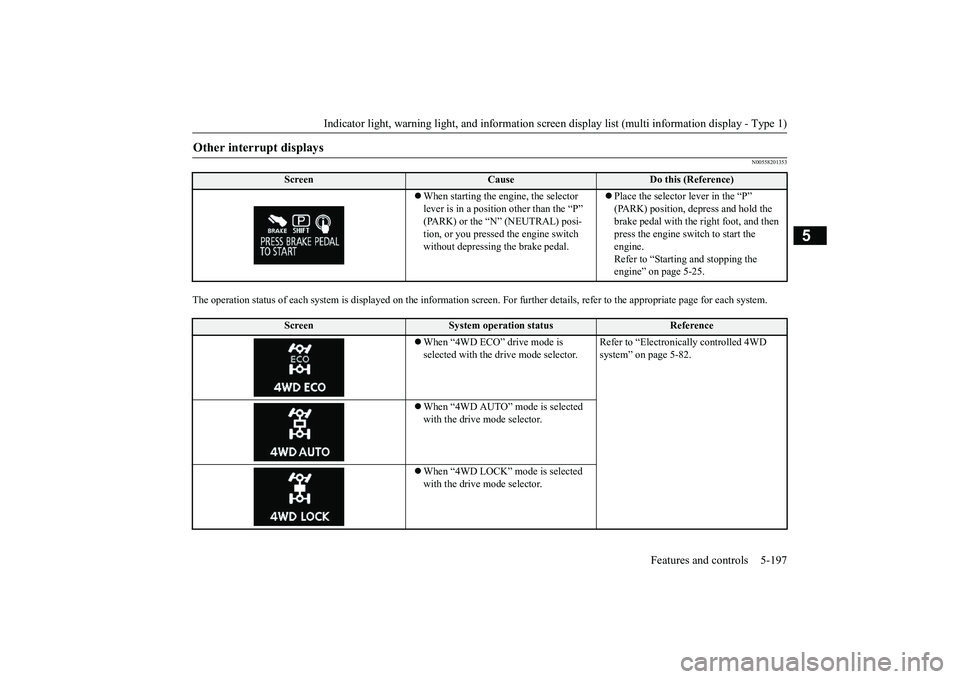
The operation status of each syst
em is displayed on the informat
ion screen. For furthe
r details, refer to
the appropriate page
for each system.
Other interrupt displays
Screen
Cause
Do this (Reference)
When starting the engine, the selector lever is in a positi
on other than the “P”
tion, or you pressed the engine switch without depressing the brake pedal.
Place the selector lever in the “P” (PARK) position, depress and hold the brake pedal with the right foot, and then press the engine switch to start the engine.Refer to “Starting and stopping the engine” on page 5-25.
Screen
System operation status
Reference
When “4WD ECO” drive mode is selected with the drive mode selector.
Refer to “Electronica
lly controlled 4WD
system” on page 5-82.
When “4WD AUTO” mode is selected with the drive mode selector.When “4WD LOCK” mode is selected with the drive mode selector.
BK0249100US.book 197 ページ 2017年5月10日 水曜日 午前8時49分
Page 279 of 441
Indicator light, warning light, and information screen display list (multi information display - Type 1)
5
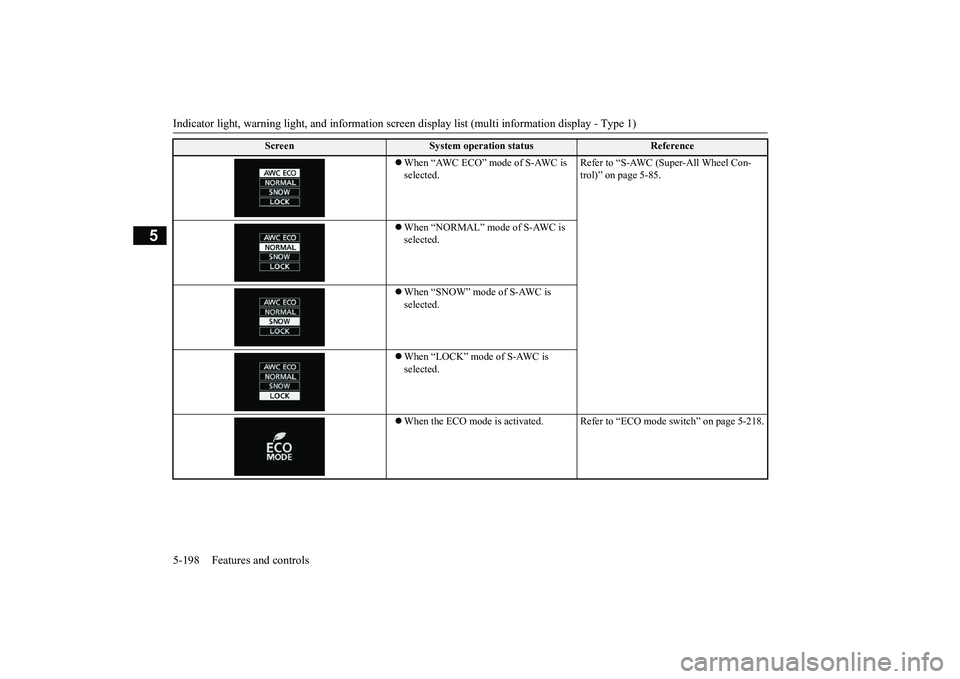
When “AWC ECO” mode of S-AWC is selected.
Refer to “S-AWC (Super-All Wheel Con-trol)” on page 5-85.
When “NORMAL” mode of S-AWC is selected.When “SNOW” mode of S-AWC is selected.When “LOCK” mode of S-AWC is selected.When the ECO mode is ac
tivated. Refer to “ECO m
ode switch” on page 5-218.
Screen
System operation status
Reference
BK0249100US.book 198 ページ 2017年5月10日 水曜日 午前8時49分
Page 281 of 441
Indicator light, warning light, and information screen display list (multi information display - Type 1)
5
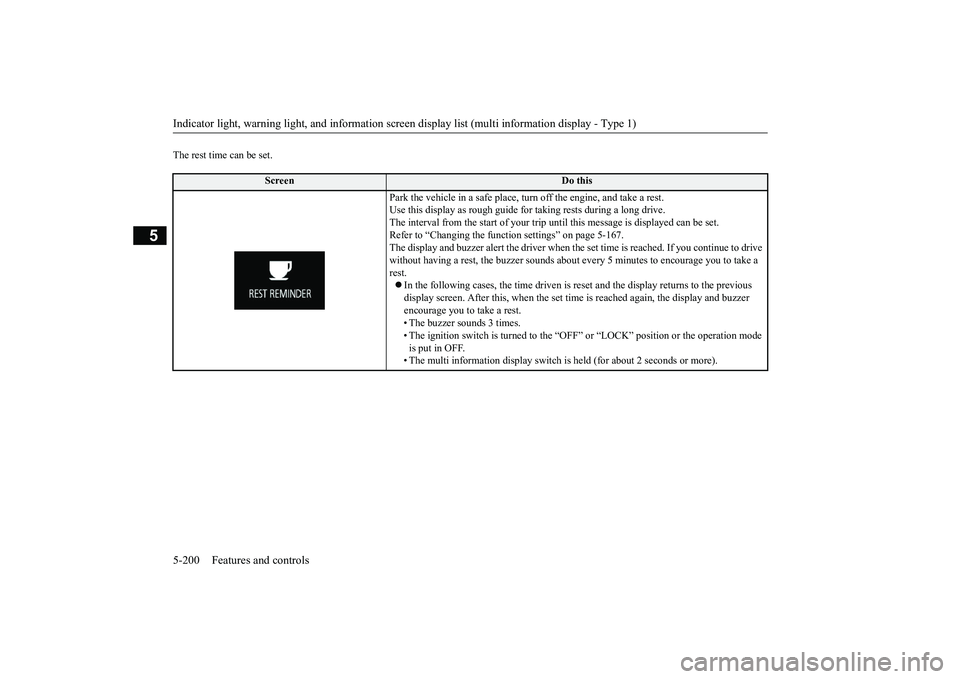
The rest time can be set.
Screen
Do this
Park the vehicle in a safe place, tu
rn off the engine,
and take a rest.
Use this display as rough guide
for taking rests during a long drive.
The interval from the start of your trip
until this message is
displayed can be set.
Refer to “Changing the function settings” on page 5-167.The display and buzzer alert the driver when th
e set time is reached.
If you continue to drive
without having a rest, the buzzer sounds about
every 5 minutes to encourage you to take a
rest.In the following cases, the time driven is reset and the display returns to the previous display screen. After this, when the set time
is reached again,
the display and buzzer
encourage you to take a rest.• The buzzer sounds 3 times.• The ignition switch is turned to the “OFF”
or “LOCK” position or the operation mode
is put in OFF.• The multi information display switch is
held (for about 2 seconds or more).
BK0249100US.book 200 ページ 2017年5月10日 水曜日 午前8時49分
Page 282 of 441
Indicator and warning light package (multi information display - Type 2)
Features and controls 5-201
5
N00519801921
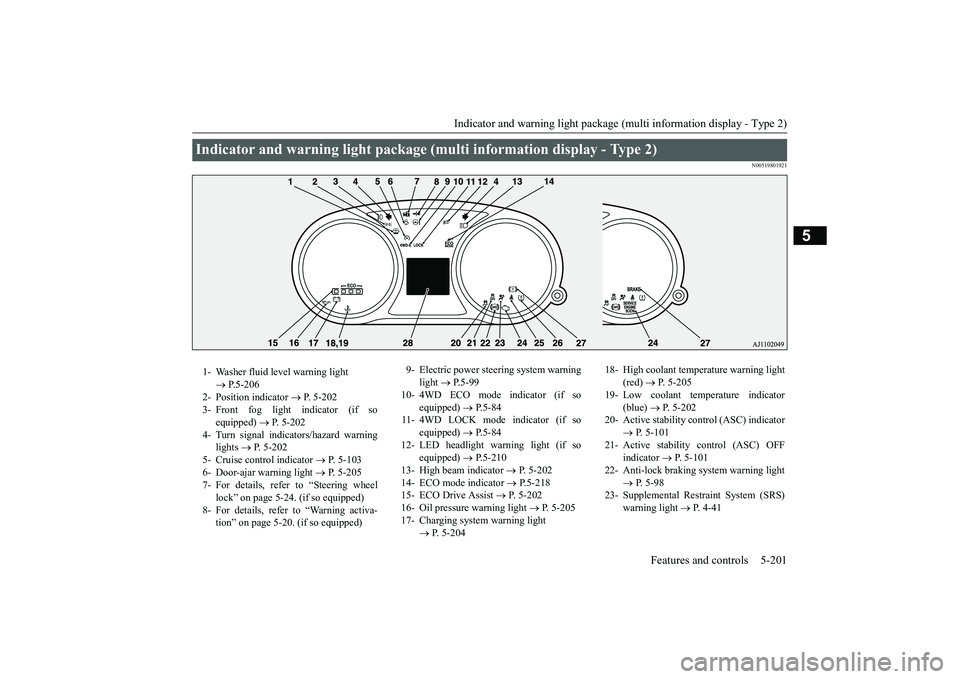
Indicator and warning light package (mu
lti information display - Type 2)
1- Washer fluid level warning light
P.5-206
2- Position indicator
P. 5-202
3- Front fog light indicator (if so
equipped)
P. 5-202
4- Turn signal indicators/hazard warning
lights
P. 5-202
5- Cruise control indicator
P. 5-103
6- Door-ajar warning light
P. 5-205
7- For details, refer to “Steering wheel
lock” on page 5-24. (if so equipped)
8- For details, refer to “Warning activa-
tion” on page 5-20. (if so equipped)
9- Electric power steering system warning
light
P.5-99
10- 4WD ECO mode indicator (if so
equipped)
P.5-84
11- 4WD LOCK mode indicator (if so
equipped)
P.5-84
12- LED headlight warning light (if so
equipped)
P.5-210
13- High beam indicator
P. 5-202
14- ECO mode indicator
P.5-218
15- ECO Drive Assist
P. 5-202
16- Oil pressure warning light
P. 5-205
17- Charging system warning light
P. 5-204
18- High coolant temperature warning light
(red)
P. 5-205
19- Low coolant temp
erature indicator
(blue)
P. 5-202
20- Active stability control (ASC) indicator
P. 5-101
21- Active stability control (ASC) OFF
indicator
P. 5-101
22- Anti-lock braking system warning light
P. 5-98
23- Supplemental Restra
int System (SRS)
warning light
P. 4 - 4 1
BK0249100US.book 201 ページ 2017年5月10日 水曜日 午前8時49分
Page 285 of 441
Warning lights5-204 Features and controls
5
N00520501814
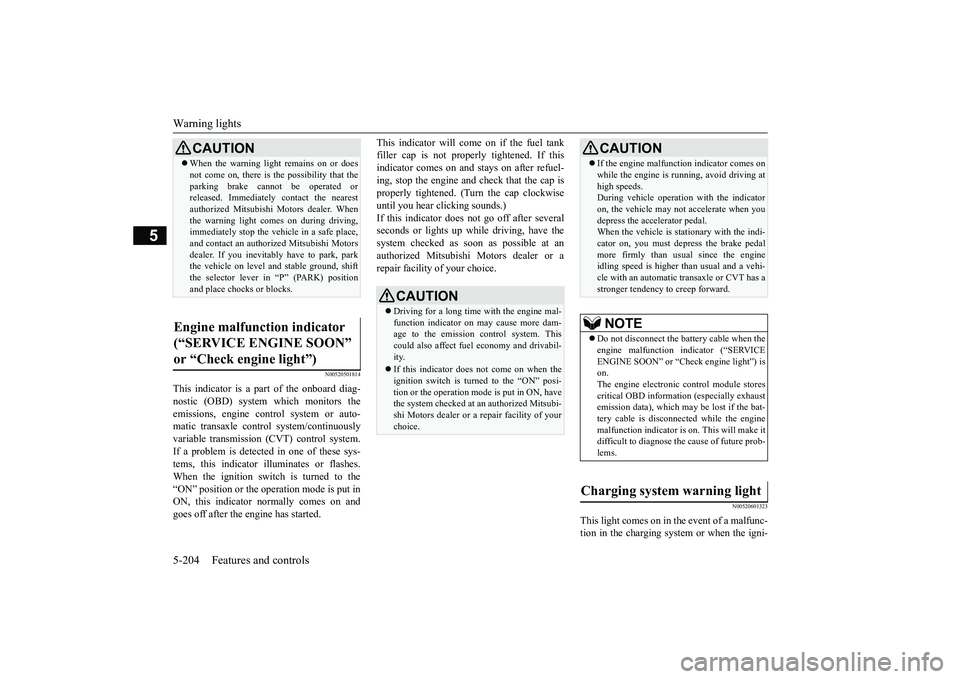
This indicator is a pa
rt of the onboard diag-
nostic (OBD) system which monitors theemissions, engine control system or auto-matic transaxle control system/continuouslyvariable transmission (CVT) control system.If a problem is detected in one of these sys-tems, this indicator illuminates or flashes.When the ignition switch is turned to the“ON” position or the ope
ration mode is put in
ON, this indicator
normally comes on and
goes off after the engine has started.
This indicator will come on if the fuel tankfiller cap is not properly tightened. If thisindicator comes on and stays on after refuel-ing, stop the engine and check that the cap isproperly tightened. (Turn the cap clockwiseuntil you hear clicking sounds.)If this indicator does not go off after severalseconds or lights up while driving, have thesystem checked as soon as possible at anauthorized Mitsubishi Motors dealer or arepair facility of your choice.
N00520601323
This light comes on in the event of a malfunc-tion in the charging system or when the igni-
CAUTIONWhen the warning light remains on or doesnot come on, there is the possibility that theparking brake cannot
be operated or
released. Immediately contact the nearestauthorized Mitsubishi
Motors dealer. When
the warning light comes on during driving,immediately stop the vehi
cle in a safe place,
and contact an authorized Mitsubishi Motorsdealer. If you inevitably have to park, parkthe vehicle on level a
nd stable ground, shift
the selector lever in “P” (PARK) positionand place chocks
or blocks.
Engine malfunction indicator (“SERVICE ENGINE SOON” or “Check engine light”)
CAUTIONDriving for a long time
with the engine mal-
function indicator on may cause more dam-age to the emission control system. Thiscould also affect fuel
economy and drivabil-
ity.If this indicator does not come on when theignition switch is turned to the “ON” posi-tion or the operation mode is put in ON, havethe system checked at an authorized Mitsubi-shi Motors dealer or a repair facility of yourchoice.
If the engine malfuncti
on indicator comes on
while the engine is running, avoid driving athigh speeds.During vehicle operation
with the indicator
on, the vehicle may not
accelerate when you
depress the accelerator pedal.When the vehicle is stat
ionary with the indi-
cator on, you must depress the brake pedalmore firmly than usual since the engineidling speed is higher than usual and a vehi-cle with an automatic transaxle or CVT has astronger tendency to creep forward.NOTE
Do not disconnect the ba
ttery cable when the
engine malfunction i
ndicator (“SERVICE
ENGINE SOON” or “Ch
eck engine light”) is
on.The engine electronic
control module stores
critical OBD informati
on (especially exhaust
emission data), which ma
y be lost if the bat-
tery cable is disconne
cted while the engine
malfunction indicator is
on. This will make it
difficult to diagnose th
e cause of future prob-
lems.
Charging system warning light
CAUTION
BK0249100US.book 204 ページ 2017年5月10日 水曜日 午前8時49分
Page 286 of 441
Warning lights
Features and controls 5-205
5
tion switch is turned to the “ON” position(engine off) or the operation mode is put inON. On vehicle equipped with the multiinformation display - Type 1, a warning isalso displayed in the multi information dis-play. When the engine is started, the lightshould go out. Check to make sure that thelight has gone out before driving.
N00520701278
This light comes on when the engine oil pres-sure is below normal. If the light stays onwhile driving, stop the engine as soon as pos-sible. Do not run the engine until the cause ofthe low oil pressure is corrected.
N00575701021
This light comes on in red if the coolant tem-perature becomes excessively high.
N00520901339
This light comes on when any door or the lift-gate is open or not completely closed.When the vehicle is moving at more than 5mph (8 km/h) and any door or the liftgate isopen or ajar, a tone will sound 4 times toinform the driver that any door or the liftgateis not properly shut.
CAUTIONIf the warning light stays on while the engineis running, park your ve
hicle in a safe place
as soon as possible and
contact an authorized
Mitsubishi Motors dealer
or a repair facility
of your choice to have the system checked.
Oil pressure warning light (Vehicle equipped with the multi information display - Type 2)
CAUTIONIf this light comes on when the engine oillevel is not low, have
your vehicle checked at
an authorized Mitsubish
i Motors dealer or a
repair facility
of your choice.
This warning light does not show the amountof oil in the crankcase. This can only bedetermined by checking the oil level with thedipstick with the engine turned off.
High coolant temperature warning light - red (Vehicle equipped with the multi infor-mation display - Type 2)
CAUTIONIf the light comes on
during vehicle opera-
tion, it indicates that
the engine is possibly
overheating. Continue
d driving could make
the engine fail. Immedi
ately stop the vehicle
in a safe place and ta
ke appropriate action.
(Refer to “Engine overh
eating” on page 8-4.)
NOTE
The high coolant temp
erature warning light
may illuminate when
the vehicle has been
driven at high speeds or on hilly roads. Thisilluminating does not ne
cessarily indicate a
problem. It should stop if you keep theengine running for a whil
e or continue driv-
ing the vehicle.
Door-ajar warning light and buzzer (Vehicle equipped with the multi information display - Type 2)
CAUTIONBefore driving, make sure that the door-ajarwarning light is off.
BK0249100US.book 205 ページ 2017年5月10日 水曜日 午前8時49分
Page 289 of 441
Combination headlights and dimmer switch5-208 Features and controls
5
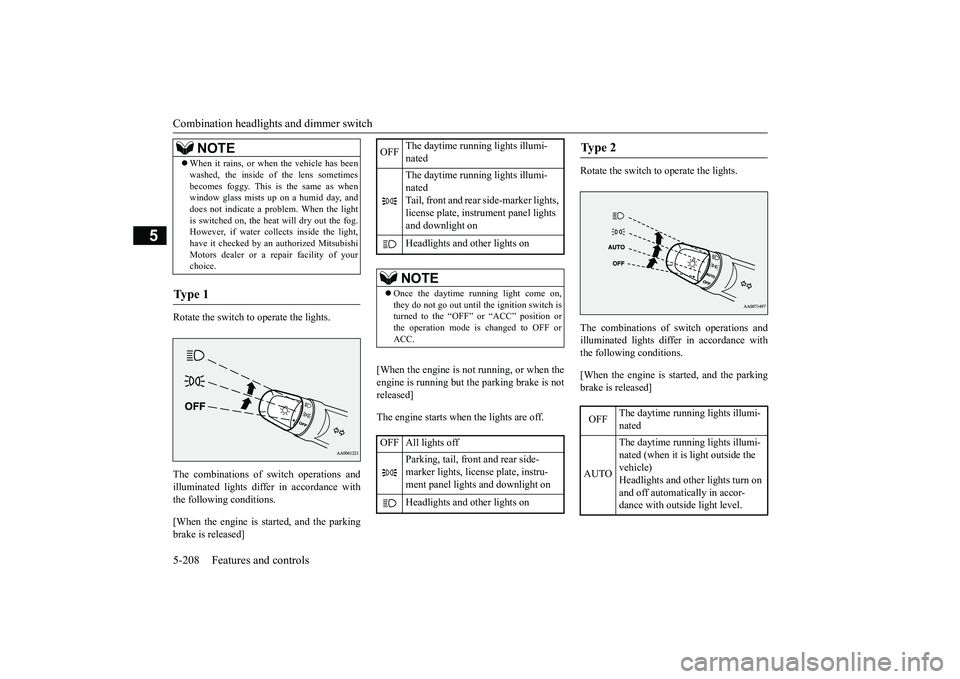
Rotate the switch to operate the lights.The combinations of
switch operations and
illuminated lights differ in accordance withthe following conditions.[When the engine is st
arted, and the parking
brake is released]
[When the engine is not
running, or when the
engine is running but the parking brake is notreleased]The engine starts when the lights are off.
Rotate the switch to operate the lights.The combinations of
switch operations and
illuminated lights differ in accordance withthe following conditions.[When the engine is st
arted, and the parking
brake is released]
When it rains, or wh
en the vehicle has been
washed, the inside of the lens sometimesbecomes foggy. This is the same as whenwindow glass mists up on a humid day, anddoes not indicate a pr
oblem. When the light
is switched on, the heat will dry out the fog.However, if water collects inside the light,have it checked by an authorized MitsubishiMotors dealer or a re
pair facility of your
choice.
Ty p e 1
NOTE
OFF
The daytime running lights illumi-natedThe daytime running lights illumi-natedTail, front and rear
side-marker lights,
license plate, inst
rument panel lights
and downlight onHeadlights and other lights onNOTE
Once the daytime running light come on,they do not go out until the ignition switch isturned to the “OFF” or “ACC” position orthe operation mode is changed to OFF orACC.
OFF All lights off
Parking, tail, front
and rear side-
marker lights, license plate, instru-ment panel lights
and downlight on
Headlights and other lights on
Ty p e 2 OFF
The daytime running lights illumi-nated
AUTO
The daytime running lights illumi-nated (when it is
light outside the
vehicle)Headlights and other lights turn on and off automatically in accor-dance with outside light level.
BK0249100US.book 208 ページ 2017年5月10日 水曜日 午前8時49分
Page 294 of 441
Combination headlights and dimmer switch
Features and controls 5-213
5
The sensitivity of the sensor can be temporar-ily lowering in the following ways.1. Park your vehicle in
a safe place and the
ignition switch is turned to the “OFF” or“LOCK” position or the operation modeis put in OFF.2. Press the automatic high beam systemswitch more than 15 times within 5 sec-onds after operation mode is turned on.
• A vehicle in front
or oncoming vehicle is
hindered by any object such as continuousbends, elevated median
/island, traffic signs,
roadside trees.• Your vehicle passes
an oncoming vehicle
suddenly on a bend with poor visibility.• Another vehicle crosse
s ahead of your vehi-
cle.
The headlights may remain at low beam (orbe switched from high beam to low beam)when a reflective object (e.g. street light,traffic signal, notic
eboard and signboard)
reflects light. Any of the following
factors may influence
the headlight beam switching timing:• How brightly the exteri
or lights of a vehicle
in front or oncoming
vehicle il
luminate.
• Movement or direction of a vehicle in frontor oncoming vehicle.• Only right or left exte
rior light of a vehicle
in front or oncoming
vehicle is illuminat-
ing.• A vehicle in front or
oncoming vehicle is a
motorcycle.• Road conditions (gradient, bends and roadsurface).• The number of occupants and luggage load.The automatic high beam system recognisesenvironmental conditi
ons by sensing a light
source ahead of your vehicle. Therefore, youmay feel like someth
ing is not quite right
when the headlight beams are switched auto-matically.NOTE
The system may not de
tect a light vehicle
such as a bicycle.The system may not detect an ambientbrightness precisely. Th
is causes the traffic
to be dazzled by high beam or the low beamto be maintained. In such cases, you shouldswitch the headlight beams manually.• In bad weather (heavy rain, fog, snow orsandstorm).• The windshield is
dirty or fogged up.
• The windshield is cracked or broken.• The sensor is deformed or dirty.• A light, which is similar to the headlights ortail lights, is shin
ing around your vehicle.
• A vehicle in front
or oncoming vehicle is
driven without lights,
the exterior lights are
dirty or discoloured, or the direction of theheadlight beams is adjusted improperly. • It becomes dark and bright suddenly andcontinuously around your vehicle.• Your vehicle is driv
en on uneven surfaces.
• Your vehicle is driven on a winding road.• A reflective object su
ch as a noticeboard or
a mirror reflects a light ahead of your vehi-cle.• When lights of the vehi
cle in front or head-
lights of an oncoming ve
hicle blend into the
other lights.• The rear end of a vehicle in front (such as acontainer truck) re
flect a strong light.
• Your vehicle's headligh
t is broken or dirty.
NOTE
• Your vehicle is inclined
due to a flat tire or
towing.• The warning display appears.(Refer to “System problem warning” onpage 5-214.)good usage conditions: • Do not attempt to disassemble the sensor.• Do not affix a sticke
r or label on the wind-
shield near the sensor.• Avoid overload.• Do not modify your vehicle.• When the windshield is
replaced, use the
Mitsubishi Motors genuine parts.
To adjust the sensitivity of the sensor
NOTE
BK0249100US.book 213 ページ 2017年5月10日 水曜日 午前8時49分