ECO mode MITSUBISHI OUTLANDER III 2018 Workshop Manual
[x] Cancel search | Manufacturer: MITSUBISHI, Model Year: 2018, Model line: OUTLANDER III, Model: MITSUBISHI OUTLANDER III 2018Pages: 441, PDF Size: 13.71 MB
Page 181 of 441
Active stability control (ASC)
5
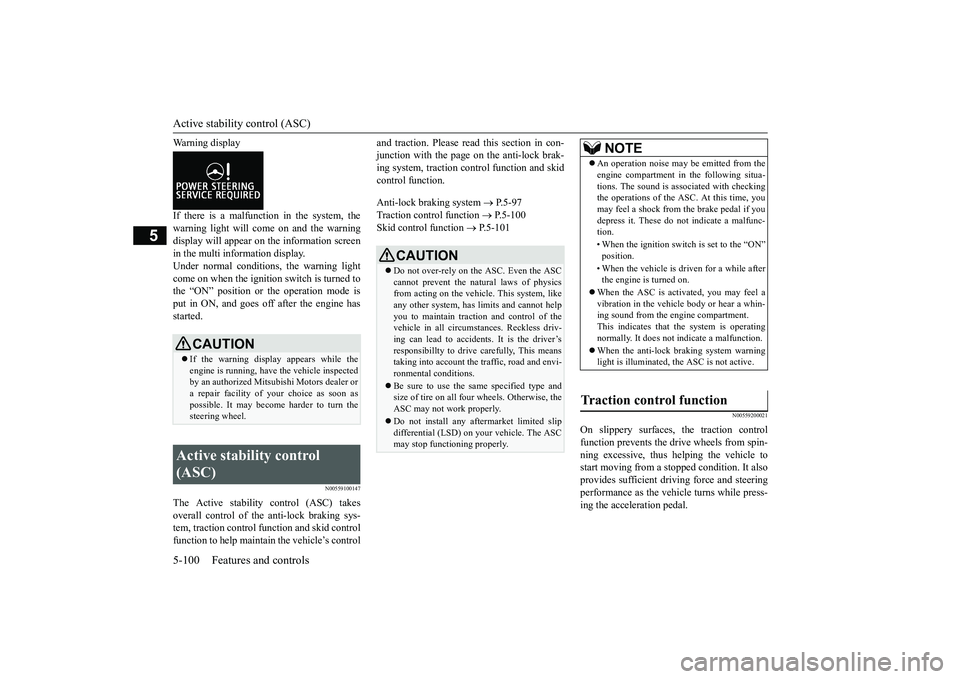
Warning displayIf there is a malfunction in the system, thewarning light will come on and the warningdisplay will appear on the information screenin the multi information display.Under normal conditions, the warning lightcome on when the ignition switch is turned tothe “ON” position or the operation mode isput in ON, and goes off after the engine hasstarted.
N00559100147
The Active stability
control (ASC) takes
overall control of the
anti-lock braking sys-
tem, traction control function and skid controlfunction to help maintain the vehicle’s control
and traction. Please read
this section in con-
junction with the page on the anti-lock brak-ing system, traction c
ontrol function and skid
control function.Anti-lock braking system
P.5-97
Traction control function
P.5-100
Skid control function
P.5-101
N00559200021
On slippery surfaces, the traction controlfunction prevents the drive wheels from spin-ning excessive, thus helping the vehicle tostart moving from a stopp
ed condition.
It also
provides sufficient driv
ing force and steering
performance as the vehicle turns while press-ing the acceleration pedal.
CAUTIONIf the warning display appears while theengine is running, have
the vehicle inspected
by an authorized Mitsubishi Motors dealer ora repair facility of
your choice as soon as
possible. It may become harder to turn thesteering wheel.
Active stability control (ASC)
CAUTIONDo not over-rely on the ASC. Even the ASCcannot prevent the natural laws of physicsfrom acting on the vehicle. This system, likeany other system, has
limits and cannot help
you to maintain traction and control of thevehicle in all circumstances. Reckless driv-ing can lead to accident
s. It is the driver’s
responsibillty to drive carefully, This meanstaking into account the traffic, road and envi-ronmental conditions.Be sure to use the same specified type andsize of tire on all four
wheels. Otherwise, the
ASC may not work properly.Do not install any aftermarket limited slipdifferential (LSD) on your vehicle. The ASCmay stop functioning properly.
NOTE
An operation noise may be emitted from theengine compartment in the following situa-tions. The sound is associated with checkingthe operations of the ASC. At this time, youmay feel a shock from the brake pedal if youdepress it. These do not indicate a malfunc-tion.• When the ignition switc
h is set to the “ON”
• When the vehicle is driven for a while afterthe engine is turned on.
When the ASC is acti
vated, you may feel a
vibration in the vehicl
e body or hear a whin-
ing sound from the engine compartment.This indicates that th
e system is operating
normally. It does not i
ndicate a malfunction.
When the anti-lock braking system warninglight is illuminated, the ASC is not active.
Traction control function
BK0249100US.book 100 ページ 2017年5月10日 水曜日 午前8時49分
Page 182 of 441
Active stability control (ASC)Features and controls 5-101
5
N00559300019
The skid control function is designed to helpthe driver maintain control of the vehicle onslippery roads or during rapid steeringmaneuvers. It works by
controlling the engine
output and the brake on each wheel.
N00559401307
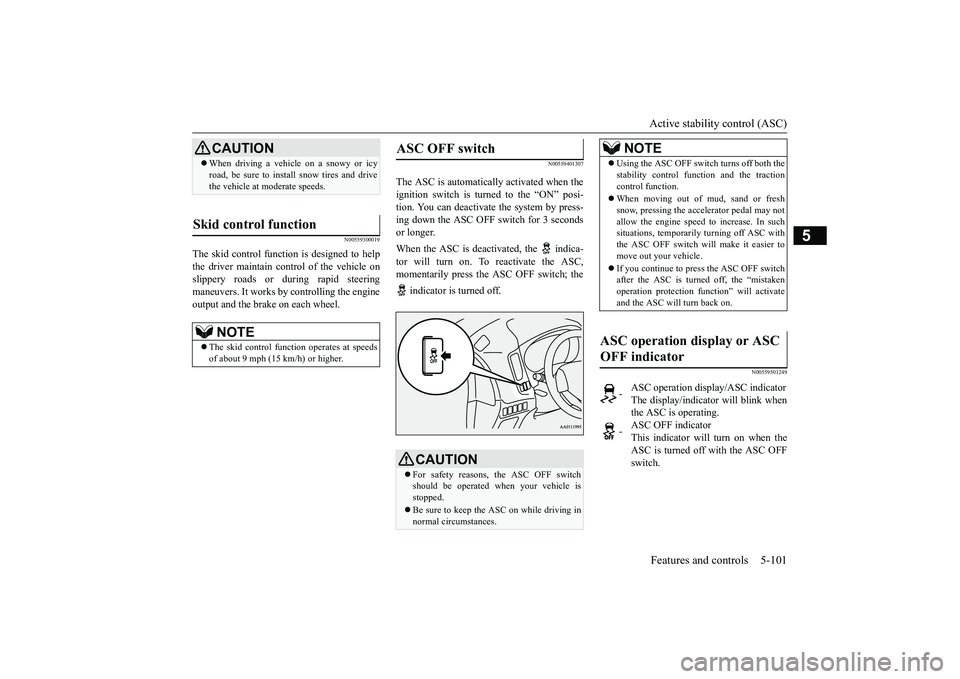
The ASC is automatically activated when theignition switch is turned to the “ON” posi-tion. You can deactivate
the system by press-
ing down the ASC OFF switch for 3 secondsor longer. When the ASC is deacti
vated, the indica-
tor will turn on. To reactivate the ASC,momentarily press the ASC OFF switch; the indicator is turned off.
N00559501249
CAUTIONWhen driving a vehicle on a snowy or icyroad, be sure to install snow tires and drivethe vehicle at moderate speeds.
Skid control function
NOTE
The skid control func
tion operates
at speeds
of about 9 mph (15 km/h) or higher.
ASC OFF switch
CAUTIONFor safety reasons, the ASC OFF switchshould be operated when your vehicle isstopped. Be sure to keep the ASC on while driving innormal circumstances.
NOTE
Using the ASC OFF swit
ch turns off both the
stability control function and the tractioncontrol function.When moving out of mud, sand or freshsnow, pressing the ac
celerator pedal may not
allow the engine speed to increase. In suchsituations, temporaril
y turning off ASC with
the ASC OFF switch will make it easier tomove out your vehicle.If you continue to press the ASC OFF switchafter the ASC is turned off, the “mistakenoperation protection func
tion” will activate
and the ASC will turn back on.
ASC operation display or ASC OFF indicator
-
ASC operation display/ASC indicatorThe display/indicato
r will blink when
the ASC is operating.
-
ASC OFF indicatorThis indicator will turn on when theASC is turned off with the ASC OFFswitch.
BK0249100US.book 101 ページ 2017年5月10日 水曜日 午前8時49分
Page 188 of 441
Adaptive Cruise Control System (ACC) (if so equipped)
Features and controls 5-107
5
N00518901374
If the set speed driving is deactivated by thecondition described in “To deactivate” onpage 5-106, you can re
sume the previously
set speed by push up the RES+ switch (C)while driving at a speed of about 25 mph (40km/h) or higher.The “SET” indicator appears on the informa-tion display in the meter
cluster. (For vehicles
equipped with the color liquid crystal displaymeter)Under either of the following conditions,however, using the sw
itch does not allow you
to resume the previously set speed. In thesesituations, repeat the
speed setting procedure:
The CRUISE CONTROL ON/OFFswitch is pressed.The operation mode is put in OFF.Indicator goes off.
N00576800048
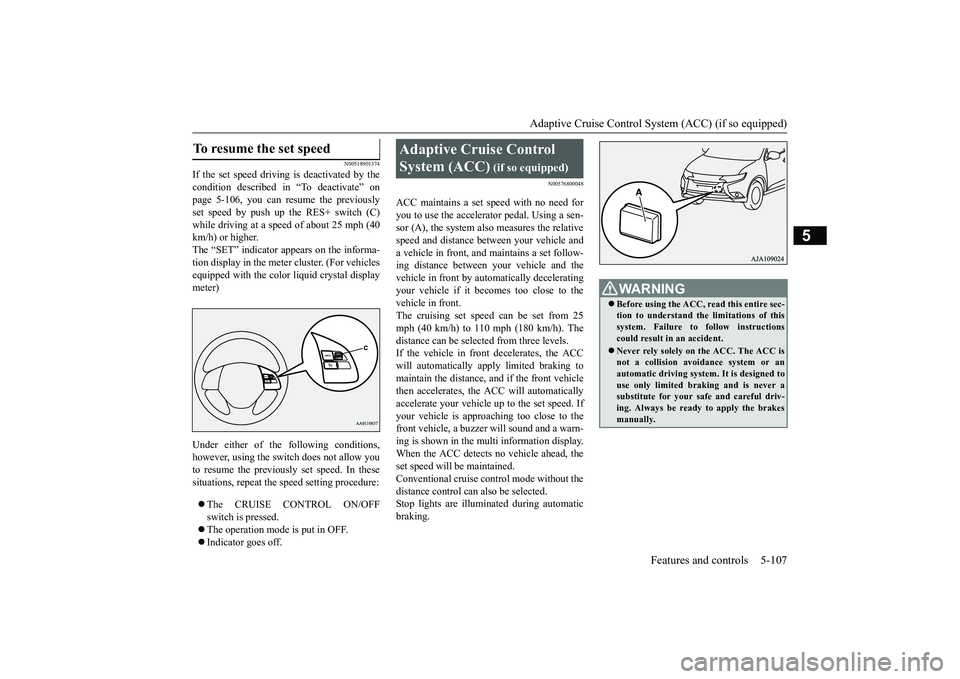
ACC maintains a set speed with no need foryou to use the accelerator pedal. Using a sen-sor (A), the system also measures the relativespeed and distance between your vehicle anda vehicle in front, and maintains a set follow-ing distance between your vehicle and thevehicle in front by automatically deceleratingyour vehicle if it becomes too close to thevehicle in front.The cruising set speed can be set from 25mph (40 km/h) to 110 mph (180 km/h). Thedistance can be select
ed from three levels.
If the vehicle in front
decelerates, the ACC
will automatically apply limited braking tomaintain the distance, and if the front vehiclethen accelerates, the ACC will automaticallyaccelerate your vehicle up to the set speed. Ifyour vehicle is approaching too close to thefront vehicle, a buzzer
will sound and a warn-
ing is shown in the multi information display.When the ACC detects no vehicle ahead, theset speed will be maintained.Conventional cruise control mode without thedistance control can
also be selected.
Stop lights are illuminated during automaticbraking.
To resume the set speed
Adaptive Cruise Control System (ACC)
(if so equipped)
WA R N I N GBefore using the ACC, read this entire sec-tion to understand the limitations of thissystem. Failure to follow instructionscould result in an accident.Never rely solely on the ACC. The ACC isnot a collision avoidance system or anautomatic driving system. It is designed touse only limited braking and is never asubstitute for your safe and careful driv-ing. Always be read
y to apply the brakes
manually.
BK0249100US.book 107 ページ 2017年5月10日 水曜日 午前8時49分
Page 201 of 441
Forward Collision Mitigation System (FCM) (if so equipped)5-120 Features and controls
5
N00577700073
When the FCM judges that a collision withthe vehicle or the pedest
rian straight-ahead is
imminent, the FCM will automatically applymoderate braking to warn the driver to applythe brakes immediately.If the FCM judges that the collision is highlyunavoidable, it will automatically applyemergency braking to reduce the severity ofthe collision and, if possible, to avoid the col-lision.When the FCM applies
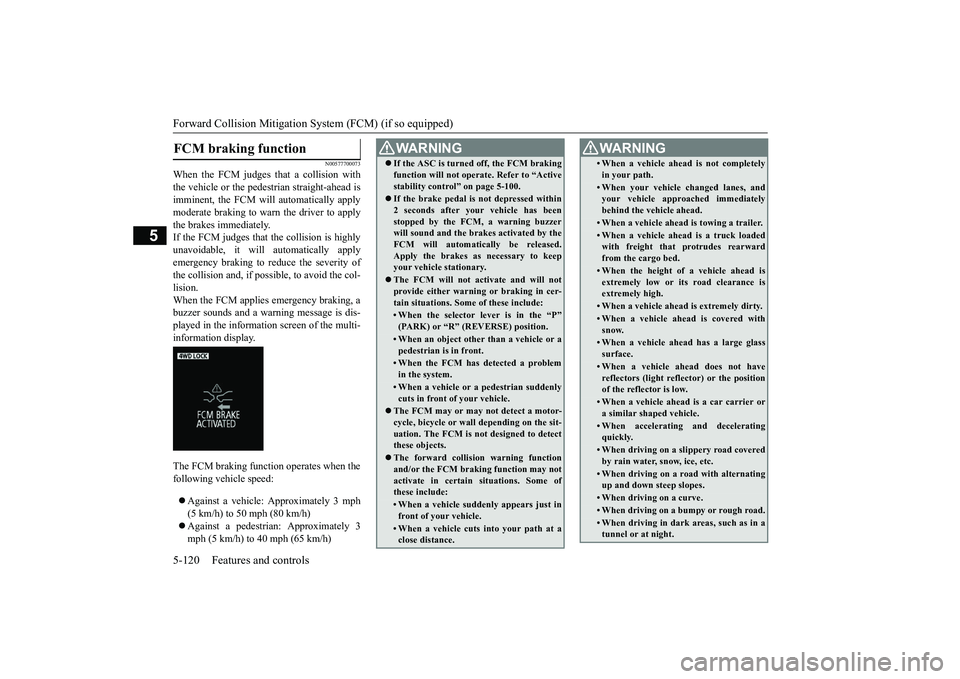
emergency braking, a
buzzer sounds and a warn
ing message is dis-
played in the information screen of the multi-information display.The FCM braking function operates when thefollowing ve
hicle speed:
Against a vehicle:
Approximately 3 mph
(5 km/h) to 50 mph (80 km/h)mph (5 km/h) to 40 mph (65 km/h)
FCM braking function
WA R N I N GIf the ASC is turned off, the FCM brakingfunction will not operat
e. Refer to “Active
stability control” on page 5-100.If the brake pedal is not depressed within2 seconds after your vehicle has beenstopped by the FCM, a warning buzzerwill sound and the brak
es activated by the
FCM will automatically be released.Apply the brakes as
necessary to keep
your vehicle stationary.The FCM will not ac
tivate and will not
provide either warnin
g or braking in cer-
tain situations. Some of these include:• When the selector lever is in the “P”(PARK) or
Page 204 of 441
Forward Collision Mitigation System (FCM) (if so equipped)
Features and controls 5-123
5
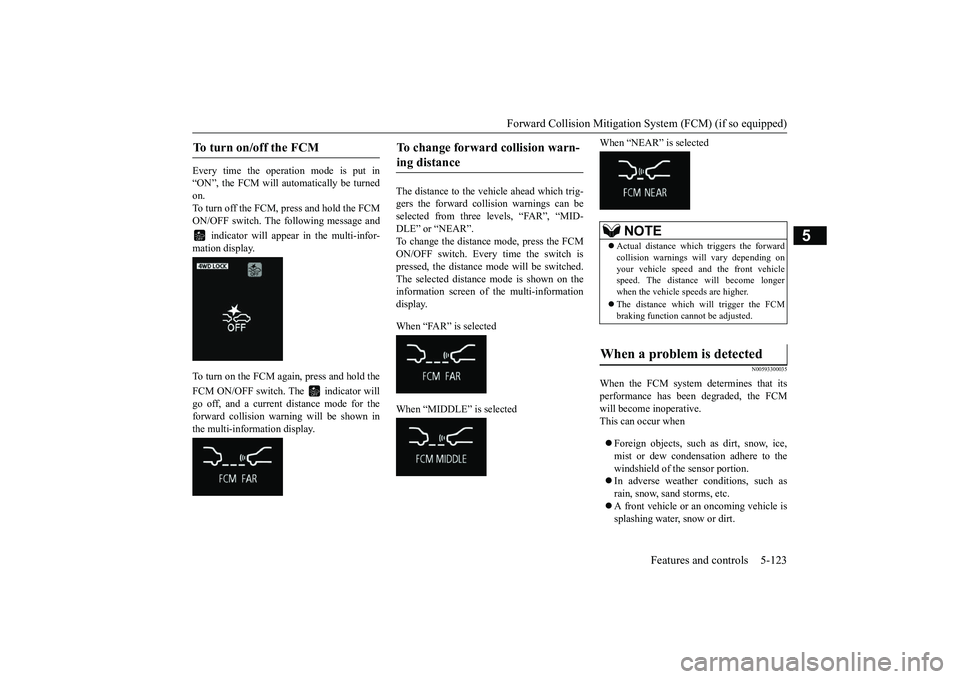
Every time the opera
tion mode is put in
“ON”, the FCM will automatically be turnedon.To turn off the FCM, press and hold the FCMON/OFF switch. The following message and
indicator will appear in the multi-infor-
mation display.To turn on the FCM again, press and hold theFCM ON/OFF switch. The indicator willgo off, and a current
distance mode for the
forward collision warning will be shown inthe multi-information display.
The distance to the vehicle ahead which trig-gers the forward collision warnings can beselected from three levels, “FAR”, “MID-DLE” or “NEAR”.To change the distance mode, press the FCMON/OFF switch. Every time the switch ispressed, the distance mode will be switched.The selected distance mode is shown on theinformation screen of the multi-informationdisplay. When “FAR” is selectedWhen “MIDDLE” is selected
When “NEAR” is selected
N00593300035
When the FCM system determines that itsperformance has been degraded, the FCMwill become inoperative.This can occur whenForeign objects, such
as dirt, snow, ice,
mist or dew condensat
ion adhere to the
windshield of the sensor portion.In adverse weather conditions, such asrain, snow, sand storms, etc.A front vehicle or an oncoming vehicle issplashing water, snow or dirt.
To turn on/off the FCM
To change forward collision warn-ing distance
NOTE
Actual distance which triggers the forwardcollision warnings w
ill vary depending on
your vehicle speed a
nd the front vehicle
speed. The distance will become longerwhen the vehicle speeds are higher.The distance which will trigger the FCMbraking function cannot be adjusted.
When a problem is detected
BK0249100US.book 123 ページ 2017年5月10日 水曜日 午前8時49分
Page 206 of 441
Forward Collision Mitigation System (FCM) (if so equipped)
Features and controls 5-125
5
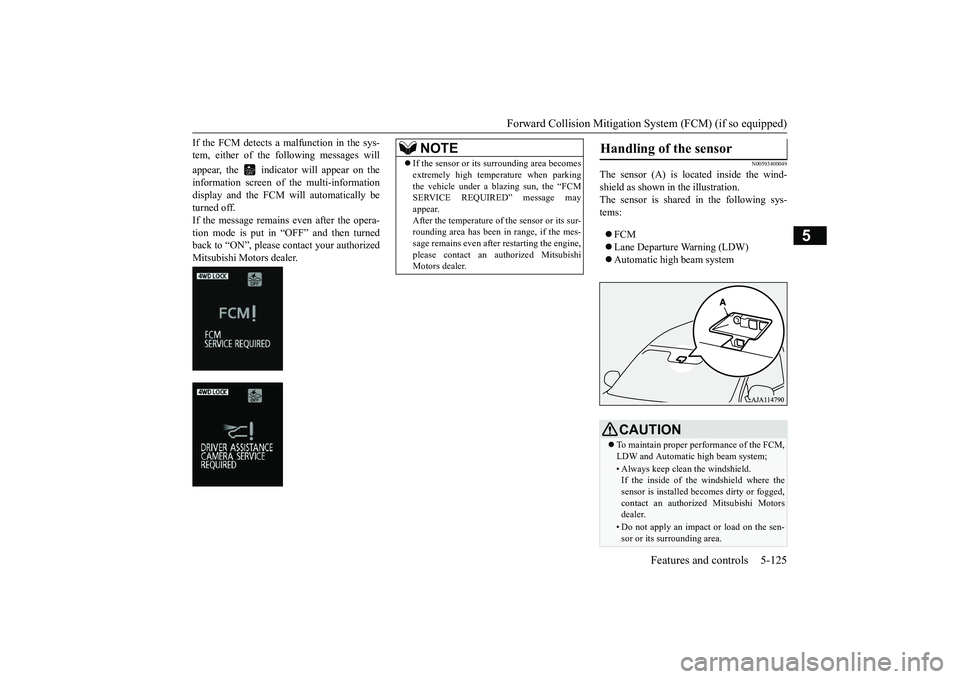
If the FCM detects a malfunction in the sys-tem, either of the following messages willappear, the indicator
will appear on the
information screen of
the multi-information
display and the FCM will automatically beturned off.If the message remains even after the opera-tion mode is put in “OFF” and then turnedback to “ON”, please contact your authorizedMitsubishi Motors dealer.
N00593400049
The sensor (A) is lo
cated inside the wind-
shield as shown in the illustration.The sensor is shared in the following sys-tems:FCMLane Departure Warning (LDW)Automatic high beam system
NOTE
If the sensor or its surrounding area becomesextremely high temperature when parkingthe vehicle under a blazing sun, the “FCMSERVICE REQUIRED” message mayappear.After the temperature of the sensor or its sur-rounding area has been in range, if the mes-sage remains even afte
r restarting the engine,
please contact an au
thorized Mitsubishi
Motors dealer.
Handling of the sensor
CAUTIONTo maintain proper performance of the FCM,LDW and Automatic high beam system;• Always keep clea
n the windshield.
If the inside of the windshield where thesensor is installed be
comes dirty or fogged,
contact an authorized Mitsubishi Motorsdealer.• Do not apply an impact or load on the sen-sor or its surrounding area.
BK0249100US.book 125 ページ 2017年5月10日 水曜日 午前8時49分
Page 209 of 441
Blind Spot Warning (BSW) (with Lane Change Assist) (if so equipped)
5
N00593500040
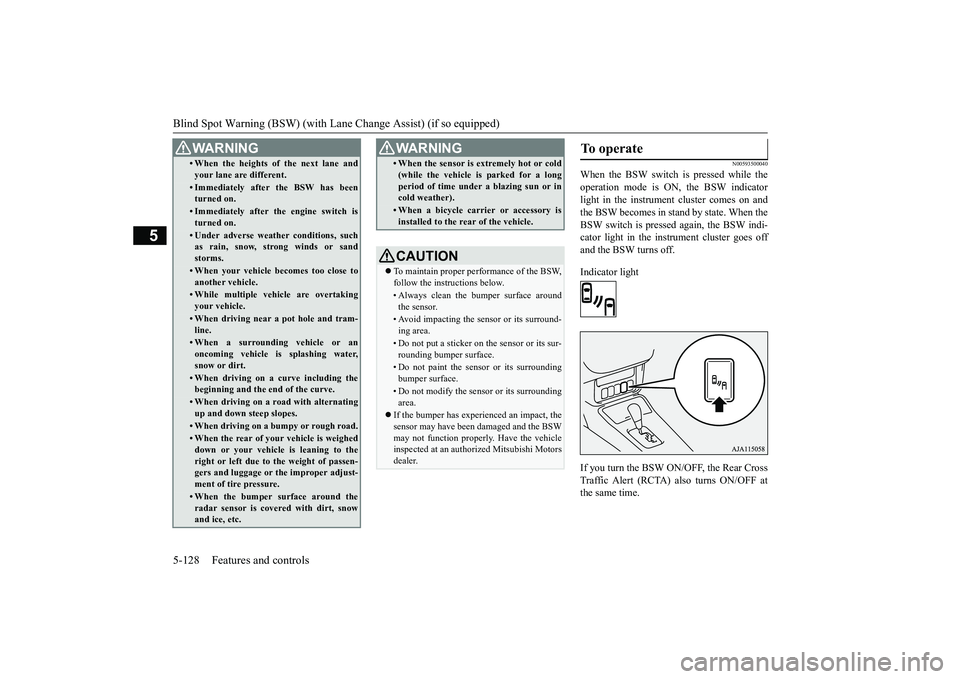
When the BSW switch is pressed while theoperation mode is ON,
the BSW indicator
light in the instrument cluster comes on andthe BSW becomes in stand by state. When theBSW switch is pressed again, the BSW indi-cator light in the instrument cluster goes offand the BSW turns off.Indicator lightIf you turn the BSW ON/OFF, the Rear CrossTraffic Alert (RCTA) also turns ON/OFF atthe same time.
• When the heights of the next lane andyour lane are different.• Immediately after the BSW has beenturned on.• Immediately after the engine switch isturned on.• Under adverse weather conditions, suchas rain, snow, strong winds or sandstorms.• When your vehicle becomes too close toanother vehicle.• While multiple ve
hicle are overtaking
your vehicle.• When driving near a pot hole and tram-line.• When a surroundin
g vehicle or an
oncoming vehicle is splashing water,snow or dirt.• When driving on a curve including thebeginning and the end of the curve.• When driving on a r
oad with alternating
up and down steep slopes.• When driving on a bumpy or rough road.• When the rear of your vehicle is weigheddown or your vehicl
e is leaning to the
right or left due to the weight of passen-gers and luggage or th
e improper adjust-
ment of tire pressure. • When the bumper surface around theradar sensor is covered with dirt, snowand ice, etc.WA R N I N G
• When the sensor is extremely hot or cold(while the vehicle is parked for a longperiod of time unde
r a blazing sun or in
cold weather).• When a bicycle carrier or accessory isinstalled to the re
ar of the vehicle.
CAUTIONTo maintain proper performance of the BSW,follow the instructions below.• Always clean the bumper surface aroundthe sensor.• Avoid impacting the sensor or its surround-ing area.• Do not put a sticker on
the sensor or its sur-
rounding bumper surface.• Do not paint the sensor or its surroundingbumper surface.• Do not modify the sensor or its surroundingarea.
If the bumper has experienced an impact, thesensor may have been
damaged and the BSW
may not function properl
y. Have the vehicle
inspected at an authorized Mitsubishi Motorsdealer.WA R N I N G
To operate
BK0249100US.book 128 ページ 2017年5月10日 水曜日 午前8時49分
Page 210 of 441
Blind Spot Warning (BSW) (with Lane Change Assist) (if so equipped)
Features and controls 5-129
5
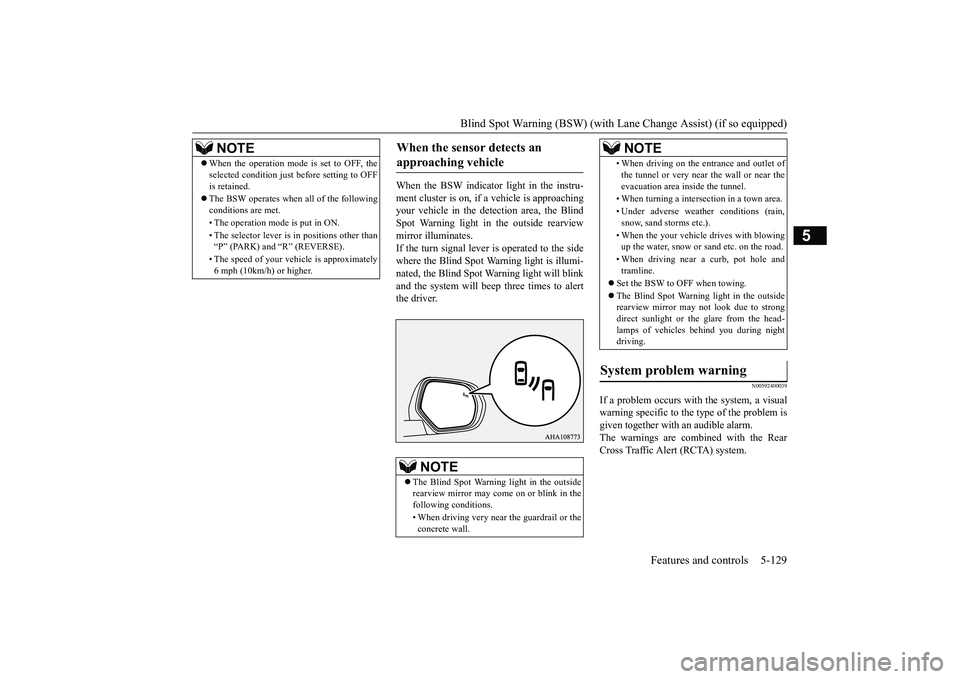
When the BSW indicator light in the instru-ment cluster is on, if a vehicle is approachingyour vehicle in the dete
ction area, the Blind
Spot Warning light in the outside rearviewmirror illuminates.If the turn signal lever is operated to the sidewhere the Blind Spot Warning light is illumi-nated, the Blind Spot Warning light will blinkand the system will beep three times to alertthe driver.
N00592400039
If a problem occurs with the system, a visualwarning specific to the type of the problem isgiven together with an audible alarm.The warnings are combined with the RearCross Traffic Alert (RCTA) system.
NOTE
When the operation mode is set to OFF, theselected condition just
before setting to OFF
is retained.The BSW operates when all of the followingconditions are met.• The operation mode is put in ON.• The selector lever is
in positions other than
“P” (PARK) and “R” (REVERSE).• The speed of your vehi
cle is approximately
6 mph (10km/h) or higher.
When the sensor detects an approaching vehicle
NOTE
The Blind Spot Warni
ng light in the outside
rearview mirror may come
on or blink in the
following conditions.• When driving very near the guardrail or theconcrete wall.
• When driving on the entrance and outlet ofthe tunnel or very near
the wall or near the
evacuation area inside the tunnel.• When turning a intersection in a town area.• Under adverse
weather condi
tions (rain,
snow, sand storms etc.).• When the your vehicle
drives with blowing
up the water, snow or sand etc. on the road.• When driving near a curb, pot hole andtramline.
Set the BSW to OFF when towing.The Blind Spot Warning light in the outsiderearview mirror may
not look due to strong
direct sunlight or th
e glare from the head-
lamps of vehicles
behind you during night
driving.
System problem warning
NOTE
BK0249100US.book 129 ページ 2017年5月10日 水曜日 午前8時49分
Page 213 of 441
Rear Cross Traffic Alert
(RCTA) (if so equipped)
5-132 Features and controls
5
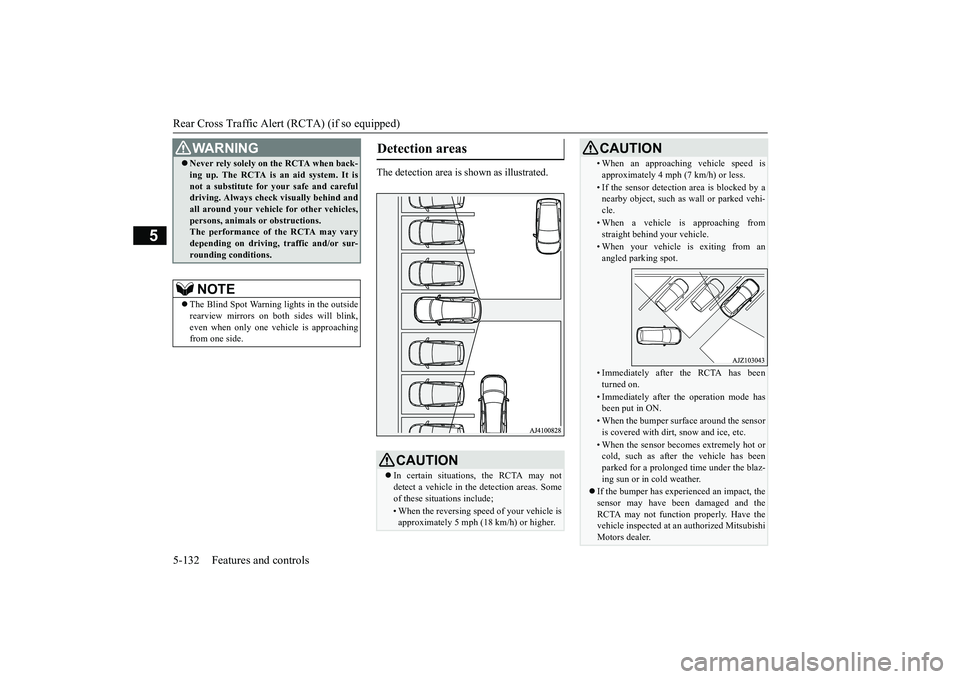
The detection area is
shown as illustrated.
Never rely solely on the RCTA when back-ing up. The RCTA is an aid system. It isnot a substitute for your safe and carefuldriving. Always check
visually behind and
all around your vehicl
e for other vehicles,
persons, animals
or obstructions.
The performance of the RCTA may varydepending on driving,
traffic and/or sur-
rounding conditions.NOTE
The Blind Spot Warning lights in the outsiderearview mirrors on bot
h sides will blink,
even when only one vehicle is approachingfrom one side.WA R N I N G
Detection areas
CAUTIONIn certain situations, the RCTA may notdetect a vehicle in the detection areas. Someof these situations include;• When the reversing sp
eed of your vehicle is
approximately 5 mph (18 km/h) or higher.
• When an approaching vehicle speed isapproximately 4 mph (7 km/h) or less.• If the sensor detectio
n area is blocked by a
nearby object, such as
wall or parked vehi-
cle.• When a vehicle is approaching fromstraight behind your vehicle.• When your vehicle is exiting from anangled parking spot.• Immediately after the RCTA has beenturned on.• Immediately after th
e operation mode has
been put in ON.• When the bumper surface around the sensoris covered with dirt
, snow and ice, etc.
• When the sensor becomes extremely hot orcold, such as after the vehicle has beenparked for a prolonged time under the blaz-ing sun or in cold weather.
If the bumper has experienced an impact, thesensor may have be
en damaged and the
RCTA may not function properly. Have thevehicle inspected at an
authorized Mitsubishi
Motors dealer.CAUTION
BK0249100US.book 132 ページ 2017年5月10日 水曜日 午前8時49分
Page 216 of 441

Lane Departure Warning System (LDW) (if so equipped)
Features and controls 5-135
5
2. Press again and hold the LDW switch formore than 10 seconds.3. When you release the LDW switch, theLDW mode is changed and it appears onthe multi information display. or
N00581000051
To turn off the LDW, press the LDW switch.The “LDW” indicator on the informationscreen of the multi-information display willthen go out.To return the LDW to “ON”, press the LDWswitch again.
N00581100036
The LDW, when turned ON, is capable ofrecognizing the lane in which your vehicle istravelling and issuing an audible warningwhen your vehicle begins to leave that travellane. When operating, the “LDW” indicatoron the multi-information display will bechanged to indicator (green). The LDWwill not operate, how
ever, and the “LDW”
conditions have occurred:The vehicle speed is less than 38 mph (60km/h).The turn signal lever is being operated orhas been operated in the past 7 seconds.The hazard warning light is being oper-ated or has been operated in the past 7seconds.
N00581200040
While the “LDW” indicator in the informa-tion display is lit in gr
een, if your vehicle is
leaving or has left the lane, a buzzer willsound intermittently, “LANE DEPARTURE”will appear in the information display andthe indicator will be flashing in amber.
Turning off the LDW
Operation of the LDW
Lane departure warning
BK0249100US.book 135 ページ 2017年5月10日 水曜日 午前8時49分