phone MITSUBISHI OUTLANDER PHEV 2018 (in English) Owner's Guide
[x] Cancel search | Manufacturer: MITSUBISHI, Model Year: 2018, Model line: OUTLANDER PHEV, Model: MITSUBISHI OUTLANDER PHEV 2018Pages: 538, PDF Size: 25.01 MB
Page 162 of 538
1.Press and hold the multi information dis-
play switch for about 2 seconds or more to switch from the setting mode screen
to the menu screen.
Refer to “Changing the function set-
tings” on page 6-15.
2. Lightly press the multi information dis-
play switch to select “
” (temperature
unit setting).
3. Press and hold the multi information dis-
play switch for about 2 seconds or more
to switch in from °C to °F, or from °F to °C. The setting is changed to the selec-
ted temperature unit.
NOTEl The temperature value on air conditioner
panel is switched in conjunction with outside
temperature display unit of the multi infor-
mation display.
However, “°C” or “°F” are not shown to
temperature display of an air conditioner.
l On vehicles equipped with the Smartphone
Link Display Audio or the MITSUBISHI
Multi- Communication System (MMCS), the temperature value of Smartphone Link
Display Audio or MITSUBISHI Multi-Com-
munication System (MMCS) is switched in conjunction with the outside temperature
display unit of the multi information display.
However, “°C” or “°F” is not shown to the
air conditioner screen of MITSUBISHI Mul-
ti- Communication System (MMCS).Changing the display language
E00523201741
The language of the multi information dis-
play can be switched. 1. Press and hold the multi information dis-
play switch for about 2 seconds or more to switch from the setting mode screen
to the menu screen.
Refer to “Changing the function set-
tings” on page 6-15.
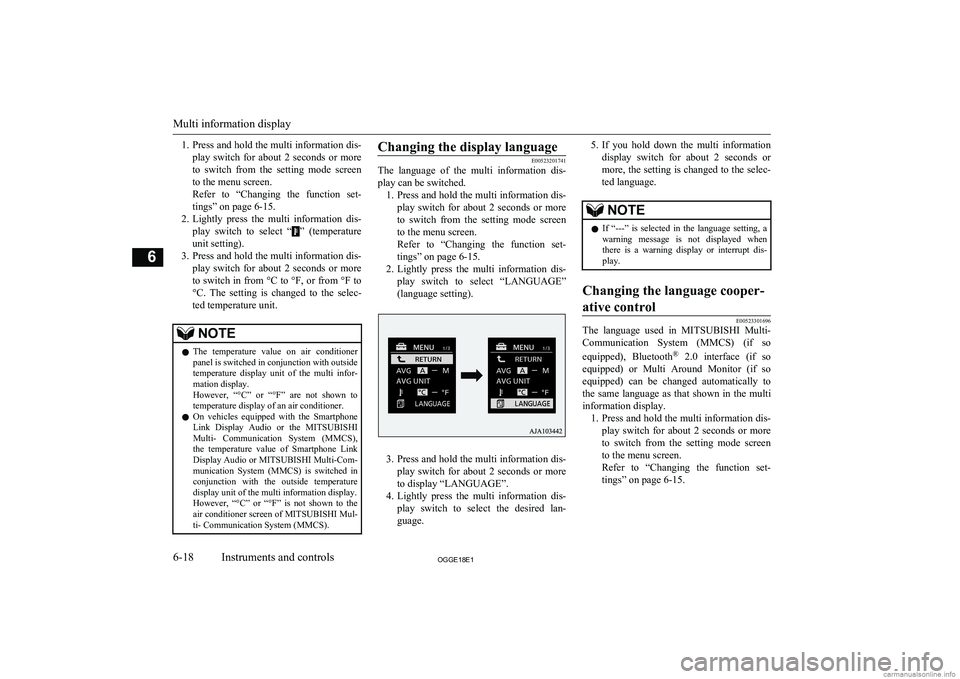
2. Lightly press the multi information dis-
play switch to select “LANGUAGE”
(language setting).
3. Press and hold the multi information dis-
play switch for about 2 seconds or more to display “LANGUAGE”.
4. Lightly press the multi information dis-
play switch to select the desired lan-guage.
5. If you hold down the multi information
display switch for about 2 seconds or
more, the setting is changed to the selec- ted language.NOTEl If “---” is selected in the language setting, a
warning message is not displayed whenthere is a warning display or interrupt dis-
play.Changing the language cooper-
ative control
E00523301696
The language used in MITSUBISHI Multi-
Communication System (MMCS) (if so
equipped), Bluetooth ®
2.0 interface (if so
equipped) or Multi Around Monitor (if so equipped) can be changed automatically to
the same language as that shown in the multi
information display. 1. Press and hold the multi information dis-
play switch for about 2 seconds or more to switch from the setting mode screen to the menu screen.
Refer to “Changing the function set-
tings” on page 6-15.
Multi information display
6-18OGGE18E1Instruments and controls6
Page 196 of 538
If the engine oil pressure drops while thePlug-in Hybrid EV System is operating, thewarning display is displayed on the informa-
tion screen in the multi information display.CAUTIONl If the vehicle is driven while the engine oil
is low, or the oil level is normal but the warning is displayed, the engine may burn
out and be damaged.
l If the warning is displayed while the Plug-in
Hybrid EV System is operating, immediately
park your vehicle in a safe place and check
the engine oil level.
l If the warning is displayed while the engine
oil level is normal, have it inspected.Combination headlamps
and dipper switch E00506004370
Headlamps
NOTElDo not leave the lights on for a long time
while the Plug-in Hybrid EV System is sta-tionary (not operating). A run-down auxili- ary battery could result.NOTEl When it rains, or when the vehicle has been
washed, the inside of the lens sometimes be-
comes foggy, but this does not indicate a functional problem.
When the lamp is switched on, the heat will
remove the fog. However, if water gathers inside the lamp, we recommend you to have
it checked.
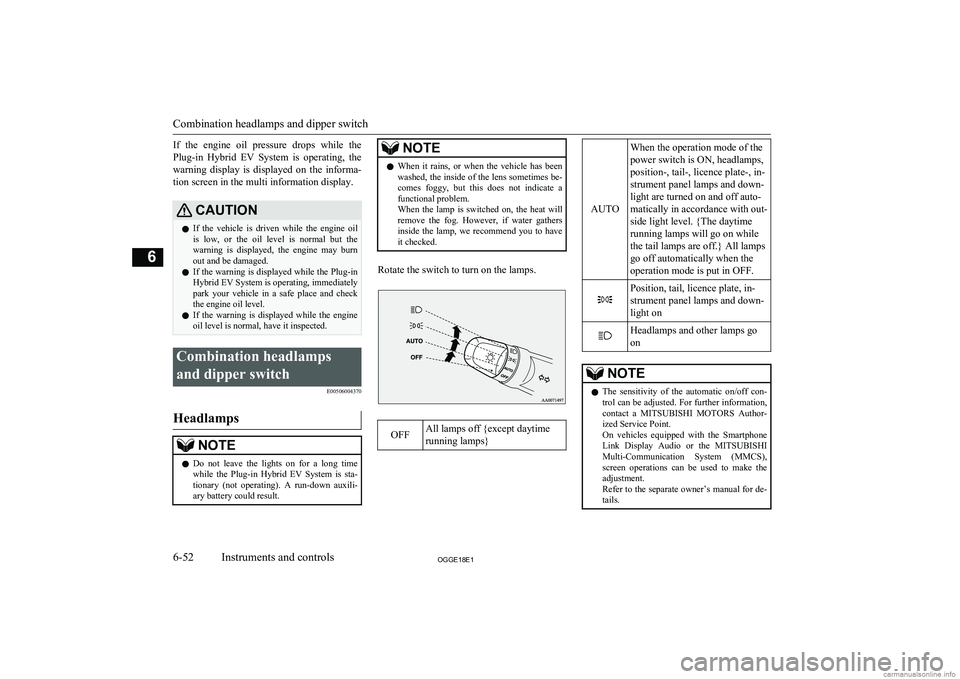
Rotate the switch to turn on the lamps.
OFFAll lamps off {except daytime
running lamps}
AUTO
When the operation mode of the
power switch is ON, headlamps,
position-, tail-, licence plate-, in-
strument panel lamps and down-
light are turned on and off auto-
matically in accordance with out-
side light level. {The daytime
running lamps will go on while
the tail lamps are off.} All lamps
go off automatically when the
operation mode is put in OFF.Position, tail, licence plate, in-
strument panel lamps and down-
light onHeadlamps and other lamps go
onNOTEl The sensitivity of the automatic on/off con-
trol can be adjusted. For further information,contact a MITSUBISHI MOTORS Author-
ized Service Point.
On vehicles equipped with the Smartphone
Link Display Audio or the MITSUBISHI
Multi-Communication System (MMCS), screen operations can be used to make theadjustment.
Refer to the separate owner’s manual for de-
tails.
Combination headlamps and dipper switch
6-52OGGE18E1Instruments and controls6
Page 197 of 538
NOTElWhen the headlamps are turned off by the
automatic on/off control with the operation
mode in ON, the front fog lamps and rear fog lamps also go off. When the headlamps
are subsequently turned back on by the auto- matic on/off control, the front fog lamps also
come on but the rear fog lamp stays off. If you wish to turn the rear fog lamp back on,
operate the switch again.
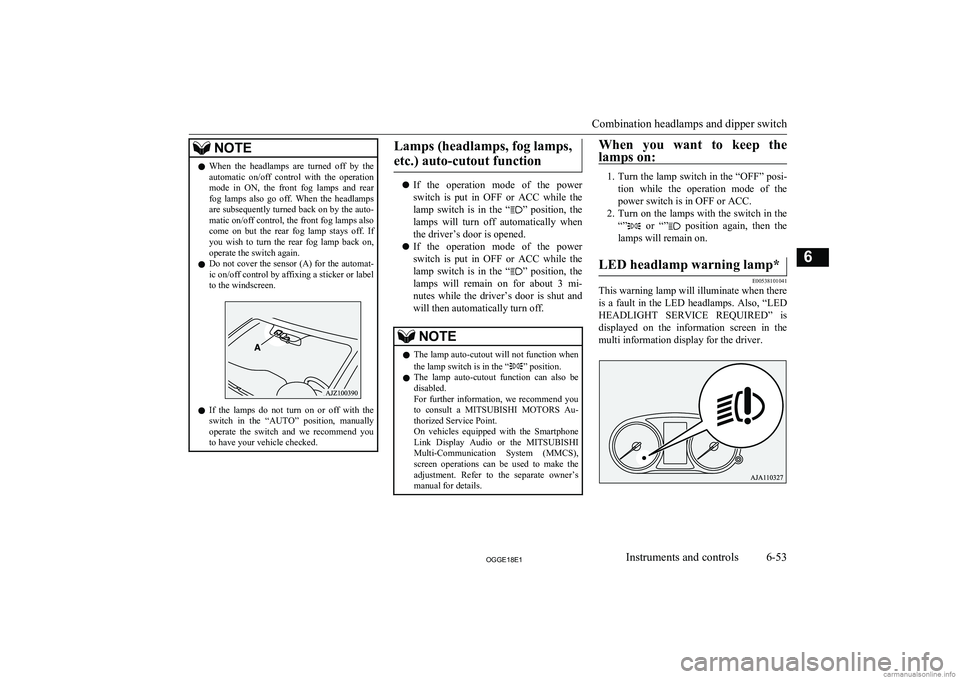
l Do not cover the sensor (A) for the automat-
ic on/off control by affixing a sticker or labelto the windscreen.
l If the lamps do not turn on or off with the
switch in the “AUTO” position, manually
operate the switch and we recommend you
to have your vehicle checked.
Lamps (headlamps, fog lamps,
etc.) auto-cutout function
l If the operation mode of the power
switch is put in OFF or ACC while the
lamp switch is in the “
” position, the
lamps will turn off automatically when the driver’s door is opened.
l If the operation mode of the power
switch is put in OFF or ACC while the
lamp switch is in the “
” position, the
lamps will remain on for about 3 mi-
nutes while the driver’s door is shut and will then automatically turn off.
NOTEl The lamp auto-cutout will not function when
the lamp switch is in the “” position.
l The lamp auto-cutout function can also be
disabled.
For further information, we recommend you
to consult a MITSUBISHI MOTORS Au-
thorized Service Point.
On vehicles equipped with the Smartphone
Link Display Audio or the MITSUBISHI
Multi-Communication System (MMCS), screen operations can be used to make theadjustment. Refer to the separate owner’s
manual for details.When you want to keep the
lamps on:
1. Turn the lamp switch in the “OFF” posi-
tion while the operation mode of the power switch is in OFF or ACC.
2. Turn on the lamps with the switch in the
“”
or “” position again, then the
lamps will remain on.
LED headlamp warning lamp*
E00538101041
This warning lamp will illuminate when there is a fault in the LED headlamps. Also, “LED
HEADLIGHT SERVICE REQUIRED” is displayed on the information screen in the
multi information display for the driver.
Combination headlamps and dipper switch
6-53OGGE18E1Instruments and controls6
Page 202 of 538
Welcome light
E00528902072
This function turns on the position and tail
lamps for about 30 seconds after the UN- LOCK switch on the remote control transmit-
ter is pressed when the combination head-
lamps and dipper switch is in the “OFF” or
“AUTO” position. The welcome light func- tion will operate only when it is dark outside
the vehicle.
NOTEl While the welcome light function is operat-
ing, perform one of the following operations to cancel the function.
• Push the LOCK switch on the remote
control transmitter.
• Turn the combination headlamps and dip-
per switch to the “
” or “” position.
• Put the operation mode of the power
switch in ON.
l It is possible to modify functions as follows:
• The headlamps can be set to come on in
the low beam setting.
• The welcome light function can be deacti-
vated.
For further information, please contact your MITSUBISHI MOTORS Authorized Serv-
ice Point.
On vehicles equipped with the Smartphone
Link Display Audio or the MITSUBISHI
Multi-Communication System (MMCS), screen operations can be used to make the
NOTEadjustment. Refer to the separate owner’s
manual for details.Coming home light
E00529001826
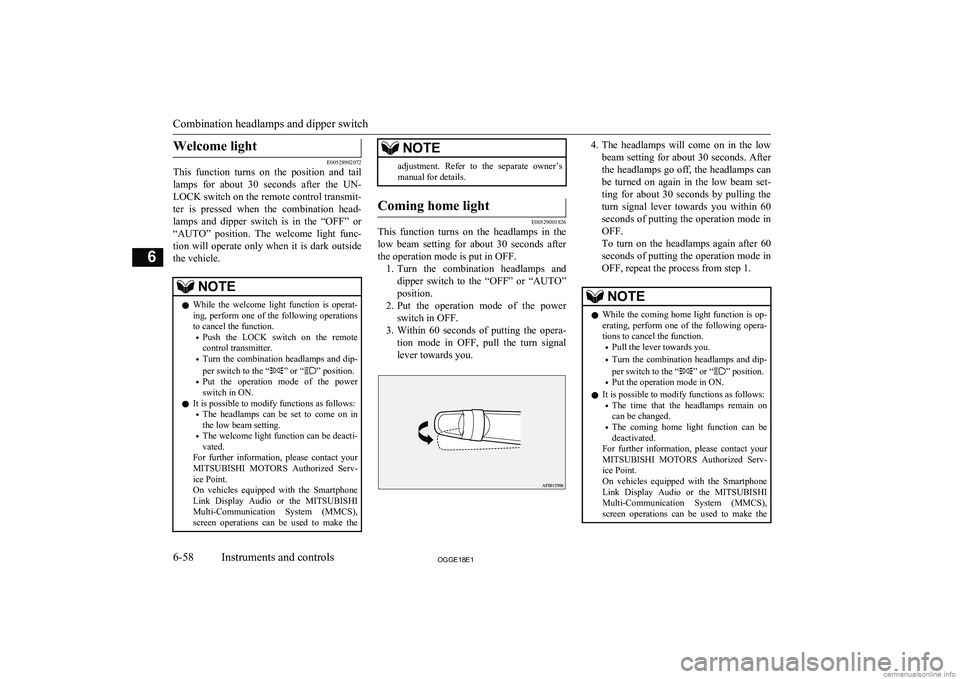
This function turns on the headlamps in the
low beam setting for about 30 seconds after the operation mode is put in OFF. 1. Turn the combination headlamps and
dipper switch to the “OFF” or “AUTO”
position.
2. Put the operation mode of the power
switch in OFF.
3. Within 60 seconds of putting the opera-
tion mode in OFF, pull the turn signal
lever towards you.
4. The headlamps will come on in the low
beam setting for about 30 seconds. After
the headlamps go off, the headlamps can be turned on again in the low beam set-
ting for about 30 seconds by pulling the turn signal lever towards you within 60seconds of putting the operation mode in
OFF.
To turn on the headlamps again after 60
seconds of putting the operation mode in OFF, repeat the process from step 1.NOTEl While the coming home light function is op-
erating, perform one of the following opera-
tions to cancel the function.
• Pull the lever towards you.
• Turn the combination headlamps and dip-
per switch to the “
” or “” position.
• Put the operation mode in ON.
l It is possible to modify functions as follows:
• The time that the headlamps remain on
can be changed.
• The coming home light function can be
deactivated.
For further information, please contact your
MITSUBISHI MOTORS Authorized Serv-
ice Point.
On vehicles equipped with the Smartphone
Link Display Audio or the MITSUBISHI
Multi-Communication System (MMCS), screen operations can be used to make the
Combination headlamps and dipper switch
6-58OGGE18E1Instruments and controls6
Page 204 of 538
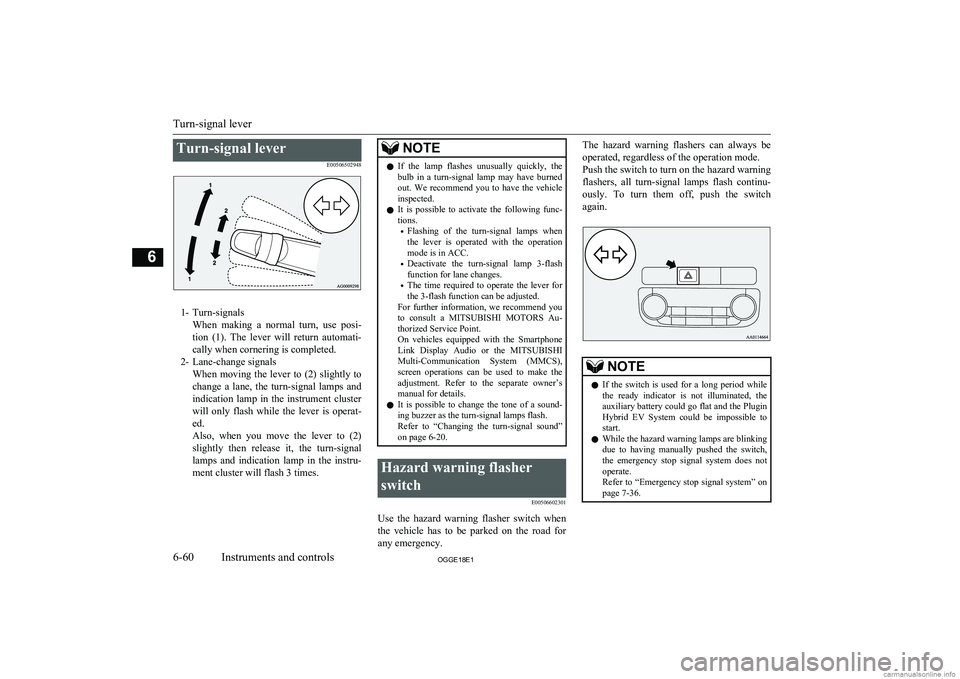
Turn-signal leverE00506502948
1- Turn-signalsWhen making a normal turn, use posi-
tion (1). The lever will return automati- cally when cornering is completed.
2- Lane-change signals When moving the lever to (2) slightly to
change a lane, the turn-signal lamps and indication lamp in the instrument clusterwill only flash while the lever is operat- ed.
Also, when you move the lever to (2)
slightly then release it, the turn-signal
lamps and indication lamp in the instru- ment cluster will flash 3 times.
NOTEl If the lamp flashes unusually quickly, the
bulb in a turn-signal lamp may have burned out. We recommend you to have the vehicle
inspected.
l It is possible to activate the following func-
tions.
• Flashing of the turn-signal lamps when
the lever is operated with the operation
mode is in ACC.
• Deactivate the turn-signal lamp 3-flash
function for lane changes.
• The time required to operate the lever for
the 3-flash function can be adjusted.
For further information, we recommend you
to consult a MITSUBISHI MOTORS Au-
thorized Service Point.
On vehicles equipped with the Smartphone
Link Display Audio or the MITSUBISHI
Multi-Communication System (MMCS),
screen operations can be used to make the adjustment. Refer to the separate owner’s
manual for details.
l It is possible to change the tone of a sound-
ing buzzer as the turn-signal lamps flash.
Refer to “Changing the turn-signal sound”
on page 6-20.Hazard warning flasher
switch E00506602301
Use the hazard warning flasher switch when
the vehicle has to be parked on the road for
any emergency.
The hazard warning flashers can always be
operated, regardless of the operation mode.
Push the switch to turn on the hazard warning flashers, all turn-signal lamps flash continu-
ously. To turn them off, push the switch
again.NOTEl If the switch is used for a long period while
the ready indicator is not illuminated, theauxiliary battery could go flat and the Plugin
Hybrid EV System could be impossible to start.
l While the hazard warning lamps are blinking
due to having manually pushed the switch,
the emergency stop signal system does not
operate.
Refer to “Emergency stop signal system” on page 7-36.
Turn-signal lever
6-60OGGE18E1Instruments and controls6
Page 205 of 538
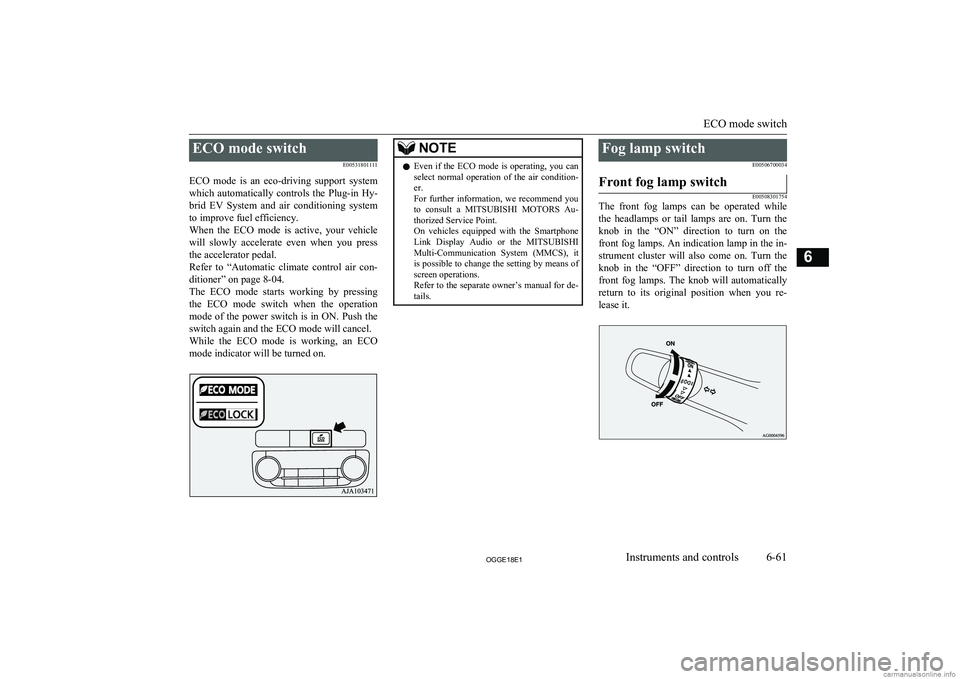
ECO mode switchE00531801111
ECO mode is an eco-driving support system
which automatically controls the Plug-in Hy- brid EV System and air conditioning system to improve fuel efficiency.
When the ECO mode is active, your vehicle
will slowly accelerate even when you press the accelerator pedal.
Refer to “Automatic climate control air con- ditioner” on page 8-04.
The ECO mode starts working by pressing
the ECO mode switch when the operation mode of the power switch is in ON. Push the
switch again and the ECO mode will cancel. While the ECO mode is working, an ECO mode indicator will be turned on.NOTEl Even if the ECO mode is operating, you can
select normal operation of the air condition-
er.
For further information, we recommend you to consult a MITSUBISHI MOTORS Au-
thorized Service Point.
On vehicles equipped with the Smartphone Link Display Audio or the MITSUBISHI
Multi-Communication System (MMCS), it is possible to change the setting by means of
screen operations.
Refer to the separate owner’s manual for de-
tails.Fog lamp switch
E00506700034Front fog lamp switch
E00508301754
The front fog lamps can be operated while
the headlamps or tail lamps are on. Turn the knob in the “ON” direction to turn on the
front fog lamps. An indication lamp in the in- strument cluster will also come on. Turn theknob in the “OFF” direction to turn off the front fog lamps. The knob will automatically
return to its original position when you re- lease it.
ECO mode switch
6-61OGGE18E1Instruments and controls6
Page 208 of 538
NOTE•When the wipers operate at a constant in-
terval despite changes in the extent of rain.
• When the wipers do not operate even
though it is raining.
l The wipers may automatically operate when
things such as insects or foreign objects are affixed to the windscreen on top of the rainsensor or when the windscreen is frozen.
Objects affixed to the windscreen will stop
the wipers when the wipers cannot remove them. To operate the wipers again, move the
lever in the “LO” or “HI” position.
Also, the wipers may operate automatically
due to strong direct sunlight or electromag- netic wave. To stop the wipers, place thelever in the “OFF” position.
l Contact a
MITSUBISHI MOTORS Author-
ized Service Point when replacing the wind-
screen or reinforcing the glass around the sensor.To adjust the sensitivity of the
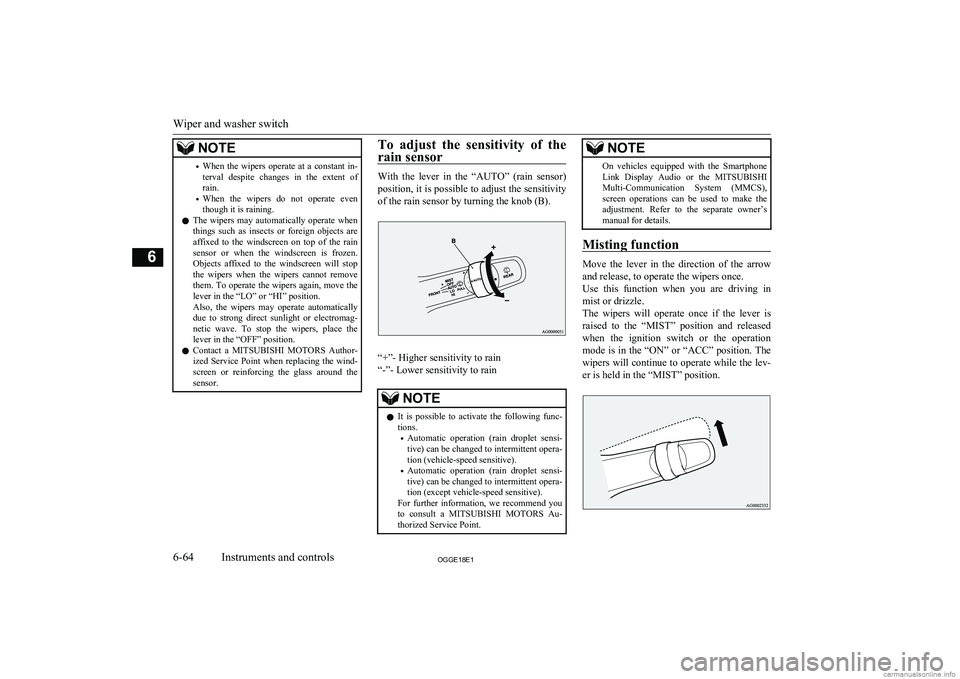
rain sensor
With the lever in the “AUTO” (rain sensor) position, it is possible to adjust the sensitivityof the rain sensor by turning the knob (B).
“+”- Higher sensitivity to rain
“-”- Lower sensitivity to rain
NOTEl It is possible to activate the following func-
tions.
• Automatic operation (rain droplet sensi-
tive) can be changed to intermittent opera-
tion (vehicle-speed sensitive).
• Automatic operation (rain droplet sensi-
tive) can be changed to intermittent opera-
tion (except vehicle-speed sensitive).
For further information, we recommend you to consult a MITSUBISHI MOTORS Au-
thorized Service Point.NOTEOn vehicles equipped with the Smartphone
Link Display Audio or the MITSUBISHI
Multi-Communication System (MMCS), screen operations can be used to make theadjustment. Refer to the separate owner’s
manual for details.
Misting function
Move the lever in the direction of the arrow
and release, to operate the wipers once.
Use this function when you are driving in
mist or drizzle.
The wipers will operate once if the lever is raised to the “MIST” position and released
when the ignition switch or the operation
mode is in the “ON” or “ACC” position. The wipers will continue to operate while the lev- er is held in the “MIST” position.
Wiper and washer switch
6-64OGGE18E1Instruments and controls6
Page 209 of 538
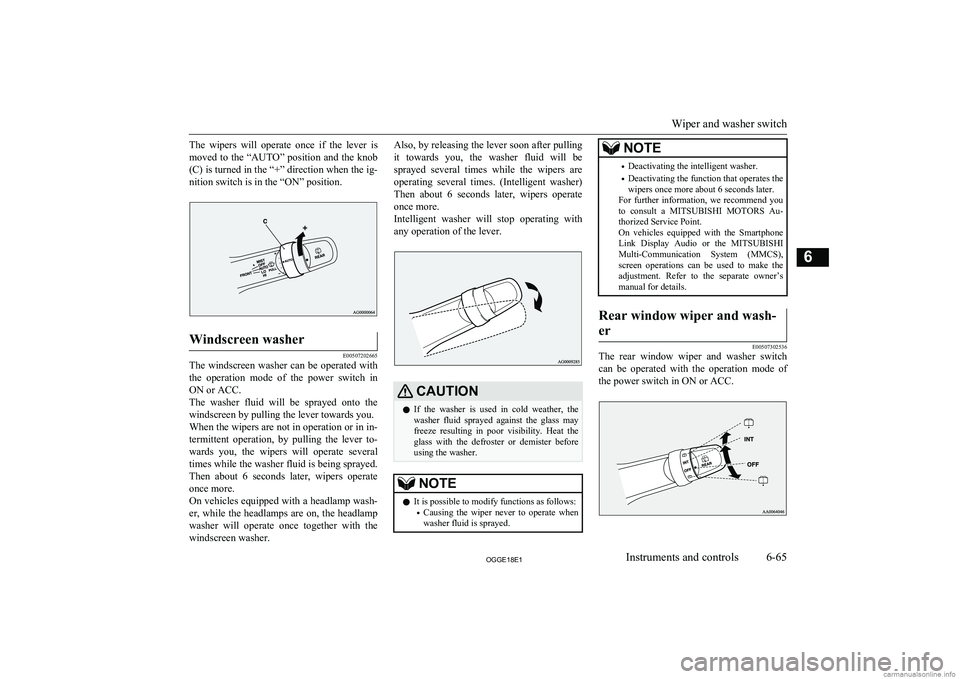
The wipers will operate once if the lever ismoved to the “AUTO” position and the knob
(C) is turned in the “+” direction when the ig- nition switch is in the “ON” position.Windscreen washer
E00507202665
The windscreen washer can be operated with the operation mode of the power switch in
ON or ACC.
The washer fluid will be sprayed onto the windscreen by pulling the lever towards you.When the wipers are not in operation or in in-
termittent operation, by pulling the lever to-
wards you, the wipers will operate several
times while the washer fluid is being sprayed. Then about 6 seconds later, wipers operate
once more.
On vehicles equipped with a headlamp wash- er, while the headlamps are on, the headlamp
washer will operate once together with the windscreen washer.
Also, by releasing the lever soon after pulling
it towards you, the washer fluid will be sprayed several times while the wipers are operating several times. (Intelligent washer)
Then about 6 seconds later, wipers operate once more.
Intelligent washer will stop operating with
any operation of the lever.CAUTIONl If the washer is used in cold weather, the
washer fluid sprayed against the glass may
freeze resulting in poor visibility. Heat the
glass with the defroster or demister before using the washer.NOTEl It is possible to modify functions as follows:
• Causing the wiper never to operate when
washer fluid is sprayed.NOTE• Deactivating the intelligent washer.
• Deactivating the function that operates the
wipers once more about 6 seconds later.
For further information, we recommend you
to consult a MITSUBISHI MOTORS Au-
thorized Service Point.
On vehicles equipped with the Smartphone
Link Display Audio or the MITSUBISHI
Multi-Communication System (MMCS), screen operations can be used to make theadjustment. Refer to the separate owner’s
manual for details.Rear window wiper and wash-
er
E00507302536
The rear window wiper and washer switch can be operated with the operation mode of
the power switch in ON or ACC.
Wiper and washer switch
6-65OGGE18E1Instruments and controls6
Page 210 of 538
INT-
The wiper operates continuously
for several seconds then oper-
ates intermittently at intervals of
about every 8 secondsOFF-Off
-
The washer fluid will be sprayed
onto the rear window when the
knob is turned fully in either di-
rection.
The wipers operate automatical-
ly several times while the wash-
er fluid is being sprayed.NOTEl The rear window wiper will automatically
perform several continuous operations if theselector lever is put in the “R” position while
the windscreen wipers or the rear window wiper is operating. (automatic operation
mode)
After the automatic operation, the rear win- dow wiper will stop operating if the knob is
in the “OFF” position. If the knob is in the “INT” position, the rear window wiper will
return to the intermittent operation.
It is possible to set the rear window wiper to perform the automatic operation only if theselector lever is put in the “R” position while
the rear window wiper is operating with the
knob in the “INT” position.
For further information, we recommend you
to consult a MITSUBISHI MOTORS Au-
thorized Service Point.
On vehicles equipped with the Smartphone
Link Display Audio or the MITSUBISHI
Multi-Communication System (MMCS), screen operations can be used to make theadjustment.
Refer to the separate owner’s manual for de-
tails.
l If the knob is in the “OFF” position, turn the
knob to the “INT” position twice quickly to
operate the rear window wiper continuously. (continuous operation mode)
Turn the knob to the “OFF” position to stop
the rear window wiper continuous operation.NOTEl The interval for intermittent operation can be
adjusted.
For further information, we recommend you to consult a MITSUBISHI MOTORS Au-
thorized Service Point.
On vehicles equipped with the Smartphone Link Display Audio or the MITSUBISHI
Multi-Communication System (MMCS), screen operations can be used to make theadjustment. Refer to the separate owner’s
manual for details.Headlamp washer switch
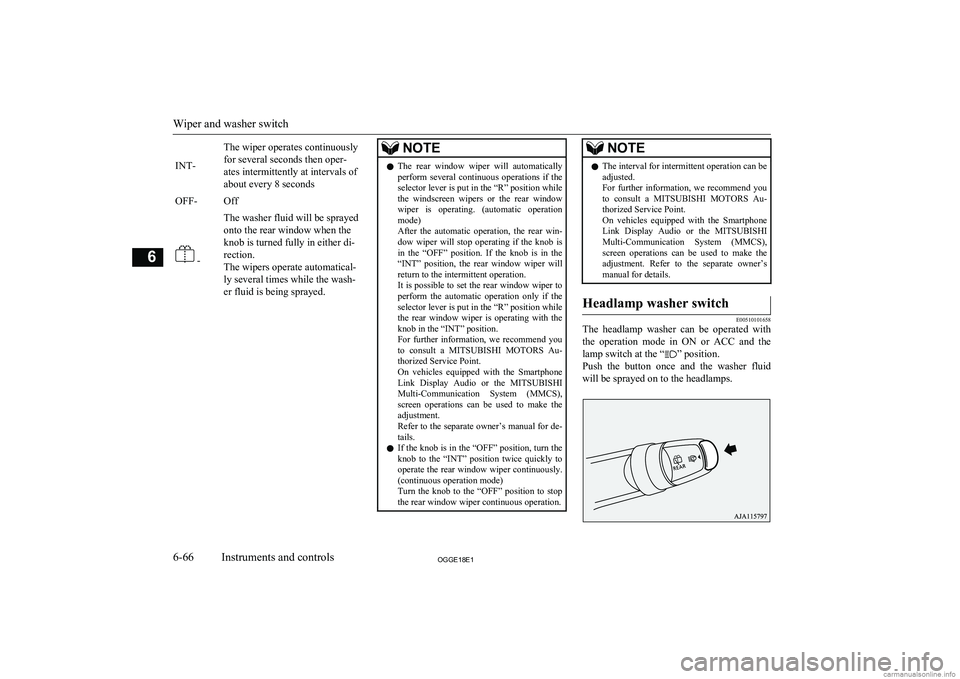
E00510101658
The headlamp washer can be operated with
the operation mode in ON or ACC and the lamp switch at the “
” position.
Push the button once and the washer fluid will be sprayed on to the headlamps.
Wiper and washer switch
6-66OGGE18E1Instruments and controls6
Page 212 of 538
NOTElDo not use this switch when the ready indi-
cation lamp is not illuminated. The auxiliary battery could go flat, making it impossible to
start the Plug-in Hybrid EV System.
l Since the demister requires a significant
amount of power, stop the demister as soonas the window is demisted. Using it for along time may reduce the auxiliary battery
voltage, making it impossible to start the
Plug-in Hybrid EV System.
l When the rear window demister switch is
pressed, the outside rear-view mirrors are
defogged or defrosted. Refer to “Heated mir-
ror” on page 7-11.
l On vehicles equipped with the wiper de-icer,
when the rear window demister switch is pushed, the window glass becomes warm
and the wipers become operable. Refer to “Wiper de-icer switch” on page 6-67.NOTEl It is possible to change the setting to make
the rear window demister operate automati-
cally when ambient temperature becomes
low while the ready indication lamp is illu- minated, even if you do not push the rear
window demister switch.
It operates automatically only once after put-
ting the operation mode in ON.
If you choose this setting, the heated mirrors (if so equipped) and wiper de-icer (if so
equipped) will also operate automatically at the same time.
For further information, we recommend you
to consult a MITSUBISHI MOTORS Au-
thorized Service Point.
On vehicles equipped with the Smartphone
Link Display Audio or the MITSUBISHI
Multi-Communication System (MMCS), screen operations can be used to make the
adjustment. Refer to the separate owner’s
manual for details.
l The demister switch is not to melt snow but
to clear mist. Remove snow before use of the demister switch.
l When cleaning the inside of the rear win-
dow, use a soft cloth and wipe gently along
the heater wires, being careful not to damage the wires.
l Do not allow objects to touch the inside of
the rear window glass, damaged or broken wires may result.Heated windscreen switch*
E00532000054
In cold weather windscreen can be heated by
electrical-heat units.
It will speed-up removal of frost and conden- sate.
The heated windscreen switch can be operat- ed when the Plug-in Hybrid EV System is operating and the outside temperature is
about 5 °C or less.
Push the switch to turn on the heated wind- screen. It will be turned off automatically in
about 5 to 10 minutes depending on the out- side temperature. To turn off the heatedwindscreen while it is operating, push the
switch again.
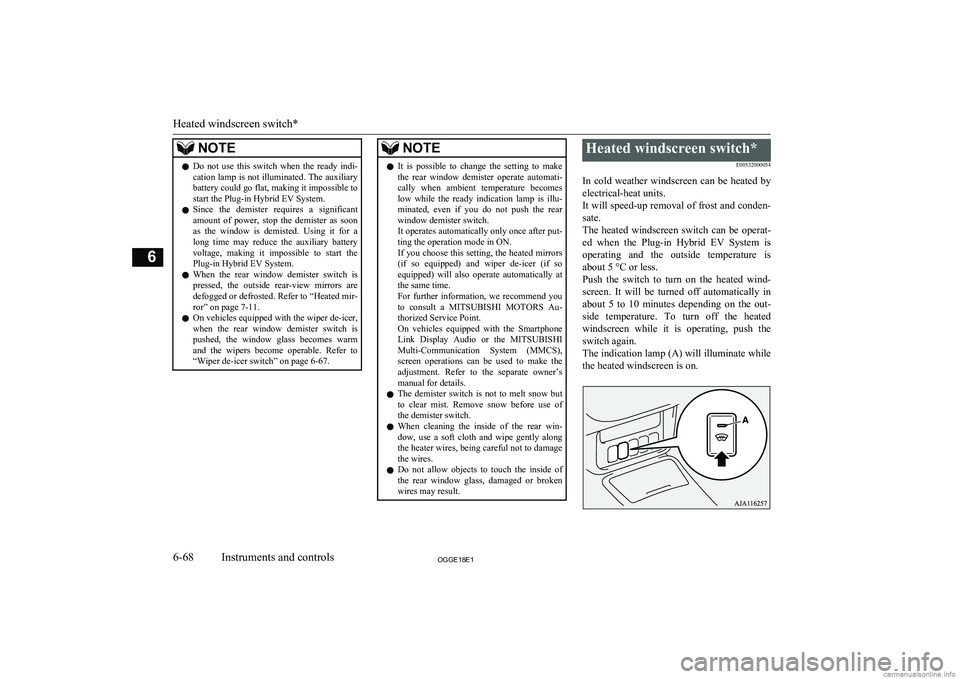
The indication lamp (A) will illuminate while the heated windscreen is on.
Heated windscreen switch*
6-68OGGE18E1Instruments and controls6