ignition MITSUBISHI PAJERO IV 2011 Owner's Manual
[x] Cancel search | Manufacturer: MITSUBISHI, Model Year: 2011, Model line: PAJERO IV, Model: MITSUBISHI PAJERO IV 2011Pages: 377, PDF Size: 29.43 MB
Page 85 of 377
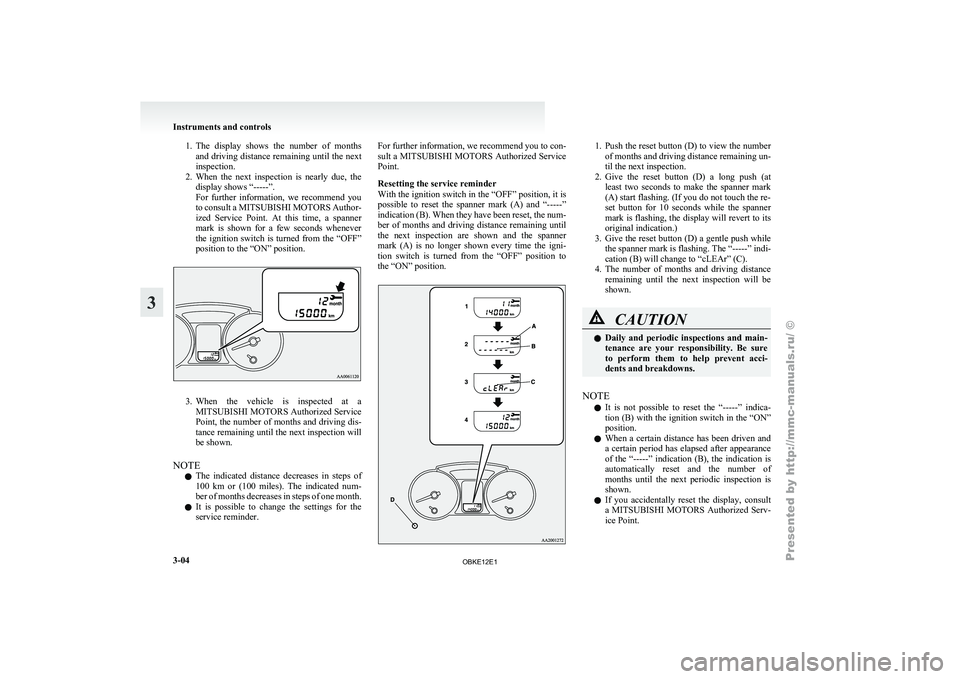
1. The display shows the number of months
and driving distance remaining until the next
inspection.
2. When the next inspection is nearly due, the display shows “-----”.
For further information, we recommend you
to consult a MITSUBISHI MOTORS Author-
ized Service Point. At this time, a spanner
mark is shown for a few seconds whenever
the ignition switch is turned from the “OFF”
position to the “ON” position. 3. When the vehicle is inspected at a
MITSUBISHI MOTORS
Authorized Service
Point, the number of months and driving dis-
tance remaining until the next inspection will
be shown.
NOTE l The indicated distance decreases in steps of
100 km or (100 miles). The indicated num-
ber of months decreases in steps of one month.
l It is possible to change the settings for the
service reminder. For further information, we recommend you to con-
sult a
MITSUBISHI
MOTORS Authorized Service
Point.
Resetting the service reminder
With the ignition switch in the “OFF” position, it is
possible to reset the spanner mark (A) and “-----”
indication (B). When they have been reset, the num-
ber of months and driving distance remaining until
the next inspection are shown and the spanner
mark (A) is no longer shown every time the igni-
tion switch is turned from the “OFF” position to
the “ON” position. 1. Push the reset button (D) to view the number
of months and driving distance remaining un-
til the next inspection.
2. Give the reset button (D) a long push (at least two seconds to make the spanner mark
(A) start flashing. (If you do not touch the re-
set button for 10 seconds while the spanner
mark is flashing, the display will revert to its
original indication.)
3. Give the reset button (D) a gentle push while the spanner mark is flashing. The “-----” indi-
cation (B) will change to “cLEAr” (C).
4. The number of months and driving distance remaining until the next inspection will be
shown. CAUTION
l
Daily and
periodic
inspections and main-
tenance are your responsibility. Be sure
to perform them to help prevent acci-
dents and breakdowns.
NOTE l It
is not
possible to reset the “-----” indica-
tion (B) with the ignition switch in the “ON”
position.
l When a certain distance has been driven and
a certain period has elapsed after appearance
of the “-----” indication (B), the indication is
automatically reset and the number of
months until the next periodic inspection is
shown.
l If you accidentally reset the display, consult
a MITSUBISHI MOTORS Authorized Serv-
ice Point. Instruments and controls
3-04
3
OBKE12E1
Page 86 of 377
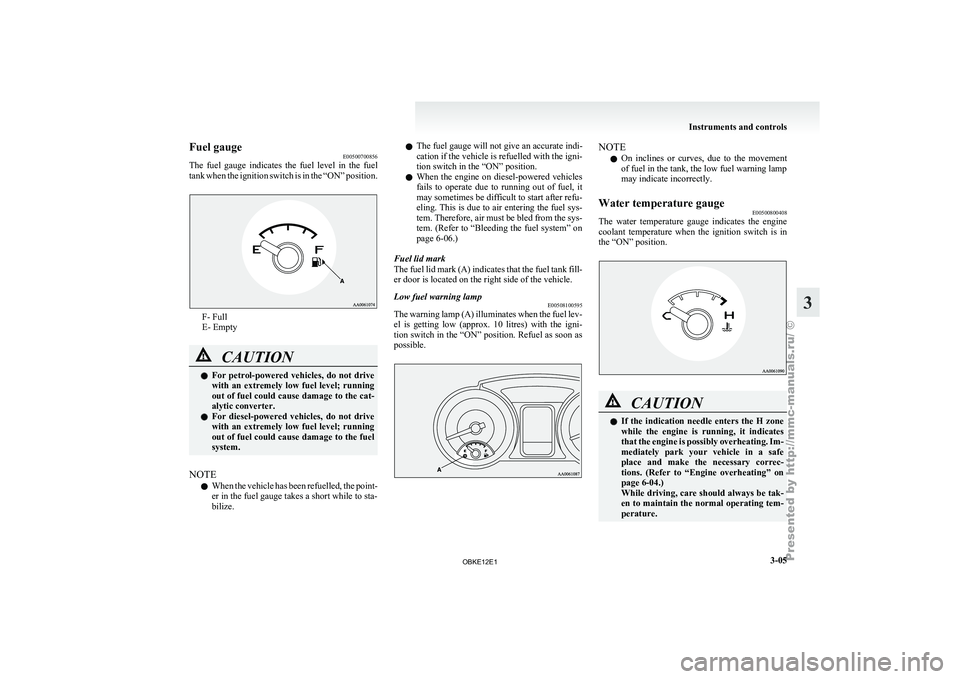
Fuel gauge
E00500700856
The fuel gauge
indicates the fuel level in the fuel
tank when the ignition switch is in the “ON” position. F- Full
E- Empty
CAUTION
l
For petrol-powered
vehicles,
do not drive
with an extremely low fuel level; running
out of fuel could cause damage to the cat-
alytic converter.
l For diesel-powered vehicles, do not drive
with an extremely low fuel level; running
out of fuel could cause damage to the fuel
system.
NOTE l When
the vehicle
has been refuelled, the point-
er in the fuel gauge takes a short while to sta-
bilize. l
The fuel gauge will not give an accurate indi-
cation
if
the
vehicle is refuelled with the igni-
tion switch in the “ON” position.
l When the engine on diesel-powered vehicles
fails to operate due to running out of fuel, it
may sometimes be difficult to start after refu-
eling. This is due to air entering the fuel sys-
tem. Therefore, air must be bled from the sys-
tem. (Refer to “Bleeding the fuel system” on
page 6-06.)
Fuel lid mark
The fuel lid mark (A) indicates that the fuel tank fill-
er door is located on the right side of the vehicle.
Low fuel warning lamp E00508100595
The warning lamp (A) illuminates when the fuel lev-
el is getting
low (approx. 10 litres) with the igni-
tion switch in the “ON” position. Refuel as soon as
possible. NOTE
l On
inclines or
curves, due to the movement
of fuel in the tank, the low fuel warning lamp
may indicate incorrectly.
Water temperature gauge E00500800408
The water temperature gauge indicates the engine
coolant temperature when
the ignition switch is in
the “ON” position. CAUTION
l
If the indication
needle enters the H zone
while the engine is running, it indicates
that the engine is possibly overheating. Im-
mediately park your vehicle in a safe
place and make the necessary correc-
tions. (Refer to “Engine overheating” on
page 6-04.)
While driving, care should always be tak-
en to maintain the normal operating tem-
perature. Instruments and controls
3-05 3
OBKE12E1
Page 89 of 377
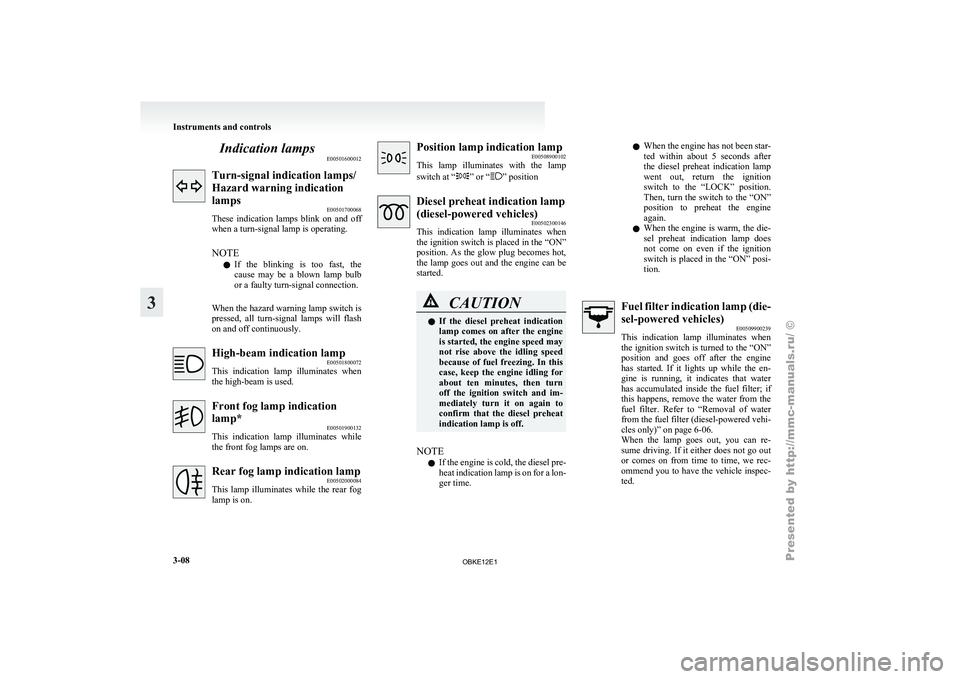
Indication lamps
E00501600012Turn-signal indication lamps/
Hazard warning indication
lamps
E00501700068
These indication lamps
blink on and off
when a turn-signal lamp is operating.
NOTE
l If the blinking is too fast, the
cause may be a blown lamp bulb
or a faulty turn-signal connection.
When the hazard warning lamp switch is
pressed, all turn-signal lamps will flash
on and off continuously. High-beam indication lamp
E00501800072
This indication lamp
illuminates when
the high-beam is used. Front fog lamp indication
lamp*
E00501900132
This indication lamp
illuminates while
the front fog lamps are on. Rear fog lamp indication lamp
E00502000084
This lamp illuminates
while the rear fog
lamp is on. Position lamp indication lamp
E00508900102
This lamp illuminates
with the lamp
switch at “ ” or “ ” position
Diesel preheat indication lamp
(diesel-powered vehicles)
E00502300146
This indication lamp
illuminates when
the ignition switch is placed in the “ON”
position. As the glow plug becomes hot,
the lamp goes out and the engine can be
started. CAUTION
l
If the
diesel
preheat indication
lamp comes on after the engine
is started, the engine speed may
not rise above the idling speed
because of fuel freezing. In this
case, keep the engine idling for
about ten minutes, then turn
off the ignition switch and im-
mediately turn it on again to
confirm that the diesel preheat
indication lamp is off.
NOTE l If
the engine
is cold, the diesel pre-
heat indication lamp is on for a lon-
ger time. l
When the
engine
has not been star-
ted within about 5 seconds after
the diesel preheat indication lamp
went out, return the ignition
switch to the “LOCK” position.
Then, turn the switch to the “ON”
position to preheat the engine
again.
l When the engine is warm, the die-
sel preheat indication lamp does
not come on even if the ignition
switch is placed in the “ON” posi-
tion. Fuel filter indication lamp (die-
sel-powered vehicles)
E00509900239
This indication lamp
illuminates when
the ignition switch is turned to the “ON”
position and goes off after the engine
has started. If it lights up while the en-
gine is running, it indicates that water
has accumulated inside the fuel filter; if
this happens, remove the water from the
fuel filter. Refer to “Removal of water
from the fuel filter (diesel-powered vehi-
cles only)” on page 6-06.
When the lamp goes out, you can re-
sume driving. If it either does not go out
or comes on from time to time, we rec-
ommend you to have the vehicle inspec-
ted. Instruments and controls
3-08
3
OBKE12E1
Page 90 of 377
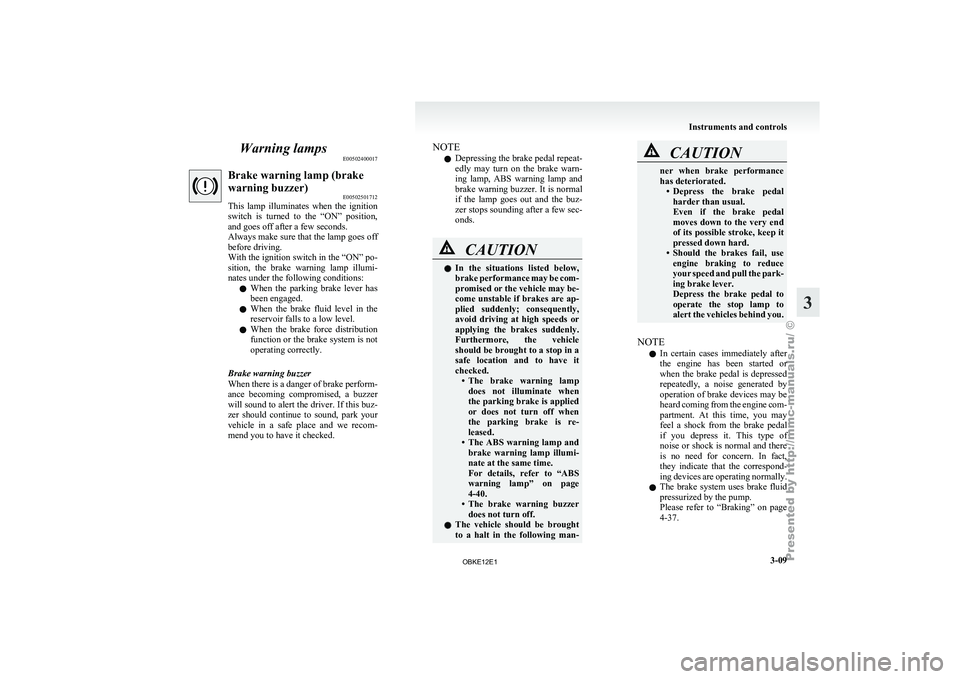
Warning lamps
E00502400017Brake warning lamp (brake
warning buzzer)
E00502501712
This lamp illuminates
when the ignition
switch is turned to the “ON” position,
and goes off after a few seconds.
Always make sure that the lamp goes off
before driving.
With the ignition switch in the “ON” po-
sition, the brake warning lamp illumi-
nates under the following conditions:
l When the parking brake lever has
been engaged.
l When the brake fluid level in the
reservoir falls to a low level.
l When the brake force distribution
function or the brake system is not
operating correctly.
Brake warning buzzer
When there is a danger of brake perform-
ance becoming compromised,
a buzzer
will sound to alert the driver. If this buz-
zer should continue to sound, park your
vehicle in a safe place and we recom-
mend you to have it checked. NOTE
l Depressing
the brake
pedal repeat-
edly may turn on the brake warn-
ing lamp, ABS warning lamp and
brake warning buzzer. It is normal
if the lamp goes out and the buz-
zer stops sounding after a few sec-
onds. CAUTION
l
In the
situations
listed below,
brake performance may be com-
promised or the vehicle may be-
come unstable if brakes are ap-
plied suddenly; consequently,
avoid driving at high speeds or
applying the brakes suddenly.
Furthermore, the vehicle
should be brought to a stop in a
safe location and to have it
checked. • The brake warning lampdoes not illuminate when
the parking brake is applied
or does not turn off when
the parking brake is re-
leased.
• The ABS warning lamp and brake warning lamp illumi-
nate at the same time.
For details, refer to “ABS
warning lamp” on page
4-40.
• The brake warning buzzer does not turn off.
l The vehicle should be brought
to a halt in the following man- CAUTION
ner when brake performance
has deteriorated.
• Depress the brake
pedal
harder than usual.
Even if the brake pedal
moves down to the very end
of its possible stroke, keep it
pressed down hard.
• Should the brakes fail, use engine braking to reduce
your speed and pull the park-
ing brake lever.
Depress the brake pedal to
operate the stop lamp to
alert the vehicles behind you.
NOTE l In
certain cases
immediately after
the engine has been started or
when the brake pedal is depressed
repeatedly, a noise generated by
operation of brake devices may be
heard coming from the engine com-
partment. At this time, you may
feel a shock from the brake pedal
if you depress it. This type of
noise or shock is normal and there
is no need for concern. In fact,
they indicate that the correspond-
ing devices are operating normally.
l The brake system uses brake fluid
pressurized by the pump.
Please refer to “Braking” on page
4-37. Instruments and controls
3-09 3
OBKE12E1
Page 91 of 377
Check engine warning lamp
E00502601696
This lamp is
a part of an onboard diag-
nostic system which monitors the emis-
sions, engine control system or automat-
ic transmission control systems.
If a problem is detected in one of these
systems, this lamp illuminates.
Although your vehicle will usually be
drivable and not need towing, we recom-
mend you to have the system checked as
soon as possible.
[Vehicles to comply with the Euro 3 and
Euro 4 regulation]
This lamp will also illuminate for a few
seconds when the ignition switch is
turned to the “ON” position. If it does
not go off after a few seconds, we recom-
mend you to have the vehicle checked.
[Vehicles to comply with the Euro 5]
This lamp will also illuminate when the
ignition switch is turned “ON”, and goes
off after the engine has started. If it does
not go off after the engine has started,
we recommend you to have the system
checked. CAUTION
l
Prolonged driving
with
this
lamp on may cause further dam-
age to the emission control sys-
tem. It could also affect fuel
economy and drivability. CAUTION
l
If the lamp
does not illuminate
when the ignition switch is
turned to the “ON” position,
we recommend you to have the
system checked.
l If the lamp illuminates while
the engine is running, avoid
driving at high speeds and we
recommend you to have the sys-
tem checked.
Accelerator pedal and brake
pedal response may be negative-
ly influenced under these condi-
tions.
NOTE l The
engine electronic
control mod-
ule accommodating the onboard di-
agnostic system has various fault
data (especially about the exhaust
emission) stored.
This data will be erased if a bat-
tery cable is disconnected which
will make a rapid diagnosis diffi-
cult. Do not disconnect a battery
cable when the check engine warn-
ing lamp is ON. Charge warning display
E00502700472
This lamp illuminates
when the ignition
switch is turned to the “ON” position,
and goes off after the engine has started. CAUTION
l
If it illuminates
while the en-
gine is running, there is a prob-
lem in the charging system. In
this case, immediately park
your vehicle in a safe place and
we recommend you to have it
checked. Oil pressure warning lamp
E00502800529
This lamp illuminates
when the ignition
switch is turned to the “ON” position,
and goes off after the engine has started.
If it illuminates while the engine is run-
ning, the oil pressure is too low. Turn
the engine off and have it inspected. CAUTION
l
This warning
lamp
does not in-
dicate the amount of oil level in
the engine. This must be deter-
mined by checking the oil level
on the dipstick, while the en-
gine is switched off.
l If this lamp illuminates when
the engine oil level is not low,
have it inspected.
l If you continue driving with
low engine oil level or with this
warning lamp illuminated, en-
gine seizure may occur. Instruments and controls
3-10
3
OBKE12E1
Page 92 of 377
Door ajar warning lamp
E00503300635
This lamp illuminates
when a door or
the backdoor is either open or incomplete-
ly closed.
If the vehicle speed reaches approximate-
ly 8 km/h (5 mph) with a door or the back-
door open or incompletely closed, the
warning lamp flashes 8 times and a buz-
zer simultaneously sounds 8 times as a
warning. CAUTION
l
Before moving
your
vehicle,
check that the warning lamp is
OFF.
NOTE l On
vehicles with
keyless entry sys-
tem, the lamp remains illuminated
for a certain period and then goes
out automatically.
l Buzzer settings can be changed at
a your MITSUBISHI MOTORS
Authorized Service Point to:
• No buzzer operation (buzzerdisabled)
• Continuous buzzer operation Centre information display*
E00517800295 CAUTION
l
The driver
should
not operate the display
while the vehicle is in motion.
When the ignition switch is turned to the “ACC” po-
sition, the screen switches on automatically.
NOTE l Placing
a cellular
phone in the monitor’s
small storage compartment may weaken the
phone’s reception. This does not indicate a
fault with the system.
l Use of wireless devices such as transceivers
or a cellular phone near the monitor may
make the following condition on the display.
This does not indicate a fault with the system.
• The screen goes dark temporarily.
• The compass may not show the correct di-rection.
l Depending on the angle of view, you may
see reddish horizontal lines on the monitor.
The lines are a characteristic of the vacuum
fluorescent display (VFD) used in the moni-
tor. They do not indicate a fault. Instruments and controls
3-11 3
OBKE12E1
Page 96 of 377
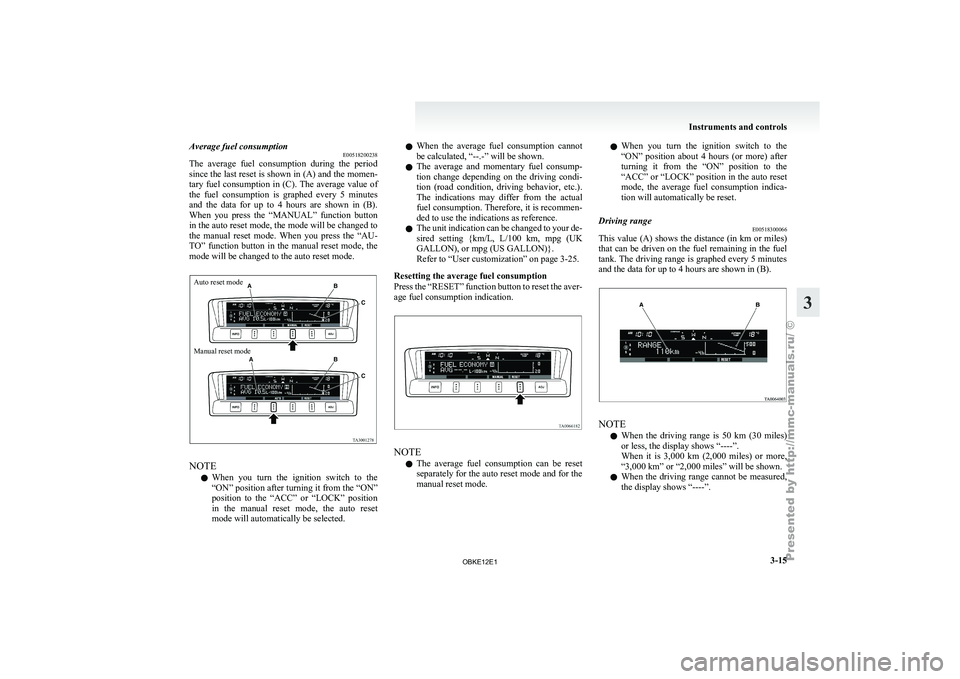
Average fuel consumption
E00518200238
The average fuel
consumption during the period
since the last reset is shown in (A) and the momen-
tary fuel consumption in (C). The average value of
the fuel consumption is graphed every 5 minutes
and the data for up to 4 hours are shown in (B).
When you press the “MANUAL” function button
in the auto reset mode, the mode will be changed to
the manual reset mode. When you press the “AU-
TO” function button in the manual reset mode, the
mode will be changed to the auto reset mode.
Auto reset mode
Manual reset mode NOTE
l When
you turn
the ignition switch to the
“ON” position after turning it from the “ON”
position to the “ACC” or “LOCK” position
in the manual reset mode, the auto reset
mode will automatically be selected. l
When
the
average
fuel consumption cannot
be calculated, “--.-” will be shown.
l The average and momentary fuel consump-
tion change depending on the driving condi-
tion (road condition, driving behavior, etc.).
The indications may differ from the actual
fuel consumption. Therefore, it is recommen-
ded to use the indications as reference.
l The unit indication can be changed to your de-
sired setting {km/L, L/100 km, mpg (UK
GALLON), or mpg (US GALLON)}.
Refer to “User customization” on page 3-25.
Resetting the average fuel consumption
Press the “RESET” function button to reset the aver-
age fuel consumption indication. NOTE
l The
average fuel
consumption can be reset
separately for the auto reset mode and for the
manual reset mode. l
When you
turn
the ignition switch to the
“ON” position about 4 hours (or more) after
turning it from the “ON” position to the
“ACC” or “LOCK” position in the auto reset
mode, the average fuel consumption indica-
tion will automatically be reset.
Driving range E00518300066
This value (A) shows the distance (in km or miles)
that can be
driven on the fuel remaining in the fuel
tank. The driving range is graphed every 5 minutes
and the data for up to 4 hours are shown in (B). NOTE
l When
the driving
range is 50 km (30 miles)
or less, the display shows “----”.
When it is 3,000 km (2,000 miles) or more,
“3,000 km” or “2,000 miles” will be shown.
l When the driving range cannot be measured,
the display shows “----”. Instruments and controls
3-15 3
OBKE12E1
Page 97 of 377
l
The driving
range is shown based on the ac-
cumulated fuel consumption data, however,
may be changed depending on the driving con-
dition (road condition, driving behavior,
etc.). If the battery terminals are disconnec-
ted, the accumulated fuel consumption data
will be erased. It is recommended to use the
indication as reference.
l When the vehicle is fueled, the driving range
will be updated. However, if the amount of
fueling is small, the indication may not be cor-
rect. Therefore, fill up the tank as much as
possible in case of fueling.
l When the vehicle is stopped on a steep slope,
the value of the driving range may increase.
This is caused by the fuel movement inside
the tank on the slope and is not deemed as a
failure.
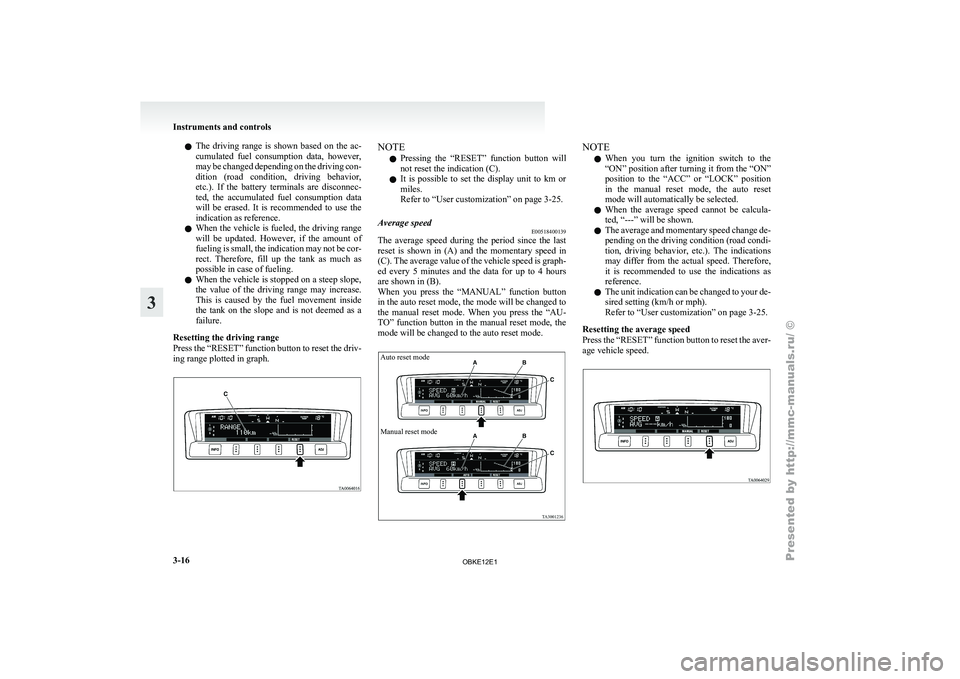
Resetting the driving range
Press the “RESET” function button to reset the driv-
ing range plotted in graph. NOTE
l Pressing
the “RESET”
function button will
not reset the indication (C).
l It is possible to set the display unit to km or
miles.
Refer to “User customization” on page 3-25.
Average speed E00518400139
The average speed during the period since the last
reset is
shown
in (A) and the momentary speed in
(C). The average value of the vehicle speed is graph-
ed every 5 minutes and the data for up to 4 hours
are shown in (B).
When you press the “MANUAL” function button
in the auto reset mode, the mode will be changed to
the manual reset mode. When you press the “AU-
TO” function button in the manual reset mode, the
mode will be changed to the auto reset mode.
Auto reset mode
Manual reset mode NOTE
l When
you turn
the ignition switch to the
“ON” position after turning it from the “ON”
position to the “ACC” or “LOCK” position
in the manual reset mode, the auto reset
mode will automatically be selected.
l When the average speed cannot be calcula-
ted, “---” will be shown.
l The average and momentary speed change de-
pending on the driving condition (road condi-
tion, driving behavior, etc.). The indications
may differ from the actual speed. Therefore,
it is recommended to use the indications as
reference.
l The unit indication can be changed to your de-
sired setting (km/h or mph).
Refer to “User customization” on page 3-25.
Resetting the average speed
Press the “RESET” function button to reset the aver-
age vehicle speed. Instruments and controls
3-16
3
OBKE12E1
Page 98 of 377
NOTE
l The
average speed
can be reset separately for
the auto reset mode and for the manual reset
mode.
l When you turn the ignition switch to the
“ON” position about 4 hours (or more) after
turning it from the “ON” position to the
“ACC” or “LOCK” position in the auto reset
mode, the average speed indication will auto-
matically be reset.
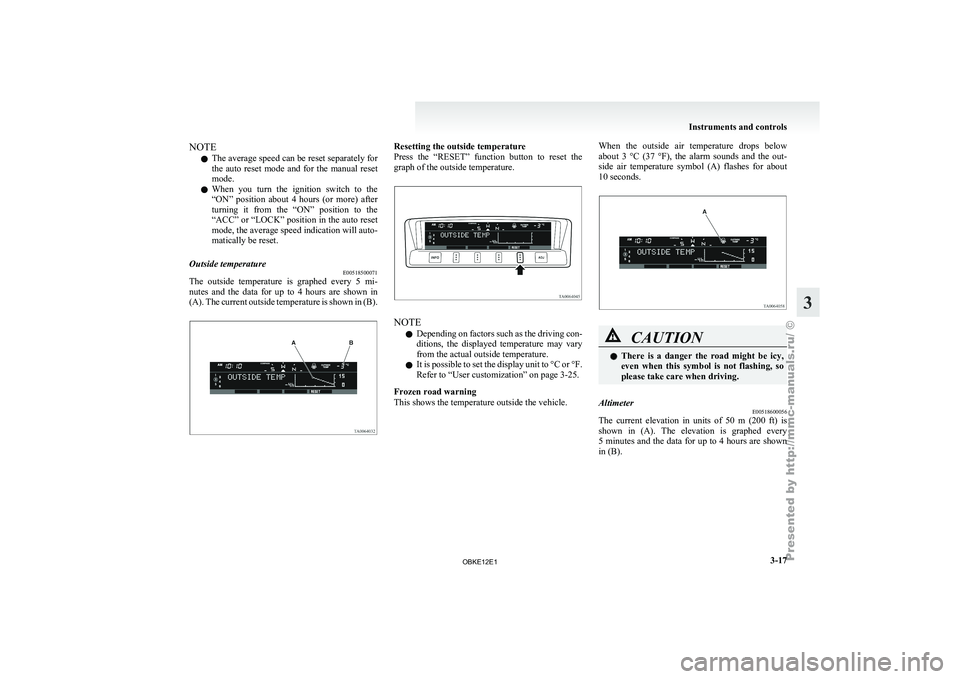
Outside temperature E00518500071
The outside temperature is graphed every 5 mi-
nutes and
the
data for up to 4 hours are shown in
(A). The current outside temperature is shown in (B). Resetting the outside temperature
Press the “RESET”
function button to reset the
graph of the outside temperature. NOTE
l Depending
on factors
such as the driving con-
ditions, the displayed temperature may vary
from the actual outside temperature.
l It is possible to set the display unit to °C or °F.
Refer to “User customization” on page 3-25.
Frozen road warning
This shows the temperature outside the vehicle. When the outside air temperature drops below
about 3
°C
(37 °F), the alarm sounds and the out-
side air temperature symbol (A) flashes for about
10 seconds. CAUTION
l
There is
a
danger the road might be icy,
even when this symbol is not flashing, so
please take care when driving.
Altimeter E00518600056
The current elevation in units of 50 m (200 ft) is
shown in (A).
The elevation is graphed every
5 minutes and the data for up to 4 hours are shown
in (B). Instruments and controls
3-17 3
OBKE12E1
Page 112 of 377
Combination headlamps and
dipper switch E00506001513
Headlamps
NOTE l Do
not leave
the lamps on for a long time
while the engine is stationary (not running).
A rundown battery could result.
l When it rains, or when the vehicle has been
washed, the inside of the lens sometimes be-
comes foggy, but this does not indicate a func-
tional problem.
When the lamp is switched on, the heat will
remove the fog. However, if water gathers in-
side the lamp, we recommend you to have it
checked.
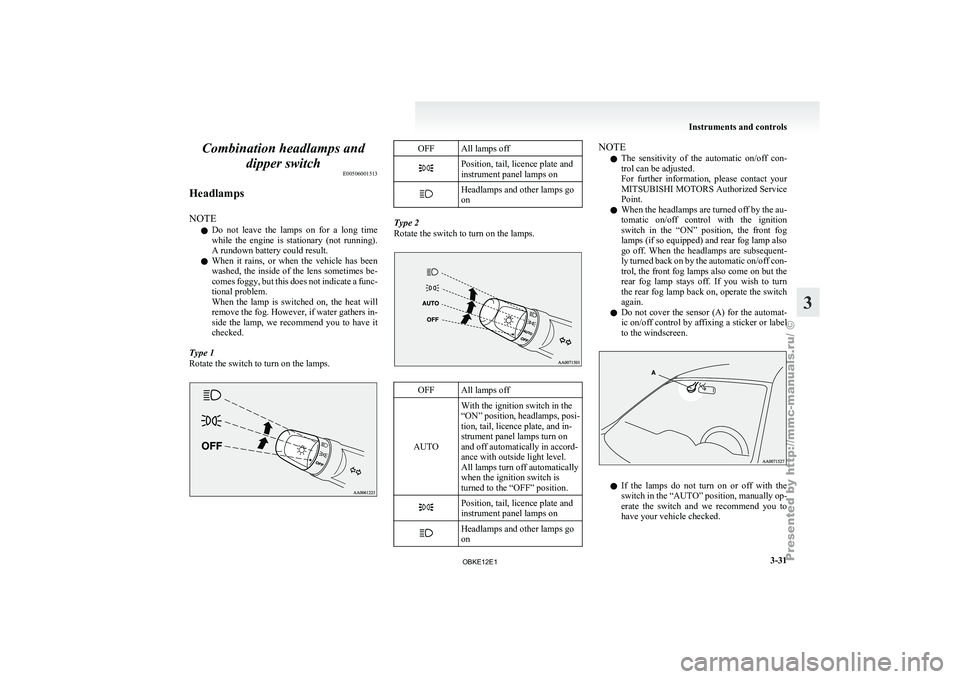
Type 1
Rotate the switch to turn on the lamps. OFF All lamps off
Position, tail, licence plate and
instrument panel lamps on
Headlamps and other lamps go
on
Type 2
Rotate the switch to turn on the lamps.
OFF All lamps off
AUTO With the ignition switch in the
“ON” position, headlamps,
posi-
tion, tail, licence plate, and in-
strument panel lamps turn on
and off automatically in accord-
ance with outside light level.
All lamps turn off automatically
when the ignition switch is
turned to the “OFF” position. Position, tail, licence plate and
instrument panel lamps on
Headlamps and other lamps go
on NOTE
l The
sensitivity of
the automatic on/off con-
trol can be adjusted.
For further information, please contact your
MITSUBISHI MOTORS Authorized Service
Point.
l When the headlamps are turned off by the au-
tomatic on/off control with the ignition
switch in the “ON” position, the front fog
lamps (if so equipped) and rear fog lamp also
go off. When the headlamps are subsequent-
ly turned back on by the automatic on/off con-
trol, the front fog lamps also come on but the
rear fog lamp stays off. If you wish to turn
the rear fog lamp back on, operate the switch
again.
l Do not cover the sensor (A) for the automat-
ic on/off control by affixing a sticker or label
to the windscreen. l
If
the
lamps
do not turn on or off with the
switch in the “AUTO” position, manually op-
erate the switch and we recommend you to
have your vehicle checked. Instruments and controls
3-31 3
OBKE12E1