ECO mode NISSAN 370Z 2019 Owner´s Manual
[x] Cancel search | Manufacturer: NISSAN, Model Year: 2019, Model line: 370Z, Model: NISSAN 370Z 2019Pages: 460, PDF Size: 2.26 MB
Page 273 of 460
SAA2532
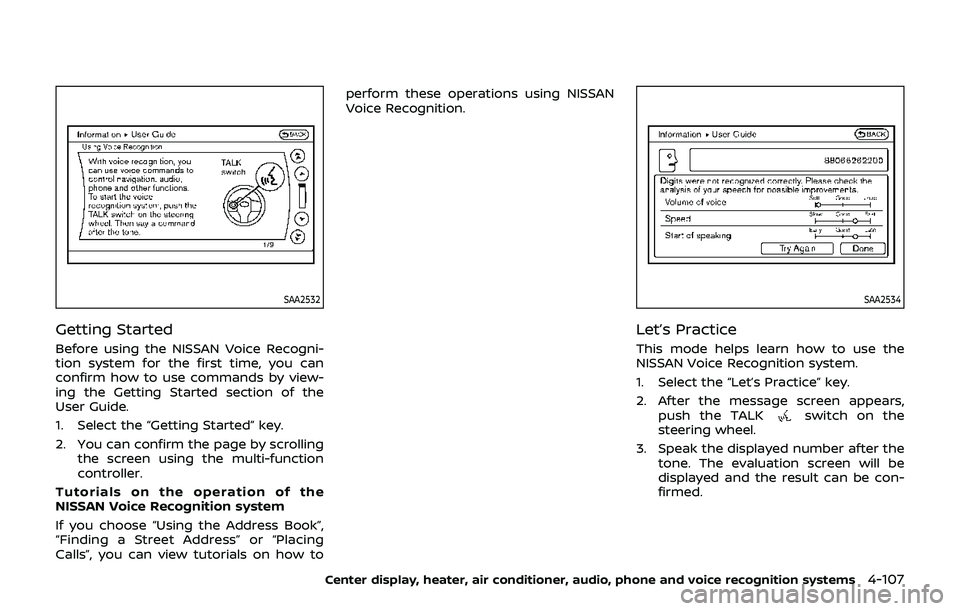
Getting Started
Before using the NISSAN Voice Recogni-
tion system for the first time, you can
confirm how to use commands by view-
ing the Getting Started section of the
User Guide.
1. Select the “Getting Started” key.
2. You can confirm the page by scrollingthe screen using the multi-function
controller.
Tutorials on the operation of the
NISSAN Voice Recognition system
If you choose “Using the Address Book”,
“Finding a Street Address” or “Placing
Calls”, you can view tutorials on how to perform these operations using NISSAN
Voice Recognition.
SAA2534
Let’s Practice
This mode helps learn how to use the
NISSAN Voice Recognition system.
1. Select the “Let’s Practice” key.
2. After the message screen appears,
push the TALK
switch on the
steering wheel.
3. Speak the displayed number after the tone. The evaluation screen will be
displayed and the result can be con-
firmed.
Center display, heater, air conditioner, audio, phone and voice recognition systems4-107
Page 275 of 460
SAA2167
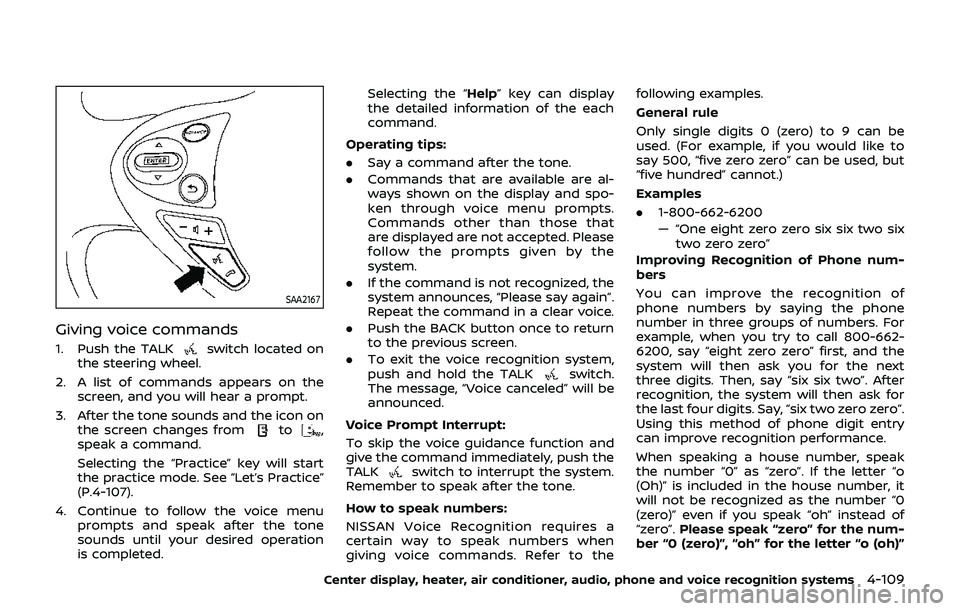
Giving voice commands
1. Push the TALKswitch located on
the steering wheel.
2. A list of commands appears on the screen, and you will hear a prompt.
3. After the tone sounds and the icon on the screen changes from
to,
speak a command.
Selecting the “Practice” key will start
the practice mode. See “Let’s Practice”
(P.4-107).
4. Continue to follow the voice menu prompts and speak after the tone
sounds until your desired operation
is completed. Selecting the “Help” key can display
the detailed information of the each
command.
Operating tips:
. Say a command after the tone.
. Commands that are available are al-
ways shown on the display and spo-
ken through voice menu prompts.
Commands other than those that
are displayed are not accepted. Please
follow the prompts given by the
system.
. If the command is not recognized, the
system announces, “Please say again”.
Repeat the command in a clear voice.
. Push the BACK button once to return
to the previous screen.
. To exit the voice recognition system,
push and hold the TALK
switch.
The message, “Voice canceled” will be
announced.
Voice Prompt Interrupt:
To skip the voice guidance function and
give the command immediately, push the
TALK
switch to interrupt the system.
Remember to speak after the tone.
How to speak numbers:
NISSAN Voice Recognition requires a
certain way to speak numbers when
giving voice commands. Refer to the following examples.
General rule
Only single digits 0 (zero) to 9 can be
used. (For example, if you would like to
say 500, “five zero zero” can be used, but
“five hundred” cannot.)
Examples
.
1-800-662-6200
— “One eight zero zero six six two six
two zero zero”
Improving Recognition of Phone num-
bers
You can improve the recognition of
phone numbers by saying the phone
number in three groups of numbers. For
example, when you try to call 800-662-
6200, say “eight zero zero” first, and the
system will then ask you for the next
three digits. Then, say “six six two”. After
recognition, the system will then ask for
the last four digits. Say, “six two zero zero”.
Using this method of phone digit entry
can improve recognition performance.
When speaking a house number, speak
the number “0” as “zero”. If the letter “o
(Oh)” is included in the house number, it
will not be recognized as the number “0
(zero)” even if you speak “oh” instead of
“zero”. Please speak “zero” for the num-
ber “0 (zero)”, “oh” for the letter “o (oh)”
Center display, heater, air conditioner, audio, phone and voice recognition systems4-109
Page 282 of 460
4-116Center display, heater, air conditioner, audio, phone and voice recognition systems
JVH0481X
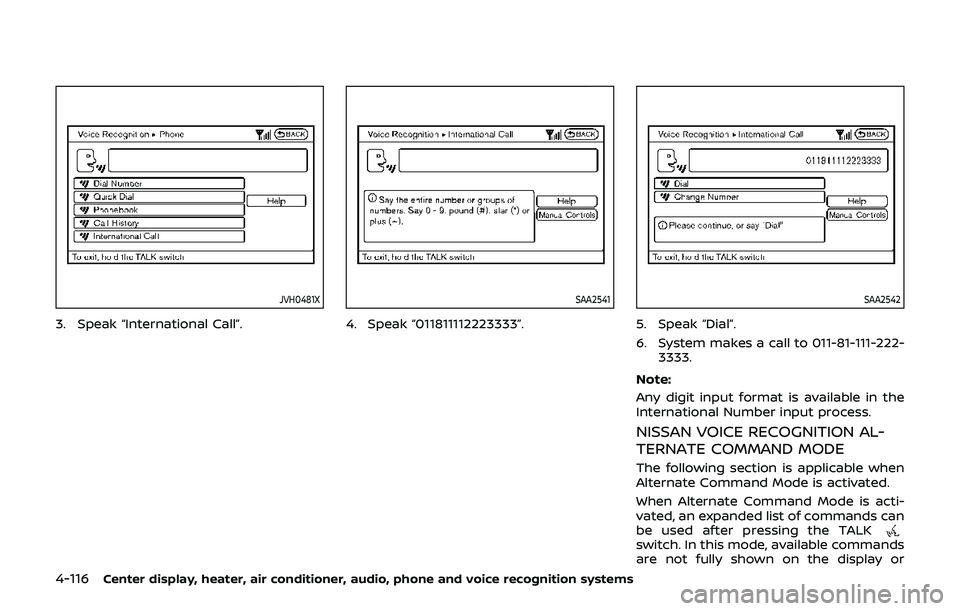
3. Speak “International Call”.
SAA2541
4. Speak “011811112223333”.
SAA2542
5. Speak “Dial”.
6. System makes a call to 011-81-111-222-3333.
Note:
Any digit input format is available in the
International Number input process.
NISSAN VOICE RECOGNITION AL-
TERNATE COMMAND MODE
The following section is applicable when
Alternate Command Mode is activated.
When Alternate Command Mode is acti-
vated, an expanded list of commands can
be used after pressing the TALK
switch. In this mode, available commands
are not fully shown on the display or
Page 283 of 460
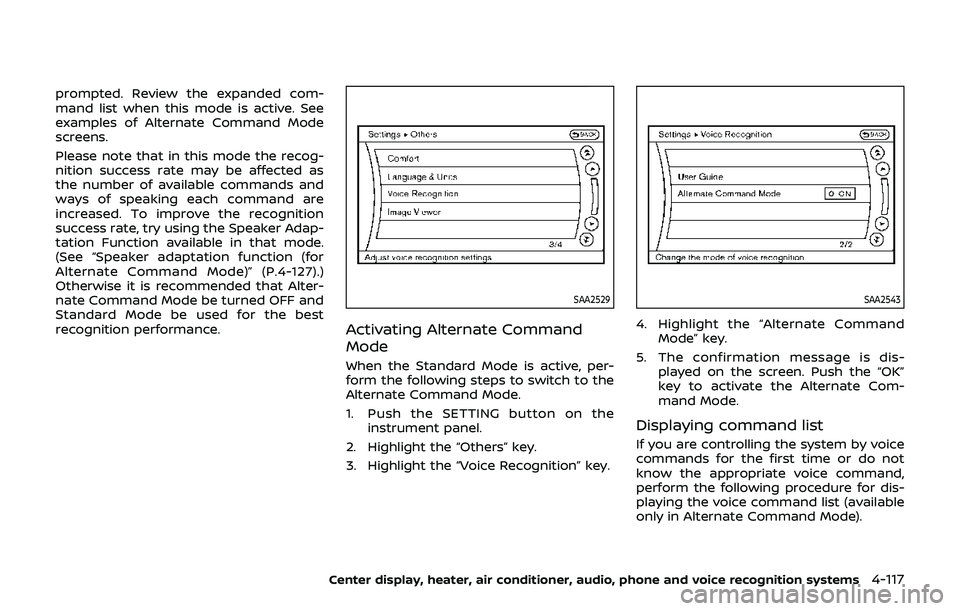
prompted. Review the expanded com-
mand list when this mode is active. See
examples of Alternate Command Mode
screens.
Please note that in this mode the recog-
nition success rate may be affected as
the number of available commands and
ways of speaking each command are
increased. To improve the recognition
success rate, try using the Speaker Adap-
tation Function available in that mode.
(See “Speaker adaptation function (for
Alternate Command Mode)” (P.4-127).)
Otherwise it is recommended that Alter-
nate Command Mode be turned OFF and
Standard Mode be used for the best
recognition performance.
SAA2529
Activating Alternate Command
Mode
When the Standard Mode is active, per-
form the following steps to switch to the
Alternate Command Mode.
1. Push the SETTING button on theinstrument panel.
2. Highlight the “Others” key.
3. Highlight the “Voice Recognition” key.
SAA2543
4. Highlight the “Alternate Command Mode” key.
5. The confirmation message is dis- played on the screen. Push the “OK”
key to activate the Alternate Com-
mand Mode.
Displaying command list
If you are controlling the system by voice
commands for the first time or do not
know the appropriate voice command,
perform the following procedure for dis-
playing the voice command list (available
only in Alternate Command Mode).
Center display, heater, air conditioner, audio, phone and voice recognition systems4-117
Page 291 of 460
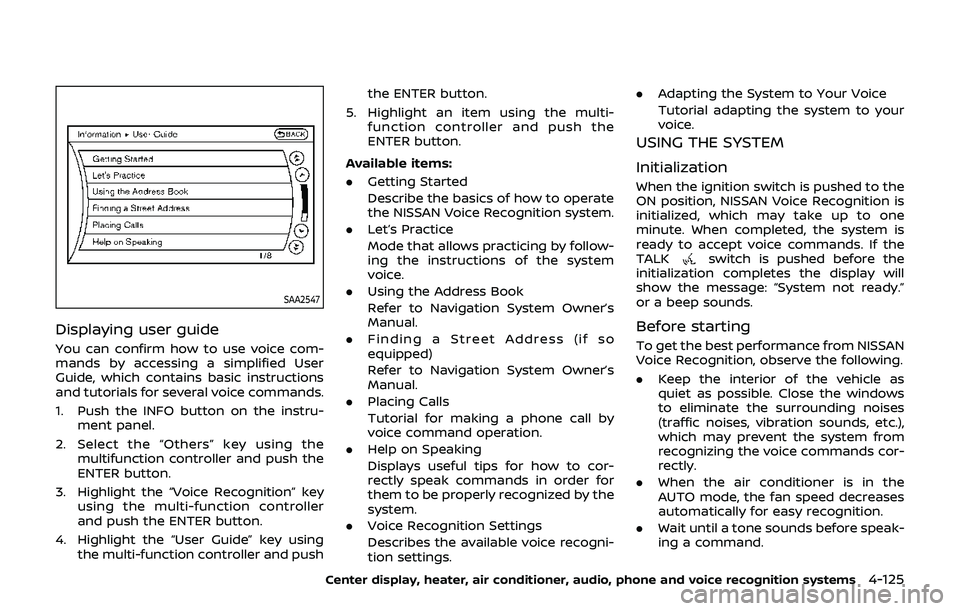
SAA2547
Displaying user guide
You can confirm how to use voice com-
mands by accessing a simplified User
Guide, which contains basic instructions
and tutorials for several voice commands.
1. Push the INFO button on the instru-ment panel.
2. Select the “Others” key using the multifunction controller and push the
ENTER button.
3. Highlight the “Voice Recognition” key using the multi-function controller
and push the ENTER button.
4. Highlight the “User Guide” key using the multi-function controller and push the ENTER button.
5. Highlight an item using the multi- function controller and push the
ENTER button.
Available items:
. Getting Started
Describe the basics of how to operate
the NISSAN Voice Recognition system.
. Let’s Practice
Mode that allows practicing by follow-
ing the instructions of the system
voice.
. Using the Address Book
Refer to Navigation System Owner’s
Manual.
. Finding a Street Address (if so
equipped)
Refer to Navigation System Owner’s
Manual.
. Placing Calls
Tutorial for making a phone call by
voice command operation.
. Help on Speaking
Displays useful tips for how to cor-
rectly speak commands in order for
them to be properly recognized by the
system.
. Voice Recognition Settings
Describes the available voice recogni-
tion settings. .
Adapting the System to Your Voice
Tutorial adapting the system to your
voice.
USING THE SYSTEM
Initialization
When the ignition switch is pushed to the
ON position, NISSAN Voice Recognition is
initialized, which may take up to one
minute. When completed, the system is
ready to accept voice commands. If the
TALK
switch is pushed before the
initialization completes the display will
show the message: “System not ready.”
or a beep sounds.
Before starting
To get the best performance from NISSAN
Voice Recognition, observe the following.
. Keep the interior of the vehicle as
quiet as possible. Close the windows
to eliminate the surrounding noises
(traffic noises, vibration sounds, etc.),
which may prevent the system from
recognizing the voice commands cor-
rectly.
. When the air conditioner is in the
AUTO mode, the fan speed decreases
automatically for easy recognition.
. Wait until a tone sounds before speak-
ing a command.
Center display, heater, air conditioner, audio, phone and voice recognition systems4-125
Page 293 of 460
— “Dial one eight zero zero six six twosix two zero zero.”
Note 1: For the best voice recognition
phone dialing results, say phone numbers
as single digits.
Note 2: You cannot say 555-6000 as “five
five five six thousands”.
Note 3: When speaking a house number,
speak the number “0” as “zero”. If the
letter “o (oh)” is included in the house
number, it will not be recognized as the
number “0 (zero)” even if you speak “oh”
instead of “zero”. Please speak “zero” for
the number “0 (zero)”, “oh” for the letter “o
(oh)”.
Send digits using dial tone:
. Push the TALKswitch during a
phone call.
. The menu will be launched and you
will be provided with the following
guidance: "Please say the digits to
dial".
. After guidance, say the digits of the
number you want to send. After this,
the digits that have been recognized
will be read out.
. If you push the ENTER button on the
steering wheel or on the multi-func-
tion controller, the selected digits will
be sent.
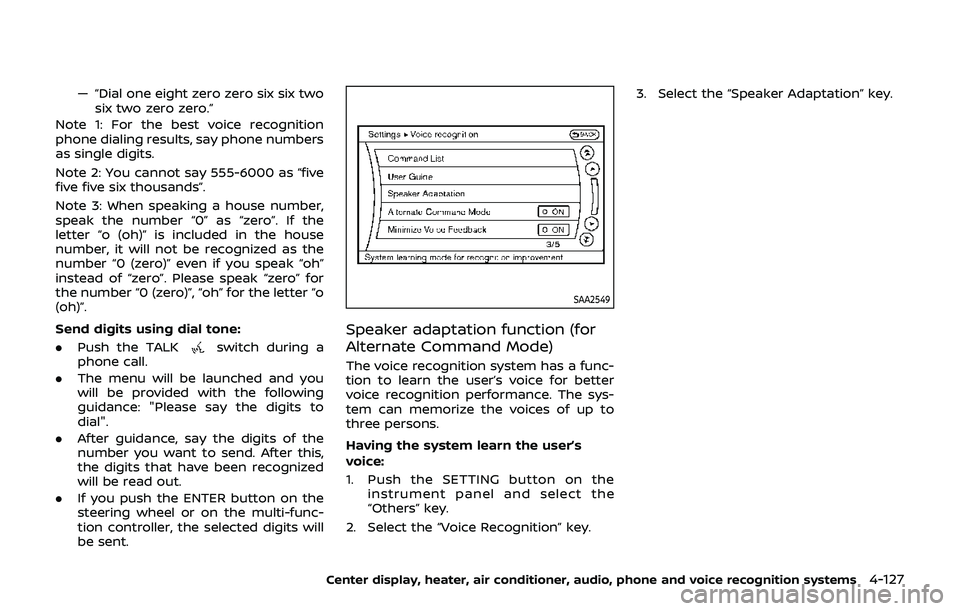
SAA2549
Speaker adaptation function (for
Alternate Command Mode)
The voice recognition system has a func-
tion to learn the user’s voice for better
voice recognition performance. The sys-
tem can memorize the voices of up to
three persons.
Having the system learn the user’s
voice:
1. Push the SETTING button on the
instrument panel and select the
“Others” key.
2. Select the “Voice Recognition” key. 3. Select the “Speaker Adaptation” key.
Center display, heater, air conditioner, audio, phone and voice recognition systems4-127
Page 295 of 460
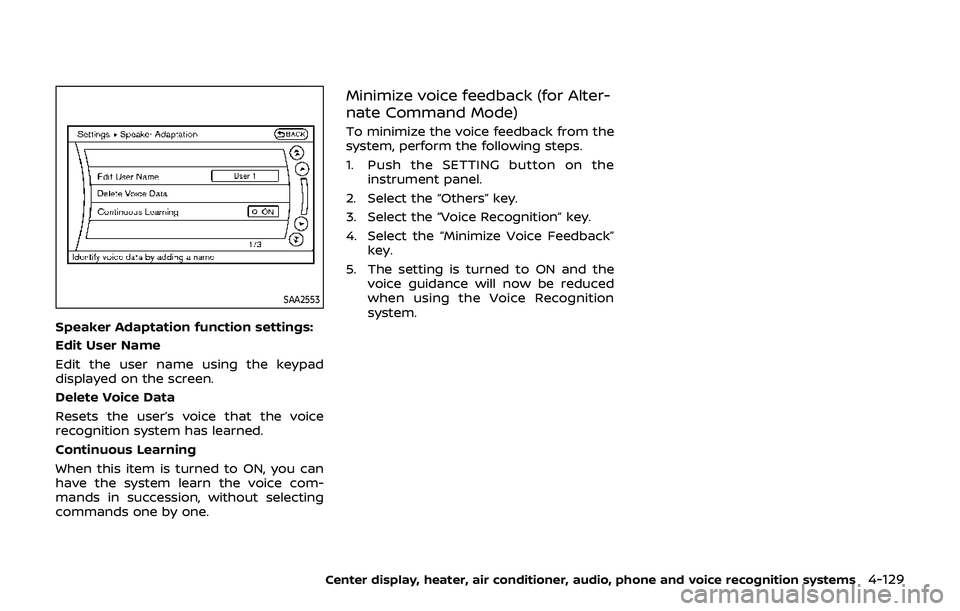
SAA2553
Speaker Adaptation function settings:
Edit User Name
Edit the user name using the keypad
displayed on the screen.
Delete Voice Data
Resets the user’s voice that the voice
recognition system has learned.
Continuous Learning
When this item is turned to ON, you can
have the system learn the voice com-
mands in succession, without selecting
commands one by one.
Minimize voice feedback (for Alter-
nate Command Mode)
To minimize the voice feedback from the
system, perform the following steps.
1. Push the SETTING button on theinstrument panel.
2. Select the “Others” key.
3. Select the “Voice Recognition” key.
4. Select the “Minimize Voice Feedback” key.
5. The setting is turned to ON and the voice guidance will now be reduced
when using the Voice Recognition
system.
Center display, heater, air conditioner, audio, phone and voice recognition systems4-129
Page 296 of 460
4-130Center display, heater, air conditioner, audio, phone and voice recognition systems
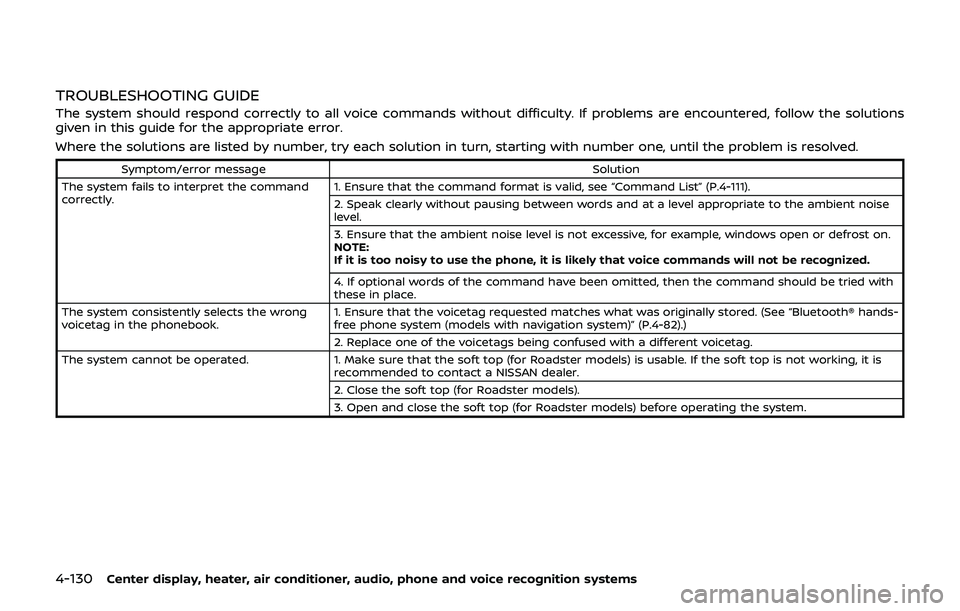
TROUBLESHOOTING GUIDE
The system should respond correctly to all voice commands without difficulty. If problems are encountered, follow the solutions
given in this guide for the appropriate error.
Where the solutions are listed by number, try each solution in turn, starting with number one, until the problem is resolved.
Symptom/error messageSolution
The system fails to interpret the command
correctly. 1. Ensure that the command format is valid, see “Command List” (P.4-111).
2. Speak clearly without pausing between words and at a level appropriate to the ambient noise
level.
3. Ensure that the ambient noise level is not excessive, for example, windows open or defrost on.
NOTE:
If it is too noisy to use the phone, it is likely that voice commands will not be recognized.
4. If optional words of the command have been omitted, then the command should be tried with
these in place.
The system consistently selects the wrong
voicetag in the phonebook. 1. Ensure that the voicetag requested matches what was originally stored. (See “Bluetooth® hands-
free phone system (models with navigation system)” (P.4-82).)
2. Replace one of the voicetags being confused with a different voicetag.
The system cannot be operated. 1. Make sure that the soft top (for Roadster models) is usable. If the soft top is not working, it is
recommended to contact a NISSAN dealer.
2. Close the soft top (for Roadster models).
3. Open and close the soft top (for Roadster models) before operating the system.
Page 297 of 460
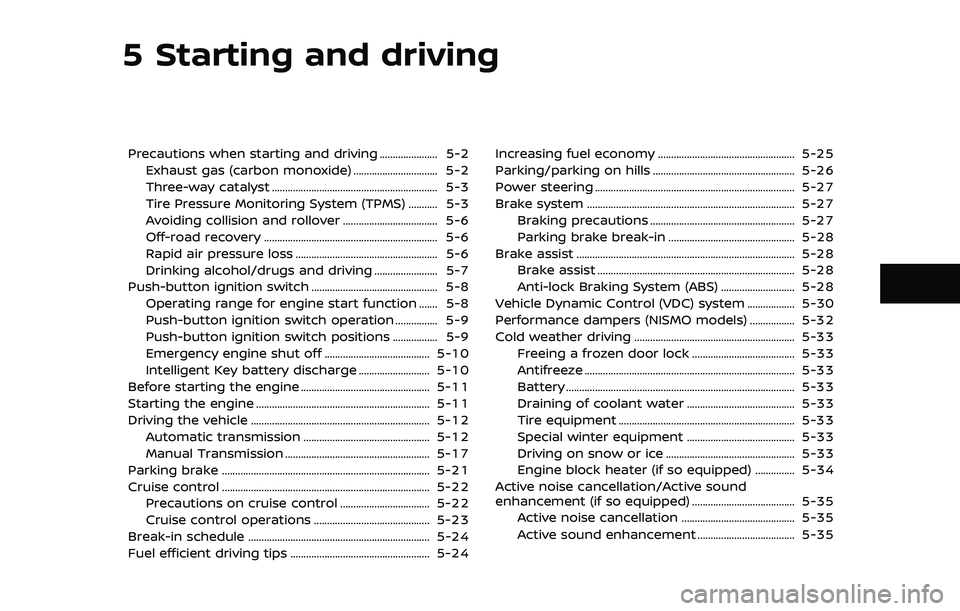
5 Starting and driving
Precautions when starting and driving ...................... 5-2Exhaust gas (carbon monoxide) ................................ 5-2
Three-way catalyst ............................................................... 5-3
Tire Pressure Monitoring System (TPMS) ........... 5-3
Avoiding collision and rollover .................................... 5-6
Off-road recovery .................................................................. 5-6
Rapid air pressure loss ...................................................... 5-6
Drinking alcohol/drugs and driving ........................ 5-7
Push-button ignition switch ................................................ 5-8 Operating range for engine start function ....... 5-8
Push-button ignition switch operation ................ 5-9
Push-button ignition switch positions ................. 5-9
Emergency engine shut off ........................................ 5-10
Intelligent Key battery discharge ........................... 5-10
Before starting the engine ................................................. 5-11
Starting the engine .................................................................. 5-11
Driving the vehicle .................................................................... 5-12 Automatic transmission ................................................ 5-12
Manual Transmission ....................................................... 5-17
Parking brake ........................................................................\
....... 5-21
Cruise control ........................................................................\
....... 5-22 Precautions on cruise control .................................. 5-22
Cruise control operations ............................................ 5-23
Break-in schedule ..................................................................... 5-24
Fuel efficient driving tips ..................................................... 5-24 Increasing fuel economy .................................................... 5-25
Parking/parking on hills ...................................................... 5-26
Power steering ........................................................................\
.... 5-27
Brake system ........................................................................\
....... 5-27
Braking precautions ....................................................... 5-27
Parking brake break-in ................................................ 5-28
Brake assist ........................................................................\
........... 5-28 Brake assist ........................................................................\
... 5-28
Anti-lock Braking System (ABS) ............................ 5-28
Vehicle Dynamic Control (VDC) system .................. 5-30
Performance dampers (NISMO models) ................. 5-32
Cold weather driving ............................................................. 5-33 Freeing a frozen door lock ....................................... 5-33
Antifreeze ........................................................................\
........ 5-33
Battery ........................................................................\
............... 5-33
Draining of coolant water ......................................... 5-33
Tire equipment ................................................................... 5-33
Special winter equipment ......................................... 5-33
Driving on snow or ice ................................................. 5-33
Engine block heater (if so equipped) ............... 5-34
Active noise cancellation/Active sound
enhancement (if so equipped) ....................................... 5-35 Active noise cancellation ........................................... 5-35
Active sound enhancement ..................................... 5-35
Page 298 of 460
5-2Starting and driving
WARNING
.Do not leave children or adults
who would normally require the
support of others alone in your
vehicle. Pets should not be left
alone either. They could acciden-
tally injure themselves or others
through inadvertent operation of
the vehicle. Also, on hot, sunny
days, temperatures in a closed
vehicle could quickly become
high enough to cause severe or
possibly fatal injuries to people or
animals.
. Properly secure all cargo to help
prevent it from sliding or shifting.
Do not place cargo higher than
the seatbacks. In a sudden stop
or collision, unsecured cargo
could cause personal injury
(Coupe models).
. Closely supervise children when
they are around cars to prevent
them from playing and becoming
locked in the trunk where they
could be seriously injured. Keep
the car locked with the trunk
closed when not in use, and pre-
vent children’s access to car keys (Roadster models).
If the engine oil temperature is high, the
engine protection mode, which helps
reduce the chance of engine damage,
could activate and automatically de-
crease engine power. Driving while the
engine oil temperature is high may
result in engine damage.
EXHAUST GAS (carbon monoxide)
WARNING
. Do not breathe exhaust gases;
they contain colorless and odor-
less carbon monoxide. Carbon
monoxide is dangerous. It can
cause unconsciousness or death.
. If you suspect that exhaust fumes
are entering the vehicle, drive
with all windows fully open, and
have the vehicle inspected imme-
diately.
. Do not run the engine in closed
spaces such as a garage.
. Do not park the vehicle with the
engine running for any extended
length of time.
. Keep the rear hatch/trunk lid
closed while driving, otherwise exhaust gases could be drawn
into the passenger compartment.
If you must drive with the rear
hatch/trunk lid open, follow these
precautions:
1) Open all the windows.
2) Set the
air recirculation to
off and the fan control to high
to circulate the air.
. The exhaust system and body
should be inspected by a quali-
fied mechanic whenever:
— The vehicle is raised for ser-
vice.
— You suspect that exhaust fumes are entering into the
passenger compartment.
— You notice a change in the sound of the exhaust system.
— You have had an accident involving damage to the ex-
haust system, underbody, or
rear of the vehicle.
PRECAUTIONS WHEN STARTING
AND DRIVING