NISSAN ALMERA 2001 User Guide
ALMERA 2001
NISSAN
NISSAN
https://www.carmanualsonline.info/img/5/57348/w960_57348-0.png
NISSAN ALMERA 2001 User Guide
Page 2014 of 2898
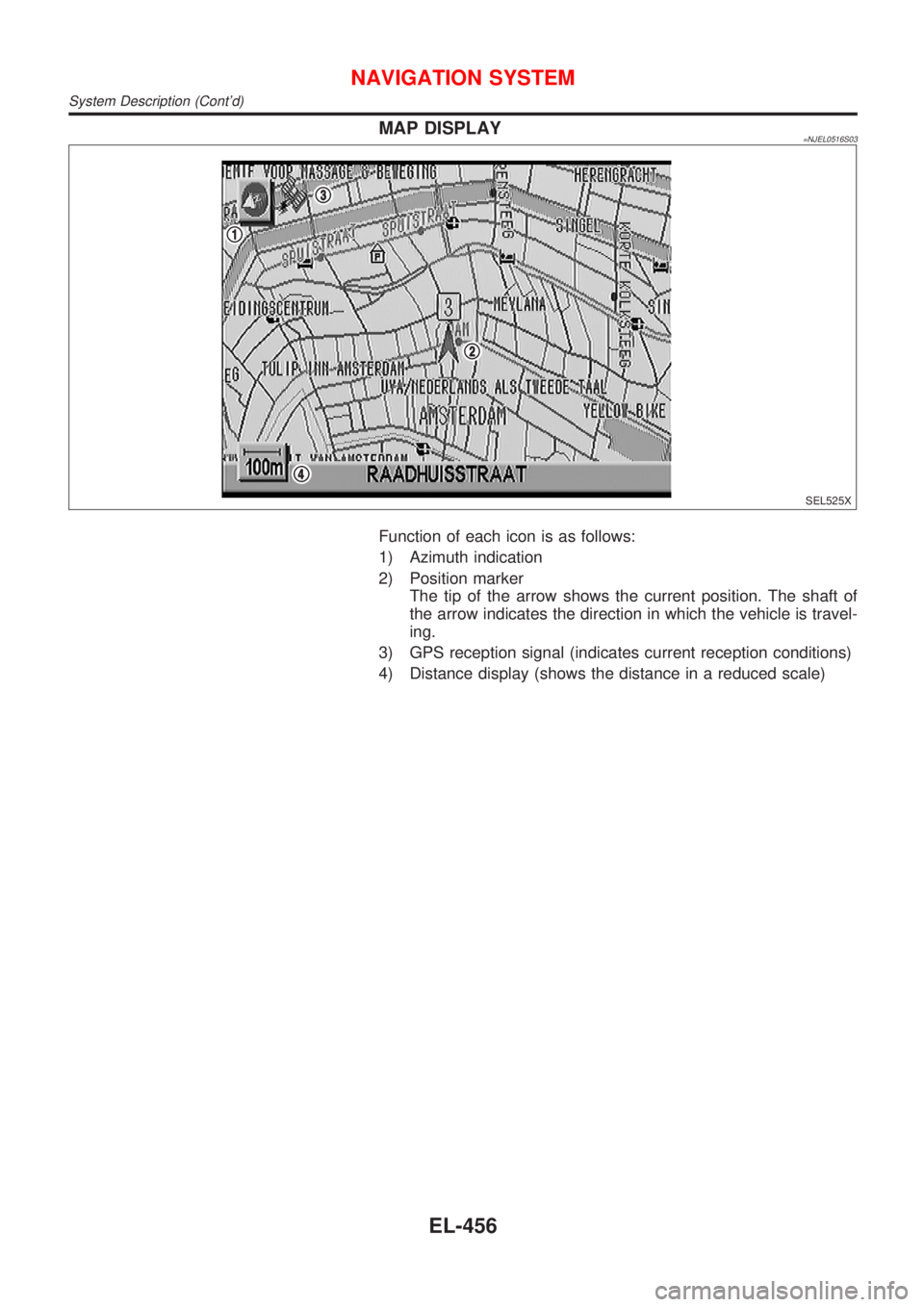
MAP DISPLAY=NJEL0516S03
SEL525X
Function of each icon is as follows:
1) Azimuth indication
2) Position marker
The tip of the arrow shows the current position. The shaft of
the arrow indicates the direction in which the vehicle is travel-
ing.
3) GPS reception signal (indicates current reception conditions)
4) Distance display (shows the distance in a reduced scale)
NAVIGATION SYSTEM
System Description (Cont'd)
EL-456
Page 2015 of 2898
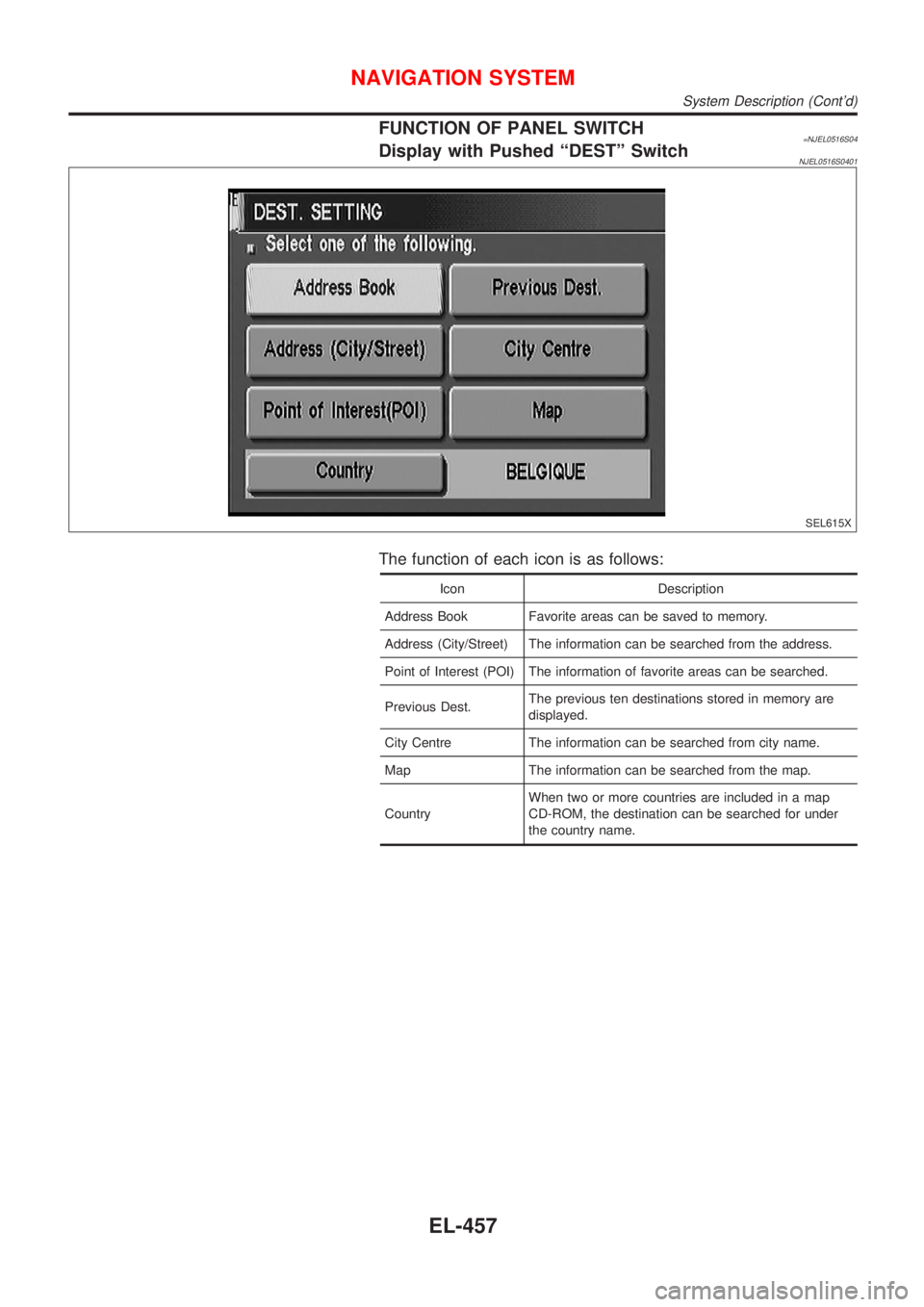
FUNCTION OF PANEL SWITCH=NJEL0516S04Display with Pushed ªDESTº SwitchNJEL0516S0401
SEL615X
The function of each icon is as follows:
Icon Description
Address Book Favorite areas can be saved to memory.
Address (City/Street) The information can be searched from the address.
Point of Interest (POI) The information of favorite areas can be searched.
Previous Dest.The previous ten destinations stored in memory are
displayed.
City Centre The information can be searched from city name.
Map The information can be searched from the map.
CountryWhen two or more countries are included in a map
CD-ROM, the destination can be searched for under
the country name.
NAVIGATION SYSTEM
System Description (Cont'd)
EL-457
Page 2016 of 2898
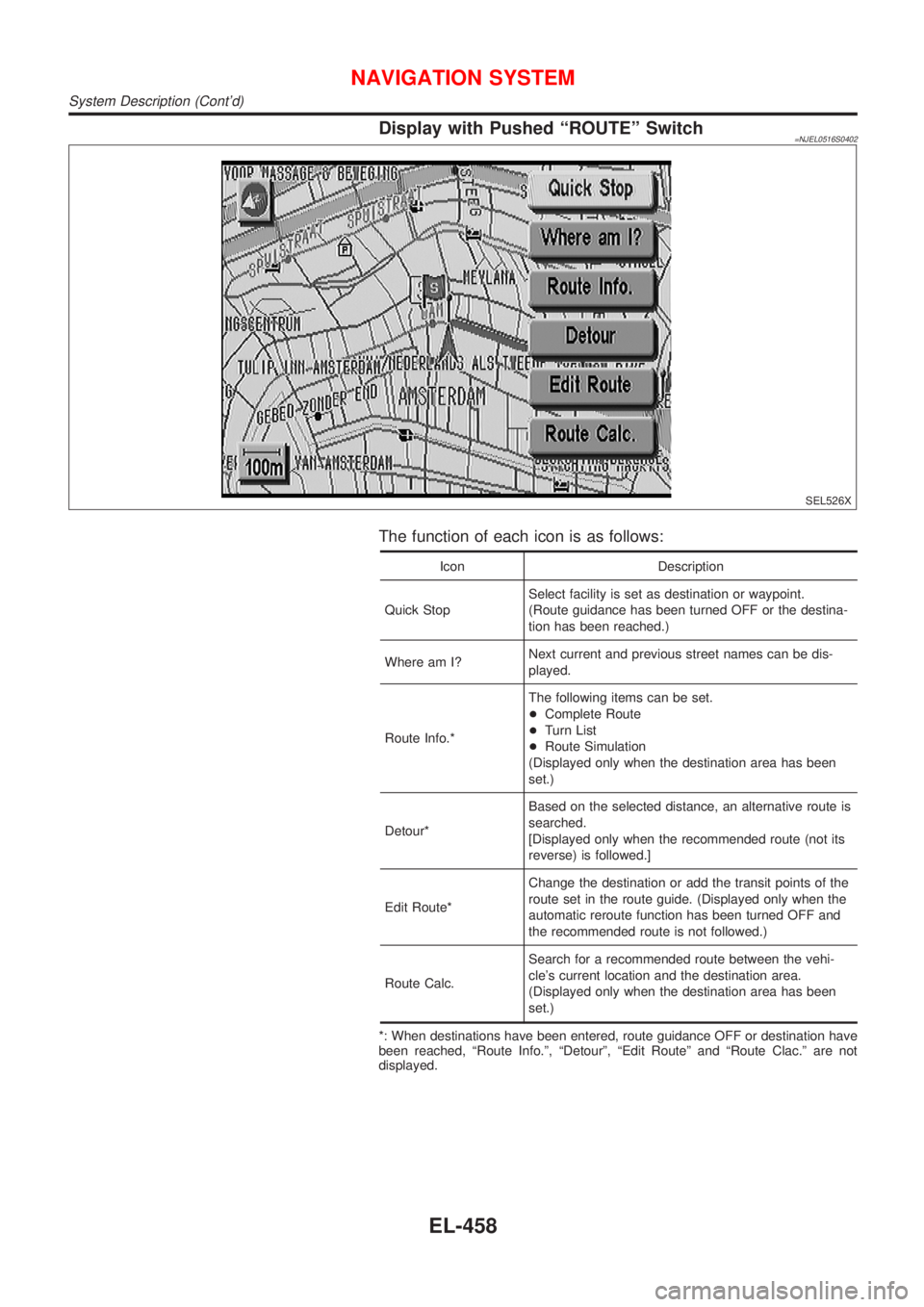
Display with Pushed ªROUTEº Switch=NJEL0516S0402
SEL526X
The function of each icon is as follows:
Icon Description
Quick StopSelect facility is set as destination or waypoint.
(Route guidance has been turned OFF or the destina-
tion has been reached.)
Where am I?Next current and previous street names can be dis-
played.
Route Info.*The following items can be set.
+Complete Route
+Turn List
+Route Simulation
(Displayed only when the destination area has been
set.)
Detour*Based on the selected distance, an alternative route is
searched.
[Displayed only when the recommended route (not its
reverse) is followed.]
Edit Route*Change the destination or add the transit points of the
route set in the route guide. (Displayed only when the
automatic reroute function has been turned OFF and
the recommended route is not followed.)
Route Calc.Search for a recommended route between the vehi-
cle's current location and the destination area.
(Displayed only when the destination area has been
set.)
*: When destinations have been entered, route guidance OFF or destination have
been reached, ªRoute Info.º, ªDetourº, ªEdit Routeº and ªRoute Clac.º are not
displayed.
NAVIGATION SYSTEM
System Description (Cont'd)
EL-458
Page 2017 of 2898
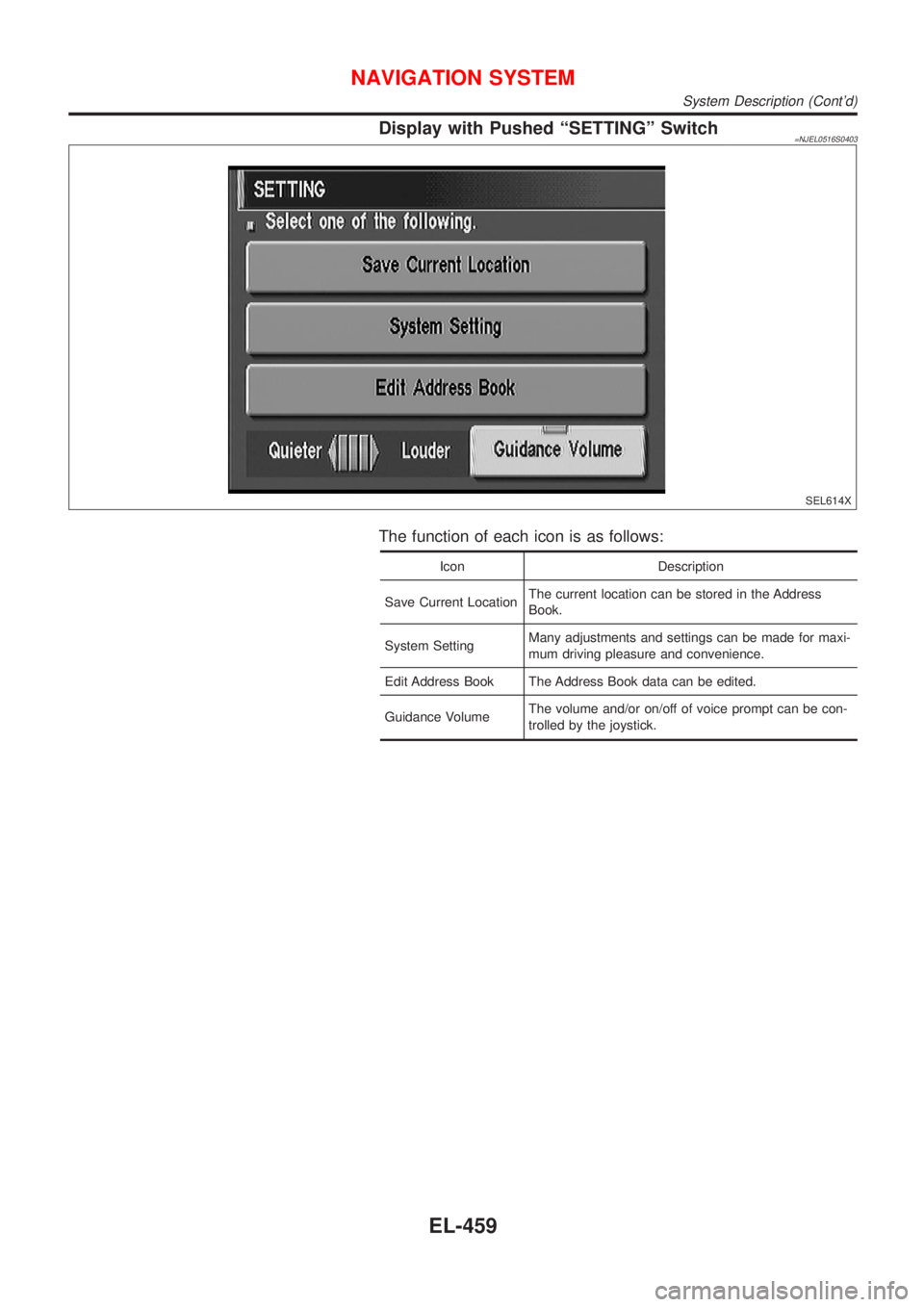
Display with Pushed ªSETTINGº Switch=NJEL0516S0403
SEL614X
The function of each icon is as follows:
Icon Description
Save Current LocationThe current location can be stored in the Address
Book.
System SettingMany adjustments and settings can be made for maxi-
mum driving pleasure and convenience.
Edit Address Book The Address Book data can be edited.
Guidance VolumeThe volume and/or on/off of voice prompt can be con-
trolled by the joystick.
NAVIGATION SYSTEM
System Description (Cont'd)
EL-459
Page 2018 of 2898
Schematic/SedanNJEL0517
HEL424B
NAVIGATION SYSTEM
Schematic/Sedan
EL-460
Page 2019 of 2898
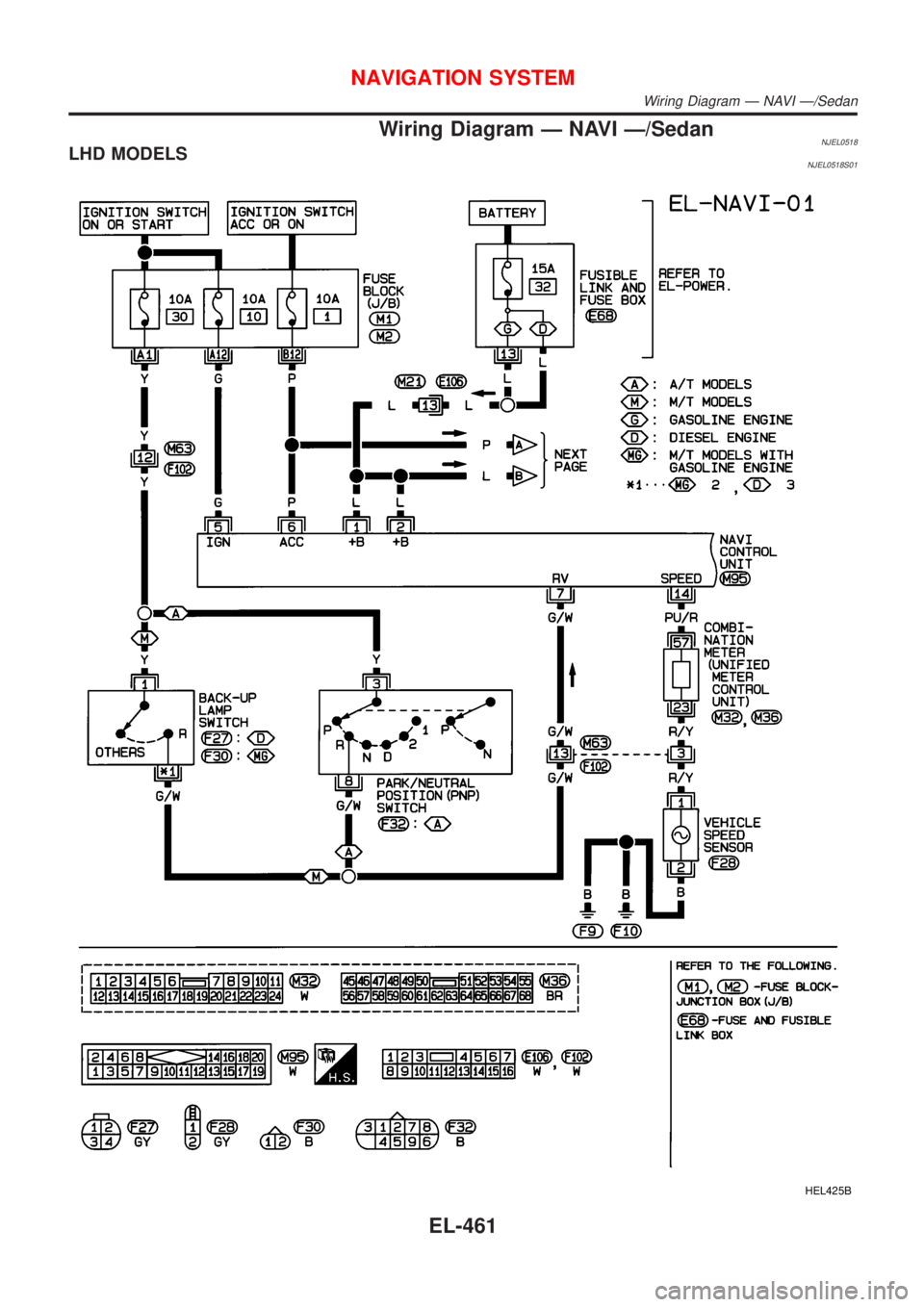
Wiring Diagram Ð NAVI Ð/SedanNJEL0518LHD MODELSNJEL0518S01
HEL425B
NAVIGATION SYSTEM
Wiring Diagram Ð NAVI Ð/Sedan
EL-461
Page 2020 of 2898
HEL426B
NAVIGATION SYSTEM
Wiring Diagram Ð NAVI Ð/Sedan (Cont'd)
EL-462
Page 2021 of 2898
HEL427B
NAVIGATION SYSTEM
Wiring Diagram Ð NAVI Ð/Sedan (Cont'd)
EL-463
Page 2022 of 2898
RHD MODELSNJEL0518S02
HEL428B
NAVIGATION SYSTEM
Wiring Diagram Ð NAVI Ð/Sedan (Cont'd)
EL-464
Page 2023 of 2898
HEL429B
NAVIGATION SYSTEM
Wiring Diagram Ð NAVI Ð/Sedan (Cont'd)
EL-465