turn signal NISSAN ALTIMA HYBRID 2008 L32A / 4.G Owners Manual
[x] Cancel search | Manufacturer: NISSAN, Model Year: 2008, Model line: ALTIMA HYBRID, Model: NISSAN ALTIMA HYBRID 2008 L32A / 4.GPages: 351, PDF Size: 4.14 MB
Page 20 of 351

1. Power windows (P. 2-41)
2. Windshield (P. 8-17)
3. Windshield wiper and washer switch
(P. 2-28)
4. Engine hood (P. 3-17)
5. Tie down/towing hooks (P. 6-13)
6. Fog light switch (if so equipped)
(P. 2-33)
7. Headlight and turn signal switch
(P. 2-29)
8. Replacing bulbs (P. 8-24)
9. Tire pressure (P. 8-29)
10. Flat tire (P. 6-2)
11. Tire chains (P. 8-37)
12. Mirrors (P. 3-23)
13. Door locks, Intelligent key system, keys,
request button (P. 3-3, 3-6, 3-2, 3-8)
See the page number indicated in paren-
theses for operating details.
LII0094
EXTERIOR FRONT
Illustrated table of contents0-3
ZREVIEW COPYÐ2008 Altima Hybrid Electric
(ahv)
Owners ManualÐUSA_English(nna)
05/31/07Ðdebbie
X
Page 23 of 351

1. Vents (P. 4-10)
2. Headlight/fog light (if so equipped)/turn
signal switch (P. 2-29)3. Steering wheel switch for audio control
(if so equipped)/BluetoothTHands-free
Phone System (if so equipped)
(P. 4-36, 4-39)
4. Meters and gauges (P. 2-3)5. Driver supplemental air bag/horn
(P. 1-34, 2-34)
6.
Cruise control main/set switch (P. 5-14)7. Windshield wiper/washer switch
(P. 2-28)
8. Push-button ignition switch (P. 5-6)
9.
Hazard warning flasher switch (P. 2-33)10. Front passenger air bag status light
(P. 2-15)
11. Front passenger supplemental air bag
(P. 1-34)
12. Glove box (P. 2-38)
13. Navigation system* (if so equipped)
(P. 4-2)
14. Heater and air conditioner (P. 4-11)
15. Shift selector lever (P. 5-10)
16. Audio system controls (P. 4-13)
17. Tilt/telescopic steering wheel controls
(P. 3-21)
18. Vehicle information display controls
(P. 2-18)
19. Hood release (P. 3-17)
20. Intelligent Key port (P. 3-6)
Trunk opener (P. 3-17)
*: Refer to the separate Navigation System Own-
er’s Manual.
See the page number indicated in paren-
theses for operating details.
WIC1258
INSTRUMENT PANEL
0-6Illustrated table of contents
ZREVIEW COPYÐ2008 Altima Hybrid Electric
(ahv)
Owners ManualÐUSA_English(nna)
05/31/07Ðdebbie
X
Page 26 of 351

Indicator
lightName Page
Slip indicator light 2-17
Turn signal/hazard
indicator lights2-17
Illustrated table of contents0-9
ZREVIEW COPYÐ2008 Altima Hybrid Electric
(ahv)
Owners ManualÐUSA_English(nna)
05/31/07Ðdebbie
X
Page 79 of 351

2 Instruments and controls
Instrument panel...................................2-2
Meters and gauges................................2-3
Speedometer and odometer.....................2-3
Power meter...................................2-4
High voltage battery status meter.................2-5
Fuel gauge....................................2-5
Compass display (if so equipped)...................2-6
Compass display...............................2-6
Warning/indicator lights and audible reminders.......2-9
Checking bulbs................................2-9
Warning lights................................2-10
Indicator lights................................2-15
Audible reminders.............................2-17
Vehicle information display.........................2-18
How to use the Vehicle Information Display.......2-18
Security systems.................................2-26
Vehicle security system.........................2-26
NISSAN vehicle immobilizer system.............2-27
Windshield wiper and washer switch...............2-28
Switch operation..............................2-28
Rear window and outside mirror (if so equipped)
defroster switch..................................2-29
Headlight and turn signal switch....................2-29Headlight control switch........................2-29
Daytime running light system (Canada only)......2-32
Instrument brightness control...................2-32
Turn signal switch.............................2-33
Fog light switch (if so equipped)................2-33
Hazard warning flasher switch.....................2-33
Horn............................................2-34
Heated seats (if so equipped)......................2-34
Power outlet.....................................2-35
Storage.........................................2-36
Map pockets..................................2-36
Seatback pockets.............................2-37
Sunglasses holder.............................2-37
Cup holders..................................2-38
Glove box....................................2-38
Console box..................................2-39
Covered storage box...........................2-40
Grocery hooks (if so equipped).................2-40
Cargo net (if so equipped)......................2-41
Windows........................................2-41
Power windows...............................2-41
Sunroof (if so equipped)...........................2-44
Interior light......................................2-45
ZREVIEW COPYÐ2008 Altima Hybrid Electric
(ahv)
Owners ManualÐUSA_English(nna)
05/31/07Ðdebbie
X
Page 81 of 351

1. Vents (P. 4-10)
2. Headlight/fog light (if so equipped)/turn
signal switch (P. 2-29)3. Steering wheel switch for audio control
(if so equipped)/BluetoothTHands-free
Phone System (if so equipped)
(P. 4-36, 4-39)
4. Meters and gauges (P. 2-3)5. Driver supplemental air bag/horn
(P. 1-34, 2-34)
6.
Cruise control main/set switch (P. 5-14)7. Windshield wiper/washer switch
(P. 2-28)
8. Push-button ignition switch (P. 5-6)
9. Hazard warning flasher switch (P. 2-33)
10. Front passenger air bag status light
(P. 2-15)
11. Front passenger supplemental air bag
(P. 1-34)
12. Glove box (P. 2-38)
13. Navigation system* (if so equipped)
(P. 4-2)
14. Heater and air conditioner (P. 4-11)
15. Shift selector lever (P. 5-10)
16. Audio system controls (P. 4-13)
17. Tilt/telescopic steering wheel controls
(P. 3-21)
18. Vehicle information display controls
(P. 2-18)
19. Hood release (P. 3-17)
20. Intelligent Key port (P. 3-6)
Trunk opener (P. 3-17)
*: Refer to the separate Navigation System Own-
er’s Manual.
See the page number indicated in paren-
theses for operating details.
WIC1258
INSTRUMENT PANEL
2-2Instruments and controls
ZREVIEW COPYÐ2008 Altima Hybrid Electric
(ahv)
Owners ManualÐUSA_English(nna)
05/31/07Ðdebbie
X
Page 88 of 351

orAnti-lock Braking System (ABS)
warning lightHybrid System warning lightFront passenger air bag status light
orBrake warning light (Red)Intelligent Key system warning lightHigh beam indicator light (Blue)
Charge warning lightLow tire pressure warning light (if so equipped)Low temperature indicator light (Blue)
Electronically controlled brake warning light
(Yellow)Master warning lightMalfunction Indicator Light (MIL)
Electric power steering warning lightSeat belt warning light and chimeReady operation indicator light (Green)
Engine oil pressure warning lightSupplemental air bag warning lightSecurity indicator light
High temperature warning light (Red)Vehicle Dynamic Control warning lightSlip indicator light
High voltage battery warning lightElectronically controlled Continuously Variable
Transmission (eCVT) position indicator lightTurn signal/hazard indicator lights
CHECKING BULBS
With all doors closed, apply the parking brake
and push the ignition switch to the ON position
without starting the Hybrid System. The following
lights will come on:
,or,,,,
,,.
The following lights come on when the ignition
switch is pushed ON before the READY light
comes on indicating the Hybrid System is activated:
or,,,.The following light comes on briefly and then
goes off:
If any light fails to come on, it may indicate
a burned-out bulb or an open circuit in the
electrical system. Have the system repaired
promptly.
WARNING/INDICATOR LIGHTS AND
AUDIBLE REMINDERS
Instruments and controls2-9
ZREVIEW COPYÐ2008 Altima Hybrid Electric
(ahv)
Owners ManualÐUSA_English(nna)
05/31/07Ðdebbie
X
Page 95 of 351

High beam indicator light
(blue)
This blue light comes on when the headlight high
beams are on and goes out when the low beams
are selected.
The high beam indicator light also comes on
when the passing signal is activated.
Low temperature indicator
light (blue)
The low temperature indicator light illuminates
when the engine coolant temperature is low.
When the push-button ignition switch is pushed
to the ON position, the low temperature indicator
light illuminates and then turns off after the engine
coolant has warmed up.
If the low temperature indicator light stays illumi-
nated after the engine has sufficiently warmed
up, it may indicate the low temperature sensor in
the engine coolant system is not functioning
properly and may need servicing. Have the sys-
tem checked, and if necessary repaired, by a
NISSAN dealer promptly.
Malfunction Indicator Light
(MIL)
If this indicator light comes on steady or blinks
while the Hybrid System is in READY mode, it
may indicate a potential emission control mal-
function.
The Malfunction Indicator Light may also come
on steady if the fuel-filler cap is loose or missing,
or if the vehicle runs out of fuel. Check to make
sure the fuel-filler cap is installed and closed
tightly, and that the vehicle has at least 3 gallons
(11.4 liters) of fuel in the fuel tank.
After a few driving trips, the
light should
turn off if no other potential emission control
system malfunction exists.
If this indicator light comes on steady for 20
seconds and then blinks for 10 seconds when
the engine is not running, it indicates that the
vehicle is not ready for an emission control sys-
tem inspection/maintenance test. See “Readi-
ness for inspection/maintenance (I/M) test” in the
“Technical and consumer information” section of
this manual.
Operation
The Malfunction Indicator Light will come on in
one of two ways:cMalfunction Indicator Light on steady — An
emission control system malfunction has
been detected. Check the fuel-filler cap. If
the fuel-filler cap is loose or missing, tighten
or install the cap and continue to drive the
vehicle. The
light should turn off after
a few driving trips. If thelight does not
turn off after a few driving trips, have the
vehicle inspected by a NISSAN dealer. You
do not need to have your vehicle towed to
the dealer.
cMalfunction Indicator Light blinking — An
engine misfire has been detected which may
damage the emission control system. To re-
duce or avoid emission control system dam-
age:
– do not drive at speeds above 45 MPH
(72 km/h) .
– avoid hard acceleration or deceleration.
– avoid steep uphill grades.
– if possible, reduce the amount of cargo
being hauled or towed.
The Malfunction Indicator Light may stop blinking
and come on steady. Have the vehicle inspected
by a NISSAN dealer. You do not need to have
your vehicle towed to the dealer.
2-16Instruments and controls
ZREVIEW COPYÐ2008 Altima Hybrid Electric
(ahv)
Owners ManualÐUSA_English(nna)
05/31/07Ðdebbie
X
Page 96 of 351
CAUTION
Continued vehicle operation without hav-
ing the emission control system checked
and repaired as necessary could lead to
poor driveability, reduced fuel economy,
and possible damage to the emission con-
trol system.
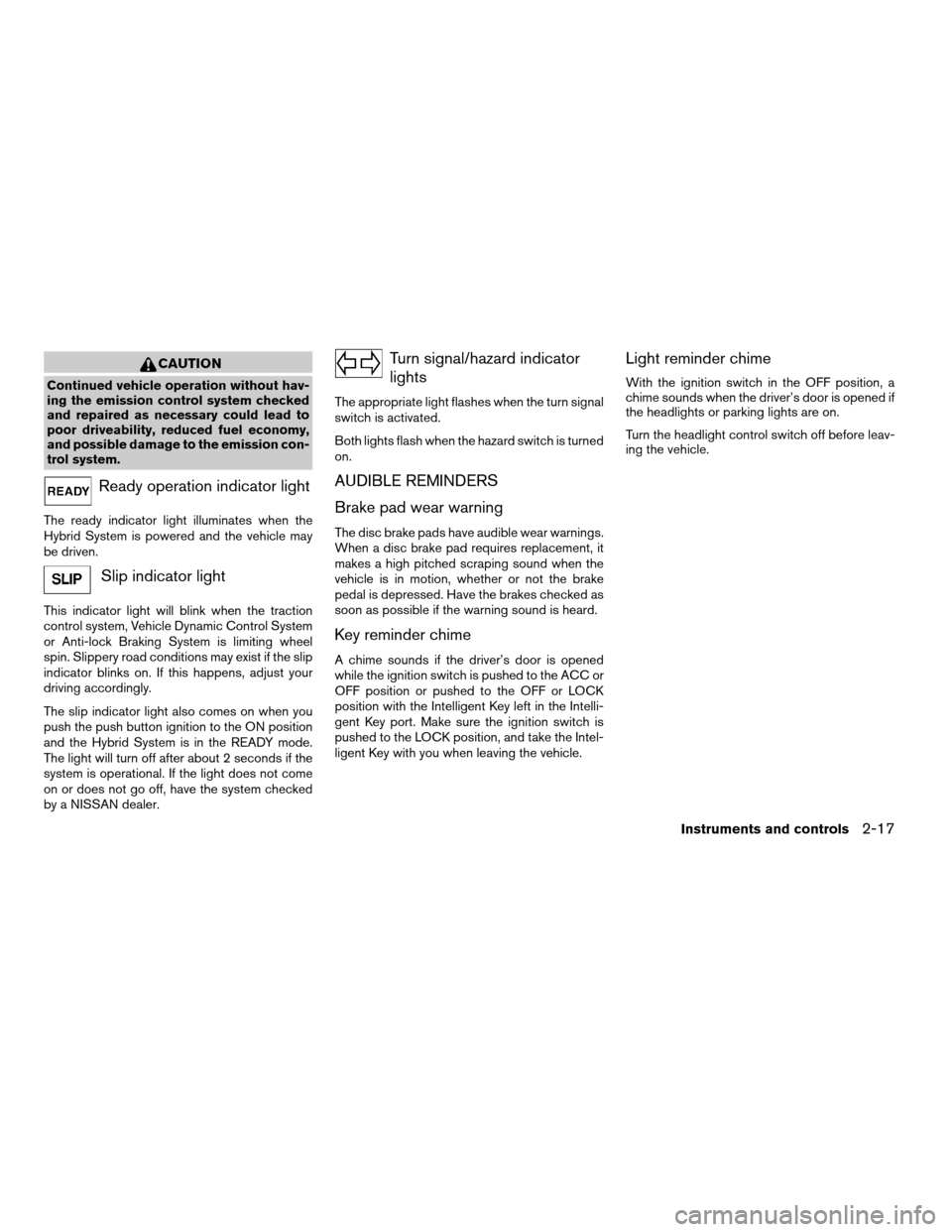
Ready operation indicator light
The ready indicator light illuminates when the
Hybrid System is powered and the vehicle may
be driven.
Slip indicator light
This indicator light will blink when the traction
control system, Vehicle Dynamic Control System
or Anti-lock Braking System is limiting wheel
spin. Slippery road conditions may exist if the slip
indicator blinks on. If this happens, adjust your
driving accordingly.
The slip indicator light also comes on when you
push the push button ignition to the ON position
and the Hybrid System is in the READY mode.
The light will turn off after about 2 seconds if the
system is operational. If the light does not come
on or does not go off, have the system checked
by a NISSAN dealer.
Turn signal/hazard indicator
lights
The appropriate light flashes when the turn signal
switch is activated.
Both lights flash when the hazard switch is turned
on.
AUDIBLE REMINDERS
Brake pad wear warning
The disc brake pads have audible wear warnings.
When a disc brake pad requires replacement, it
makes a high pitched scraping sound when the
vehicle is in motion, whether or not the brake
pedal is depressed. Have the brakes checked as
soon as possible if the warning sound is heard.
Key reminder chime
A chime sounds if the driver’s door is opened
while the ignition switch is pushed to the ACC or
OFF position or pushed to the OFF or LOCK
position with the Intelligent Key left in the Intelli-
gent Key port. Make sure the ignition switch is
pushed to the LOCK position, and take the Intel-
ligent Key with you when leaving the vehicle.
Light reminder chime
With the ignition switch in the OFF position, a
chime sounds when the driver’s door is opened if
the headlights or parking lights are on.
Turn the headlight control switch off before leav-
ing the vehicle.
Instruments and controls2-17
ZREVIEW COPYÐ2008 Altima Hybrid Electric
(ahv)
Owners ManualÐUSA_English(nna)
05/31/07Ðdebbie
X
Page 108 of 351
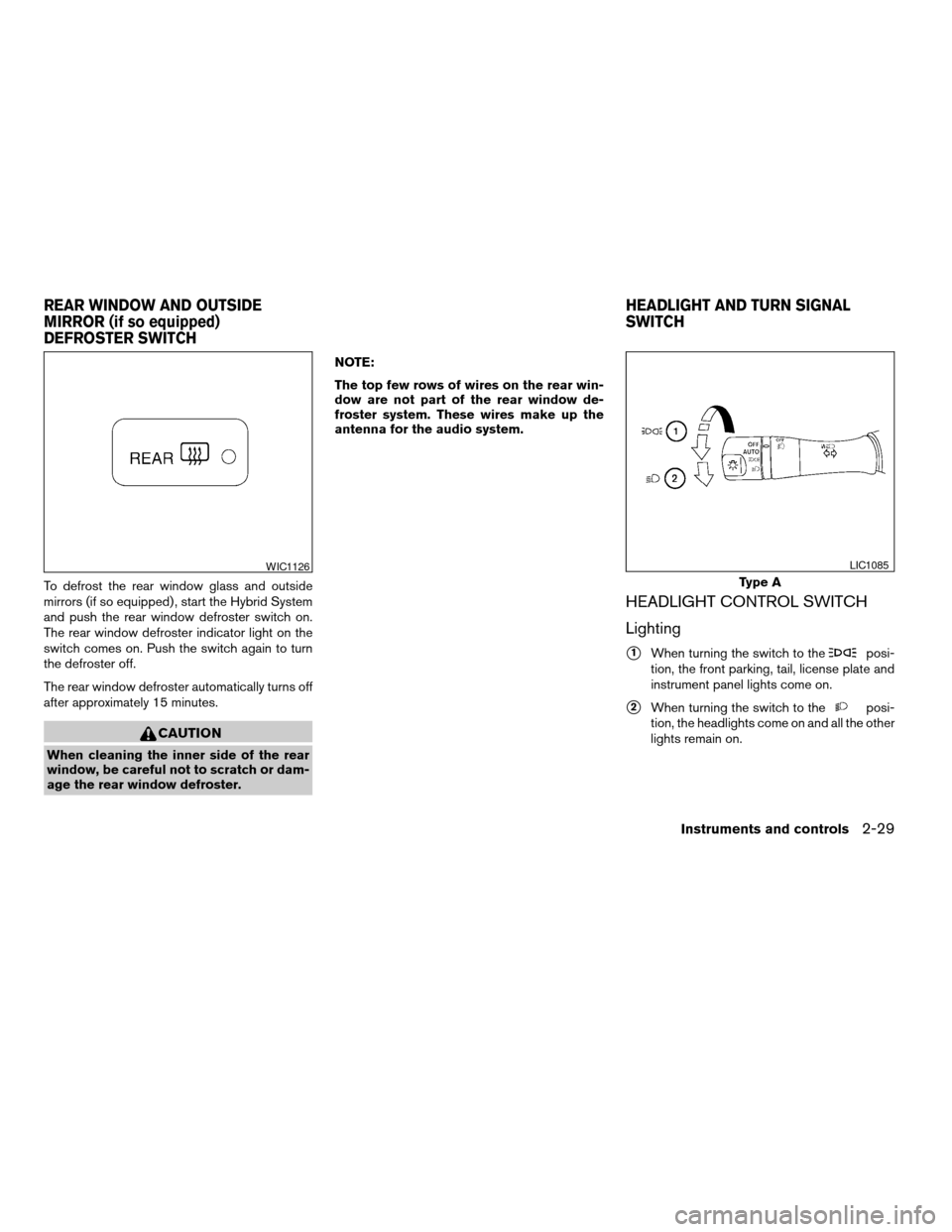
To defrost the rear window glass and outside
mirrors (if so equipped) , start the Hybrid System
and push the rear window defroster switch on.
The rear window defroster indicator light on the
switch comes on. Push the switch again to turn
the defroster off.
The rear window defroster automatically turns off
after approximately 15 minutes.
CAUTION
When cleaning the inner side of the rear
window, be careful not to scratch or dam-
age the rear window defroster.NOTE:
The top few rows of wires on the rear win-
dow are not part of the rear window de-
froster system. These wires make up the
antenna for the audio system.
HEADLIGHT CONTROL SWITCH
Lighting
s1When turning the switch to theposi-
tion, the front parking, tail, license plate and
instrument panel lights come on.
s2When turning the switch to theposi-
tion, the headlights come on and all the other
lights remain on.
WIC1126
Type A
LIC1085
REAR WINDOW AND OUTSIDE
MIRROR (if so equipped)
DEFROSTER SWITCHHEADLIGHT AND TURN SIGNAL
SWITCH
Instruments and controls2-29
ZREVIEW COPYÐ2008 Altima Hybrid Electric
(ahv)
Owners ManualÐUSA_English(nna)
05/31/07Ðdebbie
X
Page 112 of 351
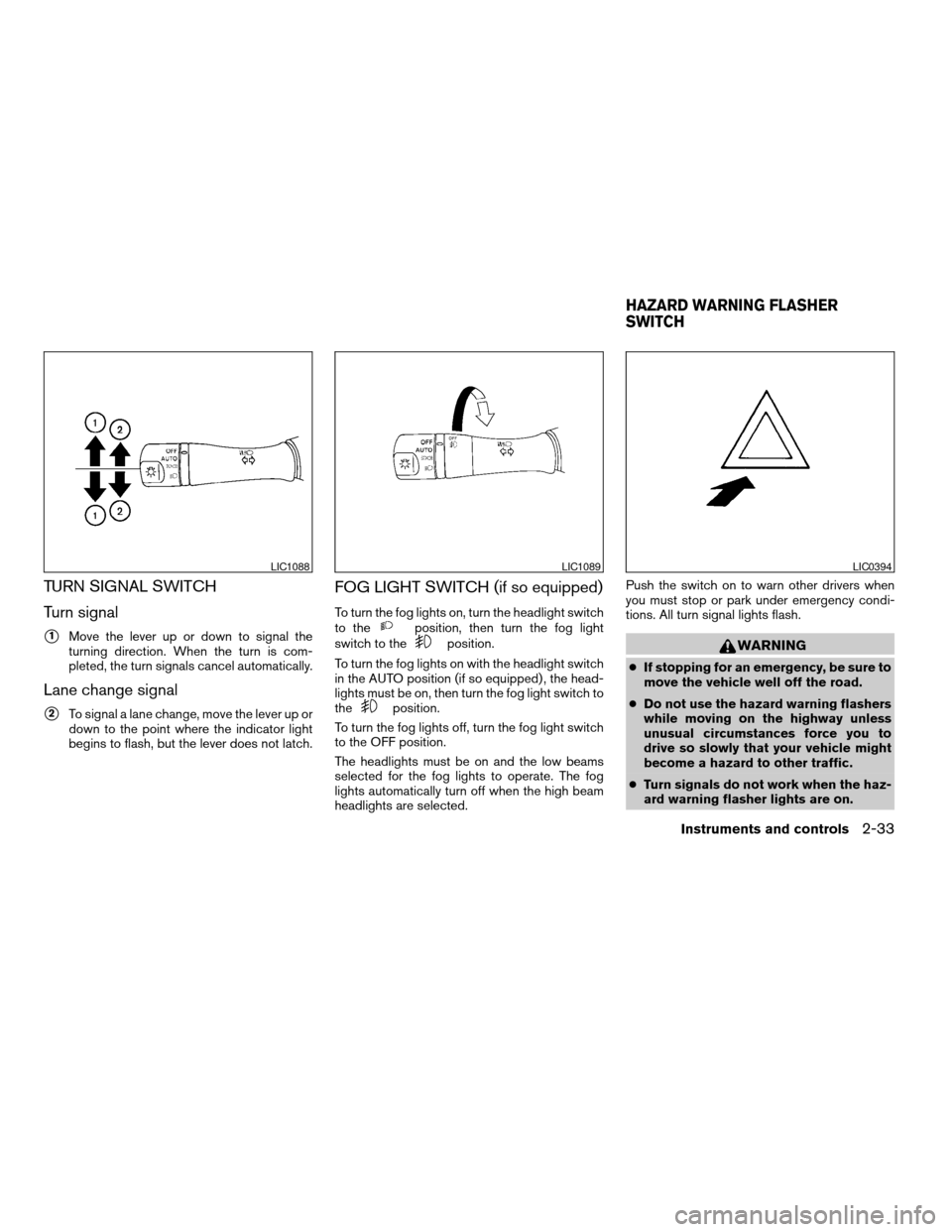
TURN SIGNAL SWITCH
Turn signal
s1Move the lever up or down to signal the
turning direction. When the turn is com-
pleted, the turn signals cancel automatically.
Lane change signal
s2To signal a lane change, move the lever up or
down to the point where the indicator light
begins to flash, but the lever does not latch.
FOG LIGHT SWITCH (if so equipped)
To turn the fog lights on, turn the headlight switch
to theposition, then turn the fog light
switch to theposition.
To turn the fog lights on with the headlight switch
in the AUTO position (if so equipped) , the head-
lights must be on, then turn the fog light switch to
the
position.
To turn the fog lights off, turn the fog light switch
to the OFF position.
The headlights must be on and the low beams
selected for the fog lights to operate. The fog
lights automatically turn off when the high beam
headlights are selected.Push the switch on to warn other drivers when
you must stop or park under emergency condi-
tions. All turn signal lights flash.
WARNING
cIf stopping for an emergency, be sure to
move the vehicle well off the road.
cDo not use the hazard warning flashers
while moving on the highway unless
unusual circumstances force you to
drive so slowly that your vehicle might
become a hazard to other traffic.
cTurn signals do not work when the haz-
ard warning flasher lights are on.
LIC1088LIC1089LIC0394
HAZARD WARNING FLASHER
SWITCH
Instruments and controls2-33
ZREVIEW COPYÐ2008 Altima Hybrid Electric
(ahv)
Owners ManualÐUSA_English(nna)
05/31/07Ðdebbie
X