phone NISSAN GT-R 2011 Workshop Manual
[x] Cancel search | Manufacturer: NISSAN, Model Year: 2011, Model line: GT-R, Model: NISSAN GT-R 2011Pages: 312, PDF Size: 13.07 MB
Page 297 of 312
Black plate (34,1)
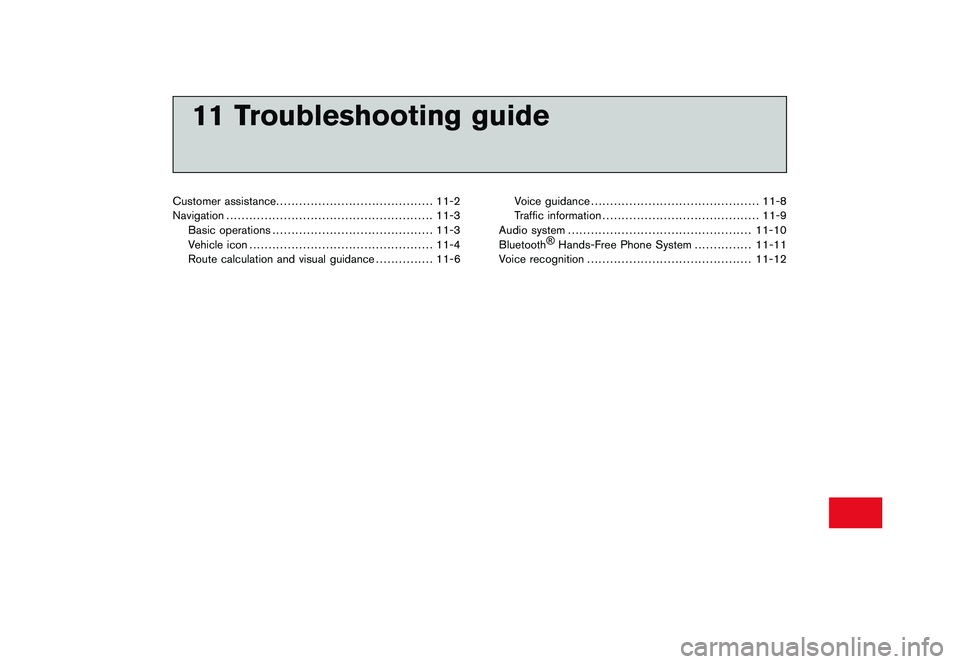
11 Troubleshooting guide
Customer assistance......................................... 11-2
Navigation ...................................................... 11-3
Basic operations .......................................... 11-3
Vehicle icon ................................................ 11-4
Route calculation and visual guidance ............... 11-6Voice guidance
............................................ 11-8
Traffic information ......................................... 11-9
Audio system ................................................ 11-10
Bluetooth ®
Hands-Free Phone System ............... 11-11
Voice recognition ........................................... 11-12
Page 307 of 312
Black plate (313,1)
Model "R35-N" EDITED: 2009/ 10/ 30
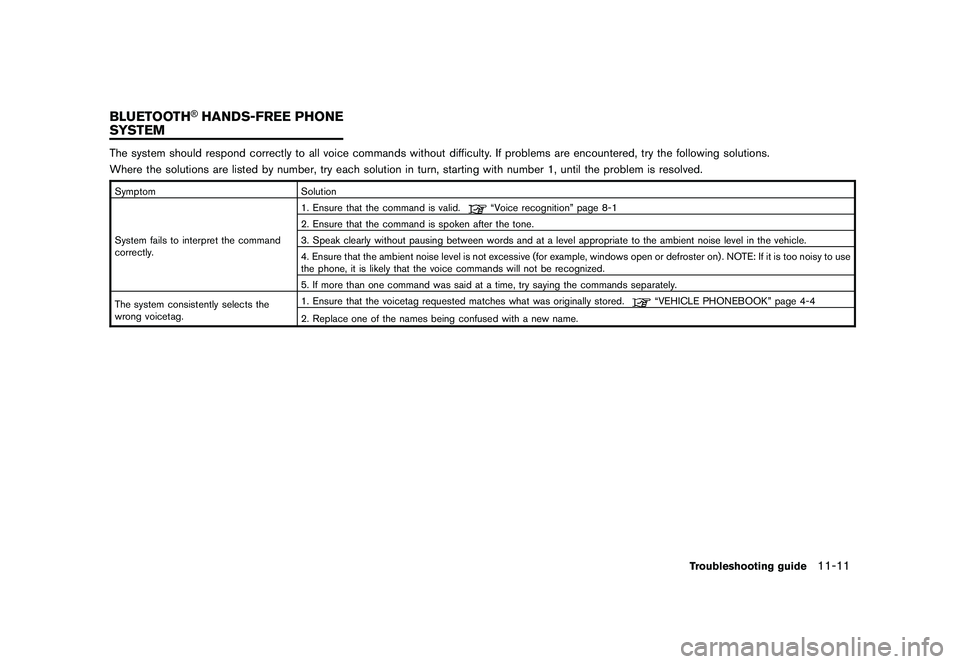
The system should respond correctly to all voice commands without difficulty. If problems are encountered, try the following solutions.
Where the solutions are listed by number, try each solution in turn, starting with number 1, until the problem is resolved.SymptomSolution
System fails to interpret the command
correctly. 1. Ensure that the command is valid.
“Voice recognition” page 8-1
2. Ensure that the command is spoken after the tone.
3. Speak clearly without pausing between words and at a level appropriate to the ambient noise level in the vehicle.
4. Ensure that the ambient noise level is not excessive (for example, windows open or defroster on) . NOTE: If it is too noisy to use
the phone, it is likely that the voice commands will not be recognized.
5. If more than one command was said at a time, try saying the commands separately.
The system consistently selects the
wrong voicetag. 1. Ensure that the voicetag requested matches what was originally stored.
“VEHICLE PHONEBOOK” page 4-4
2. Replace one of the names being confused with a new name.
Troubleshooting guide
11-11
BLUETOOTH
®HANDS-FREE PHONE
SYSTEM
Page 309 of 312
Black plate (1,1)
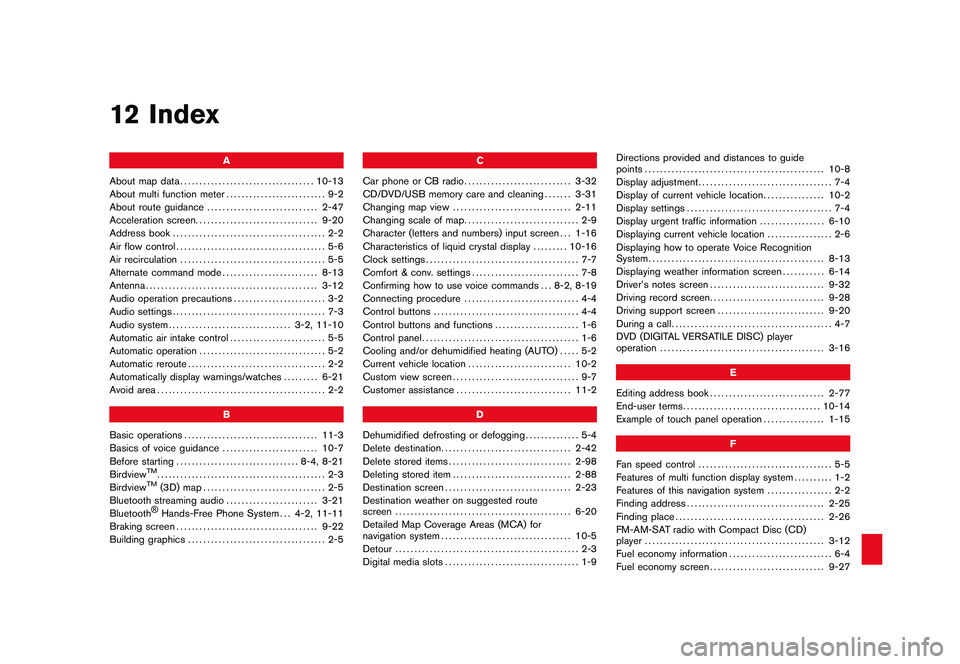
12 Index
A
About map data ................................... 10-13
About multi function meter .......................... 9-2
About route guidance ............................. 2-47
Acceleration screen ................................ 9-20
Address book ........................................ 2-2
Air flow control ....................................... 5-6
Air recirculation ...................................... 5-5
Alternate command mode ......................... 8-13
Antenna ............................................. 3-12
Audio operation precautions ........................ 3-2
Audio settings ........................................ 7-3
Audio system ................................ 3-2, 11-10
Automatic air intake control ......................... 5-5
Automatic operation ................................. 5-2
Automatic reroute .................................... 2-2
Automatically display warnings/watches ......... 6-21
Avoid area ............................................ 2-2
B
Basic operations ................................... 11-3
Basics of voice guidance ......................... 10-7
Before starting ................................ 8-4, 8-21
Birdview
TM............................................ 2-3
BirdviewTM
(3D) map ................................ 2-5
Bluetooth streaming audio ........................ 3-21
Bluetooth®Hands-Free Phone System . . . 4-2, 11-11
Braking screen ..................................... 9-22
Building graphics .................................... 2-5 C
Car phone or CB radio ............................ 3-32
CD/DVD/USB memory care and cleaning ....... 3-31
Changing map view ............................... 2-11
Changing scale of map .............................. 2-9
Character (letters and numbers) input screen . . . 1-16
Characteristics of liquid crystal display ......... 10-16
Clock settings ........................................ 7-7
Comfort & conv. settings ............................ 7-8
Confirming how to use voice commands . . . 8-2, 8-19
Connecting procedure .............................. 4-4
Control buttons ...................................... 4-4
Control buttons and functions ...................... 1-6
Control panel ......................................... 1-6
Cooling and/or dehumidified heating (AUTO) ..... 5-2
Current vehicle location ........................... 10-2
Custom view screen ................................. 9-7
Customer assistance .............................. 11-2
D
Dehumidified defrosting or defogging .............. 5-4
Delete destination .................................. 2-42
Delete stored items ................................ 2-98
Deleting stored item ............................... 2-88
Destination screen ................................. 2-23
Destination weather on suggested route
screen .............................................. 6-20
Detailed Map Coverage Areas (MCA) for
navigation system .................................. 10-5
Detour ................................................ 2-3
Digital media slots ................................... 1-9 Directions provided and distances to guide
points
............................................... 10-8
Display adjustment ................................... 7-4
Display of current vehicle location ................ 10-2
Display settings ...................................... 7-4
Display urgent traffic information ................. 6-10
Displaying current vehicle location ................. 2-6
Displaying how to operate Voice Recognition
System .............................................. 8-13
Displaying weather information screen ........... 6-14
Driver’s notes screen .............................. 9-32
Driving record screen .............................. 9-28
Driving support screen ............................ 9-20
During a call .......................................... 4-7
DVD (DIGITAL VERSATILE DISC) player
operation ........................................... 3-16
E
Editing address book .............................. 2-77
End-user terms .................................... 10-14
Example of touch panel operation ................ 1-15
F
Fan speed control ................................... 5-5
Features of multi function display system .......... 1-2
Features of this navigation system ................. 2-2
Finding address .................................... 2-25
Finding place ....................................... 2-26
FM-AM-SAT radio with Compact Disc (CD)
player ............................................... 3-12
Fuel economy information ........................... 6-4
Fuel economy screen .............................. 9-27
Model "R35-N" EDITED: 2009/ 12/ 7
Page 310 of 312
Black plate (2,1)
12-2Full screen display................................. 7-11
G
Gear position screen .............................. 9-26
Giving voice commands ...................... 8-4, 8-22
H
Heating (A/C OFF) .................................. 5-3
How to handle display ............................ 10-16
How to input letters and numbers ................ 1-16
How to order map data updates ................ 10-13
How to switch screens .............................. 9-6
How to view screen ................................. 5-2
How to view the function meter screen ............ 9-4
I
Image viewer ....................................... 7-11
In-cabin microfilter ................................... 5-7
Incorrect display of vehicle position .............. 10-3
Info on route .......................................... 6-9
Information screen ................................... 6-2
iPod
®player operation ............................ 3-25
L
Language and unit settings ......................... 7-9
Language settings ................................... 7-9
List screen .......................................... 1-14
Looking at information on map .................... 2-16
M
Maintenance information ............................ 6-6
Maintenance of display ........................... 10-16 Making a call
......................................... 4-6
Manual operation .................................... 5-5
Map data .......................................... 10-13
Map menu screen .................................. 2-18
Map settings ......................................... 2-4
Map symbols ....................................... 2-21
Map types ............................................ 2-4
Map update ........................................ 6-23
Map view settings ................................. 2-12
Menu screen and how to operate ................ 1-12
Moving map .......................................... 2-7
Multi function meter .................................. 1-2
Multi function meter list. ............................. 9-3
Music box .......................................... 3-26
N
Navigation .......................................... 11-3
Navigation setting .................................. 2-93
Navigation system ................................... 1-2
Nearby traffic info. ................................... 6-9
NISSAN voice recognition .......................... 8-2
Notes on voice guidance ......................... 10-10
Notes on XM NavTraffic
®information ........... 10-11
Notes on XM NavWeatherTM
information ....... 10-12
Number input screen .............................. 1-17
O
Operation precautions ............................... 5-2
Other navigation settings .......................... 2-94
Outside air circulation ............................... 5-5
P
Performance and vehicle information panel ...... 9-10Phone selection
...................................... 4-4
Phone setting ........................................ 4-8
Places of interest (PLACES) directory ............. 2-2
Procedures after setting destination .............. 2-43
R
Receiving a call ...................................... 4-7
Regulatory information ............................... 4-3
Repeating voice guidance ........................ 10-10
Reset all navigation settings to default ........... 2-98
Route calculation .................................. 10-6
Route calculation and visual guidance ........... 11-6
Route guidance ........................ 2-2, 2-43, 10-7
Route guidance settings .......................... 2-67
Route screen ....................................... 2-53
S
Safety notes .......................................... 9-2
Searching from address book .................... 2-33
Selecting panel ...................................... 9-7
Servicing air conditioner ............................. 5-7
Setting alternate command mode ................ 8-23
Setting by phone number ......................... 2-36
Setting city center ................................. 2-40
Setting color theme .................................. 7-6
Setting destination ................................. 2-23
Setting freeway entrance/exit ..................... 2-38
Setting from stored routes ........................ 2-36
Setting home as destination ...................... 2-32
Setting intersection ................................ 2-39
Setting point on map .............................. 2-42
Setting previous destination ...................... 2-34
Setting previous start point ....................... 2-35
Model "R35-N" EDITED: 2009/ 10/ 30
Page 311 of 312
Black plate (3,1)
Setting the image viewer.......................... 7-12
Settings screen ...................................... 7-2
Speaker adaptation ................................ 8-23
Speed limit indication on map .................... 2-94
Standard mode ...................................... 8-2
Start-up screen .................................... 1-11
Status screen ........................................ 6-2
Steering screen .................................... 9-24
Steering switch .................................... 1-10
Stopwatch screen ................................. 9-28
Storing a location/route ........................... 2-71
Storing avoid area ................................. 2-76
Storing location .................................... 2-71
Storing route ....................................... 2-74
Storing tracked route .............................. 2-75
System feedback announcement modes ......... 8-22
T
Tire pressure information ............................ 6-5
To turn the system off ............................... 5-6
Touch panel operation ............................. 1-15
Traffic information .................................. 11-9
Traffic information on map ......................... 6-10
Traffic information settings ........................ 6-12
Transferring information to/from address
book ................................................ 2-91
U
Unit settings ........................................ 7-10
Unit settings (pressure) ........................... 7-10
USB memory operation ........................... 3-18
Using Voice Recognition System ............ 8-4, 8-21 V
Vehicle icon ........................................ 11-4
Vehicle information display .......................... 6-4
Vehicle phonebook .................................. 4-4
Ventilators ............................................ 5-6
Viewing available traffic information ................ 6-7
Viewing available weather information ............ 6-13
Viewing GPS current location information ....... 6-24
Viewing information about current vehicle
location ............................................... 6-3
Viewing navigation system version
information .......................................... 6-24
Voice command examples .................... 8-9, 8-25
Voice commands ..................................... 4-3
Voice guidance ................................ 2-3, 11-8
Voice recognition ................................. 11-12
Volume adjustment ................................... 7-6
W
What is GPS (Global Positioning System)? ..... 10-2
When gray road is displayed on map ............ 10-5
X
XM NavTraffic
®information ......................... 2-2
12-3
Model "R35-N" EDITED: 2009/ 10/ 30