charging NISSAN LEAF 2017 1.G Navigation Manual
[x] Cancel search | Manufacturer: NISSAN, Model Year: 2017, Model line: LEAF, Model: NISSAN LEAF 2017 1.GPages: 268, PDF Size: 1.41 MB
Page 55 of 268
![NISSAN LEAF 2017 1.G Navigation Manual 4. After entering the information, touch [Save].A confirmation screen is displayed.
5. Touch [OK] to confirm the setting, push the power switch to the OFF position, and then
connect the charge connect](/img/5/531/w960_531-54.png "NISSAN LEAF 2017 1.G Navigation Manual 4. After entering the information, touch [Save].A confirmation screen is displayed.
5. Touch [OK] to confirm the setting, push the power switch to the OFF position, and then
connect the charge connect")
4. After entering the information, touch [Save].A confirmation screen is displayed.
5. Touch [OK] to confirm the setting, push the power switch to the OFF position, and then
connect the charge connector to the vehicle.
Climate Ctrl. Timer setting screen
*1Touch to turn on/off the timer. The indicator
light will turn on when the timer setting is
turned on.
*2Shows the set departure time. Climate
Control system will be activated in order
that the vehicle compartment will be cooled/
heated to the set temperature and turn off
itself by the departure time.
*3Touch corresponding keys to adjust the time
setting.
[-]: Touch or touch and hold to decrease the
time. [+]: Touch or touch and hold to increase the
time.
[
]: Touch to delete the numbers entered.
*4Touch the keys to set the days of the week
you wish to activate the Climate Control
system.
*5Touch to save the setting.
Priority setting between timer charge
and Climate Ctrl. Timer
If the timer charge function and the Climate Ctrl.
Timer function are in operation at the same time
due to an overlap of the timer settings, either
function can be set to be preferentially provided
with electric power.
1. Push
<
>and touch [Climate Ctrl. Timer].
2. Touch [Timer With Priority]. Priority setting screen is displayed.
3. Select the preferred setting. Available settings
Setting item Result
[Charging
Timer]
When charging is set as the
first priority, the Climate Ctrl.
Timer does not start until 10
segments (80%) of the Li-ion
battery available charge gauge
are illuminated.
[Clim. Ctrl.
Timer] When the Climate Control is
set as the first priority, the
Climate Control system will
start to operate when the re-
maining Li-ion battery power
displayed in the meter reaches
2 segments (15%) or higher.
Operating tips for using Climate Ctrl.
Timer
.
Temperature setting for the Climate Ctrl. can
be changed from [Timer / Remote - Set
Climate Temp].
. The Climate Ctrl. Timer will only start when
the power switch is in the OFF position.
Always place the power switch in the OFF
position after the Climate Ctrl. Timer is set.
. To turn off the Climate Ctrl. Timer function,
touch [ON] until the indicator light turns off.
The start and stop time settings will not be
2-13
2. Unique EV functions
Page 56 of 268
deleted even if the Climate Ctrl. Timer
function is turned off.
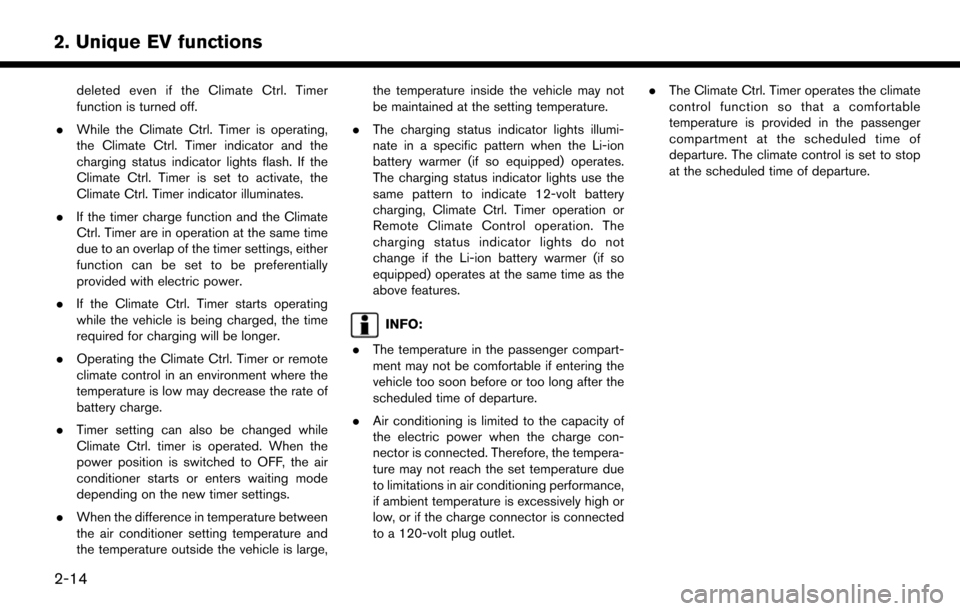
. While the Climate Ctrl. Timer is operating,
the Climate Ctrl. Timer indicator and the
charging status indicator lights flash. If the
Climate Ctrl. Timer is set to activate, the
Climate Ctrl. Timer indicator illuminates.
. If the timer charge function and the Climate
Ctrl. Timer are in operation at the same time
due to an overlap of the timer settings, either
function can be set to be preferentially
provided with electric power.
. If the Climate Ctrl. Timer starts operating
while the vehicle is being charged, the time
required for charging will be longer.
. Operating the Climate Ctrl. Timer or remote
climate control in an environment where the
temperature is low may decrease the rate of
battery charge.
. Timer setting can also be changed while
Climate Ctrl. timer is operated. When the
power position is switched to OFF, the air
conditioner starts or enters waiting mode
depending on the new timer settings.
. When the difference in temperature between
the air conditioner setting temperature and
the temperature outside the vehicle is large, the temperature inside the vehicle may not
be maintained at the setting temperature.
. The charging status indicator lights illumi-
nate in a specific pattern when the Li-ion
battery warmer (if so equipped) operates.
The charging status indicator lights use the
same pattern to indicate 12-volt battery
charging, Climate Ctrl. Timer operation or
Remote Climate Control operation. The
charging status indicator lights do not
change if the Li-ion battery warmer (if so
equipped) operates at the same time as the
above features.
INFO:
. The temperature in the passenger compart-
ment may not be comfortable if entering the
vehicle too soon before or too long after the
scheduled time of departure.
. Air conditioning is limited to the capacity of
the electric power when the charge con-
nector is connected. Therefore, the tempera-
ture may not reach the set temperature due
to limitations in air conditioning performance,
if ambient temperature is excessively high or
low, or if the charge connector is connected
to a 120-volt plug outlet. .
The Climate Ctrl. Timer operates the climate
control function so that a comfortable
temperature is provided in the passenger
compartment at the scheduled time of
departure. The climate control is set to stop
at the scheduled time of departure.
2-14
2. Unique EV functions
Page 57 of 268
UNIQUE EV FUNCTION SET-
TINGS
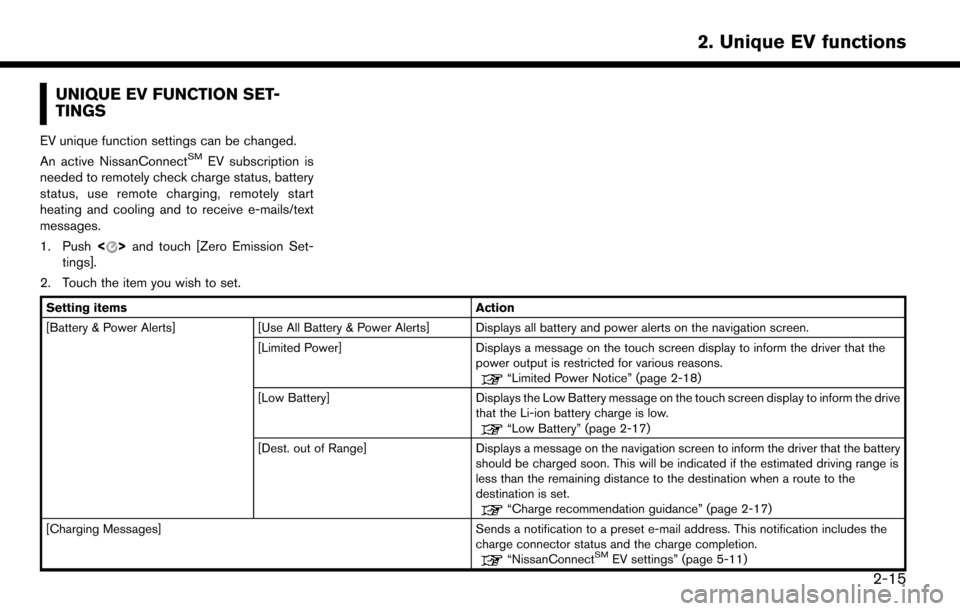
EV unique function settings can be changed.
An active NissanConnectSMEV subscription is
needed to remotely check charge status, battery
status, use remote charging, remotely start
heating and cooling and to receive e-mails/text
messages.
1. Push <
>and touch [Zero Emission Set-
tings].
2. Touch the item you wish to set.
Setting items Action
[Battery & Power Alerts] [Use All Battery & Power Alerts] Displays all battery and power alerts on the navigation screen.
[Limited Power] Displays a message on the touch screen display to inform the driver that the
power output is restricted for various reasons.
“Limited Power Notice” (page 2-18)
[Low Battery] Displays the Low Battery message on the touch screen display to inform the drive
that the Li-ion battery charge is low.
“Low Battery” (page 2-17)
[Dest. out of Range] Displays a message on the navigation screen to inform the driver that the battery
should be charged soon. This will be indicated if the estimated driving range is
less than the remaining distance to the destination when a route to the
destination is set.
“Charge recommendation guidance” (page 2-17)
[Charging Messages] Sends a notification to a preset e-mail address. This notification includes the charge connector status and the charge completion.
“NissanConnectSMEV settings” (page 5-11)
2-15
2. Unique EV functions
Page 58 of 268
![NISSAN LEAF 2017 1.G Navigation Manual [Map icons for charging stations]Displays charging station icons on the map screen.“Displaying charging station icons on map” (page 2-5)
[Timer / Remote - Set Climate Temp] Sets the temperature in](/img/5/531/w960_531-57.png "NISSAN LEAF 2017 1.G Navigation Manual [Map icons for charging stations]Displays charging station icons on the map screen.“Displaying charging station icons on map” (page 2-5)
[Timer / Remote - Set Climate Temp] Sets the temperature in")
[Map icons for charging stations]Displays charging station icons on the map screen.“Displaying charging station icons on map” (page 2-5)
[Timer / Remote - Set Climate Temp] Sets the temperature in the passenger compartment for Climate Ctrl. Timer and Remote Climate Control. Enter the preferred temperature and touch [OK] to
apply the setting.
[Other Settings] [Autosave New Charging Station] If charging station information you have used is not stored in the system, the location will be automatically registered in the Address Book.
Turn this setting off if you do not want the charging location to be stored
automatically.
You can set charging stations that are automatically registered by type. Select
from [Quick], [Standard] and [Trickle].
[Auto-Update Stations] While the vehicle is connecting to the Nissan Data Center, information related to
charging stations near your home will be automatically updated.
[Charge Port Types to Include in Station
Searches] When [QUICK CHARGE] setting is turned off, the quick charge icon will not be
displayed.
INFO:
. For vehicles without the quick charge port, NISSAN recommends turning off the quick charging station icons by turning off the [QUICK CHARGE]
setting.
2-16
2. Unique EV functions
Page 59 of 268
BATTERY AND POWER INFORMA-
TION
Information notifying the driver of the battery and
power status can be displayed on the touch
screen display.
For detail information about the warning/indica-
tor lights, see the LEAF Owner’s Manual.
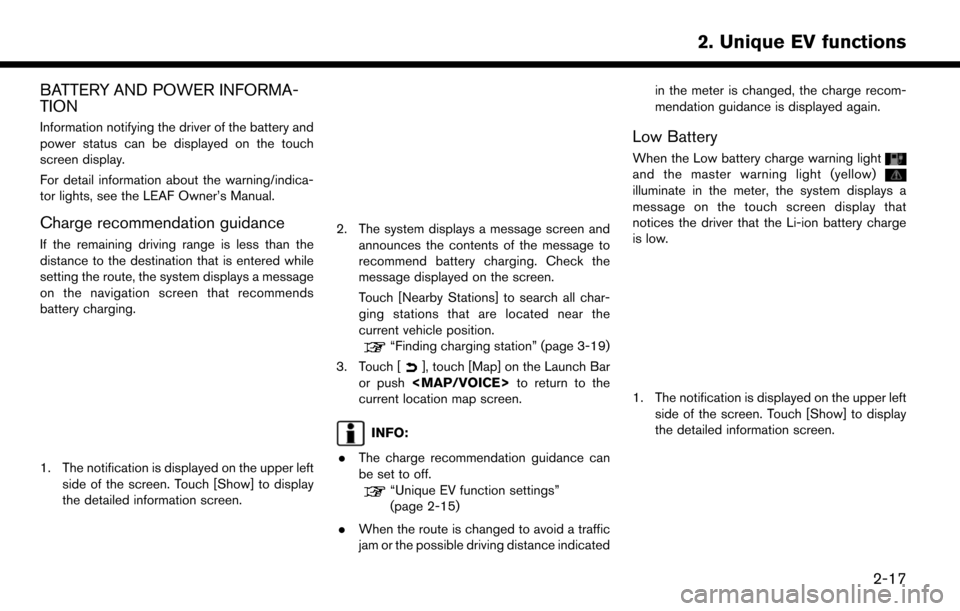
Charge recommendation guidance
If the remaining driving range is less than the
distance to the destination that is entered while
setting the route, the system displays a message
on the navigation screen that recommends
battery charging.
1. The notification is displayed on the upper leftside of the screen. Touch [Show] to display
the detailed information screen.
2. The system displays a message screen and
announces the contents of the message to
recommend battery charging. Check the
message displayed on the screen.
Touch [Nearby Stations] to search all char-
ging stations that are located near the
current vehicle position.
“Finding charging station” (page 3-19)
3. Touch [
], touch [Map] on the Launch Bar
or push
Page 60 of 268
![NISSAN LEAF 2017 1.G Navigation Manual 2. The system displays a message screen andannounces the contents of the message to
warn that the Li-ion battery charge is low.
Check the message displayed on the screen.
Touch [Nearby Stations] to se](/img/5/531/w960_531-59.png "NISSAN LEAF 2017 1.G Navigation Manual 2. The system displays a message screen andannounces the contents of the message to
warn that the Li-ion battery charge is low.
Check the message displayed on the screen.
Touch [Nearby Stations] to se")
2. The system displays a message screen andannounces the contents of the message to
warn that the Li-ion battery charge is low.
Check the message displayed on the screen.
Touch [Nearby Stations] to search all char-
ging stations that are located near the
current vehicle position.
“Finding charging station” (page 3-19)
3. Touch [
], touch [Map] on the Launch Bar
or push
Page 61 of 268

3 Navigation
Safety information ..................................................................... 3-3
Map operation ........................................................................\
.... 3-3Displaying current vehicle location ................................. 3-3
Map types ........................................................................\
...... 3-3
Road color ........................................................................\
..... 3-6
Map symbols ........................................................................\
3-7
Moving map ........................................................................\
.. 3-8
Changing scale of map ...................................................... 3-9
Changing map ................................................................... 3-10
Map view settings ............................................................ 3-11
Setting information on map ............................................ 3-14
Traffic information on map .............................................. 3-15
Map Menu screen ............................................................ 3-15
Setting destination ................................................................. 3-16 Basic operations ............................................................... 3-16
Finding address ................................................................ 3-19
Finding charging station ................................................. 3-19
Finding nearby place ....................................................... 3-21
Finding points of interest ................................................ 3-21
Setting home as destination .......................................... 3-23
Searching from address book ....................................... 3-23
Searching from previous destinations ......................... 3-24
Setting intersection .......................................................... 3-24
Setting by phone number ............................................... 3-25
Setting city center ............................................................ 3-25 Setting freeway entrance/exit ...................................... 3-26
Setting from stored routes ........................................... 3-26
Setting using Google Maps ........................................ 3-27
Setting using Route Planner ....................................... 3-27
Setting point on map ..................................................... 3-27
Setting with NissanConnect
SMEV ............................ 3-28
Options before starting the route guidance ............ 3-28
Route guidance ...................................................................... 3-30 About route guidance ................................................... 3-30
Route menu ..................................................................... 3-36
Setting new destination ................................................ 3-39
Canceling Route ............................................................. 3-39
Confirming route ............................................................. 3-39
Editing route .................................................................... 3-39
Recalculating route ........................................................ 3-42
Searching for detour route using
traffic information ............................................................ 3-42
Setting detour route ...................................................... 3-43
Route guidance settings .............................................. 3-43
Viewing traffic information ................................................... 3-48 Viewing available traffic information ........................... 3-48
Traffic information setting ............................................. 3-50
Storing a location/route ....................................................... 3-51
Storing location .............................................................. 3-51
Storing route ................................................................... 3-52
Page 68 of 268
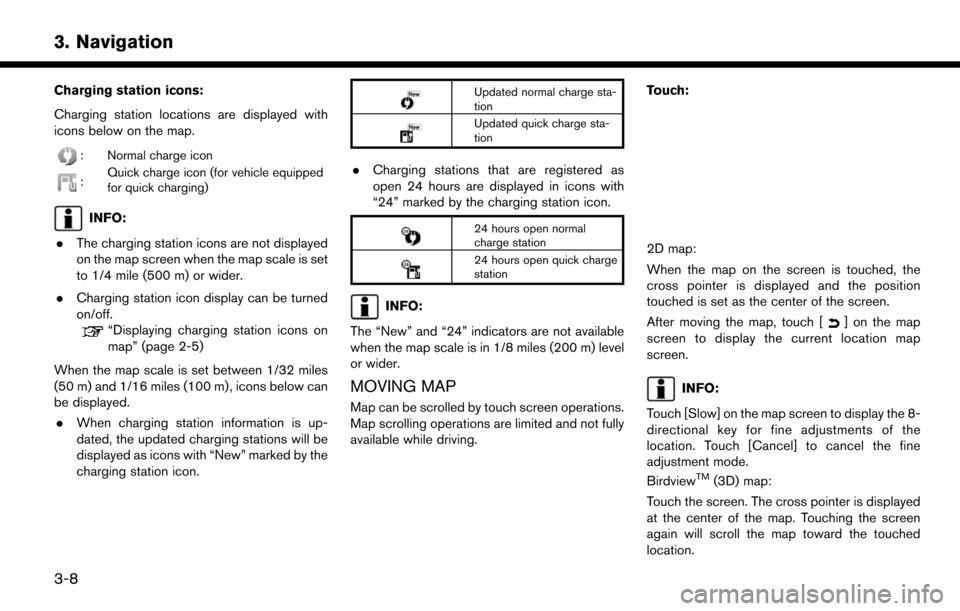
Charging station icons:
Charging station locations are displayed with
icons below on the map.
: Normal charge icon
:Quick charge icon (for vehicle equipped
for quick charging)
INFO:
. The charging station icons are not displayed
on the map screen when the map scale is set
to 1/4 mile (500 m) or wider.
. Charging station icon display can be turned
on/off.
“Displaying charging station icons on
map” (page 2-5)
When the map scale is set between 1/32 miles
(50 m) and 1/16 miles (100 m) , icons below can
be displayed. . When charging station information is up-
dated, the updated charging stations will be
displayed as icons with “New” marked by the
charging station icon.
Updated normal charge sta-
tion
Updated quick charge sta-
tion
.Charging stations that are registered as
open 24 hours are displayed in icons with
“24” marked by the charging station icon.
24 hours open normal
charge station
24 hours open quick charge
station
INFO:
The “New” and “24” indicators are not available
when the map scale is in 1/8 miles (200 m) level
or wider.
MOVING MAP
Map can be scrolled by touch screen operations.
Map scrolling operations are limited and not fully
available while driving. Touch:
2D map:
When the map on the screen is touched, the
cross pointer is displayed and the position
touched is set as the center of the screen.
After moving the map, touch [
] on the map
screen to display the current location map
screen.
INFO:
Touch [Slow] on the map screen to display the 8-
directional key for fine adjustments of the
location. Touch [Cancel] to cancel the fine
adjustment mode.
Birdview
TM(3D) map:
Touch the screen. The cross pointer is displayed
at the center of the map. Touching the screen
again will scroll the map toward the touched
location.
3-8
3. Navigation
Page 74 of 268
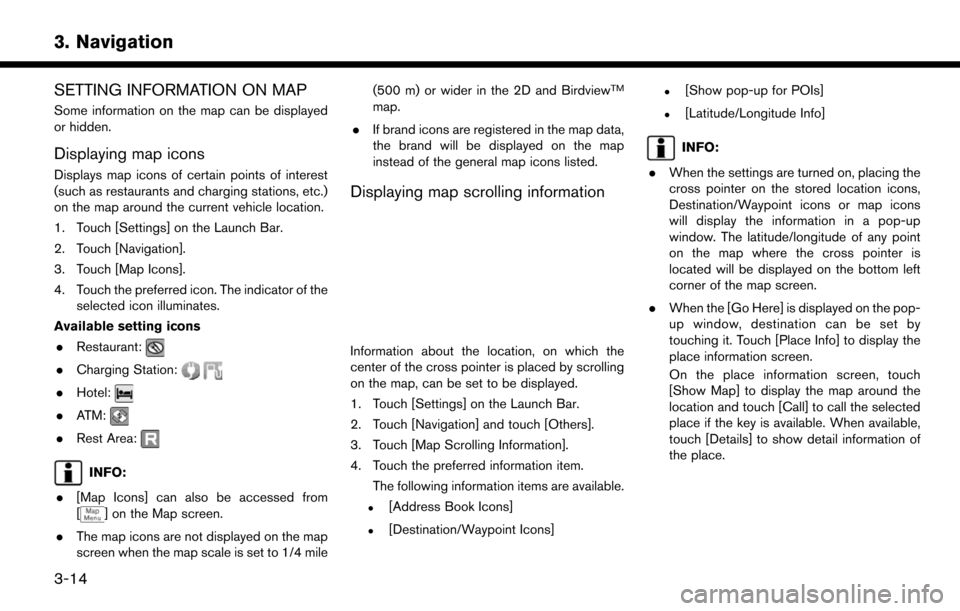
SETTING INFORMATION ON MAP
Some information on the map can be displayed
or hidden.
Displaying map icons
Displays map icons of certain points of interest
(such as restaurants and charging stations, etc.)
on the map around the current vehicle location.
1. Touch [Settings] on the Launch Bar.
2. Touch [Navigation].
3. Touch [Map Icons].
4. Touch the preferred icon. The indicator of theselected icon illuminates.
Available setting icons . Restaurant:
.Charging Station:
.Hotel:
.ATM:
.Rest Area:
INFO:
. [Map Icons] can also be accessed from
[
] on the Map screen.
. The map icons are not displayed on the map
screen when the map scale is set to 1/4 mile (500 m) or wider in the 2D and Birdview
TM
map.
. If brand icons are registered in the map data,
the brand will be displayed on the map
instead of the general map icons listed.
Displaying map scrolling information
Information about the location, on which the
center of the cross pointer is placed by scrolling
on the map, can be set to be displayed.
1. Touch [Settings] on the Launch Bar.
2. Touch [Navigation] and touch [Others].
3. Touch [Map Scrolling Information].
4. Touch the preferred information item.
The following information items are available.
.[Address Book Icons]
.[Destination/Waypoint Icons]
.[Show pop-up for POIs]
.[Latitude/Longitude Info]
INFO:
. When the settings are turned on, placing the
cross pointer on the stored location icons,
Destination/Waypoint icons or map icons
will display the information in a pop-up
window. The latitude/longitude of any point
on the map where the cross pointer is
located will be displayed on the bottom left
corner of the map screen.
. When the [Go Here] is displayed on the pop-
up window, destination can be set by
touching it. Touch [Place Info] to display the
place information screen.
On the place information screen, touch
[Show Map] to display the map around the
location and touch [Call] to call the selected
place if the key is available. When available,
touch [Details] to show detail information of
the place.
3-14
3. Navigation
Page 75 of 268
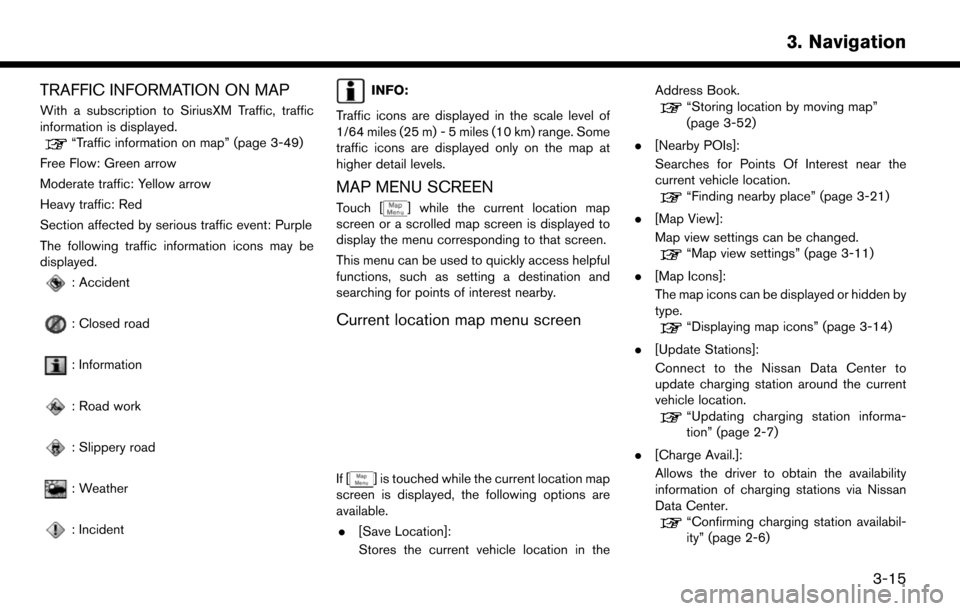
TRAFFIC INFORMATION ON MAP
With a subscription to SiriusXM Traffic, traffic
information is displayed.
“Traffic information on map” (page 3-49)
Free Flow: Green arrow
Moderate traffic: Yellow arrow
Heavy traffic: Red
Section affected by serious traffic event: Purple
The following traffic information icons may be
displayed.
: Accident
: Closed road
: Information
: Road work
: Slippery road
: Weather
: Incident
INFO:
Traffic icons are displayed in the scale level of
1/64 miles (25 m) - 5 miles (10 km) range. Some
traffic icons are displayed only on the map at
higher detail levels.
MAP MENU SCREEN
Touch [] while the current location map
screen or a scrolled map screen is displayed to
display the menu corresponding to that screen.
This menu can be used to quickly access helpful
functions, such as setting a destination and
searching for points of interest nearby.
Current location map menu screen
If [] is touched while the current location map
screen is displayed, the following options are
available.
. [Save Location]:
Stores the current vehicle location in the Address Book.
“Storing location by moving map”
(page 3-52)
. [Nearby POIs]:
Searches for Points Of Interest near the
current vehicle location.
“Finding nearby place” (page 3-21)
. [Map View]:
Map view settings can be changed.
“Map view settings” (page 3-11)
. [Map Icons]:
The map icons can be displayed or hidden by
type.
“Displaying map icons” (page 3-14)
. [Update Stations]:
Connect to the Nissan Data Center to
update charging station around the current
vehicle location.
“Updating charging station informa-
tion” (page 2-7)
. [Charge Avail.]:
Allows the driver to obtain the availability
information of charging stations via Nissan
Data Center.
“Confirming charging station availabil-
ity” (page 2-6)
3-15
3. Navigation