display NISSAN LEAF 2020 Owner´s Manual
[x] Cancel search | Manufacturer: NISSAN, Model Year: 2020, Model line: LEAF, Model: NISSAN LEAF 2020Pages: 596, PDF Size: 4.33 MB
Page 45 of 596
LI-ION BATTERY MAINTENANCE
In addition to the regular maintenance rec-
ommended by NISSAN, the LEAF requires
some special Li-ion battery inspections.
• For additional information, refer to theNISSAN Warranty Information Booklet for
significant limitations, exclusions and
possible voiding of your warranty result-
ing from failure to have these necessary
inspections, repairs and/or adjustments
performed.
• For additional information, refer to the NISSAN Service and Maintenance Guide
for a detailed explanation of the Li-ion
battery inspection and intervals.
METERS AND INDICATORS
Various meters and gauges related to the
EV functions are displayed in the vehicle
information display.
Meter
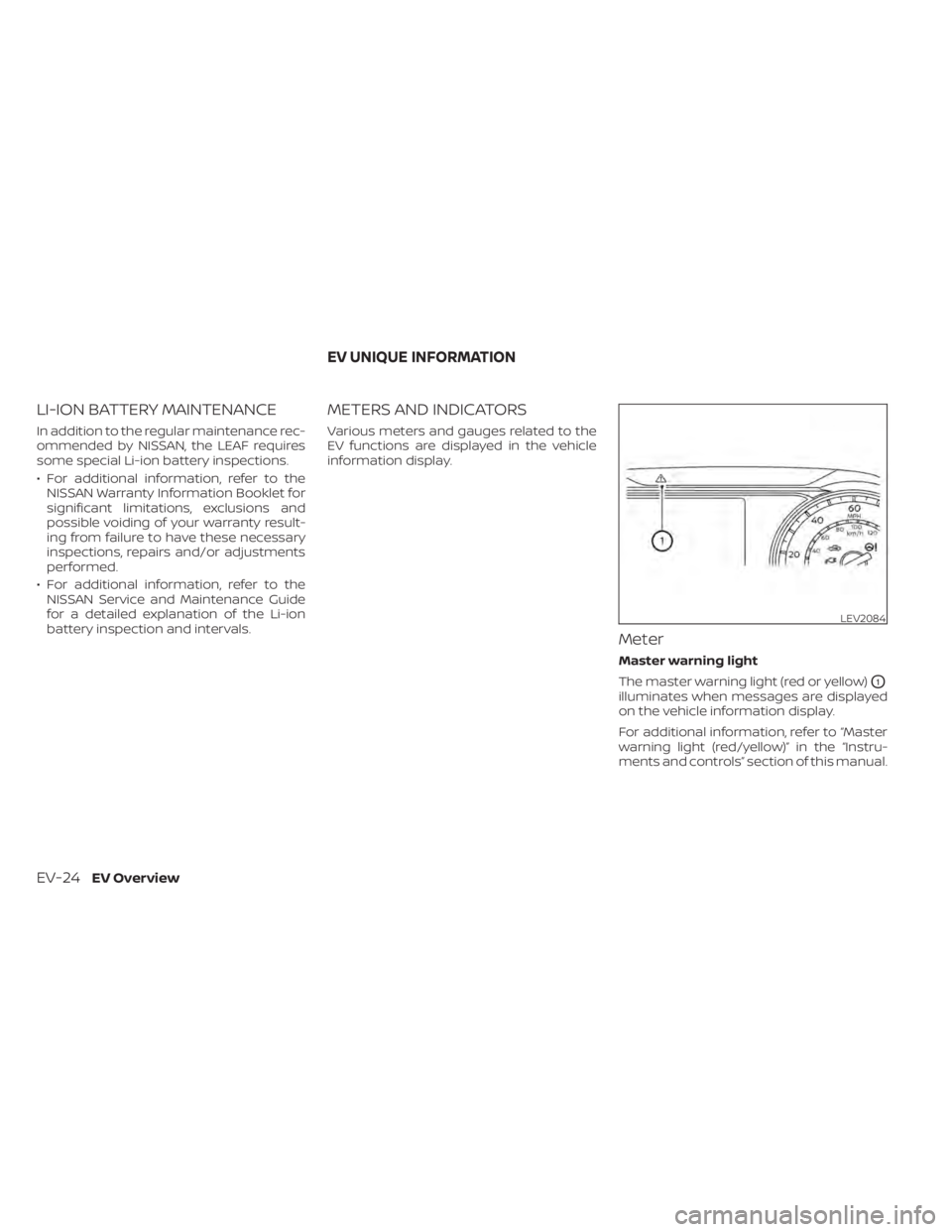
Master warning light
The master warning light (red or yellow)
O1
illuminates when messages are displayed
on the vehicle information display.
For additional information, refer to “Master
warning light (red/yellow)” in the “Instru-
ments and controls” section of this manual.
LEV2084
EV UNIQUE INFORMATION
EV-24EV Overview
Page 46 of 596
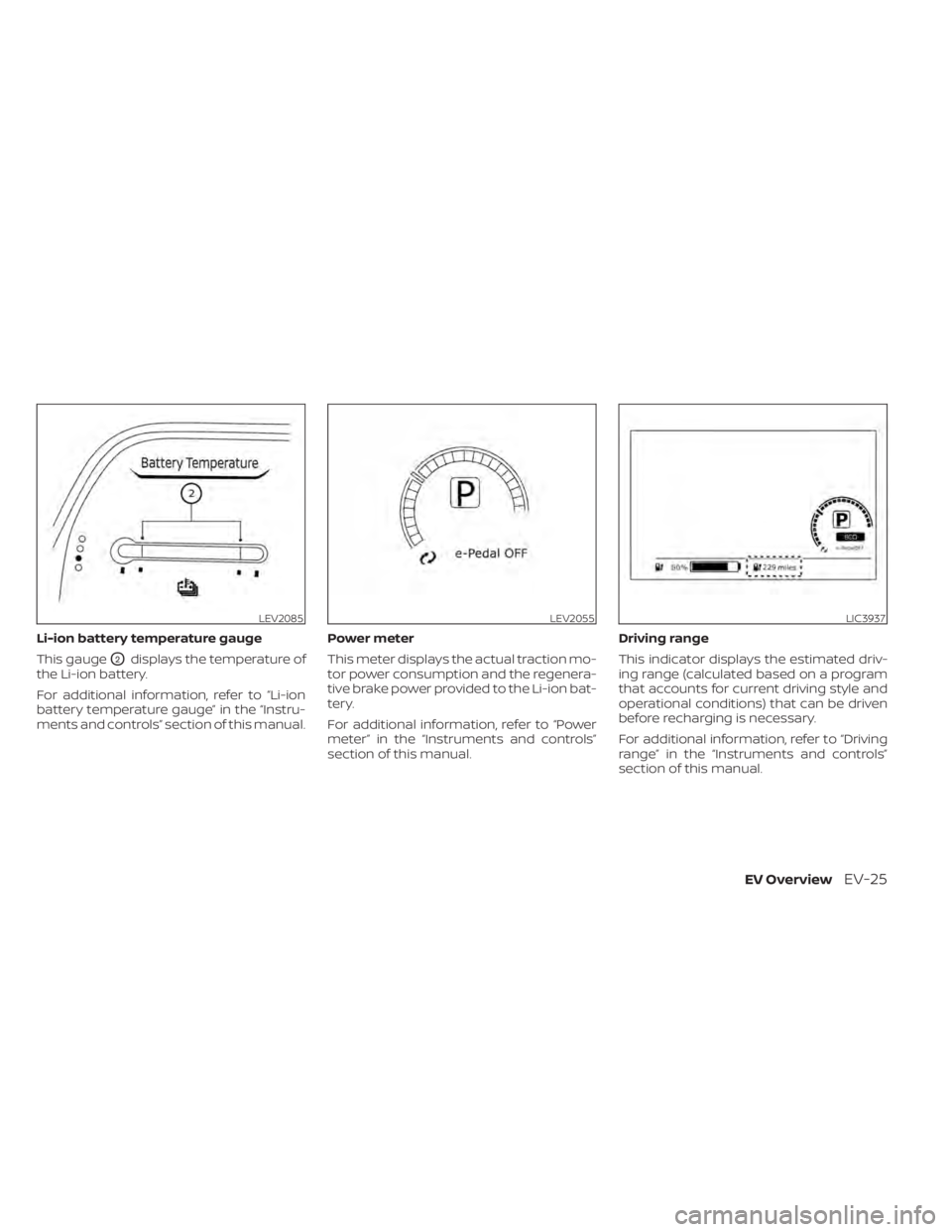
Li-ion battery temperature gauge
This gauge
O2displays the temperature of
the Li-ion battery.
For additional information, refer to “Li-ion
battery temperature gauge” in the “Instru-
ments and controls” section of this manual. Power meter
This meter displays the actual traction mo-
tor power consumption and the regenera-
tive brake power provided to the Li-ion bat-
tery.
For additional information, refer to “Power
meter” in the “Instruments and controls”
section of this manual.Driving range
This indicator displays the estimated driv-
ing range (calculated based on a program
that accounts for current driving style and
operational conditions) that can be driven
before recharging is necessary.
For additional information, refer to “Driving
range” in the “Instruments and controls”
section of this manual.
LEV2085LEV2055LIC3937
EV OverviewEV-25
Page 47 of 596
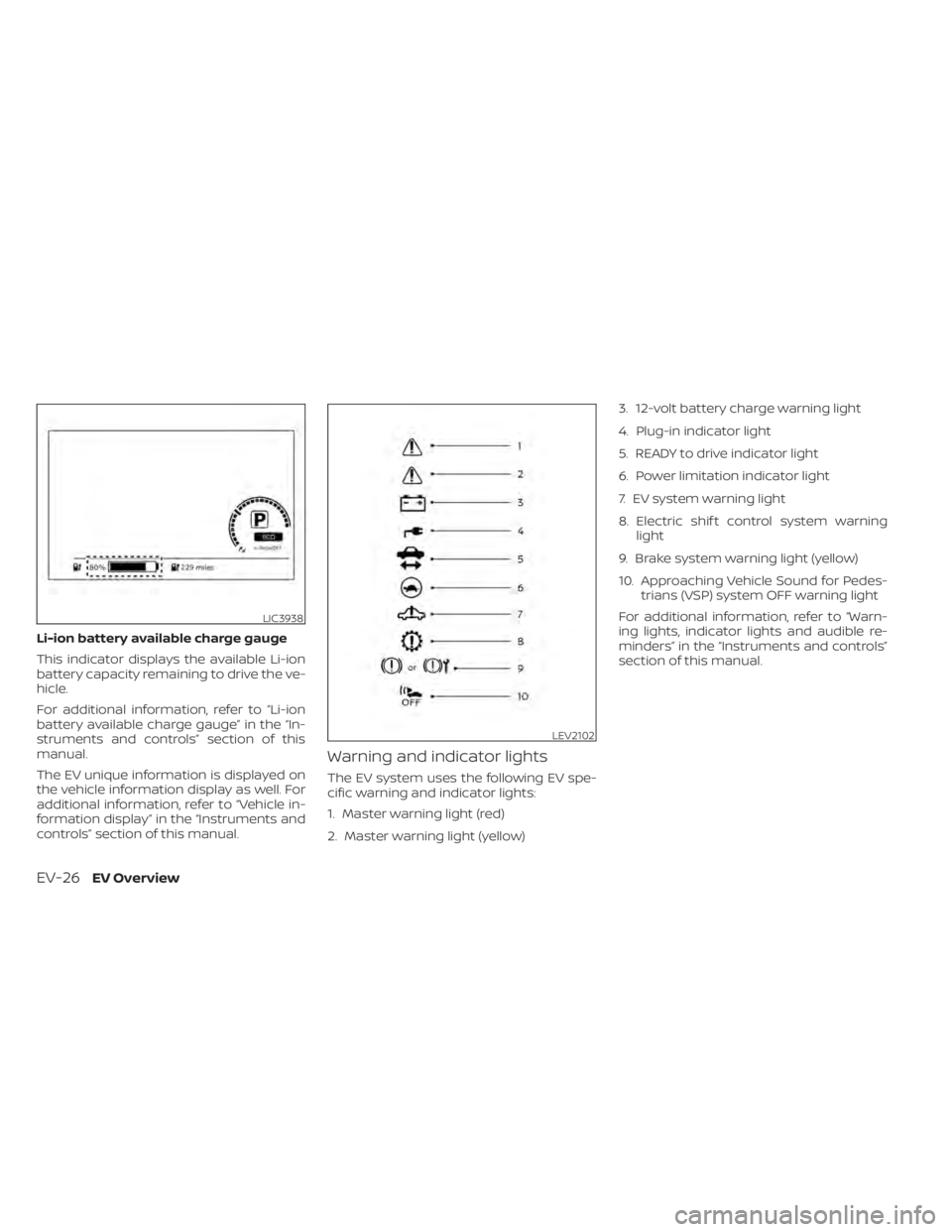
Li-ion battery available charge gauge
This indicator displays the available Li-ion
battery capacity remaining to drive the ve-
hicle.
For additional information, refer to “Li-ion
battery available charge gauge” in the “In-
struments and controls” section of this
manual.
The EV unique information is displayed on
the vehicle information display as well. For
additional information, refer to “Vehicle in-
formation display” in the “Instruments and
controls” section of this manual.
Warning and indicator lights
The EV system uses the following EV spe-
cific warning and indicator lights:
1. Master warning light (red)
2. Master warning light (yellow)3. 12-volt battery charge warning light
4. Plug-in indicator light
5. READY to drive indicator light
6. Power limitation indicator light
7. EV system warning light
8. Electric shif t control system warning
light
9. Brake system warning light (yellow)
10. Approaching Vehicle Sound for Pedes- trians (VSP) system OFF warning light
For additional information, refer to “Warn-
ing lights, indicator lights and audible re-
minders” in the “Instruments and controls”
section of this manual.
LIC3938
LEV2102
EV-26EV Overview
Page 49 of 596
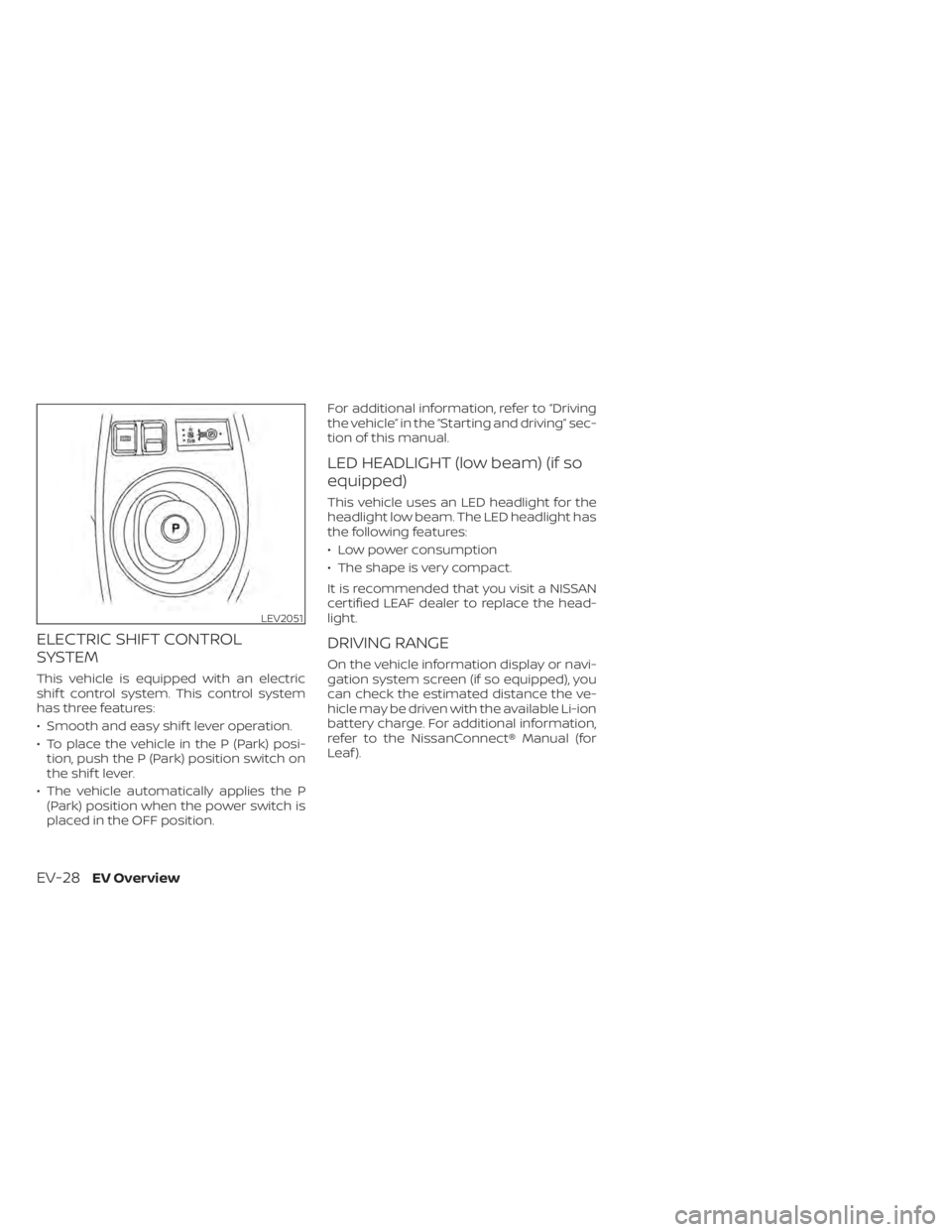
ELECTRIC SHIFT CONTROL
SYSTEM
This vehicle is equipped with an electric
shif t control system. This control system
has three features:
• Smooth and easy shif t lever operation.
• To place the vehicle in the P (Park) posi-tion, push the P (Park) position switch on
the shif t lever.
• The vehicle automatically applies the P (Park) position when the power switch is
placed in the OFF position. For additional information, refer to “Driving
the vehicle” in the “Starting and driving” sec-
tion of this manual.
LED HEADLIGHT (low beam) (if so
equipped)
This vehicle uses an LED headlight for the
headlight low beam. The LED headlight has
the following features:
• Low power consumption
• The shape is very compact.
It is recommended that you visit a NISSAN
certified LEAF dealer to replace the head-
light.
DRIVING RANGE
On the vehicle information display or navi-
gation system screen (if so equipped), you
can check the estimated distance the ve-
hicle may be driven with the available Li-ion
battery charge. For additional information,
refer to the NissanConnect® Manual (for
Leaf ).
LEV2051
EV-28EV Overview
Page 50 of 596
Charging
Precautions on charging......................CH-2
Types of charge and how to charge the Li-ion
battery........................................ CH-5
How to normal charge (AC 220–240
volt) by charging device ....................CH-9
How to trickle charge (AC 110–120 volt)
byL1EVSE.................................. CH-11
How to trickle charge (AC 110–120 volt)
byL1&L2EVSE............................ CH-18
How to normal charge (AC 220–240
volt)byL1&L2EVSE....................... CH-26
How to quick charge (if so equipped) ......CH-35
How to charge/discharge using quick
charge port (if so equipped) ...............CH-38 Charge connector lock system
............CH-41
Charging methods ........................... CH-43
Charging timer ............................ CH-43
Timer Display ............................. CH-46
Immediate charge ........................ CH-48
Charging related remote function
(models with Navigation System) ..........CH-49
Charging related indicator lights .............CH-50
Charging status indicator lights ...........CH-50
EVSE (Electric Vehicle Supply
Equipment) control box indicator light .....CH-53
Charging troubleshooting guide .............CH-56
Page 58 of 596
Power limitation mode
This mode protects the health and opera-
tion of the vehicle's Li-ion battery. This
mode operates in certain extreme condi-
tions (heat, cold, low state of charge). Power
available to vehicle systems, including its
traction motor, is limited resulting in limited
performance, acceleration and top speed.
Charging may be automatically termi-
nated, especially with repeated quick
charging in extreme hot weather.
Checking Li-ion battery charge
The three methods for checking the
amount of charge are as follows:
• Check by using the Li-ion battery avail-able charge gauge on the vehicle infor-
mation display when the power switch is
placed in the ON position. For additional
information, refer to “Li-ion battery avail-
able charge gauge” and “Low battery
charge indicator” in the “Instruments and
controls” section of this manual.
• Check by using an internet enabled smart phone or personal computer. For
additional information, refer to the
“NissanConnect® Manual (for Leaf ). • Check by using the charging status indi-
cator light. For additional information, re-
fer to “Charging status indicator lights” in
this section.
NOTE:
• During the charge operation, charge continues when the power switch is
placed in the ON position.
• The Li-ion battery cannot be charged if the quick charge connector and the
normal charge connector are con-
nected at the same time. If another
charge connector is connected mid-
charge, charging will stop.
• For safety reasons, it is not possible to switch to the READY to drive position
while a charge connector is connected.
• During charging, it is possible that the radio may be inaudible due to noise by
the electromagnetic wave.
HOW TO NORMAL CHARGE (AC
220–240 volt) BY CHARGING
DEVICE
WARNING
• If you use any medical electric de-
vices, such as an implantable cardiac
pacemaker or an implantable cardio-
vascular defibrillator, check with the
electric medical device manufac-
turer concerning the effects that
charging may have on implanted de-
vices before starting the charge op-
eration. Charging may affect the
operation.
• Be sure to follow the precautions for
using the charging device that can be
installed in your home. Failing to do
so could result in serious injury or
death.
CAUTION
Do not use any charging equipment
that is not compatible with the LEAF.
Doing so could prevent the Li-ion bat-
tery from charging properly or could
result in damage to the vehicle or Li-ion
battery.
ChargingCH-9
Page 59 of 596

• Normal charge uses the charging device(AC 220 - 240 volt, 16A or 32A) that can be
installed in your home to charge the Li-
ion battery.
• Immediate charge, charging timer and remote charge (models with Navigation
System) can be performed in the normal
charge mode. For additional information,
refer to “Charging methods” in this sec-
tion.
• The charging equipment communicates with the vehicle before Li-ion battery
charging starts. If this communication
does not occur because other equip-
ment is used, the Li-ion battery will not
charge.
• NISSAN recommends that you connect the charging device when getting out of
the vehicle, even if it is not going to be
used. By doing this, you can get the most
out of the remote climate control (mod-
els with Navigation System) and Climate
Ctrl. Timer functions the next time you
use the vehicle.To start normal charge:
1. Push the P (Park) position switch to place the vehicle in the P (Park) position and
apply the parking brake.
2. When charging the Li-ion battery, place the power switch in the OFF position.
When the power switch is in the ON po-
sition, the Li-ion battery will not start
charging.
3. Open the charge port lid and charge port cap. For additional information, re-
fer to “Charge port lid” and “Charge port
cap” in the “Pre-driving checks and ad-
justments” section of this manual.
4. Connect the charge connector to thecharge port. If it is connected normally, a
beep will sound once.
5. If charging has started or if the battery is waiting for the charging timer, a beep
will sound twice and the charging status
indicator light display will change. For
additional information, refer to “Charg-
ing status indicator lights” in this section.
LCH2104
CH-10Charging
Page 64 of 596
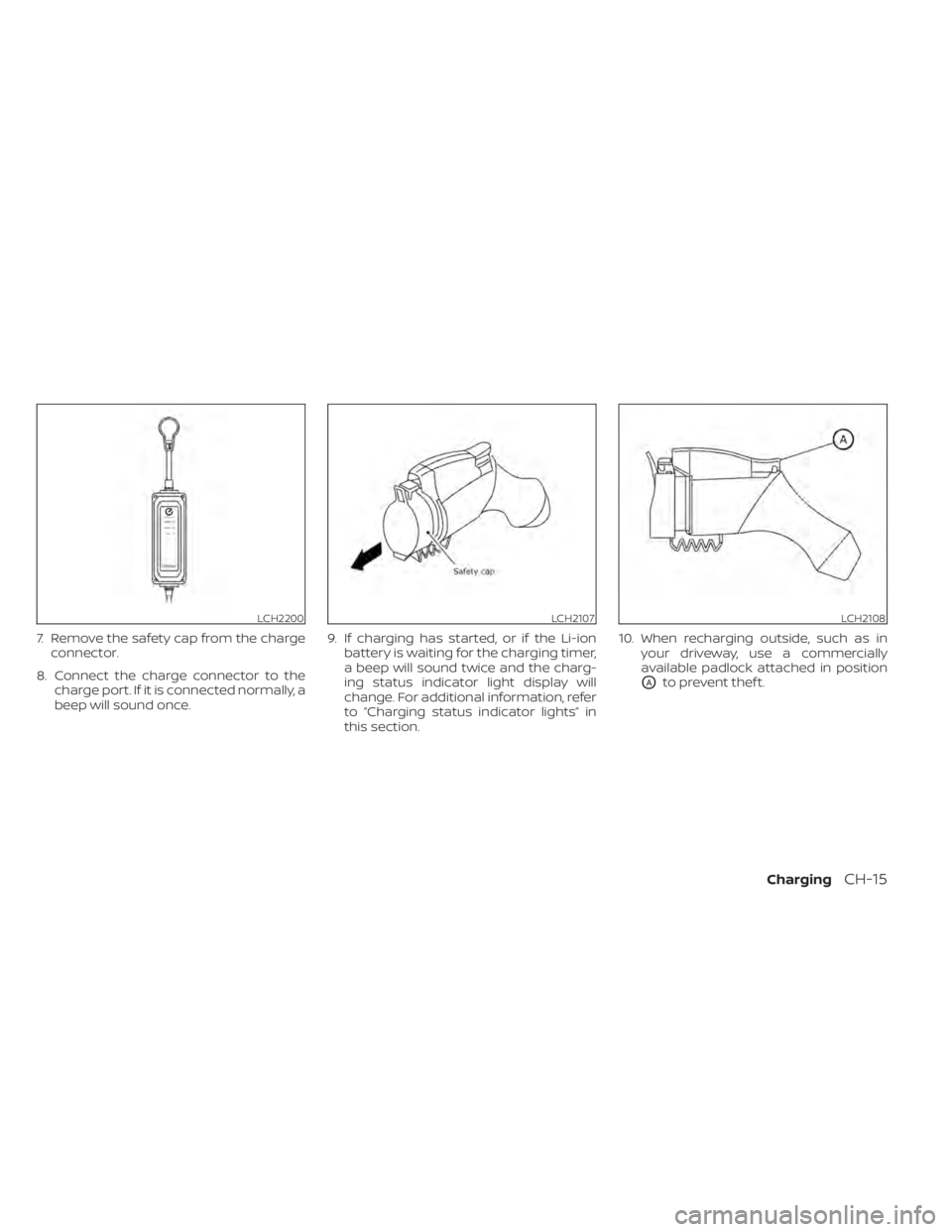
7. Remove the safety cap from the chargeconnector.
8. Connect the charge connector to the charge port. If it is connected normally, a
beep will sound once. 9. If charging has started, or if the Li-ion
battery is waiting for the charging timer,
a beep will sound twice and the charg-
ing status indicator light display will
change. For additional information, refer
to “Charging status indicator lights” in
this section. 10. When recharging outside, such as in
your driveway, use a commercially
available padlock attached in position
OAto prevent thef t.
LCH2200LCH2107LCH2108
ChargingCH-15
Page 72 of 596
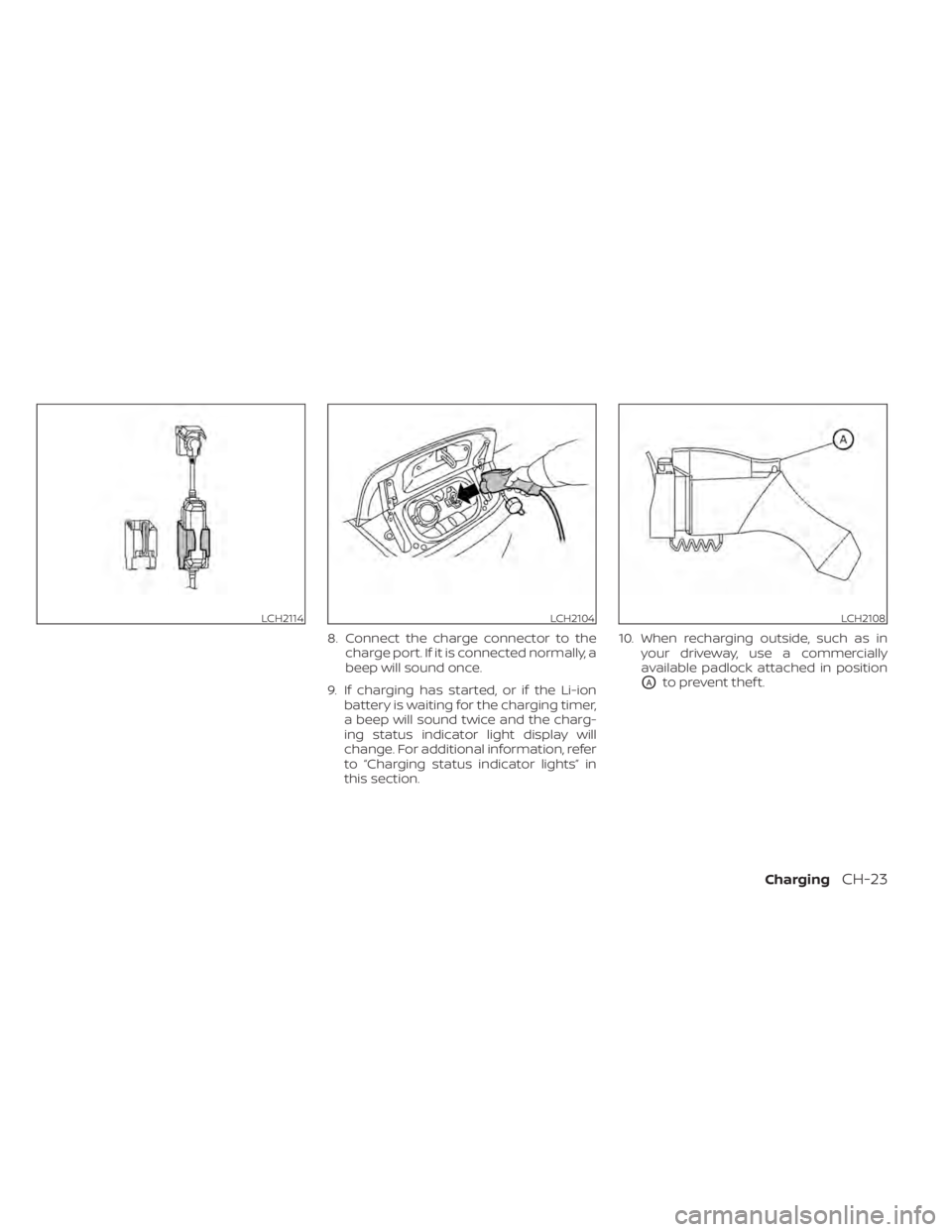
8. Connect the charge connector to thecharge port. If it is connected normally, a
beep will sound once.
9. If charging has started, or if the Li-ion battery is waiting for the charging timer,
a beep will sound twice and the charg-
ing status indicator light display will
change. For additional information, refer
to “Charging status indicator lights” in
this section. 10. When recharging outside, such as in
your driveway, use a commercially
available padlock attached in position
OAto prevent thef t.
LCH2114LCH2104LCH2108
ChargingCH-23
Page 81 of 596
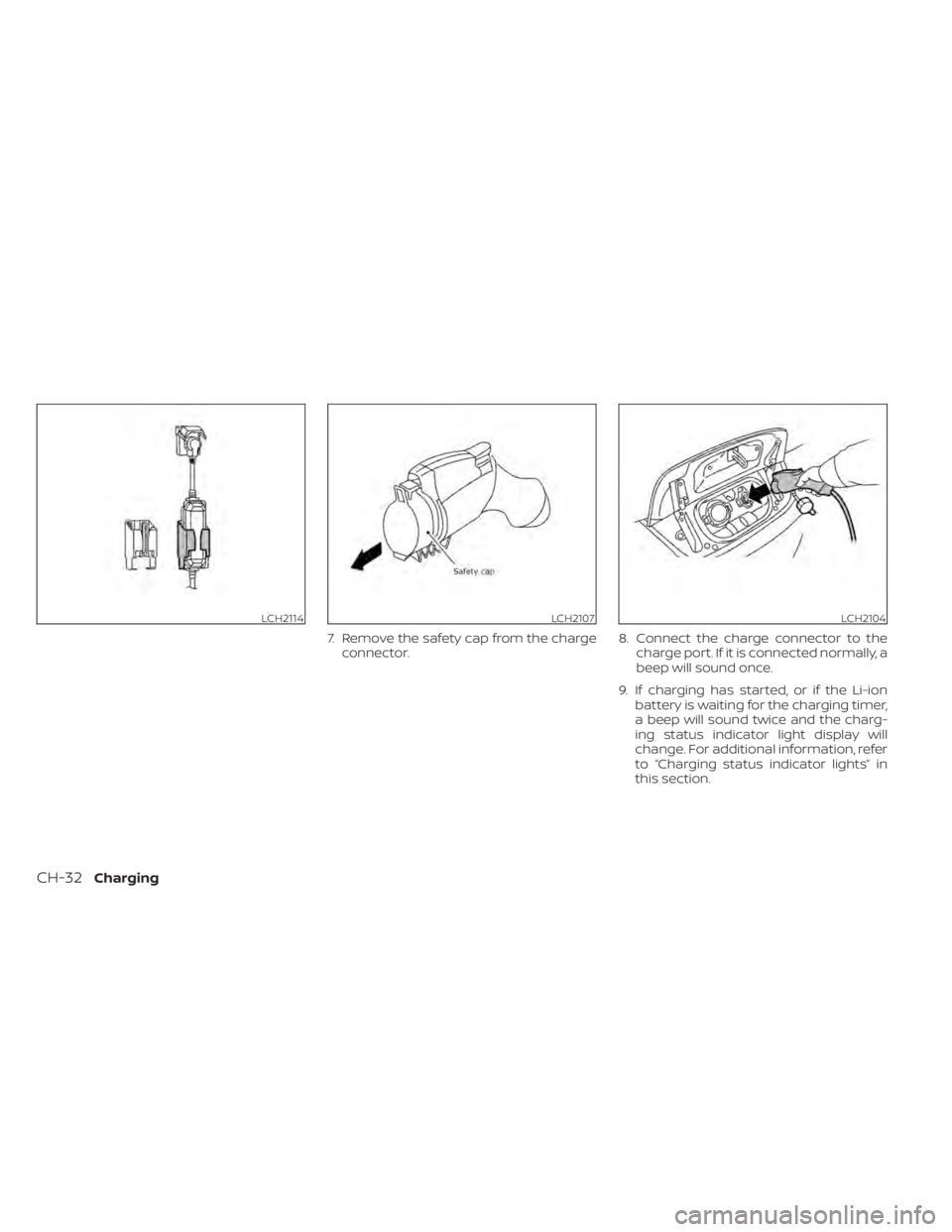
7. Remove the safety cap from the chargeconnector. 8. Connect the charge connector to the
charge port. If it is connected normally, a
beep will sound once.
9. If charging has started, or if the Li-ion battery is waiting for the charging timer,
a beep will sound twice and the charg-
ing status indicator light display will
change. For additional information, refer
to “Charging status indicator lights” in
this section.
LCH2114LCH2107LCH2104
CH-32Charging